


 Скачать презентацию NEPSI Online Reporting System Guidance Sites 1
2e07f3ee33e3ca1e2b418e768cce0fcf.ppt
- Количество слайдов: 33
 NEPSI Online Reporting System Guidance Sites
 1. You receive two e-mails from your Company The first one includes a hyperlink to access the reporting system The second one includes a pass code to enter the reporting system
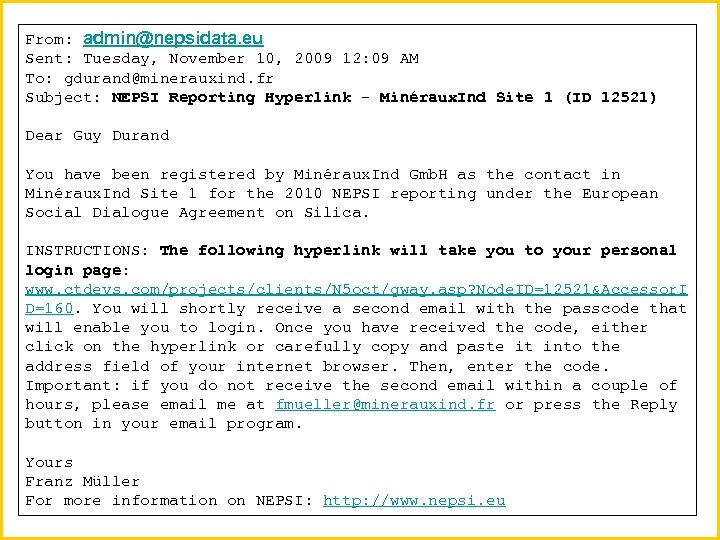 From: admin@nepsidata. eu Sent: Tuesday, November 10, 2009 12: 09 AM To: gdurand@minerauxind. fr Subject: NEPSI Reporting Hyperlink - Minéraux. Ind Site 1 (ID 12521) Dear Guy Durand You have been registered by Minéraux. Ind Gmb. H as the contact in Minéraux. Ind Site 1 for the 2010 NEPSI reporting under the European Social Dialogue Agreement on Silica. INSTRUCTIONS: The following hyperlink will take you to your personal login page: www. ctdevs. com/projects/clients/N 5 oct/gway. asp? Node. ID=12521&Accessor. I D=160. You will shortly receive a second email with the passcode that will enable you to login. Once you have received the code, either click on the hyperlink or carefully copy and paste it into the address field of your internet browser. Then, enter the code. Important: if you do not receive the second email within a couple of hours, please email me at fmueller@minerauxind. fr or press the Reply button in your email program. Yours Franz Müller For more information on NEPSI: http: //www. nepsi. eu
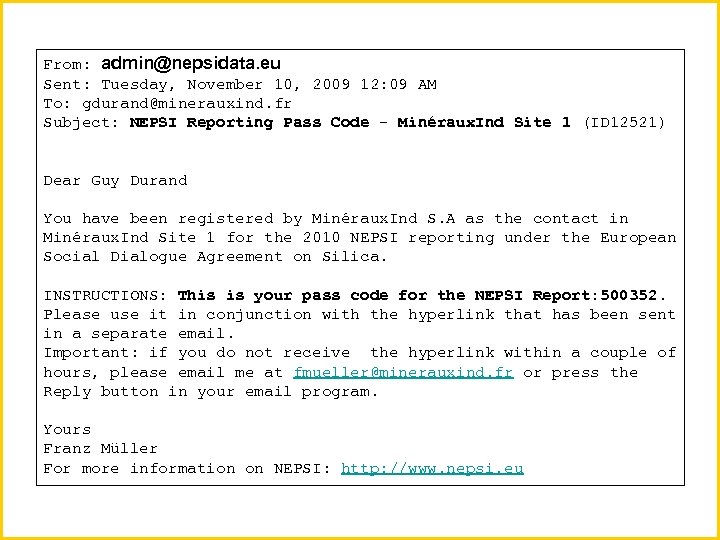 From: admin@nepsidata. eu Sent: Tuesday, November 10, 2009 12: 09 AM To: gdurand@minerauxind. fr Subject: NEPSI Reporting Pass Code - Minéraux. Ind Site 1 (ID 12521) Dear Guy Durand You have been registered by Minéraux. Ind S. A as the contact in Minéraux. Ind Site 1 for the 2010 NEPSI reporting under the European Social Dialogue Agreement on Silica. INSTRUCTIONS: This is your pass code for the NEPSI Report: 500352. Please use it in conjunction with the hyperlink that has been sent in a separate email. Important: if you do not receive the hyperlink within a couple of hours, please email me at fmueller@minerauxind. fr or press the Reply button in your email program. Yours Franz Müller For more information on NEPSI: http: //www. nepsi. eu
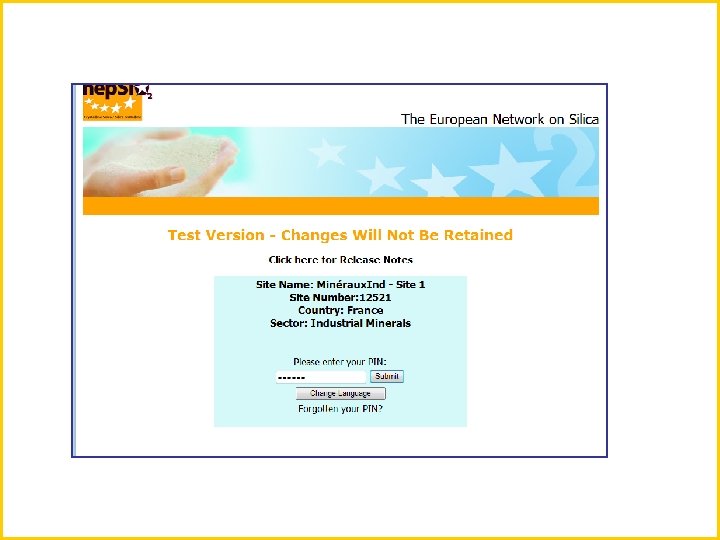
 2. Copy/paste the hyperlink in your web browser, connect, and enter your pass code
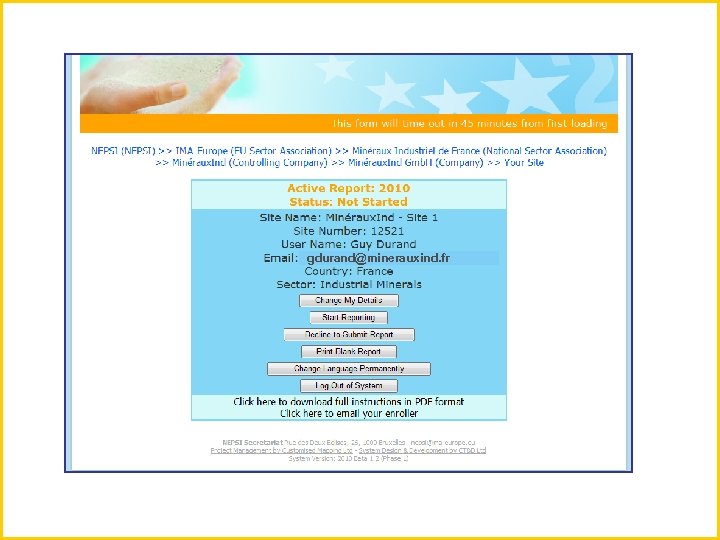
 3. This leads you to your control panel
 gdurand@minerauxind. fr
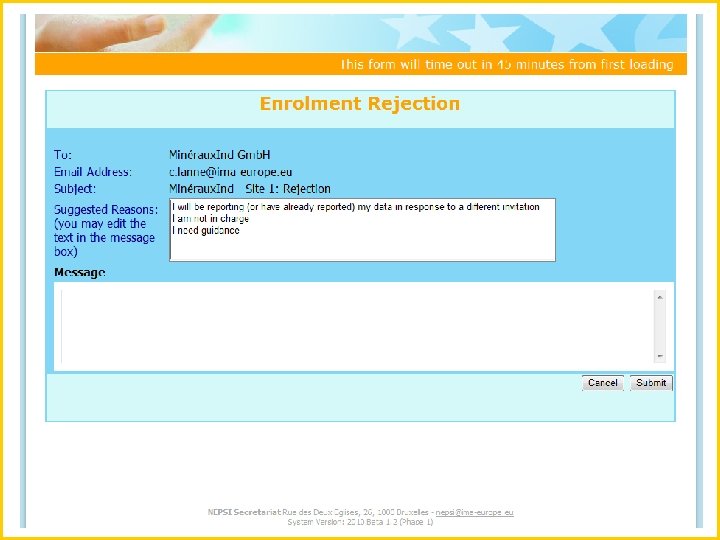
 4. If you have received two invitations, you can decline to submit a report
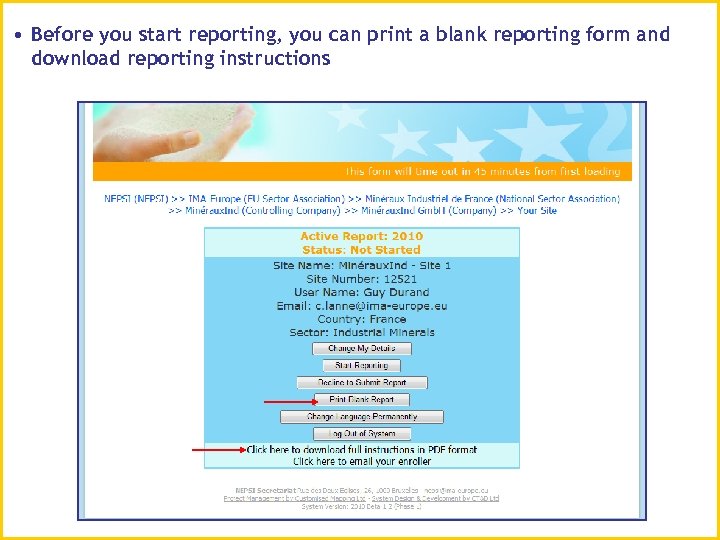 • Before you start reporting, you can print a blank reporting form and download reporting instructions
 5. To enter your reporting data into the system, Click “Start reporting”
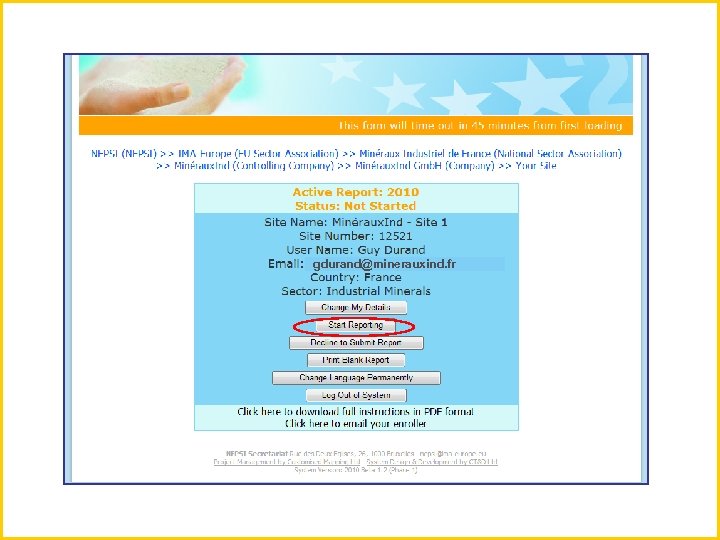 gdurand@minerauxind. fr
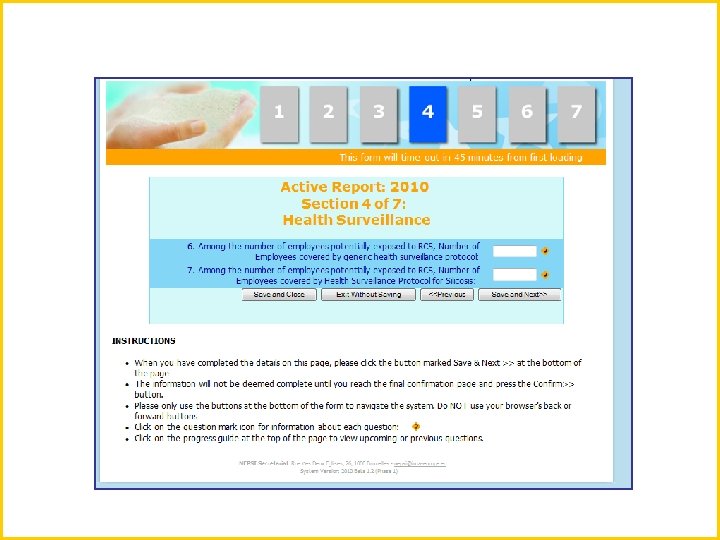
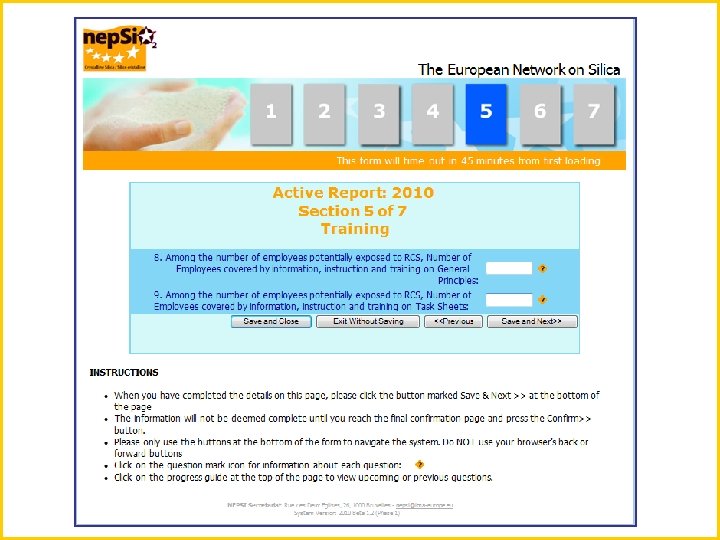
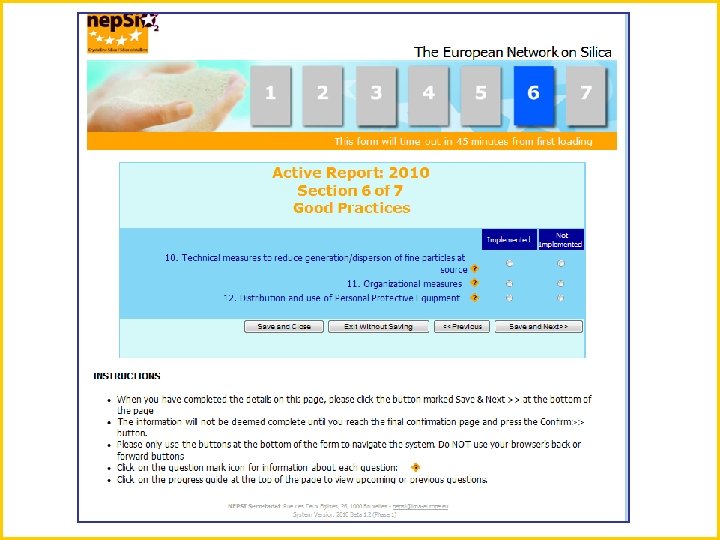
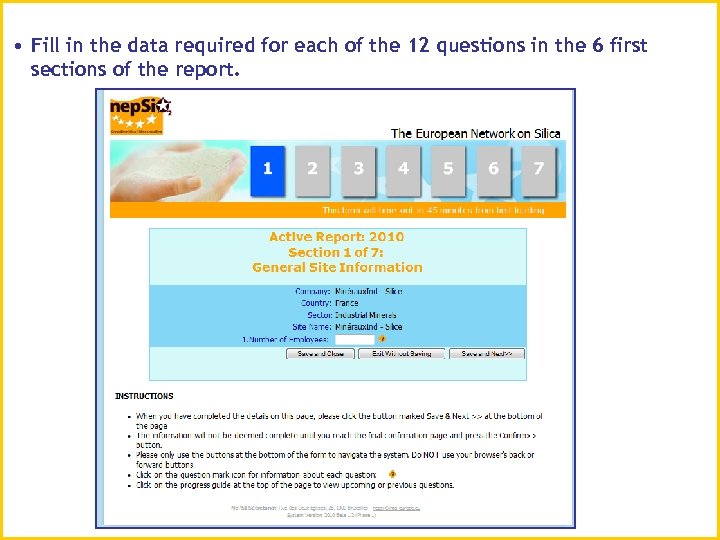 • Fill in the data required for each of the 12 questions in the 6 first sections of the report.
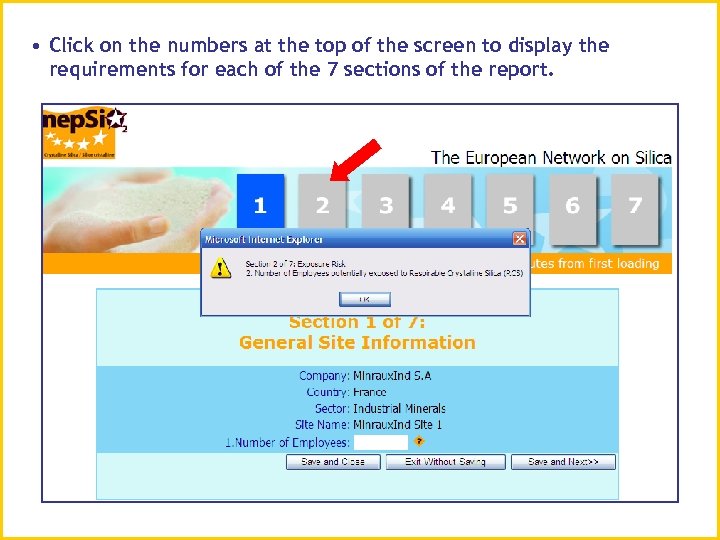 • Click on the numbers at the top of the screen to display the requirements for each of the 7 sections of the report.
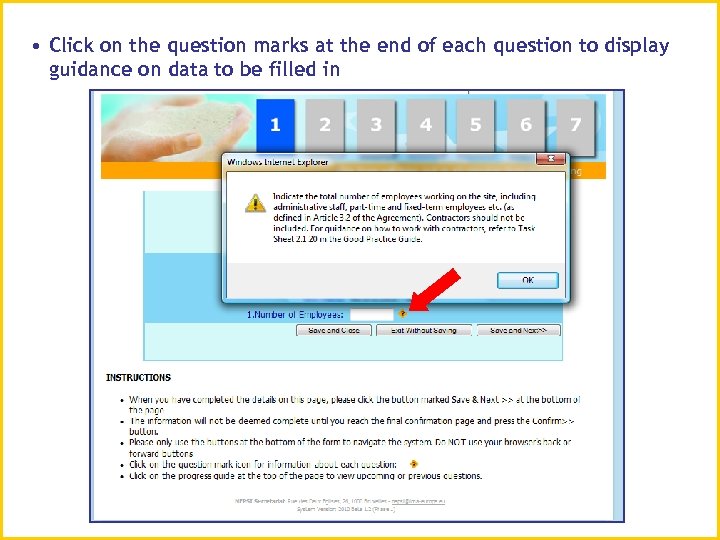 • Click on the question marks at the end of each question to display guidance on data to be filled in
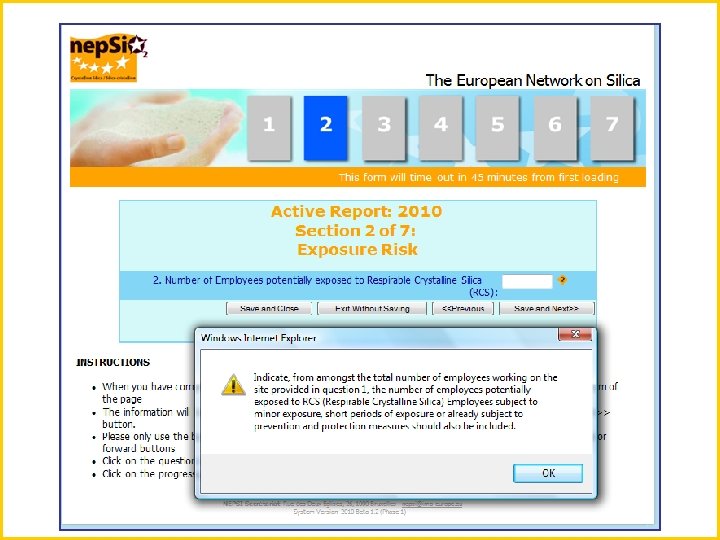
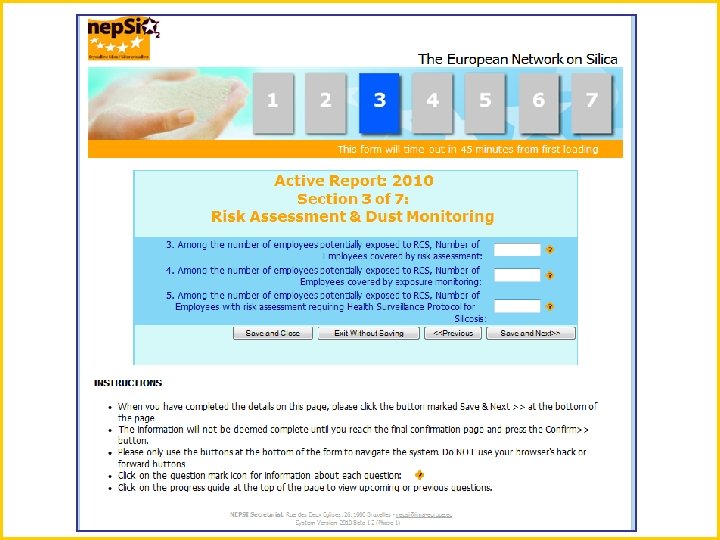
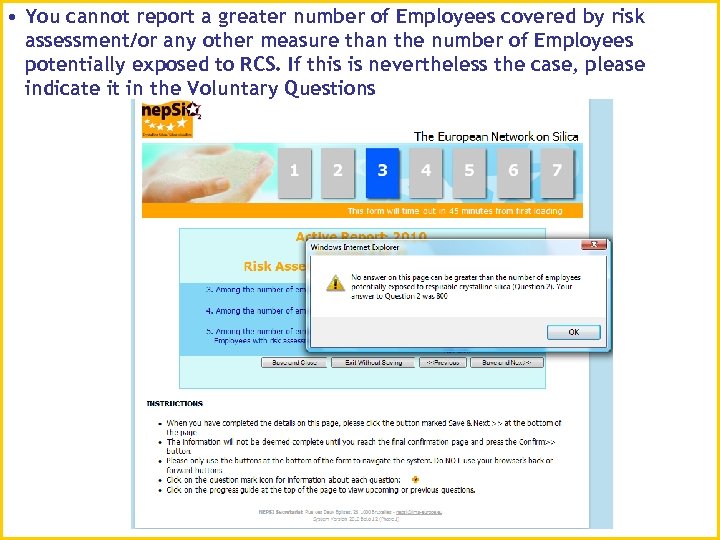 • You cannot report a greater number of Employees covered by risk assessment/or any other measure than the number of Employees potentially exposed to RCS. If this is nevertheless the case, please indicate it in the Voluntary Questions
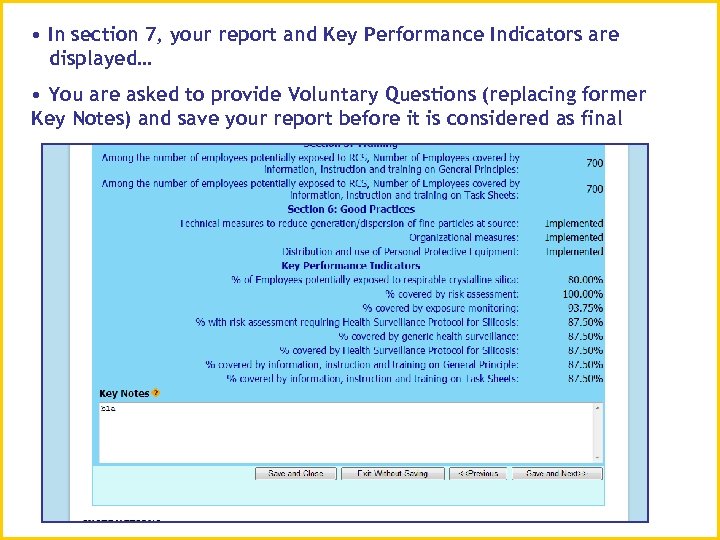 • In section 7, your report and Key Performance Indicators are displayed… • You are asked to provide Voluntary Questions (replacing former Key Notes) and save your report before it is considered as final
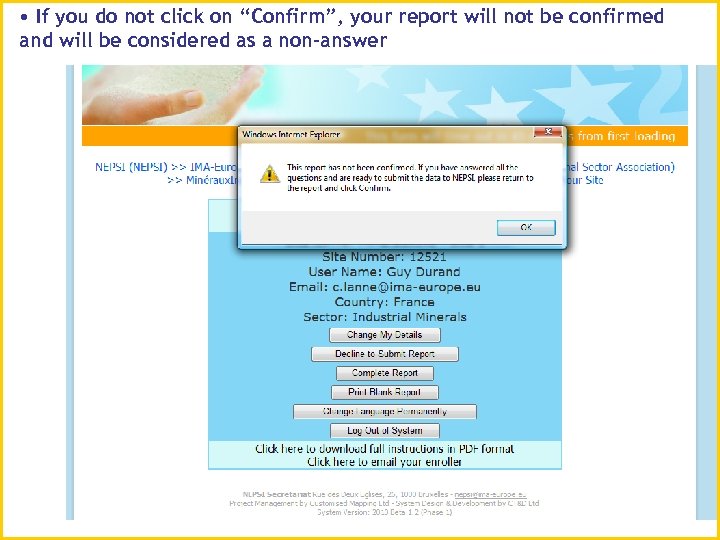 • If you do not click on “Confirm”, your report will not be confirmed and will be considered as a non-answer
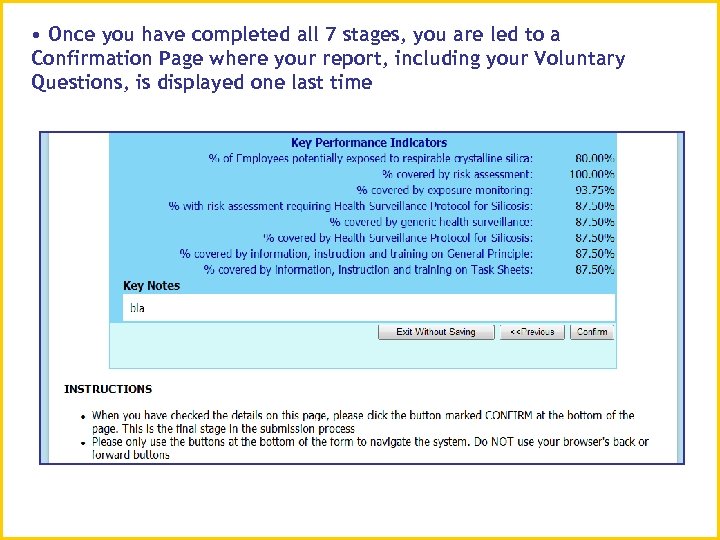 • Once you have completed all 7 stages, you are led to a Confirmation Page where your report, including your Voluntary Questions, is displayed one last time
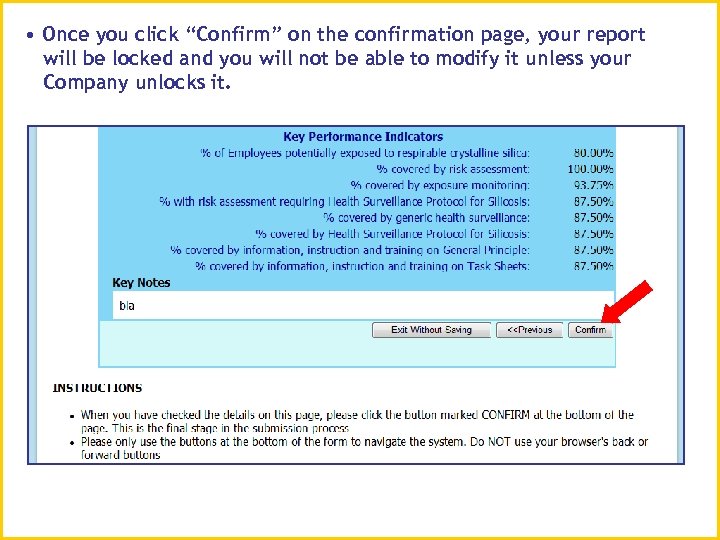 • Once you click “Confirm” on the confirmation page, your report will be locked and you will not be able to modify it unless your Company unlocks it.
 6. Unlock Reporting Request
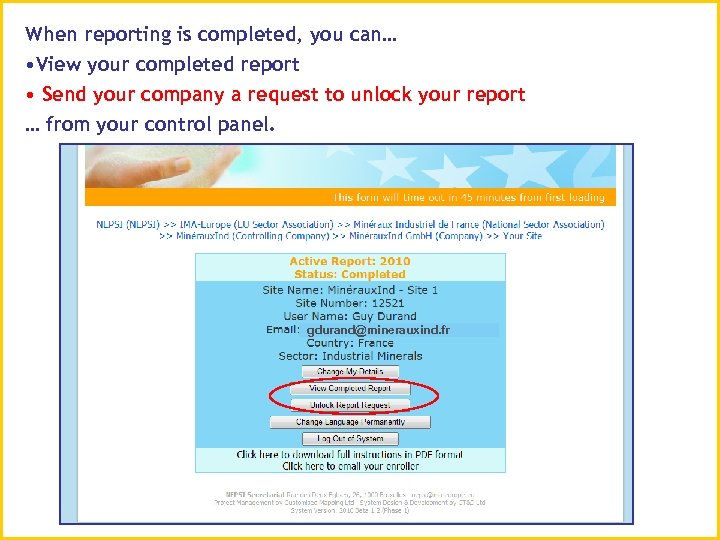 When reporting is completed, you can… • View your completed report • Send your company a request to unlock your report … from your control panel. gdurand@minerauxind. fr
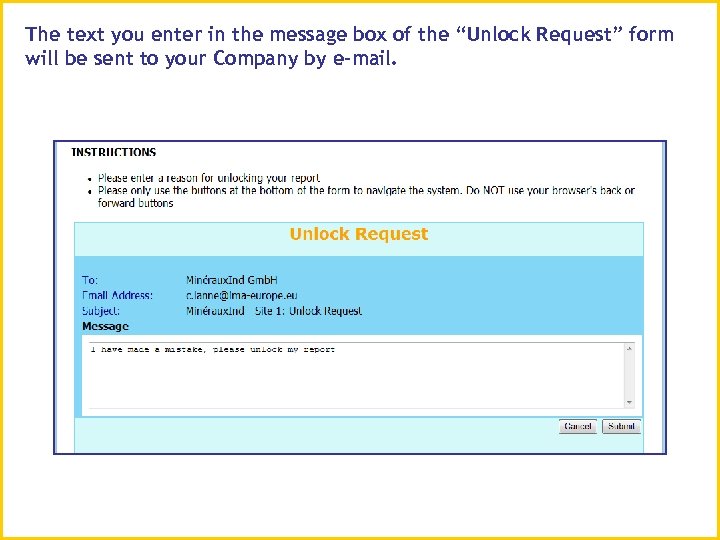 The text you enter in the message box of the “Unlock Request” form will be sent to your Company by e-mail.
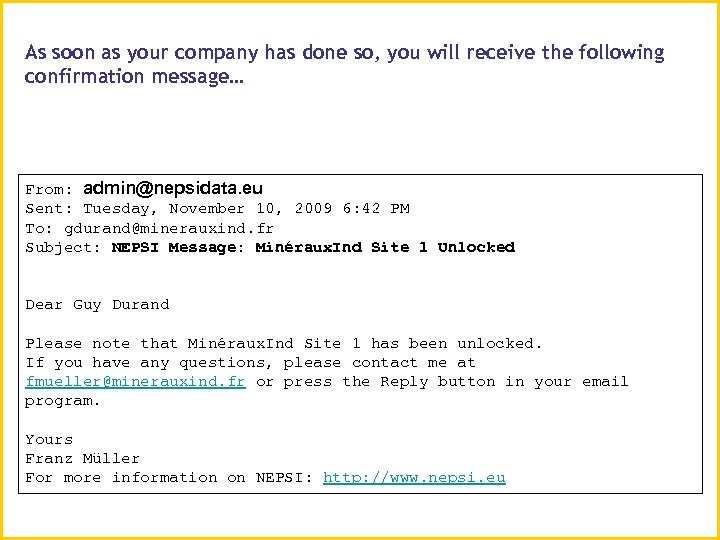 As soon as your company has done so, you will receive the following confirmation message… From: admin@nepsidata. eu Sent: Tuesday, November 10, 2009 6: 42 PM To: gdurand@minerauxind. fr Subject: NEPSI Message: Minéraux. Ind Site 1 Unlocked Dear Guy Durand Please note that Minéraux. Ind Site 1 has been unlocked. If you have any questions, please contact me at fmueller@minerauxind. fr or press the Reply button in your email program. Yours Franz Müller For more information on NEPSI: http: //www. nepsi. eu
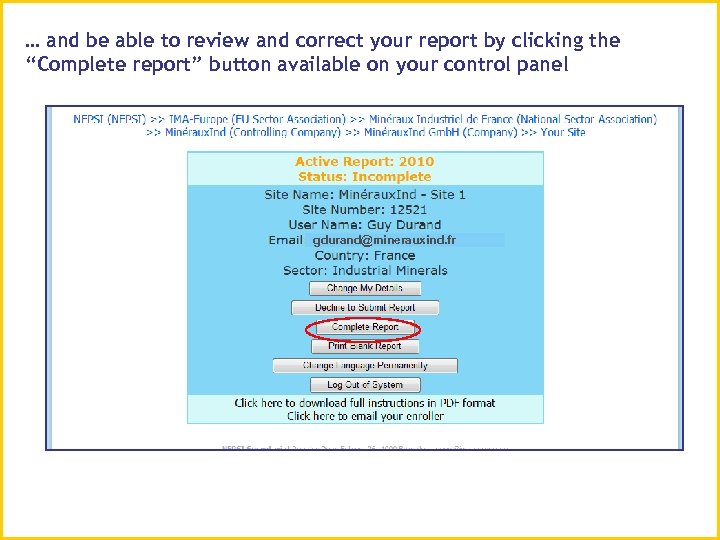 … and be able to review and correct your report by clicking the “Complete report” button available on your control panel gdurand@minerauxind. fr
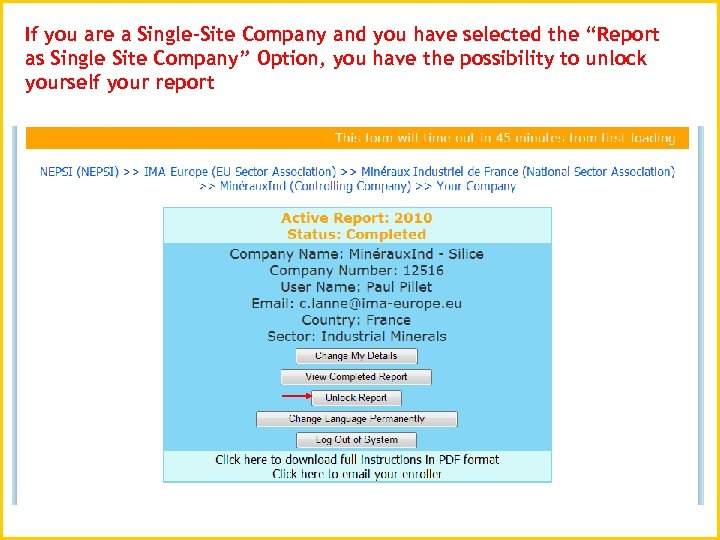 If you are a Single-Site Company and you have selected the “Report as Single Site Company” Option, you have the possibility to unlock yourself your report
 For guidance on specific circumstances, please refer to the NEPSI Guidance on Reporting Under the Social Dialogue Agreement on Silica – EU sector, National sector, Company – downloadable from the Control Panel