 Скачать презентацию nbn Training for IBOs 1 December 2016
9d1b840af253ce997cf50e7a47e23afd.ppt
- Количество слайдов: 28



nbn ™ Training for IBOs 1 December 2016
What is nbn™? nbn™ is a wholesale only provider. The nbn™ is an Australia wide project to upgrade the existing fixed line phone and Internet network infrastructure. The aim is to provide high speed broadband access to all Australians, scheduled for completion in 2020. Due to the nature and size of Australia, nbn™ plans to use a mix of technologies to deliver the nbn™, using best fit solutions for each area, which is referred to as the Multi Technology Mix (MTM).
nbn™ IBO opportunity As at September 2016, over 3. 08 million homes and businesses were nbn™ ready with 1. 3 million of these still needing to sign up with a nbn™ service provider * The number of premises Ready For Service is expected to 5. 4 million in 2017*. nbn™ is making excellent progress towards their goal of averaging 25, 000 new homes added to the nbn™ network each week. This is a huge increase compared to the 7000 homes two years ago. * Source: nbnco. com. au
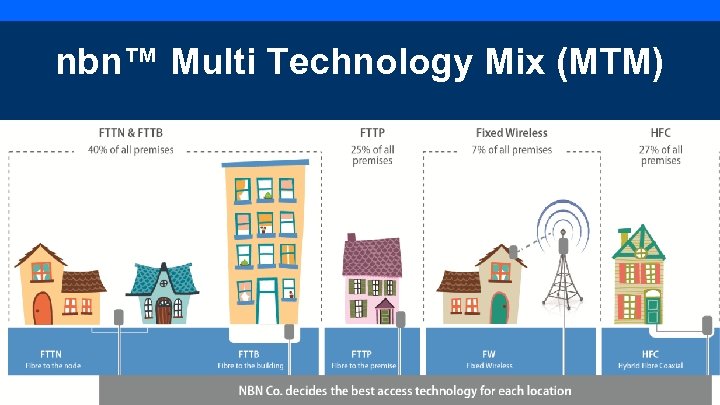
nbn™ Multi Technology Mix (MTM)
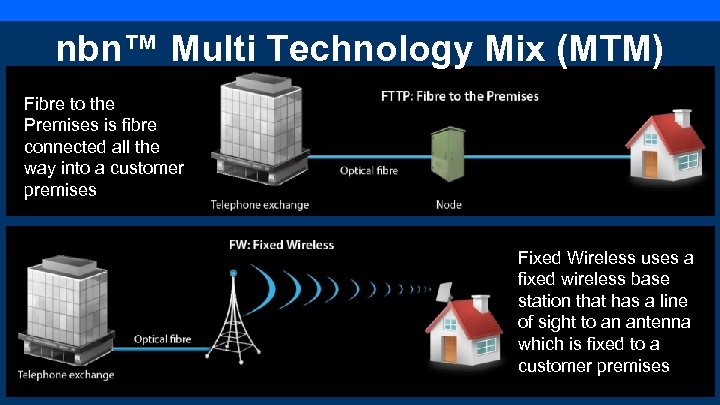
nbn™ Multi Technology Mix (MTM) Fibre to the Premises is fibre connected all the way into a customer premises Fixed Wireless uses a fixed wireless base station that has a line of sight to an antenna which is fixed to a customer premises
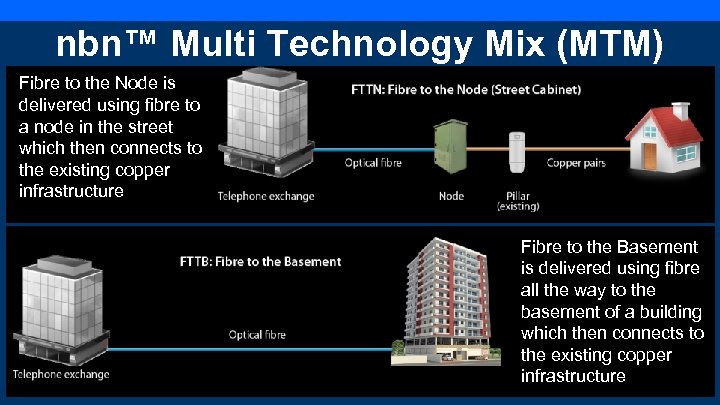
nbn™ Multi Technology Mix (MTM) Fibre to the Node is delivered using fibre to a node in the street which then connects to the existing copper infrastructure Fibre to the Basement is delivered using fibre all the way to the basement of a building which then connects to the existing copper infrastructure
nbn™ time to switch Once 90% of an area has been passed by NBN Co. the area is deemed Ready For Service (RFS) and Service Providers, such as ACN, can start to sell their nbn™ services within that area. Approximately 2 weeks after RFS, Cease Sale (CS) commences. This means for FW, FTTP, FTTN, FTTB technologies: • Traditional phone and/or DSL services can no longer be connected once CS commences. • Customers can only sign up to or transfer existing Phone and Broadband services to an ACN nbn™ plan. • The copper network will be disconnected to homes/businesses 18 months after CS. Copper disconnection for Fixed Wire technology is yet to be confirmed.
Connecting to nbn™ Ask the nbn™ Ninja if an address is RFS at www. acnpacific. com/broadband/nbn -ninja-address-checker/ The Ninja will advise if the address will be ready in the next 12 months. Alternatively visit ACN's nbn™ coverage page at acnpacific. com/nbn-rolloutcoverage/ to check whether an address is RFS. Customers can: 1. Check which areas are nbn™ RFS by selecting a state and then a suburb. The names of new residential developments can also be checked. 2. Enter a specific address via the nbn™ Rollout Map Please note: once nbn™ declares an area RFS, this does not mean that all premises will be immediately serviceable and/or able to get nbn™. Exceptions may include multi-level dwellings.
Register your interest • If an address isn’t serviceable by nbn™, customers can register their interest online at acnpacific. com/nbn-register-your-interest/ • ACN will also proactively contact existing Broadband & Phone Service customers when their existing network is due to be disconnected.
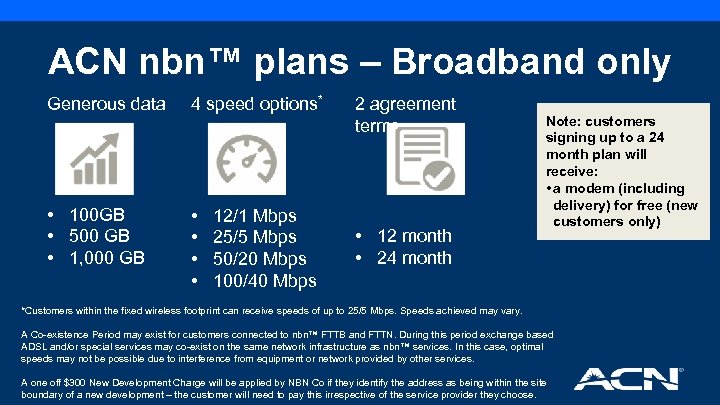
ACN nbn™ plans – Broadband only Generous data 4 speed options* • 100 GB • 500 GB • 1, 000 GB • • 12/1 Mbps 25/5 Mbps 50/20 Mbps 100/40 Mbps 2 agreement terms • 12 month • 24 month Note: customers signing up to a 24 month plan will receive: • a modem (including delivery) for free (new customers only) *Customers within the fixed wireless footprint can receive speeds of up to 25/5 Mbps. Speeds achieved may vary. A Co-existence Period may exist for customers connected to nbn™ FTTB and FTTN. During this period exchange based ADSL and/or special services may co-exist on the same network infrastructure as nbn™ services. In this case, optimal speeds may not be possible due to interference from equipment or network provided by other services. A one off $300 New Development Charge will be applied by NBN Co if they identify the address as being within the site boundary of a new development – the customer will need to pay this irrespective of the service provider they choose.
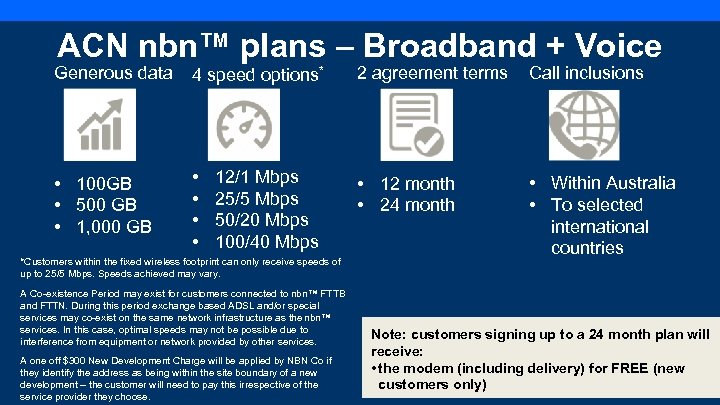
ACN nbn™ plans – Broadband + Voice Generous data 4 speed options* 2 agreement terms Call inclusions • 100 GB • 500 GB • 1, 000 GB • • • 12 month • 24 month • Within Australia • To selected international countries 12/1 Mbps 25/5 Mbps 50/20 Mbps 100/40 Mbps *Customers within the fixed wireless footprint can only receive speeds of up to 25/5 Mbps. Speeds achieved may vary. A Co-existence Period may exist for customers connected to nbn™ FTTB and FTTN. During this period exchange based ADSL and/or special services may co-exist on the same network infrastructure as the nbn™ services. In this case, optimal speeds may not be possible due to interference from equipment or network provided by other services. A one off $300 New Development Charge will be applied by NBN Co if they identify the address as being within the site boundary of a new development – the customer will need to pay this irrespective of the service provider they choose. Note: customers signing up to a 24 month plan will receive: • the modem (including delivery) for FREE (new customers only)
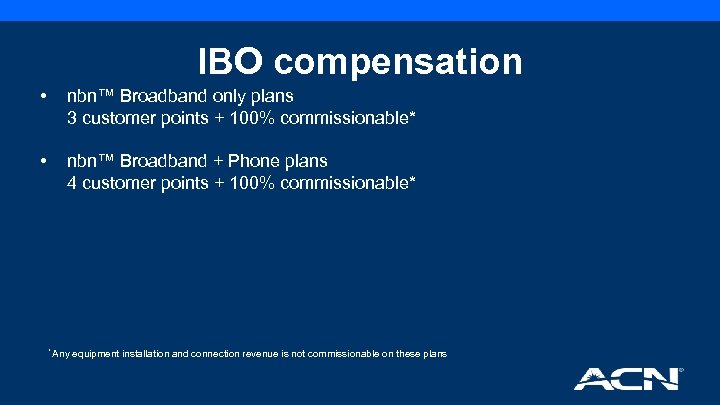
IBO compensation • nbn™ Broadband only plans 3 customer points + 100% commissionable* • nbn™ Broadband + Phone plans 4 customer points + 100% commissionable* * Any equipment installation and connection revenue is not commissionable on these plans
Customer points • Customer points will be awarded from the date of successful credit check and based on correct and complete information provided by the customer at the time of their online sign up • IBOs should allow 24 hours for points to appear in their Personal Customer List (PCL) from the date of their customer’s successful credit check (not the date of online sign up)
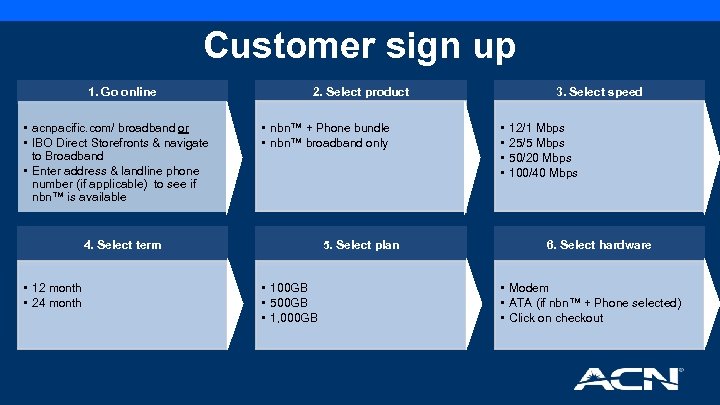
Customer sign up 1. Go online • acnpacific. com/ broadband or • IBO Direct Storefronts & navigate to Broadband • Enter address & landline phone number (if applicable) to see if nbn™ is available 2. Select product • nbn™ + Phone bundle • nbn™ broadband only 4. Select term • 12 month • 24 month 5. Select plan • 100 GB • 500 GB • 1, 000 GB 3. Select speed • • 12/1 Mbps 25/5 Mbps 50/20 Mbps 100/40 Mbps 6. Select hardware • Modem • ATA (if nbn™ + Phone selected) • Click on checkout
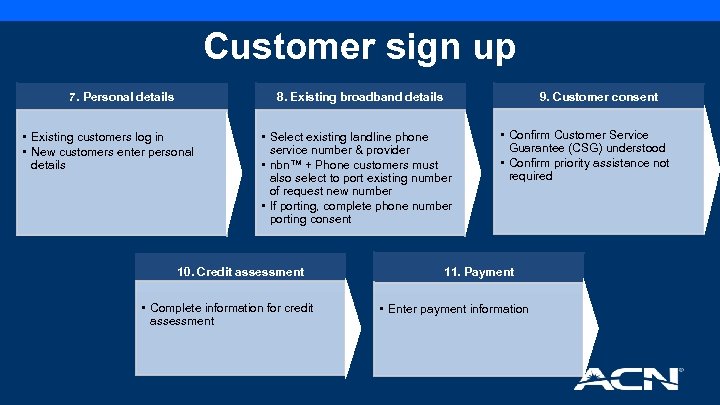
Customer sign up 7. Personal details 8. Existing broadband details • Existing customers log in • New customers enter personal details 9. Customer consent • Select existing landline phone service number & provider • nbn™ + Phone customers must also select to port existing number of request new number • If porting, complete phone number porting consent 10. Credit assessment • Complete information for credit assessment • Confirm Customer Service Guarantee (CSG) understood • Confirm priority assistance not required 11. Payment • Enter payment information
What to expect • To ensure your customer’s order is processed in a timely manner, it is essential that all their details are complete and entered accurately during online sign up • After your customer’s order has been submitted, ACN's provisioning team will submit the order in our wholesale supplier database • Based on the type of work required for the service, an appointment and date will be determined for a technician visit if necessary. The date is determined by the first available appointment on the nbn™ database
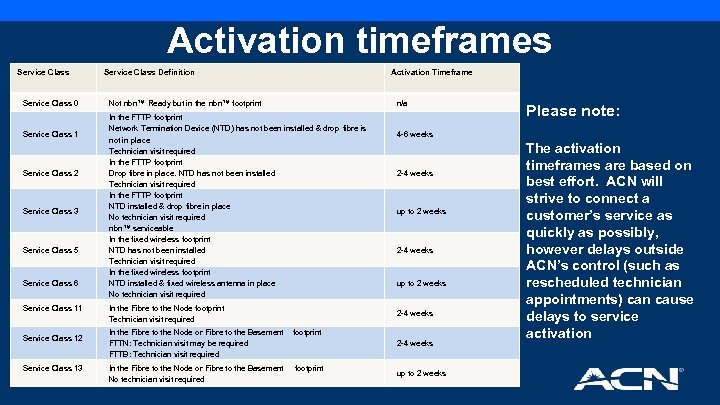
Activation timeframes Service Class 0 Service Class 1 Service Class 2 Service Class 3 Service Class 5 Service Class 6 Service Class 11 Service Class 12 Service Class 13 Service Class Definition Not nbn™ Ready but in the nbn™ footprint In the FTTP footprint Network Termination Device (NTD) has not been installed & drop fibre is not in place Technician visit required In the FTTP footprint Drop fibre in place. NTD has not been installed Technician visit required In the FTTP footprint NTD installed & drop fibre in place No technician visit required nbn™ serviceable In the fixed wireless footprint NTD has not been installed Technician visit required In the fixed wireless footprint NTD installed & fixed wireless antenna in place No technician visit required Activation Timeframe n/a Please note: 4 -6 weeks 2 -4 weeks up to 2 weeks In the Fibre to the Node footprint Technician visit required 2 -4 weeks In the Fibre to the Node or Fibre to the Basement footprint FTTN: Technician visit may be required FTTB: Technician visit required 2 -4 weeks In the Fibre to the Node or Fibre to the Basement footprint No technician visit required up to 2 weeks The activation timeframes are based on best effort. ACN will strive to connect a customer’s service as quickly as possibly, however delays outside ACN’s control (such as rescheduled technician appointments) can cause delays to service activation
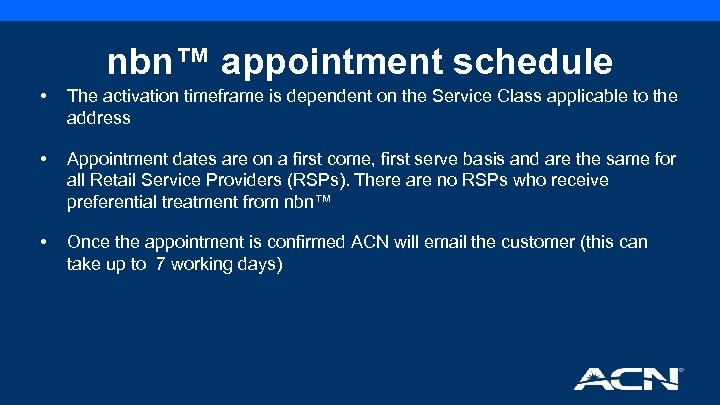
nbn™ appointment schedule • The activation timeframe is dependent on the Service Class applicable to the address • Appointment dates are on a first come, first serve basis and are the same for all Retail Service Providers (RSPs). There are no RSPs who receive preferential treatment from nbn™ • Once the appointment is confirmed ACN will email the customer (this can take up to 7 working days)
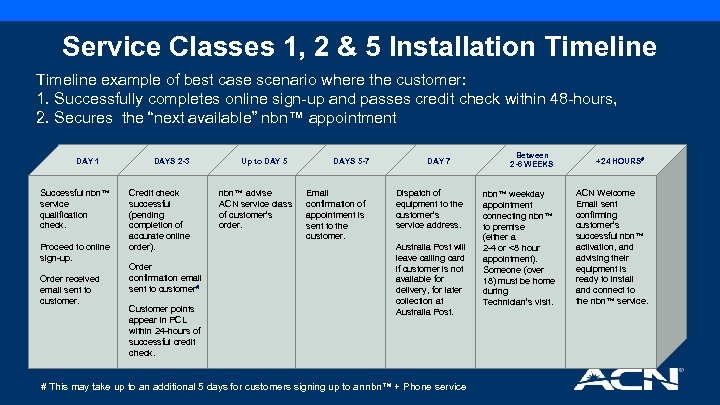
Service Classes 1, 2 & 5 Installation Timeline example of best case scenario where the customer: 1. Successfully completes online sign-up and passes credit check within 48 -hours, 2. Secures the “next available” nbn™ appointment DAY 1 Successful nbn™ service qualification check. Proceed to online sign-up. Order received email sent to customer. DAYS 2 -3 Credit check successful (pending completion of accurate online order). Order confirmation email sent to customer# Customer points appear in PCL within 24 -hours of successful credit check. Up to DAY 5 nbn™ advise ACN service class of customer’s order. DAYS 5 -7 Email confirmation of appointment is sent to the customer. DAY 7 Dispatch of equipment to the customer’s service address. Australia Post will leave calling card if customer is not available for delivery, for later collection at Australia Post. # This may take up to an additional 5 days for customers signing up to an nbn™ + Phone service Between 2 -6 WEEKS nbn™ weekday appointment connecting nbn™ to premise (either a 2 -4 or <8 hour appointment). Someone (over 18) must be home during Technician’s visit. +24 HOURS# ACN Welcome Email sent confirming customer’s successful nbn™ activation, and advising their equipment is ready to install and connect to the nbn™ service.
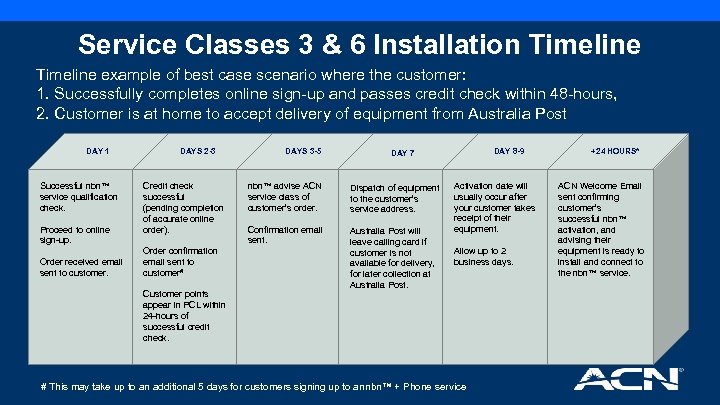
Service Classes 3 & 6 Installation Timeline example of best case scenario where the customer: 1. Successfully completes online sign-up and passes credit check within 48 -hours, 2. Customer is at home to accept delivery of equipment from Australia Post DAY 1 Successful nbn™ service qualification check. Proceed to online sign-up. Order received email sent to customer. DAYS 2 -3 Credit check successful (pending completion of accurate online order). Order confirmation email sent to customer# Customer points appear in PCL within 24 -hours of successful credit check. DAYS 3 -5 DAY 8 -9 DAY 7 nbn™ advise ACN service class of customer’s order. Dispatch of equipment to the customer’s service address. Confirmation email sent. Australia Post will leave calling card if customer is not available for delivery, for later collection at Australia Post. Activation date will usually occur after your customer takes receipt of their equipment. Allow up to 2 business days. # This may take up to an additional 5 days for customers signing up to an nbn™ + Phone service +24 HOURS* ACN Welcome Email sent confirming customer’s successful nbn™ activation, and advising their equipment is ready to install and connect to the nbn™ service.
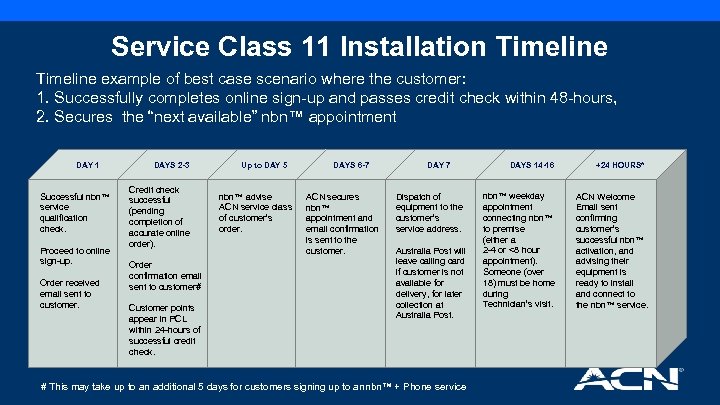
Service Class 11 Installation Timeline example of best case scenario where the customer: 1. Successfully completes online sign-up and passes credit check within 48 -hours, 2. Secures the “next available” nbn™ appointment DAY 1 Successful nbn™ service qualification check. Proceed to online sign-up. Order received email sent to customer. DAYS 2 -3 Credit check successful (pending completion of accurate online order). Order confirmation email sent to customer# Customer points appear in PCL within 24 -hours of successful credit check. Up to DAY 5 nbn™ advise ACN service class of customer’s order. DAYS 6 -7 ACN secures nbn™ appointment and email confirmation is sent to the customer. DAY 7 Dispatch of equipment to the customer’s service address. Australia Post will leave calling card if customer is not available for delivery, for later collection at Australia Post. # This may take up to an additional 5 days for customers signing up to an nbn™ + Phone service DAYS 14 -16 nbn™ weekday appointment connecting nbn™ to premise (either a 2 -4 or <8 hour appointment). Someone (over 18) must be home during Technician’s visit. +24 HOURS* ACN Welcome Email sent confirming customer’s successful nbn™ activation, and advising their equipment is ready to install and connect to the nbn™ service.
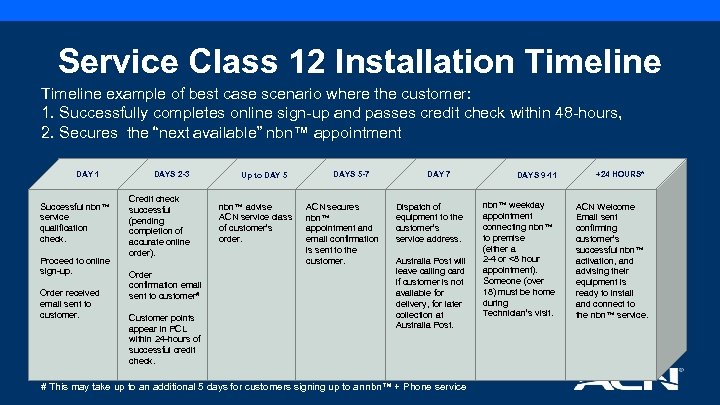
Service Class 12 Installation Timeline example of best case scenario where the customer: 1. Successfully completes online sign-up and passes credit check within 48 -hours, 2. Secures the “next available” nbn™ appointment DAY 1 Successful nbn™ service qualification check. Proceed to online sign-up. Order received email sent to customer. DAYS 2 -3 Credit check successful (pending completion of accurate online order). Order confirmation email sent to customer# Customer points appear in PCL within 24 -hours of successful credit check. Up to DAY 5 nbn™ advise ACN service class of customer’s order. DAYS 5 -7 ACN secures nbn™ appointment and email confirmation is sent to the customer. DAY 7 Dispatch of equipment to the customer’s service address. Australia Post will leave calling card if customer is not available for delivery, for later collection at Australia Post. # This may take up to an additional 5 days for customers signing up to an nbn™ + Phone service DAYS 9 -11 nbn™ weekday appointment connecting nbn™ to premise (either a 2 -4 or <8 hour appointment). Someone (over 18) must be home during Technician’s visit. +24 HOURS* ACN Welcome Email sent confirming customer’s successful nbn™ activation, and advising their equipment is ready to install and connect to the nbn™ service.
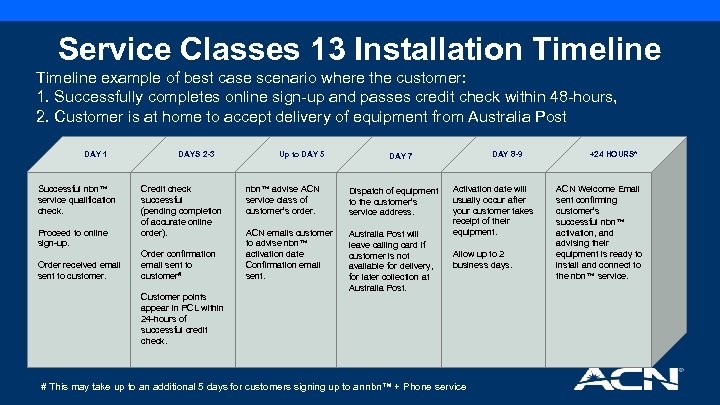
Service Classes 13 Installation Timeline example of best case scenario where the customer: 1. Successfully completes online sign-up and passes credit check within 48 -hours, 2. Customer is at home to accept delivery of equipment from Australia Post DAY 1 Successful nbn™ service qualification check. Proceed to online sign-up. Order received email sent to customer. DAYS 2 -3 Credit check successful (pending completion of accurate online order). Order confirmation email sent to customer# Customer points appear in PCL within 24 -hours of successful credit check. Up to DAY 5 DAY 8 -9 DAY 7 nbn™ advise ACN service class of customer’s order. Dispatch of equipment to the customer’s service address. ACN emails customer to advise nbn™ activation date Confirmation email sent. Australia Post will leave calling card if customer is not available for delivery, for later collection at Australia Post. Activation date will usually occur after your customer takes receipt of their equipment. Allow up to 2 business days. # This may take up to an additional 5 days for customers signing up to an nbn™ + Phone service +24 HOURS* ACN Welcome Email sent confirming customer’s successful nbn™ activation, and advising their equipment is ready to install and connect to the nbn™ service.
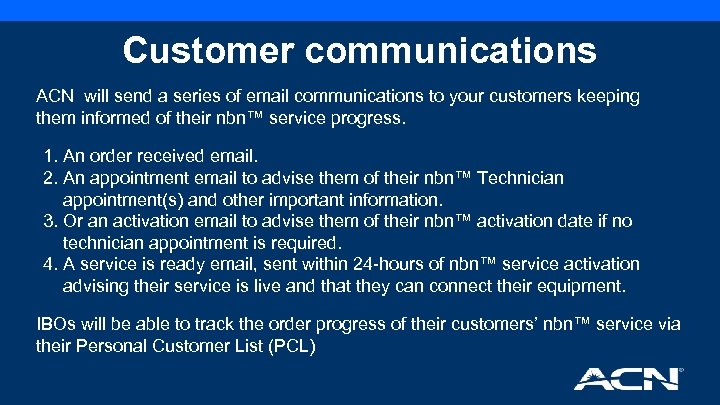
Customer communications ACN will send a series of email communications to your customers keeping them informed of their nbn™ service progress. 1. An order received email. 2. An appointment email to advise them of their nbn™ Technician appointment(s) and other important information. 3. Or an activation email to advise them of their nbn™ activation date if no technician appointment is required. 4. A service is ready email, sent within 24 -hours of nbn™ service activation advising their service is live and that they can connect their equipment. IBOs will be able to track the order progress of their customers’ nbn™ service via their Personal Customer List (PCL)
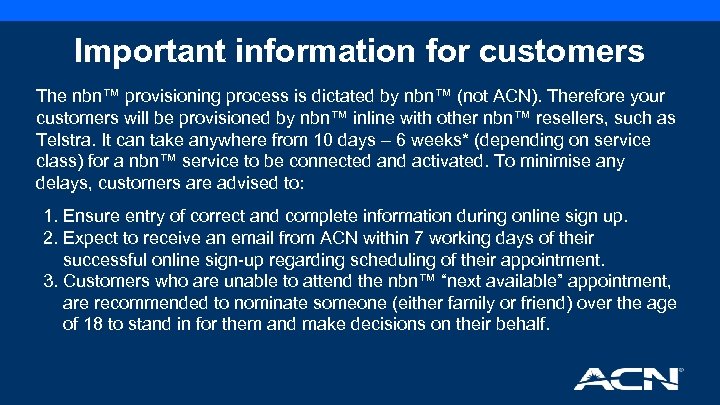
Important information for customers The nbn™ provisioning process is dictated by nbn™ (not ACN). Therefore your customers will be provisioned by nbn™ inline with other nbn™ resellers, such as Telstra. It can take anywhere from 10 days – 6 weeks* (depending on service class) for a nbn™ service to be connected and activated. To minimise any delays, customers are advised to: 1. Ensure entry of correct and complete information during online sign up. 2. Expect to receive an email from ACN within 7 working days of their successful online sign-up regarding scheduling of their appointment. 3. Customers who are unable to attend the nbn™ “next available” appointment, are recommended to nominate someone (either family or friend) over the age of 18 to stand in for them and make decisions on their behalf.
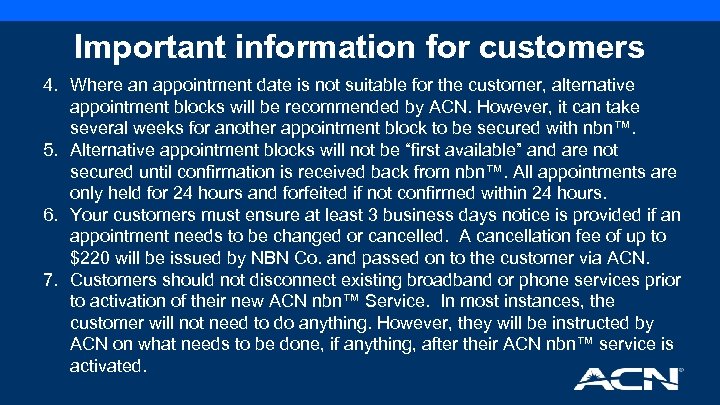
Important information for customers 4. Where an appointment date is not suitable for the customer, alternative appointment blocks will be recommended by ACN. However, it can take several weeks for another appointment block to be secured with nbn™. 5. Alternative appointment blocks will not be “first available” and are not secured until confirmation is received back from nbn™. All appointments are only held for 24 hours and forfeited if not confirmed within 24 hours. 6. Your customers must ensure at least 3 business days notice is provided if an appointment needs to be changed or cancelled. A cancellation fee of up to $220 will be issued by NBN Co. and passed on to the customer via ACN. 7. Customers should not disconnect existing broadband or phone services prior to activation of their new ACN nbn™ Service. In most instances, the customer will not need to do anything. However, they will be instructed by ACN on what needs to be done, if anything, after their ACN nbn™ service is activated.
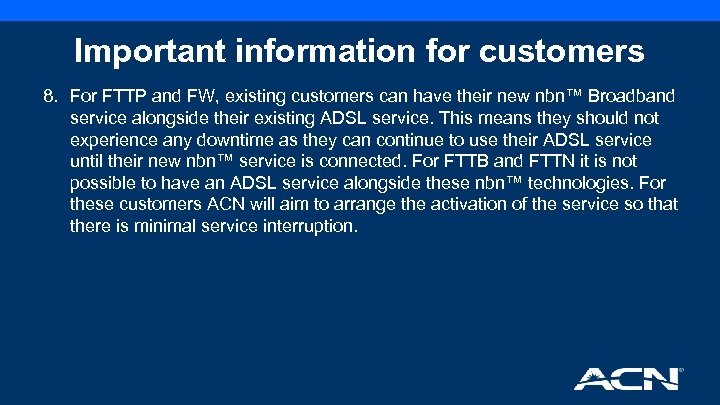
Important information for customers 8. For FTTP and FW, existing customers can have their new nbn™ Broadband service alongside their existing ADSL service. This means they should not experience any downtime as they can continue to use their ADSL service until their new nbn™ service is connected. For FTTB and FTTN it is not possible to have an ADSL service alongside these nbn™ technologies. For these customers ACN will aim to arrange the activation of the service so that there is minimal service interruption.
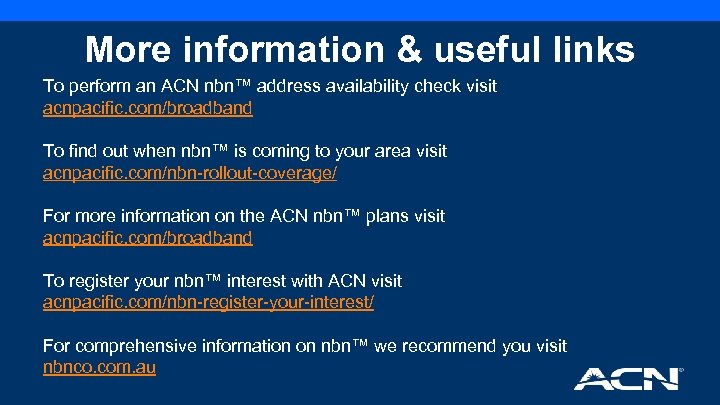
More information & useful links To perform an ACN nbn™ address availability check visit acnpacific. com/broadband To find out when nbn™ is coming to your area visit acnpacific. com/nbn-rollout-coverage/ For more information on the ACN nbn™ plans visit acnpacific. com/broadband To register your nbn™ interest with ACN visit acnpacific. com/nbn-register-your-interest/ For comprehensive information on nbn™ we recommend you visit nbnco. com. au
Скачать презентацию nbn Training for IBOs 1 December 2016
9d1b840af253ce997cf50e7a47e23afd.ppt