


 Скачать презентацию Navy WAWF Training Road Show Aaron Oeken CGFM
2df32c429dafde44e41d925275156867.ppt
- Количество слайдов: 69
 Navy WAWF Training Road Show Aaron Oeken, CGFM, CDFM Lead Financial Management Analyst Navy WAWF Help Desk DFAS e. Solutions May 2, 2011 Integrity - Service - Innovation
 Agenda WAWF Overview Roles Document Types (Navy) Document Statuses DFAS Pay Offices Common Mistakes Correct Dates to Use LLA Tab MILSTRIPS UIDs RFIDs WAWF 5. 0 Navy WAWF Help Desk Other POCs Helpful Links Document Walk-Throughs Q&A 3/17/2018 Integrity - Service - Innovation 2
 WAWF Overview Department of Defense initiated WAWF to eliminate paper transactions from the acquisition process WAWF is an interactive web-based application that allows vendors to electronically submit invoices and receiving reports, and the government to inspect, accept, receive, and pay electronically Invoicing system, NOT accounting system 3/17/2018 Integrity - Service - Innovation 3
 WAWF Overview Users can be: P Vendors P Government Officials Documents include: P Contracts P Invoices P Receiving Reports Benefits P Completely electronic process (no cost for paper, postage to mail invoices, etc. ) P Invoices get processed much more quickly than by paper - reduces amount of interest paid and # of people needed to process invoice along the way P Navy saves money on DFAS rates - if WAWF invoice comes in with everything correct and pays "hands-free", the Navy is charged the output 49 rate, substantially lower than manual 09 rate 3/17/2018 Integrity - Service - Innovation 4
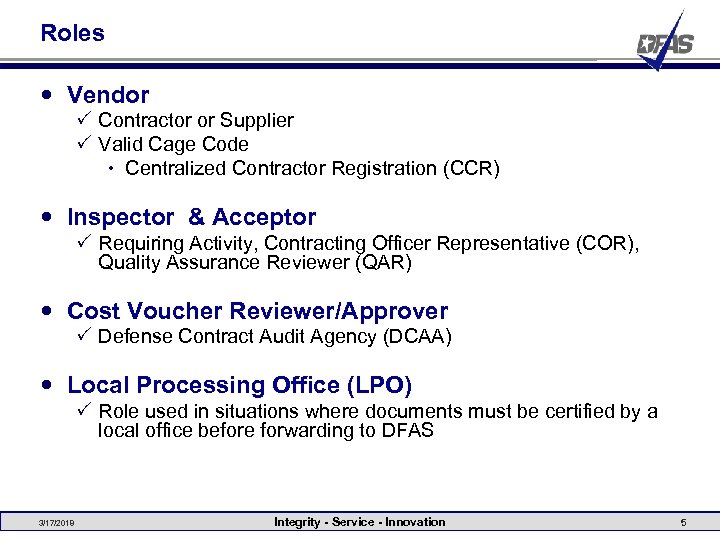 Roles Vendor P Contractor or Supplier P Valid Cage Code Centralized Contractor Registration (CCR) Inspector & Acceptor P Requiring Activity, Contracting Officer Representative (COR), Quality Assurance Reviewer (QAR) Cost Voucher Reviewer/Approver P Defense Contract Audit Agency (DCAA) Local Processing Office (LPO) P Role used in situations where documents must be certified by a local office before forwarding to DFAS 3/17/2018 Integrity - Service - Innovation 5
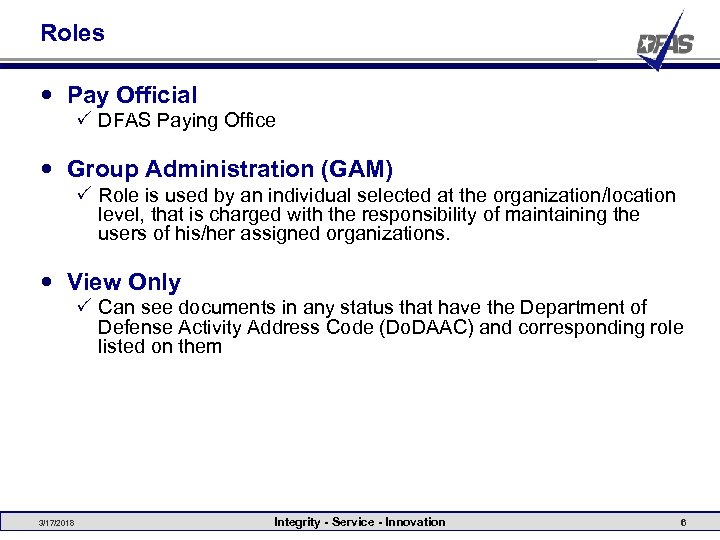 Roles Pay Official P DFAS Paying Office Group Administration (GAM) P Role is used by an individual selected at the organization/location level, that is charged with the responsibility of maintaining the users of his/her assigned organizations. View Only P Can see documents in any status that have the Department of Defense Activity Address Code (Do. DAAC) and corresponding role listed on them 3/17/2018 Integrity - Service - Innovation 6
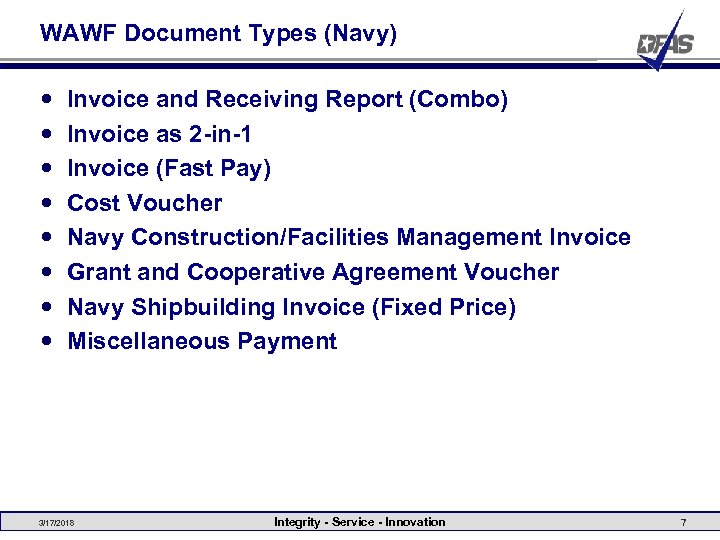 WAWF Document Types (Navy) Invoice and Receiving Report (Combo) Invoice as 2 -in-1 Invoice (Fast Pay) Cost Voucher Navy Construction/Facilities Management Invoice Grant and Cooperative Agreement Voucher Navy Shipbuilding Invoice (Fixed Price) Miscellaneous Payment 3/17/2018 Integrity - Service - Innovation 7
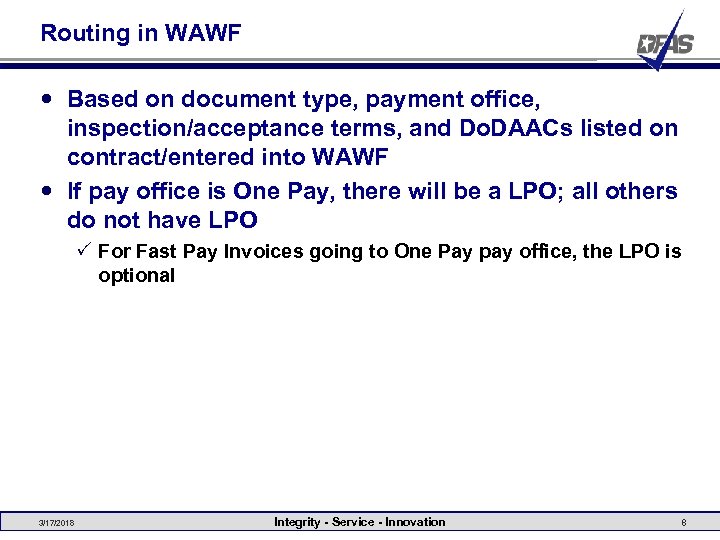 Routing in WAWF Based on document type, payment office, inspection/acceptance terms, and Do. DAACs listed on contract/entered into WAWF If pay office is One Pay, there will be a LPO; all others do not have LPO P For Fast Pay Invoices going to One Pay pay office, the LPO is optional 3/17/2018 Integrity - Service - Innovation 8
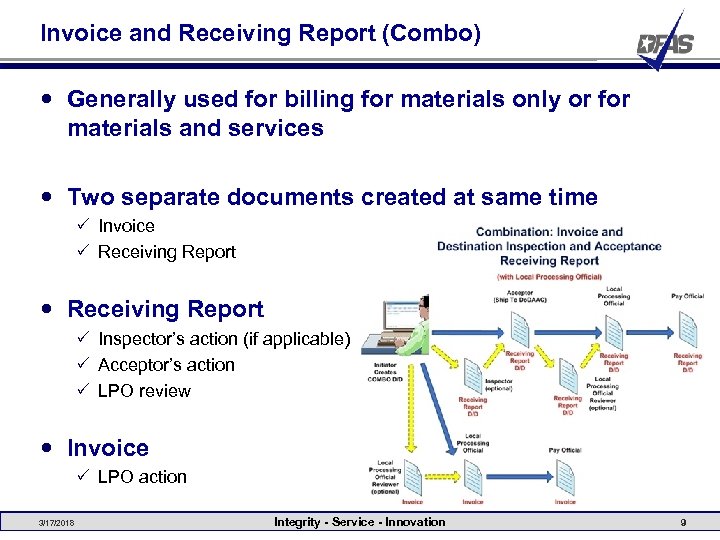 Invoice and Receiving Report (Combo) Generally used for billing for materials only or for materials and services Two separate documents created at same time P Invoice P Receiving Report P Inspector’s action (if applicable) P Acceptor’s action P LPO review Invoice P LPO action 3/17/2018 Integrity - Service - Innovation 9
 Invoice and Receiving Report (Combo) Inspection/Acceptance terms dictate where Receiving Report goes P D/D = RR goes to optional Inspector then Acceptor then LPO P D/O = RR goes to optional Inspector then Accept at Other then LPO P S/S = RR goes to Inspector then LPO P S/D = RR goes to Inspector then Acceptor then LPO P S/O = RR goes to Inspector then Accept at Other then LPO P O/O = RR goes to optional Inspector then Accept at Other then LPO 3/17/2018 Integrity - Service - Innovation 10
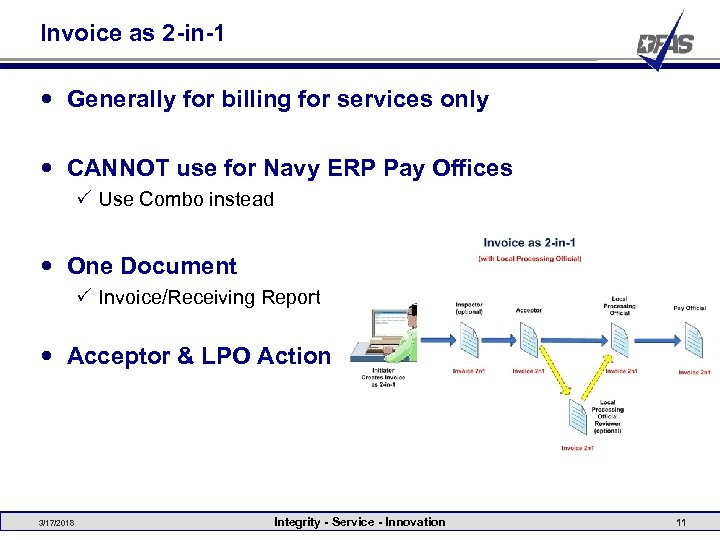 Invoice as 2 -in-1 Generally for billing for services only CANNOT use for Navy ERP Pay Offices P Use Combo instead One Document P Invoice/Receiving Report Acceptor & LPO Action 3/17/2018 Integrity - Service - Innovation 11
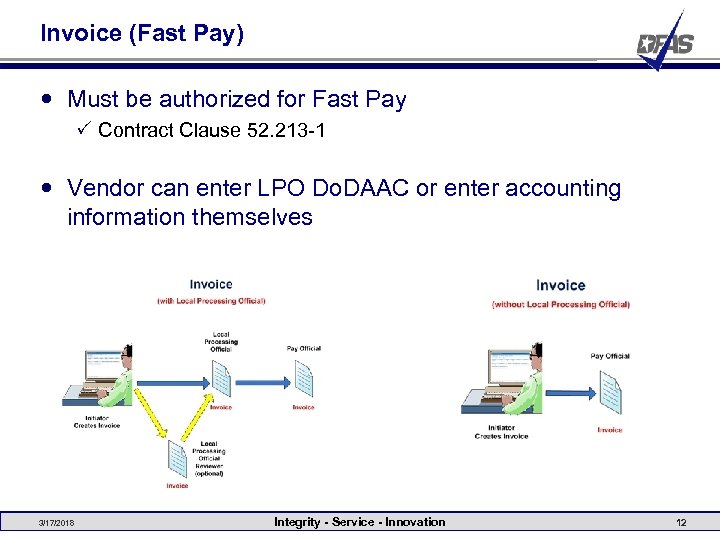 Invoice (Fast Pay) Must be authorized for Fast Pay P Contract Clause 52. 213 -1 Vendor can enter LPO Do. DAAC or enter accounting information themselves 3/17/2018 Integrity - Service - Innovation 12
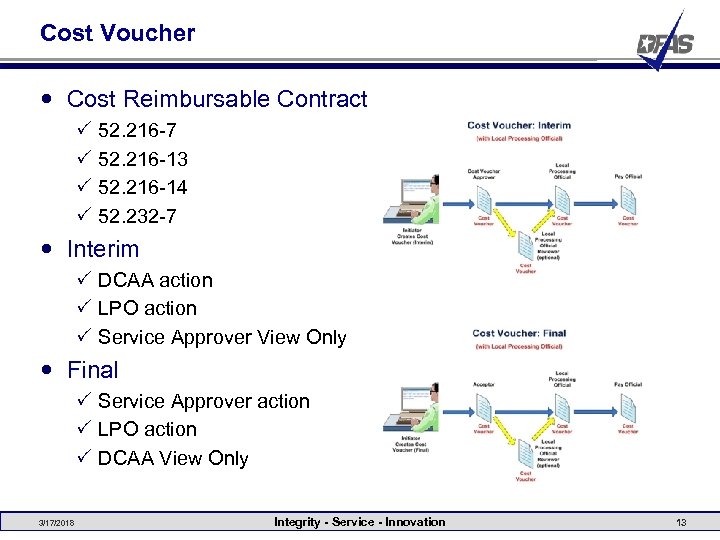 Cost Voucher Cost Reimbursable Contract P P 52. 216 -7 52. 216 -13 52. 216 -14 52. 232 -7 Interim P DCAA action P LPO action P Service Approver View Only Final P Service Approver action P LPO action P DCAA View Only 3/17/2018 Integrity - Service - Innovation 13
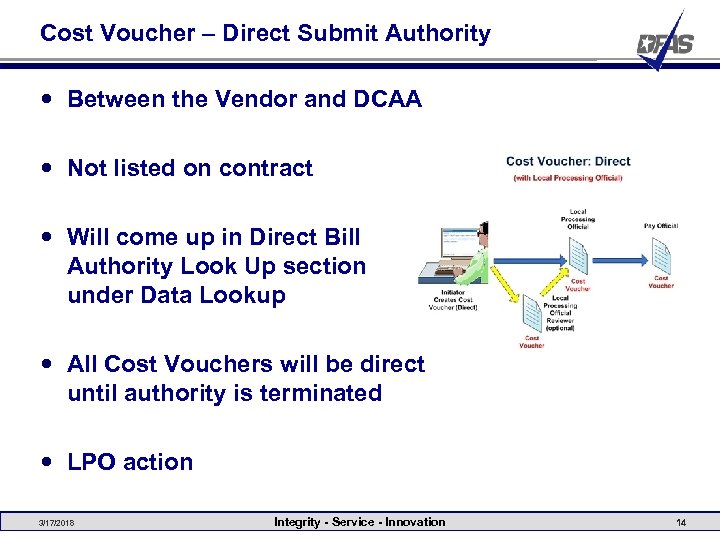 Cost Voucher – Direct Submit Authority Between the Vendor and DCAA Not listed on contract Will come up in Direct Bill Authority Look Up section under Data Lookup All Cost Vouchers will be direct until authority is terminated LPO action 3/17/2018 Integrity - Service - Innovation 14
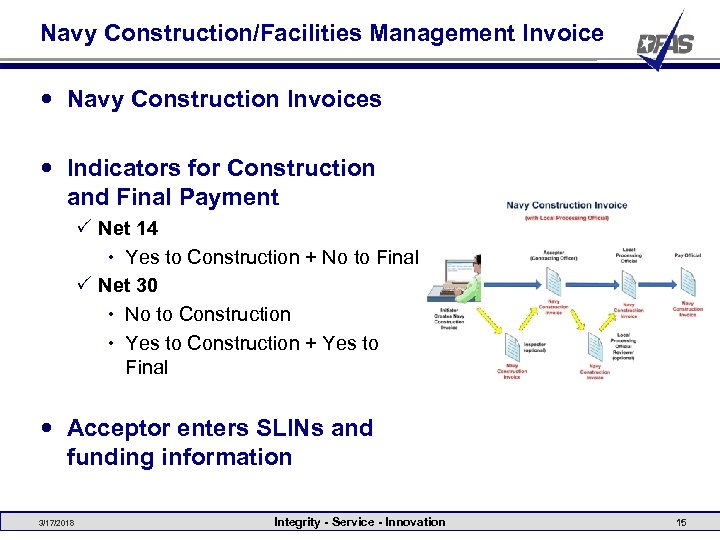 Navy Construction/Facilities Management Invoice Navy Construction Invoices Indicators for Construction and Final Payment P Net 14 Yes to Construction + No to Final P Net 30 No to Construction Yes to Construction + Yes to Final Acceptor enters SLINs and funding information 3/17/2018 Integrity - Service - Innovation 15
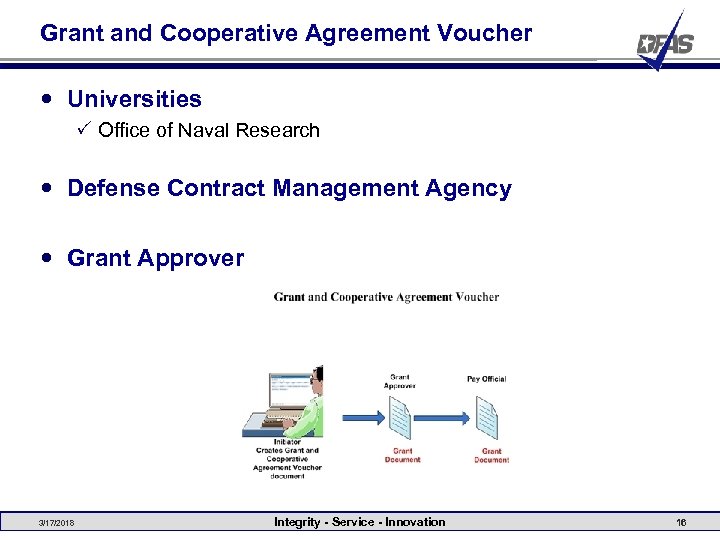 Grant and Cooperative Agreement Voucher Universities P Office of Naval Research Defense Contract Management Agency Grant Approver 3/17/2018 Integrity - Service - Innovation 16
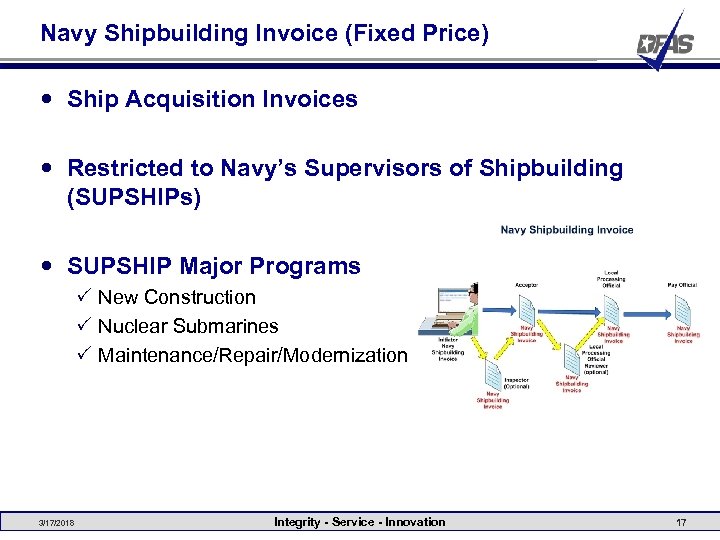 Navy Shipbuilding Invoice (Fixed Price) Ship Acquisition Invoices Restricted to Navy’s Supervisors of Shipbuilding (SUPSHIPs) SUPSHIP Major Programs P New Construction P Nuclear Submarines P Maintenance/Repair/Modernization 3/17/2018 Integrity - Service - Innovation 17
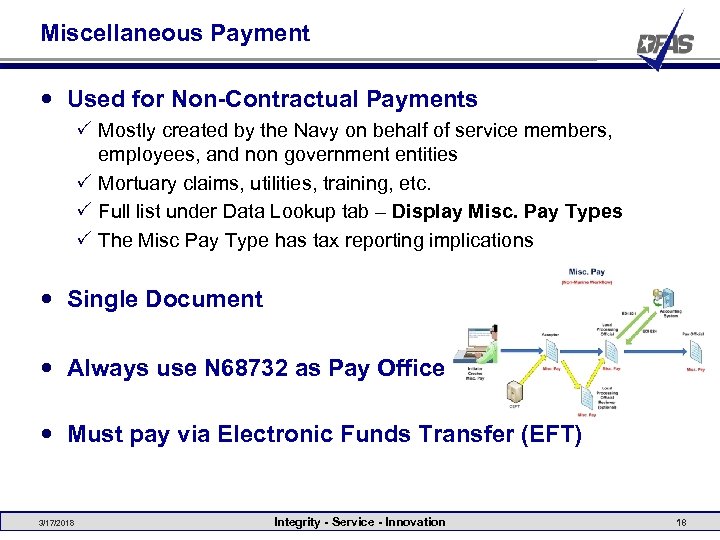 Miscellaneous Payment Used for Non-Contractual Payments P Mostly created by the Navy on behalf of service members, employees, and non government entities P Mortuary claims, utilities, training, etc. P Full list under Data Lookup tab – Display Misc. Pay Types P The Misc Pay Type has tax reporting implications Single Document Always use N 68732 as Pay Office Must pay via Electronic Funds Transfer (EFT) 3/17/2018 Integrity - Service - Innovation 18
 ECP 0570 - Retrieve Employee/Service Member Remittance from CEFT & SSN Protection Retrieve payment information from Corporate Electronic Funds Transfer (CEFT) in lieu of manually entering the data. CEFT record not located P Suspend WAWF transaction for Web entry P Reject WAWF transaction for Electronic Data Interchange (EDI) or secured file transfer protocol (SFTP) file submission Allow Initiator to reprocess the suspended transaction P Acceptor Role Access Suspended CEFT Transaction Folder Integrity - Service - Innovation 19
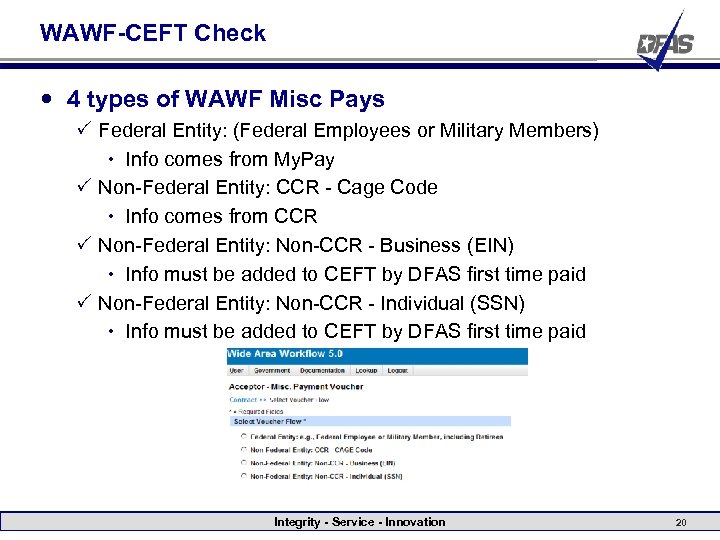 WAWF-CEFT Check 4 types of WAWF Misc Pays P Federal Entity: (Federal Employees or Military Members) Info comes from My. Pay P Non-Federal Entity: CCR - Cage Code Info comes from CCR P Non-Federal Entity: Non-CCR - Business (EIN) Info must be added to CEFT by DFAS first time paid P Non-Federal Entity: Non-CCR - Individual (SSN) Info must be added to CEFT by DFAS first time paid Integrity - Service - Innovation 20
 WAWF Suspended CEFT Transactions Acceptors P Send an email with payment office Do. DAAC on the subject line to email address in error message in WAWF P Payment Office will contact you with the actions to be taken Payment Office P Receive emails P Access CEFT to add the record P Contact the Acceptor with further instructions Attempt to prevent Suspension P Email the CEFT input form beforehand to: CCL-CCR-CEFT@DFAS. MIL P DFAS will enter the information in CEFT and notify you when complete Integrity - Service - Innovation 21
 WAWF/STARS-FL Obligation Interface for Miscellaneous Payments Implemented in production March 19 th, 2010 The Standard Accounting and Reporting System (STARS) Notes disseminated Navy notifications disseminated Systematically obligates the funds cited within Miscellaneous Pay invoices processed via WAWF Integrity - Service - Innovation 22
 WAWF/STARS-FL Obligation Interface for Miscellaneous Payments This systematic interface is intended to replace the need to manually obligate funds in STARS-Field Level (FL) for Miscellaneous Payments. Interface processing is relevant to all WAWF Misc Pay invoices targeted for a One Pay pay office and a STARS-FL Routing Authorized Accounting Activity (AAA). Users that manually obligate funds within STARS-FL to cover Misc Pay invoices entered into WAWF should discontinue doing so P Otherwise, duplicate obligations may be posted Integrity - Service - Innovation 23
 WAWF/STARS-FL Obligation Interface for Miscellaneous Payments Processing Flow Entry of Misc Pay invoice into WAWF Acceptance of Misc Pay invoice within WAWF Certification of Misc Pay invoice within WAWF holds Misc Pay invoice in “Certified” status, awaiting acknowledgement from STARS-FL P STARS-FL attempts to post obligation P P Integrity - Service - Innovation 24
 WAWF/STARS-FL Obligation Interface for Miscellaneous Payments Processing Flow P If STARS-FL posts obligation successfully, it sends a positive acknowledgement to WAWF P STARS-FL may bypass obligation posting of certain documents. If so, STARS-FL sends a positive acknowledgement to WAWF P If STARS-FL fails in attempt to post obligation, it sends a failed acknowledgement to WAWF P If WAWF gets a positive acknowledgement from STARS-FL, WAWF forwards the Misc Pay invoice to One Pay and changes the status of the invoice to “Processed” P If WAWF gets a failed acknowledgement from STARS-FL, WAWF resets the Misc Pay invoice to “Accepted” status and returns the invoice to the Certification Folder Integrity - Service - Innovation 25
 WAWF/STARS-FL Obligation Interface for Miscellaneous Payments Certification Guidance P The LPO certifier must assign a valid standard document number (SDN), accounting classification reference number (ACRN) and AAA via the Long Line of Accounting (LLA) tab at the detail level of the Misc Pay invoice P If the SDN, ACRN and AAA entered on the LLA tab screen point to a new document that has not been previously obligated within STARS-FL, the LPO certifier must also enter a valid job order number / expense element (JON/EE) into the Cost Code field. If the JON/EE entered is invalid, or does not exist within STARS-FL, the transaction will be rejected P If the SDN, ACRN and AAA entered on the LLA tab screen point to a pre-existing document that’s already obligated within STARSFL, the LPO certifier does not need to enter any other values on the LLA tab screen. STARS-FL will use the JON/EE associated with the existing document within STARS-FL. Consequently, any value entered into the Cost Code field will be ignored by STARSFL Integrity - Service - Innovation 26
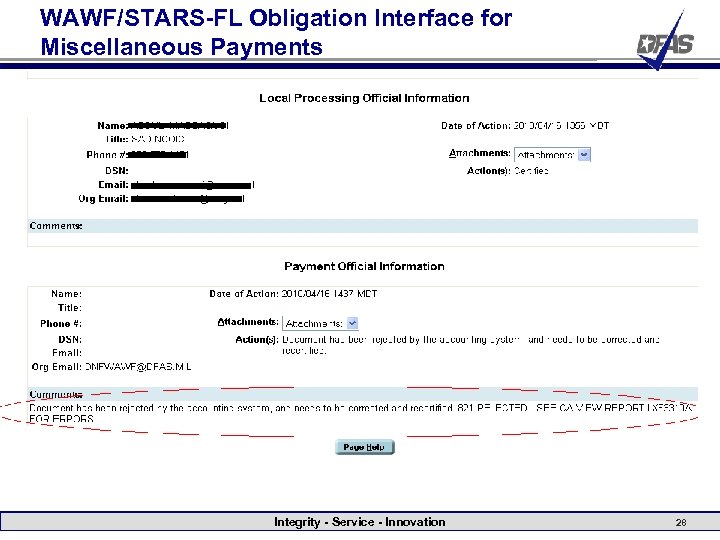
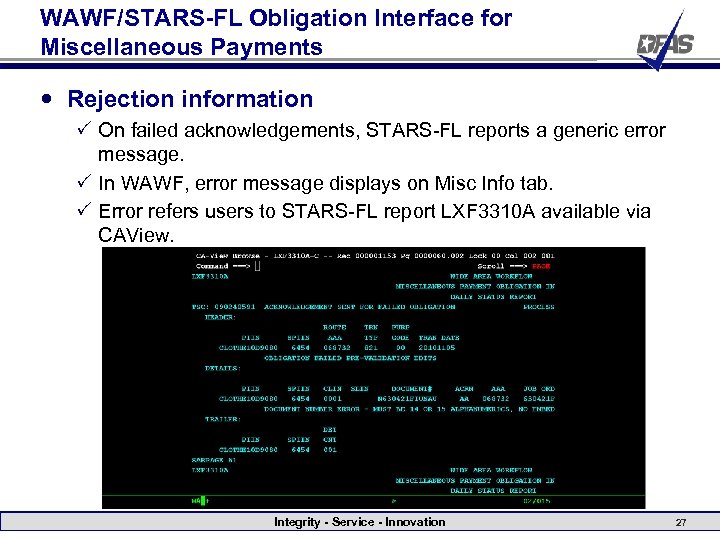 WAWF/STARS-FL Obligation Interface for Miscellaneous Payments Rejection information P On failed acknowledgements, STARS-FL reports a generic error message. P In WAWF, error message displays on Misc Info tab. P Error refers users to STARS-FL report LXF 3310 A available via CAView. Integrity - Service - Innovation 27
 WAWF/STARS-FL Obligation Interface for Miscellaneous Payments Integrity - Service - Innovation 28
 Document Statuses Submitted- The vendor has created the invoice and submitted it for payment. P Actions: If there is an Inspect By DODAAC added to the invoice, the Inspector is the only one who can take action. If there is no Inspect By DODAAC present then the Acceptor can take action. For Cost Vouchers (Interim), the DCAA Auditor can take action. For Cost Vouchers (Final), the Service Acceptor can take action. For Cost Vouchers (Direct), if the Pay Office Do. DAAC is One Pay, the LPO can take action; if it is ERP or MOCAS, the document will flow straight into the entitlement system. P For certain document types, the vendor can recall it back to themselves to make corrections. 3/17/2018 Integrity - Service - Innovation 29
 Document Statuses Navy In-Process- The document has an Acceptor Do. DAAC that is on the ILSMIS or Navy ERP Acceptor Do. DAAC list. It is essentially the same as the “Submitted” status except the vendor CANNOT recall a document in this status. P Actions: Only the Acceptor (or Inspector if one) can take action on this document. 3/17/2018 Integrity - Service - Innovation 30
 Document Statuses Inspected- The Inspector has inspected the goods/ services and has signed off on the Receiving Report P Actions: The Receiving Report can now be signed off by the Acceptor or can be recalled by the Inspector for correction. Accepted- The Acceptor has verified receipt and acceptance of the goods/ services P Actions: The Receiving Report can now be seen by the LPO (if One Pay pay office). The invoice can now be certified for payment or can be recalled by the Acceptor for correction. 3/17/2018 Integrity - Service - Innovation 31
 Document Statuses In-Process- Cost Voucher has been reviewed by the DCAA Reviewer. P Actions: The Cost Voucher is now visible to the DCAA Approver. Approved- The DCAA Approver has approved the Cost Voucher for payment. P Actions: The Cost Voucher is now visible to the LPO (Interim Cost Vouchers with a One Pay pay office only). 3/17/2018 Integrity - Service - Innovation 32
 Document Statuses Pre-Certified- The document has been reviewed by a Local Processing Office Reviewer (LPOR). P Actions: The LPO can now see the document or it can be recalled by the LPOR. Certified- The LPO has performed certification but the document was not processed by the payment office. This status should only be seen with Misc Pays. The Misc Pay will stay in this status until it receives a success/failure notification from STARS-FL. P Actions: None until STARS-FL sends back the notification. 3/17/2018 Integrity - Service - Innovation 33
 Document Statuses Processed- The document has been certified and accepted by the payment office. P Actions: Action can only be taken by the payment office. Document will become inactive after 120 days and can only be found in the Archive folder. Recall Available- Document has been recalled by the pay office to the LPO. P Actions: LPO can retrieve the document from the Access Recall. Action Required Folder to take action on the document. They can either fix the document and resubmit it, reject it back to the vendor, or recall it back to the previous workflow user. 3/17/2018 Integrity - Service - Innovation 34
 Document Statuses Void- Vendor has voided the document and no user can take action on this document. Voided documents are archived after 30 days. P Actions: No action can be taken on a voided document. Hold- Document has been placed in the Hold Folder and action must be taken by the user who put it on hold. It is recommended to NOT put documents on Hold. P Actions: Only the user who put the document on Hold can take action on it. 3/17/2018 Integrity - Service - Innovation 35
 Document Statuses S-” “ or Draft - Document has been saved by a user. If it was you who saved the document, you can retrieve it from your Saved Documents Folder. P Actions: Only the user who saved the document can take action. P New feature of WAWF More info: https: //wawftraining. eb. mil/xhtml/unauth/web/wbt/demo/ECP 05 93_Save. And. Continue. Overview. pdf 3/17/2018 Integrity - Service - Innovation 36
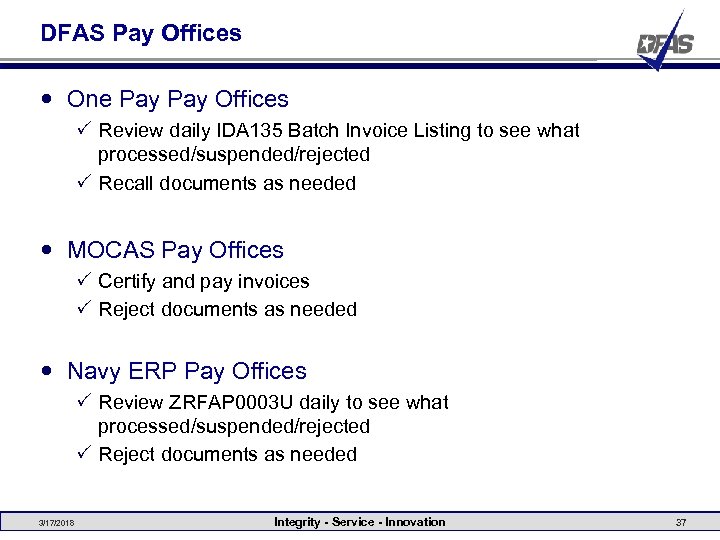 DFAS Pay Offices One Pay Offices P Review daily IDA 135 Batch Invoice Listing to see what processed/suspended/rejected P Recall documents as needed MOCAS Pay Offices P Certify and pay invoices P Reject documents as needed Navy ERP Pay Offices P Review ZRFAP 0003 U daily to see what processed/suspended/rejected P Reject documents as needed 3/17/2018 Integrity - Service - Innovation 37
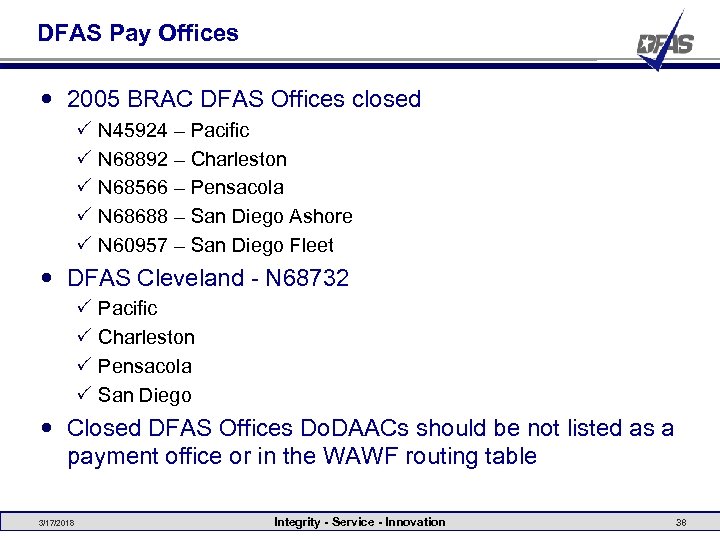 DFAS Pay Offices 2005 BRAC DFAS Offices closed P P P N 45924 – Pacific N 68892 – Charleston N 68566 – Pensacola N 68688 – San Diego Ashore N 60957 – San Diego Fleet DFAS Cleveland - N 68732 P P Pacific Charleston Pensacola San Diego Closed DFAS Offices Do. DAACs should be not listed as a payment office or in the WAWF routing table 3/17/2018 Integrity - Service - Innovation 38
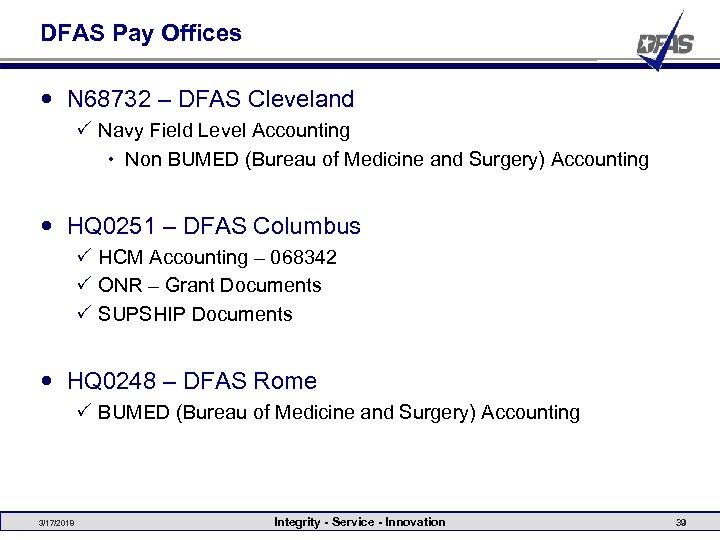 DFAS Pay Offices N 68732 – DFAS Cleveland P Navy Field Level Accounting Non BUMED (Bureau of Medicine and Surgery) Accounting HQ 0251 – DFAS Columbus P HCM Accounting – 068342 P ONR – Grant Documents P SUPSHIP Documents HQ 0248 – DFAS Rome P BUMED (Bureau of Medicine and Surgery) Accounting 3/17/2018 Integrity - Service - Innovation 39
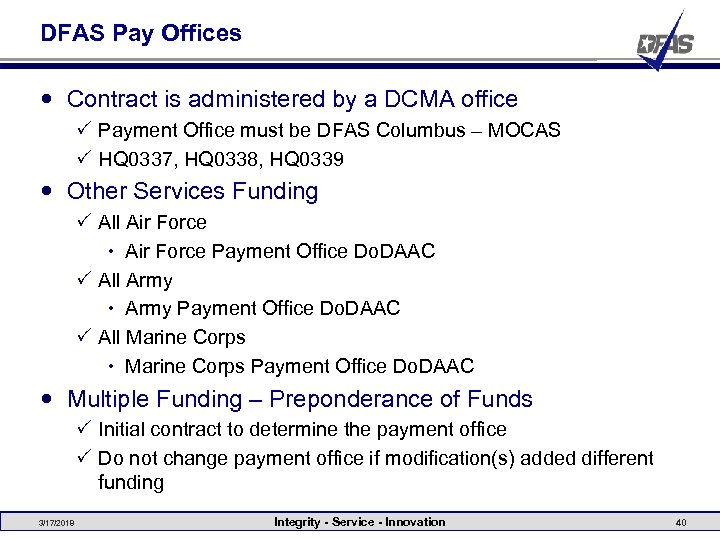 DFAS Pay Offices Contract is administered by a DCMA office P Payment Office must be DFAS Columbus – MOCAS P HQ 0337, HQ 0338, HQ 0339 Other Services Funding P All Air Force Payment Office Do. DAAC P All Army Payment Office Do. DAAC P All Marine Corps Payment Office Do. DAAC Multiple Funding – Preponderance of Funds P Initial contract to determine the payment office P Do not change payment office if modification(s) added different funding 3/17/2018 Integrity - Service - Innovation 40
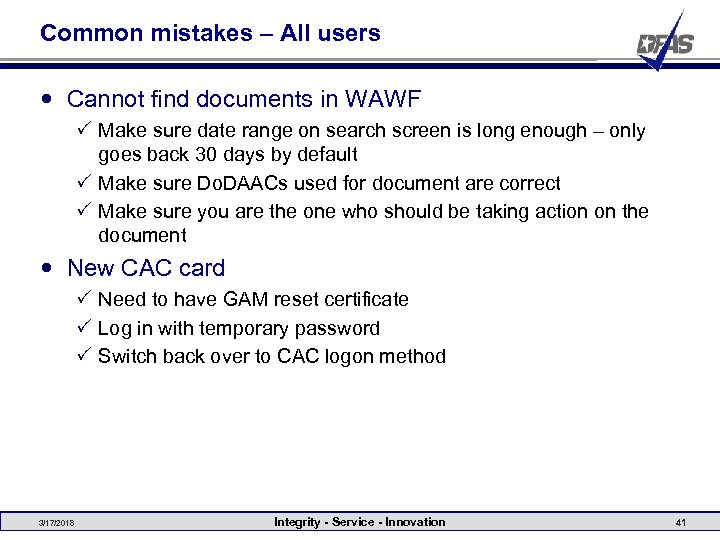 Common mistakes – All users Cannot find documents in WAWF P Make sure date range on search screen is long enough – only goes back 30 days by default P Make sure Do. DAACs used for document are correct P Make sure you are the one who should be taking action on the document New CAC card P Need to have GAM reset certificate P Log in with temporary password P Switch back over to CAC logon method 3/17/2018 Integrity - Service - Innovation 41
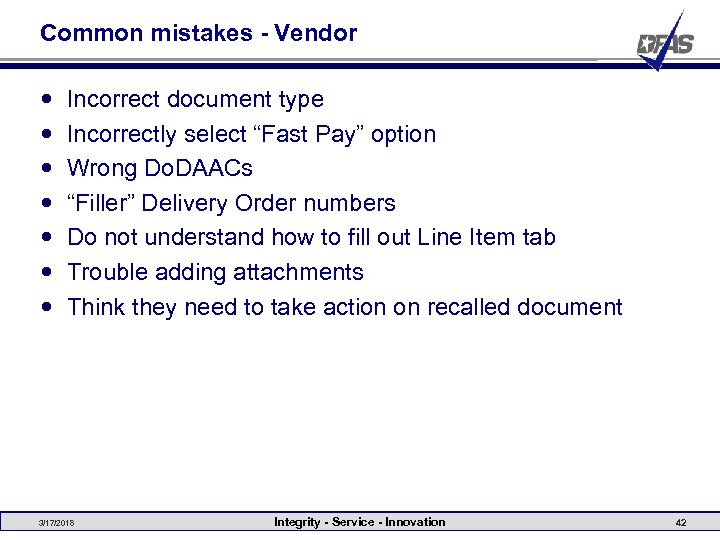 Common mistakes - Vendor Incorrect document type Incorrectly select “Fast Pay” option Wrong Do. DAACs “Filler” Delivery Order numbers Do not understand how to fill out Line Item tab Trouble adding attachments Think they need to take action on recalled document 3/17/2018 Integrity - Service - Innovation 42
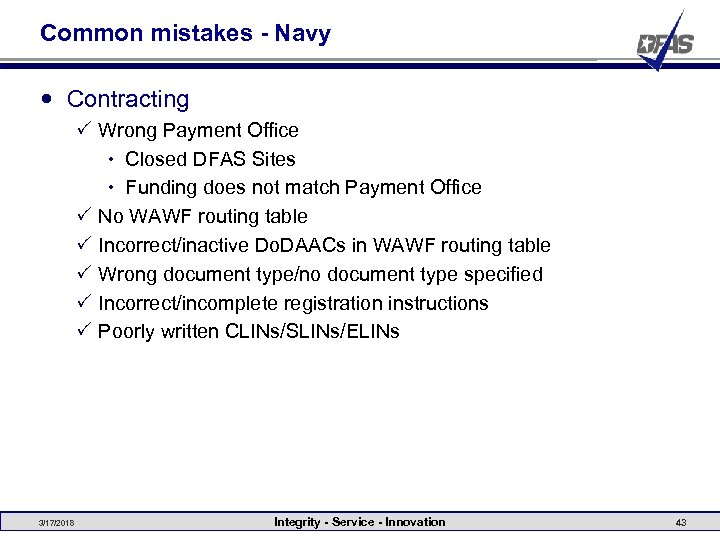 Common mistakes - Navy Contracting P Wrong Payment Office Closed DFAS Sites Funding does not match Payment Office P No WAWF routing table P Incorrect/inactive Do. DAACs in WAWF routing table P Wrong document type/no document type specified P Incorrect/incomplete registration instructions P Poorly written CLINs/SLINs/ELINs 3/17/2018 Integrity - Service - Innovation 43
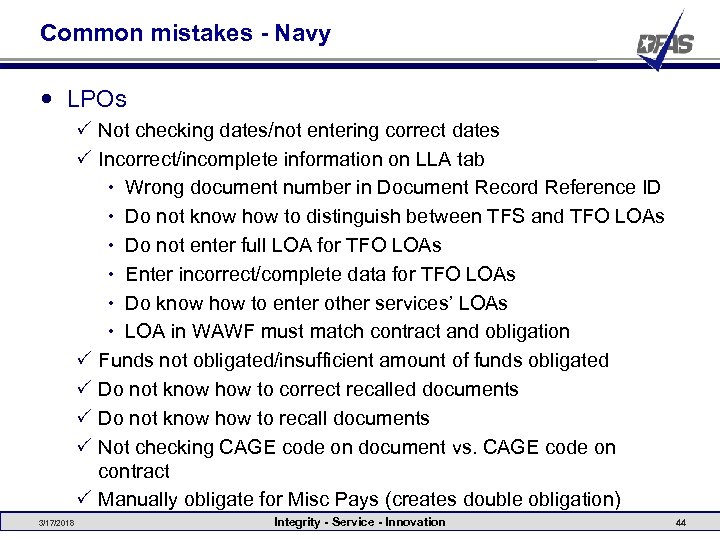 Common mistakes - Navy LPOs P Not checking dates/not entering correct dates P Incorrect/incomplete information on LLA tab Wrong document number in Document Record Reference ID Do not know how to distinguish between TFS and TFO LOAs Do not enter full LOA for TFO LOAs Enter incorrect/complete data for TFO LOAs Do know how to enter other services’ LOAs LOA in WAWF must match contract and obligation P Funds not obligated/insufficient amount of funds obligated P Do not know how to correct recalled documents P Do not know how to recall documents P Not checking CAGE code on document vs. CAGE code on contract P Manually obligate for Misc Pays (creates double obligation) 3/17/2018 Integrity - Service - Innovation 44
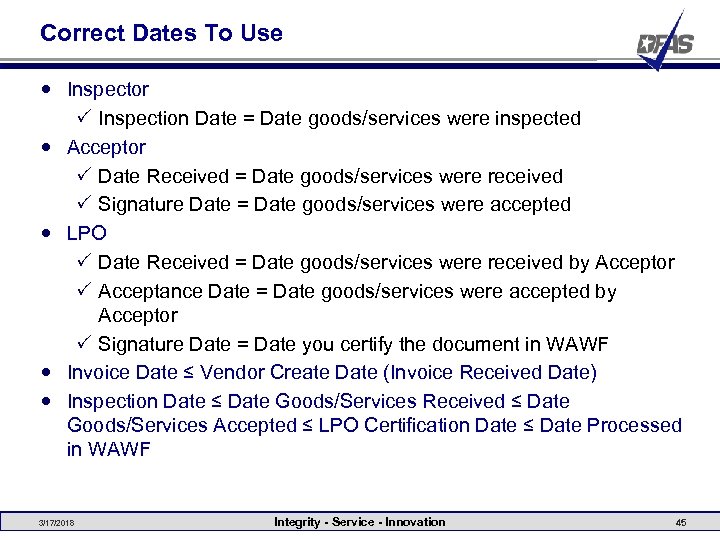 Correct Dates To Use Inspector P Inspection Date = Date goods/services were inspected Acceptor P Date Received = Date goods/services were received P Signature Date = Date goods/services were accepted LPO P Date Received = Date goods/services were received by Acceptor P Acceptance Date = Date goods/services were accepted by Acceptor P Signature Date = Date you certify the document in WAWF Invoice Date ≤ Vendor Create Date (Invoice Received Date) Inspection Date ≤ Date Goods/Services Received ≤ Date Goods/Services Accepted ≤ LPO Certification Date ≤ Date Processed in WAWF 3/17/2018 Integrity - Service - Innovation 45
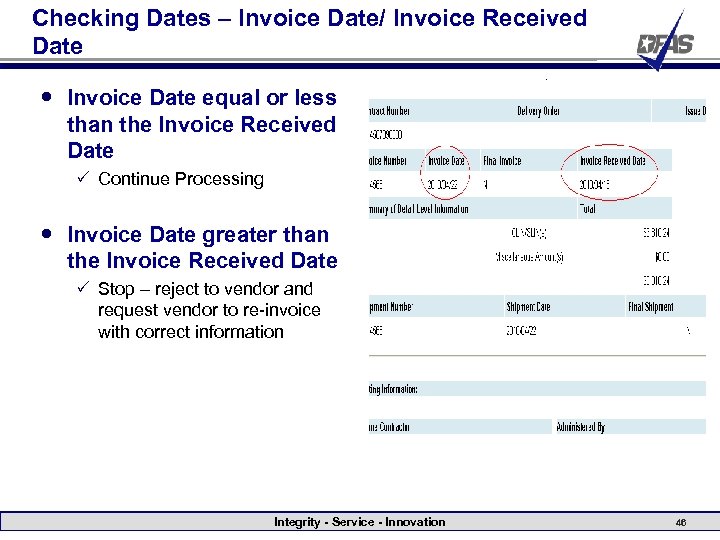 Checking Dates – Invoice Date/ Invoice Received Date Invoice Date equal or less than the Invoice Received Date P Continue Processing Invoice Date greater than the Invoice Received Date P Stop – reject to vendor and request vendor to re-invoice with correct information Integrity - Service - Innovation 46
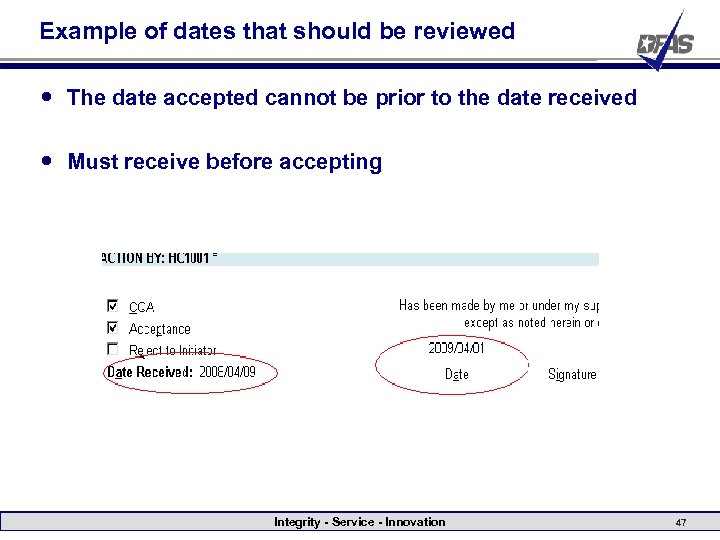 Example of dates that should be reviewed The date accepted cannot be prior to the date received Must receive before accepting Integrity - Service - Innovation 47
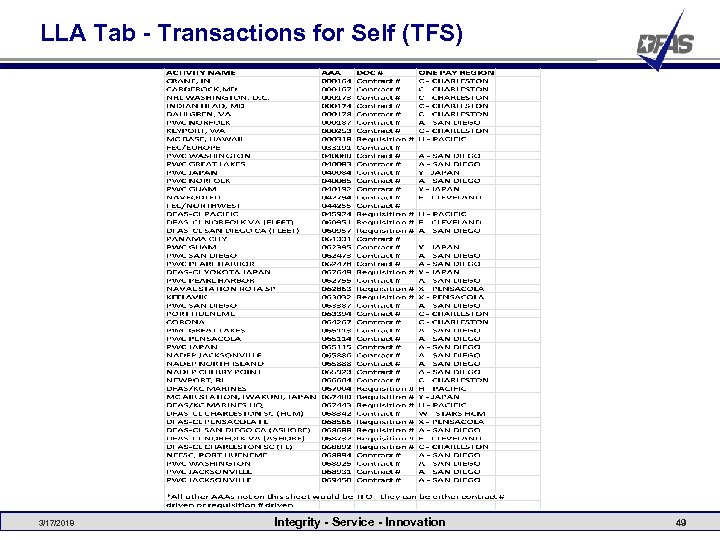
 LLA Tab What needs to be entered on the LLA tab in WAWF depends on the AAA. The AAA determines if the LOA is TFS (Transaction for Self) or TFO (Transaction for Other) and what the Doc/Record Ref Id should be. If the AAA is TFS, only the Doc/Record Ref Id, Agency Accounting Id, and ACRN need to be entered on the LLA tab. If the AAA is TFO, all LOA elements need to be entered on the LLA tab. In addition, dependent upon the AAA, either the contract number or the requisition number should be entered for the Doc/Record Ref Id. 3/17/2018 Integrity - Service - Innovation 48
 LLA Tab - Transactions for Self (TFS) 3/17/2018 Integrity - Service - Innovation 49
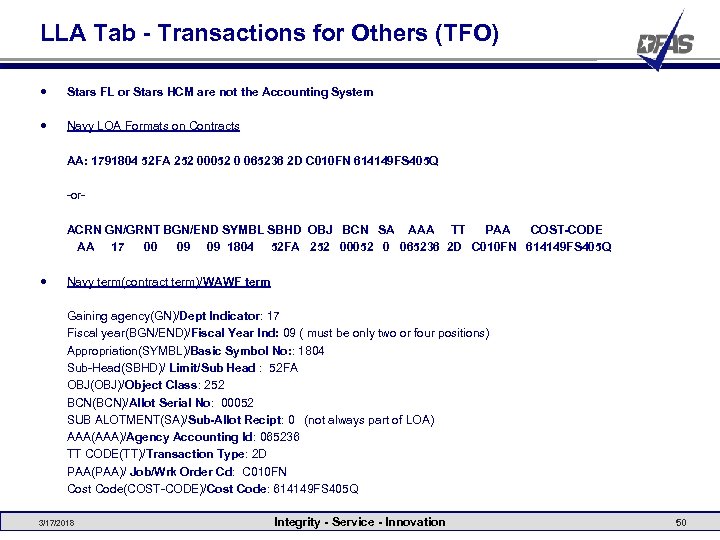 LLA Tab - Transactions for Others (TFO) Stars FL or Stars HCM are not the Accounting System Navy LOA Formats on Contracts AA: 1791804 52 FA 252 00052 0 065236 2 D C 010 FN 614149 FS 405 Q -or- ACRN GN/GRNT BGN/END SYMBL SBHD OBJ BCN SA AAA TT PAA COST-CODE AA 17 00 09 09 1804 52 FA 252 00052 0 065236 2 D C 010 FN 614149 FS 405 Q Navy term(contract term)/WAWF term Gaining agency(GN)/Dept Indicator: 17 Fiscal year(BGN/END)/Fiscal Year Ind: 09 ( must be only two or four positions) Appropriation(SYMBL)/Basic Symbol No: : 1804 Sub-Head(SBHD)/ Limit/Sub Head : 52 FA OBJ(OBJ)/Object Class: 252 BCN(BCN)/Allot Serial No: 00052 SUB ALOTMENT(SA)/Sub-Allot Recipt: 0 (not always part of LOA) AAA(AAA)/Agency Accounting Id: 065236 TT CODE(TT)/Transaction Type: 2 D PAA(PAA)/ Job/Wrk Order Cd: C 010 FN Cost Code(COST-CODE)/Cost Code: 614149 FS 405 Q 3/17/2018 Integrity - Service - Innovation 50
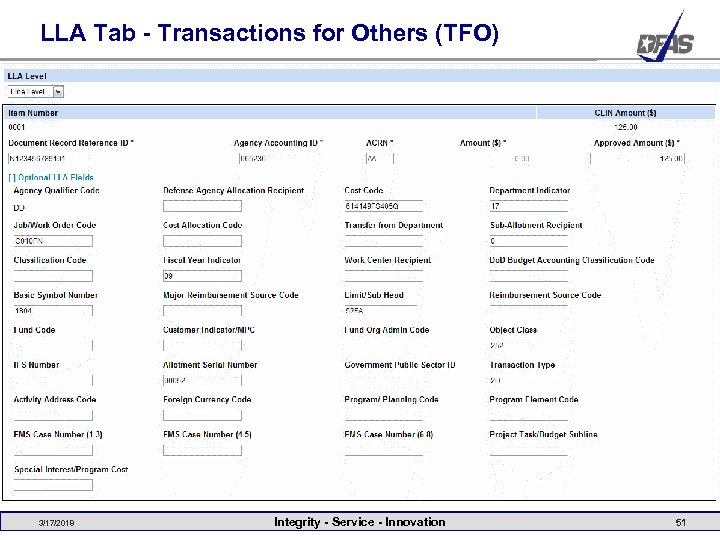 LLA Tab - Transactions for Others (TFO) 3/17/2018 Integrity - Service - Innovation 51
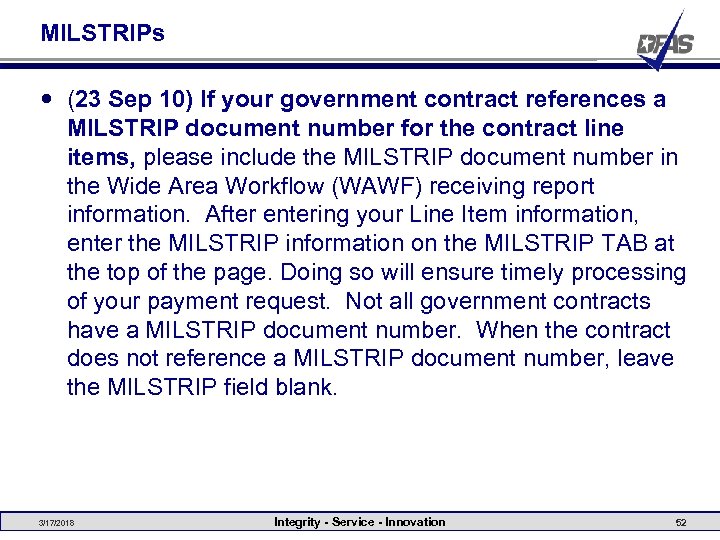 MILSTRIPs (23 Sep 10) If your government contract references a MILSTRIP document number for the contract line items, please include the MILSTRIP document number in the Wide Area Workflow (WAWF) receiving report information. After entering your Line Item information, enter the MILSTRIP information on the MILSTRIP TAB at the top of the page. Doing so will ensure timely processing of your payment request. Not all government contracts have a MILSTRIP document number. When the contract does not reference a MILSTRIP document number, leave the MILSTRIP field blank. 3/17/2018 Integrity - Service - Innovation 52
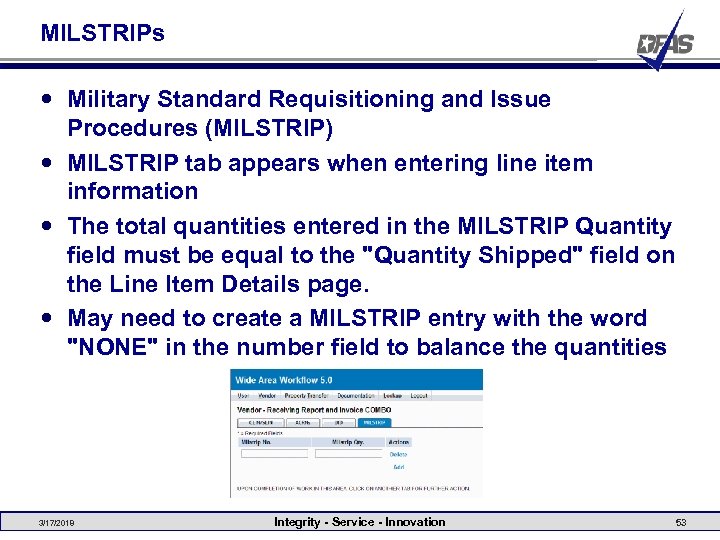 MILSTRIPs Military Standard Requisitioning and Issue Procedures (MILSTRIP) MILSTRIP tab appears when entering line item information The total quantities entered in the MILSTRIP Quantity field must be equal to the "Quantity Shipped" field on the Line Item Details page. May need to create a MILSTRIP entry with the word "NONE" in the number field to balance the quantities 3/17/2018 Integrity - Service - Innovation 53
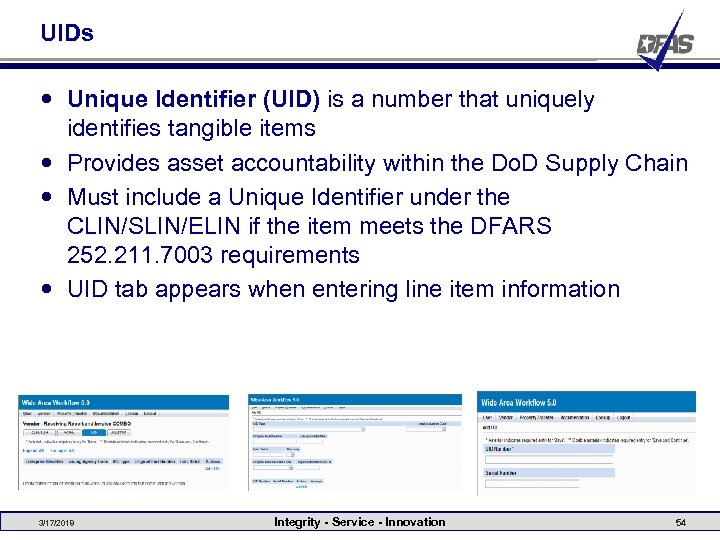 UIDs Unique Identifier (UID) is a number that uniquely identifies tangible items Provides asset accountability within the Do. D Supply Chain Must include a Unique Identifier under the CLIN/SLIN/ELIN if the item meets the DFARS 252. 211. 7003 requirements UID tab appears when entering line item information 3/17/2018 Integrity - Service - Innovation 54
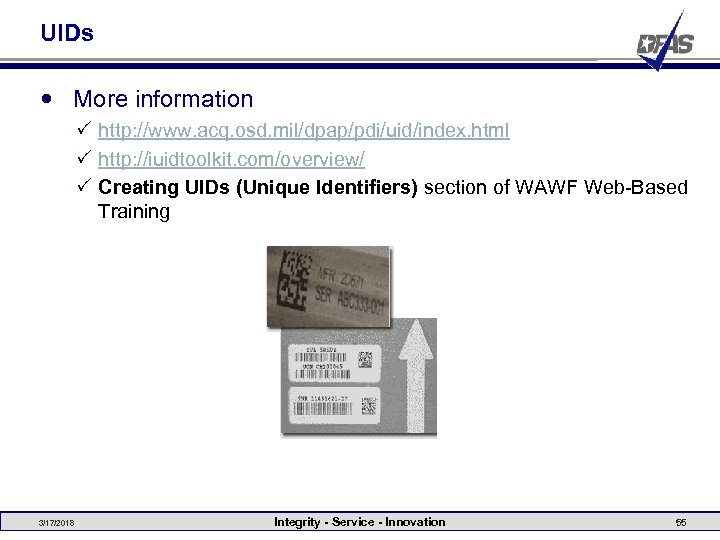 UIDs More information P http: //www. acq. osd. mil/dpap/pdi/uid/index. html P http: //iuidtoolkit. com/overview/ P Creating UIDs (Unique Identifiers) section of WAWF Web-Based Training 3/17/2018 Integrity - Service - Innovation 55
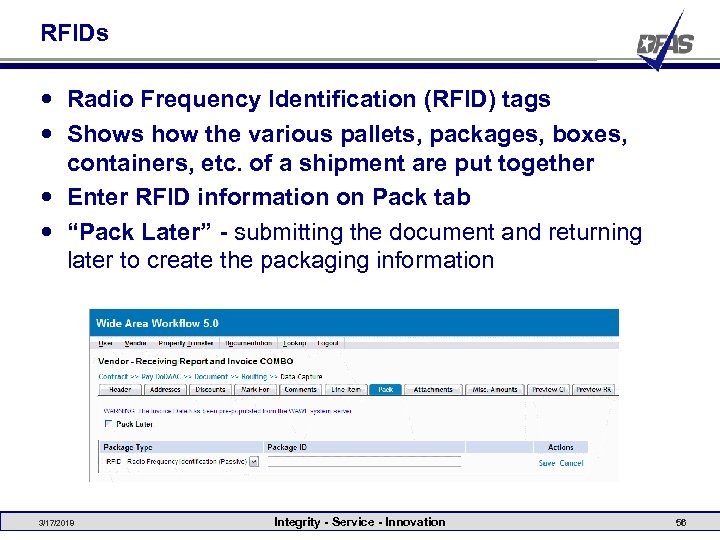 RFIDs Radio Frequency Identification (RFID) tags Shows how the various pallets, packages, boxes, containers, etc. of a shipment are put together Enter RFID information on Pack tab “Pack Later” - submitting the document and returning later to create the packaging information 3/17/2018 Integrity - Service - Innovation 56
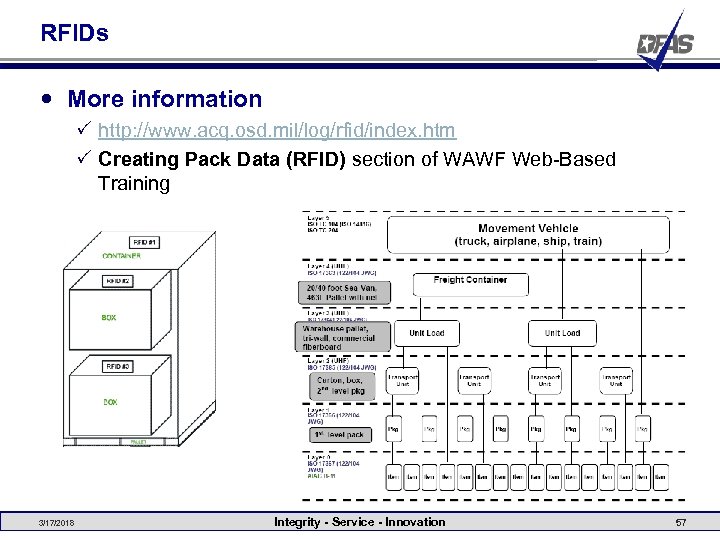 RFIDs More information P http: //www. acq. osd. mil/log/rfid/index. htm P Creating Pack Data (RFID) section of WAWF Web-Based Training 3/17/2018 Integrity - Service - Innovation 57
 WAWF 5. 0 Deployed Feb 11 -13, 2011 WAWF Tech Refresh – new “look and feel” P This technology will improve the existing WAWF application’s reliability, availability, maintainability, security, manageability and adaptability P Allows a user with a screen resolution of 1024 x 768 to utilize the entire screen P Informational and Warning messages are now displayed at the top of the page as a list with each message as a new list item New Management Report System (MRS) P Registered WAWF users will be assigned a new reporting role and have access to their assigned reports P All current “canned” reports will also be available in the new MRS tool 3/17/2018 Integrity - Service - Innovation 58
 WAWF 5. 0 Extract Misc. Pay Code to IAPS P Extracts the Misc Pay Type Code to the Pay Office for all Misc Pay transactions created where the Pay Office equates to IAPS-E International Dateline P The system will populate the Invoice Date with the WAWF system server date P A read-only label will be provided indicating the Invoice Date represents the WAWF system server date: “WAWF System Server Date” P The Vendor is able to modify the Invoice date prior to submission P If the Vendor modifies the date to a date other than the defaulted date, the user will be given a warning message 3/17/2018 Integrity - Service - Innovation 59
 WAWF 5. 0 Sort by Invoice Received Date (and any other column) P New search capability which allows users to search by the Invoice Received Date as a date range P Can sort by any column on search results screen Save and Continue P User has the option to continue working on the document or return to it at a later date P The document will reflect a unique status indicating a saved document. It may be saved multiple times with each save “resetting the clock” to 7 days. P A new “Vendor Saved Documents” folder has been created for Initiators P A “Purge” button will become available after the user performs a “Save and Continue” 3/17/2018 Integrity - Service - Innovation 60
 Navy WAWF Help Desk 1 -877 -251 -9293 CCL-EC-NAVY-WAWF-HELPDESK@DFAS. MIL Open 0700 -1700 EST M-F (excluding federal holidays) Aaron Oeken – Lead Financial Management Analyst Gary Edwards – Financial Management Analyst Barbara Harper – A/P Team Lead currently on developmental assignment on help desk Charmagne Jordan – Financial Management Analyst currently on rotation in A/P 3/17/2018 Integrity - Service - Innovation 61
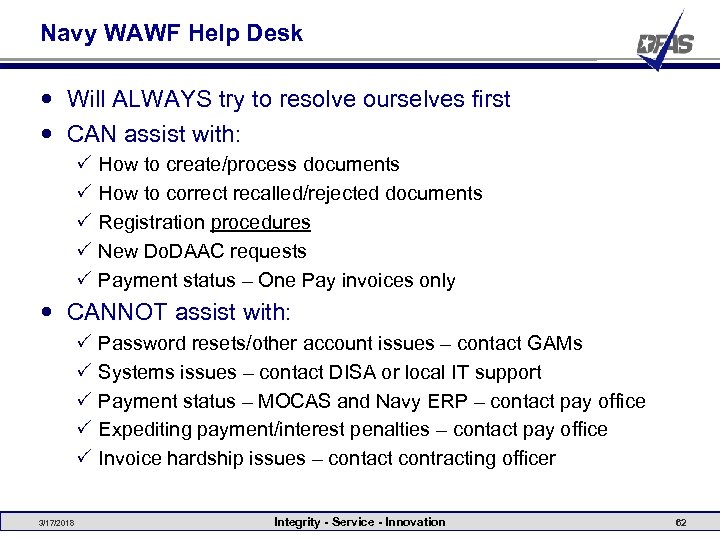 Navy WAWF Help Desk Will ALWAYS try to resolve ourselves first CAN assist with: P P P How to create/process documents How to correct recalled/rejected documents Registration procedures New Do. DAAC requests Payment status – One Pay invoices only CANNOT assist with: P P P 3/17/2018 Password resets/other account issues – contact GAMs Systems issues – contact DISA or local IT support Payment status – MOCAS and Navy ERP – contact pay office Expediting payment/interest penalties – contact pay office Invoice hardship issues – contact contracting officer Integrity - Service - Innovation 62
 Other POCs DISA Ogden Help Desk P P P Systems issues Vendor account issues (if no GAM) CAGE code activations 1 -866 -618 -5988 cscassig@csd. disa. mil Army WAWF Help Desk P Army WAWF issues P 1 -877 -232 -9293 P CCO-EC-ARMY-WAWF-HELPDESK@DFAS. MIL Marine Corps WAWF Help Desk P Marine Corps WAWF issues P 540 -658 -2611 P susan. dibianca@taic. net 3/17/2018 Integrity - Service - Innovation 63
 Other POCs Air Force WAWF Help Desk P Air Force WAWF issues P wawf. team@wpafb. af. mil DCMA WAWF Help Desk P DCMA Administered Contracts WAWF issues P 888 -576 -3262 P helpdesk@dcma. mil DLA WAWF Help Desk P DLA WAWF issues P 703 -767 -1915 P wawf@dla. mil 3/17/2018 Integrity - Service - Innovation 64
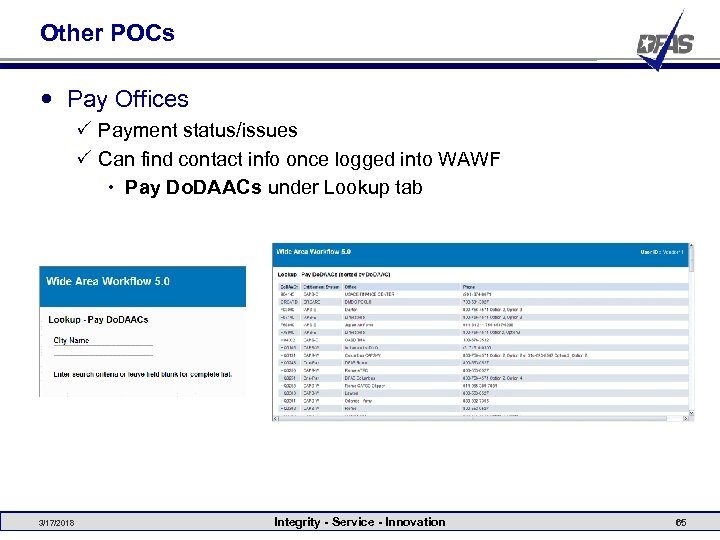 Other POCs Pay Offices P Payment status/issues P Can find contact info once logged into WAWF Pay Do. DAACs under Lookup tab 3/17/2018 Integrity - Service - Innovation 65
 Helpful Links WAWF Production P https: //wawf. eb. mil/ WAWF “Sand Box” Training Site P https: //wawftraining. eb. mil/ WAWF Web-Based Training Site P https: //wawftraining. eb. mil/xhtml/unauth/web/wbt/Wbt. Main. Menu. x html WAWF Software User’s Manual (SUM) P https: //wawf. eb. mil/SUM_Robo. Help_Web_Help/WAWF_SUM. htm DAASINQ (Do. DAAC Query) P https: //www. daas. dla. mil/daasinq/ Do. DAAD Committee (add, modify, delete Do. DAACs) P http: //www. dla. mil/j 6/dlmso/Programs/Committees/Do. DAAD/dodaad. asp 3/17/2018 Integrity - Service - Innovation 66
 Helpful Links Electronic Document Access (EDA) P http: //eda. ogden. disa. mil/ Navy WAWF Site P https: //acquisition. navy. mil/content/view/full/99 DFAS WAWF Site (inc. info on Vendor WAWF training) P http: //www. dfas. mil/dfas/ecommerce/wawf/info. html Navy College Program Tuition Assistance Site P https: //www. navycollege. navy. mil/nta. cfm Do. D UID Information P http: //www. acq. osd. mil/dpap/pdi/uid/index. html P http: //iuidtoolkit. com/overview/ Do. D Misc Pay Guide P http: //www. acq. osd. mil/dpap/ebusiness/Department_of_Defense_ Misc_Pay_Guide. doc 3/17/2018 Integrity - Service - Innovation 67
 Helpful Links Central Contractor Registration P https: //www. bpn. gov/CCRSearch/Search. aspx My. Invoice P https: //myinvoice. csd. disa. mil/ 3/17/2018 Integrity - Service - Innovation 68
 Walk-Throughs Invoice as 2 -in-1 Invoice and Receiving Report (Combo) Invoice (Fast Pay) Cost Voucher Navy Construction/Facilities Management Invoice Grant and Cooperative Agreement Voucher Miscellaneous Payment Recalling a document Rejecting a document Correcting a recalled document 3/17/2018 Integrity - Service - Innovation 69