 Скачать презентацию n Patent Electronic Business Center Overview Revised 03 15 02
a68993023cf50ea7fa7982c65b9ef04b.ppt
- Количество слайдов: 58




n Patent Electronic Business Center Overview Revised 03/15/02
Business Center (EBC) Provides access to electronic business applications for patent customers É Customer Number Registration forms n Required for PAIR and EFS É Public Key Infrastructure (PKI) Registration forms n n Security software to support electronic commerce Required for PAIR and EFS É Patent Application Information Retrieval (PAIR) n Access to application status and history via the internet É Electronic Filing System (EFS) 2
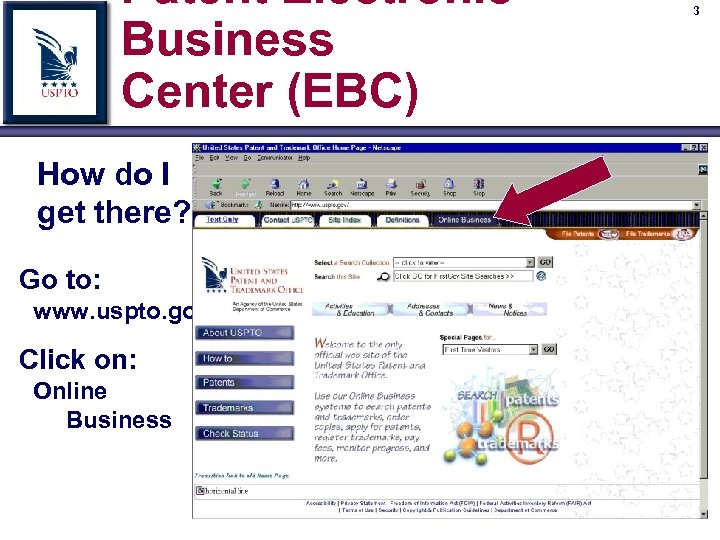
Patent Electronic Business Center (EBC) How do I get there? Go to: www. uspto. gov Click on: Online Business 3
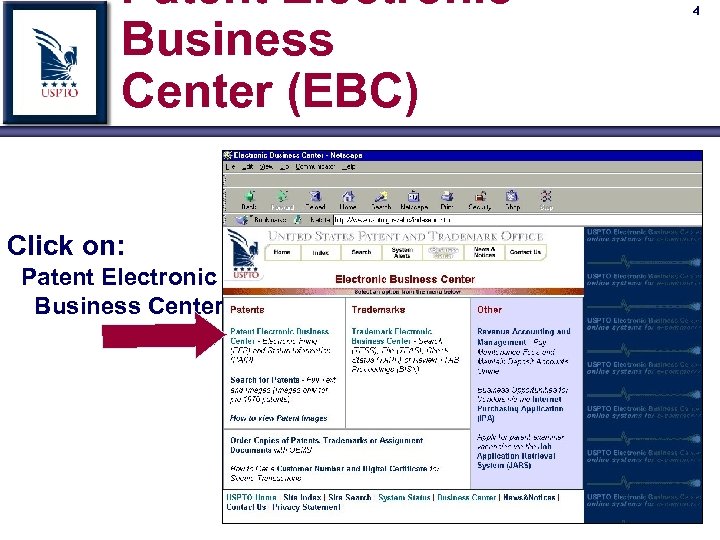
Patent Electronic Business Center (EBC) Click on: Patent Electronic Business Center 4
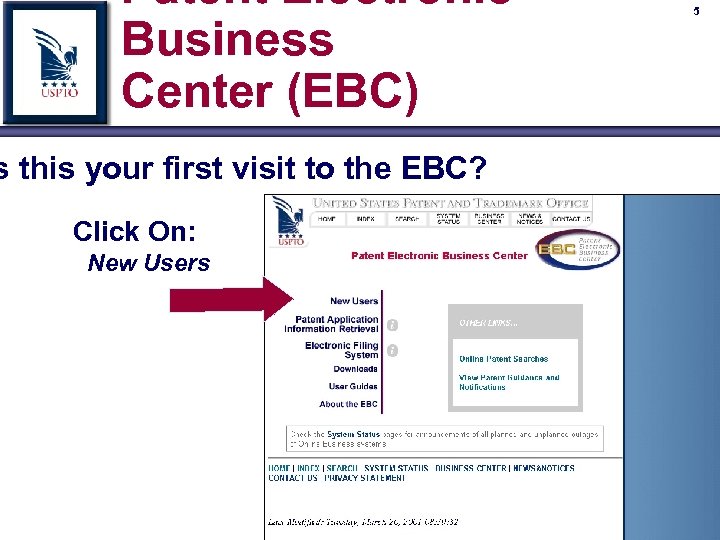
Patent Electronic Business Center (EBC) s this your first visit to the EBC? Click On: New Users 5
6 United States Patent and Trademark Office Customer Number
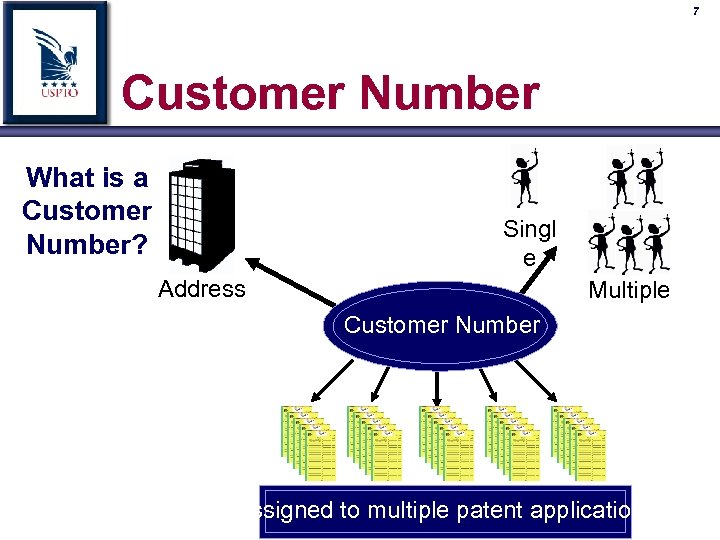
7 Customer Number What is a Customer Number? Singl e Address Multiple Customer Number Assigned to multiple patent applications

8 Customer Number Changing addresses using Customer Number NEW PROCESS OLD PROCESS Requires one correspondence per application Requires only one correspondence for all applications Customer Number
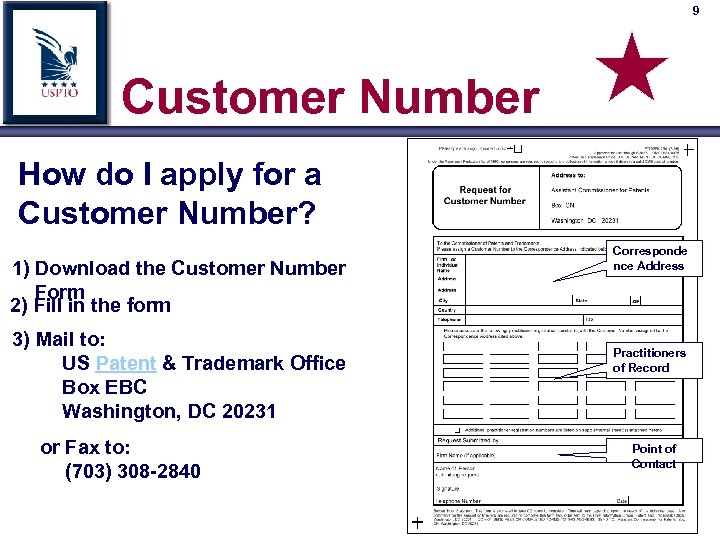
9 Customer Number How do I apply for a Customer Number? 1) Download the Customer Number Form 2) Fill in the form 3) Mail to: US Patent & Trademark Office Box EBC Washington, DC 20231 or Fax to: (703) 308 -2840 Corresponde nce Address Practitioners of Record Point of Contact
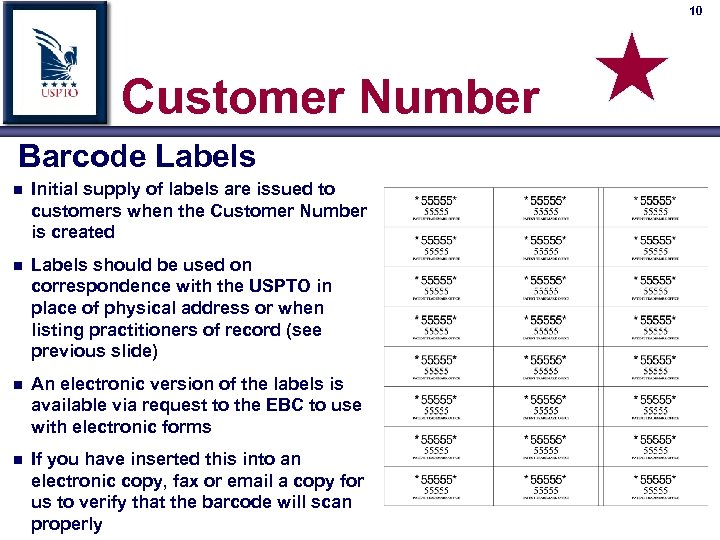
10 Customer Number Barcode Labels n Initial supply of labels are issued to customers when the Customer Number is created n Labels should be used on correspondence with the USPTO in place of physical address or when listing practitioners of record (see previous slide) n An electronic version of the labels is available via request to the EBC to use with electronic forms n If you have inserted this into an electronic copy, fax or email a copy for us to verify that the barcode will scan properly
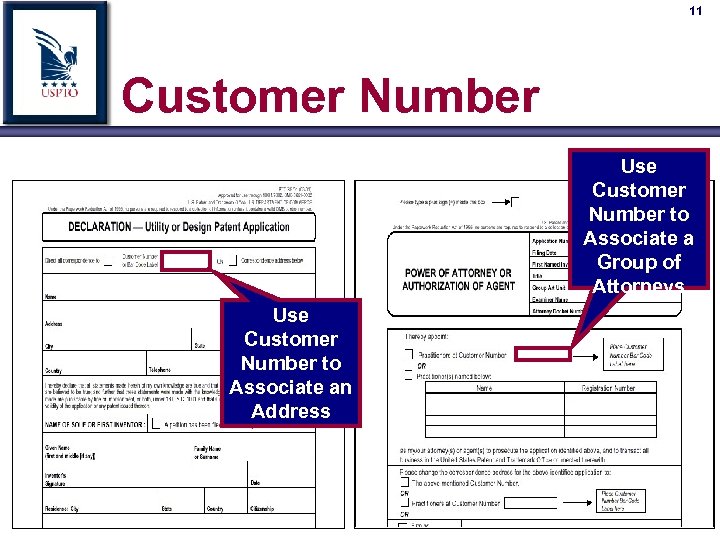
11 Customer Number Use Customer Number to Associate a Group of Attorneys Use Customer Number to Associate an Address
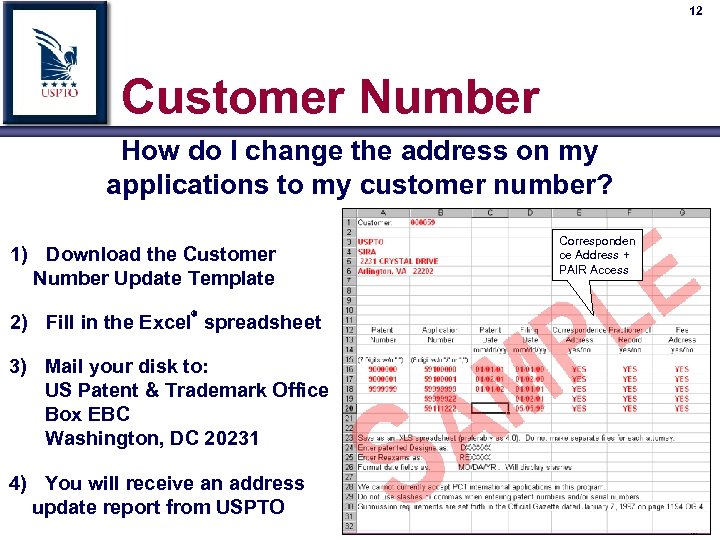
12 Customer Number How do I change the address on my applications to my customer number? 1) Download the Customer Number Update Template 2) Fill in the Excel spreadsheet 3) Mail your disk to: US Patent & Trademark Office Box EBC Washington, DC 20231 4) You will receive an address update report from USPTO Corresponden ce Address + PAIR Access
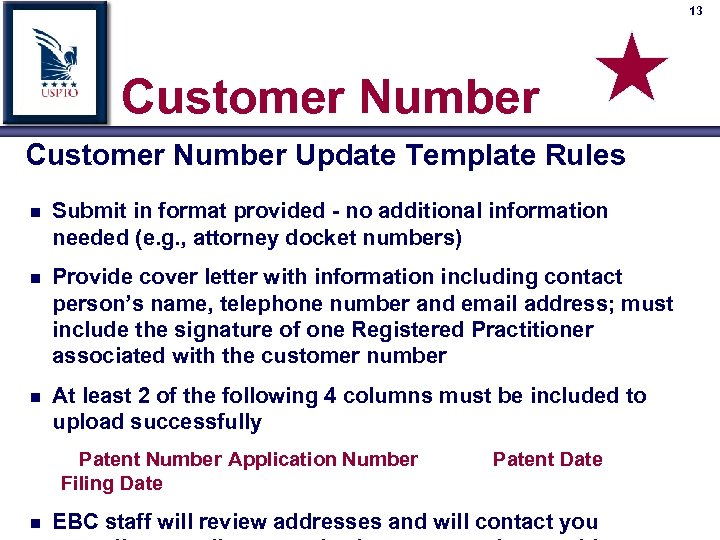
13 Customer Number Update Template Rules n Submit in format provided - no additional information needed (e. g. , attorney docket numbers) n Provide cover letter with information including contact person’s name, telephone number and email address; must include the signature of one Registered Practitioner associated with the customer number n At least 2 of the following 4 columns must be included to upload successfully Patent Number Application Number Filing Date n Patent Date EBC staff will review addresses and will contact you
14 Customer Number What advantages does the Customer Number provide? 1) Access to PAIR 2) Necessary for EFS 3) Single paper provides address and attorney changes to all applications
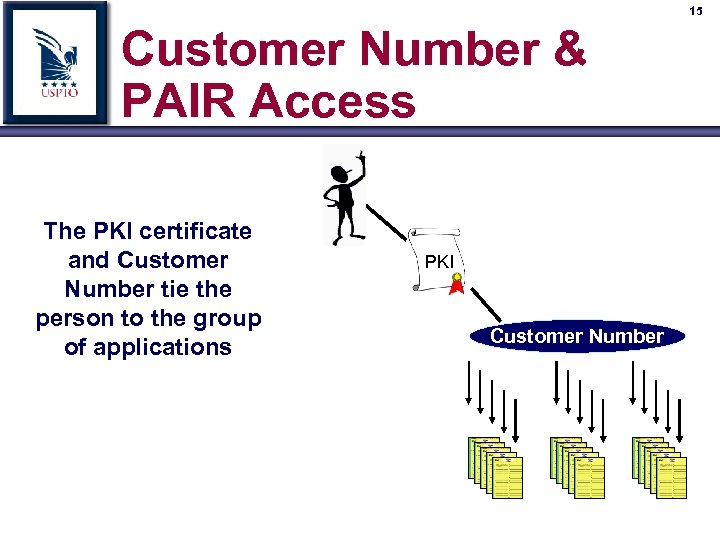
15 Customer Number & PAIR Access The PKI certificate and Customer Number tie the person to the group of applications PKI Customer Number
16 United States Patent and Trademark Office Public Key Infrastructure (PKI)
Public Key Infrastructure (PKI) n Security of patent application and related data É U. S. National Patent Law, 35 USC 122 n E-Commerce interaction with customers requires: É Confidentiality É Authenticity É Access Control É Integrity É Non-Repudiation n USPTO serves as a Certificate Authority and issues digital certificates to our 17
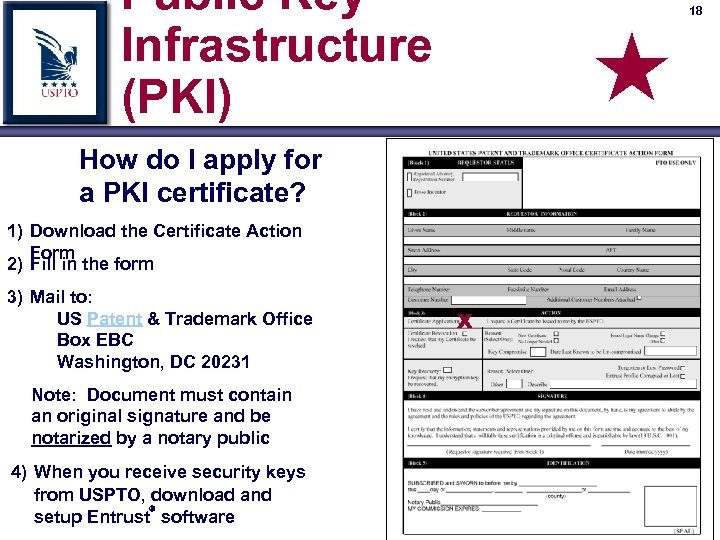
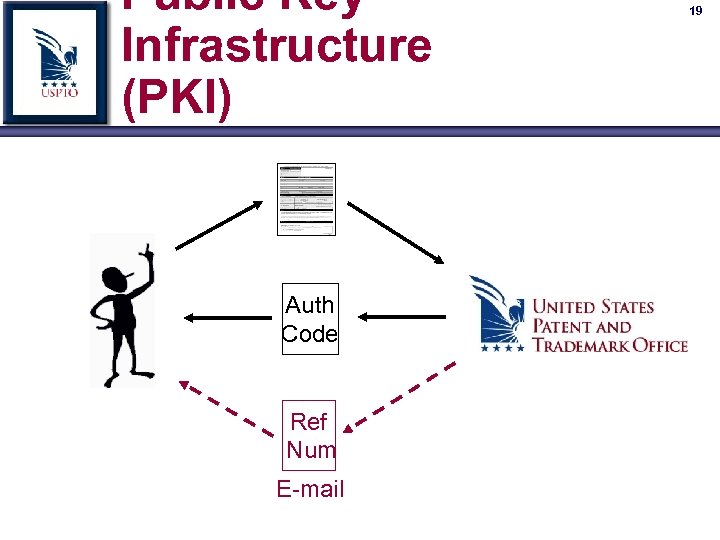
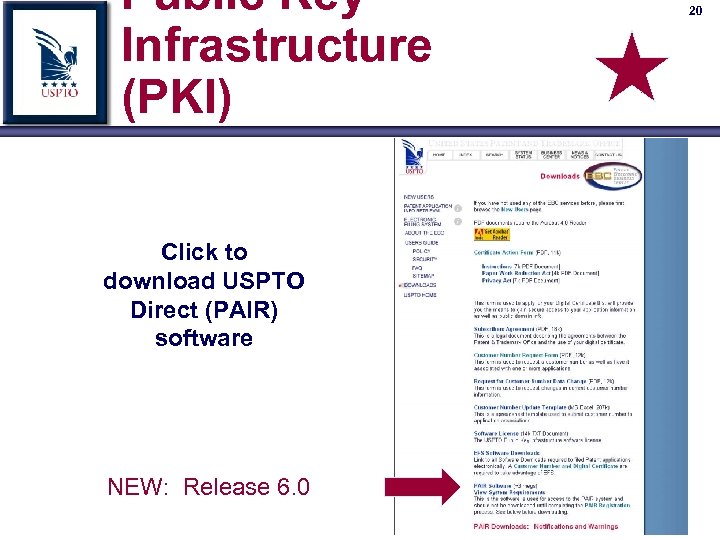
Public Key Infrastructure (PKI) 18 How do I apply for a PKI certificate? 1) Download the Certificate Action Form 2) Fill in the form 3) Mail to: US Patent & Trademark Office Box EBC Washington, DC 20231 Note: Document must contain an original signature and be notarized by a notary public 4) When you receive security keys from USPTO, download and setup Entrust software X
Public Key Infrastructure (PKI) Auth Code Ref Num E-mail 19
Public Key Infrastructure (PKI) Click to download USPTO Direct (PAIR) software NEW: Release 6. 0 20
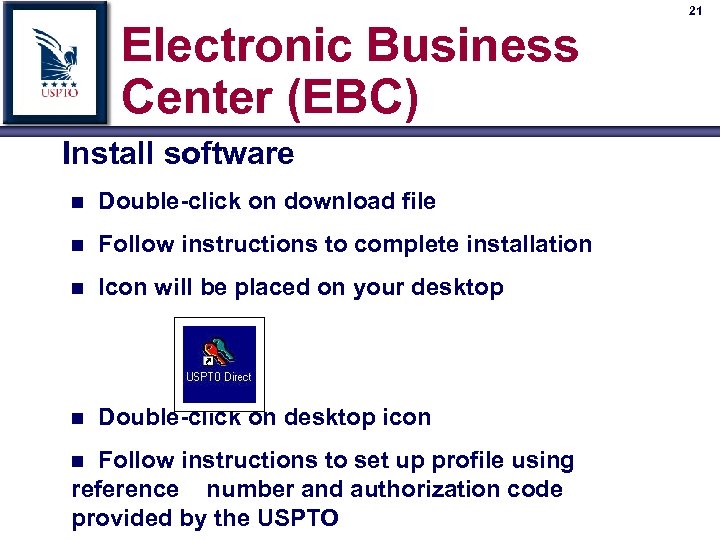
Electronic Business Center (EBC) Install software n Double-click on download file n Follow instructions to complete installation n Icon will be placed on your desktop n Double-click on desktop icon Follow instructions to set up profile using reference number and authorization code provided by the USPTO n 21

Electronic Business Center (EBC) 22 Each PKI certificate may be used by the certificate holder plus one person under the direction and control of the holder n Reference Number and Authorization Code can only be used to create your profile one time Attempting to reuse Reference Number and Authorization Code will disable your certificate
23 PKI Certificate Renewal n Certificate renews one year from date of issue n The renewal is automatic and is noticeable unless the certificate has been copied onto multiple computers ÉIf the certificate has been copied, it will be renewed on the first PC that logs into PAIR on the first day following the one year anniversary
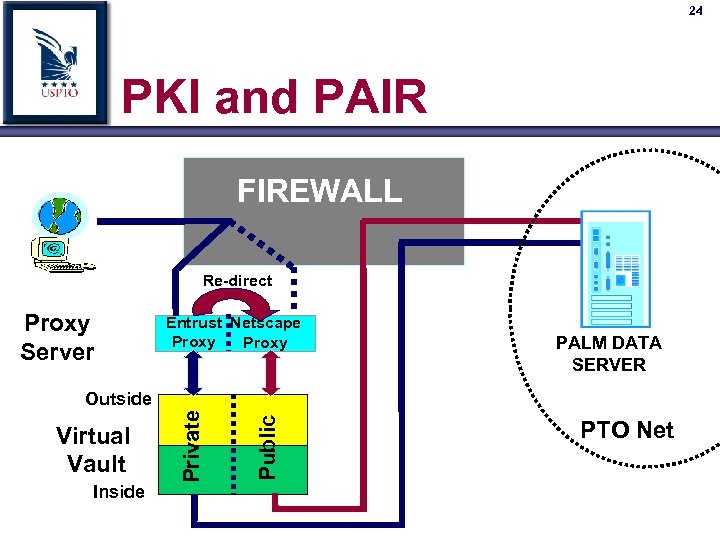
24 PKI and PAIR FIREWALL Re-direct Proxy Server Entrust Netscape Proxy PALM DATA SERVER Inside Public Virtual Vault Private Outside PTO Net
25 United States Patent and Trademark Office Patent Application Information Retrieval
26 PAIR Features n Quick, easy and secure access to Patent and Patent Application information via direct access to PALM information É 24 hr access to PALM information É Access to real-time information n Two ways to access PAIR É Public
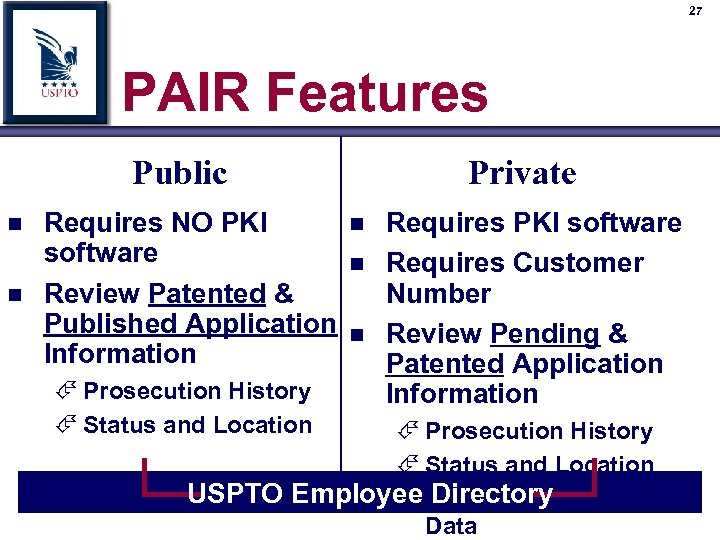
27 PAIR Features Public n n Requires NO PKI software Review Patented & Published Application Information É Prosecution History É Status and Location Private n n n Requires PKI software Requires Customer Number Review Pending & Patented Application Information É Prosecution History É Status and Location USPTO Employee Limited Bibliographic É Directory Data

28 PAIR Interface Private PAIR Requires Customer Number and PKI Certificate

29 PAIR Interface Application Number Search
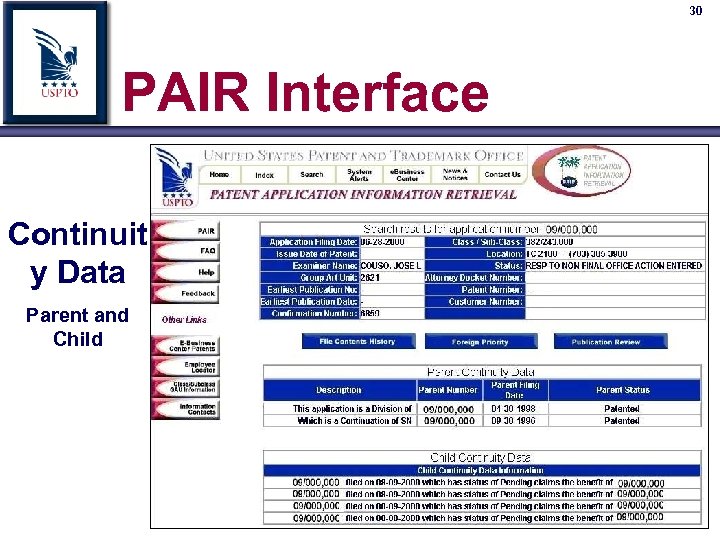
30 PAIR Interface Continuit y Data Parent and Child
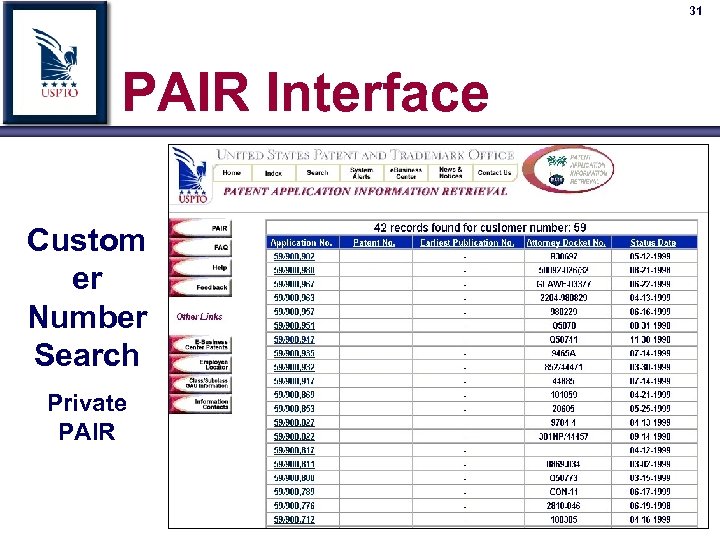
31 PAIR Interface Custom er Number Search Private PAIR

32 PAIR Interface Public PAIR
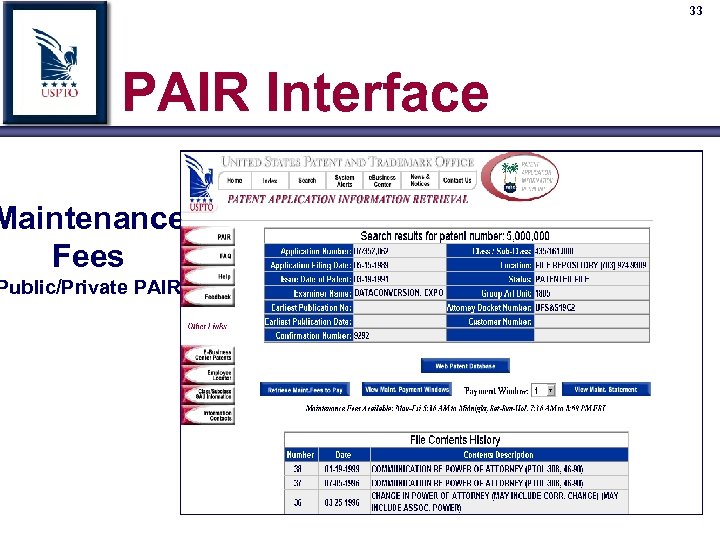
33 PAIR Interface Maintenance Fees Public/Private PAIR

34 PAIR Interface
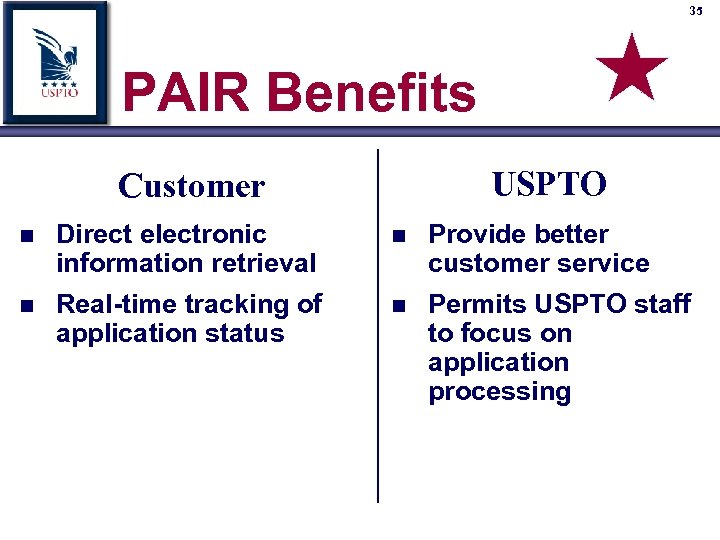
35 PAIR Benefits USPTO Customer n n Direct electronic information retrieval Real-time tracking of application status n n Provide better customer service Permits USPTO staff to focus on application processing
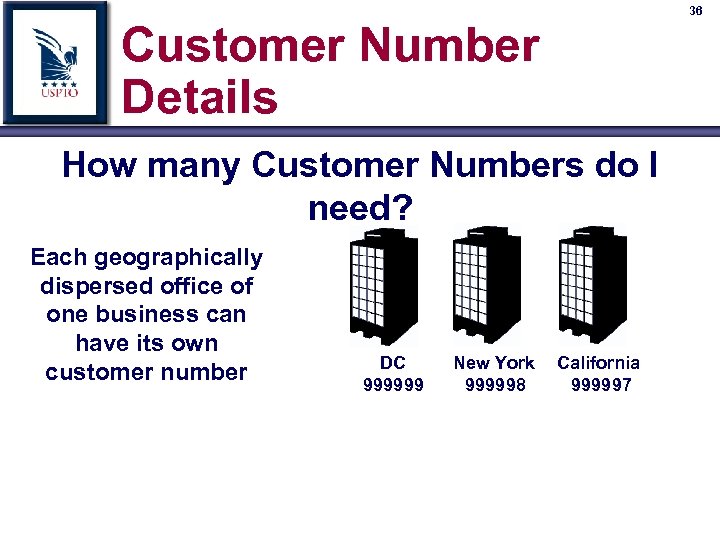
36 Customer Number Details How many Customer Numbers do I need? Each geographically dispersed office of one business can have its own customer number DC 999999 New York 999998 California 999997

37 Customer Number Details How many Customer Numbers do I need? Multiple individuals at one location can each have their own customer numbers 9999998 999997
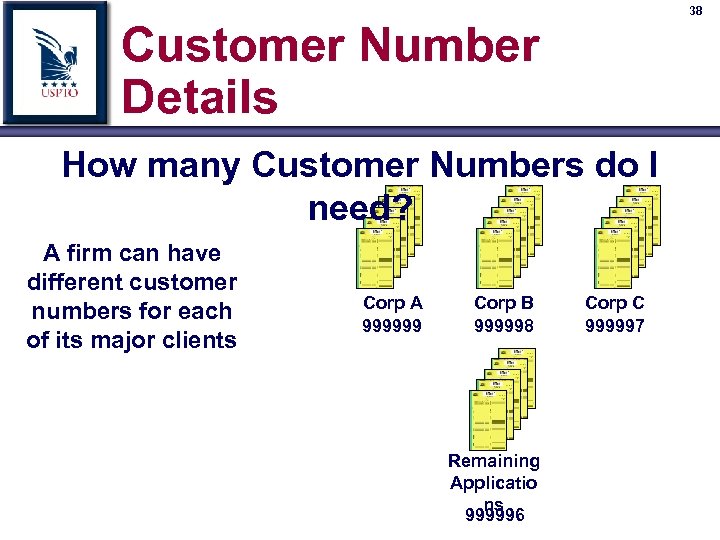
38 Customer Number Details How many Customer Numbers do I need? A firm can have different customer numbers for each of its major clients Corp A 999999 Corp B 999998 Remaining Applicatio ns 999996 Corp C 999997
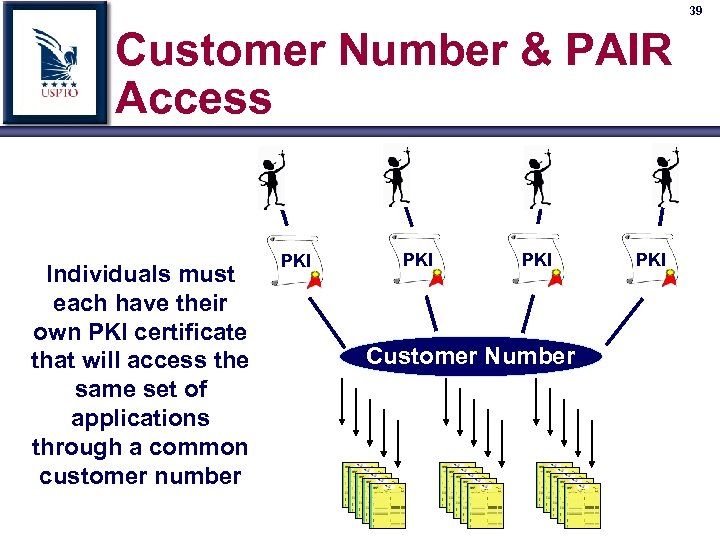
39 Customer Number & PAIR Access Individuals must each have their own PKI certificate that will access the same set of applications through a common customer number PKI PKI Customer Number PKI
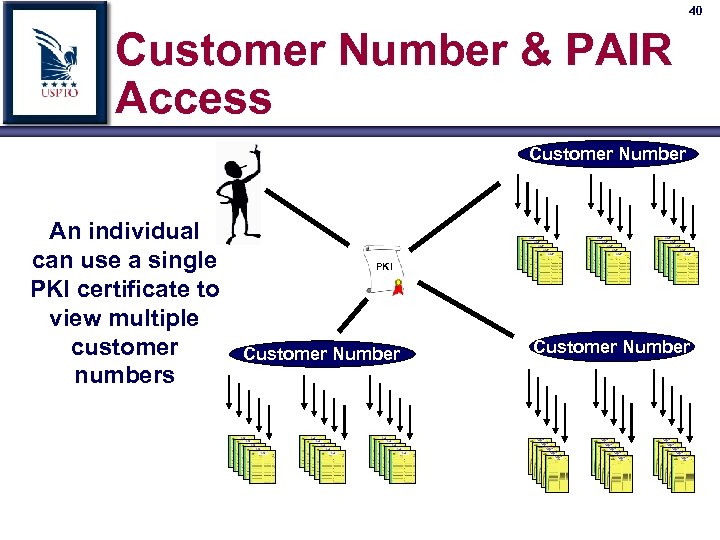
40 Customer Number & PAIR Access Customer Number An individual can use a single PKI certificate to view multiple customer numbers PKI Customer Number
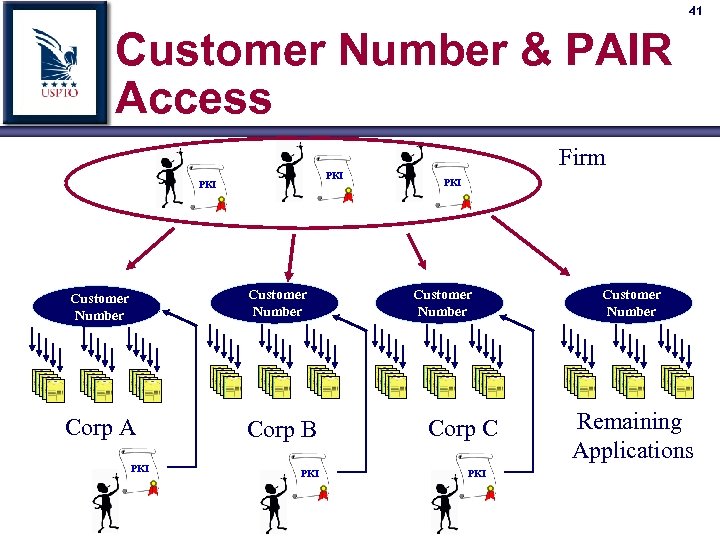
41 Customer Number & PAIR Access Firm PKI Customer Number Corp A PKI Corp B PKI Customer Number Corp C PKI Customer Number Remaining Applications
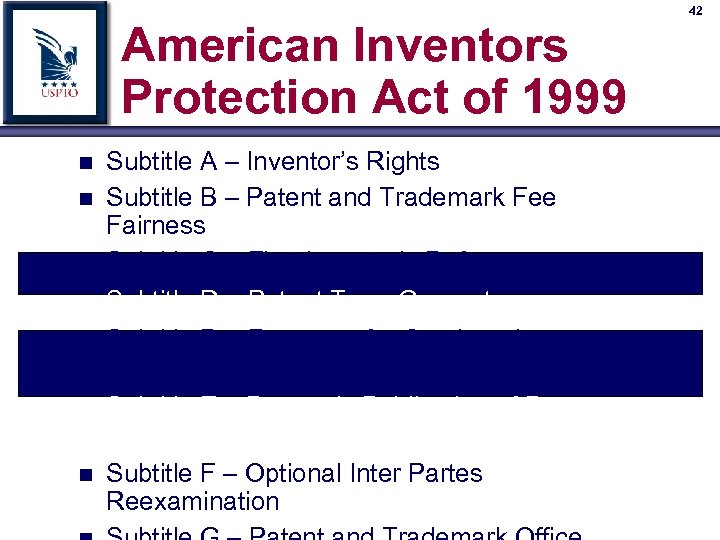
American Inventors Protection Act of 1999 n n n n Subtitle A – Inventor’s Rights Subtitle B – Patent and Trademark Fee Fairness Subtitle C – First Inventor’s Defense Subtitle D – Patent Term Guarantee Subtitle D – Requests for Continued Examination Subtitle E – Domestic Publication of Patent Applications Filed Abroad Subtitle F – Optional Inter Partes Reexamination 42
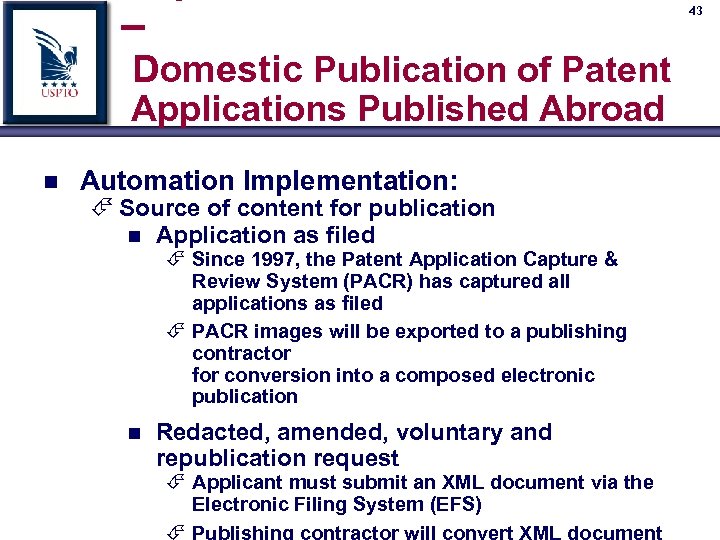
– 43 Domestic Publication of Patent Applications Published Abroad n Automation Implementation: É Source of content for publication n Application as filed É Since 1997, the Patent Application Capture & Review System (PACR) has captured all applications as filed É PACR images will be exported to a publishing contractor for conversion into a composed electronic publication n Redacted, amended, voluntary and republication request É Applicant must submit an XML document via the Electronic Filing System (EFS) É Publishing contractor will convert XML document
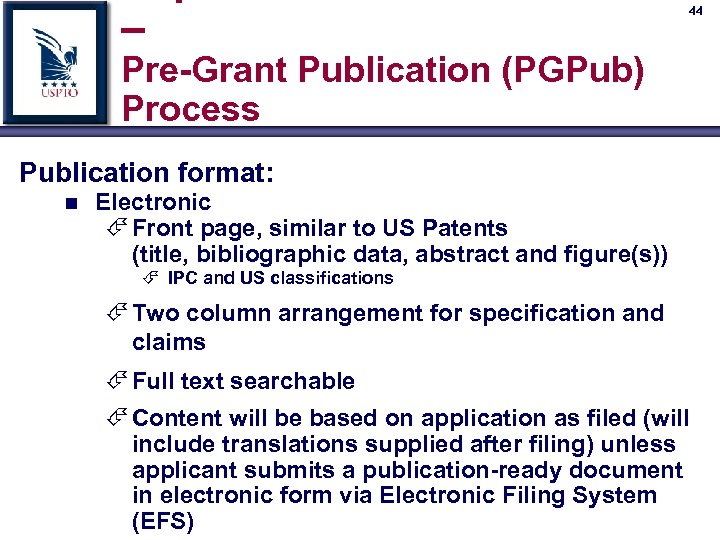
– 44 Pre-Grant Publication (PGPub) Process Publication format: n Electronic É Front page, similar to US Patents (title, bibliographic data, abstract and figure(s)) É IPC and US classifications É Two column arrangement for specification and claims É Full text searchable É Content will be based on application as filed (will include translations supplied after filing) unless applicant submits a publication-ready document in electronic form via Electronic Filing System (EFS)
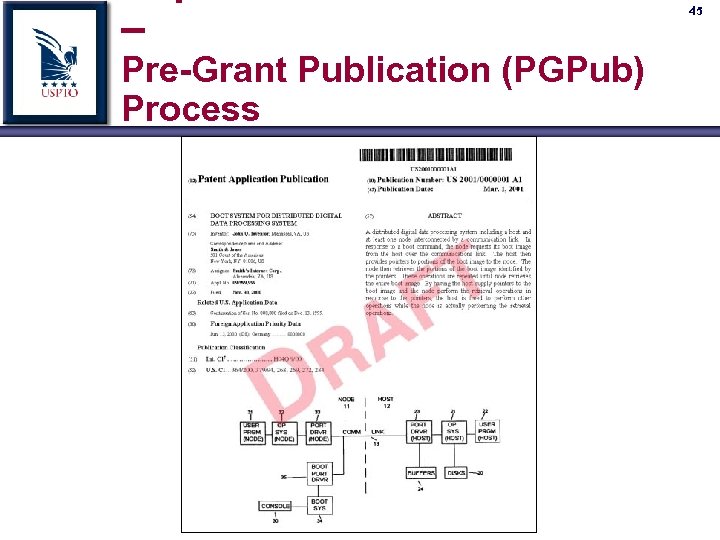
– Pre-Grant Publication (PGPub) Process 45
46 Pre-Grant Publication Confirmation Number Each application will be assigned a confirmation number n Assigned at application initialization n Format: 4 digits, 1000 to 9999 n Used in combination with application number to confirm the accuracy of application number n Required for EFS PGPub filings n Recommended for all incoming submissions (paper & electronic)

47 Pre-Grant Publication Confirmation Number Each application will be assigned a confirmation number n Printed on filing receipt n Available via PAIR n Available via PALM intranet General Information Screen n Confirmation number mailed on all pending applications to Patent applicant or attorney in December 2000

48 Pre-Grant Publication Confirmation Number

– 49 Pre-Grant Publication (PGPub) Process n Automation Implementation: (continued) É Source of bibliographic data for publication n Application as filed É The Patent Application Locating and Monitoring (PALM) system captures bibliographic data and will provide the data to the publishing contractor n Redacted, amended, voluntary and republication request 1. Applicant must submit bibliographic data in the XML document via the Electronic Filing System (EFS) which will be used for
– 50 Pre-Grant Publication (PGPub) Process n Automation Implementation: (continued) É Bibliographic data review n The Patent Application Information Retrieval (PAIR) system will provide applicant with access to all bibliographic data to be used on the published front page for review n Applicant will have opportunity until 14 weeks prior to publication date to review bibliographic data and submit written request for corrections
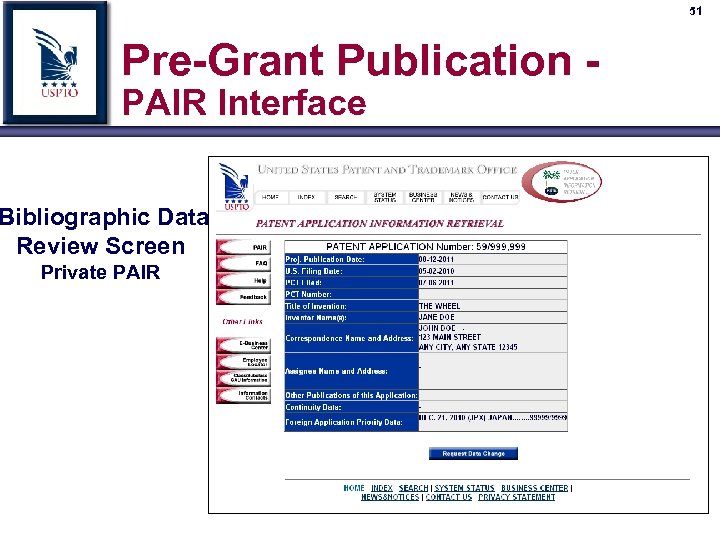
51 Pre-Grant Publication PAIR Interface Bibliographic Data Review Screen Private PAIR

52 Pre-Grant Publication PAIR Interface Bibliographic Data Review Screen Request Corrections

53 Pre-Grant Publication PAIR Interface Bibliographic Data Review Screen Change Request Receipt
54 – Pre-Grant Publication (PGPub) Process n Automation Implementation: É Projected publication date: n The PALM system will calculate and print a projected publication date on filing receipts of all applications which have met the requirement for publication n If the projected publication date changes PALM will produce a notification to the applicant of the new projected publication date n PALM will track projected publication date and manage workflow for the publication cycle n At time of publication, PALM will produce a notice to applicant that his/her application has been published

Implementation of Subtitle D – Patent Term Guarantee n Effective Date: May 29, 2000 n An initial determination of PTA (Patent Term Adjustment) will be calculated by PALM and provided with the Notice of Allowance (NOA) É PALM will calculate PTA earned from filing to NOA É PALM will estimate issue date and project PTA to Issue n Two weeks prior to issue, PALM will 55
Implementation of Subtitle D – Patent Term Guarantee n Applicant review of PTA calculation: É Applicant can use PAIR to review PTA calculation n n Review PALM paper entry dates Review actual calculation É Reconsideration requests (petitions) would be required prior to, or with, payment of the issue fee n Must provide detailed explanation of where USPTO has made errors in PTA calculation 56
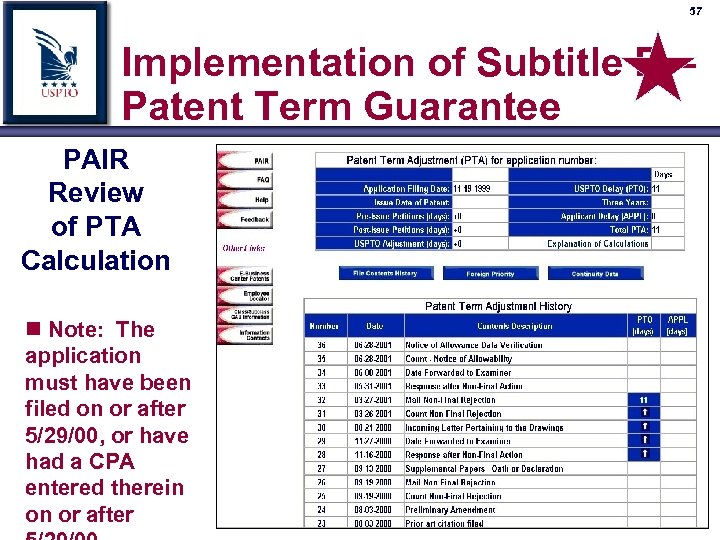
57 Implementation of Subtitle D – Patent Term Guarantee PAIR Review of PTA Calculation n Note: The application must have been filed on or after 5/29/00, or have had a CPA entered therein on or after
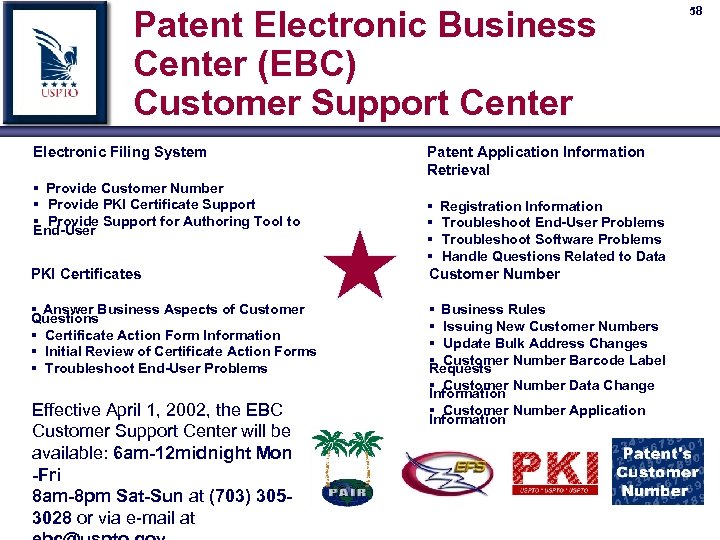
Patent Electronic Business Center (EBC) Customer Support Center Electronic Filing System Patent Application Information Retrieval § Provide Customer Number § Provide PKI Certificate Support § Provide Support for Authoring Tool to End-User § Registration Information PKI Certificates § Troubleshoot End-User Problems § Troubleshoot Software Problems § Handle Questions Related to Data Customer Number § Answer Business Aspects of Customer § Business Rules Questions § Certificate Action Form Information § Initial Review of Certificate Action Forms § Troubleshoot End-User Problems Effective April 1, 2002, the EBC Customer Support Center will be available: 6 am-12 midnight Mon -Fri 8 am-8 pm Sat-Sun at (703) 3053028 or via e-mail at § Issuing New Customer Numbers § Update Bulk Address Changes § Customer Number Barcode Label Requests § Customer Number Data Change Information § Customer Number Application Information 58
Скачать презентацию n Patent Electronic Business Center Overview Revised 03 15 02
a68993023cf50ea7fa7982c65b9ef04b.ppt