


 Скачать презентацию Multilingual Generation of Controlled Languages Richard Power ITRI
8aa9b068a7b26eed5cb47cf2868ad4a7.ppt
- Количество слайдов: 49
 Multilingual Generation of Controlled Languages Richard Power (ITRI) Donia Scott (ITRI) Anthony Hartley (CTS) ITRI: Information Technology Research Institute University of Brighton, UK CTS: Centre for Translation Studies, University of Leeds, UK
 Background • Since 1993, NLG projects at ITRI have focussed on the problem of producing technical documentation in multiple languages (Drafter, CLIME, PILLS, CLEF). • Typical application is PILLS, in the pharmaceutical domain, where for example patient information leaflets are produced in around 150 languages and revised often. • ITRI introduced the WYSIWYM (What You See Is What You Meant) method for editing knowledge for NLG. A similar idea is used in XRCE’s MDA (Multilingual Document Authoring) approach. • The talk describes current work on widening the coverage of WYSIWYM so that it can edit complete patient information leaflets.
 Overview • Problem: how to produce documents in CLs • Approach: create a direct manipulation CL editor by analogy with a drawing tool • Examples of how such an editor might work • Snapshots of prototypes • Advantages and disadvantages • Future developments
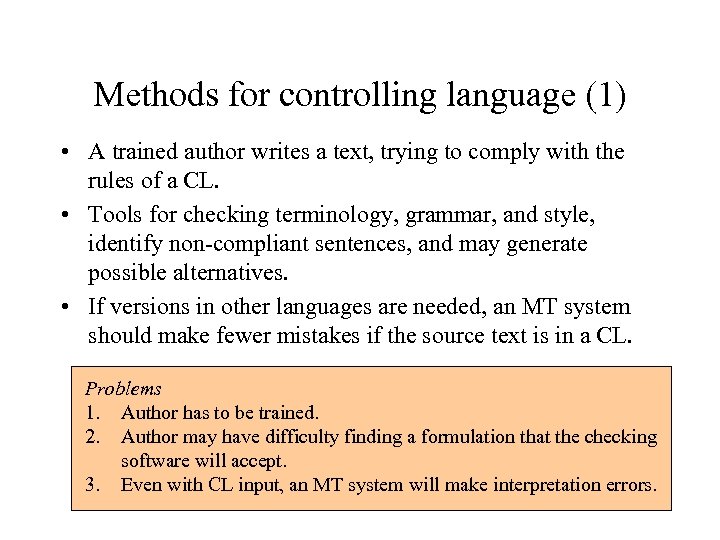 Methods for controlling language (1) • A trained author writes a text, trying to comply with the rules of a CL. • Tools for checking terminology, grammar, and style, identify non-compliant sentences, and may generate possible alternatives. • If versions in other languages are needed, an MT system should make fewer mistakes if the source text is in a CL. Problems 1. Author has to be trained. 2. Author may have difficulty finding a formulation that the checking software will accept. 3. Even with CL input, an MT system will make interpretation errors.
 Methods for controlling language (2) • The content of a document is already encoded in a formal knowledge base. • A language generation tool generates text from this encoding of content, using a grammar and lexicon which guarantees compliance with a CL (Danlos et al. , 2000). • Versions in other languages can be generated from the same knowledge base; no interpretation is required. Problems 1. In almost all practical contexts, the desired content is not already encoded in a knowledge base. 2. Authors cannot modify the content unless they are expert in knowledge representation formalisms.
 Methods for controlling language (3) • The author creates the text through a direct manipulation interface in which all options are generated by the program. These options guarantee compliance with a CL. • Editing options are linked to features in an underlying interlingua, so that as well as creating a text, the author implicitly creates a formal encoding of the content. • Versions in other languages can be generated from the same formal encoding; no interpretation is required. Problem Everything depends on the premise that we can provide a usable direct manipulation editor for text.
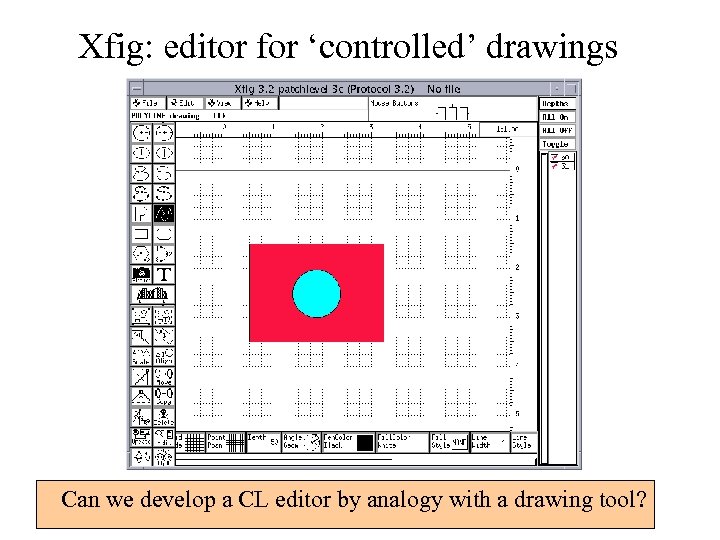 Xfig: editor for ‘controlled’ drawings Can we develop a CL editor by analogy with a drawing tool?
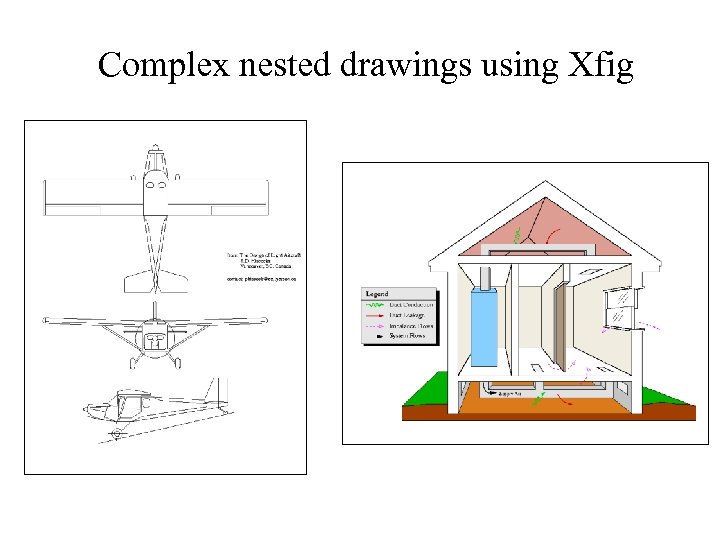 Complex nested drawings using Xfig
 Constraints of a drawing editor • The author can create instances of a number of predefined patterns (rectangle, oval, etc. ). • Instances can be configured by changing a set of predefined features (colour, size, line thickness, etc. ). • Instances can be located at various points in the drawing (depending on grid setting). Conclusion The user’s options are limited to a set of predefined shapes and configuration parameters. In compensation, the tool provides a regular drawing suitable for a technical illustration.
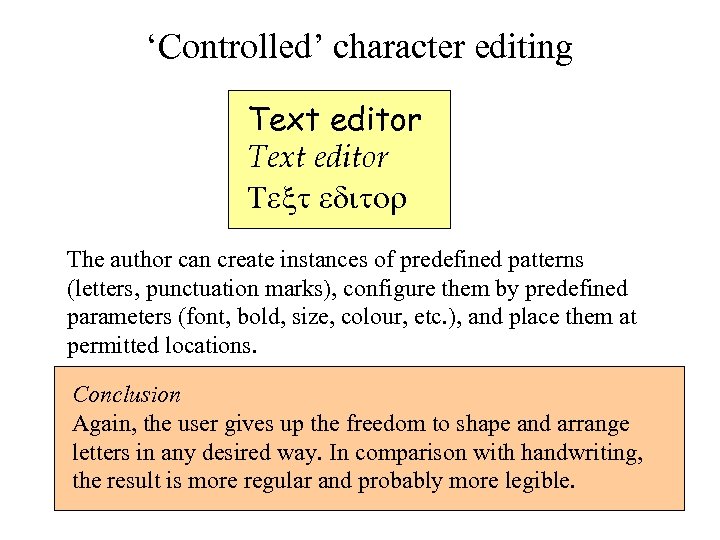 ‘Controlled’ character editing Text editor The author can create instances of predefined patterns (letters, punctuation marks), configure them by predefined parameters (font, bold, size, colour, etc. ), and place them at permitted locations. Conclusion Again, the user gives up the freedom to shape and arrange letters in any desired way. In comparison with handwriting, the result is more regular and probably more legible.
 General requirements for editing tool • The tool allows users to create instances of predefined types, and to place them at constrained locations. • Once created, instances can be configured by varying a predefined set of parameters. • Instances can also be deleted, or cut, or copied, or pasted into other locations.
 Editing tool for controlled languages • Author can create instances of patterns based on verbs, nouns etc. (e. g. , sentences, noun phrases). • Once created, instances can be configured by varying parameters like tense, polarity, and number, or by introducing modifiers. They can also be deleted or cut/copied/pasted. • However, what counts as a location within a linguistic pattern (e. g. , a sentence)?
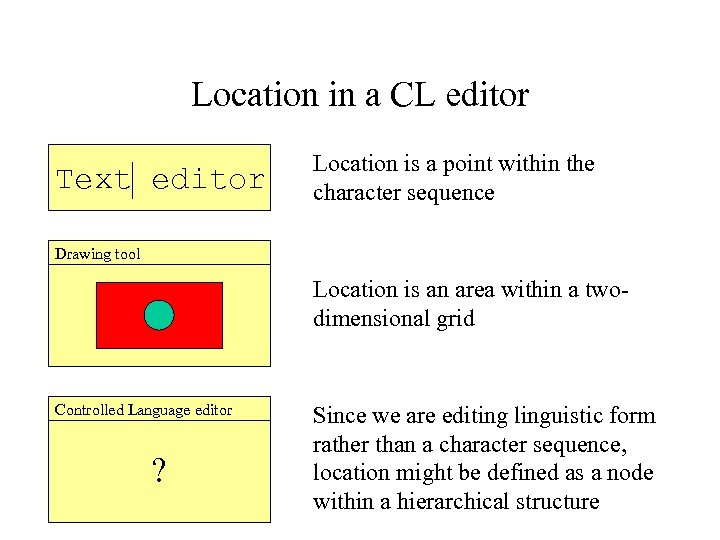 Location in a CL editor Text editor Location is a point within the character sequence Drawing tool Location is an area within a twodimensional grid Controlled Language editor ? Since we are editing linguistic form rather than a character sequence, location might be defined as a node within a hierarchical structure
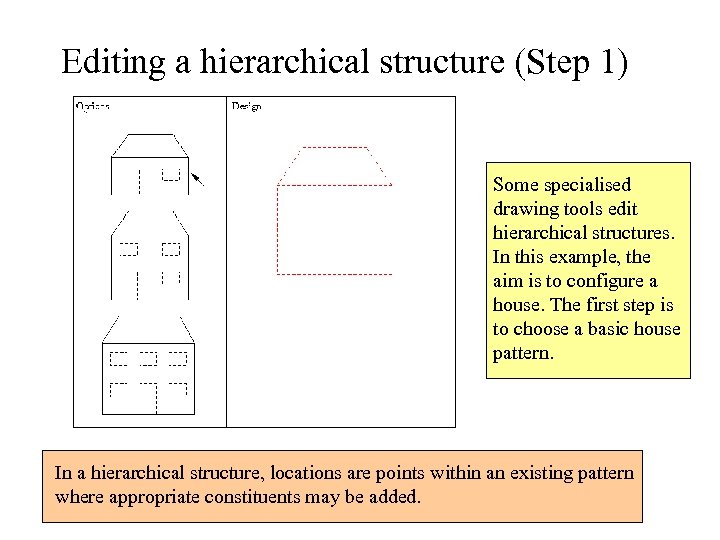 Editing a hierarchical structure (Step 1) Some specialised drawing tools edit hierarchical structures. In this example, the aim is to configure a house. The first step is to choose a basic house pattern. In a hierarchical structure, locations are points within an existing pattern where appropriate constituents may be added.
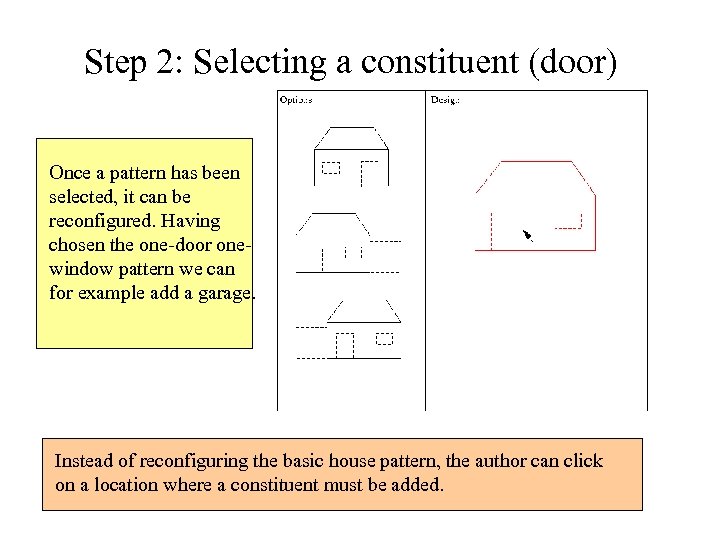 Step 2: Selecting a constituent (door) Once a pattern has been selected, it can be reconfigured. Having chosen the one-door onewindow pattern we can for example add a garage. Instead of reconfiguring the basic house pattern, the author can click on a location where a constituent must be added.
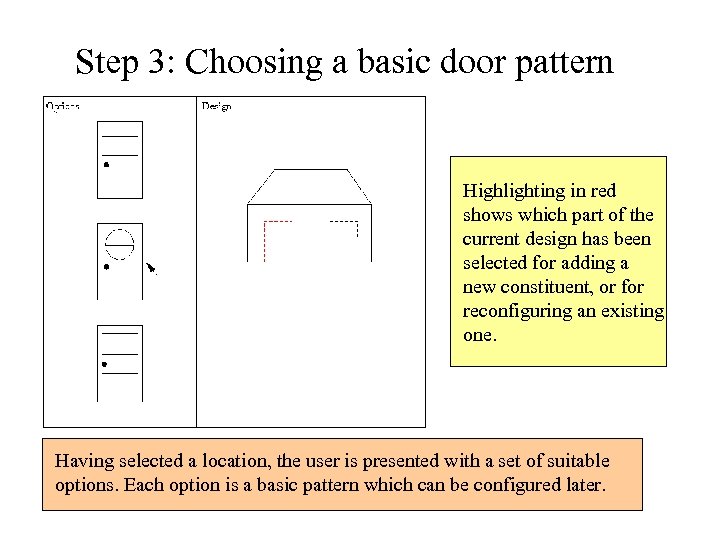 Step 3: Choosing a basic door pattern Highlighting in red shows which part of the current design has been selected for adding a new constituent, or for reconfiguring an existing one. Having selected a location, the user is presented with a set of suitable options. Each option is a basic pattern which can be configured later.
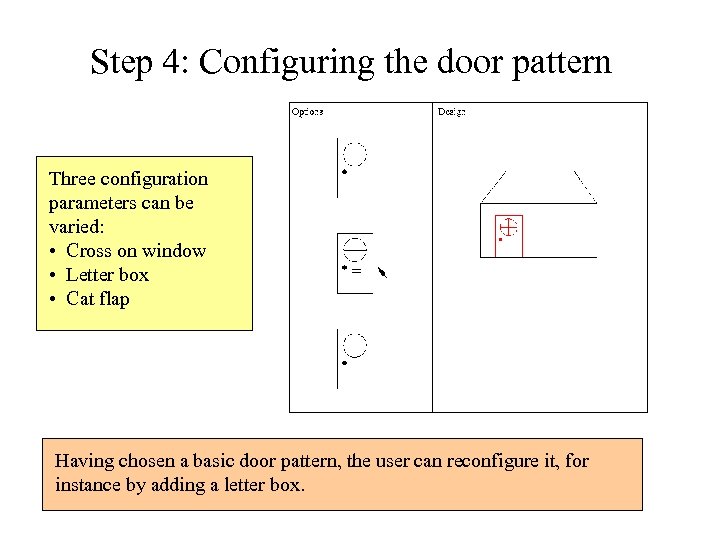 Step 4: Configuring the door pattern Three configuration parameters can be varied: • Cross on window • Letter box • Cat flap Having chosen a basic door pattern, the user can reconfigure it, for instance by adding a letter box.
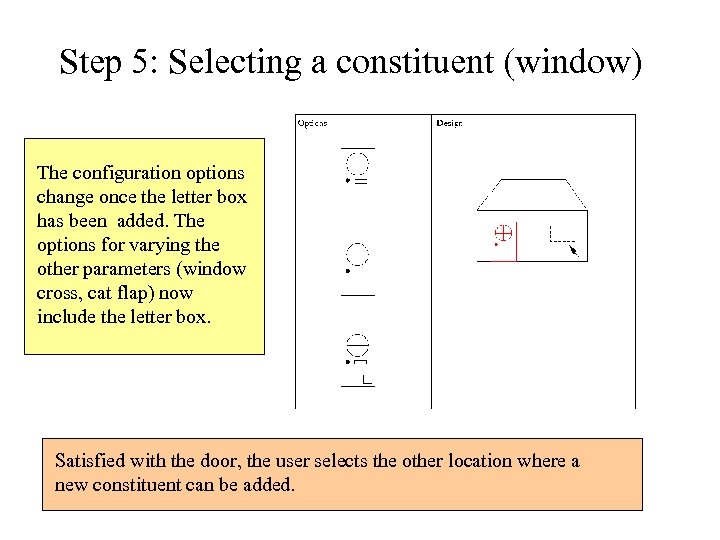 Step 5: Selecting a constituent (window) The configuration options change once the letter box has been added. The options for varying the other parameters (window cross, cat flap) now include the letter box. Satisfied with the door, the user selects the other location where a new constituent can be added.
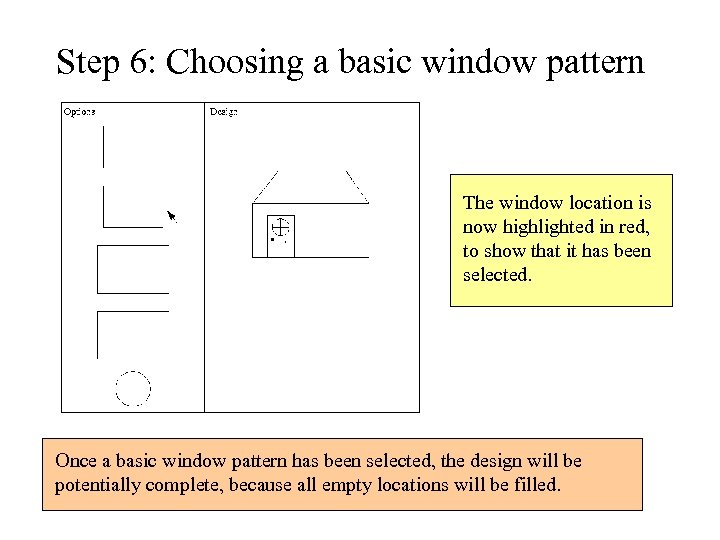 Step 6: Choosing a basic window pattern The window location is now highlighted in red, to show that it has been selected. Once a basic window pattern has been selected, the design will be potentially complete, because all empty locations will be filled.
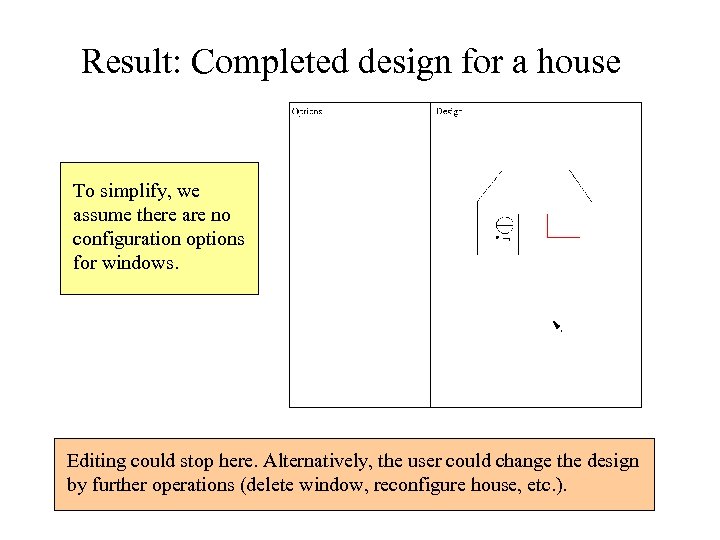 Result: Completed design for a house To simplify, we assume there are no configuration options for windows. Editing could stop here. Alternatively, the user could change the design by further operations (delete window, reconfigure house, etc. ).
![Editing a CL sentence (Step 1) Options [Someone] asks [someone] [something] [Something] attacks [something]](https://present5.com/presentation/8aa9b068a7b26eed5cb47cf2868ad4a7/image-21.jpg "Editing a CL sentence (Step 1) Options [Someone] asks [someone] [something] [Something] attacks [something]") Editing a CL sentence (Step 1) Options [Someone] asks [someone] [something] [Something] attacks [something] - - - etc. - - [Someone] reads [something] [Someone] swallows [something] - - -etc. - - - Document [Something is the case] The Document pane shows an ‘anchor’, a generic phrase in square brackets. This represents a location where a specific event pattern may be inserted. The pattern is selected from a list of options.
Editing a CL sentence (Step 1) Options [Someone] asks [someone] [something] [Something] attacks [something] - - - etc. - - [Someone] reads [something] [Someone] swallows [something] - - -etc. - - - Document [Something is the case] The Document pane shows an ‘anchor’, a generic phrase in square brackets. This represents a location where a specific event pattern may be inserted. The pattern is selected from a list of options.
![Step 2: Selecting a constituent (agent) Options Document [Someone] might swallow [something] [Someone] must](https://present5.com/presentation/8aa9b068a7b26eed5cb47cf2868ad4a7/image-22.jpg "Step 2: Selecting a constituent (agent) Options Document [Someone] might swallow [something] [Someone] must") Step 2: Selecting a constituent (agent) Options Document [Someone] might swallow [something] [Someone] must swallow [something] [Someone] swallows [something] [Someone] does not swallow [something] [Someone] swallowed [something] [Someone] will swallow [something] [Someone] swallows [something] [somewhere] [Someone] swallows [something] [in some way] - - - etc. - - - Having selected the swallow pattern with its parameters defaulted (e. g. , present tense), we can choose from configuration options. Alternatively we can select a location within the pattern, such as the agent role.
Step 2: Selecting a constituent (agent) Options Document [Someone] might swallow [something] [Someone] must swallow [something] [Someone] swallows [something] [Someone] does not swallow [something] [Someone] swallowed [something] [Someone] will swallow [something] [Someone] swallows [something] [somewhere] [Someone] swallows [something] [in some way] - - - etc. - - - Having selected the swallow pattern with its parameters defaulted (e. g. , present tense), we can choose from configuration options. Alternatively we can select a location within the pattern, such as the agent role.
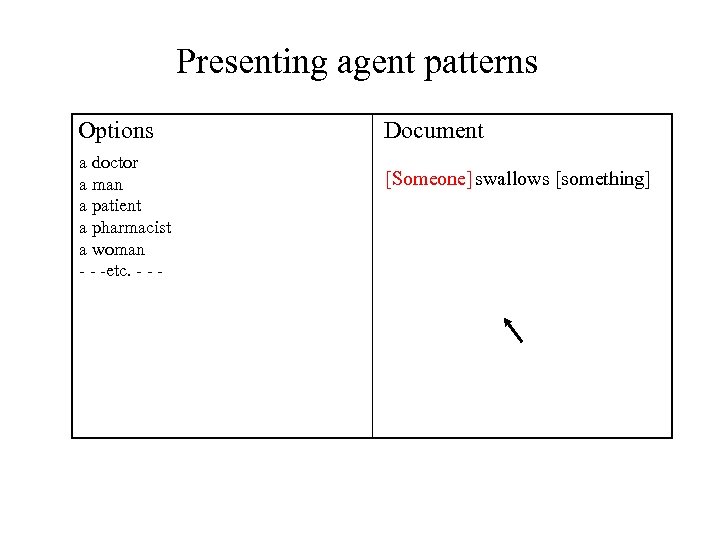
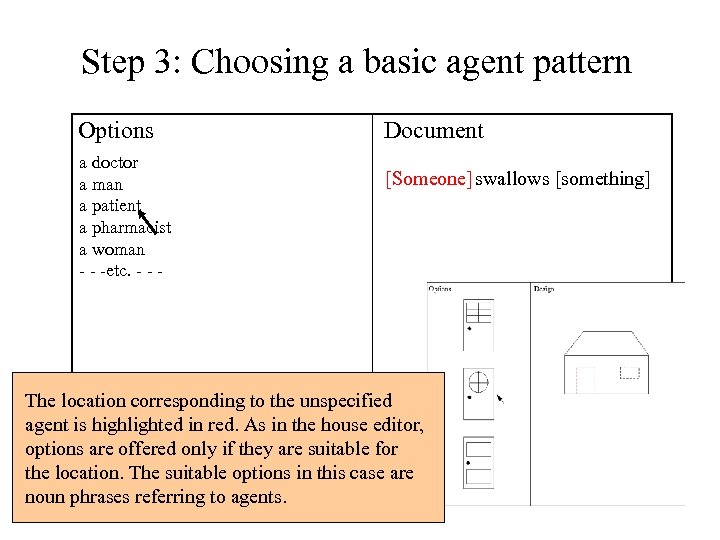 Step 3: Choosing a basic agent pattern Options a doctor a man a patient a pharmacist a woman - - -etc. - - - Document [Someone] swallows [something] The location corresponding to the unspecified agent is highlighted in red. As in the house editor, options are offered only if they are suitable for the location. The suitable options in this case are noun phrases referring to agents.
![Step 4: Configuring the agent pattern Options Document patients A patient swallows [something] the](https://present5.com/presentation/8aa9b068a7b26eed5cb47cf2868ad4a7/image-24.jpg "Step 4: Configuring the agent pattern Options Document patients A patient swallows [something] the") Step 4: Configuring the agent pattern Options Document patients A patient swallows [something] the patient a [some kind of] patient a patient [who does something] - - -etc. - - - The configuration options for nominals vary parameters corresponding to singular vs. plural, definite vs. indefinite, and potential modifiers (e. g. , adjective, relative clause).
Step 4: Configuring the agent pattern Options Document patients A patient swallows [something] the patient a [some kind of] patient a patient [who does something] - - -etc. - - - The configuration options for nominals vary parameters corresponding to singular vs. plural, definite vs. indefinite, and potential modifiers (e. g. , adjective, relative clause).
![Step 5: Selecting a constituent (object) Options the patients Document The patient swallows [something]](https://present5.com/presentation/8aa9b068a7b26eed5cb47cf2868ad4a7/image-25.jpg "Step 5: Selecting a constituent (object) Options the patients Document The patient swallows [something]") Step 5: Selecting a constituent (object) Options the patients Document The patient swallows [something] a patient the [some kind of] patient the patient [who does something] - - -etc. - - - Assuming the user does not want to configure the agent any more, the next step is to select the object location.
Step 5: Selecting a constituent (object) Options the patients Document The patient swallows [something] a patient the [some kind of] patient the patient [who does something] - - -etc. - - - Assuming the user does not want to configure the agent any more, the next step is to select the object location.
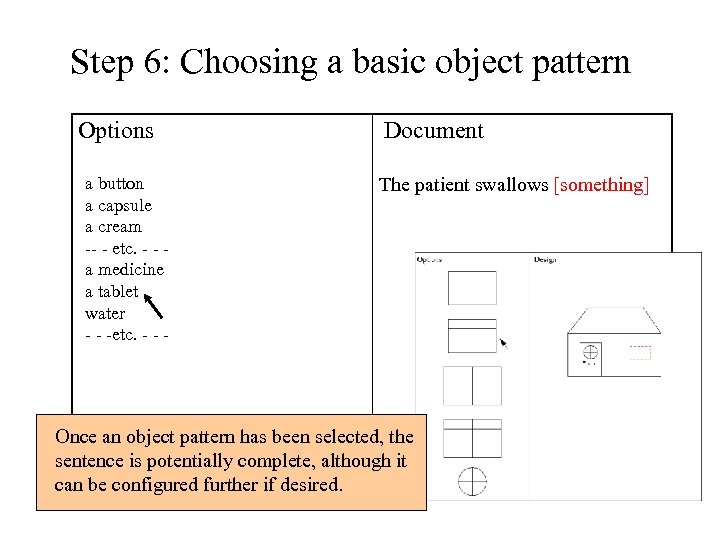 Step 6: Choosing a basic object pattern Options a button a capsule a cream -- - etc. - - a medicine a tablet water - - -etc. - - - Document The patient swallows [something] Once an object pattern has been selected, the sentence is potentially complete, although it can be configured further if desired.
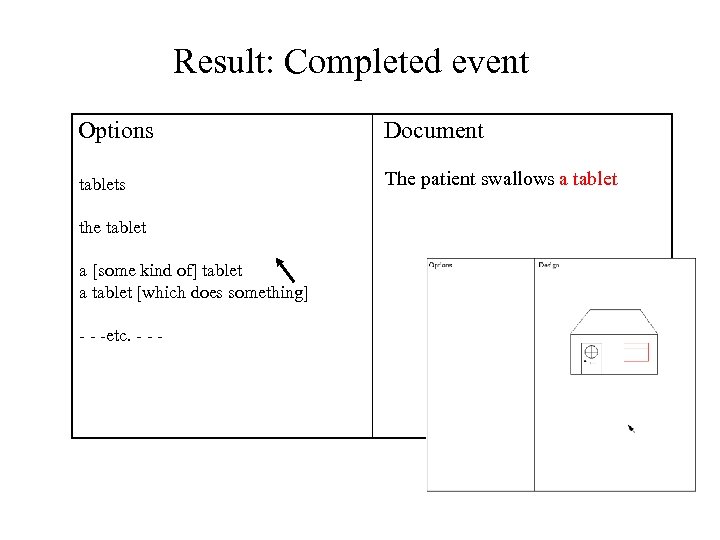 Result: Completed event Options Document tablets The patient swallows a tablet the tablet a [some kind of] tablet a tablet [which does something] - - -etc. - - -
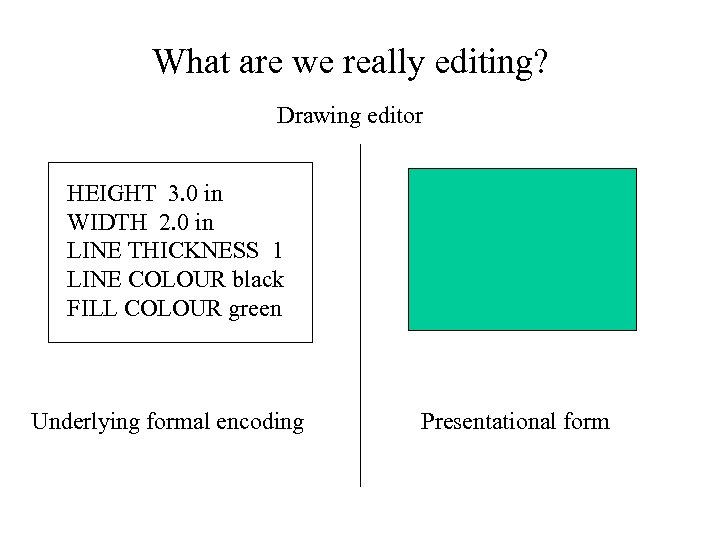 What are we really editing? Drawing editor HEIGHT 3. 0 in WIDTH 2. 0 in LINE THICKNESS 1 LINE COLOUR black FILL COLOUR green Underlying formal encoding Presentational form
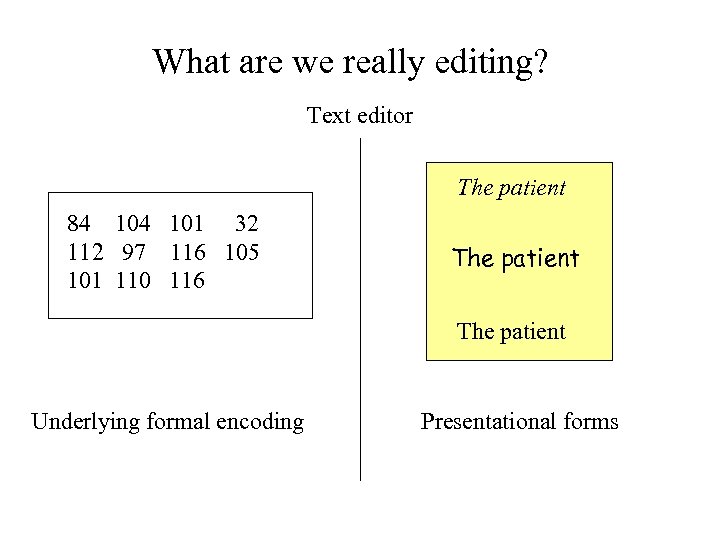 What are we really editing? Text editor The patient 84 101 32 112 97 116 105 101 110 116 The patient Underlying formal encoding Presentational forms
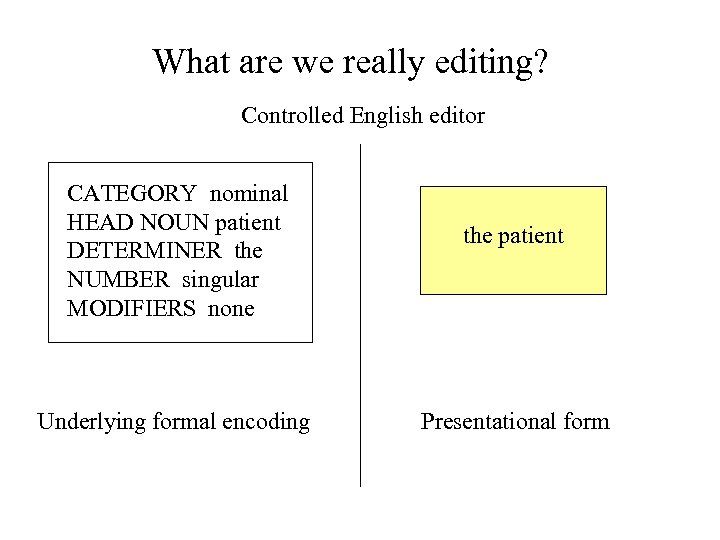 What are we really editing? Controlled English editor CATEGORY nominal HEAD NOUN patient DETERMINER the NUMBER singular MODIFIERS none Underlying formal encoding the patient Presentational form
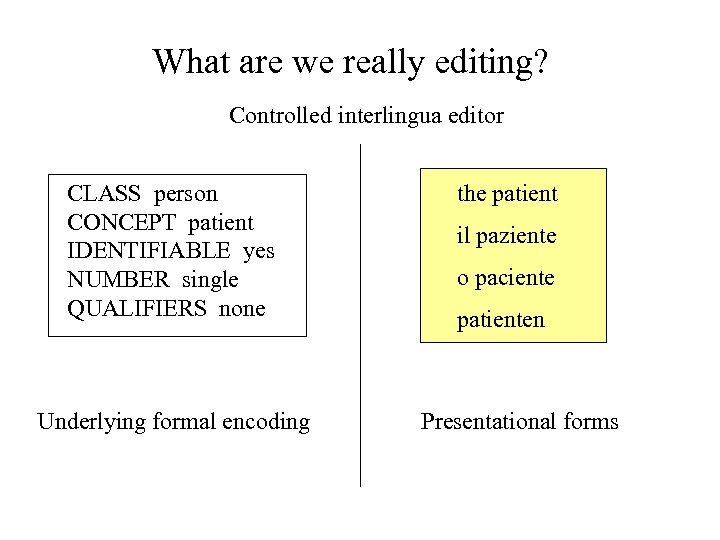 What are we really editing? Controlled interlingua editor CLASS person CONCEPT patient IDENTIFIABLE yes NUMBER single QUALIFIERS none Underlying formal encoding the patient il paziente o paciente patienten Presentational forms
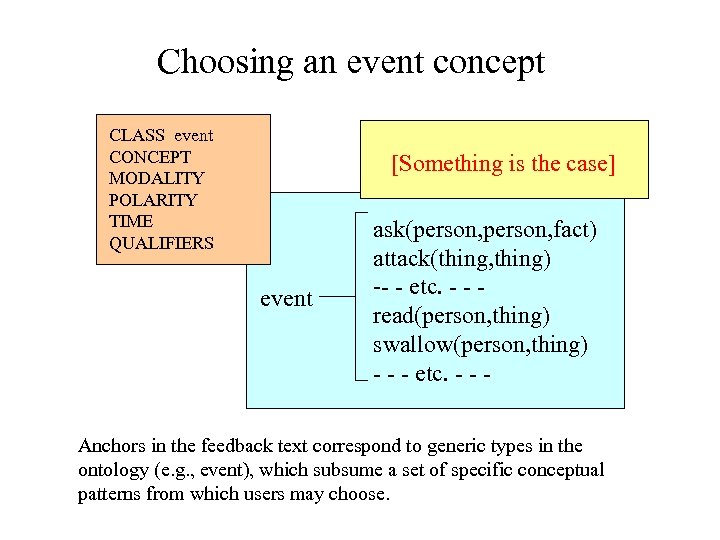 Choosing an event concept CLASS event CONCEPT MODALITY POLARITY TIME QUALIFIERS [Something is the case] event ask(person, fact) attack(thing, thing) -- - etc. - - read(person, thing) swallow(person, thing) - - - etc. - - - Anchors in the feedback text correspond to generic types in the ontology (e. g. , event), which subsume a set of specific conceptual patterns from which users may choose.
![Presenting event patterns Options [Someone] asks [someone] [something] [Something] attacks [something] - - -](https://present5.com/presentation/8aa9b068a7b26eed5cb47cf2868ad4a7/image-33.jpg "Presenting event patterns Options [Someone] asks [someone] [something] [Something] attacks [something] - - -") Presenting event patterns Options [Someone] asks [someone] [something] [Something] attacks [something] - - - etc. - - [Someone] reads [something] [Someone] swallows [something] - - -etc. - - - Document [Something is the case] To present the options, a sentence pattern is generated for each event pattern specified by the ontology.
Presenting event patterns Options [Someone] asks [someone] [something] [Something] attacks [something] - - - etc. - - [Someone] reads [something] [Someone] swallows [something] - - -etc. - - - Document [Something is the case] To present the options, a sentence pattern is generated for each event pattern specified by the ontology.
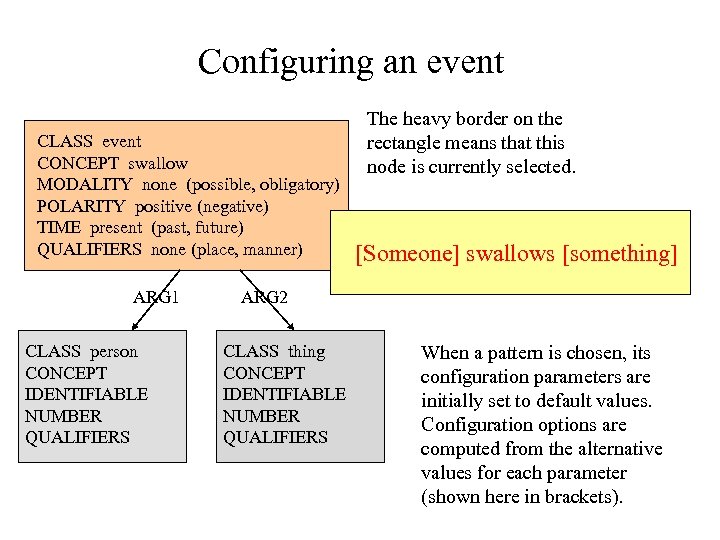 Configuring an event CLASS event CONCEPT swallow MODALITY none (possible, obligatory) POLARITY positive (negative) TIME present (past, future) QUALIFIERS none (place, manner) ARG 1 CLASS person CONCEPT IDENTIFIABLE NUMBER QUALIFIERS The heavy border on the rectangle means that this node is currently selected. [Someone] swallows [something] ARG 2 CLASS thing CONCEPT IDENTIFIABLE NUMBER QUALIFIERS When a pattern is chosen, its configuration parameters are initially set to default values. Configuration options are computed from the alternative values for each parameter (shown here in brackets).
![Presenting configuration options Options Document [Someone] might swallow [something] [Someone] must swallow [something] [Someone]](https://present5.com/presentation/8aa9b068a7b26eed5cb47cf2868ad4a7/image-35.jpg "Presenting configuration options Options Document [Someone] might swallow [something] [Someone] must swallow [something] [Someone]") Presenting configuration options Options Document [Someone] might swallow [something] [Someone] must swallow [something] [Someone] swallows [something] [Someone] does not swallow [something] [Someone] swallowed [something] [Someone] will swallow [something] [Someone] swallows [something] [somewhere] [Someone] swallows [something] [in some way] - - - etc. - - - Each configuration option is generated from an event pattern which is identical to the current pattern except that one parameter is varied.
Presenting configuration options Options Document [Someone] might swallow [something] [Someone] must swallow [something] [Someone] swallows [something] [Someone] does not swallow [something] [Someone] swallowed [something] [Someone] will swallow [something] [Someone] swallows [something] [somewhere] [Someone] swallows [something] [in some way] - - - etc. - - - Each configuration option is generated from an event pattern which is identical to the current pattern except that one parameter is varied.
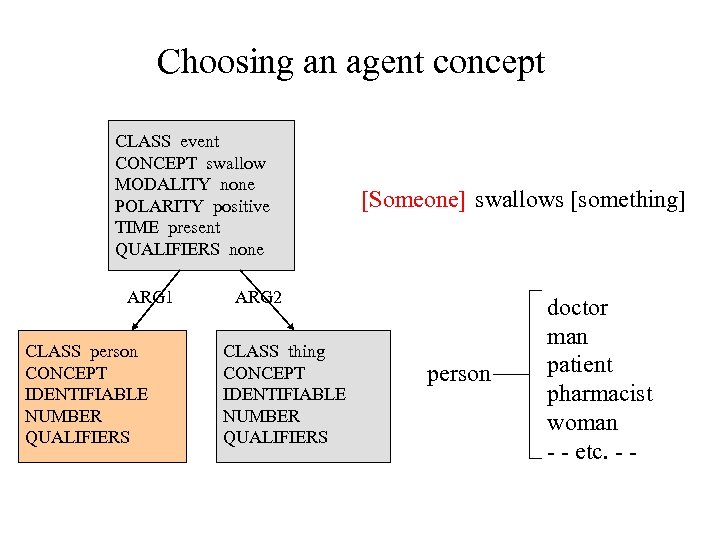 Choosing an agent concept CLASS event CONCEPT swallow MODALITY none POLARITY positive TIME present QUALIFIERS none ARG 1 CLASS person CONCEPT IDENTIFIABLE NUMBER QUALIFIERS [Someone] swallows [something] ARG 2 CLASS thing CONCEPT IDENTIFIABLE NUMBER QUALIFIERS person doctor man patient pharmacist woman - - etc. - -
 Presenting agent patterns Options a doctor a man a patient a pharmacist a woman - - -etc. - - - Document [Someone] swallows [something]
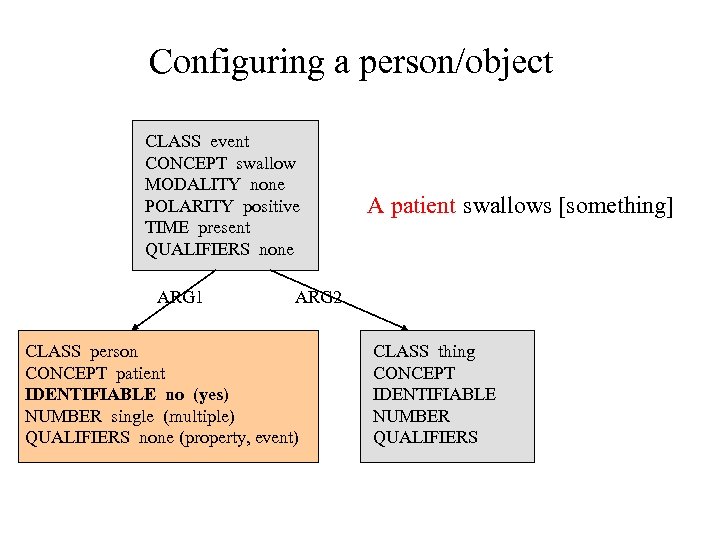 Configuring a person/object CLASS event CONCEPT swallow MODALITY none POLARITY positive TIME present QUALIFIERS none ARG 1 A patient swallows [something] ARG 2 CLASS person CONCEPT patient IDENTIFIABLE no (yes) NUMBER single (multiple) QUALIFIERS none (property, event) CLASS thing CONCEPT IDENTIFIABLE NUMBER QUALIFIERS
![Presenting the configuration options Options Document patients A patient swallows [something] the patient a](https://present5.com/presentation/8aa9b068a7b26eed5cb47cf2868ad4a7/image-39.jpg "Presenting the configuration options Options Document patients A patient swallows [something] the patient a") Presenting the configuration options Options Document patients A patient swallows [something] the patient a [some kind of] patient a patient [who does something] - - -etc. - - -
Presenting the configuration options Options Document patients A patient swallows [something] the patient a [some kind of] patient a patient [who does something] - - -etc. - - -
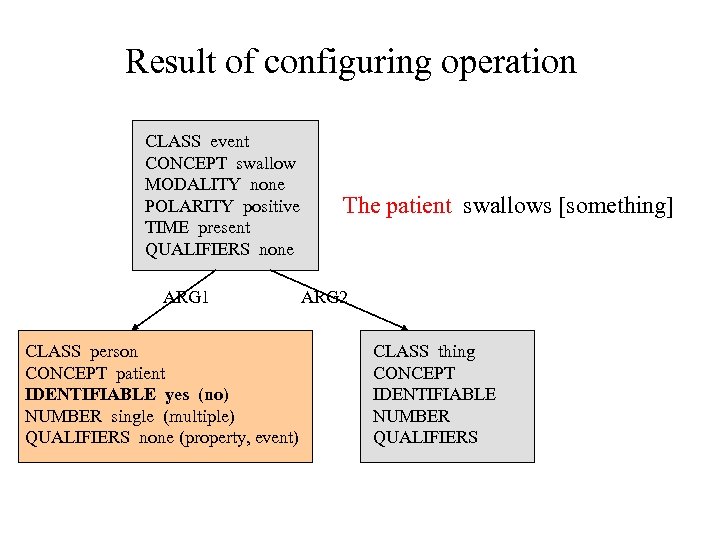 Result of configuring operation CLASS event CONCEPT swallow MODALITY none POLARITY positive TIME present QUALIFIERS none ARG 1 CLASS person CONCEPT patient IDENTIFIABLE yes (no) NUMBER single (multiple) QUALIFIERS none (property, event) The patient swallows [something] ARG 2 CLASS thing CONCEPT IDENTIFIABLE NUMBER QUALIFIERS
![Presenting new configuration options Options the patients a patient the [some kind of] patient](https://present5.com/presentation/8aa9b068a7b26eed5cb47cf2868ad4a7/image-41.jpg "Presenting new configuration options Options the patients a patient the [some kind of] patient") Presenting new configuration options Options the patients a patient the [some kind of] patient the patient [who does something] - - -etc. - - - Document The patient swallows [something]
Presenting new configuration options Options the patients a patient the [some kind of] patient the patient [who does something] - - -etc. - - - Document The patient swallows [something]
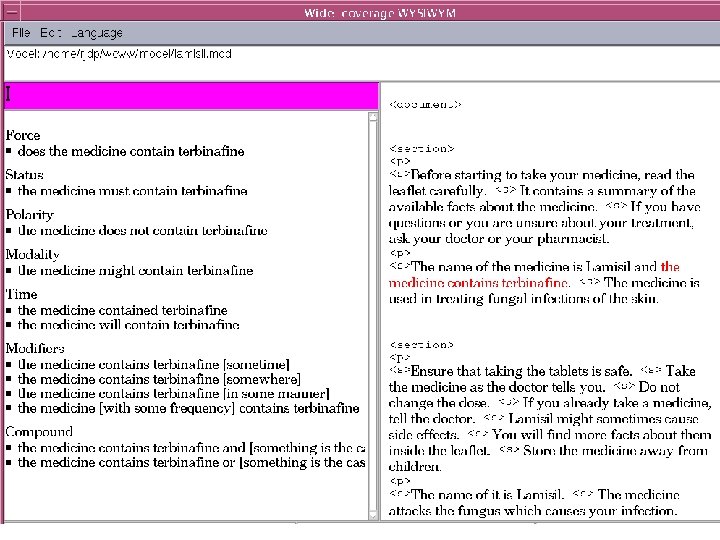
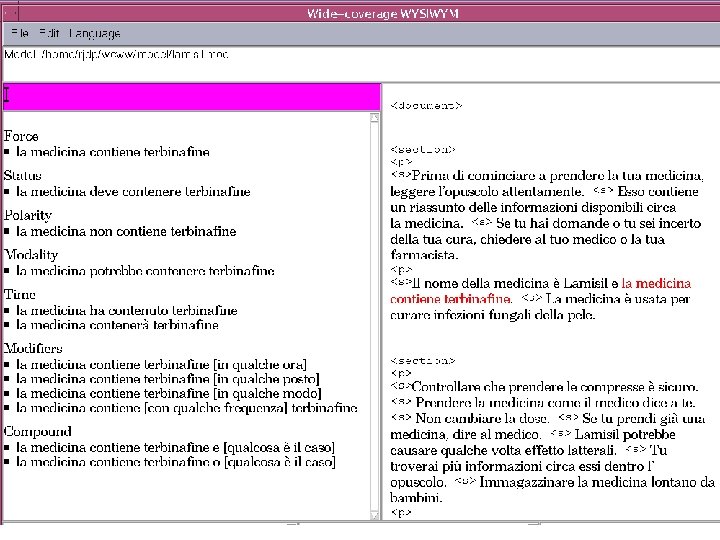
 Implementing the CL editor So far, two programs have been implemented: 1. Editing patient information leaflets in English and Italian, using language-specific syntactic structure as the underlying representation. The English and Italian versions must be produced separately. 2. The same, using an interlingual semantic structure as the underlying representation. A single underlying representation is sufficient for both languages, so the author only needs to create one version. (No attempt has been made yet to comply with the rules of any particular controlled language. )
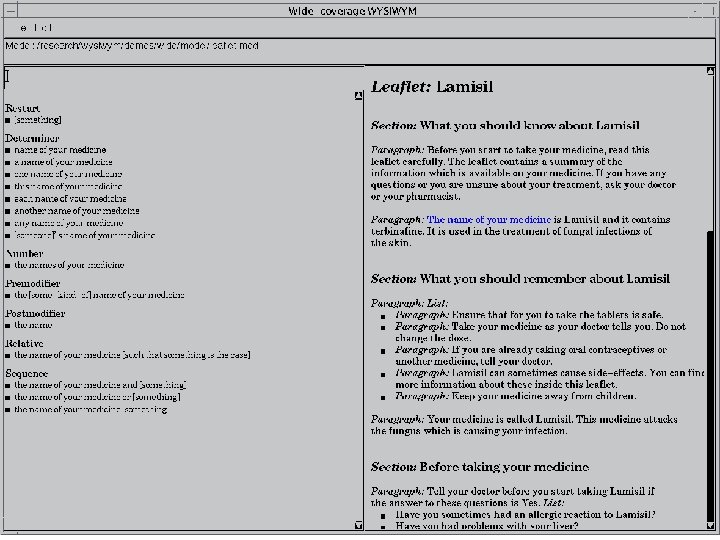
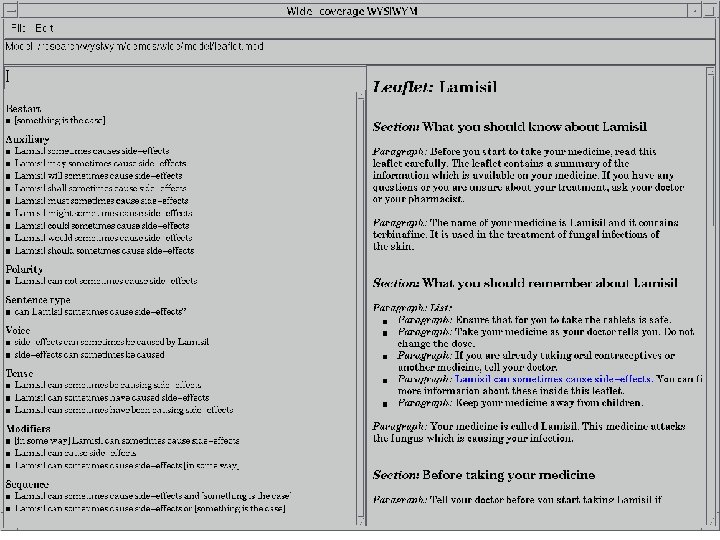
 Advantages of CL editing 1. The author need not learn the rules of a CL. Compliance is guaranteed by the options offered by the program. 2. If the underlying representation is a semantic interlingua, equivalent versions can be generated in other languages. 3. If the content of a document changes, the author can use CL editing to modify the underlying representation, and then regenerate documents in all the required languages.
 Disadvantages of CL editing 1. Within the limits of a CL, there are stylistic options which a human author can probably control better than a program. 2. An experienced author can create a CL document more quickly by typing into a text editor than by selecting options from menus. 3. While CL editing brings the added benefit of reliable generation in other languages, authors (and their bosses) may not perceive this as sufficient compensation.
 Future developments • Evaluating the user interface (some pilot studies already under way) • Using CL editing to supplement and correct semantic models derived using information extraction from legacy documents • Allowing some control over stylistic options