 Скачать презентацию Multifamily MF Combined Heat and Power CHP Level
d0af0b5d0031814fe959aaa427d129ea.ppt
- Количество слайдов: 62



Multifamily (MF) Combined Heat and Power (CHP) Level 2 Analysis Tool Piljae Im Oak Ridge National Laboratory 1
Webinar Outline • • • Introduction HUD CHP Level 1 Screening Tool MF CHP Level 2 Analysis Tool Quick Starts MF Building Template Example Use of the Tool 2
Introduction: Background • Promoting the use of combined heat and power (CHP) (cogeneration) in multifamily housing is an initiative of the HUD Energy Action Plan. • To help implement it, beginning in 2003 the Department of Housing and Urban Development (HUD) and the Department of Energy/Oak Ridge National Laboratory (DOE/ORNL), executed Interagency Agreements (IAA) to create feasibility screening software (i. e. , Level 1 Screening Tool). • ORNL created, expanded, and validated a Level 1 preliminary screening tool that enables the owners of multifamily housing to consider the feasibility (cost, savings and paybacks) for installing CHP. • In May 2010 ORNL created for HUD a Level 2 Multifamily CHP Screening Tool (MFCHP) that adapts the BCHP tool used for the Federal Energy Management Program (FEMP) for use on multifamily buildings. 3
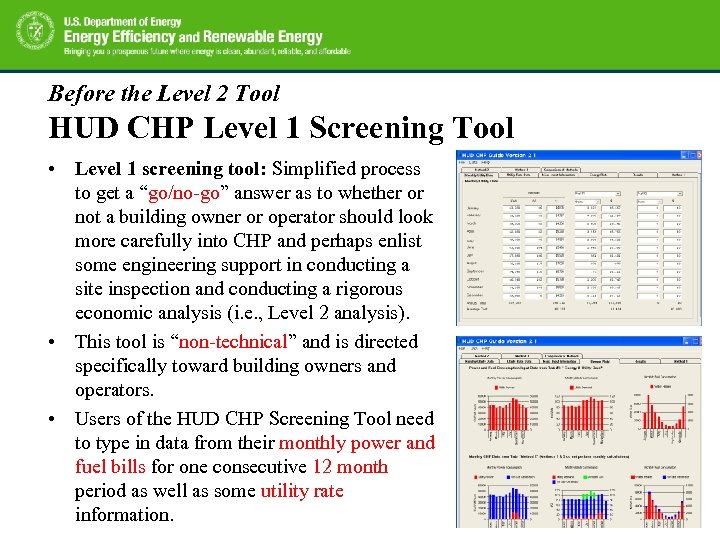
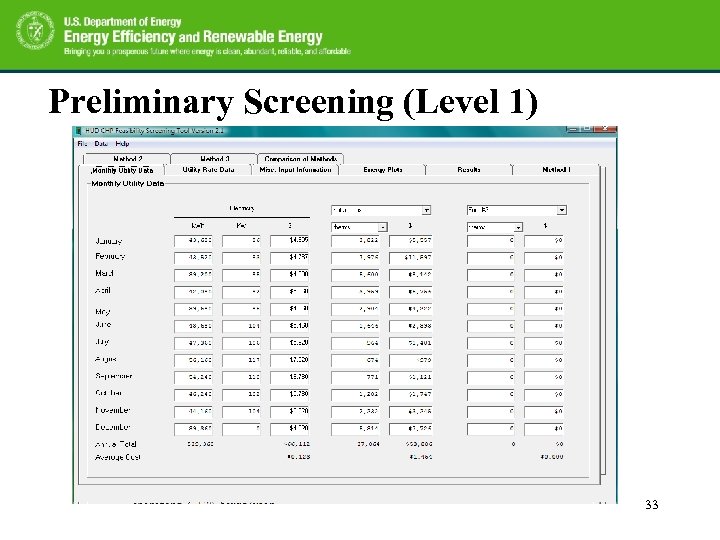
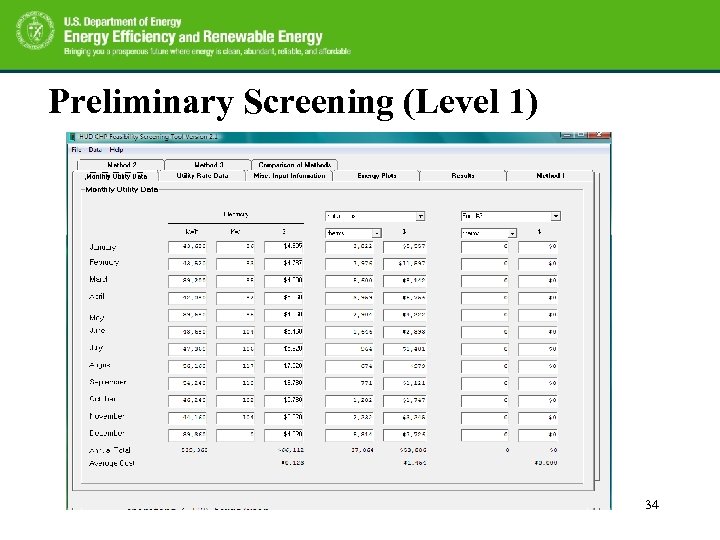
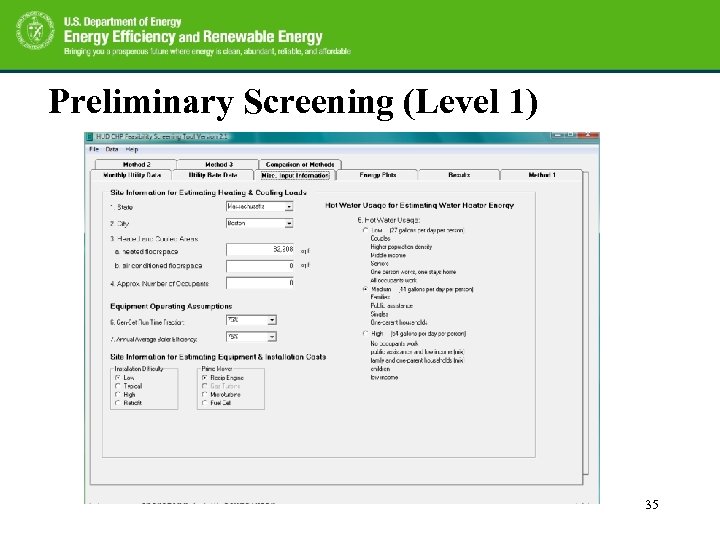
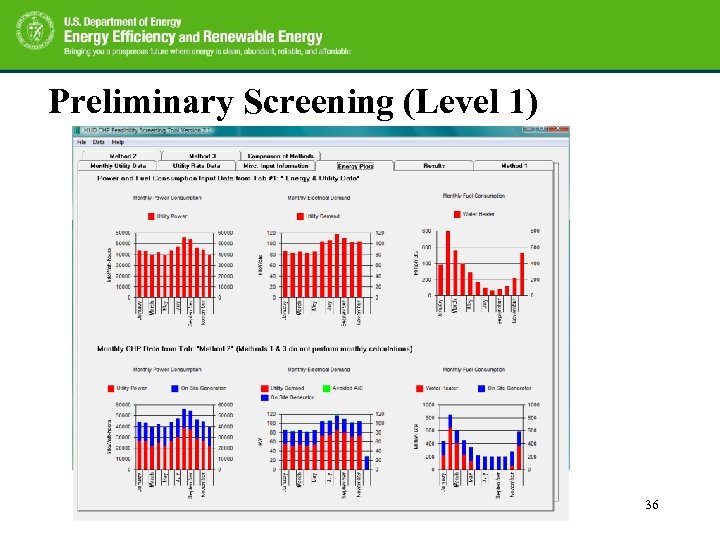
Before the Level 2 Tool HUD CHP Level 1 Screening Tool • Level 1 screening tool: Simplified process to get a “go/no-go” answer as to whether or not a building owner or operator should look more carefully into CHP and perhaps enlist some engineering support in conducting a site inspection and conducting a rigorous economic analysis (i. e. , Level 2 analysis). • This tool is “non-technical” and is directed specifically toward building owners and operators. • Users of the HUD CHP Screening Tool need to type in data from their monthly power and fuel bills for one consecutive 12 month period as well as some utility rate information. 4
Before the Level 2 Tool HUD CHP Level 1 Screening Tool • The program uses these data to estimate fuel use for space and water heating and power consumption for air conditioning. The utility costs and rate information are combined with correlations for costs of generator equipment, installation, and maintenance to estimate simple payback periods for a hypothetical CHP system relative to the non-CHP system reflected in the utility data. • Sites with low estimated simple payback periods are encouraged to look more seriously into CHP for both its energy savings and cost savings opportunities. Sites with high simple payback periods can save the time and effort of examining CHP in detail with assurances that they are not missing a great opportunity. 5
Needs for the Level 2 Tool • Once the building owner decided to go for further analysis for CHP systems after level 1 analysis, a more detailed level 2 analysis will be needed. • A Level 2 analysis is based on detailed site examination, utility usage and heat consumption, and it can cost $5, 000 -10, 000 in engineering firm charges. • To provide a Level 2 tool for owners and for analysts that can facilitate the efforts • The MF CHP Level 2 Analysis Tool provides a building energy simulation with a full hourly level analysis and cost analysis via simple easy-to-use user interfaces. • This new tool provides a “public” option where anyone can have all the information on how it works (can compare results across practitioners more easily, and public entities like HUD can require more public results 6 be provided on proposed projects).
MF CHP Level 2 Analysis Tool • The MF CHP Level 2 Analysis Tool was developed under a collaborative effort between the U. S. Department of Housing and Urban Development and the Department of Energy/Oak Ridge National Laboratory as a tool to evaluate the combined cooling, heating and power in multifamily housing. • The MF CHP Level 2 Analysis Tool is a computer program for assessing the economic potential of combined cooling, heating, and power (CHP) systems for multifamily buildings. • The original program, the BCHP Screening Tool, which is the similar program for commercial buildings (but no MF building type), was developed under Department of Energy funding by a collaborative effort between GARD Analytics of Park Ridge, Illinois and Oak Ridge National Laboratory in Oak Ridge, Tennessee. 7
MF CHP Level 2 Analysis Tool • The MF CHP Level 2 Analysis Tool is structured to perform parametric analyses between a baseline building, typically a conventional building without a CHP system, and up to 25 alternative scenarios with varying selections for building mechanical systems and operating schedules. • The MF CHP Level 2 Analysis Tool consists of the executable program, databases for HVAC equipment, electric generators, thermal storage systems, prototypical multifamily buildings, and climate data. The program also includes DOE-2. 1 e to calculate heating, cooling, and electrical loads. 8
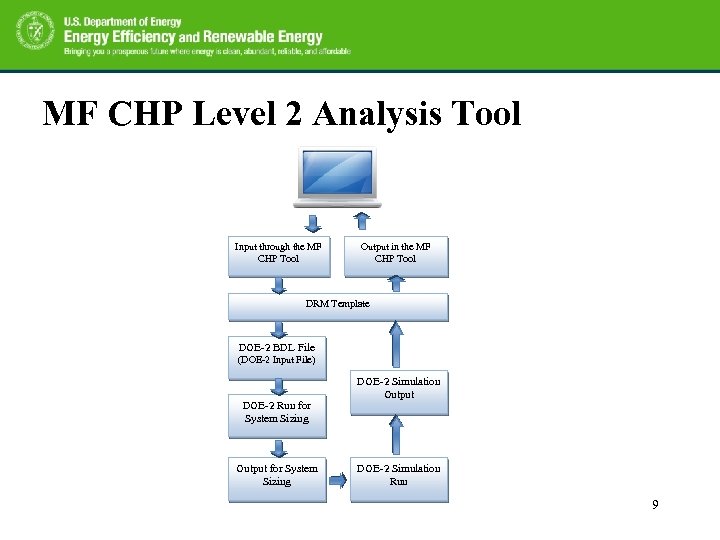
MF CHP Level 2 Analysis Tool Input through the MF CHP Tool Output in the MF CHP Tool DRM Template DOE-2 BDL File (DOE-2 Input File) DOE-2 Run for System Sizing Output for System Sizing DOE-2 Simulation Output DOE-2 Simulation Run 9
Quick Starts • The tool and User Manual can be downloaded: http: //eber. ed. ornl. gov/MF_CHP/ • Installation procedure: See the user manual 10
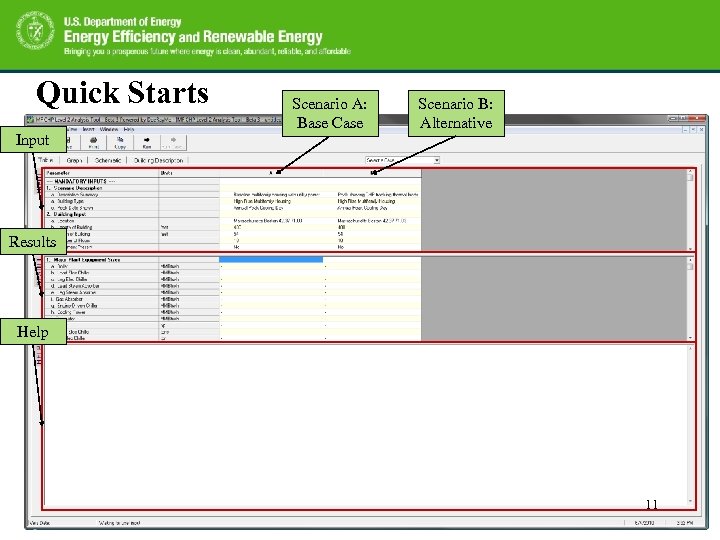
Quick Starts Input Scenario A: Base Case Scenario B: Alternative Results Help 11
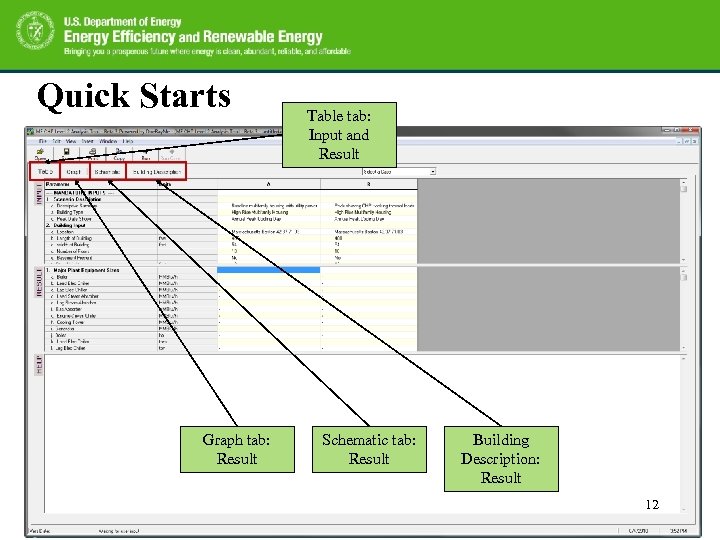
Quick Starts Graph tab: Result Table tab: Input and Result Schematic tab: Result Building Description: Result 12
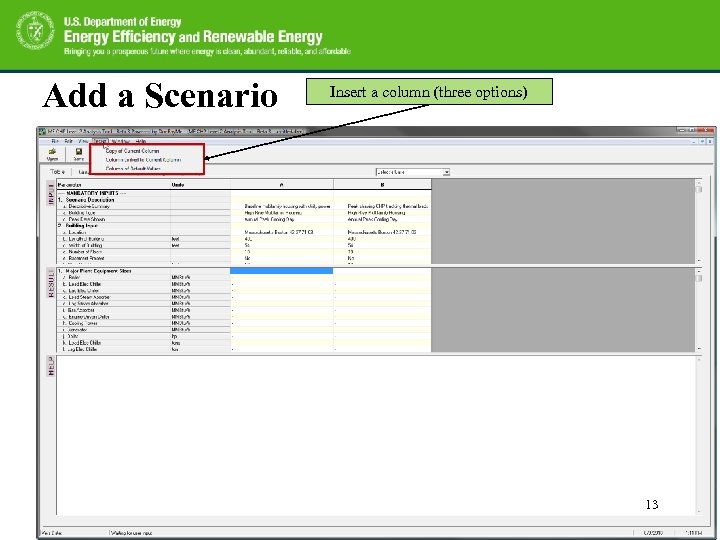
Add a Scenario Insert a column (three options) 13
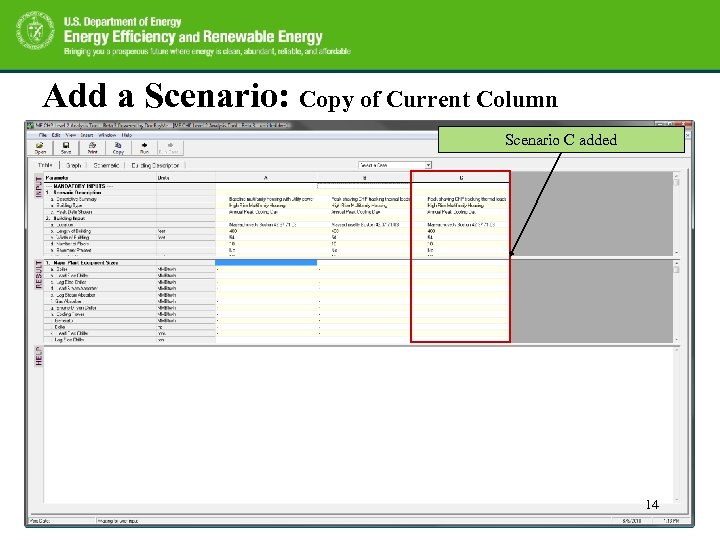
Add a Scenario: Copy of Current Column Scenario C added 14
Three Types of Input Method • Direct input • Drop down menu • Selection from a separate window 15
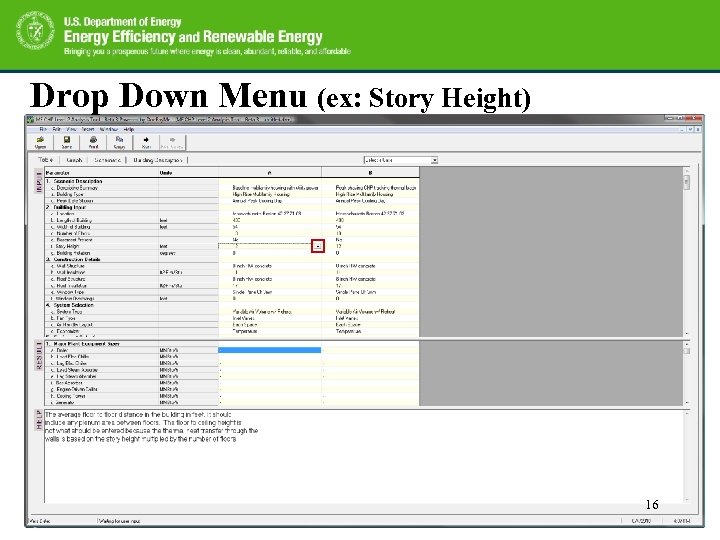
Drop Down Menu (ex: Story Height) 16
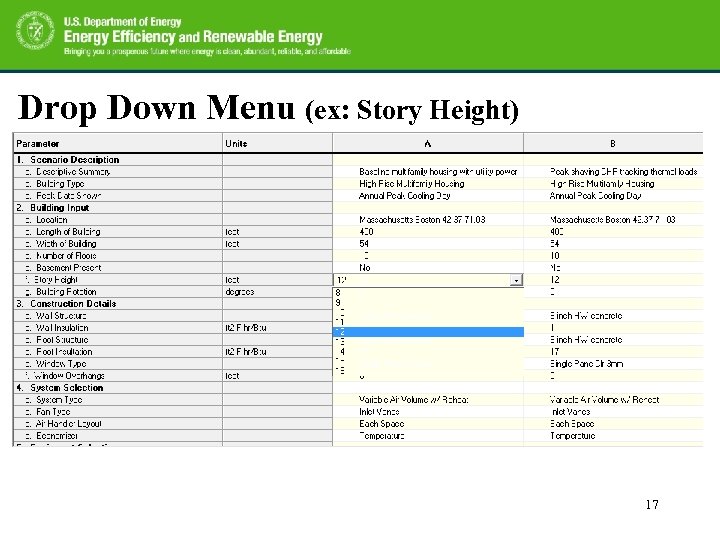
Drop Down Menu (ex: Story Height) 17
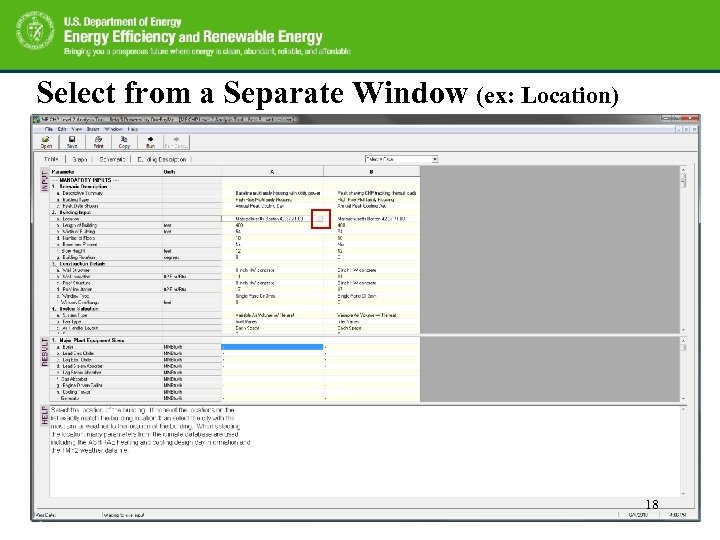
Select from a Separate Window (ex: Location) 18
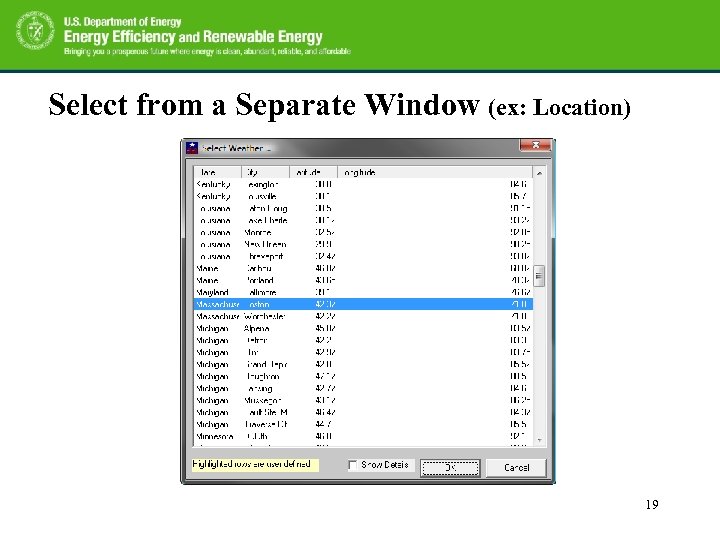
Select from a Separate Window (ex: Location) 19
Inputs: Table Tab – Two categories for the inputs: Mandatory & Additional Inputs – For a quick run, only the mandatory inputs needs to be entered – For more detailed controls, the additional inputs needs to be entered. 20
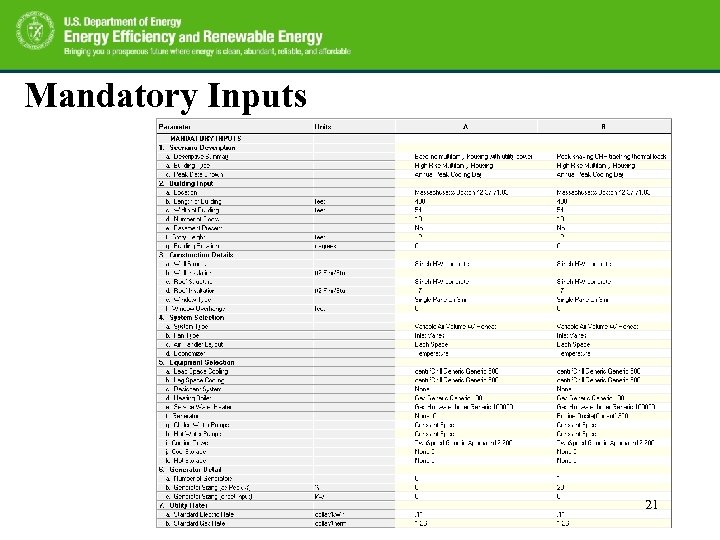
Mandatory Inputs 21
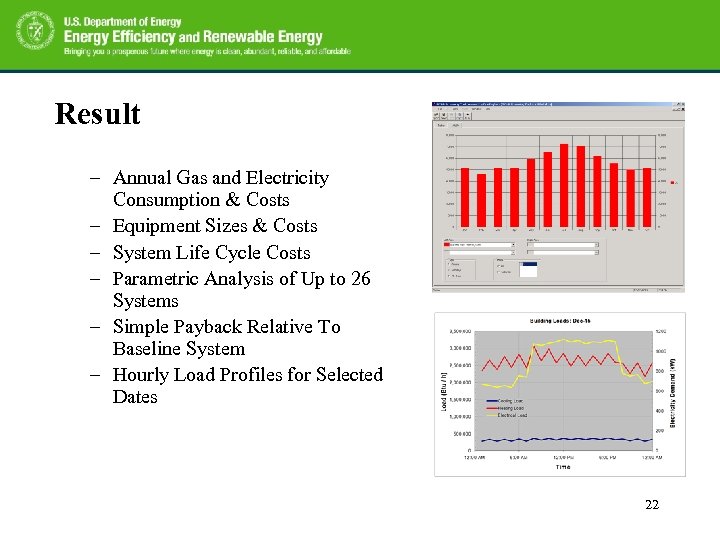
Result Overview of the BCHP Screening Tool – Annual Gas and Electricity Consumption & Costs – Equipment Sizes & Costs – System Life Cycle Costs – Parametric Analysis of Up to 26 Systems – Simple Payback Relative To Baseline System – Hourly Load Profiles for Selected Dates 22
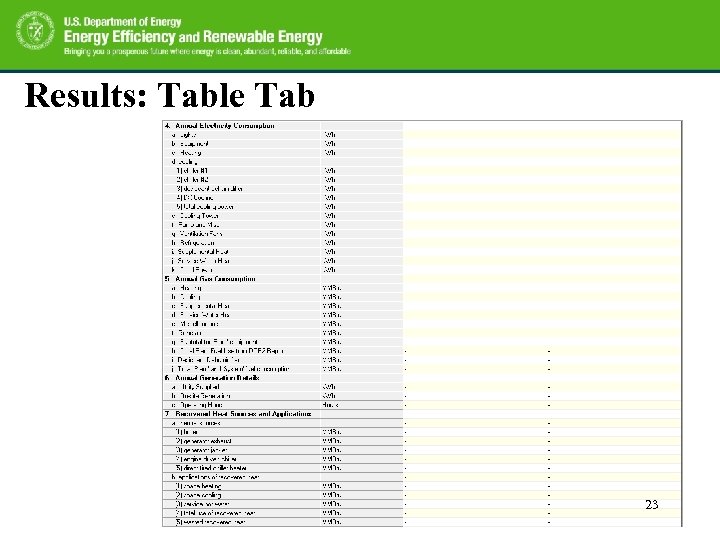
Results: Table Tab 23
Graph Tab – The graphs, also called charts, can be monthly results or annual results from the simulation – The numbers shown on the graph are taken from the grid on the Table tab. 24
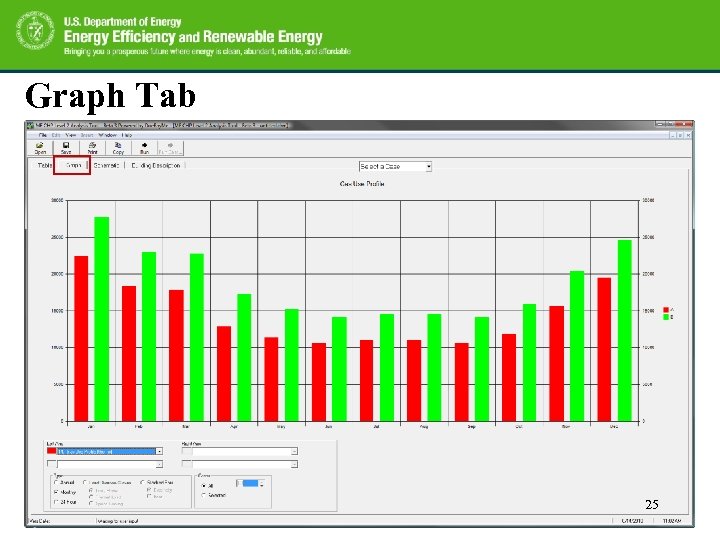
Graph Tab 25
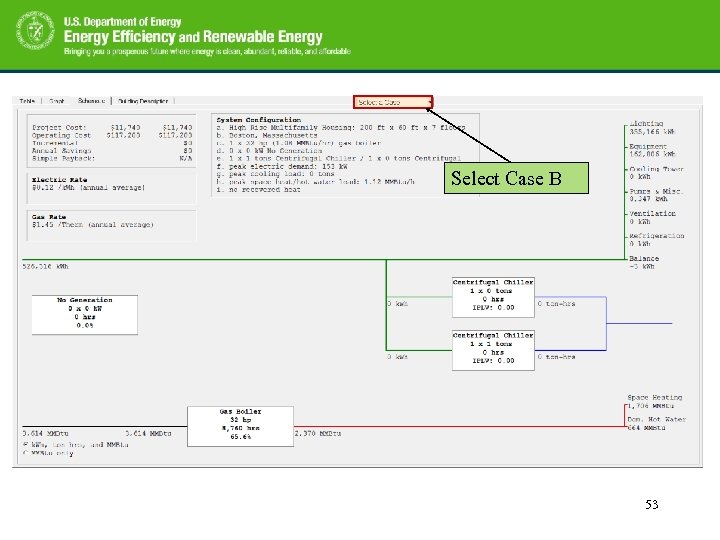
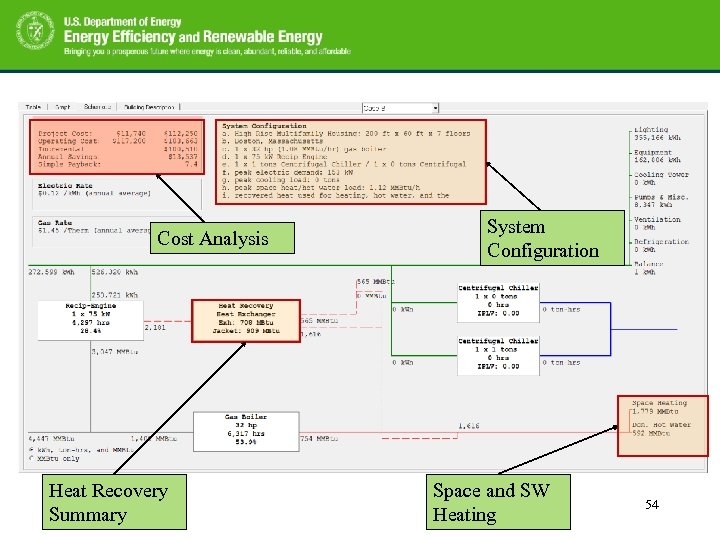
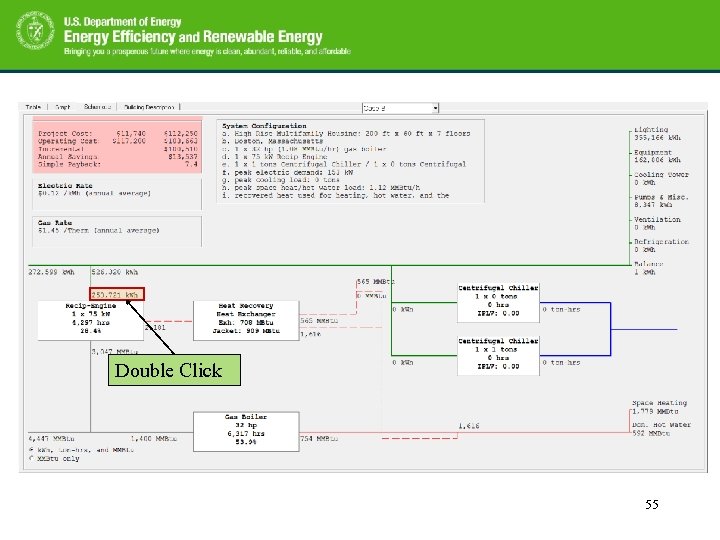
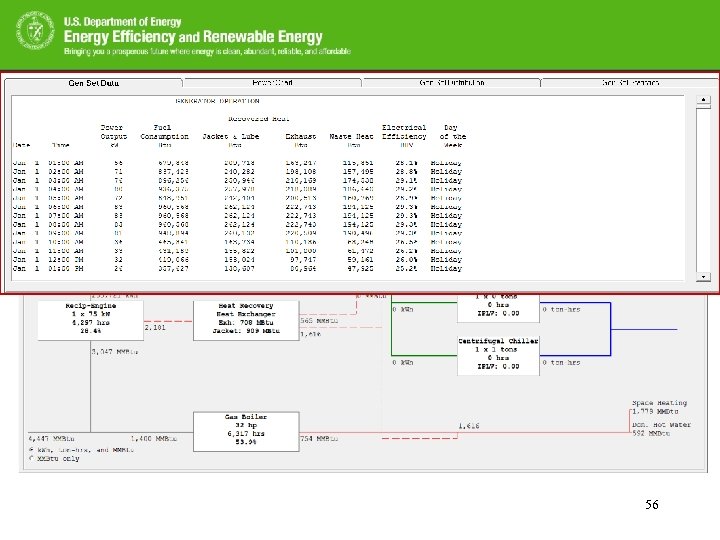
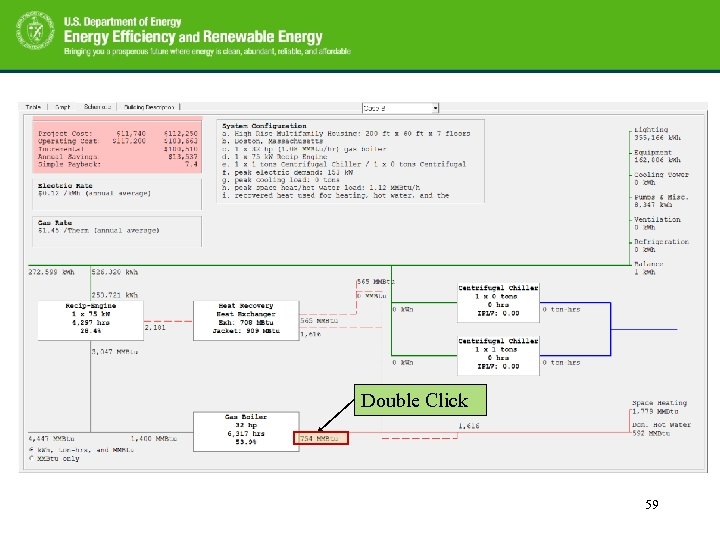
Schematic Tab – Provide a good summary of the energy (elec. and gas) flow based on the selected case. – Provide the summary of calculated project cost, operating cost, annual savings and simple payback. 26
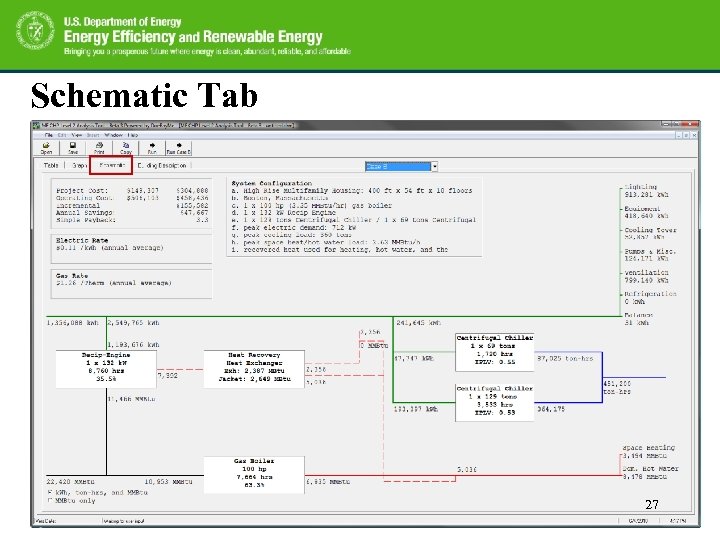
Schematic Tab 27
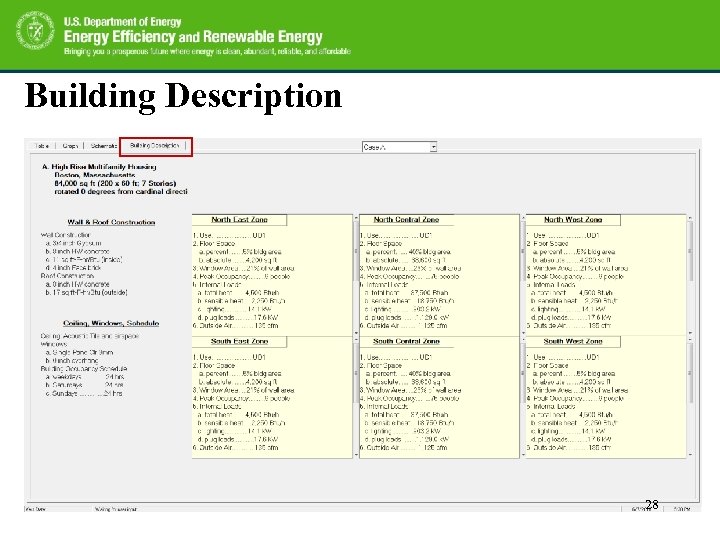
Building Description 28
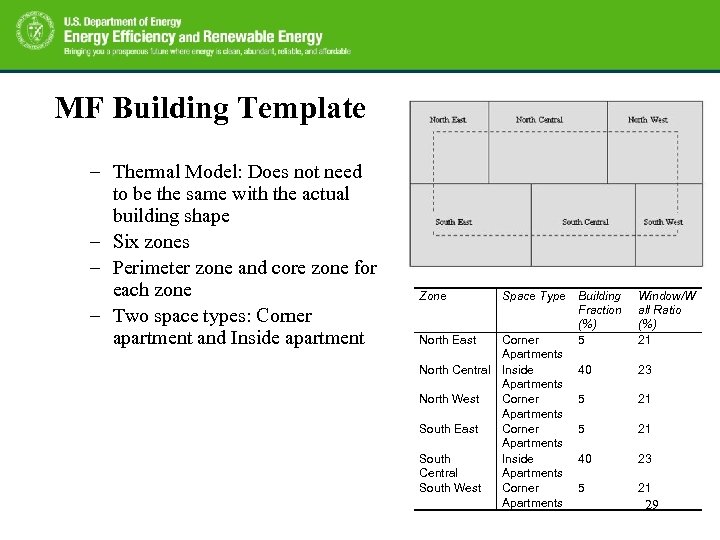
MF Building Template Overview of the not need Screening Tool BCHP – Thermal Model: Does to be the same with the actual building shape – Six zones – Perimeter zone and core zone for each zone – Two space types: Corner apartment and Inside apartment Zone North East Space Type Corner Apartments North Central Inside Apartments North West Corner Apartments South East Corner Apartments South Inside Central Apartments South West Corner Apartments Building Fraction (%) 5 Window/W all Ratio (%) 21 40 23 5 21 29
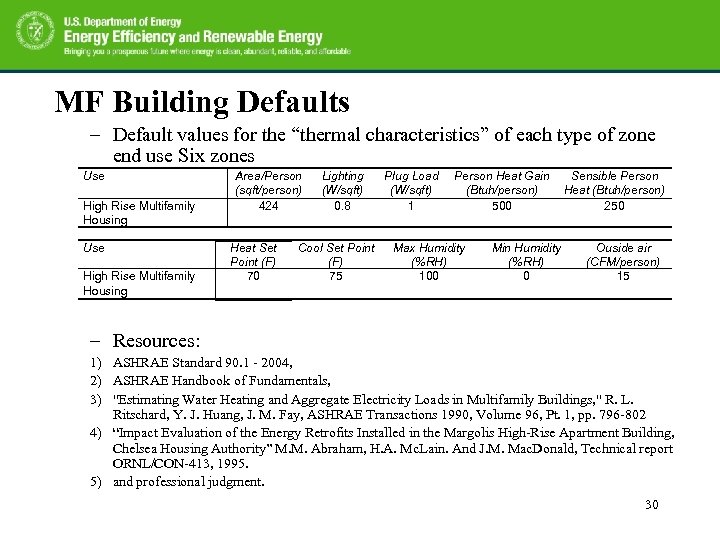
MF Building Defaults – Default values for the “thermal characteristics” of each type of zone end use Six zones Overview of the BCHP Screening Tool Use High Rise Multifamily Housing Area/Person (sqft/person) 424 Heat Set Point (F) 70 Lighting (W/sqft) 0. 8 Cool Set Point (F) 75 Plug Load (W/sqft) 1 Person Heat Gain (Btuh/person) 500 Max Humidity (%RH) 100 Min Humidity (%RH) 0 Sensible Person Heat (Btuh/person) 250 Ouside air (CFM/person) 15 – Resources: 1) ASHRAE Standard 90. 1 - 2004, 2) ASHRAE Handbook of Fundamentals, 3) "Estimating Water Heating and Aggregate Electricity Loads in Multifamily Buildings, " R. L. Ritschard, Y. J. Huang, J. M. Fay, ASHRAE Transactions 1990, Volume 96, Pt. 1, pp. 796 -802 4) “Impact Evaluation of the Energy Retrofits Installed in the Margolis High-Rise Apartment Building, Chelsea Housing Authority” M. M. Abraham, H. A. Mc. Lain. And J. M. Mac. Donald, Technical report ORNL/CON-413, 1995. 5) and professional judgment. 30
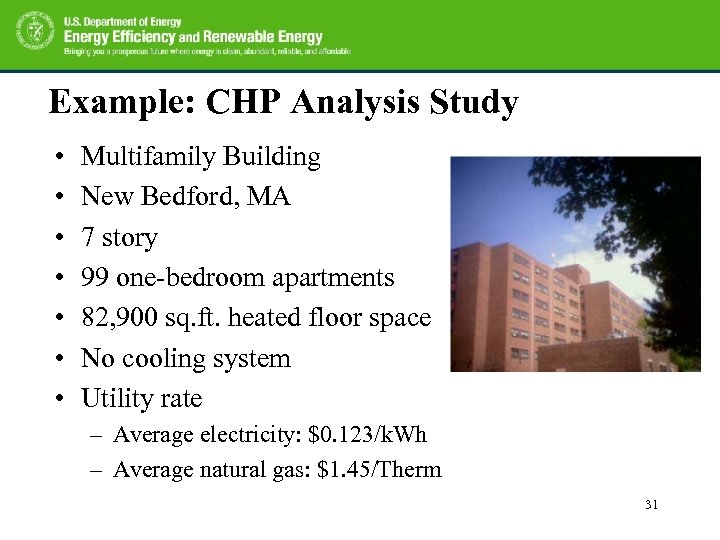
Example: CHP Analysis Study • • Multifamily Building New Bedford, MA 7 story 99 one-bedroom apartments 82, 900 sq. ft. heated floor space No cooling system Utility rate – Average electricity: $0. 123/k. Wh – Average natural gas: $1. 45/Therm 31
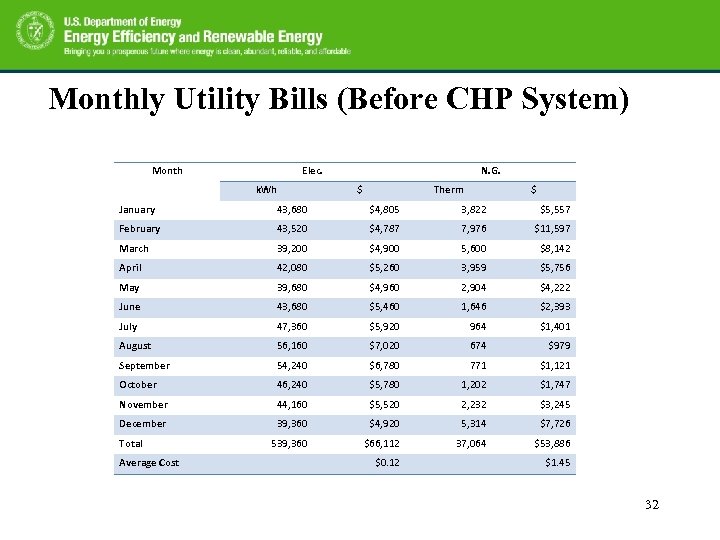
Monthly Utility Bills (Before CHP System) Month Elec. k. Wh N. G. $ Therm $ January 43, 680 $4, 805 3, 822 $5, 557 February 43, 520 $4, 787 7, 976 $11, 597 March 39, 200 $4, 900 5, 600 $8, 142 April 42, 080 $5, 260 3, 959 $5, 756 May 39, 680 $4, 960 2, 904 $4, 222 June 43, 680 $5, 460 1, 646 $2, 393 July 47, 360 $5, 920 964 $1, 401 August 56, 160 $7, 020 674 $979 September 54, 240 $6, 780 771 $1, 121 October 46, 240 $5, 780 1, 202 $1, 747 November 44, 160 $5, 520 2, 232 $3, 245 December 39, 360 $4, 920 5, 314 $7, 726 539, 360 $66, 112 37, 064 $53, 886 Total Average Cost $0. 12 $1. 45 32
Preliminary Screening (Level 1) 33
Preliminary Screening (Level 1) 34
Preliminary Screening (Level 1) 35
Preliminary Screening (Level 1) 36
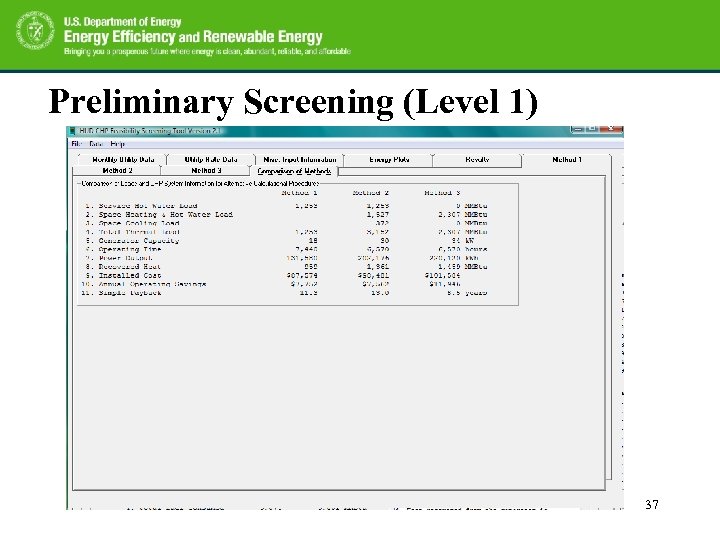
Preliminary Screening (Level 1) 37
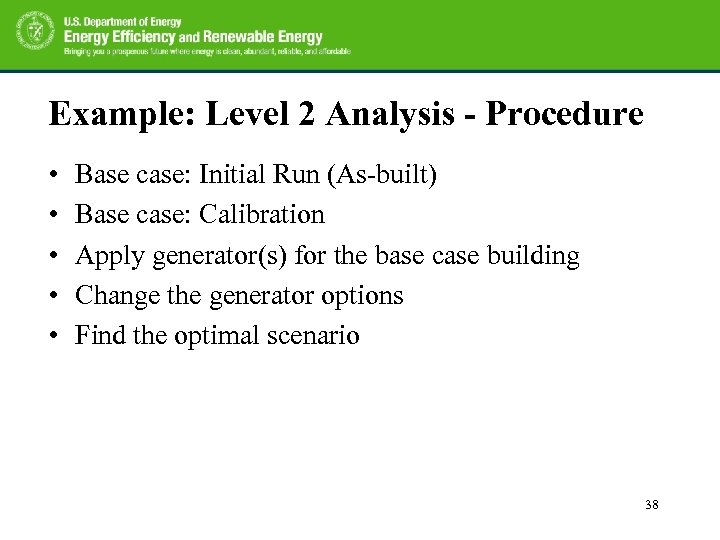
Example: Level 2 Analysis - Procedure • • • Base case: Initial Run (As-built) Base case: Calibration Apply generator(s) for the base case building Change the generator options Find the optimal scenario 38
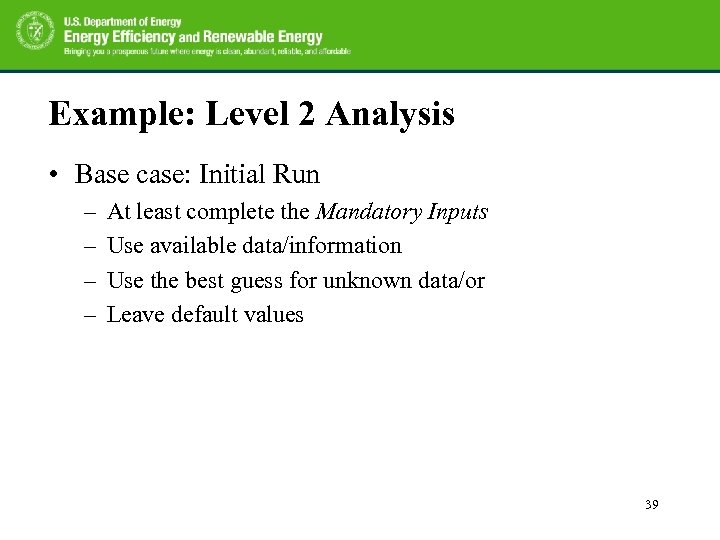
Example: Level 2 Analysis • Base case: Initial Run – – At least complete the Mandatory Inputs Use available data/information Use the best guess for unknown data/or Leave default values 39
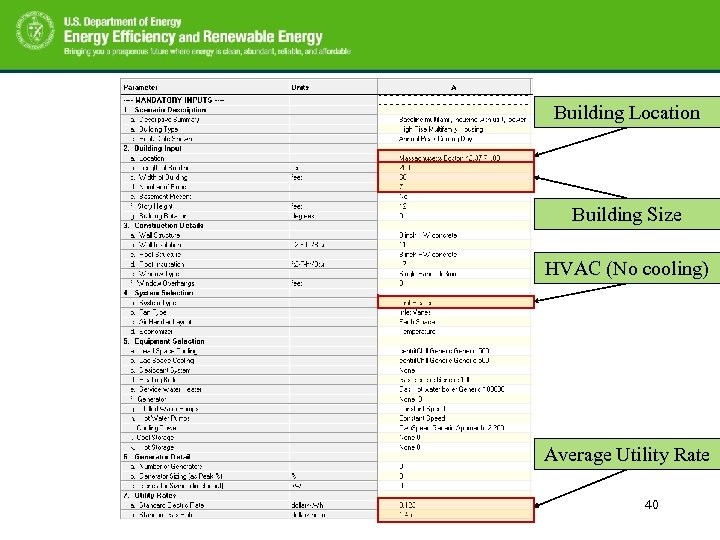
Building Location Building Size HVAC (No cooling) Average Utility Rate 40
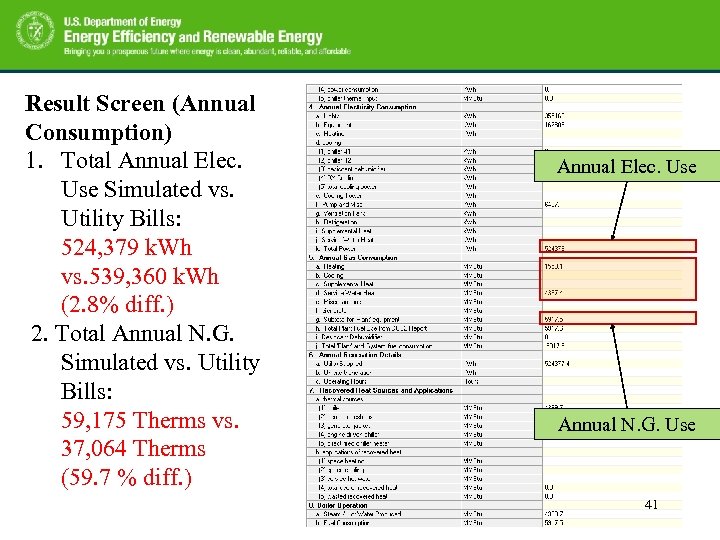
Result Screen (Annual Consumption) 1. Total Annual Elec. Use Simulated vs. Utility Bills: 524, 379 k. Wh vs. 539, 360 k. Wh (2. 8% diff. ) 2. Total Annual N. G. Simulated vs. Utility Bills: 59, 175 Therms vs. 37, 064 Therms (59. 7 % diff. ) Annual Elec. Use Annual N. G. Use 41
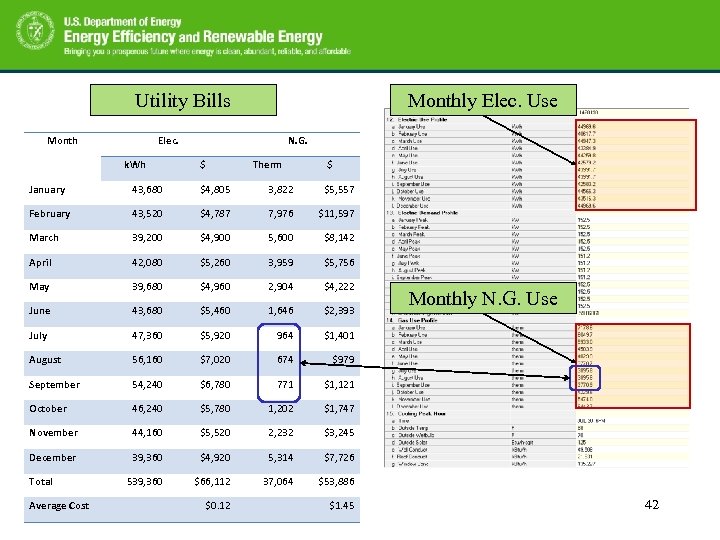
Utility Bills Monthly Elec. Use Elec. k. Wh N. G. $ Therm $ January 43, 680 $4, 805 3, 822 $5, 557 February 43, 520 $4, 787 7, 976 $11, 597 March 39, 200 $4, 900 5, 600 $8, 142 April 42, 080 $5, 260 3, 959 $5, 756 May 39, 680 $4, 960 2, 904 $4, 222 June 43, 680 $5, 460 1, 646 $2, 393 July 47, 360 $5, 920 964 $1, 401 August 56, 160 $7, 020 674 $979 September 54, 240 $6, 780 771 $1, 121 October 46, 240 $5, 780 1, 202 $1, 747 November 44, 160 $5, 520 2, 232 $3, 245 December 39, 360 $4, 920 5, 314 $7, 726 539, 360 $66, 112 37, 064 $53, 886 Total Average Cost $0. 12 $1. 45 Monthly N. G. Use 42
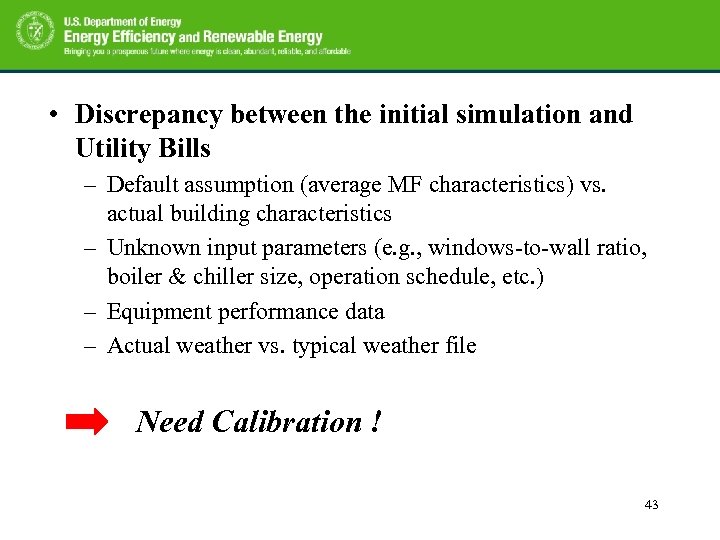
• Discrepancy between the initial simulation and Utility Bills – Default assumption (average MF characteristics) vs. actual building characteristics – Unknown input parameters (e. g. , windows-to-wall ratio, boiler & chiller size, operation schedule, etc. ) – Equipment performance data – Actual weather vs. typical weather file Need Calibration ! 43
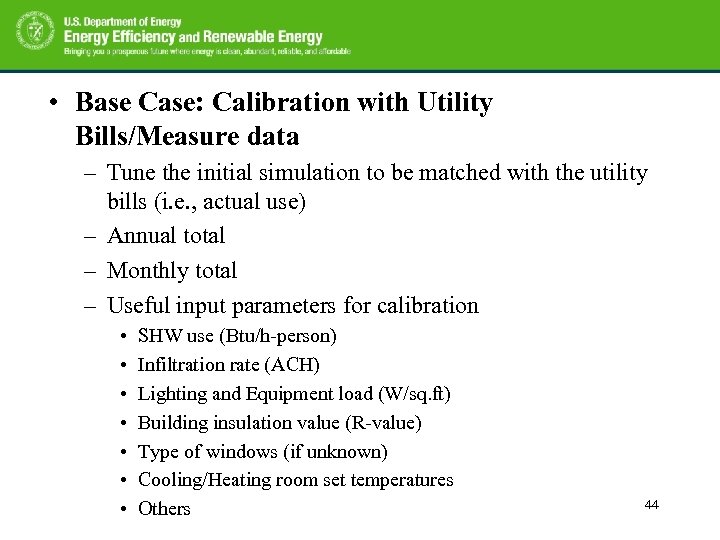
• Base Case: Calibration with Utility Bills/Measure data – Tune the initial simulation to be matched with the utility bills (i. e. , actual use) – Annual total – Monthly total – Useful input parameters for calibration • • SHW use (Btu/h-person) Infiltration rate (ACH) Lighting and Equipment load (W/sq. ft) Building insulation value (R-value) Type of windows (if unknown) Cooling/Heating room set temperatures Others 44
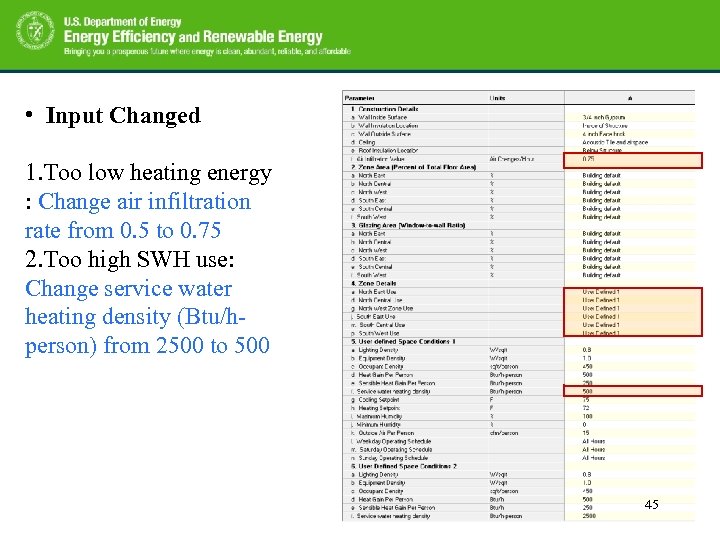
• Input Changed 1. Too low heating energy : Change air infiltration rate from 0. 5 to 0. 75 2. Too high SWH use: Change service water heating density (Btu/hperson) from 2500 to 500 45
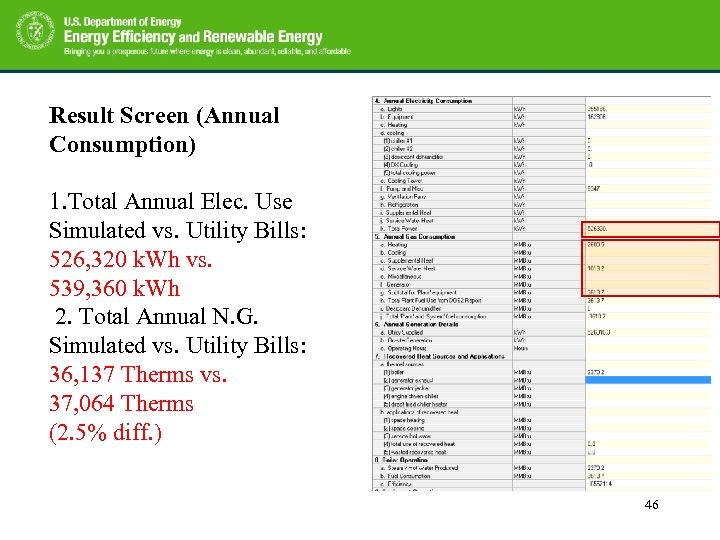
Result Screen (Annual Consumption) 1. Total Annual Elec. Use Simulated vs. Utility Bills: 526, 320 k. Wh vs. 539, 360 k. Wh 2. Total Annual N. G. Simulated vs. Utility Bills: 36, 137 Therms vs. 37, 064 Therms (2. 5% diff. ) 46
Add a Generator – The MF building has a 75 k. W reciprocating engine. – Change the corresponding default values to be the same with the base case scenario 47
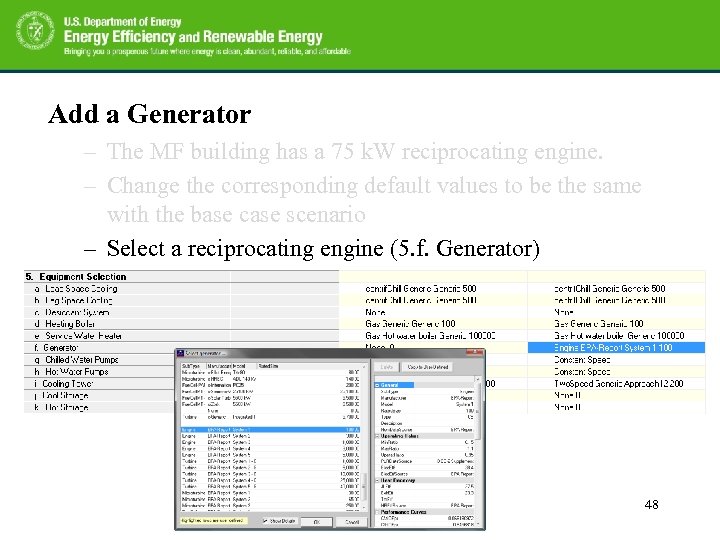
Add a Generator – The MF building has a 75 k. W reciprocating engine. – Change the corresponding default values to be the same with the base case scenario – Select a reciprocating engine (5. f. Generator) 48
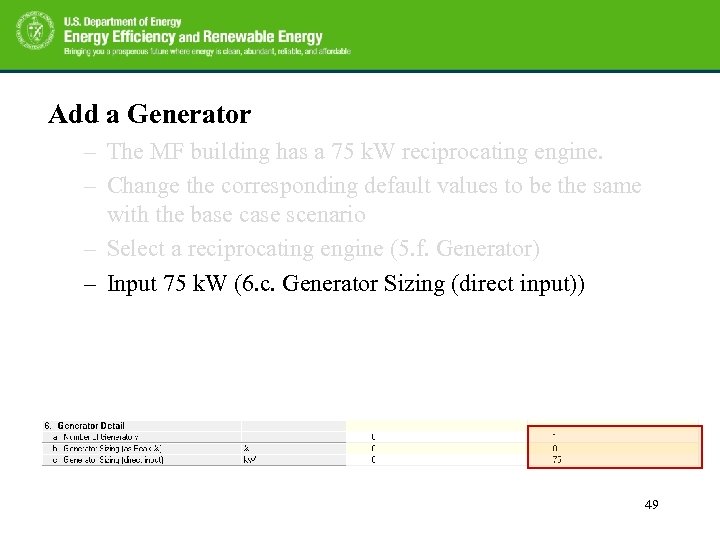
Add a Generator – The MF building has a 75 k. W reciprocating engine. – Change the corresponding default values to be the same with the base case scenario – Select a reciprocating engine (5. f. Generator) – Input 75 k. W (6. c. Generator Sizing (direct input)) 49
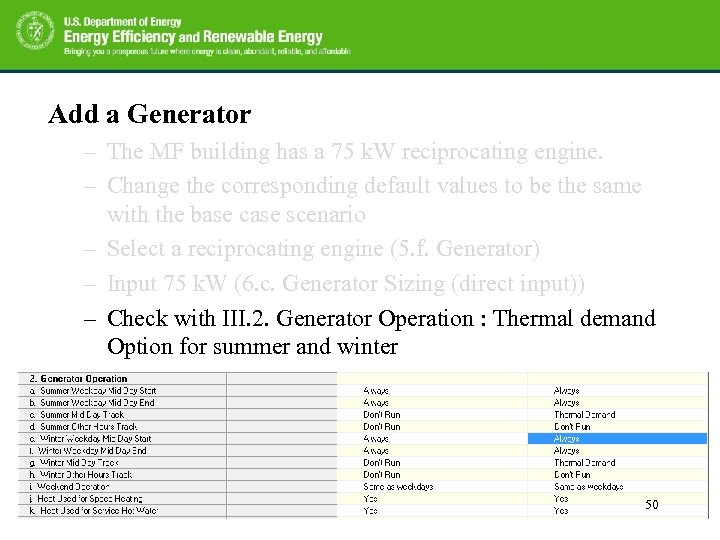
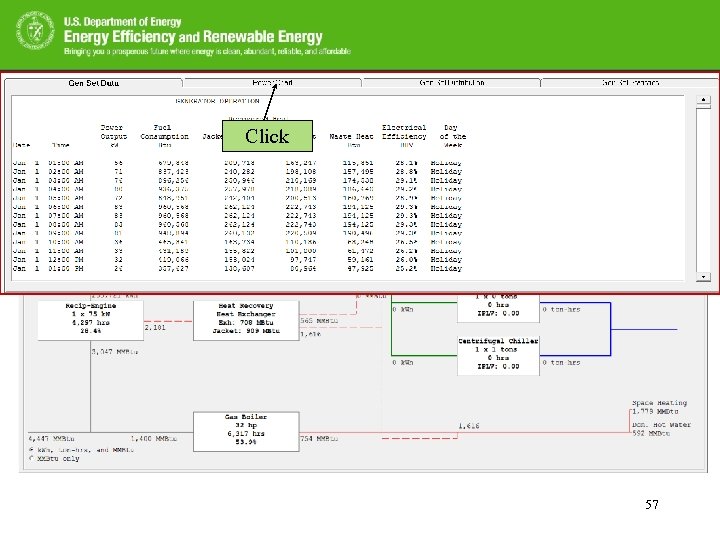
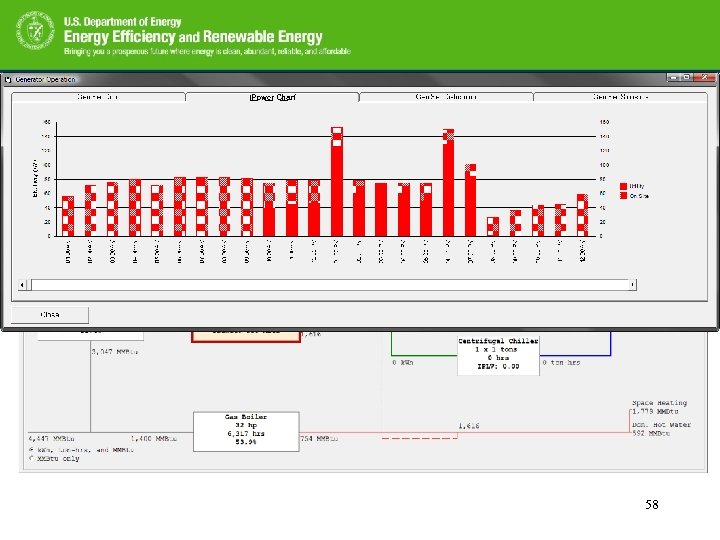
Add a Generator – The MF building has a 75 k. W reciprocating engine. – Change the corresponding default values to be the same with the base case scenario – Select a reciprocating engine (5. f. Generator) – Input 75 k. W (6. c. Generator Sizing (direct input)) – Check with III. 2. Generator Operation : Thermal demand Option for summer and winter 50
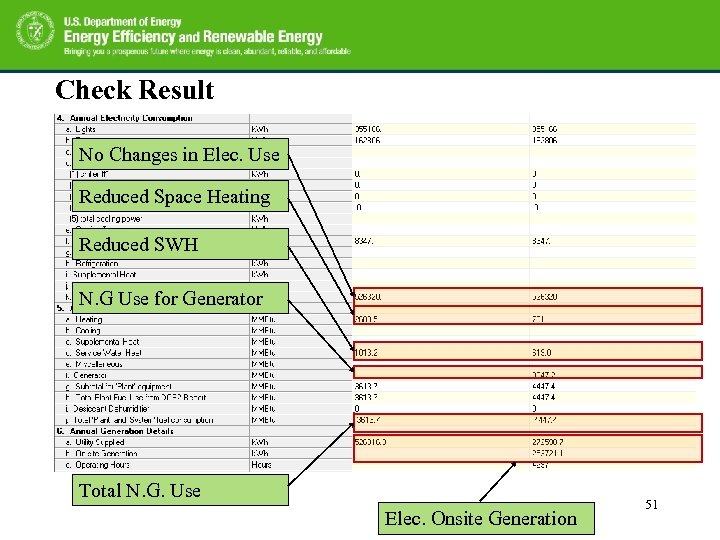
Check Result No Changes in Elec. Use Reduced Space Heating Reduced SWH N. G Use for Generator Total N. G. Use Elec. Onsite Generation 51
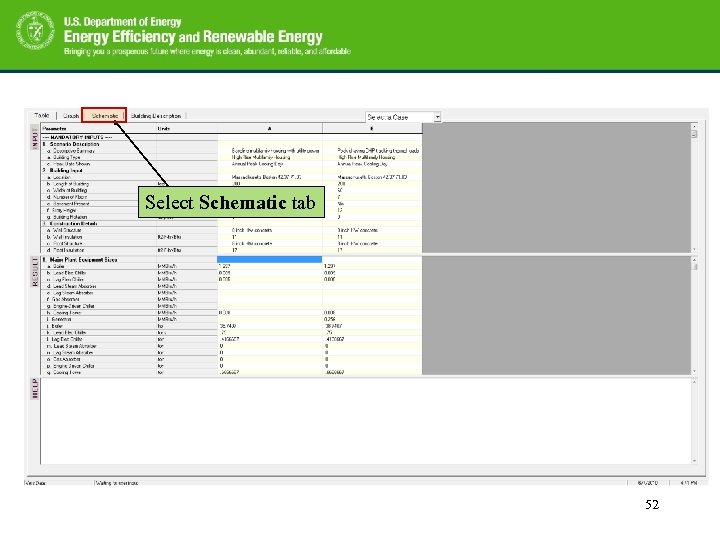
Select Schematic tab 52
Select Case B 53
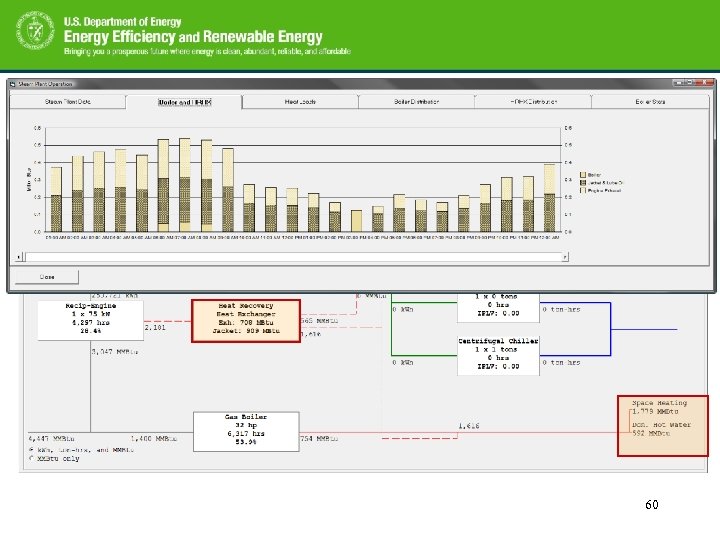
Cost Analysis Heat Recovery Summary System Configuration Space and SW Heating 54
Double Click 55
56
Click 57
58
Double Click 59
60
Next Step: Analyze and find the optimal generator and the schedule for the building Input parameters can be changed for the analysis – Size of generator • 30, 45, 70, 100 k. W… – Number of generators – Type of generator • Reciprocating, Gas turbine, Micro turbine – Generator operating option • • Thermal demand Electric demand Greater/lesser demand Maximum output – Heat used for space heating/service water heating 61
Thanks! Question/feedback/comment Piljae Im Oak Ridge National Laboratory imp 1@ornl. gov 865 -241 -2312 62
Скачать презентацию Multifamily MF Combined Heat and Power CHP Level
d0af0b5d0031814fe959aaa427d129ea.ppt