



 msdevcon. ru #msdevcon
 %1$ #1% 1@ <$ 01 > 1!< 101 00>>>1! 0 11@@< $1@ >!< #@ 0 00 # $!$1 >@#>$00 > 0 %11 01 00# 1$ 1 > !$ %<1? 0 11 $>$ #0%% >0$ > !1@1 110> # ? > # >>01 < <0010 !01!>>$$!< >110 1# # ! 0 1 #> $0$@ % 100 !10 !@ 00%? < ><%@!% 11 !>!@ >1 $10>0 > 0 0$ ? ? 10 ## ? 1 ? ? 10$@@ 10>!#< ? 00! 1><0 @> %01 ? >0 @% # 1@01<100% 11 01 < ? 0? >% $ 1 1% >0#1? ## ? !0# 10 0#$ 1><101 !? 0? 0#0 @<0@ 0 1 >0 1$? 1<< 1 11@1 !> %? 1<># %> 011 !@!##0 #0<%@ %! $< $!? $ 0$1 <0 ? !%? <011 <# 0010 @1010 111 ! @ # < <1 0## 111 What’s new in Windows<@111$$ $> 0< 1 >01 ? 0 $>1? $ >001 100 ! 1# 1# !<1 >@%< %@011 <1#0111 0010% >%#>% 01 0#>@ !!00 011<#0@1 ? 1 0 for developers >0@#$>0!1 @<1 11<1 $>000 0> >00 0> 10% >% $#? 1 ? # 1 %00@ @1%11 0? 0@%01>1 0 0<1 ? !@ 00@ <% ## 0? ? 1 @00 $%0#<1 0? 1 Larry Lieberman {Microsoft} $<11>>!00? 01$>$#< <# <1 >#% 1? @@ #0!1>% #10 !1 ? 00 1 000 ##!$<1 00! ? 1@01 %1? >% %0#1 00 $< %>#11 1 0# >? 010$$ 1<1 10<#? 10$? ? 1 !0
 About me Larry Lieberman {Microsoft | Windows Developer Platform | Product Manager} larryli@microsoft. com, @larryalieberman, larrylieberman. com
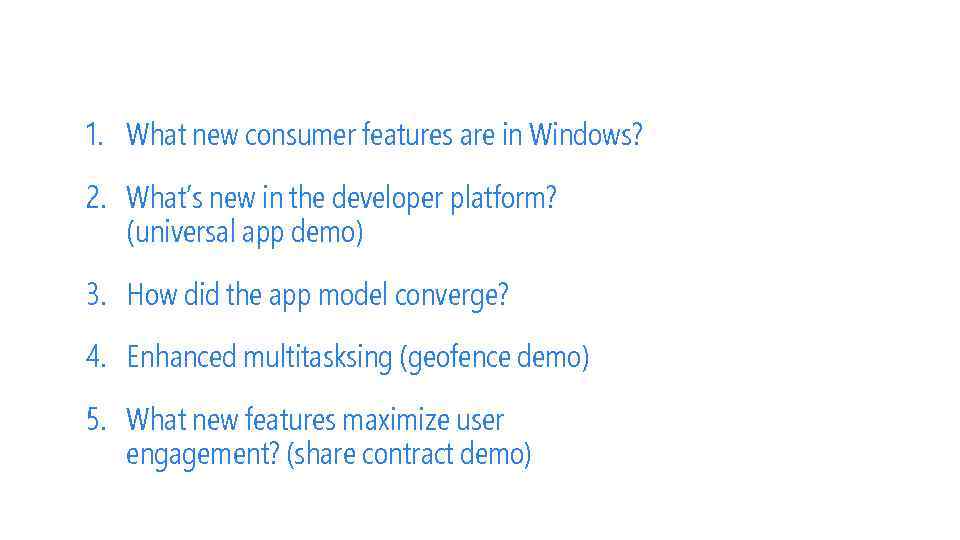 1. What new consumer features are in Windows? 2. What’s new in the developer platform? (universal app demo) 3. How did the app model converge? 4. Enhanced multitasksing (geofence demo) 5. What new features maximize user engagement? (share contract demo)
 1! @0#1 @#1 %@@ 0? < 0!$ $11 0>$ 1 1@1 <1 #0? 100? 1!<<%% 1%!? $? #1 !#0 0 0? 0>% 00 > 1 %$ 1 %0 00@! 1 %111 !# < >1% ? 01 <0 %#10$@ 0>011 >11 @% %0 10%010@# ? #< %@< !11! !0? 01 1 $>>% %## #1><%0@ 1 @#@0 ? !> 11 <%%@0!0? 0 0# !1 ? !! $>< >0 1! #10 0 0$$ > ###%0%01 !1 0 @ #10# % 1 0@#1 1@0 <1 >#1 %? %@1<0? >>1 %>1 !0 ? 0? %@ #00 @01 0# > >1%! 0>01 11 1 @ 0<0 0!1%$1<$11# @ > 0 <# $> @? !1 ? $1001 >> ? 00 %0 1#< 00%10#0? # %1$ #1% 1@ <$ 01 > 1!< 101 00>>>1! 0 11@@< $1@ >!< #@ 0 00 # $!$1 >@#>$00 > 0 %11 01 00# 1$ 1 > !$ %<1? 0 11 $>$ #0%% >0$ > !1@1 110> # ? > # >>01 < <0010 !01!>>$$!< >110 1# # ! 0 1 #> $0$@ % 100 !10 !@ 00%? < ><%@!% 11 !>!@ >1 $10>0 > 0 0$ ? ? 10 ## ? 1 ? ? 10$@@ 10>!#< ? 00! 1><0 @> %01 ? >0 @% # 1@01<100% 11 01 < ? 0? >% $ 1 1% >0#1? ## ? !0# 10 0#$ 1><101 !? 0? 0#0 @<0@ 0 1 >0 1$? 1<< 1 11@1 !> %? 1<># %> 011 !@!##0 #0<%@ %! $< $!? $ Windows Phone 8. 1 (Consumer Features)
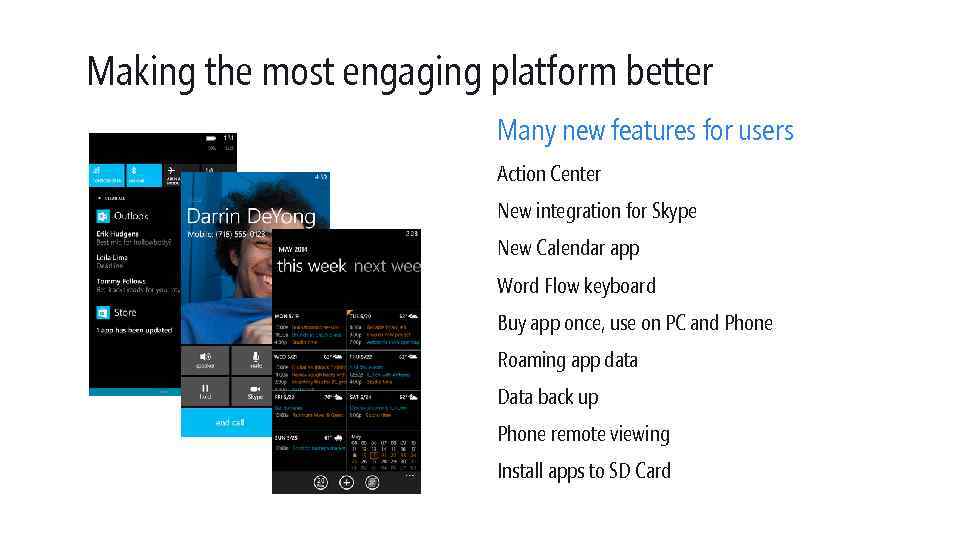 Making the most engaging platform better Many new features for users Action Center New integration for Skype New Calendar app Word Flow keyboard Buy app once, use on PC and Phone Roaming app data Data back up Phone remote viewing Install apps to SD Card
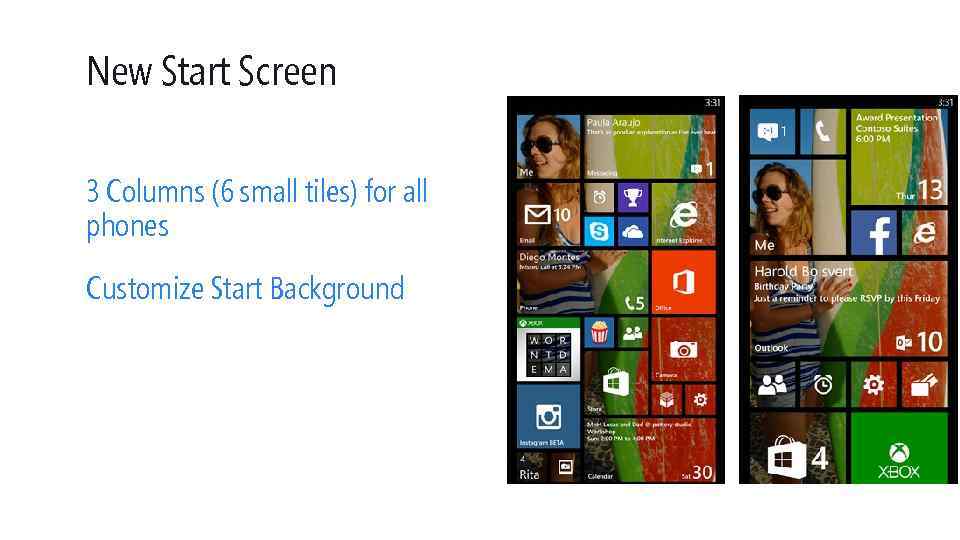 New Start Screen 3 Columns (6 small tiles) for all phones Customize Start Background
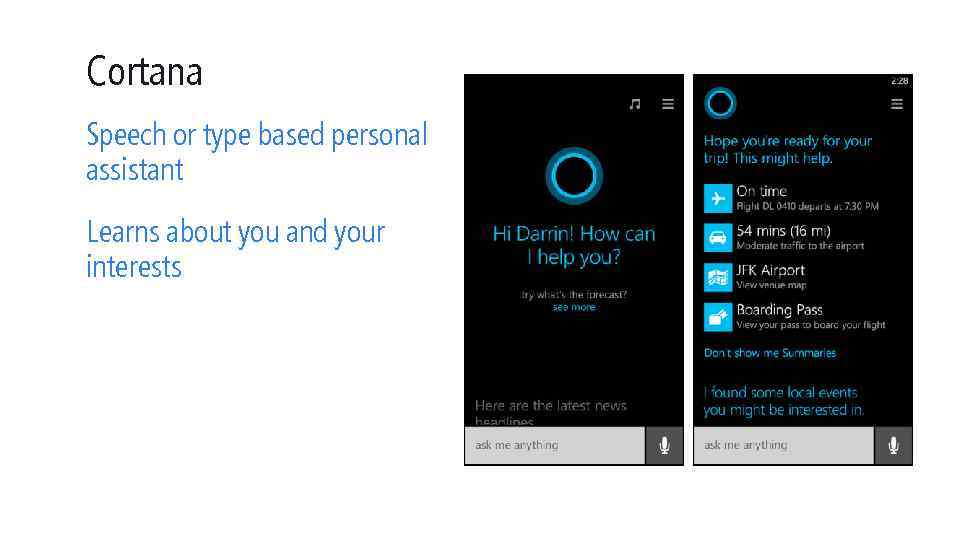 Cortana Speech or type based personal assistant Learns about you and your interests
 1! @0#1 @#1 %@@ 0? < 0!$ $11 0>$ 1 1@1 <1 #0? 100? 1!<<%% 1%!? $? #1 !#0 0 0? 0>% 00 > 1 %$ 1 %0 00@! 1 %111 !# < >1% ? 01 <0 %#10$@ 0>011 >11 @% %0 10%010@# ? #< %@< !11! !0? 01 1 $>>% %## #1><%0@ 1 @#@0 ? !> 11 <%%@0!0? 0 0# !1 ? !! $>< >0 1! #10 0 0$$ > ###%0%01 !1 0 @ #10# % 1 0@#1 1@0 <1 >#1 %? %@1<0? >>1 %>1 !0 ? 0? %@ #00 @01 0# > >1%! 0>01 11 1 @ 0<0 0!1%$1<$11# @ > 0 <# $> @? !1 ? $1001 >> ? 00 %0 1#< 00%10#0? # %1$ #1% 1@ <$ 01 > 1!< 101 00>>>1! 0 11@@< $1@ >!< #@ 0 00 # $!$1 >@#>$00 > 0 %11 01 00# 1$ 1 > !$ %<1? 0 11 $>$ #0%% >0$ > !1@1 110> # ? > # >>01 < <0010 !01!>>$$!< >110 1# # ! 0 1 #> $0$@ % 100 !10 !@ 00%? < ><%@!% 11 !>!@ >1 $10>0 > 0 0$ ? ? 10 ## ? 1 ? ? 10$@@ 10>!#< ? 00! 1><0 @> %01 ? >0 @% # 1@01<100% 11 01 < ? 0? >% $ 1 1% >0#1? ## ? !0# 10 0#$ 1><101 !? 0? 0#0 @<0@ 0 1 >0 1$? 1<< 1 11@1 !> %? 1<># %> 011 !@!##0 #0<%@ %! $< $!? $ Convergence
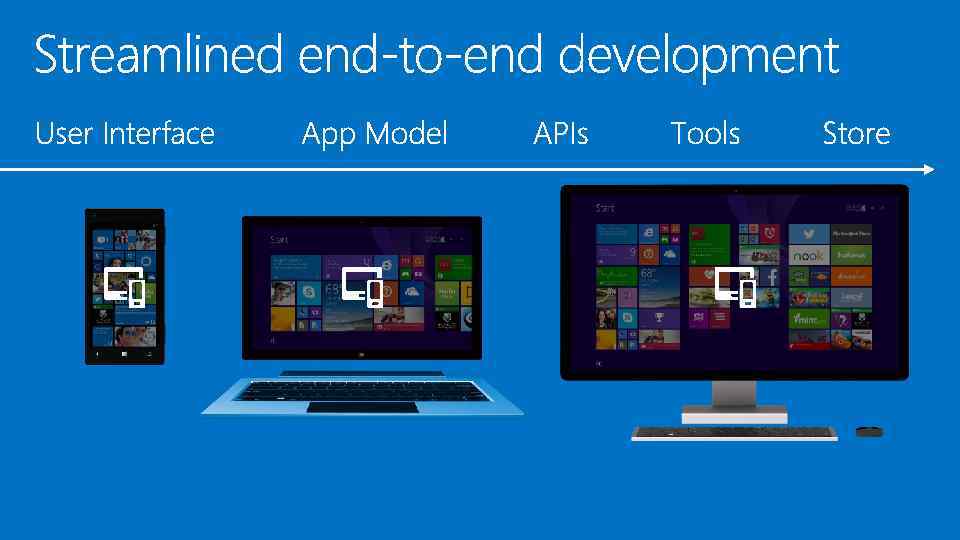
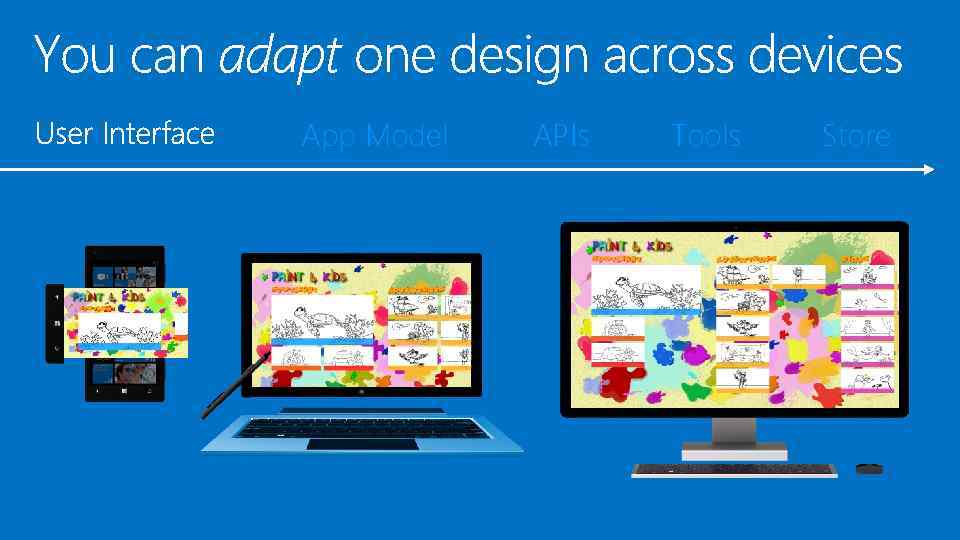 App Model APIs Tools Store
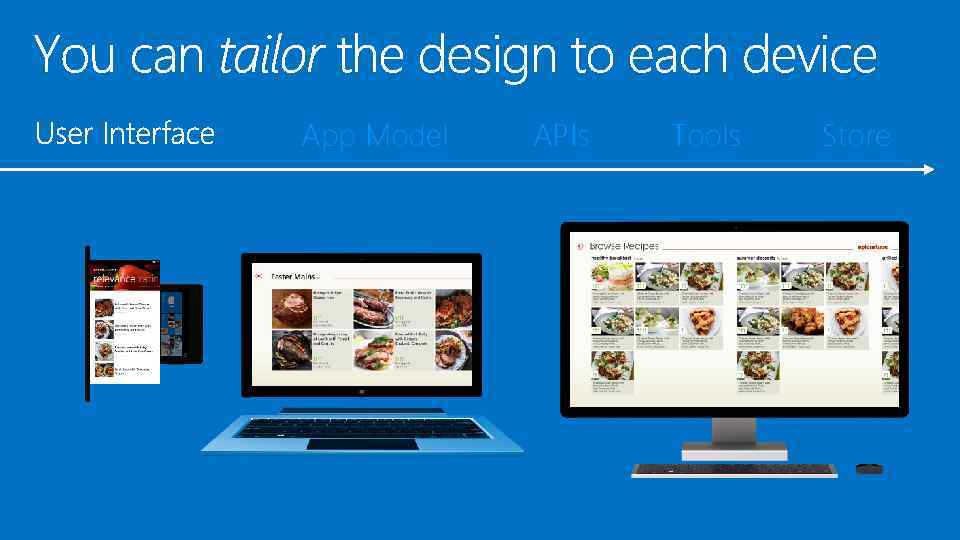 App Model APIs Tools Store
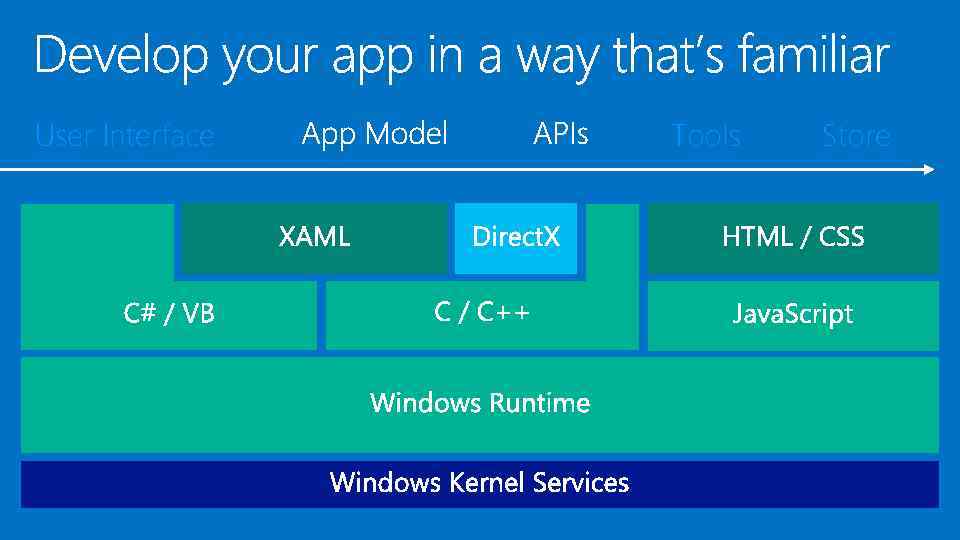 User Interface Tools Store
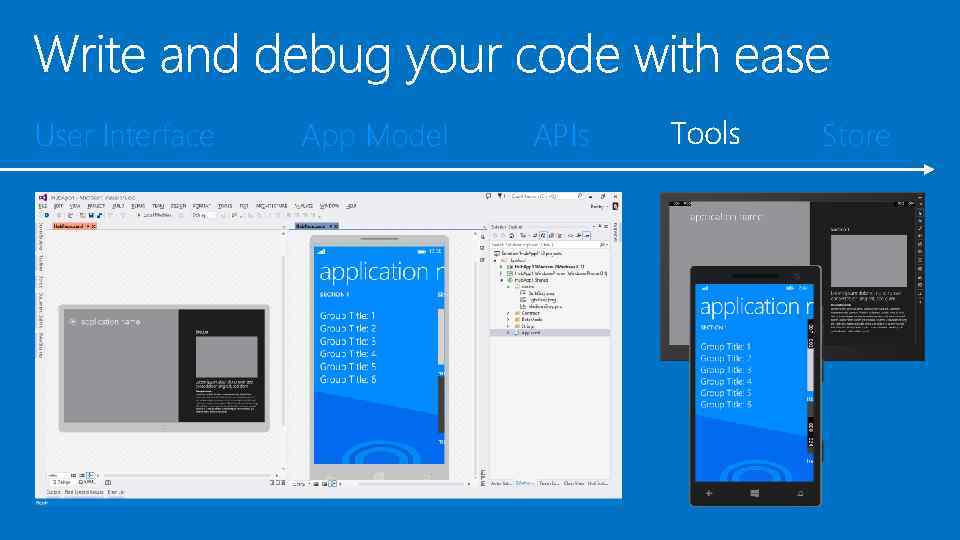 User Interface App Model APIs Store
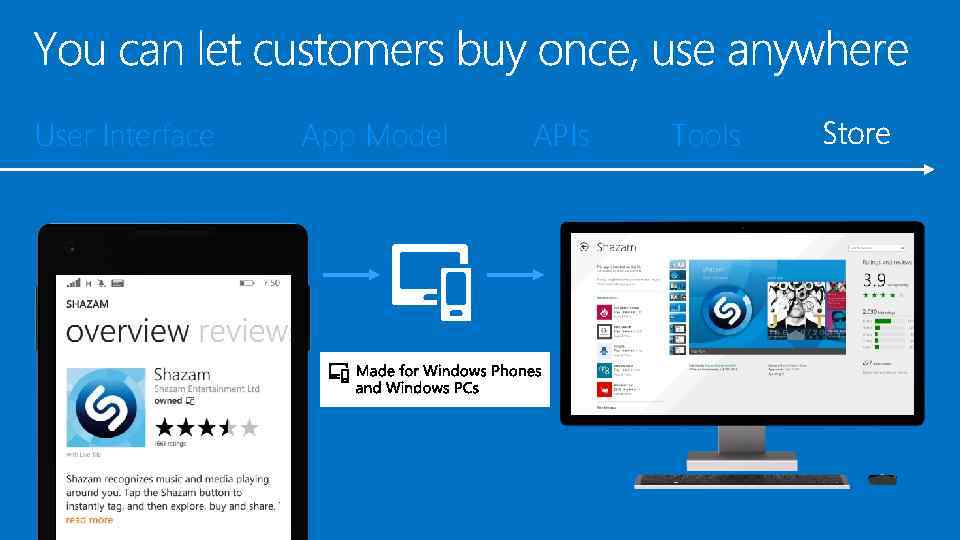 User Interface App Model APIs Tools
 1! @0#1 @#1 %@@ 0? < 0!$ $11 0>$ 1 1@1 <1 #0? 100? 1!<<%% 1%!? $? #1 !#0 0 0? 0>% 00 > 1 %$ 1 %0 00@! 1 %111 !# < >1% ? 01 <0 %#10$@ 0>011 >11 @% %0 10%010@# ? #< %@< !11! !0? 01 1 $>>% %## #1><%0@ 1 @#@0 ? !> 11 <%%@0!0? 0 0# !1 ? !! $>< >0 1! #10 0 0$$ > ###%0%01 !1 0 @ #10# % 1 0@#1 1@0 <1 >#1 %? %@1<0? >>1 %>1 !0 ? 0? %@ #00 @01 0# > >1%! 0>01 11 1 @ 0<0 0!1%$1<$11# @ > 0 <# $> @? !1 ? $1001 >> ? 00 %0 1#< 00%10#0? # %1$ #1% 1@ <$ 01 > 1!< 101 00>>>1! 0 11@@< $1@ >!< #@ 0 00 # $!$1 >@#>$00 > 0 %11 01 00# 1$ 1 > !$ %<1? 0 11 $>$ #0%% >0$ > !1@1 110> # ? > # >>01 < <0010 !01!>>$$!< >110 1# # ! 0 1 #> $0$@ % 100 !10 !@ 00%? < ><%@!% 11 !>!@ >1 $10>0 > 0 0$ ? ? 10 ## ? 1 ? ? 10$@@ 10>!#< ? 00! 1><0 @> %01 ? >0 @% # 1@01<100% 11 01 < ? 0? >% $ 1 1% >0#1? ## ? !0# 10 0#$ 1><101 !? 0? 0#0 @<0@ 0 1 >0 1$? 1<< 1 11@1 !> %? 1<># %> 011 !@!##0 #0<%@ %! $< $!? $ Windows Developer Platform
 Goals Enable great apps Platform convergence Improved capabilities
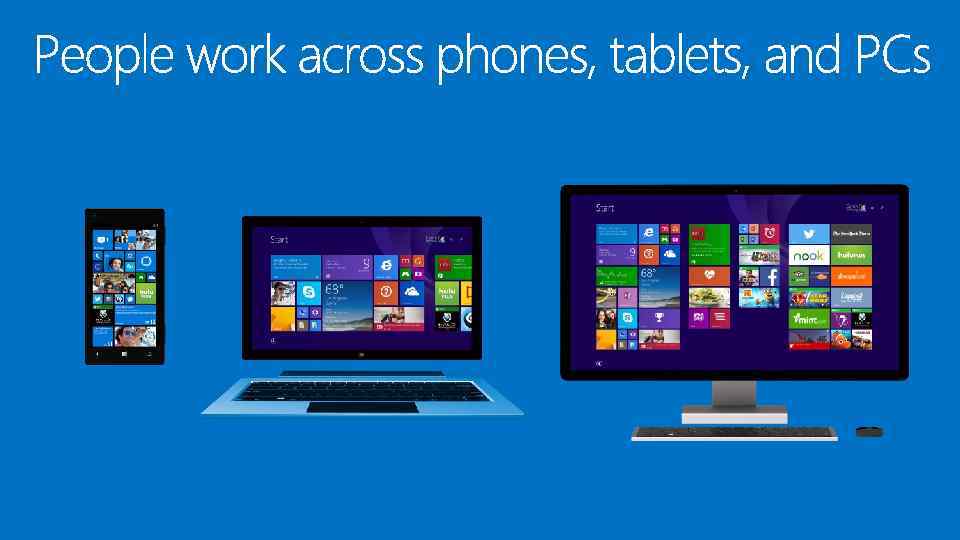
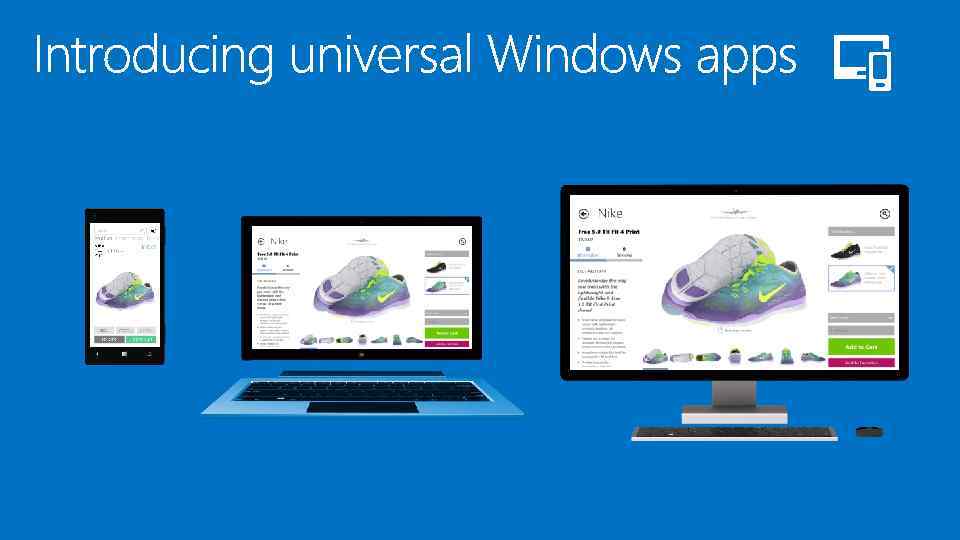
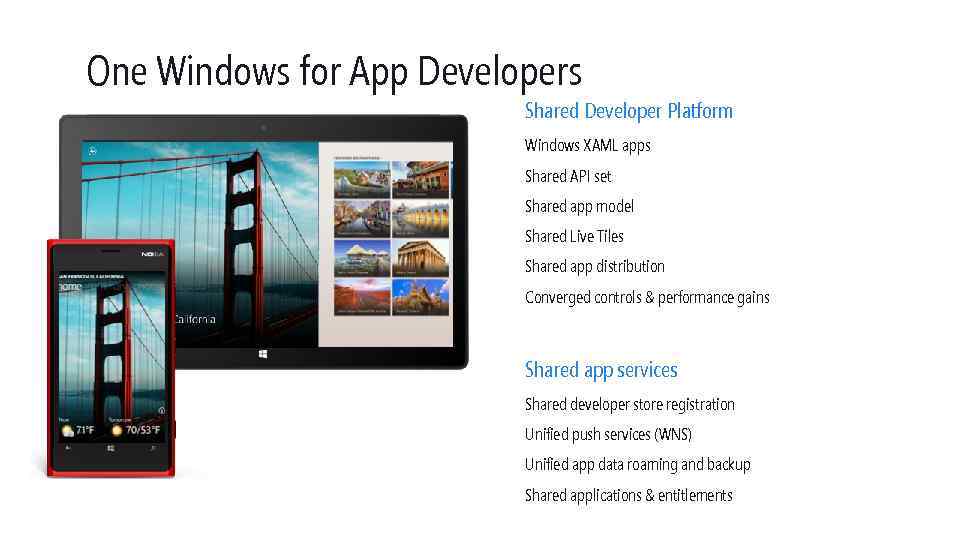 One Windows for App Developers Shared Developer Platform Windows XAML apps Shared API set Shared app model Shared Live Tiles Shared app distribution Converged controls & performance gains Shared app services Shared developer store registration Unified push services (WNS) Unified app data roaming and backup Shared applications & entitlements
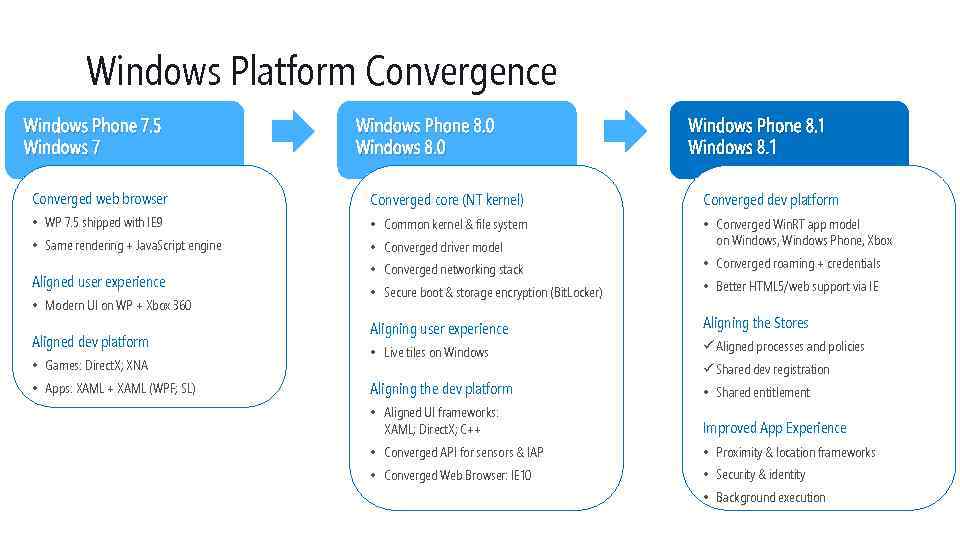 Windows Platform Convergence Windows Phone 7. 5 Windows 7 Windows Phone 8. 0 Windows Phone 8. 1 Windows 8. 1 Converged web browser Converged core (NT kernel) Converged dev platform • WP 7. 5 shipped with IE 9 • Common kernel & file system • Same rendering + Java. Script engine • Converged driver model • Converged Win. RT app model on Windows, Windows Phone, Xbox Aligned user experience • Modern UI on WP + Xbox 360 Aligned dev platform • Games: Direct. X; XNA • Apps: XAML + XAML (WPF; SL) • Converged networking stack • Converged roaming + credentials • Secure boot & storage encryption (Bit. Locker) • Better HTML 5/web support via IE Aligning user experience Aligning the Stores • Live tiles on Windows ü Aligned processes and policies Aligning the dev platform • Shared entitlement ü Shared dev registration • Aligned UI frameworks: XAML; Direct. X; C++ Improved App Experience • Converged API for sensors & IAP • Proximity & location frameworks • Converged Web Browser: IE 10 • Security & identity • Background execution
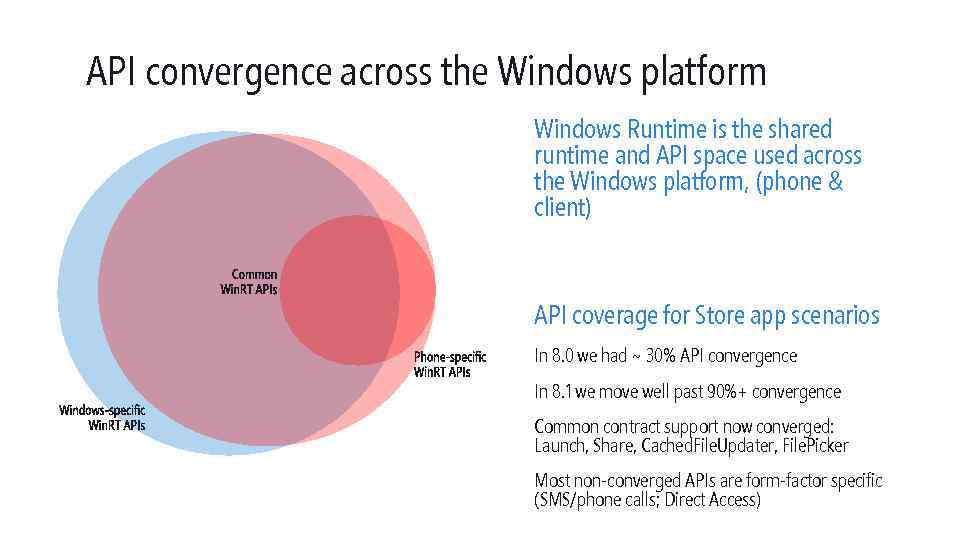 API convergence across the Windows platform Windows Runtime is the shared runtime and API space used across the Windows platform, (phone & client) API coverage for Store app scenarios In 8. 0 we had ~ 30% API convergence In 8. 1 we move well past 90%+ convergence Common contract support now converged: Launch, Share, Cached. File. Updater, File. Picker Most non-converged APIs are form-factor specific (SMS/phone calls; Direct Access)
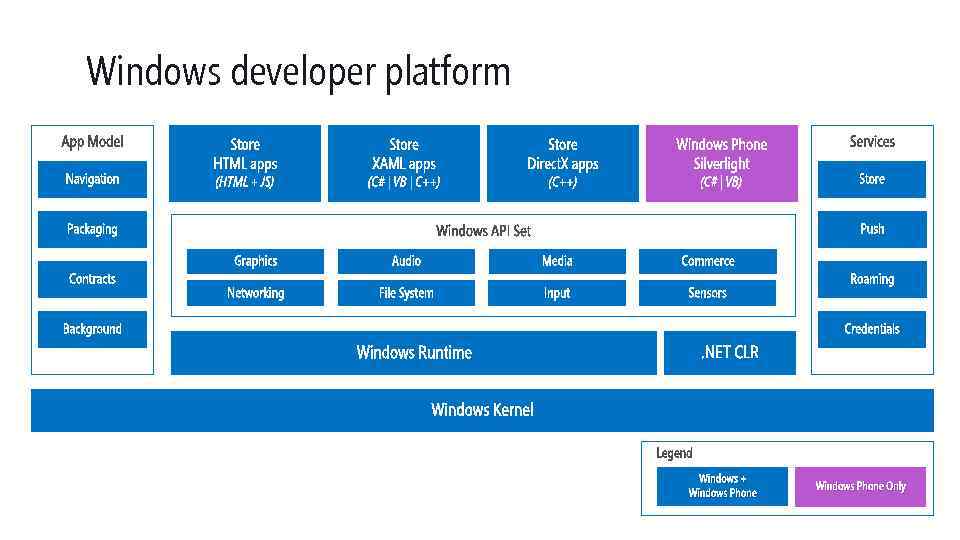 Windows developer platform | | Windows + Windows Phone Only
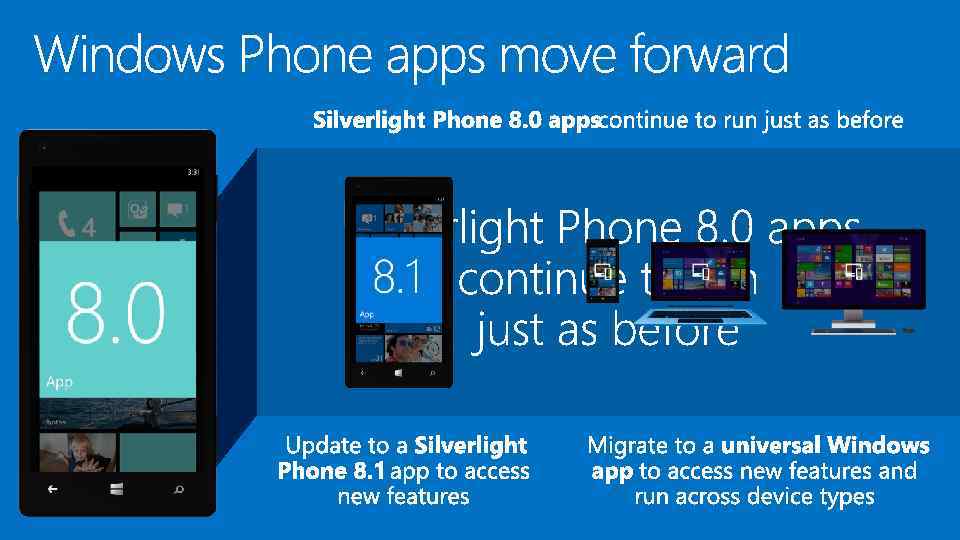
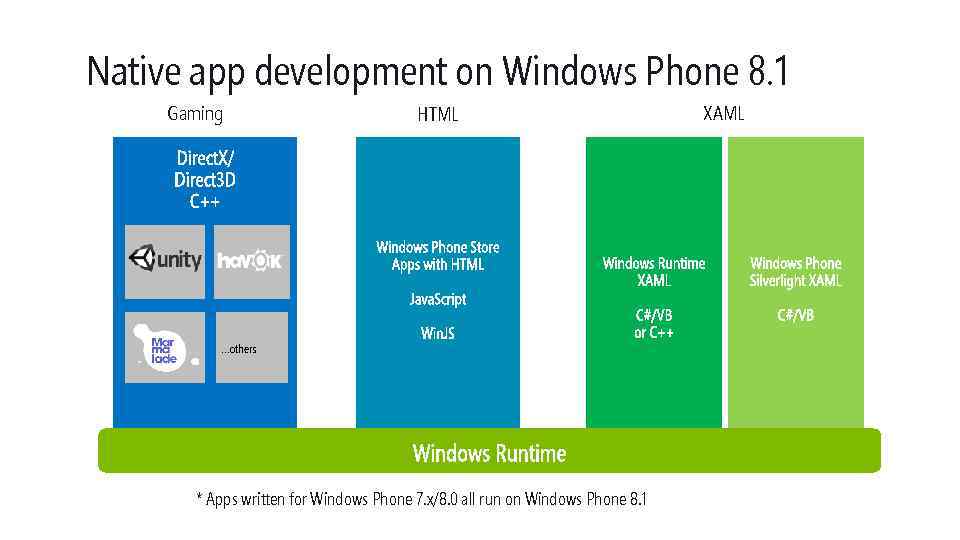 Native app development on Windows Phone 8. 1 Gaming HTML …others * Apps written for Windows Phone 7. x/8. 0 all run on Windows Phone 8. 1 XAML
 DEMO Universal App
 1! @0#1 @#1 %@@ 0? < 0!$ $11 0>$ 1 1@1 <1 #0? 100? 1!<<%% 1%!? $? #1 !#0 0 0? 0>% 00 > 1 %$ 1 %0 00@! 1 %111 !# < >1% ? 01 <0 %#10$@ 0>011 >11 @% %0 10%010@# ? #< %@< !11! !0? 01 1 $>>% %## #1><%0@ 1 @#@0 ? !> 11 <%%@0!0? 0 0# !1 ? !! $>< >0 1! #10 0 0$$ > ###%0%01 !1 0 @ #10# % 1 0@#1 1@0 <1 >#1 %? %@1<0? >>1 %>1 !0 ? 0? %@ #00 @01 0# > >1%! 0>01 11 1 @ 0<0 0!1%$1<$11# @ > 0 <# $> @? !1 ? $1001 >> ? 00 %0 1#< 00%10#0? # %1$ #1% 1@ <$ 01 > 1!< 101 00>>>1! 0 11@@< $1@ >!< #@ 0 00 # $!$1 >@#>$00 > 0 %11 01 00# 1$ 1 > !$ %<1? 0 11 $>$ #0%% >0$ > !1@1 110> # ? > # >>01 < <0010 !01!>>$$!< >110 1# # ! 0 1 #> $0$@ % 100 !10 !@ 00%? < ><%@!% 11 !>!@ >1 $10>0 > 0 0$ ? ? 10 ## ? 1 ? ? 10$@@ 10>!#< ? 00! 1><0 @> %01 ? >0 @% # 1@01<100% 11 01 < ? 0? >% $ 1 1% >0#1? ## ? !0# 10 0#$ 1><101 !? 0? 0#0 @<0@ 0 1 >0 1$? 1<< 1 11@1 !> %? 1<># %> 011 !@!##0 #0<%@ %! $< $!? $ App Model Convergence
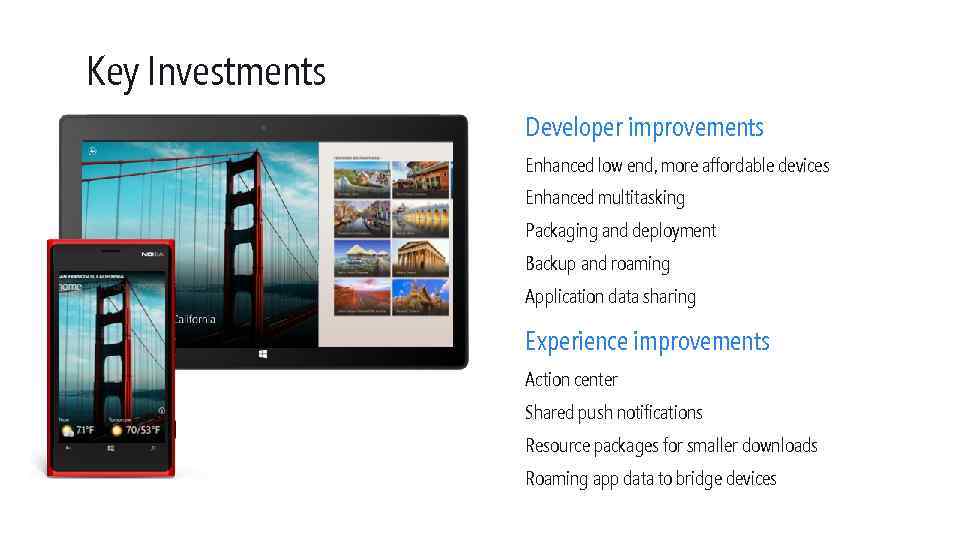 Key Investments Developer improvements Enhanced low end, more affordable devices Enhanced multitasking Packaging and deployment Backup and roaming Application data sharing Experience improvements Action center Shared push notifications Resource packages for smaller downloads Roaming app data to bridge devices
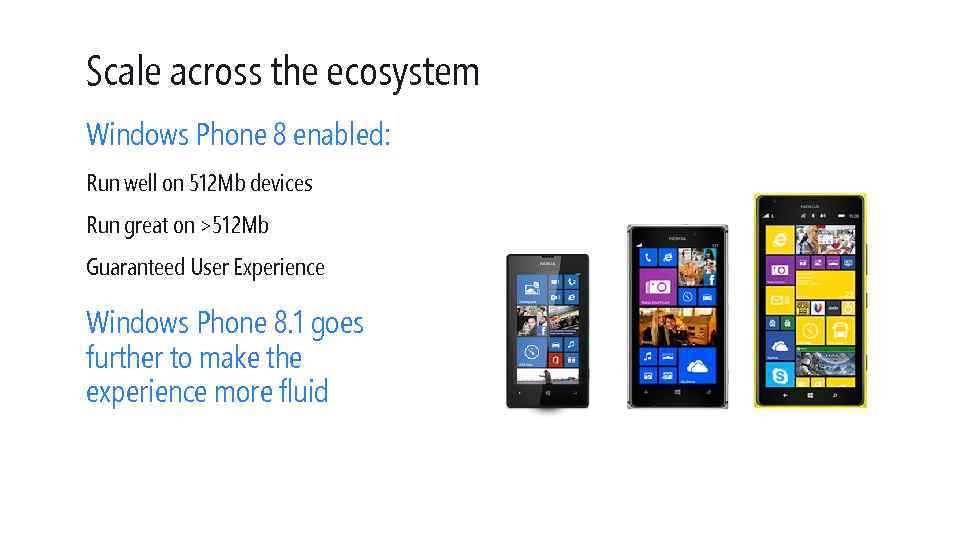 Scale across the ecosystem Windows Phone 8 enabled: Run well on 512 Mb devices Run great on >512 Mb Guaranteed User Experience Windows Phone 8. 1 goes further to make the experience more fluid
 Working well on 512 MB In Windows Phone 8 apps got a predefined memory cap 150 Mb on 512 Mb devices 300 Mb on 1 gig. 450 Mb on 2 gig Worked well but could be overly conservative 94% of apps ≤ 150 MB, 96% o ≤ 100 MB, 80% ≤ 80 MB, 70% ≤ 60 MB Result: Apps were tombstoned that didn’t need to be on low end devices User experience suffered since app always restarted
 Dynamic memory estimation System monitors how much memory your app is using over time Adjusts memory cap for app based on this data Result More apps stay in memory 512 Mb – some apps resume >1 Gig – nearly all apps resume
 1! @0#1 @#1 %@@ 0? < 0!$ $11 0>$ 1 1@1 <1 #0? 100? 1!<<%% 1%!? $? #1 !#0 0 0? 0>% 00 > 1 %$ 1 %0 00@! 1 %111 !# < >1% ? 01 <0 %#10$@ 0>011 >11 @% %0 10%010@# ? #< %@< !11! !0? 01 1 $>>% %## #1><%0@ 1 @#@0 ? !> 11 <%%@0!0? 0 0# !1 ? !! $>< >0 1! #10 0 0$$ > ###%0%01 !1 0 @ #10# % 1 0@#1 1@0 <1 >#1 %? %@1<0? >>1 %>1 !0 ? 0? %@ #00 @01 0# > >1%! 0>01 11 1 @ 0<0 0!1%$1<$11# @ > 0 <# $> @? !1 ? $1001 >> ? 00 %0 1#< 00%10#0? # %1$ #1% 1@ <$ 01 > 1!< 101 00>>>1! 0 11@@< $1@ >!< #@ 0 00 # $!$1 >@#>$00 > 0 %11 01 00# 1$ 1 > !$ %<1? 0 11 $>$ #0%% >0$ > !1@1 110> # ? > # >>01 < <0010 !01!>>$$!< >110 1# # ! 0 1 #> $0$@ % 100 !10 !@ 00%? < ><%@!% 11 !>!@ >1 $10>0 > 0 0$ ? ? 10 ## ? 1 ? ? 10$@@ 10>!#< ? 00! 1><0 @> %01 ? >0 @% # 1@01<100% 11 01 < ? 0? >% $ 1 1% >0#1? ## ? !0# 10 0#$ 1><101 !? 0? 0#0 @<0@ 0 1 >0 1$? 1<< 1 11@1 !> %? 1<># %> 011 !@!##0 #0<%@ %! $< $!? $ Enhanced multitasking
 Goals Maintain app compatibility One platform with Windows Scale across the phone ecosystem
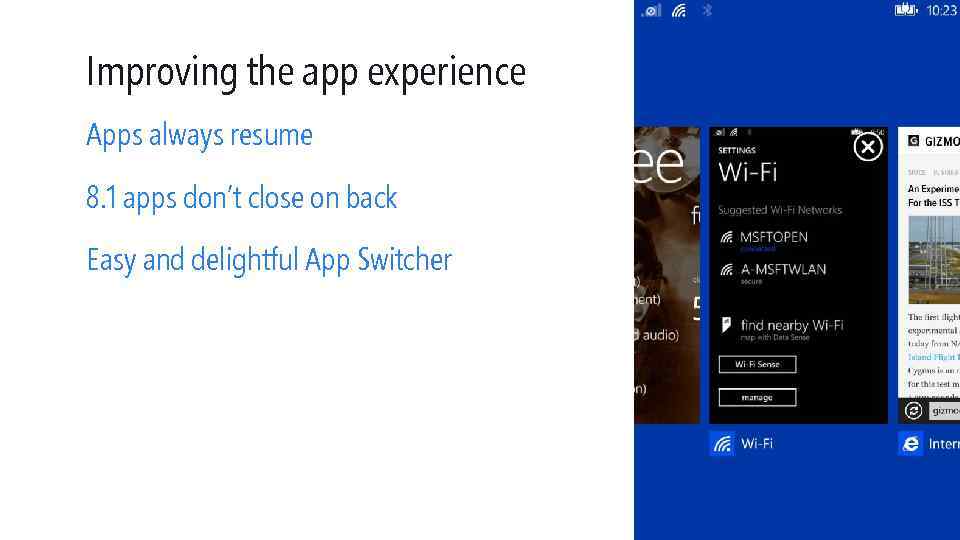 Improving the app experience Apps always resume 8. 1 apps don’t close on back Easy and delightful App Switcher
 Trigger based execution Apps subscribe to triggers they are interested in Only run when trigger is fired Examples Push notification Geofencing BLE device Schedule Sensors
 Push to wake a task Create a push channel as you do today Create a trigger with channel in the constructor Whenever a push notification comes in, your app’s task runs Why should you care? Process the push notification *before* showing the toast Your app can run without ever showing a toast § Update your tile § Update the Action Center
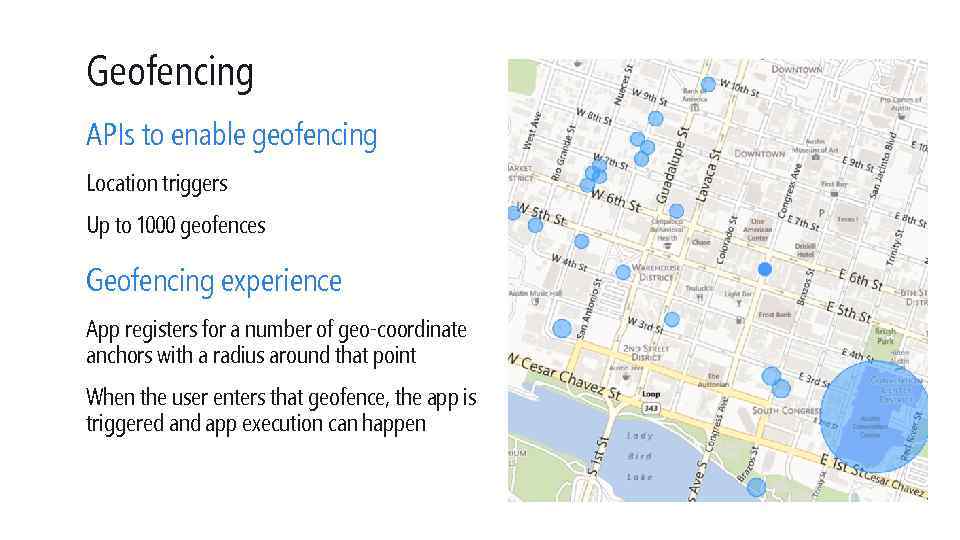 Geofencing APIs to enable geofencing Location triggers Up to 1000 geofences Geofencing experience App registers for a number of geo-coordinate anchors with a radius around that point When the user enters that geofence, the app is triggered and app execution can happen
 DEMO Geofence
 1! @0#1 @#1 %@@ 0? < 0!$ $11 0>$ 1 1@1 <1 #0? 100? 1!<<%% 1%!? $? #1 !#0 0 0? 0>% 00 > 1 %$ 1 %0 00@! 1 %111 !# < >1% ? 01 <0 %#10$@ 0>011 >11 @% %0 10%010@# ? #< %@< !11! !0? 01 1 $>>% %## #1><%0@ 1 @#@0 ? !> 11 <%%@0!0? 0 0# !1 ? !! $>< >0 1! #10 0 0$$ > ###%0%01 !1 0 @ #10# % 1 0@#1 1@0 <1 >#1 %? %@1<0? >>1 %>1 !0 ? 0? %@ #00 @01 0# > >1%! 0>01 11 1 @ 0<0 0!1%$1<$11# @ > 0 <# $> @? !1 ? $1001 >> ? 00 %0 1#< 00%10#0? # %1$ #1% 1@ <$ 01 > 1!< 101 00>>>1! 0 11@@< $1@ >!< #@ 0 00 # $!$1 >@#>$00 > 0 %11 01 00# 1$ 1 > !$ %<1? 0 11 $>$ #0%% >0$ > !1@1 110> # ? > # >>01 < <0010 !01!>>$$!< >110 1# # ! 0 1 #> $0$@ % 100 !10 !@ 00%? < ><%@!% 11 !>!@ >1 $10>0 > 0 0$ ? ? 10 ## ? 1 ? ? 10$@@ 10>!#< ? 00! 1><0 @> %01 ? >0 @% # 1@01<100% 11 01 < ? 0? >% $ 1 1% >0#1? ## ? !0# 10 0#$ 1><101 !? 0? 0#0 @<0@ 0 1 >0 1$? 1<< 1 11@1 !> %? 1<># %> 011 !@!##0 #0<%@ %! $< $!? $ Engaging with your users
 One Microsoft push service Windows Notification Service Result Works with Windows & Windows Phone All push notifications (old & new) work better and are more battery efficient. Existing phone push notifications now run over WNS with no change Single client on device that works with WNS & MPNS
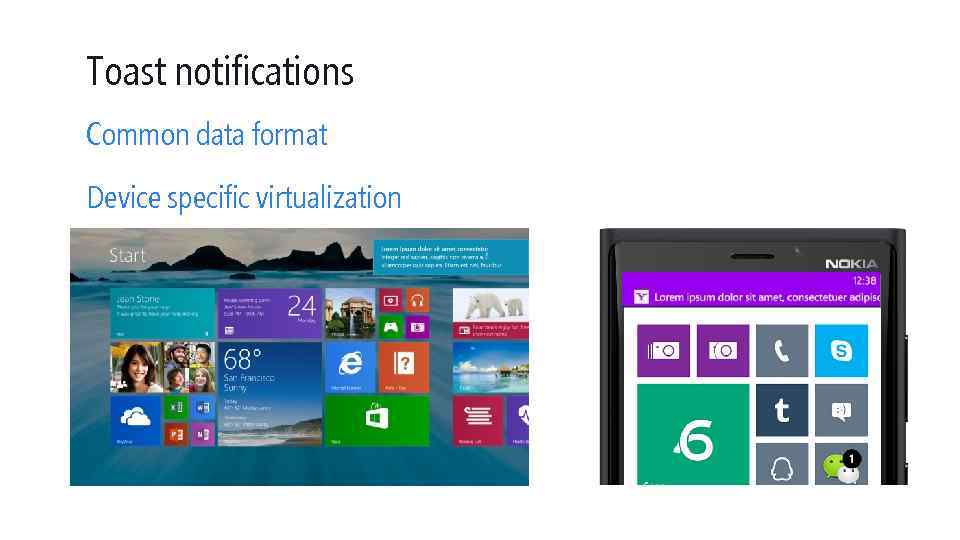 Toast notifications Common data format Device specific virtualization
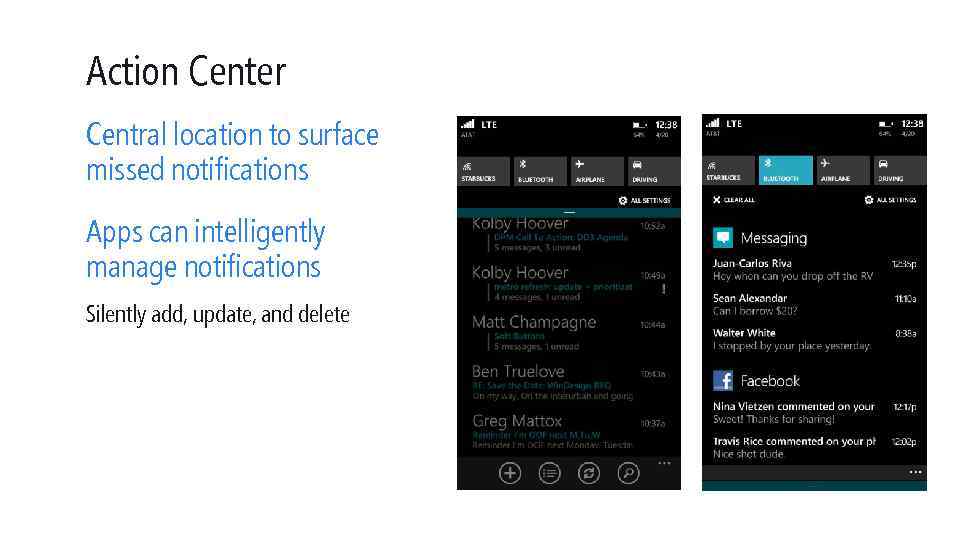 Action Center Central location to surface missed notifications Apps can intelligently manage notifications Silently add, update, and delete
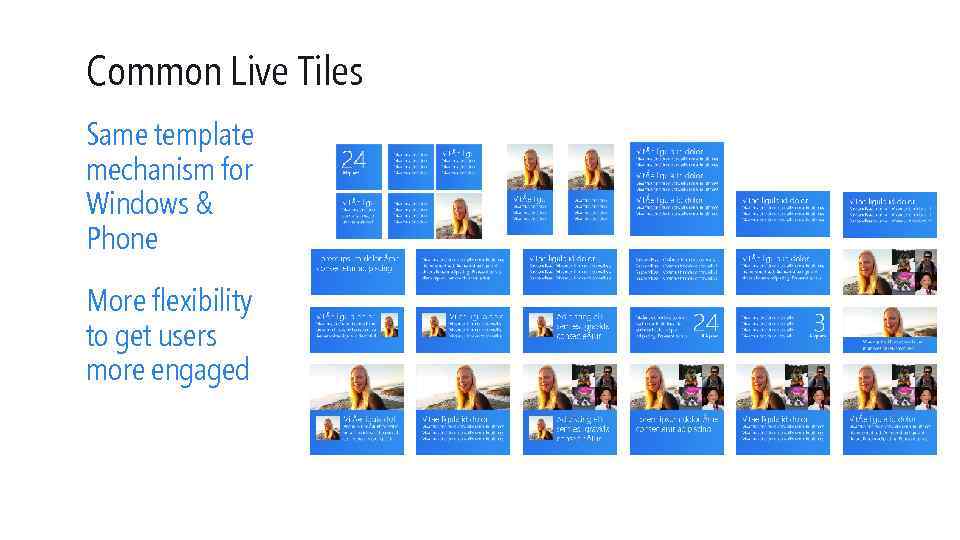 Common Live Tiles Same template mechanism for Windows & Phone More flexibility to get users more engaged
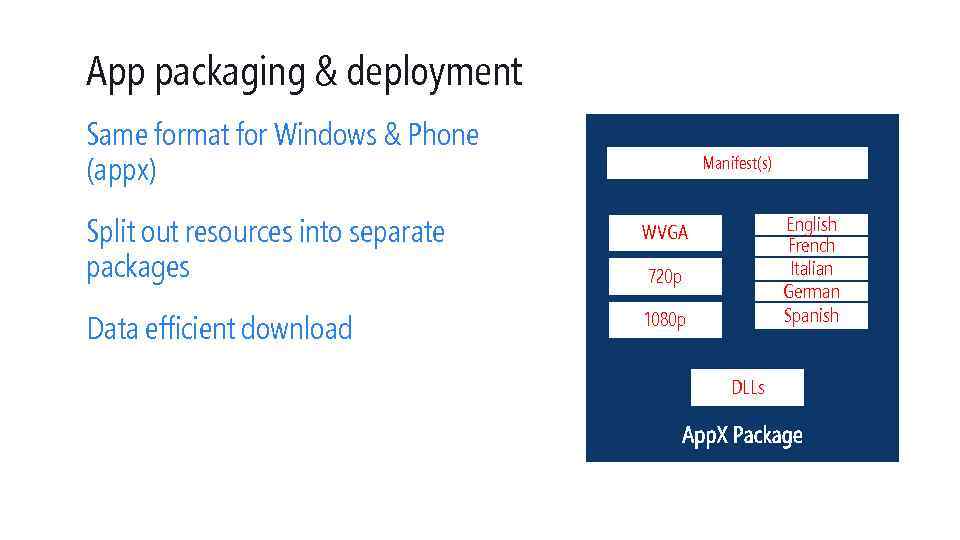 App packaging & deployment Same format for Windows & Phone (appx) Manifest(s) Split out resources into separate packages WVGA Data efficient download 1080 p English French Italian German Spanish 720 p DLLs
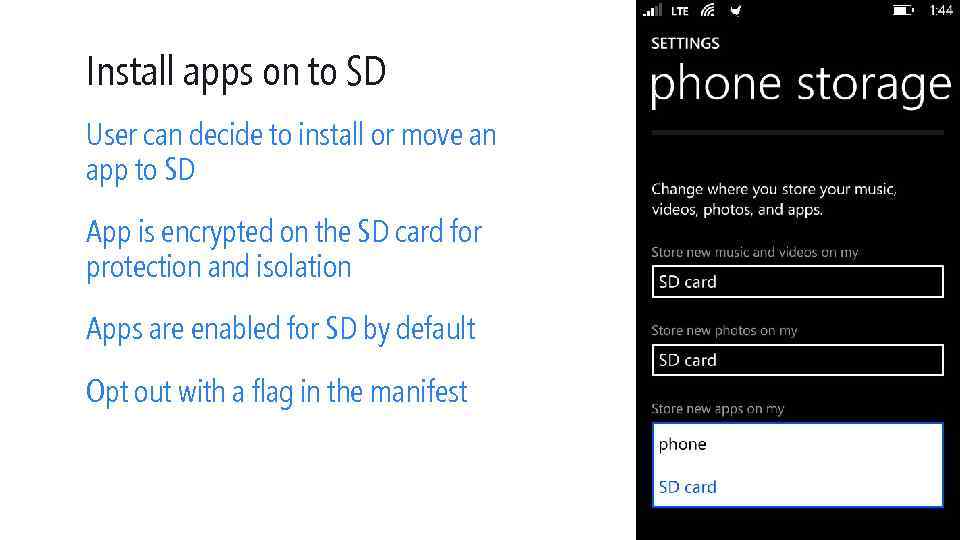 Install apps on to SD User can decide to install or move an app to SD App is encrypted on the SD card for protection and isolation Apps are enabled for SD by default Opt out with a flag in the manifest
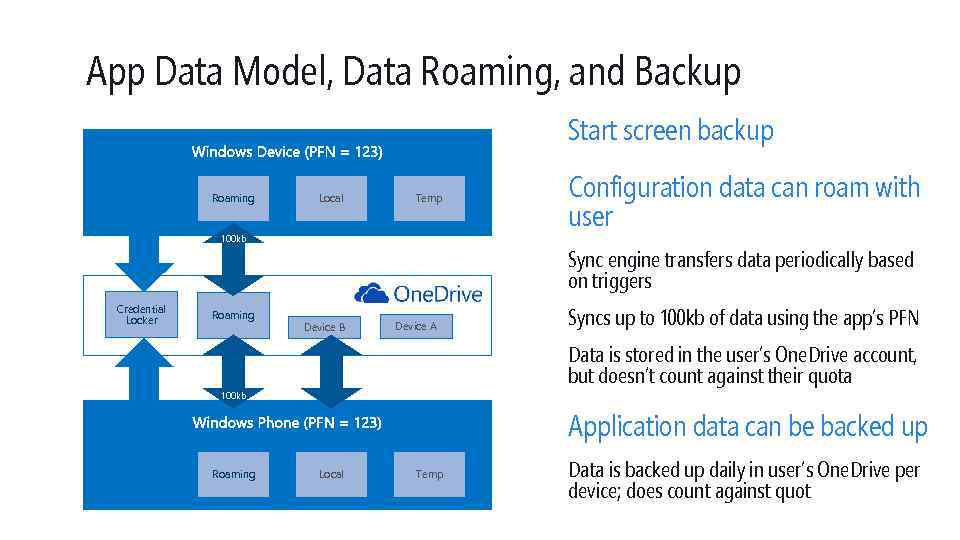 App Data Model, Data Roaming, and Backup Start screen backup Roaming Local Temp 100 kb Credential Locker Roaming Configuration data can roam with user Sync engine transfers data periodically based on triggers Device B Device A Syncs up to 100 kb of data using the app’s PFN Data is stored in the user’s One. Drive account, but doesn’t count against their quota 100 kb Application data can be backed up Roaming Local Temp Data is backed up daily in user’s One. Drive per device; does count against quot
 Enterprise deployment No need to download from the store Distribute the app via whatever makes sense for you: Sign the app with your enterprise token 1. Device Management Servers (MSFT or 3 rd party) $299 a year to enroll 2. Your website 3. Email 4. SD Card
 Application data sharing Enables user-driven data sharing between apps Same programming model as Windows User experience scales to device Apps can freely share content, with no limitations on content type Optimized to ensure works on low end devices
 DEMO Share contract
 Summary Universal Platform Better low end device support Trigger based multitasking Enhanced deployment options Backup and Roaming Engage user with WNS and Action Center
 © 2014 Microsoft Corporation. All rights reserved. Microsoft, Windows Vista and other product names are or may be registered trademarks and/or trademarks in the U. S. and/or other countries. The information herein is for informational purposes only and represents the current view of Microsoft Corporation as of the date of this presentation. Because Microsoft must respond to changing market conditions, it should not be interpreted to be a commitment on the part of Microsoft, and Microsoft cannot guarantee the accuracy of any information provided after the date of this presentation. MICROSOFT MAKES NO WARRANTIES, EXPRESS, IMPLIED OR STATUTORY, AS TO THE INFORMATION IN THIS PRESENTATION.