 Скачать презентацию MPEG-4 MHEG-5 UK Aleksi Lindblad Mika Linnanoja
9642c1a6052fe94b8ec7890731533b26.ppt
- Количество слайдов: 60



MPEG-4 & MHEG-5 (UK) Aleksi Lindblad Mika Linnanoja Marko Luukkainen Zhenbo Zhang 22. 11. 2005
MPEG 4 & MHEG 5 Basics, objects, BIFS (Zhenbo) XMT (Aleksi) Delivery (Mika) MHEG 5 (Marko)
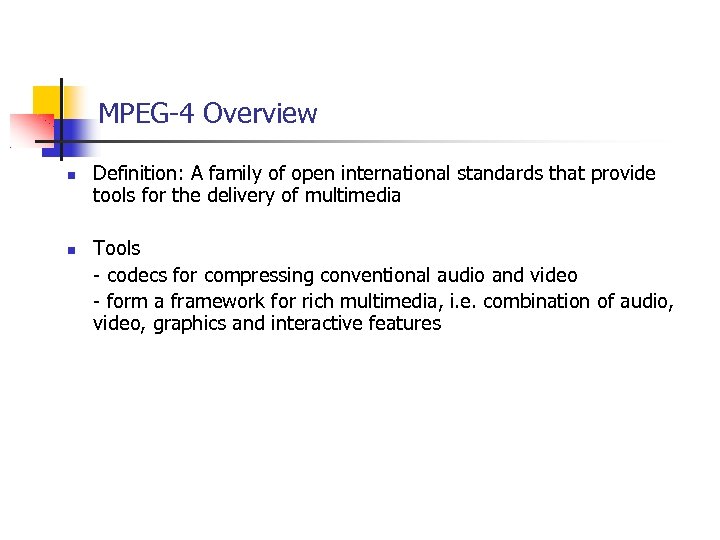
MPEG-4 Overview Definition: A family of open international standards that provide tools for the delivery of multimedia Tools - codecs for compressing conventional audio and video - form a framework for rich multimedia, i. e. combination of audio, video, graphics and interactive features
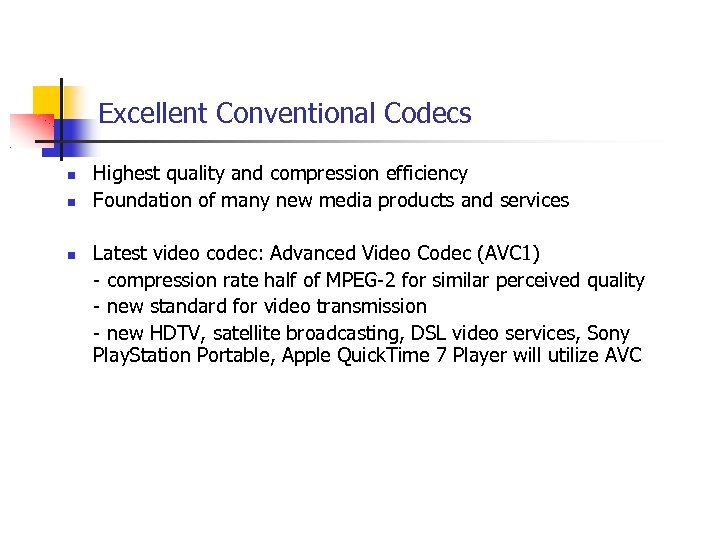
Excellent Conventional Codecs Highest quality and compression efficiency Foundation of many new media products and services Latest video codec: Advanced Video Codec (AVC 1) - compression rate half of MPEG-2 for similar perceived quality - new standard for video transmission - new HDTV, satellite broadcasting, DSL video services, Sony Play. Station Portable, Apple Quick. Time 7 Player will utilize AVC
Framework for Rich Interactive Media Rich media tools: - combining audio and video with text, still images, animations, and 2 D & 3 D vector graphics into interactive and personalized media experiences MPEG-4 includes: - scripting language for simple interaction - MPEG-J for more elaborate programming
Why have manufactures and operators have chosen MPEG-4 Excellent Performance Open, Collaborative Development to Select the Best Technologies Competitive but Compatible Implementations Lack of Strategic Control by a Supplier Public, Known Development Roadmap Encode Once, Play Anywhere Flexible Integration with Transport Networks Established Terms and Venues for Patent Licensing
Object Description Object description: enumerates only the streams in a presentation and specifies how they relate to media objects Scene description: assemble those media objects into a specific audiovisual scene Object descriptor: a container aggregating all the useful information about the corresponding object Information is structed in a hierarchical manner Through a set of sub descriptors
Synchronization of streams Time: the most natural thing in the world A lot of thought has to be dedicated in the context of multimedia streaming Time in MPEG-4 is always relative Finding a simple temporal reference point Example: play back from a local file or unicast streaming The presentation is processed from its start The start of the presentation makes a great reference point In the case of broadcast or multicast playback The cliend may not be aware of the start of presentation The only known ponint: when the client tunes into the broadcast This point is different for each cliend and unknown to the sender The point when a portion of scene description data is received by the terminal is taken as reference
Time stamps and access units Two events in two different streams are supposed to happen at the same time? How to know – time stamps Discrete portions of data related to a specific point in time exist in all stream types These potions of data – Access Units Each ES is actually modeled as a sequence of Access Units Size and contents of AUs depend on the media coder used AUs are the data elements to which time stamps can be attached
Time stamps Two different types Decoding time: indicates the point in time at which all its data has to be availabel in teh receiver and ideally be decoded at once Composition time: indicates the time at which the decoded AU becomes available for composition and subsequent presentation
BIFS Acronym for BInary Format for Scenes Provides a complete framework for the presentation engine of MPEG-4 terminals Enables to mix various MPEG-4 media together with 2 D and 3 D graphics, handle interactivity Be designed as an extention of the VRML 2. 0(Virtual Reality Modeling Language) specification in a binary form
Scene and Nodes Scene is what the user of the MPEG-4 terminal sees and hears Benificial to build the scence as a hierarchical structure or scene tree Visible or audible objects are leaf nodes Multiple references to the same node are allowed =>the scene is not really a tree but a directed a cyclic graph
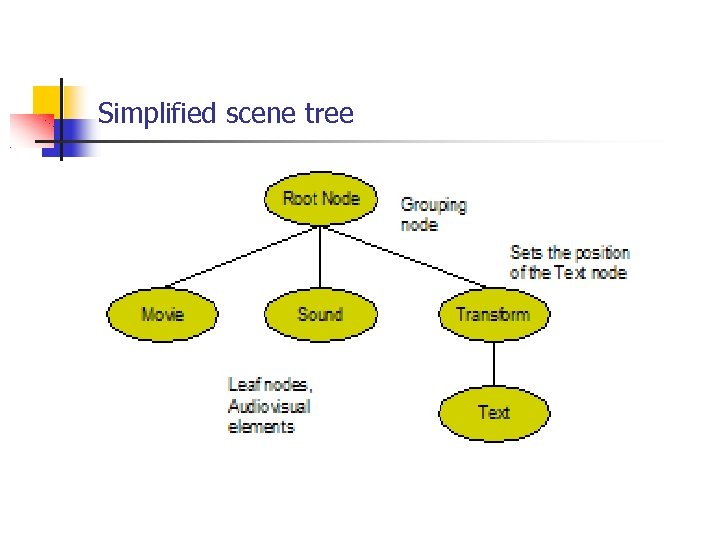
Simplified scene tree
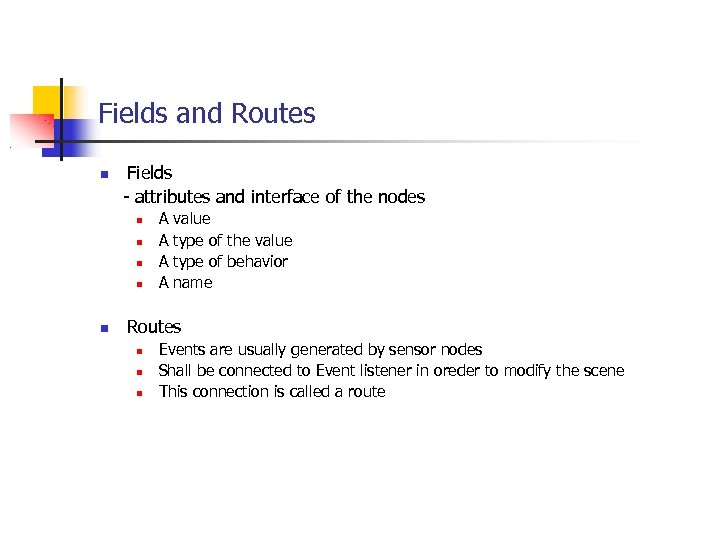
Fields and Routes Fields - attributes and interface of the nodes A A value type of the value type of behavior name Routes Events are usually generated by sensor nodes Shall be connected to Event listener in oreder to modify the scene This connection is called a route
MPEG 4 & MHEG 5 Basics, objects, BIFS (Zhenbo) XMT (Aleksi) Delivery (Mika) MHEG 5 (Marko)
XMT Overview XMT-Ω How it works? XMT-Ω and SMIL XMT-A How it works? XMT-A and X 3 D
What is XMT? Extensible MPEG-4 Textual Format XML-based coding language for MPEG-4 systems No explicit way to use the more elaborate videoor audio-tools defined in MPEG-4 Designed for human- or computer-generated content creation and representation
What is XMT? (contd. ) Compatible with other XML-based multimedia languages SMIL X 3 D Can also contain javascript (MPEG-J) Divided into two formats High-level XMT-Ω Low-level XMT-A
XMT-Ω Easy to use and clear high-level language for content creation Divided into modules that realize certain functionalities For example animation and layout Can also contain XMT-A nodes No one-on-one mapping to MPEG-4 systems or XMT-A
XMT-Ω and SMIL XMT-Ω is based on SMIL However some of SMIL’s modules are not appropriate for MPEG-4 systems Self-describing, extensible and familiar to content producers For example layout These are redesigned for or added to XMT-Ω ”in the spirit of” SMIL
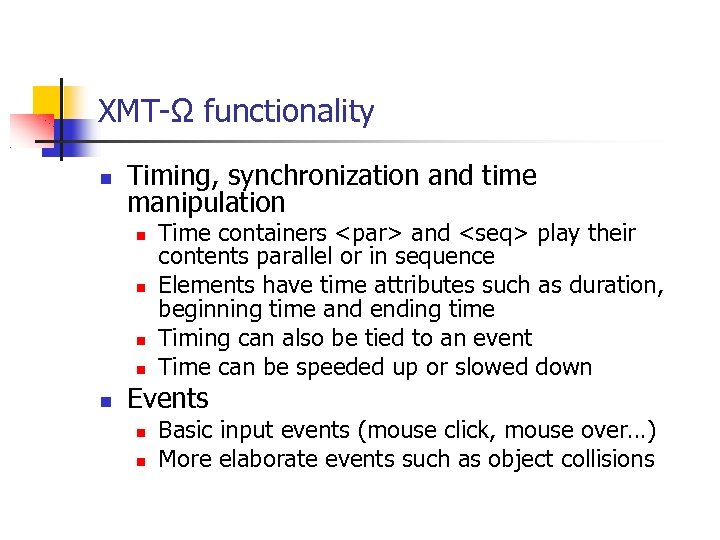
XMT-Ω functionality Timing, synchronization and time manipulation Time containers <par> and <seq> play their contents parallel or in sequence Elements have time attributes such as duration, beginning time and ending time Timing can also be tied to an event Time can be speeded up or slowed down Events Basic input events (mouse click, mouse over…) More elaborate events such as object collisions
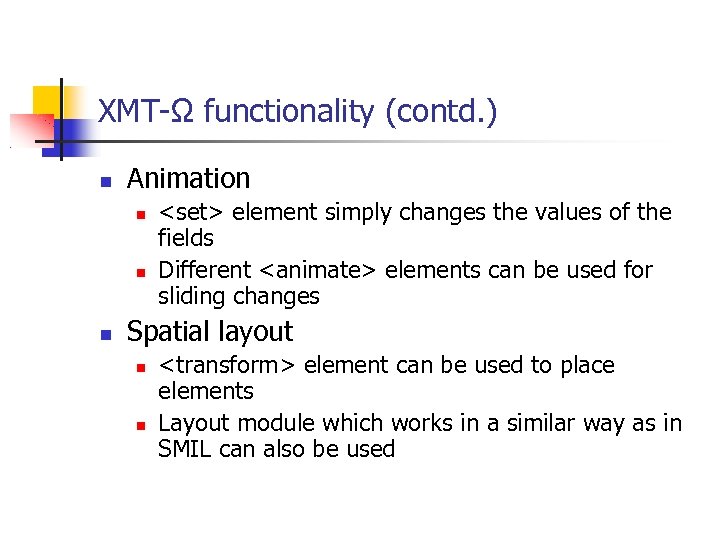
XMT-Ω functionality (contd. ) Animation <set> element simply changes the values of the fields Different <animate> elements can be used for sliding changes Spatial layout <transform> element can be used to place elements Layout module which works in a similar way as in SMIL can also be used
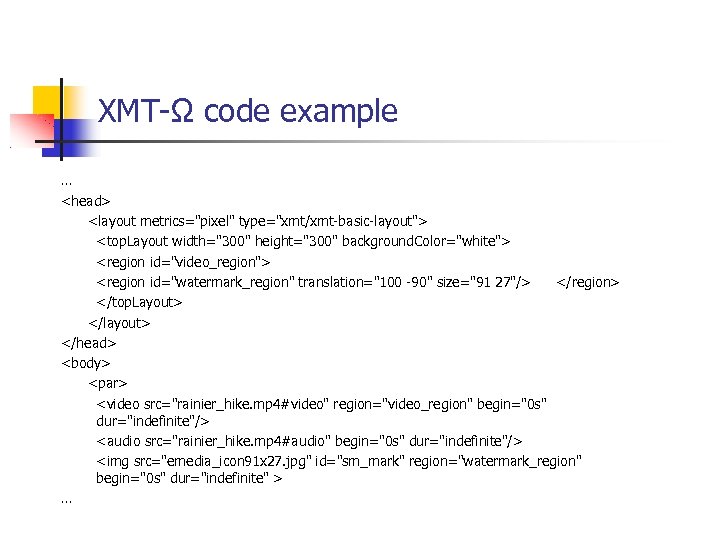
XMT-Ω code example … <head> <layout metrics="pixel" type="xmt/xmt-basic-layout"> <top. Layout width="300" height="300" background. Color="white"> <region id="video_region"> <region id="watermark_region" translation="100 -90" size="91 27"/> </region> </top. Layout> </layout> </head> <body> <par> <video src="rainier_hike. mp 4#video" region="video_region" begin="0 s" dur="indefinite"/> <audio src="rainier_hike. mp 4#audio" begin="0 s" dur="indefinite"/> <img src="emedia_icon 91 x 27. jpg" id="sm_mark" region="watermark_region" begin="0 s" dur="indefinite" > …
XMT-A More powerful low-level language A direct textual representation of MPEG-4 systems and BIFS XMT-Ω code can be mapped to XMT-A in several different ways
XMT-A and X 3 D XMT-A is based on X 3 D is an XML representation of VRML on which MPEG-4 systems is based on Therefore XMT-A and X 3 D are highly similar and interoperable with only small syntactic differences Object descriptor framework is unique to MPEG-4 and XMT-A
Some XMT-A elements Routes BIFS-Commands Bind the values of two fields together Insert, Delete, Replace Can be used on fields, nodes or routes Object descriptors Describe Elementary Streams that contain media such as video or audio
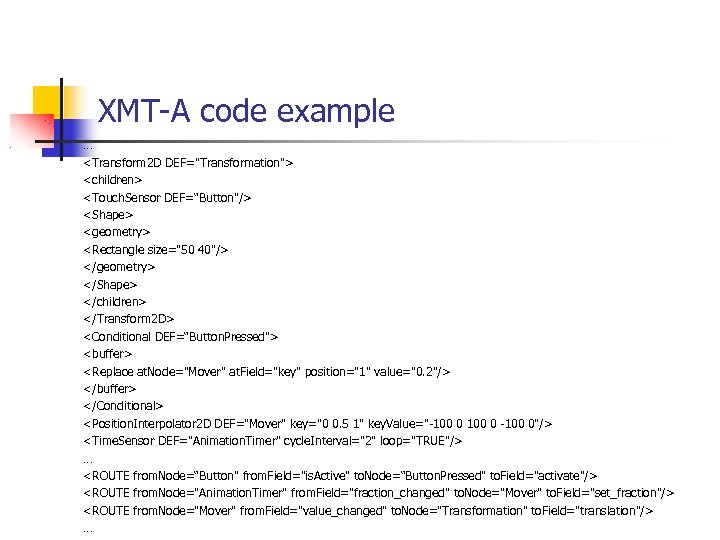
XMT-A code example … <Transform 2 D DEF="Transformation"> <children> <Touch. Sensor DEF=“Button"/> <Shape> <geometry> <Rectangle size="50 40"/> </geometry> </Shape> </children> </Transform 2 D> <Conditional DEF=“Button. Pressed"> <buffer> <Replace at. Node="Mover" at. Field="key" position="1" value="0. 2"/> </buffer> </Conditional> <Position. Interpolator 2 D DEF="Mover" key="0 0. 5 1" key. Value="-100 0"/> <Time. Sensor DEF="Animation. Timer" cycle. Interval="2" loop="TRUE"/> … <ROUTE from. Node=“Button" from. Field="is. Active" to. Node=“Button. Pressed" to. Field="activate"/> <ROUTE from. Node="Animation. Timer" from. Field="fraction_changed" to. Node="Mover" to. Field="set_fraction"/> <ROUTE from. Node="Mover" from. Field="value_changed" to. Node="Transformation" to. Field="translation"/> …
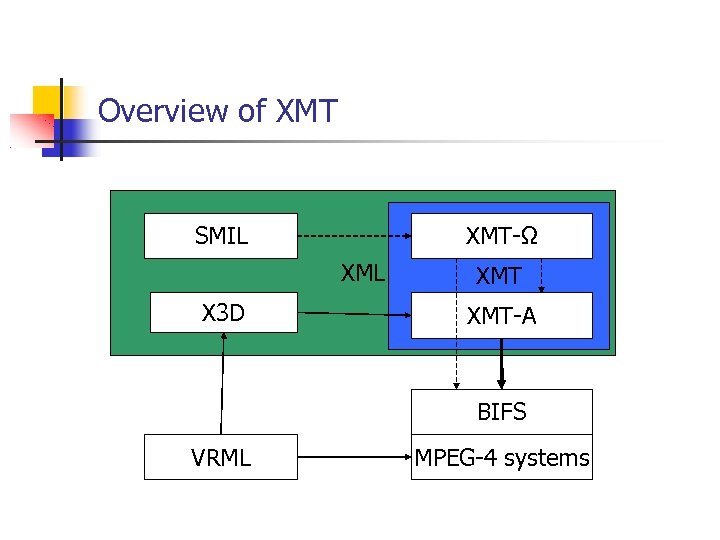
Overview of XMT-Ω SMIL XML X 3 D XMT-A BIFS VRML MPEG-4 systems
Node Types Shape nodes Geometry field – contains a geometry node, e. g. Rectangle, Circle, Box, Bitmap Appearance field – contains an Appearance node Interpolator nodes Conditional nodes Further expands the possibilities of interaction Script nodes, PROTO nodes, etc
Scene Changes BIFS – Commonds Sigle changes to the scence Packaged in AUs of the scene description ES BIFS-Commands are single changes to the scene, e. g. of color or position e. g. insert, delete, replace BIFS – Anim streams separate streams containing structured changes to a scene Framework, three elements Animation Mask Animation Frames Animation. Stream
MPEG 4 & MHEG 5 Basics, objects, BIFS (Zhenbo) XMT (Aleksi) Delivery (Mika) MHEG 5 (Marko)
MPEG-4 Delivery & misc Topics MPEG-4 content delivery MP 4 file format Interoperability: profiles & levels Video coding (if time allows)
MPEG-4 Content Delivery - Storing and Transporting of MPEG-4 compositions MPEG-4 content must be delivered to many and very different audiences Interworking with current delivery mechanisms Internet (MPEG-4 over IP) Broadcasting (MPEG-4 over MPEG-2 Transport & Program Stream) Abstraction of content delivery in MPEG-4 part Delivery Multimedia Integration Framework MPEG-4 File Format based on Apple’s Quicktime design
Delivery Multimedia Integration Framework, DMIF OSI session layer service providing a mechanism for hiding technology details from upper layer applications DMIF concepts Users (applications) Sessions (presentation level) Channels (stream level) DMIF instance – implementation of delivery layer Basically different MPEG-4 Elementary Streams (ES) are multiplexed with timing information to the delivery network Stack ideology with multiple layers
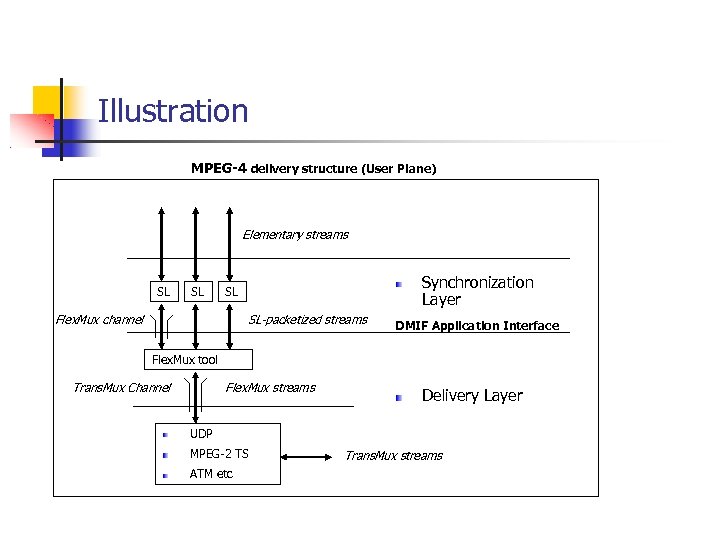
Illustration MPEG-4 delivery structure (User Plane) Elementary streams SL SL Synchronization Layer SL Flex. Mux channel SL-packetized streams DMIF Application Interface Flex. Mux tool Trans. Mux Channel Flex. Mux streams Delivery Layer UDP MPEG-2 TS ATM etc Trans. Mux streams
DMIF functionality In principle works like FTP Application opens session Decides which ES need to be transported (or saved) Creates channels for the streams Channels carry also instructions for interactivity (play, pause, stop) Quality of Service parameters can be assigned to the delivery channels and monitored, although advanced Qo. S handling is not included in the standard
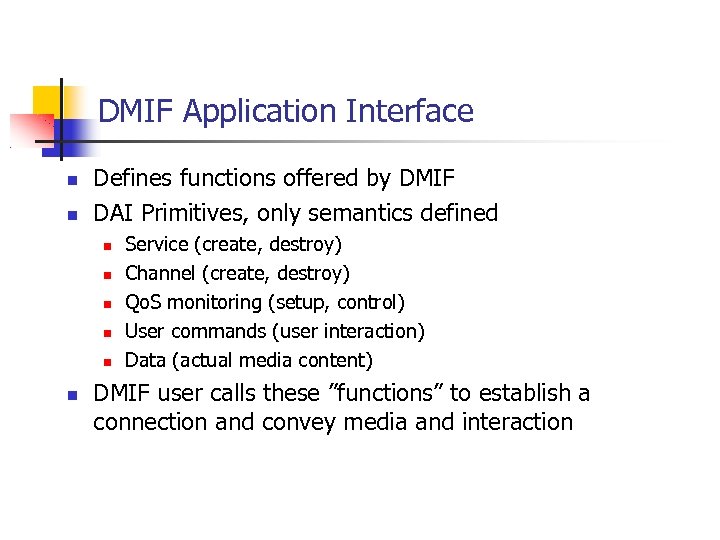
DMIF Application Interface Defines functions offered by DMIF DAI Primitives, only semantics defined Service (create, destroy) Channel (create, destroy) Qo. S monitoring (setup, control) User commands (user interaction) Data (actual media content) DMIF user calls these ”functions” to establish a connection and convey media and interaction
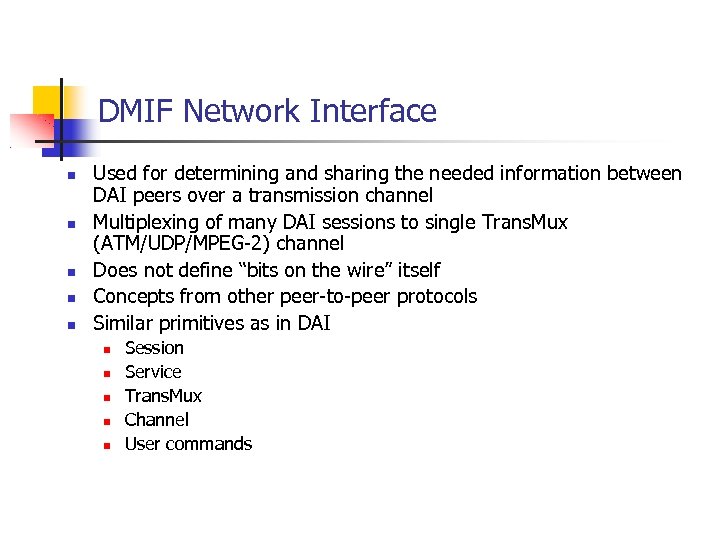
DMIF Network Interface Used for determining and sharing the needed information between DAI peers over a transmission channel Multiplexing of many DAI sessions to single Trans. Mux (ATM/UDP/MPEG-2) channel Does not define “bits on the wire” itself Concepts from other peer-to-peer protocols Similar primitives as in DAI Session Service Trans. Mux Channel User commands
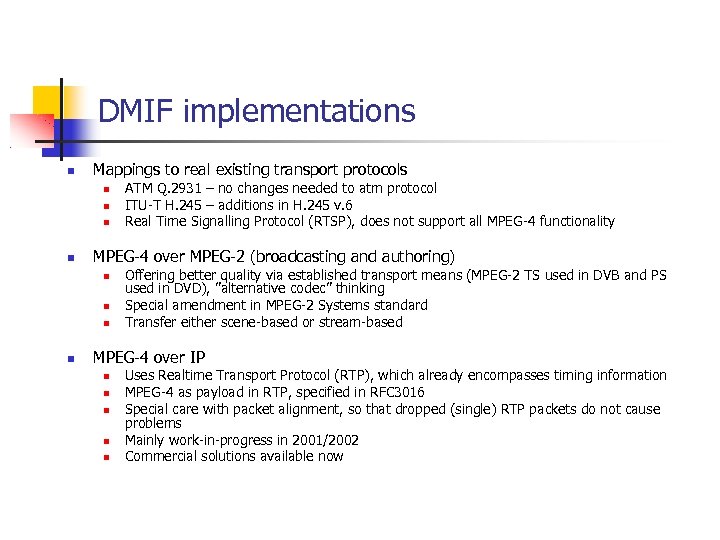
DMIF implementations Mappings to real existing transport protocols MPEG-4 over MPEG-2 (broadcasting and authoring) ATM Q. 2931 – no changes needed to atm protocol ITU-T H. 245 – additions in H. 245 v. 6 Real Time Signalling Protocol (RTSP), does not support all MPEG-4 functionality Offering better quality via established transport means (MPEG-2 TS used in DVB and PS used in DVD), ”alternative codec” thinking Special amendment in MPEG-2 Systems standard Transfer either scene-based or stream-based MPEG-4 over IP Uses Realtime Transport Protocol (RTP), which already encompasses timing information MPEG-4 as payload in RTP, specified in RFC 3016 Special care with packet alignment, so that dropped (single) RTP packets do not cause problems Mainly work-in-progress in 2001/2002 Commercial solutions available now
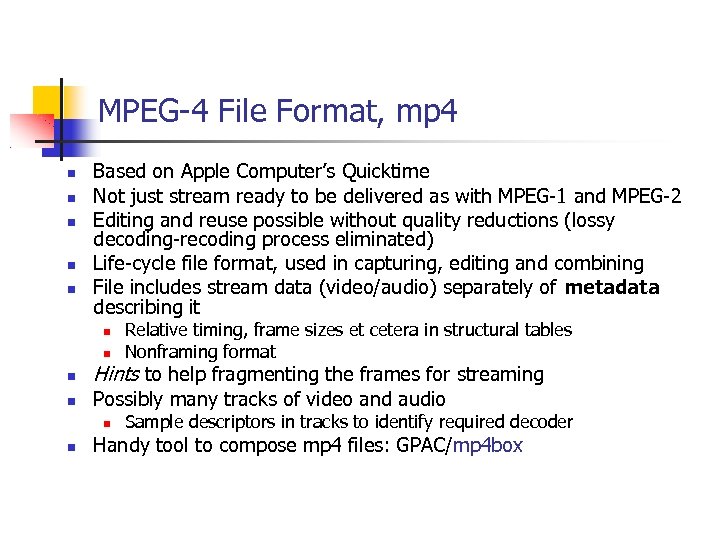
MPEG-4 File Format, mp 4 Based on Apple Computer’s Quicktime Not just stream ready to be delivered as with MPEG-1 and MPEG-2 Editing and reuse possible without quality reductions (lossy decoding-recoding process eliminated) Life-cycle file format, used in capturing, editing and combining File includes stream data (video/audio) separately of metadata describing it Hints to help fragmenting the frames for streaming Possibly many tracks of video and audio Relative timing, frame sizes et cetera in structural tables Nonframing format Sample descriptors in tracks to identify required decoder Handy tool to compose mp 4 files: GPAC/mp 4 box
MPEG-4 Profiles 1/2 Ideas Ensuring interoperability – allow manufacturers to only use subset of available tools Conformance to the standard testable Profiles available for video, audio, graphics, scene description, mpeg-java, object descriptor Levels defined within each profile for further discrete parameter limitations (bitrates etc) Restrictions Encoder: bitstream complexity not exceeded at defined profile@level Decoder: able to handle most complex bitstream at certain profile@level
MPEG-4 Profiles 2/2 Object based approach How many objects must be decoded simultaneously at a given time greatly affects decoder’s required performance Audio / Video profiles List of allowed techniques and object types Graphics profiles Allowed BIFS nodes (’tags’ in XMT realization) Advanced Simple (video) profile: I-VOP, P-VOP, B-VOP, GMC, QPEL, up to 8 Mbit/s @ level 5 Simple 2 D profile: Appearance, Bitmap, Shape Development New technologies introduced in new profiles, old ones unchanged interoperability Only new profiles/levels if they provide major changes
MPEG-4 Video Coding Main goal to provide superb quality and innovative video compression techniques that produce content requiring less storage space Old coding and compression techniques such as MPEG-2 only use rectangular frame models Handled in MPEG-4 Visual standard Arbitrarily shaped objects Wide range of bitrates (handhelds vs studio) Spatial, temporal and quality scalability Error-prone transmission abilities Only decoder and bitstreams specified, encoders left to industry Profiles and Levels defined to limit implementation difficulties, ”use what you need” mentality Both video and still images (textures)
Video shapes MPEG-4 video scenes compose of Visual Objects (VO), which are sequences of Video Object Planes (VOP), can be thought of as frames For each VOP an alpha plane is also defined, making possible to have transparent parts of the video and therefore arbitrary shapes to be coded Each object has a bounding box that includes the object Bounding boxes consist of macroblocks (16 x 16 pixels) Macroblocks can be either transparent, opaque or border type Opaque blocks coded with hybrid DCT/motion compensation techniques like in MPEG-2
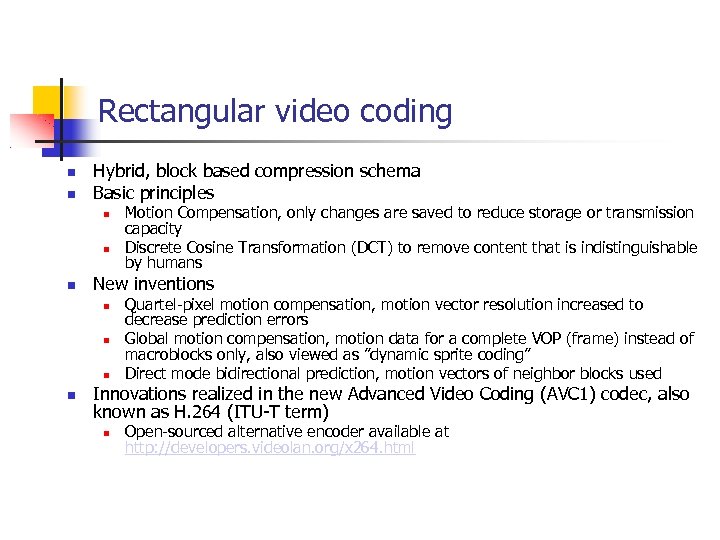
Rectangular video coding Hybrid, block based compression schema Basic principles New inventions Motion Compensation, only changes are saved to reduce storage or transmission capacity Discrete Cosine Transformation (DCT) to remove content that is indistinguishable by humans Quartel-pixel motion compensation, motion vector resolution increased to decrease prediction errors Global motion compensation, motion data for a complete VOP (frame) instead of macroblocks only, also viewed as ”dynamic sprite coding” Direct mode bidirectional prediction, motion vectors of neighbor blocks used Innovations realized in the new Advanced Video Coding (AVC 1) codec, also known as H. 264 (ITU-T term) Open-sourced alternative encoder available at http: //developers. videolan. org/x 264. html
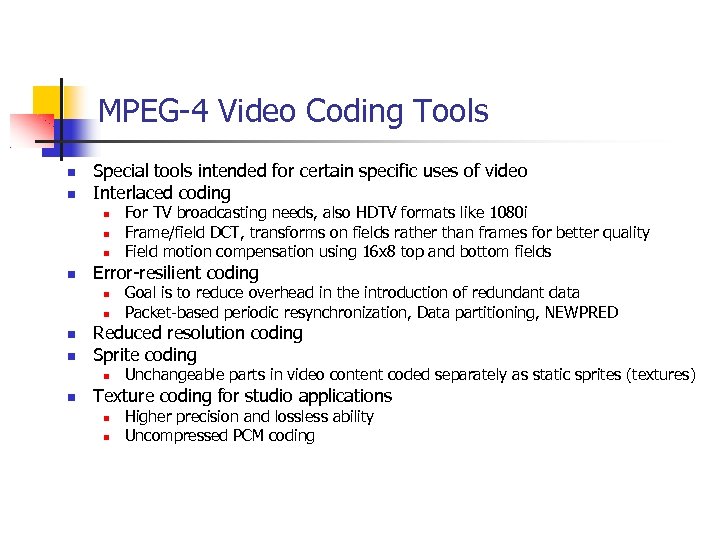
MPEG-4 Video Coding Tools Special tools intended for certain specific uses of video Interlaced coding Error-resilient coding Goal is to reduce overhead in the introduction of redundant data Packet-based periodic resynchronization, Data partitioning, NEWPRED Reduced resolution coding Sprite coding For TV broadcasting needs, also HDTV formats like 1080 i Frame/field DCT, transforms on fields rather than frames for better quality Field motion compensation using 16 x 8 top and bottom fields Unchangeable parts in video content coded separately as static sprites (textures) Texture coding for studio applications Higher precision and lossless ability Uncompressed PCM coding
MPEG 4 & MHEG 5 Basics, objects, BIFS (Zhenbo) XMT (Aleksi) Delivery (Mika) MHEG 5 (Marko)
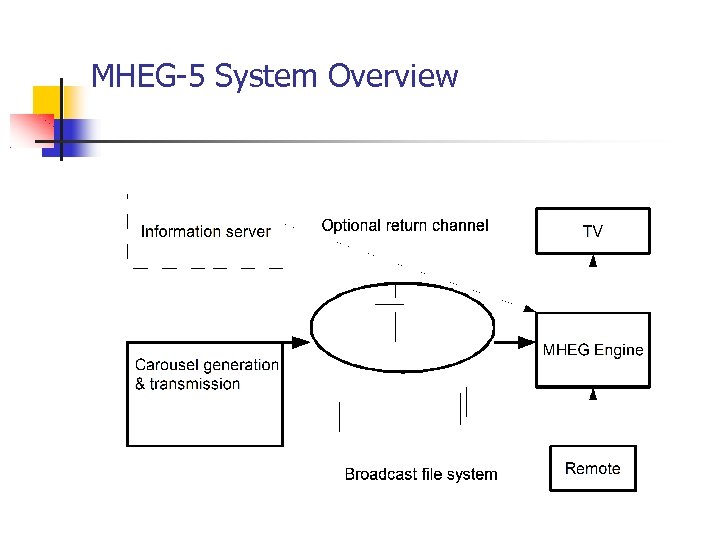
4 th Part Digital Terrestrial Television MHEG-5 Specification Multimedia and Hypermedia information coding Experts Group MHEG-5 DTT UK Object model of multimedia presentation Audio, video, text and graphics Broadcasting applications and their data into TV networks. Optional return channel
MHEG-5 Engine profile Based on ISO/IEC 13522 -5 Defines set of classes that profile must implement Some features modified, some added, some optional/removed Examples : Variable, Slider, Video Features : Caching, Cloning, Video scaling and Stacking of Applications
The User Experience Visual Appearances Conventional TV TV with Visual prompt of available information TV with information overlaid Information with video or picture inset Just information
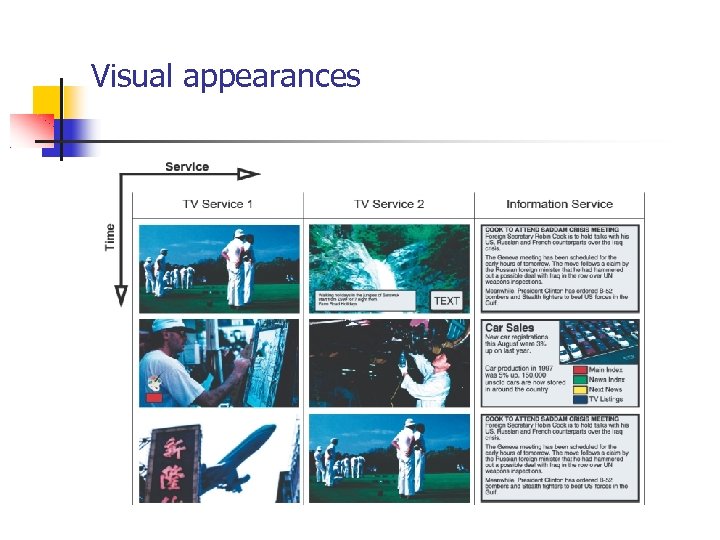
Visual appearances
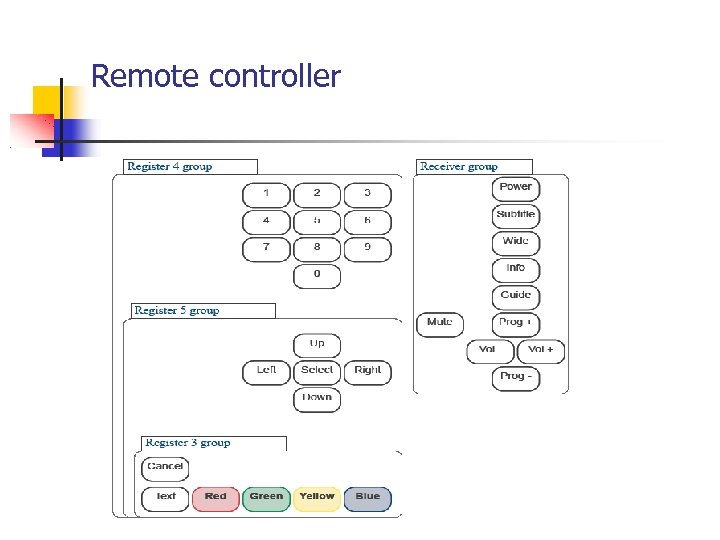
Remote controller
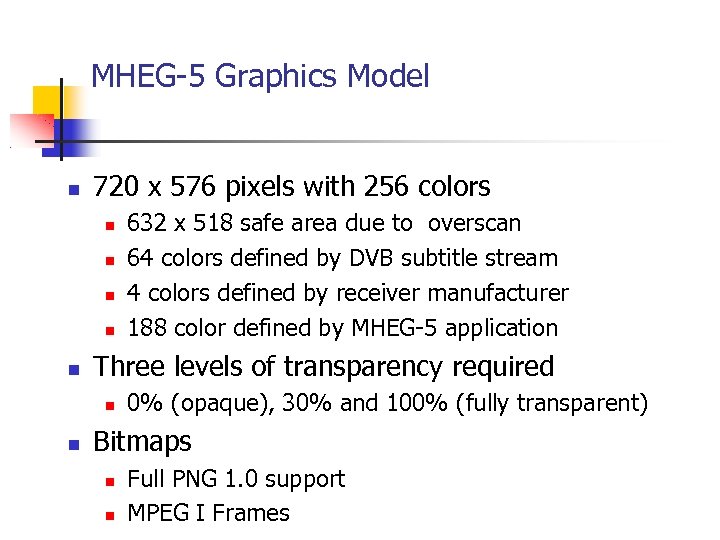
MHEG-5 Graphics Model 720 x 576 pixels with 256 colors Three levels of transparency required 632 x 518 safe area due to overscan 64 colors defined by DVB subtitle stream 4 colors defined by receiver manufacturer 188 color defined by MHEG-5 application 0% (opaque), 30% and 100% (fully transparent) Bitmaps Full PNG 1. 0 support MPEG I Frames
Text and Interactibles Character encoding standards : ISO 10646 -1 and UTF-8 Supported set of characters is defined Triserias (DTG/RNIB) font must be supported Current profile doesn't support font downloading
Interactibles Entry. Field Hyper. Text Input of text and numbers Links in text Slider Adjusting value
Application life-cycle Only one application running at time Application may launch other application Auto-boot application Original application is destroyed in the process Launched when service is selected or when other applications have quit Applications are loaded from DSM-CC Object carousel
MHEG-5 System Overview
MHEG-5 Summary Offers lower cost interactive TV than MHP Low hardware requirements Coexistence and migration to MHP possible
Applications Digital Teletext Program guides Interactive advertising Educational Games
References F. Pereira and T. Ebrahimi. The MPEG-4 Book. Prentice Hall, Upper Saddle River (NJ), 2002. Digital TV Group (DTG). Digital terrestrial television MHEG-5 specification. v 1. 06, May 2003. D. Cuttis, Strategy & Technology Ltd. Solutions for Interactive Digital Broadcasting using MHEG-5. V 1. 0, September 2003.
Скачать презентацию MPEG-4 MHEG-5 UK Aleksi Lindblad Mika Linnanoja
9642c1a6052fe94b8ec7890731533b26.ppt