


 Скачать презентацию MPEG 4 Internet Camera Account Manager Alex Liao
7fbb12e5d361ad905f5699dc8ff511ce.ppt
- Количество слайдов: 37
 MPEG 4 Internet Camera Account Manager Alex Liao November 9, 2005
 Topics • Network Camera Introduction – Module Briefs – Functionality • Field Applications – System Integration – Successful Stories • Terminology – Networking – Compression Technology • FAQ • 3 GPP IP camera
 Module Briefs • • Image Sensor Lens Microphone Compression Engine Network Interface Built-in Application Peripheral Support Client Decoder
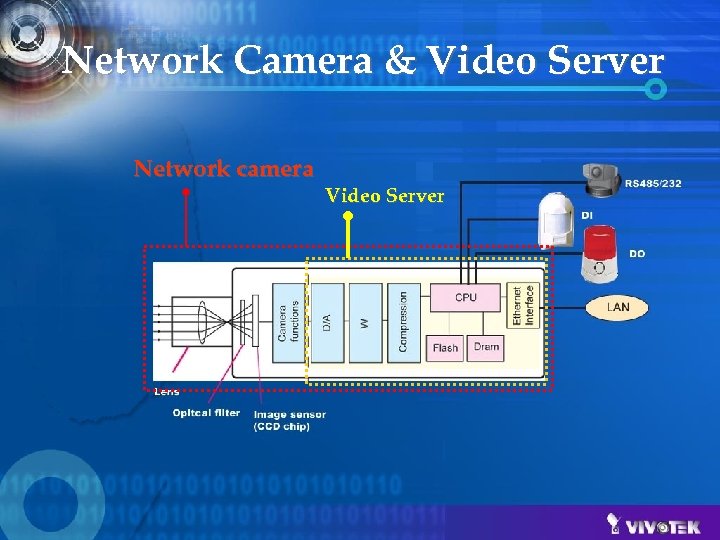 Network Camera & Video Server Network camera Video Server
 Video • Image Sensor • Lens • Codec Types: – MJPEG – MPEG-4 Simple Profile – MPEG-4 Advanced Simple Profile – H. 264 • Resolution – CMOS: XGA/SVGA/QVGA – CCD: NTSC/PAL, Low-res. /Hi-res. , SIF/CIF – TV: NTSC/PAL/SECAM, SIF/CIF/D 1
 Audio • Codec types: – proprietary, – Speech: G. 7 xx, GSM-AMR – Audio: AAC, MP 3 • Proprietary to save audio codec royalty • Sample rate v. s. Data bit rate • Frequency response (microphone) • Transmission Mode – Full-duplex (Talk and Listen simultaneously) – Half-duplex (Talk or Listen, not at the same time) – Simplex – Talk only – Simplex – Listen only
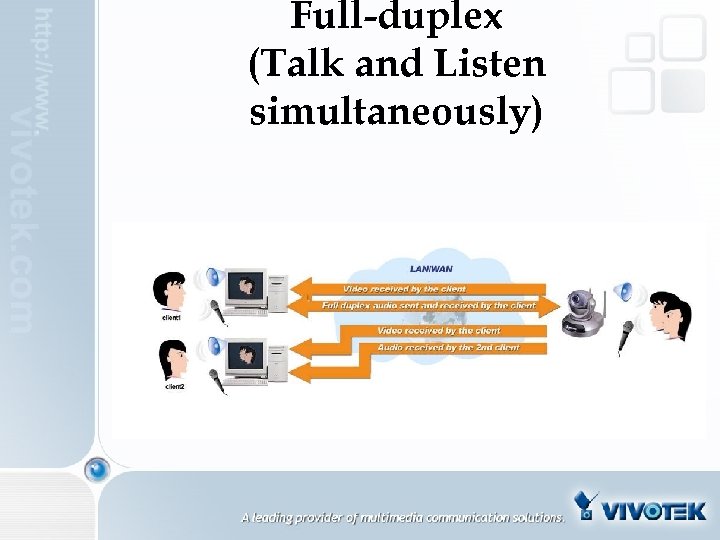 Full-duplex (Talk and Listen simultaneously)
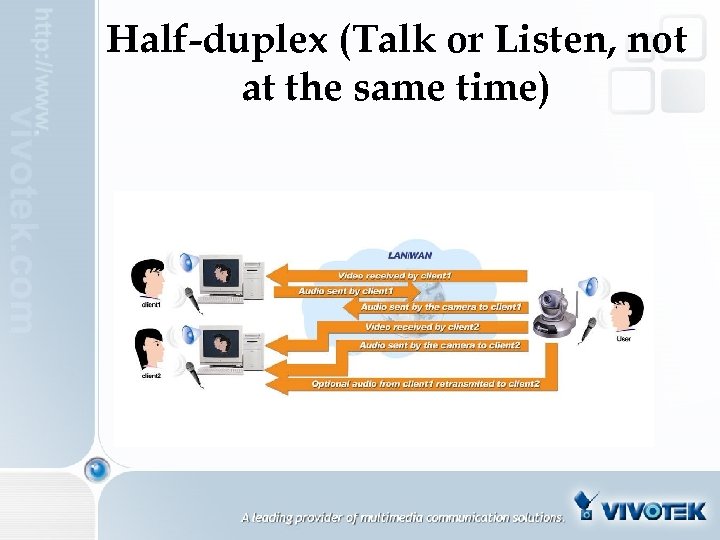 Half-duplex (Talk or Listen, not at the same time)
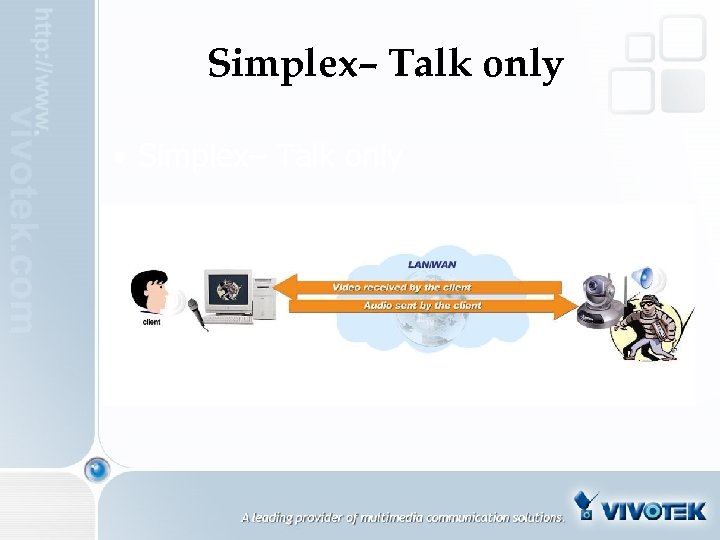 Simplex– Talk only • Simplex– Talk only
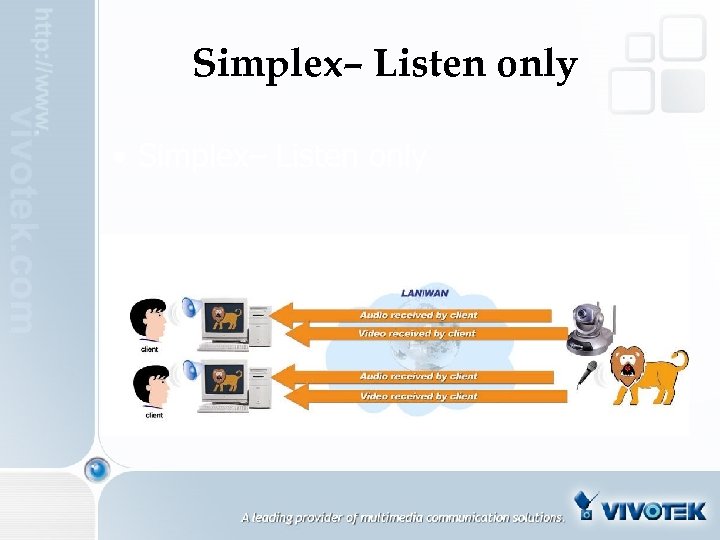 Simplex– Listen only • Simplex– Listen only
 Network • • Ethernet/WLAN Web/FTP/RTSP Service PPPo. E/NTP/DDNS/UPn. P/FTP/SMTP Connection over UDP/TCP/HTTP
 Connection Types • Configuration at the client side • Plug-in to write system registry • Auto selection • HTTP Mode – Control channel and multimedia streaming channel • UDP Mode – Video channel and audio channel but control channel over TCP • Optimal synchronization of audio and video
 How to Use Optimize for diverse network ØApplication categories Media broadcasting Security Web attraction ØFlexible parameters Frame rate Fixed bandwidth Fixed quality
 Advanced ØComplete URL list for every function and parameter ØContent source for powerful web server ØJPEG applications ØSDK support for ADP
 Maintenance ØSelf diagnosis ØHeartbeat ØWatchdog ØReset ØRestore factory default ØUpgrade firmware Upgrade wizard FTP method
 Security • • Password Protection Private Server Port IP Filtering SSL
 Application Guide
 Categories Ethernet LAN NAT Network application Video broadcasting (not real-time) Multimedia broadcasting (real-time)
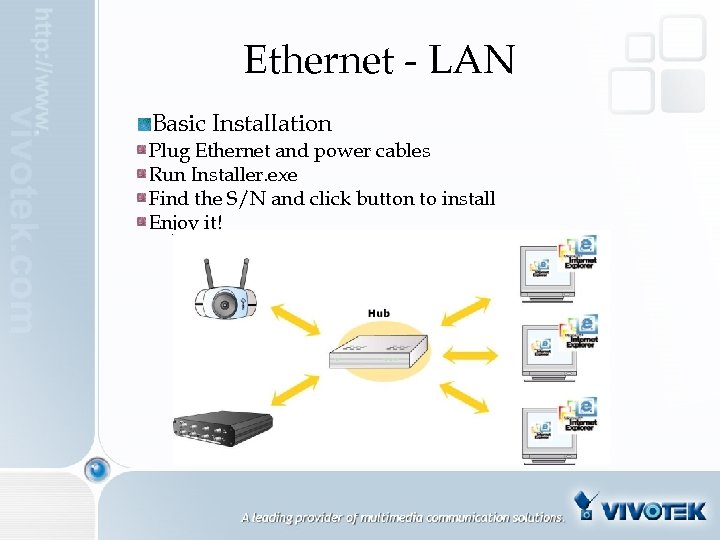 Ethernet - LAN Basic Installation Plug Ethernet and power cables Run Installer. exe Find the S/N and click button to install Enjoy it!
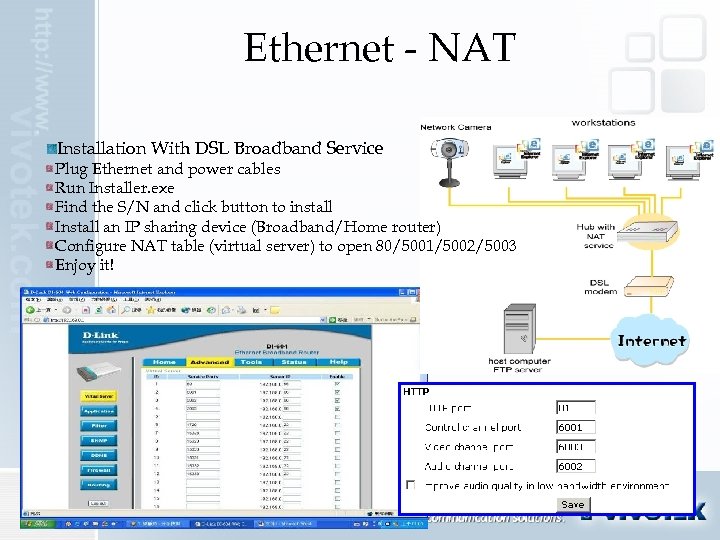 Ethernet - NAT Installation With DSL Broadband Service Plug Ethernet and power cables Run Installer. exe Find the S/N and click button to install Install an IP sharing device (Broadband/Home router) Configure NAT table (virtual server) to open 80/5001/5002/5003 Enjoy it!
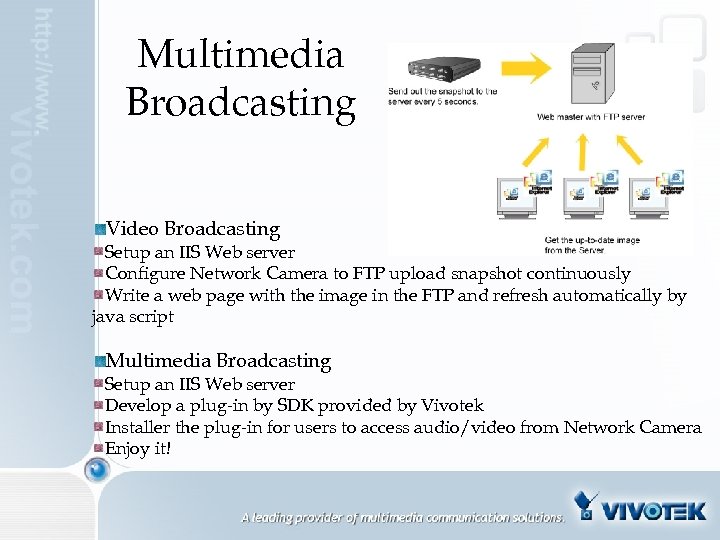 Multimedia Broadcasting Video Broadcasting Setup an IIS Web server Configure Network Camera to FTP upload snapshot continuously Write a web page with the image in the FTP and refresh automatically by java script Multimedia Broadcasting Setup an IIS Web server Develop a plug-in by SDK provided by Vivotek Installer the plug-in for users to access audio/video from Network Camera Enjoy it!
 IP surveillance
 Monitor Program Ø 16 channels real-time monitoring Ø 16 channels real-time recording ØHigh compression ratio(1/10 of JPEG size ØOptimal full screen ØMultiple screen layouts ØRemote digital output control and input indication ØFlexible schedule ØSingle button recording ØEvent trigger ØIndependent profile for each channel ØHard disk reservation ØLoopback recording ØRemote backup
 Playback Program ØZero waiting searching ØEvent searching ØTime searching ØSearching on click ØNine preview windows ØEvent indication in any period ØEasy magnification ØAVI output ØEncrypted database
 Launcher Program ØA small resident program for background service ØProgram manager to launch Monitor or Playback ØKeep checking the schedule and event ØAuto resume recording from Windows starts up
 Built-in Applications • • • Motion Detection Weekly Schedule Event Alerting Web broadcasting Sensor and Alarm Control
 Seven Advantages üEasy installation üReal-time synchronized audio and video üHigh performance MPEG 4 codec üFlexible configuration for various bandwidth üBuilt-in security application üAdvanced motion detection üBundled high end recording software » Best performance over cost
 Field Applications • • • Surveillance Security Industrial Control Web Attraction Content broadcasting
 Surveillance • Components: – IP camera(s) + Surveillance S/W + Computer (+ Feed Server) (+ Mobile Phone) • Setup: – DIY/System Integrator/Service Provider • Customers: – Home users, Pet owners, Business head, Police officers,
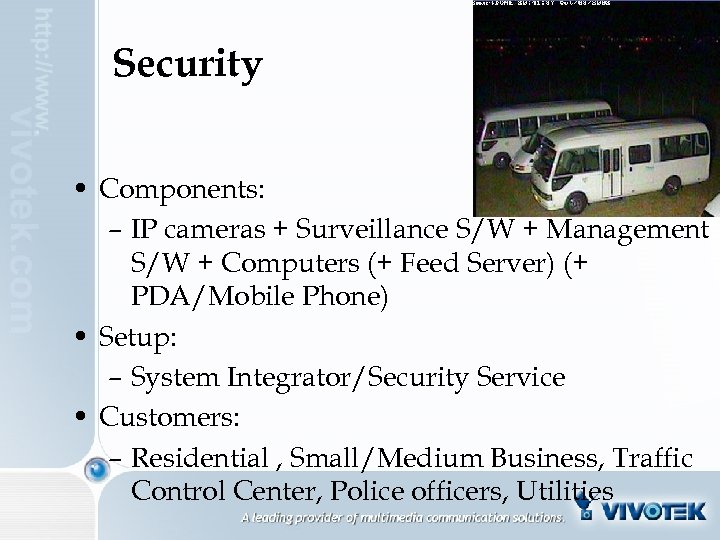 Security • Components: – IP cameras + Surveillance S/W + Management S/W + Computers (+ Feed Server) (+ PDA/Mobile Phone) • Setup: – System Integrator/Security Service • Customers: – Residential , Small/Medium Business, Traffic Control Center, Police officers, Utilities
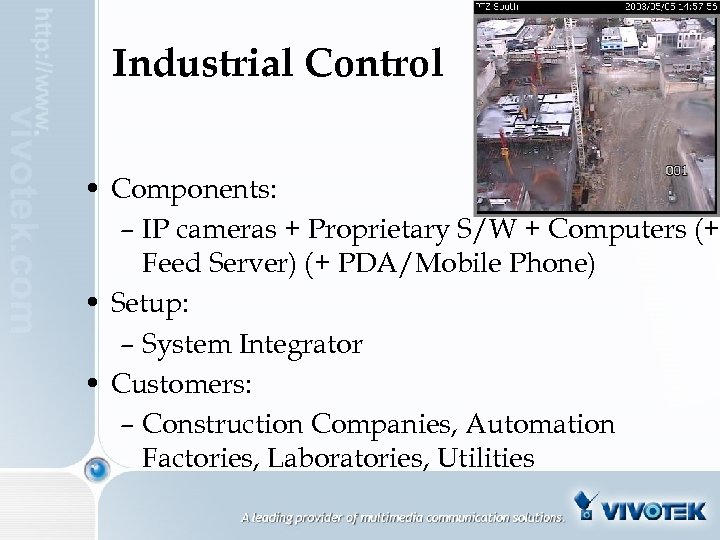 Industrial Control • Components: – IP cameras + Proprietary S/W + Computers (+ Feed Server) (+ PDA/Mobile Phone) • Setup: – System Integrator • Customers: – Construction Companies, Automation Factories, Laboratories, Utilities
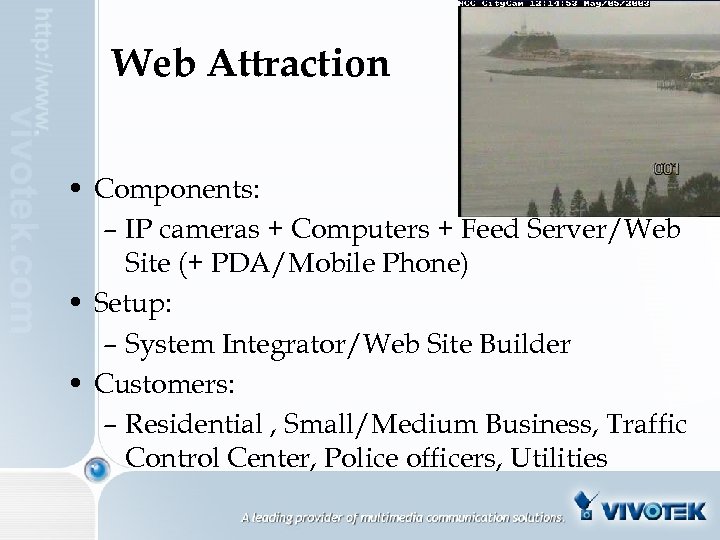 Web Attraction • Components: – IP cameras + Computers + Feed Server/Web Site (+ PDA/Mobile Phone) • Setup: – System Integrator/Web Site Builder • Customers: – Residential , Small/Medium Business, Traffic Control Center, Police officers, Utilities
 Terminology • • Networking Image Compression Networking
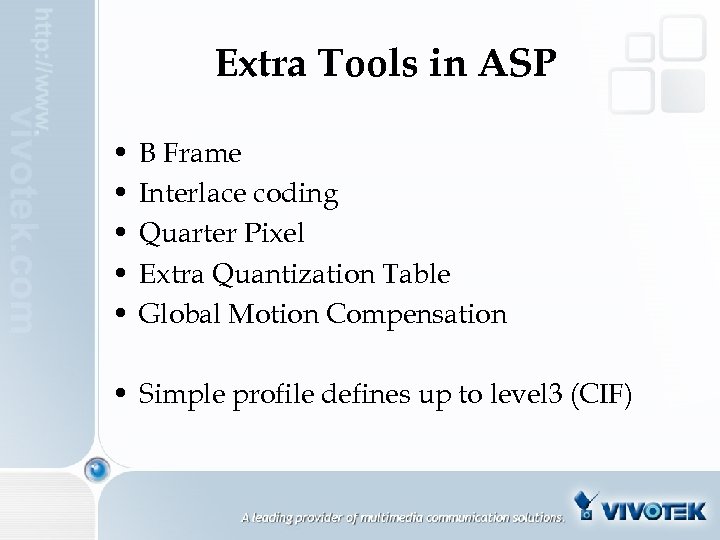 Extra Tools in ASP • • • B Frame Interlace coding Quarter Pixel Extra Quantization Table Global Motion Compensation • Simple profile defines up to level 3 (CIF)
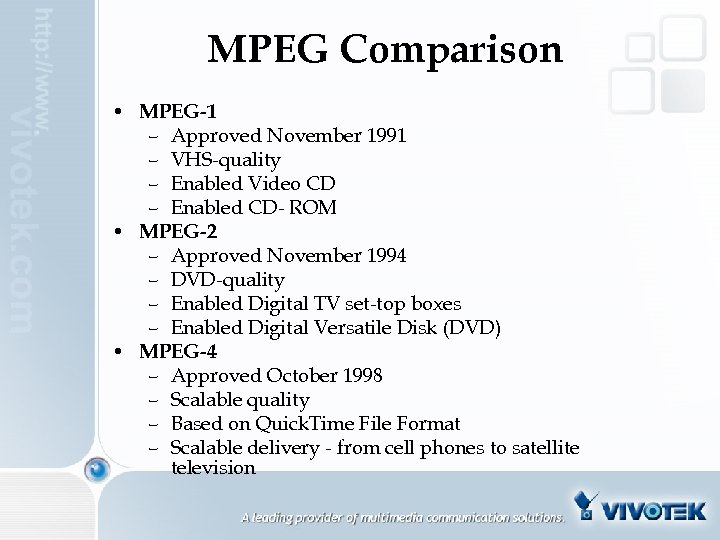 MPEG Comparison • MPEG-1 – Approved November 1991 – VHS-quality – Enabled Video CD – Enabled CD- ROM • MPEG-2 – Approved November 1994 – DVD-quality – Enabled Digital TV set-top boxes – Enabled Digital Versatile Disk (DVD) • MPEG-4 – Approved October 1998 – Scalable quality – Based on Quick. Time File Format – Scalable delivery - from cell phones to satellite television
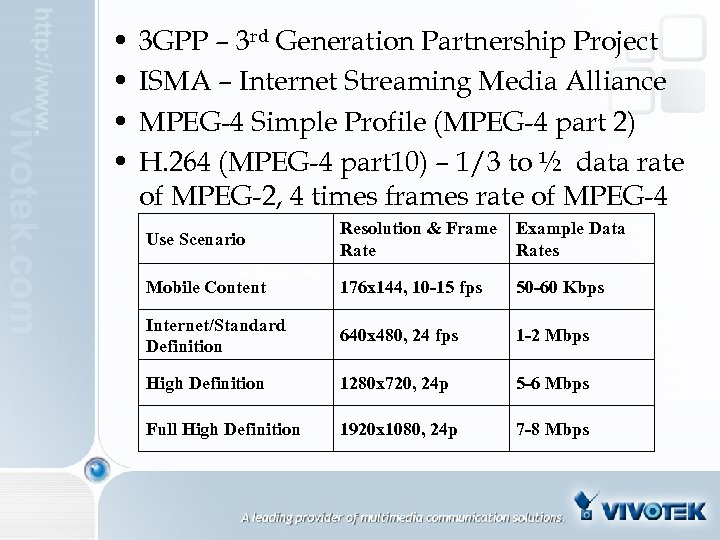 • • 3 GPP – 3 rd Generation Partnership Project ISMA – Internet Streaming Media Alliance MPEG-4 Simple Profile (MPEG-4 part 2) H. 264 (MPEG-4 part 10) – 1/3 to ½ data rate of MPEG-2, 4 times frames rate of MPEG-4 Resolution & Frame Rate Example Data Rates Mobile Content 176 x 144, 10 -15 fps 50 -60 Kbps Internet/Standard Definition 640 x 480, 24 fps 1 -2 Mbps High Definition 1280 x 720, 24 p 5 -6 Mbps Full High Definition 1920 x 1080, 24 p 7 -8 Mbps Use Scenario No Wait for HD
 Thank you for your attention For further information please visit our website: www. vivotek. com