 Скачать презентацию Mongo Database Intermediate Database Systems CSCI-3343 Dr Tom
be1bd9a12a92e534527d382944a8506c.ppt
- Количество слайдов: 148



Mongo Database (Intermediate) Database Systems CSCI-3343 Dr. Tom Hicks Computer Science Department 1

Execute Each & Every Query As We Go! 2
Create Backup Directory 3
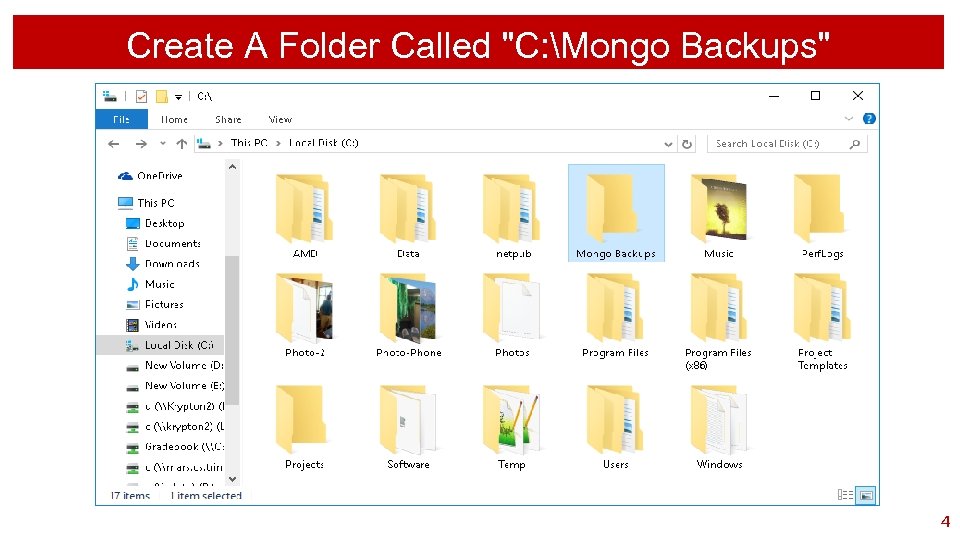
Create A Folder Called "C: Mongo Backups" 4
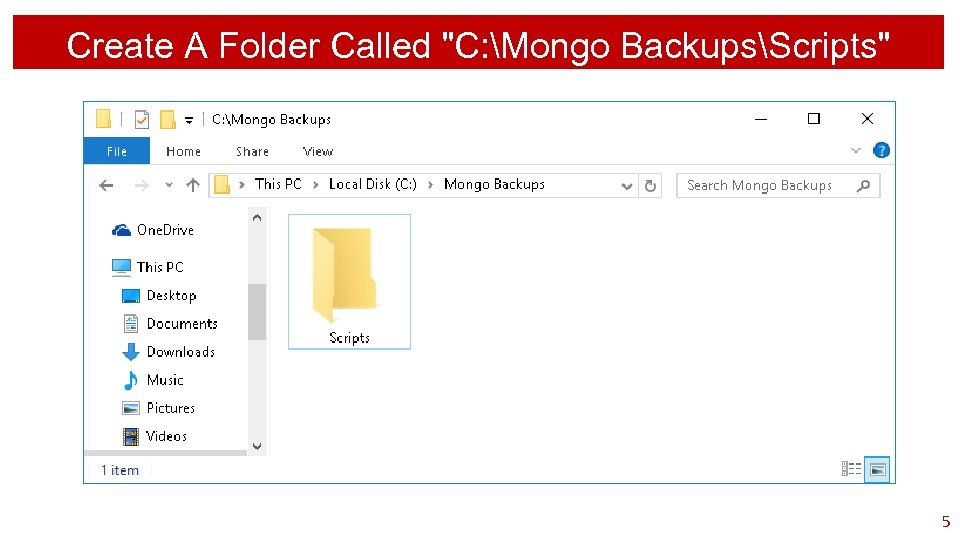
Create A Folder Called "C: Mongo BackupsScripts" 5
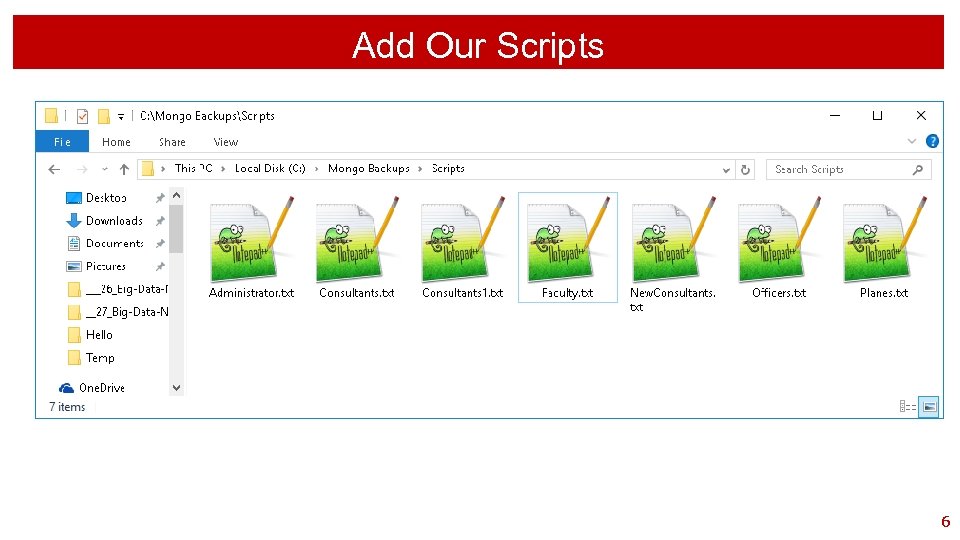
Add Our Scripts 6
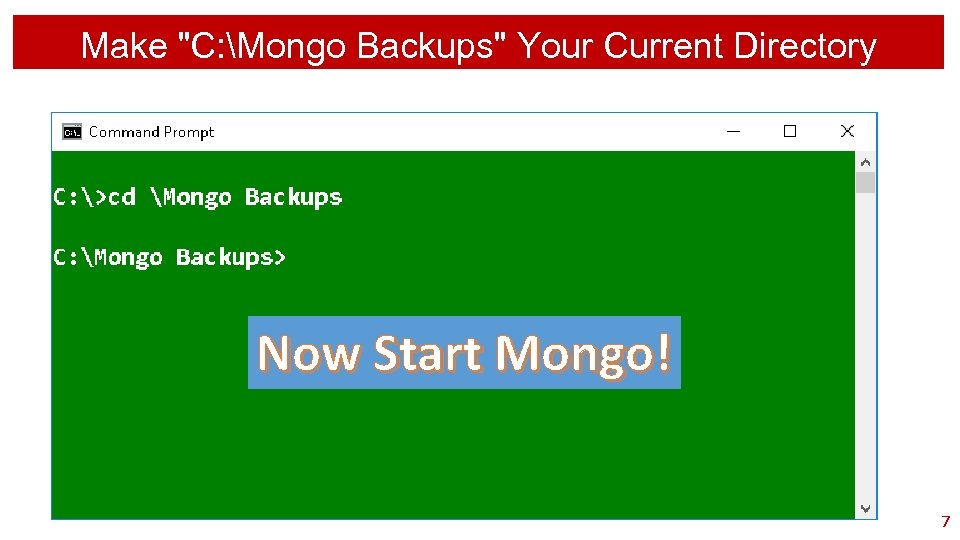
Make "C: Mongo Backups" Your Current Directory Now Start Mongo! 7

Lots Of Review 8

Execute Each & Every Query As We Go! 9
List Databases 10
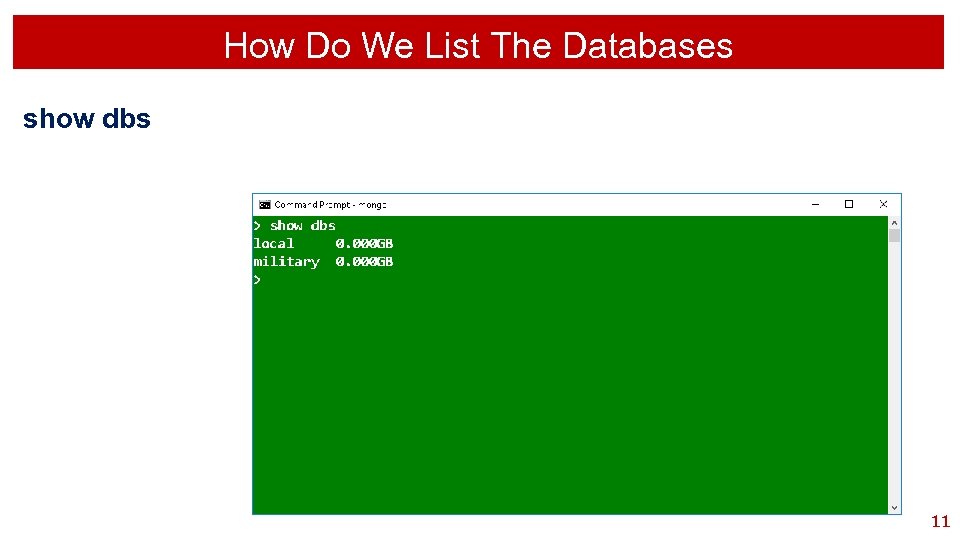
How Do We List The Databases show dbs 11
Set The Default Database 12
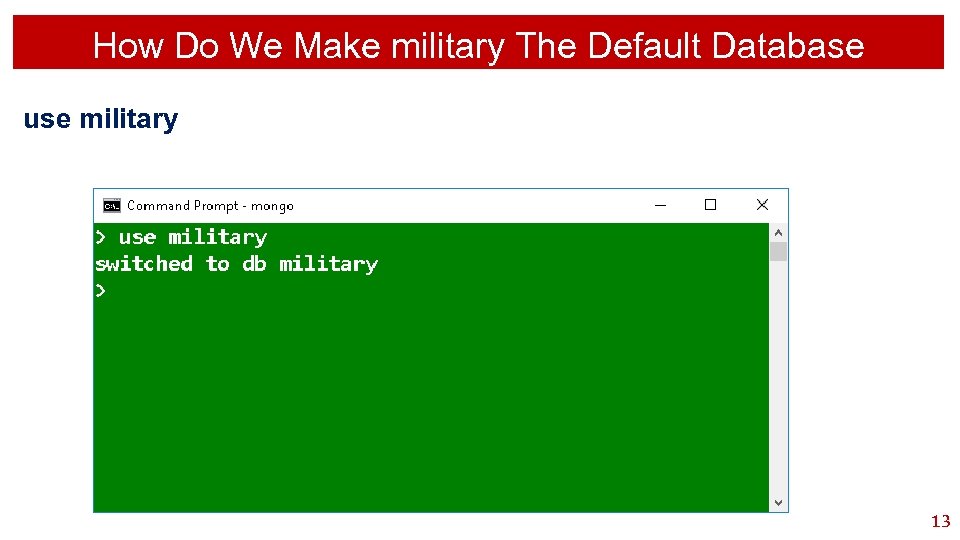
How Do We Make military The Default Database use military 13
Mongo Terminology 14
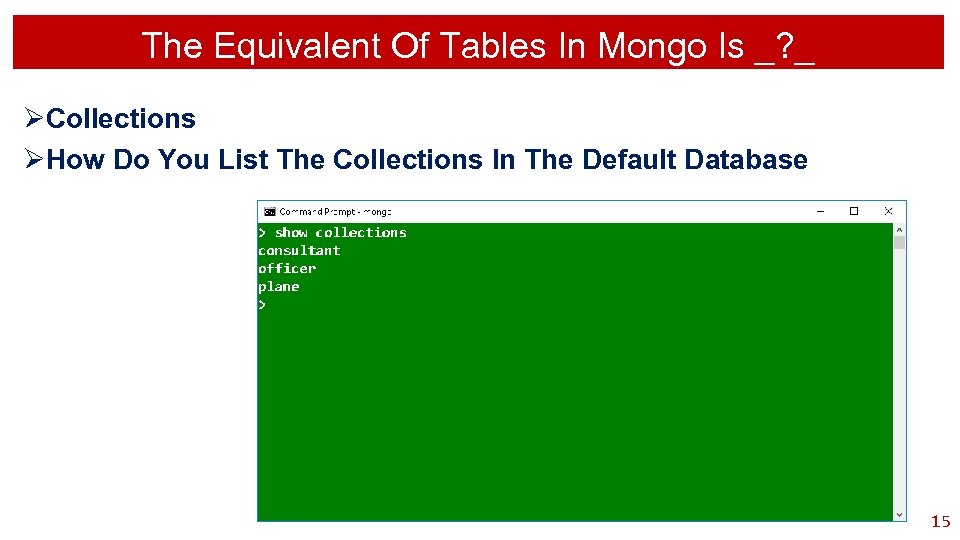
The Equivalent Of Tables In Mongo Is _? _ ØCollections ØHow Do You List The Collections In The Default Database 15
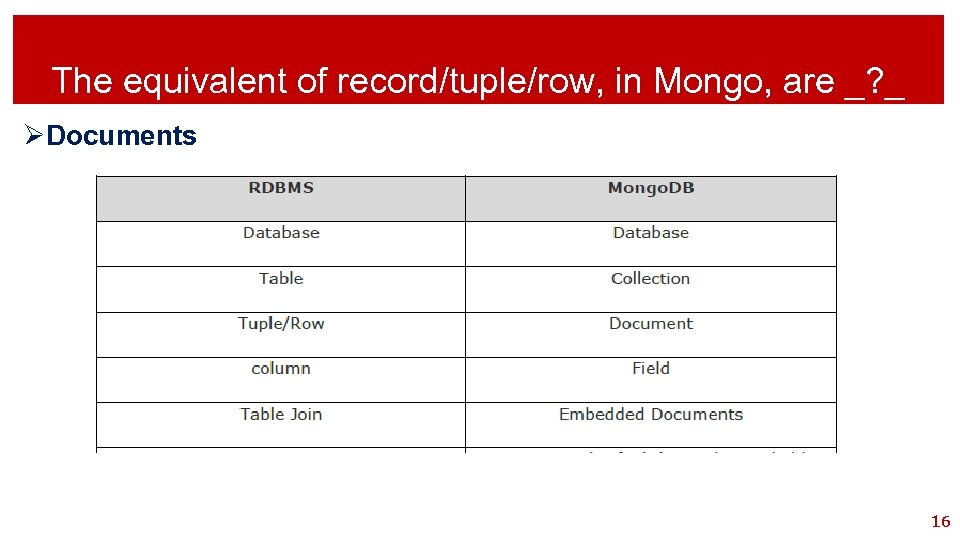
The equivalent of record/tuple/row, in Mongo, are _? _ ØDocuments 16
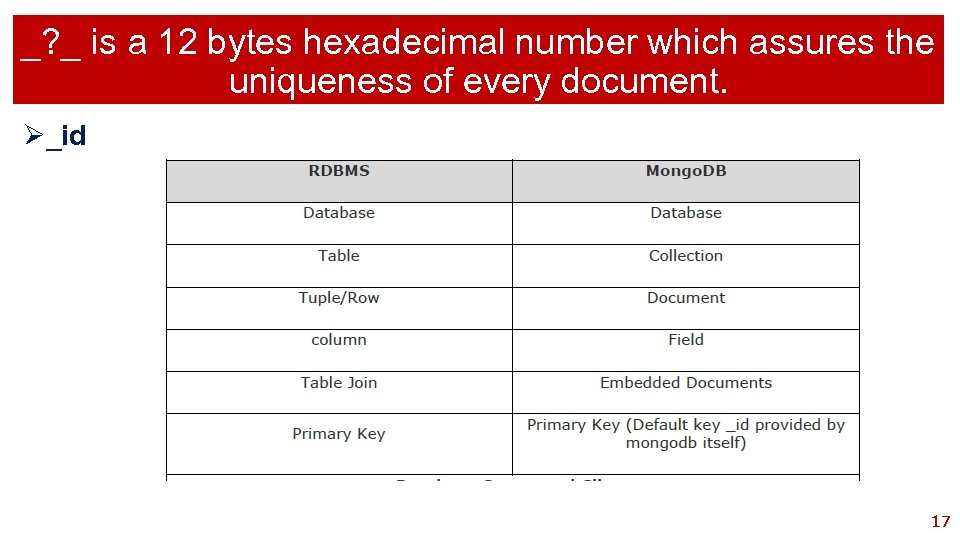
_? _ is a 12 bytes hexadecimal number which assures the uniqueness of every document. Ø_id 17
Mongo Searching 18
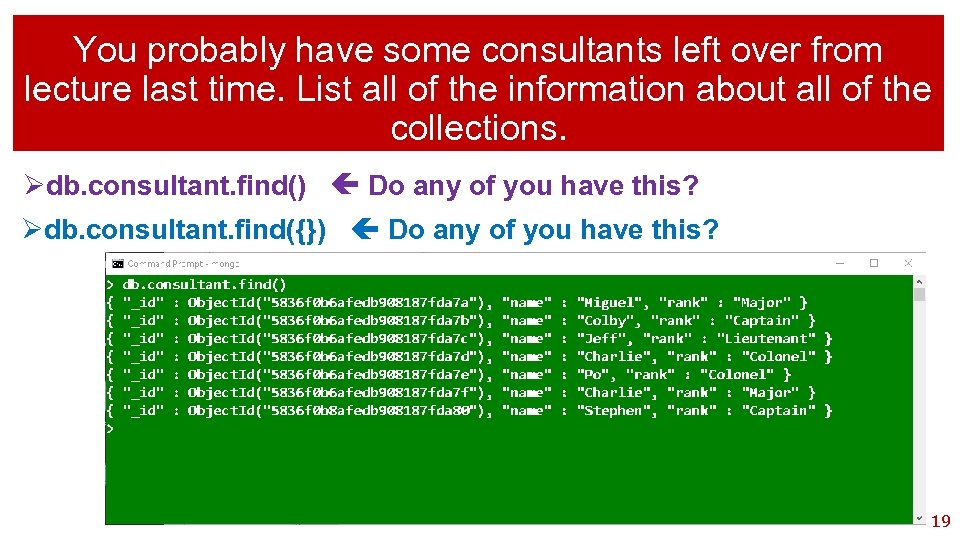
You probably have some consultants left over from lecture last time. List all of the information about all of the collections. Ødb. consultant. find() Do any of you have this? Ødb. consultant. find({}) Do any of you have this? 19
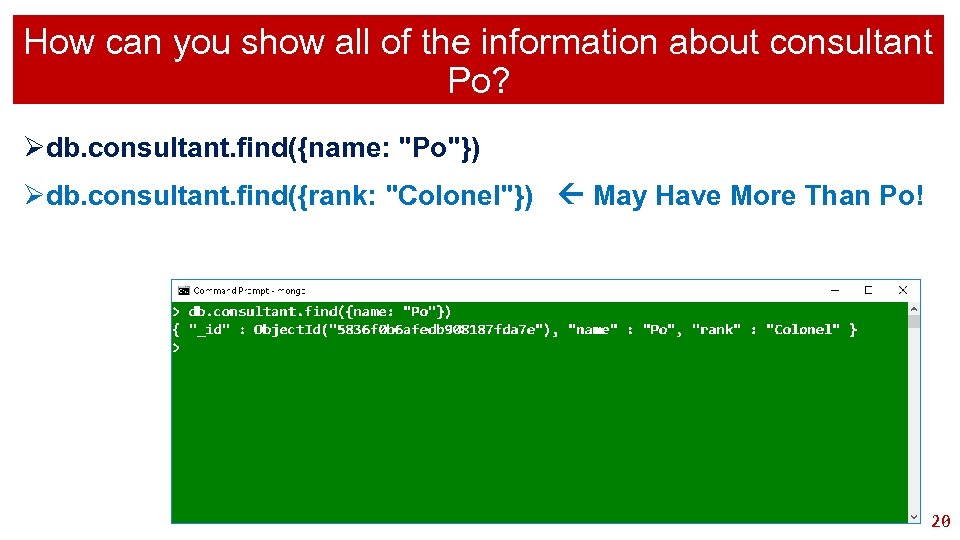
How can you show all of the information about consultant Po? Ødb. consultant. find({name: "Po"}) Ødb. consultant. find({rank: "Colonel"}) May Have More Than Po! 20
Delete A Document 21
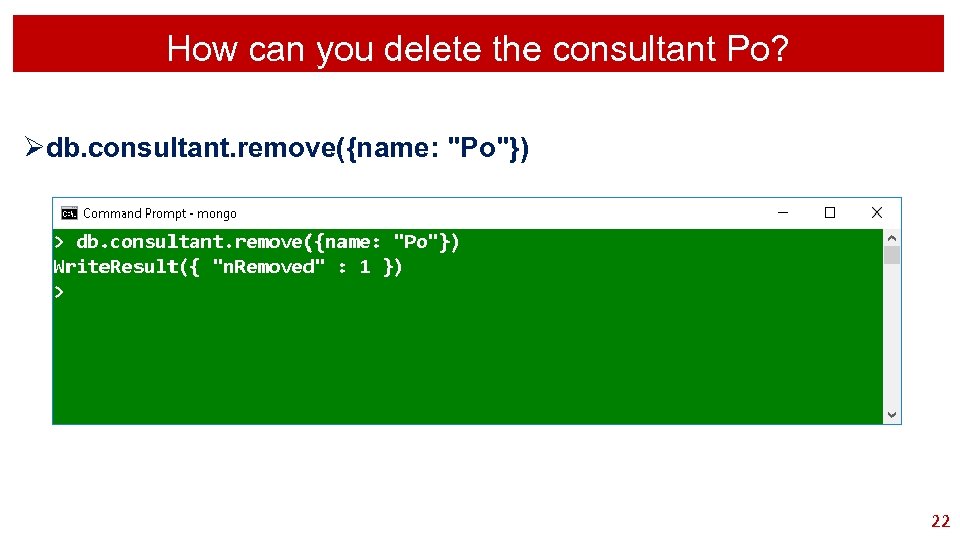
How can you delete the consultant Po? Ødb. consultant. remove({name: "Po"}) 22
Adding A Document 23
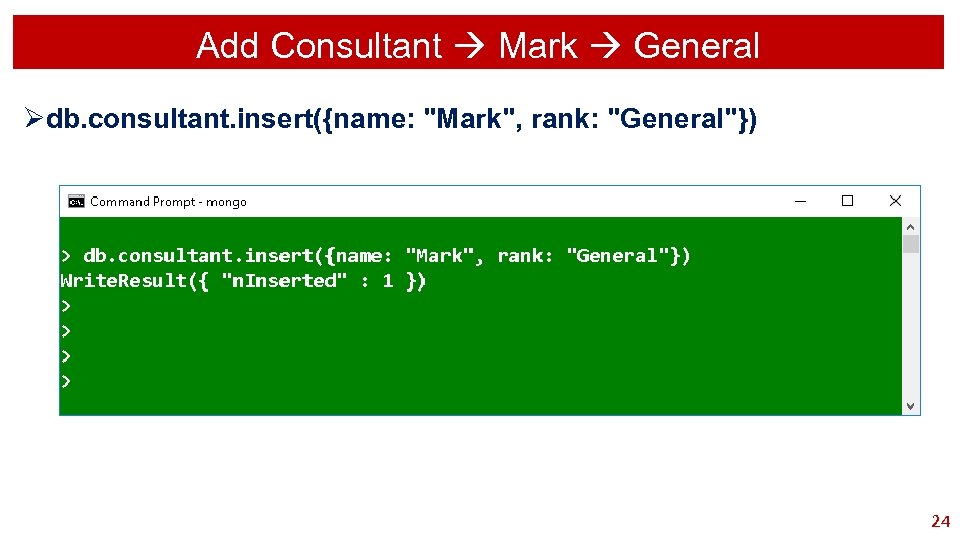
Add Consultant Mark General Ødb. consultant. insert({name: "Mark", rank: "General"}) 24
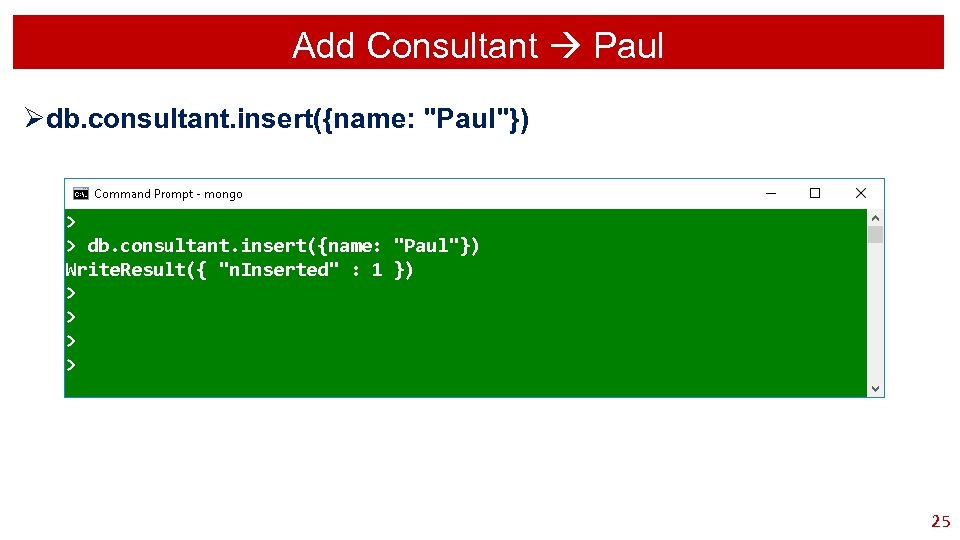
Add Consultant Paul Ødb. consultant. insert({name: "Paul"}) 25
Documents In Sorted Order 26
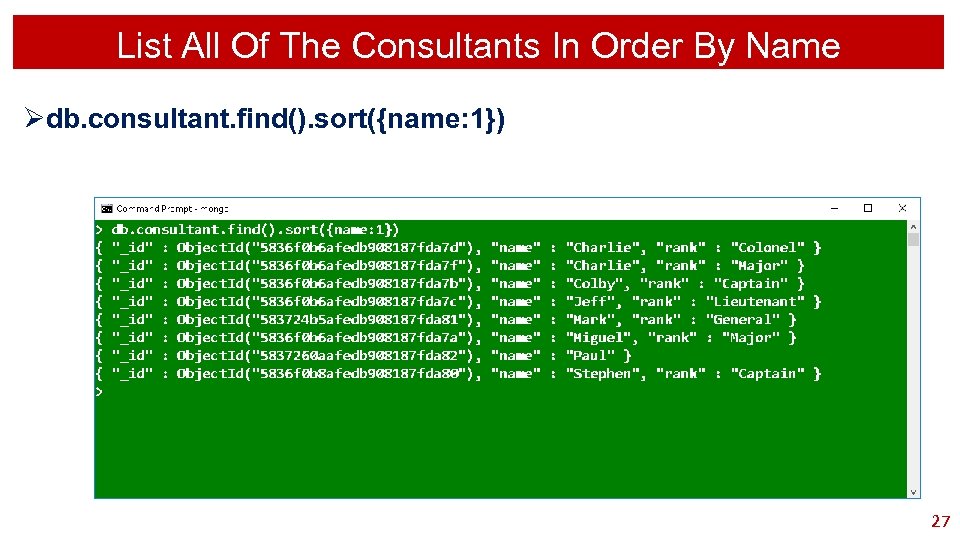
List All Of The Consultants In Order By Name Ødb. consultant. find(). sort({name: 1}) 27

Do All Documents Have To Have The Same Fields? 28
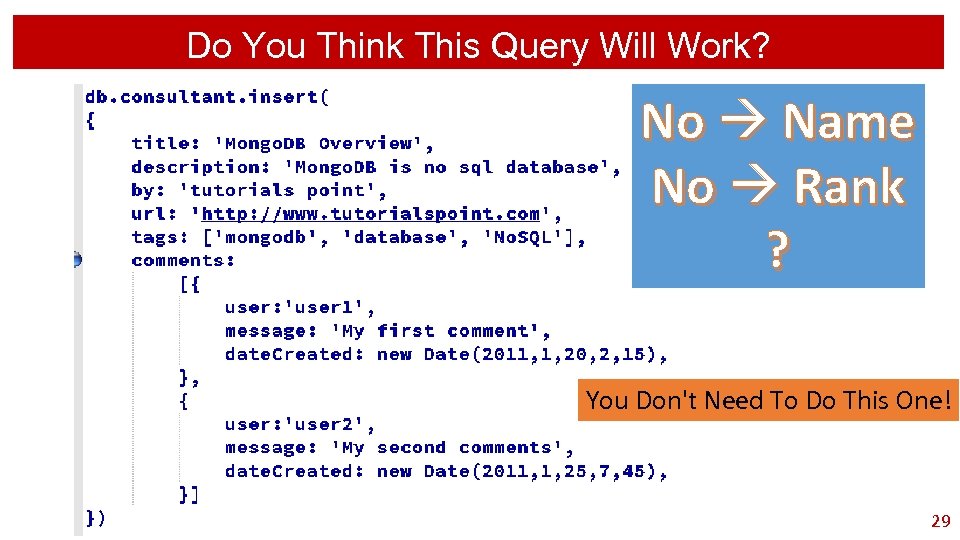
Do You Think This Query Will Work? No Name No Rank ? You Don't Need To Do This One! 29
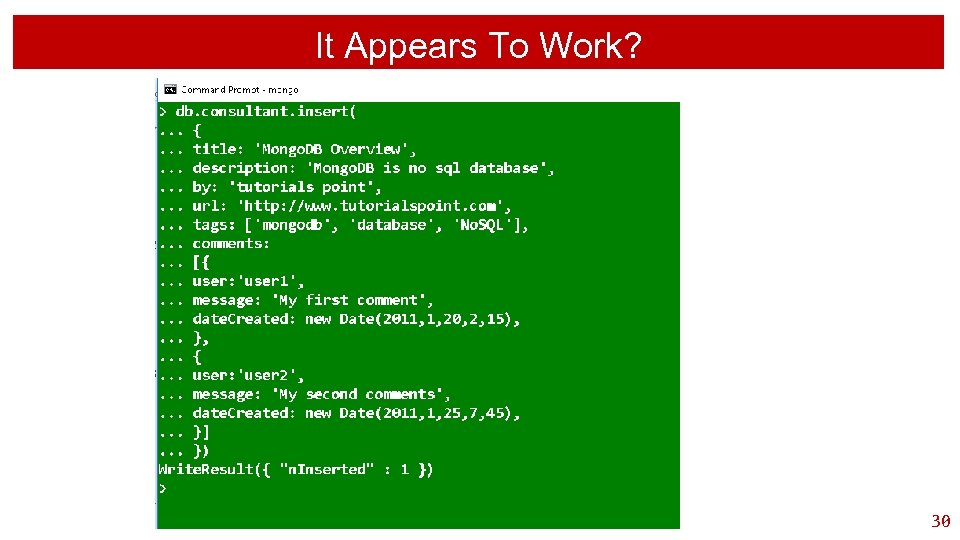
It Appears To Work? 30
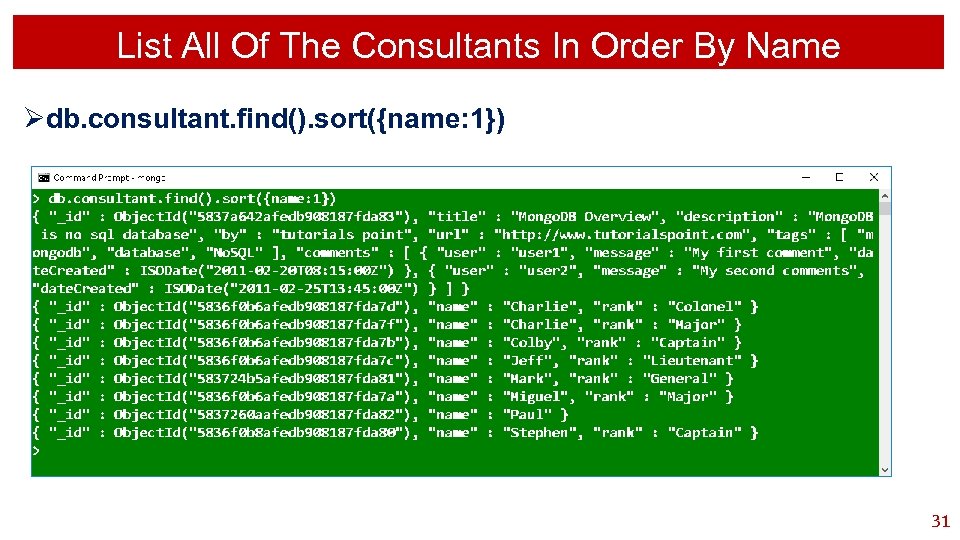
List All Of The Consultants In Order By Name Ødb. consultant. find(). sort({name: 1}) 31
Display With A Nice Layout 32
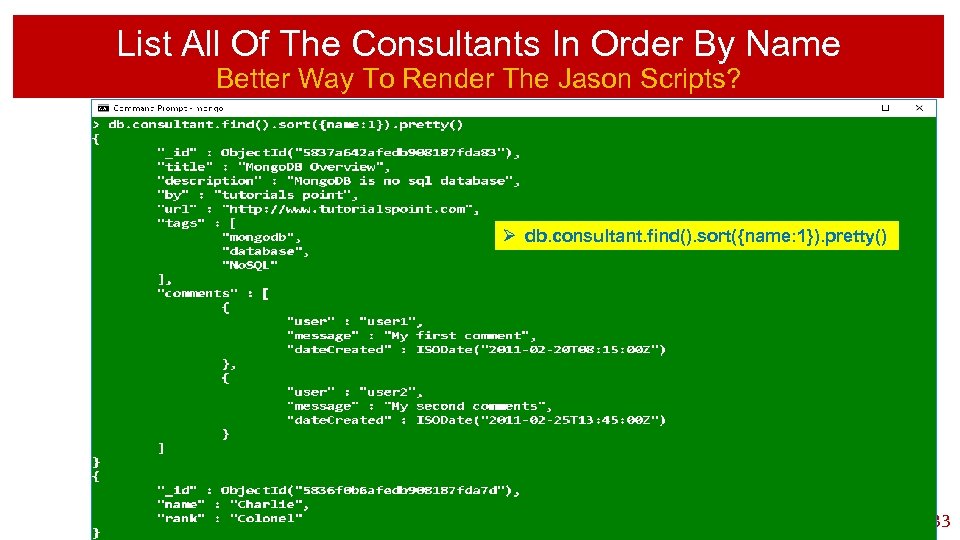
List All Of The Consultants In Order By Name Better Way To Render The Jason Scripts? Ø db. consultant. find(). sort({name: 1}). pretty() 33
Advantages Of Mongo Database 34
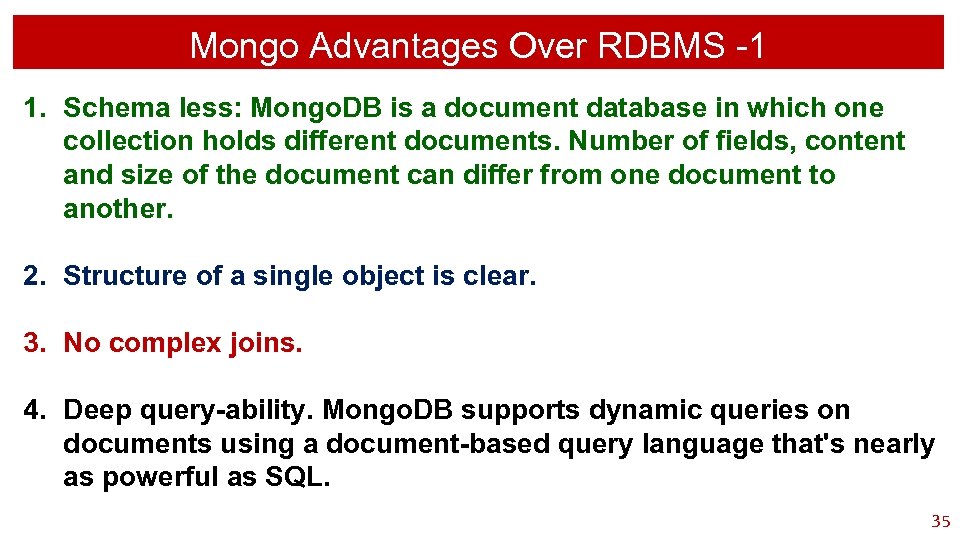
Mongo Advantages Over RDBMS -1 1. Schema less: Mongo. DB is a document database in which one collection holds different documents. Number of fields, content and size of the document can differ from one document to another. 2. Structure of a single object is clear. 3. No complex joins. 4. Deep query-ability. Mongo. DB supports dynamic queries on documents using a document-based query language that's nearly as powerful as SQL. 35
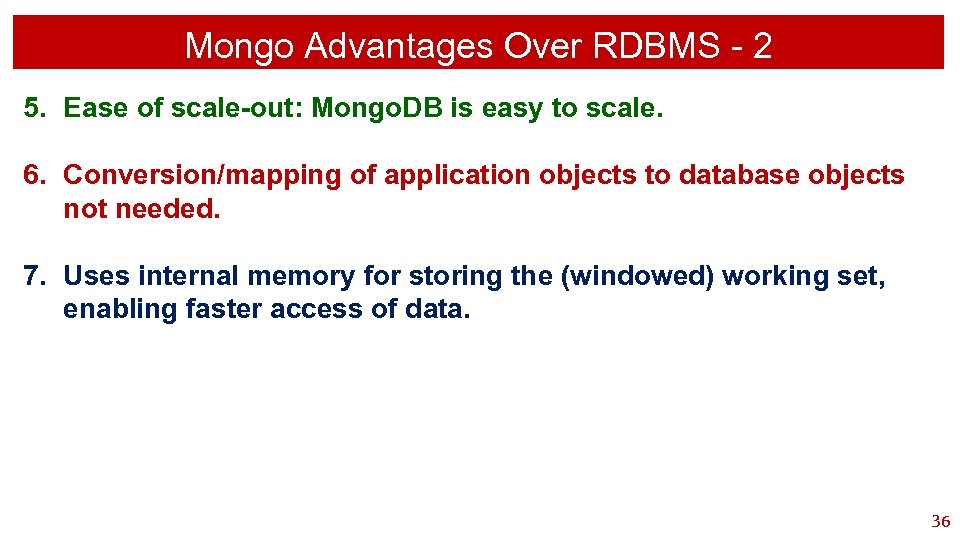
Mongo Advantages Over RDBMS - 2 5. Ease of scale-out: Mongo. DB is easy to scale. 6. Conversion/mapping of application objects to database objects not needed. 7. Uses internal memory for storing the (windowed) working set, enabling faster access of data. 36

File New. Consultants. txt 37
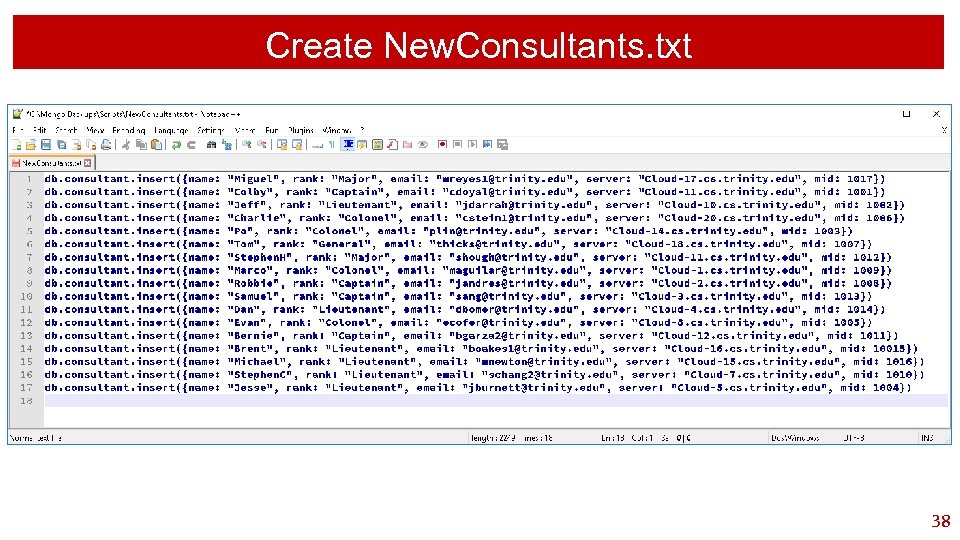
Create New. Consultants. txt 38
Why Use Mongo? 39
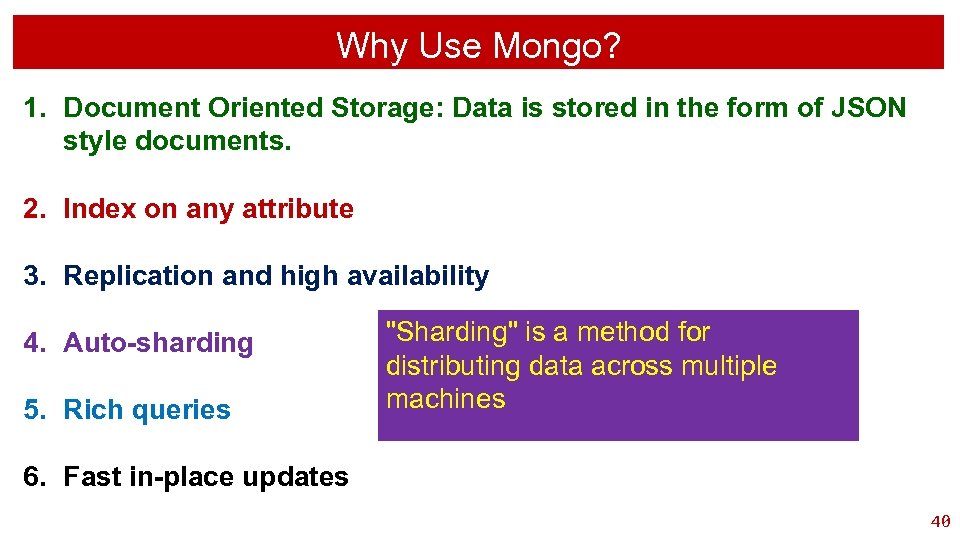
Why Use Mongo? 1. Document Oriented Storage: Data is stored in the form of JSON style documents. 2. Index on any attribute 3. Replication and high availability 4. Auto-sharding 5. Rich queries "Sharding" is a method for distributing data across multiple machines 6. Fast in-place updates 40

Remove All Items From A Collection 41
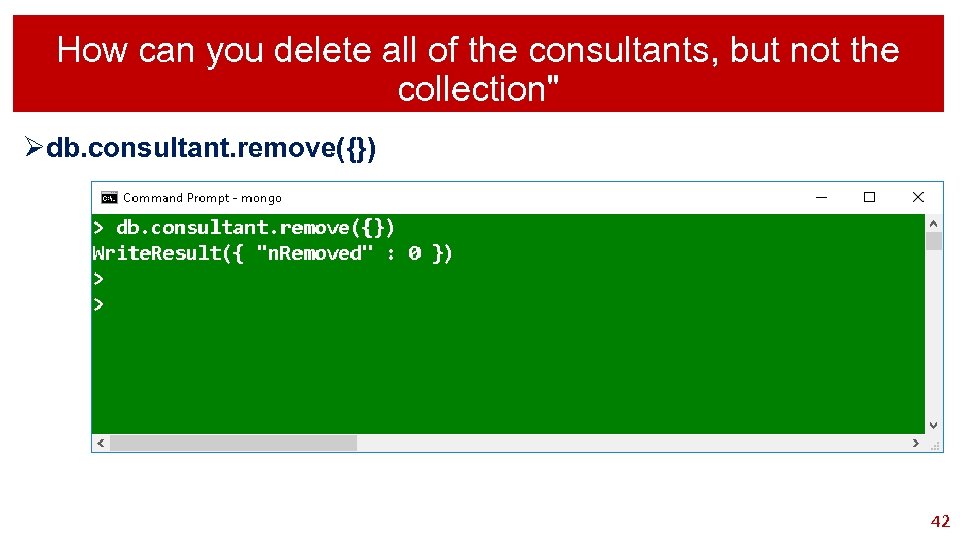
How can you delete all of the consultants, but not the collection" Ødb. consultant. remove({}) 42
Batch Process A Set Of Queries 43
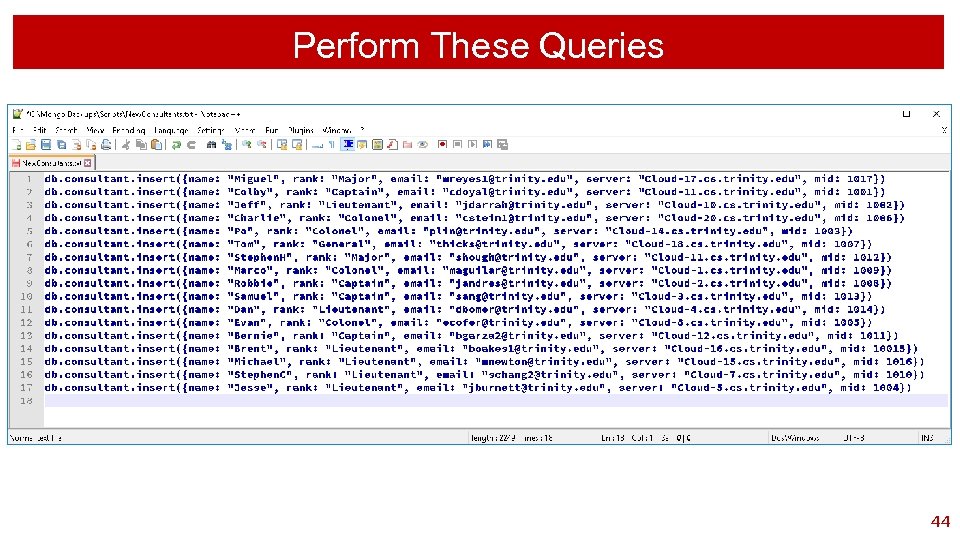
Perform These Queries 44

Display Only Some Of The Document Fields 45
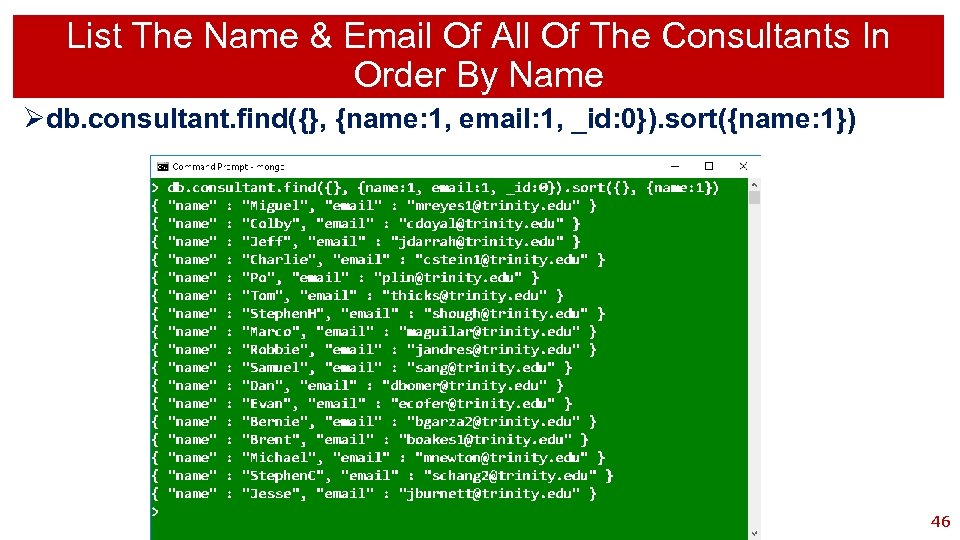
List The Name & Email Of All Of The Consultants In Order By Name Ødb. consultant. find({}, {name: 1, email: 1, _id: 0}). sort({name: 1}) 46

List The Collections 47
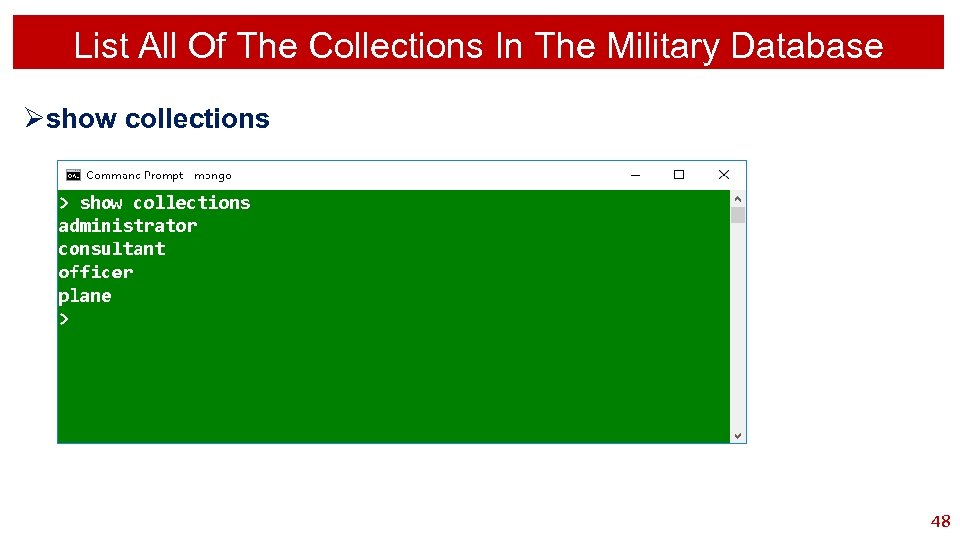
List All Of The Collections In The Military Database Øshow collections 48
Create A Collection 49
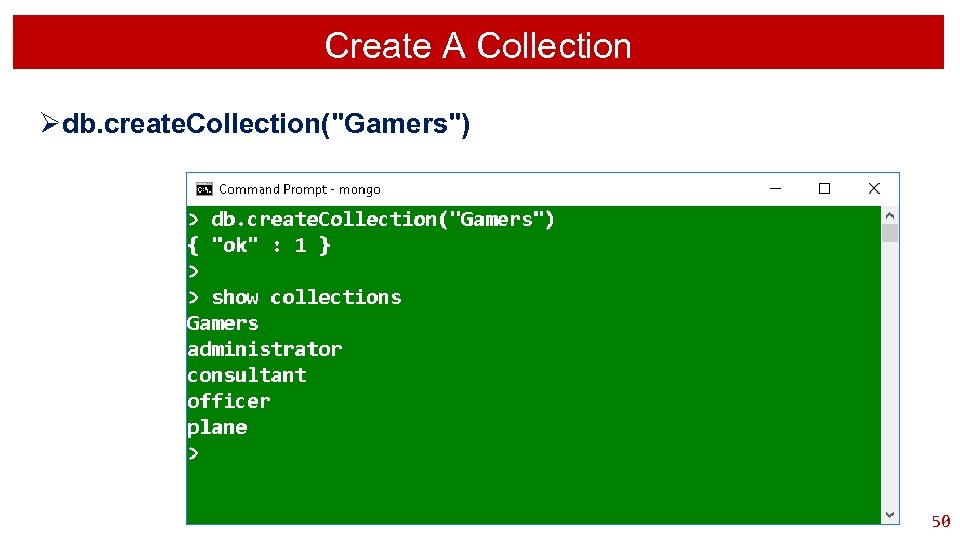
Create A Collection Ødb. create. Collection("Gamers") 50
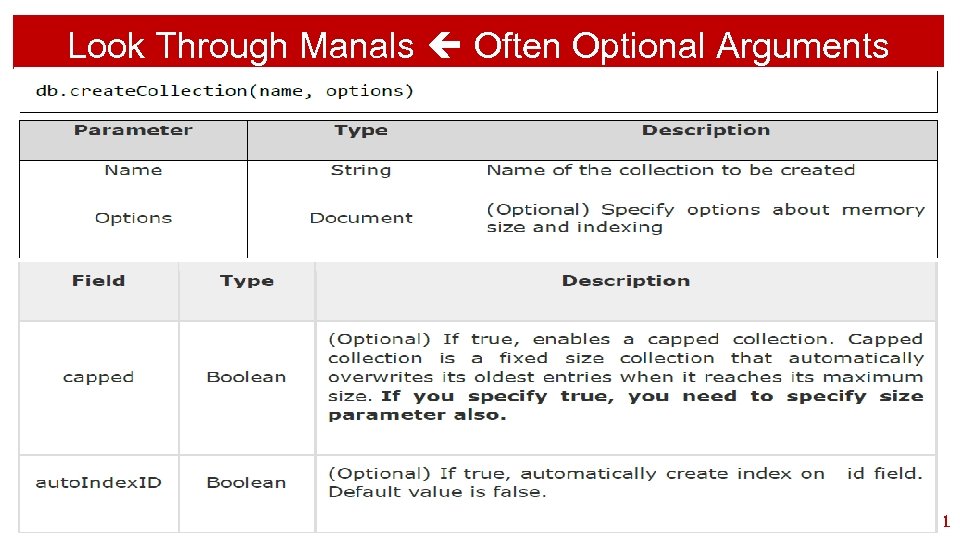
Look Through Manals Often Optional Arguments 51
Backup A Mongo Database 52
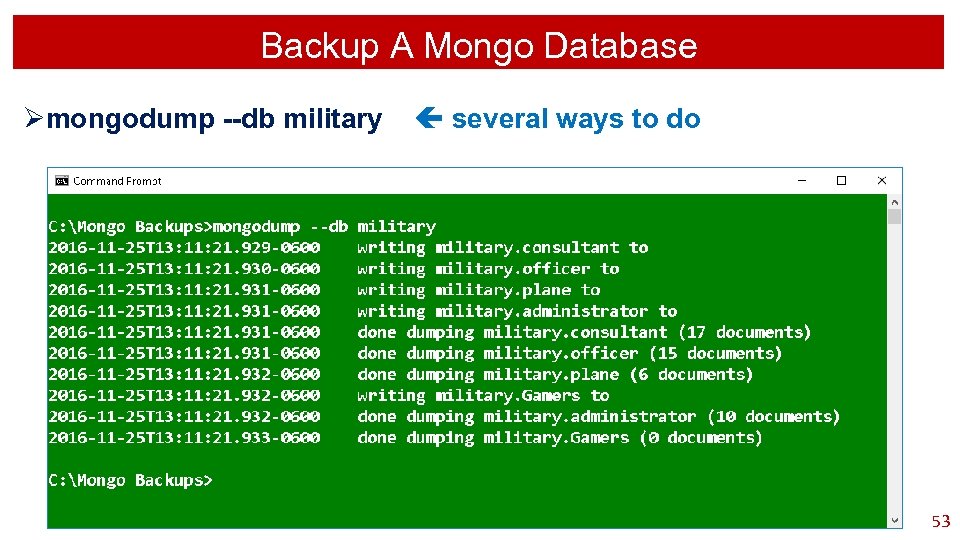
Backup A Mongo Database Ømongodump --db military several ways to do 53
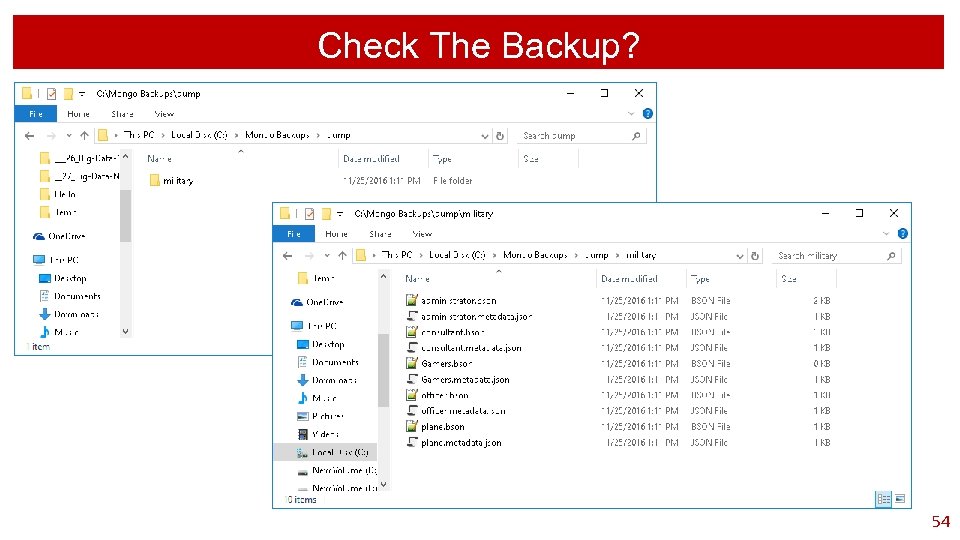
Check The Backup? 54
Delete A Database 55
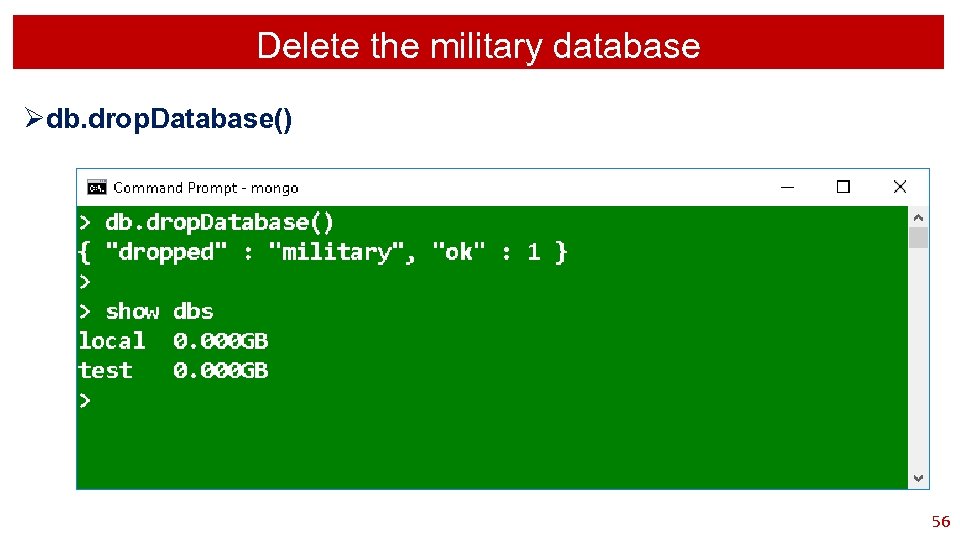
Delete the military database Ødb. drop. Database() 56
Restore A Database 57
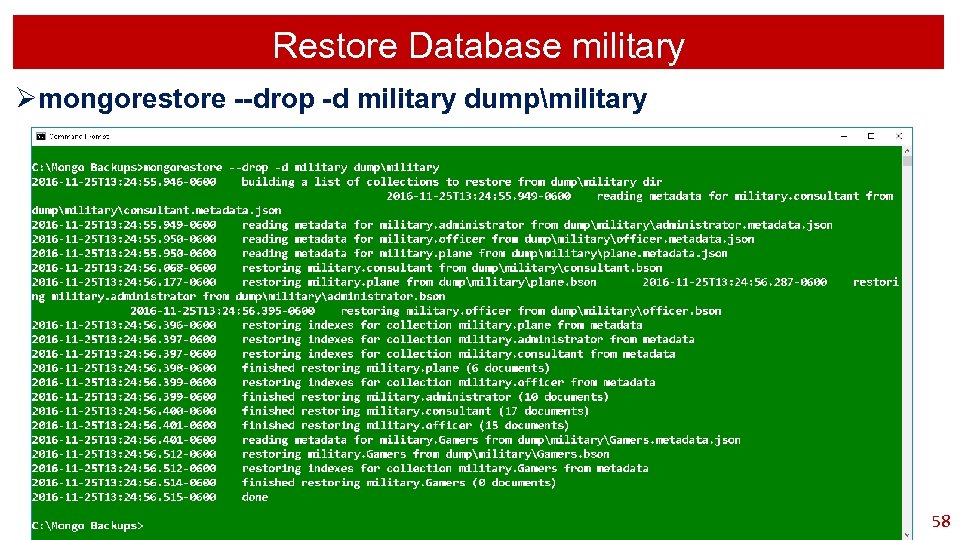
Restore Database military Ømongorestore --drop -d military dumpmilitary 58
Delete A Collection 59
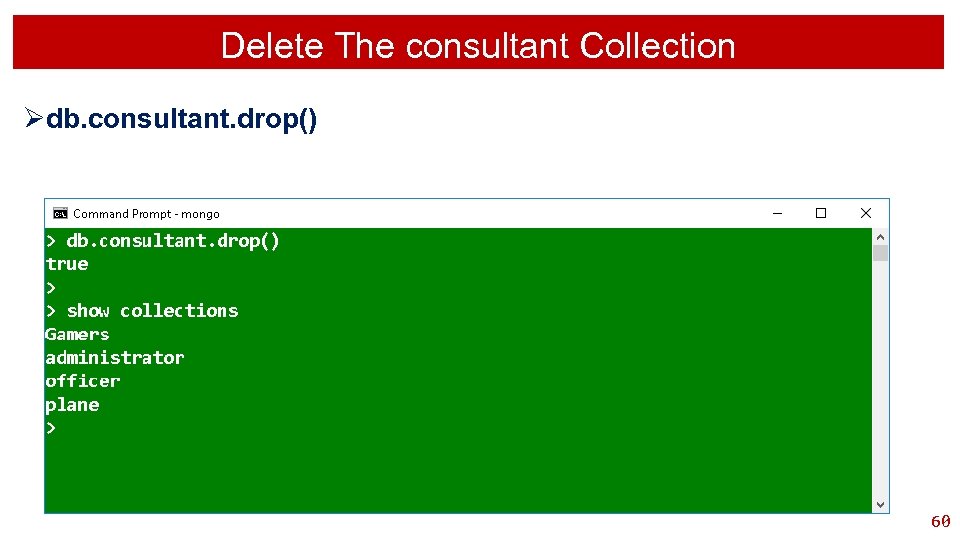
Delete The consultant Collection Ødb. consultant. drop() 60

Reload From File New. Consultants. txt 61
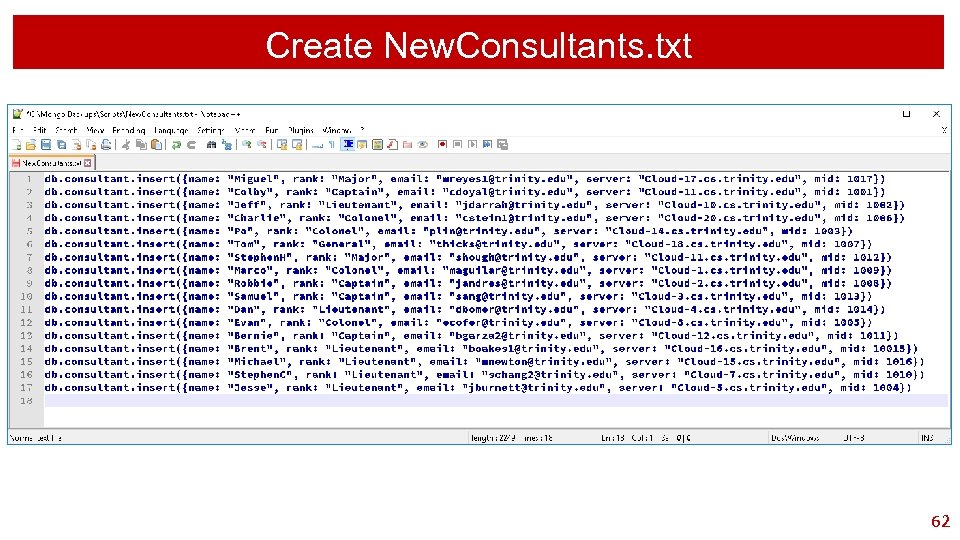
Create New. Consultants. txt 62

Display Only Some Of The Document Fields 63
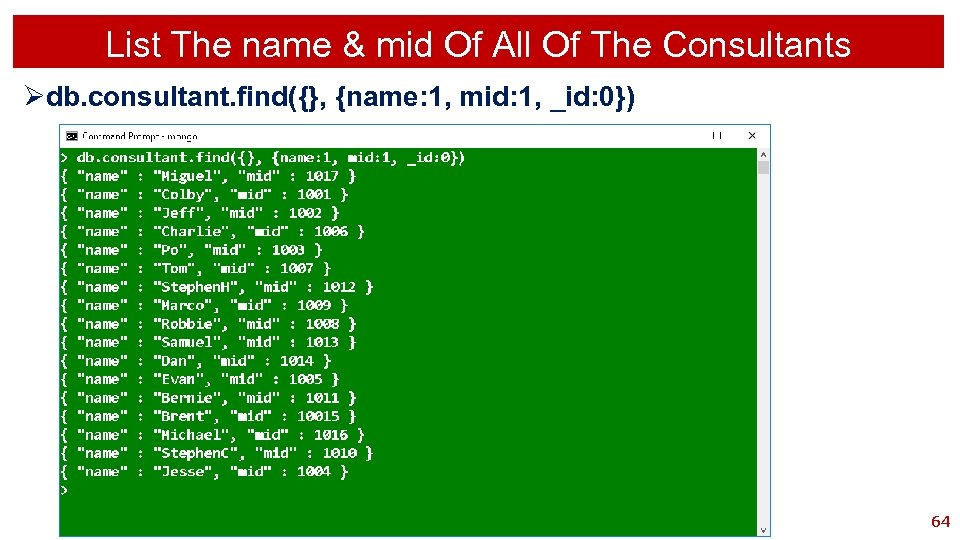
List The name & mid Of All Of The Consultants Ødb. consultant. find({}, {name: 1, mid: 1, _id: 0}) 64
Count 65
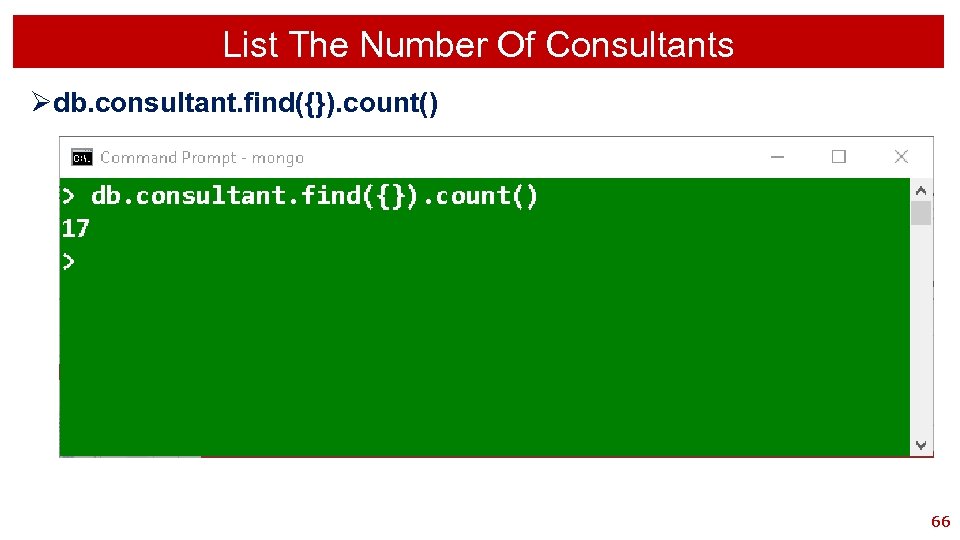
List The Number Of Consultants Ødb. consultant. find({}). count() 66
Search Query Greater Than 67
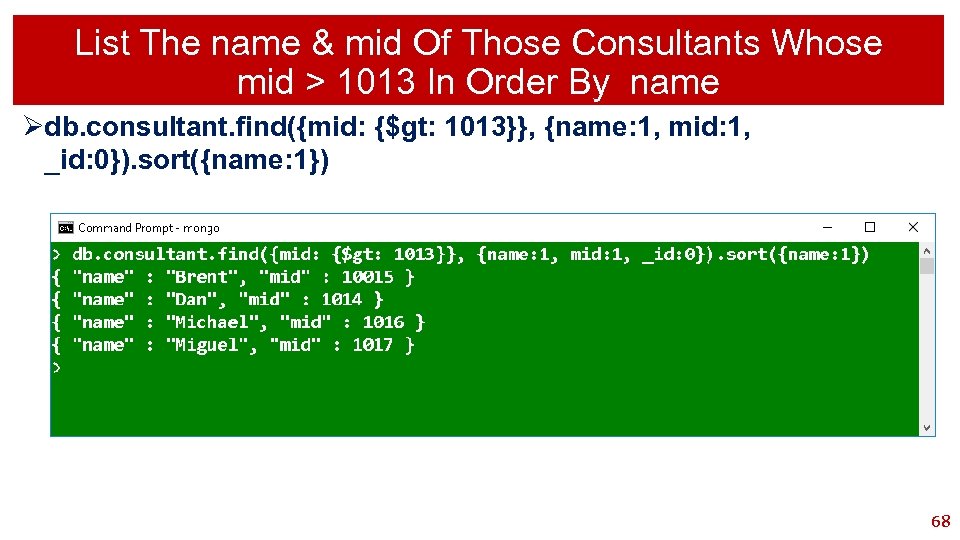
List The name & mid Of Those Consultants Whose mid > 1013 In Order By name Ødb. consultant. find({mid: {$gt: 1013}}, {name: 1, mid: 1, _id: 0}). sort({name: 1}) 68
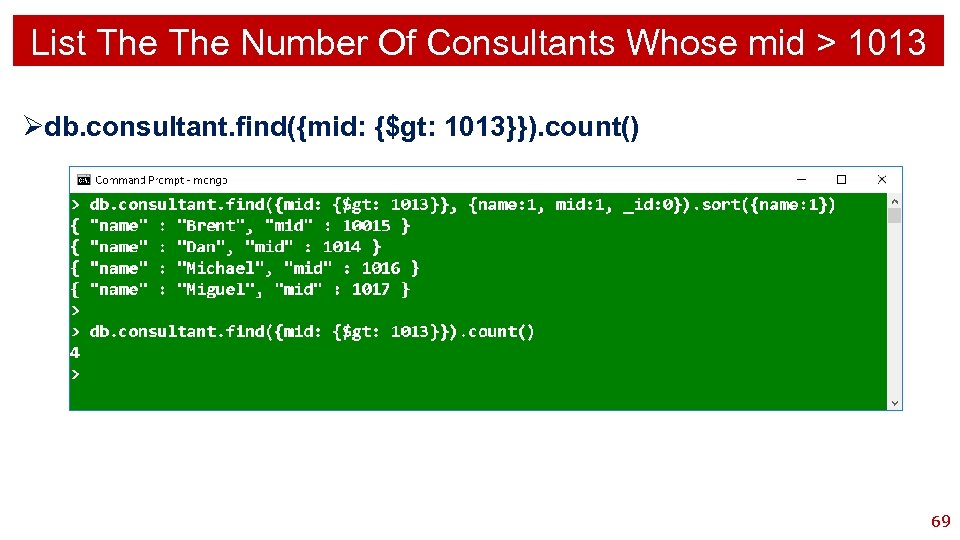
List The Number Of Consultants Whose mid > 1013 Ødb. consultant. find({mid: {$gt: 1013}}). count() 69
Search Query Greater Than Or Equal To 70
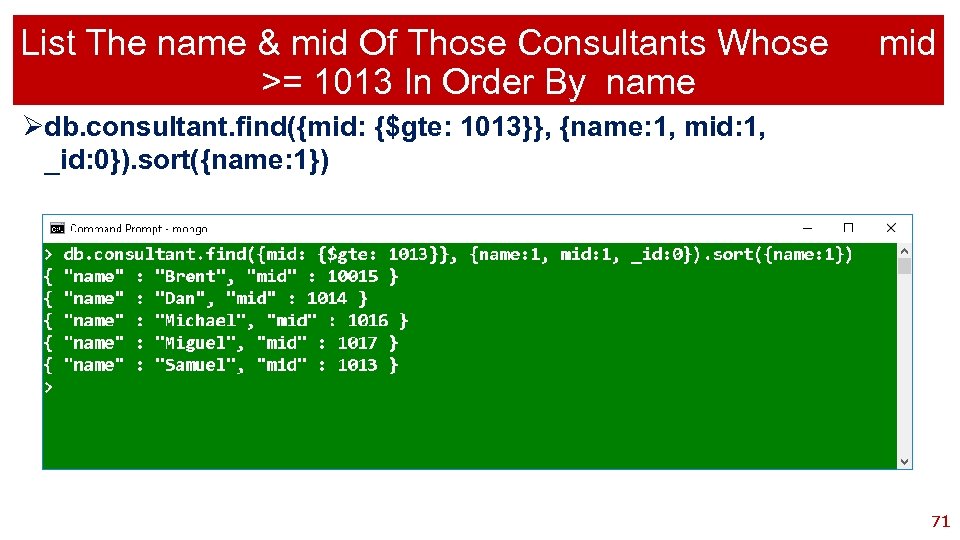
List The name & mid Of Those Consultants Whose >= 1013 In Order By name mid Ødb. consultant. find({mid: {$gte: 1013}}, {name: 1, mid: 1, _id: 0}). sort({name: 1}) 71
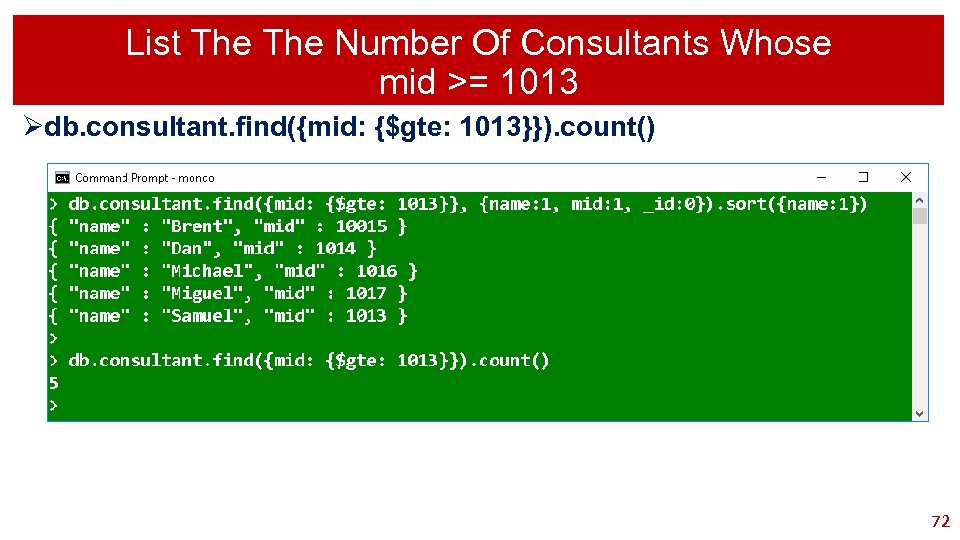
List The Number Of Consultants Whose mid >= 1013 Ødb. consultant. find({mid: {$gte: 1013}}). count() 72
Search Query Less Than 73
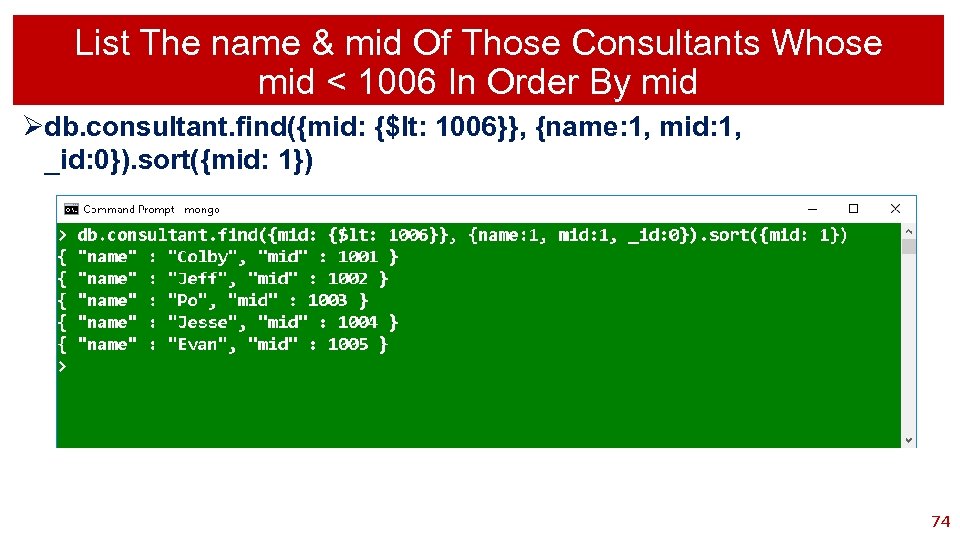
List The name & mid Of Those Consultants Whose mid < 1006 In Order By mid Ødb. consultant. find({mid: {$lt: 1006}}, {name: 1, mid: 1, _id: 0}). sort({mid: 1}) 74
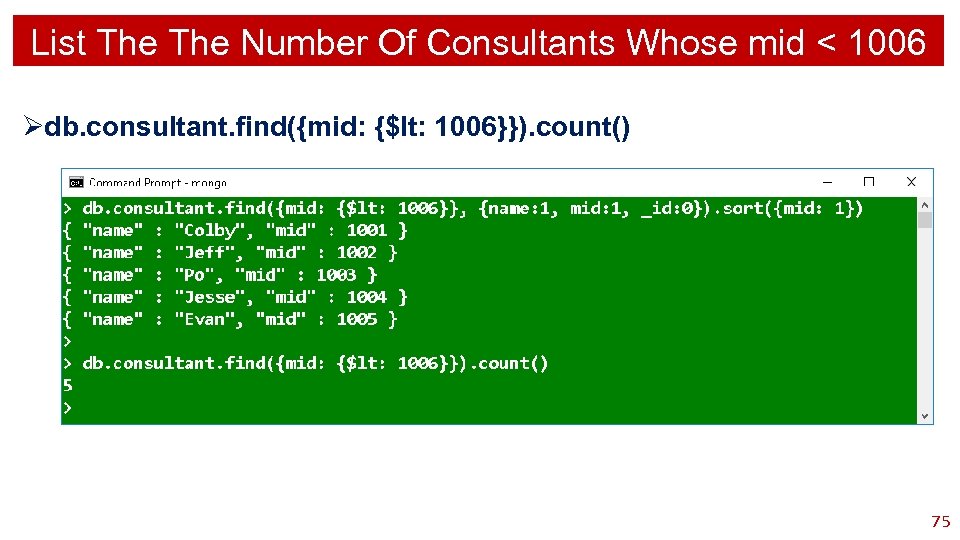
List The Number Of Consultants Whose mid < 1006 Ødb. consultant. find({mid: {$lt: 1006}}). count() 75
Search Query Less Than Or Equal To 76
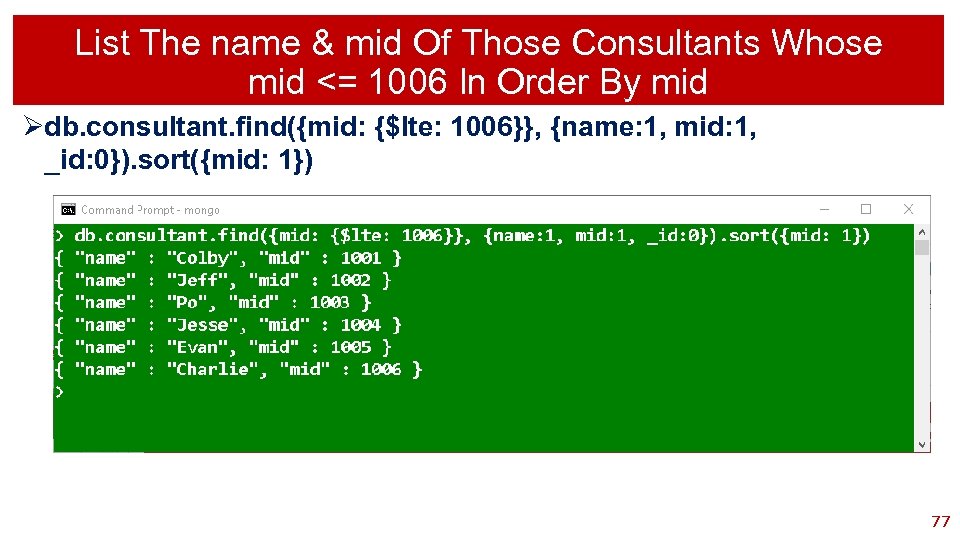
List The name & mid Of Those Consultants Whose mid <= 1006 In Order By mid Ødb. consultant. find({mid: {$lte: 1006}}, {name: 1, mid: 1, _id: 0}). sort({mid: 1}) 77
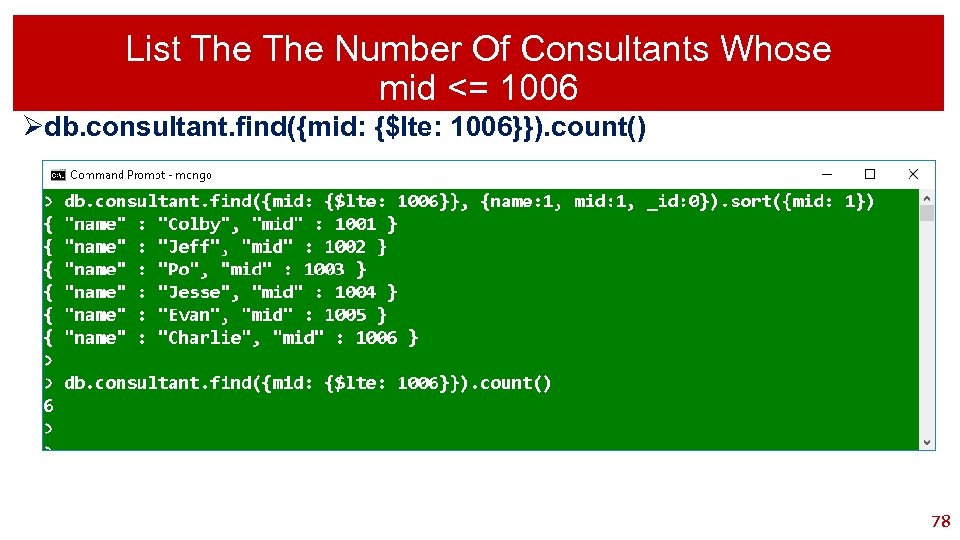
List The Number Of Consultants Whose mid <= 1006 Ødb. consultant. find({mid: {$lte: 1006}}). count() 78
Search Query Not Equal To 79
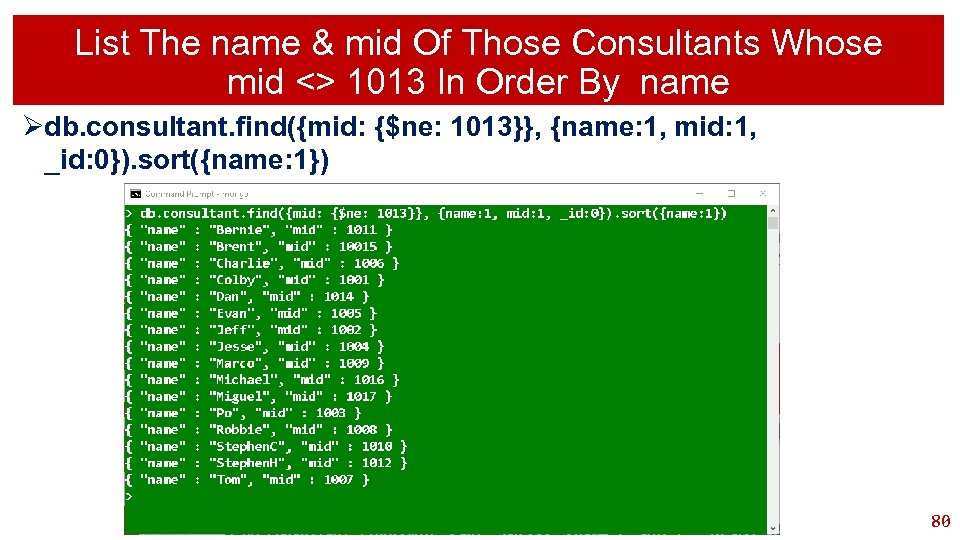
List The name & mid Of Those Consultants Whose mid <> 1013 In Order By name Ødb. consultant. find({mid: {$ne: 1013}}, {name: 1, mid: 1, _id: 0}). sort({name: 1}) 80
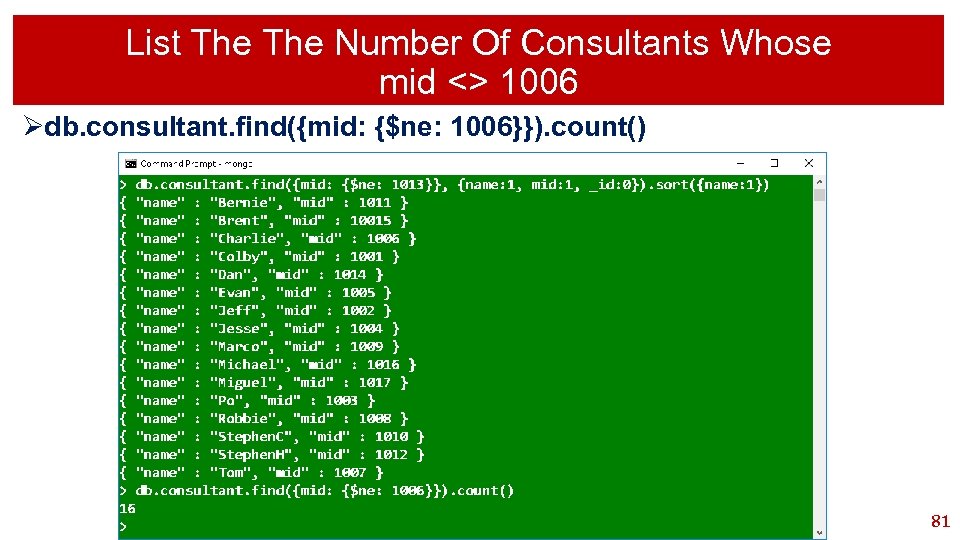
List The Number Of Consultants Whose mid <> 1006 Ødb. consultant. find({mid: {$ne: 1006}}). count() 81
Search Query Equal To 82
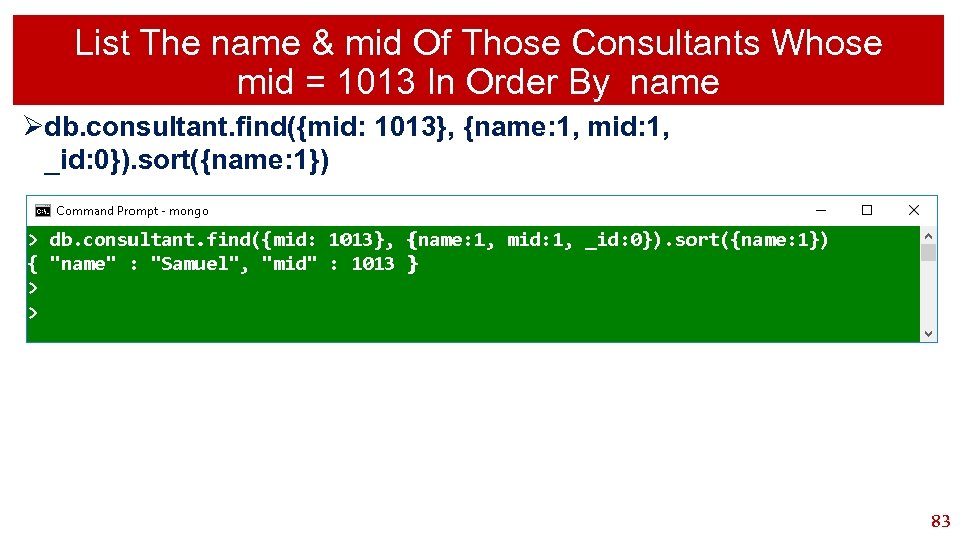
List The name & mid Of Those Consultants Whose mid = 1013 In Order By name Ødb. consultant. find({mid: 1013}, {name: 1, mid: 1, _id: 0}). sort({name: 1}) 83
Search Query AND 84
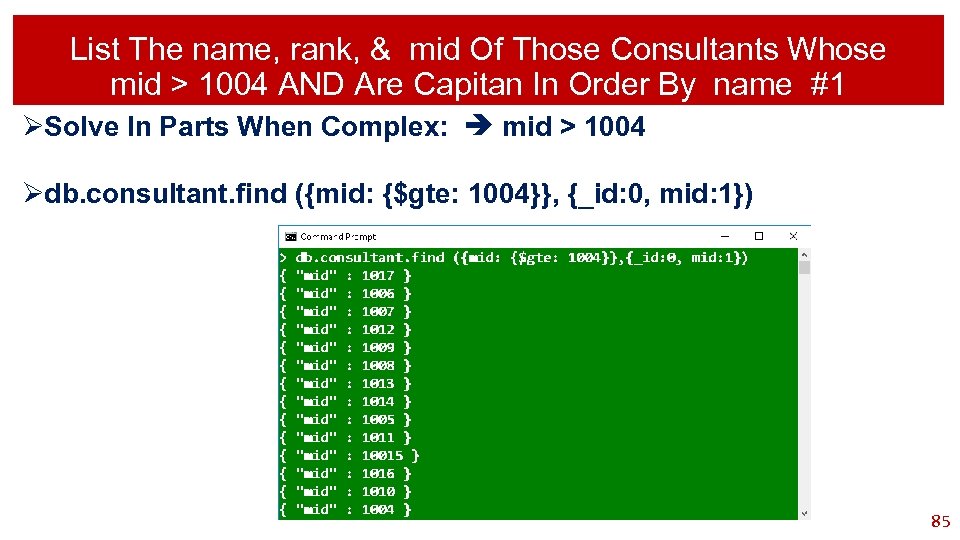
List The name, rank, & mid Of Those Consultants Whose mid > 1004 AND Are Capitan In Order By name #1 ØSolve In Parts When Complex: mid > 1004 Ødb. consultant. find ({mid: {$gte: 1004}}, {_id: 0, mid: 1}) 85
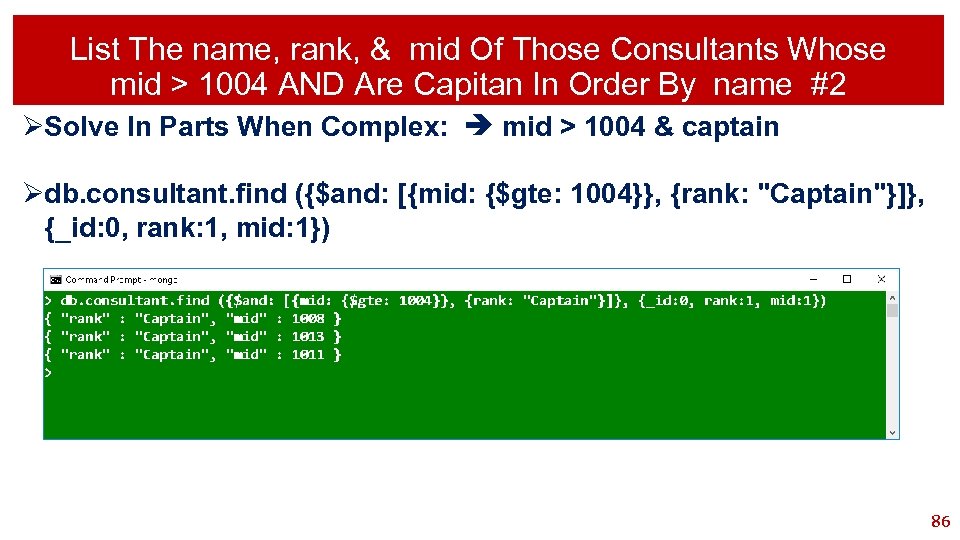
List The name, rank, & mid Of Those Consultants Whose mid > 1004 AND Are Capitan In Order By name #2 ØSolve In Parts When Complex: mid > 1004 & captain Ødb. consultant. find ({$and: [{mid: {$gte: 1004}}, {rank: "Captain"}]}, {_id: 0, rank: 1, mid: 1}) 86
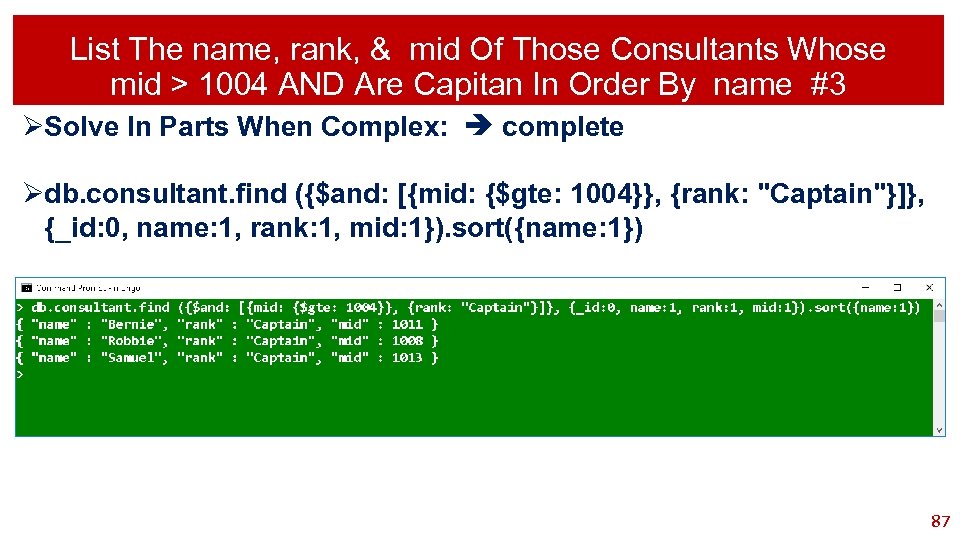
List The name, rank, & mid Of Those Consultants Whose mid > 1004 AND Are Capitan In Order By name #3 ØSolve In Parts When Complex: complete Ødb. consultant. find ({$and: [{mid: {$gte: 1004}}, {rank: "Captain"}]}, {_id: 0, name: 1, rank: 1, mid: 1}). sort({name: 1}) 87
Search Query OR 88
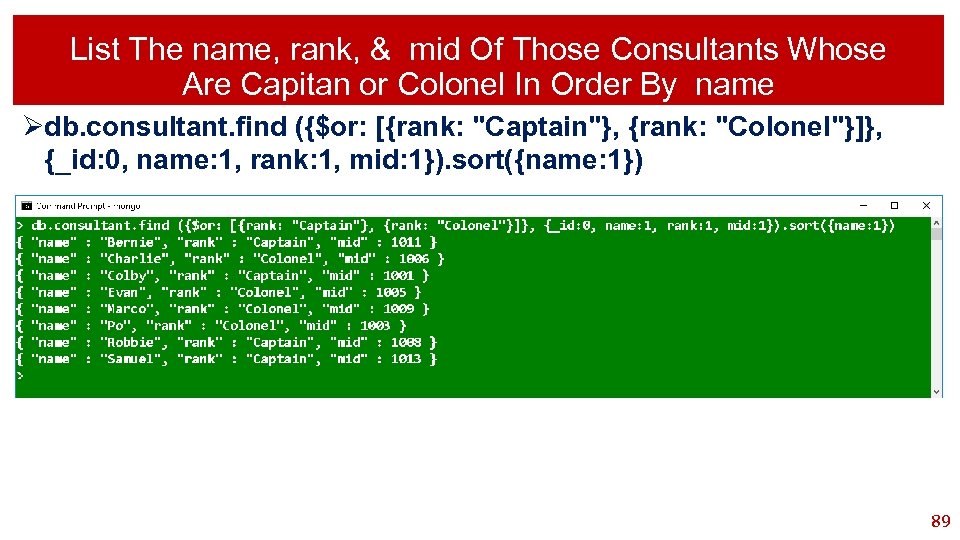
List The name, rank, & mid Of Those Consultants Whose Are Capitan or Colonel In Order By name Ødb. consultant. find ({$or: [{rank: "Captain"}, {rank: "Colonel"}]}, {_id: 0, name: 1, rank: 1, mid: 1}). sort({name: 1}) 89
Search Query Substring 90
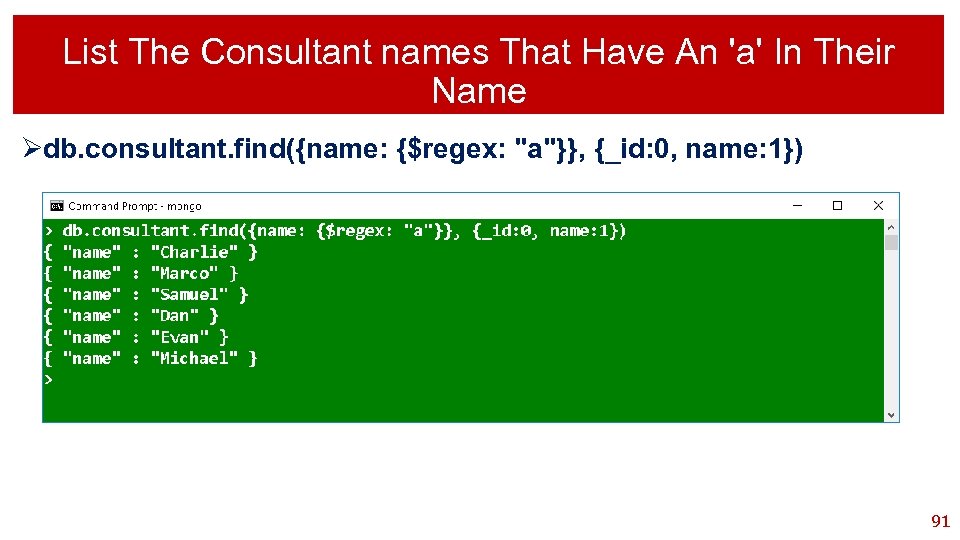
List The Consultant names That Have An 'a' In Their Name Ødb. consultant. find({name: {$regex: "a"}}, {_id: 0, name: 1}) 91
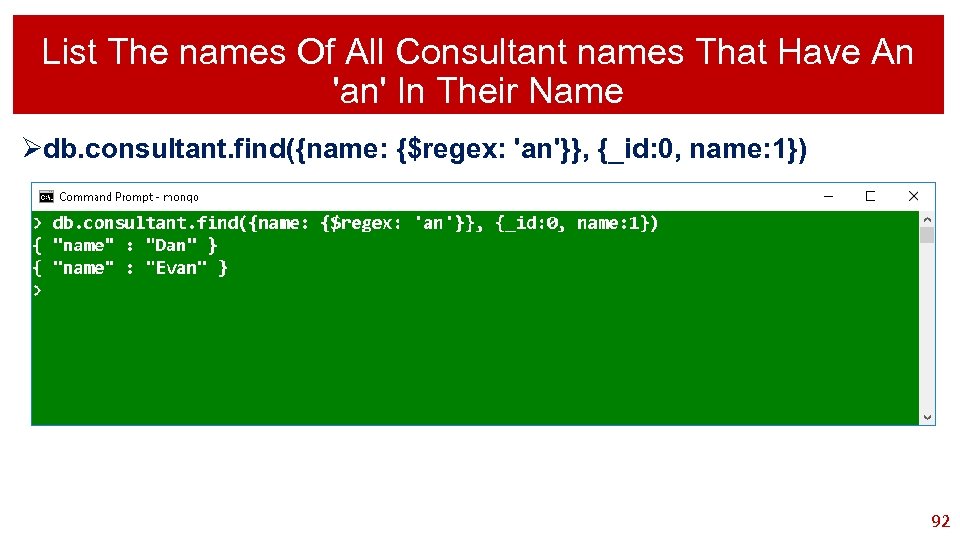
List The names Of All Consultant names That Have An 'an' In Their Name Ødb. consultant. find({name: {$regex: 'an'}}, {_id: 0, name: 1}) 92
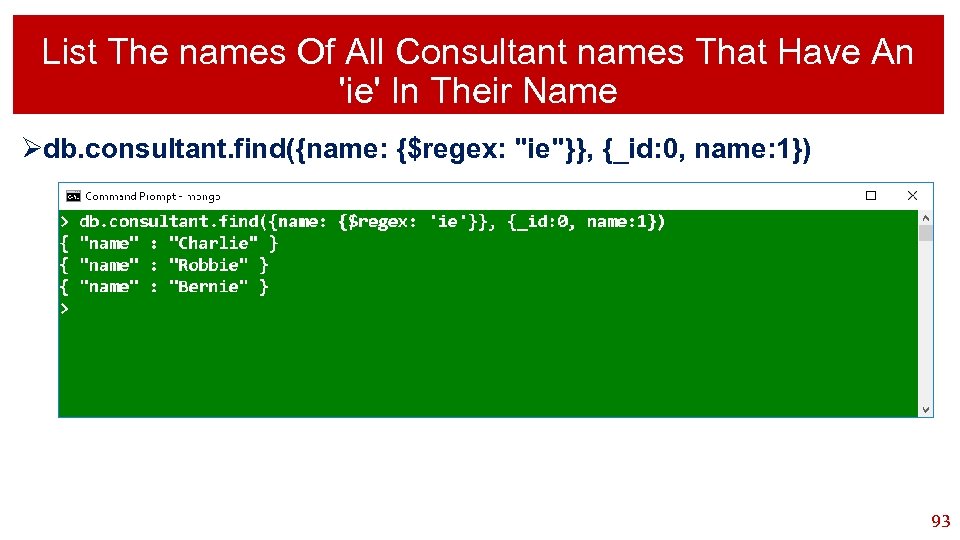
List The names Of All Consultant names That Have An 'ie' In Their Name Ødb. consultant. find({name: {$regex: "ie"}}, {_id: 0, name: 1}) 93
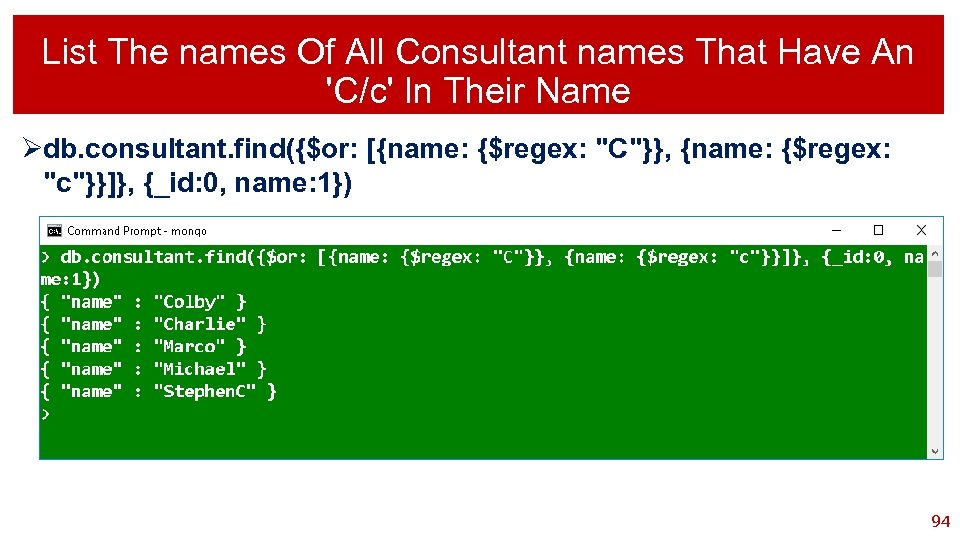
List The names Of All Consultant names That Have An 'C/c' In Their Name Ødb. consultant. find({$or: [{name: {$regex: "C"}}, {name: {$regex: "c"}}]}, {_id: 0, name: 1}) 94
Search Query Case Insensitive Search 95
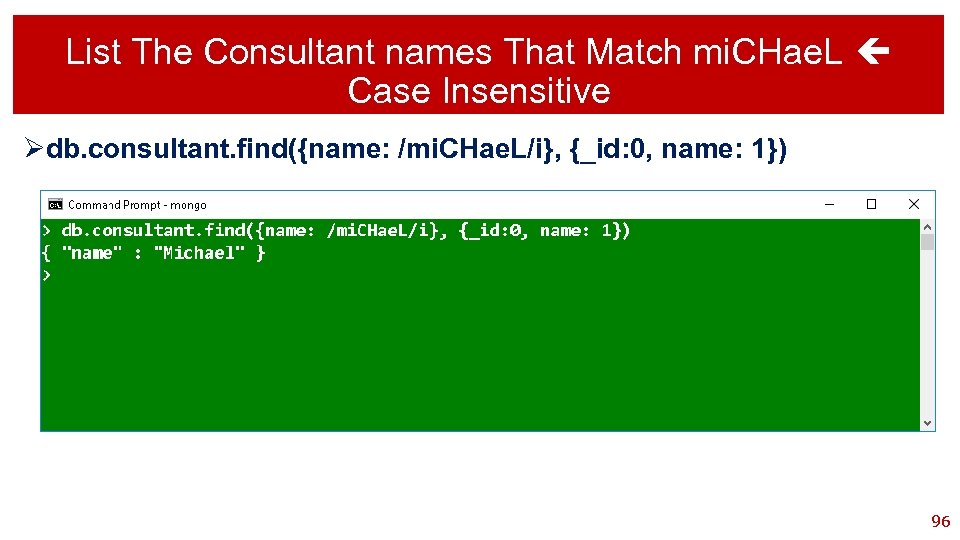
List The Consultant names That Match mi. CHae. L Case Insensitive Ødb. consultant. find({name: /mi. CHae. L/i}, {_id: 0, name: 1}) 96
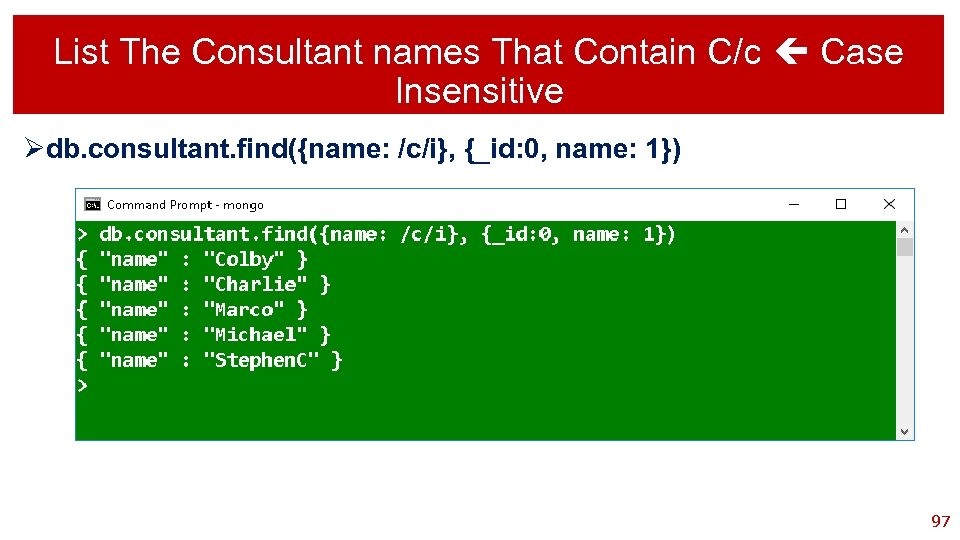
List The Consultant names That Contain C/c Case Insensitive Ødb. consultant. find({name: /c/i}, {_id: 0, name: 1}) 97
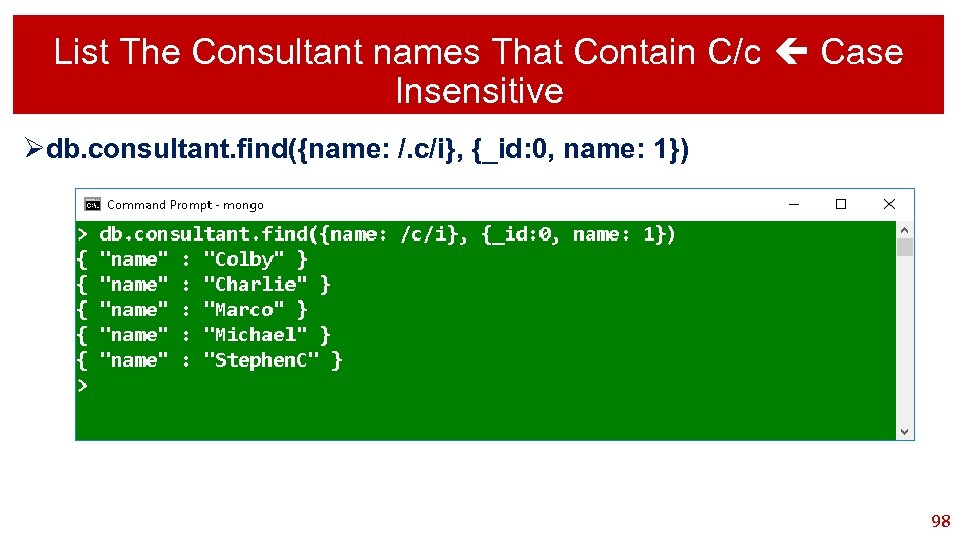
List The Consultant names That Contain C/c Case Insensitive Ødb. consultant. find({name: /. c/i}, {_id: 0, name: 1}) 98
Mongo Datatypes 99
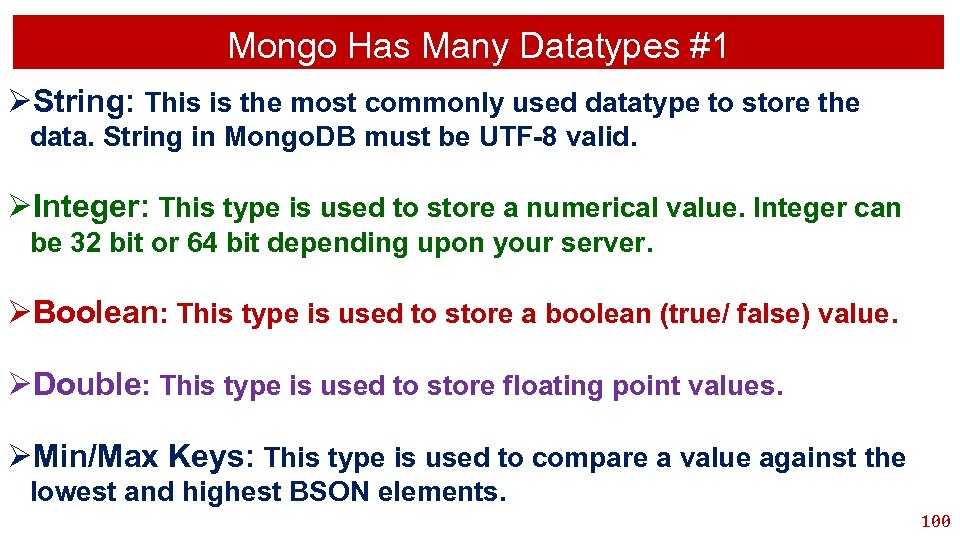
Mongo Has Many Datatypes #1 ØString: This is the most commonly used datatype to store the data. String in Mongo. DB must be UTF-8 valid. ØInteger: This type is used to store a numerical value. Integer can be 32 bit or 64 bit depending upon your server. ØBoolean: This type is used to store a boolean (true/ false) value. ØDouble: This type is used to store floating point values. ØMin/Max Keys: This type is used to compare a value against the lowest and highest BSON elements. 100
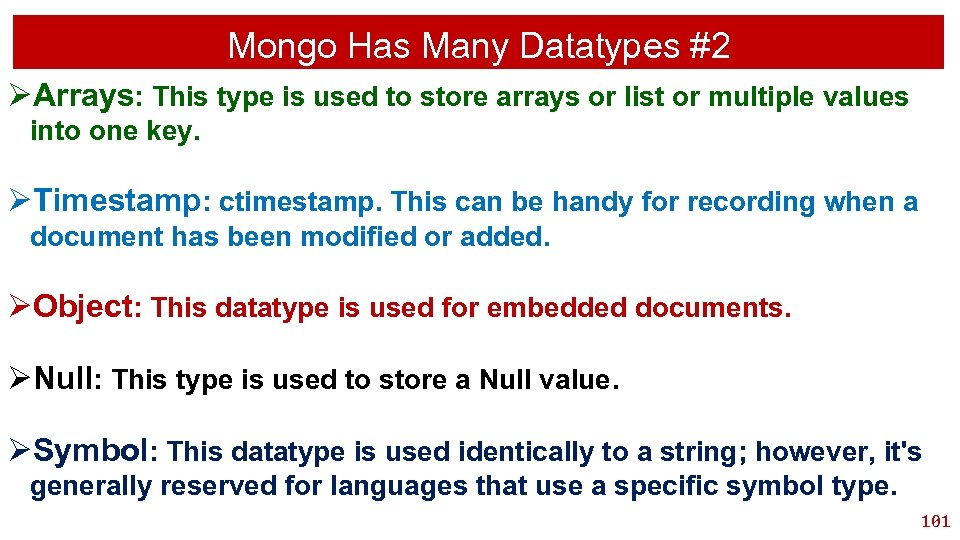
Mongo Has Many Datatypes #2 ØArrays: This type is used to store arrays or list or multiple values into one key. ØTimestamp: ctimestamp. This can be handy for recording when a document has been modified or added. ØObject: This datatype is used for embedded documents. ØNull: This type is used to store a Null value. ØSymbol: This datatype is used identically to a string; however, it's generally reserved for languages that use a specific symbol type. 101
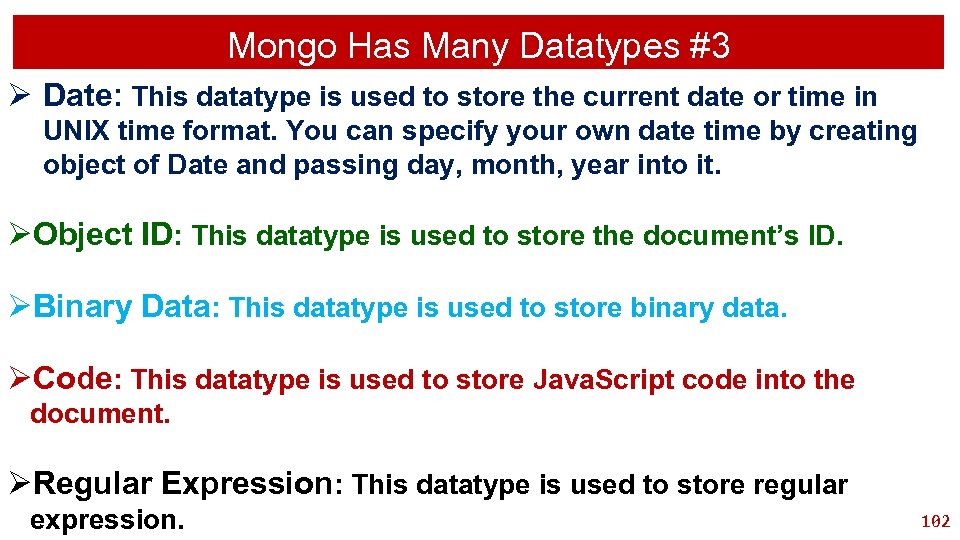
Mongo Has Many Datatypes #3 Ø Date: This datatype is used to store the current date or time in UNIX time format. You can specify your own date time by creating object of Date and passing day, month, year into it. ØObject ID: This datatype is used to store the document’s ID. ØBinary Data: This datatype is used to store binary data. ØCode: This datatype is used to store Java. Script code into the document. ØRegular Expression: This datatype is used to store regular expression. 102
Update Query A Single Document 103
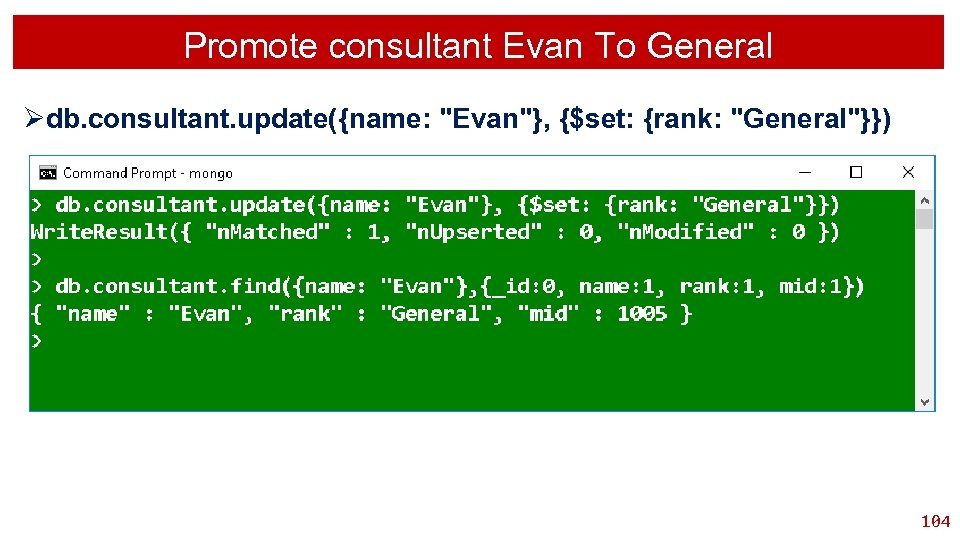
Promote consultant Evan To General Ødb. consultant. update({name: "Evan"}, {$set: {rank: "General"}}) 104
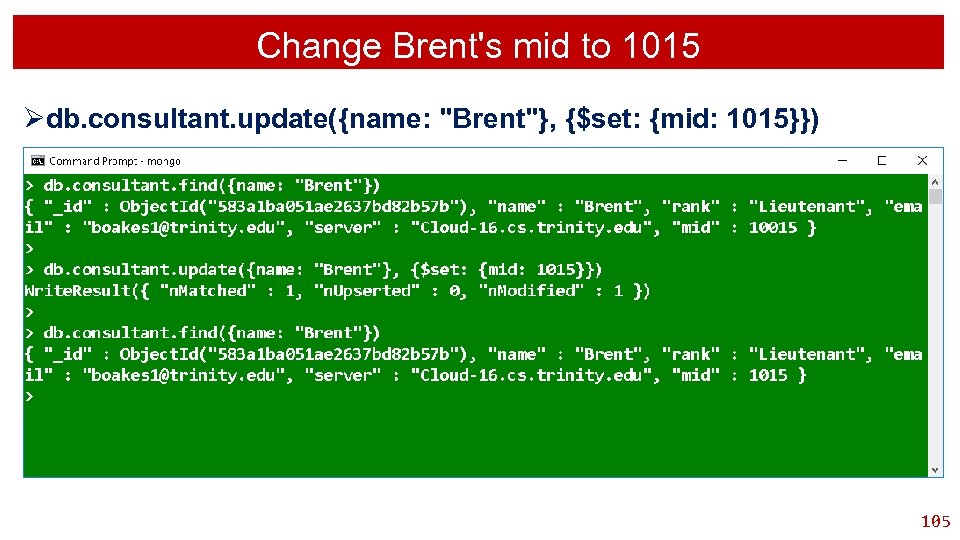
Change Brent's mid to 1015 Ødb. consultant. update({name: "Brent"}, {$set: {mid: 1015}}) 105
Update Increment Query 106
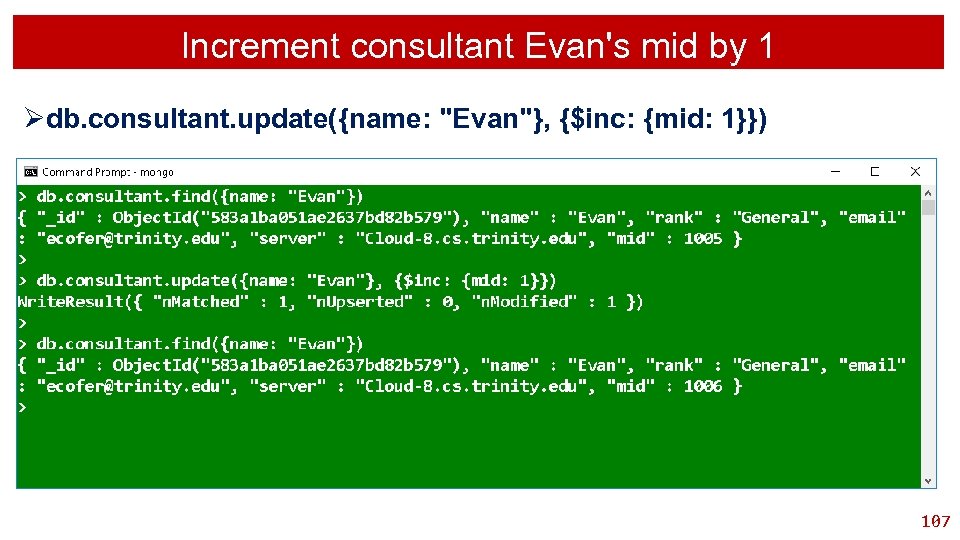
Increment consultant Evan's mid by 1 Ødb. consultant. update({name: "Evan"}, {$inc: {mid: 1}}) 107
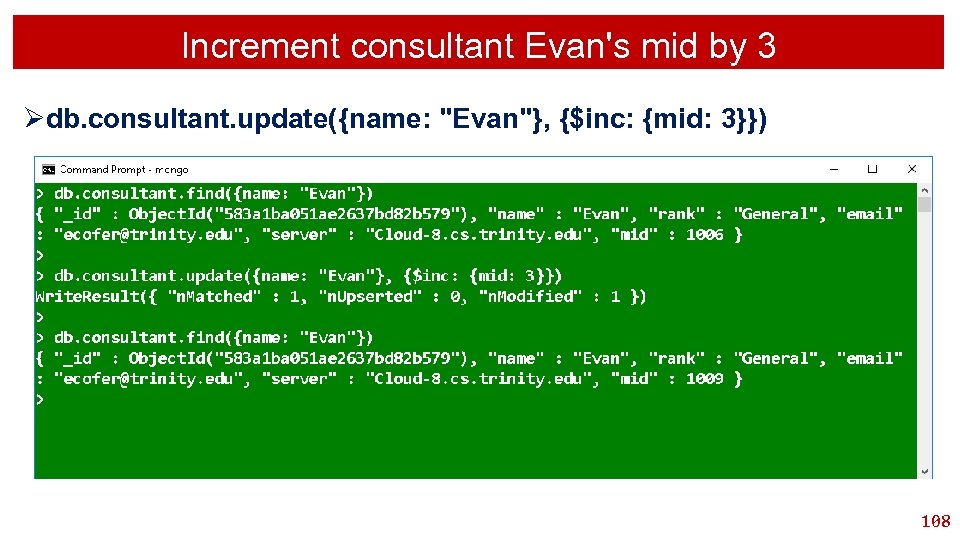
Increment consultant Evan's mid by 3 Ødb. consultant. update({name: "Evan"}, {$inc: {mid: 3}}) 108
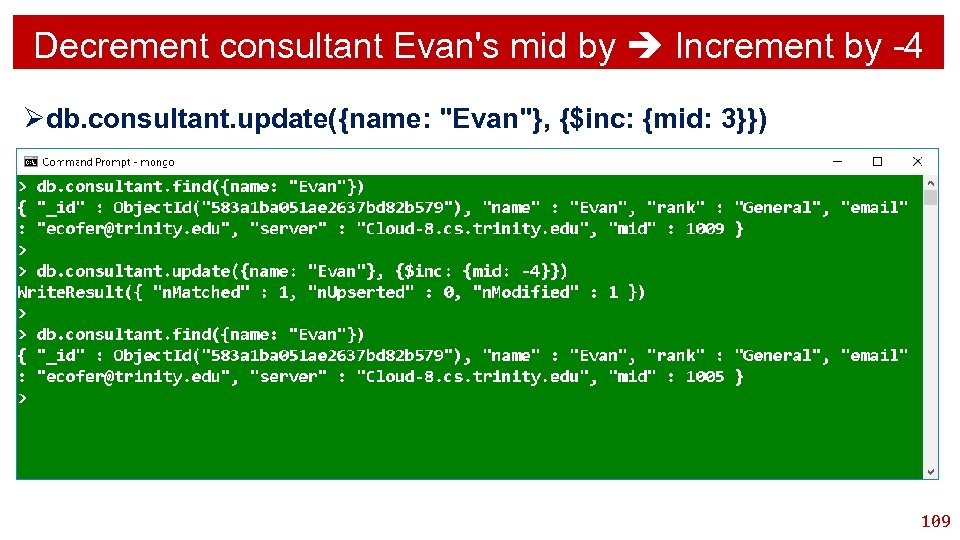
Decrement consultant Evan's mid by Increment by -4 Ødb. consultant. update({name: "Evan"}, {$inc: {mid: 3}}) 109
Update Multiply Query 110
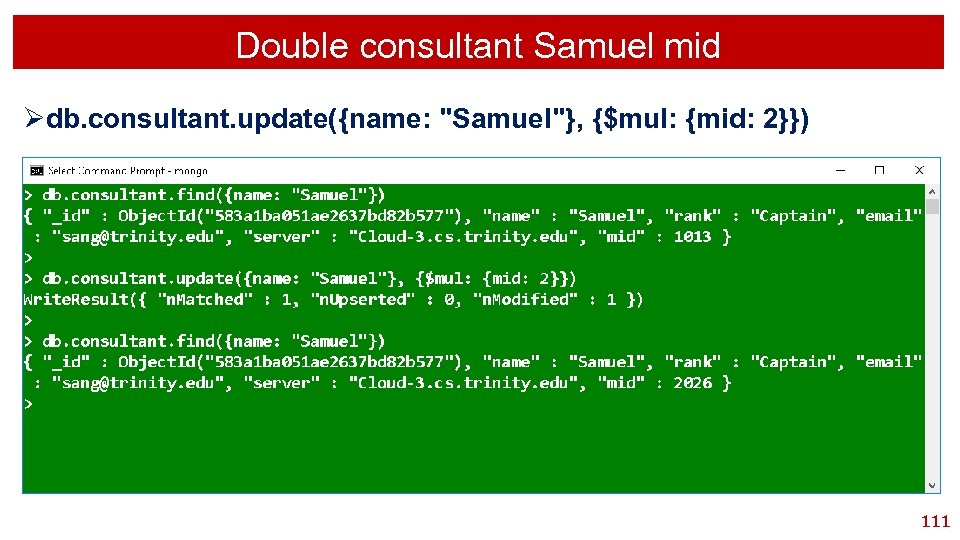
Double consultant Samuel mid Ødb. consultant. update({name: "Samuel"}, {$mul: {mid: 2}}) 111
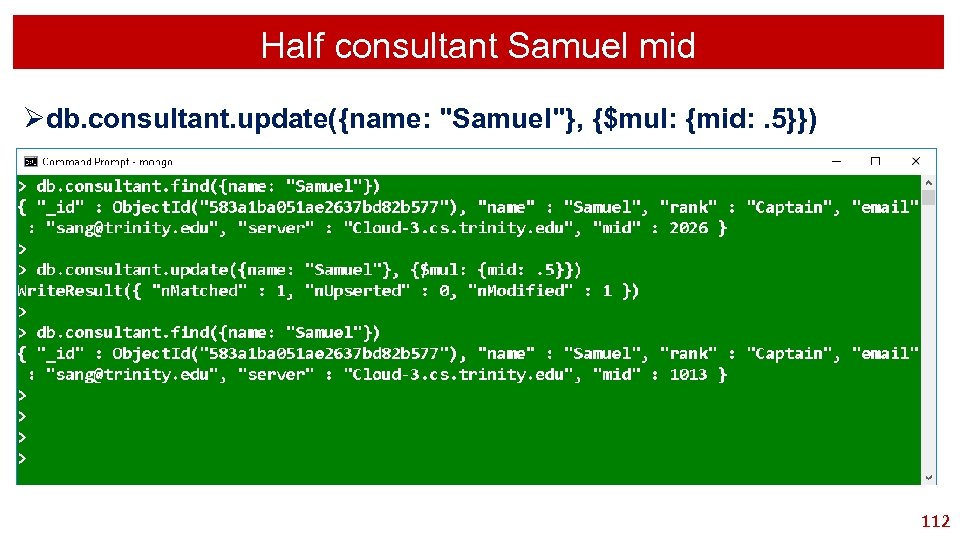
Half consultant Samuel mid Ødb. consultant. update({name: "Samuel"}, {$mul: {mid: . 5}}) 112
Update Query Multiple Documents 113
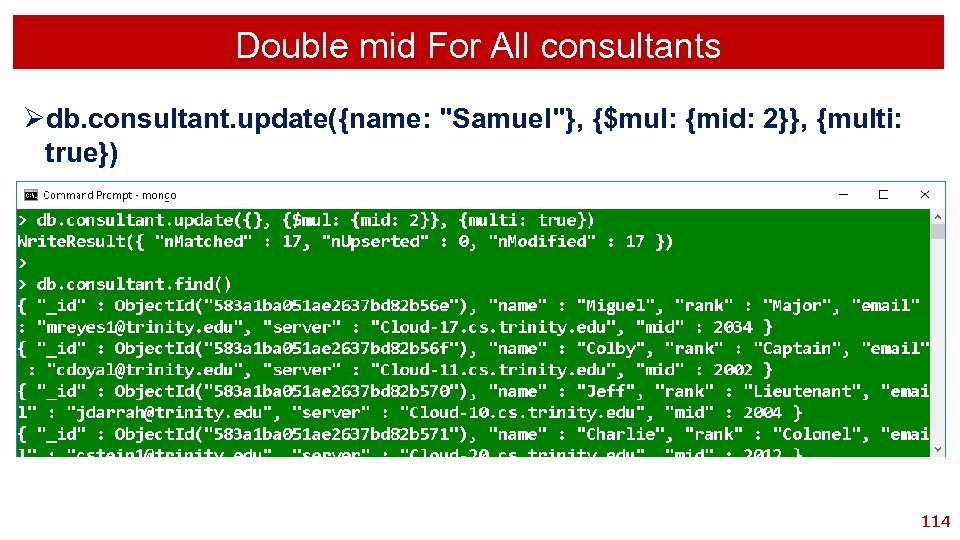
Double mid For All consultants Ødb. consultant. update({name: "Samuel"}, {$mul: {mid: 2}}, {multi: true}) 114
Replace Document Query 115
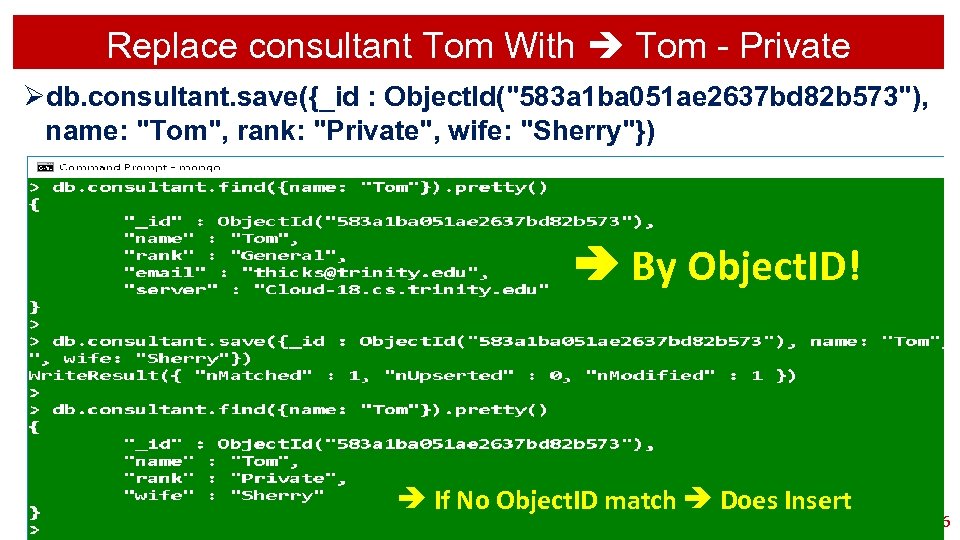
Replace consultant Tom With Tom - Private Ødb. consultant. save({_id : Object. Id("583 a 1 ba 051 ae 2637 bd 82 b 573"), name: "Tom", rank: "Private", wife: "Sherry"}) By Object. ID! If No Object. ID match Does Insert 116

Create File Newer. Consultant. txt 117
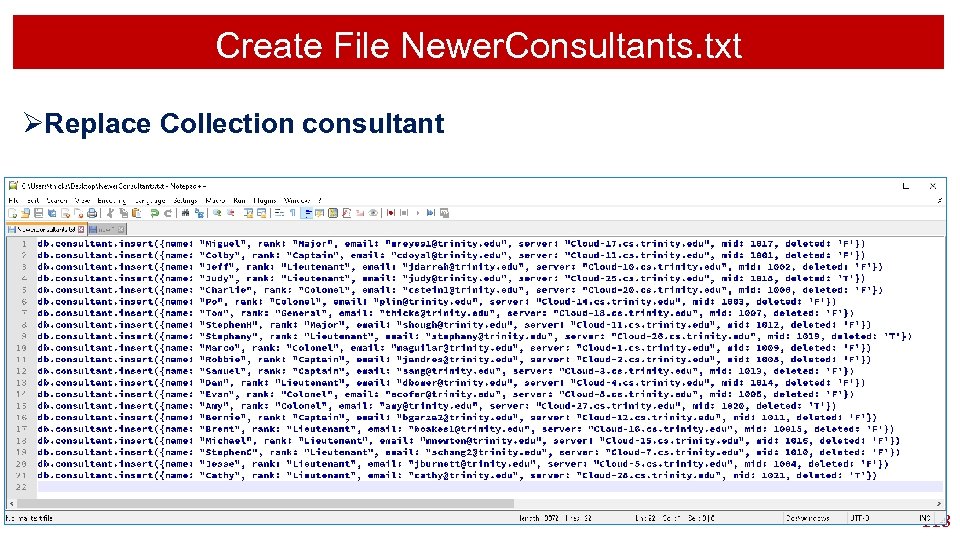
Create File Newer. Consultants. txt ØReplace Collection consultant 118
Set No To Display DBQuery. shell. Batch. Size 119
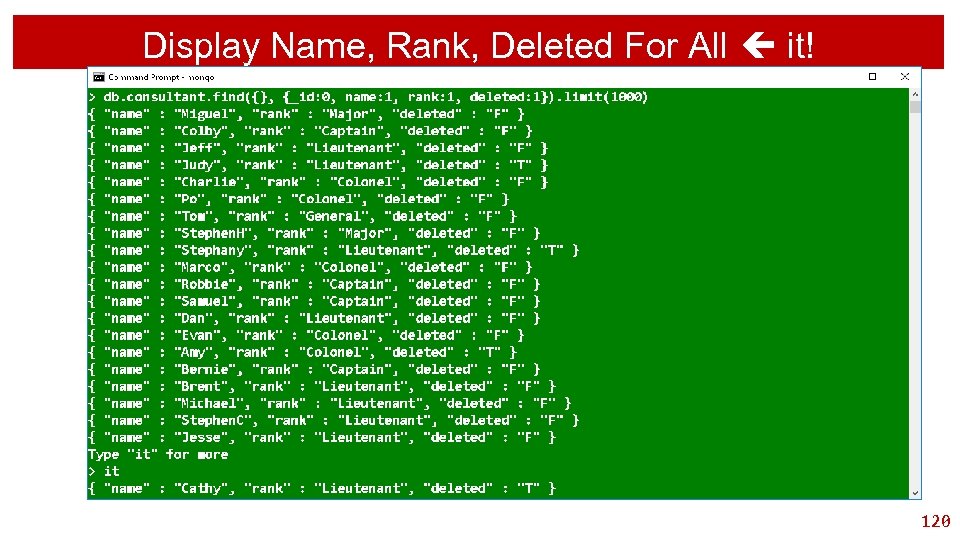
Display Name, Rank, Deleted For All it! 120
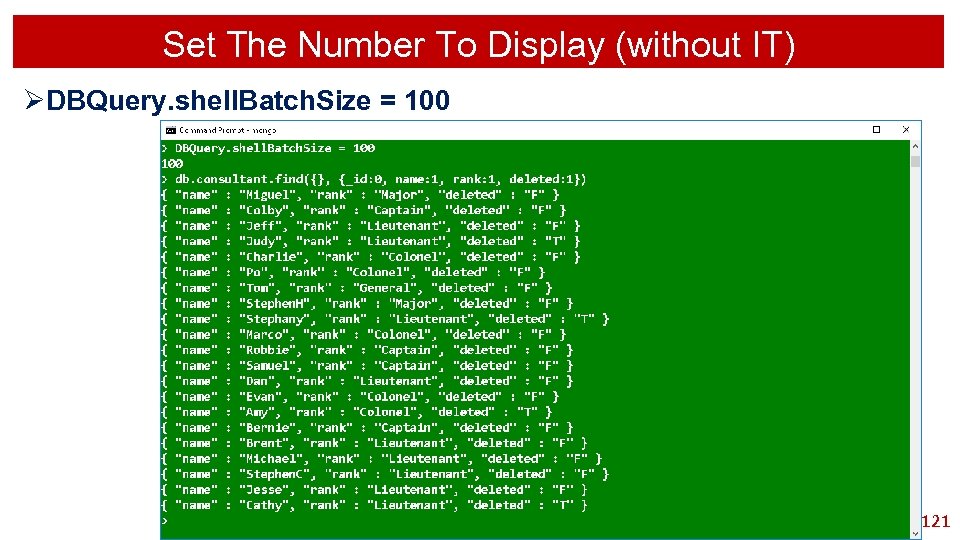
Set The Number To Display (without IT) ØDBQuery. shell. Batch. Size = 100 121
Ordered Data Query 122
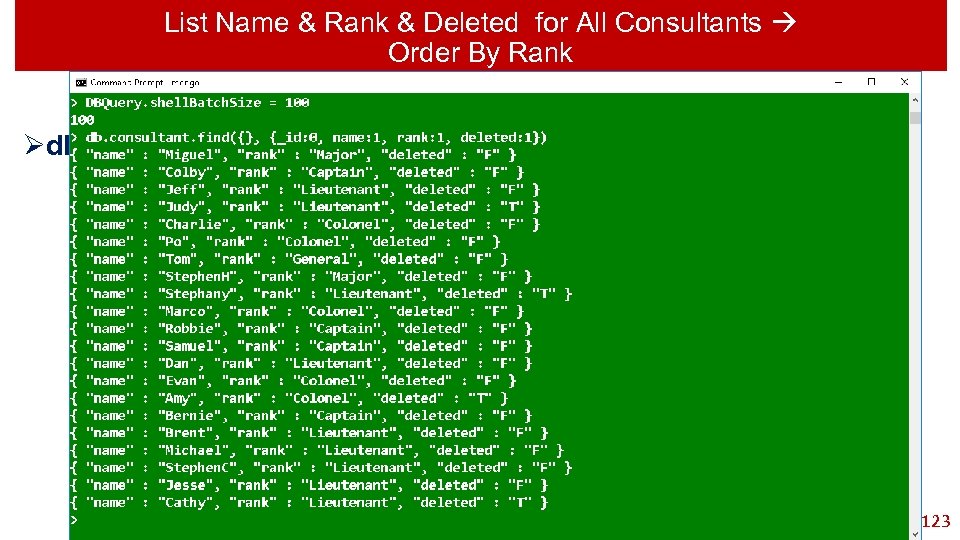
List Name & Rank & Deleted for All Consultants Order By Rank Ødb. consultant. find ({}, {_id: 0, name: 1, rank: 1}). sort({rank: 1}) 123
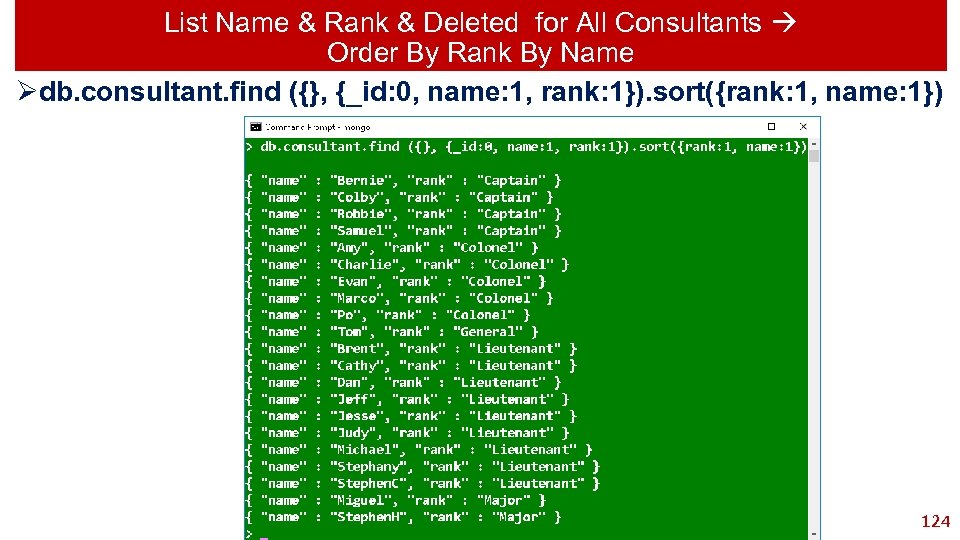
List Name & Rank & Deleted for All Consultants Order By Rank By Name Ødb. consultant. find ({}, {_id: 0, name: 1, rank: 1}). sort({rank: 1, name: 1}) 124
Query View 125
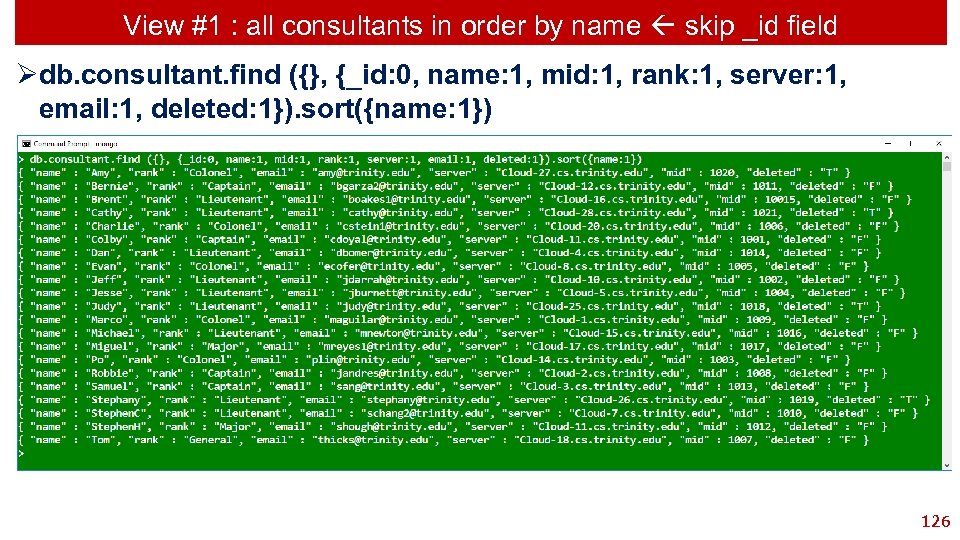
View #1 : all consultants in order by name skip _id field Ødb. consultant. find ({}, {_id: 0, name: 1, mid: 1, rank: 1, server: 1, email: 1, deleted: 1}). sort({name: 1}) 126
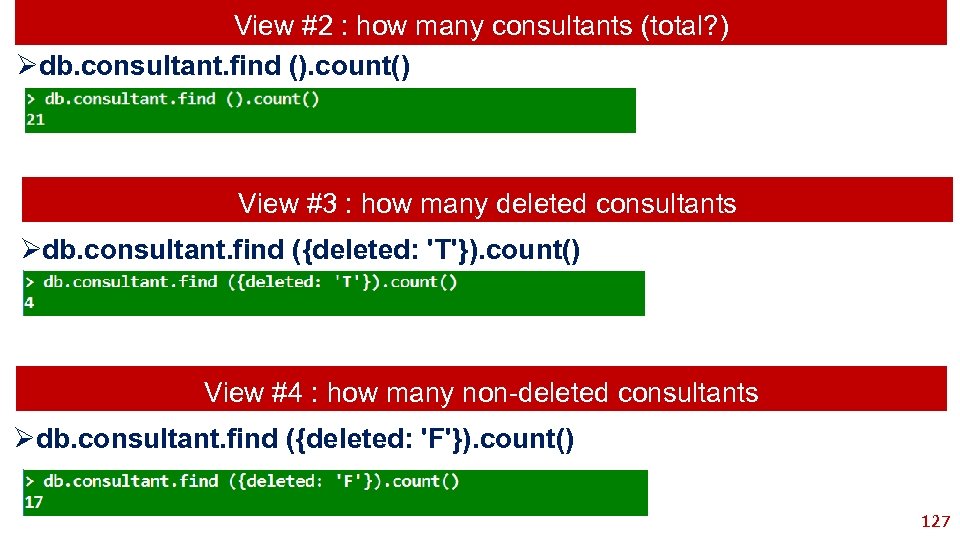
View #2 : how many consultants (total? ) Ødb. consultant. find (). count() View #3 : how many deleted consultants Ødb. consultant. find ({deleted: 'T'}). count() View #4 : how many non-deleted consultants Ødb. consultant. find ({deleted: 'F'}). count() 127
RDMS VIEW SELECT * FROM consultants WHERE (Deleted = 'F') ORDER BY name Now Generate The Equivalent View In Mongo 128
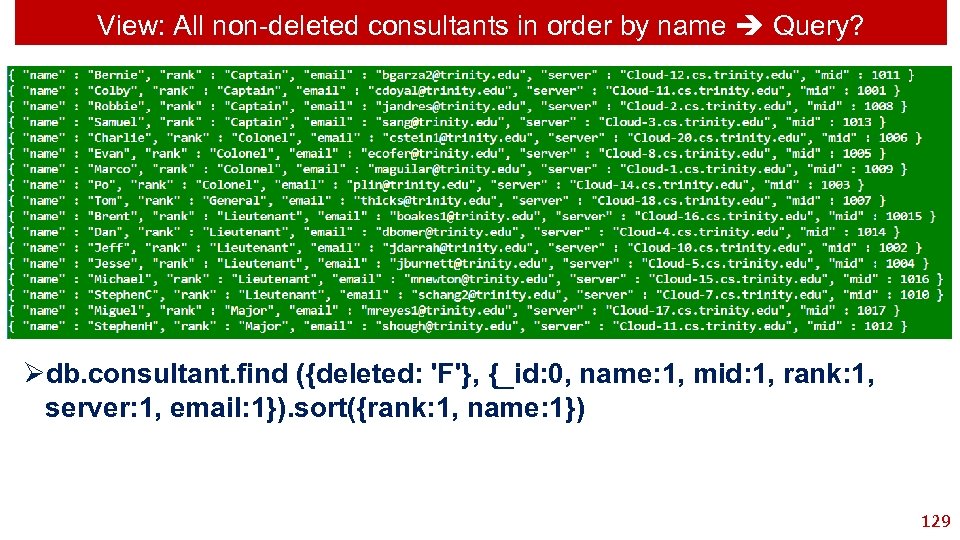
View: All non-deleted consultants in order by name Query? Ødb. consultant. find ({deleted: 'F'}, {_id: 0, name: 1, mid: 1, rank: 1, server: 1, email: 1}). sort({rank: 1, name: 1}) 129
Limit Query 130
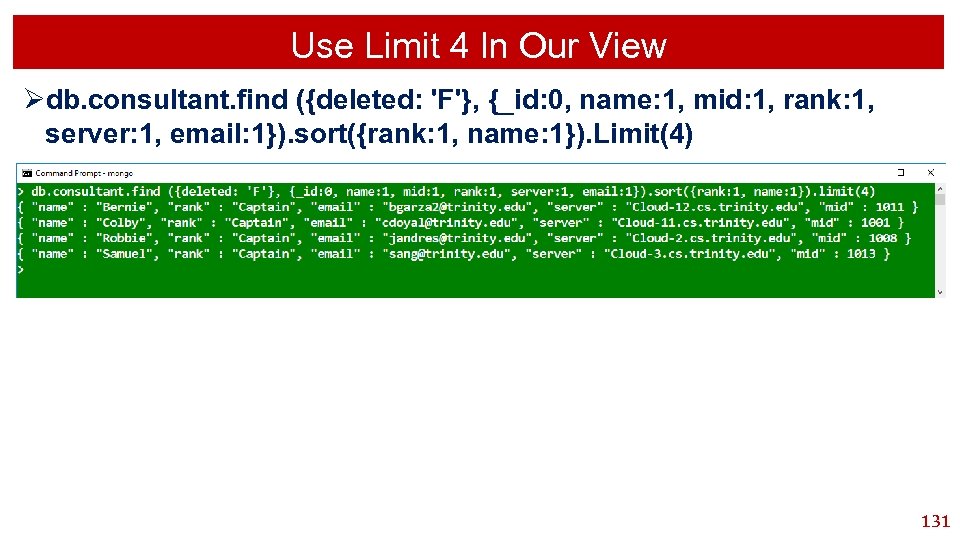
Use Limit 4 In Our View Ødb. consultant. find ({deleted: 'F'}, {_id: 0, name: 1, mid: 1, rank: 1, server: 1, email: 1}). sort({rank: 1, name: 1}). Limit(4) 131
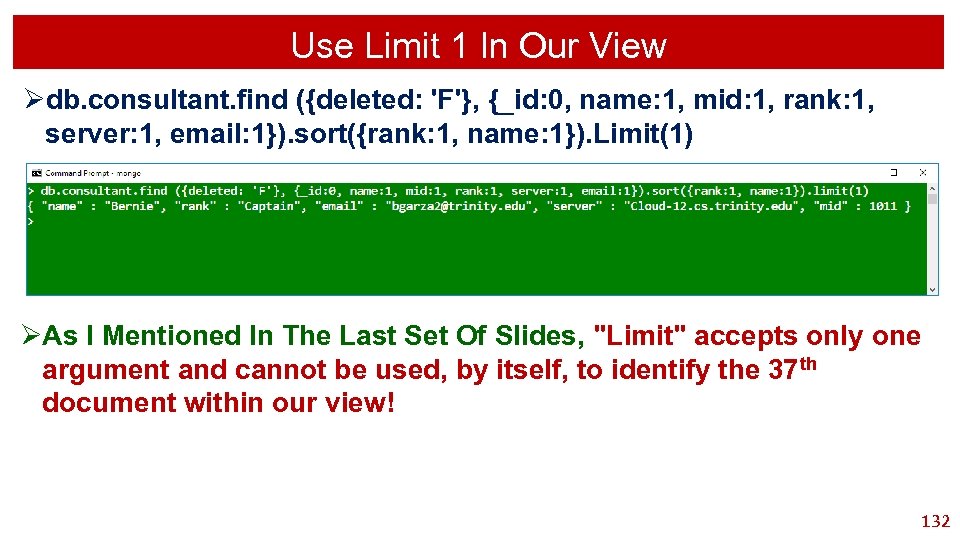
Use Limit 1 In Our View Ødb. consultant. find ({deleted: 'F'}, {_id: 0, name: 1, mid: 1, rank: 1, server: 1, email: 1}). sort({rank: 1, name: 1}). Limit(1) ØAs I Mentioned In The Last Set Of Slides, "Limit" accepts only one argument and cannot be used, by itself, to identify the 37 th document within our view! 132
Skipping Query 133
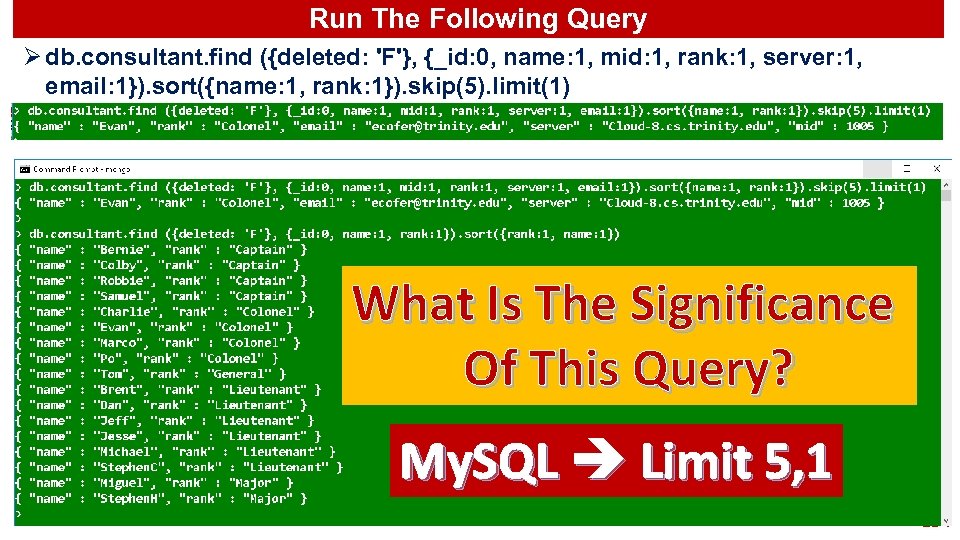
Run The Following Query Ø db. consultant. find ({deleted: 'F'}, {_id: 0, name: 1, mid: 1, rank: 1, server: 1, email: 1}). sort({name: 1, rank: 1}). skip(5). limit(1) What Is The Significance Of This Query? My. SQL Limit 5, 1 134
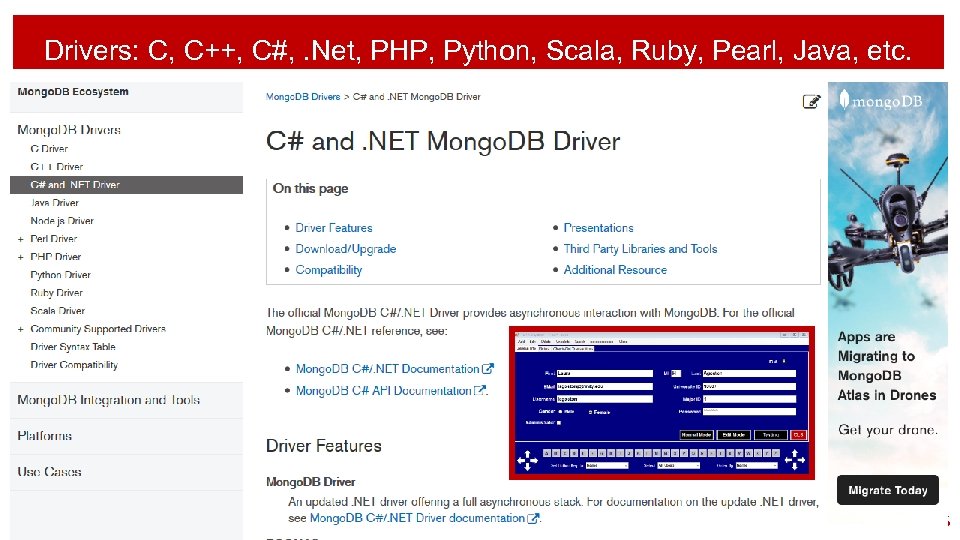
Drivers: C, C++, C#, . Net, PHP, Python, Scala, Ruby, Pearl, Java, etc. 135
Mongo Indexing 136
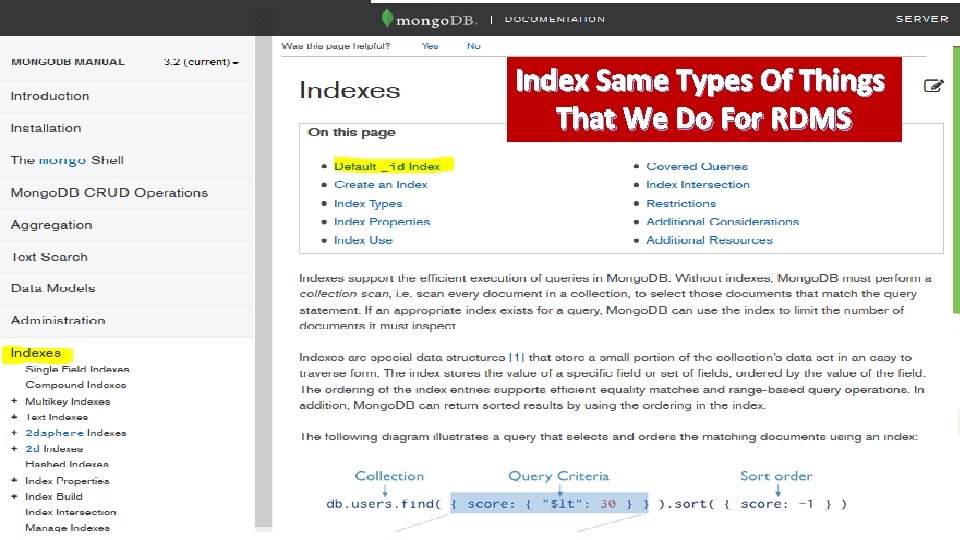
Index Same Types Of Things That We Do For RDMS 137
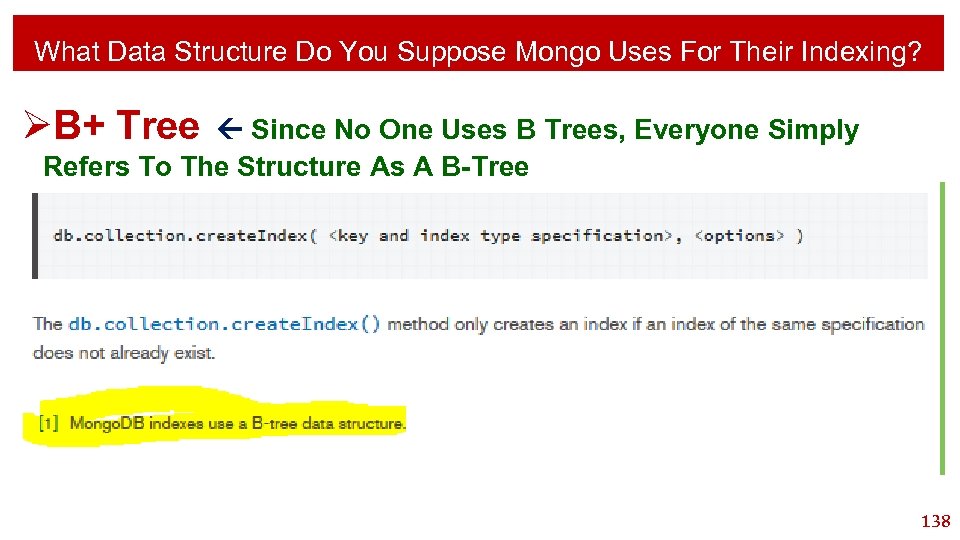
What Data Structure Do You Suppose Mongo Uses For Their Indexing? ØB+ Tree Since No One Uses B Trees, Everyone Simply Refers To The Structure As A B-Tree 138
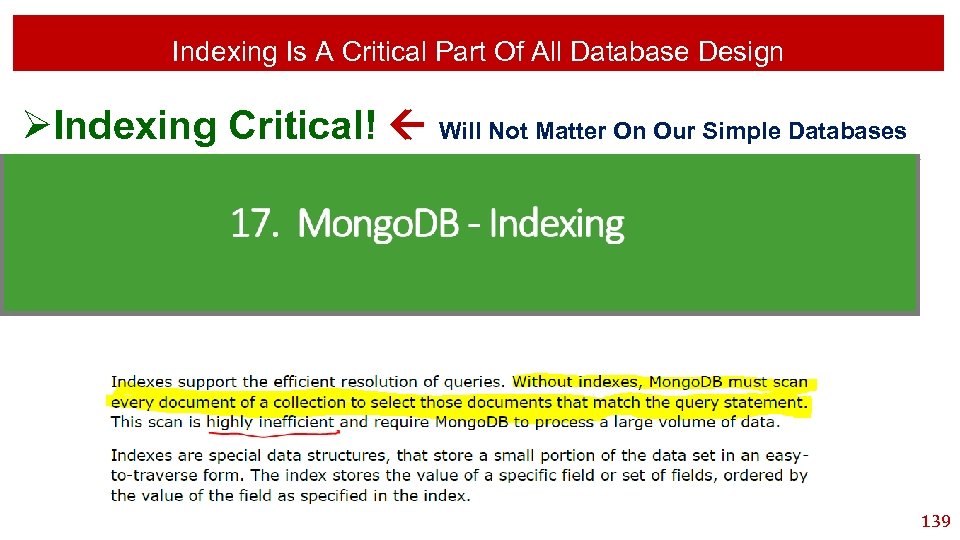
Indexing Is A Critical Part Of All Database Design ØIndexing Critical! Will Not Matter On Our Simple Databases 139
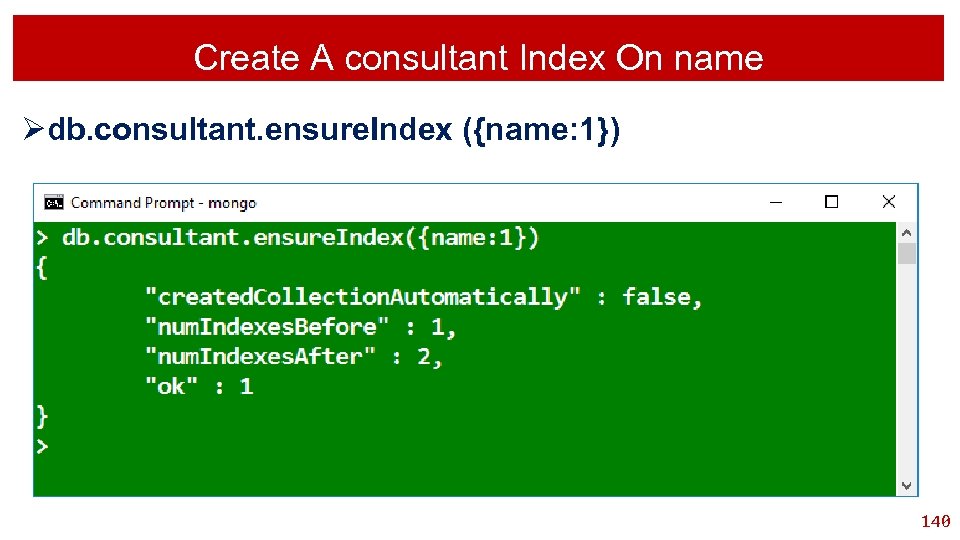
Create A consultant Index On name Ødb. consultant. ensure. Index ({name: 1}) 140
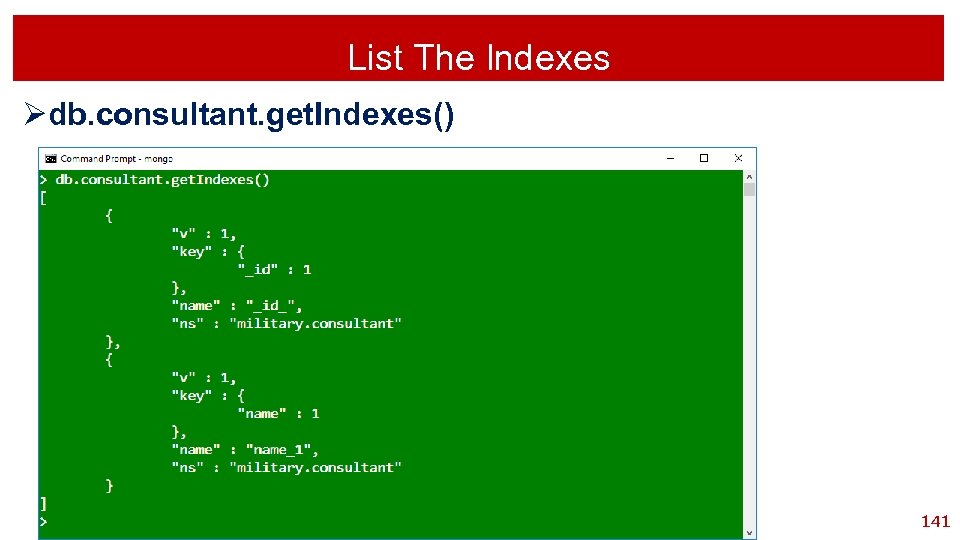
List The Indexes Ødb. consultant. get. Indexes() 141
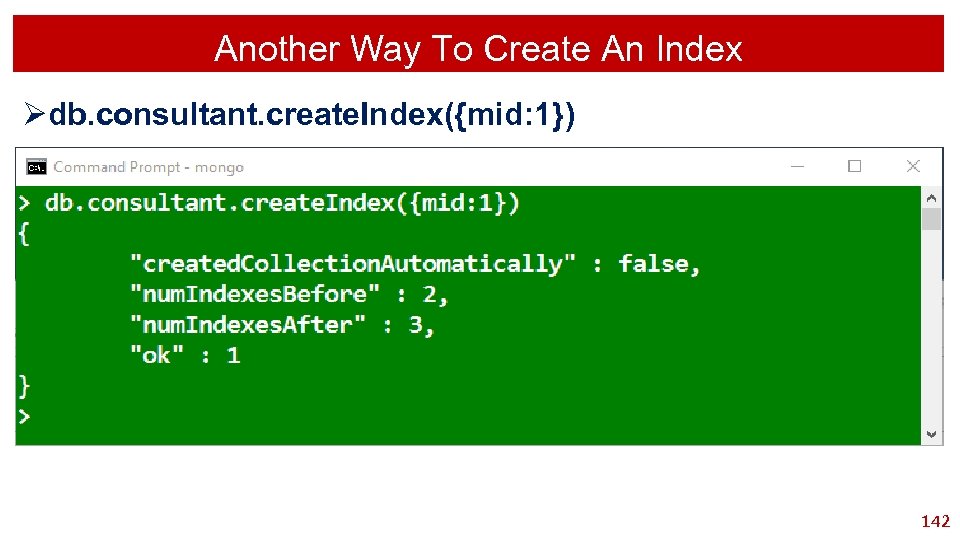
Another Way To Create An Index Ødb. consultant. create. Index({mid: 1}) 142
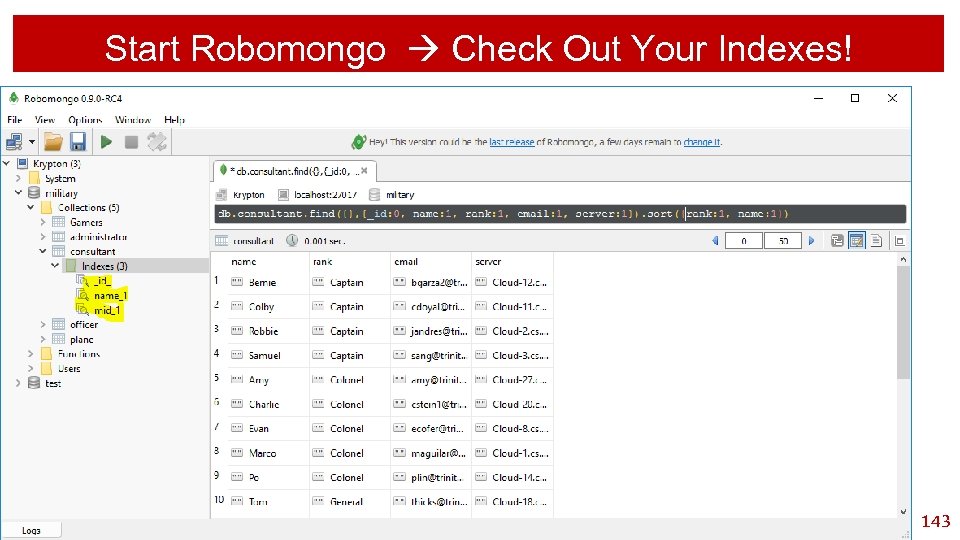
Start Robomongo Check Out Your Indexes! 143
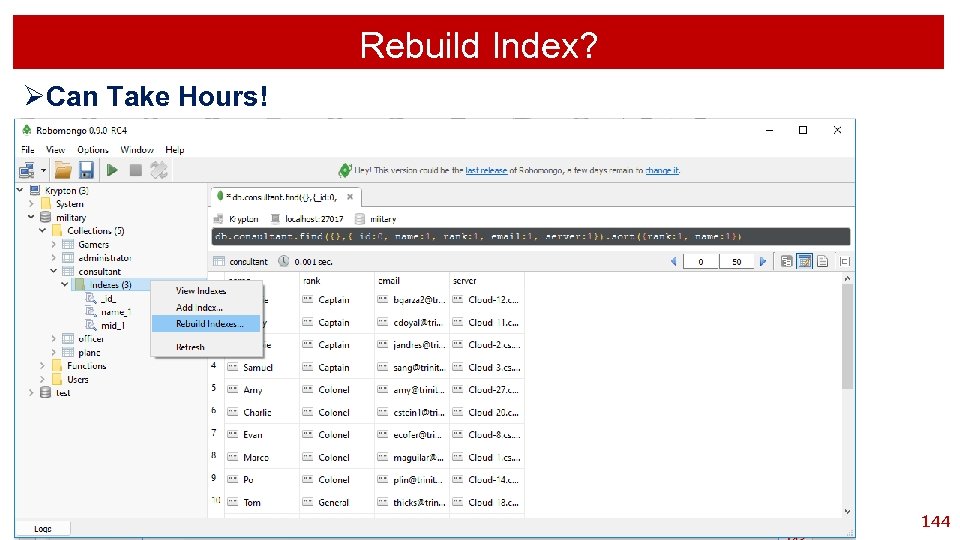
Rebuild Index? ØCan Take Hours! 144
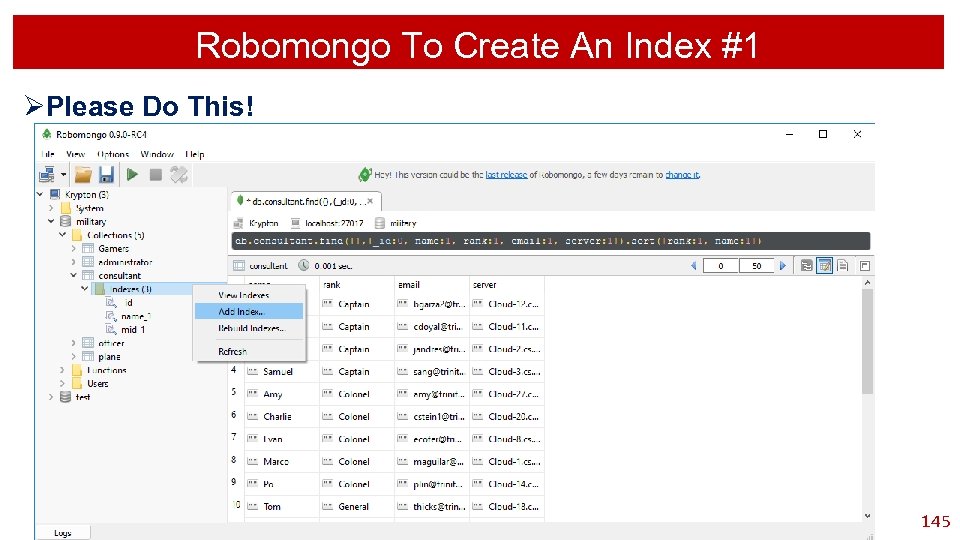
Robomongo To Create An Index #1 ØPlease Do This! 145
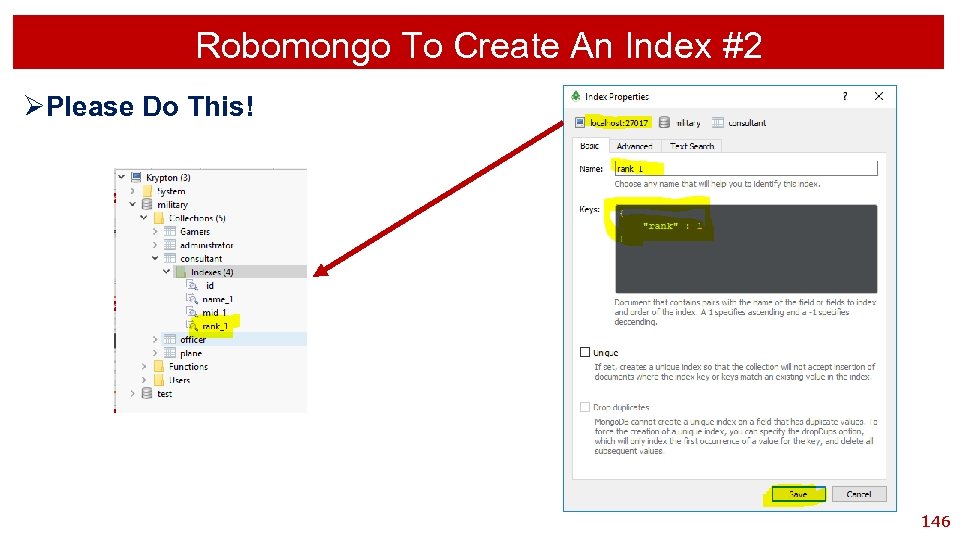
Robomongo To Create An Index #2 ØPlease Do This! 146
Search Query Wild Card Search 147
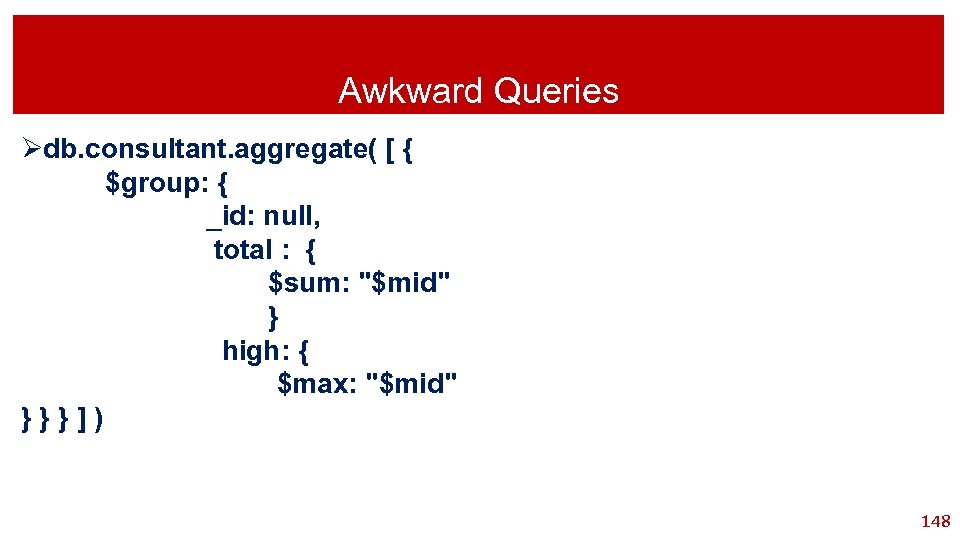
Awkward Queries Ødb. consultant. aggregate( [ { $group: { _id: null, total : { $sum: "$mid" } high: { $max: "$mid" }}}]) 148
Скачать презентацию Mongo Database Intermediate Database Systems CSCI-3343 Dr Tom
be1bd9a12a92e534527d382944a8506c.ppt