


 Скачать презентацию Monad Shell Task-Oriented Automation Framework Jeffrey P
0bf2a40f8fd672193453efb850cbf1d6.ppt
- Количество слайдов: 36
 Monad Shell – Task-Oriented Automation Framework Jeffrey P. Snover Management Architect Windows Enterprise Management Division Jsnover @ microsoft. com
 Task-Based Administrative Experience n Tasks are the actions users perform from a n n n Example tasks n n Add user, add disk, remove user, … Tasks can be comprised of sub-tasks (e. g. , add user) n n n GUI console Command line Create account in Active Directory Add account to appropriate Groups Create a home directory … Administrative Experience is determined by how tasks are defined, organized, and exposed to end users 2
 Microsoft Shell (MSH) Mission n Deliver an extensible scripting environment that is secure, interactive, programmable, and production-ready to enable consistent and reliable automation of administrative tasks n n n Improve the developer experience by making it easier to add command-line management capabilities using. NET Improve the administrative experience by enabling IT Pros to write secure automation scripts that can run locally or remotely Deliverables n n n A scripting language An interactive shell A way to produce task-oriented commands A set of domain-independent utility commands A mechanism to do remote scripting 3
 MSH Problem Statement n Windows administration has not met the needs of administrators n n n Overemphasis on GUI-based tools and developer-oriented SDKs Weak command shell with incomplete coverage and limited automation Unix employs a powerful model for automating administration tasks n n Composition (A | B | C) Text-based pipelines n n n Command A output processed by command B… Uniform remoting of commands . NET enables Windows to do better than Unix n n Object-based pipelines Managed code n n Commands are classes Reflection-based utilities 4
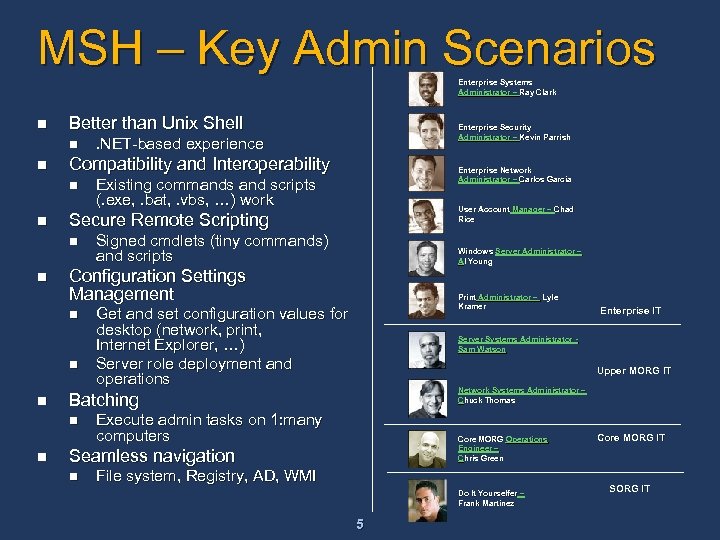 MSH – Key Admin Scenarios Enterprise Systems Administrator – Ray Clark n Better than Unix Shell n n n User Account Manager – Chad Rice Signed cmdlets (tiny commands) and scripts Windows Server Administrator – Al Young Print Administrator – Lyle Kramer Get and set configuration values for desktop (network, print, Internet Explorer, …) Server role deployment and operations Upper MORG IT Network Systems Administrator – Chuck Thomas Execute admin tasks on 1: many computers Core MORG Operations Engineer – Chris Green Seamless navigation n Enterprise IT Server Systems Administrator Sam Watson Batching n n Existing commands and scripts (. exe, . bat, . vbs, …) work Configuration Settings Management n n Enterprise Network Administrator – Carlos Garcia Secure Remote Scripting n n . NET-based experience Compatibility and Interoperability n n Enterprise Security Administrator – Kevin Parrish File system, Registry, AD, WMI Do It Yourselfer – Frank Martinez 5 Core MORG IT SORG IT
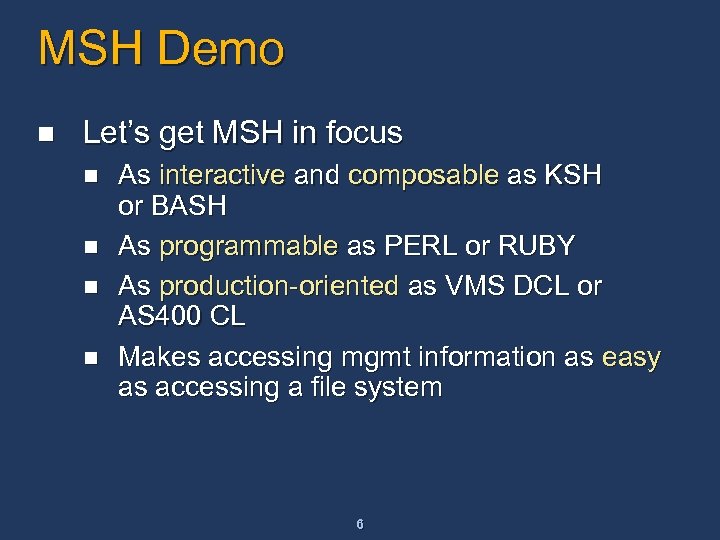 MSH Demo n Let’s get MSH in focus n n As interactive and composable as KSH or BASH As programmable as PERL or RUBY As production-oriented as VMS DCL or AS 400 CL Makes accessing mgmt information as easy as accessing a file system 6
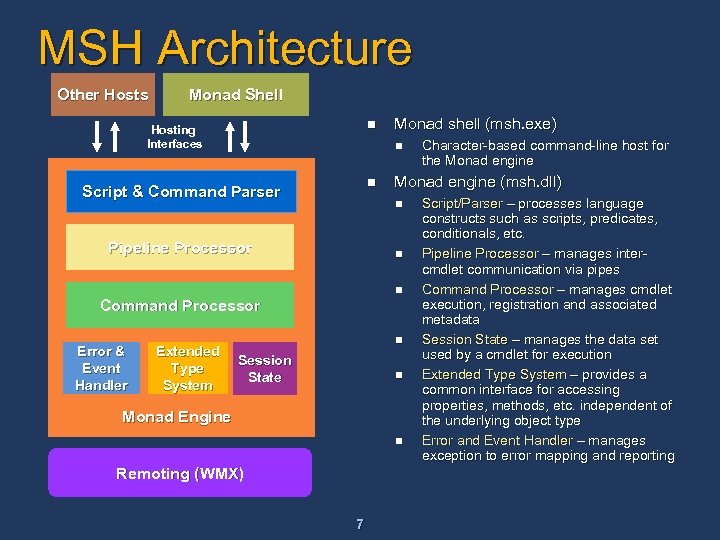 MSH Architecture Other Hosts Monad Shell n Hosting Interfaces n n Script & Command Parser n n Command Processor Extended Type System n Session State n Monad Engine n Remoting (WMX) 7 Character-based command-line host for the Monad engine (msh. dll) n Pipeline Processor Error & Event Handler Monad shell (msh. exe) Script/Parser – processes language constructs such as scripts, predicates, conditionals, etc. Pipeline Processor – manages intercmdlet communication via pipes Command Processor – manages cmdlet execution, registration and associated metadata Session State – manages the data set used by a cmdlet for execution Extended Type System – provides a common interface for accessing properties, methods, etc. independent of the underlying object type Error and Event Handler – manages exception to error mapping and reporting
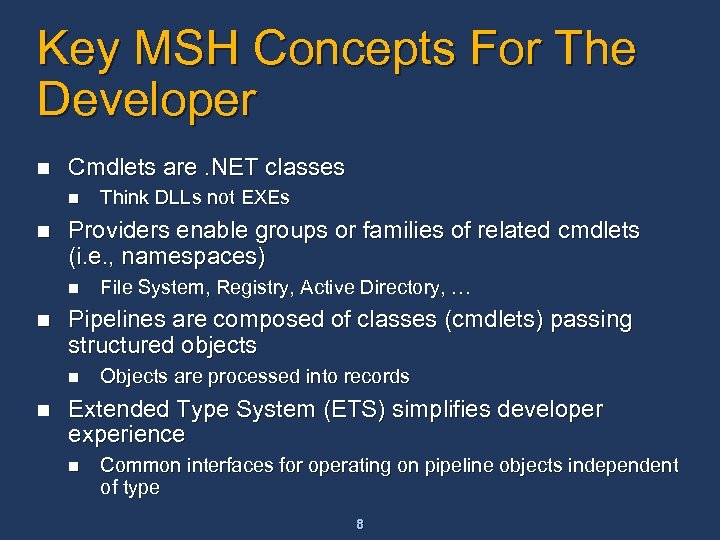 Key MSH Concepts For The Developer n Cmdlets are. NET classes n n Providers enable groups or families of related cmdlets (i. e. , namespaces) n n File System, Registry, Active Directory, … Pipelines are composed of classes (cmdlets) passing structured objects n n Think DLLs not EXEs Objects are processed into records Extended Type System (ETS) simplifies developer experience n Common interfaces for operating on pipeline objects independent of type 8
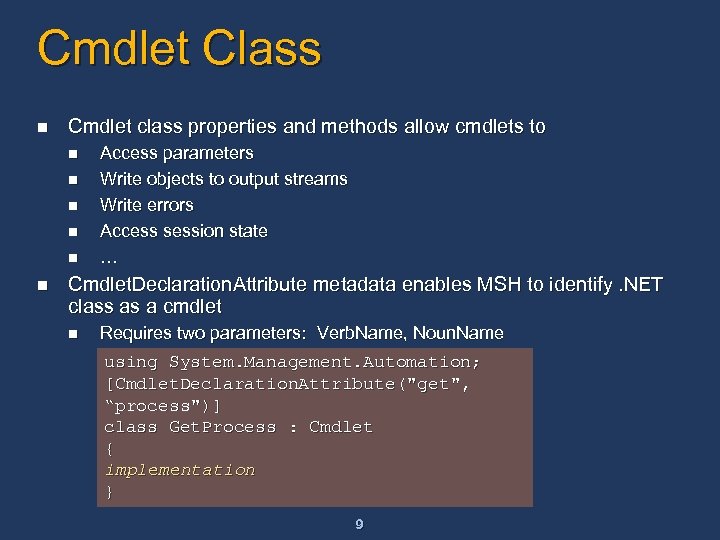 Cmdlet Class n Cmdlet class properties and methods allow cmdlets to n n n Access parameters Write objects to output streams Write errors Access session state … Cmdlet. Declaration. Attribute metadata enables MSH to identify. NET class as a cmdlet n Requires two parameters: Verb. Name, Noun. Name using System. Management. Automation; [Cmdlet. Declaration. Attribute("get", “process")] class Get. Process : Cmdlet { implementation } 9
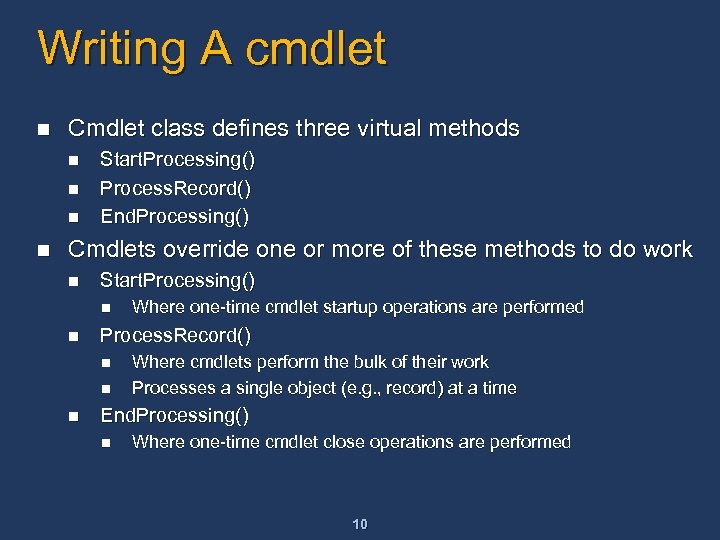 Writing A cmdlet n Cmdlet class defines three virtual methods n n Start. Processing() Process. Record() End. Processing() Cmdlets override one or more of these methods to do work n Start. Processing() n n Process. Record() n n n Where one-time cmdlet startup operations are performed Where cmdlets perform the bulk of their work Processes a single object (e. g. , record) at a time End. Processing() n Where one-time cmdlet close operations are performed 10
![Example: Get-Process cmdlet … using System. Management. Automation; [Cmdlet. Declaration. Attribute (“get”, “process”)] public](https://present5.com/presentation/0bf2a40f8fd672193453efb850cbf1d6/image-11.jpg "Example: Get-Process cmdlet … using System. Management. Automation; [Cmdlet. Declaration. Attribute (“get”, “process”)] public") Example: Get-Process cmdlet … using System. Management. Automation; [Cmdlet. Declaration. Attribute (“get”, “process”)] public class Get. Process: Cmdlet { public override void Start. Processing() { Write. Objects (Process. Get. Process()); } } 11
Example: Get-Process cmdlet … using System. Management. Automation; [Cmdlet. Declaration. Attribute (“get”, “process”)] public class Get. Process: Cmdlet { public override void Start. Processing() { Write. Objects (Process. Get. Process()); } } 11
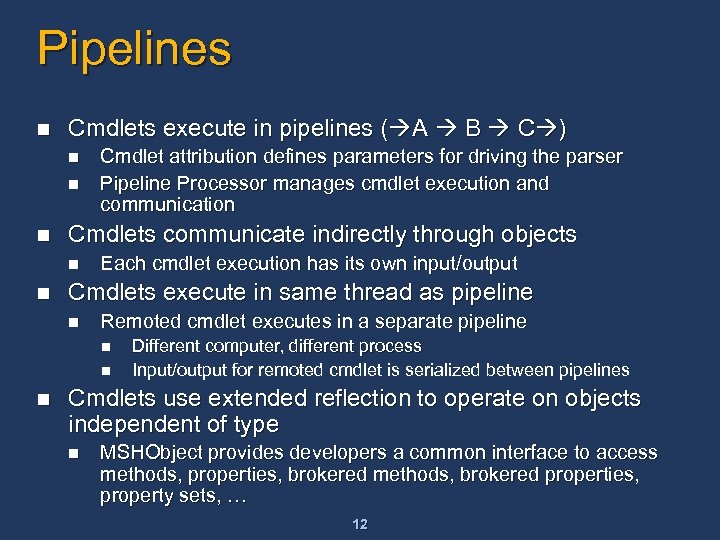 Pipelines n Cmdlets execute in pipelines ( A B C ) n n n Cmdlets communicate indirectly through objects n n Cmdlet attribution defines parameters for driving the parser Pipeline Processor manages cmdlet execution and communication Each cmdlet execution has its own input/output Cmdlets execute in same thread as pipeline n Remoted cmdlet executes in a separate pipeline n n n Different computer, different process Input/output for remoted cmdlet is serialized between pipelines Cmdlets use extended reflection to operate on objects independent of type n MSHObject provides developers a common interface to access methods, properties, brokered methods, brokered properties, property sets, … 12
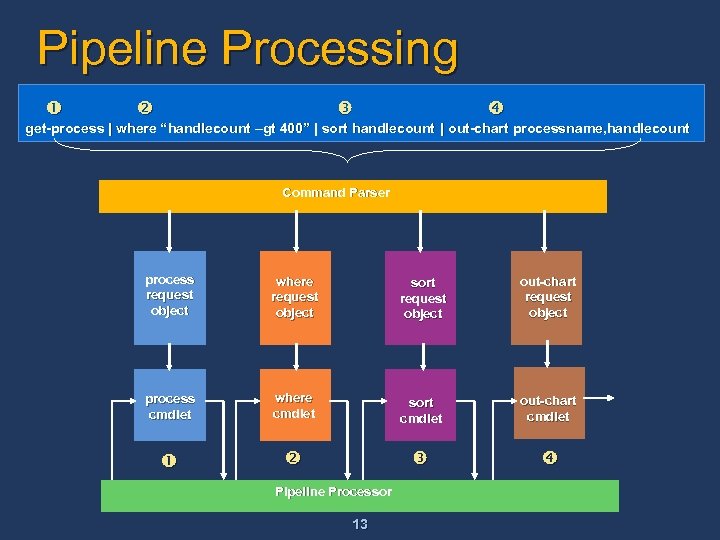 Pipeline Processing get-process | where “handlecount –gt 400” | sort handlecount | out-chart processname, handlecount Command Parser Process process request Request object Where where Request request object Sort sort request object Table out-chart request object process Process cmdlet where Where cmdlet Sort sort cmdlet Out/Table out-chart cmdlet Pipeline Processor 13
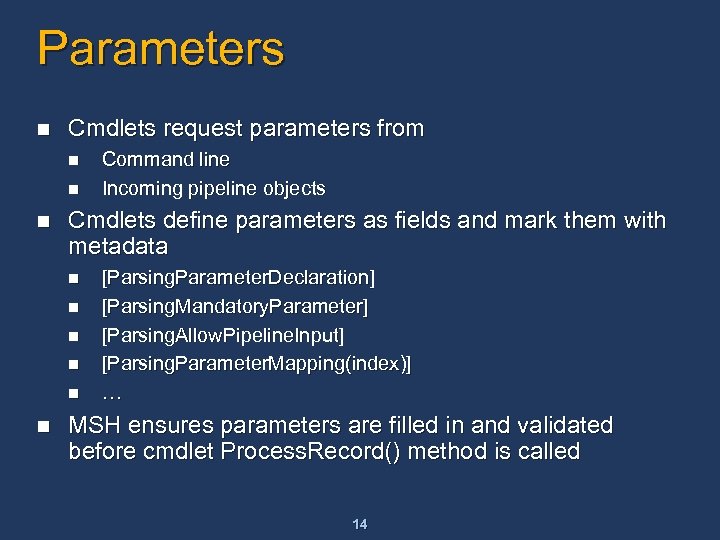 Parameters n Cmdlets request parameters from n n n Cmdlets define parameters as fields and mark them with metadata n n n Command line Incoming pipeline objects [Parsing. Parameter. Declaration] [Parsing. Mandatory. Parameter] [Parsing. Allow. Pipeline. Input] [Parsing. Parameter. Mapping(index)] … MSH ensures parameters are filled in and validated before cmdlet Process. Record() method is called 14
![Example: Stop-Process cmdlet With Parameter using System. Management. Automation [Cmdlet. Declaration. Attribute (“stop”, “process”)]](https://present5.com/presentation/0bf2a40f8fd672193453efb850cbf1d6/image-15.jpg "Example: Stop-Process cmdlet With Parameter using System. Management. Automation [Cmdlet. Declaration. Attribute (“stop”, “process”)]") Example: Stop-Process cmdlet With Parameter using System. Management. Automation [Cmdlet. Declaration. Attribute (“stop”, “process”)] public class Stop. Process: Cmdlet { [Parsing. Mandatory. Parameter] [Parsing. Parameter. Mapping(0)] [Parsing. Allow. Pipeline. Input] [Parsing. Prompt. String(“Name of the process: ")] public string Process. Name; public override void Start. Processing() { Process [ ]ps; ps = Process. Get. Processes. By. Name(Process. Name); foreach (Process p in ps) { if (Should. Process(p. Process. Name)) { p. Kill(); } } 15
Example: Stop-Process cmdlet With Parameter using System. Management. Automation [Cmdlet. Declaration. Attribute (“stop”, “process”)] public class Stop. Process: Cmdlet { [Parsing. Mandatory. Parameter] [Parsing. Parameter. Mapping(0)] [Parsing. Allow. Pipeline. Input] [Parsing. Prompt. String(“Name of the process: ")] public string Process. Name; public override void Start. Processing() { Process [ ]ps; ps = Process. Get. Processes. By. Name(Process. Name); foreach (Process p in ps) { if (Should. Process(p. Process. Name)) { p. Kill(); } } 15
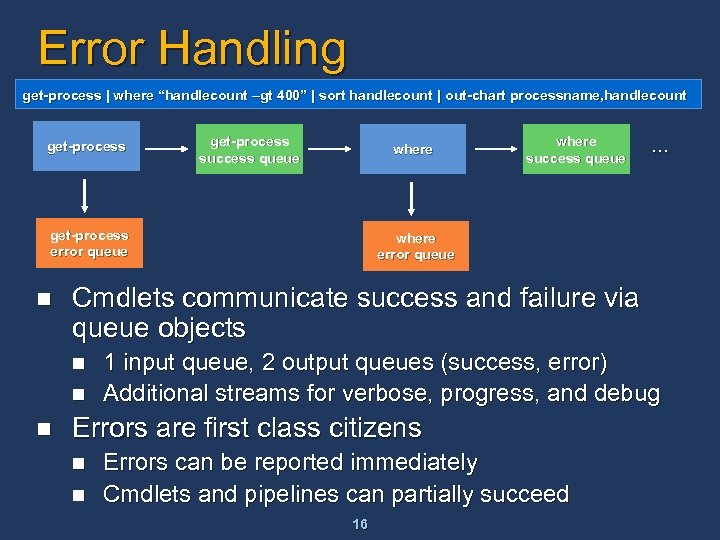 Error Handling get-process | where “handlecount –gt 400” | sort handlecount | out-chart processname, handlecount get-process success queue where get-process error queue n … where error queue Cmdlets communicate success and failure via queue objects n n n where success queue 1 input queue, 2 output queues (success, error) Additional streams for verbose, progress, and debug Errors are first class citizens n n Errors can be reported immediately Cmdlets and pipelines can partially succeed 16
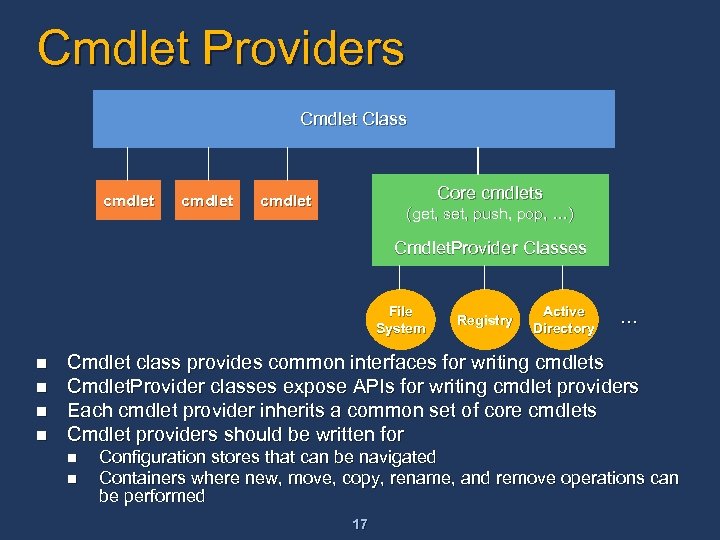 Cmdlet Providers Cmdlet Class cmdlet Core cmdlets cmdlet (get, set, push, pop, …) Cmdlet. Provider Classes File System n n Registry Active Directory … Cmdlet class provides common interfaces for writing cmdlets Cmdlet. Provider classes expose APIs for writing cmdlet providers Each cmdlet provider inherits a common set of core cmdlets Cmdlet providers should be written for n n Configuration stores that can be navigated Containers where new, move, copy, rename, and remove operations can be performed 17
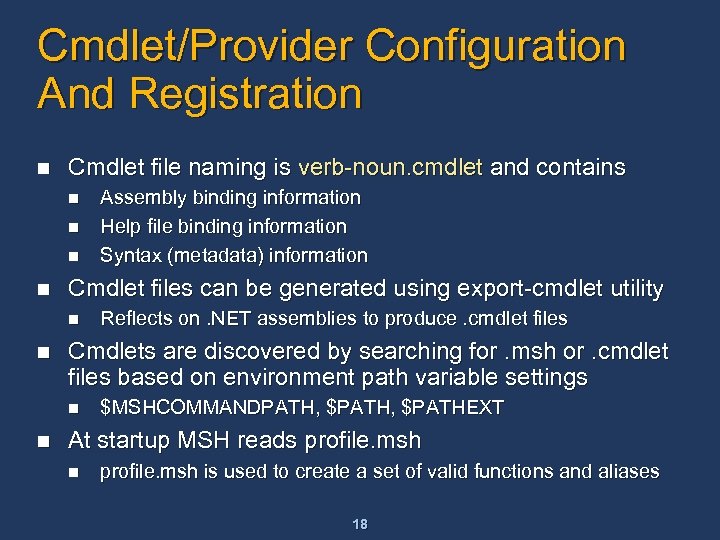 Cmdlet/Provider Configuration And Registration n Cmdlet file naming is verb-noun. cmdlet and contains n n Cmdlet files can be generated using export-cmdlet utility n n Reflects on. NET assemblies to produce. cmdlet files Cmdlets are discovered by searching for. msh or. cmdlet files based on environment path variable settings n n Assembly binding information Help file binding information Syntax (metadata) information $MSHCOMMANDPATH, $PATHEXT At startup MSH reads profile. msh n profile. msh is used to create a set of valid functions and aliases 18
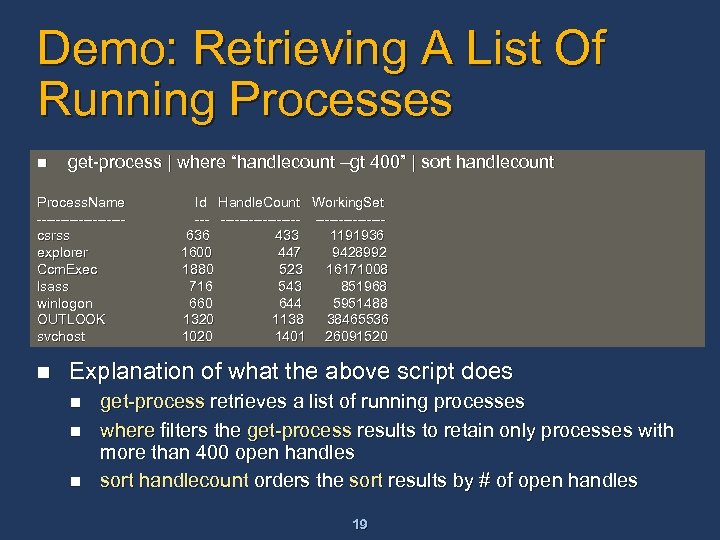 Demo: Retrieving A List Of Running Processes n get-process | where “handlecount –gt 400” | sort handlecount Process. Name ---------csrss explorer Ccm. Exec lsass winlogon OUTLOOK svchost n Id Handle. Count Working. Set ----------636 433 1191936 1600 447 9428992 1880 523 16171008 716 543 851968 660 644 5951488 1320 1138 38465536 1020 1401 26091520 Explanation of what the above script does n n n get-process retrieves a list of running processes where filters the get-process results to retain only processes with more than 400 open handles sort handlecount orders the sort results by # of open handles 19
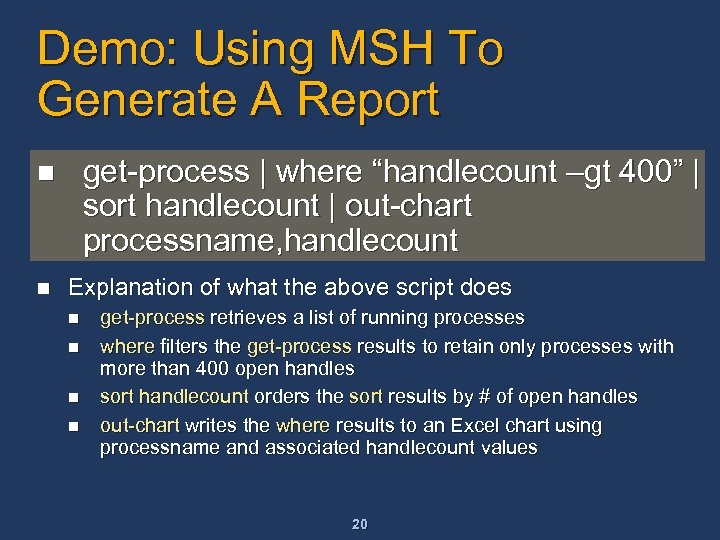 Demo: Using MSH To Generate A Report get-process | where “handlecount –gt 400” | sort handlecount | out-chart processname, handlecount n n Explanation of what the above script does n n get-process retrieves a list of running processes where filters the get-process results to retain only processes with more than 400 open handles sort handlecount orders the sort results by # of open handles out-chart writes the where results to an Excel chart using processname and associated handlecount values 20
 Call To Action n Sign up for Command Shell Preview from betaplace Install it Use it n n n Write SCRIPTS Write Cmdlets Write Providers Give us feedback, early and often Help us ship the V 1 that meets your needs 21
 Additional Resources n Web Resources n n n Available on http: //betaplace. com Use the guest account: msh. PDC Logon and password e-mailed within 24 hours Download bits, SDK, samples, private newsgroup, and a feedback/bug reporting environment 22

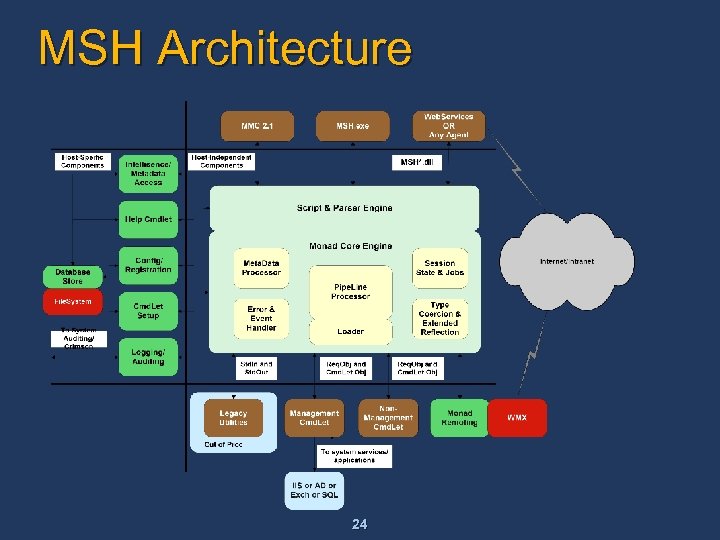 MSH Architecture 24
![Scripting Language n Cmdlet syntax: <verb>-<noun> [-<qualifier> <value> [, <value>…] …] n n Verb](https://present5.com/presentation/0bf2a40f8fd672193453efb850cbf1d6/image-25.jpg "Scripting Language n Cmdlet syntax: <verb>-<noun> [-<qualifier> <value> [, <value>…] …] n n Verb") Scripting Language n Cmdlet syntax:
Scripting Language n Cmdlet syntax:
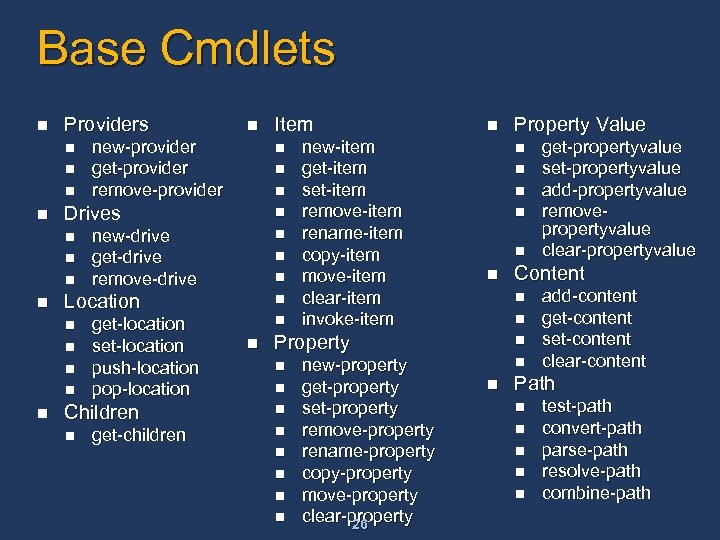 Base Cmdlets n Providers n n n n new-drive get-drive remove-drive n n n get-location set-location push-location pop-location Children n get-children Item n n Location n n new-provider get-provider remove-provider Drives n n n new-item get-item set-item remove-item rename-item copy-item move-item clear-item invoke-item n n n new-property get-property set-property remove-property rename-property copy-property move-property clear-property 26 n n get-propertyvalue set-propertyvalue add-propertyvalue removepropertyvalue clear-propertyvalue Content n Property Value add-content get-content set-content clear-content Path n n n test-path convert-path parse-path resolve-path combine-path
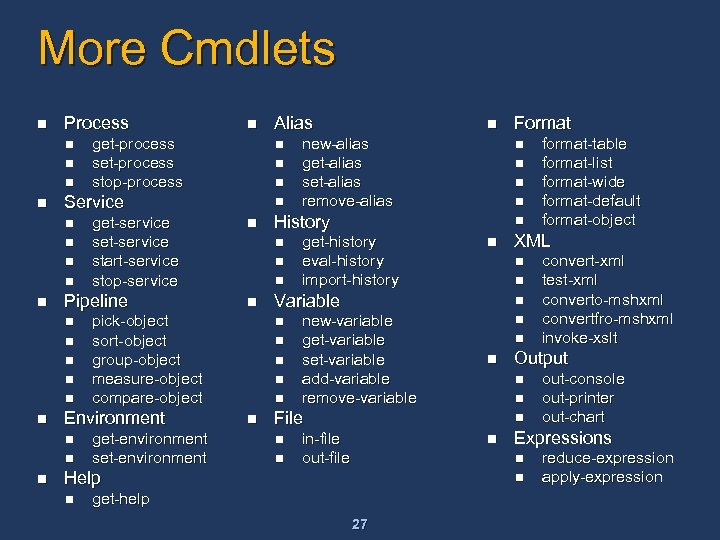 More Cmdlets n Process n n n n n get-environment set-environment Alias n n n new-alias get-alias set-alias remove-alias n n get-history eval-history import-history new-variable get-variable set-variable add-variable remove-variable n n n n in-file out-file 27 out-console out-printer out-chart Expressions n n get-help convert-xml test-xml converto-mshxml convertfro-mshxml invoke-xslt Output n n n format-table format-list format-wide format-default format-object XML n Help n n n File n n Format n n Variable n n History n n pick-object sort-object group-object measure-object compare-object Environment n n n get-service start-service stop-service Pipeline n n n get-process stop-process Service n n reduce-expression apply-expression
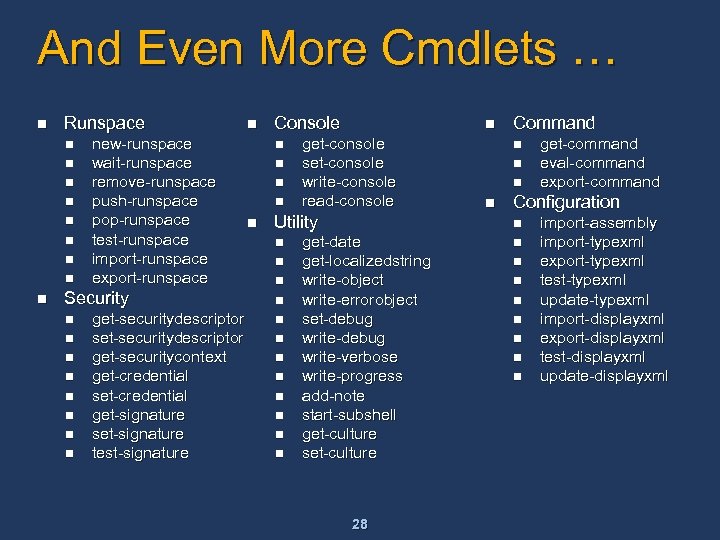 And Even More Cmdlets … n Runspace n n n n new-runspace wait-runspace remove-runspace push-runspace pop-runspace test-runspace import-runspace export-runspace Security n n n n get-securitydescriptor set-securitydescriptor get-securitycontext get-credential set-credential get-signature set-signature test-signature n Console n n n get-console set-console write-console read-console Utility n n n get-date get-localizedstring write-object write-errorobject set-debug write-verbose write-progress add-note start-subshell get-culture set-culture 28 Command n n get-command eval-command export-command Configuration n n n n import-assembly import-typexml export-typexml test-typexml update-typexml import-displayxml export-displayxml test-displayxml update-displayxml
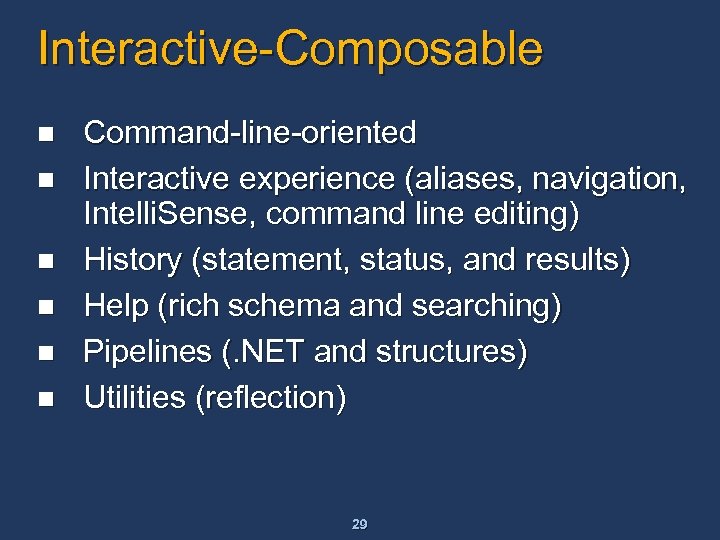 Interactive-Composable n n n Command-line-oriented Interactive experience (aliases, navigation, Intelli. Sense, command line editing) History (statement, status, and results) Help (rich schema and searching) Pipelines (. NET and structures) Utilities (reflection) 29
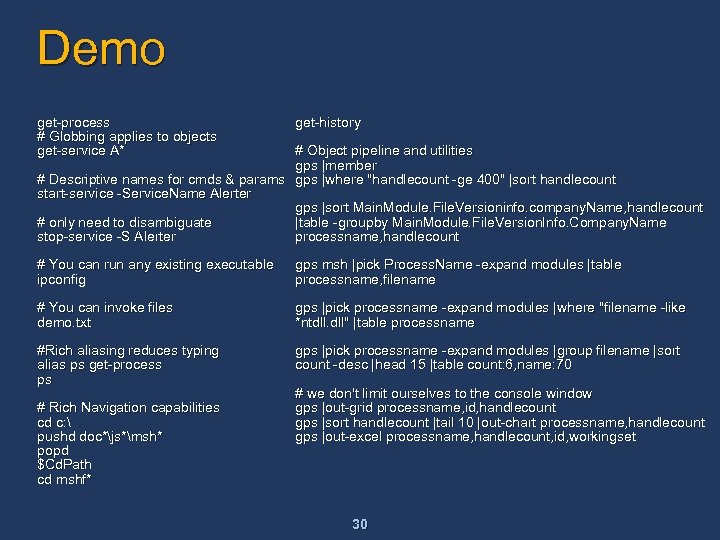 Demo get-process # Globbing applies to objects get-service A* get-history # You can run any existing executable ipconfig gps msh |pick Process. Name -expand modules |table processname, filename # You can invoke files demo. txt gps |pick processname -expand modules |where "filename -like *ntdll. dll" |table processname #Rich aliasing reduces typing alias ps get-process ps gps |pick processname -expand modules |group filename |sort count -desc |head 15 |table count: 6, name: 70 # Object pipeline and utilities gps |member # Descriptive names for cmds & params gps |where "handlecount -ge 400" |sort handlecount start-service -Service. Name Alerter gps |sort Main. Module. File. Versioninfo. company. Name, handlecount # only need to disambiguate |table -groupby Main. Module. File. Version. Info. Company. Name stop-service -S Alerter processname, handlecount # Rich Navigation capabilities cd c: pushd doc*js*msh* popd $Cd. Path cd mshf* # we don't limit ourselves to the console window gps |out-grid processname, id, handlecount gps |sort handlecount |tail 10 |out-chart processname, handlecount gps |out-excel processname, handlecount, id, workingset 30
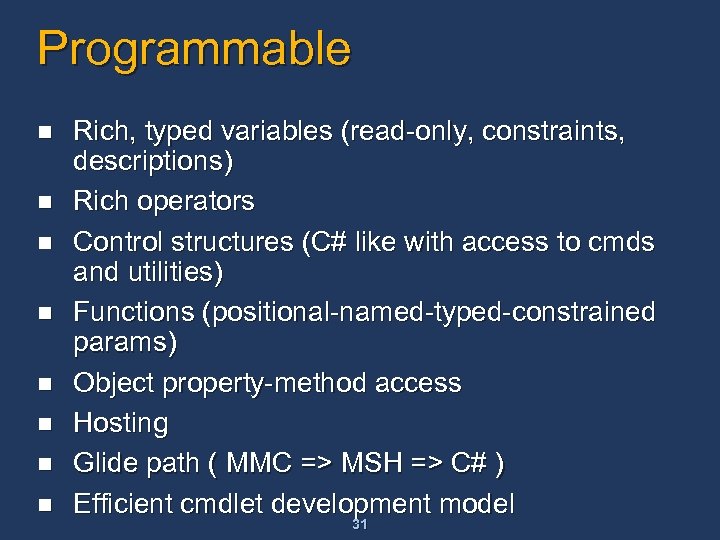 Programmable n n n n Rich, typed variables (read-only, constraints, descriptions) Rich operators Control structures (C# like with access to cmds and utilities) Functions (positional-named-typed-constrained params) Object property-method access Hosting Glide path ( MMC => MSH => C# ) Efficient cmdlet development model 31
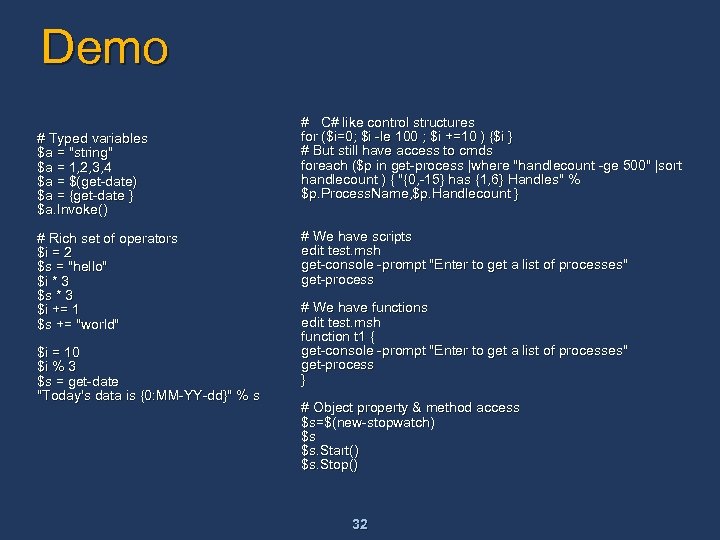 Demo # Typed variables $a = "string" $a = 1, 2, 3, 4 $a = $(get-date) $a = {get-date } $a. Invoke() # Rich set of operators $i = 2 $s = "hello" $i * 3 $s * 3 $i += 1 $s += "world" $i = 10 $i % 3 $s = get-date "Today's data is {0: MM-YY-dd}" % s # C# like control structures for ($i=0; $i -le 100 ; $i +=10 ) {$i } # But still have access to cmds foreach ($p in get-process |where "handlecount -ge 500" |sort handlecount ) { "{0, -15} has {1, 6} Handles" % $p. Process. Name, $p. Handlecount } # We have scripts edit test. msh get-console -prompt "Enter to get a list of processes" get-process # We have functions edit test. msh function t 1 { get-console -prompt "Enter to get a list of processes" get-process } # Object property & method access $s=$(new-stopwatch) $s $s. Start() $s. Stop() 32
 Easy To Use n File systems are easy to use n n Other stores are hard n n Navigation and manipulation are universal Require domain-specific utilities and concepts How do we make other stores easy? n Interact with them as with file systems 33
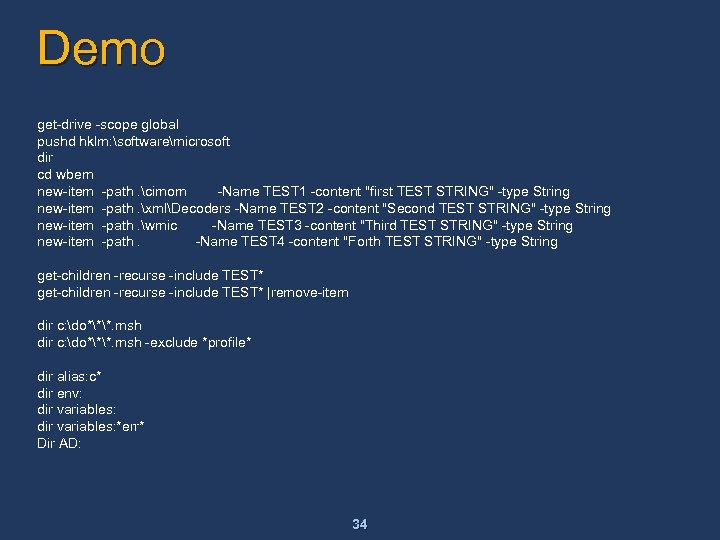 Demo get-drive -scope global pushd hklm: softwaremicrosoft dir cd wbem new-item -path. cimom -Name TEST 1 -content "first TEST STRING" -type String new-item -path. xmlDecoders -Name TEST 2 -content "Second TEST STRING" -type String new-item -path. wmic -Name TEST 3 -content "Third TEST STRING" -type String new-item -path. -Name TEST 4 -content "Forth TEST STRING" -type String get-children -recurse -include TEST* |remove-item dir c: do***. msh -exclude *profile* dir alias: c* dir env: dir variables: *err* Dir AD: 34
 Production Oriented n n Uniform syntax, formatting, outputting, and processing Strong style guide n n n Naming Errors Targeting Admin friendly (Whatif, Confirm, Verbose) Rich error support ($error, -errvar, -errorpolicy, error pipelines) Remote Management (Secure, 1: many) 35
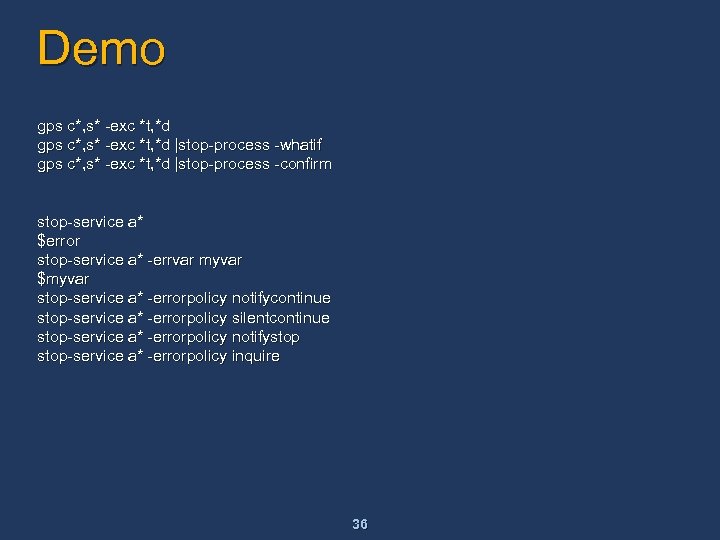 Demo gps c*, s* -exc *t, *d |stop-process -whatif gps c*, s* -exc *t, *d |stop-process -confirm stop-service a* $error stop-service a* -errvar myvar $myvar stop-service a* -errorpolicy notifycontinue stop-service a* -errorpolicy silentcontinue stop-service a* -errorpolicy notifystop-service a* -errorpolicy inquire 36