


 Скачать презентацию Module A Revision inf Omars Training Technology
87f1fa78ecbba651a99be5daf103af7a.ppt
- Количество слайдов: 54
 Module A Revision inf. Omars Training & Technology Solutions Sdn. Bhd Unit 21 & 22, 1 st Floor, Jaya Setia Square, Jalan Berakas, BB 2713 Brunei Darussalam
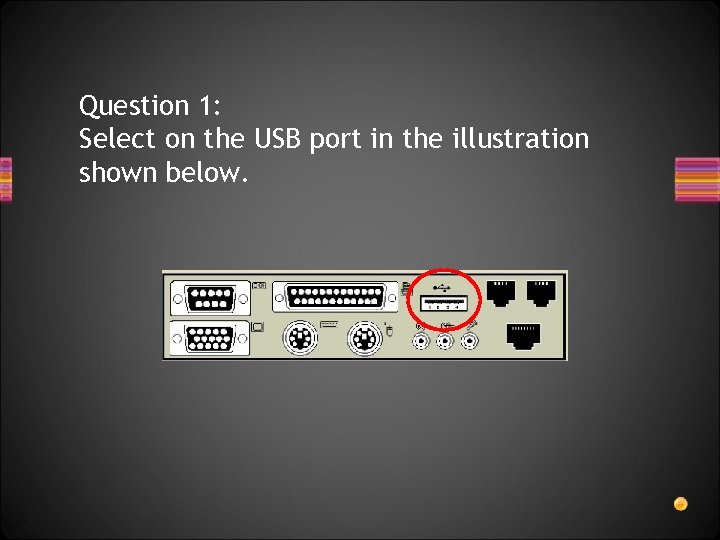 Question 1: Select on the USB port in the illustration shown below.
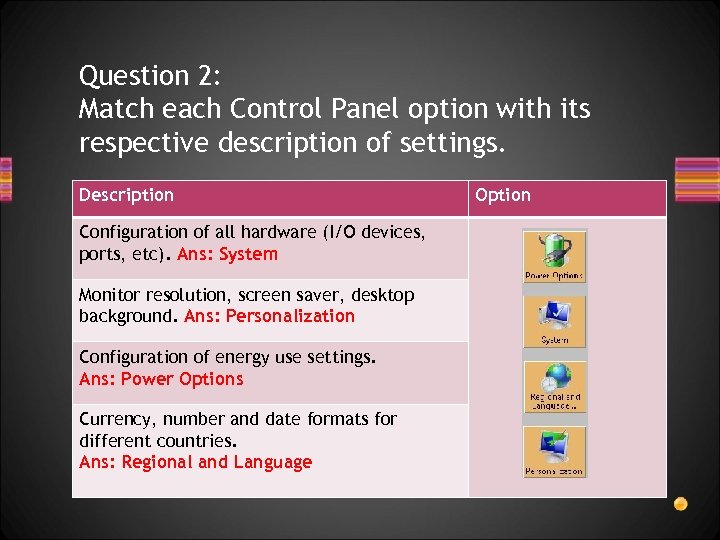 Question 2: Match each Control Panel option with its respective description of settings. Description Configuration of all hardware (I/O devices, ports, etc). Ans: System Monitor resolution, screen saver, desktop background. Ans: Personalization Configuration of energy use settings. Ans: Power Options Currency, number and date formats for different countries. Ans: Regional and Language Option
 Question 3: What type of software is most likely to be pre -installed on a new computer A. Operating System software B. Communication software for accessing the Internet C. Educational or training software such as online tutorials D. Productivity software such as a spreadsheet or database
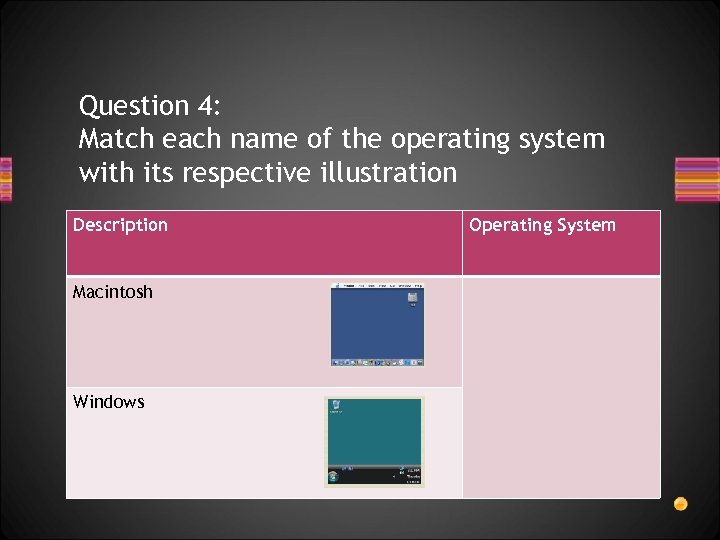 Question 4: Match each name of the operating system with its respective illustration Description Macintosh Windows Operating System
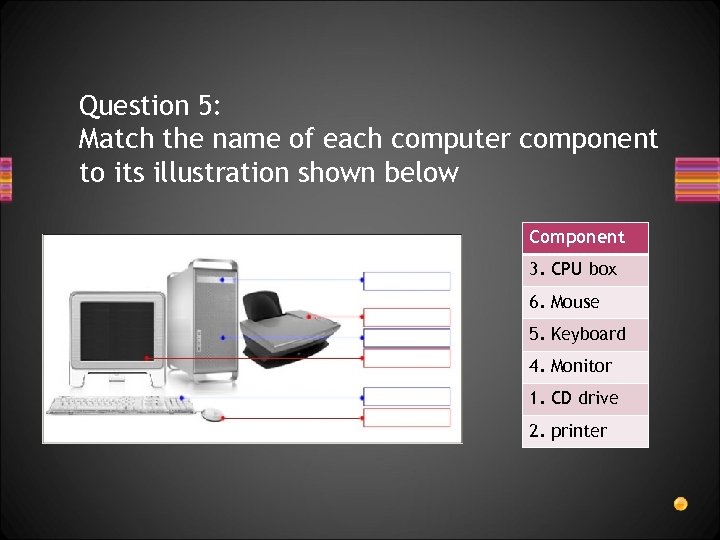 Question 5: Match the name of each computer component to its illustration shown below Component 3. CPU box 6. Mouse 5. Keyboard 4. Monitor 1. CD drive 2. printer
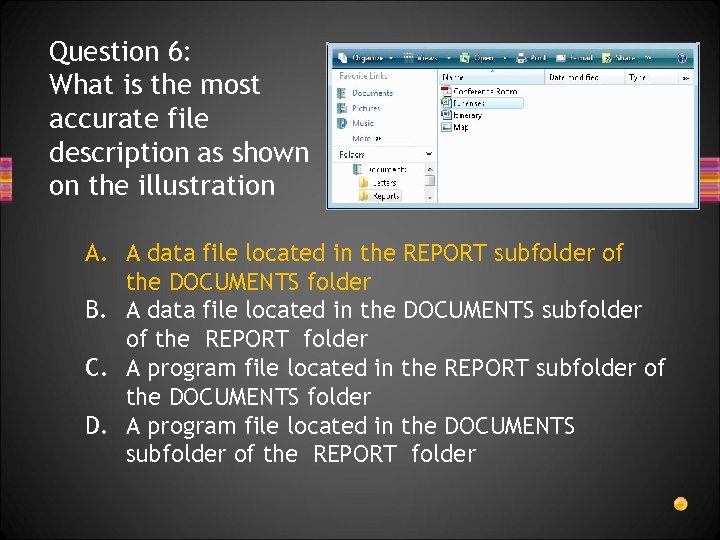 Question 6: What is the most accurate file description as shown on the illustration A. A data file located in the REPORT subfolder of the DOCUMENTS folder B. A data file located in the DOCUMENTS subfolder of the REPORT folder C. A program file located in the REPORT subfolder of the DOCUMENTS folder D. A program file located in the DOCUMENTS subfolder of the REPORT folder
 Question 7: After installing an upgrade to a word processor, documents created with earlier versions of the program lose all of their original formatting. What is the most likely cause of the problem? A. Older document files become corrupted due to the upgrade B. Older documents are not compatible with the new program version C. The latest version of the word processor does not support older printers D. The computer’s OS prevents the new word processor from being installed
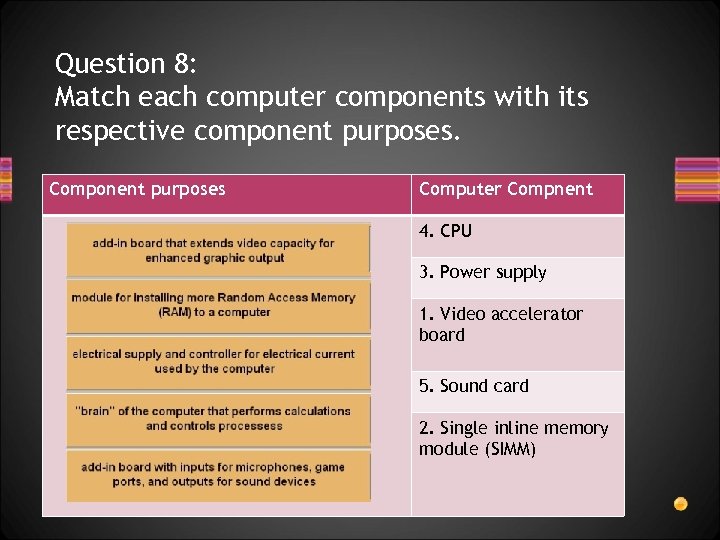 Question 8: Match each computer components with its respective component purposes. Component purposes Computer Compnent 4. CPU 3. Power supply 1. Video accelerator board 5. Sound card 2. Single inline memory module (SIMM)
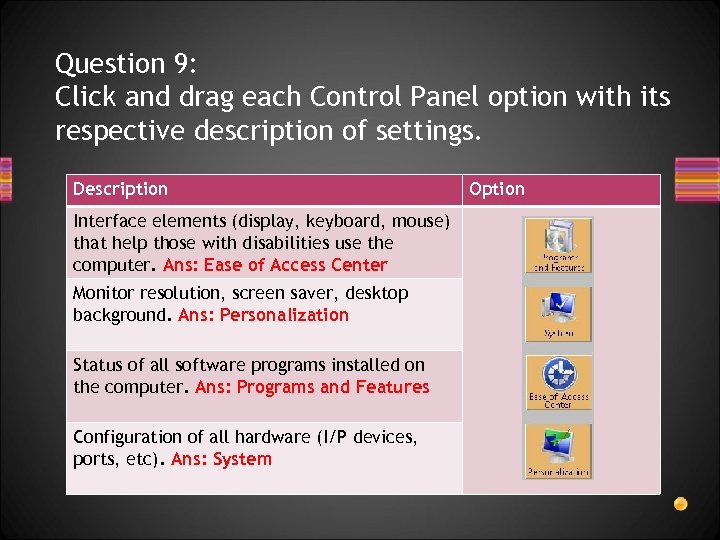 Question 9: Click and drag each Control Panel option with its respective description of settings. Description Interface elements (display, keyboard, mouse) that help those with disabilities use the computer. Ans: Ease of Access Center Monitor resolution, screen saver, desktop background. Ans: Personalization Status of all software programs installed on the computer. Ans: Programs and Features Configuration of all hardware (I/P devices, ports, etc). Ans: System Option
 Question 10: What should be used to create a cover letter template that can be merged with names and addresses from a database or address book? A. B. C. D. E. Spreadsheet application Word processing application Graphics drawing application Database management system Desktop publishing application
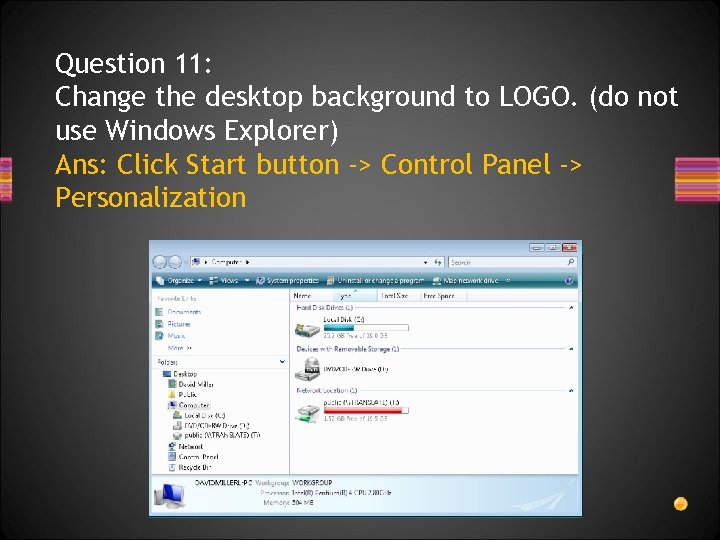 Question 11: Change the desktop background to LOGO. (do not use Windows Explorer) Ans: Click Start button -> Control Panel -> Personalization
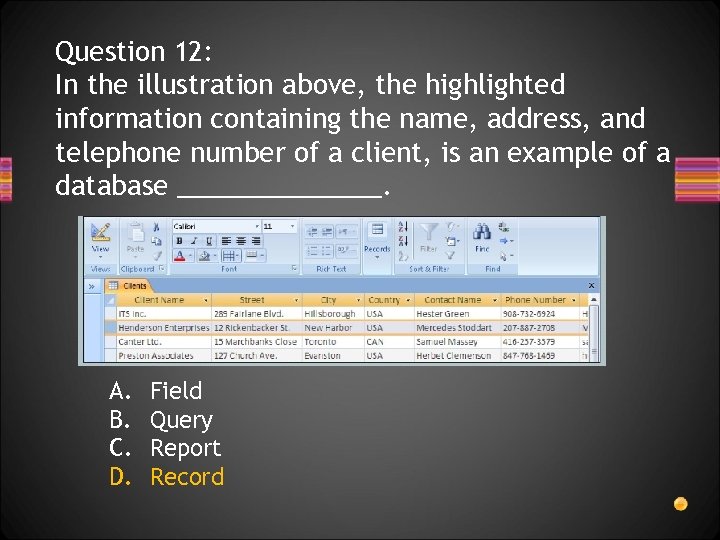 Question 12: In the illustration above, the highlighted information containing the name, address, and telephone number of a client, is an example of a database _______. A. B. C. D. Field Query Report Record
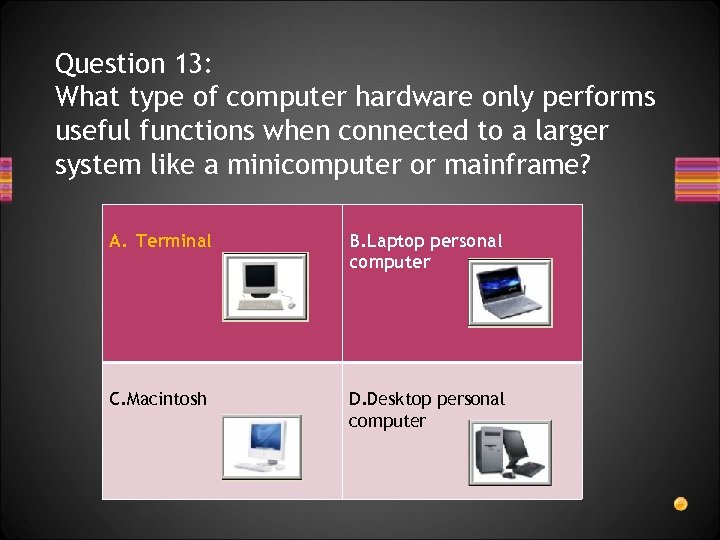 Question 13: What type of computer hardware only performs useful functions when connected to a larger system like a minicomputer or mainframe? A. Terminal B. Laptop personal computer C. Macintosh D. Desktop personal computer
 Question 14: Printing a letter written in a word processor is an example _______. A. B. C. D. Reading Inputting Outputting Processing
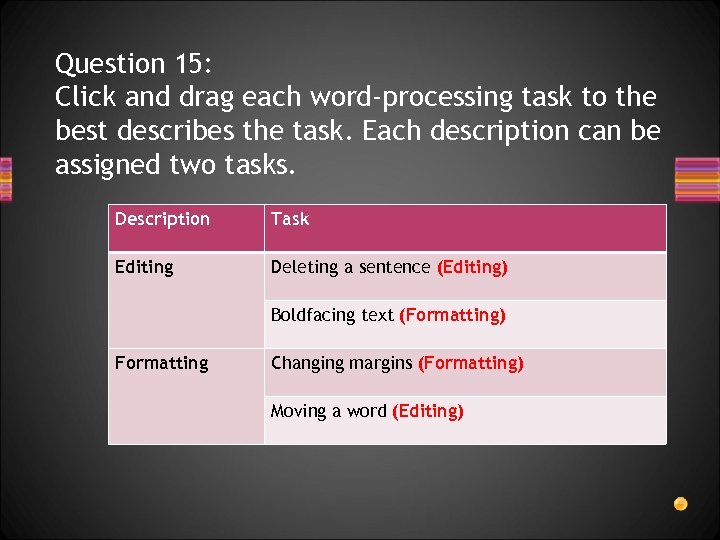 Question 15: Click and drag each word-processing task to the best describes the task. Each description can be assigned two tasks. Description Task Editing Deleting a sentence (Editing) Boldfacing text (Formatting) Formatting Changing margins (Formatting) Moving a word (Editing)
 Question 16: If you are purchasing a PC that will be constantly connected to a high-speed data network, what device would you most likely need to install on the computer? A. B. C. D. E. Router Ethernet card 56 k internal modem Video accelerator board Uninterruptible power supply
 Question 17: What system is an example of computer hardware that is shared simultaneously by multiple computers on a network? A. Scanner connected to a desktop PC B. Printer connected to all computers in a payroll department C. Personal home computer connected to a television monitor D. Projector connected to a laptop computer in a conference room
 Question 18: What numbers do computers use as a basis to store all data? (Choose two) A. B. C. D. E. 0 1 2 3 4
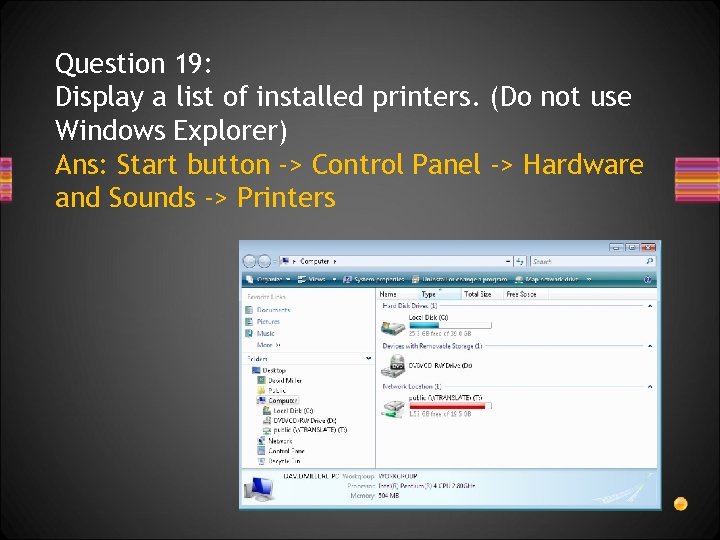 Question 19: Display a list of installed printers. (Do not use Windows Explorer) Ans: Start button -> Control Panel -> Hardware and Sounds -> Printers
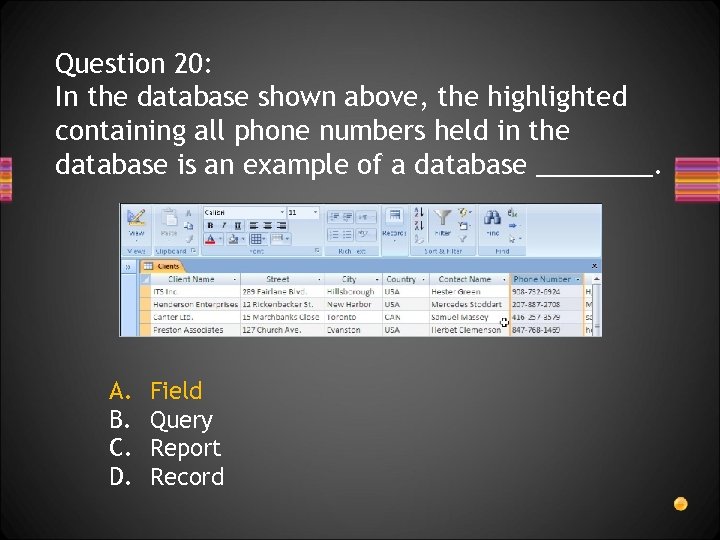 Question 20: In the database shown above, the highlighted containing all phone numbers held in the database is an example of a database ____. A. B. C. D. Field Query Report Record
 Question 21: What device simultaneously connects a laptop computer to a monitor, keyboard, mouse, printer, and other devices on the desktop? A. B. C. D. E. Modem SCSI port PCMCIA port Docking station Network adapter
 Question 22: What term describes a legal assurance that a computer will work as described in the product documentation? A. B. C. D. Warranty User manual Support agreement Price/performance ratio
 Question 23: What operation will recognize data on a hard drive to allow the computer to access data faster and more efficiently? A. B. C. D. Data backup Virus checking Volume labeling Disk defragmentation
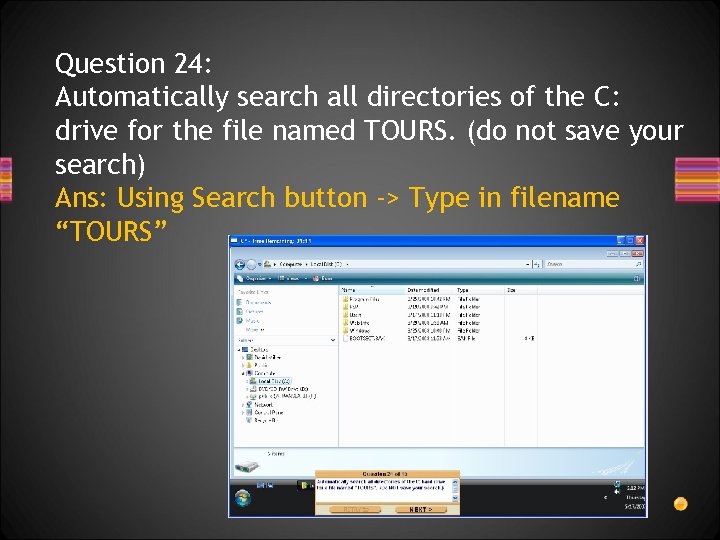 Question 24: Automatically search all directories of the C: drive for the file named TOURS. (do not save your search) Ans: Using Search button -> Type in filename “TOURS”
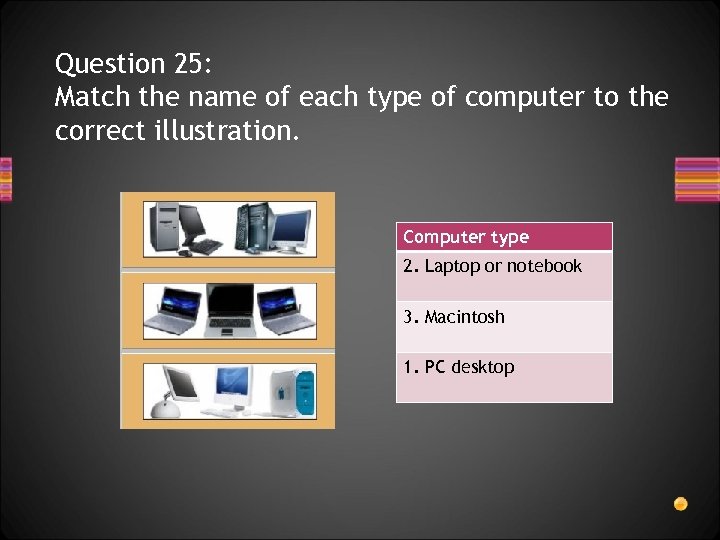 Question 25: Match the name of each type of computer to the correct illustration. Computer type 2. Laptop or notebook 3. Macintosh 1. PC desktop
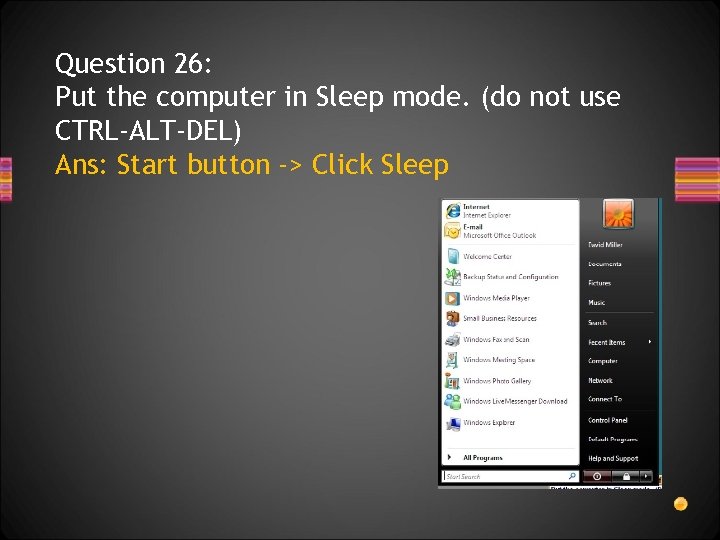 Question 26: Put the computer in Sleep mode. (do not use CTRL-ALT-DEL) Ans: Start button -> Click Sleep
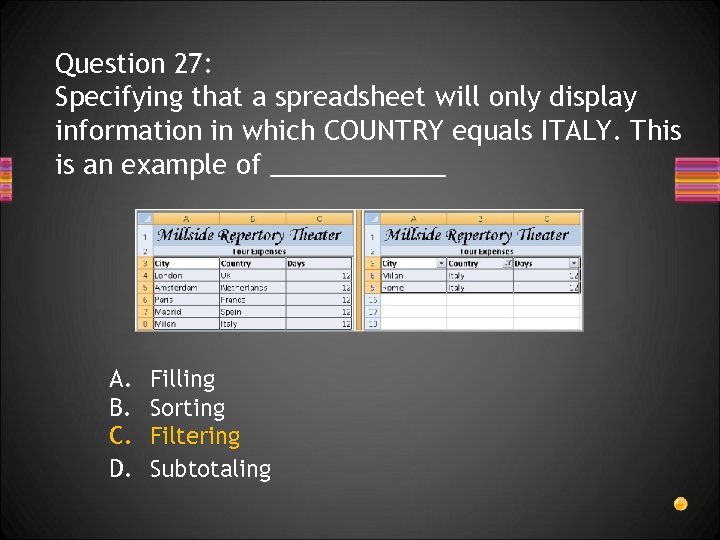 Question 27: Specifying that a spreadsheet will only display information in which COUNTRY equals ITALY. This is an example of ______ A. B. C. D. Filling Sorting Filtering Subtotaling
 Question 28: After using a new mouse for several months, moving the mouse becomes difficult and its pointer hard to control. What is the most likely cause of this problem? A. The mouse is dirty and needs to be cleaned B. Control panel settings for the mouse have been changed C. The mouse is unplugged or not attached to the computer properly D. There is a hardware conflict between the mouse and some other input device
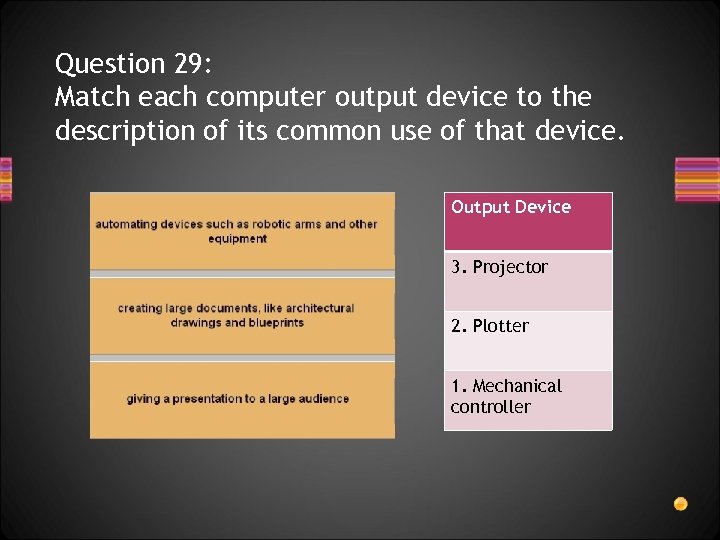 Question 29: Match each computer output device to the description of its common use of that device. Output Device 3. Projector 2. Plotter 1. Mechanical controller
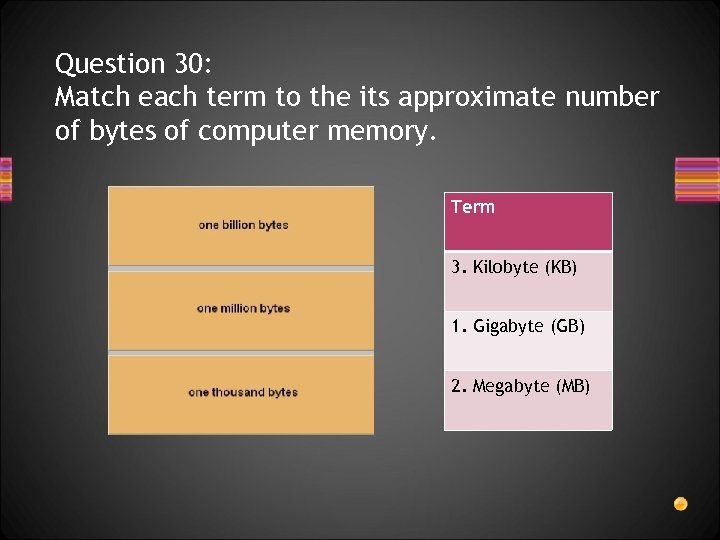 Question 30: Match each term to the its approximate number of bytes of computer memory. Term 3. Kilobyte (KB) 1. Gigabyte (GB) 2. Megabyte (MB)
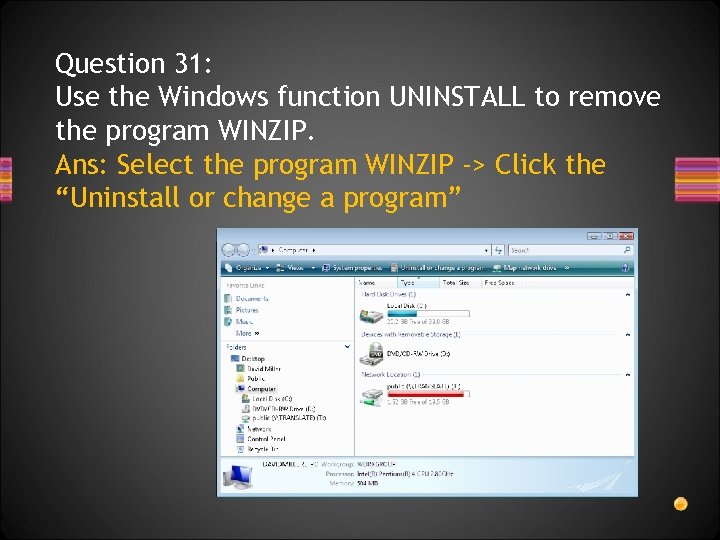 Question 31: Use the Windows function UNINSTALL to remove the program WINZIP. Ans: Select the program WINZIP -> Click the “Uninstall or change a program”
 Question 32: What type of software includes components such as Inbox and Outbox? A. B. C. D. Financial Multimedia Web-page authoring Electronic communication
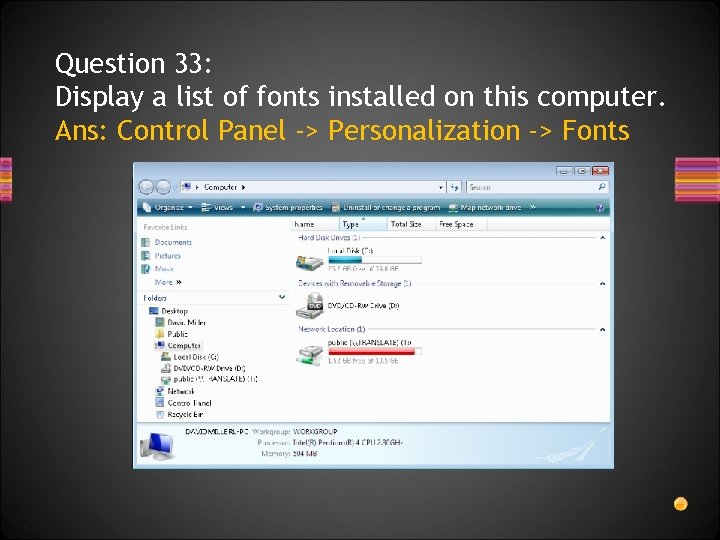 Question 33: Display a list of fonts installed on this computer. Ans: Control Panel -> Personalization -> Fonts
 Question 34: When a computer is turned on, the first software that is normally loaded from disk is _____ software. A. B. C. D. E. Utility Application Networking Operating system telecommunications
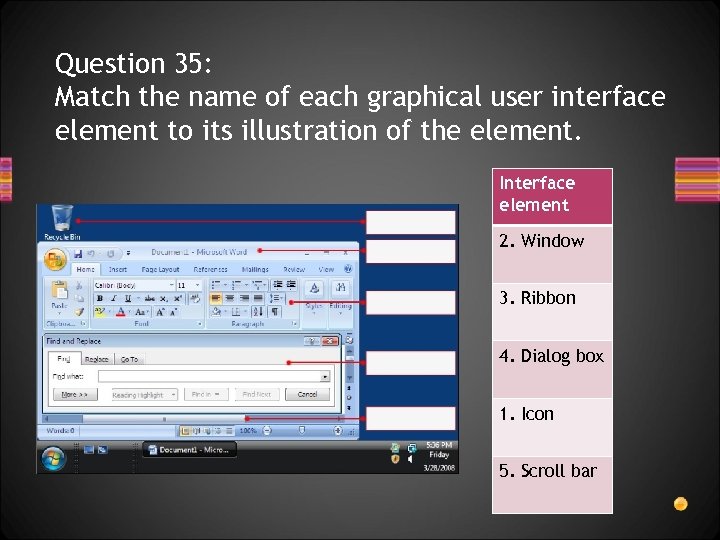 Question 35: Match the name of each graphical user interface element to its illustration of the element. Interface element 2. Window 3. Ribbon 4. Dialog box 1. Icon 5. Scroll bar
 Question 36: Which upgrade would normally cause the greatest improvement in computer performance? A. B. C. D. Updating the computer’s ROM BIOS Increasing the size of the hard drive Updating the computer’s OS Replacing the computer’s microprocessor with a faster one E. Replacing the keyboard and mouse with more ergonomic models
 Question 37: What is the purpose of a computer “device driver”? A. To monitor how often software accesses a hard drive B. To allow a computer to control devices such as printers C. To configure a laptop computer to run longer on batteries D. To manage memory used by different software applications
 Question 38: After working with an organization’s help desk, it is determined that new game software installed on a computer is the source of frequent computer crashes. After removing the game from the computer, the problem is solved. What steps should be taken next? (Choose two) A. B. C. D. E. Avoid working on the computer when the problem occurred Avoid installing similar software on the computer in the future Delete all e-mails and other documents or communications related to the problem Communicate the problem to others who may have the same game installed on their computers Install the game software on other people’s computers to determine If the problem affects other machines
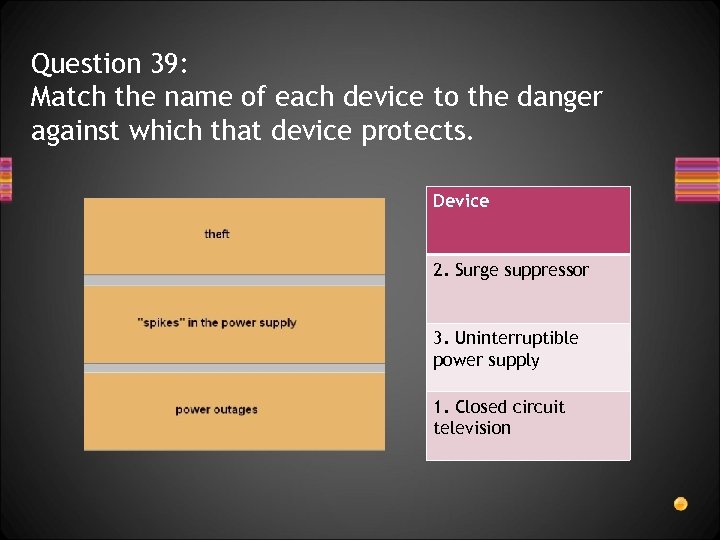 Question 39: Match the name of each device to the danger against which that device protects. Device 2. Surge suppressor 3. Uninterruptible power supply 1. Closed circuit television
 Question 40: What are advantages of transferring files from one computer to another by a network, rather than on portable media, such as a CD, thumb drive or diskette? (Choose two) A. B. C. D. E. Most computers are not able to read portable media Files too large to fit onto portable media can be transferred on a network Files transferred by a network will not be exposed too viruses or other dangerous programs Network file transfer does not require the user to physically transport media between computers Files transferred by a network are guaranteed to be readable by other computers on a network
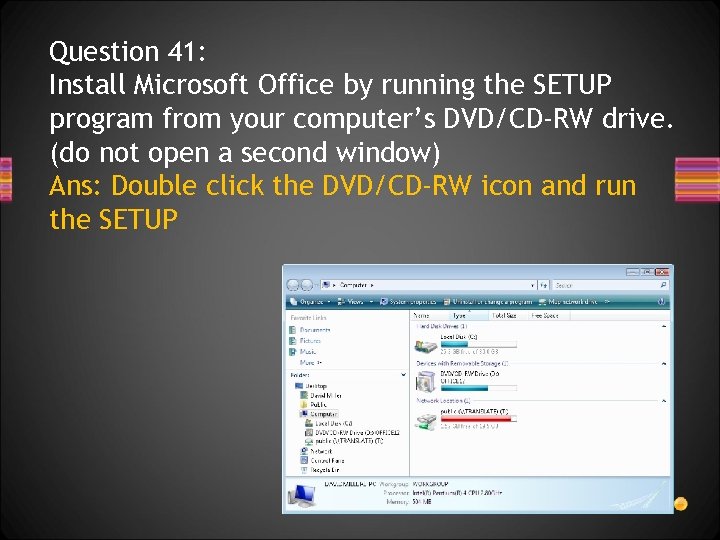 Question 41: Install Microsoft Office by running the SETUP program from your computer’s DVD/CD-RW drive. (do not open a second window) Ans: Double click the DVD/CD-RW icon and run the SETUP
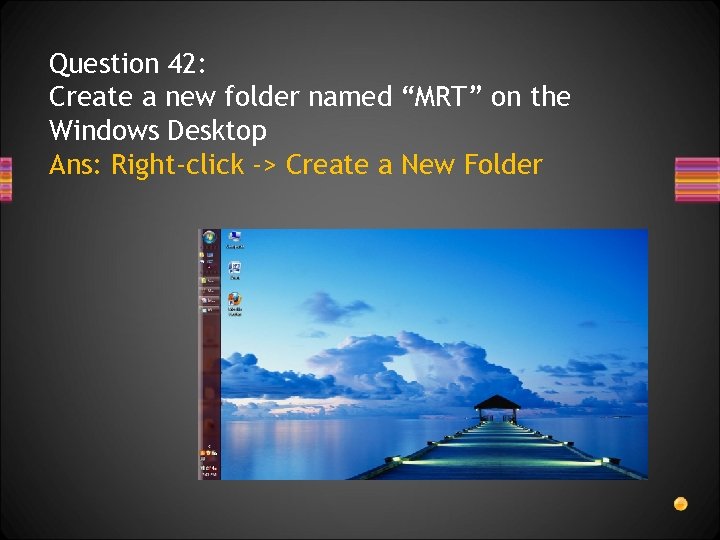 Question 42: Create a new folder named “MRT” on the Windows Desktop Ans: Right-click -> Create a New Folder
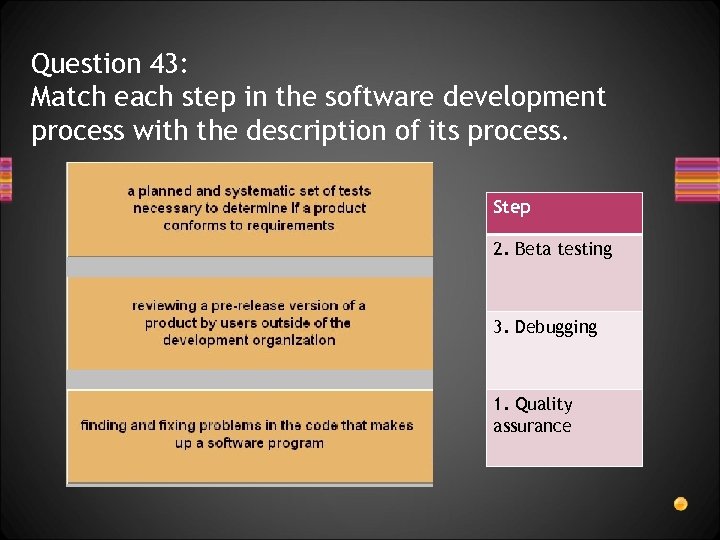 Question 43: Match each step in the software development process with the description of its process. Step 2. Beta testing 3. Debugging 1. Quality assurance
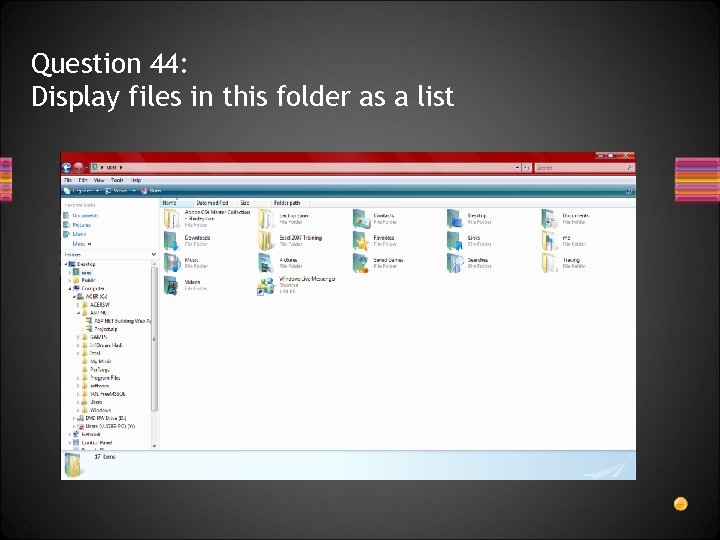 Question 44: Display files in this folder as a list
 Question 45: What operating system does a user interact with primarily by writing directly on the screen? A. B. C. D. UNIX Palm OS Windows Macintosh
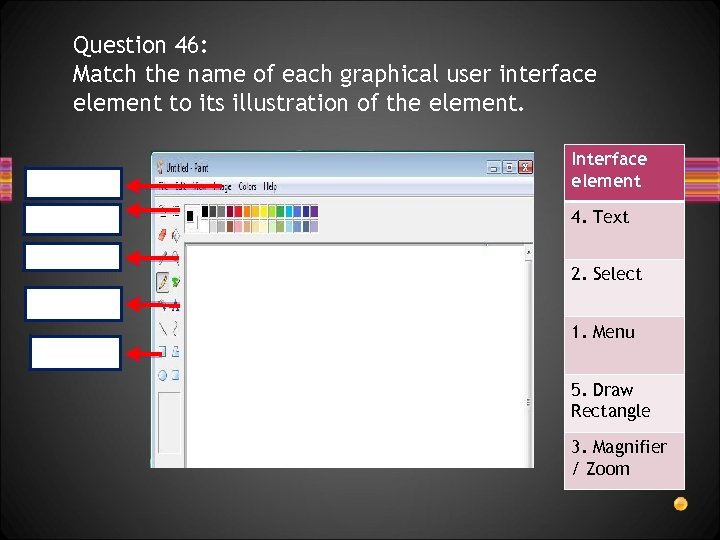 Question 46: Match the name of each graphical user interface element to its illustration of the element. Interface element 4. Text 2. Select 1. Menu 5. Draw Rectangle 3. Magnifier / Zoom
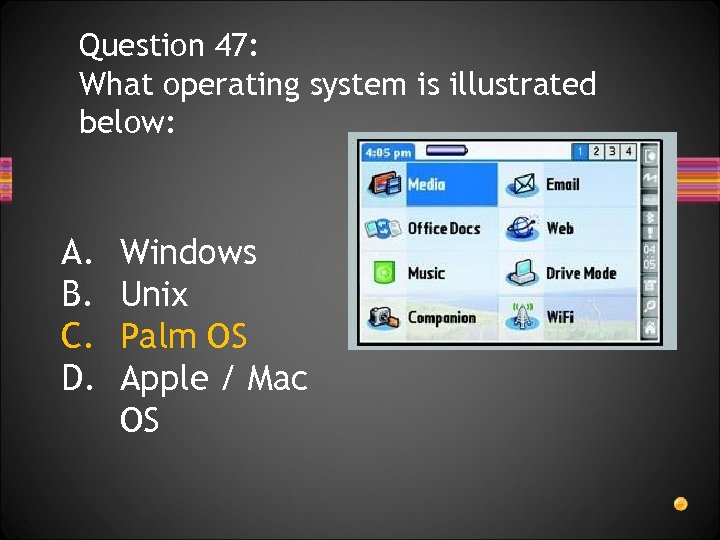 Question 47: What operating system is illustrated below: A. B. C. D. Windows Unix Palm OS Apple / Mac OS
 Question 48: What is the most likely reason a user on a network would not be able to change system settings? A. The operating system was incorrectly installed on the user’s PC B. System settings options are not available for users on a network C. The network operating system was incorrectly installed on the server D. The network manager has removed system settings options from users
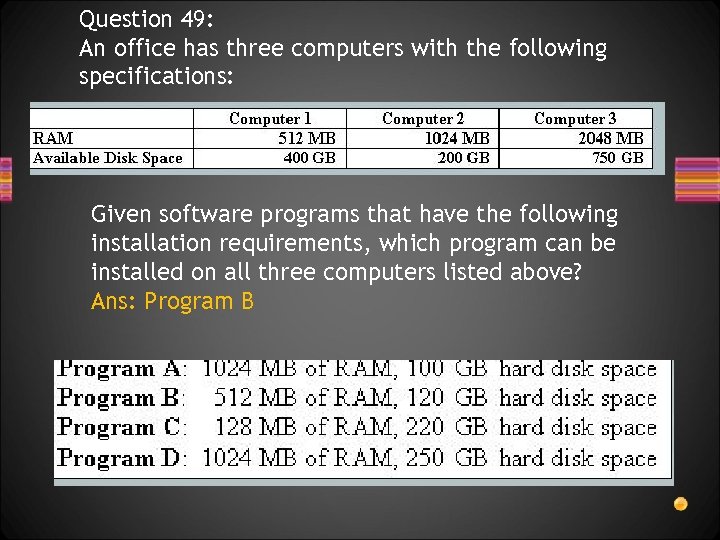 Question 49: An office has three computers with the following specifications: Given software programs that have the following installation requirements, which program can be installed on all three computers listed above? Ans: Program B
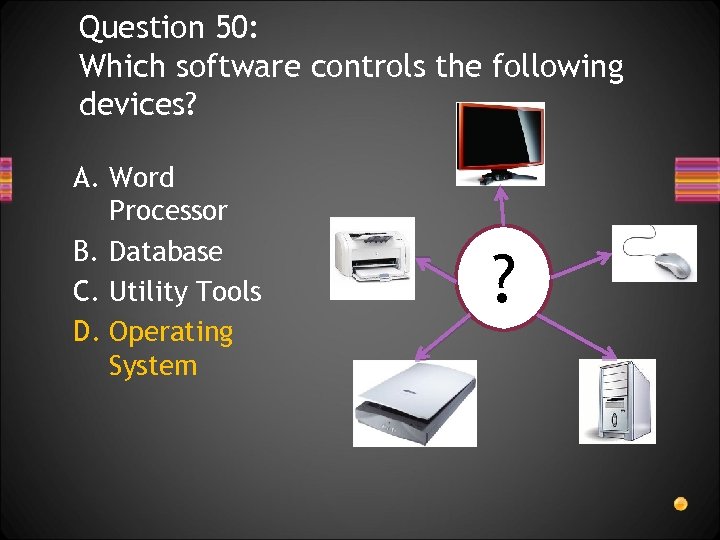 Question 50: Which software controls the following devices? A. Word Processor B. Database C. Utility Tools D. Operating System ?
 Question 51: A computer limits the number and type of characters you can use to name a file created in any application. This is most likely a limitation in the computer’s ________ A. B. C. D. Microprocessor Operating System Available memory Network Security Settings
 Question 52: What hardware device uses “refresh rate” to measure performance? A. Monitor B. Hard Disk C. Central Processing Unit (CPU) D. Random Access Memory (RAM)
 Question 53: When working on Windows, the pc does not allow more than 3 programs to run at the same time; This is due to which reason: A. Not enough memory RAM B. There is a virus infection C. Not enough storage e. g Hard Disk D. A limitation within the OS