


 Скачать презентацию Module 7 Planning and Scheduling with the Critical
83489de4e52d70e3ccf57c184e3eb38d.ppt
- Количество слайдов: 60
 Module 7 Planning and Scheduling with the Critical Path Method Session 7. 1: Planning tools and the critical path method (CPM) Module 7 Session 7. 1 Visual 1
 Instructional Objective To prepare a critical path network plan for projects or subprojects Module 7 Session 7. 1 Visual 2
 Overview · Planning activities · Scheduling resources and · Controlling progress Module 7 Session 7. 1 Visual 3
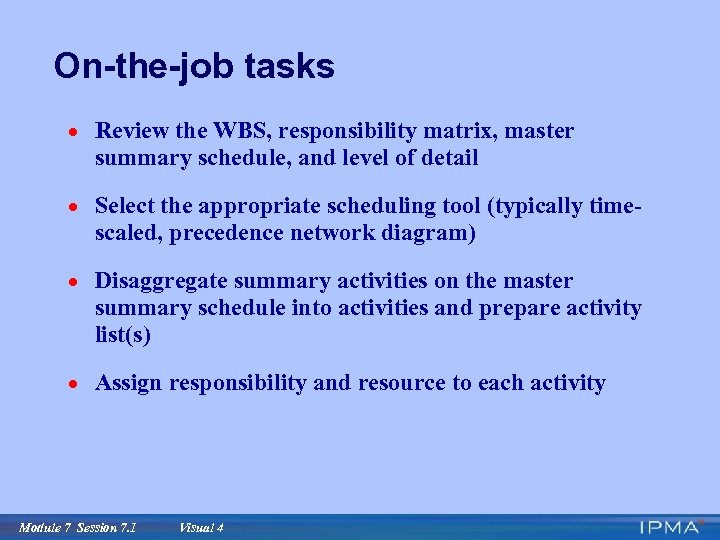 On-the-job tasks · Review the WBS, responsibility matrix, master summary schedule, and level of detail · Select the appropriate scheduling tool (typically time- scaled, precedence network diagram) · Disaggregate summary activities on the master summary schedule into activities and prepare activity list(s) · Assign responsibility and resource to each activity Module 7 Session 7. 1 Visual 4
 On-the-job tasks (continued) · Estimate the duration of each activity · Establish the sequence of activities · Prepare the time-scaled precedence network diagram (or other form of schedule) · Determine the critical path · Calculate the activity float · Revise as required Module 7 Session 7. 1 Visual 5
 What is planning ? Who ? Does what? When ? and How long will it take? With what inter-relationships? Module 7 Session 7. 1 Visual 6
 Why is planning important ? · Coordination · Control · Communication · Commitment Module 7 Session 7. 1 Visual 7
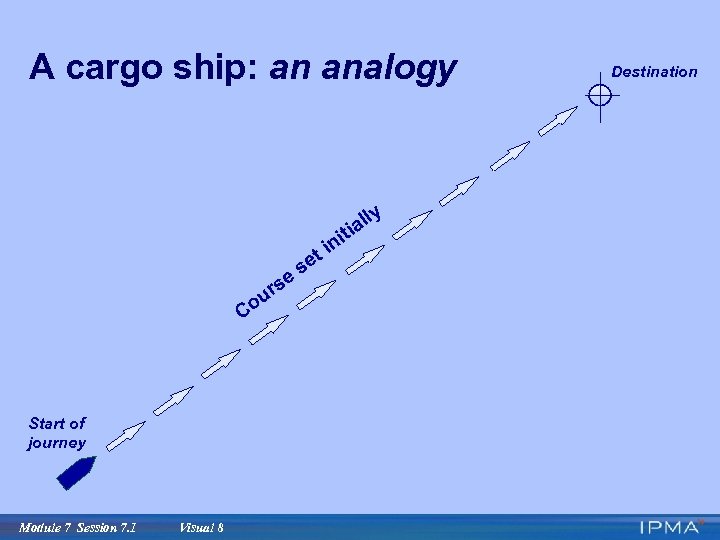 A cargo ship: an analogy t e s ur Co Start of journey Module 7 Session 7. 1 Visual 8 se i in ti lly a Destination
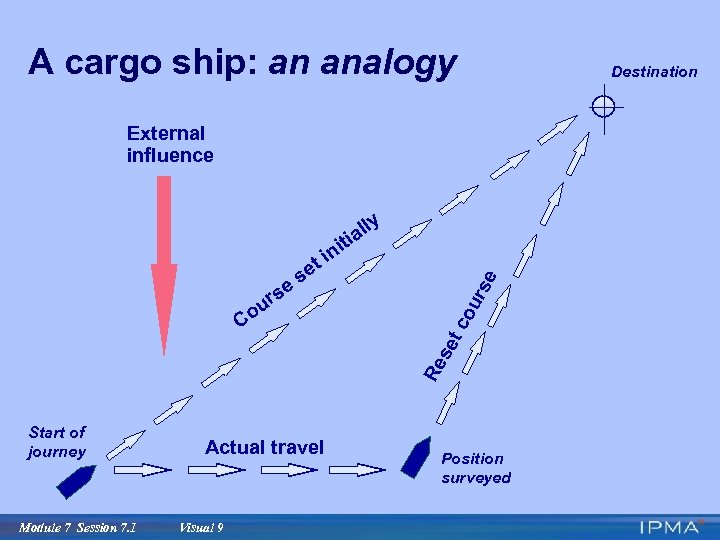 A cargo ship: an analogy External influence i n ti Re se Co ou rse se tc e s ur ly l ia t Start of journey Module 7 Session 7. 1 Actual travel Visual 9 Position surveyed Destination
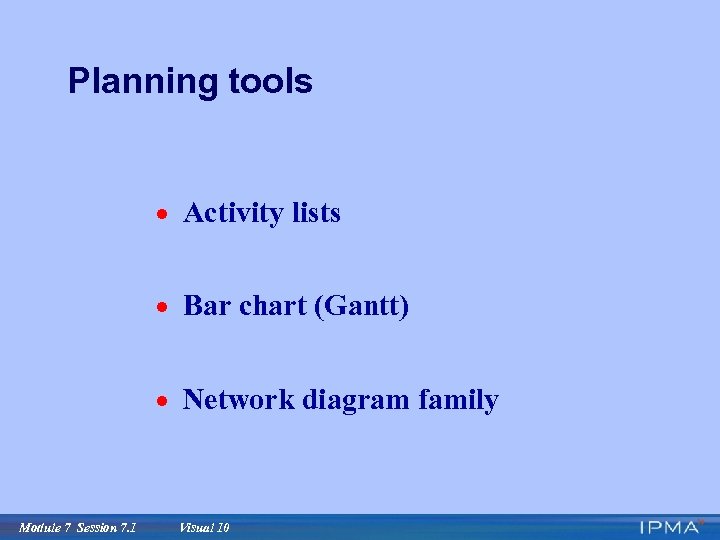 Planning tools · Activity lists · Bar chart (Gantt) · Network diagram family Module 7 Session 7. 1 Visual 10
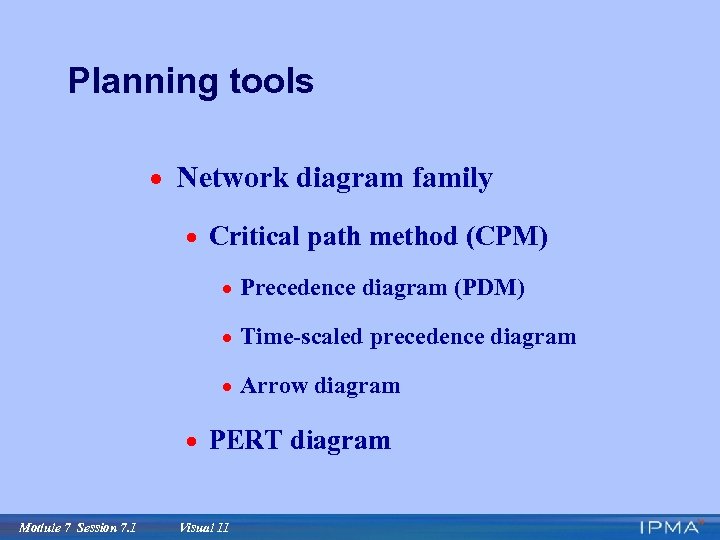 Planning tools · Network diagram family · Critical path method (CPM) · Precedence diagram (PDM) · Time-scaled precedence diagram · Arrow diagram · PERT diagram Module 7 Session 7. 1 Visual 11
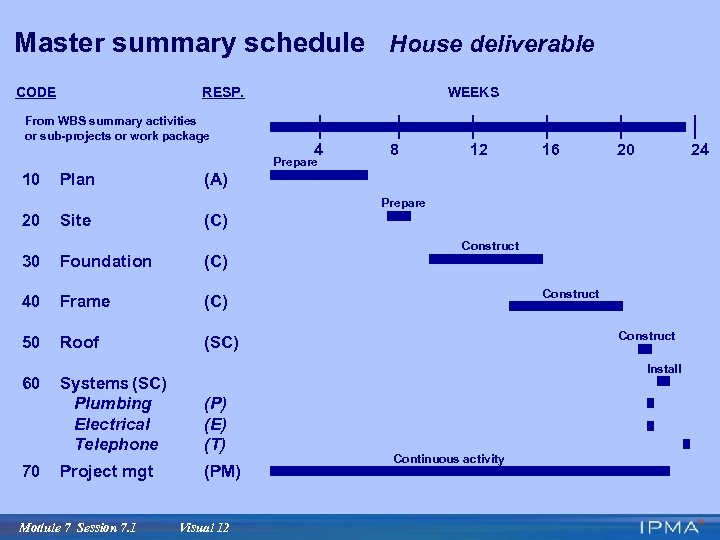 Master summary schedule House deliverable CODE RESP. From WBS summary activities or sub-projects or work package WEEKS 4 Prepare 10 Plan 8 12 16 20 24 (A) Prepare 20 Site (C) 30 Foundation (C) 40 Frame (C) 50 Roof Construct (SC) 60 70 Construct Install Systems (SC) Plumbing Electrical Telephone (P) (E) (T) Project mgt (PM) Module 7 Session 7. 1 Construct Visual 12 Continuous activity
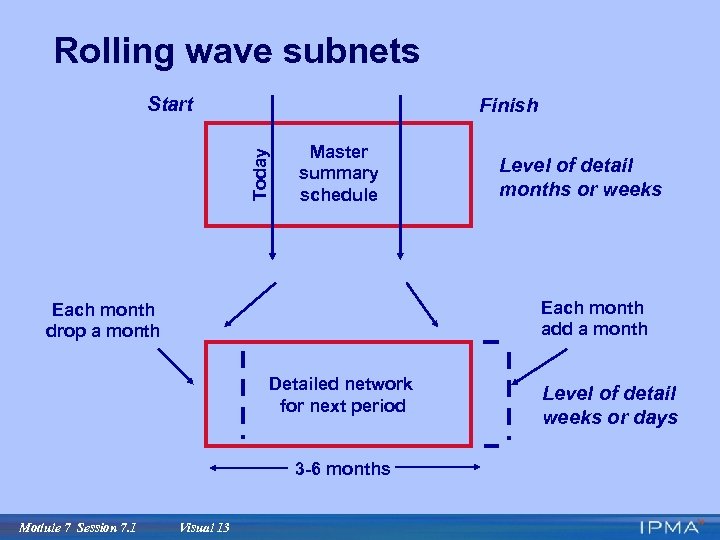 Rolling wave subnets Start Today Finish Master summary schedule Each month add a month Each month drop a month Detailed network for next period 3 -6 months Module 7 Session 7. 1 Level of detail months or weeks Visual 13 Level of detail weeks or days
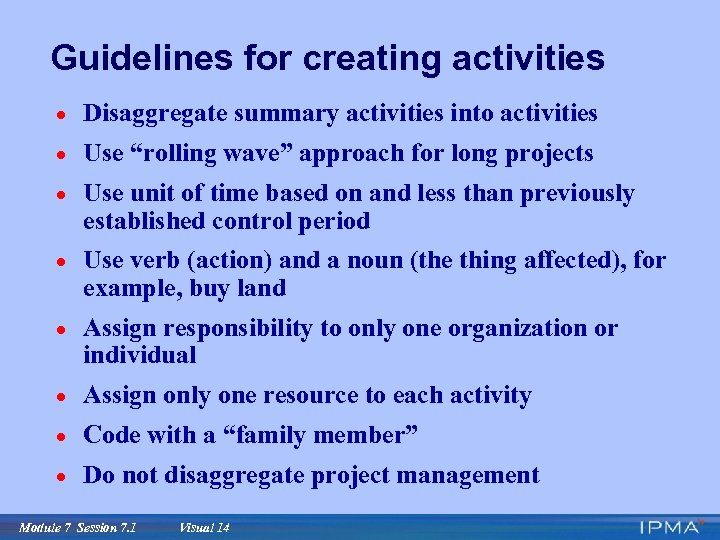 Guidelines for creating activities · Disaggregate summary activities into activities · Use “rolling wave” approach for long projects · Use unit of time based on and less than previously established control period · Use verb (action) and a noun (the thing affected), for example, buy land · Assign responsibility to only one organization or individual · Assign only one resource to each activity · Code with a “family member” · Do not disaggregate project management Module 7 Session 7. 1 Visual 14
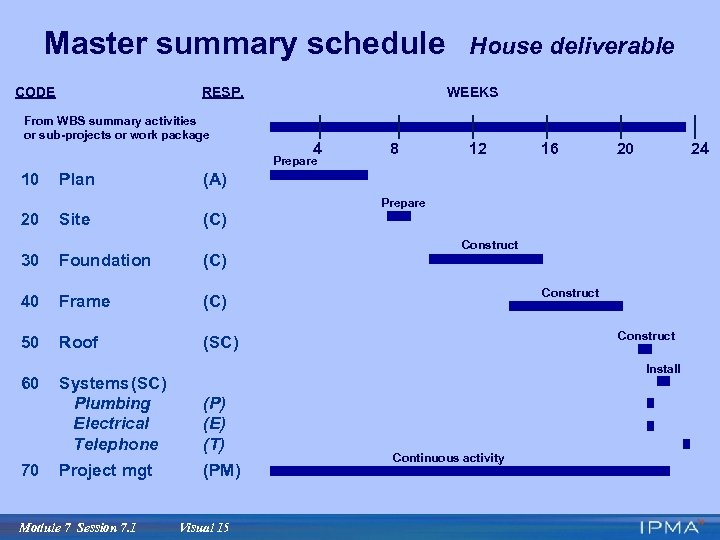 Master summary schedule CODE RESP. From WBS summary activities or sub-projects or work package WEEKS 4 Prepare 10 Plan House deliverable 8 12 16 20 24 (A) Prepare 20 Site (C) 30 Foundation (C) 40 Frame (C) 50 Roof Construct (SC) 60 70 Construct Install Systems (SC) Plumbing Electrical Telephone (P) (E) (T) Project mgt (PM) Module 7 Session 7. 1 Construct Visual 15 Continuous activity
 Summary activity Disaggregate into activities Terminology: Activity or Task Module 7 Session 7. 1 Visual 16
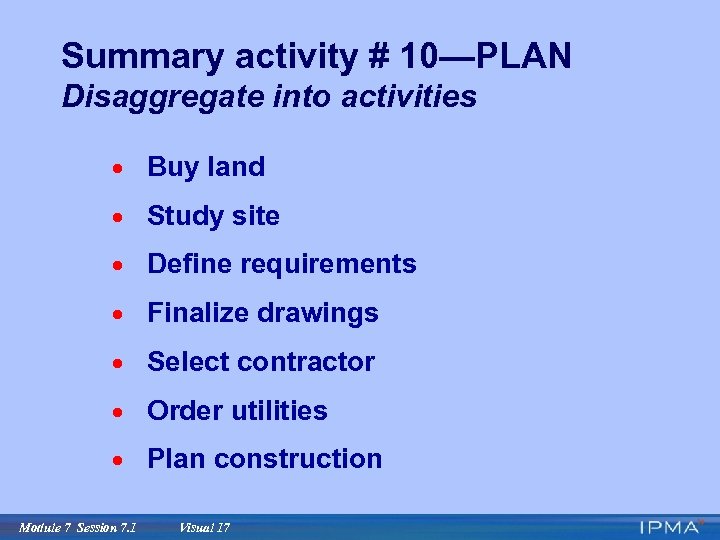 Summary activity # 10—PLAN Disaggregate into activities · Buy land · Study site · Define requirements · Finalize drawings · Select contractor · Order utilities · Plan construction Module 7 Session 7. 1 Visual 17
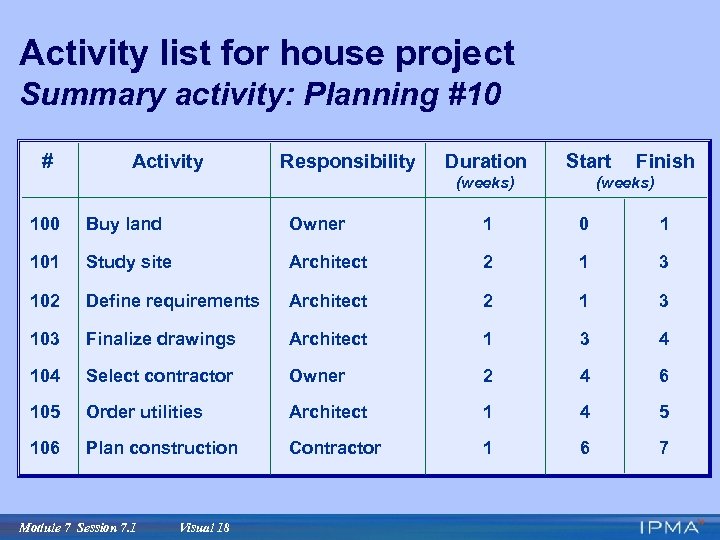 Activity list for house project Summary activity: Planning #10 # Activity Responsibility Duration Start (weeks) Finish (weeks) 100 Buy land Owner 1 0 1 101 Study site Architect 2 1 3 102 Define requirements Architect 2 1 3 103 Finalize drawings Architect 1 3 4 104 Select contractor Owner 2 4 6 105 Order utilities Architect 1 4 5 106 Plan construction Contractor 1 6 7 Module 7 Session 7. 1 Visual 18
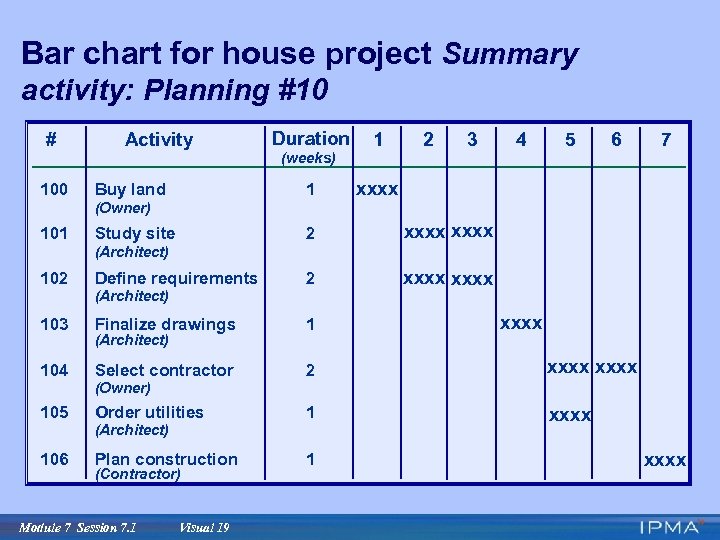 Bar chart for house project Summary activity: Planning #10 # Activity Duration 1 2 3 4 5 6 7 (weeks) 100 Buy land 1 xxxx (Owner) 101 2 Study site xxxx (Architect) 102 Define requirements 2 103 Finalize drawings 1 104 Select contractor 2 xxxx 105 Order utilities 1 xxxx 106 Plan construction 1 (Architect) (Owner) (Architect) (Contractor) Module 7 Session 7. 1 Visual 19 xxxx
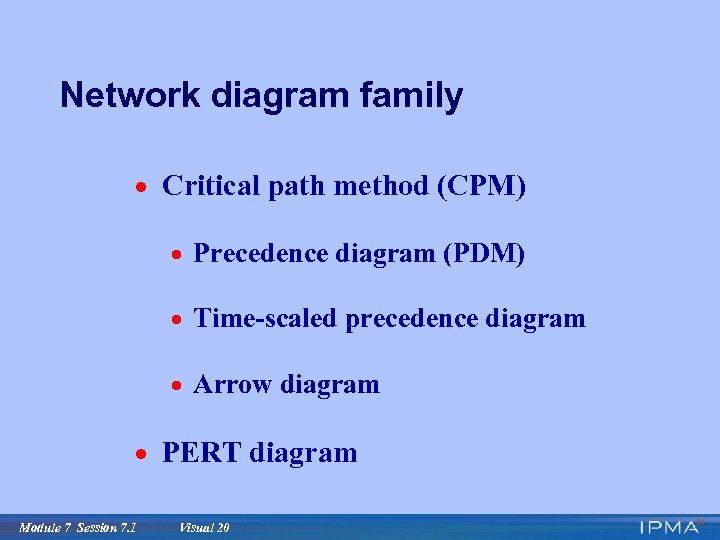 Network diagram family · Critical path method (CPM) · Precedence diagram (PDM) · Time-scaled precedence diagram · Arrow diagram · PERT diagram Module 7 Session 7. 1 Visual 20
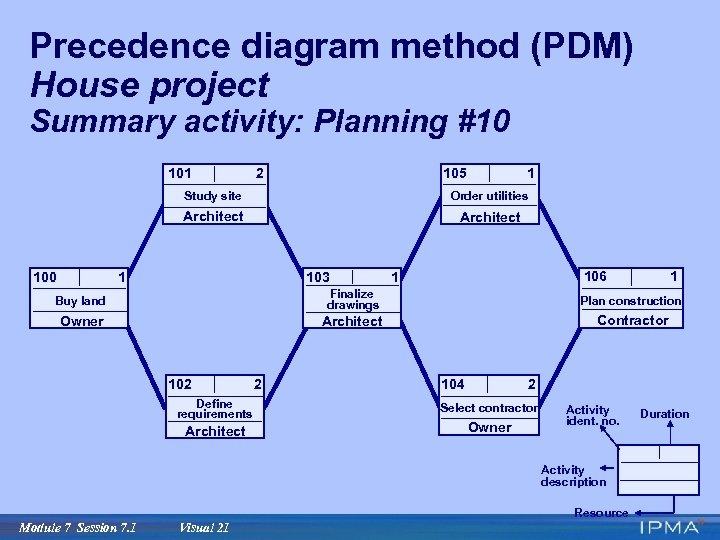 Precedence diagram method (PDM) House project Summary activity: Planning #10 101 2 105 1 Study site Architect 100 Order utilities Architect 1 103 106 1 1 Buy land Finalize drawings Plan construction Owner Architect Contractor 102 Define requirements Architect 2 104 2 Select contractor Owner Activity ident. no. Activity description Resource Module 7 Session 7. 1 Visual 21 Duration
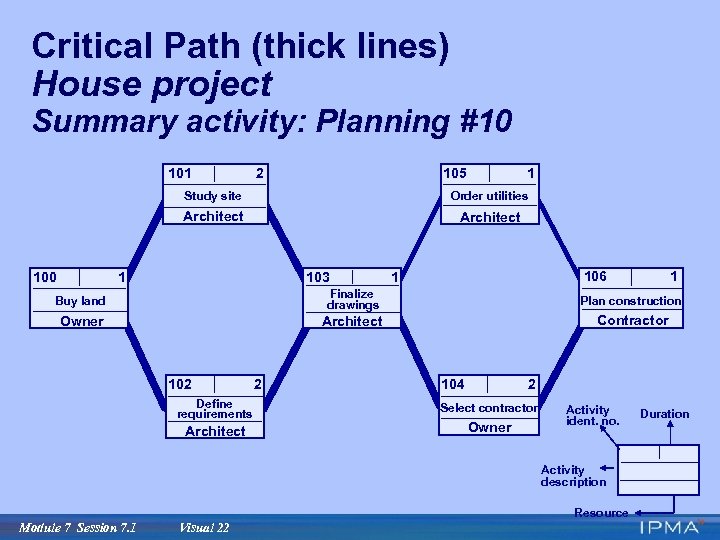 Critical Path (thick lines) House project Summary activity: Planning #10 101 2 105 1 Study site Architect 100 Order utilities Architect 1 103 106 1 1 Buy land Finalize drawings Plan construction Owner Architect Contractor 102 Define requirements Architect 2 104 2 Select contractor Owner Activity ident. no. Activity description Resource Module 7 Session 7. 1 Visual 22 Duration
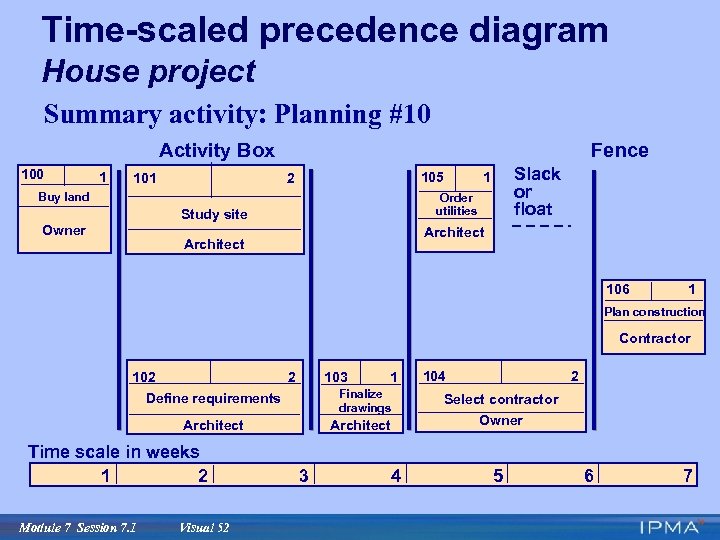
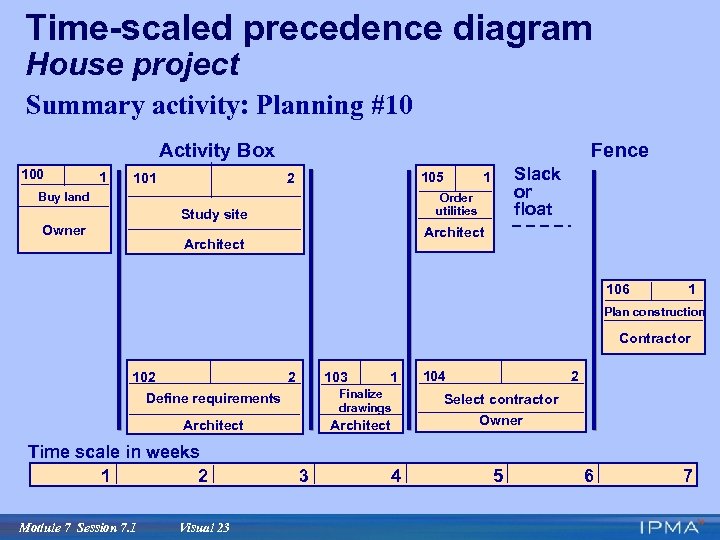 Time-scaled precedence diagram House project Summary activity: Planning #10 Activity Box 100 1 101 Fence 105 2 Buy land Order utilities Study site Owner Slack or float 1 Architect 106 1 Plan construction Contractor 103 102 2 Define requirements Finalize drawings Architect Time scale in weeks 1 2 Module 7 Session 7. 1 Visual 23 1 3 4 104 2 Select contractor Owner 5 6 7
 Key concepts · Project duration · Critical path · Float or slack Module 7 Session 7. 1 Visual 24
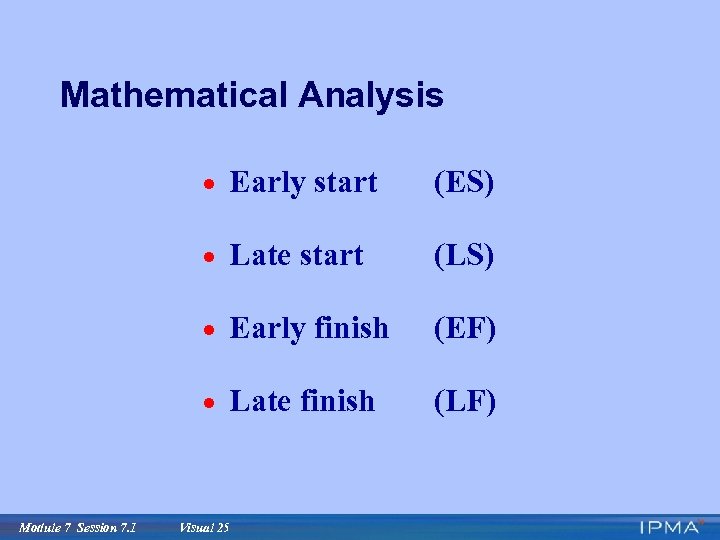 Mathematical Analysis · Early start · Late start (LS) · Early finish (EF) · Late finish Module 7 Session 7. 1 (ES) (LF) Visual 25
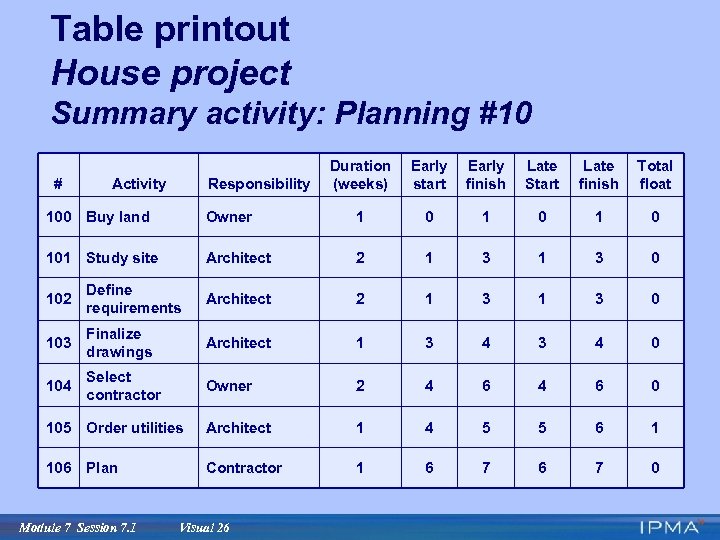 Table printout House project Summary activity: Planning #10 # Activity Responsibility Duration (weeks) Early start Early finish Late Start Late finish Total float 100 Buy land Owner 1 0 1 0 101 Study site Architect 2 1 3 0 102 Define requirements Architect 2 1 3 0 103 Finalize drawings Architect 1 3 4 0 104 Select contractor Owner 2 4 6 0 105 Order utilities Architect 1 4 5 5 6 1 106 Plan Contractor 1 6 7 0 Module 7 Session 7. 1 Visual 26
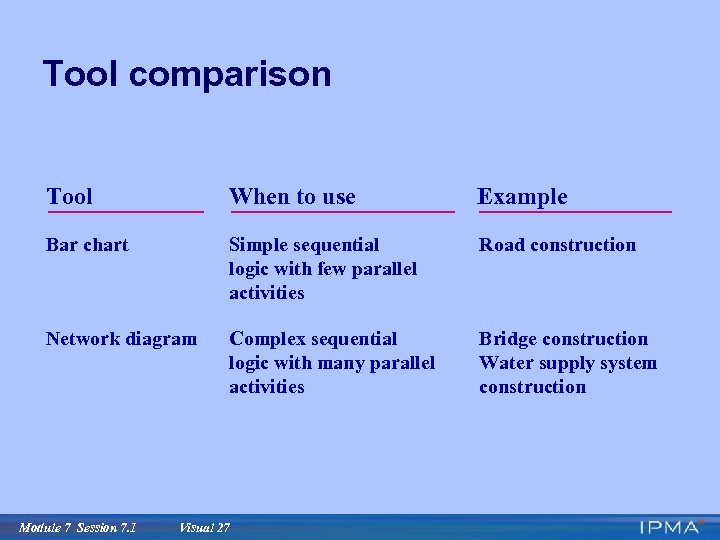 Tool comparison Tool When to use Example Bar chart Simple sequential logic with few parallel activities Road construction Network diagram Complex sequential logic with many parallel activities Bridge construction Water supply system construction Module 7 Session 7. 1 Visual 27
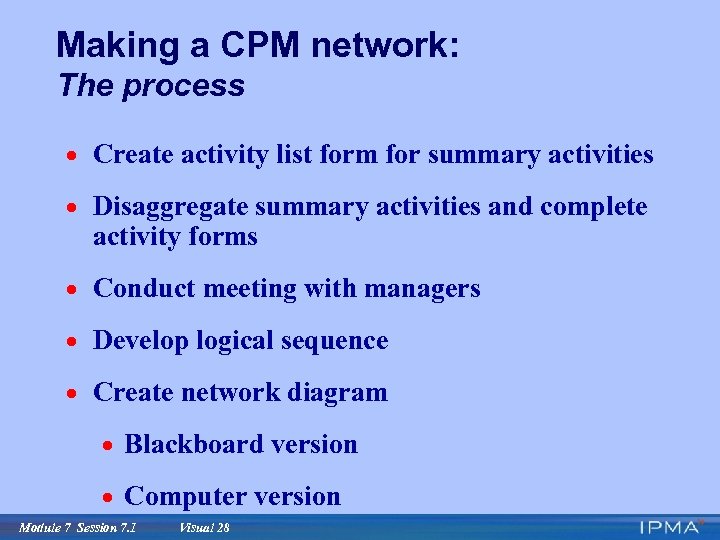 Making a CPM network: The process · Create activity list form for summary activities · Disaggregate summary activities and complete activity forms · Conduct meeting with managers · Develop logical sequence · Create network diagram · Blackboard version · Computer version Module 7 Session 7. 1 Visual 28
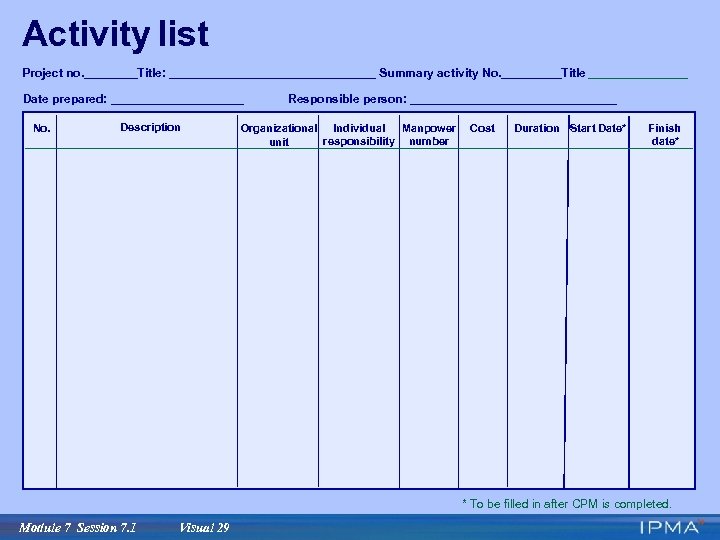 Activity list Project no. ____Title: ________________ Summary activity No. _____Title ________ Date prepared: __________ No. Description Responsible person: ________________ Manpower Organizational Individual responsibility number unit Cost Duration Start Date* Finish date* * To be filled in after CPM is completed. Module 7 Session 7. 1 Visual 29
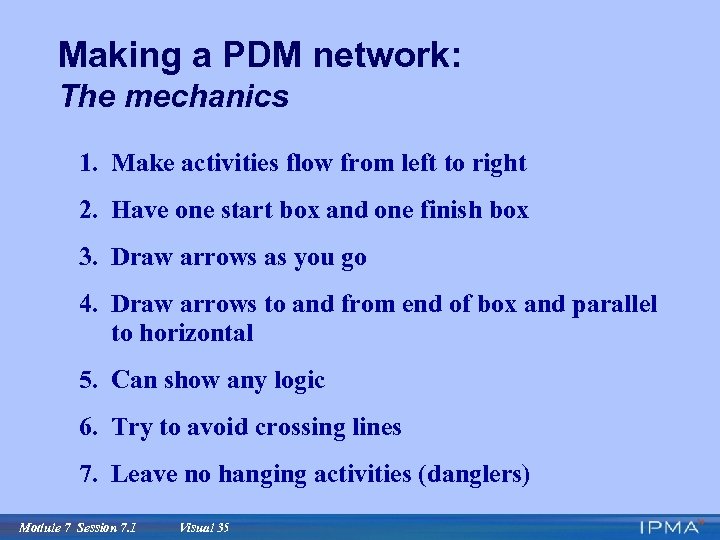
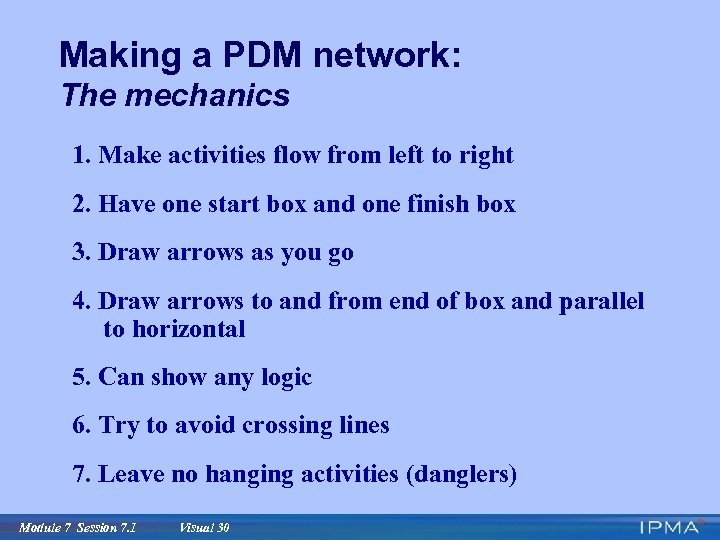 Making a PDM network: The mechanics 1. Make activities flow from left to right 2. Have one start box and one finish box 3. Draw arrows as you go 4. Draw arrows to and from end of box and parallel to horizontal 5. Can show any logic 6. Try to avoid crossing lines 7. Leave no hanging activities (danglers) Module 7 Session 7. 1 Visual 30
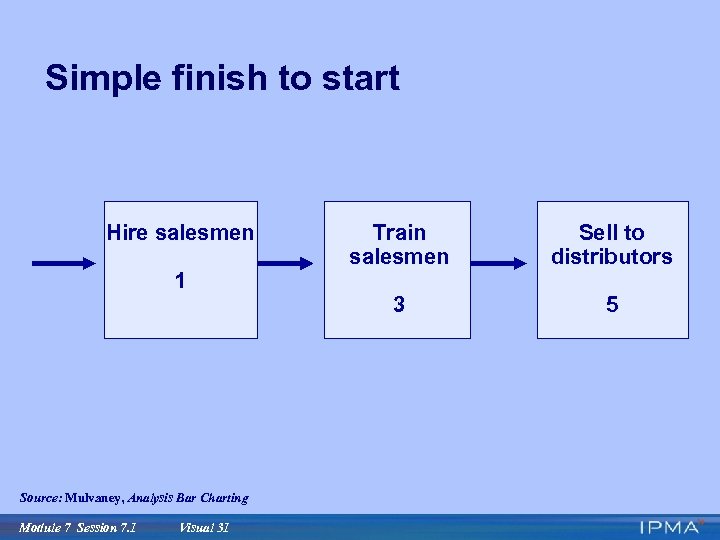 Simple finish to start Hire salesmen 1 Source: Mulvaney, Analysis Bar Charting Module 7 Session 7. 1 Visual 31 Train salesmen Sell to distributors 3 5
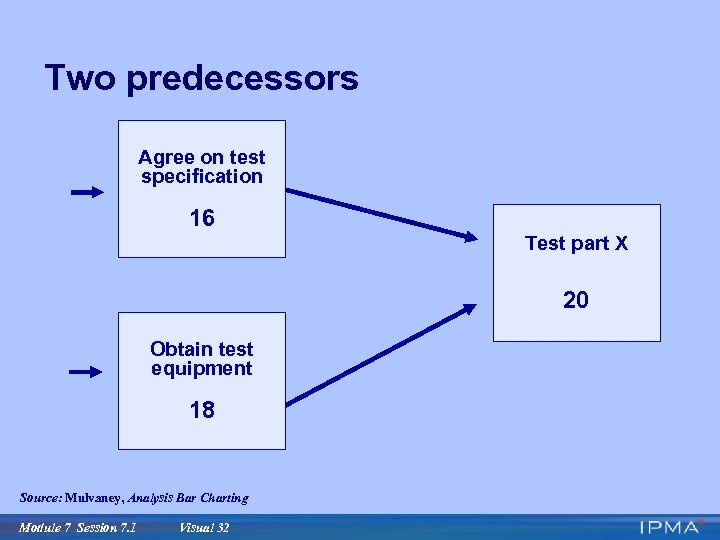 Two predecessors Agree on test specification 16 Test part X 20 Obtain test equipment 18 Source: Mulvaney, Analysis Bar Charting Module 7 Session 7. 1 Visual 32
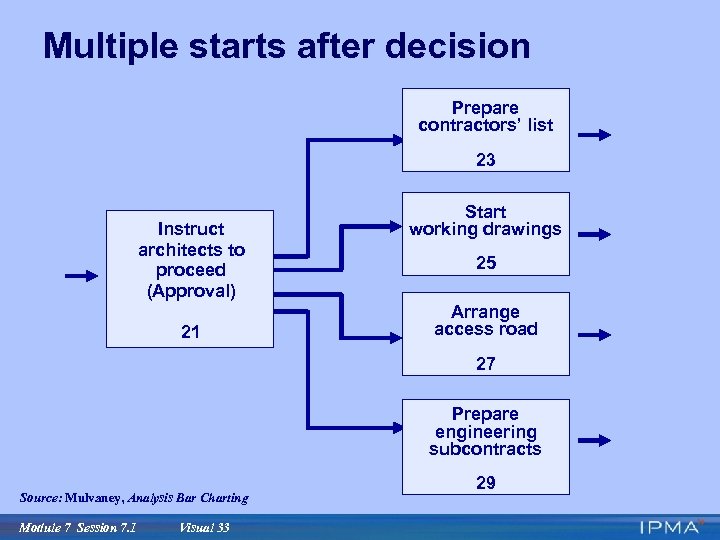 Multiple starts after decision Prepare contractors’ list 23 Instruct architects to proceed (Approval) 21 Start working drawings 25 Arrange access road 27 Prepare engineering subcontracts Source: Mulvaney, Analysis Bar Charting Module 7 Session 7. 1 Visual 33 29
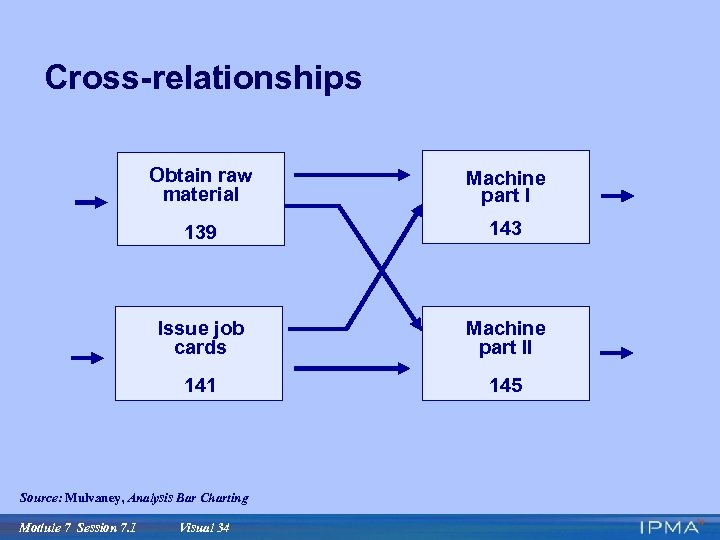 Cross-relationships Obtain raw material Machine part I 139 143 Issue job cards Machine part II 141 145 Source: Mulvaney, Analysis Bar Charting Module 7 Session 7. 1 Visual 34
 Making a PDM network: The mechanics 1. Make activities flow from left to right 2. Have one start box and one finish box 3. Draw arrows as you go 4. Draw arrows to and from end of box and parallel to horizontal 5. Can show any logic 6. Try to avoid crossing lines 7. Leave no hanging activities (danglers) Module 7 Session 7. 1 Visual 35
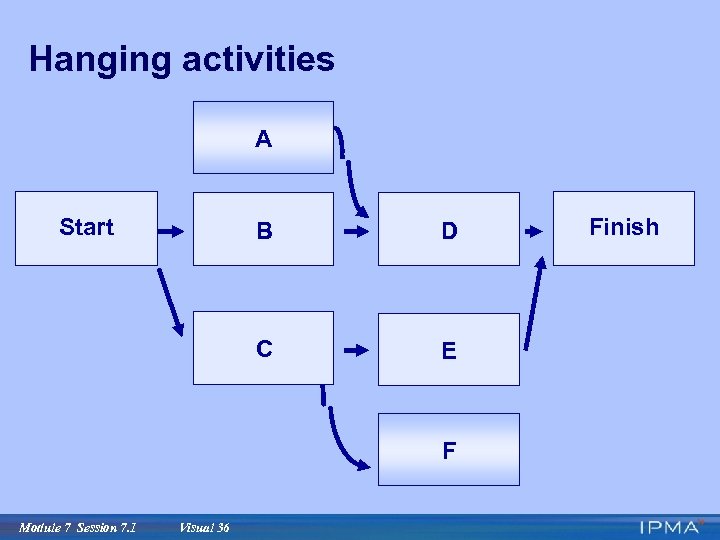 Hanging activities A Start B D C E F Module 7 Session 7. 1 Visual 36 Finish
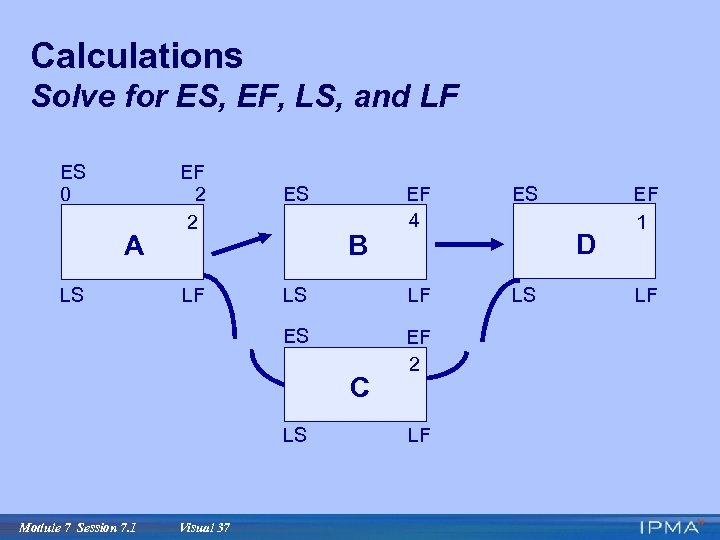 Calculations Solve for ES, EF, LS, and LF ES 0 EF 2 2 ES LS LF LS ES A EF 4 EF 2 B C LS Module 7 Session 7. 1 Visual 37 LF D EF 1 LF
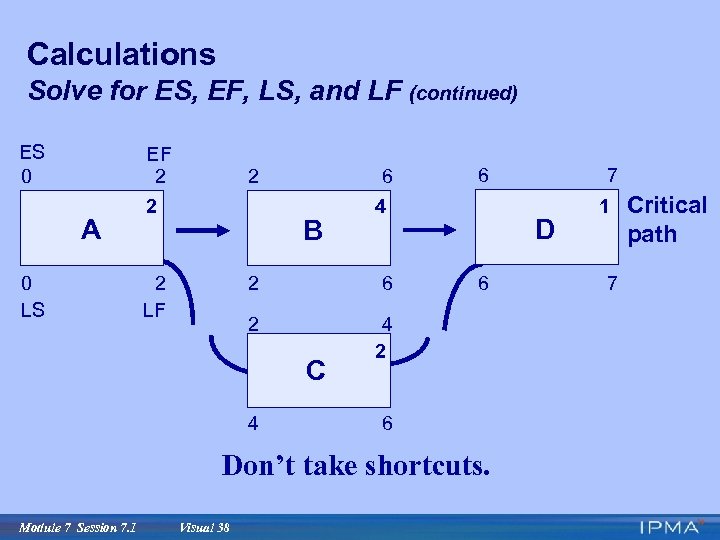 Calculations Solve for ES, EF, LS, and LF (continued) ES 0 A 0 LS EF 2 2 2 6 B 2 LF 4 2 6 2 D 4 2 C 4 6 6 Don’t take shortcuts. Module 7 Session 7. 1 Visual 38 7 6 1 7 Critical path
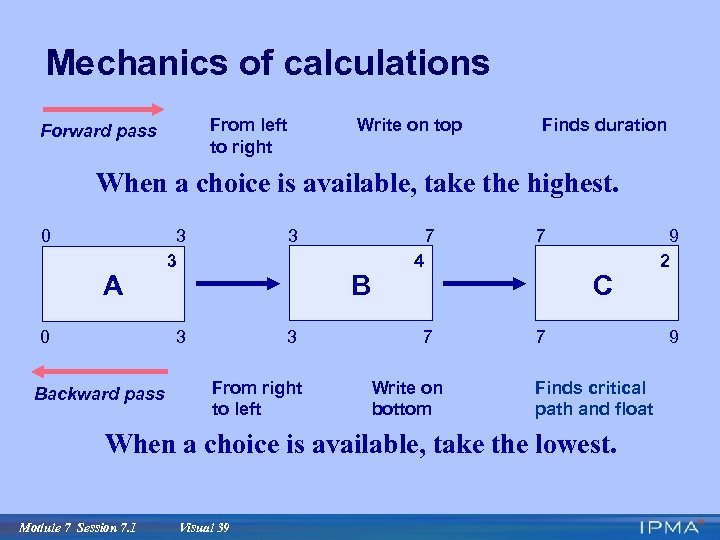 Mechanics of calculations From left to right Forward pass Write on top Finds duration When a choice is available, take the highest. 0 0 Backward pass 3 3 A 3 3 3 7 B From right to left 7 4 7 Write on bottom C 7 Finds critical path and float When a choice is available, take the lowest. Module 7 Session 7. 1 Visual 39 9 2 9
 Summary · Planning is essential · Tools facilitate planning · Critical path and float are key concepts · Calculating the network is an essential skill Module 7 Session 7. 1 Visual 40
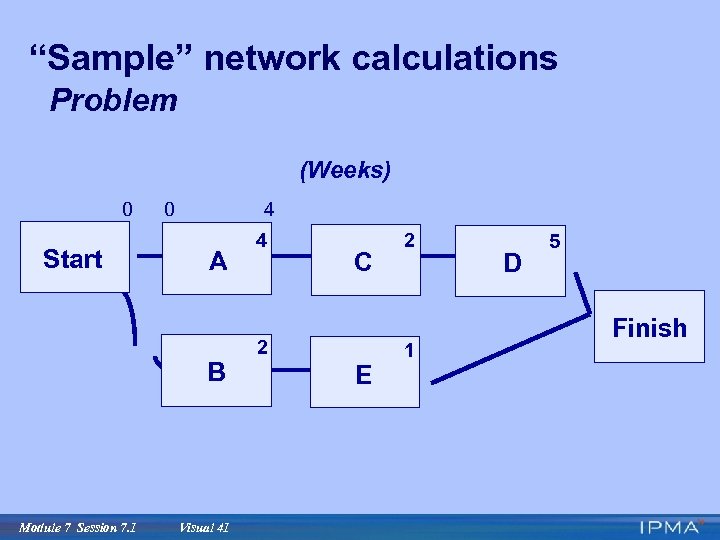 “Sample” network calculations Problem (Weeks) 0 Start 0 4 A B Module 7 Session 7. 1 Visual 41 4 C 2 E 2 1 D 5 Finish
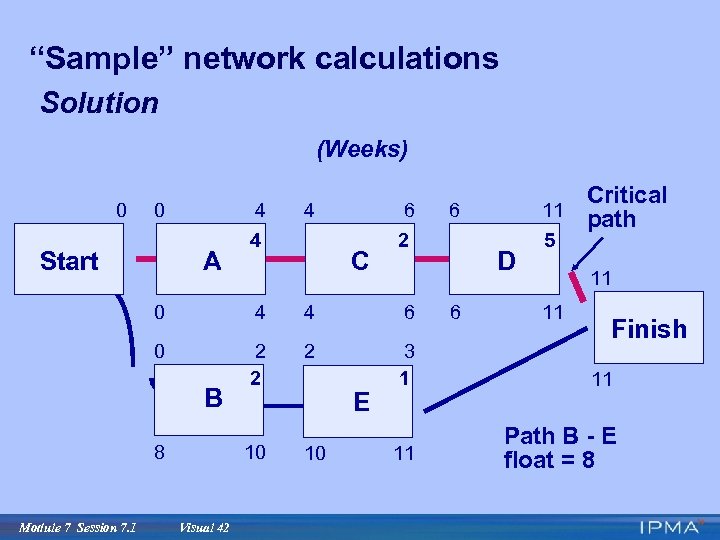 “Sample” network calculations Solution (Weeks) 0 0 Start 4 A 4 4 6 C Critical 11 path 6 2 D 11 0 4 4 6 0 2 2 2 3 1 11 11 Path B - E float = 8 B 8 Module 7 Session 7. 1 10 Visual 42 E 10 6 5 11 Finish
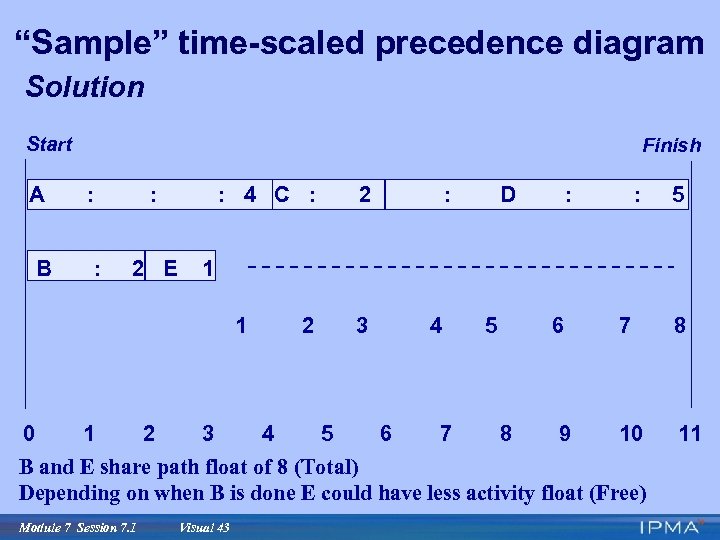 “Sample” time-scaled precedence diagram Solution Start A B Finish : : : 2 E : 4 C : 1 2 : D : : 3 2 4 3 5 4 6 7 5 6 8 9 7 8 10 11 B and E share path float of 8 (Total) Depending on when B is done E could have less activity float (Free) Module 7 Session 7. 1 5 1 1 0 2 Visual 43
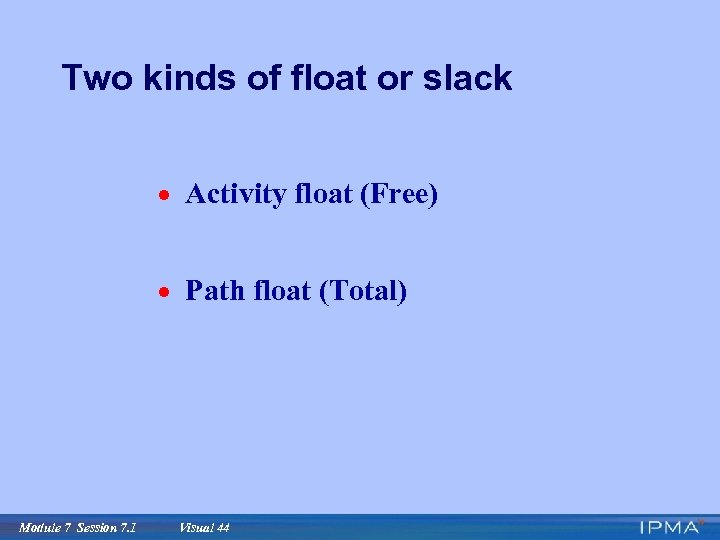 Two kinds of float or slack · Activity float (Free) · Path float (Total) Module 7 Session 7. 1 Visual 44
 Module 7 Planning and Scheduling with the Critical Path Method Session 7. 1 Planning Tools: Arrow Diagram and PERT Diagram Module 7 Session 7. 1 Visual 45
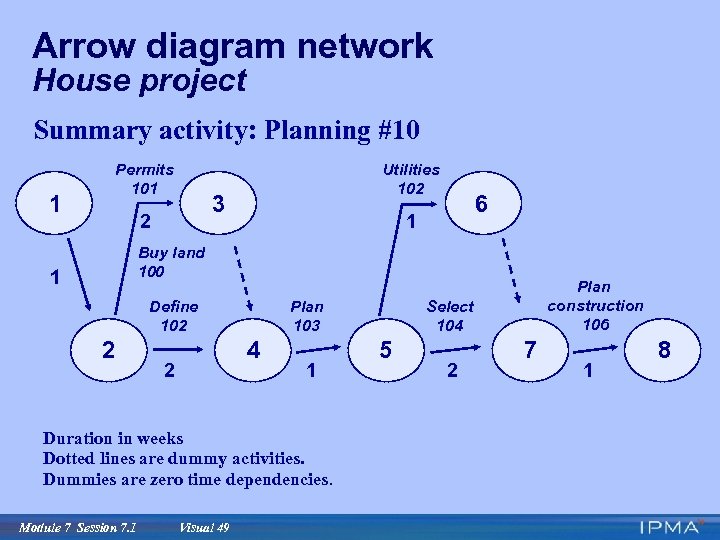
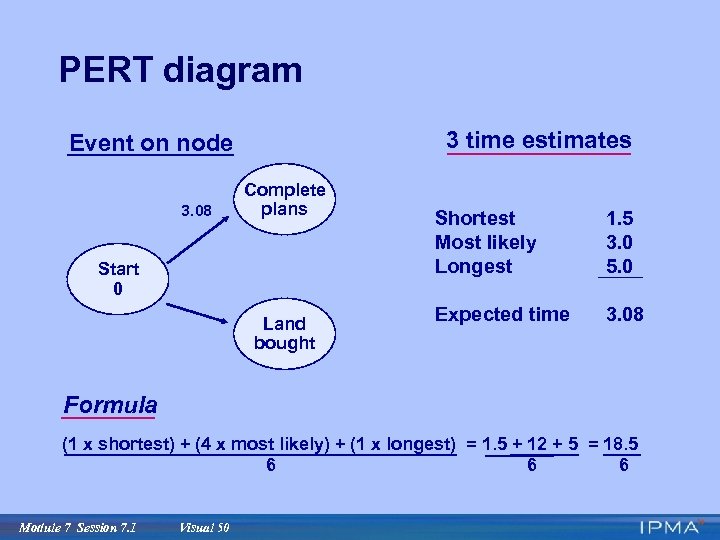
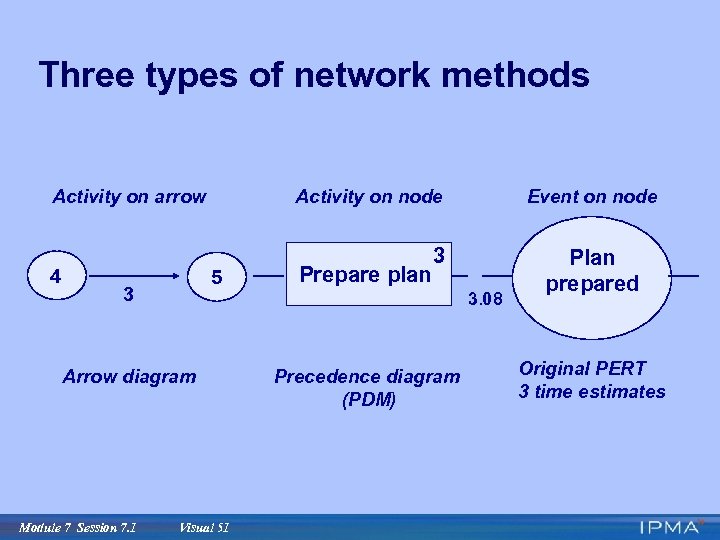
 Planning tools: Arrow diagram and PERT diagram · Network diagram family · Critical path method (CPM) · Precedence diagram (PDM) · Time-scaled precedence diagram · Arrow diagram · PERT diagram Module 7 Session 7. 1 Visual 46
 Objectives · Restate history · Draw distinctions · Give reasons why precedence diagrams are recommended Module 7 Session 7. 1 Visual 47
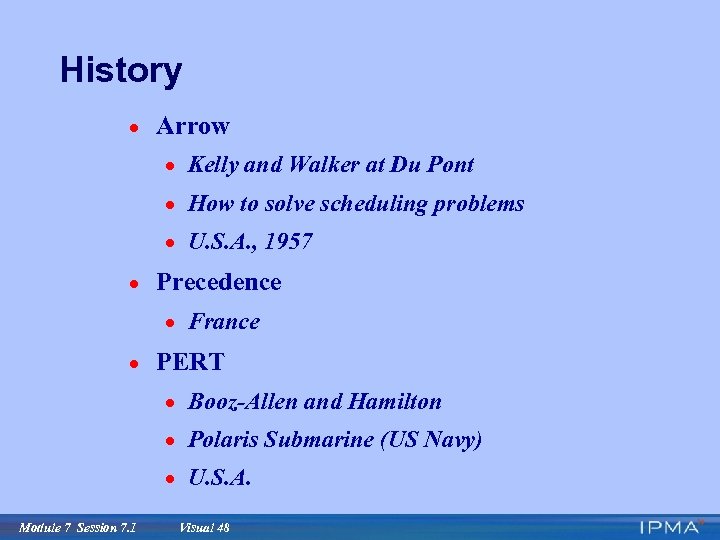 History · Arrow · Kelly and Walker at Du Pont · How to solve scheduling problems · U. S. A. , 1957 · Precedence · France · PERT · Booz-Allen and Hamilton · Polaris Submarine (US Navy) · U. S. A. Module 7 Session 7. 1 Visual 48
 Arrow diagram network House project Summary activity: Planning #10 1 Permits 101 Utilities 102 3 2 6 1 Buy land 100 1 Define 102 2 Plan 103 4 2 1 Duration in weeks Dotted lines are dummy activities. Dummies are zero time dependencies. Module 7 Session 7. 1 Visual 49 Plan construction 106 Select 104 5 2 7 1 8
 PERT diagram 3 time estimates Event on node 3. 08 Complete plans Start 0 Land bought Shortest Most likely Longest 1. 5 3. 0 5. 0 Expected time 3. 08 Formula (1 x shortest) + (4 x most likely) + (1 x longest) = 1. 5 + 12 + 5 = 18. 5 6 6 6 Module 7 Session 7. 1 Visual 50
 Three types of network methods Activity on arrow 4 Activity on node 5 3 3 3. 08 Arrow diagram Module 7 Session 7. 1 Prepare plan Event on node Visual 51 Precedence diagram (PDM) Plan prepared Original PERT 3 time estimates
 Time-scaled precedence diagram House project Summary activity: Planning #10 Activity Box 100 1 101 Fence 105 2 Buy land Order utilities Study site Owner Slack or float 1 Architect 106 1 Plan construction Contractor 103 102 2 Define requirements Finalize drawings Architect Time scale in weeks 1 2 Module 7 Session 7. 1 Visual 52 1 3 4 104 2 Select contractor Owner 5 6 7
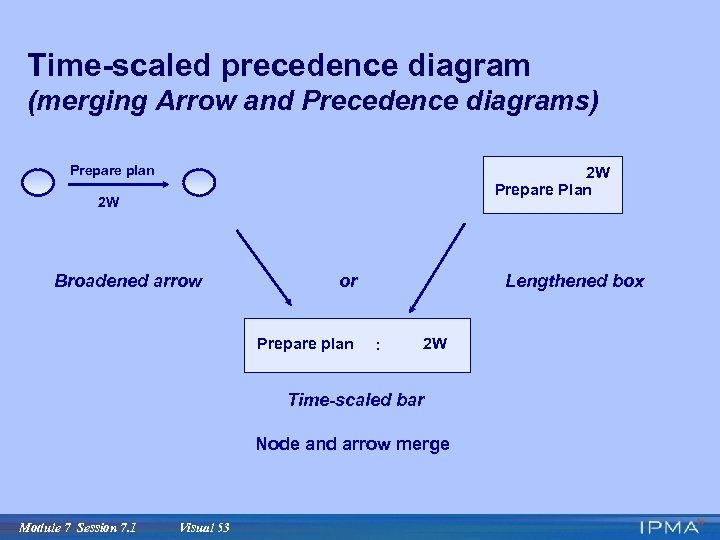 Time-scaled precedence diagram (merging Arrow and Precedence diagrams) Prepare plan 2 W Prepare Plan 2 W Broadened arrow or Prepare plan Lengthened box : 2 W Time-scaled bar Node and arrow merge Module 7 Session 7. 1 Visual 53
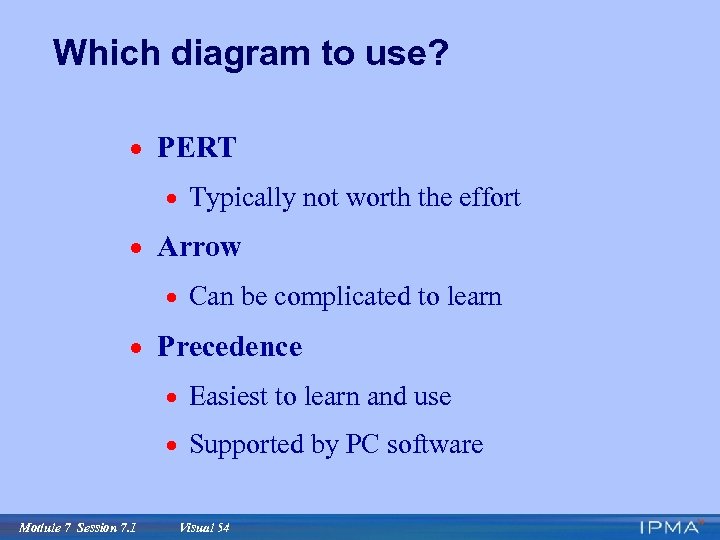 Which diagram to use? · PERT · Typically not worth the effort · Arrow · Can be complicated to learn · Precedence · Easiest to learn and use · Supported by PC software Module 7 Session 7. 1 Visual 54
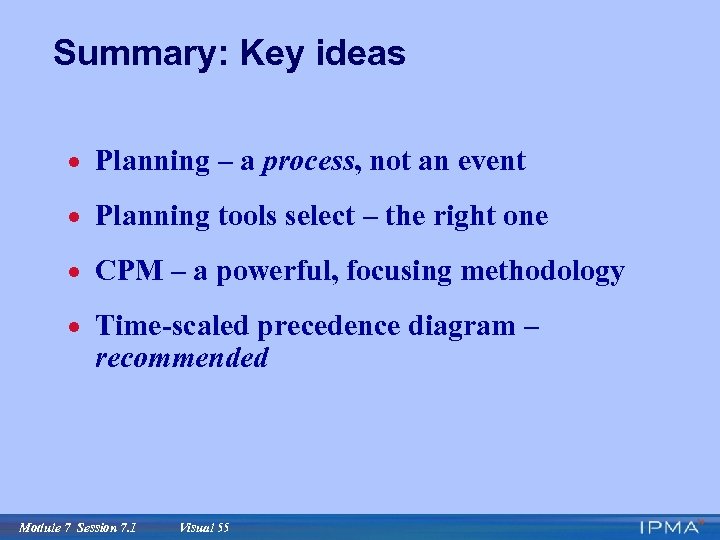 Summary: Key ideas · Planning – a process, not an event · Planning tools select – the right one · CPM – a powerful, focusing methodology · Time-scaled precedence diagram – recommended Module 7 Session 7. 1 Visual 55
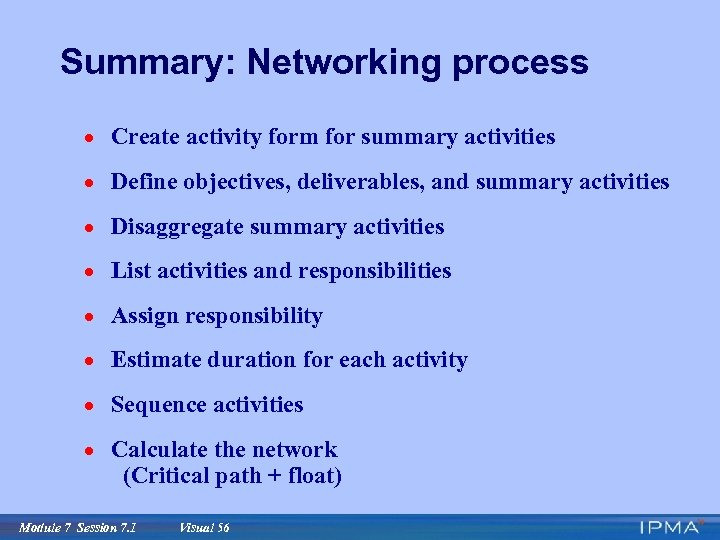 Summary: Networking process · Create activity form for summary activities · Define objectives, deliverables, and summary activities · Disaggregate summary activities · List activities and responsibilities · Assign responsibility · Estimate duration for each activity · Sequence activities · Calculate the network (Critical path + float) Module 7 Session 7. 1 Visual 56
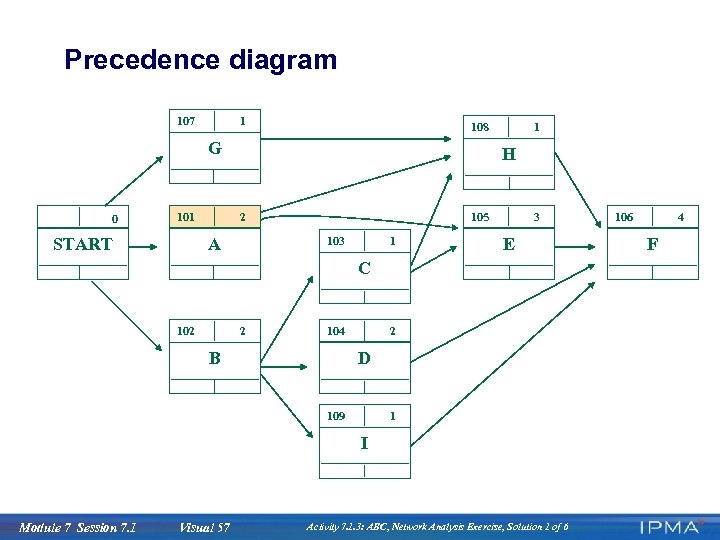 Precedence diagram 107 1 108 G 0 101 START 1 H 2 A 105 103 1 3 E C 102 2 104 B 2 D 109 1 I Module 7 Session 7. 1 Visual 57 Activity 7. 1. 3: ABC, Network Analysis Exercise, Solution 1 of 6 106 4 F
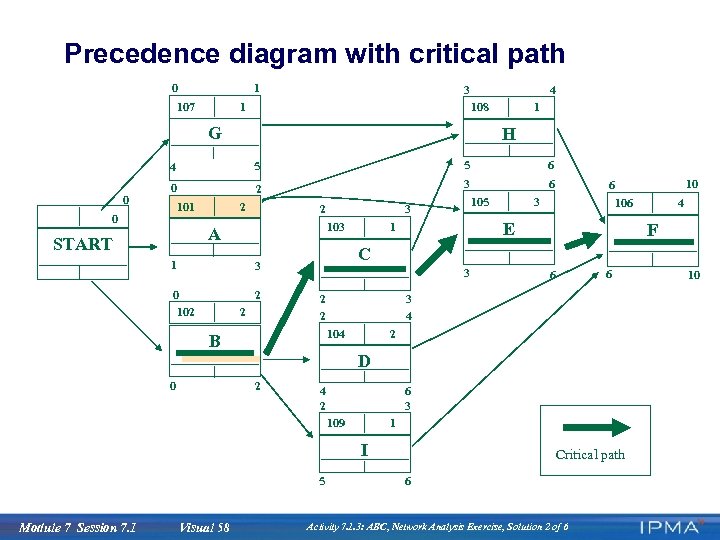 Precedence diagram with critical path 0 1 107 3 1 4 108 G 1 H 4 0 5 5 6 0 2 3 6 101 0 2 103 A START 1 2 2 3 106 E 1 3 2 2 F 6 6 3 4 104 B 2 D 0 2 6 3 4 2 109 1 I 5 Module 7 Session 7. 1 Visual 58 4 C 3 0 102 105 3 2 10 6 Critical path 6 Activity 7. 1. 3: ABC, Network Analysis Exercise, Solution 2 of 6 10
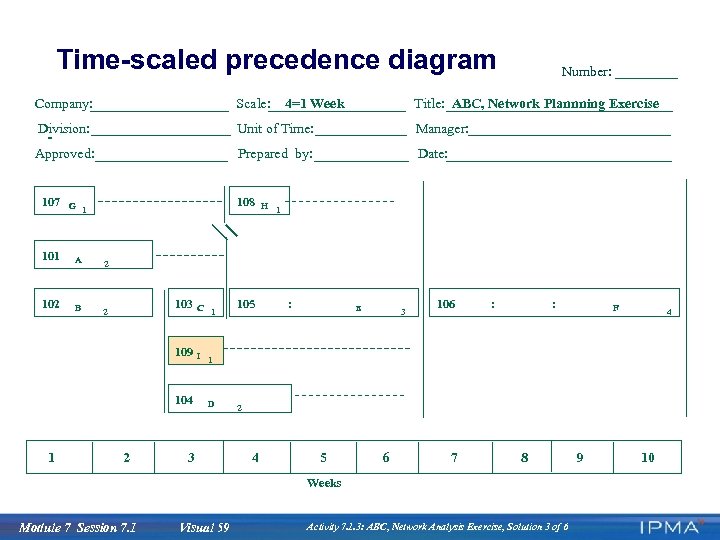 Time-scaled precedence diagram Company: Scale: Division: Unit of Time: Manager: Approved: Prepared by: Date: 107 108 G 1 101 A B 2 Title: ABC, Network Plannning Exercise H 1 2 102 4=1 Week Number: 103 109 104 1 2 C 1 105 : E 3 106 : : 4 I 1 D 3 2 4 5 6 7 8 Weeks Module 7 Session 7. 1 F Visual 59 Activity 7. 1. 3: ABC, Network Analysis Exercise, Solution 3 of 6 9 10
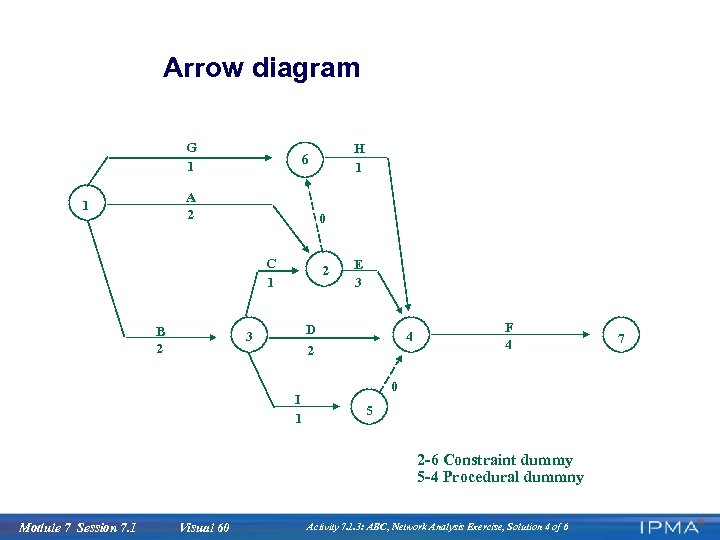 Arrow diagram G 1 A 2 1 0 C 1 B 2 H 1 6 2 E 3 D 2 3 I 1 4 F 4 0 5 2 -6 Constraint dummy 5 -4 Procedural dummny Module 7 Session 7. 1 Visual 60 Activity 7. 1. 3: ABC, Network Analysis Exercise, Solution 4 of 6 7