


 Скачать презентацию Module 2 Introducing Windows 2000 Security Overview
b4ec754d0320766582475a7b057791b5.ppt
- Количество слайдов: 82
 Module 2: Introducing Windows 2000 Security
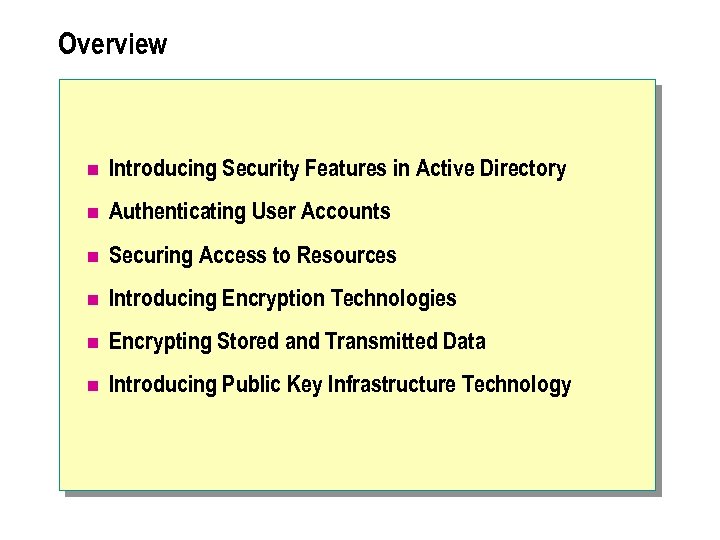 Overview n Introducing Security Features in Active Directory n Authenticating User Accounts n Securing Access to Resources n Introducing Encryption Technologies n Encrypting Stored and Transmitted Data n Introducing Public Key Infrastructure Technology
 n The security features provided in Microsoft® Windows® 2000 enable a security architect to manage access control for resources in a Windows 2000 network and configure new encryption and authentication technologies for Windows 2000 -based clients. Windows 2000 security features can be combined to provide a high level of network security.
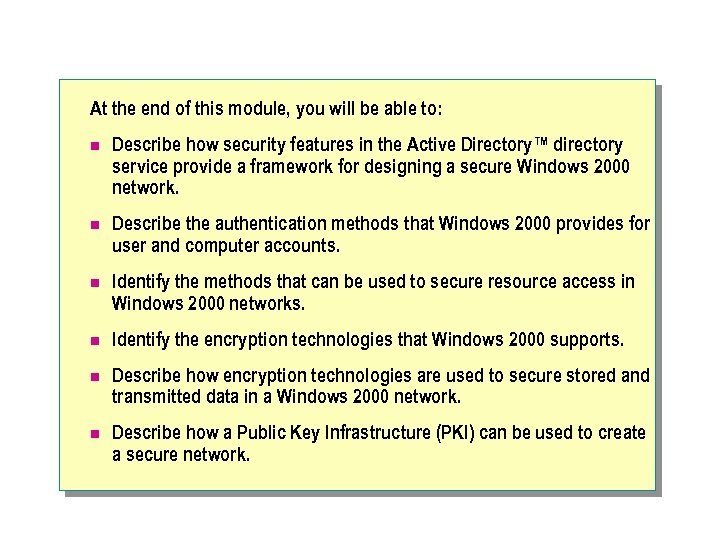 At the end of this module, you will be able to: n Describe how security features in the Active Directory™ directory service provide a framework for designing a secure Windows 2000 network. n Describe the authentication methods that Windows 2000 provides for user and computer accounts. n Identify the methods that can be used to secure resource access in Windows 2000 networks. n Identify the encryption technologies that Windows 2000 supports. n Describe how encryption technologies are used to secure stored and transmitted data in a Windows 2000 network. n Describe how a Public Key Infrastructure (PKI) can be used to create a secure network.
 u. Introducing Security Featuresin Active Directory Hierarchical Structure n Trust Relationships n Administration Using Group Policy
 n Active Directory, a directory service for Windows 2000 networks, organizes all domain security policy and account information for an organization in a hierarchical structure. The security features of Active Directory ensure consistent application of security configurations across organizational units (OUs) and domains within a forest. You can use Active Directory to establish trust relationships between domains in separate forests, or between a domain in your forest and a Microsoft Windows NT® version 4. 0 domain. Group Policy in Active Directory allows you to apply security configurations to users and computers within sites, domains, and OUs.
 In this lesson you will learn about the following topics: n Active directory hieratical structure n Trust relationships n Administration using group policy
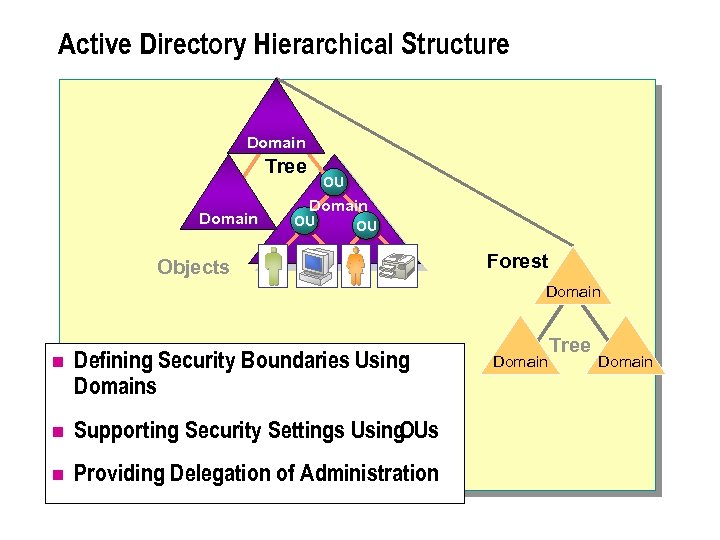 Active Directory Hierarchical Structure Domain Tree Domain OU OU Objects Forest Domain n Defining Security Boundaries Using Domains n Supporting Security Settings Using OUs n Providing Delegation of Administration Domain Tree Domain
 n Active Directory uses a hierarchical structure that enables efficient administration of account security settings in a network. The hierarchical structure allows consistent security to be implemented. Security is implemented by: l Defining security boundaries by using domains. l Supporting security settings by using OUs. l Providing delegation of administration.
 Defining security boundaries by using domains n In Windows 2000, a domain defines a security boundary for a collection of objects. Each domain has a security policy that extends to all security accounts within the domain. The policy does not extend to any child domain. For example, you must split an organization into multiple domains if domain-wide settings, such as account policy, must vary between areas within an organization.
 Supporting security settings by using OUs n OUs allow the grouping of user, group, and computer accounts with similar security requirements. You can apply different security policy settings for each OU. For example, the default Active Directory structure places all domain controllers for a domain in the same OU because domain controllers require the same security configuration requirements.
 Providing delegation of administration n In Windows 2000, you can set permissions at the attribute level. Setting permissions at the attribute level allows administrators to delegate tasks associated with particular attributes to the selected administrators. For example, help desk technicians can be granted the ability to reset the passwords of users in a specific OU, but not the ability to create users.
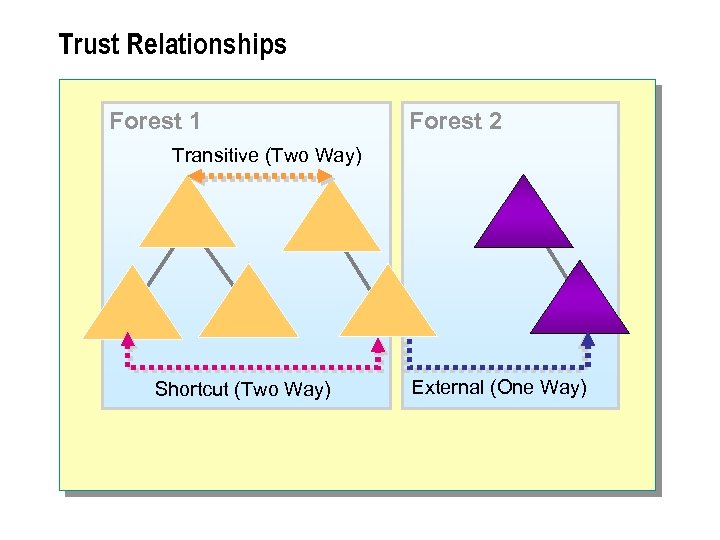 Trust Relationships Forest 1 Forest 2 Transitive (Two Way) Shortcut (Two Way) External (One Way)
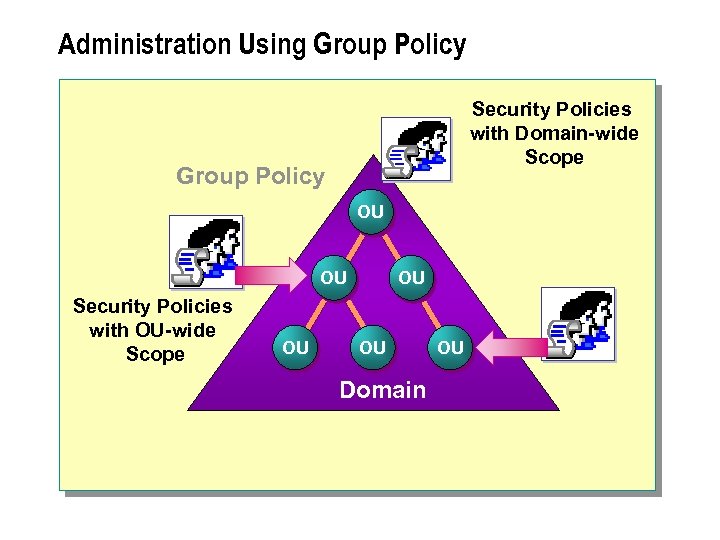 Administration Using Group Policy Security Policies with Domain-wide Scope Group Policy OU OU Security Policies with OU-wide Scope OU OU OU Domain OU
 n Group Policy allows consistent security configurations to be applied to different users and classes of computers. Classes of computers may include domain controllers, kiosks, and application servers. You can create an OU for each class of computer and apply an appropriate Group Policy to each OU. Group Policy allows an administrator to: n Restrict Windows desktop configuration settings. n Configure the deployment and installation of applications. n Enforce consistent security policies for selected users and computers within a given site, domain, or OU.
 n Some elements of Group Policy only apply to a domain, and therefore have a domain-wide scope. User account policies have a domain-wide scope and cannot be overridden for individual OUs. All other elements of Group Policy can be applied to individual OUs and Sites.
 u. Authenticating User Accounts n Using Kerberos V 5 Authentication n Using Certificate-based Authentication n Using NTLM Protocol for Authentication
 n Authentication is the process of verifying the identity of a network user. When a user authenticates with a network, they provide an account and password. When the authentication request is completed, access is allowed to resources on the network, subject to any resource restrictions. Windows 2000 supports several different authentication methods-including Kerberos V 5 certificatebased authentication, and the NTLM protocol-to confirm the identity of a network user. In this lesson you will learn about the following topics: n Using Kerberos V 5 authentication n Using certificate-based authentication n Using NTLM protocol for authentication
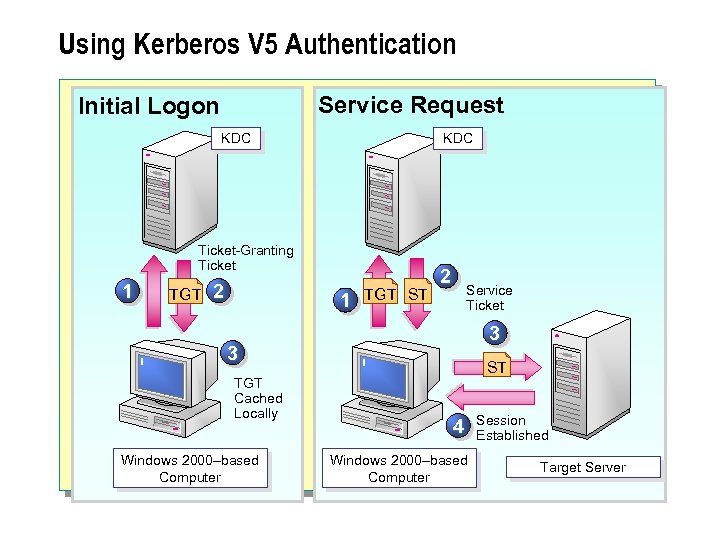 Using Kerberos V 5 Authentication Service Request Initial Logon KDC Ticket-Granting Ticket 1 TGT 2 1 TGT ST 2 Service Ticket 3 3 TGT Cached Locally Windows 2000–based Computer ST 4 Windows 2000–based Computer Session Established Target Server
 n Kerberos V 5 is a ticket-based authentication protocol that Windows 2000 uses as the default protocol. The Key Distribution Center (KDC) in Kerberos issues ticketgranting tickets (TGTs) and service tickets (STs) to clients for authentication. The Kerberos Protocol n The use of Kerberos V 5 authentication in Windows 2000 provides: l Single sign-on. l Mutual authentication. l Ticket caching.
 Single sign-on n Single sign-on allows users to access network services within the user's domain and all trusting domains by using a single account and password combination.
 Mutual authentication n Mutual authentication of the user account and the computer account is accomplished when Kerberos V 5 authentication verifies the identity of the user account and the computer account hosting the network service accessed by the user account.
 Ticket caching n Ticket caching reduces the number of times that the user is required to query the domain controller. After a user obtains an ST for a server, the user does not need to be authenticated again by a domain controller until the time stamp for the ST expires. n Note: Maximum lifetimes for user tickets and STs are set in a domain's Group Policy.
 Initial Logon Authentication n When a user first logs on to the network, the user provides credentials to verify his or her identity. Kerberos V 5 initial user logon authentication proceeds as follows: 1. At logon time, the user authenticates to a KDC. 2. The KDC provides the user with an encrypted TGT. The TGT contains a time stamp and authorization information about the user. 3. The client decrypts the TGT by using the long-term key that the client shares with the KDC. If the client is authenticating with the network by using a smart card, the client's private key on the smart card is used to decrypt the TGT.
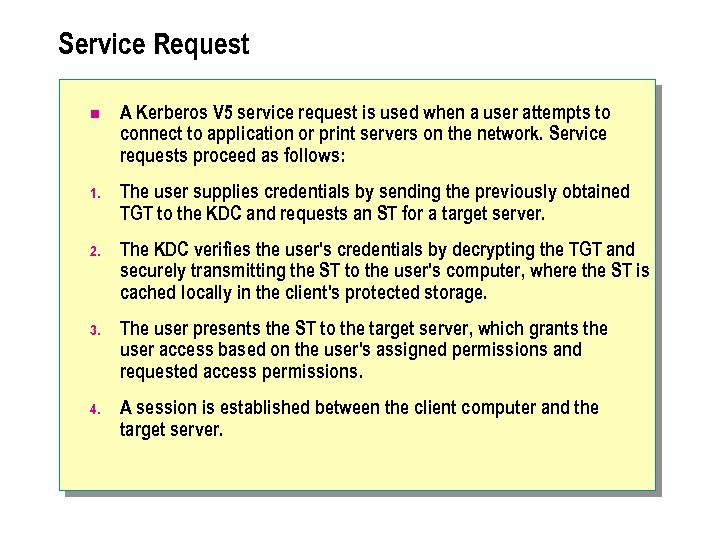 Service Request n A Kerberos V 5 service request is used when a user attempts to connect to application or print servers on the network. Service requests proceed as follows: 1. The user supplies credentials by sending the previously obtained TGT to the KDC and requests an ST for a target server. 2. The KDC verifies the user's credentials by decrypting the TGT and securely transmitting the ST to the user's computer, where the ST is cached locally in the client's protected storage. 3. The user presents the ST to the target server, which grants the user access based on the user's assigned permissions and requested access permissions. 4. A session is established between the client computer and the target server.
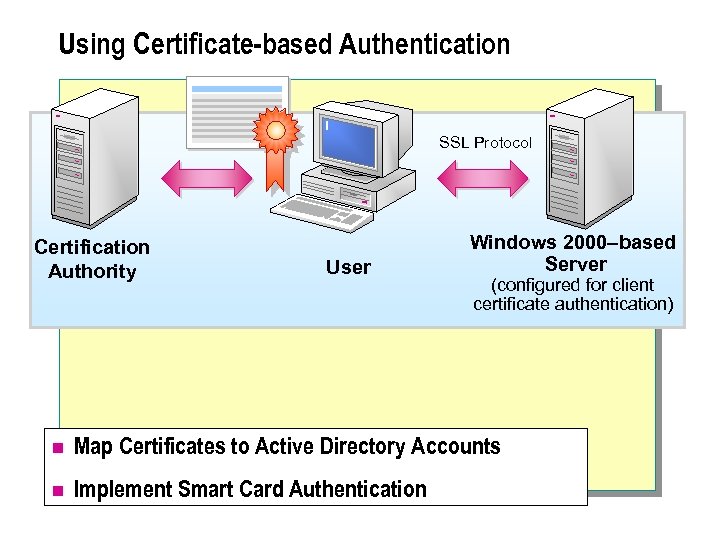 Using Certificate-based Authentication SSL Protocol Certification Authority User Windows 2000–based Server (configured for client certificate authentication) n Map Certificates to Active Directory Accounts n Implement Smart Card Authentication
 Using Certificate-based Authentication n Certificate-based authentication involves the use of digitally signed statements called certificates. A certificate is an electronic credential containing a public key and the name of the user to which the certificate is issued. Certificates can be used to provide authentication for accounts in a Windows 2000 network. n Note: Windows 2000 supports the authentication of trusted users outside of the organization who possess industry-standard X. 509 v 3 digital certificates.
 n In certificate-based authentication, a certification authority (CA) is used to issue certificates to users and computers. Certificates issued to users contain identifying information, such as the validity period of the certificate, the user's public key, and the user's name.
 Certificates can be: n Mapped to Active Directory accounts. A certificate can be mapped to, or an association created with, an individual Active Directory user account. The mapped certificate can be used for authentication requests, replacing typed-in user credentials. n Implemented with smart card authentication. A smart card is a credit-card-sized device on which the digital certificate containing the user's private key is stored. The digital certificate is used to authenticate the user. The smart card contains the digital certificate, the private key and the public key for the user. The PIN for the smart card only protects access to the private key. The public key and digital certificate are not protected.
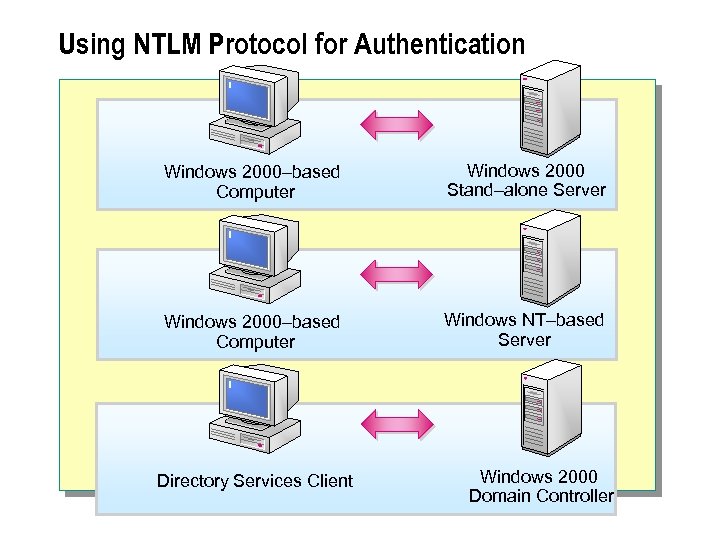 Using NTLM Protocol for Authentication Windows 2000–based Computer Windows 2000 Stand–alone Server Windows 2000–based Computer Windows NT–based Server Directory Services Client Windows 2000 Domain Controller
 Using NTLM Protocol for Authentication n Windows NT 4. 0 and earlier versions of Windows do not support new authentication protocols such as Kerberos V 5 authentication. Windows 2000 supports the NTLM protocol for compatibility with clients and servers that are running earlier versions of Windows. The NTLM protocol is also used to authenticate logon requests to stand-alone computers that run Windows 2000.
 The NTLM protocol is used when: n A Windows 2000 -based computer authenticates with a Windows 2000 -based stand-alone server. n A Windows 2000 -based computer authenticates with a Windows NT-based server. n A Microsoft Windows 95 -based, Microsoft Windows 98 based, or Windows NT-based computer configured with Windows 2000 Directory Services Client software authenticates with a Windows 2000 domain controller. n A Windows 2000 -based client is unable to authenticate with a Windows 2000 domain controller by using Kerberos. The Windows 2000 -based client will then attempt authentication by using the NTLM protocol.
 n Note: The NTLM protocol will only be used if Kerberos authentication is not possible. Once a client or computer authenticates by using Kerberos, it cannot fall back to authentication using NTLM. The NTLM protocol will not be used when Kerberos authentication fails due to an incorrect account or password. This would be considered a security weakness, as Kerberos is a stronger authentication protocol. If DNS is not available, a Kerberos SRV (service) resource record will not be located to find a KDC for authentication.
 Using NTLM Protocol for Authentication n The NTLM version 2. 0 (NTLM v 2) protocol is an enhancement to integrated Windows authentication that improves both authentication and session security. NTLM v 2 protocol support is available in Windows NT 4. 0 with Service Pack 4 or higher applied. The NTLM v 2 protocol is available to Windows 95 -based and Windows 98 -based computers by installing the Directory Services Client on these computers. After ensuring that all clients can support NTLM v 2, you can configure all computers to use only the NTLM v 2 protocol as the authentication protocol. n Note: If the Directory Services Client is not installed, Windows 95 based and Windows 98 -based computers can only authenticate by using the LAN Manager protocol.
 u Securing Access to Resources n Describing Security Identifiers n Controlling Access to Resources n Defining Security Groups for Resource Access n Discussion: Authentication and Access Control
 n Most organizations store confidential resources on their networks that must be secured to prevent access by unauthorized users. You secure resources in a Windows 2000 network by: l Using security identifiers (SIDs). l Controlling access to resources by defining discretionary access control lists (DACLs). l Defining security groups for resource access, including global groups, domain local groups, and universal groups.
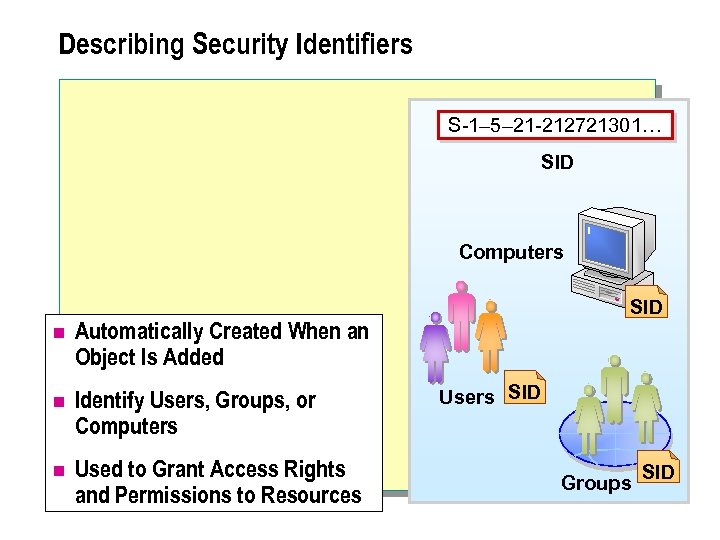 Describing Security Identifiers S-1– 5– 21 -212721301… SID Computers n Automatically Created When an Object Is Added n Identify Users, Groups, or Computers n Used to Grant Access Rights and Permissions to Resources SID Users SID Groups SID
 Describing Security Identifiers n A SID is a unique number of variable length that identifies security principals, such as group, user, and computer accounts. Access control mechanisms, used in Windows 2000 to manage access to network resources, always identify security principals by SID rather than by name. In Windows 2000, SIDs: l Are automatically created when an object is added. l Uniquely identify users, groups, or computers. l Are used to grant access rights and permissions to resources.
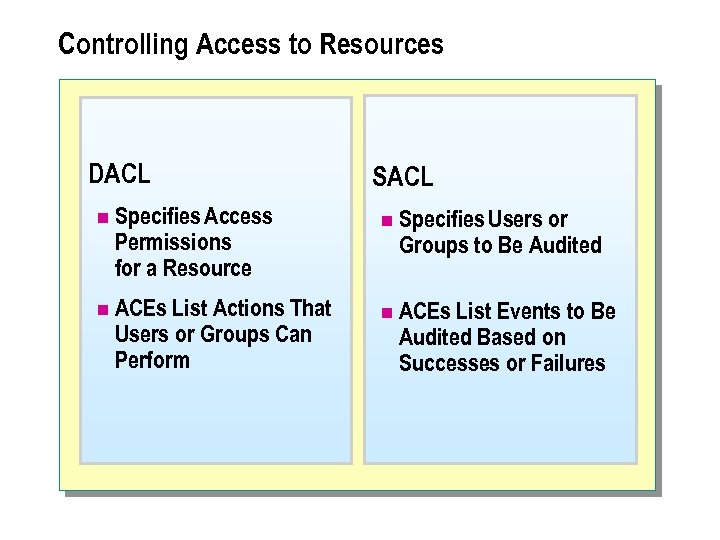 Controlling Access to Resources DACL n Specifies Access Permissions for a Resource n ACEs List Actions That Users or Groups Can Perform SACL n Specifies Users or Groups to Be Audited n ACEs List Events to Be Audited Based on Successes or Failures
 Controlling Access to Resources n The access control model used in Windows 2000 provides a method for managing access to network resources. The access control model can also be used to audit all access attempts to a network resource. Access control and auditing are based on user and group memberships in Active Directory.
 Discretionary Access Control List n All Active Directory objects have a DACL attached to them. A DACL lists the security principals that have been assigned permissions to the Active Directory object. A DACL consists of a list of access control entries (ACEs). Each ACE defines a permission assigned to a single user or group.
 System Access Control List n A system access control list (SACL) lists the users and groups whose access to a specific resource needs to be audited. Each ACE in a SACL indicates whether auditing is triggered by success, failure, or both. When an audited action occurs, the operating system records the event in the security log. n Note: SACLs and DACLs contain the SID for the user or group, rather than the actual user or group name.
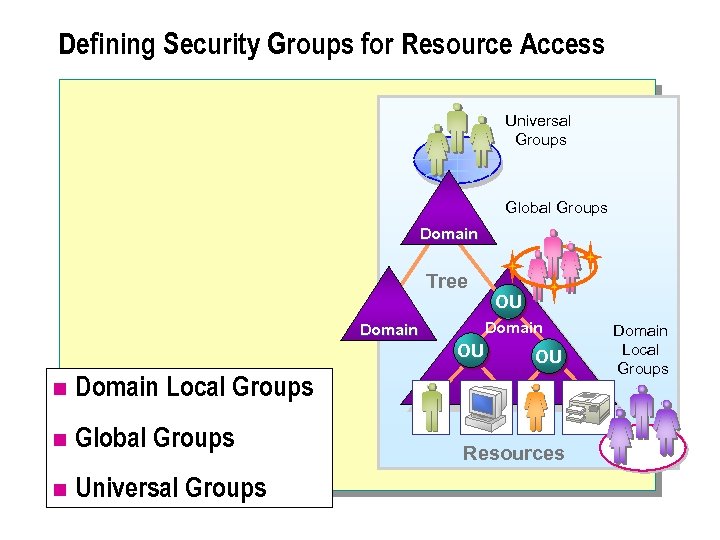 Defining Security Groups for Resource Access Universal Groups Global Groups Domain Tree OU Domain OU n Domain Local Groups n Global Groups n Universal Groups OU Resources Domain Local Groups
 Defining Security Groups for Resource Access n In Windows 2000, you can organize users and other objects into security groups for efficient administration of access permissions. Security groups are used to organize users and other objects. Windows 2000 supports three types of security groups: domain local groups, global groups, and universal groups. n Note: There are two scopes of groups: distribution and security. Only security groups can be used for the assignment of permissions. Distribution groups cannot be assigned in any DACLs or SACLs. .
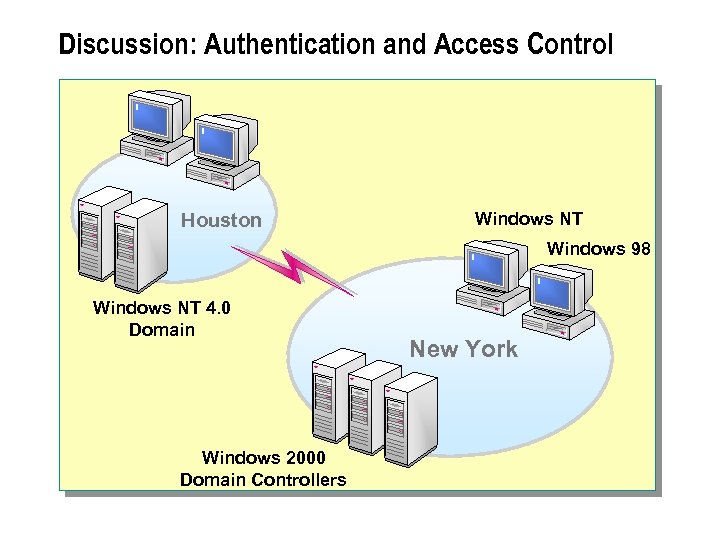 Discussion: Authentication and Access Control Houston Windows NT Windows 98 Windows NT 4. 0 Domain Windows 2000 Domain Controllers New York
 n Windows 2000 provides a number of authentication and access control features that can be used to protect information on your network. The following scenario describes an organization's current network configuration.
 Scenario n You are the security architect for a large legal firm whose corporate office is located in New York. All desktop computers currently run Windows NT Workstation 4. 0. The firm is planning a migration strategy to implement Windows 2000. Over the next two years, all desktop computers will be replaced with Windows 2000 Professional. In the interim, the Windows 2000 Directory Services Client will be loaded on all Windows NT Workstation computers. Users located in a branch office in Houston connect to the New York office by using a high-speed wide area network (WAN) link. The Houston and New York offices are implemented as separate domains. Under Windows NT 4. 0, a two-way trust relationship was established between the domains. The network in Houston will continue to use its Windows NT 4. 0 domain controllers for another year. You need to ensure that even after the migration occurs, the connections between the networks continue to remain secure.
 u Introducing Encryption Technologies n Using Symmetric Key Encryption n Using Public Key Encryption n Using Digital Signatures
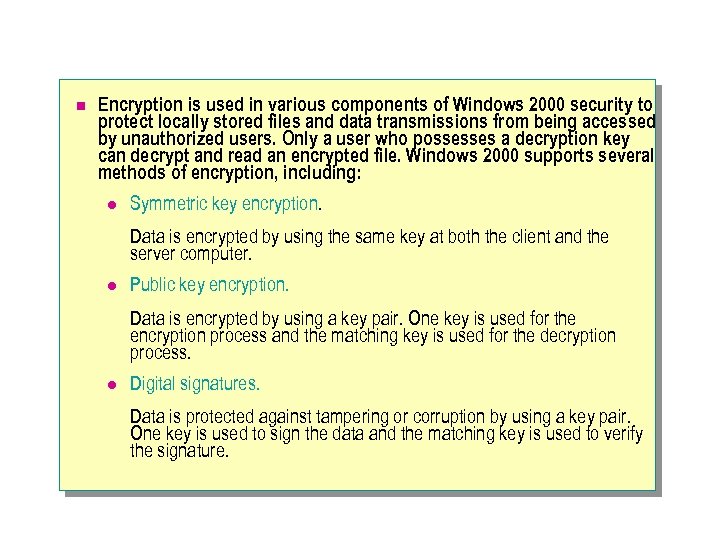 n Encryption is used in various components of Windows 2000 security to protect locally stored files and data transmissions from being accessed by unauthorized users. Only a user who possesses a decryption key can decrypt and read an encrypted file. Windows 2000 supports several methods of encryption, including: l Symmetric key encryption. Data is encrypted by using the same key at both the client and the server computer. l Public key encryption. Data is encrypted by using a key pair. One key is used for the encryption process and the matching key is used for the decryption process. l Digital signatures. Data is protected against tampering or corruption by using a key pair. One key is used to sign the data and the matching key is used to verify the signature.
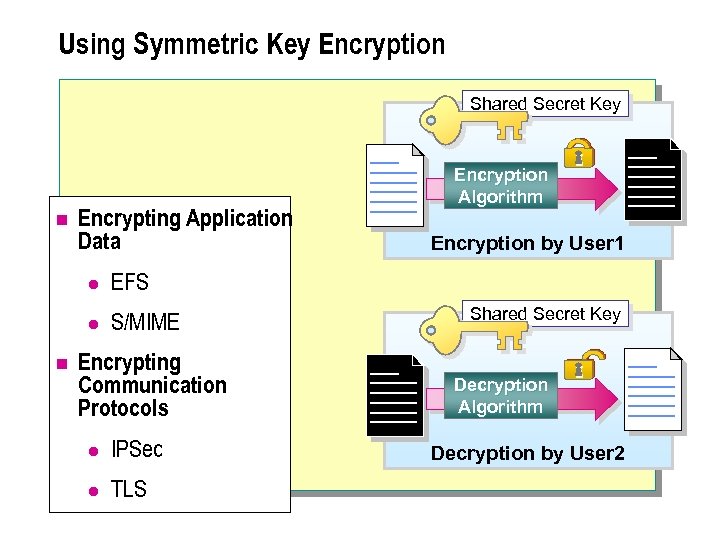 Using Symmetric Key Encryption Shared Secret Key n Encrypting Application Data l n S/MIME Encryption by User 1 EFS l Encryption Algorithm Encrypting Communication Protocols l IPSec l TLS Shared Secret Key Decryption Algorithm Decryption by User 2
 Using Symmetric Key Encryption n Symmetric key encryption is an encryption algorithm that uses the same key for both the encryption and decryption of data. Because symmetric key encryption uses only a single key, a key compromised on one computer could compromise data that is stored on another computer and was encrypted with that key.
 Encrypting Application Data n Many applications use symmetric key encryption because it is very efficient at encrypting large amounts of data. Using a symmetric key, also called a shared secret, results in a weaker encryption-decryption algorithm that does not require as much processing. Symmetric key encryption protects the following application data: l Encrypting File System (EFS). Uses symmetric key encryption to encrypt document files stored on Windows 2000 -based computers. l Secure Multipurpose Internet Mail Extension (S/MIME). Uses symmetric key encryption to encrypt messages for transmission of confidential e-mail.
 Encrypting Communication Protocols n The shared secret keys that are used in symmetric key encryption are commonly used by many security protocols as session keys for confidential online communications. For example, the Internet Protocol Security (IPSec) and Transport Layer Security (TLS) protocols use symmetric keys with standard encryption algorithms to encrypt and decrypt confidential communications between a sender and a receiver.
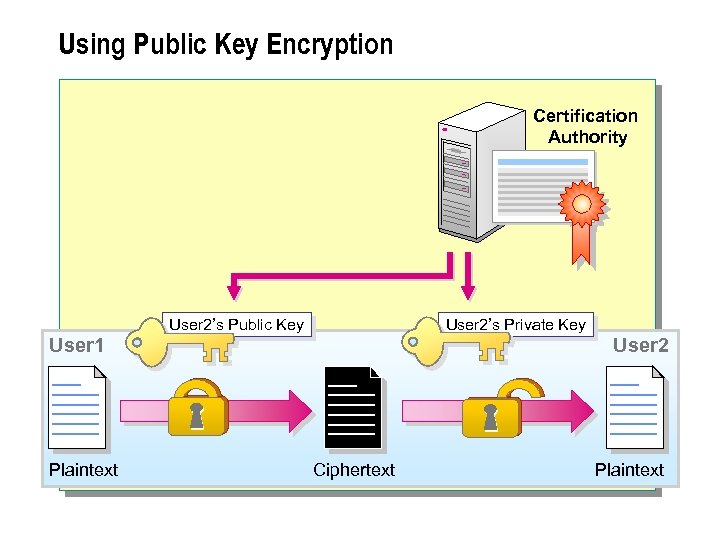 Using Public Key Encryption Certification Authority User 2’s Public Key User 2’s Private Key User 1 Plaintext User 2 Ciphertext Plaintext
 Using Public Key Encryption n Public key encryption, also known as asymmetric key encryption, uses a pair of keys that are complementary in function. A public key is used to encrypt data and a private key is used to decrypt data. The private key is known only to the key's owner, whereas the public key is available to and known to other users on the network.
 n Because it uses two keys, public key encryption offers a higher level of security than symmetric key encryption. Information that is encrypted with the recipient's public key can only be decrypted with the recipient's corresponding private key. Even if a public key is known, data will remain secure because the private key is still required for decryption. In Windows 2000, public key encryption is used to perform the following functions: l l n Encrypting symmetric keys, thereby protecting them while they are exchanged over a network. Protecting symmetric keys stored in EFS-protected documents. Note: Public key encryption places a heavy load on the processor because more processing is required to decrypt data encrypted through public key encryption. Due to the load on the processor, public key encryption is not used for bulk data encryption.
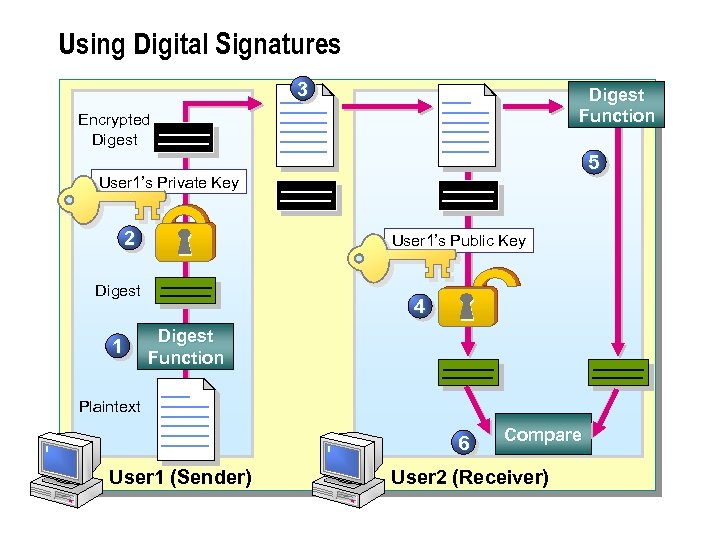 Using Digital Signatures 3 Digest Function Encrypted Digest 5 User 1’s Private Key 2 User 1’s Public Key Digest 1 4 Digest Function Plaintext 6 User 1 (Sender) Compare User 2 (Receiver)
 Using Digital Signatures n Digital signatures ensure the integrity or authenticity of data. A digital signature can be used as a receipt or acknowledgement of an exchange of data, and prevents senders from denying that they sent e-mail. Digital signatures are created by using an algorithm called a message digest function. This creates a message digest (a representation of the message) that is then encrypted by using the sender's private key.
 Using Digital Signatures n Digital signatures are used as follows: 1. A digest is created from the original plaintext message on User 1's computer. 2. The digest is encrypted by using User 1's private key. 3. The plaintext message and the encrypted digest are transmitted to User 2. 4. The digest is decrypted by using User 1's public key. 5. A new digest is created from the plaintext message on User 2's computer. 6. The original decrypted digest is compared with the newly created digest. Using Digital Signatures n If the two digests are identical, tampering with the data did not occur during transmission.
 u. Encrypting Stored and Transmitted Data n Encrypting Stored Data Using EFS n Encrypting Transmitted Data n Discussion: Encrypting Data
 n Windows 2000 provides the ability to protect the privacy and integrity of data. You can use EFS to encrypt data stored on the NTFS file system partitions. EFS allows a user to encrypt a data file so that only the user can read the contents of the data file. Windows 2000 supports the use of industry-standard protocols such as IPSec, Secure Socket Layers (SSL), and TLS to encrypt data as it is transmitted between a client and server computer. In this lesson you will learn about the following topics: n Encrypting stored data using EFs n Encrypting transmitted data
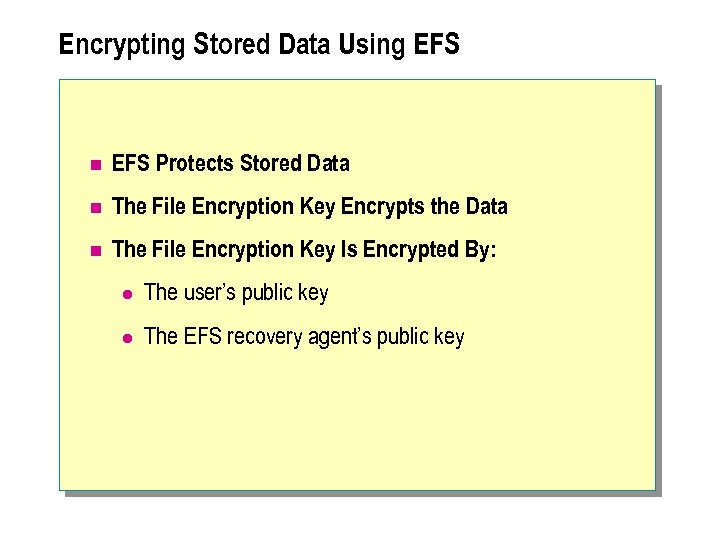 Encrypting Stored Data Using EFS n EFS Protects Stored Data n The File Encryption Key Encrypts the Data n The File Encryption Key Is Encrypted By: l The user’s public key l The EFS recovery agent’s public key
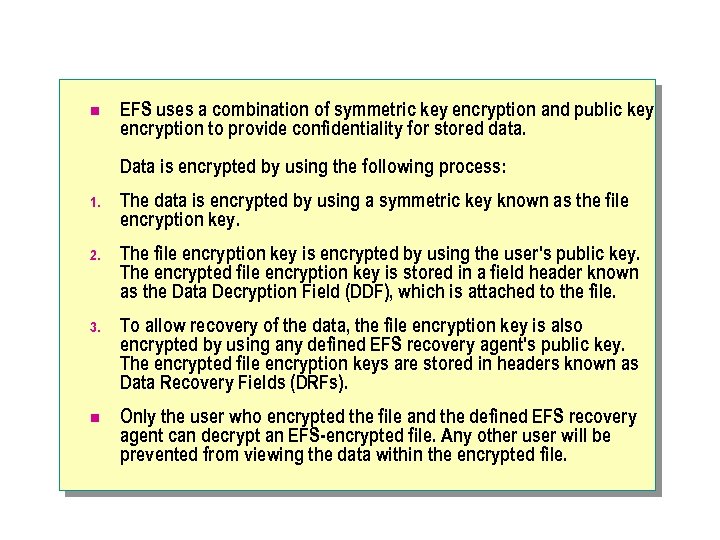 n EFS uses a combination of symmetric key encryption and public key encryption to provide confidentiality for stored data. Data is encrypted by using the following process: 1. The data is encrypted by using a symmetric key known as the file encryption key. 2. The file encryption key is encrypted by using the user's public key. The encrypted file encryption key is stored in a field header known as the Data Decryption Field (DDF), which is attached to the file. 3. To allow recovery of the data, the file encryption key is also encrypted by using any defined EFS recovery agent's public key. The encrypted file encryption keys are stored in headers known as Data Recovery Fields (DRFs). n Only the user who encrypted the file and the defined EFS recovery agent can decrypt an EFS-encrypted file. Any other user will be prevented from viewing the data within the encrypted file.
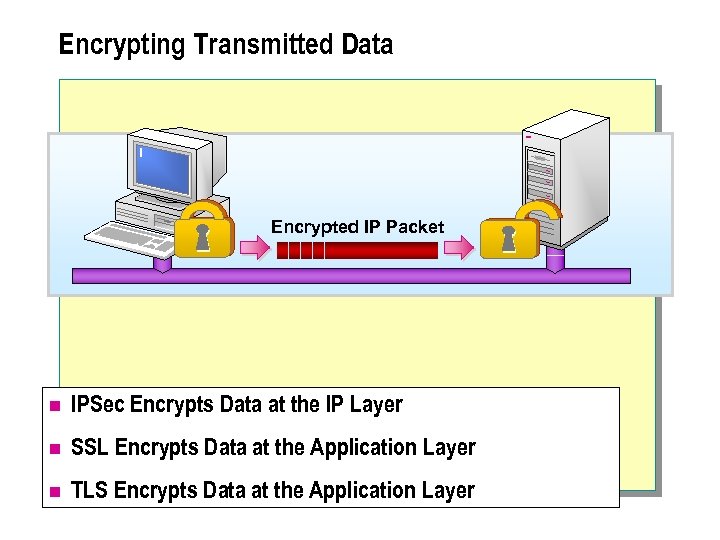 Encrypting Transmitted Data Encrypted IP Packet n IPSec Encrypts Data at the IP Layer n SSL Encrypts Data at the Application Layer n TLS Encrypts Data at the Application Layer
 Encrypting Transmitted Data n Windows 2000 supports the ability to encrypt communication protocols to secure transmitted data. Windows 2000 supports IPSec, SSL, and TLS for encryption of transmitted data over public networks. l IPSec l SSL l TLS
 IPSec n IPSec provides authentication, integrity, and confidentiality of transmitted data. IPSec encrypts data at the IP layer, so the applications are not directly involved in the encryption and decryption process. The encryption of data at the IP layer allows transmitted data to be secured without any configuration required at the application level. All encryption occurs at the IP layer and is decrypted by the time an application at the recipient computer receives the data. IPSec uses symmetric key encryption for bulk data encryption. For each encryption process, a new symmetric key is exchanged. The symmetric key is encrypted by using public key encryption to ensure that only the recipient of a data transmission can decrypt the symmetric key.
 SSL n SSL is an application-layer protocol that works only with applications that have been specifically designed to work with SSL provides data encryption, server authentication, message integrity, and optional client authentication for applications that use a combination of public key and symmetric key encryption. Symmetric key encryption is used for bulk data encryption. The symmetric key is exchanged by using public key encryption to ensure that only the recipient of a data transmission can decrypt the symmetric key.
 TLS n TLS is an application-layer protocol that is very similar to SSL. TLS also provides communications privacy, authentication, and message integrity by using a combination of public key and symmetric key encryption. As with SSL, symmetric key encryption is used for bulk data encryption. The symmetric key is securely exchanged by using public key encryption.
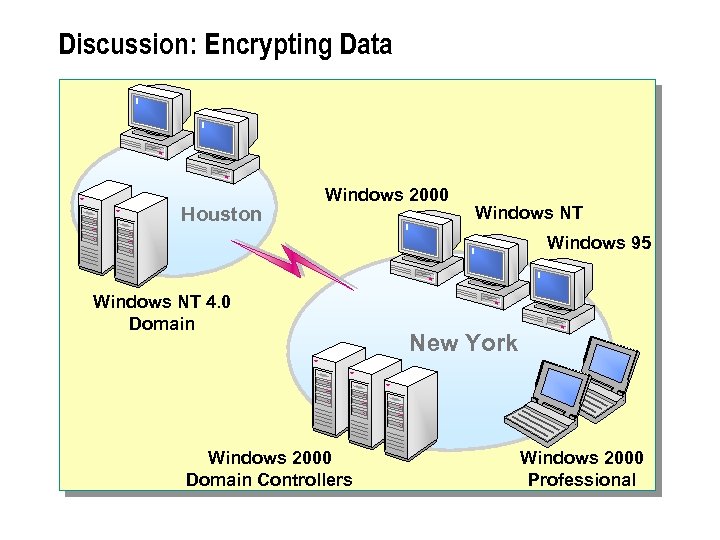 Discussion: Encrypting Data Houston Windows 2000 Windows NT Windows 95 Windows NT 4. 0 Domain Windows 2000 Domain Controllers New York Windows 2000 Professional
 n Windows 2000 provides a number of security features that can be used individually or collectively to protect information that is transmitted over the network or stored on Windows 2000 -based computers.
 Scenario n The following scenario describes an organization's current network configuration. n You are the consultant for a large legal firm whose corporate office is located in New York. The firm is planning a migration strategy for implementing Active Directory. All desktop computers currently run a mix of Windows 98 and Windows NT. Over the next two years, all desktops will be replaced with Windows 2000 Professional. Users located in a branch office in Houston connect to the New York office by using a high-speed WAN link. The network in Houston will continue to use its Windows NT 4. 0 domain controllers for another year. Your task is to design a secure solution for the transmission and storage of data in the network.
 u Introducing Public Key Infrastructure Technology n Describing PKI Components n Using Digital Certificates for Authentication n Describing Certification Authorities
 n A PKI integrates components such as digital certificates and CAs that verify and authenticate the validity of each participant involved in an electronic transaction. Digital certificates provide electronic credentials and are used for authenticating accounts. CAs are used to issue certificates to the accounts that need to be authenticated. In this lesson you will learn about the following topics: n Describing PKI components n Using digital certificates for authentication n Describing certification authorities
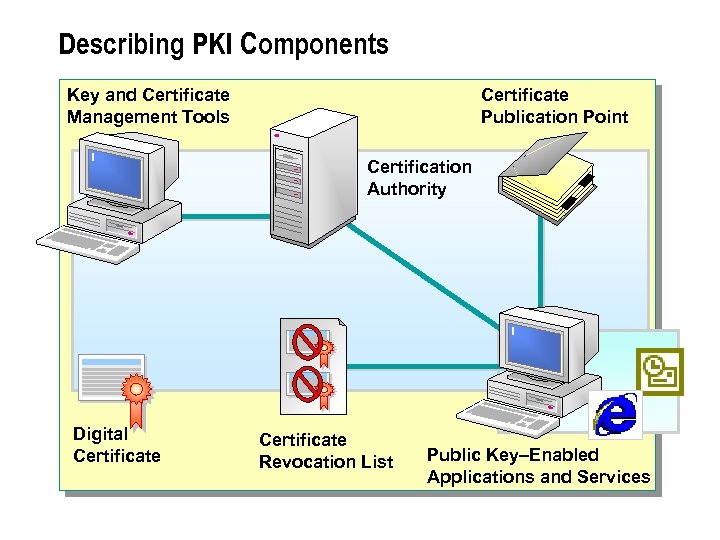 Describing PKI Components Key and Certificate Management Tools Certificate Publication Point Certification Authority Digital Certificate Revocation List Public Key–Enabled Applications and Services
 n Windows 2000 supports the ability to encrypt communication protocols to secure transmitted data. Windows 2000 supports IPSec, SSL, and TLS for encryption of transmitted data over public networks.
 n PKI in Windows 2000 provides a framework of services, technologies, protocols, and standards that enable you to deploy and manage certification-based security solutions. Windows 2000 PKI is based on standards for public key encryption technologies and interacts with third-party tools that conform to these same standards.
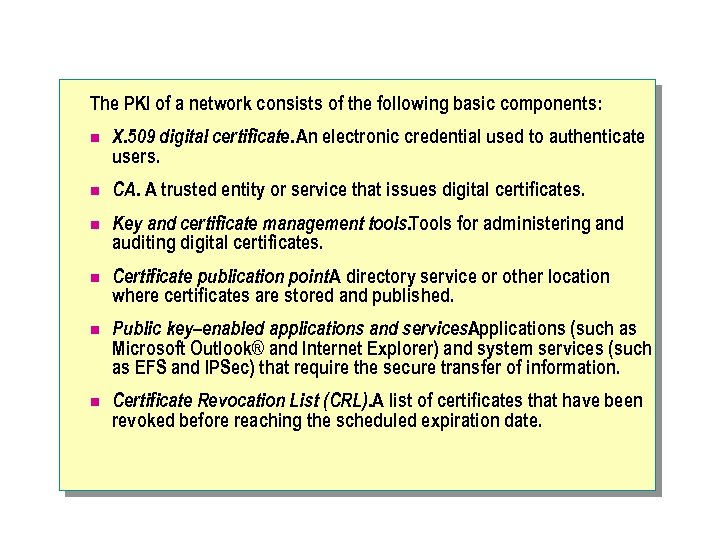 The PKI of a network consists of the following basic components: n X. 509 digital certificate. An electronic credential used to authenticate users. n CA. A trusted entity or service that issues digital certificates. n Key and certificate management tools. Tools for administering and auditing digital certificates. n Certificate publication point. A directory service or other location where certificates are stored and published. n Public key–enabled applications and services. Applications (such as Microsoft Outlook® and Internet Explorer) and system services (such as EFS and IPSec) that require the secure transfer of information. n Certificate Revocation List (CRL). A list of certificates that have been revoked before reaching the scheduled expiration date.
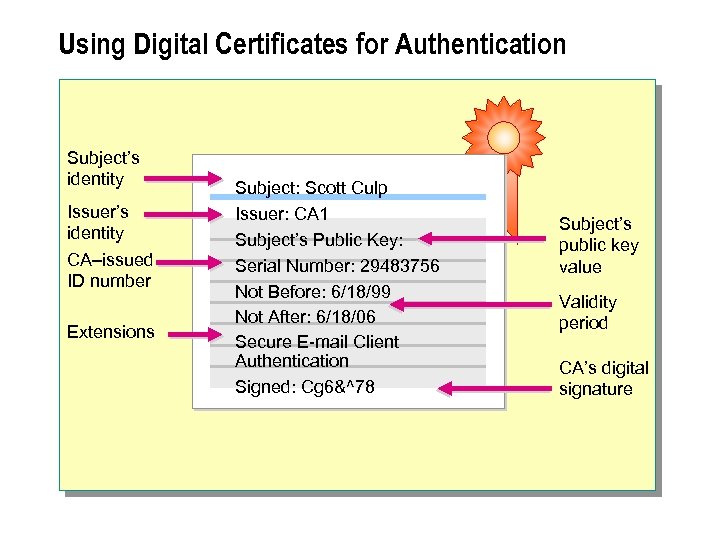 Using Digital Certificates for Authentication Subject’s identity Issuer’s identity CA–issued ID number Extensions Subject: Scott Culp Issuer: CA 1 Subject’s Public Key: Serial Number: 29483756 Not Before: 6/18/99 Not After: 6/18/06 Secure E-mail Client Authentication Signed: Cg 6&^78 Subject’s public key value Validity period CA’s digital signature
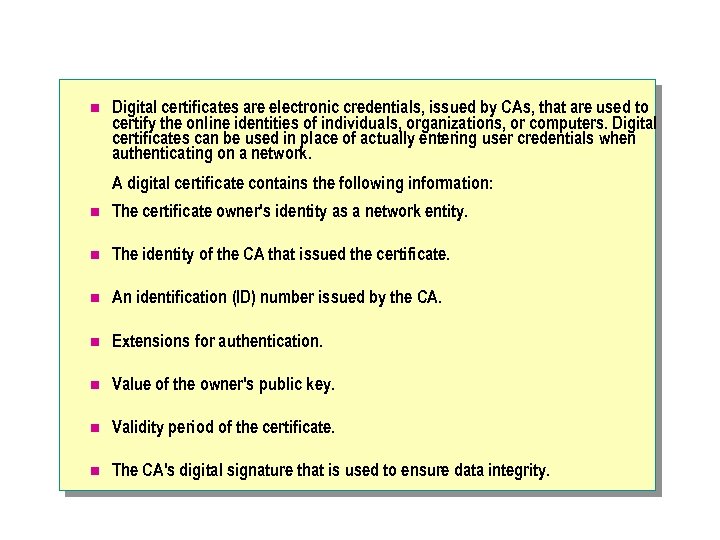 n Digital certificates are electronic credentials, issued by CAs, that are used to certify the online identities of individuals, organizations, or computers. Digital certificates can be used in place of actually entering user credentials when authenticating on a network. A digital certificate contains the following information: n The certificate owner's identity as a network entity. n The identity of the CA that issued the certificate. n An identification (ID) number issued by the CA. n Extensions for authentication. n Value of the owner's public key. n Validity period of the certificate. n The CA's digital signature that is used to ensure data integrity.
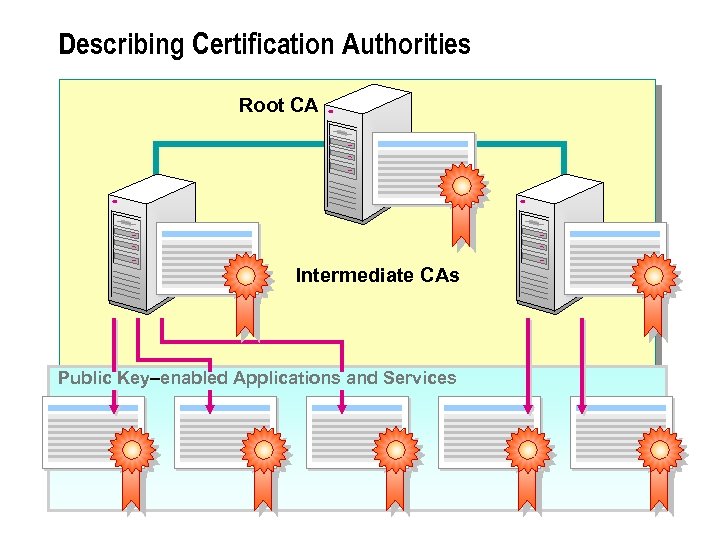 Describing Certification Authorities Root CA Intermediate CAs Public Key–enabled Applications and Services
 n A CA is a service agency that establishes and verifies the authenticity of certificates issued to users or other certification authorities. You can use Certificate Services in Windows 2000 as a certification authority to issue digital certificates for your PKI. You can also use thirdparty commercial certification services. Certification authorities can be organized into a hierarchy of parent/child relationships for managing security over a public or private network. The CA at the top of a hierarchy is called a root CA. The CAs below the root in the hierarchy are called intermediate (or subordinate) CAs. A CA hierarchy provides scalability and easy administration for large-sized networks.
 Review n Introducing Security Features in Active Directory n Authenticating User Accounts n Securing Access to Resources n Introducing Encryption Technologies n Encrypting Stored and Transmitted Data n Introducing Public Key Infrastructure Technology