 Скачать презентацию Modelling a web site using Web ML an
6b22ba8ce829c6df590938b6852a4903.ppt
- Количество слайдов: 50




Modelling a web site using Web. ML: an example www. boo. com Davide Pozzi - corso di Basi di Dati 2 Politecnico di Milano Facoltà di Ingegneria di Como
Objectives of this work • Analysis of an existing web site using Web. ML • This analisys does not want to be exhaustive, only some parts of the site will be examined
Description The site to be modeled is the one of boo. com, a Swedish streetwear e-tailer, who sells worlwide. The analisys will cover the collections of wears. • BOO. COM presents various shelves • Each shelf contains wears • For each wear there is a user-controlled rotableimage and zoomable-image • Each wear has a dress-room to try it on • There is a little avatar, Miss Boo, who guides users of the site giving them suggestions

Site modelling: step 1
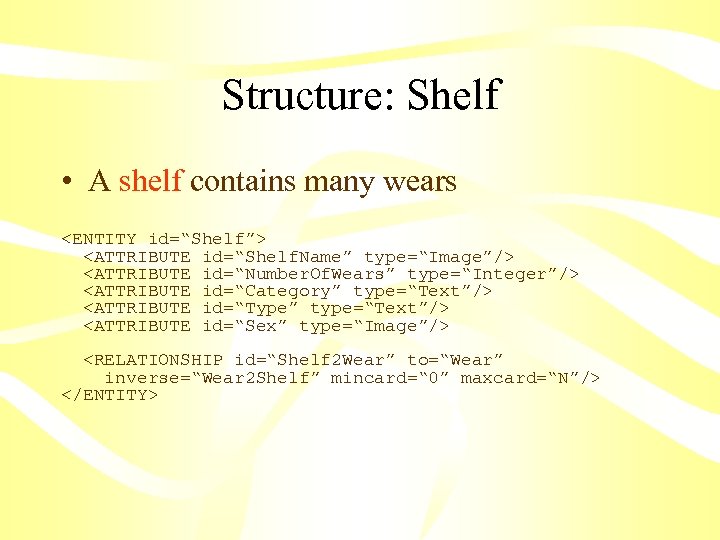
Structure: Shelf • A shelf contains many wears <ENTITY id=“Shelf”> <ATTRIBUTE id=“Shelf. Name” type=“Image”/> <ATTRIBUTE id=“Number. Of. Wears” type=“Integer”/> <ATTRIBUTE id=“Category” type=“Text”/> <ATTRIBUTE id=“Type” type=“Text”/> <ATTRIBUTE id=“Sex” type=“Image”/> <RELATIONSHIP id=“Shelf 2 Wear” to=“Wear” inverse=“Wear 2 Shelf” mincard=“ 0” maxcard=“N”/> </ENTITY>
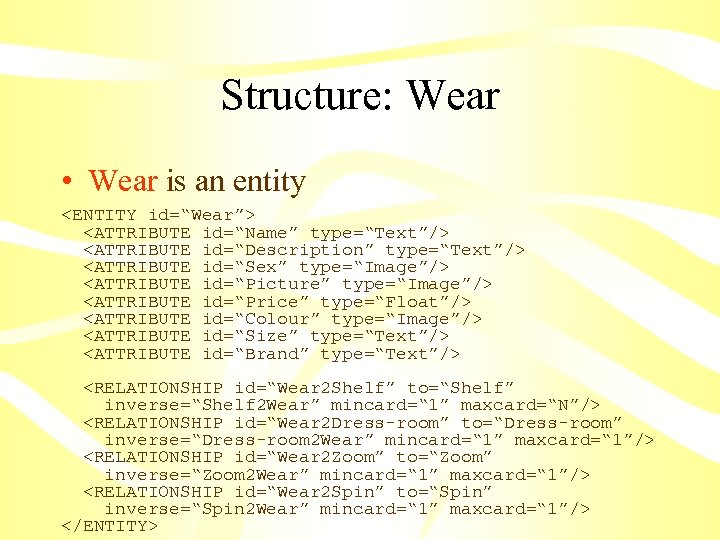
Structure: Wear • Wear is an entity <ENTITY id=“Wear”> <ATTRIBUTE id=“Name” type=“Text”/> <ATTRIBUTE id=“Description” type=“Text”/> <ATTRIBUTE id=“Sex” type=“Image”/> <ATTRIBUTE id=“Picture” type=“Image”/> <ATTRIBUTE id=“Price” type=“Float”/> <ATTRIBUTE id=“Colour” type=“Image”/> <ATTRIBUTE id=“Size” type=“Text”/> <ATTRIBUTE id=“Brand” type=“Text”/> <RELATIONSHIP id=“Wear 2 Shelf” to=“Shelf” inverse=“Shelf 2 Wear” mincard=“ 1” maxcard=“N”/> <RELATIONSHIP id=“Wear 2 Dress-room” to=“Dress-room” inverse=“Dress-room 2 Wear” mincard=“ 1” maxcard=“ 1”/> <RELATIONSHIP id=“Wear 2 Zoom” to=“Zoom” inverse=“Zoom 2 Wear” mincard=“ 1” maxcard=“ 1”/> <RELATIONSHIP id=“Wear 2 Spin” to=“Spin” inverse=“Spin 2 Wear” mincard=“ 1” maxcard=“ 1”/> </ENTITY>
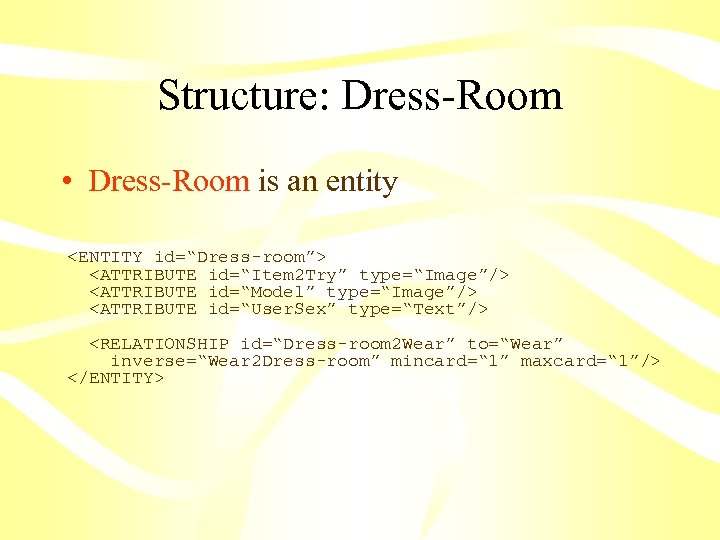
Structure: Dress-Room • Dress-Room is an entity <ENTITY id=“Dress-room”> <ATTRIBUTE id=“Item 2 Try” type=“Image”/> <ATTRIBUTE id=“Model” type=“Image”/> <ATTRIBUTE id=“User. Sex” type=“Text”/> <RELATIONSHIP id=“Dress-room 2 Wear” to=“Wear” inverse=“Wear 2 Dress-room” mincard=“ 1” maxcard=“ 1”/> </ENTITY>
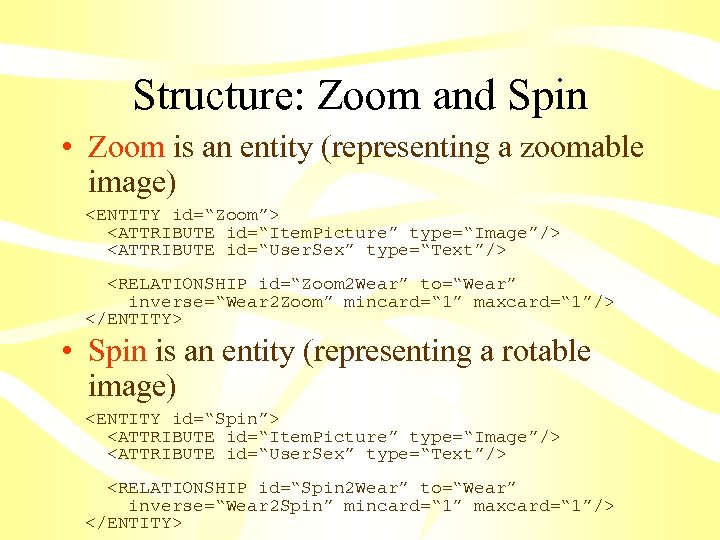
Structure: Zoom and Spin • Zoom is an entity (representing a zoomable image) <ENTITY id=“Zoom”> <ATTRIBUTE id=“Item. Picture” type=“Image”/> <ATTRIBUTE id=“User. Sex” type=“Text”/> <RELATIONSHIP id=“Zoom 2 Wear” to=“Wear” inverse=“Wear 2 Zoom” mincard=“ 1” maxcard=“ 1”/> </ENTITY> • Spin is an entity (representing a rotable image) <ENTITY id=“Spin”> <ATTRIBUTE id=“Item. Picture” type=“Image”/> <ATTRIBUTE id=“User. Sex” type=“Text”/> <RELATIONSHIP id=“Spin 2 Wear” to=“Wear” inverse=“Wear 2 Spin” mincard=“ 1” maxcard=“ 1”/> </ENTITY>
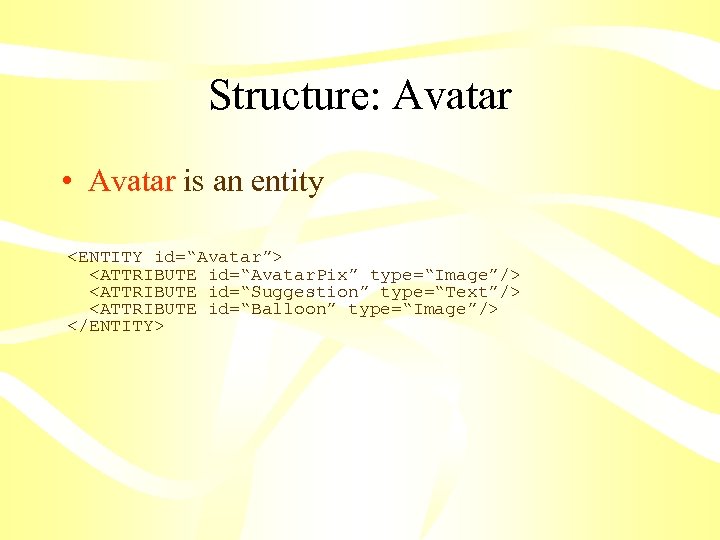
Structure: Avatar • Avatar is an entity <ENTITY id=“Avatar”> <ATTRIBUTE id=“Avatar. Pix” type=“Image”/> <ATTRIBUTE id=“Suggestion” type=“Text”/> <ATTRIBUTE id=“Balloon” type=“Image”/> </ENTITY>
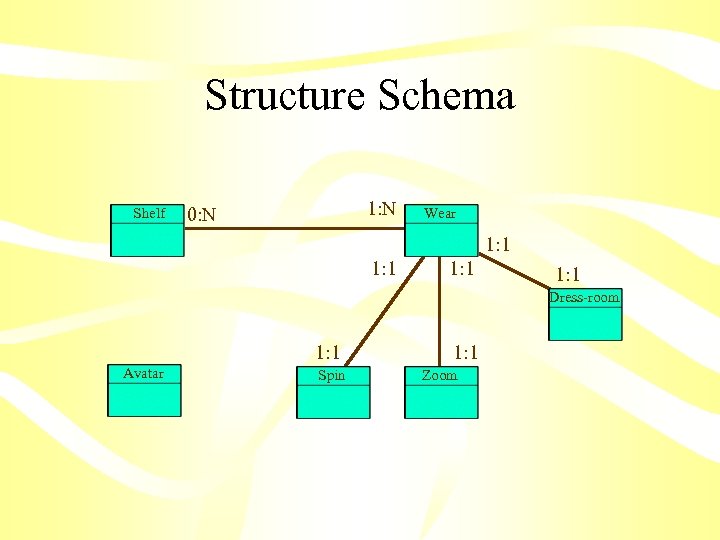
Structure Schema Shelf 1: N 0: N Wear 1: 1 Dress-room 1: 1 Avatar Spin 1: 1 Zoom
Site modelling: step 2
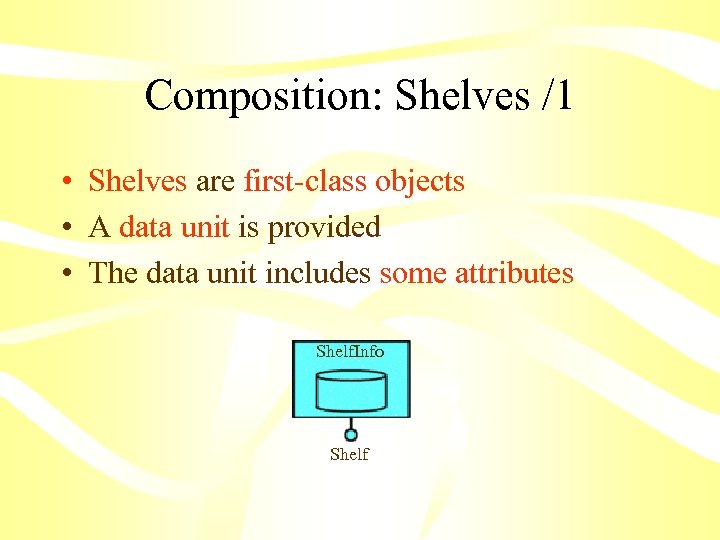
Composition: Shelves /1 • Shelves are first-class objects • A data unit is provided • The data unit includes some attributes Shelf. Info Shelf
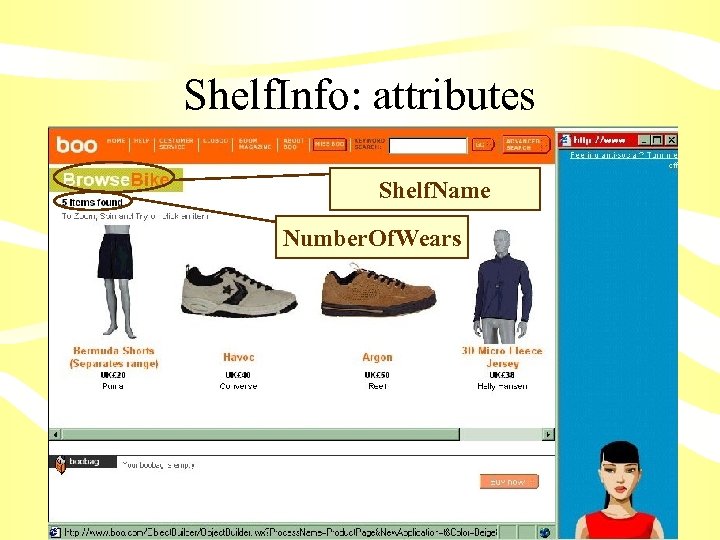
Shelf. Info: attributes Shelf. Name Number. Of. Wears
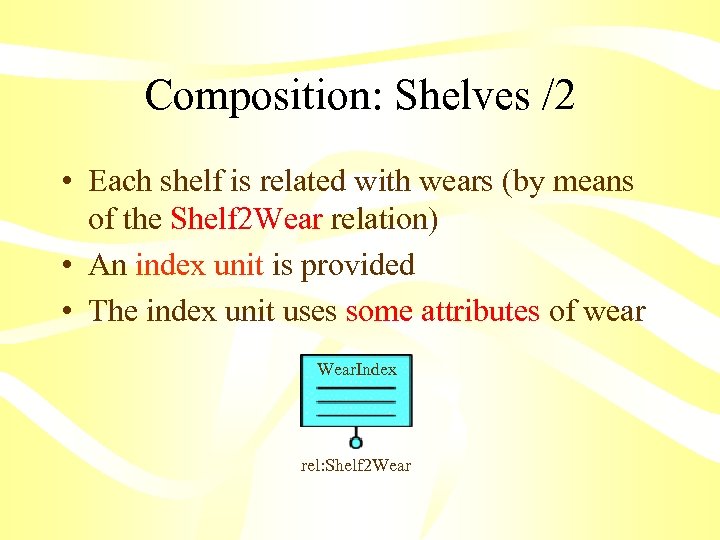
Composition: Shelves /2 • Each shelf is related with wears (by means of the Shelf 2 Wear relation) • An index unit is provided • The index unit uses some attributes of wear Wear. Index rel: Shelf 2 Wear
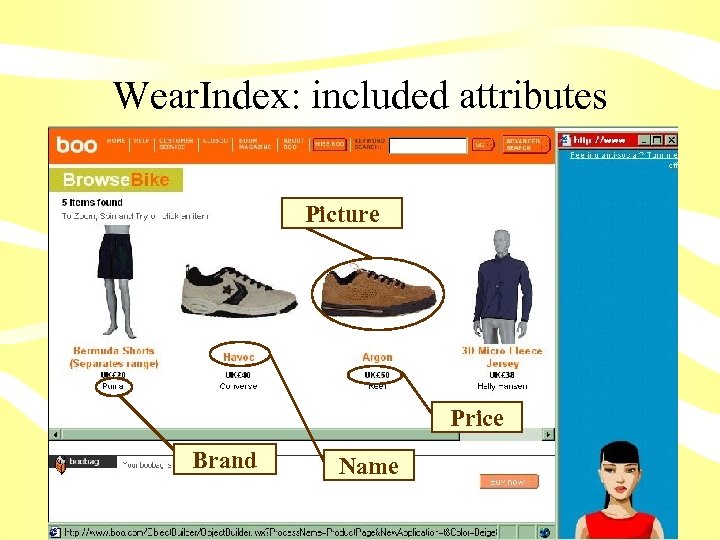
Wear. Index: included attributes Picture Price Brand Name
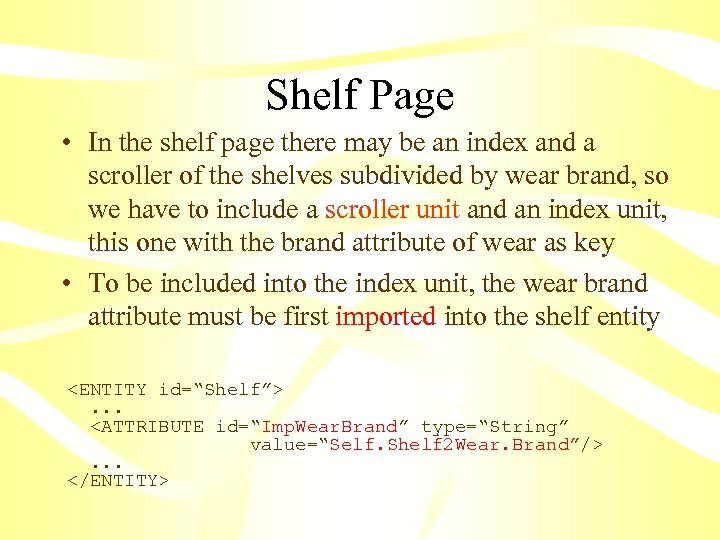
Shelf Page • In the shelf page there may be an index and a scroller of the shelves subdivided by wear brand, so we have to include a scroller unit and an index unit, this one with the brand attribute of wear as key • To be included into the index unit, the wear brand attribute must be first imported into the shelf entity <ENTITY id=“Shelf”>. . . <ATTRIBUTE id=“Imp. Wear. Brand” type=“String” value=“Self. Shelf 2 Wear. Brand”/>. . . </ENTITY>
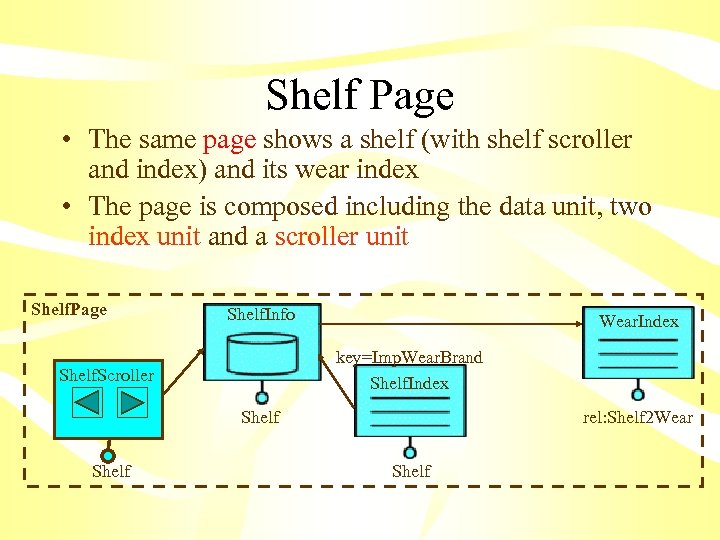
Shelf Page • The same page shows a shelf (with shelf scroller and index) and its wear index • The page is composed including the data unit, two index unit and a scroller unit Shelf. Page Shelf. Info Wear. Index key=Imp. Wear. Brand Shelf. Index Shelf. Scroller Shelf rel: Shelf 2 Wear Shelf
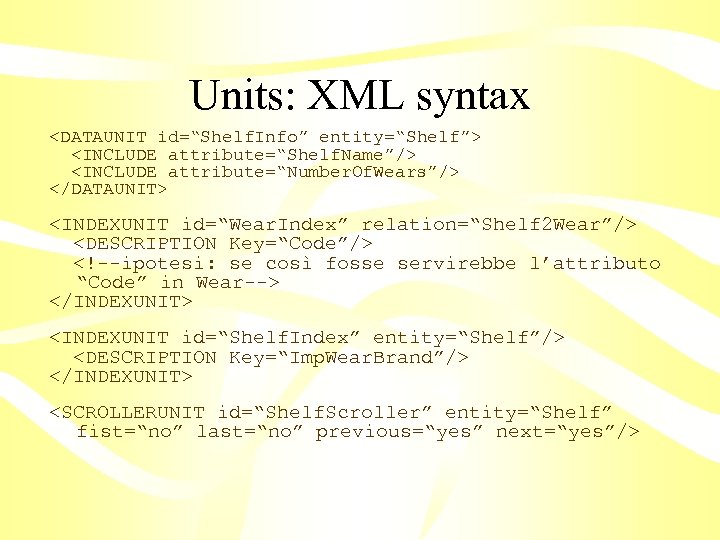
Units: XML syntax <DATAUNIT id=“Shelf. Info” entity=“Shelf”> <INCLUDE attribute=“Shelf. Name”/> <INCLUDE attribute=“Number. Of. Wears”/> </DATAUNIT> <INDEXUNIT id=“Wear. Index” relation=“Shelf 2 Wear”/> <DESCRIPTION Key=“Code”/> <!--ipotesi: se così fosse servirebbe l’attributo “Code” in Wear--> </INDEXUNIT> <INDEXUNIT id=“Shelf. Index” entity=“Shelf”/> <DESCRIPTION Key=“Imp. Wear. Brand”/> </INDEXUNIT> <SCROLLERUNIT id=“Shelf. Scroller” entity=“Shelf” fist=“no” last=“no” previous=“yes” next=“yes”/>
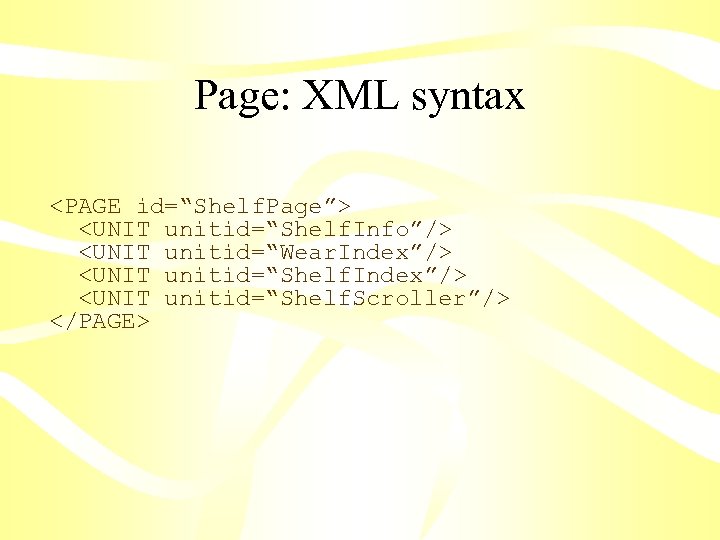
Page: XML syntax <PAGE id=“Shelf. Page”> <UNIT unitid=“Shelf. Info”/> <UNIT unitid=“Wear. Index”/> <UNIT unitid=“Shelf. Scroller”/> </PAGE>
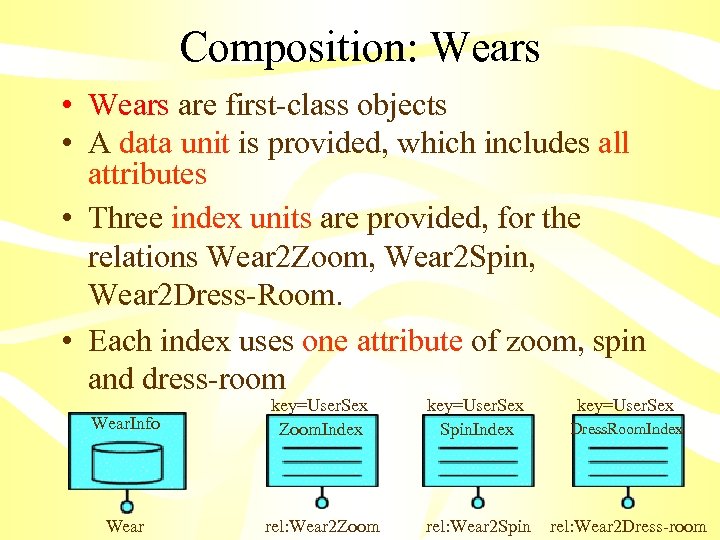
Composition: Wears • Wears are first-class objects • A data unit is provided, which includes all attributes • Three index units are provided, for the relations Wear 2 Zoom, Wear 2 Spin, Wear 2 Dress-Room. • Each index uses one attribute of zoom, spin and dress-room Wear. Info key=User. Sex Zoom. Index key=User. Sex Spin. Index key=User. Sex Dress. Room. Index Wear rel: Wear 2 Zoom rel: Wear 2 Spin rel: Wear 2 Dress-room
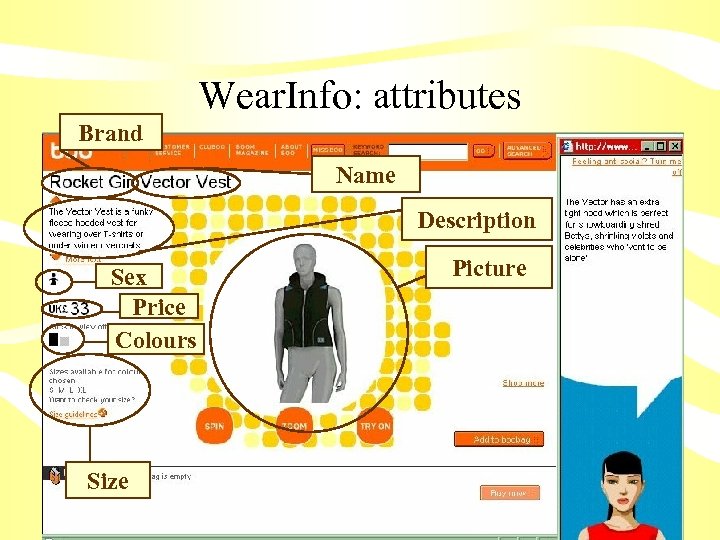
Wear. Info: attributes Brand Name Description Sex Price Colours Size Picture
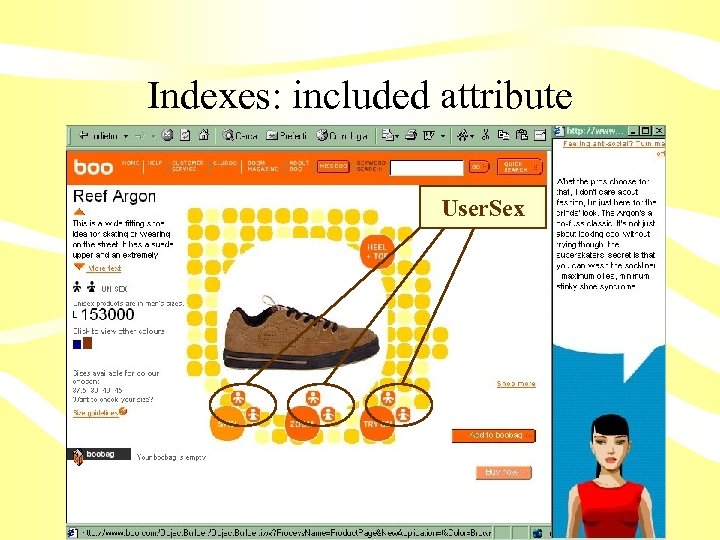
Indexes: included attribute User. Sex
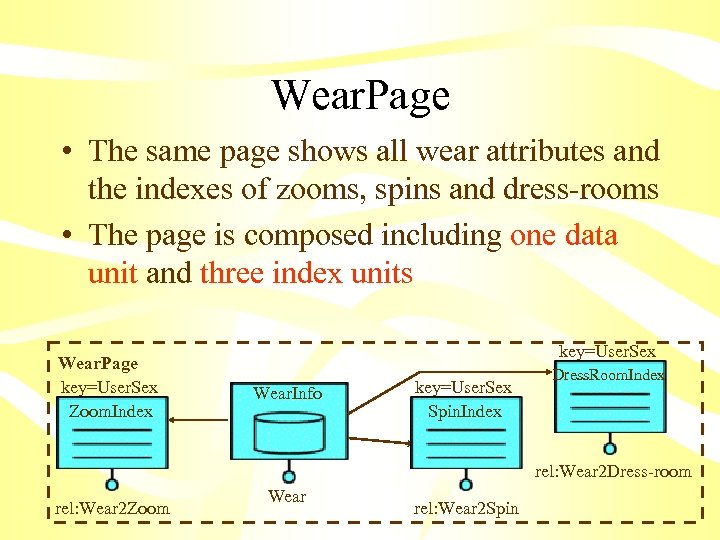
Wear. Page • The same page shows all wear attributes and the indexes of zooms, spins and dress-rooms • The page is composed including one data unit and three index units Wear. Page key=User. Sex Zoom. Index key=User. Sex Wear. Info key=User. Sex Spin. Index Dress. Room. Index rel: Wear 2 Dress-room rel: Wear 2 Zoom Wear rel: Wear 2 Spin
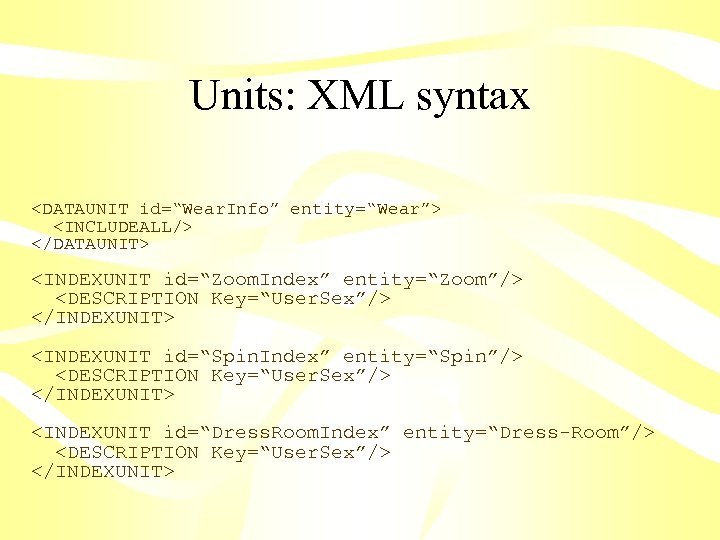
Units: XML syntax <DATAUNIT id=“Wear. Info” entity=“Wear”> <INCLUDEALL/> </DATAUNIT> <INDEXUNIT id=“Zoom. Index” entity=“Zoom”/> <DESCRIPTION Key=“User. Sex”/> </INDEXUNIT> <INDEXUNIT id=“Spin. Index” entity=“Spin”/> <DESCRIPTION Key=“User. Sex”/> </INDEXUNIT> <INDEXUNIT id=“Dress. Room. Index” entity=“Dress-Room”/> <DESCRIPTION Key=“User. Sex”/> </INDEXUNIT>
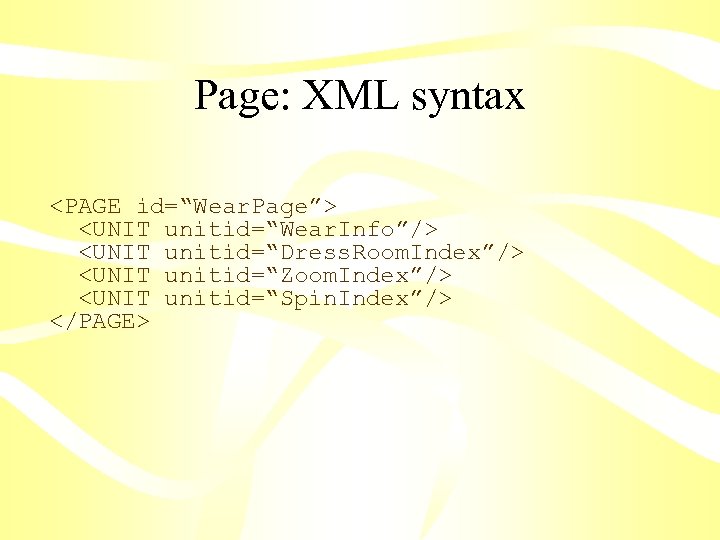
Page: XML syntax <PAGE id=“Wear. Page”> <UNIT unitid=“Wear. Info”/> <UNIT unitid=“Dress. Room. Index”/> <UNIT unitid=“Zoom. Index”/> <UNIT unitid=“Spin. Index”/> </PAGE>
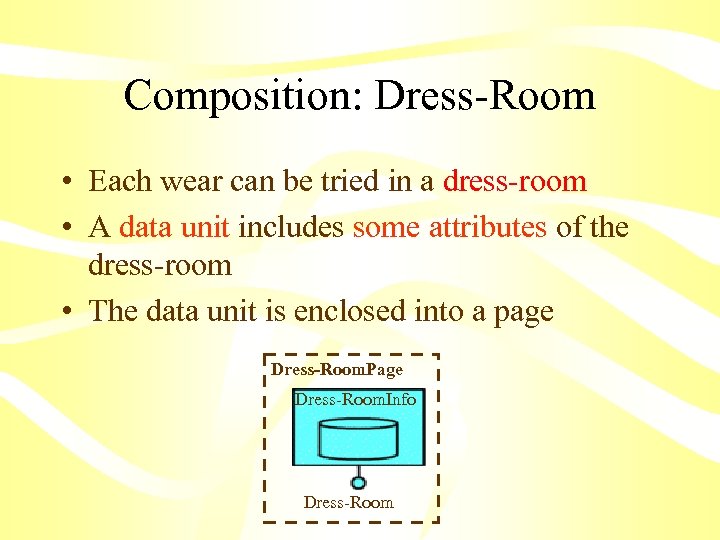
Composition: Dress-Room • Each wear can be tried in a dress-room • A data unit includes some attributes of the dress-room • The data unit is enclosed into a page Dress-Room. Page Dress-Room. Info Dress-Room
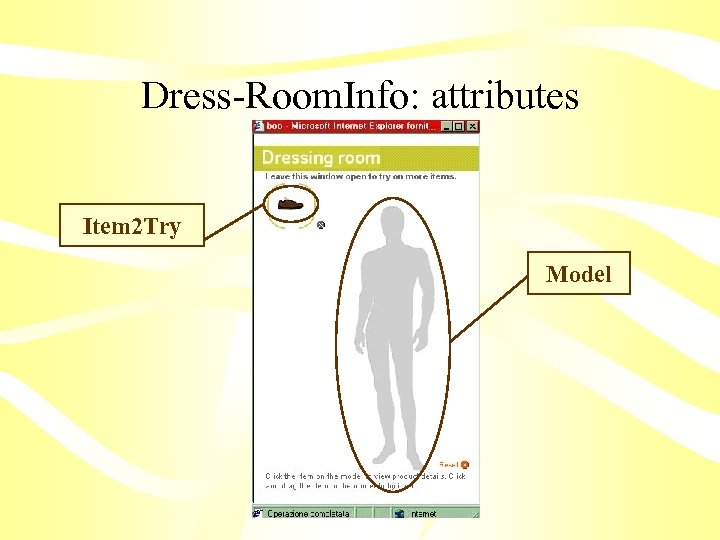
Dress-Room. Info: attributes Item 2 Try Model
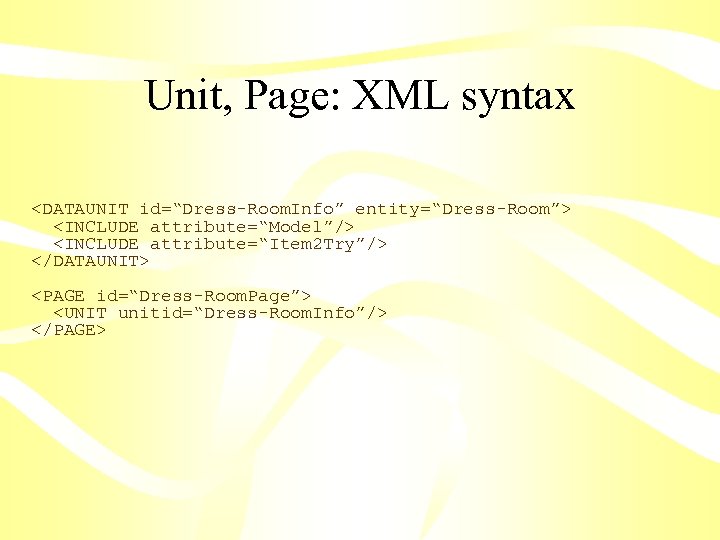
Unit, Page: XML syntax <DATAUNIT id=“Dress-Room. Info” entity=“Dress-Room”> <INCLUDE attribute=“Model”/> <INCLUDE attribute=“Item 2 Try”/> </DATAUNIT> <PAGE id=“Dress-Room. Page”> <UNIT unitid=“Dress-Room. Info”/> </PAGE>
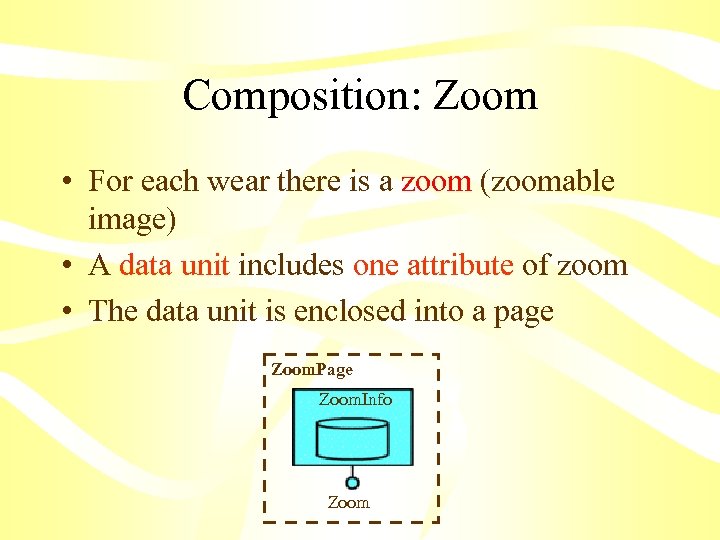
Composition: Zoom • For each wear there is a zoom (zoomable image) • A data unit includes one attribute of zoom • The data unit is enclosed into a page Zoom. Page Zoom. Info Zoom
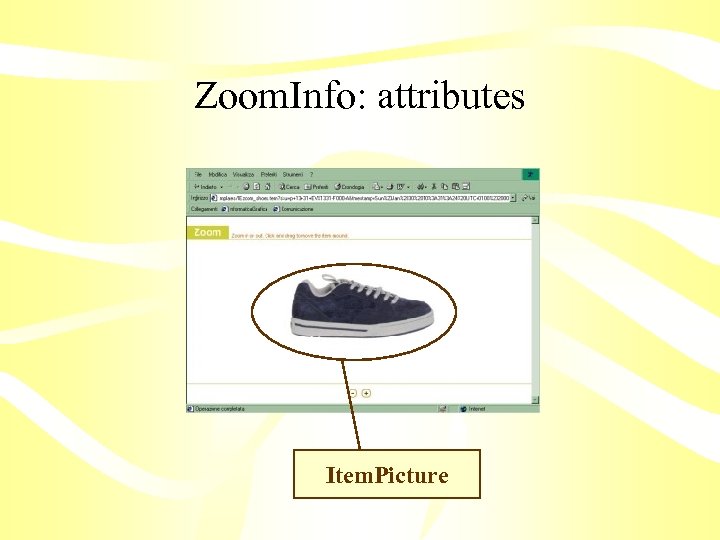
Zoom. Info: attributes Item. Picture
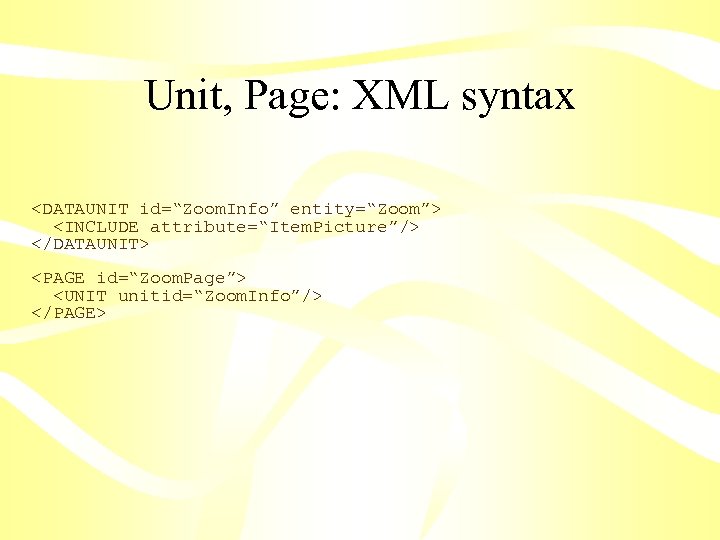
Unit, Page: XML syntax <DATAUNIT id=“Zoom. Info” entity=“Zoom”> <INCLUDE attribute=“Item. Picture”/> </DATAUNIT> <PAGE id=“Zoom. Page”> <UNIT unitid=“Zoom. Info”/> </PAGE>
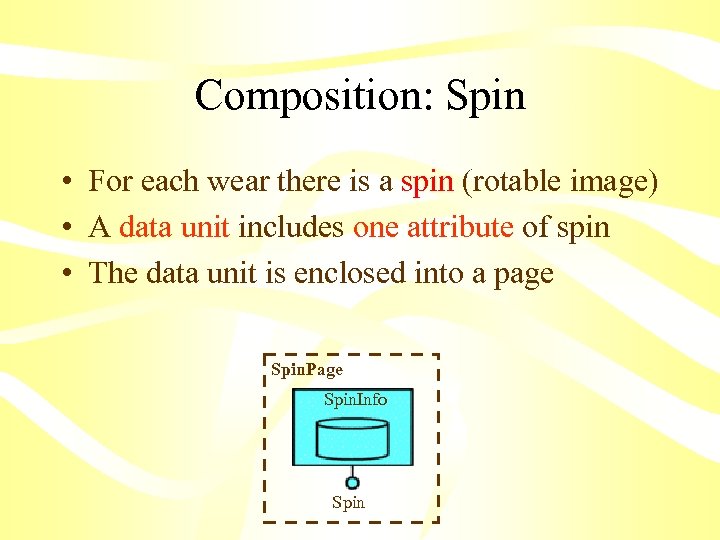
Composition: Spin • For each wear there is a spin (rotable image) • A data unit includes one attribute of spin • The data unit is enclosed into a page Spin. Page Spin. Info Spin
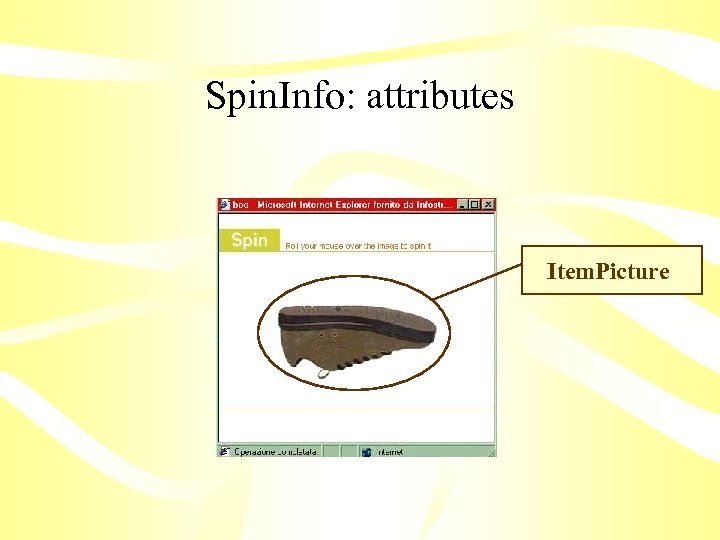
Spin. Info: attributes Item. Picture
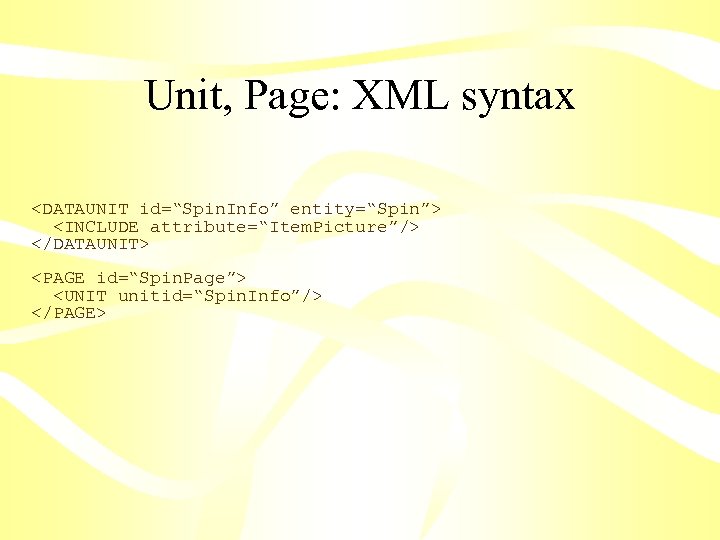
Unit, Page: XML syntax <DATAUNIT id=“Spin. Info” entity=“Spin”> <INCLUDE attribute=“Item. Picture”/> </DATAUNIT> <PAGE id=“Spin. Page”> <UNIT unitid=“Spin. Info”/> </PAGE>
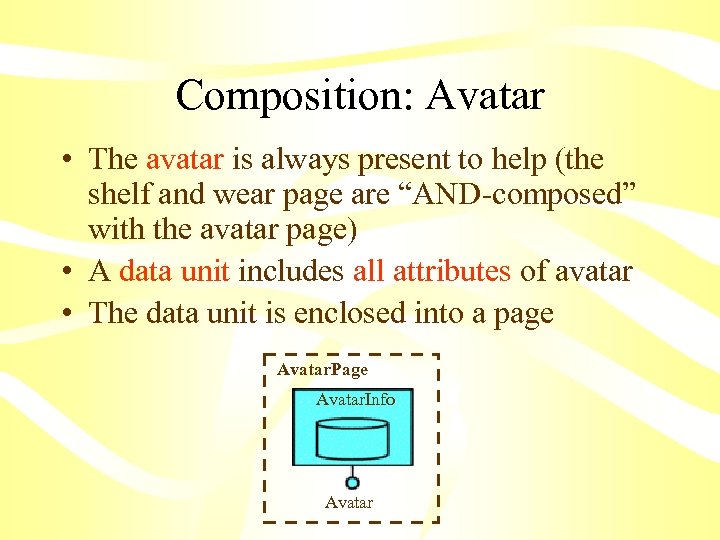
Composition: Avatar • The avatar is always present to help (the shelf and wear page are “AND-composed” with the avatar page) • A data unit includes all attributes of avatar • The data unit is enclosed into a page Avatar. Page Avatar. Info Avatar
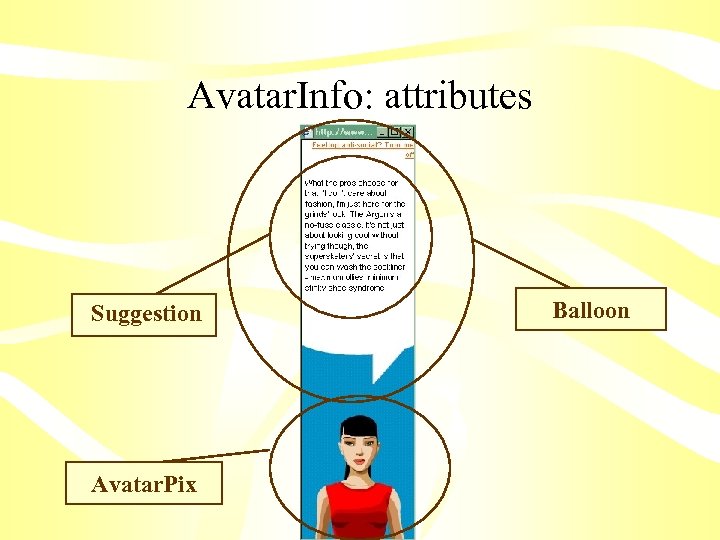
Avatar. Info: attributes Suggestion Avatar. Pix Balloon
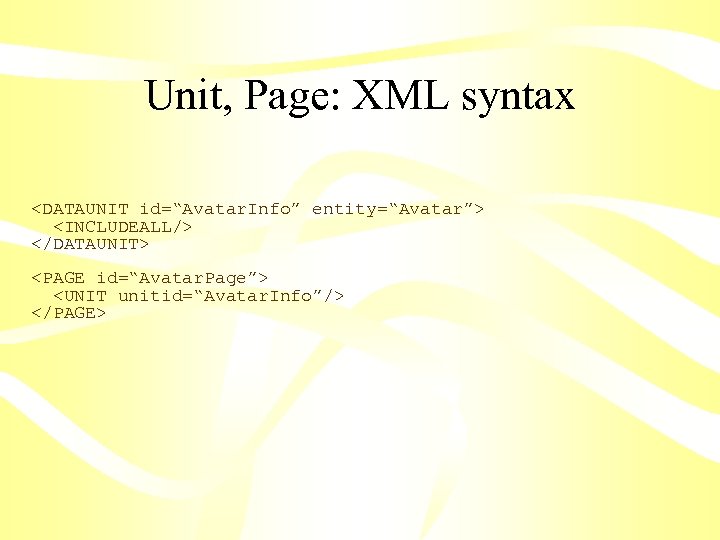
Unit, Page: XML syntax <DATAUNIT id=“Avatar. Info” entity=“Avatar”> <INCLUDEALL/> </DATAUNIT> <PAGE id=“Avatar. Page”> <UNIT unitid=“Avatar. Info”/> </PAGE>
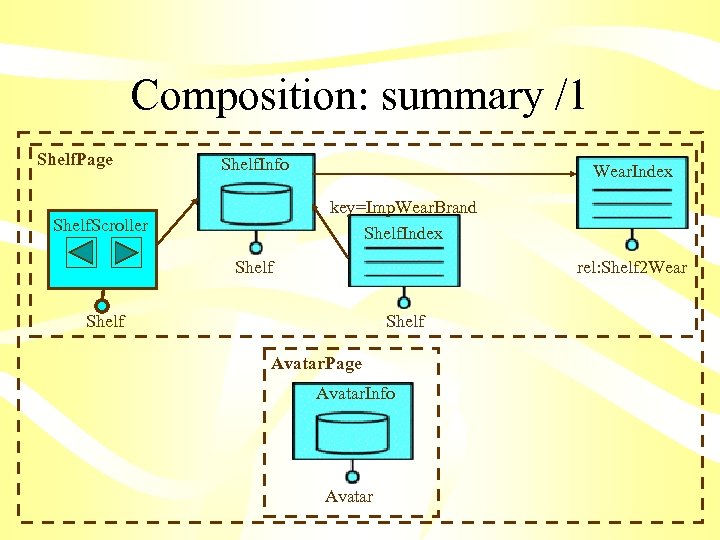
Composition: summary /1 Shelf. Page Shelf. Info Wear. Index key=Imp. Wear. Brand Shelf. Index Shelf. Scroller Shelf rel: Shelf 2 Wear Shelf Avatar. Page Avatar. Info Avatar
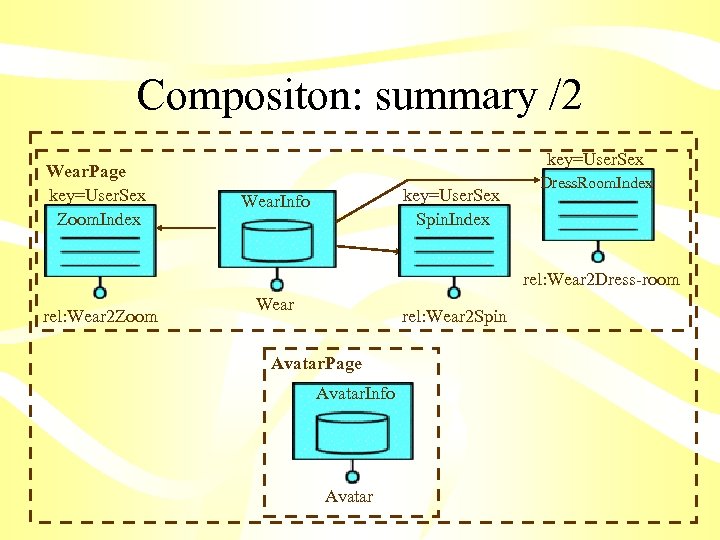
Compositon: summary /2 Wear. Page key=User. Sex Zoom. Index key=User. Sex Spin. Index Wear. Info Dress. Room. Index rel: Wear 2 Dress-room rel: Wear 2 Zoom Wear rel: Wear 2 Spin Avatar. Page Avatar. Info Avatar
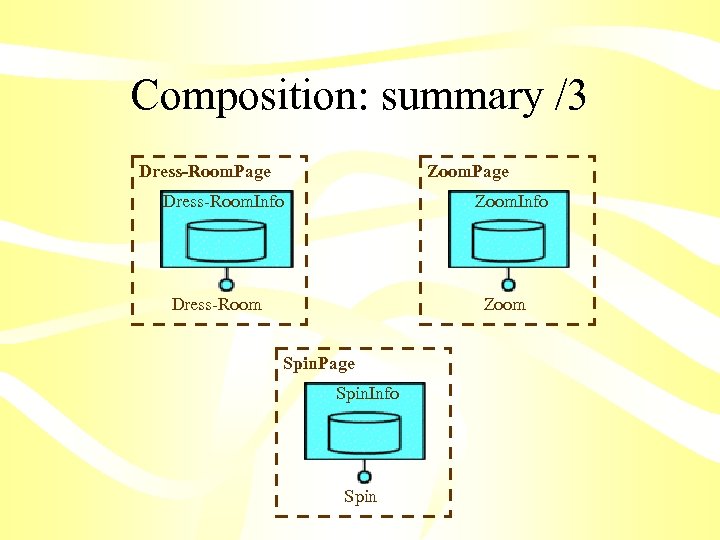
Composition: summary /3 Dress-Room. Page Zoom. Page Dress-Room. Info Zoom. Info Dress-Room Zoom Spin. Page Spin. Info Spin

Site modelling: step 3
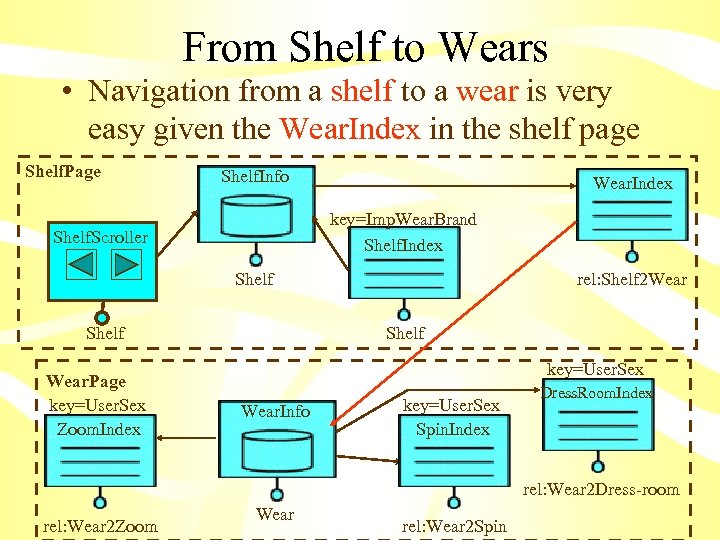
From Shelf to Wears • Navigation from a shelf to a wear is very easy given the Wear. Index in the shelf page Shelf. Page Shelf. Info Wear. Index key=Imp. Wear. Brand Shelf. Index Shelf. Scroller Shelf Wear. Page key=User. Sex Zoom. Index rel: Shelf 2 Wear Shelf key=User. Sex Wear. Info key=User. Sex Spin. Index Dress. Room. Index rel: Wear 2 Dress-room rel: Wear 2 Zoom Wear rel: Wear 2 Spin
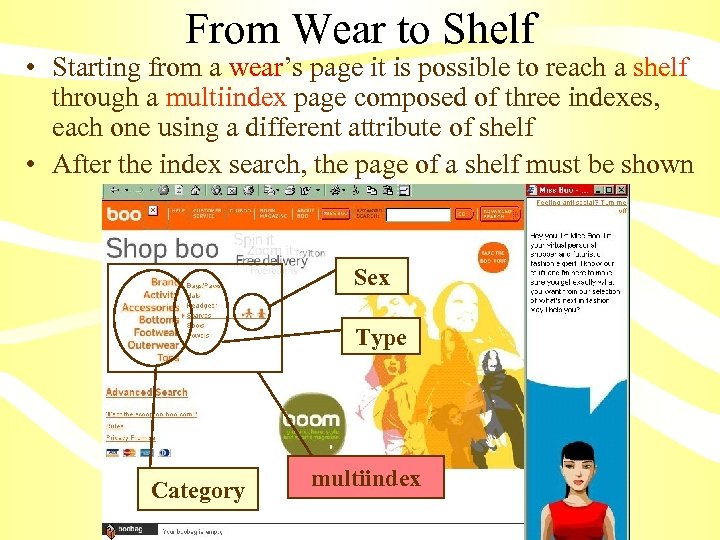
From Wear to Shelf • Starting from a wear’s page it is possible to reach a shelf through a multiindex page composed of three indexes, each one using a different attribute of shelf • After the index search, the page of a shelf must be shown Sex Type Category multiindex
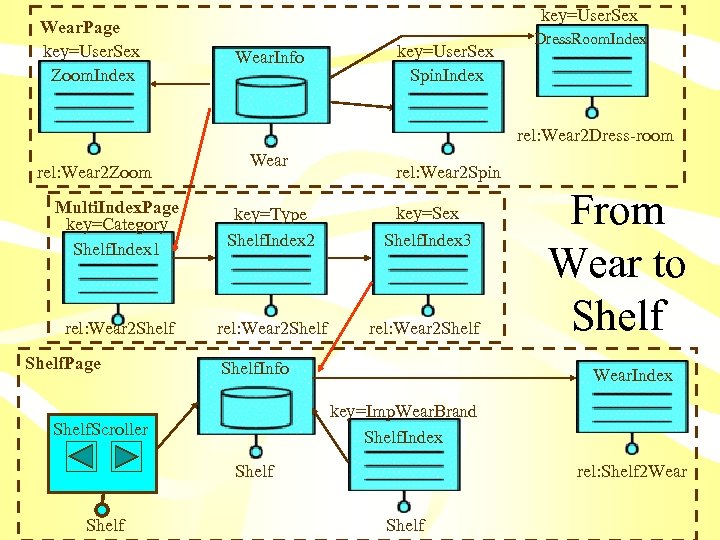
Wear. Page key=User. Sex Zoom. Index key=User. Sex Wear. Info key=User. Sex Spin. Index Dress. Room. Index rel: Wear 2 Dress-room rel: Wear 2 Zoom Wear rel: Wear 2 Spin Multi. Index. Page key=Category Shelf. Index 1 key=Type Shelf. Index 2 key=Sex Shelf. Index 3 rel: Wear 2 Shelf Shelf. Page Shelf. Info Wear. Index key=Imp. Wear. Brand Shelf. Index Shelf. Scroller Shelf From Wear to Shelf rel: Shelf 2 Wear Shelf
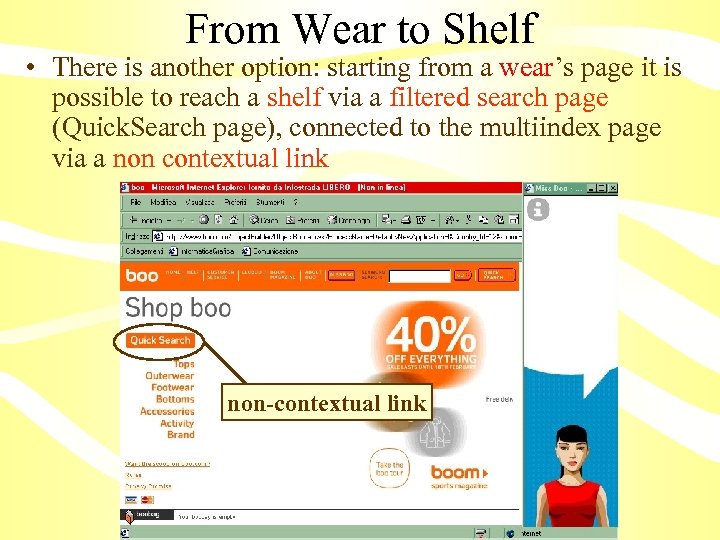
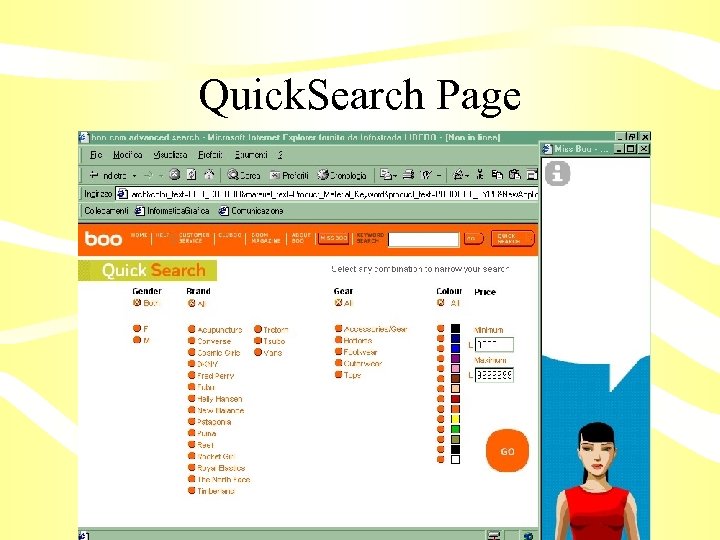
From Wear to Shelf • There is another option: starting from a wear’s page it is possible to reach a shelf via a filtered search page (Quick. Search page), connected to the multiindex page via a non contextual link non-contextual link
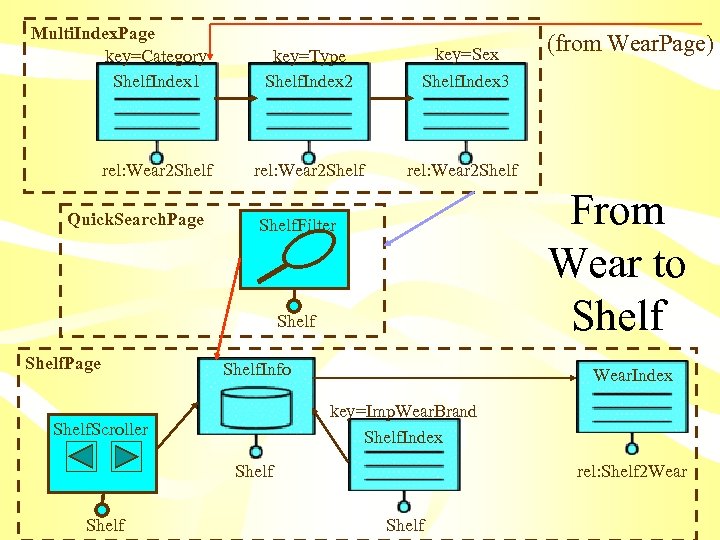
Multi. Index. Page key=Category Shelf. Index 1 rel: Wear 2 Shelf Quick. Search. Page key=Type Shelf. Index 2 key=Sex Shelf. Index 3 rel: Wear 2 Shelf From Wear to Shelf. Filter Shelf. Page Shelf. Info Wear. Index key=Imp. Wear. Brand Shelf. Index Shelf. Scroller Shelf (from Wear. Page) rel: Shelf 2 Wear Shelf
Quick. Search Page
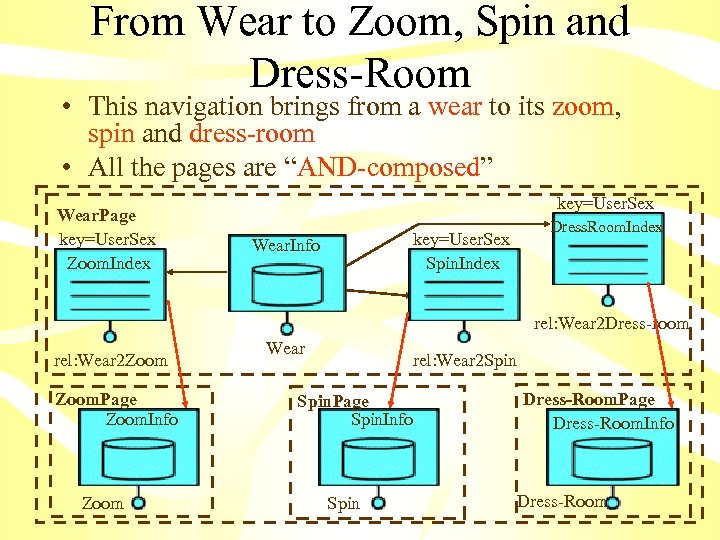
From Wear to Zoom, Spin and Dress-Room • This navigation brings from a wear to its zoom, spin and dress-room • All the pages are “AND-composed” Wear. Page key=User. Sex Zoom. Index key=User. Sex Dress. Room. Index key=User. Sex Spin. Index Wear. Info rel: Wear 2 Dress-room rel: Wear 2 Zoom. Page Zoom. Info Zoom Wear rel: Wear 2 Spin. Page Spin. Info Spin Dress-Room. Page Dress-Room. Info Dress-Room
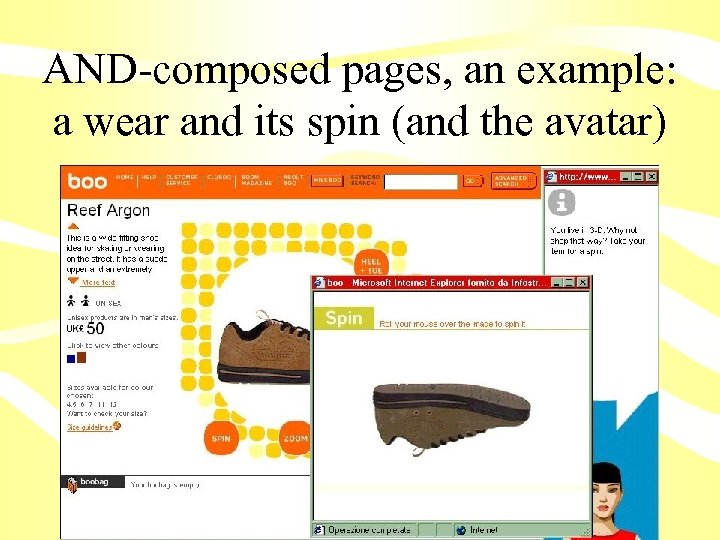
AND-composed pages, an example: a wear and its spin (and the avatar)
 Скачать презентацию Modelling a web site using Web ML an
6b22ba8ce829c6df590938b6852a4903.ppt