 Скачать презентацию Mobility in IT Operations GS Gruppen 29 -05
4e066c4b2c13ec0f3849d2feee316341.ppt
- Количество слайдов: 76



Mobility in IT Operations GS Gruppen 29 -05 -2007
Optimizing Operations • Automation –System i centric scheduling, monitoring, and notification –Security, disk usage, job accounting, and data management –Output management and distribution • Software Development &Test –Change management and version control for software development –Test software for entire development process • Data Replication –Multi-platform data transformation, integration, and distribution –Real-time System i mirroring • Business Intelligence –Data access and analysis –Data extraction and reporting • Productivity tools –Application optimization: Interactive and batch –Documentation –Database editing
SOSY’s Software Solutions • Automation: The ROBOT Automated Operations Solution –Provided by Help/Systems, Inc. –SOSY’s largest business area • Software Management –TBD –The Test. Bench Suite from The Original Software Company • Data Replication – Data. Mirror Transformation Server and Data. Mirror i. Cluster • Business Intelligence –SEQUEL from Help/Systems, Inc. • Productivity Tools –Gi. APA from i. Performance Ap. S –Abstract and Easy. View from Help/Systems, Inc.
SOSY Facts and Figures • Founded in 1989 • 600+ licenses supported • Users in 25 different countries • IBM Business Partner • First line support for all products in Copenhagen • Centralized or decentralized support for users
SOSY Company Mission Your Partner in Optimizing Operations • SOSY helps System i IT departments by providing counseling within operations regarding choice of software solutions and definition of implementation strategy • Consulting covers entire process from pre-analysis through implementation, training, and follow up • SOSY helps with IT compliance
Mobility in IT Operations What Is Possible Today? • • Notification via email or SMS Browser interface ensures remote access
Mobility in IT Operations Which operational areas? • • Scheduling Monitoring of System i – – – Messages on message queues Monitor critical resources Monitor FTP, SECAUDLOG, QHST => Automate as many replies as possible • • Security monitoring Monitor disk space Centralize monitoring of multiple units Monitor attached Windows servers and clients
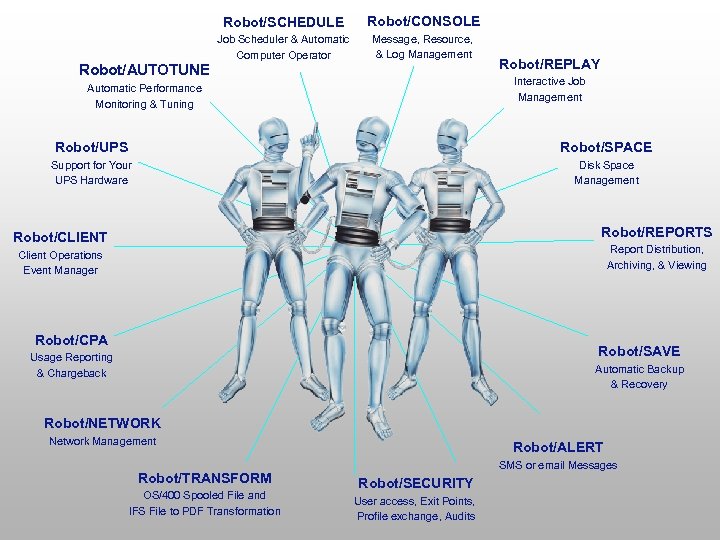
Robot/SCHEDULE Robot/AUTOTUNE Robot/CONSOLE Job Scheduler & Automatic Computer Operator Message, Resource, & Log Management Robot/REPLAY Interactive Job Management Automatic Performance Monitoring & Tuning Robot/UPS Robot/SPACE Support for Your UPS Hardware Disk Space Management Robot/REPORTS Robot/CLIENT Report Distribution, Archiving, & Viewing Client Operations Event Manager Robot/CPA Robot/SAVE Usage Reporting & Chargeback Automatic Backup & Recovery Robot/NETWORK Network Management Robot/TRANSFORM OS/400 Spooled File and IFS File to PDF Transformation Robot/ALERT SMS or email Messages Robot/SECURITY User access, Exit Points, Profile exchange, Audits
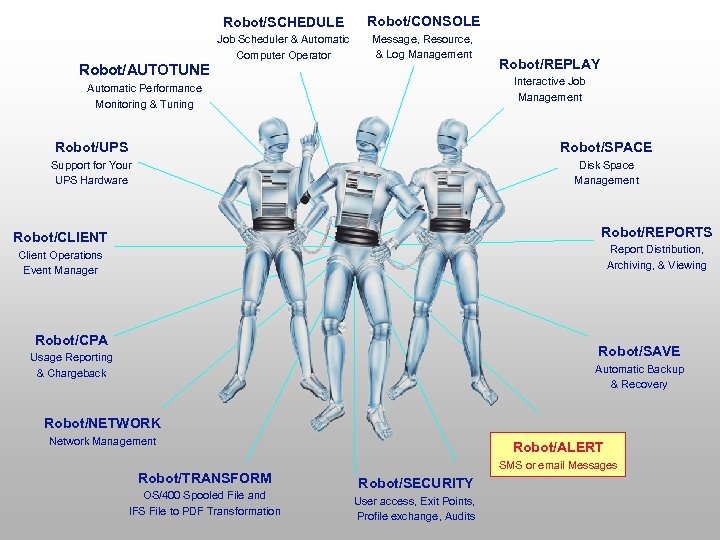
Robot/SCHEDULE Robot/AUTOTUNE Robot/CONSOLE Job Scheduler & Automatic Computer Operator Message, Resource, & Log Management Robot/REPLAY Interactive Job Management Automatic Performance Monitoring & Tuning Robot/UPS Robot/SPACE Support for Your UPS Hardware Disk Space Management Robot/REPORTS Robot/CLIENT Report Distribution, Archiving, & Viewing Client Operations Event Manager Robot/CPA Robot/SAVE Usage Reporting & Chargeback Automatic Backup & Recovery Robot/NETWORK Network Management Robot/TRANSFORM OS/400 Spooled File and IFS File to PDF Transformation Robot/ALERT SMS or email Messages Robot/SECURITY User access, Exit Points, Profile exchange, Audits
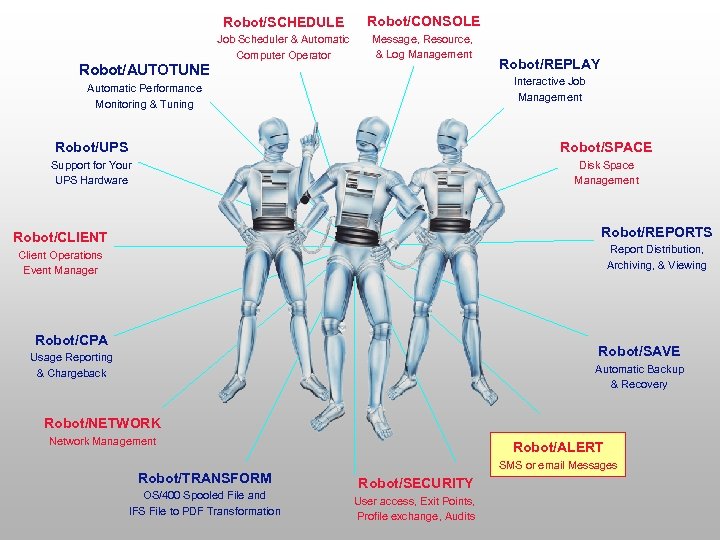
Robot/SCHEDULE Robot/AUTOTUNE Robot/CONSOLE Job Scheduler & Automatic Computer Operator Message, Resource, & Log Management Robot/REPLAY Interactive Job Management Automatic Performance Monitoring & Tuning Robot/UPS Robot/SPACE Support for Your UPS Hardware Disk Space Management Robot/REPORTS Robot/CLIENT Report Distribution, Archiving, & Viewing Client Operations Event Manager Robot/CPA Robot/SAVE Usage Reporting & Chargeback Automatic Backup & Recovery Robot/NETWORK Network Management Robot/TRANSFORM OS/400 Spooled File and IFS File to PDF Transformation Robot/ALERT SMS or email Messages Robot/SECURITY User access, Exit Points, Profile exchange, Audits
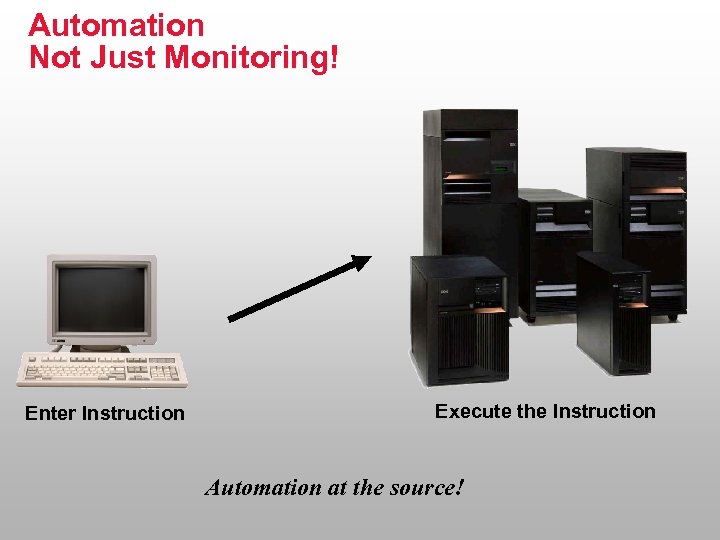
Automation Not Just Monitoring! Enter Instruction Execute the Instruction Automation at the source!
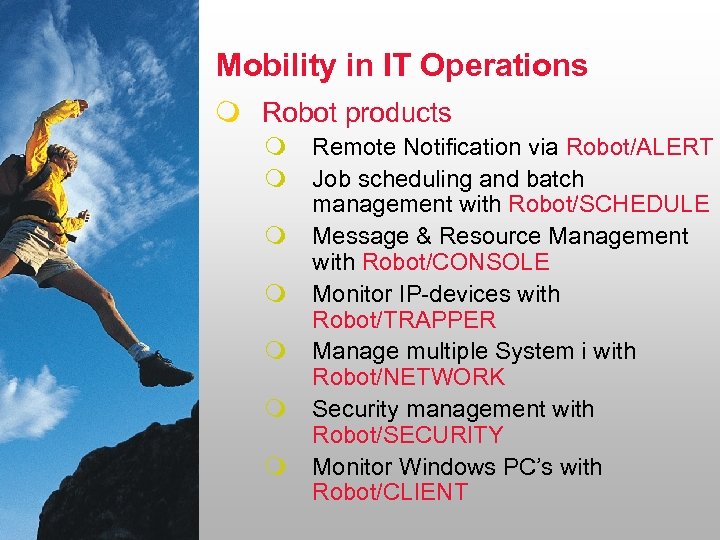
Mobility in IT Operations m Robot products m m m m Remote Notification via Robot/ALERT Job scheduling and batch management with Robot/SCHEDULE Message & Resource Management with Robot/CONSOLE Monitor IP-devices with Robot/TRAPPER Manage multiple System i with Robot/NETWORK Security management with Robot/SECURITY Monitor Windows PC’s with Robot/CLIENT
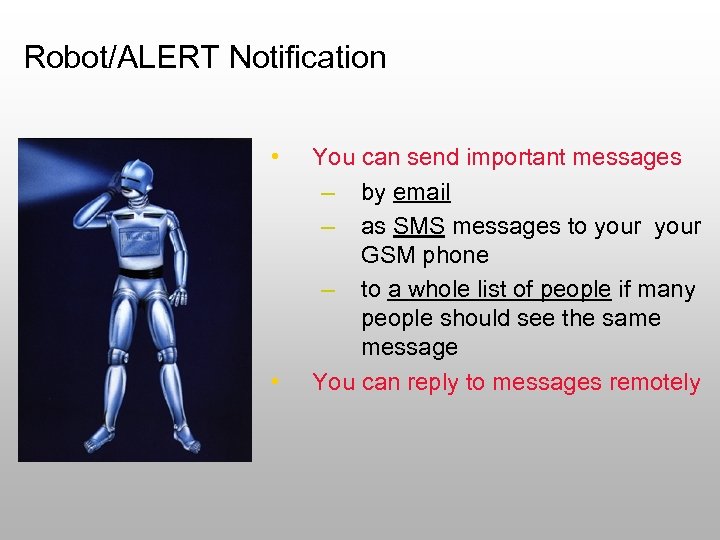
Robot/ALERT Notification • • You can send important messages – by email – as SMS messages to your GSM phone – to a whole list of people if many people should see the same message You can reply to messages remotely
2 -way communication gives maximum flexibility • • • Let Robot/ALERT send an SMS message to your GSM mobile phone or an email Let the distribution depend on the time of the day The message can originate from: – – – • • Robot/CONSOLE’s message management Error message from other Robot products, e. g. problems with a batch job controlled by Robot/SCHEDULE Your own application Define recipients in Robot/ALERT Answer the message directly from your mobile phone ! Last important step for lights out operation! You will be notified when necessary.
Robot/SCHEDULE
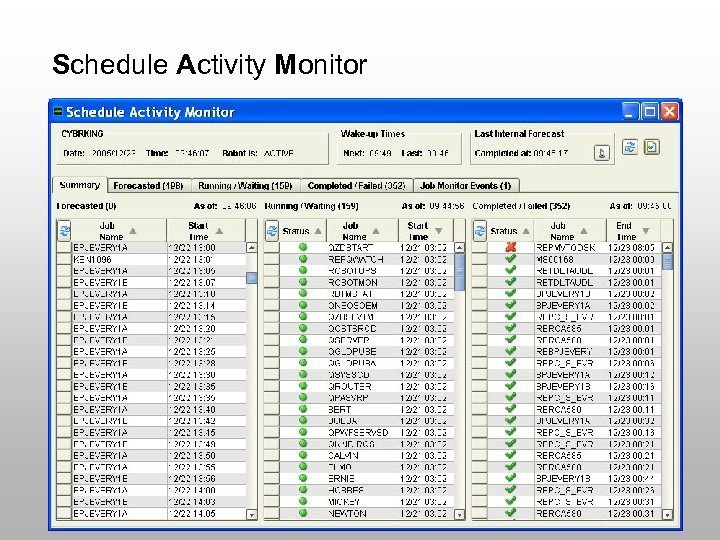
Schedule Activity Monitor
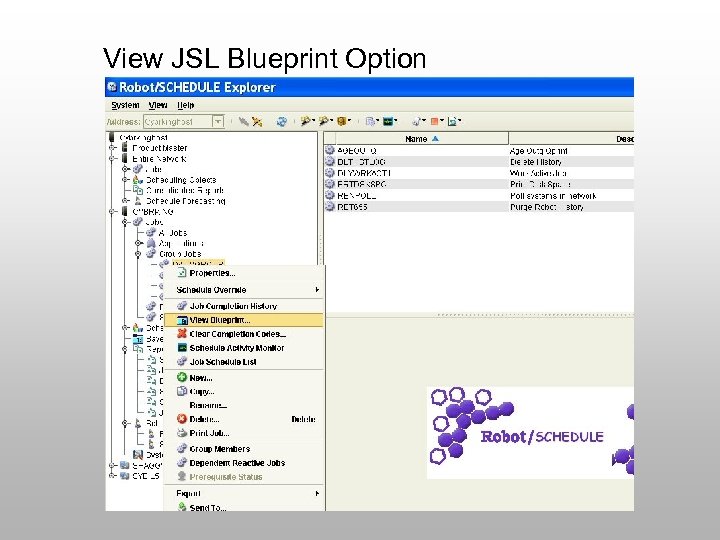
View JSL Blueprint Option
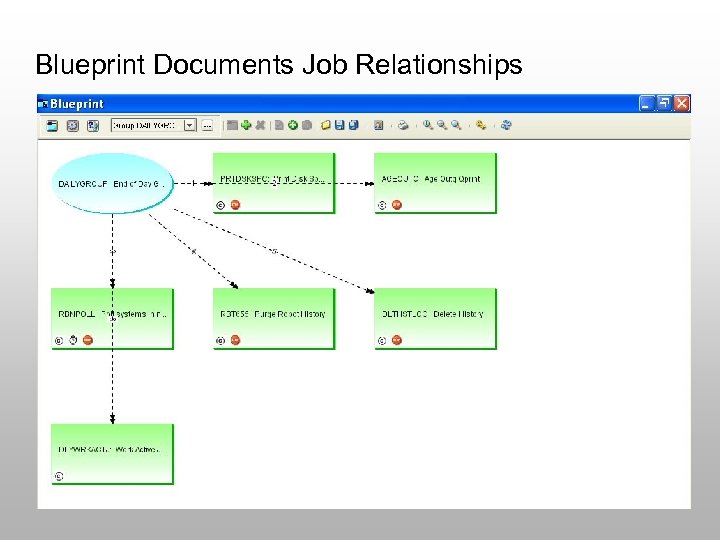
Blueprint Documents Job Relationships
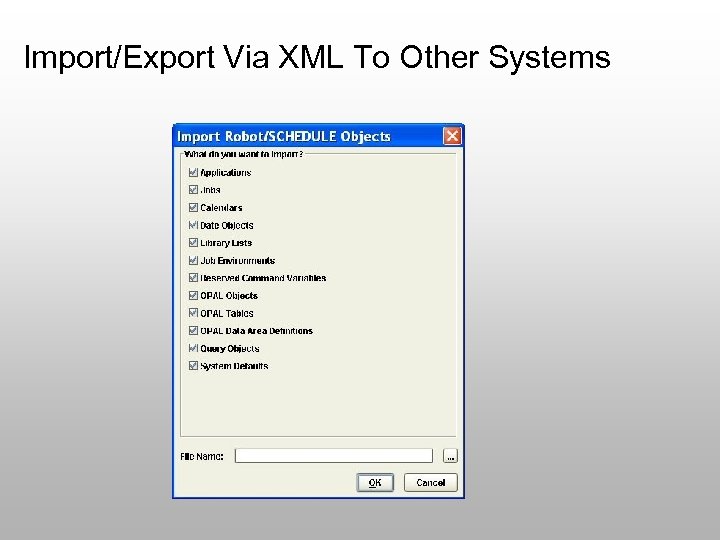
Import/Export Via XML To Other Systems
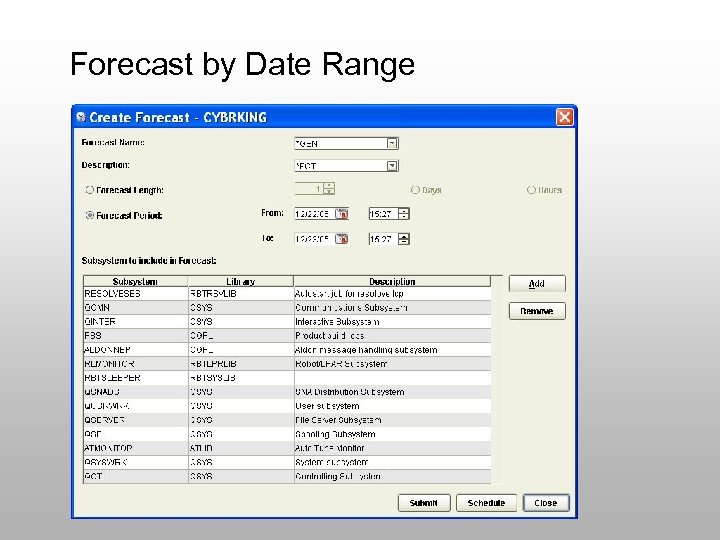
Forecast by Date Range
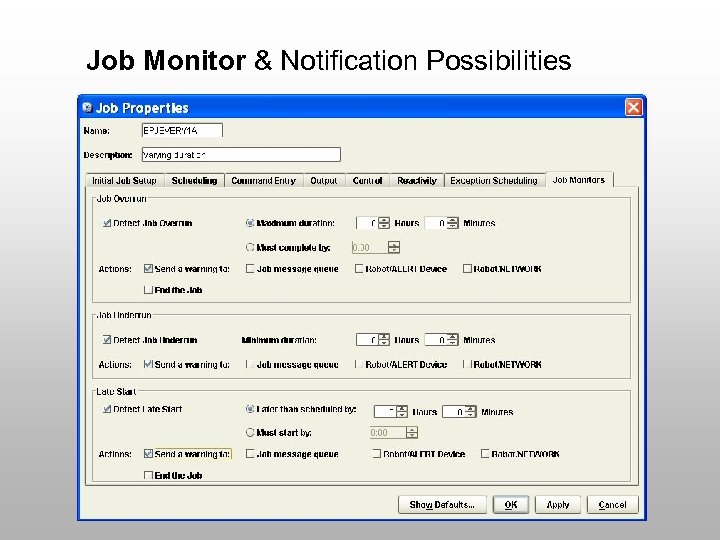
Job Monitor & Notification Possibilities
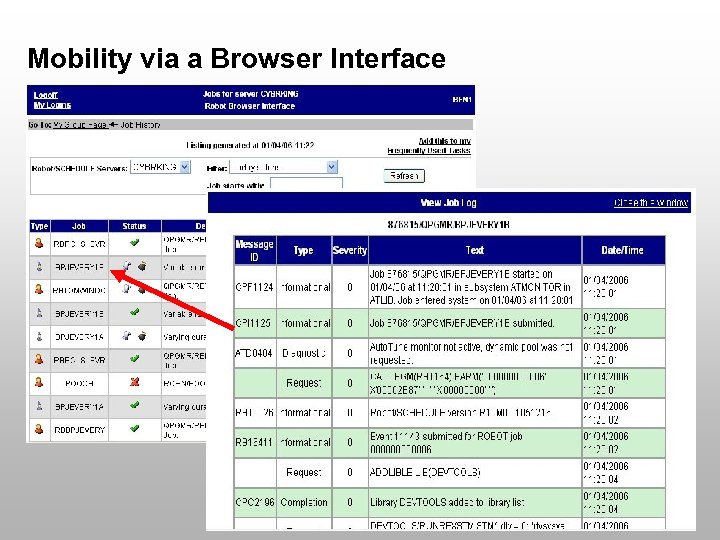
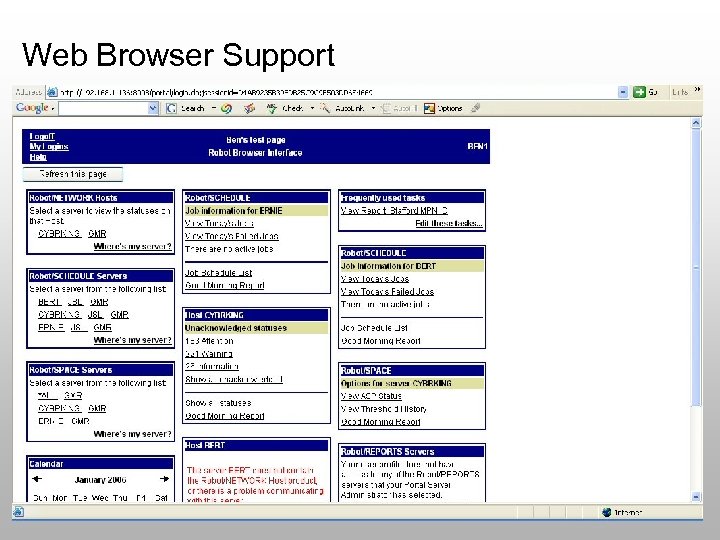
Mobility via a Browser Interface
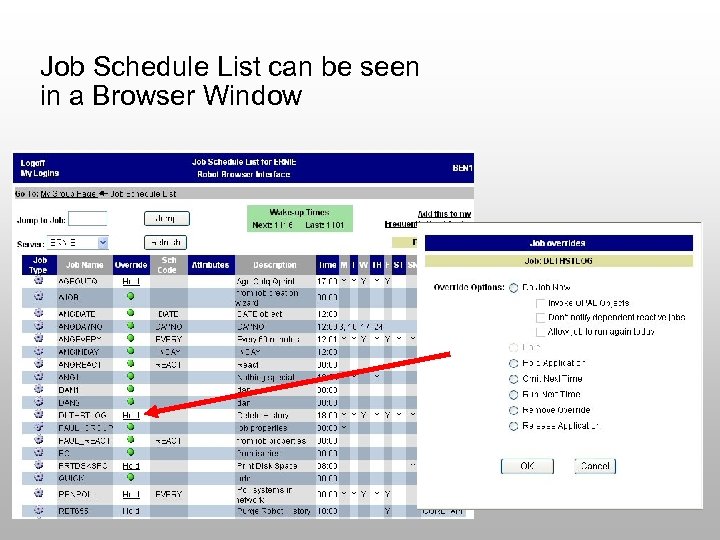
Job Schedule List can be seen in a Browser Window
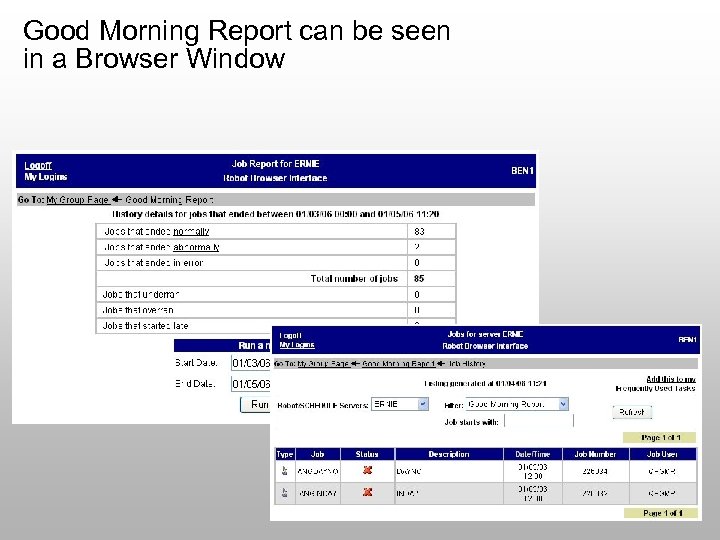
Good Morning Report can be seen in a Browser Window
Robot/CONSOLE The KEY to System i Message Management and Remote Control
Robot/CONSOLE • Provides multiple OS/400 tools: – – – Resource monitoring Log monitoring Event notification Message management Message automation
Robot/CONSOLE • Message automation – Answer, suppress, escalate messages – Turn important informational messages into response-required messages • Provides historical database – Critical events – Everything from security to application errors
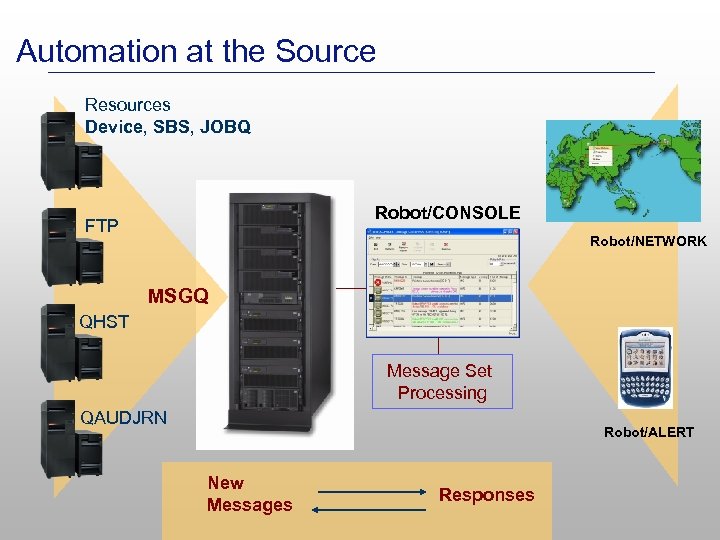
Automation at the Source Resources Device, SBS, JOBQ Robot/CONSOLE FTP Robot/NETWORK MSGQ QHST Message Set Processing QAUDJRN Robot/ALERT New Messages Responses
What Is A Message Center? • • Displays the important messages Can be part of a message queue Can represent many message queues Replaces having to look at a message queue
What Is A Message Center? • • Graphical or green screen Provides notification and escalation Expert message centers Used by resource and log monitoring
Message Sets • The rules for how to handle a message • Can simulate messages for testing • Can hold and release message sets by command, or interactively • Can group message IDs by job, by user, or by message file, using message groups
Message Sets • Message tables let you assign common message IDs to a message set – Suppress – Answer with certain reply – Change all to specific color • Message sets are optional
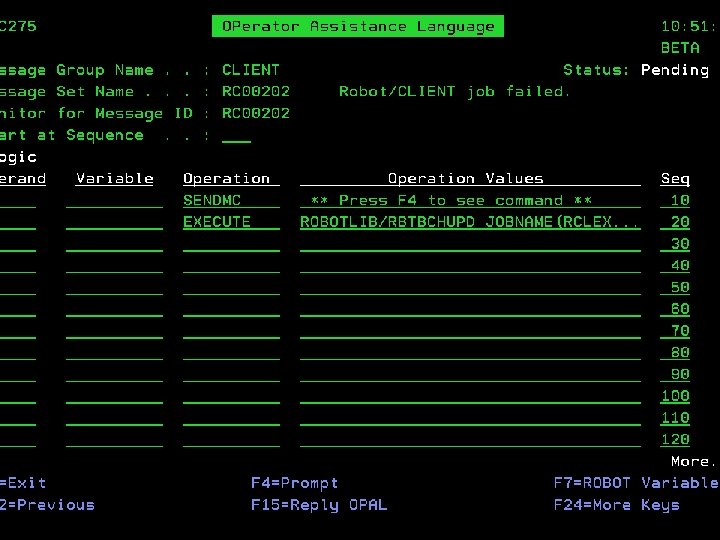
OPerator Assistance Language • Developed in 1991 by Help/Systems • Lets you write programming rules to manage messages • Helps you handle many situations: – – – “File full” message Record locks Save-while-active Disabled user profiles Need to notify different application teams
Resource Monitoring • • • Define one resource, or a group Expected status versus actual status Four priority levels History reports OPAL processing (optional) Supported by Robot/NETWORK
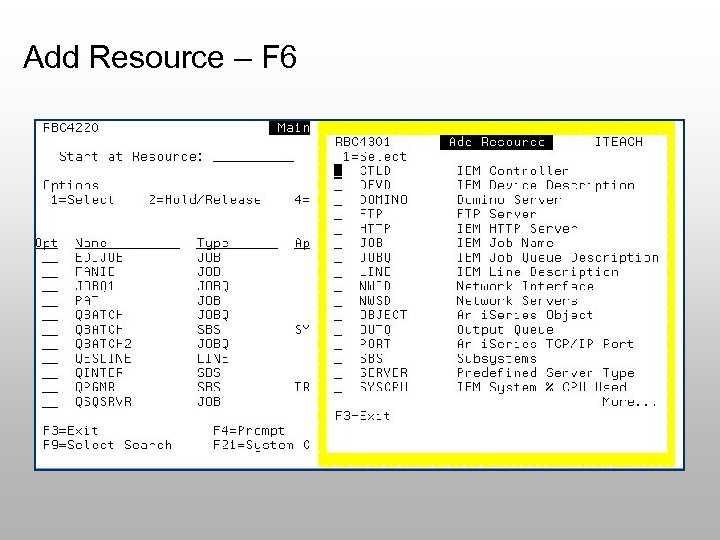
Add Resource – F 6
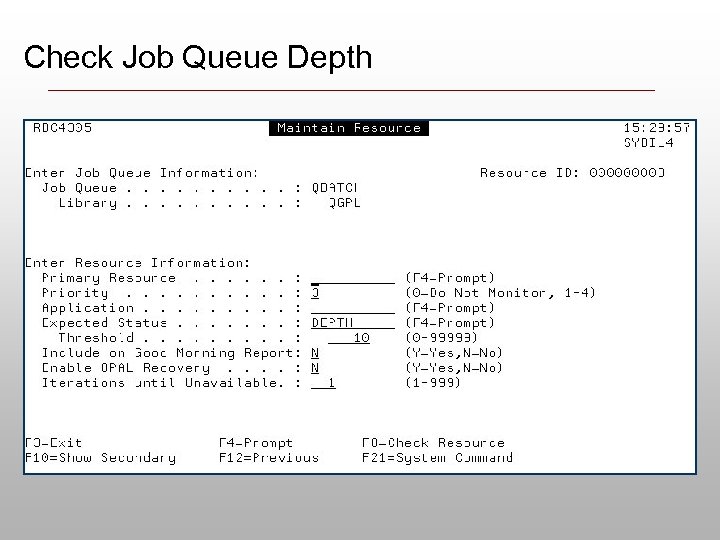
Check Job Queue Depth
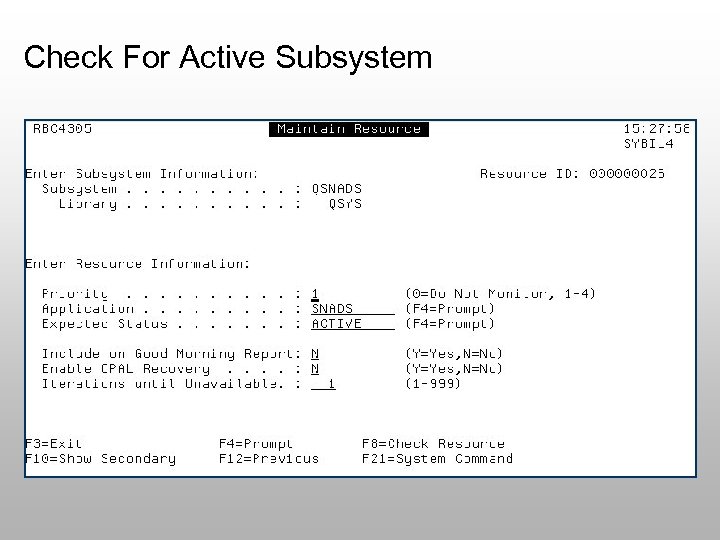
Check For Active Subsystem
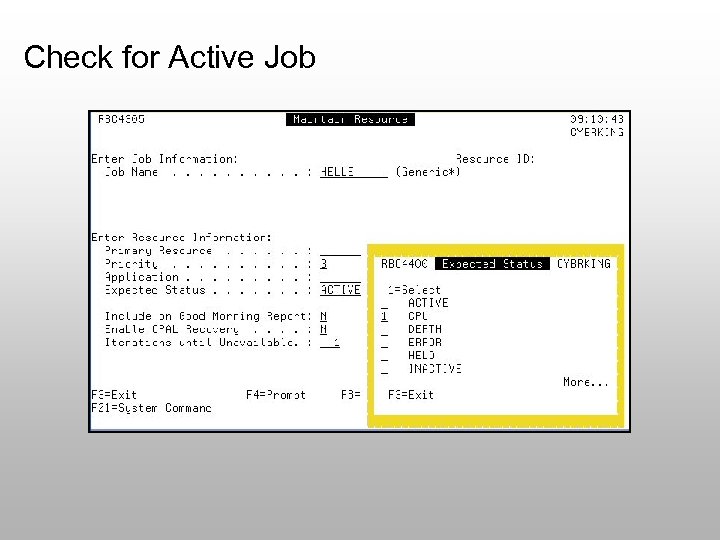
Check for Active Job
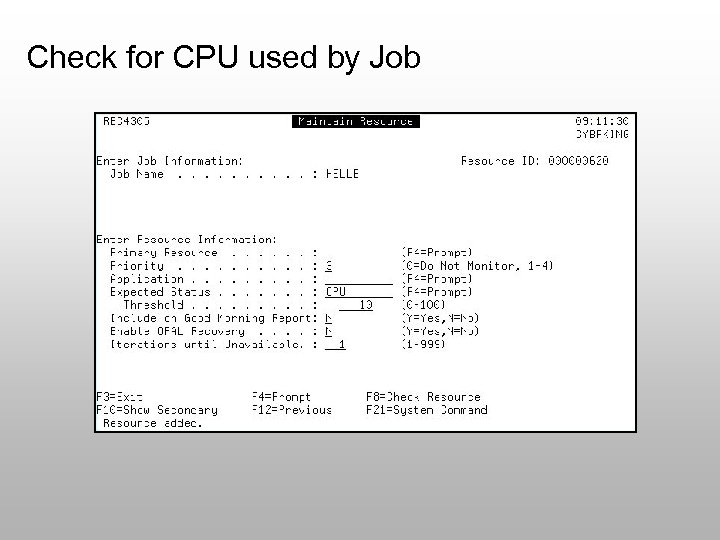
Check for CPU used by Job
Security Audit Journal Monitoring • Notification of system value changes • Notification of user profile password violations • Easier way to look at the audit journal • Reports on security errors • Message sets can manage and filter security errors, too!
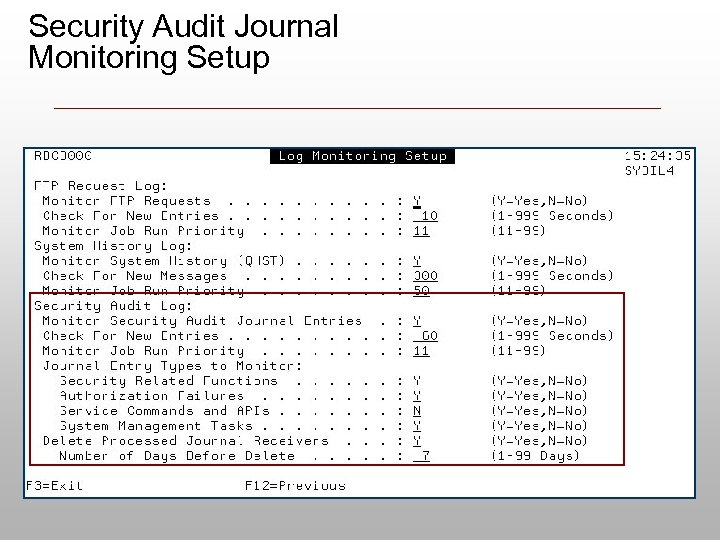
Security Audit Journal Monitoring Setup
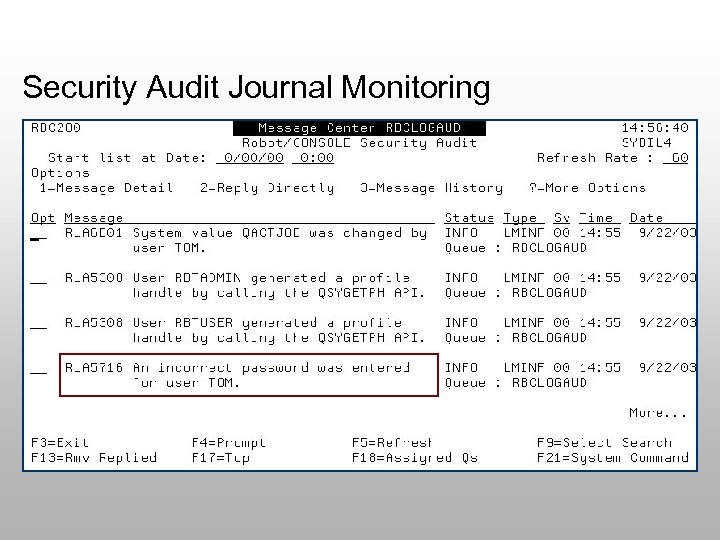
Security Audit Journal Monitoring
FTP Monitoring - Why? • There’s no way to determine who is performing FTP transactions • Only certain user profiles are authorized to use FTP • Security auditors need the history of this type of activity • Message sets are available for FTP events
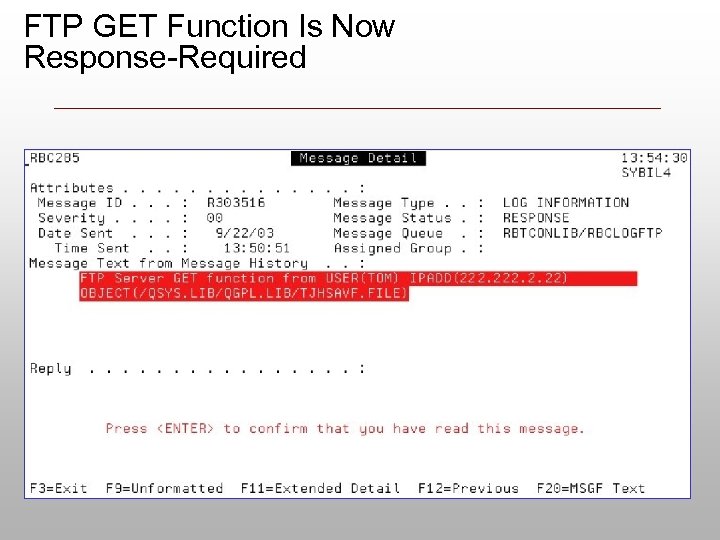
FTP GET Function Is Now Response-Required
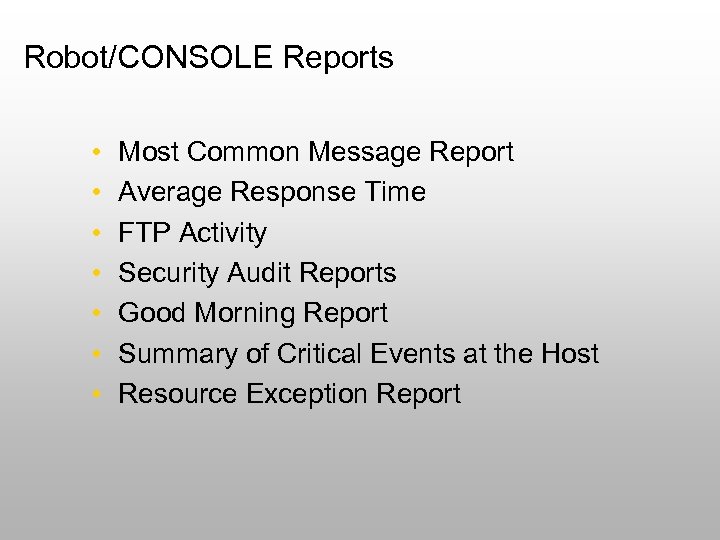
Robot/CONSOLE Reports • • Most Common Message Report Average Response Time FTP Activity Security Audit Reports Good Morning Report Summary of Critical Events at the Host Resource Exception Report
Robot/CONSOLE Summary … • Robot/CONSOLE will monitor and automate your message queues • Robot/CONSOLE will monitor your resources, security, FTP, and QHST • Robot/CONSOLE will notify you if anything is wrong
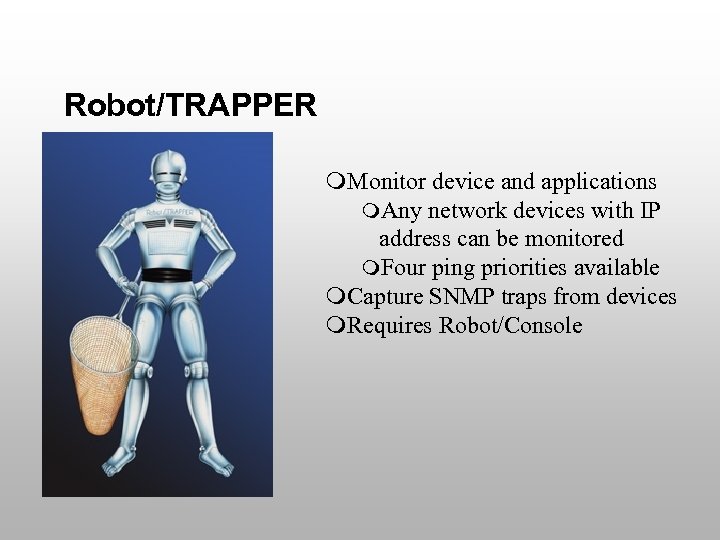
Robot/TRAPPER m. Monitor device and applications m. Any network devices with IP address can be monitored m. Four ping priorities available m. Capture SNMP traps from devices m. Requires Robot/Console
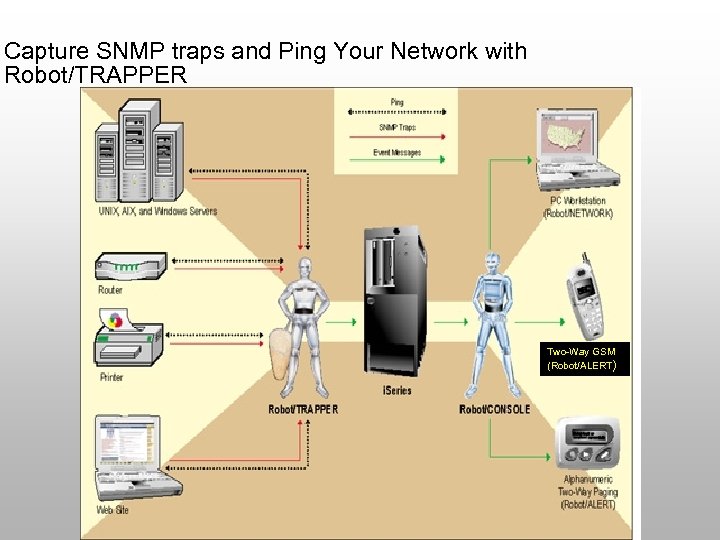
Capture SNMP traps and Ping Your Network with Robot/TRAPPER Two-Way GSM (Robot/ALERT)
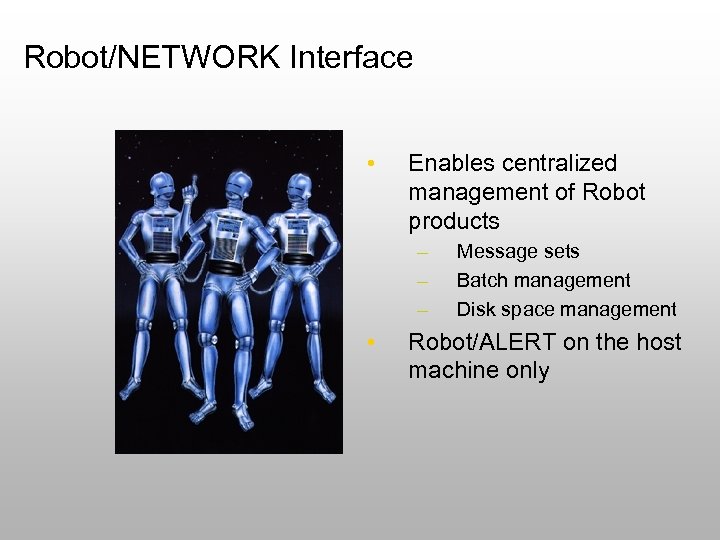
Robot/NETWORK Interface • Enables centralized management of Robot products – – – • Message sets Batch management Disk space management Robot/ALERT on the host machine only
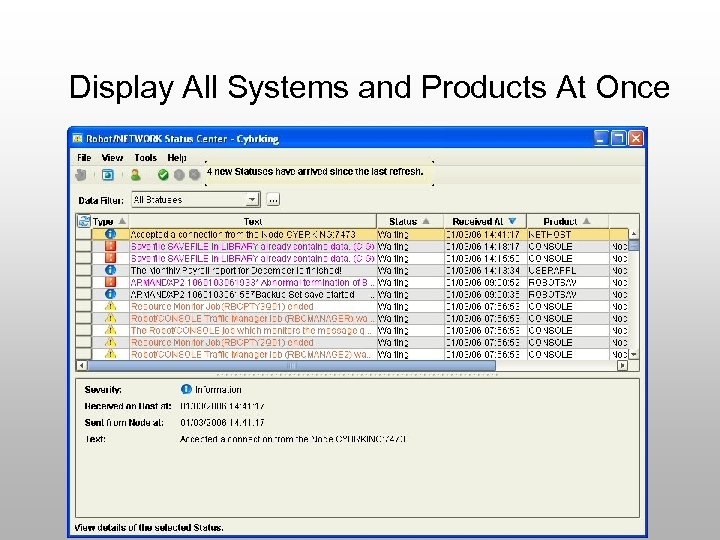
Display All Systems and Products At Once
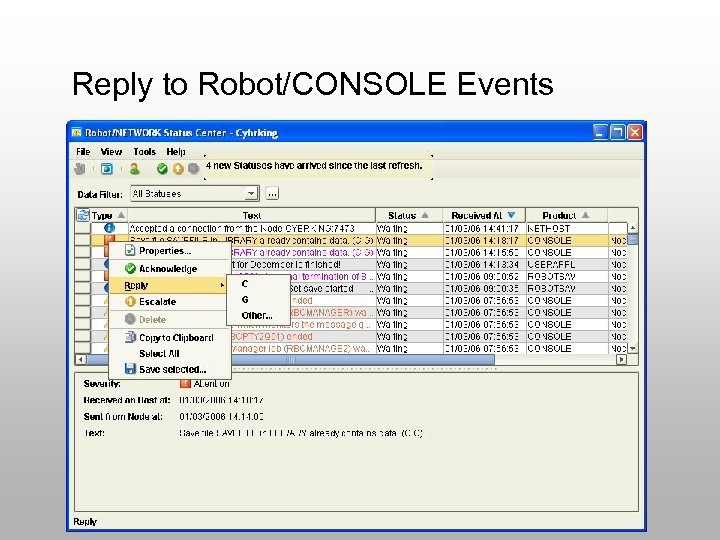
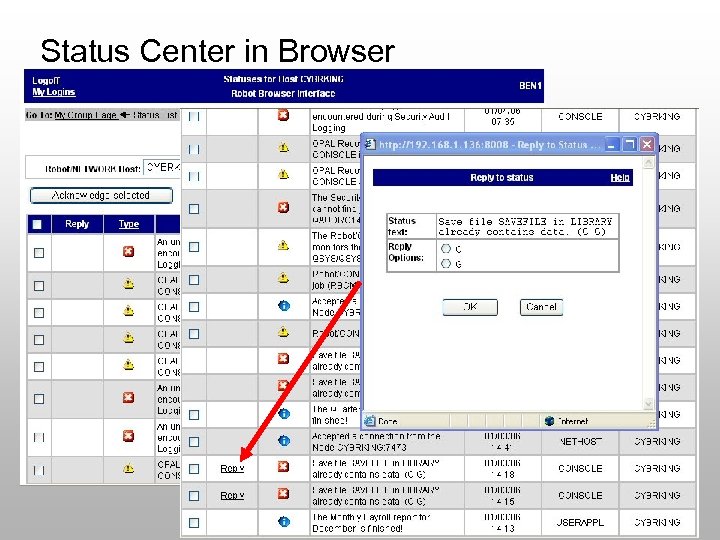
Reply to Robot/CONSOLE Events
Web Browser Support
Status Center in Browser
Robot/SECURITY New addition to the Robot Automated Operations Solution
Product Overview Exit Points Ho lds t ke y t he p o yo rotec ur sy ting ste m Monitoring QAUDJRN Security Audits Investigate Profile Exchange Forensics Reporting
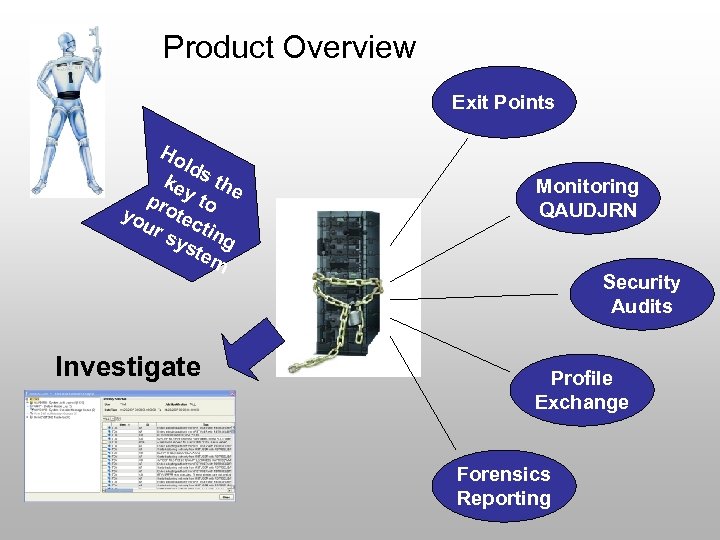
Exit Point Monitoring Highlights • Different Modes – – – Log Only No Logging Lock all Server Access All rules enforced—Normal Learn what is being accessed • User Lists and Individual Users are supported • Object-level access can be controlled • Set up schedules for access to servers
Security QAUDJRN Monitor Highlights • Provides notification via e-mail, SMS, or a network for: – – SV—System Value changes PW—Password failures CP—Profile changes AF—Authorization failures
System Security Audit • System i security configuration is complicated from initial setup to on-going maintenance • Robot/SECURITY provides a comprehensive audit of the system security configuration • The audit produces a report that compares current system security settings to best practices • The audit report serves as documentation that can be used by an auditor • It validates security for companies that need to pass a SOX or Cob. IT audit • It pinpoints security vulnerabilities
Security Audit Highlights • Comprehensive List of Security Audits • Identifies potential security vulnerabilities • Interrogates the following: – – System Values User Profiles Object Authorities Authorization Lists
Profile Exchange • Customers often receive audit violations by providing too much authority to too many employees • Auditors prefer that all object (*ALLOBJ) special authority be limited to just a few users • Robot/SECURITY allows a user to request an exchange to a user profile with greater system access • It minimizes the number of user profiles defined with strong special authorities • You define if users can exchange to a higher authority: at any time, require real-time approval, or based on an access schedule • Users can exchange to any user profile, not just profiles with *ALLOBJ authority
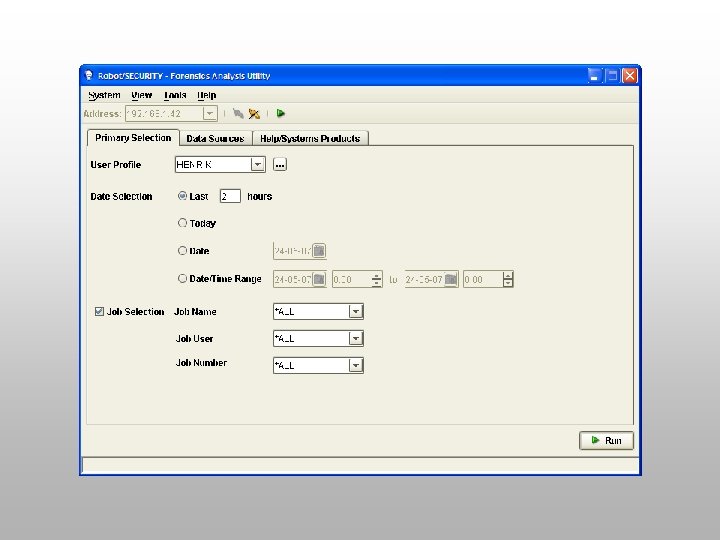
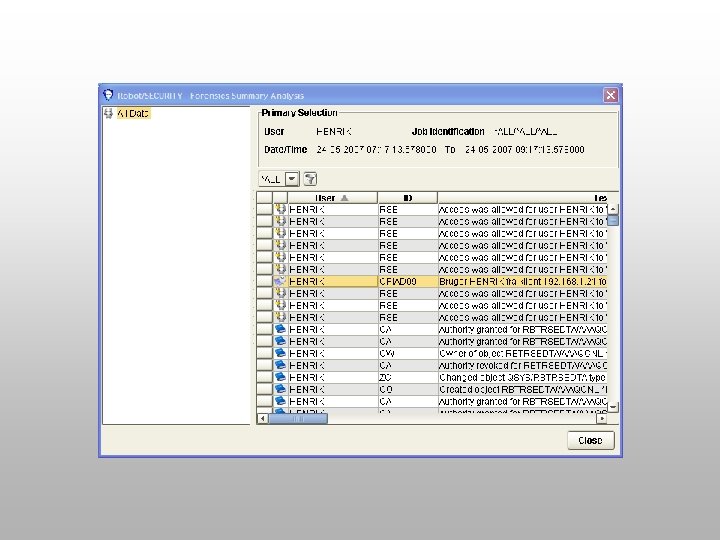
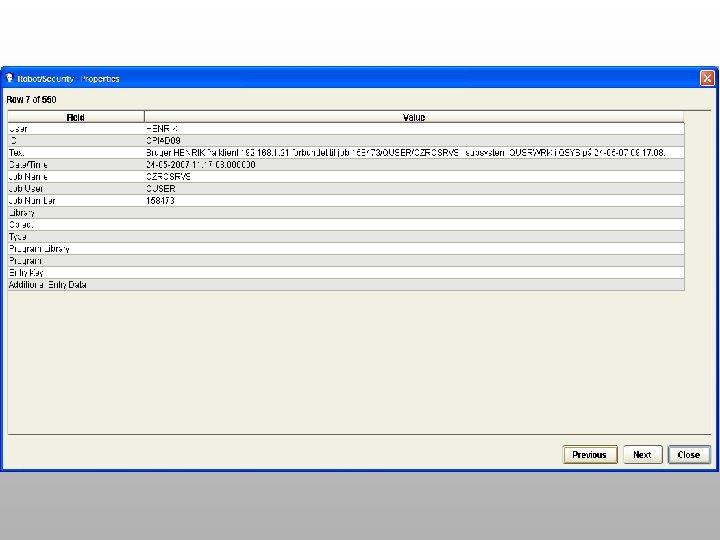
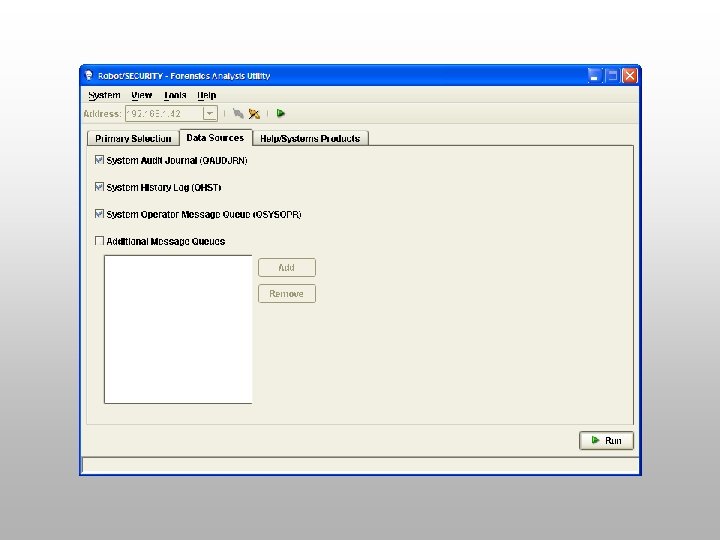
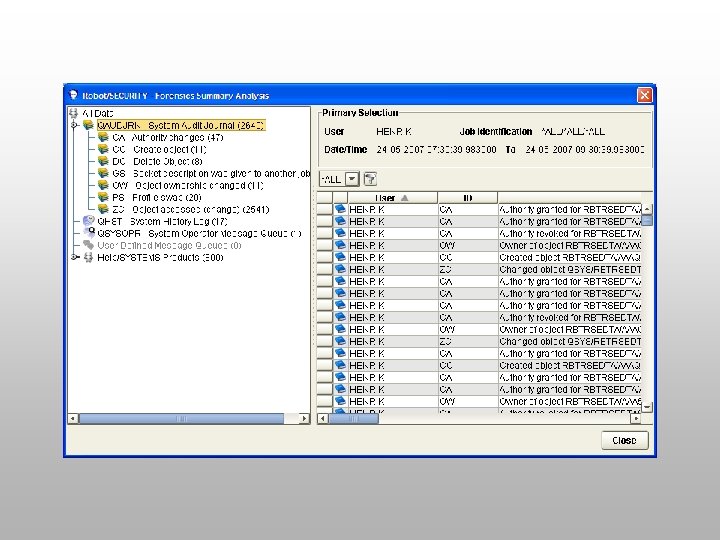
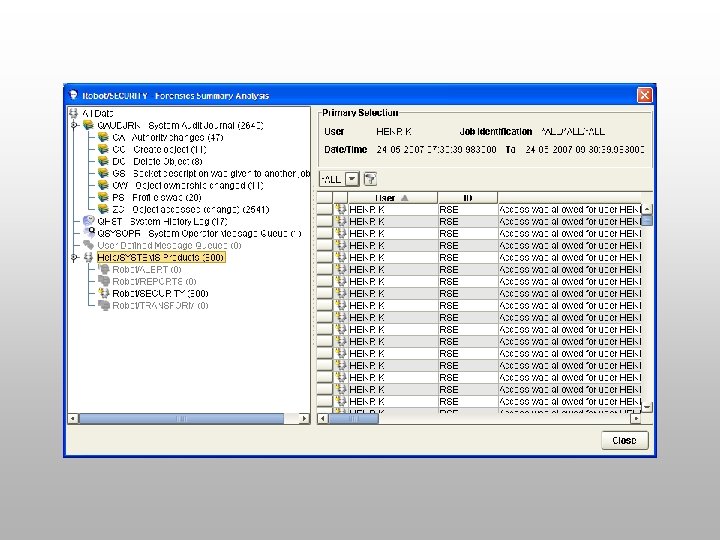
Forensic Utility • Windows user interface for ease of use • Interrogates several sources of information for job/user analysis – QAUDJRN—Very difficult to read without this tool – QSYSOPR – QHST – Robot product databases • Displays detailed entries for date, time, user, and job selection
Robot/SPACE System i disk storage management made easy!
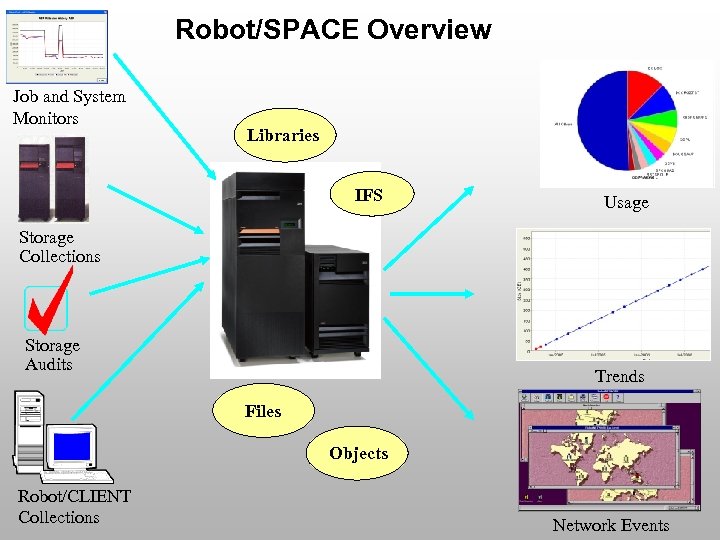
Robot/SPACE Overview Job and System Monitors Libraries IFS Usage Storage Collections Storage Audits Trends Files Objects Robot/CLIENT Collections Network Events
What does Robot/SPACE do? • Monitors ASPs and i. ASPs • Monitors Temporary Storage • Collects disk space usage statistics for libraries and IFS objects • Provides flexible reporting, graphing, comparing and trending of statistics • Warns you when there is a problem • Fixes problems automatically • Helps you find problems quickly
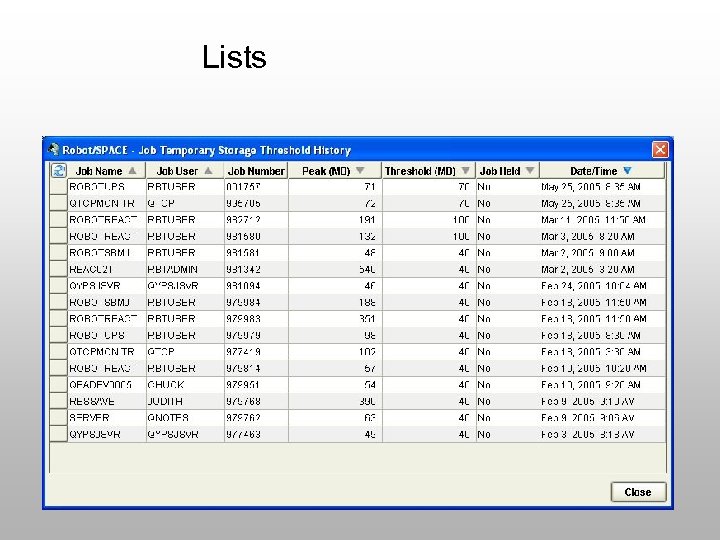
Lists
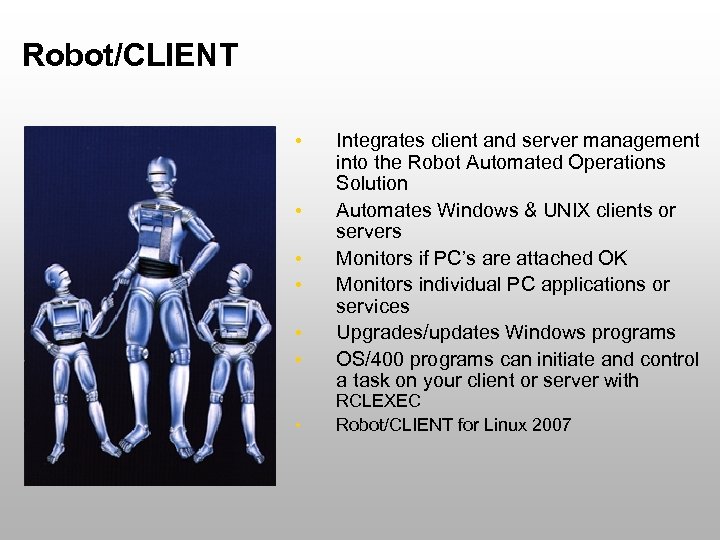
Robot/CLIENT • • Integrates client and server management into the Robot Automated Operations Solution Automates Windows & UNIX clients or servers Monitors if PC’s are attached OK Monitors individual PC applications or services Upgrades/updates Windows programs OS/400 programs can initiate and control a task on your client or server with RCLEXEC Robot/CLIENT for Linux 2007
How Does Robot/CLIENT Work? • System i centric approach • Client software on selected PC’s • Known Windows PC’s can be monitored, maintained • Automation possible together with Robot/SCHEDULE and enterprise scheduling approach – PC maintenance jobs – PC monitoring – PC management
Conclusions on Mobility within IT Operations • You decide which area(s) you want automate – – – • • Scheduling Monitoring Security Disk space System i control of Windows Solutions can be combined Mobility is ensured via – – – SMS Email Browser interfaces
Spørgsmål Chokolade www. sosy. dk
Скачать презентацию Mobility in IT Operations GS Gruppen 29 -05
4e066c4b2c13ec0f3849d2feee316341.ppt