 Скачать презентацию Mobile Environment and GIS Prof Dr Taymoor M
8033f741dd51df5dcb2a1cab71887c69.ppt
- Количество слайдов: 39



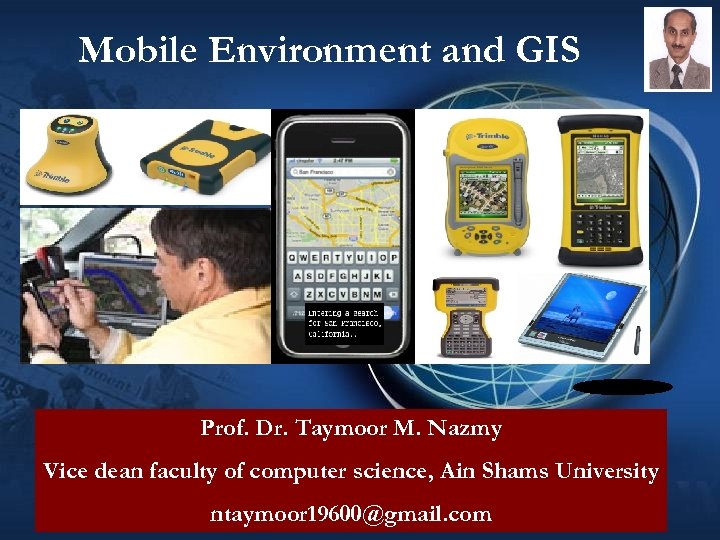
Mobile Environment and GIS Prof. Dr. Taymoor M. Nazmy Vice dean faculty of computer science, Ain Shams University ntaymoor 19600@gmail. com
Agenda l Introduction l Mobile GIS l Typical End Use of Mobile GIS l Applications for Mobile GIS • Mobile GIS Architecture • Internet GIS • Characteristics of Mobile Environments • Mobile Database • Handheld GIS mobile
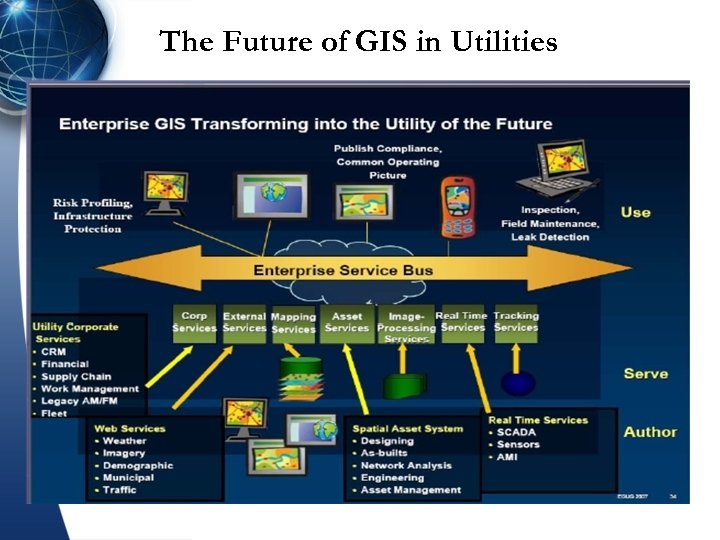
The Future of GIS in Utilities
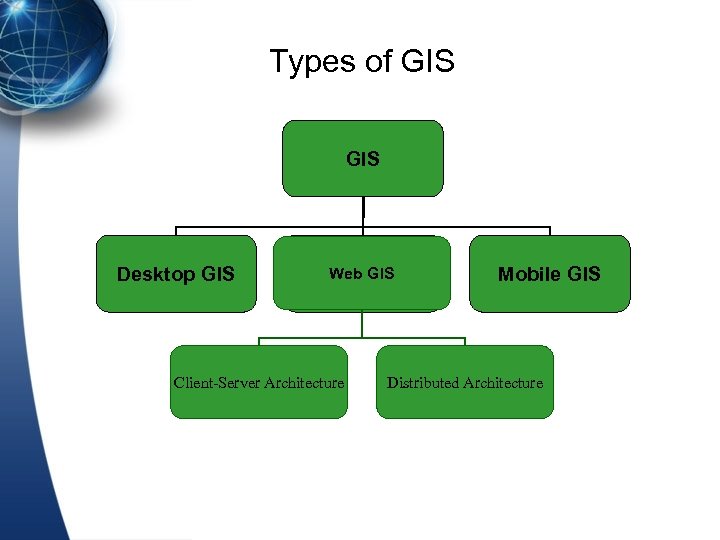
Types of GIS Desktop GIS Web GIS Client-Server Architecture Mobile GIS Distributed Architecture
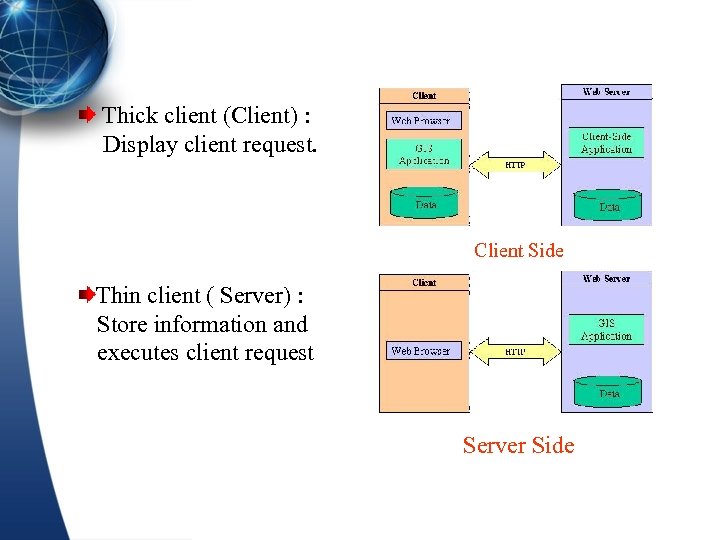
Thick client (Client) : Display client request. Client Side Thin client ( Server) : Store information and executes client request Server Side
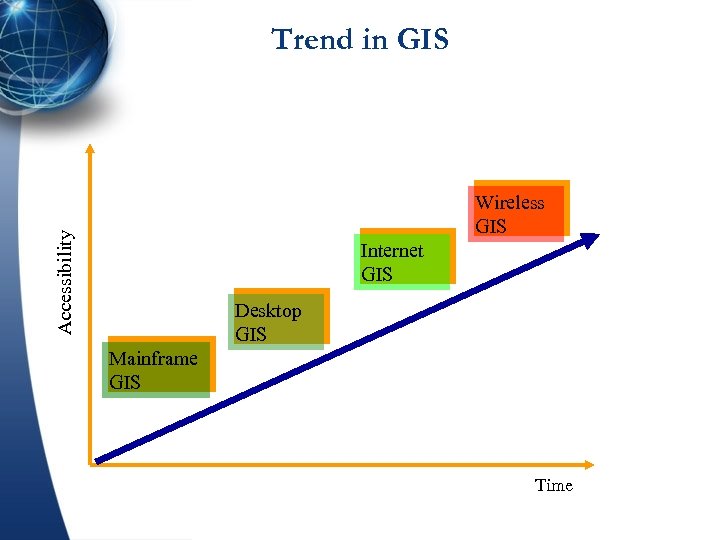
Trend in GIS Accessibility Wireless GIS Internet GIS Desktop GIS Mainframe GIS Time
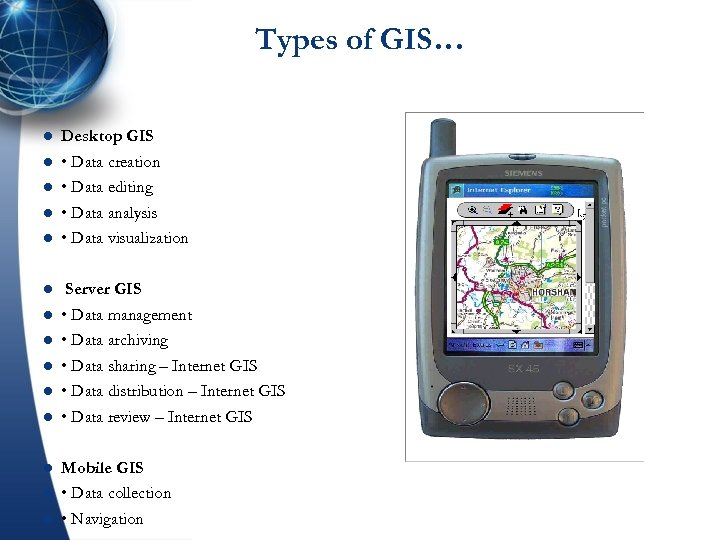
Types of GIS… l Desktop GIS l • Data creation • Data editing • Data analysis • Data visualization l l l Server GIS • Data management • Data archiving • Data sharing – Internet GIS • Data distribution – Internet GIS • Data review – Internet GIS Mobile GIS • Data collection • Navigation
Future of GIS l There are some challenges in developing GIS applications: – Data Source. – Data Model. – Standards. – Mobile GIS. – Specialized DBMS for GIS. –…
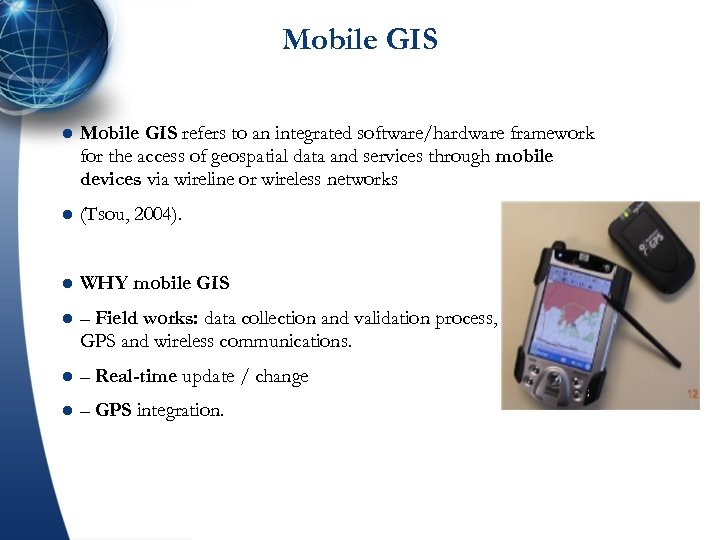
Mobile GIS l Mobile GIS refers to an integrated software/hardware framework for the access of geospatial data and services through mobile devices via wireline or wireless networks l (Tsou, 2004). l WHY mobile GIS l – Field works: data collection and validation process, coupled with GPS and wireless communications. l – Real-time update / change l – GPS integration.
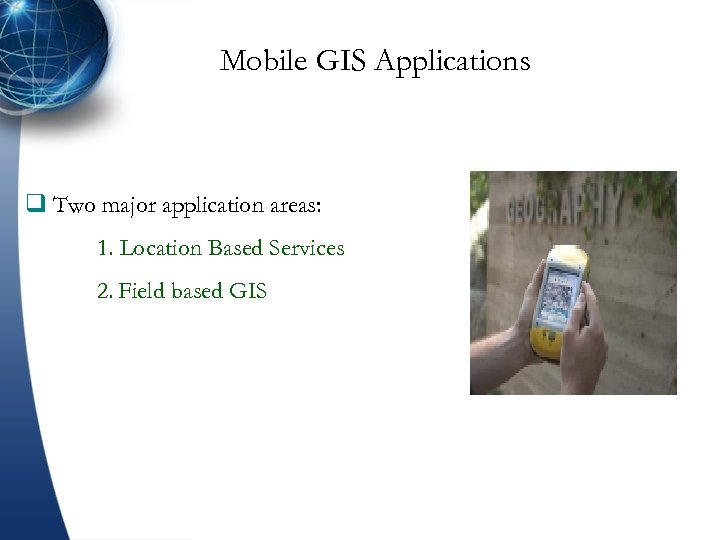
Mobile GIS Applications q Two major application areas: 1. Location Based Services 2. Field based GIS
Typical End Use of Mobile GIS l Typical End Use of Mobile GIS Includes the following, and more. l Business Unsolicited interaction between wireless patrons in the field (i. e. potential customers), 3 rd parties (ex. a restaurant owner), and web-based GIS data providers (ex. Google Maps). l l Field Work Real-time or temporal interaction between field technicians and their in-house operations. Through mobile GIS, field techs can receive priority work orders. Also, mobile GIS allows for simultaneous data collection and ground-truth confirmation, even streaming updates to enterprise datasets. Location Based Services (LBS) Realistically, LBS are the gamut of mobile GIS. They include simple consumer-oriented data needs (i. e. locating restaurants, gas stations, residential addresses) as well as more serious community priorities related to emergency response. Right now fire (first responders), ambulance, and police personnel enjoy the most robust Mobile GIS deployments. Other examples can include online parcel tracking services offered by package handlers like Fed. Ex and UPS, even pizza delivery.
Dominated Trends in mobile GIS l rends of mobile field systems are dominated by: l § Wireless technology between sensor and Tablet. PC, l § Move to data acquisition, go away from simply collect X, Y, Z l § Field 2 Finish solution l § Quality and Completeness control in the field l § Seamless dataflow between office - field - office l § No redundancies in data and workflows l § With the approach of providing the entire geodatabase in the l field, field crews can react on changing conditions l § For survey crews the GIS is a “silent” partner
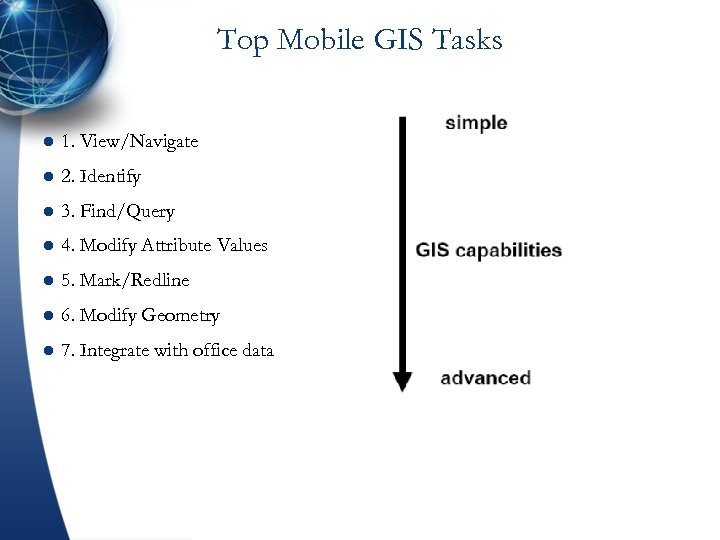
Top Mobile GIS Tasks l 1. View/Navigate l 2. Identify l 3. Find/Query l 4. Modify Attribute Values l 5. Mark/Redline l 6. Modify Geometry l 7. Integrate with office data
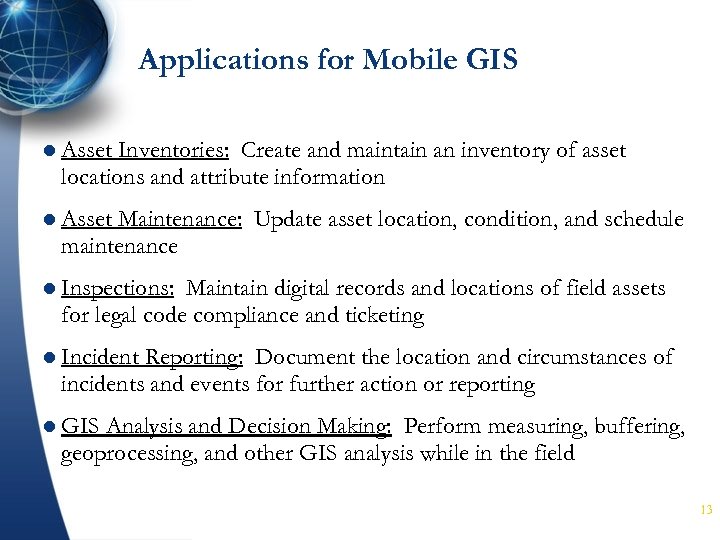
Applications for Mobile GIS l Asset Inventories: Create and maintain an inventory of asset locations and attribute information l Asset Maintenance: Update asset location, condition, and schedule maintenance l Inspections: Maintain digital records and locations of field assets for legal code compliance and ticketing l Incident Reporting: Document the location and circumstances of incidents and events for further action or reporting l GIS Analysis and Decision Making: Perform measuring, buffering, geoprocessing, and other GIS analysis while in the field 13
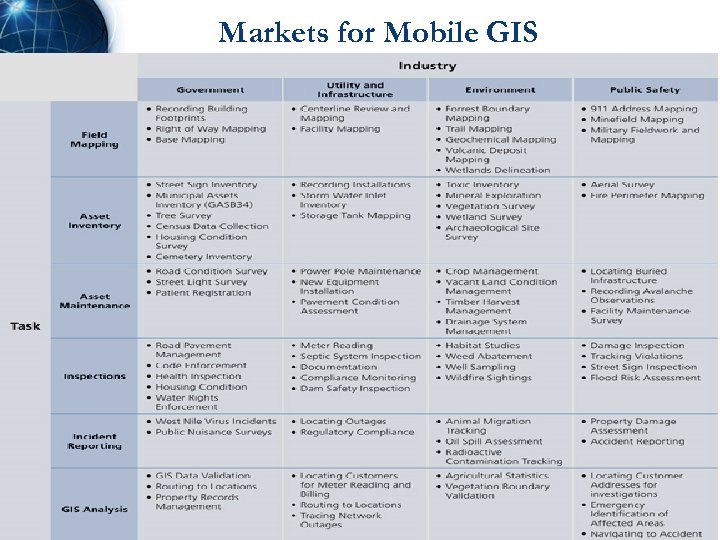
Markets for Mobile GIS 14
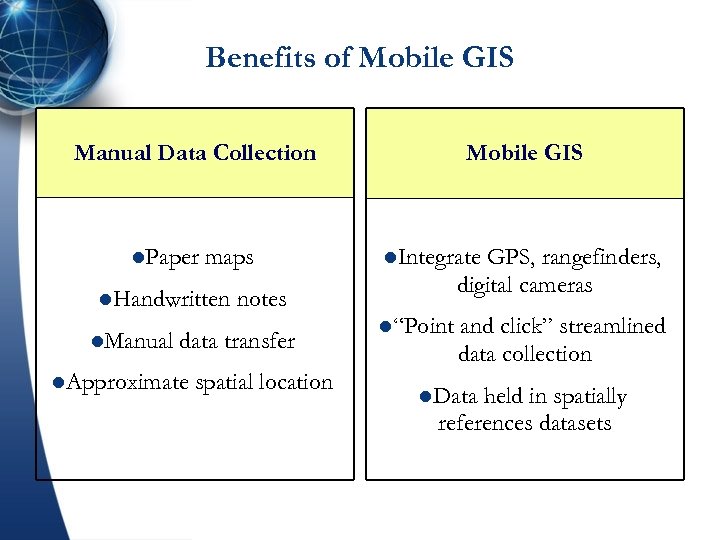
Benefits of Mobile GIS Manual Data Collection l. Paper maps l. Handwritten l. Manual l. Integrate GPS, rangefinders, digital cameras notes data transfer l. Approximate Mobile GIS spatial location l“Point and click” streamlined data collection l. Data held in spatially references datasets
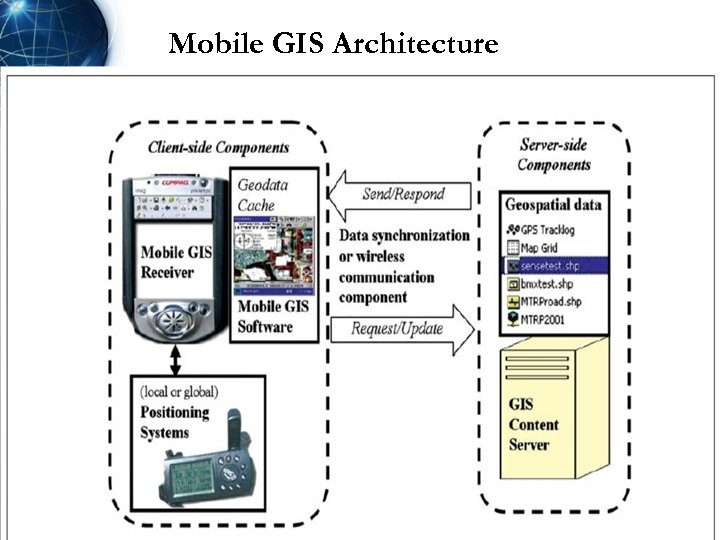
Mobile GIS Architecture
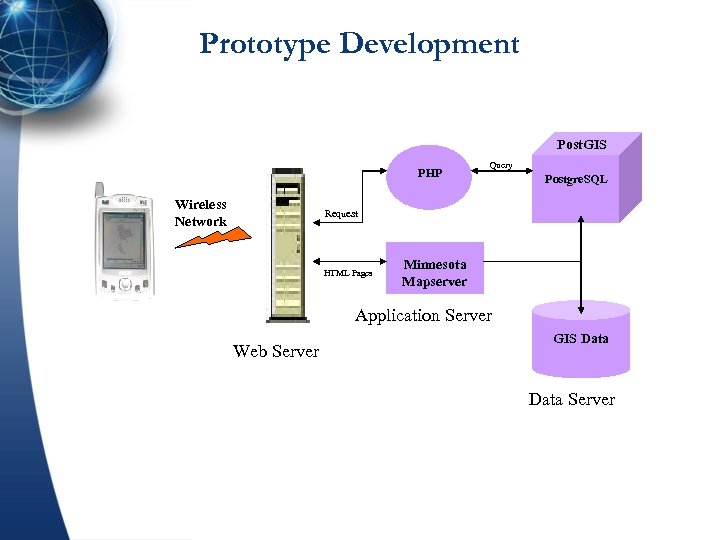
Prototype Development Post. GIS PHP Wireless Network Query Postgre. SQL Request HTML Pages Minnesota Mapserver Application Server Web Server GIS Data Server
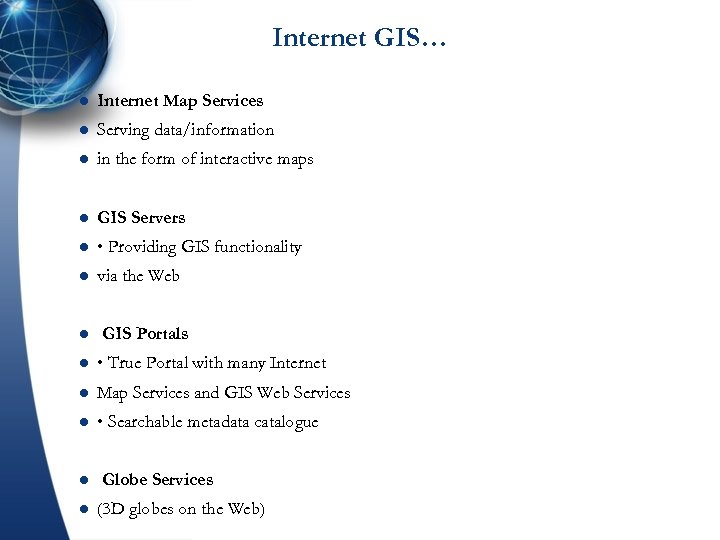
Internet GIS… l Internet Map Services l Serving data/information l in the form of interactive maps l GIS Servers l • Providing GIS functionality l via the Web l GIS Portals l • True Portal with many Internet l Map Services and GIS Web Services l • Searchable metadata catalogue l l Globe Services (3 D globes on the Web)
Internet Map Servers and Wireless Communication l WHY Internet Map Server (IMS)? The storage problems in mobile devices (too small) Multiple users access Data Update for multiple users at the same time. l Internet Map Server Intranet Map Server l Local access ONLY via Wireless LAN. l (Wi-Fi or Wi-Fi 5 broad bandwidths)
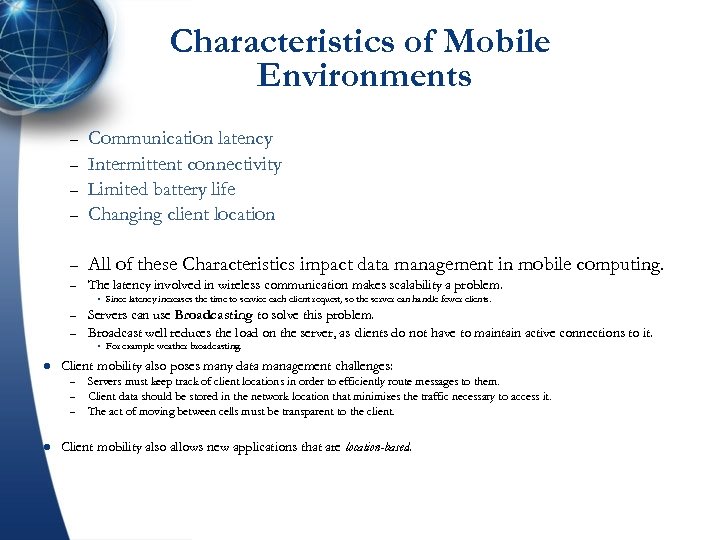
Characteristics of Mobile Environments – Communication latency Intermittent connectivity Limited battery life Changing client location – All of these Characteristics impact data management in mobile computing. – The latency involved in wireless communication makes scalability a problem. – – – Servers can use Broadcasting to solve this problem. Broadcast well reduces the load on the server, as clients do not have to maintain active connections to it. l For example weather broadcasting. Client mobility also poses many data management challenges: – – – l Since latency increases the time to service each client request, so the server can handle fewer clients. Servers must keep track of client locations in order to efficiently route messages to them. Client data should be stored in the network location that minimizes the traffic necessary to access it. The act of moving between cells must be transparent to the client. Client mobility also allows new applications that are location-based.
Mobile Data Collection System l Often referred as “Photo Logging”, “Right-Of-Way Imaging” l A set of images are captured from a moving vehicle, with l location and orientation information attached to them l Images are cataloged for user-friendly retrieval l Popular tool for managing transportation infrastructure asset l data
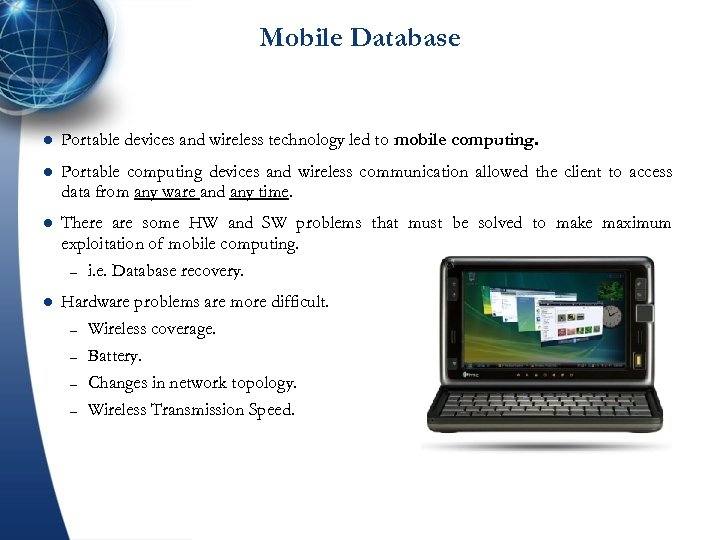
Mobile Database l Portable devices and wireless technology led to mobile computing. l Portable computing devices and wireless communication allowed the client to access data from any ware and any time. l There are some HW and SW problems that must be solved to make maximum exploitation of mobile computing. – i. e. Database recovery. l Hardware problems are more difficult. – Wireless coverage. – Battery. – Changes in network topology. – Wireless Transmission Speed.
Mobile Database l Mobile – – Ad-Hoc Network (MANET): In a MANET, co-located mobile units do not need to communicate via a fixed network, but instead, form their own using cost-effective technologies such as Bluetooth. In a MANET, mobile units are responsible for routing their own data, effectively acting as base stations as well as clients. MANET must be robust enough to handle changes in network topology. Such as arrival or departure of mobile unites. MANET can fall under P 2 P architecture.
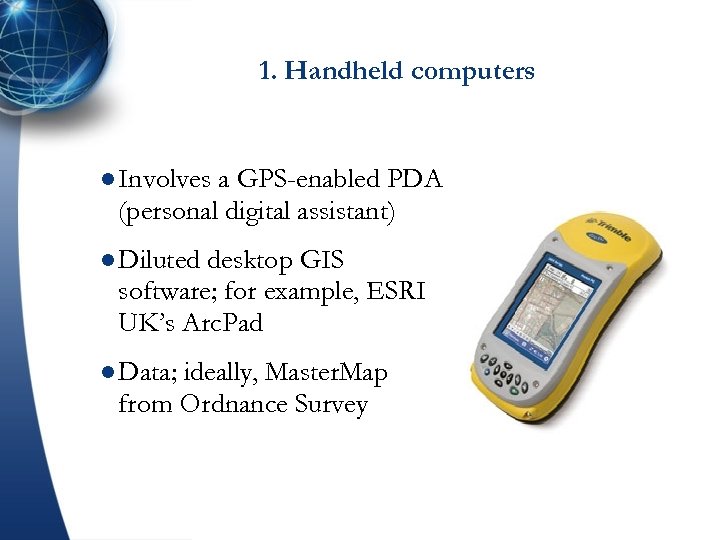
1. Handheld computers l Involves a GPS-enabled PDA (personal digital assistant) l Diluted desktop GIS software; for example, ESRI UK’s Arc. Pad l Data; ideally, Master. Map from Ordnance Survey
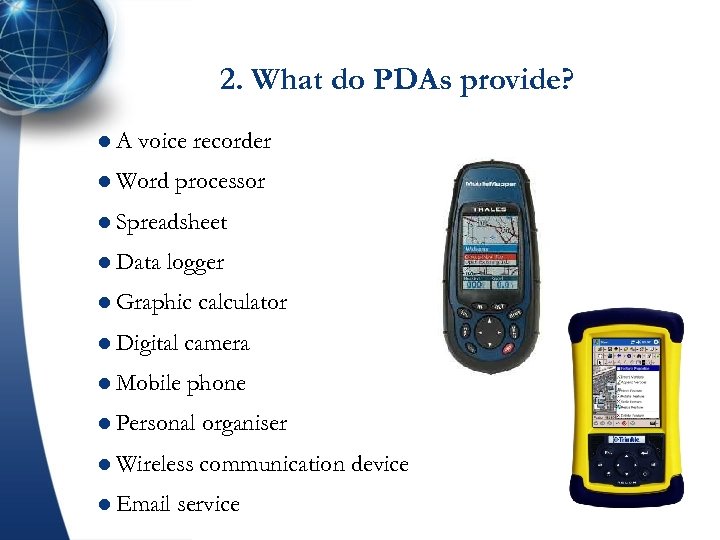
2. What do PDAs provide? l. A voice recorder l Word processor l Spreadsheet l Data logger l Graphic calculator l Digital camera l Mobile phone l Personal organiser l Wireless communication device l Email service
What is Arc. Pad? l Part l. A of ESRI overall mobile strategy mobile GIS application for field mapping applications l Designed for broad range of mobile systems l Allows input from GPS receivers, rangefinders, digital cameras and other devices l Provides a generic set of mobile GIS functionality l Extensive l Extends customization capabilities Geodatabase to the field through disconnected editing
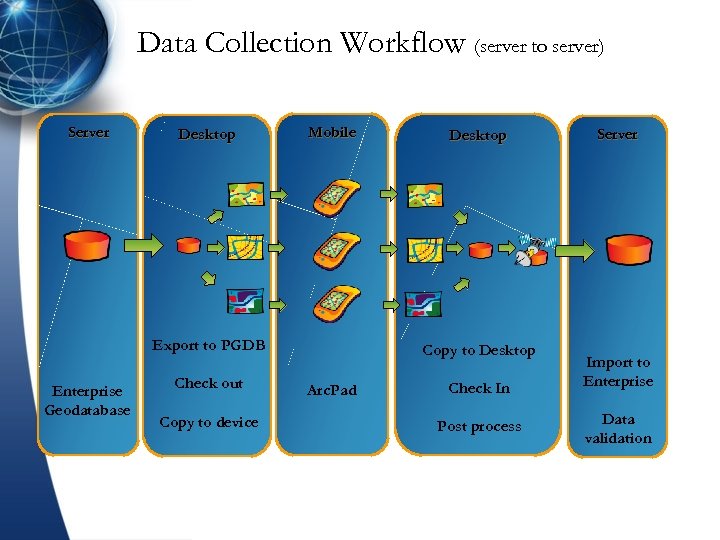
Data Collection Workflow (server to server) Server Desktop Mobile Export to PGDB Enterprise Geodatabase Check out Copy to device Desktop Copy to Desktop Arc. Pad Check In Post process Server Import to Enterprise Data validation
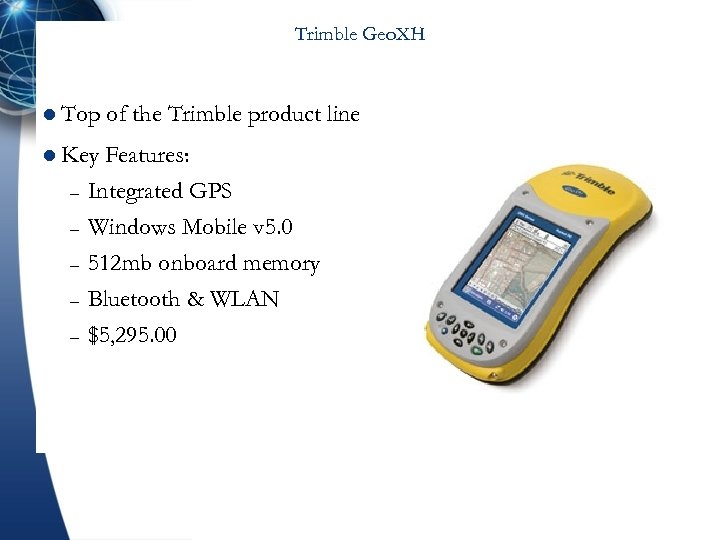
Trimble Geo. XH l Top of the Trimble product line l Key – – – Features: Integrated GPS Windows Mobile v 5. 0 512 mb onboard memory Bluetooth & WLAN $5, 295. 00
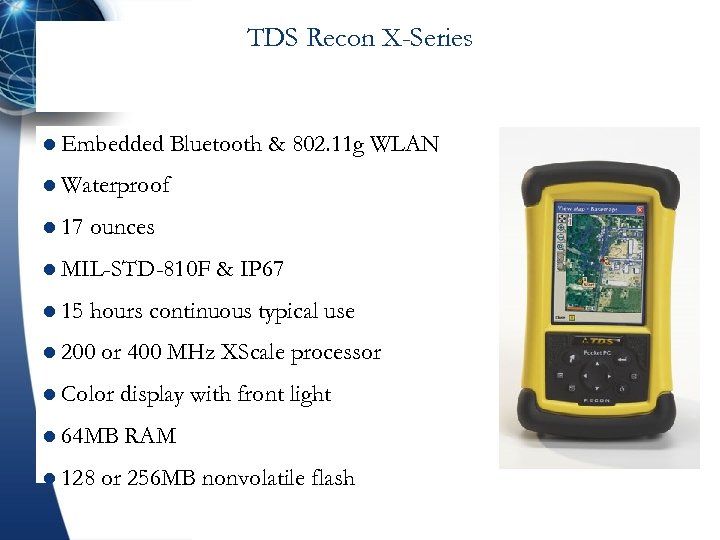
TDS Recon X-Series l Embedded Bluetooth & 802. 11 g WLAN l Waterproof l 17 ounces l MIL-STD-810 F l 15 & IP 67 hours continuous typical use l 200 or 400 MHz XScale processor l Color display with front light l 64 MB RAM l 128 or 256 MB nonvolatile flash
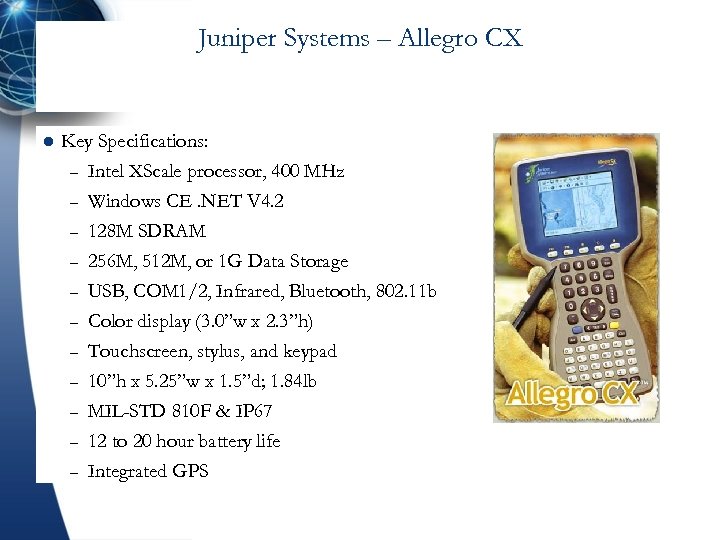
Juniper Systems – Allegro CX l Key Specifications: – Intel XScale processor, 400 MHz – Windows CE. NET V 4. 2 – 128 M SDRAM – – – – 256 M, 512 M, or 1 G Data Storage USB, COM 1/2, Infrared, Bluetooth, 802. 11 b Color display (3. 0”w x 2. 3”h) Touchscreen, stylus, and keypad 10”h x 5. 25”w x 1. 5”d; 1. 84 lb MIL-STD 810 F & IP 67 12 to 20 hour battery life Integrated GPS
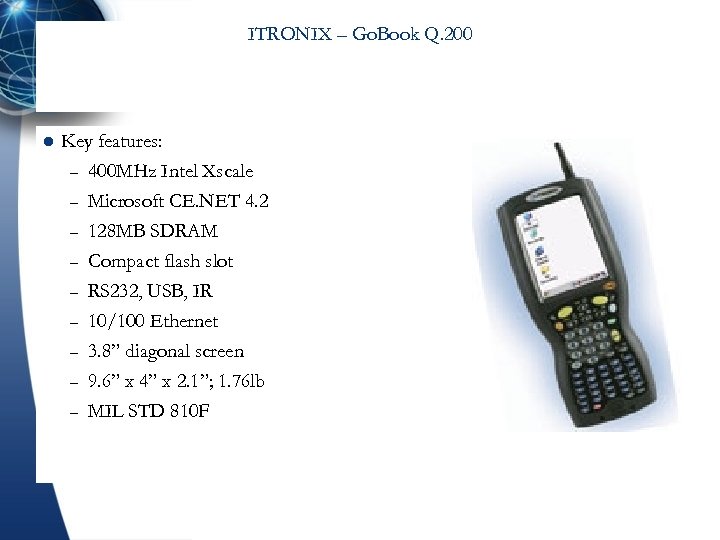
ITRONIX – Go. Book Q. 200 l Key features: – 400 MHz Intel Xscale – Microsoft CE. NET 4. 2 – 128 MB SDRAM – – – Compact flash slot RS 232, USB, IR 10/100 Ethernet 3. 8” diagonal screen 9. 6” x 4” x 2. 1”; 1. 76 lb MIL STD 810 F
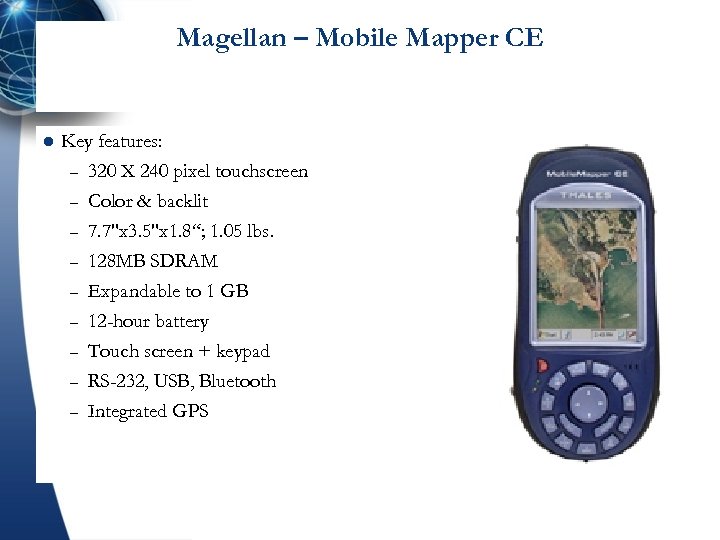
Magellan – Mobile Mapper CE l Key features: – 320 X 240 pixel touchscreen – Color & backlit – 7. 7"x 3. 5"x 1. 8“; 1. 05 lbs. – – – 128 MB SDRAM Expandable to 1 GB 12 -hour battery Touch screen + keypad RS-232, USB, Bluetooth Integrated GPS
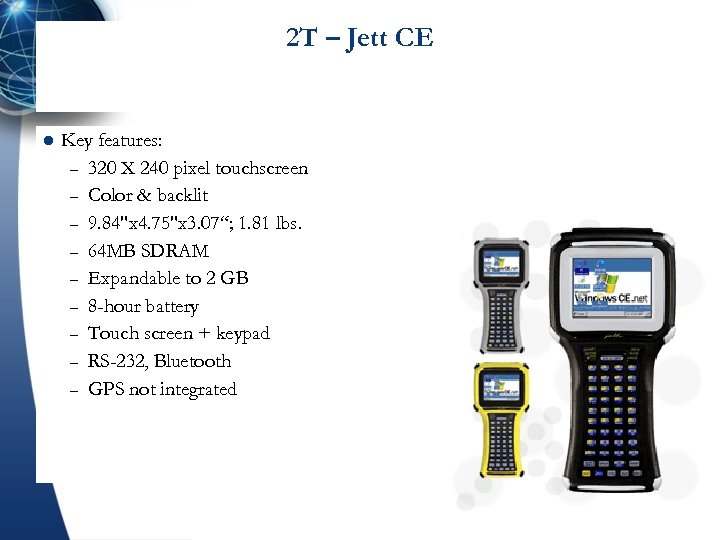
2 T – Jett CE l Key features: – 320 X 240 pixel touchscreen – Color & backlit – 9. 84"x 4. 75"x 3. 07“; 1. 81 lbs. – 64 MB SDRAM – Expandable to 2 GB – 8 -hour battery – Touch screen + keypad – RS-232, Bluetooth – GPS not integrated
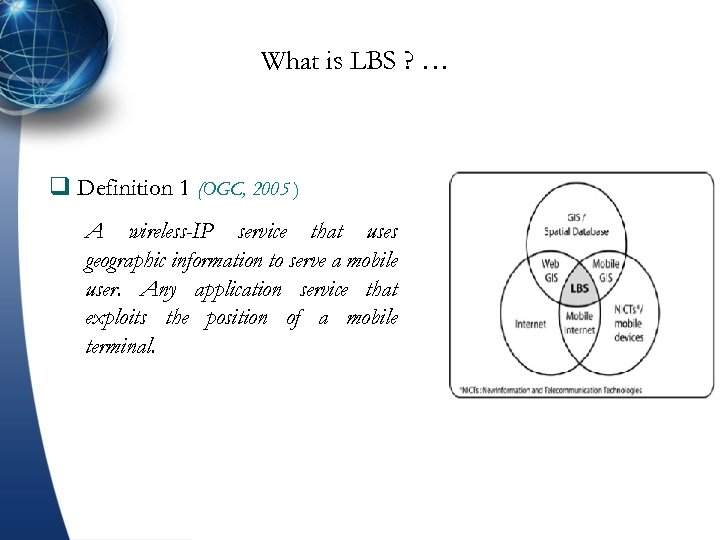
What is LBS ? … q Definition 1 (OGC, 2005 ) A wireless-IP service that uses geographic information to serve a mobile user. Any application service that exploits the position of a mobile terminal.
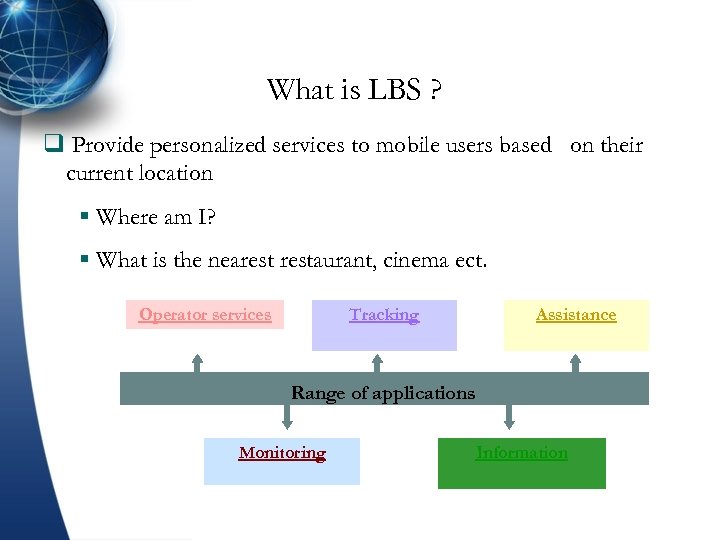
What is LBS ? q Provide personalized services to mobile users based on their current location § Where am I? § What is the nearestaurant, cinema ect. Tracking Operator services Assistance Range of applications Monitoring Information
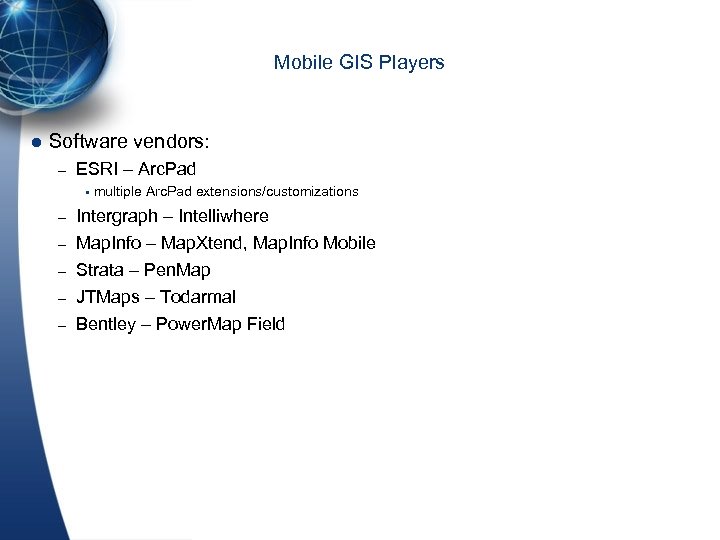
Mobile GIS Players l Software vendors: – ESRI – Arc. Pad multiple Arc. Pad extensions/customizations – Intergraph – Intelliwhere – Map. Info – Map. Xtend, Map. Info Mobile Strata – Pen. Map JTMaps – Todarmal Bentley – Power. Map Field – – –
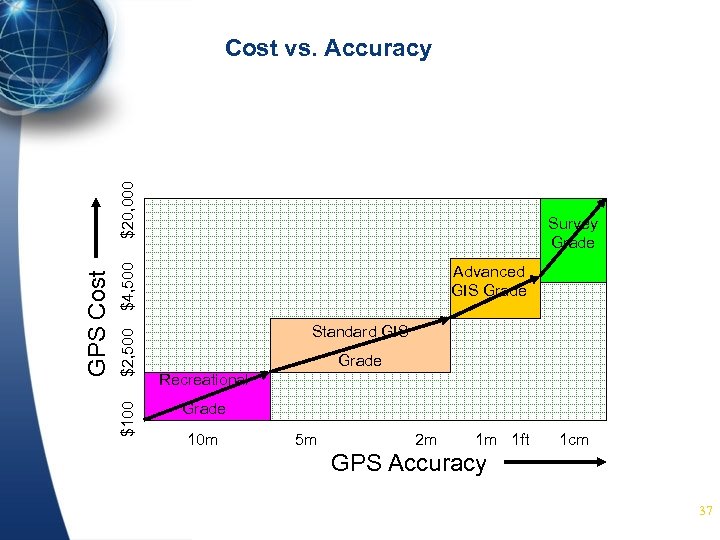
Survey Grade $4, 500 $2, 500 $100 GPS Cost $20, 000 Cost vs. Accuracy Advanced GIS Grade Standard GIS Grade Recreational Grade 10 m 5 m 2 m 1 m 1 ft 1 cm GPS Accuracy 37

Thank You
Скачать презентацию Mobile Environment and GIS Prof Dr Taymoor M
8033f741dd51df5dcb2a1cab71887c69.ppt