 Скачать презентацию MIS CHAPTER 2 COMPUTERS THE MACHINES BEHIND COMPUTING
0b04d000241383d83fdfe8f2f6142d90.ppt
- Количество слайдов: 40



MIS CHAPTER 2 COMPUTERS: THE MACHINES BEHIND COMPUTING Hossein BIDGOLI MIS, Chapter 2 © 2011 Course Technology, a part of Cengage Learning 1
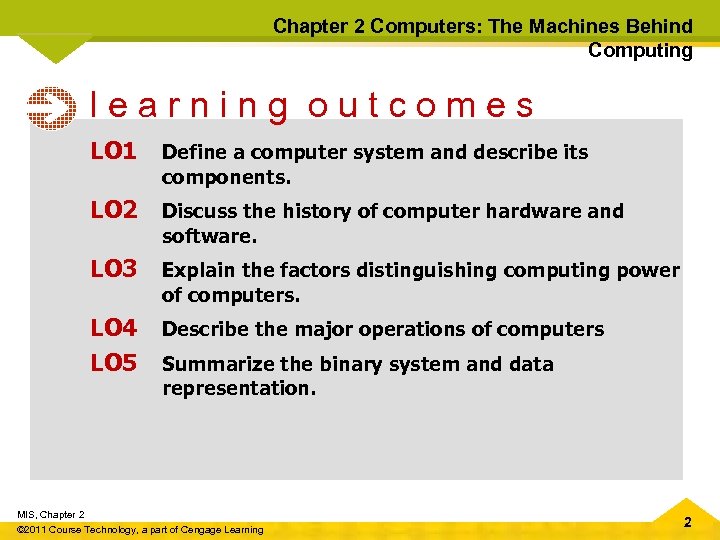
Chapter 2 Computers: The Machines Behind Computing learning outcomes LO 1 Define a computer system and describe its components. LO 2 Discuss the history of computer hardware and software. LO 3 Explain the factors distinguishing computing power of computers. LO 4 LO 5 Describe the major operations of computers Summarize the binary system and data representation. MIS, Chapter 2 © 2011 Course Technology, a part of Cengage Learning 2
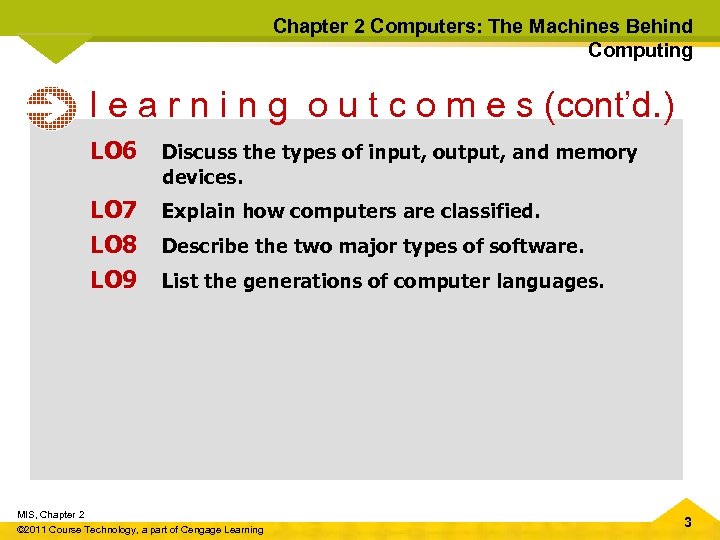
Chapter 2 Computers: The Machines Behind Computing l e a r n i n g o u t c o m e s (cont’d. ) LO 6 Discuss the types of input, output, and memory devices. LO 7 LO 8 LO 9 Explain how computers are classified. Describe the two major types of software. List the generations of computer languages. MIS, Chapter 2 © 2011 Course Technology, a part of Cengage Learning 3
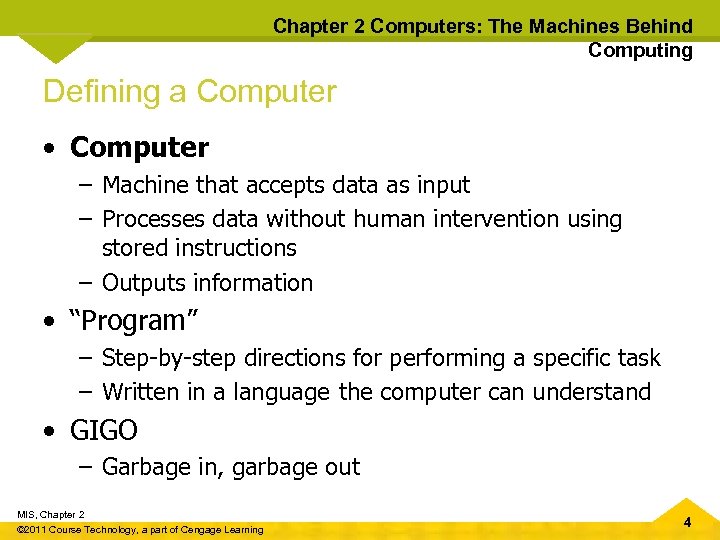
Chapter 2 Computers: The Machines Behind Computing Defining a Computer • Computer – Machine that accepts data as input – Processes data without human intervention using stored instructions – Outputs information • “Program” – Step-by-step directions for performing a specific task – Written in a language the computer can understand • GIGO – Garbage in, garbage out MIS, Chapter 2 © 2011 Course Technology, a part of Cengage Learning 4
Chapter 2 Computers: The Machines Behind Computing Components of a Computer System • Hardware components – Physical devices, such as keyboards, monitors, and processing units • Software – Programs written in computer languages • Central processing unit (CPU) – Arithmetic logic unit (ALU) – Control unit – Single or multiprocessor MIS, Chapter 2 © 2011 Course Technology, a part of Cengage Learning 5
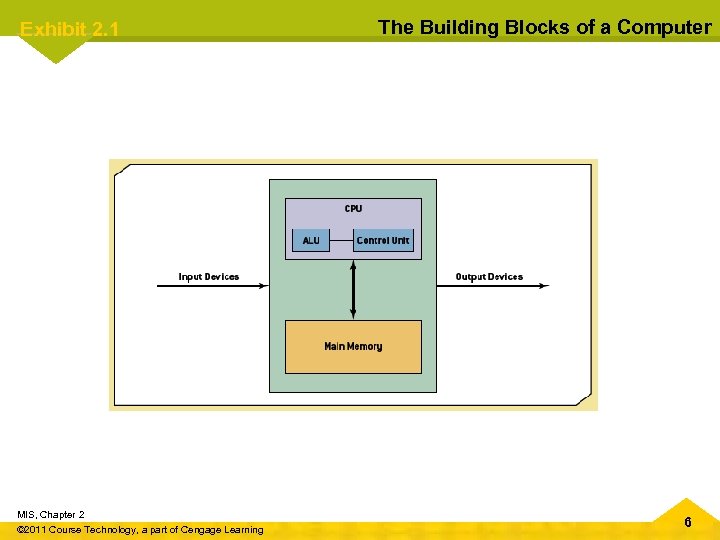
Exhibit 2. 1 MIS, Chapter 2 © 2011 Course Technology, a part of Cengage Learning The Building Blocks of a Computer 6
Chapter 2 Computers: The Machines Behind Computing Components of a Computer System (cont'd. ) • Bus – Link between devices connected to the computer • Computer performance factors – Processor – Bus – Operating system • Disk drive • CPU case • Motherboard – Main circuit board MIS, Chapter 2 © 2011 Course Technology, a part of Cengage Learning 7
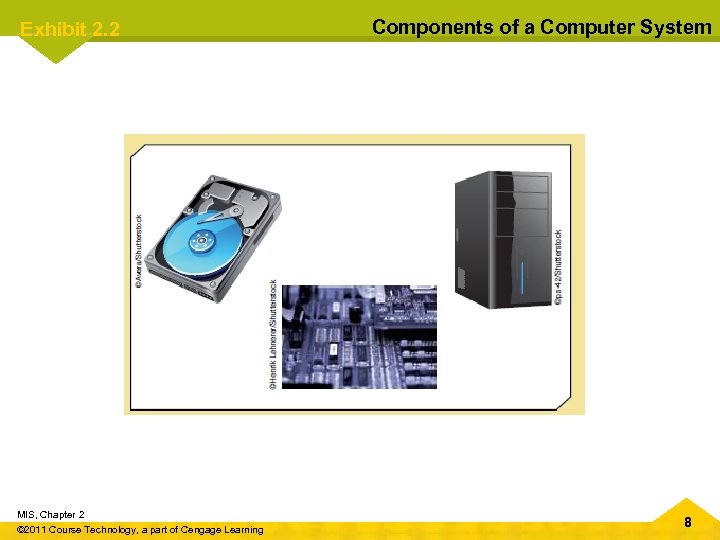
Exhibit 2. 2 MIS, Chapter 2 © 2011 Course Technology, a part of Cengage Learning Components of a Computer System 8
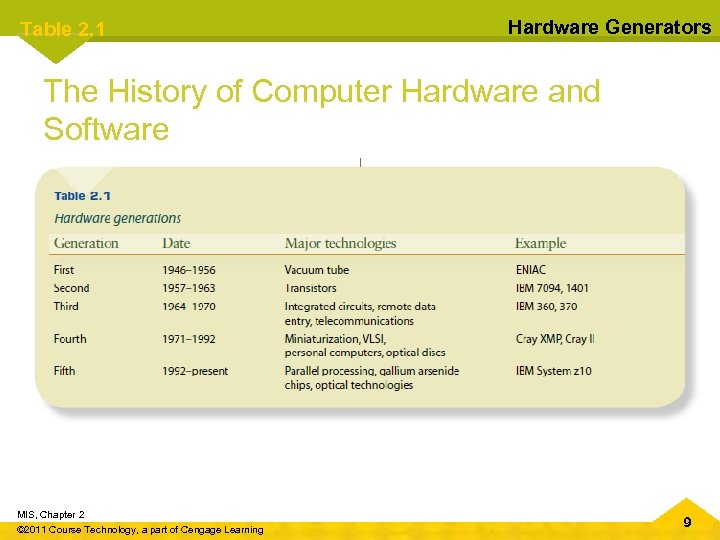
Table 2. 1 Hardware Generators The History of Computer Hardware and Software MIS, Chapter 2 © 2011 Course Technology, a part of Cengage Learning 9
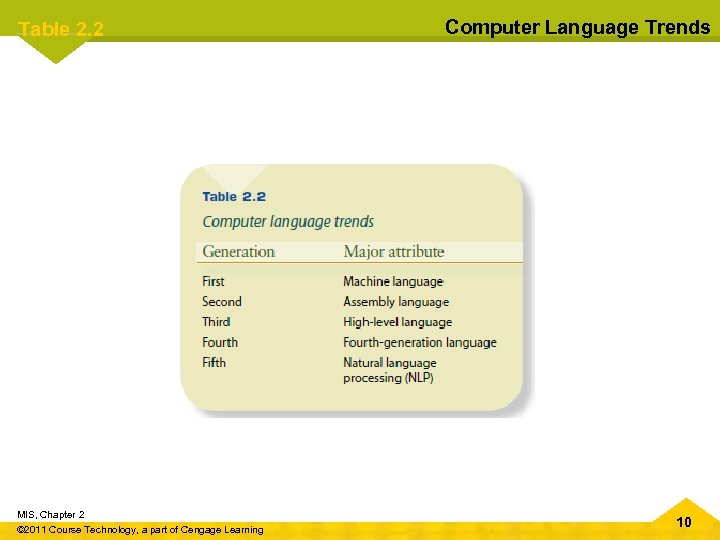
Table 2. 2 Computer Language Trends The History of Computer Hardware and Software (cont’d. ) MIS, Chapter 2 © 2011 Course Technology, a part of Cengage Learning 10
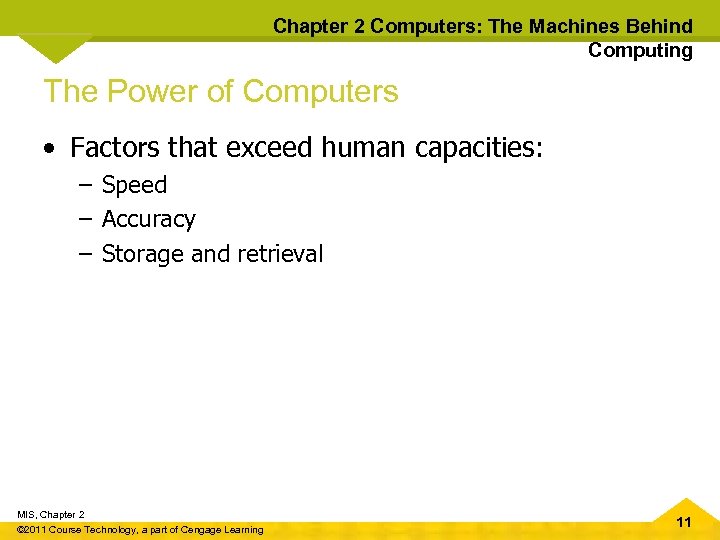
Chapter 2 Computers: The Machines Behind Computing The Power of Computers • Factors that exceed human capacities: – Speed – Accuracy – Storage and retrieval MIS, Chapter 2 © 2011 Course Technology, a part of Cengage Learning 11
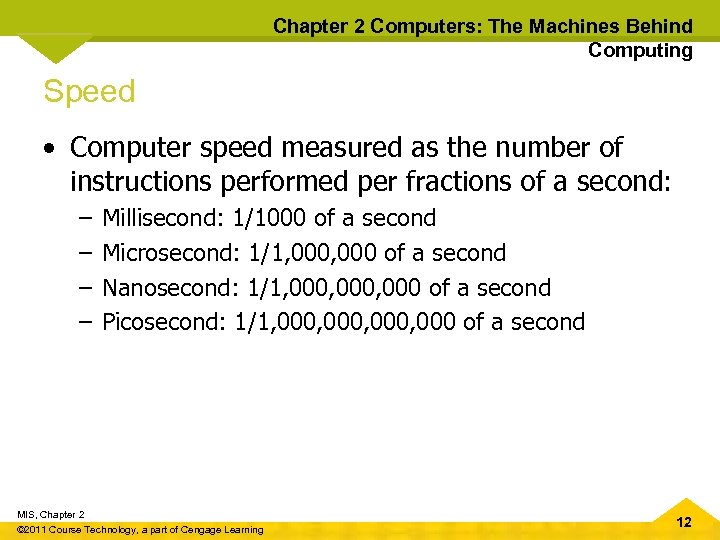
Chapter 2 Computers: The Machines Behind Computing Speed • Computer speed measured as the number of instructions performed per fractions of a second: – – Millisecond: 1/1000 of a second Microsecond: 1/1, 000 of a second Nanosecond: 1/1, 000, 000 of a second Picosecond: 1/1, 000, 000 of a second MIS, Chapter 2 © 2011 Course Technology, a part of Cengage Learning 12
Chapter 2 Computers: The Machines Behind Computing Accuracy • Computers don’t make mistakes • Degree of accuracy is critical in many computer applications • Example – Space mission calculations MIS, Chapter 2 © 2011 Course Technology, a part of Cengage Learning 13
Chapter 2 Computers: The Machines Behind Computing Storage and Retrieval • Storage: saving data in computer memory • Retrieval: accessing data from memory • Data is stored in bits – Eight bits is one byte – Binary system • American Standard Code for Information Interchange (ASCII) – Data code to represent and transfer data between computers and network systems – Up to 128 characters can be defined MIS, Chapter 2 © 2011 Course Technology, a part of Cengage Learning 14
Chapter 2 Computers: The Machines Behind Computing Computer Operations • Three basic tasks: – Arithmetic operations • Add, subtract, multiply, divide, raise to power – Logical operations • Comparison – Storage and retrieval operations MIS, Chapter 2 © 2011 Course Technology, a part of Cengage Learning 15
Chapter 2 Computers: The Machines Behind Computing Spotlight on Computer Storage • Millipede • Developed by IBM • Allows storing one trillion bits of data per square inch • Could buy a storage device of 1 TB for less than $400 • Uses thousands of very fine silicon tips to punch holes into a thin film of plastic MIS, Chapter 2 © 2011 Course Technology, a part of Cengage Learning 16
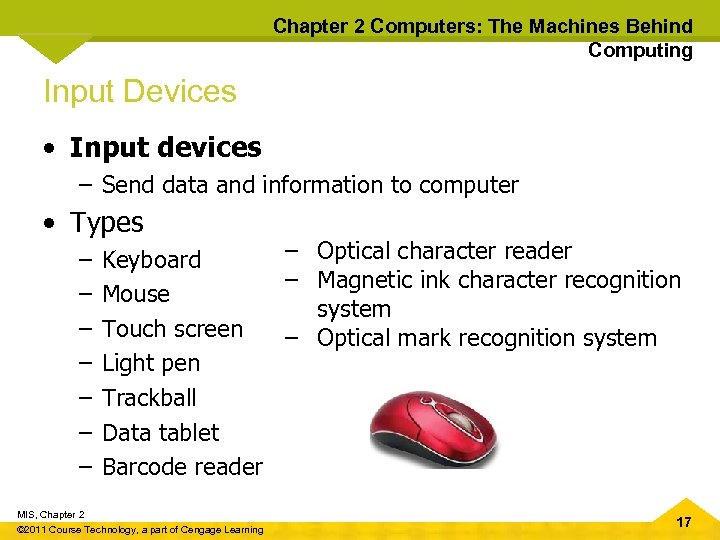
Chapter 2 Computers: The Machines Behind Computing Input Devices • Input devices – Send data and information to computer • Types – – – – Optical character reader Keyboard – Magnetic ink character recognition Mouse system Touch screen – Optical mark recognition system Light pen Trackball Data tablet Barcode reader MIS, Chapter 2 © 2011 Course Technology, a part of Cengage Learning 17
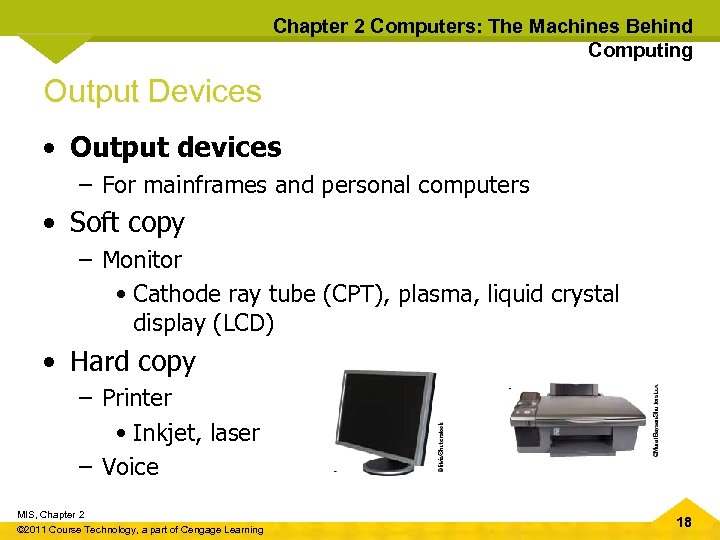
Chapter 2 Computers: The Machines Behind Computing Output Devices • Output devices – For mainframes and personal computers • Soft copy – Monitor • Cathode ray tube (CPT), plasma, liquid crystal display (LCD) • Hard copy – Printer • Inkjet, laser – Voice MIS, Chapter 2 © 2011 Course Technology, a part of Cengage Learning 18
Chapter 2 Computers: The Machines Behind Computing Memory Devices • Main memory – Stores data and information – Volatile • Secondary memory – Nonvolatile – Holds data when the computer is off or during course of a program's operation – Serves as archival storage MIS, Chapter 2 © 2011 Course Technology, a part of Cengage Learning 19
Chapter 2 Computers: The Machines Behind Computing Main Memory Devices • Semiconductor chips made of silicon • Random access memory (RAM) – Volatile – Cache RAM • Read only memory (ROM) – – Nonvolatile BIOS and system clock PROM EPROM MIS, Chapter 2 © 2011 Course Technology, a part of Cengage Learning 20
Chapter 2 Computers: The Machines Behind Computing Secondary Memory Devices • Magnetic disks – Made of mylar or metal – Used for random-access processing • Magnetic tape – Made of a plastic material – Stores data sequentially • Optical discs – Use laser beams to access and store data – CD-ROM, WORM, DVD MIS, Chapter 2 © 2011 Course Technology, a part of Cengage Learning 21
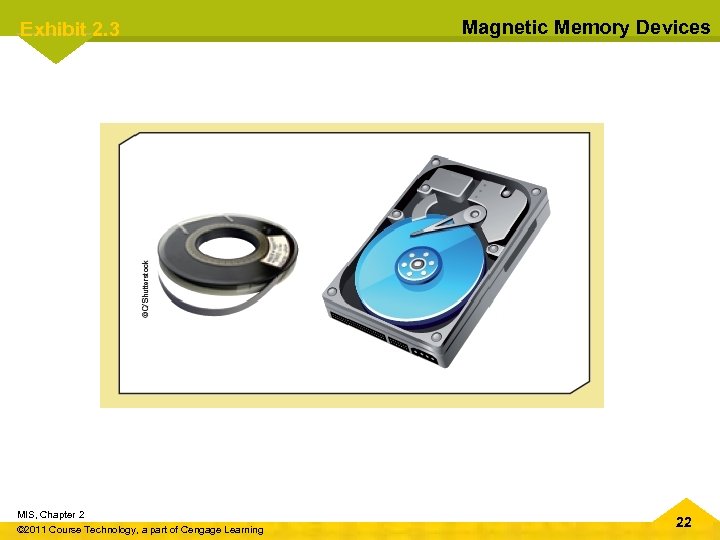
Exhibit 2. 3 MIS, Chapter 2 © 2011 Course Technology, a part of Cengage Learning Magnetic Memory Devices 22
Chapter 2 Computers: The Machines Behind Computing Secondary Memory Devices (cont'd. ) • Other secondary memory – Hard disk – USB flash drive – Memory card • Redundant array of independent disks (RAID) system – Collection of disk drives used for fault tolerance and improved performance – If one disk in the array fails, data isn’t lost MIS, Chapter 2 © 2011 Course Technology, a part of Cengage Learning 23
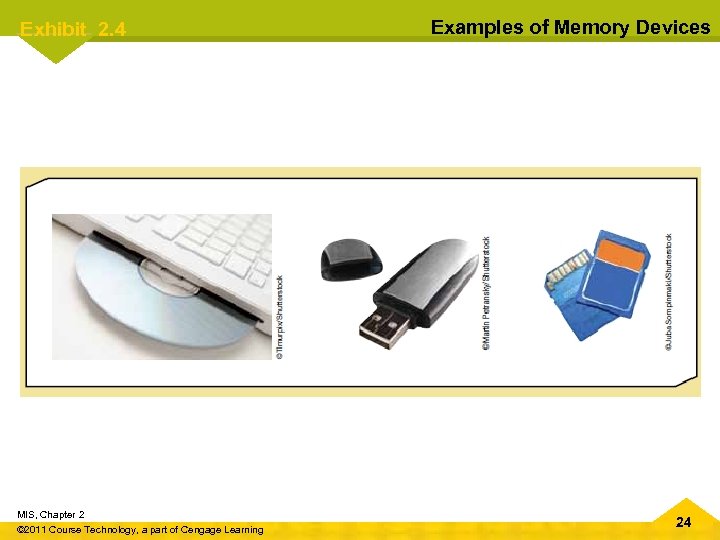
Exhibit 2. 4 MIS, Chapter 2 © 2011 Course Technology, a part of Cengage Learning Examples of Memory Devices 24
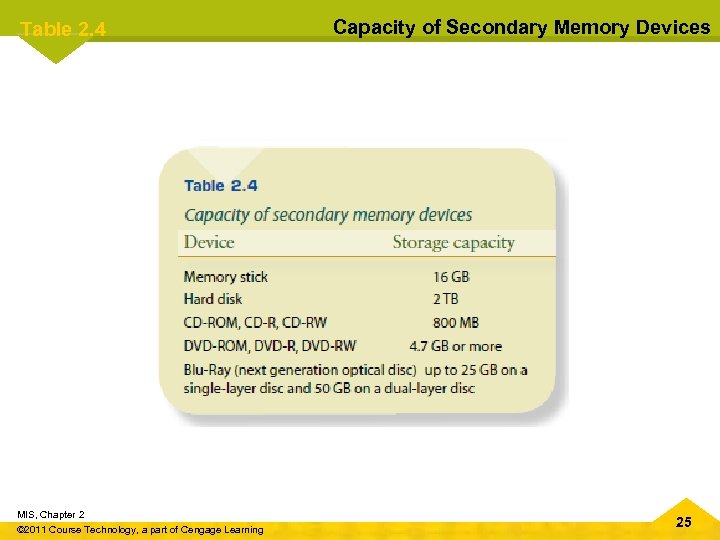
Table 2. 4 MIS, Chapter 2 © 2011 Course Technology, a part of Cengage Learning Capacity of Secondary Memory Devices 25
Chapter 2 Computers: The Machines Behind Computing Storage Area Networks and Network. Attached Storage • Storage area network (SAN) – Dedicated high-speed network consisting of both hardware and software – Connect and manage shared storage devices – Makes storage devices available to all servers on a network • Network-attached storage (NAS) – Network-connected computer dedicated to providing file-based data storage services to other network devices MIS, Chapter 2 © 2011 Course Technology, a part of Cengage Learning 26
Chapter 2 Computers: The Machines Behind Computing Classes of Computers • Classify based on: – Cost, amount of memory, speed, sophistication • Types – Subnotebooks, personal, minicomputers, mainframes, supercomputers MIS, Chapter 2 © 2011 Course Technology, a part of Cengage Learning 27
Chapter 2 Computers: The Machines Behind Computing Popular i. Pad Business Applications • • • Healthcare workers Sales agents and service workers Insurance agents Real estate agents Legal professionals Teachers and students Financial professionals Corporate campus workers Remote and mobile workers MIS, Chapter 2 © 2011 Course Technology, a part of Cengage Learning 28
Chapter 2 Computers: The Machines Behind Computing Ubiquitous Computing • Also called: – Pervasive computing – Third wave computing • Wearable computers – Cell phones – Medical devices MIS, Chapter 2 © 2011 Course Technology, a part of Cengage Learning 29
Chapter 2 Computers: The Machines Behind Computing Server Platforms: An Overview • Server – Computer and all the software for managing network resources and offering services to a network • Types of servers – – – Application Database Disk Fax File Mail MIS, Chapter 2 © 2011 Course Technology, a part of Cengage Learning – Print – Remote access (RAS) – Web 30
Chapter 2 Computers: The Machines Behind Computing What is Software? • All the programs that run a computer system • Classified broadly as: – System software – Application software MIS, Chapter 2 © 2011 Course Technology, a part of Cengage Learning 31
Chapter 2 Computers: The Machines Behind Computing Operating System Software • Operating system (OS) – Set of programs for controlling and managing computer hardware and software – Provides an interface between a computer and the user – Increases computer efficiency by helping users share computer resources and performing repetitive tasks for users MIS, Chapter 2 © 2011 Course Technology, a part of Cengage Learning 32
Chapter 2 Computers: The Machines Behind Computing Operating System Software (cont'd. ) • Operating system control programs – – Job management Resource allocation Data management Communication • Kernel – Supervisor program – Responsible for controlling all other programs in the OS MIS, Chapter 2 © 2011 Course Technology, a part of Cengage Learning 33
Chapter 2 Computers: The Machines Behind Computing Google Docs: Applications and Challenges • Free Web-based application for creating: – Word processor documents, spreadsheets, presentations, and forms • • Create and edit document Collaboration in real time Save in various formats Cloud computing – Security risks MIS, Chapter 2 © 2011 Course Technology, a part of Cengage Learning 34
Chapter 2 Computers: The Machines Behind Computing Application Software • Application software – Commercial software or software developed in-house • Software types – – – Word processing Spreadsheet Database Presentation Graphics Desktop publishing MIS, Chapter 2 © 2011 Course Technology, a part of Cengage Learning 35
Chapter 2 Computers: The Machines Behind Computing Application Software (cont'd. ) – Financial planning and accounting – Project management – Computer-aided design (CAD) MIS, Chapter 2 © 2011 Course Technology, a part of Cengage Learning 36
Chapter 2 Computers: The Machines Behind Computing Computer Languages • Machine language – 0 s and 1 s – Code written for one type of computer does not work on another • Assembly language – Higher level than machine but still machine dependent MIS, Chapter 2 © 2011 Course Technology, a part of Cengage Learning 37
Chapter 2 Computers: The Machines Behind Computing Computer Languages (cont'd. ) • High-level languages – C++, Java, VB. Net – Used for Web development and the Internet • Fourth-generation languages – Easiest to use – SQL MIS, Chapter 2 © 2011 Course Technology, a part of Cengage Learning 38
Chapter 2 Computers: The Machines Behind Computing Computer Languages (cont'd. ) • Fifth-generation languages (5 GLs) – – Knowledge-based systems Natural language processing (NLP) Visual programming Graphical approach to using programming MIS, Chapter 2 © 2011 Course Technology, a part of Cengage Learning 39
Chapter 2 Computers: The Machines Behind Computing Summary • Components and distinguishing factors of computers • Brief history of computer hardware and software • Input, output, and memory devices • Classifications for computers • Different types of software • Generations of computer languages MIS, Chapter 2 © 2011 Course Technology, a part of Cengage Learning 40
Скачать презентацию MIS CHAPTER 2 COMPUTERS THE MACHINES BEHIND COMPUTING
0b04d000241383d83fdfe8f2f6142d90.ppt