


 Скачать презентацию Mike Meyers Comp TIA A Guide to Managing
da5682d0344b46c84d8214b4d801f6e6.ppt
- Количество слайдов: 20
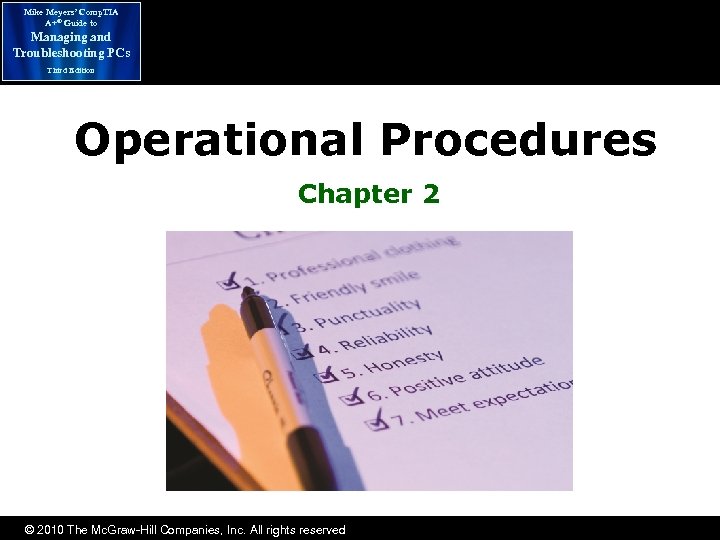 Mike Meyers’ Comp. TIA A+® Guide to Managing and Troubleshooting PCs Third Edition Operational Procedures Chapter 2 © 2010 The Mc. Graw-Hill Companies, Inc. All rights reserved
 Mike Meyers’ Comp. TIA A+® Guide to Managing and Troubleshooting PCs Overview Third Edition • In this chapter, you will learn how to – Present yourself with a proper appearance and in a professional manner – Talk to customers in a professional, productive manner – Work with PCs safely using the proper tools © 2010 The Mc. Graw-Hill Companies, Inc. All rights reserved
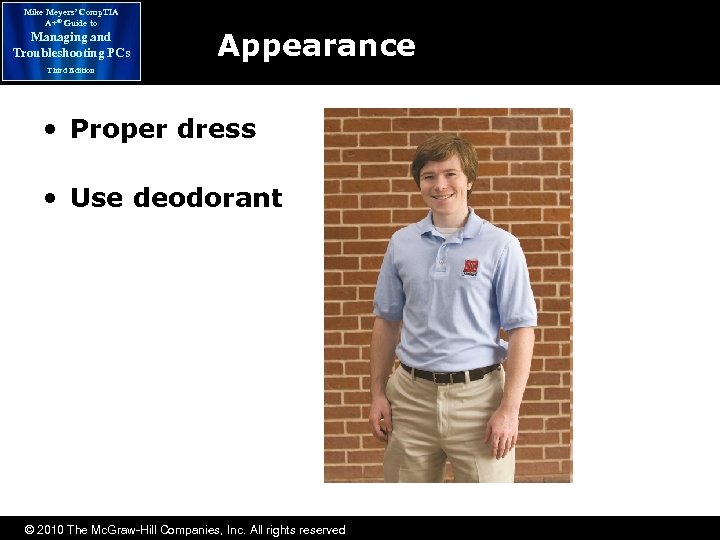 Mike Meyers’ Comp. TIA A+® Guide to Managing and Troubleshooting PCs Appearance Third Edition • Proper dress • Use deodorant © 2010 The Mc. Graw-Hill Companies, Inc. All rights reserved
 Mike Meyers’ Comp. TIA A+® Guide to Managing and Troubleshooting PCs Traits of a Tech Third Edition • Honesty/Integrity – What’s the difference? • Honesty is telling the truth • Integrity means doing the right thing – Customer vs. in-house user • Different standards apply to each • Customer: “If it isn’t a felony, you didn’t see a thing” • In-house user: Be “by the book” © 2010 The Mc. Graw-Hill Companies, Inc. All rights reserved
 Mike Meyers’ Comp. TIA A+® Guide to Managing and Troubleshooting PCs Traits of a Tech (continued) Third Edition • Honesty/Integrity – Avoid prying into users’ personal files – Avoid learning passwords • Or make the user change the password before you leave – Follow the Ethic of Reciprocity – Don’t touch users’ stuff without permission © 2010 The Mc. Graw-Hill Companies, Inc. All rights reserved
 Mike Meyers’ Comp. TIA A+® Guide to Managing and Troubleshooting PCs Traits of a Tech (continued) Third Edition • Dependability/Responsibility – What’s the difference? • A responsible person is answerable for the acts he or she does • A dependable person can be counted on to perform those acts – Take responsibility for your actions – Make sure there’s a dependable backup of any system before you start to work © 2010 The Mc. Graw-Hill Companies, Inc. All rights reserved
 Mike Meyers’ Comp. TIA A+® Guide to Managing and Troubleshooting PCs Traits of a Tech (continued) Third Edition • Adaptability/Versatility – User advocate: A tech only fixes the computers; a user advocate supports his or her users – Be technically and situationally adaptable • Sensitivity – Be empathetic to your customer’s needs and expectations – Avoid personal calls or other distractions – Be politically correct © 2010 The Mc. Graw-Hill Companies, Inc. All rights reserved
 Mike Meyers’ Comp. TIA A+® Guide to Managing and Troubleshooting PCs Communication Third Edition • Assertive communication – Avoid the “you” statements – Repeat the customer’s problem without being accusatory – State what you need to avoid this problem in the future • What are some examples of assertive communication? © 2010 The Mc. Graw-Hill Companies, Inc. All rights reserved
 Mike Meyers’ Comp. TIA A+® Guide to Managing and Troubleshooting PCs Communication (continued) Third Edition • Respectful communication – The world does not revolve around you! – Always ask for permission to begin work – Listen to the customer’s problem • Allow the customer to talk as long as he or she needs to talk • Don’t be afraid to refocus the customer if he or she strays from the issue – Stay professional; don’t take angry customer statements personally – Avoid outside interruptions on customer time • What are some examples of respectful communication? © 2010 The Mc. Graw-Hill Companies, Inc. All rights reserved
 Mike Meyers’ Comp. TIA A+® Guide to Managing and Troubleshooting PCs Communication (continued) Third Edition • Elicit answers – Use non-accusatory communication • Not, “What did you do? ” • Instead, “When did it last work? ” or “Has it worked in the past? ” You're there to help, not accuse – Ask direct questions • Explain what you're doing – Avoid jargon, acronyms, and abbreviations – Use analogies and visual aids when possible – Stay friendly © 2010 The Mc. Graw-Hill Companies, Inc. All rights reserved
 Mike Meyers’ Comp. TIA A+® Guide to Managing and Troubleshooting PCs Communication (continued) Third Edition • Expectations and follow-up – Timeframe: How long is this going to take? • Best estimate, not a guarantee • If the estimate changes, let the customer know ASAP – Documentation • Always document the time, day, the problem, and the solution • Always offer the customer any replaced parts – Follow-up • Confirm the customer is happy a day or two later © 2010 The Mc. Graw-Hill Companies, Inc. All rights reserved
 Mike Meyers’ Comp. TIA A+® Guide to Managing and Troubleshooting PCs Third Edition Safety and Tools © 2010 The Mc. Graw-Hill Companies, Inc. All rights reserved
 Mike Meyers’ Comp. TIA A+® Guide to Managing and Troubleshooting PCs Electrostatic Discharge Third Edition • Electrostatic discharge (ESD) is the passage of a static electrical charge into your PC or a PC component such as a RAM stick – Static electricity can destroy sensitive parts of a PC – ESD damage is much more prevalent in dry, cool environments © 2010 The Mc. Graw-Hill Companies, Inc. All rights reserved
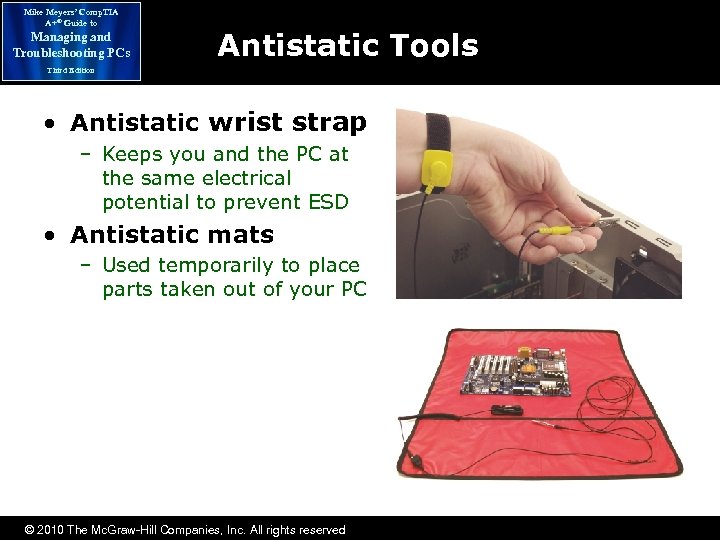 Mike Meyers’ Comp. TIA A+® Guide to Managing and Troubleshooting PCs Antistatic Tools Third Edition • Antistatic wrist strap – Keeps you and the PC at the same electrical potential to prevent ESD • Antistatic mats – Used temporarily to place parts taken out of your PC © 2010 The Mc. Graw-Hill Companies, Inc. All rights reserved
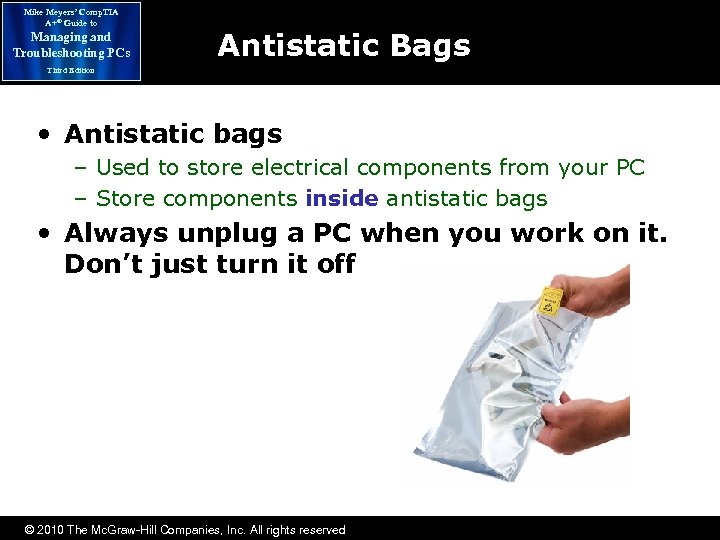 Mike Meyers’ Comp. TIA A+® Guide to Managing and Troubleshooting PCs Antistatic Bags Third Edition • Antistatic bags – Used to store electrical components from your PC – Store components inside antistatic bags • Always unplug a PC when you work on it. Don’t just turn it off © 2010 The Mc. Graw-Hill Companies, Inc. All rights reserved
 Mike Meyers’ Comp. TIA A+® Guide to Managing and Troubleshooting PCs EMI Third Edition • Electro. Magnetic Interference (EMI) – A magnetic field interfering with electronics • Two or more magnetic fields interfering with each other – Unlike ESD, EMI cannot destroy electronics but it will destroy data • What are some examples of EMI? © 2010 The Mc. Graw-Hill Companies, Inc. All rights reserved
 Mike Meyers’ Comp. TIA A+® Guide to Managing and Troubleshooting PCs RFI Third Edition • Radio Frequency Interference (RFI) – Radio waves interfering with electronics. – RFI will not destroy electronics or stored data but it can disrupt communication. • What are some examples of RFI? © 2010 The Mc. Graw-Hill Companies, Inc. All rights reserved
 Mike Meyers’ Comp. TIA A+® Guide to Managing and Troubleshooting PCs Physical Safety Third Edition • Handling equipment – Use commonsense here – Lift with your legs – Place items securely: not teetering on the edge of a desk • Spills – If it’s no big deal, clean it up. If it looks dangerous, call building services © 2010 The Mc. Graw-Hill Companies, Inc. All rights reserved
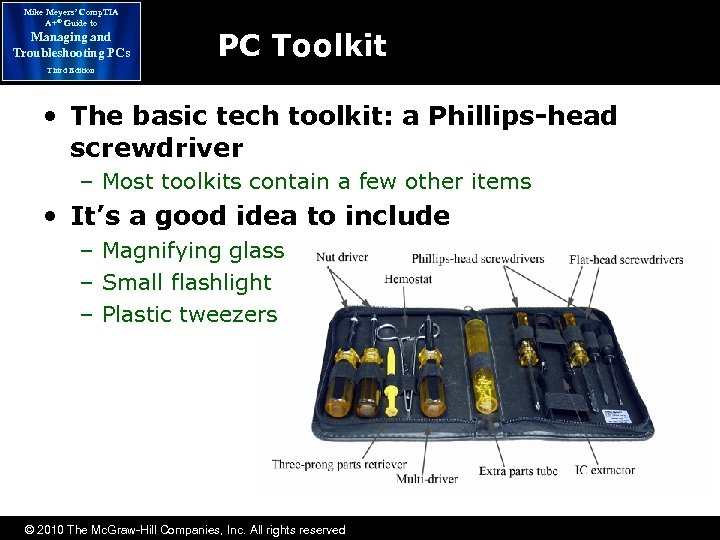 Mike Meyers’ Comp. TIA A+® Guide to Managing and Troubleshooting PCs PC Toolkit Third Edition • The basic tech toolkit: a Phillips-head screwdriver – Most toolkits contain a few other items • It’s a good idea to include – Magnifying glass – Small flashlight – Plastic tweezers © 2010 The Mc. Graw-Hill Companies, Inc. All rights reserved
 Mike Meyers’ Comp. TIA A+® Guide to Managing and Troubleshooting PCs Operational Procedures Third Edition © 2010 The Mc. Graw-Hill Companies, Inc. All rights reserved