


 Скачать презентацию Metadata Understanding the Value and Importance of Proper
fa25f572730f2cda64a530f0fe570467.ppt
- Количество слайдов: 124
 Metadata Understanding the Value and Importance of Proper Data Documentation Kim Owens – NOAA’s Ocean Service Mike Moeller – NOAA Coastal Services Center
 First things first Introductions Logistics Issues/questions
 Presentation Outline • The What and the Why • The Value of Metadata • The FGDC Content Standard for Digital Geospatial Metadata (CSDGM) • Writing Quality Metadata
 What is Metadata?
 What is Metadata? Metadata is information about your data Therefore, the metadata describes the characteristics (content, location, structure, quality, condition, etc. ) of the data set.
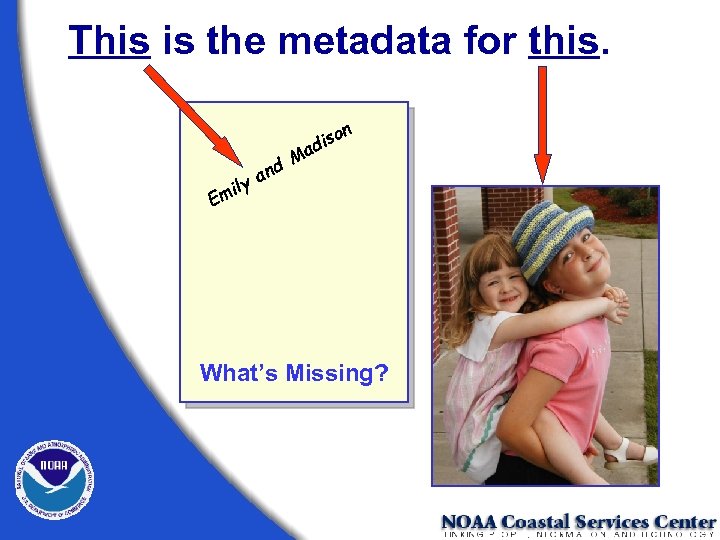 This is the metadata for this. d n ya il Em n iso d Ma What’s Missing?
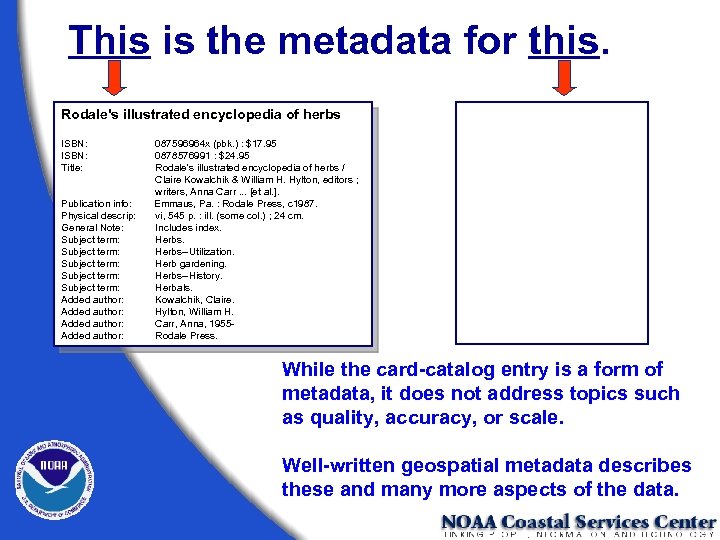 This is the metadata for this. Rodale's illustrated encyclopedia of herbs ISBN: Title: Publication info: Physical descrip: General Note: Subject term: Subject term: Added author: 087596964 x (pbk. ) : $17. 95 0878576991 : $24. 95 Rodale's illustrated encyclopedia of herbs / Claire Kowalchik & William H. Hylton, editors ; writers, Anna Carr. . . [et al. ]. Emmaus, Pa. : Rodale Press, c 1987. vi, 545 p. : ill. (some col. ) ; 24 cm. Includes index. Herbs--Utilization. Herb gardening. Herbs--History. Herbals. Kowalchik, Claire. Hylton, William H. Carr, Anna, 1955 Rodale Press. While the card-catalog entry is a form of metadata, it does not address topics such as quality, accuracy, or scale. Well-written geospatial metadata describes these and many more aspects of the data.
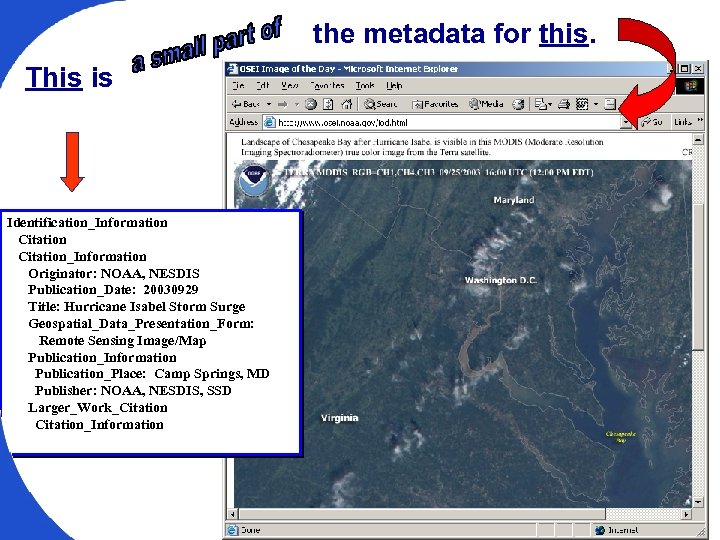 the metadata for this. This is Identification_Information Citation_Information Originator: NOAA, NESDIS Publication_Date: 20030929 Title: Hurricane Isabel Storm Surge Geospatial_Data_Presentation_Form: Remote Sensing Image/Map Publication_Information Publication_Place: Camp Springs, MD Publisher: NOAA, NESDIS, SSD Larger_Work_Citation_Information
 Metadata A Component of Data
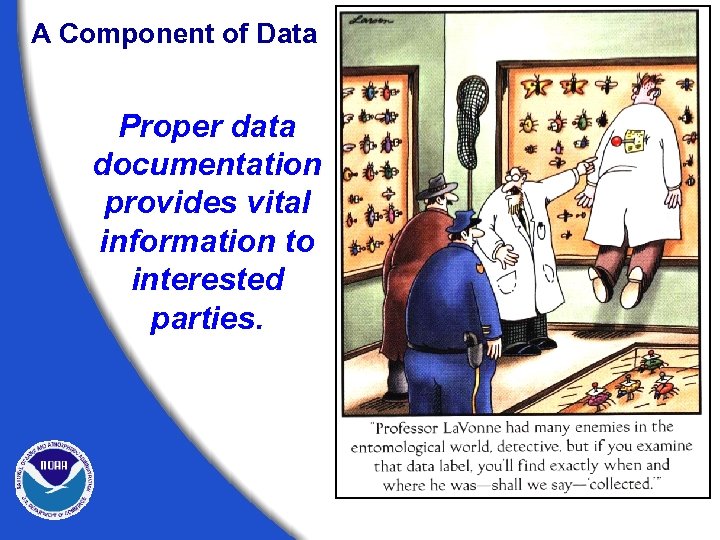 A Component of Data Proper data documentation provides vital information to interested parties.
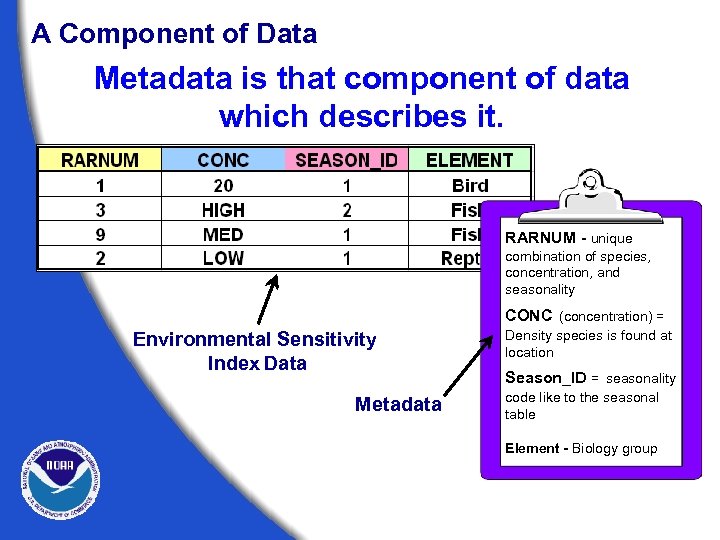 A Component of Data Metadata is that component of data which describes it. RARNUM - unique combination of species, concentration, and seasonality CONC (concentration) = Environmental Sensitivity Index Data Metadata Density species is found at location Season_ID = seasonality code like to the seasonal table Element - Biology group
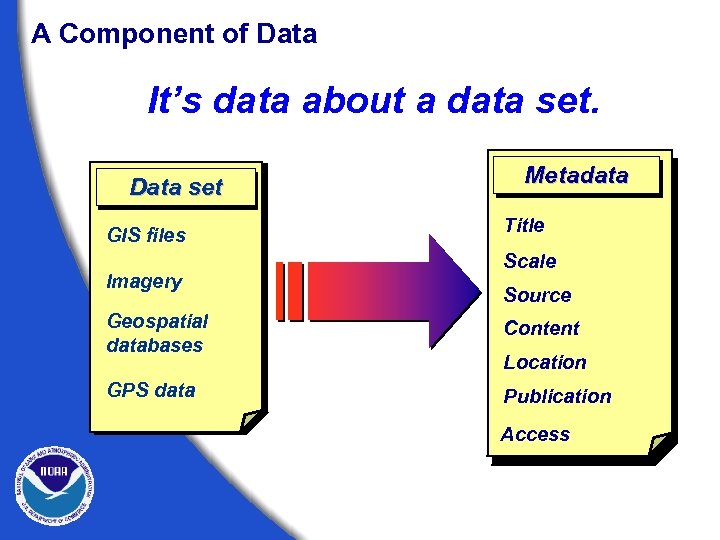 A Component of Data It’s data about a data set. Data set GIS files Imagery Metadata Title Scale Source Geospatial databases Content GPS data Publication Location Access
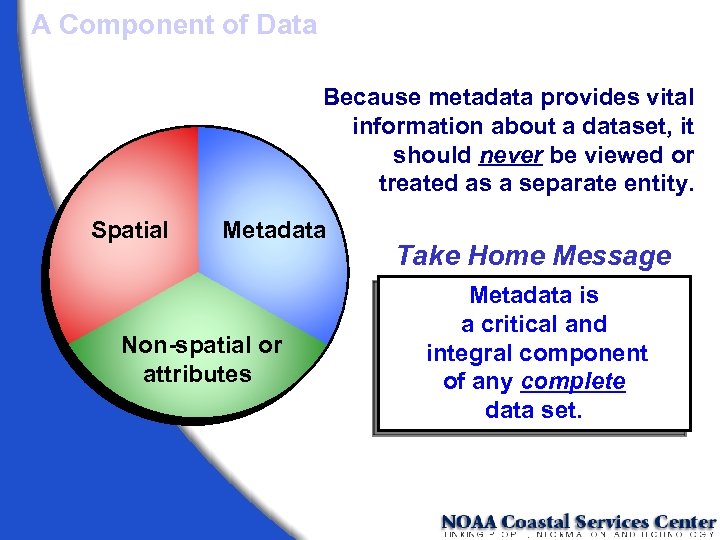 A Component of Data Because metadata provides vital information about a dataset, it should never be viewed or treated as a separate entity. Spatial Metadata Non-spatial or attributes Take Home Message Metadata is a critical and integral component of any complete data set.
 Why Bother with Metadata? The Value of Metadata
 The Value of Metadata The Current Concept Primary external value • Discovery • Assessment • Access • Use
 The Value of Metadata The Current Concept Primary internal value • “Inheritance” “Properly documenting a data set is the key to preserving its usefulness through time. ”
 The Value of Metadata An Emerging Concept An aid to data management Internal value • Discovery • Assessment • Access • Use
 The Value of Metadata Additional data management benefits Data Currency • Date of last edit/update • Age of source files Data Utility • Track source file usage • Track distribution frequency
 The Value of Metadata Additional data management benefits Monitoring Data Development • Data processing steps • Status of development Estimate Development Costs • Data processing – time and extent • Source file availability
 The Value of Metadata Make metadata part of the process To realize the full potential of metadata under this new concept, metadata creation must become integral to the data development process. The question is “How? ”
 The Value of Metadata Build administrative support Approach metadata development from a business perspective • Preserves data investment • Limits liability • Helps manage data resources • Aids in external data acquisition • Facilitates data access and transfer • Provides for efficient data distribution
 The Value of Metadata Build technical support Stress the individual benefits of metadata • Reduces workload over the long term • Field fewer data inquiries • Provides a means of documenting personal contributions • Facilitates sharing of reliable information
 The Value of Metadata Build technical support Develop strong staff support • Incorporate metadata expectations into job descriptions and performance standards • Provide staff development opportunities The three “T’s” § Training § Tools § Time
 The Value of Metadata Build organizational support Develop templates to facilitate efficient and consistent metadata creation • Identify pertinent fields within the metadata structure • Populate fixed fields § Use standardized language § Define distribution methods § Cite standards used • Build source and contact libraries
 The Value of Metadata Distribute the effort • Map metadata fields to the work flow • Establish and assign responsibilities § Technicians - lineage § Analysts – process and methodology § Field Scientists – accuracy assessments § I. T. Managers – tools, automated collection methods, information management
 The Value of Metadata Establish standard policies • Mandate the use of standards and templates. • • • Develop boilerplate metadata deliverable language for data contractors. Require publication of metadata. Create and publish a metadata SOP to document policies and procedures.
 Standardized Metadata Why Have a Standard? Federal mandates and legislation
 Mandates, Policy, and Legislation Background The Federal Geographic Data Committee (FGDC) • Organized in 1990 under the Office of Management and Budget (OMB) • Promotes the coordinated use, sharing, and dissemination of geospatial data on a national basis
 Mandates, Policy, and Legislation Executive Order 12906: “ All Federal agencies must document all Geospatial data that they collect or produce, either directly or indirectly, using the FGDC Content Standard for Digital Geospatial Metadata (CSDGM), and to make that standardized documentation electronically accessible to the FGDC Clearinghouse network. ” President Clinton, 1994
 Mandates, Policy, and Legislation OMB Circular A-16 (revised) “ All Federal agencies that collect, produce, acquire, maintain, distribute, use, or archive analog or digital spatial data in the fulfillment of their mission, financed directly or indirectly, in whole or part, by Federal funds are covered by this requirement. ” OMB Circular A-16 (revised) http: //www. whitehouse. gov/omb/circulars/a 016_rev. html
 Mandates, Policy, and Legislation The Data Quality Act Secion 515 of the Treasury and General Government Appropriations Act for Fiscal Year 2001 directs OMB to issue government-wide guidelines that: “. . . provide policy and procedural guidance to Federal agencies for ensuring and maximizing the quality, objectivity, utility, and integrity of information (including statistical information) disseminated by Federal agencies. ” http: //www. noaanews. noaa. gov/stories/iq. htm
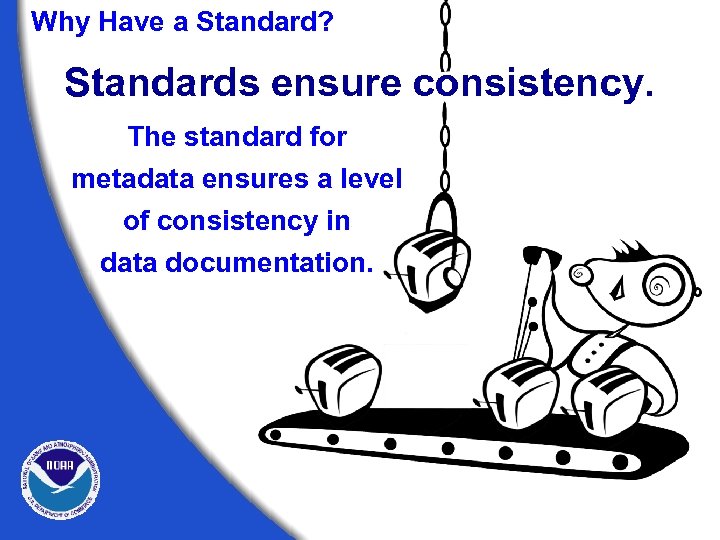 Why Have a Standard? Standards ensure consistency. The standard for metadata ensures a level of consistency in data documentation.
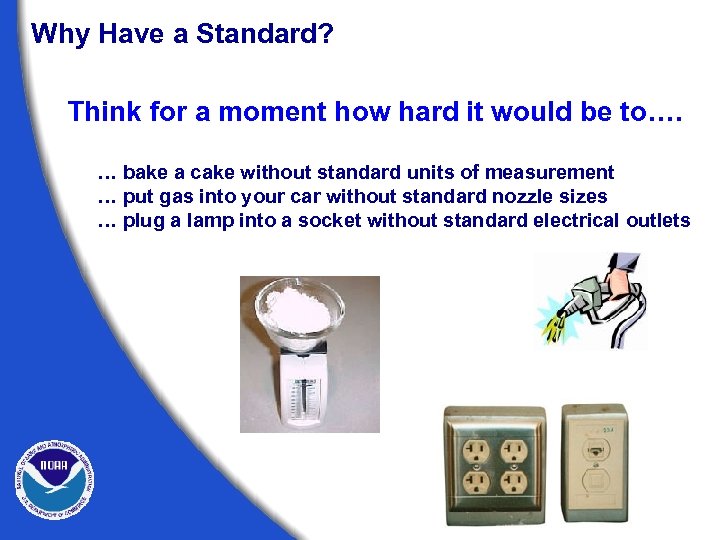 Why Have a Standard? Think for a moment how hard it would be to…. … bake a cake without standard units of measurement … put gas into your car without standard nozzle sizes … plug a lamp into a socket without standard electrical outlets
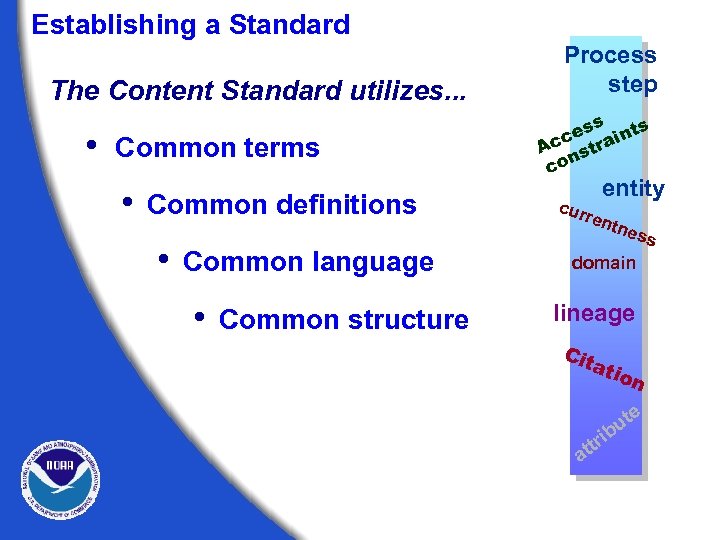 Establishing a Standard The Content Standard utilizes. . . • Common terms • Common definitions • Common language • Common structure Process step s ss ce raint Ac st n co entity cur ren tne ss domain lineage Cit ati on e a t bu i ttr
 Establishing a Standard The Content Standard helps the user determine. . . • If a set of geospatial data is available, fit for a particular use. • How to access and transfer the data set.
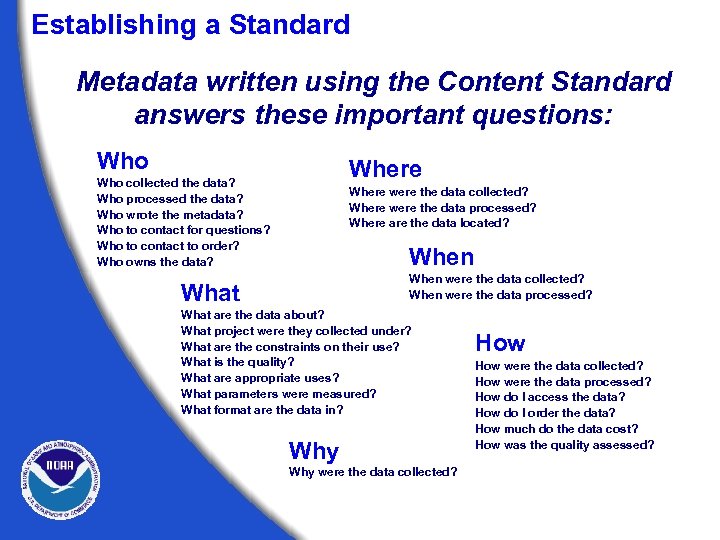 Establishing a Standard Metadata written using the Content Standard answers these important questions: Who Where Who collected the data? Who processed the data? Who wrote the metadata? Who to contact for questions? Who to contact to order? Who owns the data? Where were the data collected? Where were the data processed? Where are the data located? When were the data collected? When were the data processed? What are the data about? What project were they collected under? What are the constraints on their use? What is the quality? What are appropriate uses? What parameters were measured? What format are the data in? Why were the data collected? How were the data collected? How were the data processed? How do I access the data? How do I order the data? How much do the data cost? How was the quality assessed?
 FGDC Metadata Standard Details About the Sections and Terms of FGDC Metadata Standard
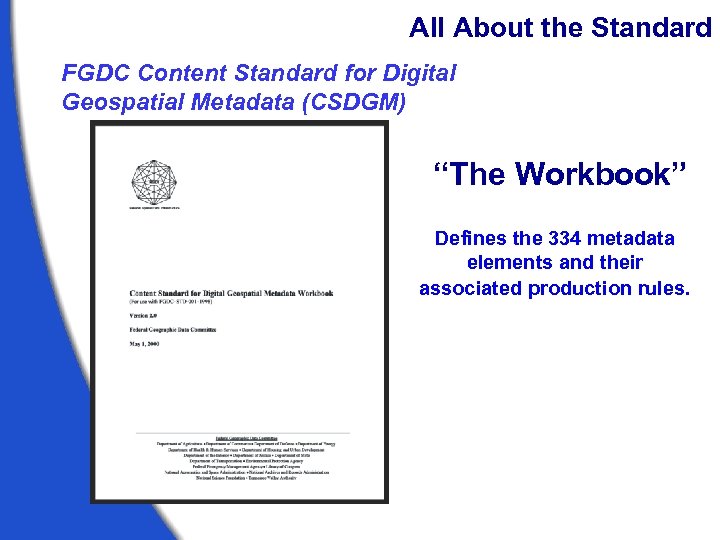 All About the Standard FGDC Content Standard for Digital Geospatial Metadata (CSDGM) “The Workbook” Defines the 334 metadata elements and their associated production rules.
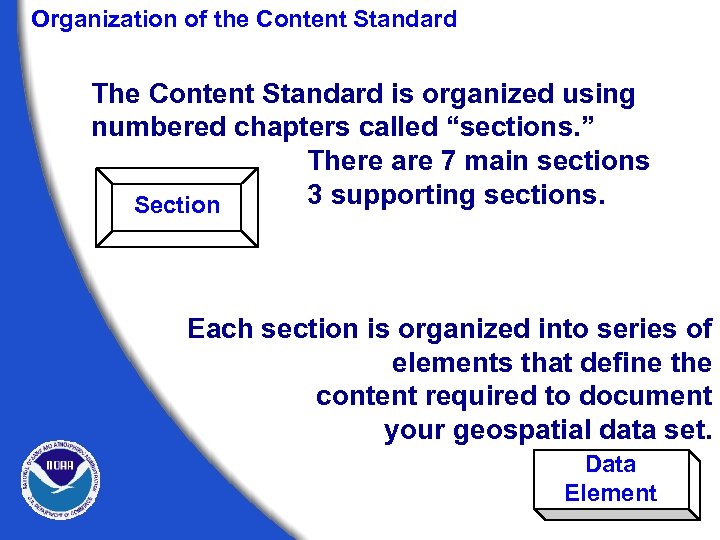 Organization of the Content Standard The Content Standard is organized using numbered chapters called “sections. ” There are 7 main sections 3 supporting sections. Section Each section is organized into series of elements that define the content required to document your geospatial data set. Data Element
 Warm up Exercise Tagging the Sections of the Standard
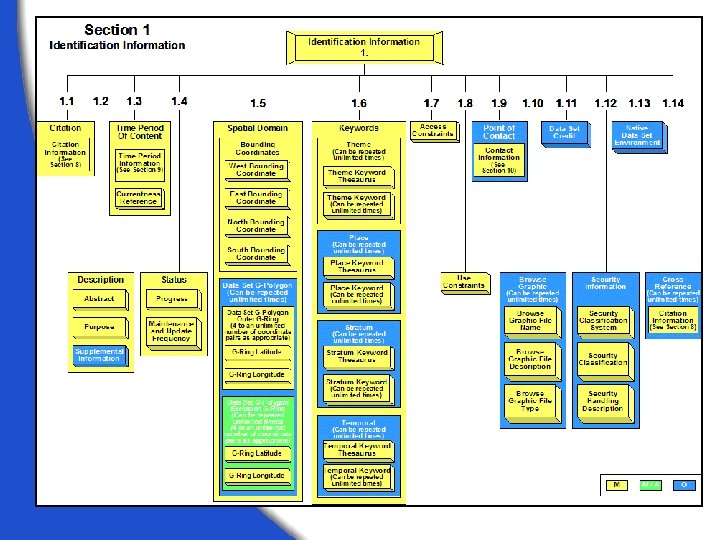
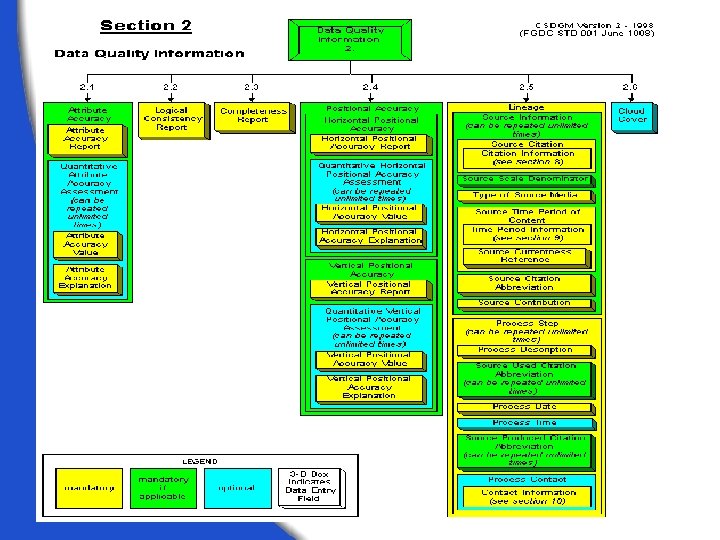
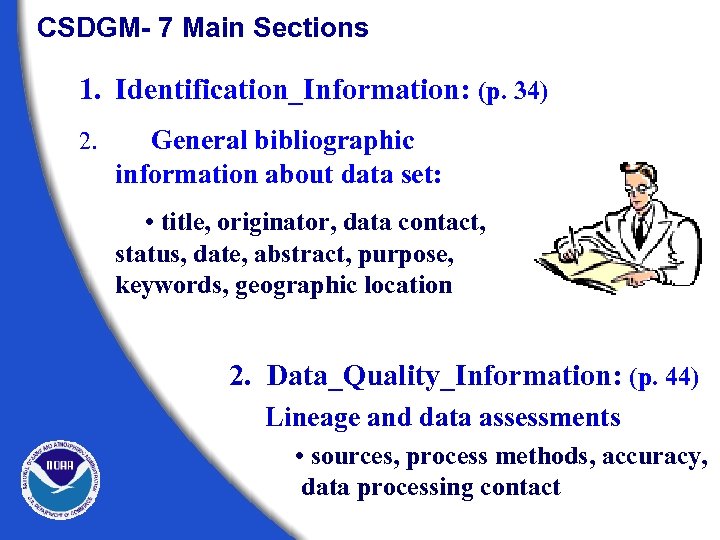 CSDGM- 7 Main Sections 1. Identification_Information: (p. 34) 2. General bibliographic information about data set: • title, originator, data contact, status, date, abstract, purpose, keywords, geographic location 2. Data_Quality_Information: (p. 44) Lineage and data assessments • sources, process methods, accuracy, data processing contact
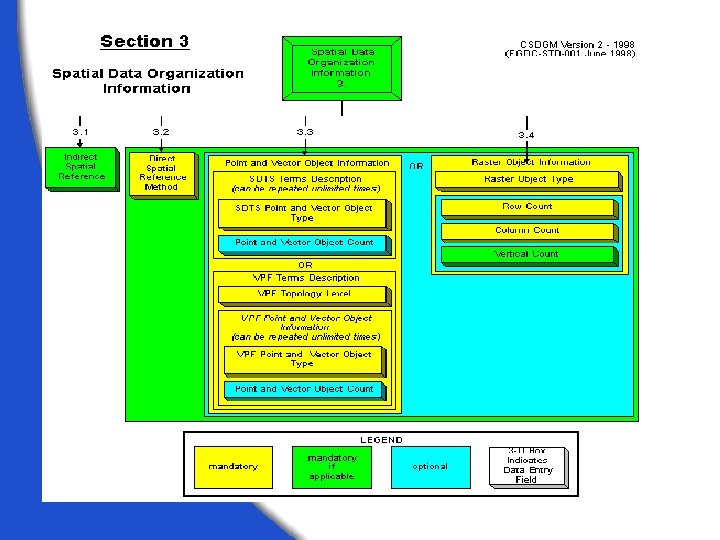
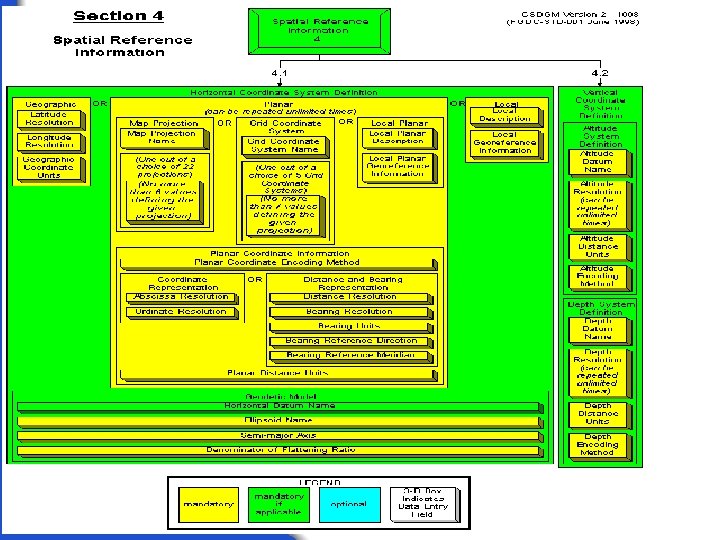
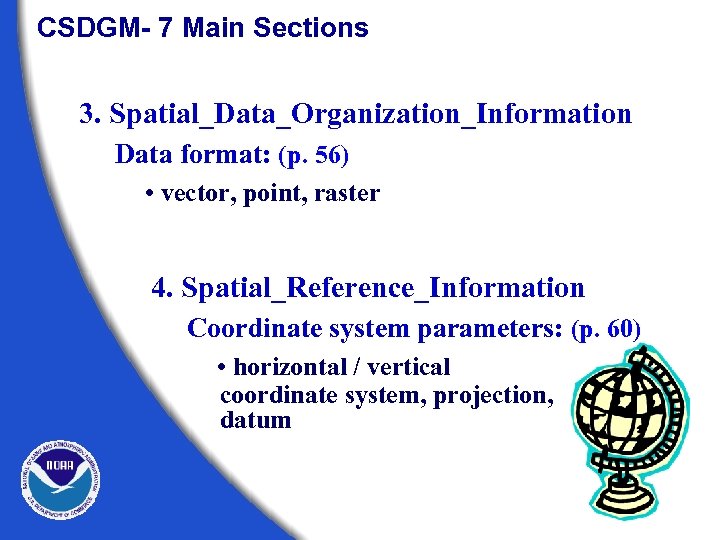 CSDGM- 7 Main Sections 3. Spatial_Data_Organization_Information Data format: (p. 56) • vector, point, raster 4. Spatial_Reference_Information Coordinate system parameters: (p. 60) • horizontal / vertical coordinate system, projection, datum
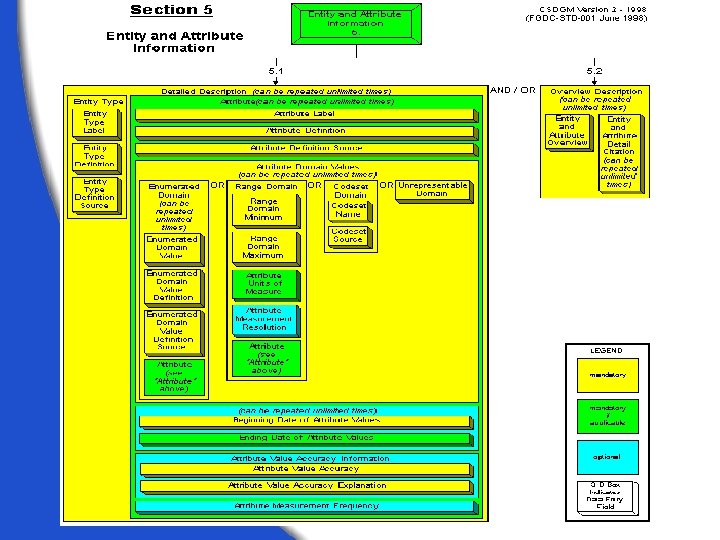
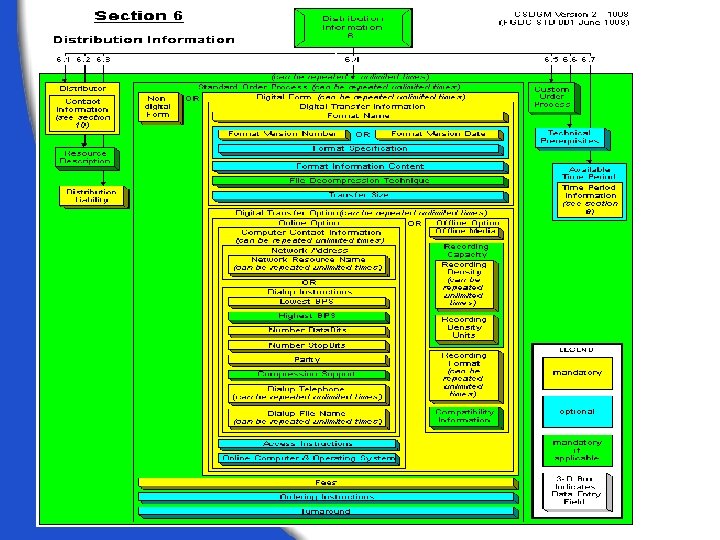
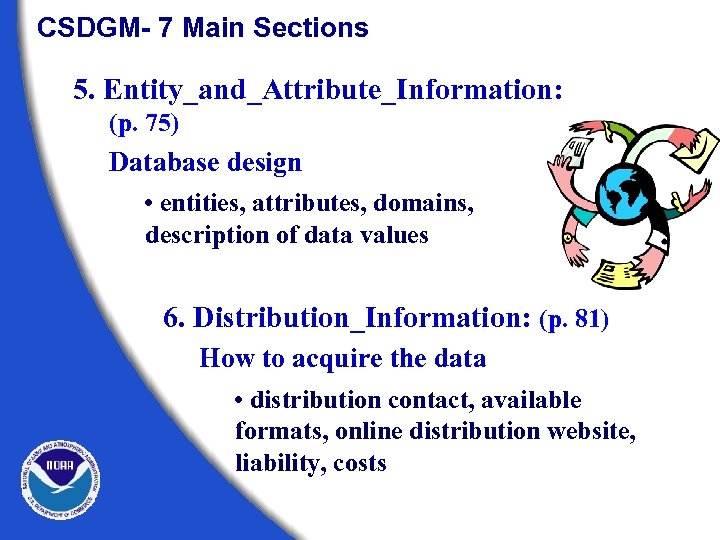 CSDGM- 7 Main Sections 5. Entity_and_Attribute_Information: (p. 75) Database design • entities, attributes, domains, description of data values 6. Distribution_Information: (p. 81) How to acquire the data • distribution contact, available formats, online distribution website, liability, costs
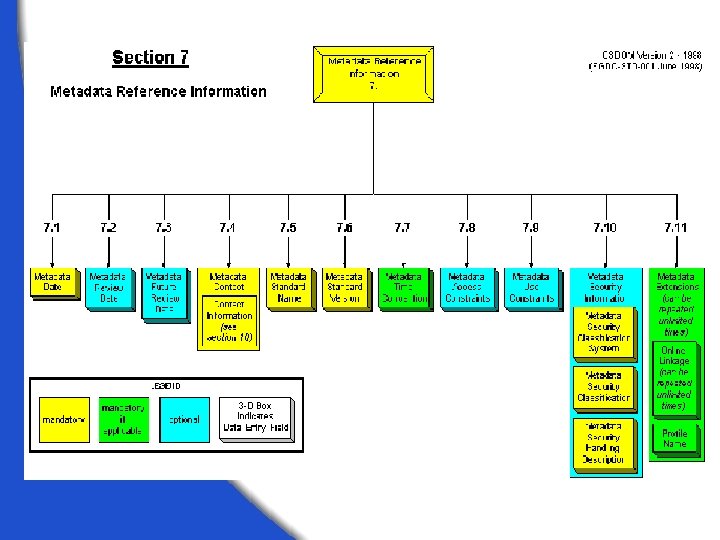
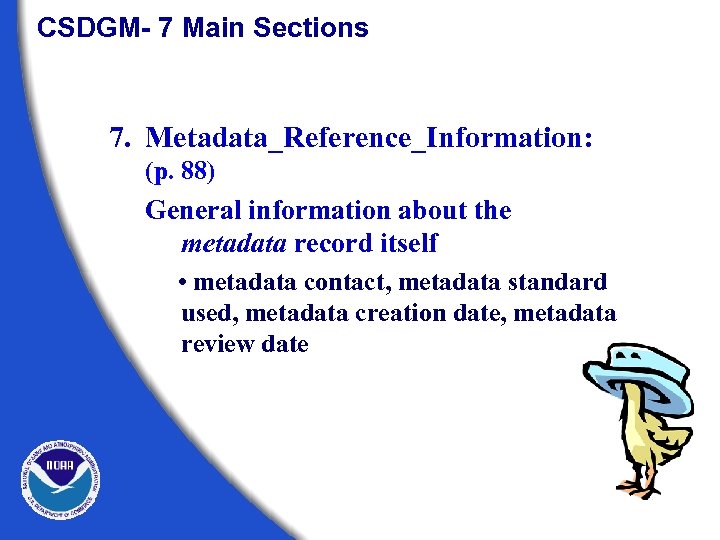 CSDGM- 7 Main Sections 7. Metadata_Reference_Information: (p. 88) General information about the metadata record itself • metadata contact, metadata standard used, metadata creation date, metadata review date
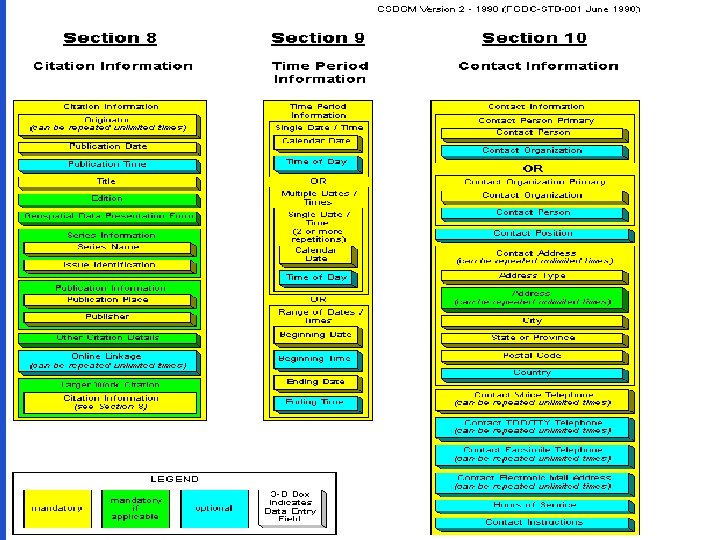
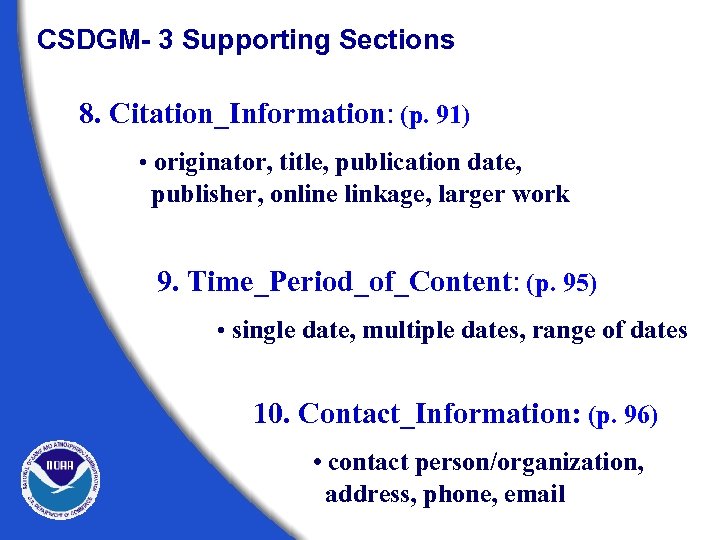 CSDGM- 3 Supporting Sections 8. Citation_Information: (p. 91) • originator, title, publication date, publisher, online linkage, larger work 9. Time_Period_of_Content: (p. 95) • single date, multiple dates, range of dates 10. Contact_Information: (p. 96) • contact person/organization, address, phone, email
 Exercise 1 Reading A Metadata File
 Rules of the Metadata Game Learning how to read the structure of the standard
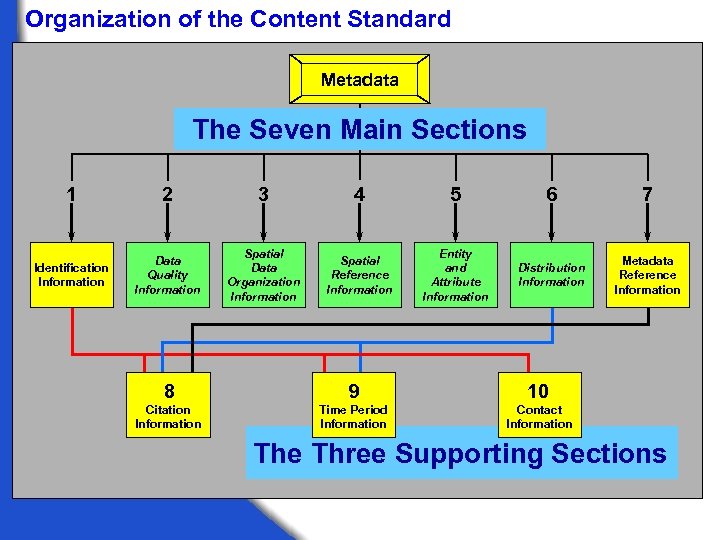 Organization of the Content Standard Metadata The Seven Main Sections 1 2 3 4 5 6 7 Identification Information Data Quality Information Spatial Data Organization Information Spatial Reference Information Entity and Attribute Information Distribution Information Metadata Reference Information 8 9 10 Citation Information Time Period Information Contact Information The Three Supporting Sections
 Interpreting the Graphical Production Rules The workbook uses graphics to illustrate the production rules of the standard. These graphics include most of the information provided by the production rules, including: · How elements are grouped · What is mandatory and what is not · What elements can repeat and how many times they can repeat
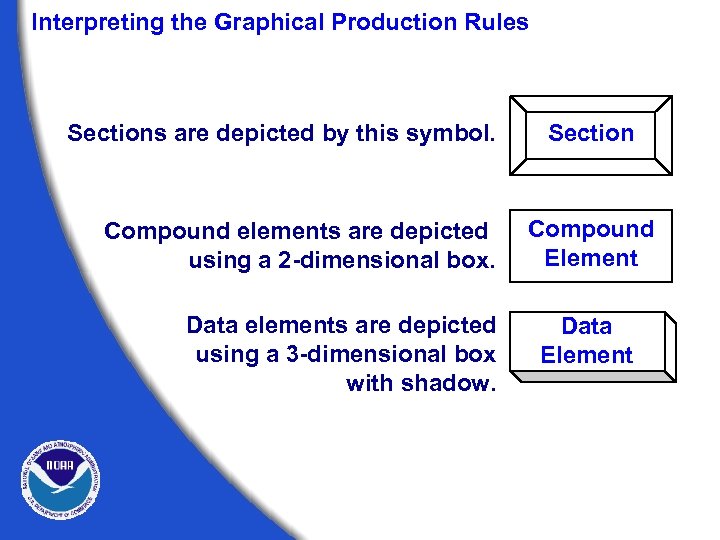 Interpreting the Graphical Production Rules Sections are depicted by this symbol. Compound elements are depicted using a 2 -dimensional box. Data elements are depicted using a 3 -dimensional box with shadow. Section Compound Element Data Element
 Interpreting the Graphical Production Rules Data Element A data element is a logically primitive item of data. Data elements are things that you “fill in. ” The form for a data element is: Data element name -- definition. Type: (choice of “integer”, “real”, “text”, “date”, or “time”) Domain: (describes valid values that can be assigned) An example of a data element is: Abstract -- a brief narrative summary of the data set. Type: text Domain: free text Note: Data element definitions are contained in the text of the Content Standard, not in the graphical production rules.
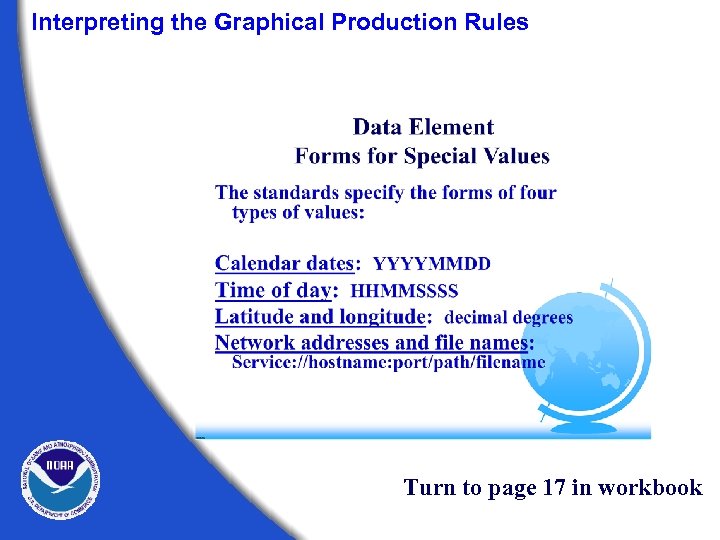 Interpreting the Graphical Production Rules Turn to page 17 in workbook
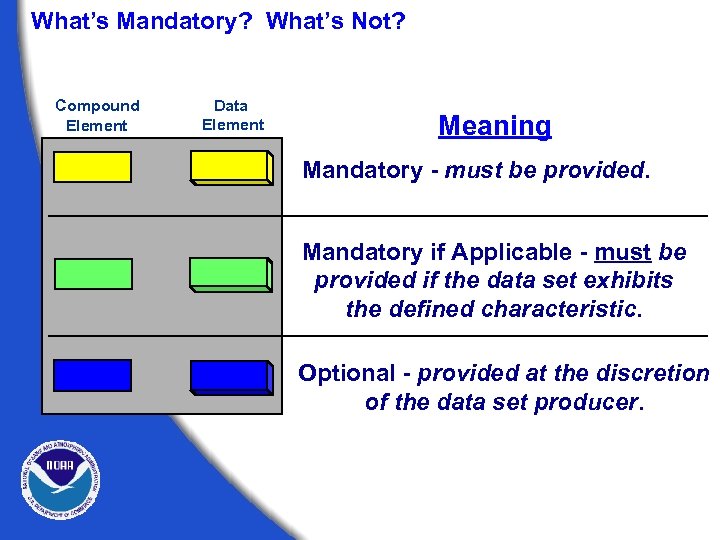 What’s Mandatory? What’s Not? Compound Element Data Element Meaning Mandatory - must be provided. Mandatory if Applicable - must be provided if the data set exhibits the defined characteristic. Optional - provided at the discretion of the data set producer.
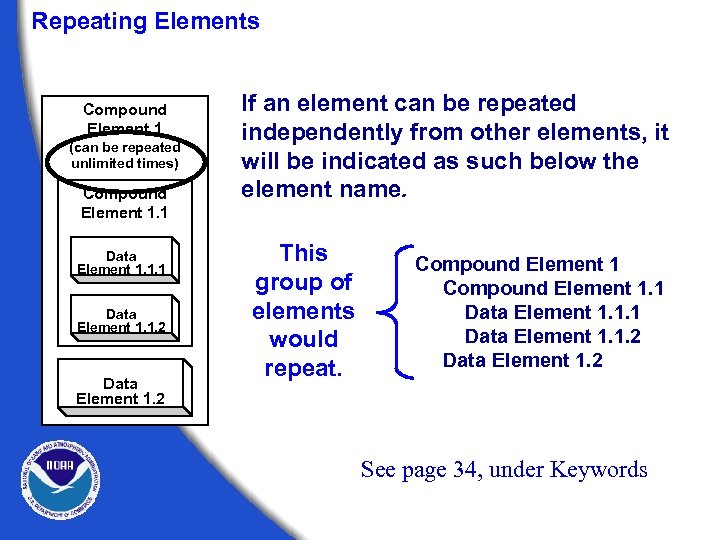 Repeating Elements Compound Element 1 (can be repeated unlimited times) Compound Element 1. 1 Data Element 1. 1. 2 Data Element 1. 2 If an element can be repeated independently from other elements, it will be indicated as such below the element name. This group of elements would repeat. Compound Element 1. 1 Data Element 1. 1. 2 Data Element 1. 2 See page 34, under Keywords
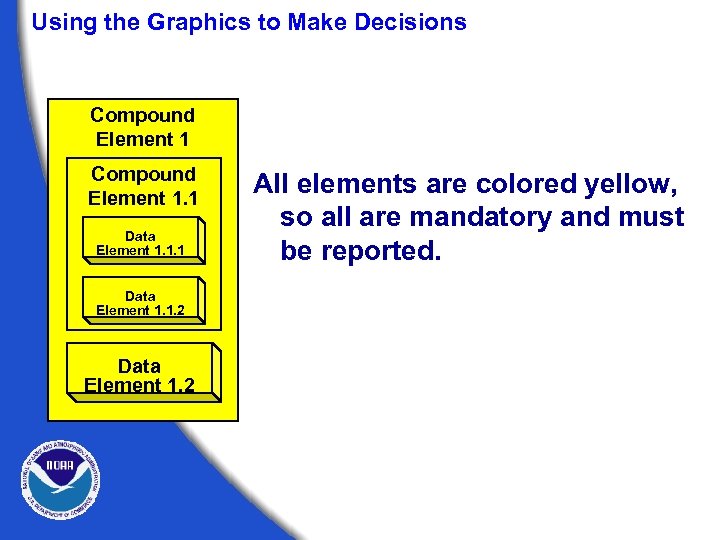 Using the Graphics to Make Decisions Compound Element 1. 1 Data Element 1. 1. 2 Data Element 1. 2 All elements are colored yellow, so all are mandatory and must be reported.
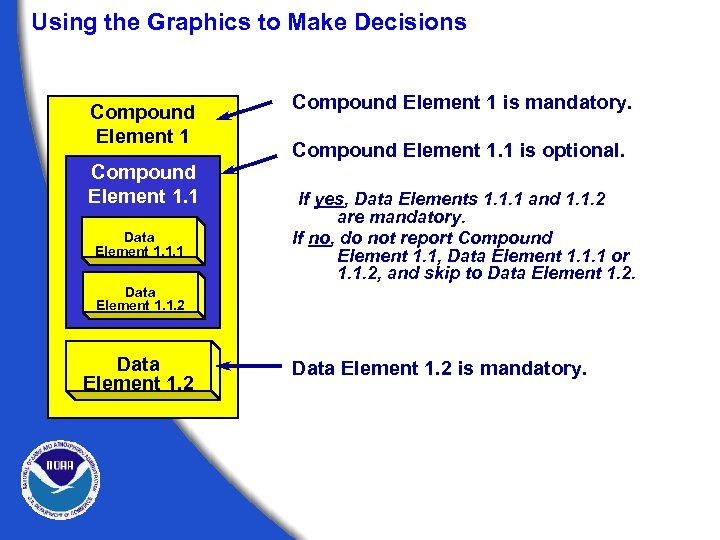 Using the Graphics to Make Decisions Compound Element 1. 1 Data Element 1. 1. 1 Compound Element 1 is mandatory. Compound Element 1. 1 is optional. If yes, Data Elements 1. 1. 1 and 1. 1. 2 are mandatory. If no, do not report Compound Element 1. 1, Data Element 1. 1. 1 or 1. 1. 2, and skip to Data Element 1. 2. Data Element 1. 1. 2 Data Element 1. 2 is mandatory.
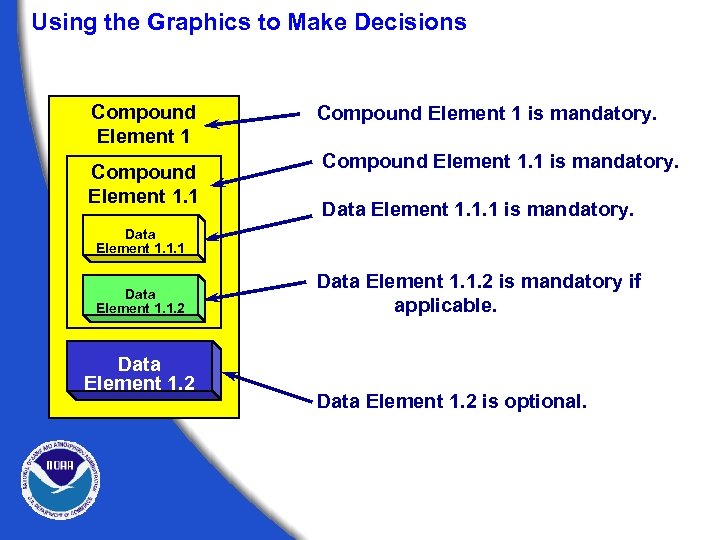 Using the Graphics to Make Decisions Compound Element 1. 1 Compound Element 1 is mandatory. Compound Element 1. 1 is mandatory. Data Element 1. 1. 1 is mandatory. Data Element 1. 1. 1 Data Element 1. 1. 2 is mandatory if applicable. Data Element 1. 2 is optional.
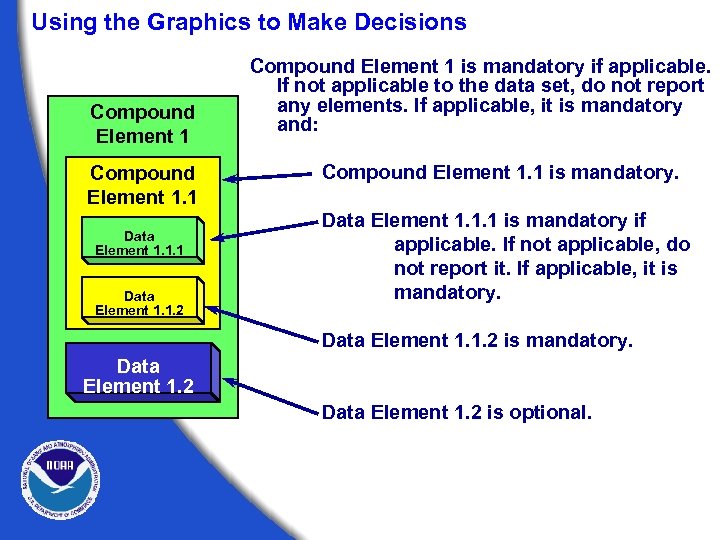 Using the Graphics to Make Decisions Compound Element 1. 1 Data Element 1. 1. 2 Compound Element 1 is mandatory if applicable. If not applicable to the data set, do not report any elements. If applicable, it is mandatory and: Compound Element 1. 1 is mandatory. Data Element 1. 1. 1 is mandatory if applicable. If not applicable, do not report it. If applicable, it is mandatory. Data Element 1. 1. 2 is mandatory. Data Element 1. 2 is optional.
 Exercise 2 Using The Workbook
 Metadata as a Data Discovery Tool The FGDC Metadata Clearinghouse
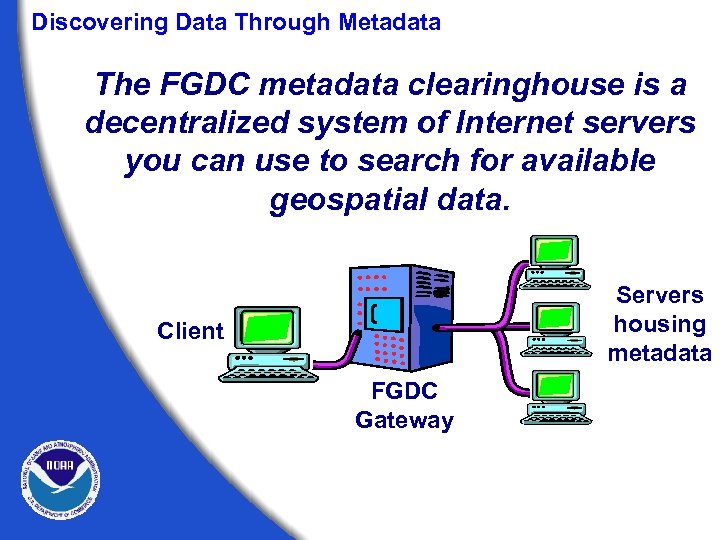 Discovering Data Through Metadata The FGDC metadata clearinghouse is a decentralized system of Internet servers you can use to search for available geospatial data. Servers housing metadata Client FGDC Gateway
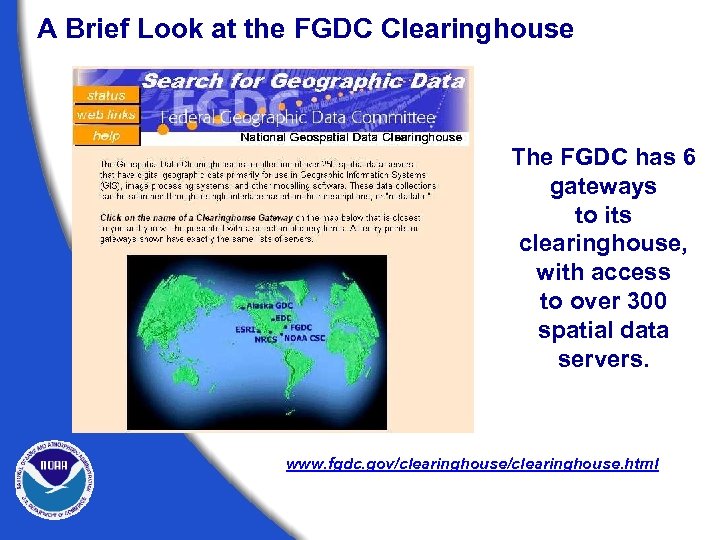 A Brief Look at the FGDC Clearinghouse The FGDC has 6 gateways to its clearinghouse, with access to over 300 spatial data servers. www. fgdc. gov/clearinghouse. html
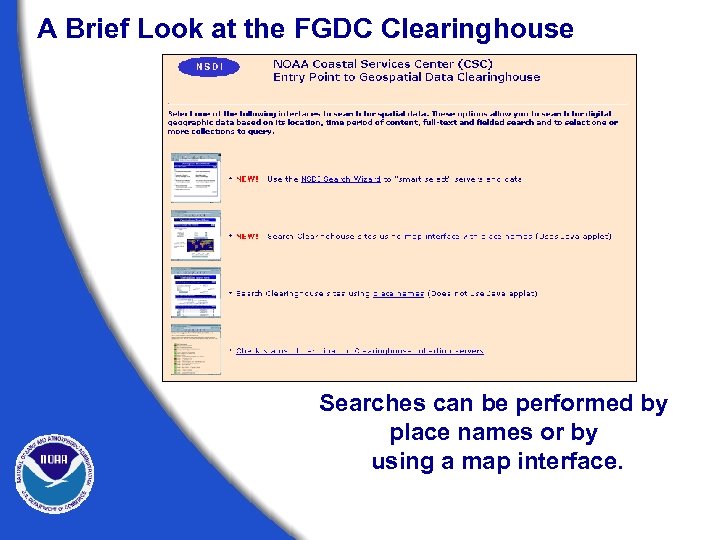 A Brief Look at the FGDC Clearinghouse Searches can be performed by place names or by using a map interface.
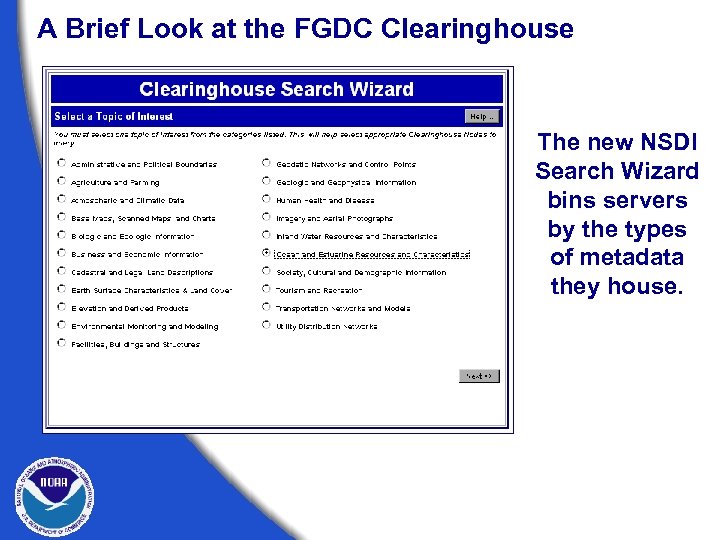 A Brief Look at the FGDC Clearinghouse The new NSDI Search Wizard bins servers by the types of metadata they house.
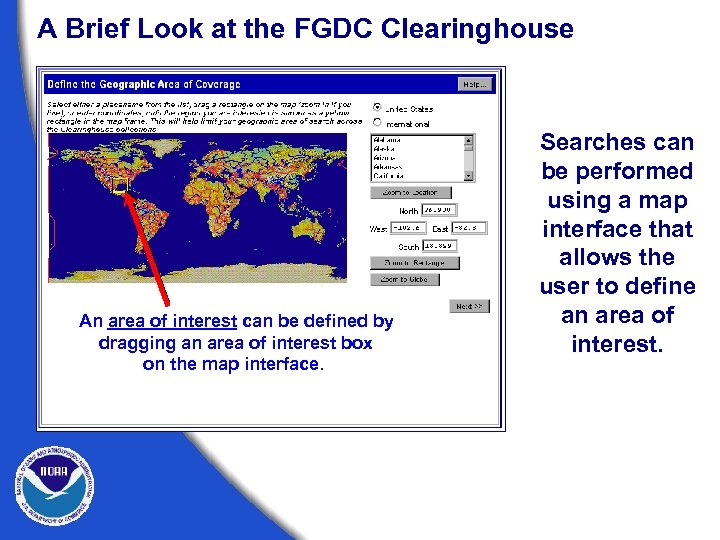 A Brief Look at the FGDC Clearinghouse An area of interest can be defined by dragging an area of interest box on the map interface. Searches can be performed using a map interface that allows the user to define an area of interest.
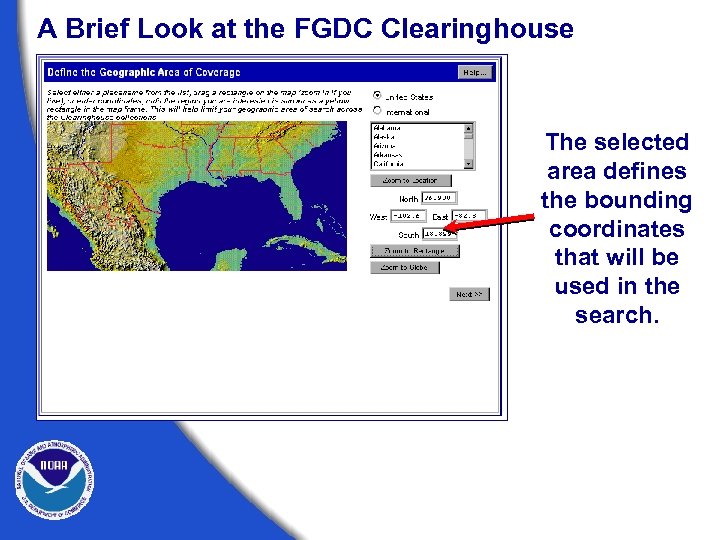 A Brief Look at the FGDC Clearinghouse The selected area defines the bounding coordinates that will be used in the search.
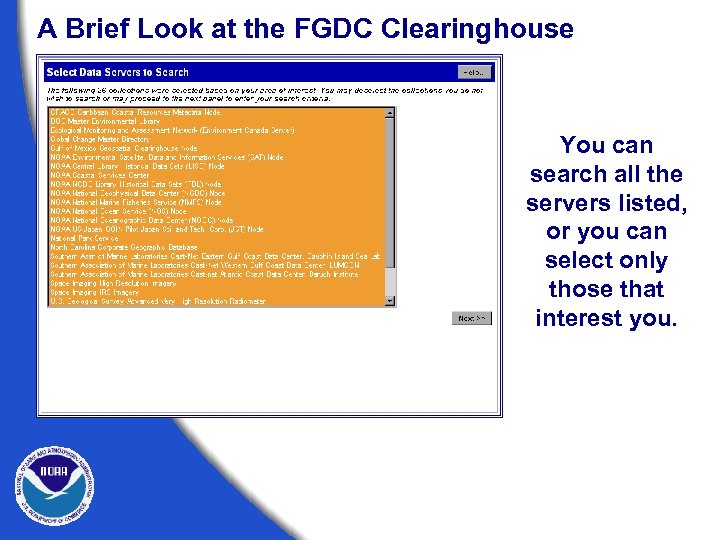 A Brief Look at the FGDC Clearinghouse You can search all the servers listed, or you can select only those that interest you.
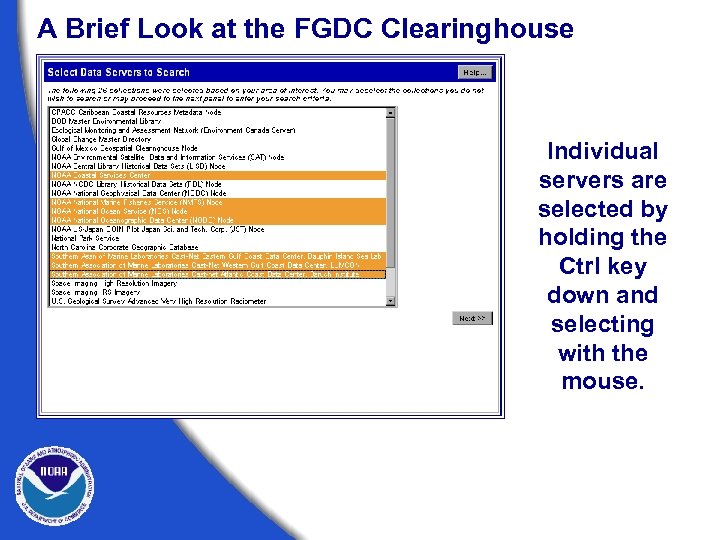 A Brief Look at the FGDC Clearinghouse Individual servers are selected by holding the Ctrl key down and selecting with the mouse.
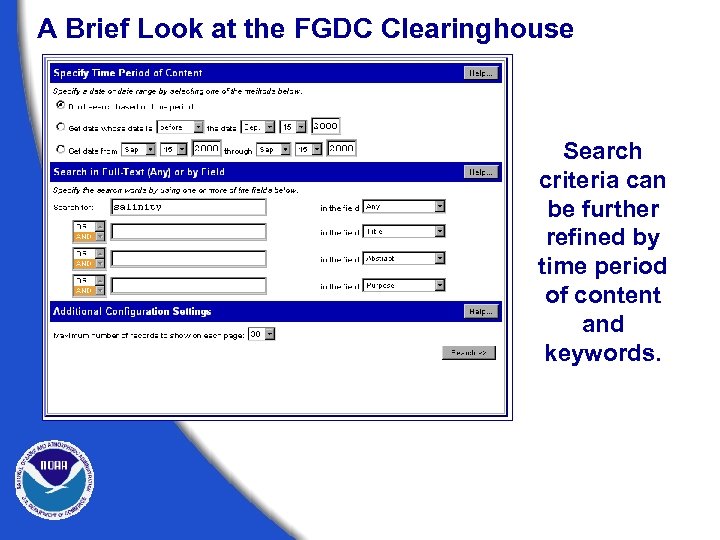 A Brief Look at the FGDC Clearinghouse Search criteria can be further refined by time period of content and keywords.
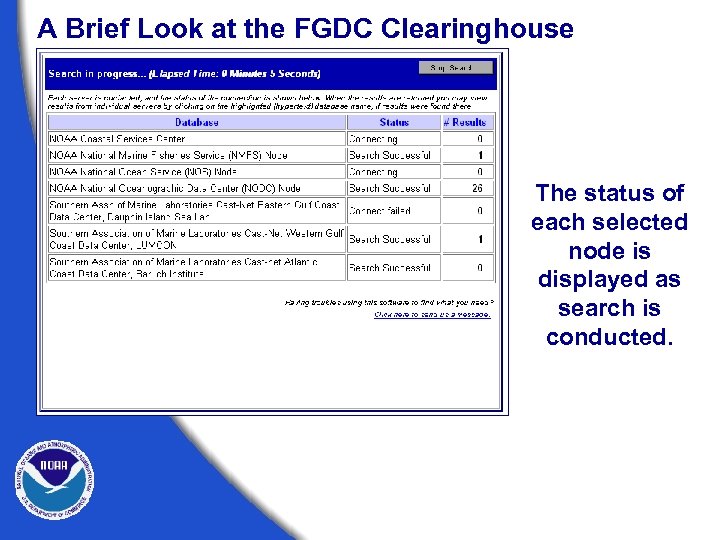 A Brief Look at the FGDC Clearinghouse The status of each selected node is displayed as search is conducted.
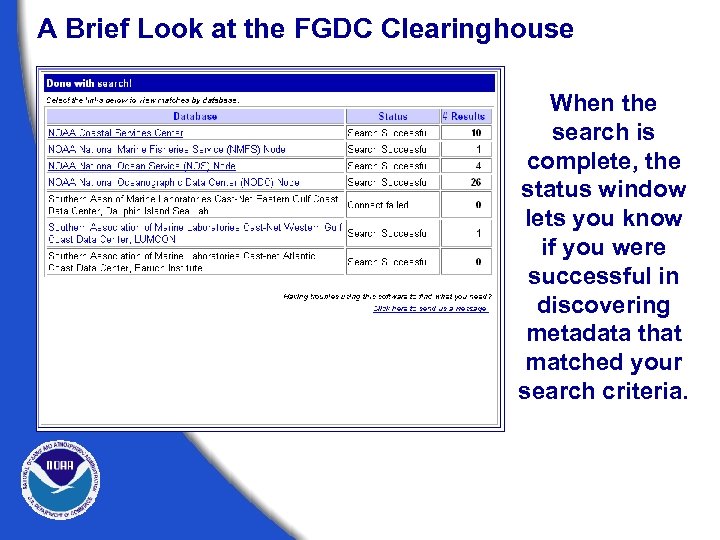 A Brief Look at the FGDC Clearinghouse When the search is complete, the status window lets you know if you were successful in discovering metadata that matched your search criteria.
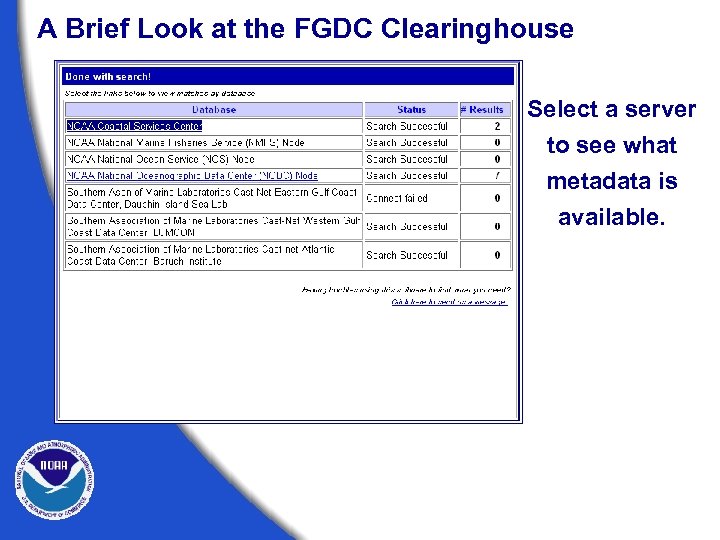 A Brief Look at the FGDC Clearinghouse Select a server to see what metadata is available.
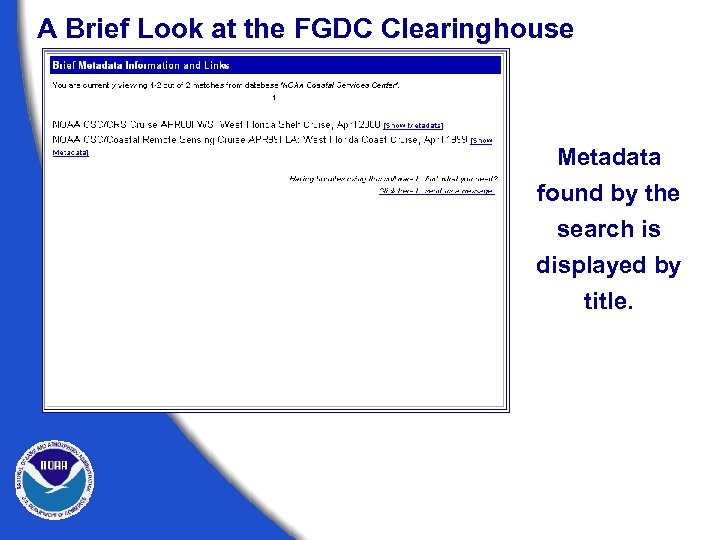 A Brief Look at the FGDC Clearinghouse Metadata found by the search is displayed by title.
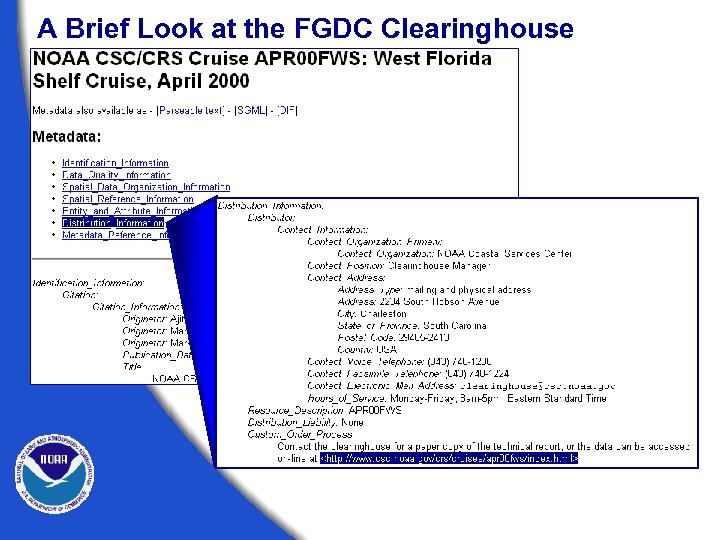
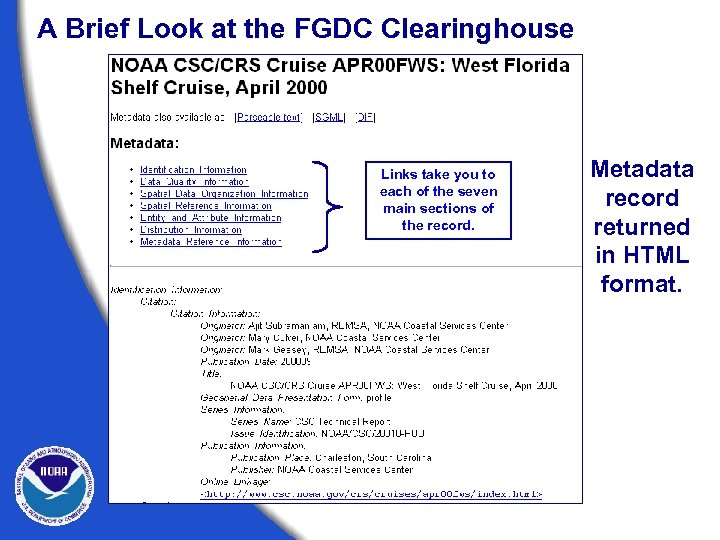 A Brief Look at the FGDC Clearinghouse Links take you to each of the seven main sections of the record. Metadata record returned in HTML format.
 A Brief Look at the FGDC Clearinghouse
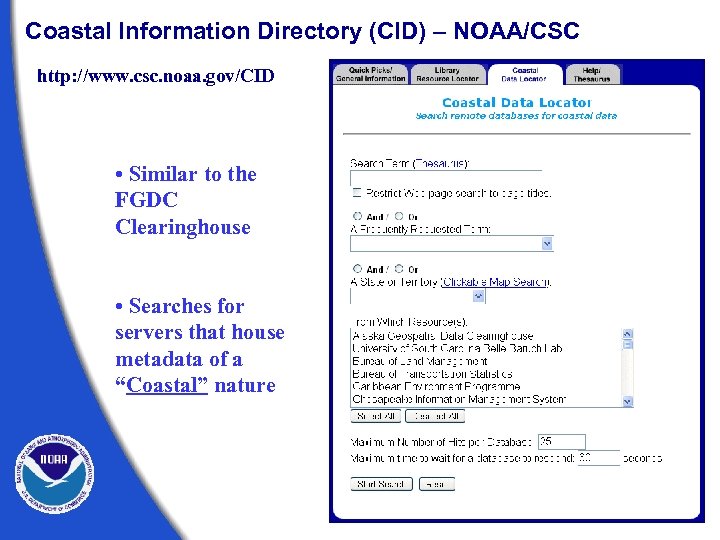 Coastal Information Directory (CID) – NOAA/CSC http: //www. csc. noaa. gov/CID • Similar to the FGDC Clearinghouse • Searches for servers that house metadata of a “Coastal” nature
 A Brief Look at the FGDC Clearinghouse For more information on the clearinghouse system, visit the FGDC Web site (www. fgdc. gov). Here you can find information on how to establish your own clearinghouse node using free Isite software. On-line tutorials provide assistance for setting up and configuring this software.
 Exercise 3 Search for metadata www. fgdc. gov/clearinghouse. html www. csc. noaa. gov/CID/
 Writing Metadata
 It’s not THAT bad! • • • First records are the hardest. Not all fields may need to be filled in. Tools are available. Can often be produced automatically. Can (and should) be reviewed for updates.
 Writing Metadata Document your data as you go.
 Writing Metadata Before you begin writing, get organized.
 Writing Metadata Write so others can understand.
 Writing Metadata Always review your document.
 Writing Metadata Keep your readers in mind. • Write simply but completely. • Document for a general audience. • Be consistent in style and terminology.
 Writing Metadata Keep your readers in mind. • Define all acronyms. • Avoid using jargon. • Clearly state data limitations.
 Writing Metadata Write a complete Title that includes: • • • What Where When Scale Who
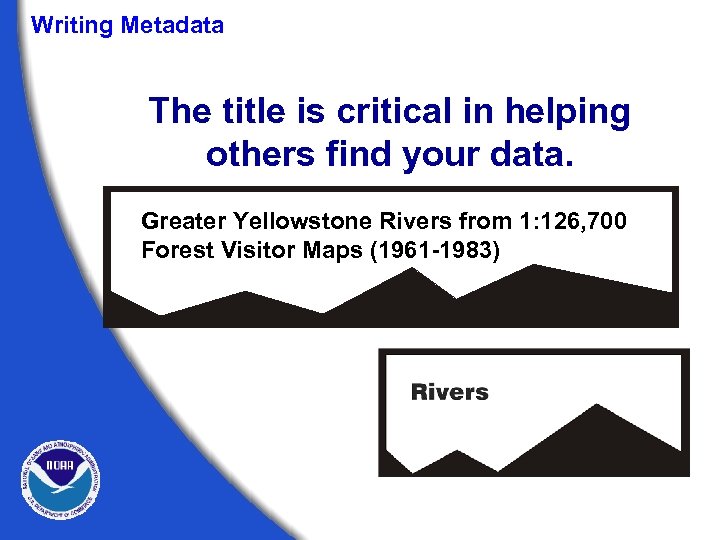 Writing Metadata The title is critical in helping others find your data. Greater Yellowstone Rivers from 1: 126, 700 Forest Visitor Maps (1961 -1983)
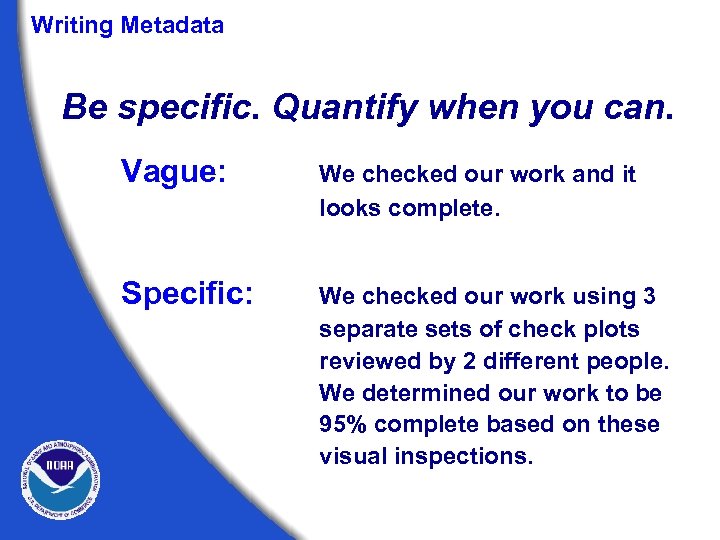 Writing Metadata Be specific. Quantify when you can. Vague: We checked our work and it looks complete. Specific: We checked our work using 3 separate sets of check plots reviewed by 2 different people. We determined our work to be 95% complete based on these visual inspections.
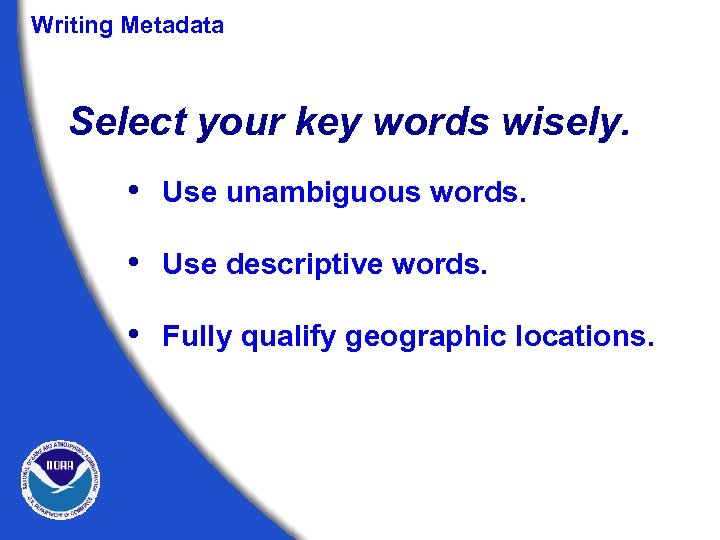 Writing Metadata Select your key words wisely. • Use unambiguous words. • Use descriptive words. • Fully qualify geographic locations.
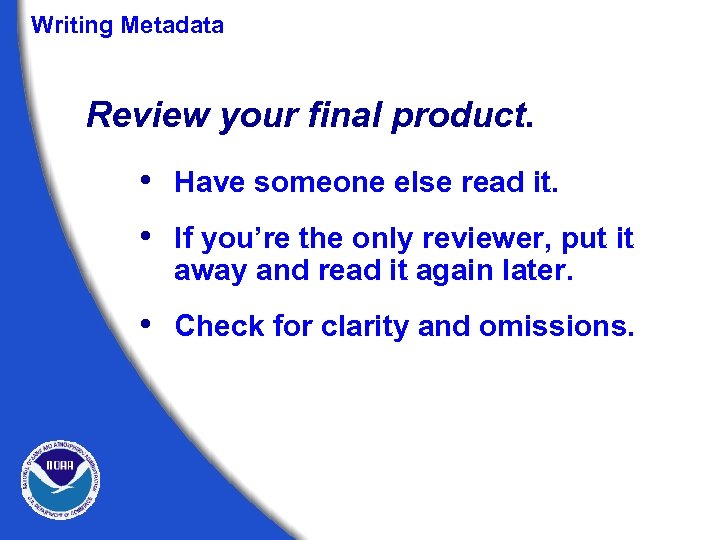 Writing Metadata Review your final product. • Have someone else read it. • If you’re the only reviewer, put it away and read it again later. • Check for clarity and omissions.
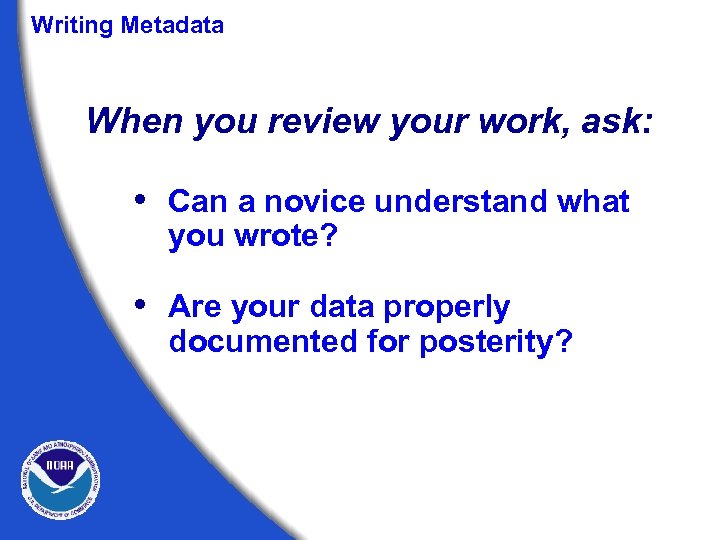 Writing Metadata When you review your work, ask: • Can a novice understand what you wrote? • Are your data properly documented for posterity?
 Writing Metadata When you review your work, ask: • Does the documentation present all the information needed to use or reuse the data? • Are any pieces missing?
 Writing Metadata Your audience may be very diverse. Consider writing your metadata to reflect this diversity.
 Tools of the Trade Metadata Creation and Validation
 Metadata Tools Some available tools for metadata creation, validation, and publication. • TKME Text editor used for metadata entry. • CNS and MP “Chew ‘n spit”- checks and corrects structural errors, and “Metadata Parser”- checks for errors in element compliance; “mp batch” and “mp online tool” • Arc. View Tools Extension for Arc. View 3. x Arc. Catalog for Arc. GIS 8. x • Template tools CSC’s meta. Scribe create large numbers of similar records.
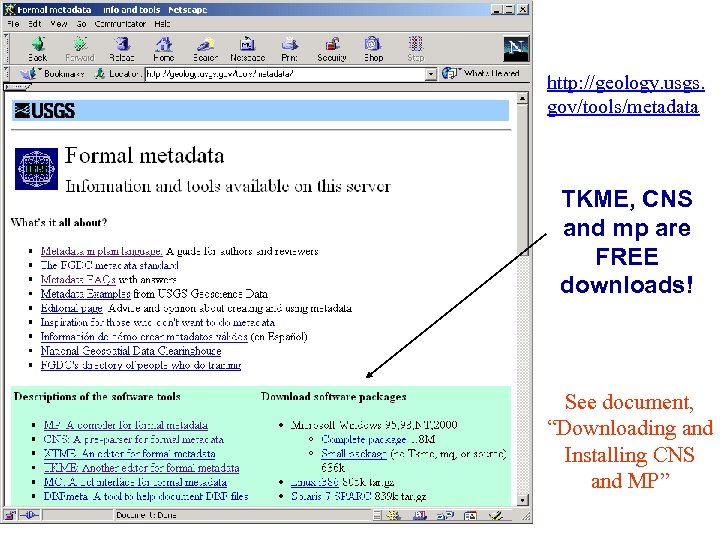 http: //geology. usgs. gov/tools/metadata TKME, CNS and mp are FREE downloads! See document, “Downloading and Installing CNS and MP”
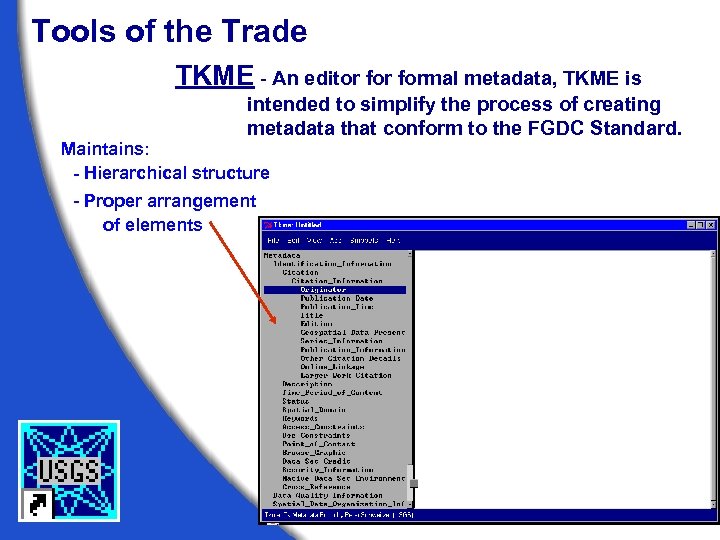 Tools of the Trade TKME - An editor formal metadata, TKME is intended to simplify the process of creating metadata that conform to the FGDC Standard. Maintains: - Hierarchical structure - Proper arrangement of elements
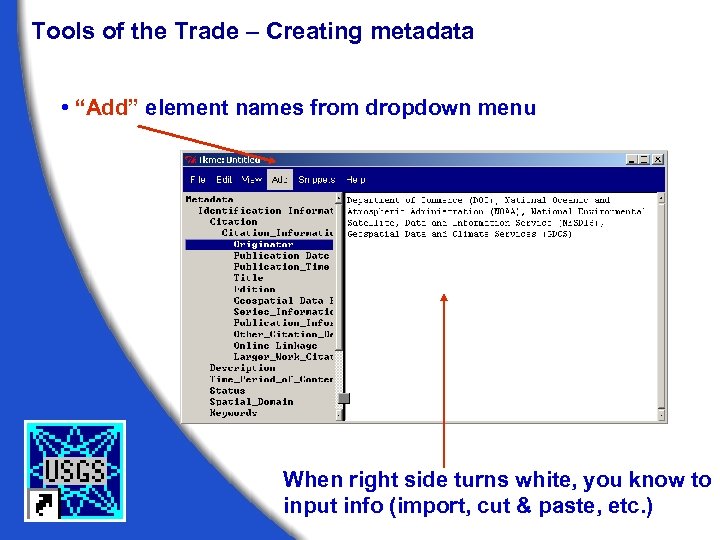 Tools of the Trade – Creating metadata • “Add” element names from dropdown menu When right side turns white, you know to input info (import, cut & paste, etc. )
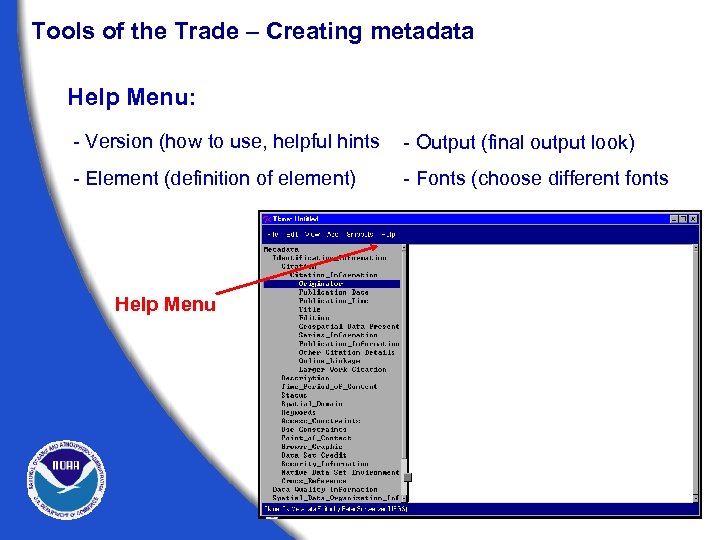 Tools of the Trade – Creating metadata Help Menu: - Version (how to use, helpful hints - Output (final output look) - Element (definition of element) - Fonts (choose different fonts Help Menu
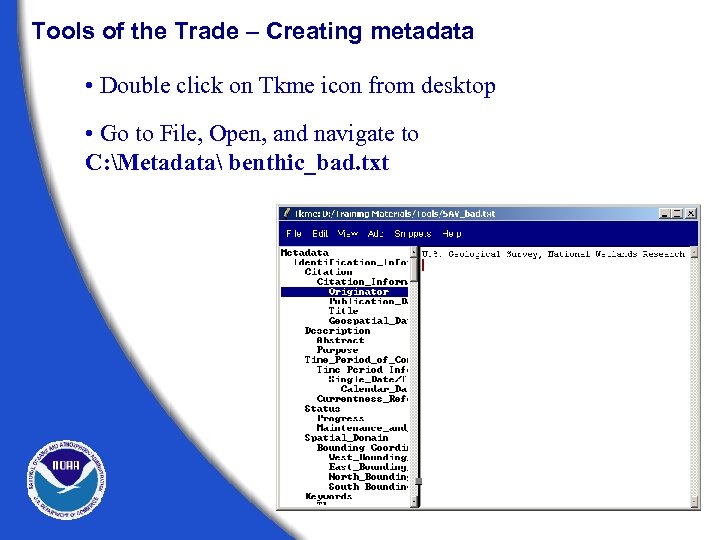 Tools of the Trade – Creating metadata • Double click on Tkme icon from desktop • Go to File, Open, and navigate to C: Metadata benthic_bad. txt
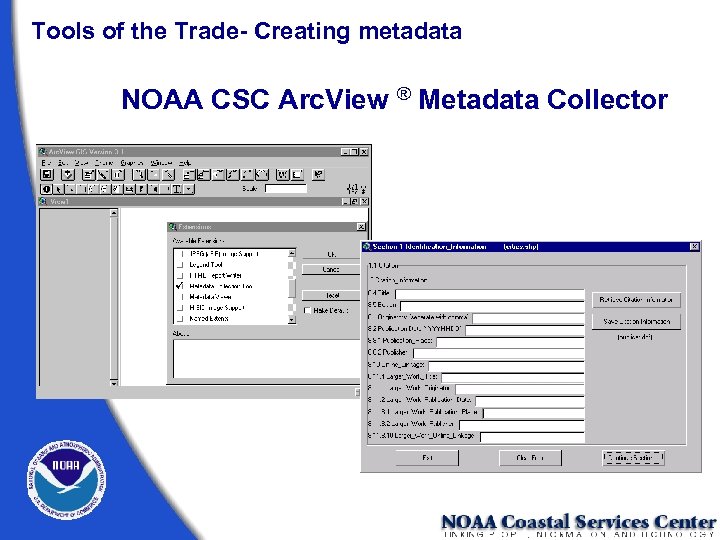 Tools of the Trade- Creating metadata NOAA CSC Arc. View ® Metadata Collector
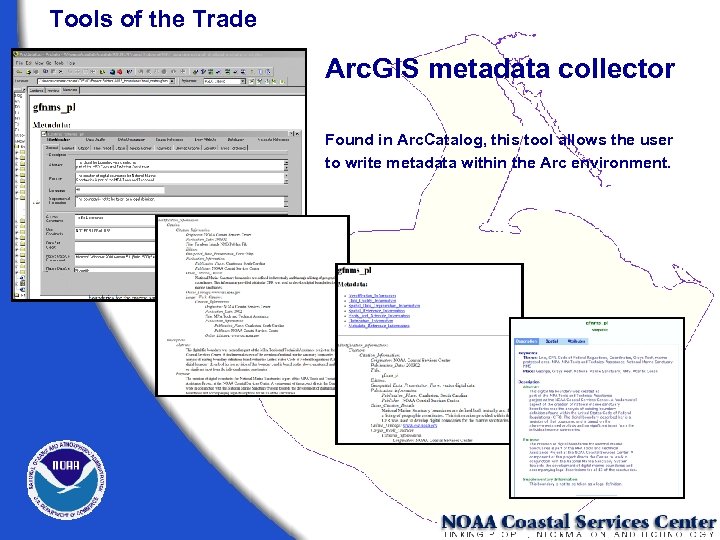 Tools of the Trade Arc. GIS metadata collector Found in Arc. Catalog, this tool allows the user to write metadata within the Arc environment.
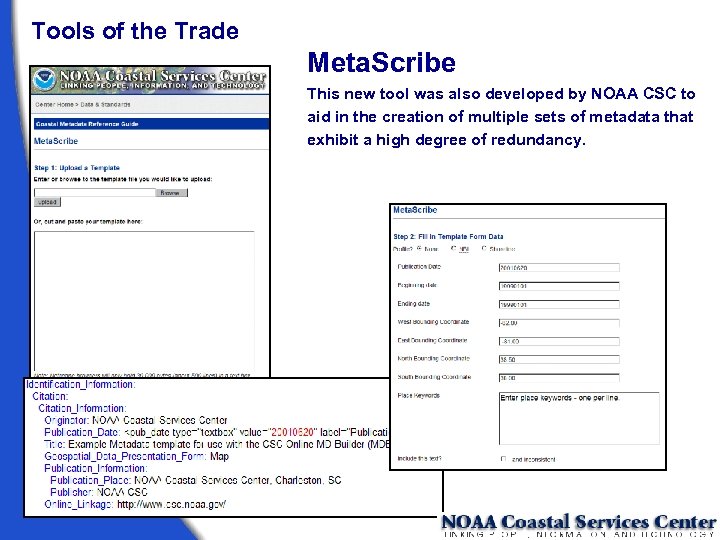 Tools of the Trade Meta. Scribe This new tool was also developed by NOAA CSC to aid in the creation of multiple sets of metadata that exhibit a high degree of redundancy.
 Tools of the Trade - Validation Tools CNS (“Chew ‘n Spit”) A pre-parser formal metadata designed to assist metadata managers convert records that cannot be parsed by mp into records that can be parsed by mp. MP (Metadata Parser) A compiler to parse formal metadata, checking the syntax against the FGDC Content Standard for Digital Geospatial Metadata and generating output suitable for viewing with a web browser or text editor.
 Tools of the Trade TKME, CNS, and MP are available as free downloads from the United States Geological Survey (USGS) Website. (geology. usgs. gov/tools/metadata) TKME will run from a shortcut on the desktop Both MP and CNS can be run from: • command line in MS-DOS or UNIX • MP Batch tool and • MP online interface
 Tools of the Trade • MP Batch, Integraph® Check multiple records at one time for CNS and MP compliance http: //www. intergraph. com/gis/support/ > Free Utilities/Tools • MP Online Tool, Peter Schweitzer (USGS) User friendly interface for MP (no command line) • SMMS Metadata Software Variety of metadata tools (but it cost) http: //imgs. intergraph. com/smms/default. asp
 Tools of the Trade • NPS Metadata Tools/Extensions - Arc. GIS - Arc. Catalog extension; 5 new buttons (MP, editor, organizational, input/export capabilities) http: //www. nature. nps. gov/im/units/mwr/gis/metadata_tools. htm • ESRI Metadata Customizations - Spell checker: understands element names, underscores - Advanced synchronization: turn on/off different sections so it’s not “automatically updated” (Entity & Attributes) http: //imgssupport. intergraph. com/Tools. asp
 Optional Exercise • MP exersise • MP Batch • MP online tool
 Tools of the Trade FGDC Profiles and Extensions to the CSDGM http: //www. fgdc. gov/standards/status/textstatus. html • Shoreline Data Profile http: //www. csc. noaa. gov/metadata/shoreline_profile. html http: //www. fgdc. gov/standards/status/sub 5_6. html • NBII Biological Data Profile http: //www. fgdc. gov/standards/status/sub 5_2. html http: //www. nbii. gov/datainfo/metadata/standards/index. html • Remote Sensing Extension http: //www. fgdc. gov/standards/status/csdgm_rs_ex. html
 Keyword Lists / Controlled Vocabularies / Thesauri • Global Change Master Directory's (GCMD) http: //gcmd. gsfc. nasa. gov/Resources/valids/index. html • Geographic Names Information System (GNIS) http: //geonames. usgs. gov/ • Integrated Taxonomic Information System http: //www. itis. usda. gov/ • Aquatic Science and Fisheries Abstracts http: //www 4. fao. org/asfa. htm • Master Environmental Library http: //mel. dmso. mil/docs/metadata_guide/section_6. htm
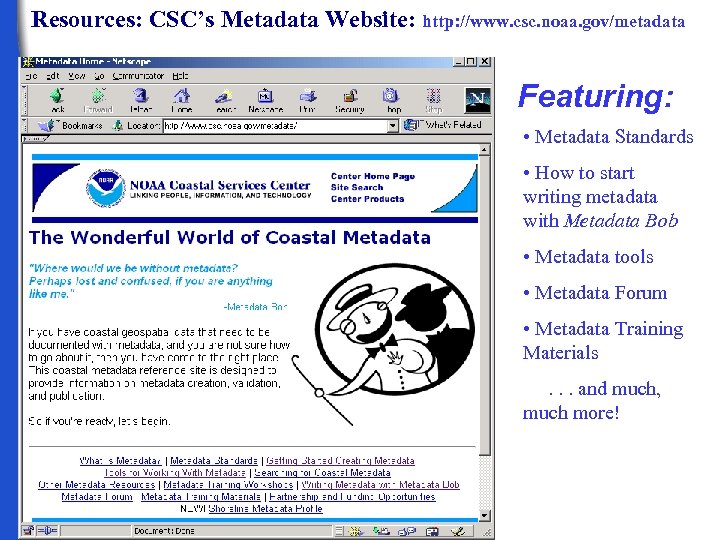 Resources: CSC’s Metadata Website: http: //www. csc. noaa. gov/metadata Featuring: • Metadata Standards • How to start writing metadata with Metadata Bob • Metadata tools • Metadata Forum • Metadata Training Materials. . . and much, much more!
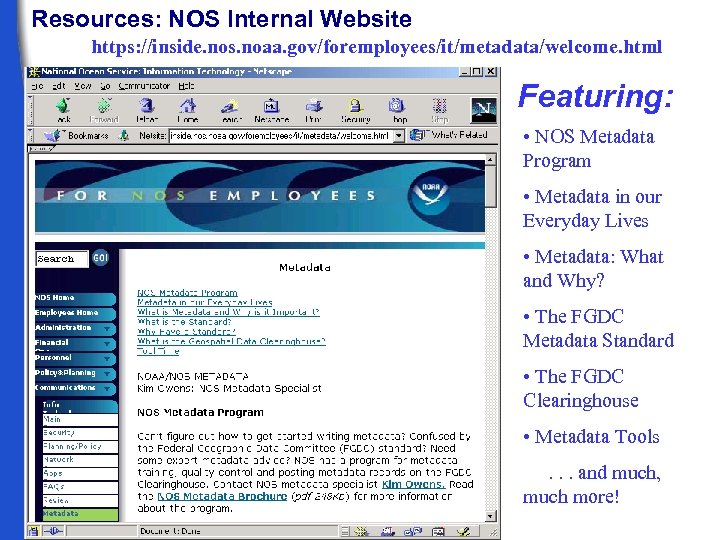 Resources: NOS Internal Website https: //inside. nos. noaa. gov/foremployees/it/metadata/welcome. html Featuring: • NOS Metadata Program • Metadata in our Everyday Lives • Metadata: What and Why? • The FGDC Metadata Standard • The FGDC Clearinghouse • Metadata Tools. . . and much, much more!
 Finally. . . Remember, metadata is a legacy document that concisely sums up your data or data set. Without metadata, your data set is incomplete.
 Optional Exercise: Get Started! Create a record using Tkme or Arc. Catalog
 Kim Owens Kimberly. Owens@noaa. gov Mike Moeller Mike. Moeller@noaa. gov