


 Скачать презентацию Metadata concepts issues and experiences lessons from
8697a74515dadd0ee7dada14fc7b09e9.ppt
- Количество слайдов: 40
 Metadata concepts, issues and experiences – lessons from 8 years of metadata management at CMR - for CSE Metadata Workshop, Canberra, May 2005 Tony Rees Divisional Data Centre CSIRO Marine Research, Australia (Tony. Rees@csiro. au)
 Overview • Some definitions / concepts • Who are the clients for metadata? (what is our target audience) • How do people find metadata? (discovery / search mechanisms) • The national metadata infrastructure context (ASDD etc. ) • Search methods – free text vs. structured searches, and the CMR (Mar. LIN) approach • What metadata to collect? • Space and time “footprints” in metadata records (storage and search implications) • How do we populate the system. . . • Selected implementation aspects (when actually building a system).
 Metadata is … • Structured, summary information regarding a dataset or similar resource • Conforms to some standard – e. g. ANZLIC (for our region), ISO 19115, can have agency-specific extensions • Provides both descriptions of resources (cataloguing / documentation function) and potentially, previews of / access point to the data • Definition of “Dataset” – in the eye of the beholder – a logical set of data sharing common attributes e. g. data type, collection method, survey / expt. . . – size of data “chunks” (granularity of the metadata) determined by agency practices and preferences • Probably good to distinguish dataset-level metadata from item level descriptions (keep in separate, tailored systems).
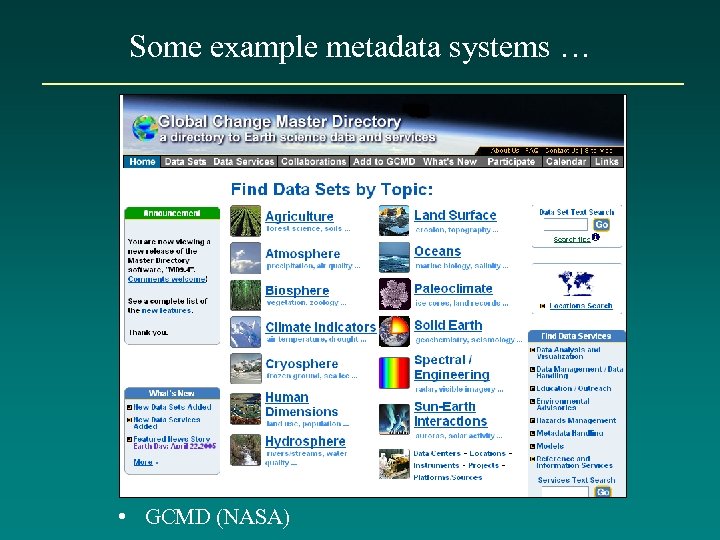 Some example metadata systems … • GCMD (NASA)
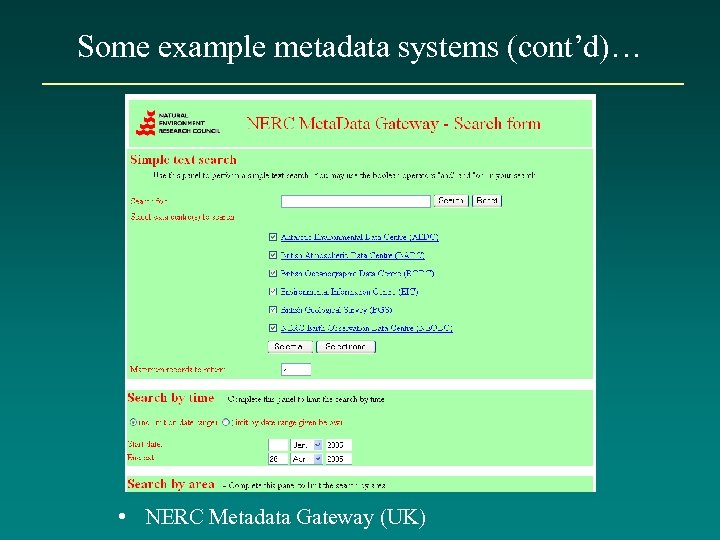 Some example metadata systems (cont’d)… • NERC Metadata Gateway (UK)
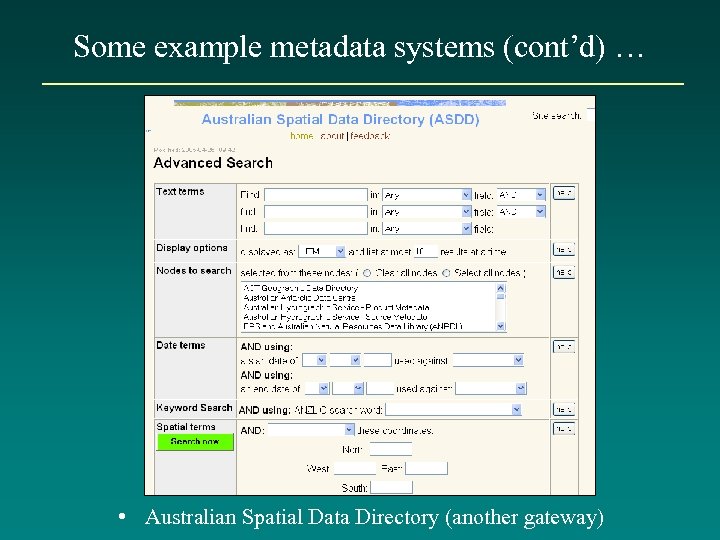 Some example metadata systems (cont’d) … • Australian Spatial Data Directory (another gateway)
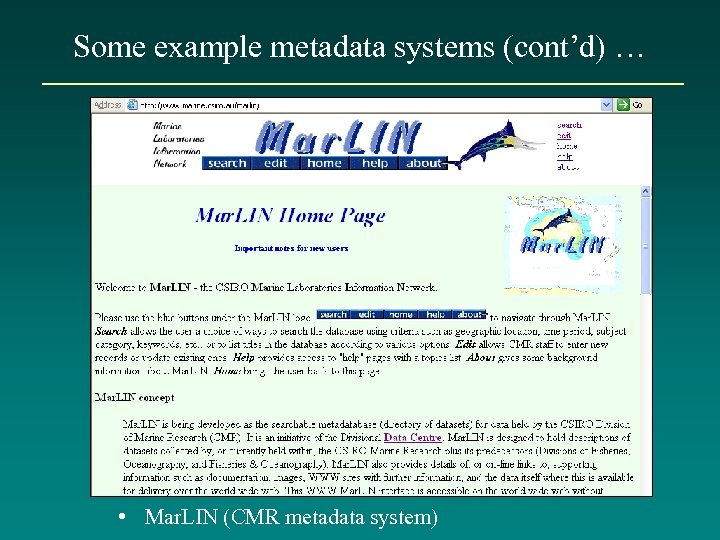 Some example metadata systems (cont’d) … • Mar. LIN (CMR metadata system)
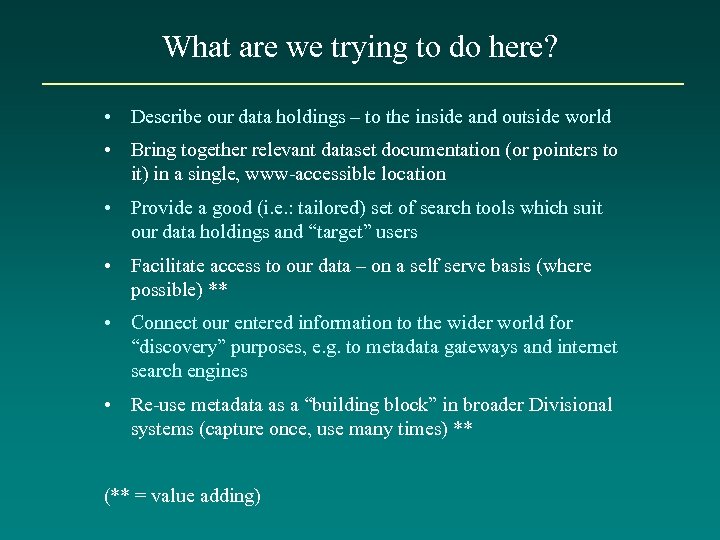 What are we trying to do here? • Describe our data holdings – to the inside and outside world • Bring together relevant dataset documentation (or pointers to it) in a single, www-accessible location • Provide a good (i. e. : tailored) set of search tools which suit our data holdings and “target” users • Facilitate access to our data – on a self serve basis (where possible) ** • Connect our entered information to the wider world for “discovery” purposes, e. g. to metadata gateways and internet search engines • Re-use metadata as a “building block” in broader Divisional systems (capture once, use many times) ** (** = value adding)
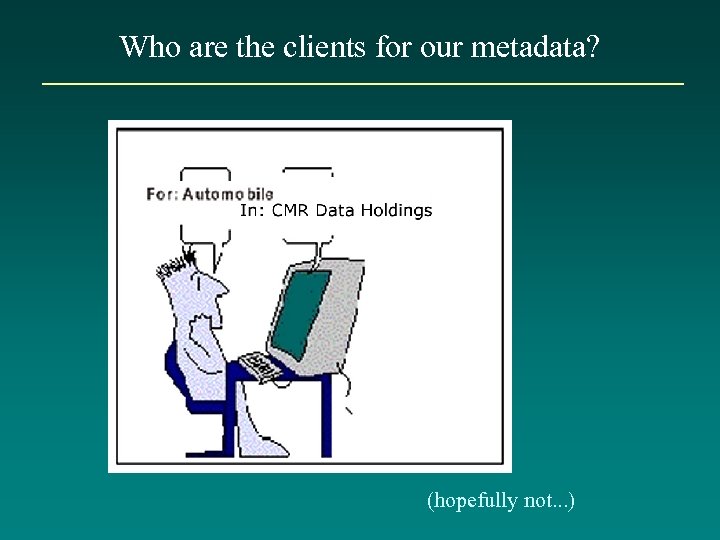 Who are the clients for our metadata? (hopefully not. . . )
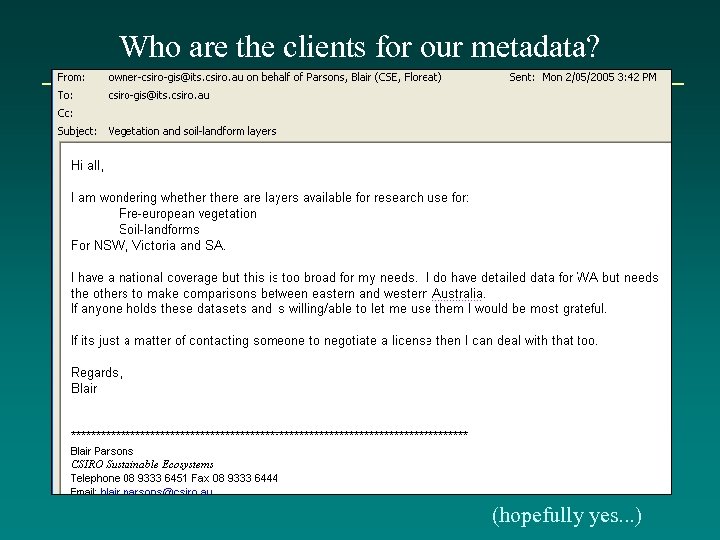 Who are the clients for our metadata? (hopefully yes. . . )
 Who are the clients for our metadata? • CSIRO researchers and their internal / external collaborators (e. g. for data discovery) • Divisional management • External parties – schools, public, scientific community, policy makers, consultants • Ourselves– if an extensive data custodian (use for internal cataloguing / data access purposes) • Recipients of CSIRO data – can supply metadata along with data products (also, may be a project deliverable) • Future users (v. important) – “corporate memory”
 How do people find metadata? • Agency-level systems (own access points) • Metadata gateways – e. g. ASDD (Australian Spatial Data Directory) for Australia, NERC metadata gateway for UK • Future one-CSIRO system (? ? ) • Internet search engines e. g. Google (if mechanism for crawling is enabled) • Standalone metadata files (e. g. supplied with data). NB: all have their place, e. g. agency-level systems may support richer or better targeted search facilities than those available via gateways.
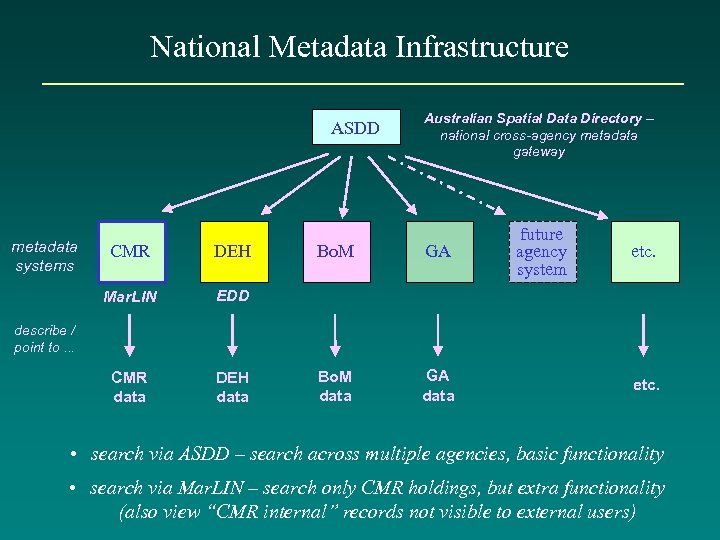 National Metadata Infrastructure ASDD metadata systems CMR DEH Mar. LIN DEH data Bo. M GA Bo. M data GA data future agency system EDD CMR data Australian Spatial Data Directory – national cross-agency metadata gateway etc. describe / point to. . . etc. • search via ASDD – search across multiple agencies, basic functionality • search via Mar. LIN – search only CMR holdings, but extra functionality (also view “CMR internal” records not visible to external users)
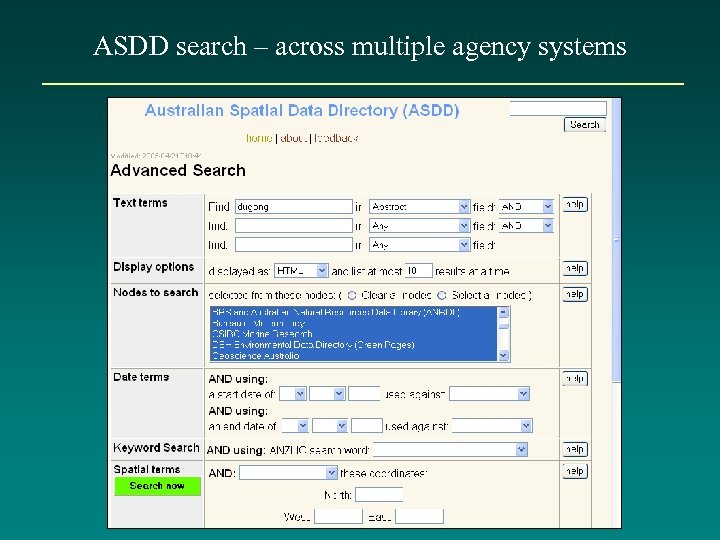 ASDD search – across multiple agency systems
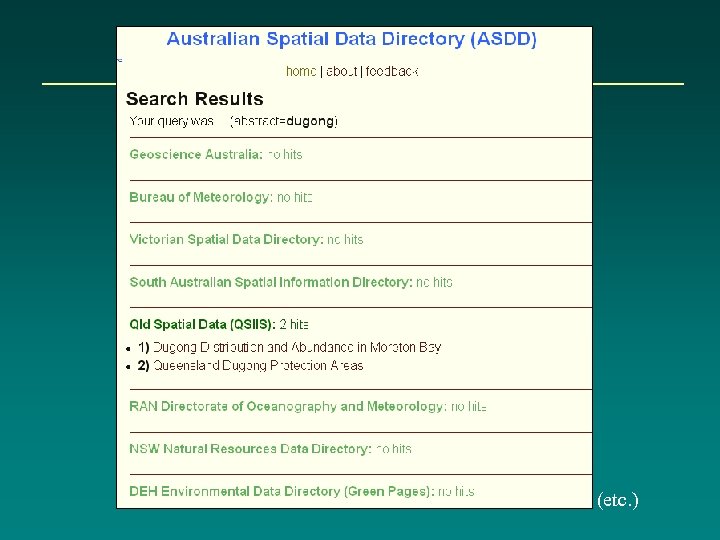 (etc. )
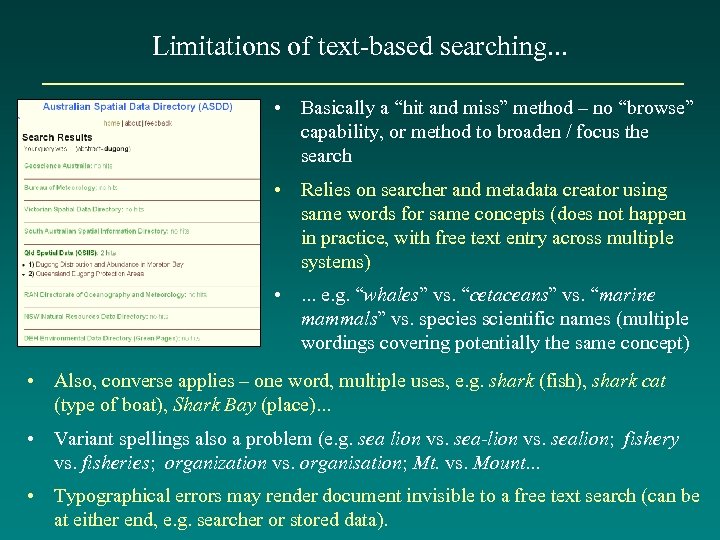 Limitations of text-based searching. . . • Basically a “hit and miss” method – no “browse” capability, or method to broaden / focus the search • Relies on searcher and metadata creator using same words for same concepts (does not happen in practice, with free text entry across multiple systems) • . . . e. g. “whales” vs. “cetaceans” vs. “marine mammals” vs. species scientific names (multiple wordings covering potentially the same concept) • Also, converse applies – one word, multiple uses, e. g. shark (fish), shark cat (type of boat), Shark Bay (place). . . • Variant spellings also a problem (e. g. sea lion vs. sea-lion vs. sealion; fishery vs. fisheries; organization vs. organisation; Mt. vs. Mount. . . • Typographical errors may render document invisible to a free text search (can be at either end, e. g. searcher or stored data).
 cf – Advantages of picklists (“controlled vocabularies”). . . • Steers users to use “one concept, one descriptor” approach; no spelling variants / errors • Can organise thematically / hierarchically, i. e. “shark” under zoology, “Shark Bay” under localities. . . (less confusion); also can have explicit relationships (broader / narrower, related categories, etc. ) • Supports structured information retrieval and browsing • Good prompt for terms that the searcher (or content creator) may not otherwise think to enter • Amenable to global updates (hold list item ID’s in the record, actual values in a look-up table, change in one place only) • Can be access point to more extensive stored additional information (e. g. via project, voyage, organisation, publication ID) – content creator picks a value from the list, system automatically adds the rest Main difficulties: getting agreement on list content; anticipating all user needs; loss of flexibility / fine detail of expression (i. e. , still a need for free text as optional supplement). Also, list maintenance is an overhead.
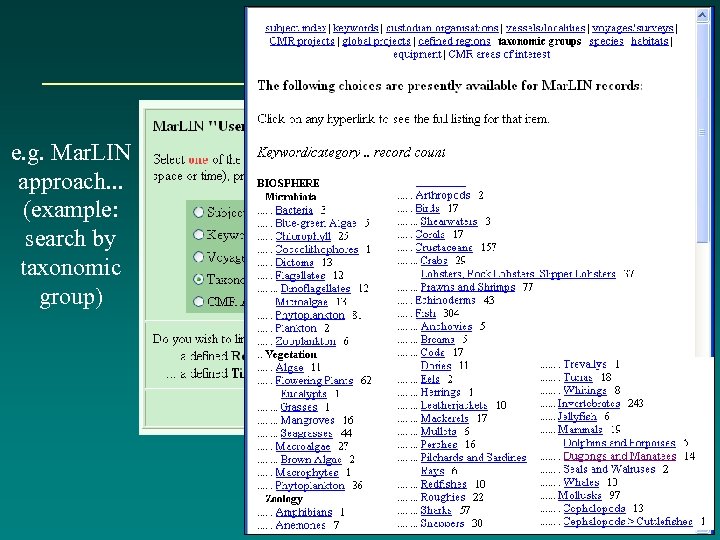 e. g. Mar. LIN approach. . . (example: search by taxonomic group)
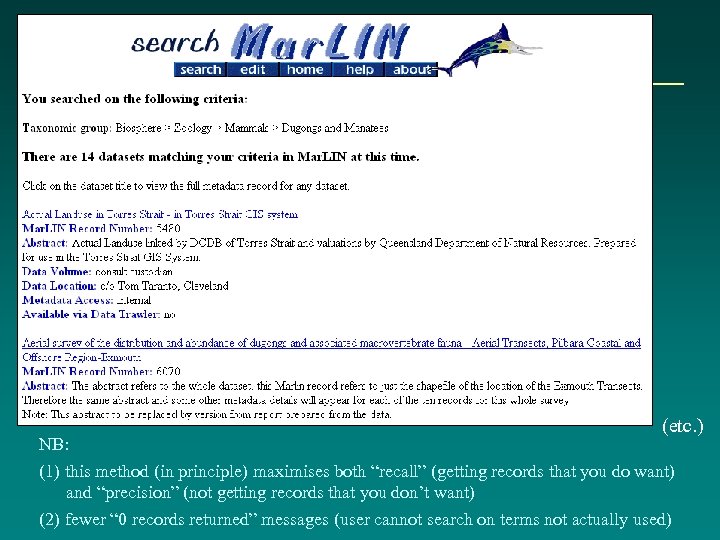 NB: (etc. ) (1) this method (in principle) maximises both “recall” (getting records that you do want) and “precision” (not getting records that you don’t want) (2) fewer “ 0 records returned” messages (user cannot search on terms not actually used)
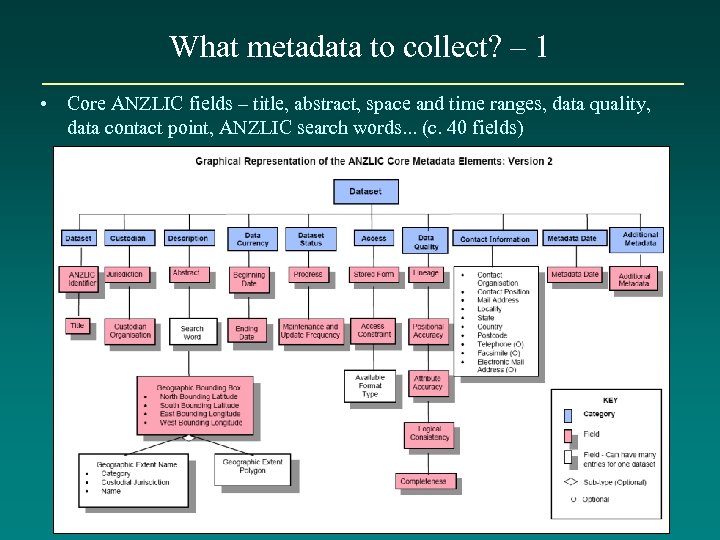 What metadata to collect? – 1 • Core ANZLIC fields – title, abstract, space and time ranges, data quality, data contact point, ANZLIC search words. . . (c. 40 fields)
 What metadata to collect? – 2 • Other fields of value to the agency – e. g. . . – – – project codes + associated info. more specialised keywords or search terms controlled defined regions list links - data documentation, graphics links, data access stored data volume, stored data location references, contributors, acknowledgements (e. g. funding). . . • Some of the above correspond to elements in the ISO standard (c. 400 fields), some will be new • Tension between simple metadata set (few elements, but easy to collect) and more extensive dataset information (more effort to collect, but increased future value and / or structured search options).
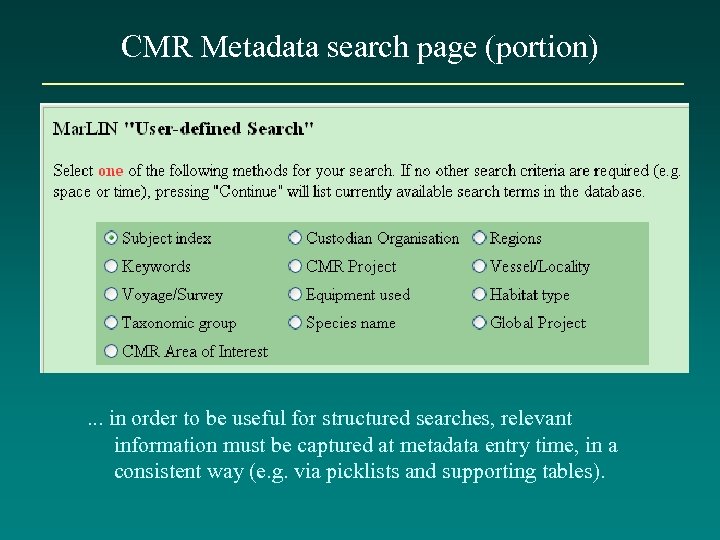 CMR Metadata search page (portion) . . . in order to be useful for structured searches, relevant information must be captured at metadata entry time, in a consistent way (e. g. via picklists and supporting tables).
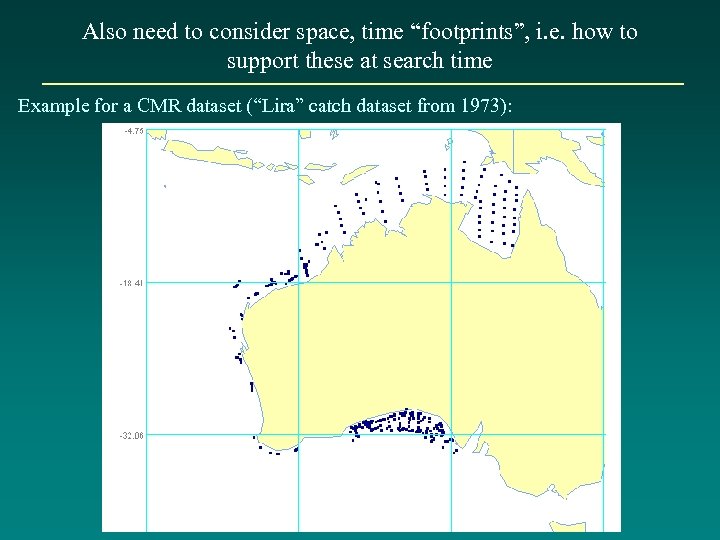 Also need to consider space, time “footprints”, i. e. how to support these at search time Example for a CMR dataset (“Lira” catch dataset from 1973):
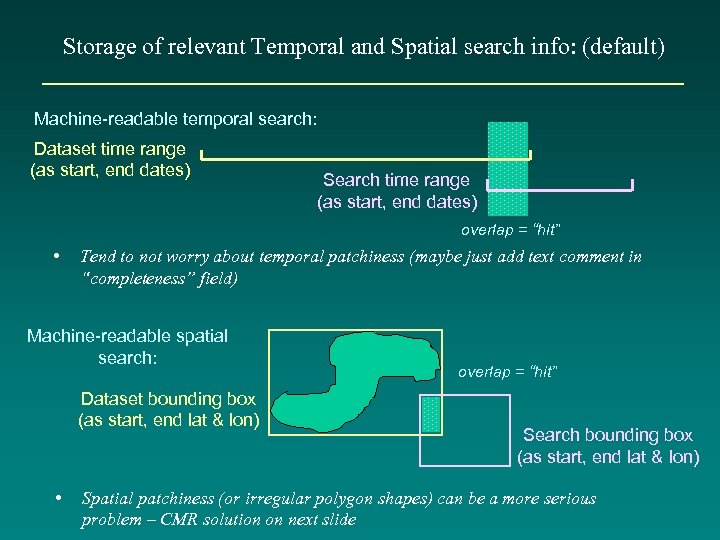 Storage of relevant Temporal and Spatial search info: (default) Machine-readable temporal search: Dataset time range (as start, end dates) Search time range (as start, end dates) overlap = “hit” • Tend to not worry about temporal patchiness (maybe just add text comment in “completeness” field) Machine-readable spatial search: Dataset bounding box (as start, end lat & lon) • overlap = “hit” Search bounding box (as start, end lat & lon) Spatial patchiness (or irregular polygon shapes) can be a more serious problem – CMR solution on next slide
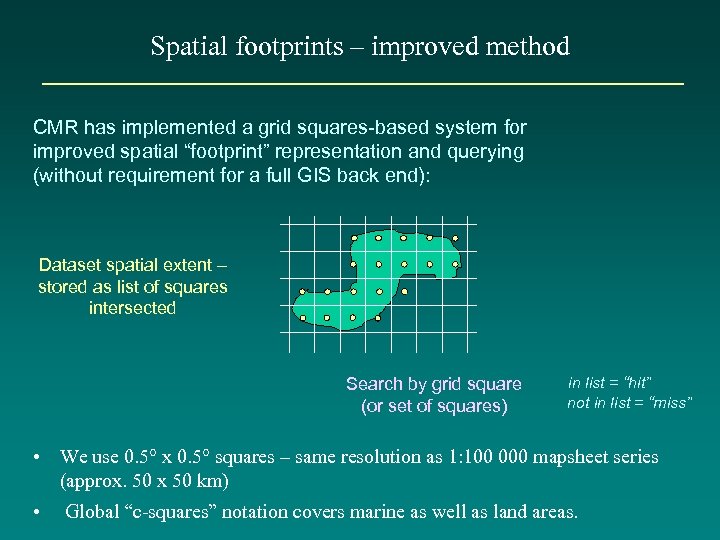 Spatial footprints – improved method CMR has implemented a grid squares-based system for improved spatial “footprint” representation and querying (without requirement for a full GIS back end): Dataset spatial extent – stored as list of squares intersected Search by grid square (or set of squares) in list = “hit” not in list = “miss” • We use 0. 5° x 0. 5° squares – same resolution as 1: 100 000 mapsheet series (approx. 50 x 50 km) • Global “c-squares” notation covers marine as well as land areas.
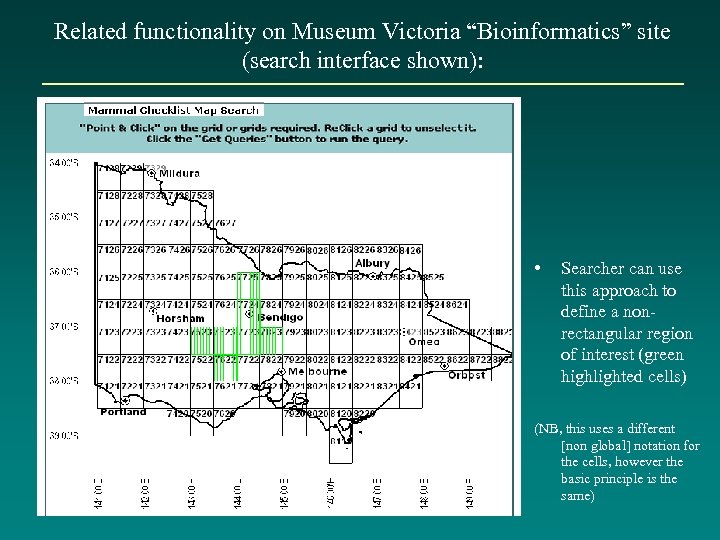 Related functionality on Museum Victoria “Bioinformatics” site (search interface shown): • Searcher can use this approach to define a nonrectangular region of interest (green highlighted cells) (NB, this uses a different [non global] notation for the cells, however the basic principle is the same)
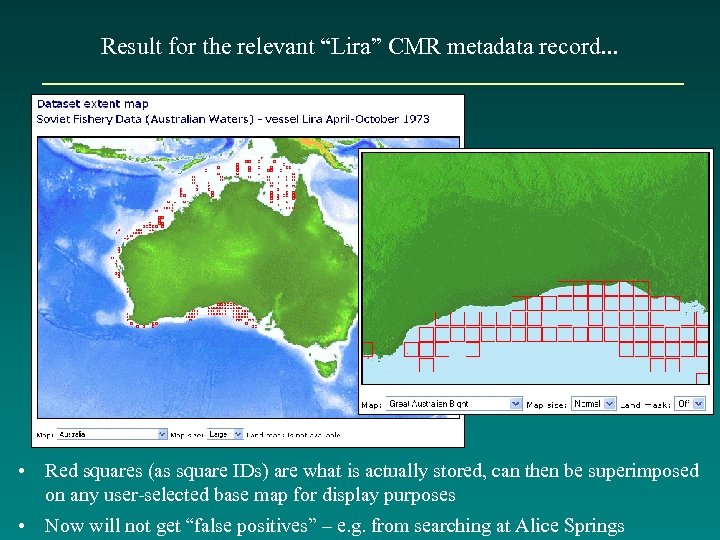 Result for the relevant “Lira” CMR metadata record. . . • Red squares (as square IDs) are what is actually stored, can then be superimposed on any user-selected base map for display purposes • Now will not get “false positives” – e. g. from searching at Alice Springs
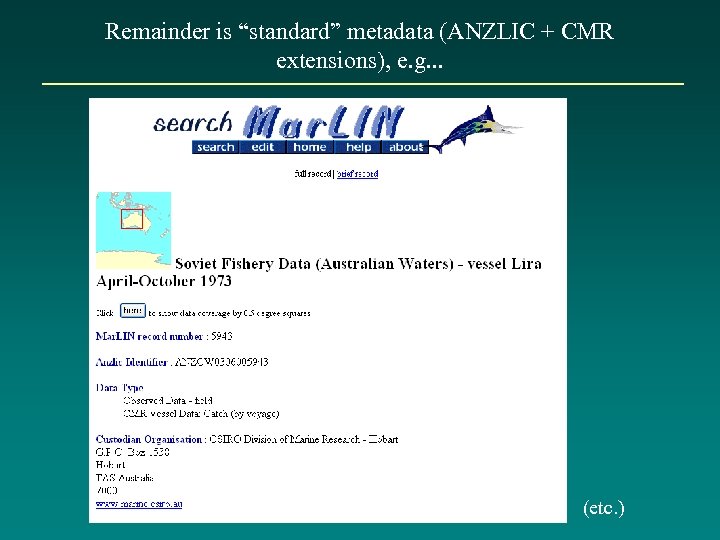 Remainder is “standard” metadata (ANZLIC + CMR extensions), e. g. . . (etc. )
 How do we populate the system (get people to describe their data)? • Non-trivial problem • Education – value of metadata, responsibility of data custodians to describe their data in designated system/s • Prescriptive approach – build into project planning, sign-off, APA’s • Facilitation – dedicated personnel assist scientists, knock on doors • Making records on researchers’ behalf – resource intensive, also not ideal since person making the metadata does not have the best understanding of the data • Incrementally – e. g. as data is migrated into corporate systems, require the metadata to go with it (robust linkage) – NB, will probably always be “data islands” that this approach misses.
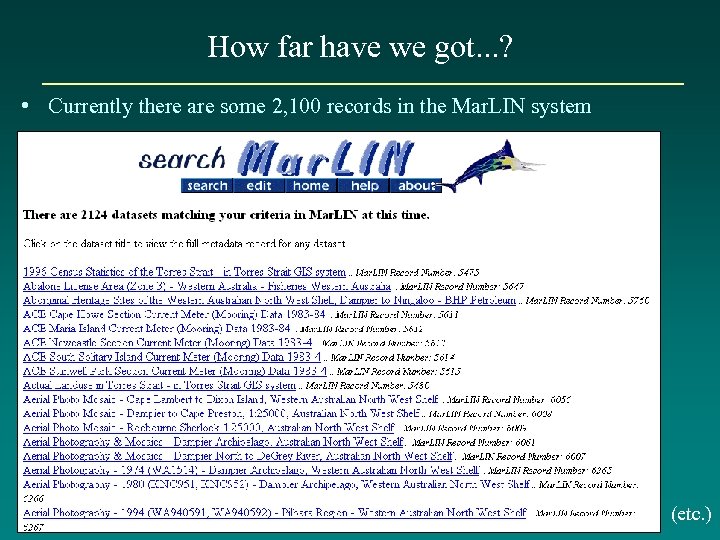 How far have we got. . . ? • Currently there are some 2, 100 records in the Mar. LIN system (etc. )
 How far have we got. . . ? – cont’d • 90 -95% of “Data Centre” holdings described – after 8 yr process! (<1000 records, mostly ships’ data, by voyage and data type) • a few “data islands” have made concerted attempts to describe their data (e. g. 10 -20+ records each) • some major data acquisition exercises have generated 50100+ records, mostly for third party data (generally not visible on extranet) – e. g. where metadata is a specified project deliverable along with the data (good!) • remainder is pretty patchy (maybe 10% compliance) – hope to kickstart with project-based “skeleton records”, also more rigid directives / follow up from Divisional management.
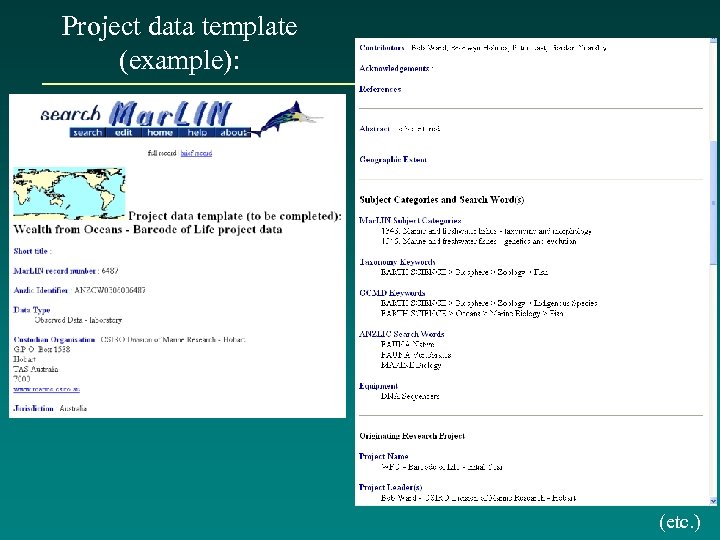 Project data template (example): (etc. )
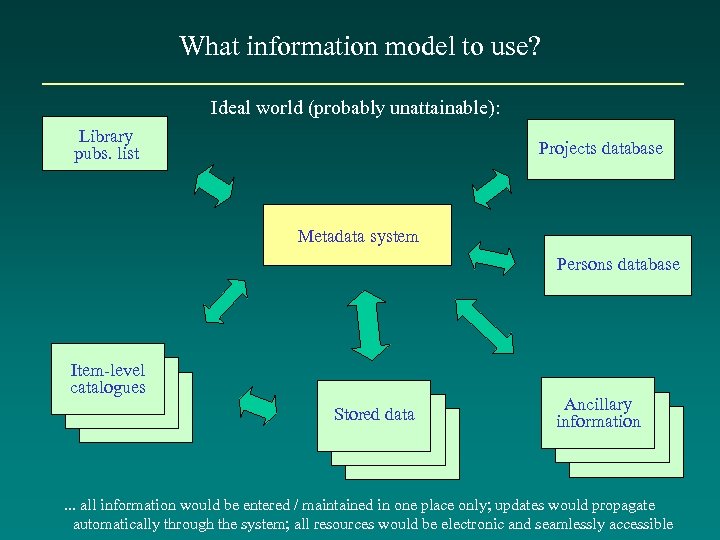 What information model to use? Ideal world (probably unattainable): Library pubs. list Projects database Metadata system Persons database Item-level catalogues Stored data Ancillary information . . . all information would be entered / maintained in one place only; updates would propagate automatically through the system; all resources would be electronic and seamlessly accessible
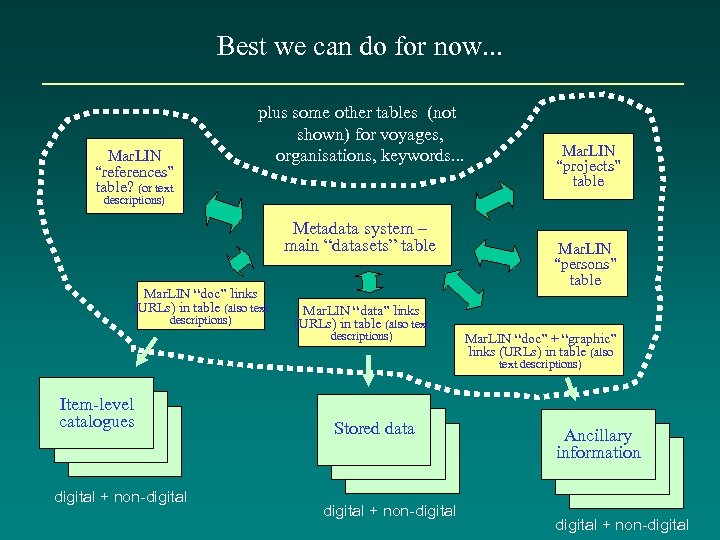 Best we can do for now. . . Mar. LIN “references” table? (or text plus some other tables (not shown) for voyages, organisations, keywords. . . Mar. LIN “projects” table descriptions) Metadata system – main “datasets” table Mar. LIN “doc” links (URLs) in table (also text descriptions) Mar. LIN “data” links (URLs) in table (also text descriptions) Mar. LIN “persons” table Mar. LIN “doc” + “graphic” links (URLs) in table (also text descriptions) Item-level catalogues digital + non-digital Stored data digital + non-digital Ancillary information digital + non-digital
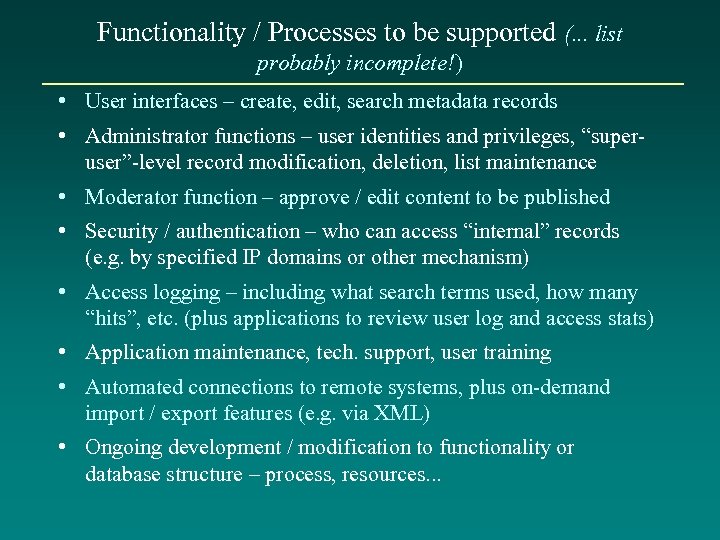 Functionality / Processes to be supported (. . . list probably incomplete!) • User interfaces – create, edit, search metadata records • Administrator functions – user identities and privileges, “superuser”-level record modification, deletion, list maintenance • Moderator function – approve / edit content to be published • Security / authentication – who can access “internal” records (e. g. by specified IP domains or other mechanism) • Access logging – including what search terms used, how many “hits”, etc. (plus applications to review user log and access stats) • Application maintenance, tech. support, user training • Automated connections to remote systems, plus on-demand import / export features (e. g. via XML) • Ongoing development / modification to functionality or database structure – process, resources. . .
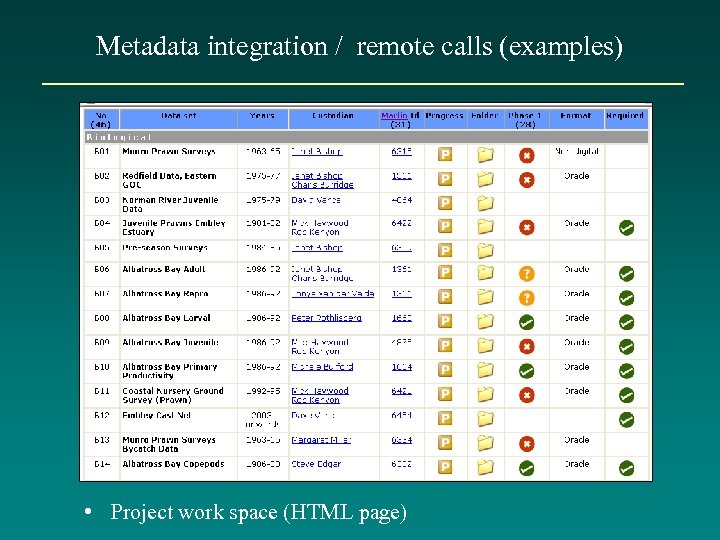 Metadata integration / remote calls (examples) • Project work space (HTML page)
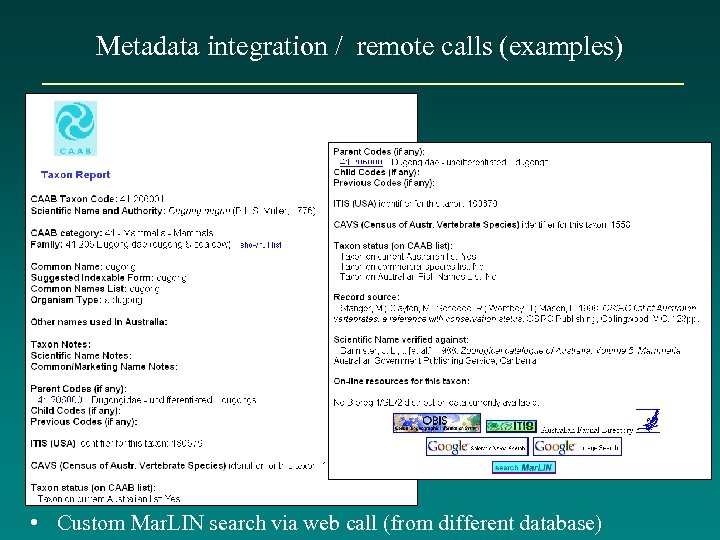 Metadata integration / remote calls (examples) • Custom Mar. LIN search via web call (from different database)
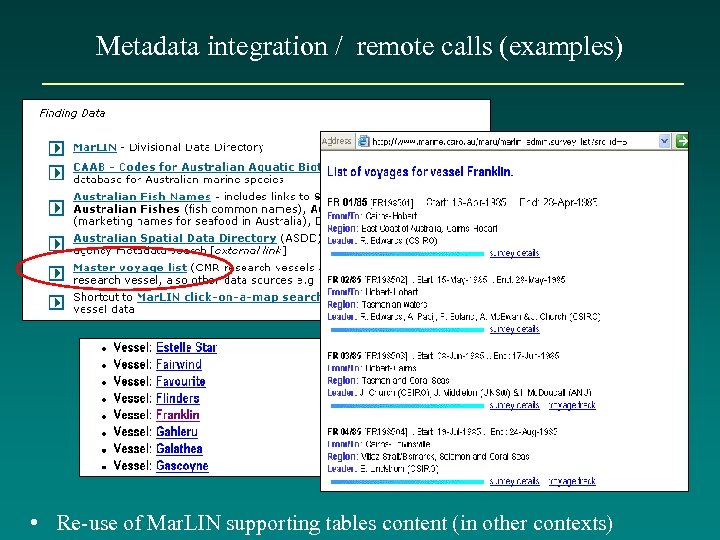 Metadata integration / remote calls (examples) • Re-use of Mar. LIN supporting tables content (in other contexts)
 Concluding remarks • Simple in theory, not so simple in practice, to design and implement a good system (especially in a research, rather than basic “products set” environment) – no “off the shelf” solution (or even key components) available • Designing a system gives the opportunity to incorporate new / improved concepts (scope for innovation, design challenges) • Should be benefits in sharing code, approaches, experiences across Divisions or other groups • Populating the system is as important as building it! • Connection to external gateways is not too hard, once system plus some publishable content exists • CMR is a lonely trailblazer within CSIRO. . still considered an example of “best practice” (a bit of a worry, seeing how far we still have to go). . .
 • Thanks! • To visit Mar. LIN: go to www. marine. csiro. au >> Data Centre (www. marine. csiro. au/datacentre/) >> Mar. LIN (www. marine. csiro. au/marlin/) • Mar. LIN “Edit” interface – currently requires access privileges to visit (will look at online in tomorrow’s session).