


 Скачать презентацию Meganet Corporation VME Gateway Meganet Corporation is
3944e811aafc0a594861f5a98d046c93.ppt
- Количество слайдов: 93
 Meganet Corporation VME Gateway
 Meganet Corporation is a leading worldwide provider of data security to Governments, Military, Armies, financial institutions, enterprise and large corporations around the world.
 Present s:
 email Security Solutions
 Sending an e. Mail is like sending a postcard. =
 ? Are you sure no one else reads your emails but you? !!
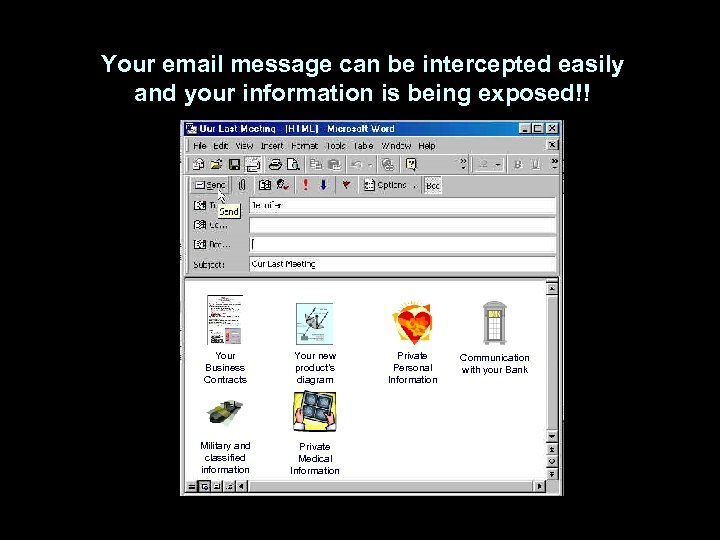 Your email message can be intercepted easily and your information is being exposed!! Your Business Contracts Your new product’s diagram Military and classified information Private Medical Information Private Personal Information Communication with your Bank
 The Security Challenge Emails carrying offensive messages or confidential corporate information can create immense inconvenience and expense for a company that has not equipped its mail server with the appropriate tools. The same goes for spammers who use the email system at work to send thousands of unsolicited email messages. And what about the vast damage and time-loss caused by email viruses, which seems to making ever more frequent appearances these days.
 The Security Challenge Various studies have shown how employees use email to send out confidential corporate information. Be it because they are disgruntled and revengeful, or because they fail to realize the potentially harmful impact of such a practice, employees use email to share sensitive data that was officially intended to remain in-house.
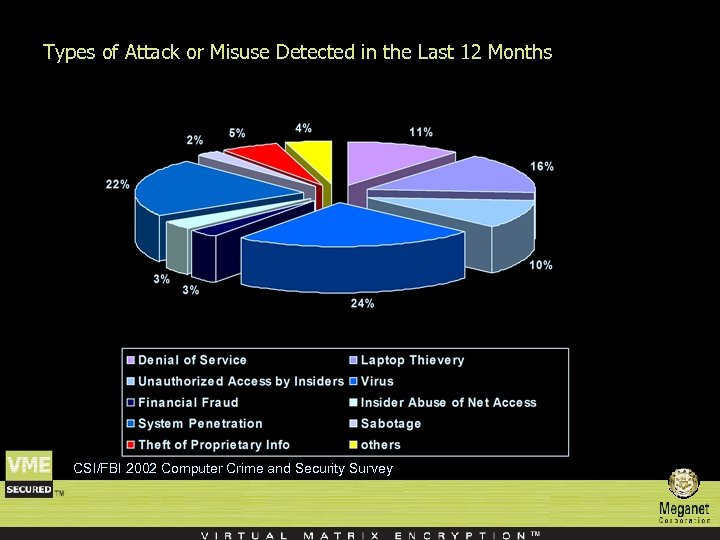 Types of Attack or Misuse Detected in the Last 12 Months CSI/FBI 2002 Computer Crime and Security Survey
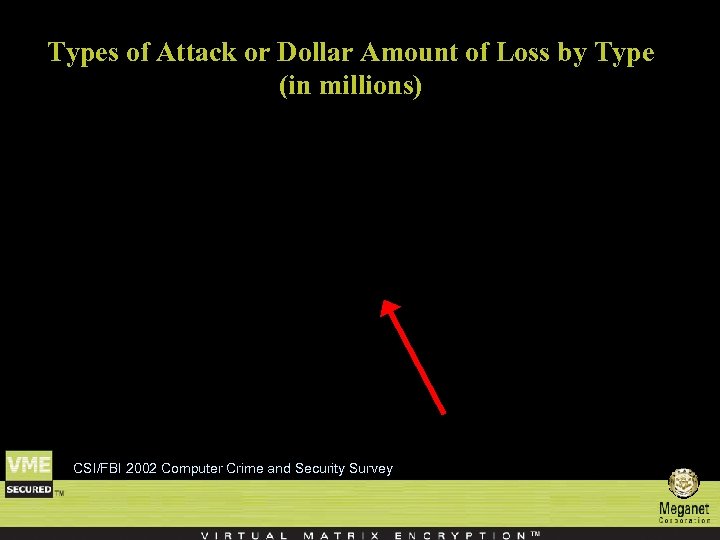 Types of Attack or Dollar Amount of Loss by Type (in millions) CSI/FBI 2002 Computer Crime and Security Survey
 The solution: An automatic Policy Based email Security Server
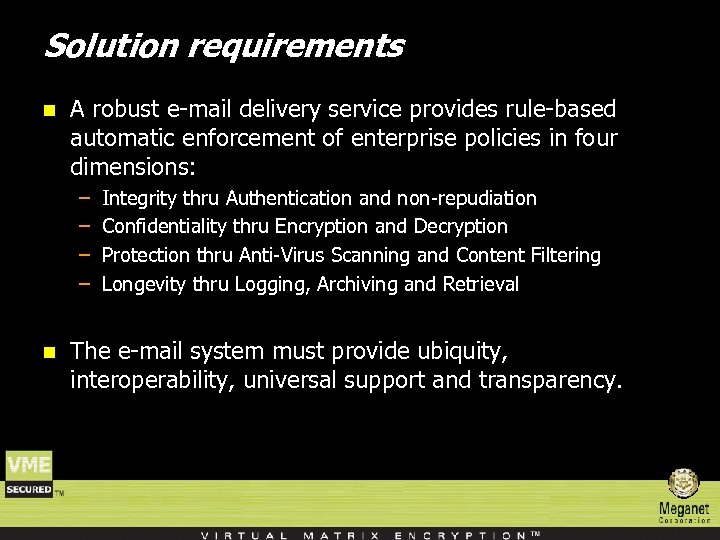 Solution requirements n A robust e-mail delivery service provides rule-based automatic enforcement of enterprise policies in four dimensions: – – n Integrity thru Authentication and non-repudiation Confidentiality thru Encryption and Decryption Protection thru Anti-Virus Scanning and Content Filtering Longevity thru Logging, Archiving and Retrieval The e-mail system must provide ubiquity, interoperability, universal support and transparency.
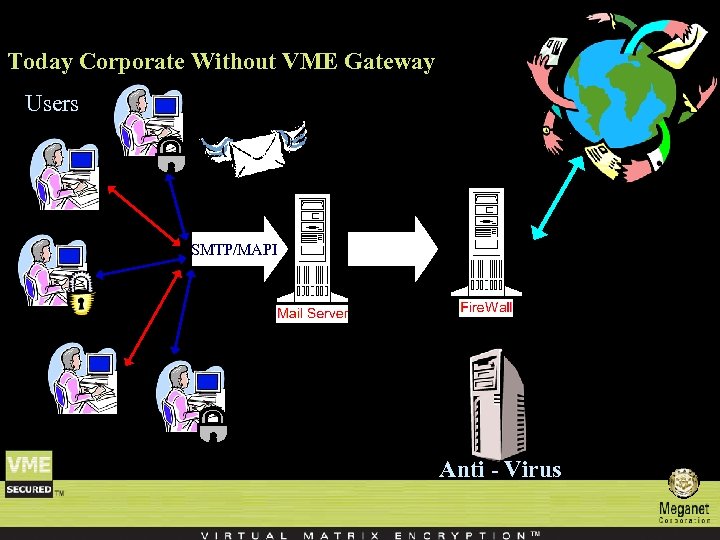 Today Corporate Without VME Gateway Users SMTP/MAPI Anti - Virus
 VME Gateway Policy Enforcement (the ‘engine’) n The VME Gateway Policy Enforcer manages policy enforcement decisions in real-time on each e-mail message routed to VME Gateway. n Policy enforcement decisions are made using rules stored in the VME Gateway Rule Base. n These rules specify the actions to be taken on each message according to its contents. n Rules are applicable to an e-mail according to its sender and recipient, its contents and attachments. n Once the rules that apply to a given e-mail are determined, the actions they state are performed.
 VME Gateway Policy Enforcement (the ‘engine’) n Primary actions include encryption, failing the message or taking no action. n When encryption is specified, the rule also indicates which encryption method should be applied and which encryption key to use. n Additional actions include generating log information, message archiving, return receipt, adding notes and rerouting the message. n Once VME Gateway security processing has been completed, the message is directed to the e-mail server.
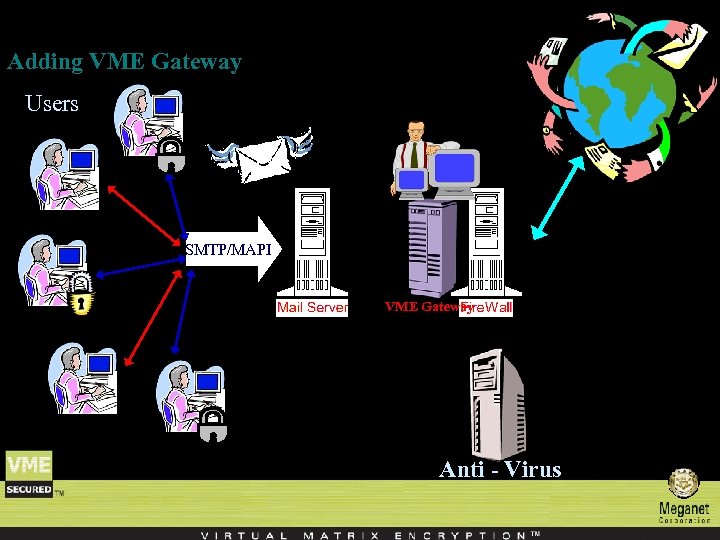 Adding VME Gateway Users SMTP/MAPI VME Gateway Anti - Virus
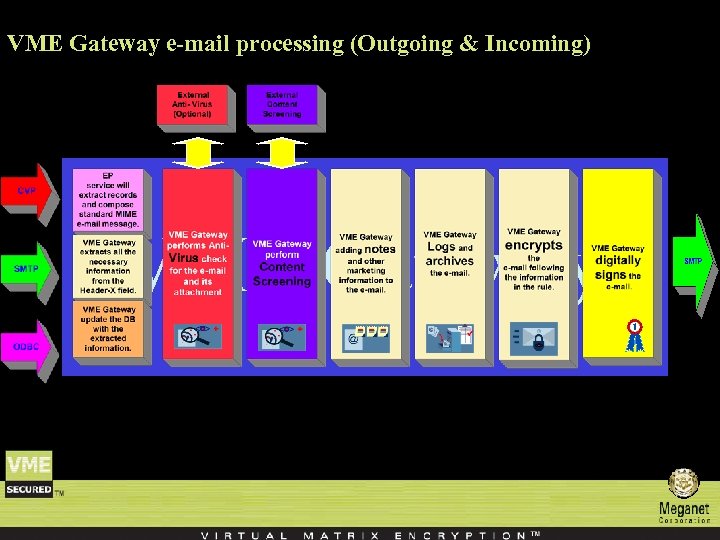 VME Gateway e-mail processing (Outgoing & Incoming) VME Gateway
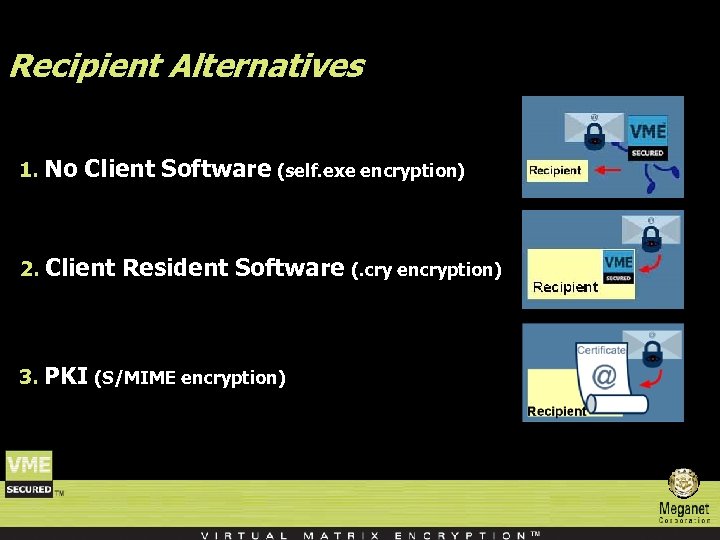 Recipient Alternatives 1. No Client Software (self. exe encryption) 2. Client Resident Software (. cry encryption) 3. PKI (S/MIME encryption)
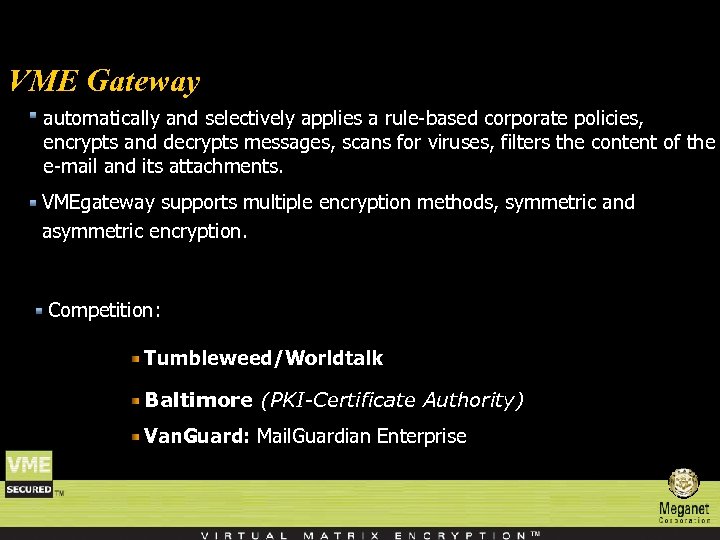 VME Gateway automatically and selectively applies a rule-based corporate policies, encrypts and decrypts messages, scans for viruses, filters the content of the e-mail and its attachments. VMEgateway supports multiple encryption methods, symmetric and asymmetric encryption. Competition: Tumbleweed/Worldtalk Baltimore (PKI-Certificate Authority) Van. Guard: Mail. Guardian Enterprise
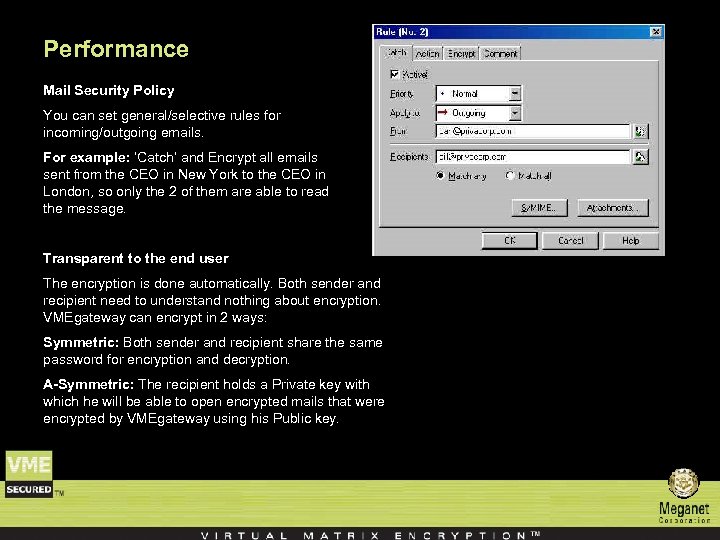 Performance Mail Security Policy You can set general/selective rules for incoming/outgoing emails. For example: ‘Catch’ and Encrypt all emails sent from the CEO in New York to the CEO in London, so only the 2 of them are able to read the message. Transparent to the end user The encryption is done automatically. Both sender and recipient need to understand nothing about encryption. VMEgateway can encrypt in 2 ways: Symmetric: Both sender and recipient share the same password for encryption and decryption. A-Symmetric: The recipient holds a Private key with which he will be able to open encrypted mails that were encrypted by VMEgateway using his Public key.
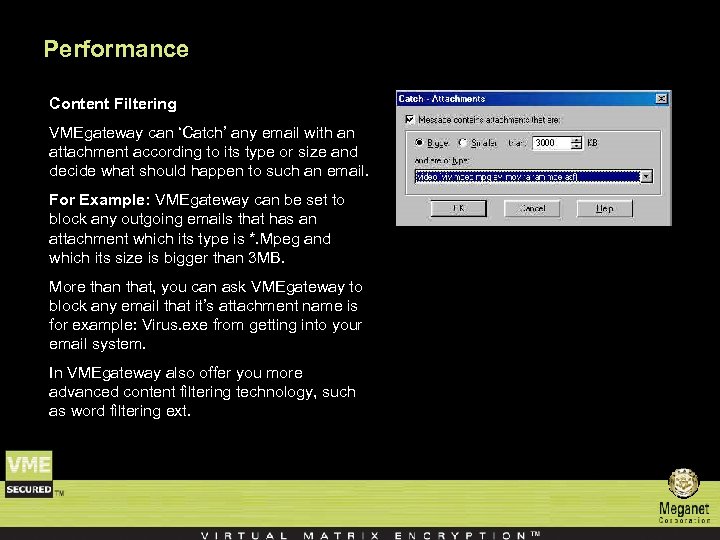 Performance Content Filtering VMEgateway can ‘Catch’ any email with an attachment according to its type or size and decide what should happen to such an email. For Example: VMEgateway can be set to block any outgoing emails that has an attachment which its type is *. Mpeg and which its size is bigger than 3 MB. More than that, you can ask VMEgateway to block any email that it’s attachment name is for example: Virus. exe from getting into your email system. In VMEgateway also offer you more advanced content filtering technology, such as word filtering ext.
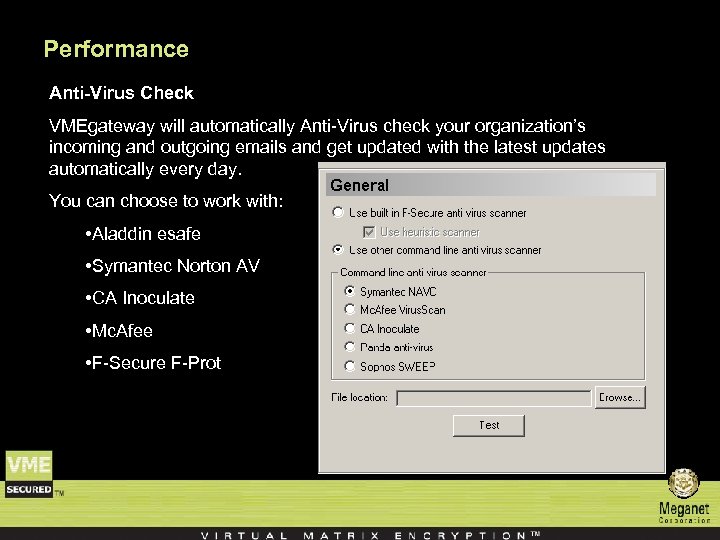 Performance Anti-Virus Check VMEgateway will automatically Anti-Virus check your organization’s incoming and outgoing emails and get updated with the latest updates automatically every day. You can choose to work with: • Aladdin esafe • Symantec Norton AV • CA Inoculate • Mc. Afee • F-Secure F-Prot
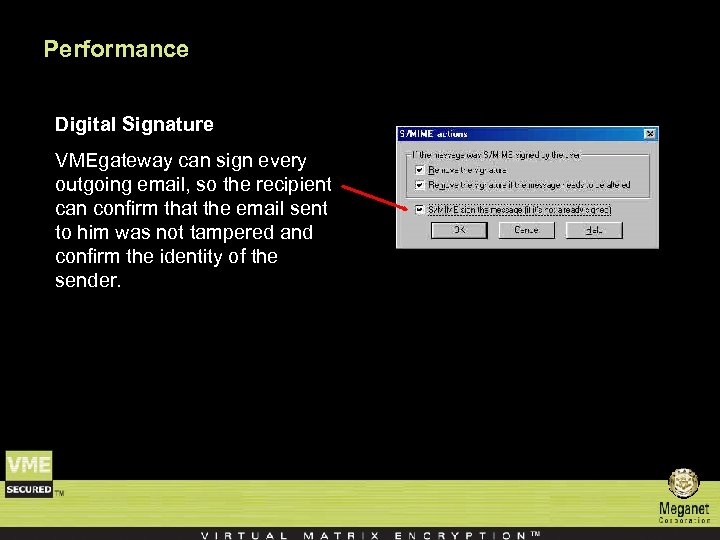 Performance Digital Signature VMEgateway can sign every outgoing email, so the recipient can confirm that the email sent to him was not tampered and confirm the identity of the sender.
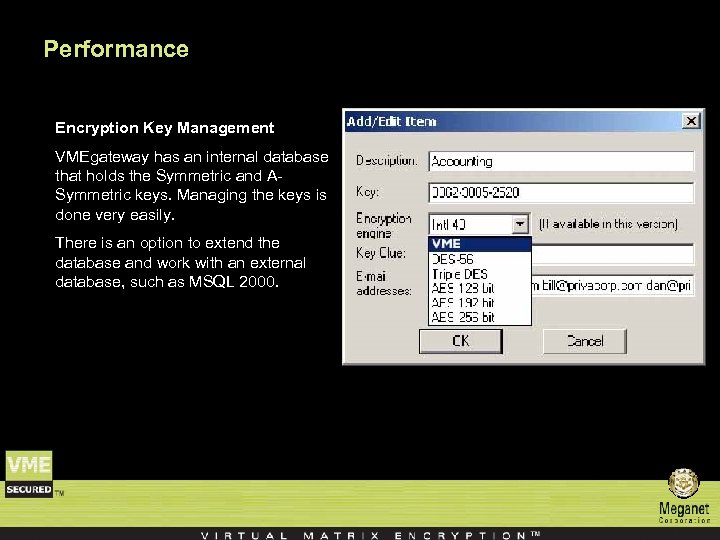 Performance Encryption Key Management VMEgateway has an internal database that holds the Symmetric and ASymmetric keys. Managing the keys is done very easily. There is an option to extend the database and work with an external database, such as MSQL 2000.
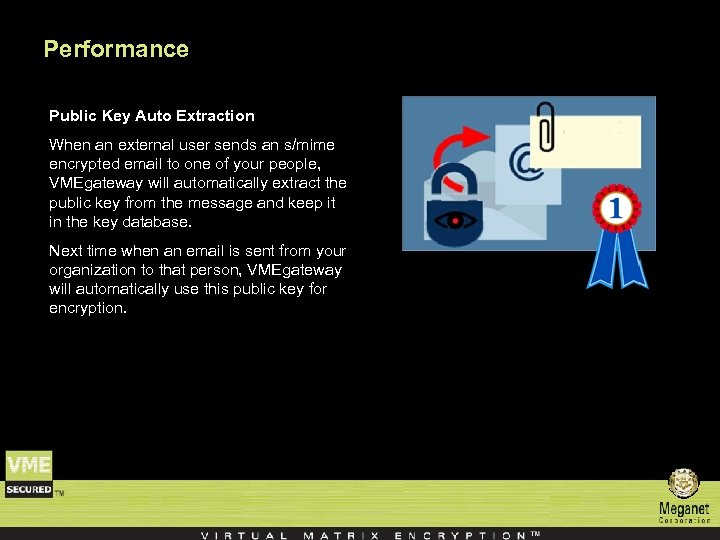 Performance Public Key Auto Extraction When an external user sends an s/mime encrypted email to one of your people, VMEgateway will automatically extract the public key from the message and keep it in the key database. Next time when an email is sent from your organization to that person, VMEgateway will automatically use this public key for encryption.
 Performance Supported Standards and Protocols • X. 509 V 3 Certificates • Public Key - RSA • DES, TDES & AES • LDAP • SHA 1 and MD 5 Hashing Algorithms • Checkpoint OPSEC Compliant (CVP & ELA) • Compatible with any SMTP Mail Server
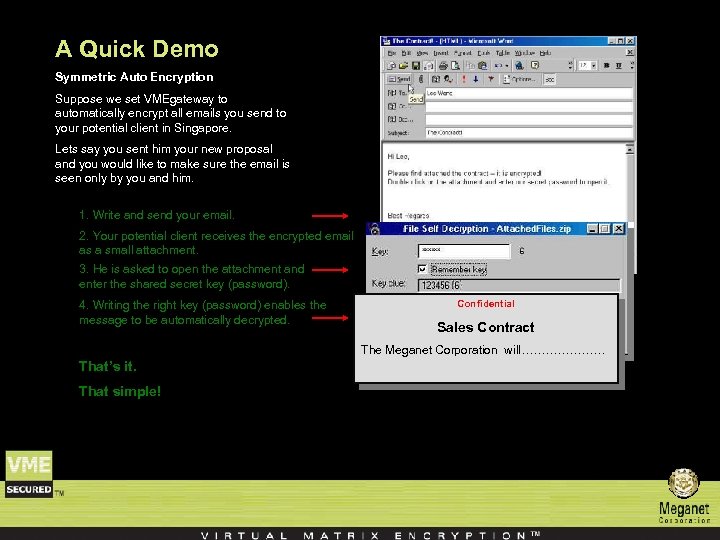 A Quick Demo Symmetric Auto Encryption Suppose we set VMEgateway to automatically encrypt all emails you send to your potential client in Singapore. Lets say you sent him your new proposal and you would like to make sure the email is seen only by you and him. 1. Write and send your email. 2. Your potential client receives the encrypted email as a small attachment. 3. He is asked to open the attachment and enter the shared secret key (password). 4. Writing the right key (password) enables the message to be automatically decrypted. Confidential Sales Contract The Meganet Corporation will………………… That’s it. That simple!
 Additional Features n Strip Word and Excel document macros – VME Gateway can remove macros from Microsoft Word and Excel documents to prevent potentially hostile content from entering or leaving the organization.
 Additional Features n Interface with Active Directory – VME Gateway can interface with an LDAP server for online user and group information retrieval. The groups are managed on the LDAP server and VME Gateway downloads the group’s contents periodically.
 Additional Features n On-line retrieval of certificates – VME Gateway can retrieve user certificates online from LDAP servers. When a certain user certificate is required, VME Gateway can generate an LDAP query to one or more LDAP servers for retrieving the users’ certificate.
 Additional Features n Detection of scripts, embedded files and links in PDF documents – VME Gateway can detects whether PDF files has java scripts, embedded files or links which might pose a security risk, and treats such a PDF file as if it contains a macro.
 Additional Features n Text filtering – VME Gateway can apply rules to messages according to their contents. The message subject, text and attachments can be searched for predefined expressions and if found, can trigger specific actions. Expressions can be either in the form of a Boolean expression (cat and dog) or as a category. This feature is especially useful for catching sensitive information as it is being sent out or for blocking messages of specific type (junk mail, explicit content etc. )
 Additional Features n Time objects – VME Gateway includes Time Objects which specify a time period (time of day, day of week, day of month) for which certain rules are valid. This allows for rules to be applied only during specific time such as weekends when security can be tighter.
 Additional Features n Detection and stripping of HTML potentially hostile content – VME Gateway can detect HTML scripts, cookies and code references inside HTML content and can strip them to prevent potentially hostile content from entering or leaving the organization.
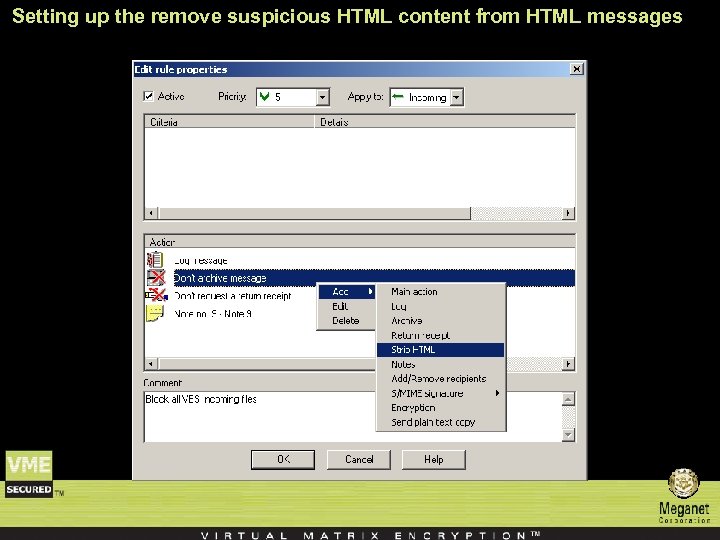 Setting up the remove suspicious HTML content from HTML messages
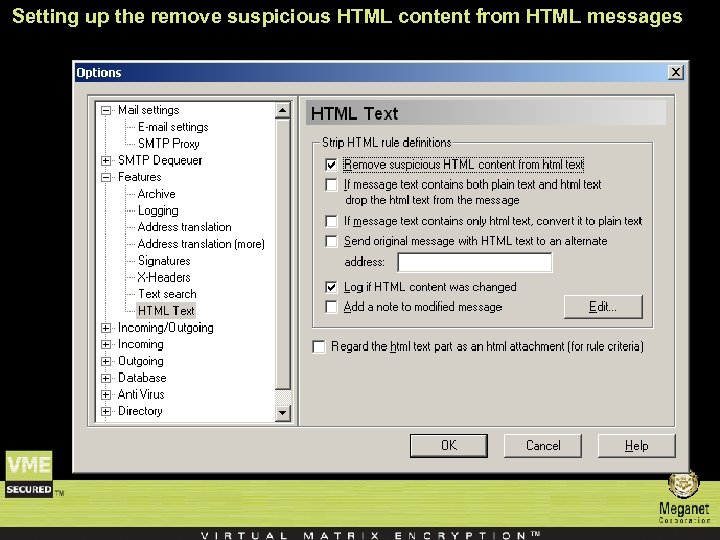 Setting up the remove suspicious HTML content from HTML messages
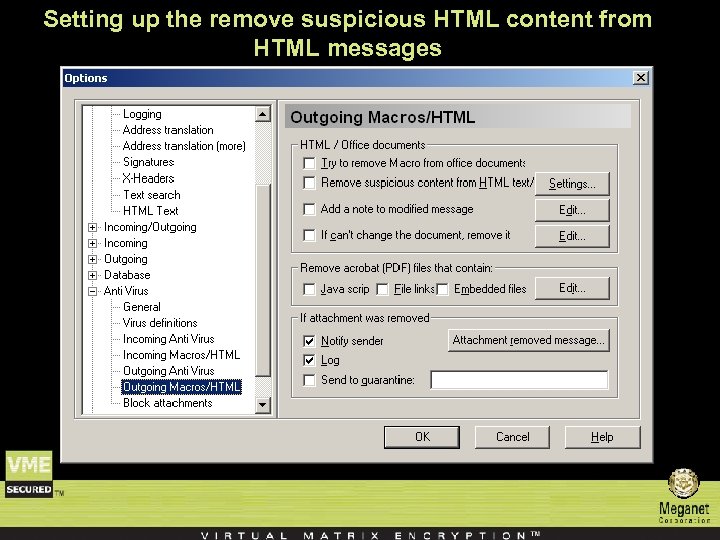 Setting up the remove suspicious HTML content from HTML messages
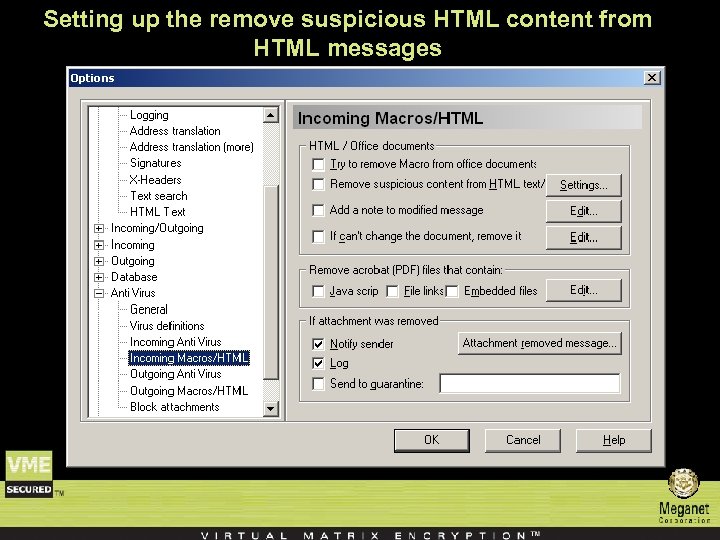 Setting up the remove suspicious HTML content from HTML messages
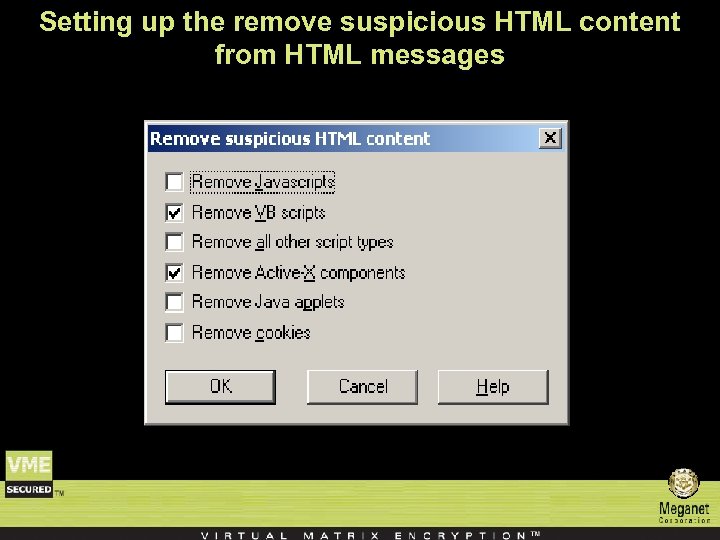 Setting up the remove suspicious HTML content from HTML messages
 Additional Features n E-Mail Simulation – VME Gateway includes a simulation tool used for policy verification. Using this tool, e-mail messages can be simulated and processed by the system without actually being sent out. The outcome of the simulated message is displayed, allowing the administrator to confirm that the system behaves as expected
 Additional Features n Companion Decryption Software – VME Gateway include three client software packages that can be used for decrypting symmetrically encrypted messages created by VME Gateway. – These packages ‘Decryptor’, ‘File. Decryptor’ and ‘File. Decryptor 2’ are located in the ‘Client Tools’ folders and can be freely distributed to anyone. – They are small and do not require any installation procedure so they can even be run at an arbitrary location from a floppy disk.
 Additional Features VME Gateway Security Client: n The VME Gateway Security Client (GSC) is used for encrypting all outgoing messages from the users computer up to VME Gateway automatically and transparently. n The Client intercepts all outgoing SMTP traffic and S/MIME encrypts it using a single X. 509 certificate. n The destination VME Gateway identified the message and automatically decrypts it its private key and then processes it normally according to the rules and global options. n The GSC should be used when the communication between the client computer and the VME Gateway Wall machine is insecure (such as a traveling user which connects to the internet for sending messages and is not using VPN).
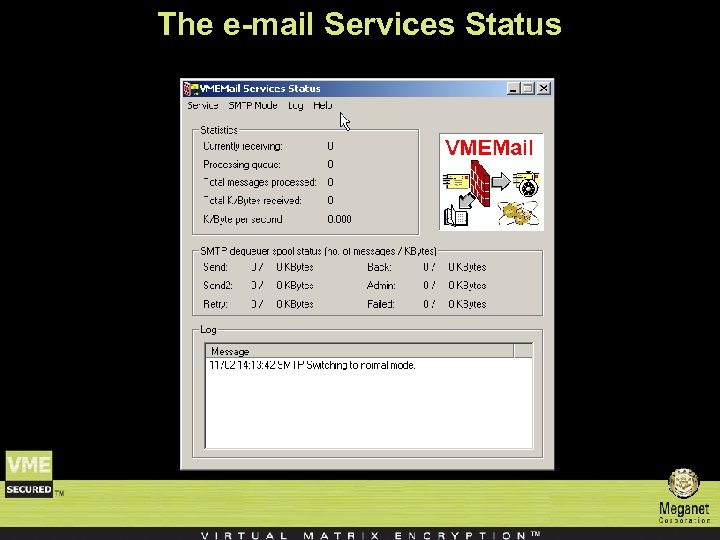 The e-mail Services Status
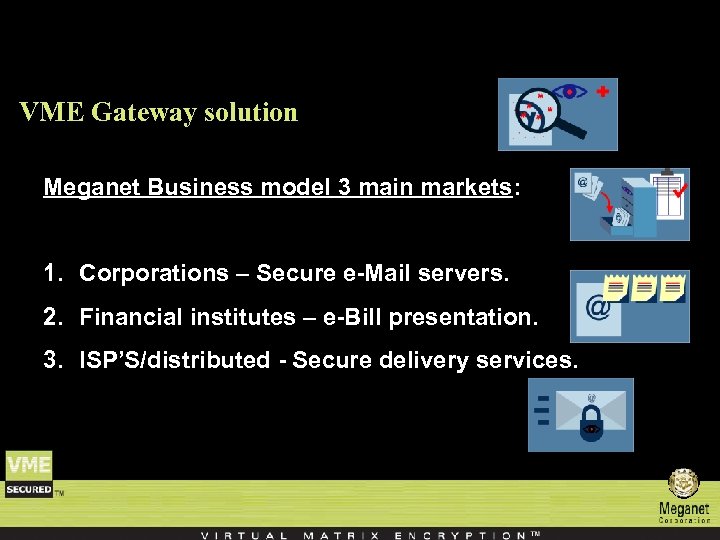 VME Gateway solution Meganet Business model 3 main markets: 1. Corporations – Secure e-Mail servers. 2. Financial institutes – e-Bill presentation. 3. ISP’S/distributed - Secure delivery services.
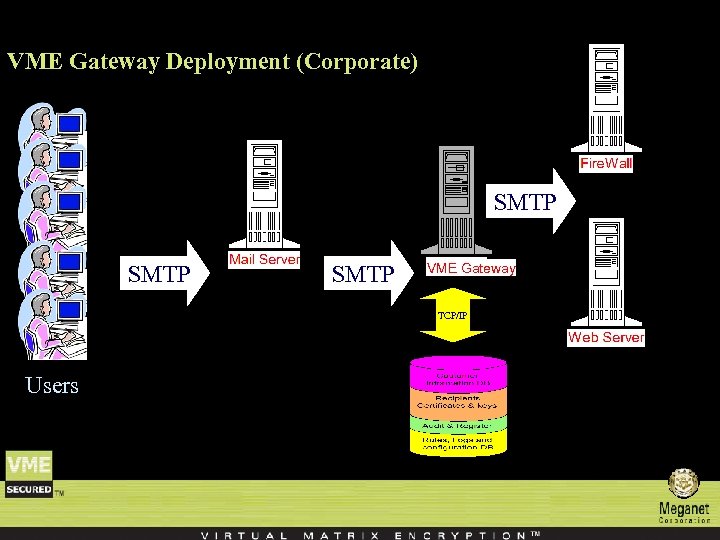 VME Gateway Deployment (Corporate) SMTP VME Gateway TCP/IP Users
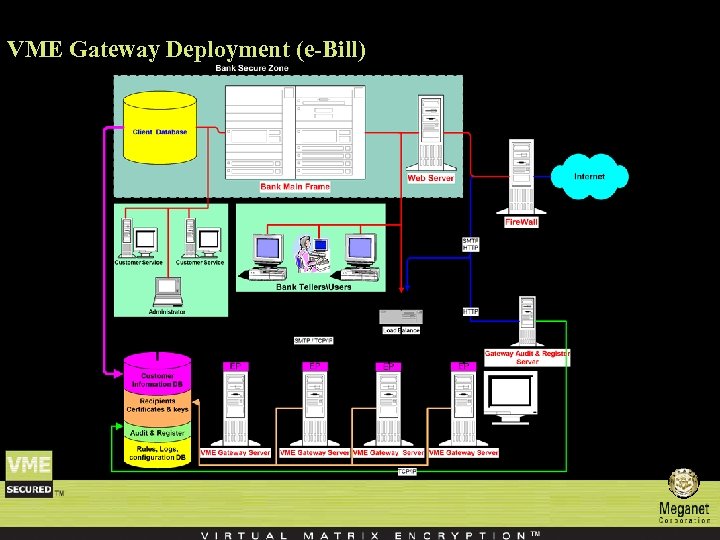 VME Gateway Deployment (e-Bill)
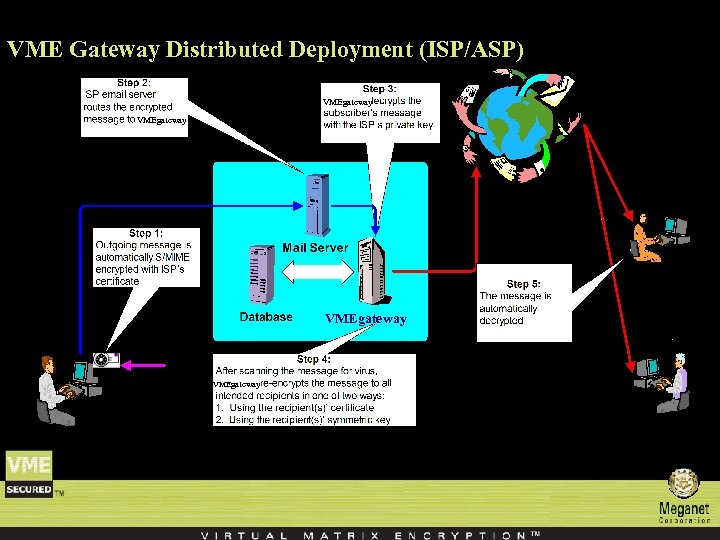 VME Gateway Distributed Deployment (ISP/ASP) VMEgateway
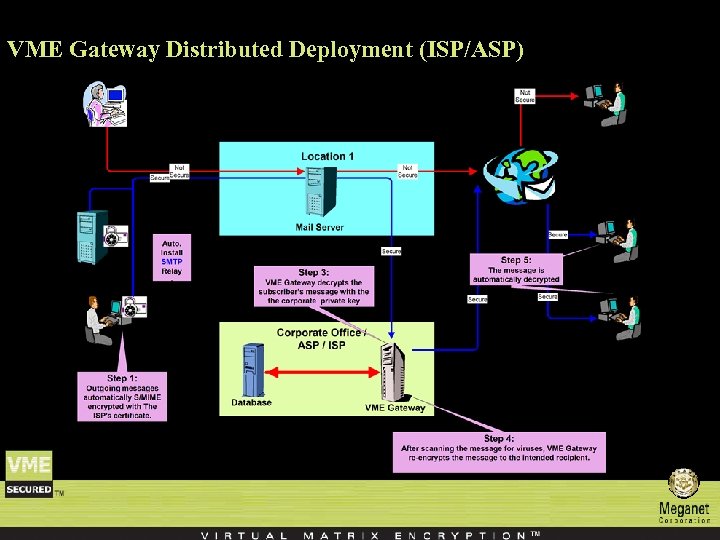 VME Gateway Distributed Deployment (ISP/ASP)
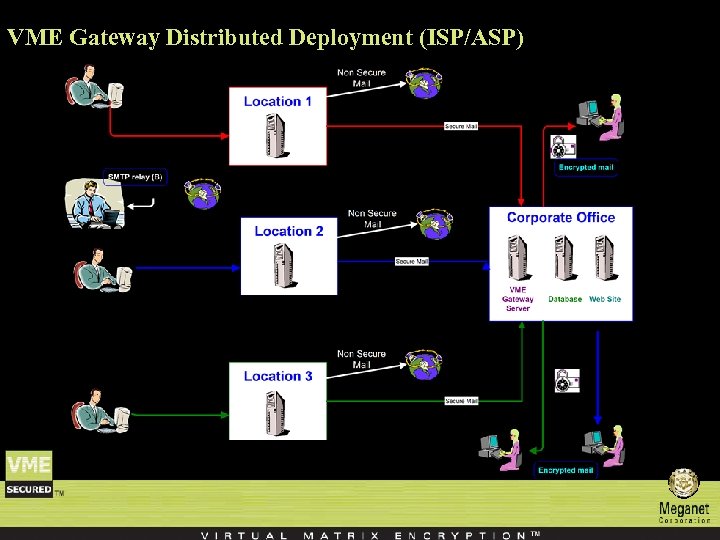 VME Gateway Distributed Deployment (ISP/ASP)
 System Requirements Windows™ NT/2000/XP
 Meganet Corporation Contact us … Meganet Corporation World Trade Center 350 S. Figueroa St. #450 Los Angeles, CA 90071 -1201 Sales : 1 -800 -MEGANET Phone : 213 -620 -1666 Fax : 213 -620 -1655 E-mail: sales@meganet. com
 Appendix Creating a new rule
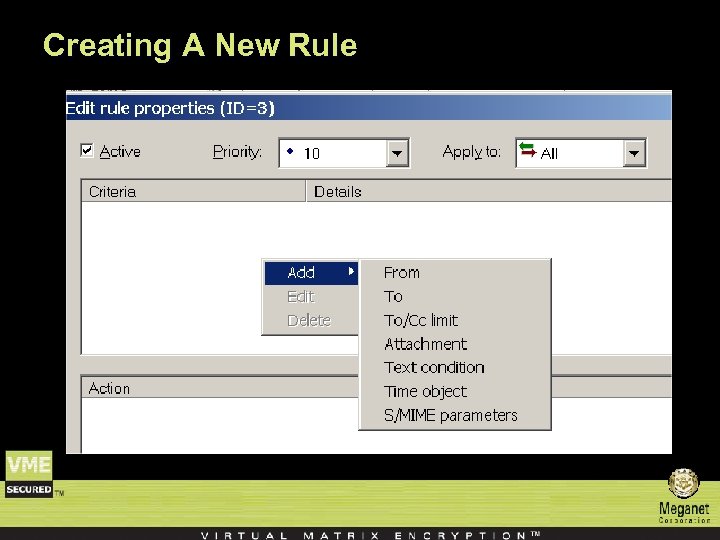
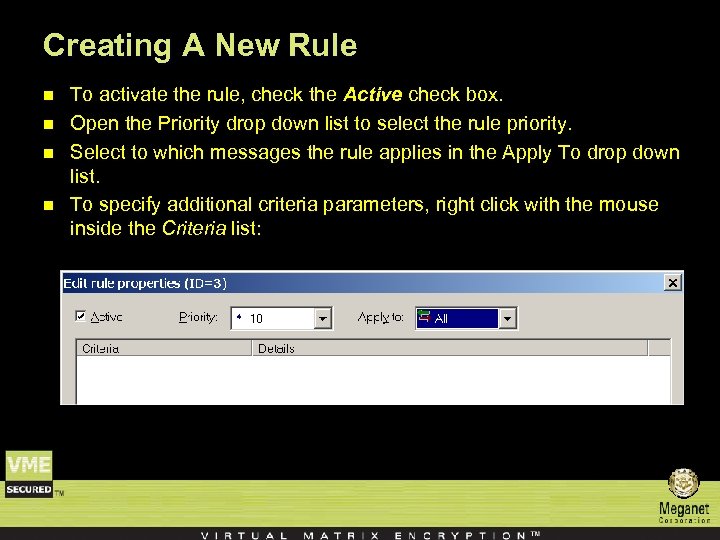 Creating A New Rule n n To activate the rule, check the Active check box. Open the Priority drop down list to select the rule priority. Select to which messages the rule applies in the Apply To drop down list. To specify additional criteria parameters, right click with the mouse inside the Criteria list:
 Creating A New Rule
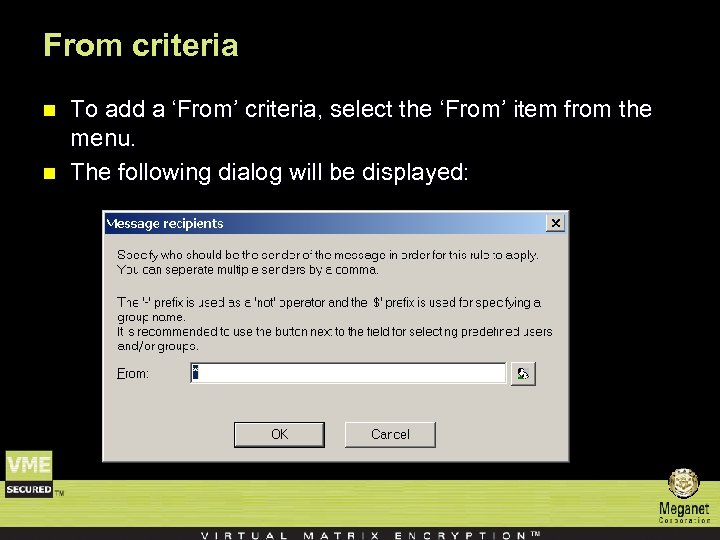 From criteria n n To add a ‘From’ criteria, select the ‘From’ item from the menu. The following dialog will be displayed:
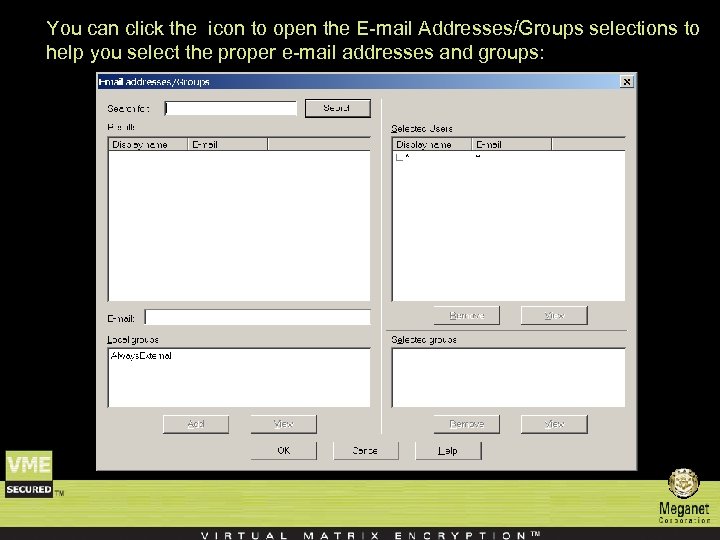 You can click the icon to open the E-mail Addresses/Groups selections to help you select the proper e-mail addresses and groups:
 n n Note: The ‘Search for’ field, the ‘Search’ button and the ‘Results’ list are only available if you are using a directory for storing users and groups information. To search the directory, enter a search string (such as bob*) and click the ‘Search’ button. The results will be displayed in the ‘Results’ list. Double clicking an item in this list will pop up a dialog with all available information retrieved from the directory server. To add an e-mail address/group, select the e-mail addresses and click the ‘Add’ button. Multiple addresses can be selected and added. Alternatively, type in an e-mail address in the ‘E-mail’ field and click the ‘Add’ button. To remove an e-mail address or group select it in the selected Users or Selected groups list and click the ‘Remove’ button.
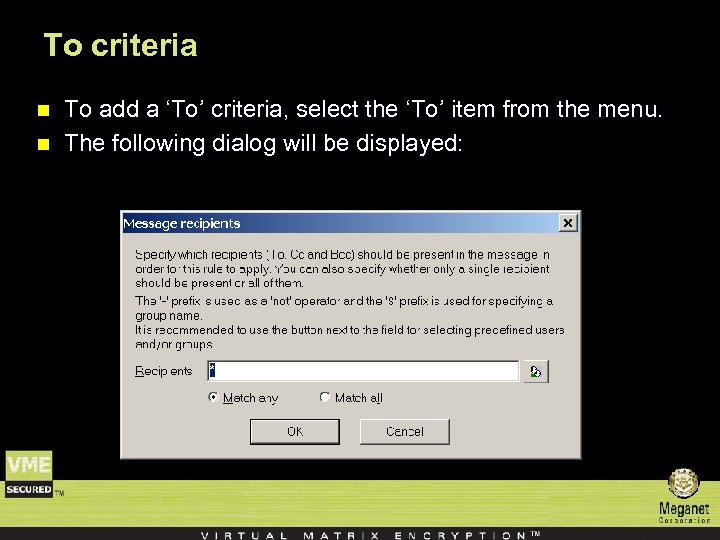 To criteria n n To add a ‘To’ criteria, select the ‘To’ item from the menu. The following dialog will be displayed:
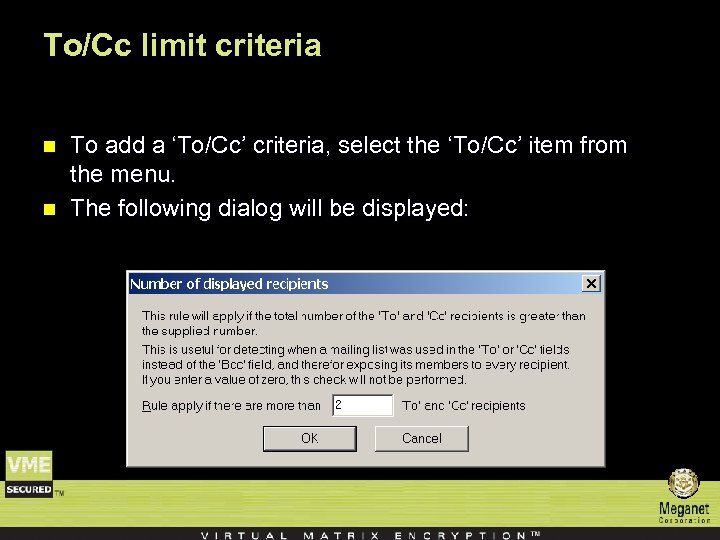 To/Cc limit criteria n n To add a ‘To/Cc’ criteria, select the ‘To/Cc’ item from the menu. The following dialog will be displayed:
 The rule will apply if the total no. of visible recipients (i. e. , recipients in the ‘To’ and the ‘Cc’ fields, not the ‘Bcc’ field) exceeds the specified no. This is especially useful for catching a situation where the sender has mistakenly specified the recipients in the ‘To’ or ‘Cc’ fields instead of the ‘Bcc’ field, thereby exposing the entire recipients list to all the recipients.
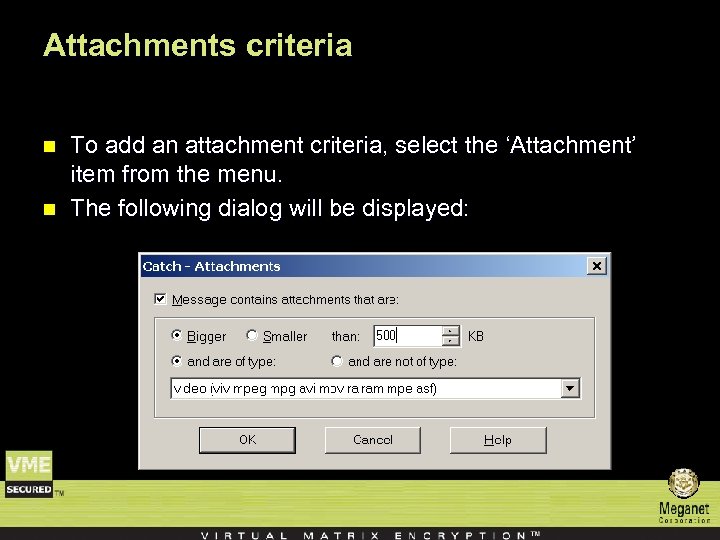 Attachments criteria n n To add an attachment criteria, select the ‘Attachment’ item from the menu. The following dialog will be displayed:
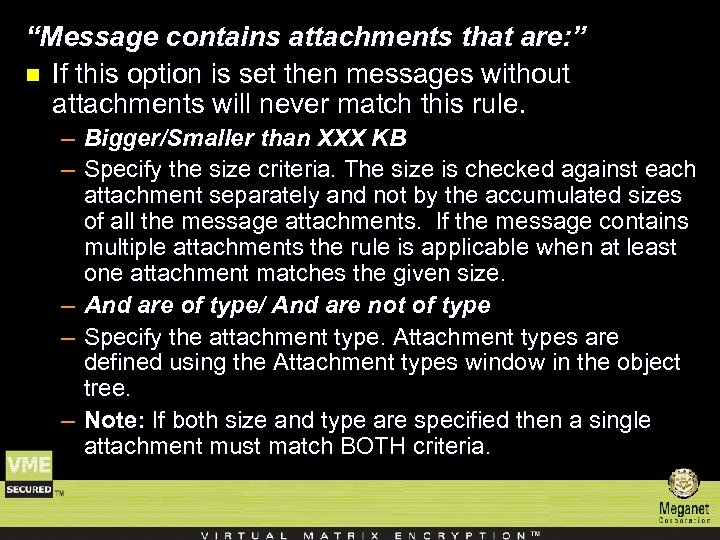 “Message contains attachments that are: ” n If this option is set then messages without attachments will never match this rule. – Bigger/Smaller than XXX KB – Specify the size criteria. The size is checked against each attachment separately and not by the accumulated sizes of all the message attachments. If the message contains multiple attachments the rule is applicable when at least one attachment matches the given size. – And are of type/ And are not of type – Specify the attachment type. Attachment types are defined using the Attachment types window in the object tree. – Note: If both size and type are specified then a single attachment must match BOTH criteria.
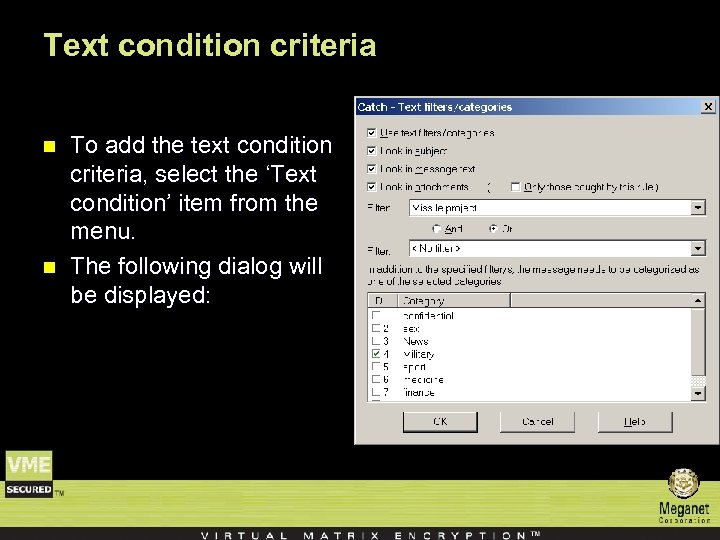 Text condition criteria n n To add the text condition criteria, select the ‘Text condition’ item from the menu. The following dialog will be displayed:
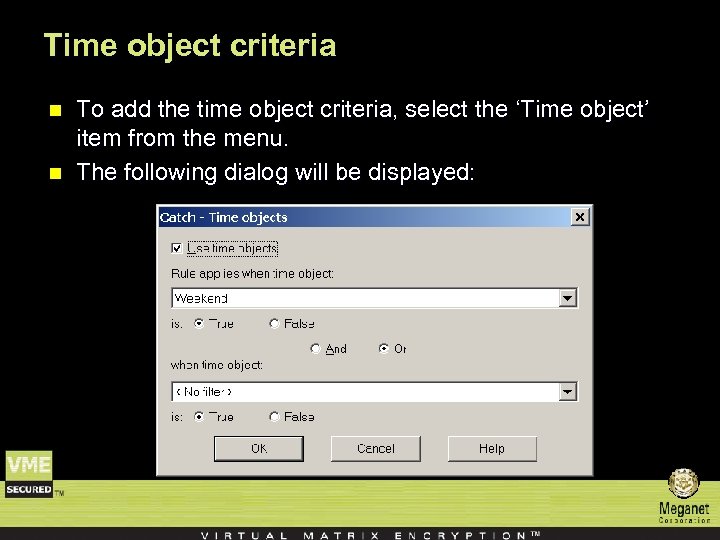 Time object criteria n n To add the time object criteria, select the ‘Time object’ item from the menu. The following dialog will be displayed:
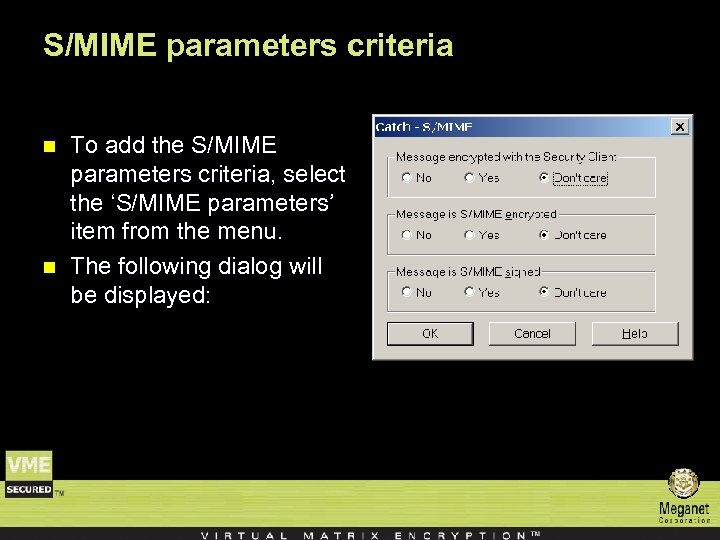 S/MIME parameters criteria n n To add the S/MIME parameters criteria, select the ‘S/MIME parameters’ item from the menu. The following dialog will be displayed:
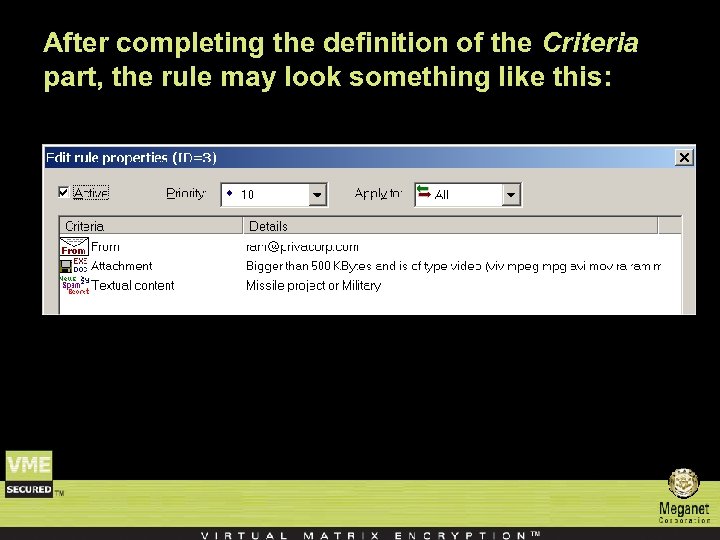 After completing the definition of the Criteria part, the rule may look something like this:
 n Note that only those criteria which are set to non empty conditions are displayed to avoid unnecessary clutter. To edit an existing criteria, double click it or right click on it and select ‘Edit’. To delete an existing criteria, right click on it and select ‘Delete’.
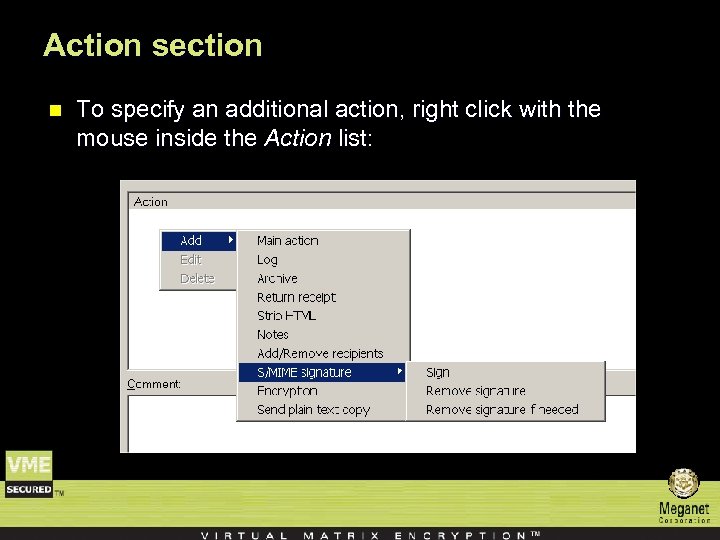 Action section n To specify an additional action, right click with the mouse inside the Action list:
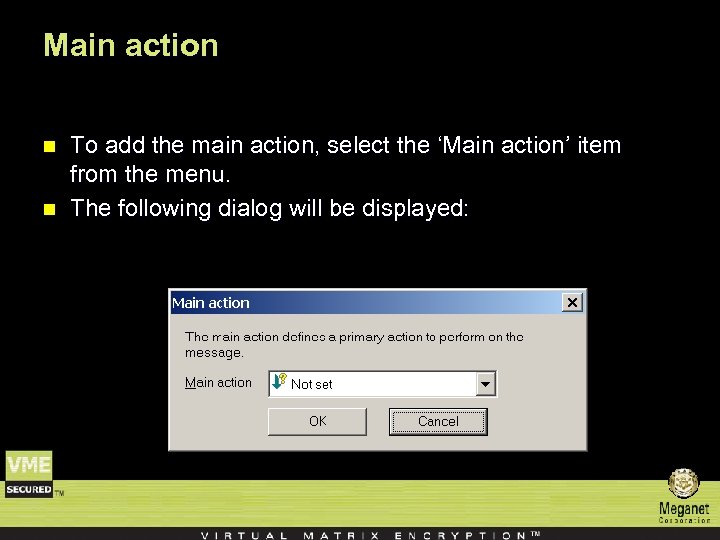 Main action n n To add the main action, select the ‘Main action’ item from the menu. The following dialog will be displayed:
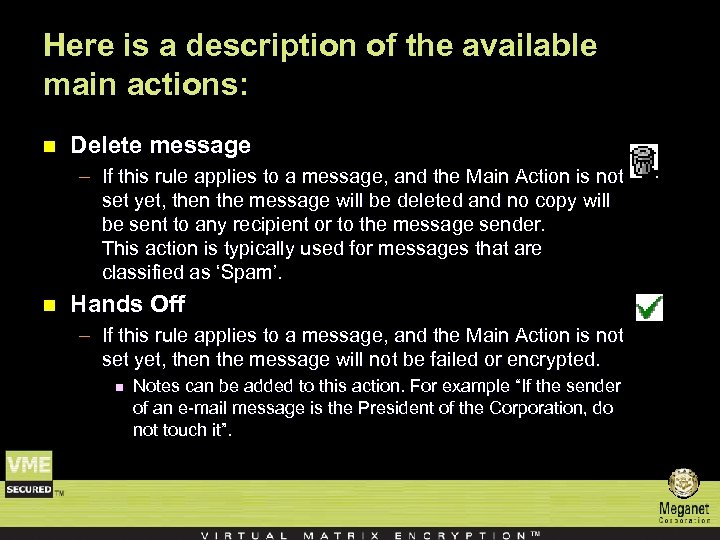 Here is a description of the available main actions: n Delete message – If this rule applies to a message, and the Main Action is not set yet, then the message will be deleted and no copy will be sent to any recipient or to the message sender. This action is typically used for messages that are classified as ‘Spam’. n Hands Off – If this rule applies to a message, and the Main Action is not set yet, then the message will not be failed or encrypted. n Notes can be added to this action. For example “If the sender of an e-mail message is the President of the Corporation, do not touch it”.
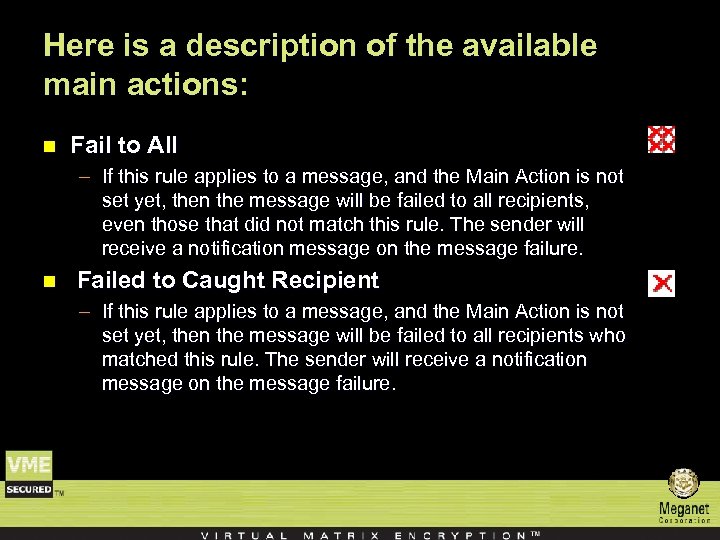 Here is a description of the available main actions: n Fail to All – If this rule applies to a message, and the Main Action is not set yet, then the message will be failed to all recipients, even those that did not match this rule. The sender will receive a notification message on the message failure. n Failed to Caught Recipient – If this rule applies to a message, and the Main Action is not set yet, then the message will be failed to all recipients who matched this rule. The sender will receive a notification message on the message failure.
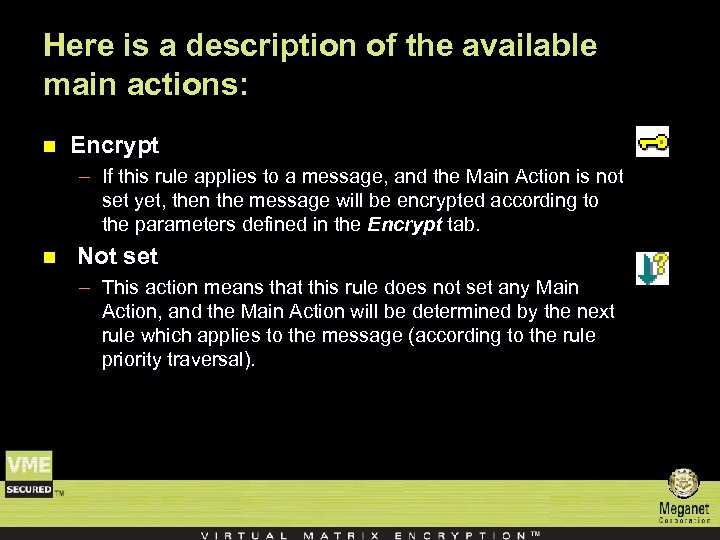 Here is a description of the available main actions: n Encrypt – If this rule applies to a message, and the Main Action is not set yet, then the message will be encrypted according to the parameters defined in the Encrypt tab. n Not set – This action means that this rule does not set any Main Action, and the Main Action will be determined by the next rule which applies to the message (according to the rule priority traversal).
 Additional Actions For each additional action, the rule can specify which additional action to take if and only if that action has not already been set to ‘Yes’ or ‘No’ by a previous rule which applied to the message. .
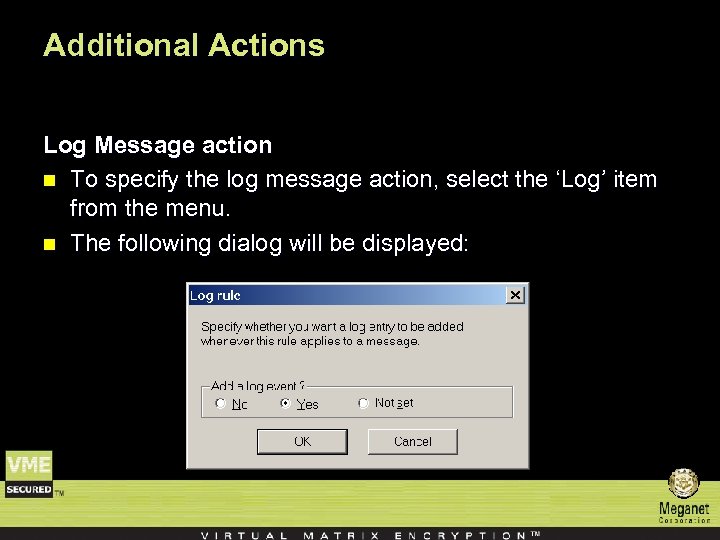 Additional Actions Log Message action n To specify the log message action, select the ‘Log’ item from the menu. n The following dialog will be displayed:
 Additional Actions n Select ‘Yes’ to add an event to the VME Gateway Log. The event will contain the policy and rule ID that generated the event as well as the message parameters. The rules’ comment is added to the log event to help clarify the rules’ purpose.
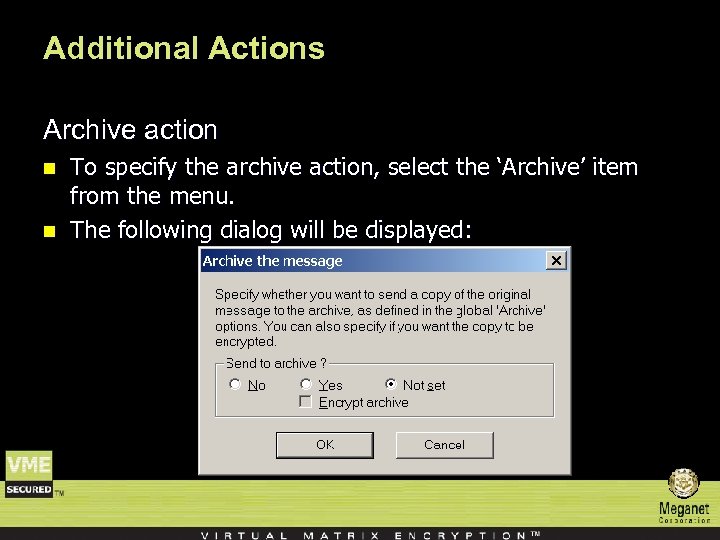 Additional Actions Archive action n n To specify the archive action, select the ‘Archive’ item from the menu. The following dialog will be displayed:
 Select ‘Yes’ to send a copy of the message to the e-mail archive. The Encrypt archive option determines whether to encrypt the message sent to the archive.
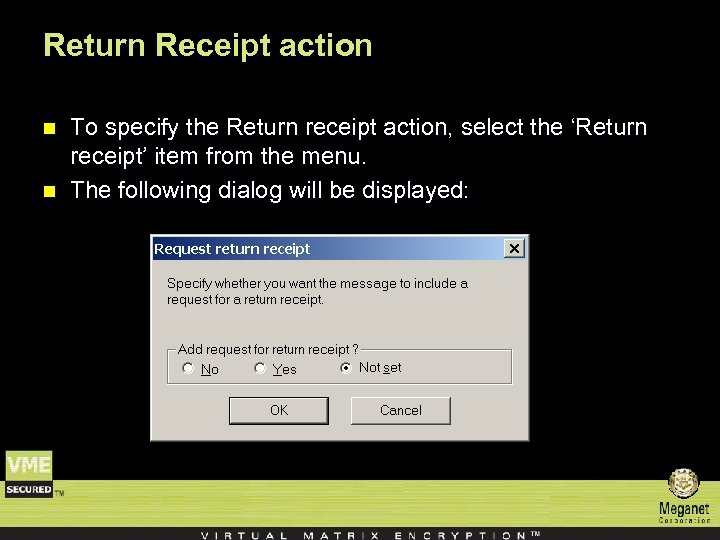 Return Receipt action n n To specify the Return receipt action, select the ‘Return receipt’ item from the menu. The following dialog will be displayed:
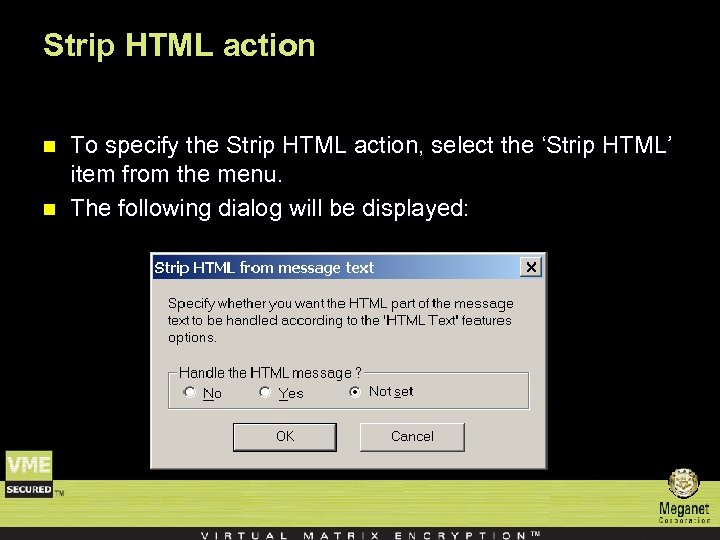 Strip HTML action n n To specify the Strip HTML action, select the ‘Strip HTML’ item from the menu. The following dialog will be displayed:
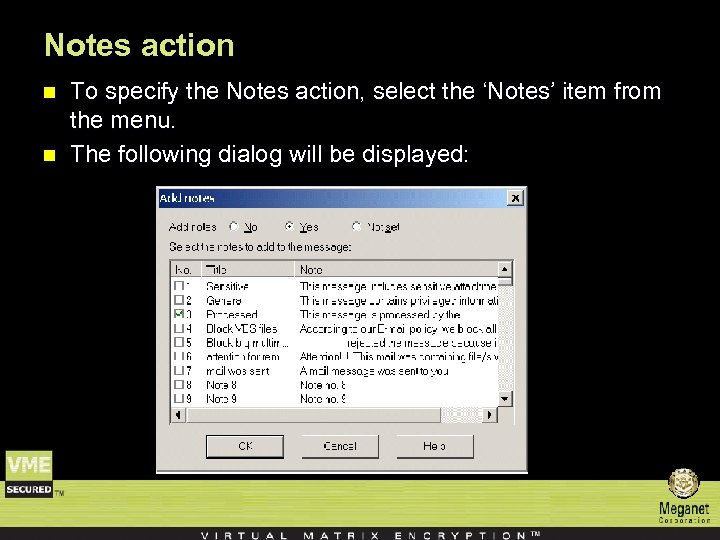 Notes action n n To specify the Notes action, select the ‘Notes’ item from the menu. The following dialog will be displayed:
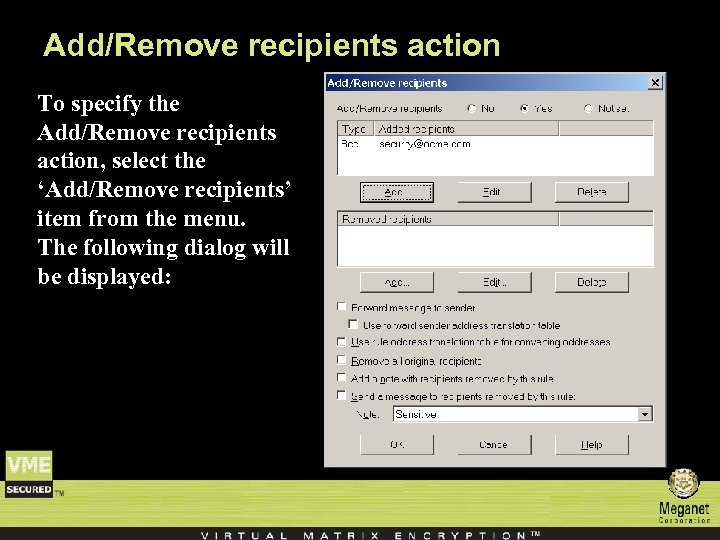 Add/Remove recipients action To specify the Add/Remove recipients action, select the ‘Add/Remove recipients’ item from the menu. The following dialog will be displayed:
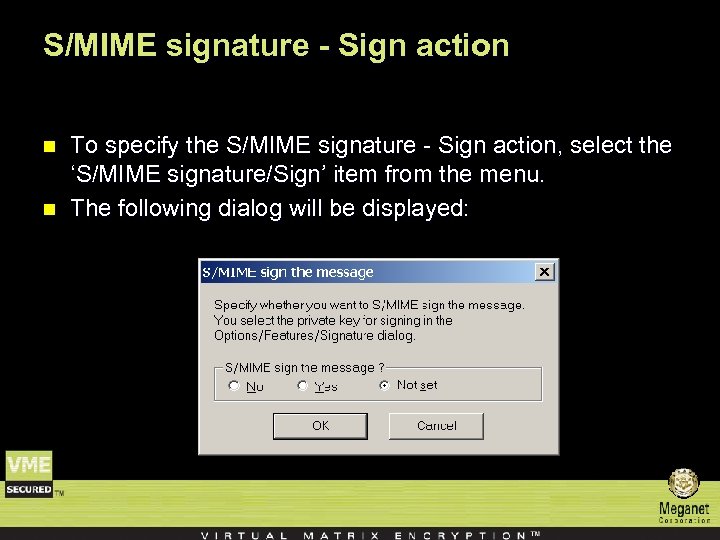 S/MIME signature - Sign action n n To specify the S/MIME signature - Sign action, select the ‘S/MIME signature/Sign’ item from the menu. The following dialog will be displayed:
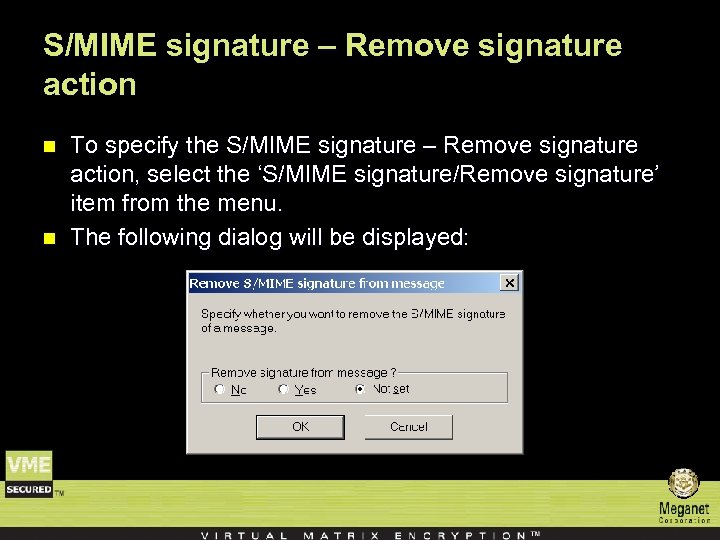 S/MIME signature – Remove signature action n n To specify the S/MIME signature – Remove signature action, select the ‘S/MIME signature/Remove signature’ item from the menu. The following dialog will be displayed:
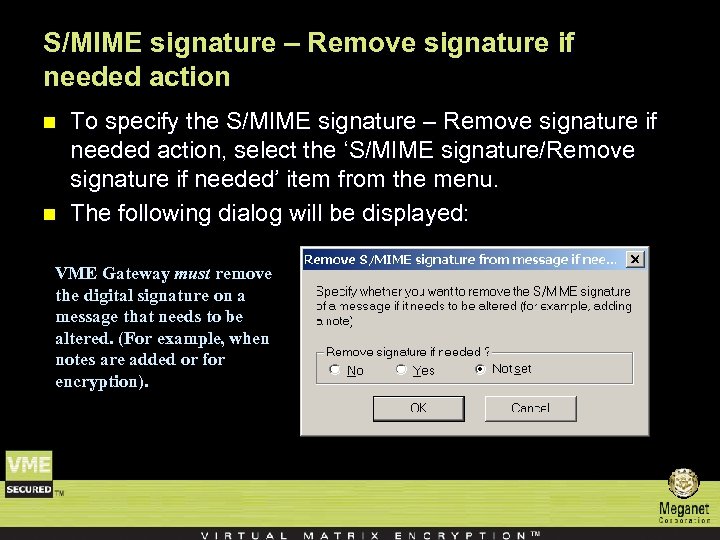 S/MIME signature – Remove signature if needed action n n To specify the S/MIME signature – Remove signature if needed action, select the ‘S/MIME signature/Remove signature if needed’ item from the menu. The following dialog will be displayed: VME Gateway must remove the digital signature on a message that needs to be altered. (For example, when notes are added or for encryption).
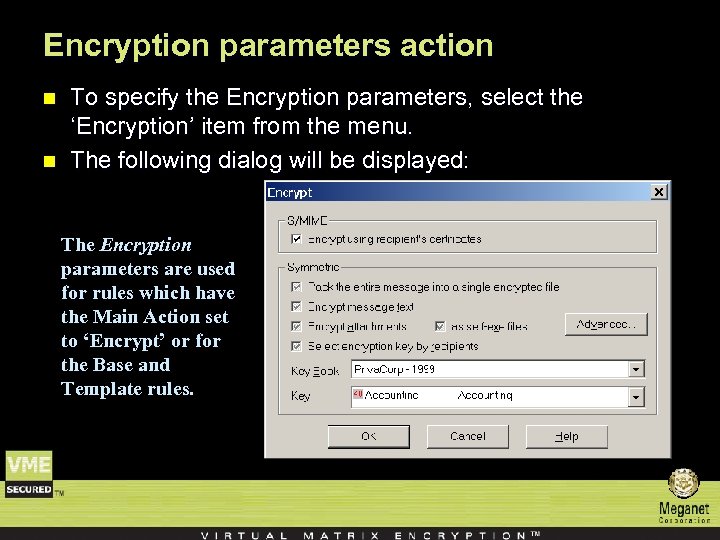 Encryption parameters action n n To specify the Encryption parameters, select the ‘Encryption’ item from the menu. The following dialog will be displayed: The Encryption parameters are used for rules which have the Main Action set to ‘Encrypt’ or for the Base and Template rules.
 n n n When defining encryption rules the administrator must consider the following parameters: Message security. How convenient is this rule to the recipient. The encryption laws in the recipient’s country/state. Does the recipient have client software or one of the available decryption clients in order to decrypt symmetrically encrypted messages. Does the recipient have an X. 509 certificate for S/MIME operations. How will the recipient receive the encryption keys in an insecure channel.
 n n The Encryption parameters are divided into two sections S/MIME and Symmetric. These options are valid only when the rule’s main action is encrypt. For each option, the rule can specify which action to take if and only if that action has not already been set to ‘On’ or ‘Off’ by a previous rule.
 S/MIME • Encrypt Using Recipient’s Certificates Check this option to send the message S/MIME encrypted using the recipients X. 509 certificates.
 Symmetric n n n Pack the entire message into a single encrypted file This option wraps the entire e-mail messages (including HTML and attachments) into a single packed encrypted file. Encrypt Message Text Check this option to encrypt the message text Encrypt Attachments Check this option to encrypt the message attachments Encrypt Attachments as Self-Executables Check this option to convert the encrypted file/s to an EXE program that can be executed on the recipients Windows machine.
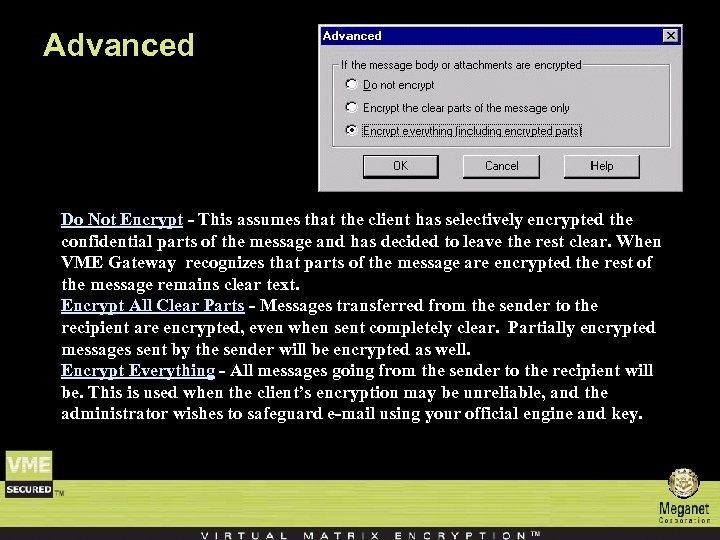 Advanced Do Not Encrypt - This assumes that the client has selectively encrypted the confidential parts of the message and has decided to leave the rest clear. When VME Gateway recognizes that parts of the message are encrypted the rest of the message remains clear text. Encrypt All Clear Parts - Messages transferred from the sender to the recipient are encrypted, even when sent completely clear. Partially encrypted messages sent by the sender will be encrypted as well. Encrypt Everything - All messages going from the sender to the recipient will be. This is used when the client’s encryption may be unreliable, and the administrator wishes to safeguard e-mail using your official engine and key.
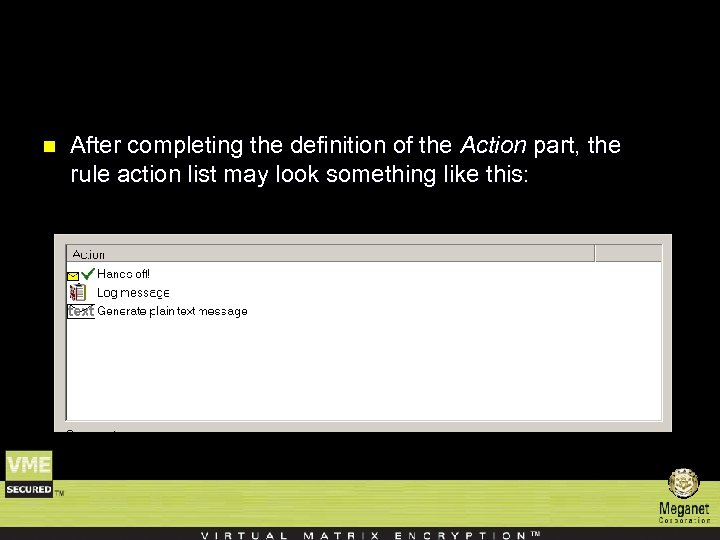 n After completing the definition of the Action part, the rule action list may look something like this:
 End !!!