


 Скачать презентацию MEDM IDL and Python GUIs and Scripting for
566b216a53ca49e1287e3c6367875118.ppt
- Количество слайдов: 61
 MEDM, IDL and Python GUIs and Scripting for EPICS Mark Rivers, University of Chicago Argonne National Laboratory Office of Science U. S. Department of Energy A U. S. Department of Energy Office of Science Laboratory Operated by The University of Chicago
 Outline • • • Quick Overview of MEDM Quick Overview of IDL ezca library Calling ezca from IDL CA API IDL EPICS class libraries IDL applications Overview of Python class libraries Python applications Using EPICS from Visual Basic 2 Pioneering Science and Technology Office of Science U. S. Department of Energy
 Take-home message • • MEDM, IDL and Python are just 3 of the good GUIs available Many others can be used with EPICS Each developer will have their favorite, and good applications may come already written in a package you are not already using Use the best one for the task at hand 3 Pioneering Science and Technology Office of Science U. S. Department of Energy
 MEDM Overview • • MEDM stands for Motif Editor and Display Manager It is a graphical user interface (GUI) for designing and implementing control screens, also called displays No programming required (or even possible) It is a mature program - Robust - Powerful - Efficient Tens of thousands of screens have been designed for MEDM It is used worldwide at many sites It is the primary means by which operators and engineers control the APS and its subsystems - And most of the experiments 4 Pioneering Science and Technology Office of Science U. S. Department of Energy
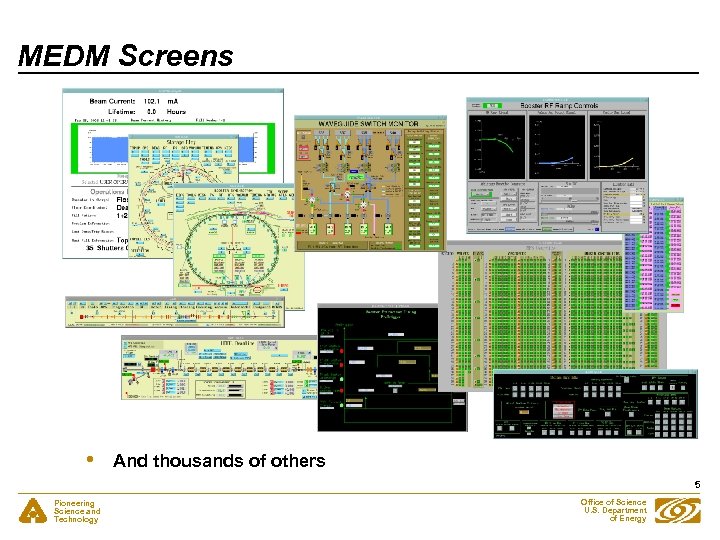 MEDM Screens • And thousands of others 5 Pioneering Science and Technology Office of Science U. S. Department of Energy
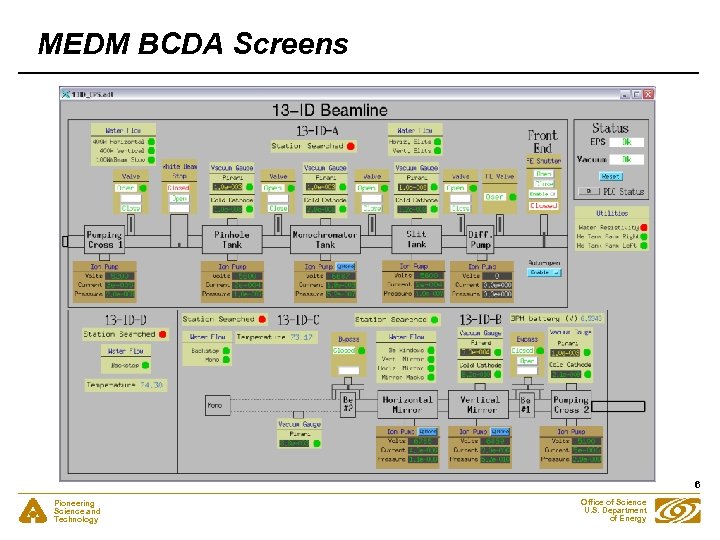 MEDM BCDA Screens 6 Pioneering Science and Technology Office of Science U. S. Department of Energy
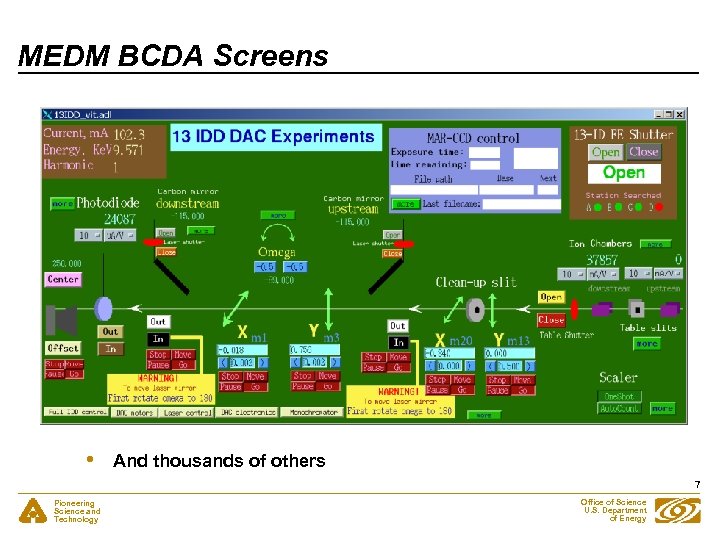 MEDM BCDA Screens • And thousands of others 7 Pioneering Science and Technology Office of Science U. S. Department of Energy
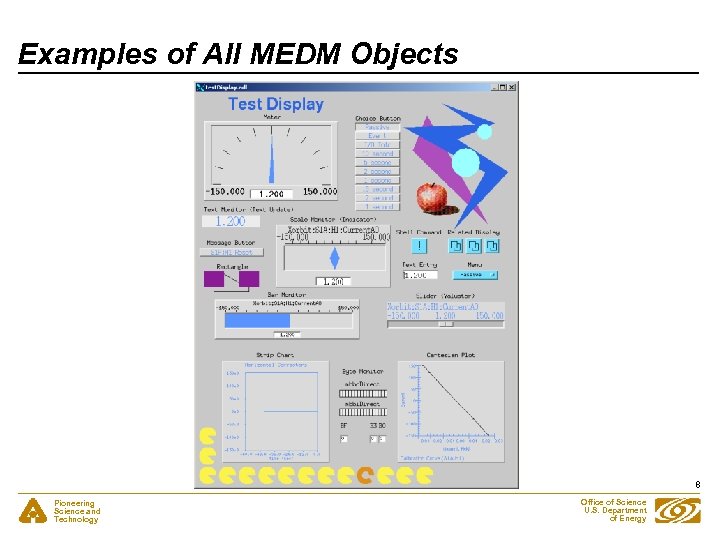 Examples of All MEDM Objects 8 Pioneering Science and Technology Office of Science U. S. Department of Energy
 Dynamic Attribute • • • Applies primarily to Graphics objects Objects with a Dynamic Attribute can have their color or visibility change based on process variables or conditions Color Mode - Object has alarm colors (Green, Yellow, Red, White) Visibility Mode - Visible only if the process variable is zero or only if not zero Visibility Calc Mode - Visibility is based on a CALC expression involving up to 4 process variables plus HOPR, LOPR, STAT, SEVR, etc. Also applies to the Composite - Allows whole sections of the display to appear or disappear - Means any object can have a Dynamic Attribute - Make it be a Composite with just one member Pioneering Science and Technology Office of Science U. S. Department of Energy 9
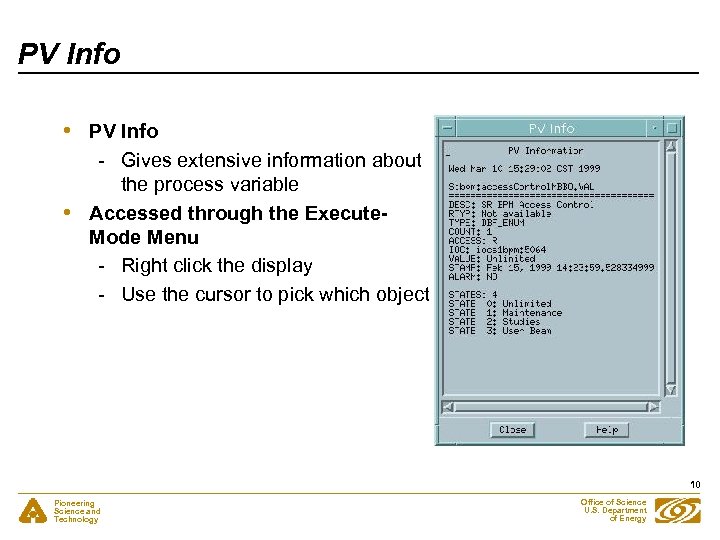 PV Info • • PV Info - Gives extensive information about the process variable Accessed through the Execute. Mode Menu - Right click the display - Use the cursor to pick which object 10 Pioneering Science and Technology Office of Science U. S. Department of Energy
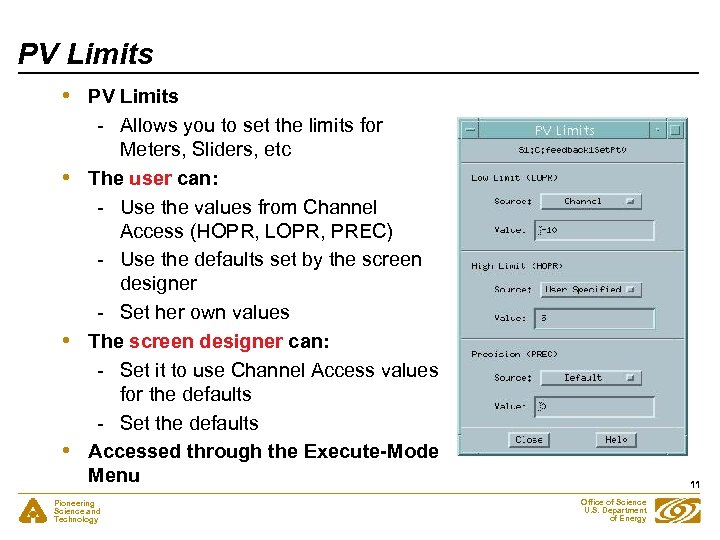 PV Limits • • PV Limits - Allows you to set the limits for Meters, Sliders, etc The user can: - Use the values from Channel Access (HOPR, LOPR, PREC) - Use the defaults set by the screen designer - Set her own values The screen designer can: - Set it to use Channel Access values for the defaults - Set the defaults Accessed through the Execute-Mode Menu Pioneering Science and Technology 11 Office of Science U. S. Department of Energy
 site. Specific. h • • Many of the MEDM default choices are in site. Specific. h - C language header file - Used when MEDM is compiled Sites can change these defaults by changing this one file Some of the things that can be changed - Fixed or Scalable fonts - Colors - Location of the HTML Reference Manual - Printer defaults - Others Decisions must be made early before many screens are designed 12 Pioneering Science and Technology Office of Science U. S. Department of Energy
 Summary • • • MEDM is a full featured, mature, robust program It is the principal means by which humans control the system It is highly optimized for displaying and controlling EPICS PVs, without the need to write any code. That is ALL it does. No calculations or logic operations are possible. - If you want to display the ratio of 2 numbers, that ratio needs to be computed in the IOC and the ratio available as an EPICS PV This has been an overview of some of the MEDM features - There are many more - The Reference Manual is the best source of information 13 Pioneering Science and Technology Office of Science U. S. Department of Energy
 Overview of IDL • • • A high-level interpreted programming language with vector and array primitives - sort of a cross between BASIC and APL Modern programming language - Flow control - Data structures - Objects All operators and most functions work on scalar, vector or array data of any data type. Data visualization tool, advanced built-in graphics - 2 -D plots - Contour plots - Surface plots - Shaded surfaces - Gray scale/color images - Isosurfaces - Volume rendering Multi-platform support Unix: Sun, Hewlett Packard, Silicon Graphics, IBM Linux Microsoft Windows Mac Darwin List price: ~$3, 000 on workstations, ~$1, 500 on PC, Mac 14 Pioneering Science and Technology Office of Science U. S. Department of Energy
 Overview of IDL • • • Can call external C or other code Very fast for array operations, as fast as compiled languages GUI builder Multi-threaded Good vendor support IDL GUI applications can be run at no cost (IDL 6. 0 and above) - Must have license to use IDL command line 15 Pioneering Science and Technology Office of Science U. S. Department of Energy
 Overview of IDL • • Data Structures A variable in IDL has both a structure and a data type associated with it. Both of these are dynamic, i. e. they can be changed via an assignment statement at any time. Data types - Byte (b bit, unsigned) - Integer (16 bit, signed) - Long (32 bit, signed) - Float (32 bit floating point) - Double (64 bit floating point) - Complex (pair of 32 bit floats) - Double complex (pair of 64 bit floats) - String (0 to 64 k characters) Data Structures - Scalar - Vector - Array - up to 7 dimensions - Structure - composed of other elements, like C The sizes of arrays are limited only by the available virtual memory. 16 Pioneering Science and Technology Office of Science U. S. Department of Energy
 Overview of IDL Assignment Statements • • • A = B + 1 A has the same structure as B, with a data type equal to that of the most precise operand in the expression on the right hand side. In this case it could be any type except string. If B is a vector or array then 1 is added to each element. A = 0 ; A is a 16 bit integer A = A * 0. 5 ; A is now a 32 bit float B = A(*, 3) ; B is equal to the 4 th row of A A(*, 3) = 0 ; Set all elements in 4 th row of A equal to 0 Syntax Examples: image = fltarr(512, 512) ; zero filled array b = image(0: 127, 0: 127) ; b is 128 x 128 array image(*, 100) = findgen(512) ; replace row 100 plot, image(*, 120) ; plot row 121 ; Display the power spectrum as an image tvscl, alog(abs(fft(image, 1))) Pioneering Science and Technology 17 Office of Science U. S. Department of Energy
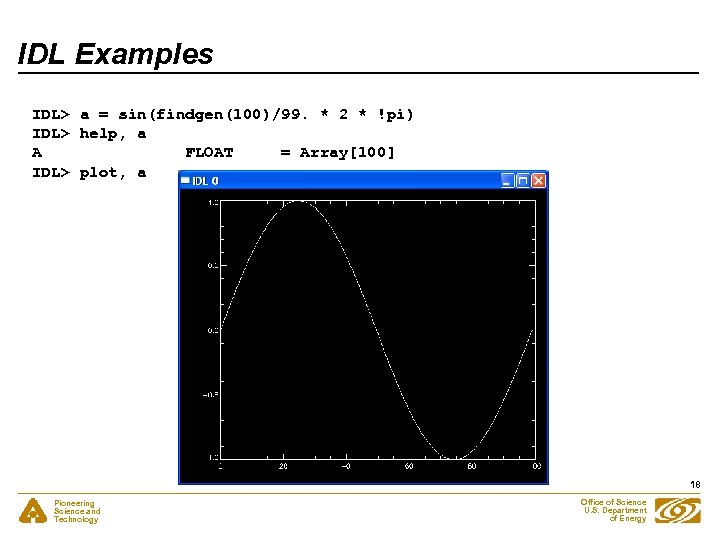 IDL Examples IDL> a = sin(findgen(100)/99. * 2 * !pi) IDL> help, a A FLOAT = Array[100] IDL> plot, a 18 Pioneering Science and Technology Office of Science U. S. Department of Energy
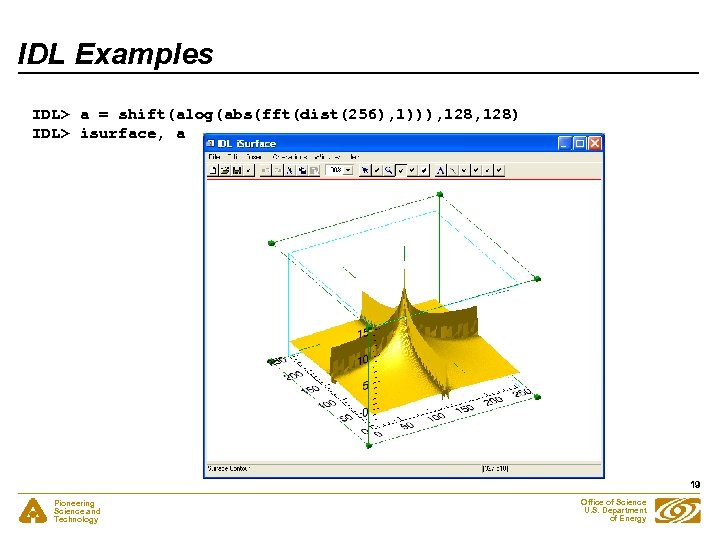 IDL Examples IDL> a = shift(alog(abs(fft(dist(256), 1))), 128) IDL> isurface, a 19 Pioneering Science and Technology Office of Science U. S. Department of Energy
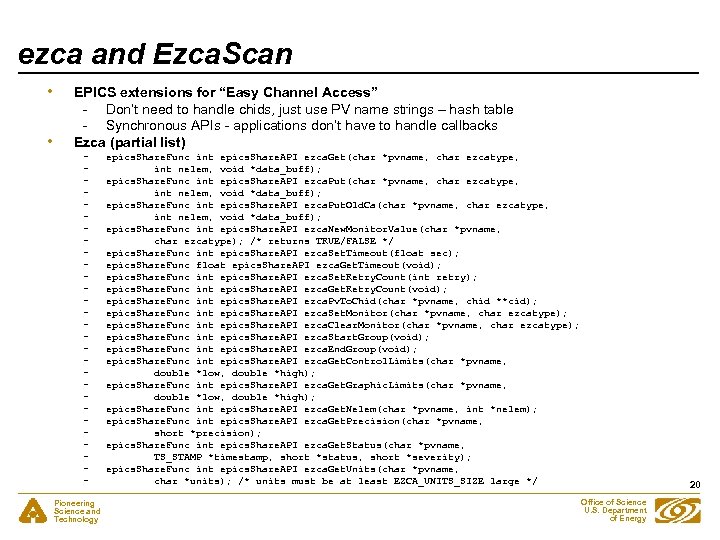 ezca and Ezca. Scan • • EPICS extensions for “Easy Channel Access” - Don’t need to handle chids, just use PV name strings – hash table - Synchronous APIs - applications don’t have to handle callbacks Ezca (partial list) Pioneering Science and Technology epics. Share. Func int epics. Share. API ezca. Get(char *pvname, char ezcatype, int nelem, void *data_buff); epics. Share. Func int epics. Share. API ezca. Put. Old. Ca(char *pvname, char ezcatype, int nelem, void *data_buff); epics. Share. Func int epics. Share. API ezca. New. Monitor. Value(char *pvname, char ezcatype); /* returns TRUE/FALSE */ epics. Share. Func int epics. Share. API ezca. Set. Timeout(float sec); epics. Share. Func float epics. Share. API ezca. Get. Timeout(void); epics. Share. Func int epics. Share. API ezca. Set. Retry. Count(int retry); epics. Share. Func int epics. Share. API ezca. Get. Retry. Count(void); epics. Share. Func int epics. Share. API ezca. Pv. To. Chid(char *pvname, chid **cid); epics. Share. Func int epics. Share. API ezca. Set. Monitor(char *pvname, char ezcatype); epics. Share. Func int epics. Share. API ezca. Clear. Monitor(char *pvname, char ezcatype); epics. Share. Func int epics. Share. API ezca. Start. Group(void); epics. Share. Func int epics. Share. API ezca. End. Group(void); epics. Share. Func int epics. Share. API ezca. Get. Control. Limits(char *pvname, double *low, double *high); epics. Share. Func int epics. Share. API ezca. Get. Graphic. Limits(char *pvname, double *low, double *high); epics. Share. Func int epics. Share. API ezca. Get. Nelem(char *pvname, int *nelem); epics. Share. Func int epics. Share. API ezca. Get. Precision(char *pvname, short *precision); epics. Share. Func int epics. Share. API ezca. Get. Status(char *pvname, TS_STAMP *timestamp, short *status, short *severity); epics. Share. Func int epics. Share. API ezca. Get. Units(char *pvname, char *units); /* units must be at least EZCA_UNITS_SIZE large */ 20 Office of Science U. S. Department of Energy
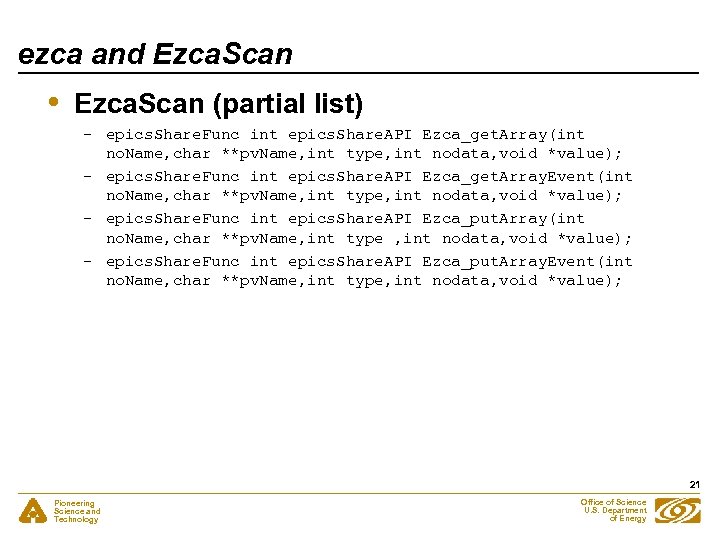 ezca and Ezca. Scan • Ezca. Scan (partial list) - epics. Share. Func int epics. Share. API Ezca_get. Array(int no. Name, char **pv. Name, int type, int nodata, void *value); - epics. Share. Func int epics. Share. API Ezca_get. Array. Event(int no. Name, char **pv. Name, int type, int nodata, void *value); - epics. Share. Func int epics. Share. API Ezca_put. Array(int no. Name, char **pv. Name, int type , int nodata, void *value); - epics. Share. Func int epics. Share. API Ezca_put. Array. Event(int no. Name, char **pv. Name, int type, int nodata, void *value); 21 Pioneering Science and Technology Office of Science U. S. Department of Energy
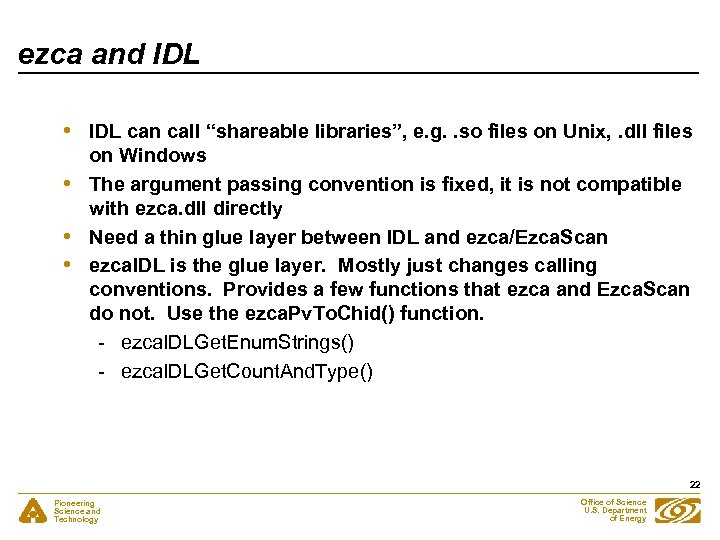 ezca and IDL • • IDL can call “shareable libraries”, e. g. . so files on Unix, . dll files on Windows The argument passing convention is fixed, it is not compatible with ezca. dll directly Need a thin glue layer between IDL and ezca/Ezca. Scan ezca. IDL is the glue layer. Mostly just changes calling conventions. Provides a few functions that ezca and Ezca. Scan do not. Use the ezca. Pv. To. Chid() function. - ezca. IDLGet. Enum. Strings() - ezca. IDLGet. Count. And. Type() 22 Pioneering Science and Technology Office of Science U. S. Department of Energy
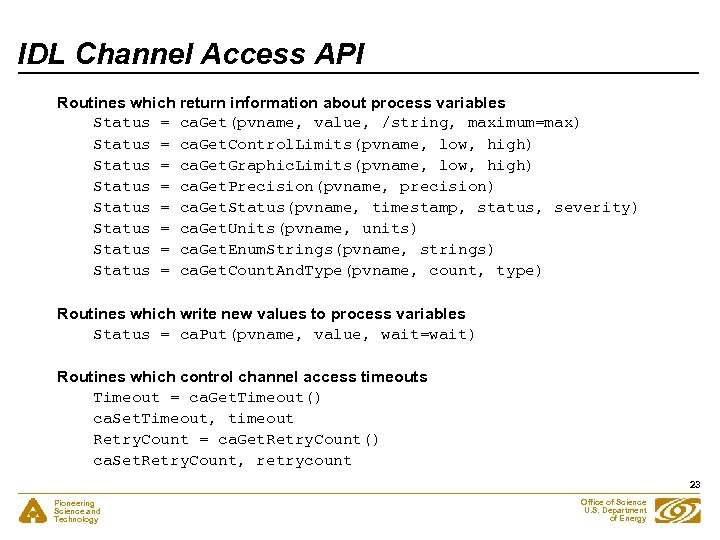 IDL Channel Access API Routines which return information about process variables Status = ca. Get(pvname, value, /string, maximum=max) Status = ca. Get. Control. Limits(pvname, low, high) Status = ca. Get. Graphic. Limits(pvname, low, high) Status = ca. Get. Precision(pvname, precision) Status = ca. Get. Status(pvname, timestamp, status, severity) Status = ca. Get. Units(pvname, units) Status = ca. Get. Enum. Strings(pvname, strings) Status = ca. Get. Count. And. Type(pvname, count, type) Routines which write new values to process variables Status = ca. Put(pvname, value, wait=wait) Routines which control channel access timeouts Timeout = ca. Get. Timeout() ca. Set. Timeout, timeout Retry. Count = ca. Get. Retry. Count() ca. Set. Retry. Count, retrycount 23 Pioneering Science and Technology Office of Science U. S. Department of Energy
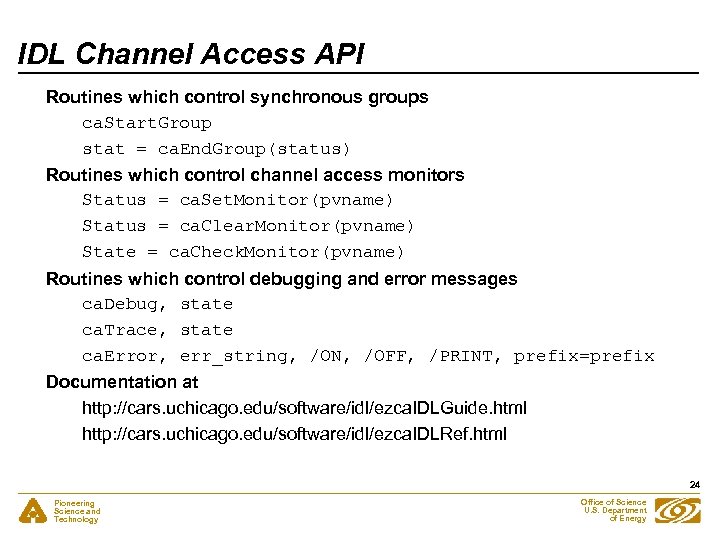 IDL Channel Access API Routines which control synchronous groups ca. Start. Group stat = ca. End. Group(status) Routines which control channel access monitors Status = ca. Set. Monitor(pvname) Status = ca. Clear. Monitor(pvname) State = ca. Check. Monitor(pvname) Routines which control debugging and error messages ca. Debug, state ca. Trace, state ca. Error, err_string, /ON, /OFF, /PRINT, prefix=prefix Documentation at http: //cars. uchicago. edu/software/idl/ezca. IDLGuide. html http: //cars. uchicago. edu/software/idl/ezca. IDLRef. html 24 Pioneering Science and Technology Office of Science U. S. Department of Energy
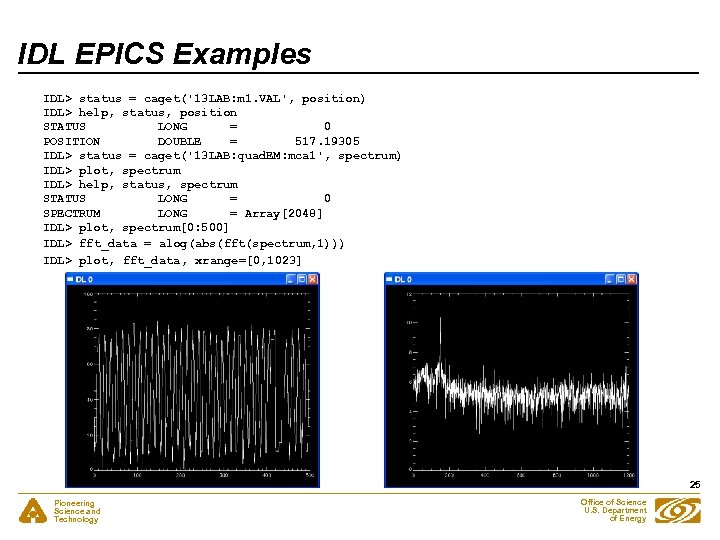 IDL EPICS Examples IDL> status = caget('13 LAB: m 1. VAL', position) IDL> help, status, position STATUS LONG = 0 POSITION DOUBLE = 517. 19305 IDL> status = caget('13 LAB: quad. EM: mca 1', spectrum) IDL> plot, spectrum IDL> help, status, spectrum STATUS LONG = 0 SPECTRUM LONG = Array[2048] IDL> plot, spectrum[0: 500] IDL> fft_data = alog(abs(fft(spectrum, 1))) IDL> plot, fft_data, xrange=[0, 1023] 25 Pioneering Science and Technology Office of Science U. S. Department of Energy
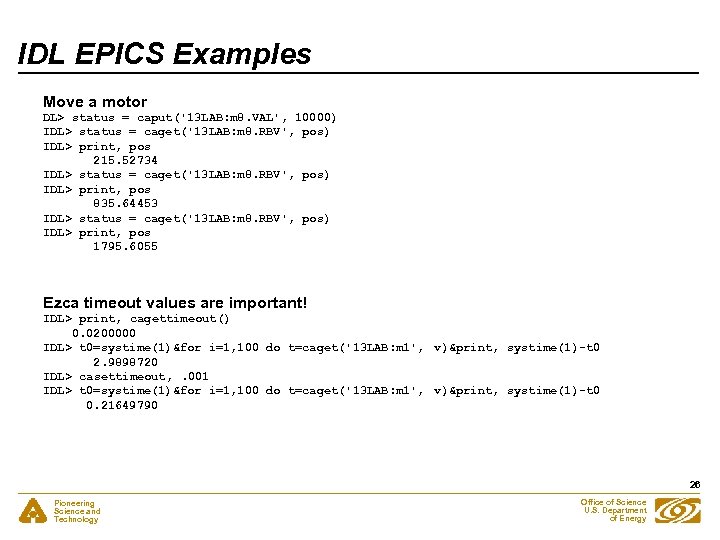 IDL EPICS Examples Move a motor DL> status = caput('13 LAB: m 8. VAL', 10000) IDL> status = caget('13 LAB: m 8. RBV', pos) IDL> print, pos 215. 52734 IDL> status = caget('13 LAB: m 8. RBV', pos) IDL> print, pos 835. 64453 IDL> status = caget('13 LAB: m 8. RBV', pos) IDL> print, pos 1795. 6055 Ezca timeout values are important! IDL> print, cagettimeout() 0. 0200000 IDL> t 0=systime(1)&for i=1, 100 do t=caget('13 LAB: m 1', v)&print, systime(1)-t 0 2. 9898720 IDL> casettimeout, . 001 IDL> t 0=systime(1)&for i=1, 100 do t=caget('13 LAB: m 1', v)&print, systime(1)-t 0 0. 21649790 26 Pioneering Science and Technology Office of Science U. S. Department of Energy
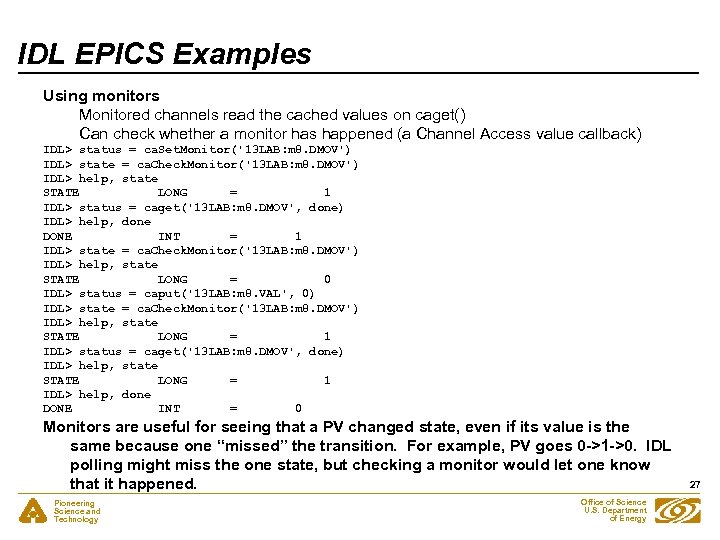 IDL EPICS Examples Using monitors Monitored channels read the cached values on caget() Can check whether a monitor has happened (a Channel Access value callback) IDL> status = ca. Set. Monitor('13 LAB: m 8. DMOV') IDL> state = ca. Check. Monitor('13 LAB: m 8. DMOV') IDL> help, state STATE LONG = 1 IDL> status = caget('13 LAB: m 8. DMOV', done) IDL> help, done DONE INT = 1 IDL> state = ca. Check. Monitor('13 LAB: m 8. DMOV') IDL> help, state STATE LONG = 0 IDL> status = caput('13 LAB: m 8. VAL', 0) IDL> state = ca. Check. Monitor('13 LAB: m 8. DMOV') IDL> help, state STATE LONG = 1 IDL> status = caget('13 LAB: m 8. DMOV', done) IDL> help, state STATE LONG = 1 IDL> help, done DONE INT = 0 Monitors are useful for seeing that a PV changed state, even if its value is the same because one “missed” the transition. For example, PV goes 0 ->1 ->0. IDL polling might miss the one state, but checking a monitor would let one know that it happened. Pioneering Science and Technology Office of Science U. S. Department of Energy 27
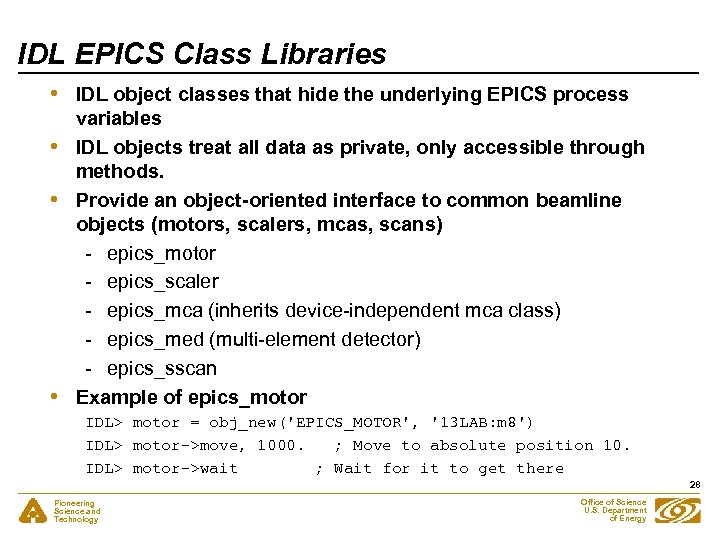 IDL EPICS Class Libraries • • IDL object classes that hide the underlying EPICS process variables IDL objects treat all data as private, only accessible through methods. Provide an object-oriented interface to common beamline objects (motors, scalers, mcas, scans) - epics_motor - epics_scaler - epics_mca (inherits device-independent mca class) - epics_med (multi-element detector) - epics_sscan Example of epics_motor IDL> motor = obj_new('EPICS_MOTOR', '13 LAB: m 8') IDL> motor->move, 1000. ; Move to absolute position 10. IDL> motor->wait ; Wait for it to get there 28 Pioneering Science and Technology Office of Science U. S. Department of Energy
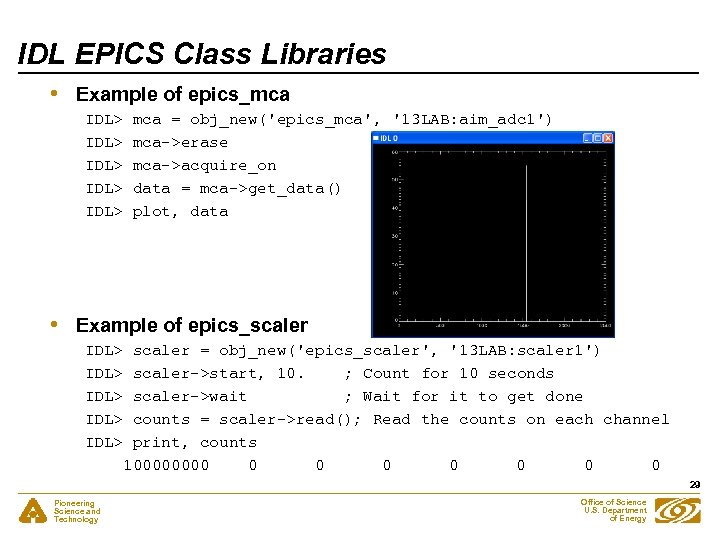 IDL EPICS Class Libraries • Example of epics_mca IDL> IDL> • mca = obj_new('epics_mca', '13 LAB: aim_adc 1') mca->erase mca->acquire_on data = mca->get_data() plot, data Example of epics_scaler IDL> IDL> scaler = obj_new('epics_scaler', '13 LAB: scaler 1') scaler->start, 10. ; Count for 10 seconds scaler->wait ; Wait for it to get done counts = scaler->read(); Read the counts on each channel print, counts 10000 0 0 0 0 29 Pioneering Science and Technology Office of Science U. S. Department of Energy
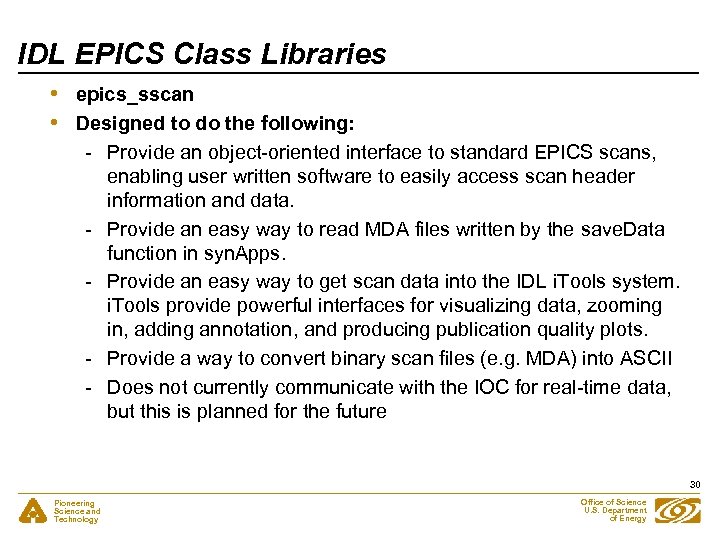 IDL EPICS Class Libraries • • epics_sscan Designed to do the following: - Provide an object-oriented interface to standard EPICS scans, enabling user written software to easily access scan header information and data. - Provide an easy way to read MDA files written by the save. Data function in syn. Apps. - Provide an easy way to get scan data into the IDL i. Tools system. i. Tools provide powerful interfaces for visualizing data, zooming in, adding annotation, and producing publication quality plots. - Provide a way to convert binary scan files (e. g. MDA) into ASCII - Does not currently communicate with the IOC for real-time data, but this is planned for the future 30 Pioneering Science and Technology Office of Science U. S. Department of Energy
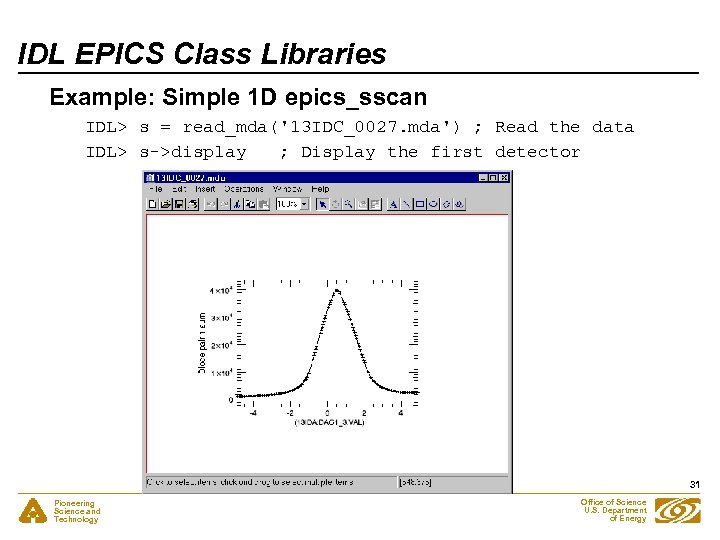 IDL EPICS Class Libraries Example: Simple 1 D epics_sscan IDL> s = read_mda('13 IDC_0027. mda') ; Read the data IDL> s->display ; Display the first detector 31 Pioneering Science and Technology Office of Science U. S. Department of Energy
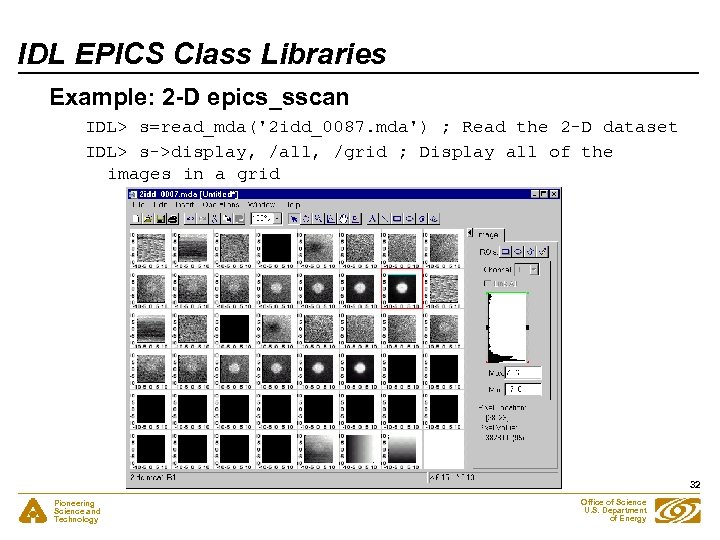 IDL EPICS Class Libraries Example: 2 -D epics_sscan IDL> s=read_mda('2 idd_0087. mda') ; Read the 2 -D dataset IDL> s->display, /all, /grid ; Display all of the images in a grid 32 Pioneering Science and Technology Office of Science U. S. Department of Energy
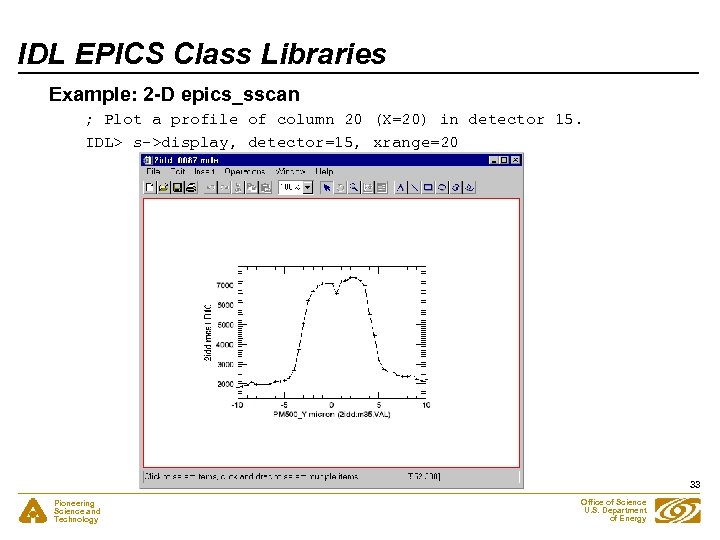 IDL EPICS Class Libraries Example: 2 -D epics_sscan ; Plot a profile of column 20 (X=20) in detector 15. IDL> s->display, detector=15, xrange=20 33 Pioneering Science and Technology Office of Science U. S. Department of Energy
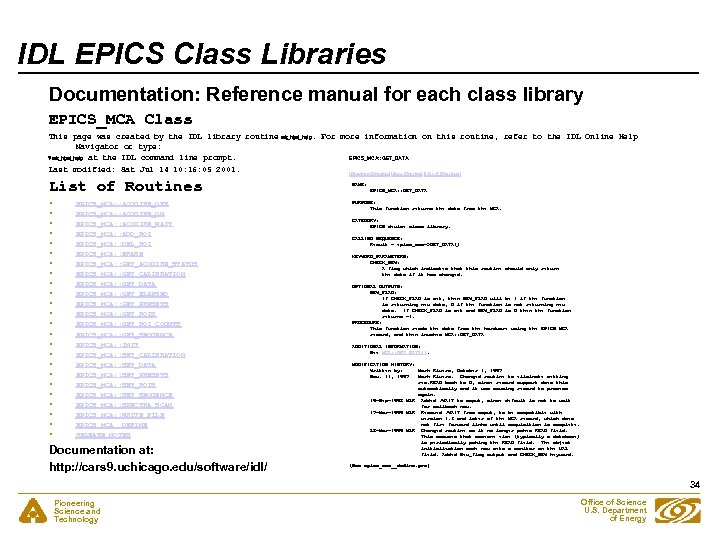 IDL EPICS Class Libraries Documentation: Reference manual for each class library EPICS_MCA Class This page was created by the IDL library routine mk_html_help. For more information on this routine, refer to the IDL Online Help Navigator or type: EPICS_MCA: : GET_DATA ? mk_html_help at the IDL command line prompt. Last modified: Sat Jul 14 10: 16: 05 2001. [Previous Routine] [Next Routine] [List of Routines] List of Routines • • • • • • EPICS_MCA: : ACQUIRE_OFF EPICS_MCA: : ACQUIRE_ON EPICS_MCA: : ACQUIRE_WAIT EPICS_MCA: : ADD_ROI EPICS_MCA: : DEL_ROI EPICS_MCA: : ERASE EPICS_MCA: : GET_ACQUIRE_STATUS EPICS_MCA: : GET_CALIBRATION EPICS_MCA: : GET_DATA EPICS_MCA: : GET_ELAPSED EPICS_MCA: : GET_PRESETS EPICS_MCA: : GET_ROI_COUNTS EPICS_MCA: : GET_SEQUENCE EPICS_MCA: : INIT EPICS_MCA: : SET_CALIBRATION EPICS_MCA: : SET_DATA EPICS_MCA: : SET_PRESETS EPICS_MCA: : SET_ROIS EPICS_MCA: : SET_SEQUENCE EPICS_MCA: : SPECTRA_SCAN EPICS_MCA: : WRITE_FILE EPICS_MCA__DEFINE RELEASE NOTES Documentation at: http: //cars 9. uchicago. edu/software/idl/ NAME: EPICS_MCA: : GET_DATA PURPOSE: This function returns the data from the MCA. CATEGORY: EPICS device class library. CALLING SEQUENCE: Result = epics_mca->GET_DATA() KEYWORD_PARAMETERS: CHECK_NEW: A flag which indicates that this routine should only return the data if it has changed. OPTIONAL OUTPUTS: NEW_FLAG: If CHECK_FLAG is set, then NEW_FLAG will be 1 if the function is returning new data, 0 if the function is not returning new data. If CHECK_FLAG is set and NEW_FLAG is 0 then the function returns -1. PROCEDURE: This function reads the data from the hardware using the EPICS MCA record, and then invokes MCA: : GET_DATA ADDITIONAL INFORMATION: See MCA: : GET_DATA(). MODIFICATION HISTORY: Written by: Mark Rivers, October 1, 1997 Nov. 14, 1997 Mark Rivers. Changed routine to eliminate setting rec. READ back to 0, since record support does this automatically and it was causing record to process again. 19 -Sep-1998 MLR Added /WAIT to caput, since default is not to wait for callback now. 17 -Mar-1999 MLR Removed /WAIT from caput, to be compatible with version 4. 3 and later of the MCA record, which does not fire forward links until acquisition is complete. 28 -Mar-1999 MLR Changed routine so it no longer pokes READ field. This assumes that someone else (typically a database) is periodically poking the READ field. The object initialization code now sets a monitor on the VAL field. Added New_flag output and CHECK_NEW keyword. (See epics_mca__define. pro) 34 Pioneering Science and Technology Office of Science U. S. Department of Energy
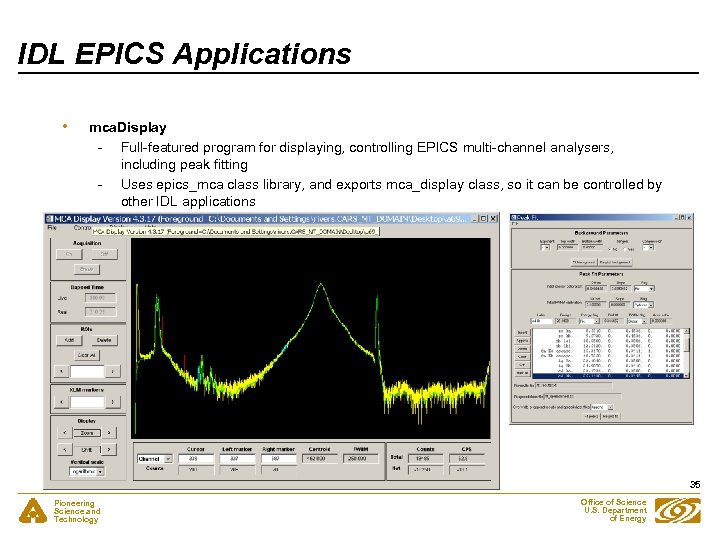 IDL EPICS Applications • mca. Display - Full-featured program for displaying, controlling EPICS multi-channel analysers, including peak fitting - Uses epics_mca class library, and exports mca_display class, so it can be controlled by other IDL applications 35 Pioneering Science and Technology Office of Science U. S. Department of Energy
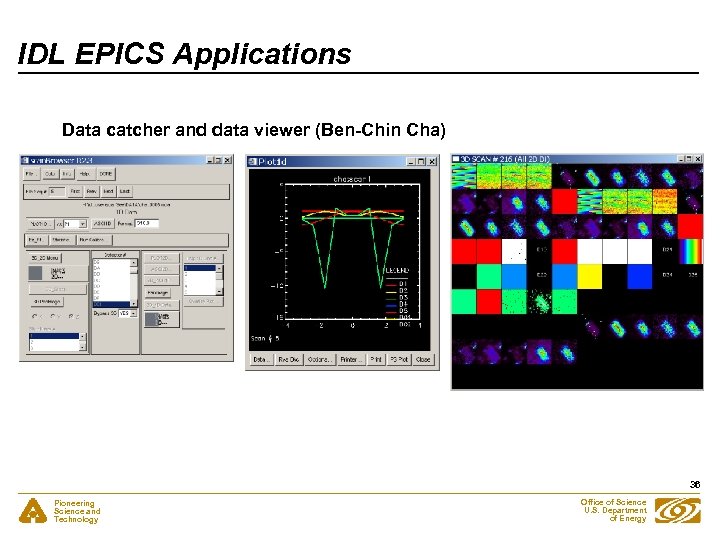 IDL EPICS Applications Data catcher and data viewer (Ben-Chin Cha) 36 Pioneering Science and Technology Office of Science U. S. Department of Energy
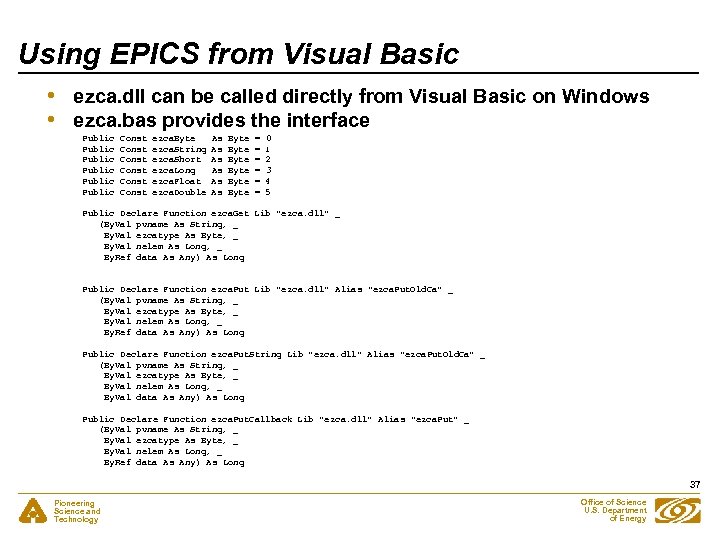 Using EPICS from Visual Basic • • ezca. dll can be called directly from Visual Basic on Windows ezca. bas provides the interface Public Public Const Const ezca. Byte ezca. String ezca. Short ezca. Long ezca. Float ezca. Double As As As Byte Byte = = = 0 1 2 3 4 5 Public Declare Function ezca. Get Lib "ezca. dll" _ (By. Val pvname As String, _ By. Val ezcatype As Byte, _ By. Val nelem As Long, _ By. Ref data As Any) As Long Public Declare Function ezca. Put Lib "ezca. dll" Alias "ezca. Put. Old. Ca" _ (By. Val pvname As String, _ By. Val ezcatype As Byte, _ By. Val nelem As Long, _ By. Ref data As Any) As Long Public Declare Function ezca. Put. String Lib "ezca. dll" Alias "ezca. Put. Old. Ca" _ (By. Val pvname As String, _ By. Val ezcatype As Byte, _ By. Val nelem As Long, _ By. Val data As Any) As Long Public Declare Function ezca. Put. Callback Lib "ezca. dll" Alias "ezca. Put" _ (By. Val pvname As String, _ By. Val ezcatype As Byte, _ By. Val nelem As Long, _ By. Ref data As Any) As Long 37 Pioneering Science and Technology Office of Science U. S. Department of Energy
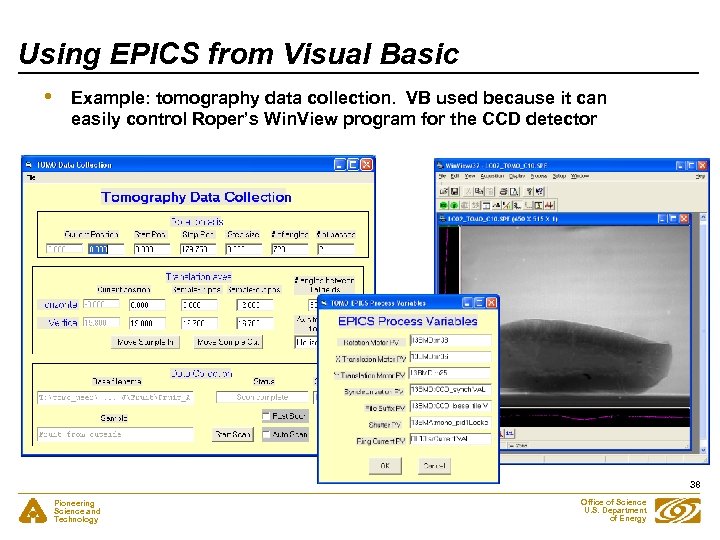 Using EPICS from Visual Basic • Example: tomography data collection. VB used because it can easily control Roper’s Win. View program for the CCD detector 38 Pioneering Science and Technology Office of Science U. S. Department of Energy
 Motivation • • • Replace IDL applications (e. g. MCA GUI) with Python so that other beamlines don’t need to buy IDL Send users home with data and display/analysis programs that are free. - They don’t want to buy IDL. Motivation has now largely disappeared, since IDL Virtual Machine can be used to run GUI applications for free 39 Pioneering Science and Technology Office of Science U. S. Department of Energy
 Building Blocks • • Ca. Channel from Geoff Savage for EPICS interface Tkinter and Pmw for GUIs Pmw. Blt for plots Numeric for arrays 40 Pioneering Science and Technology Office of Science U. S. Department of Energy
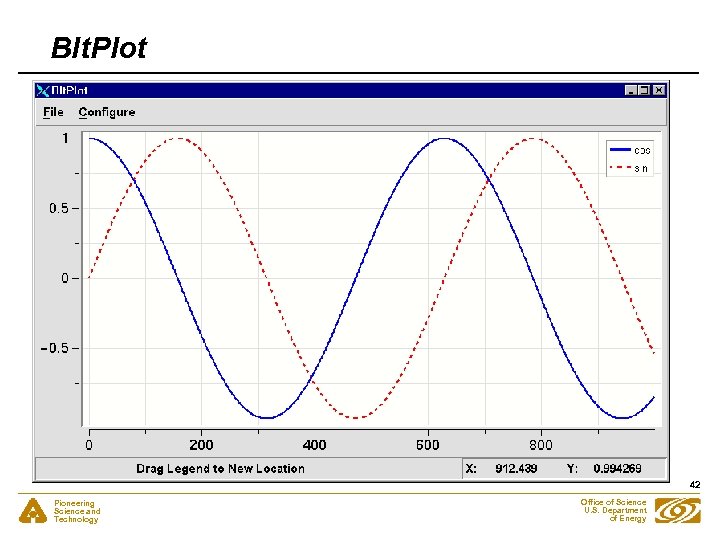
 Blt. Plot: Enhancements to the Pmw. Blt. Graph widget • • • A standalone plotting widget, Blt. Plot. This widget has menus to: - Configure all of the plot characteristics - Save and restore the plot settings and data - Print the plot to a file or printer Methods (Blt. Plot. plot and Blt. Plot. oplot) to create a new plot, to overpl ot more data, etc. Designed to provide a rough emulation of the command line plotting capabilities of IDL. 41 Pioneering Science and Technology Office of Science U. S. Department of Energy
 Blt. Plot 42 Pioneering Science and Technology Office of Science U. S. Department of Energy
 Blt. Plot: Enhancements to the Pmw. Blt. Graph widget • • • GUI routines to configure all of the plot characteristics, such as axes, markers, legends, etc. - These routines work with any Pmw. Blt. Graph instance so they can be used from the standalone plotting widget in this package (Blt. Plot) or from any application that uses the Pmw. Blt. Graph widget Routines to save and restore plot settings and data. Used in the mca. Display described later. 43 Pioneering Science and Technology Office of Science U. S. Department of Energy
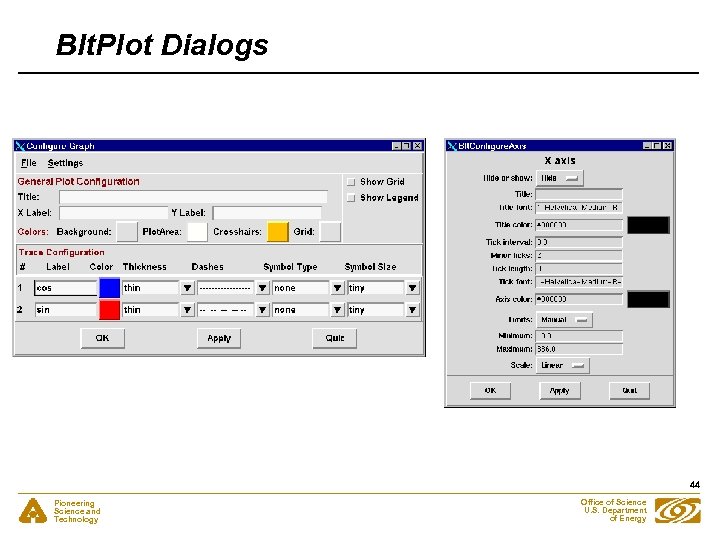 Blt. Plot Dialogs 44 Pioneering Science and Technology Office of Science U. S. Department of Energy
 epics. PV: Subclasses Geoff Savage's Ca. Channel class • • • If a PV name is given the class constructor will do a searchw() by default. set. Monitor() sets a generic callback routine for value change events. Subsequent getw(), get. Value() or array_get() calls will return the value from the most recent callback, and hence do not result in any network activity or latency. This can greatly improve performance. check. Monitor() returns a flag to indicate if a callback has occurred since the last call to check. Monitor(), getw(), get. Value() or array_get(). It can be used to increase efficiency in polling applications. 45 Pioneering Science and Technology Office of Science U. S. Department of Energy
 epics. PV • • get. Control() reads the "control“ and other information from an EPICS PV without having to use callbacks. In addition to the PV value, this will return the graphic, control and alarm limits, etc. put. Wait() calls array_put_callback() and waits for the callback to occur before it returns. This allows programs to use array_put_callback() synchronously and without user-written callbacks. 46 Pioneering Science and Technology Office of Science U. S. Department of Energy
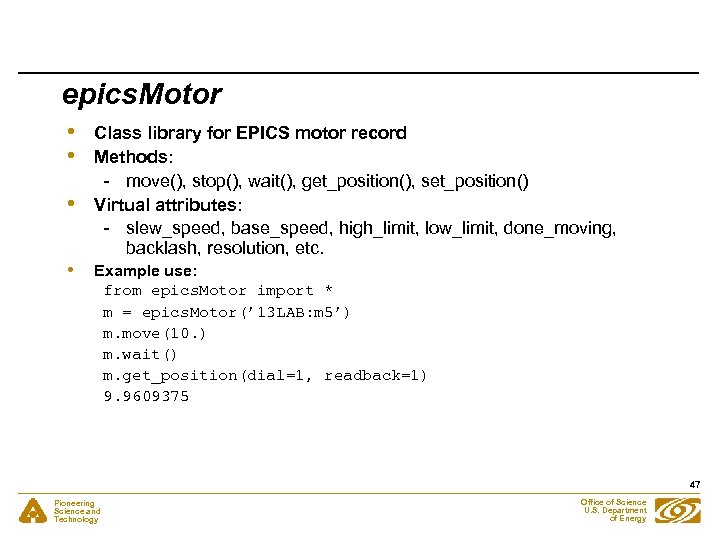 epics. Motor • • Class library for EPICS motor record Methods: - move(), stop(), wait(), get_position(), set_position() Virtual attributes: - slew_speed, base_speed, high_limit, low_limit, done_moving, backlash, resolution, etc. Example use: from epics. Motor import * m = epics. Motor(’ 13 LAB: m 5’) m. move(10. ) m. wait() m. get_position(dial=1, readback=1) 9. 9609375 47 Pioneering Science and Technology Office of Science U. S. Department of Energy
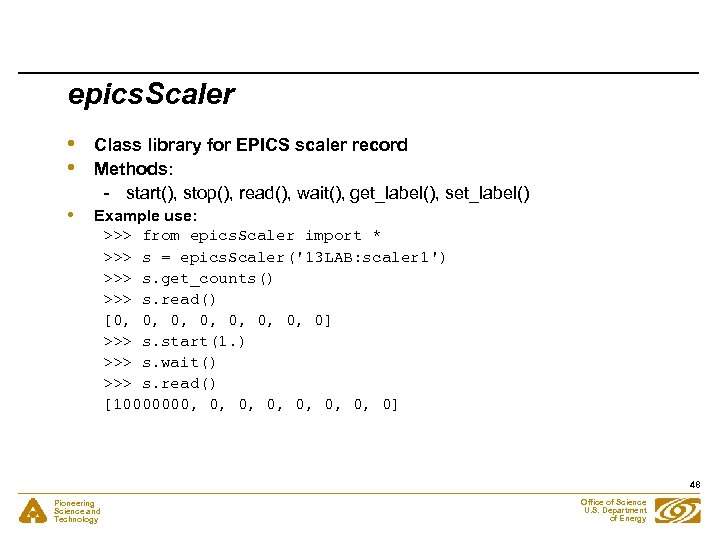 epics. Scaler • • • Class library for EPICS scaler record Methods: - start(), stop(), read(), wait(), get_label(), set_label() Example use: >>> from epics. Scaler import * >>> s = epics. Scaler('13 LAB: scaler 1') >>> s. get_counts() >>> s. read() [0, 0, 0] >>> s. start(1. ) >>> s. wait() >>> s. read() [10000000, 0, 0] 48 Pioneering Science and Technology Office of Science U. S. Department of Energy
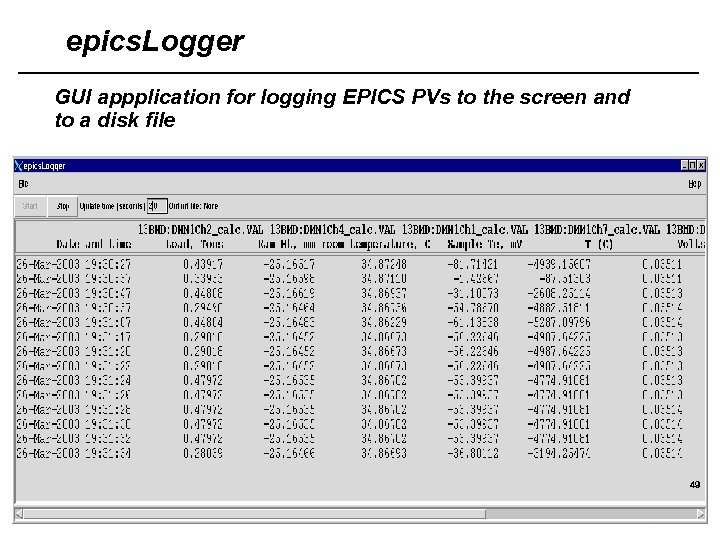 epics. Logger GUI appplication for logging EPICS PVs to the screen and to a disk file 49 Pioneering Science and Technology Office of Science U. S. Department of Energy
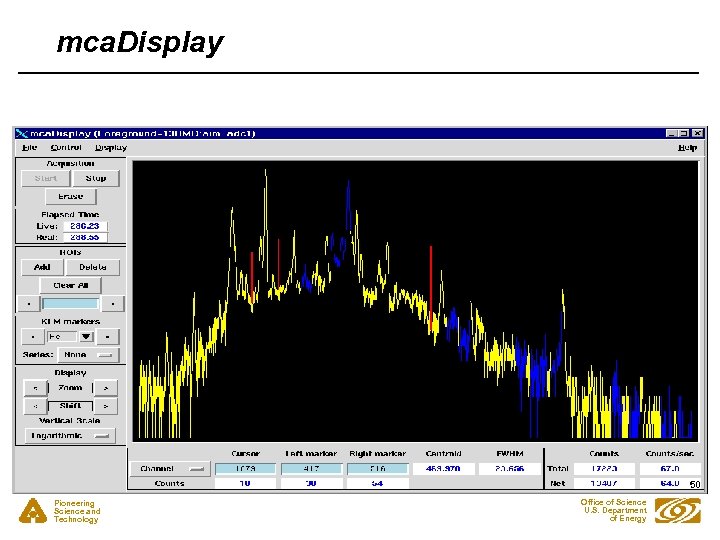 mca. Display 50 Pioneering Science and Technology Office of Science U. S. Department of Energy
 mca. Display() • • Replacement for my IDL MCA display program Much nicer in many respects, since the Blt plot widget has many more east-to-use features than IDL’s direct graphics Python object with callable methods, so it can be remotely controlled Device independent. It reads files and controls the “hardware_mca” class. “hardware_mca” can be subclassed for any hardware. Presently the EPICS MCA record is supported 51 Pioneering Science and Technology Office of Science U. S. Department of Energy
 Mca: Device-independent MCA class • • • Support classes: mca. ROI, mca. Calibration, mca. Elapsed, mca. Presets, mca. Peak, etc. Many methods: add_roi(), fit_background(), fit_peaks(), get_calibration(), set_calibration(), write_file(), read_file(), etc. Used as base class of epics. Mca. 52 Pioneering Science and Technology Office of Science U. S. Department of Energy
 epics. Mca: Subclass of hardware. Mca, which is subclass of Mca • • • All methods of Mca, plus start(), stop(), erase(), wait(), etc. Re-implements base class routines for set_calibration(), set_rois(), etc. to communicate with fields in the EPICS MCA record Example use: from epics. Mca import * mca = epics. Mca(’ 13 BMD: aim_adc 1’) mca. erase() mca. start() mca. wait() mca. write_file(‘test. 001’) 53 Pioneering Science and Technology Office of Science U. S. Department of Energy
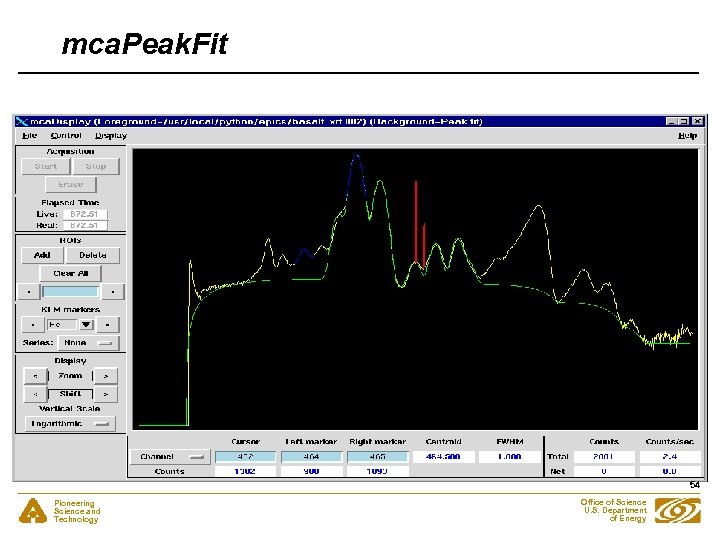 mca. Peak. Fit 54 Pioneering Science and Technology Office of Science U. S. Department of Energy
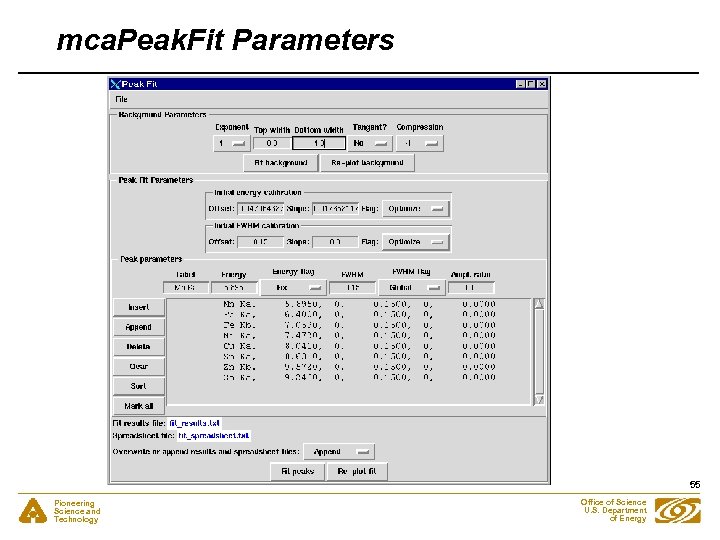 mca. Peak. Fit Parameters 55 Pioneering Science and Technology Office of Science U. S. Department of Energy
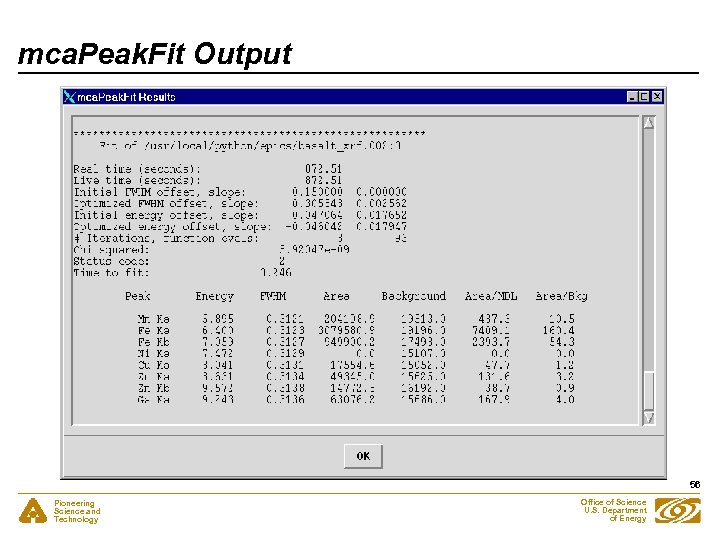 mca. Peak. Fit Output 56 Pioneering Science and Technology Office of Science U. S. Department of Energy
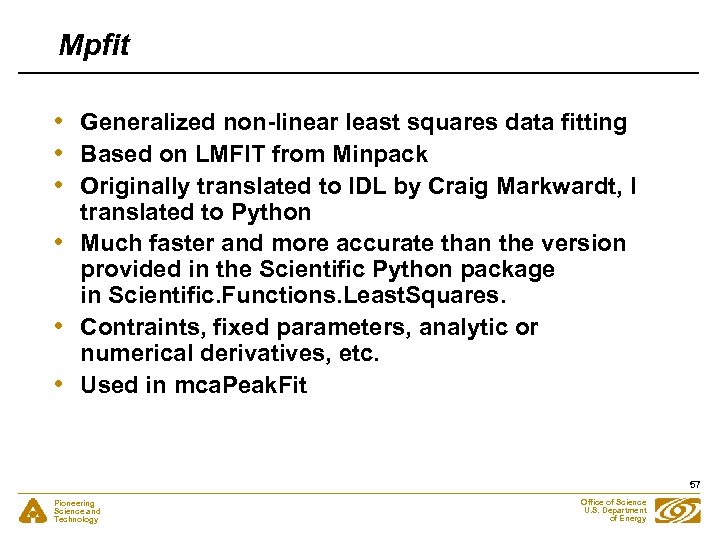 Mpfit • • • Generalized non-linear least squares data fitting Based on LMFIT from Minpack Originally translated to IDL by Craig Markwardt, I translated to Python Much faster and more accurate than the version provided in the Scientific Python package in Scientific. Functions. Least. Squares. Contraints, fixed parameters, analytic or numerical derivatives, etc. Used in mca. Peak. Fit 57 Pioneering Science and Technology Office of Science U. S. Department of Energy
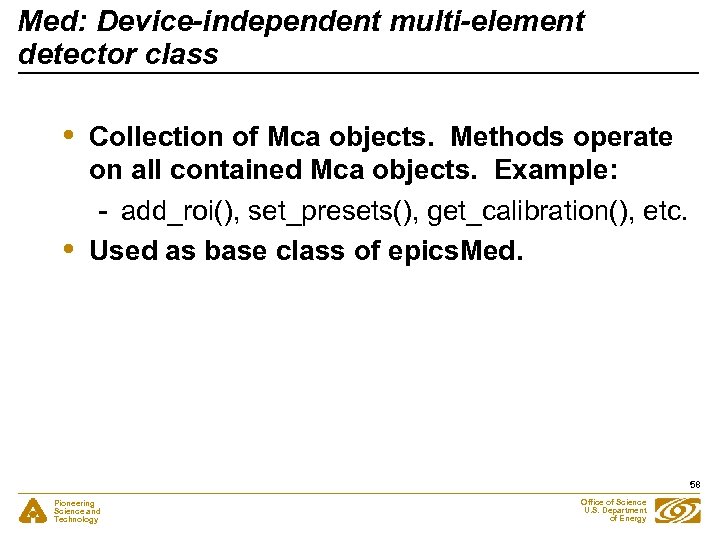 Med: Device-independent multi-element detector class • • Collection of Mca objects. Methods operate on all contained Mca objects. Example: - add_roi(), set_presets(), get_calibration(), etc. Used as base class of epics. Med. 58 Pioneering Science and Technology Office of Science U. S. Department of Energy
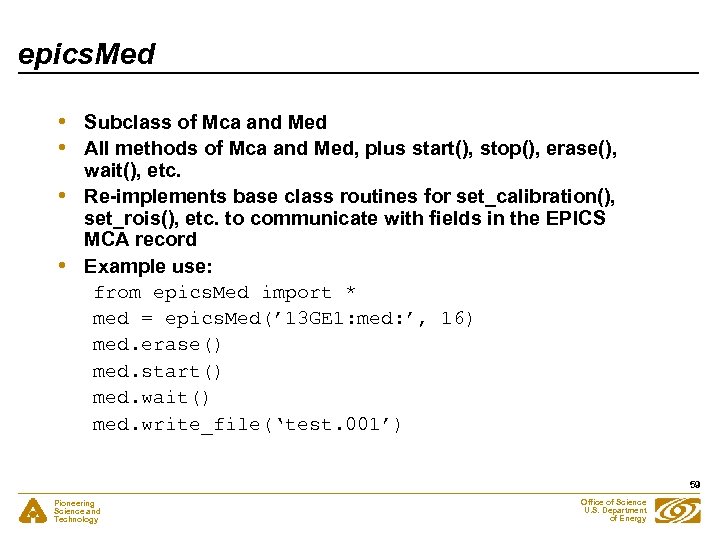 epics. Med • • Subclass of Mca and Med All methods of Mca and Med, plus start(), stop(), erase(), wait(), etc. Re-implements base class routines for set_calibration(), set_rois(), etc. to communicate with fields in the EPICS MCA record Example use: from epics. Med import * med = epics. Med(’ 13 GE 1: med: ’, 16) med. erase() med. start() med. wait() med. write_file(‘test. 001’) 59 Pioneering Science and Technology Office of Science U. S. Department of Energy
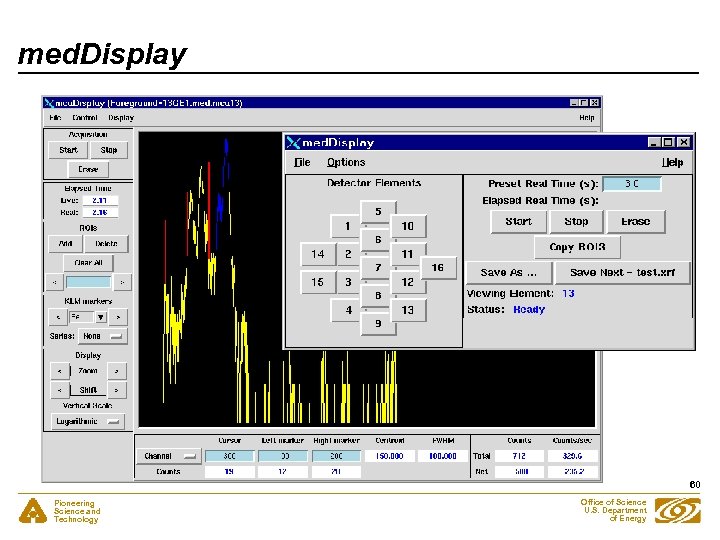 med. Display 60 Pioneering Science and Technology Office of Science U. S. Department of Energy
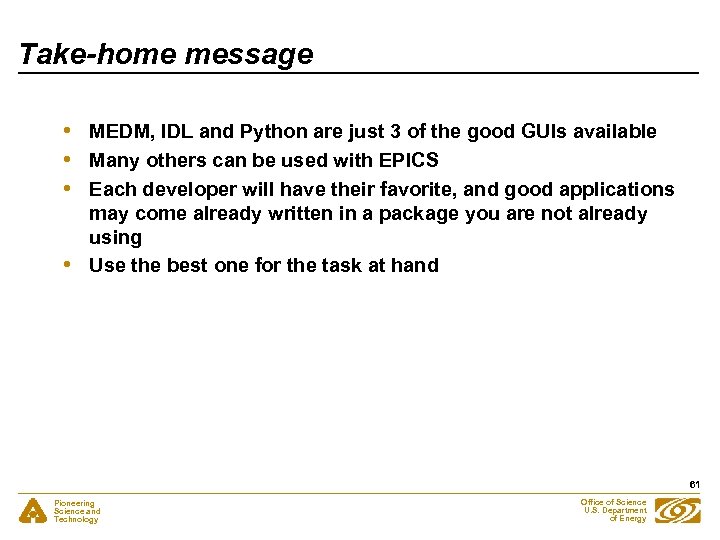 Take-home message • • MEDM, IDL and Python are just 3 of the good GUIs available Many others can be used with EPICS Each developer will have their favorite, and good applications may come already written in a package you are not already using Use the best one for the task at hand 61 Pioneering Science and Technology Office of Science U. S. Department of Energy