 Скачать презентацию MEDICAID MANAGED CARE ORGANIZATION MCO TRAINING CONDUCTED BY
3131ddd2b5566a4b8904b422644b2d4c.ppt
- Количество слайдов: 26



MEDICAID MANAGED CARE ORGANIZATION (MCO) TRAINING CONDUCTED BY : THE DEPARTMENT FOR PUBLIC HEALTH & CUSTOM DATA PROCESSING October 18 th, 2011
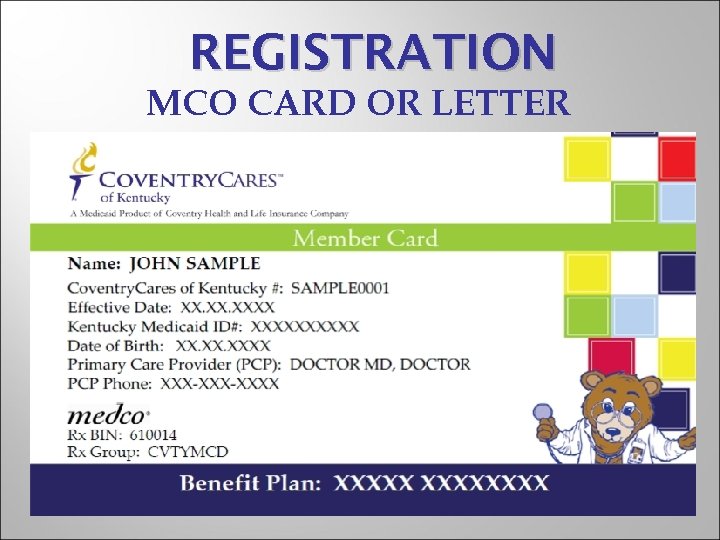
REGISTRATION MCO CARD OR LETTER
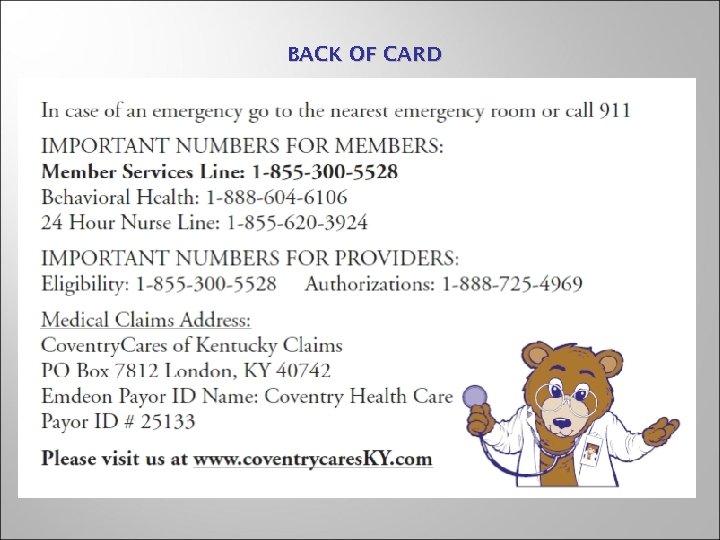
BACK OF CARD
Identified with #6 Log on to www. directprovider. com Call Coventry. Cares IVR line @ 1 -855 -300 -5528 http: //chcmedicaid-kentucky. coventryhealthcare. com/
Identified with #7 Log on to www. kentuckyspirithealth. com Search by date of service and Medicaid ID # or KY Spirit ID # Call automated system(IVR) at 1 -866 -643 -3153 from a touch tone phone Call Ky Spirit Health Plan Provider Services @ 1866 -643 -3153
Identified with #8 Log on to www. kentucky. wellcare. com Call Well. Care’s IVR @ 1 -877 -389 -9457 Call Well. Care’s Customer Service @ 1 -877 -389 -9457
VERIFY PATIENT ELIGIBILITY • Verify Medicaid # and MCO member #. • Print both initially and place in patient chart. • This will provide proof for billing/inquiries in case there any problems. • If no card or letter use KY Health Net & call the MCO listed there. • Key into Registration.
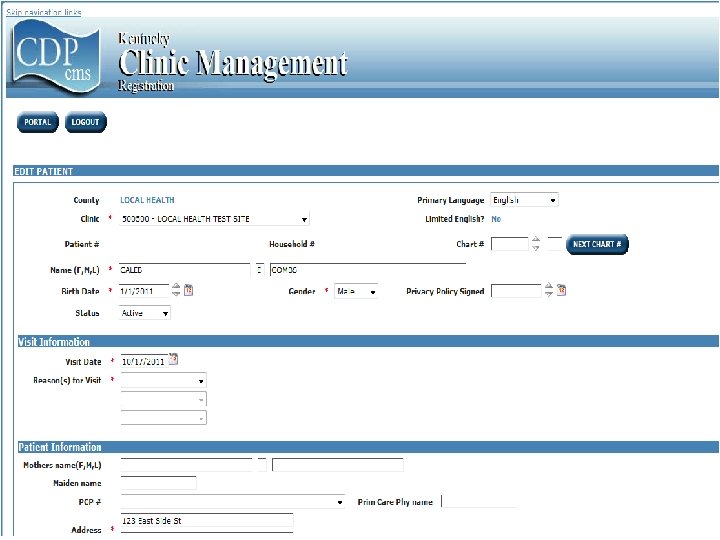
Registration. Process 8
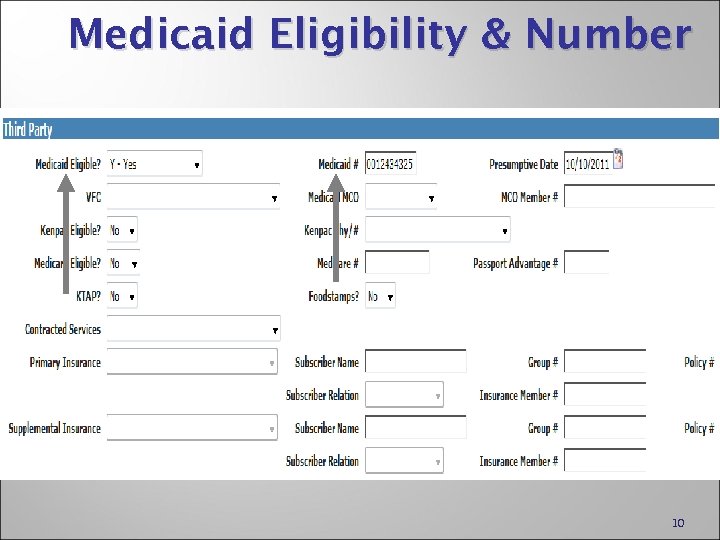
Medicaid Eligibility & Number 10
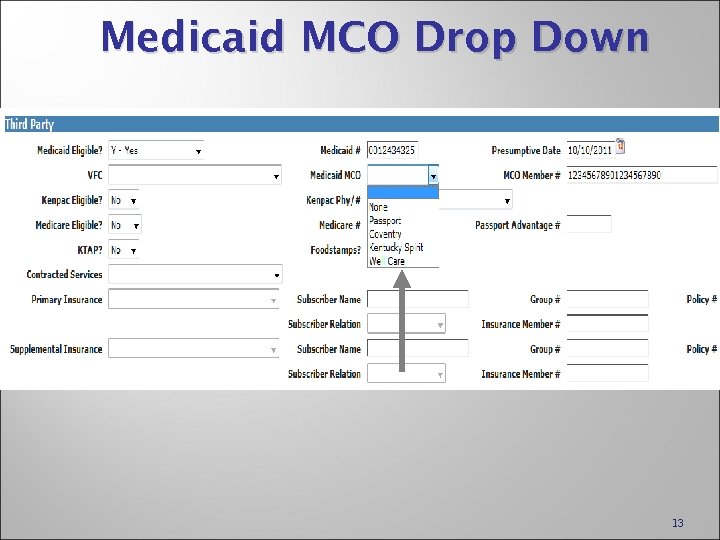
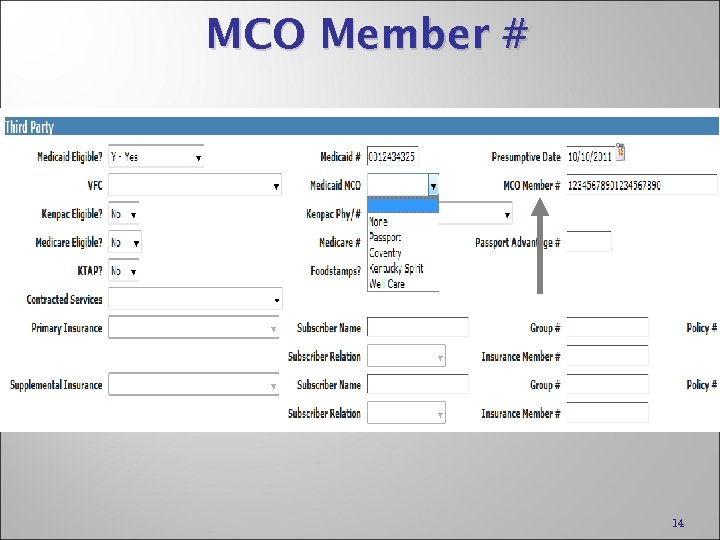
Managed Care fields Medicaid MCO – drop down of available MCO’s. Previously shown as: “Managed Care Region” MCO Member # - up to 20 characters available Previously shown as: “Managed Care Member #” 11
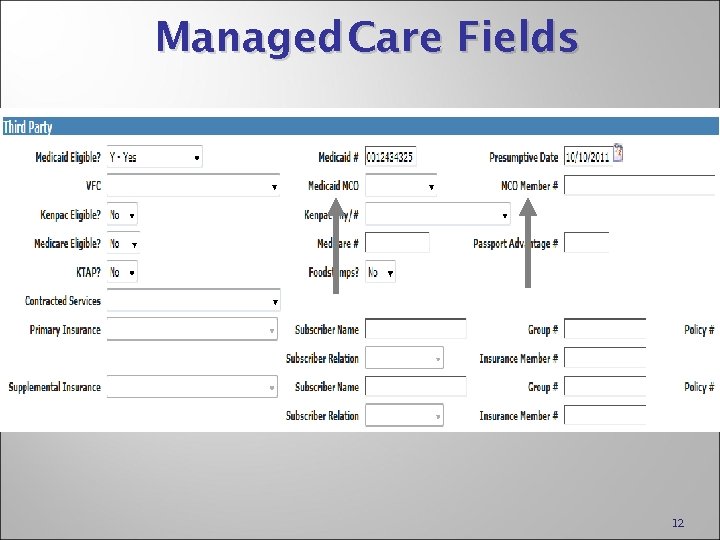
Managed Care Fields 12
Medicaid MCO Drop Down 13
MCO Member # 14
Label changes PEF label will show MCO/REGN# Registration label will show MCO Member # 15
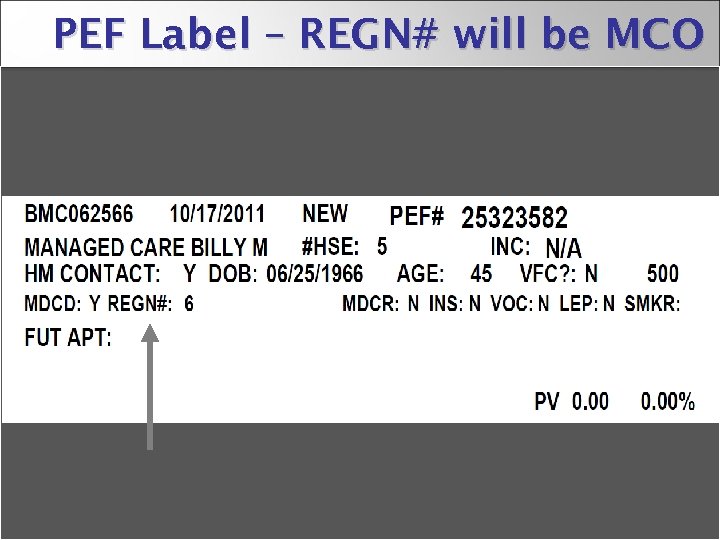
PEF Label – REGN# will be MCO 16
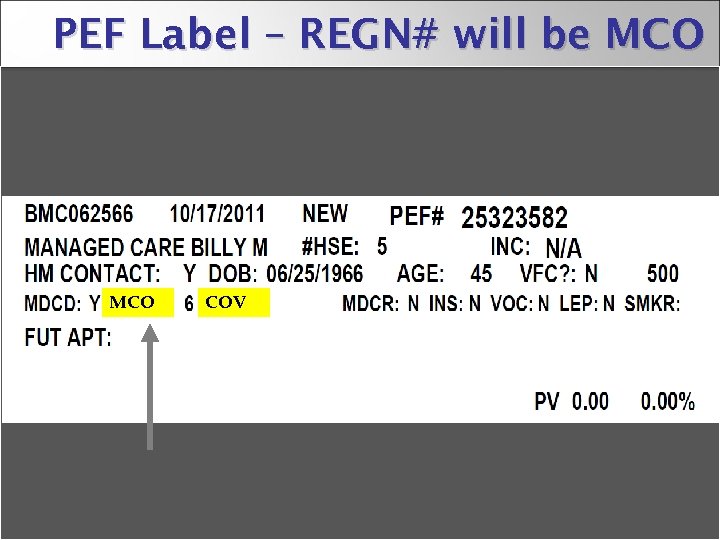
PEF Label – REGN# will be MCO COV 17
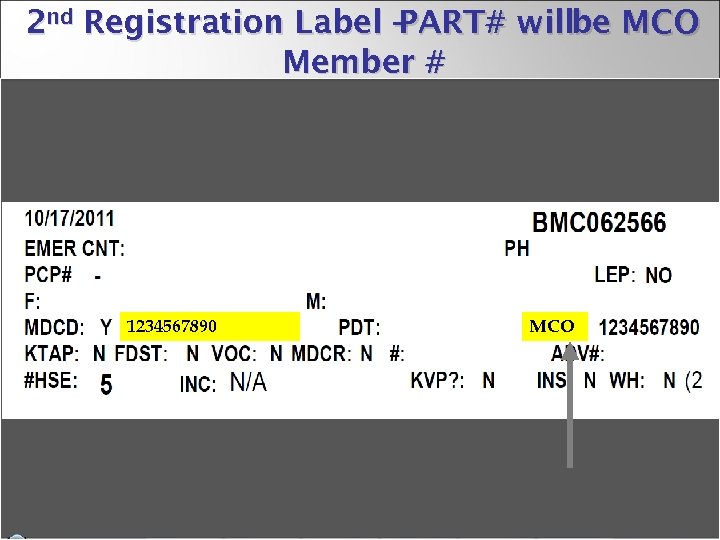
2 nd Registration Label – PART# willbe MCO Member # 1234567890 MCO 18
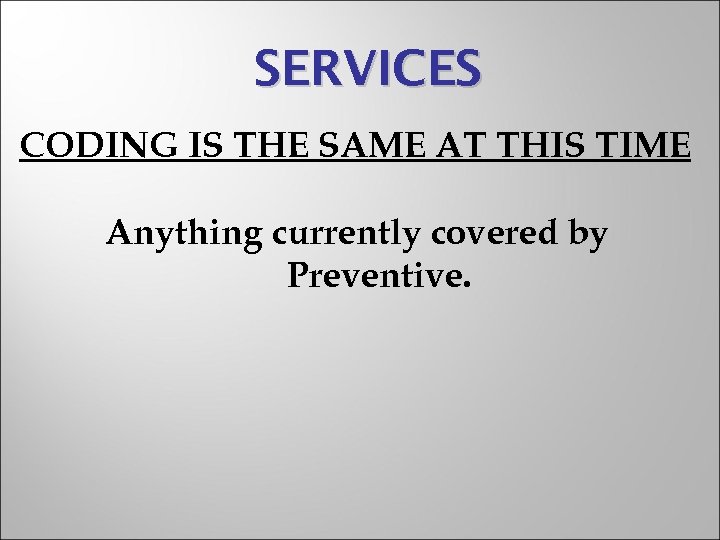
SERVICES CODING IS THE SAME AT THIS TIME Anything currently covered by Preventive.
CHECK OUT PROCEDURES ENTER PEF
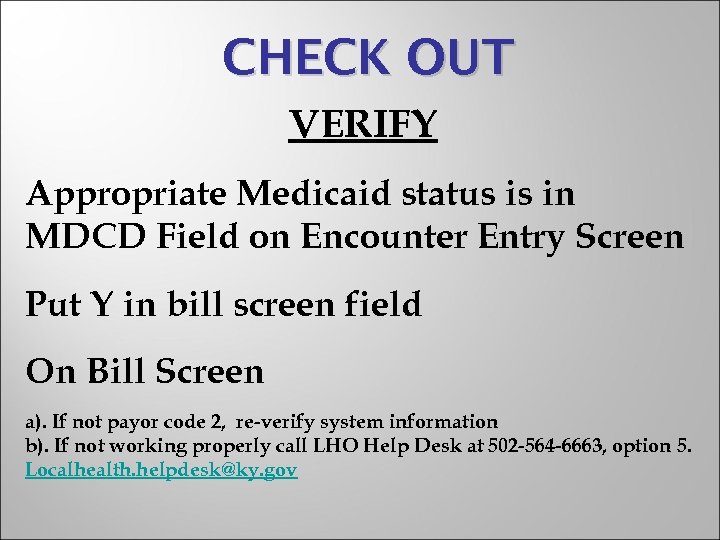
CHECK OUT VERIFY Appropriate Medicaid status is in MDCD Field on Encounter Entry Screen Put Y in bill screen field On Bill Screen a). If not payor code 2, re-verify system information b). If not working properly call LHO Help Desk at 502 -564 -6663, option 5. Localhealth. helpdesk@ky. gov
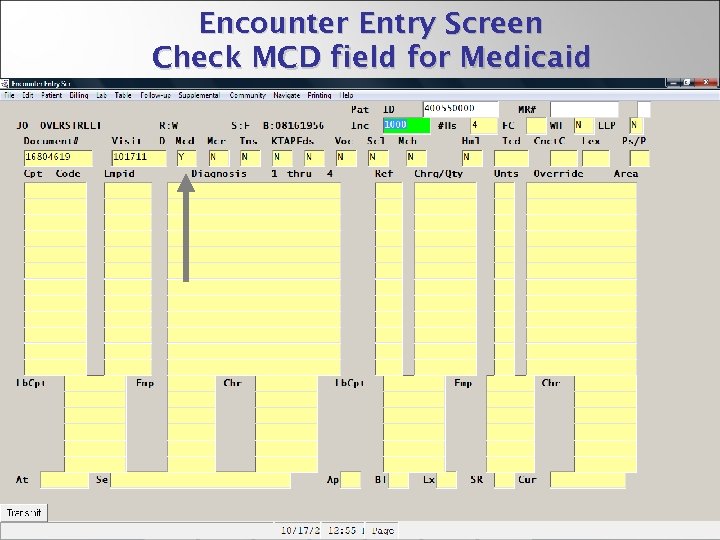
Encounter Entry Screen Check MCD field for Medicaid 22
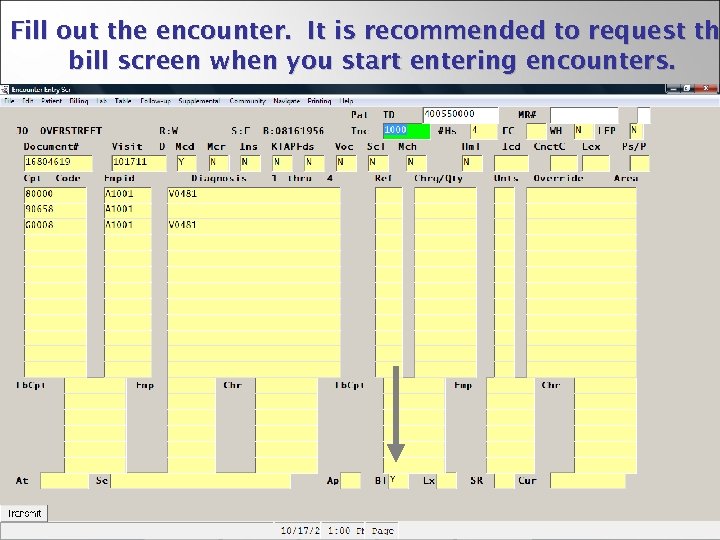
Fill out the encounter. It is recommended to request th bill screen when you start entering encounters. 23
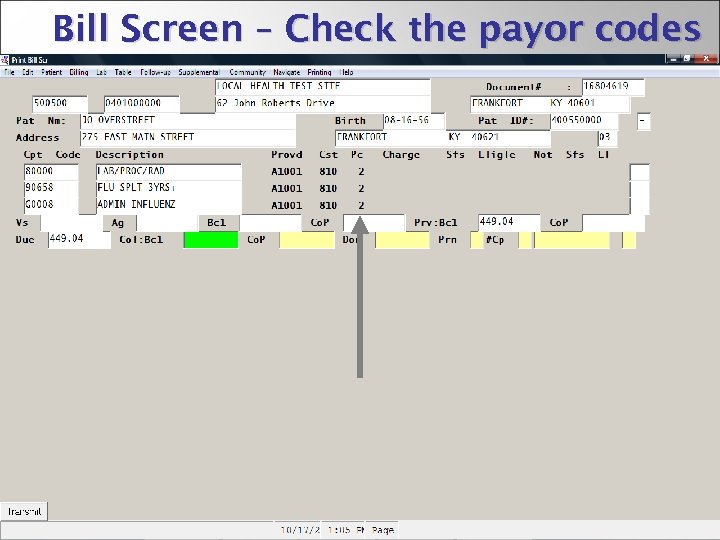
Bill Screen – Check the payor codes 24
BILLING CDP is working with each MCO to program their specific requirements. IE: VFC modifiers. New E-reports must be created. Testing of billing files-live during first week.

QUESTIONS?
Скачать презентацию MEDICAID MANAGED CARE ORGANIZATION MCO TRAINING CONDUCTED BY
3131ddd2b5566a4b8904b422644b2d4c.ppt