


 Скачать презентацию Medi-Cal Denied Claims Report County of San Diego
e1b194e5ff12330e716bceb663200a49.ppt
- Количество слайдов: 12
 Medi-Cal Denied Claims Report County of San Diego
 Information on this report? • Will Information on the denial report ever go away? -NO • What is the purpose of this report? -For you to understand why services were denied and determine what actions you can take. • What actions can I take with services on this report? -You can only replace or invalidate services on this report (2 different forms)- but they will never go away. • Can a service be recalculated to get “fixed”? -No. Once a service has been claimed it is no longer an option.
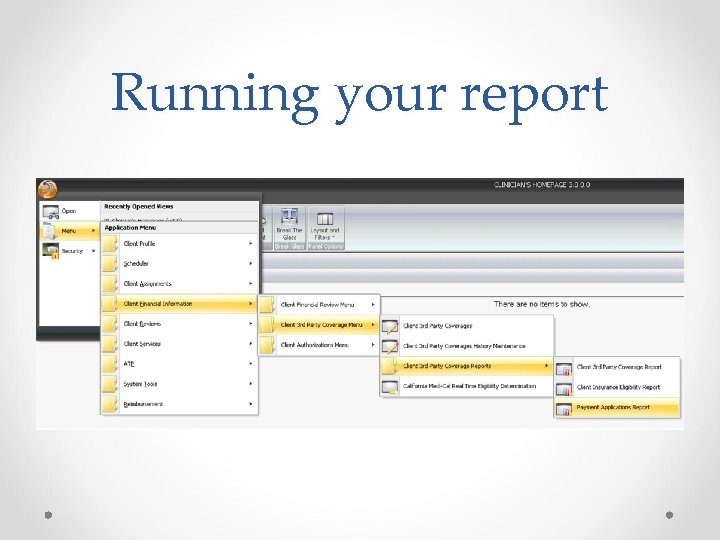 Running your report
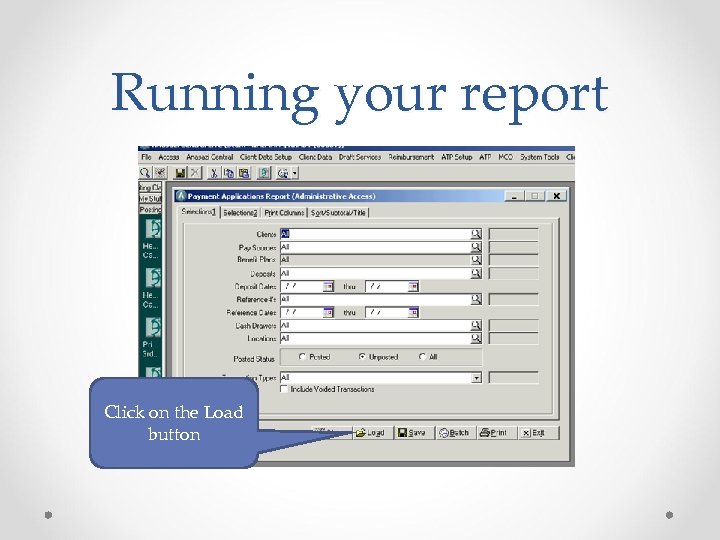 Running your report Click on the Load button
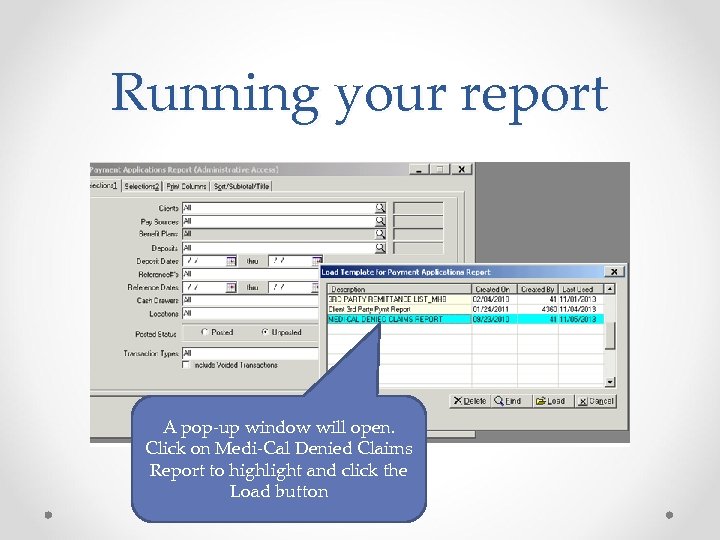 Running your report A pop-up window will open. Click on Medi-Cal Denied Claims Report to highlight and click the Load button
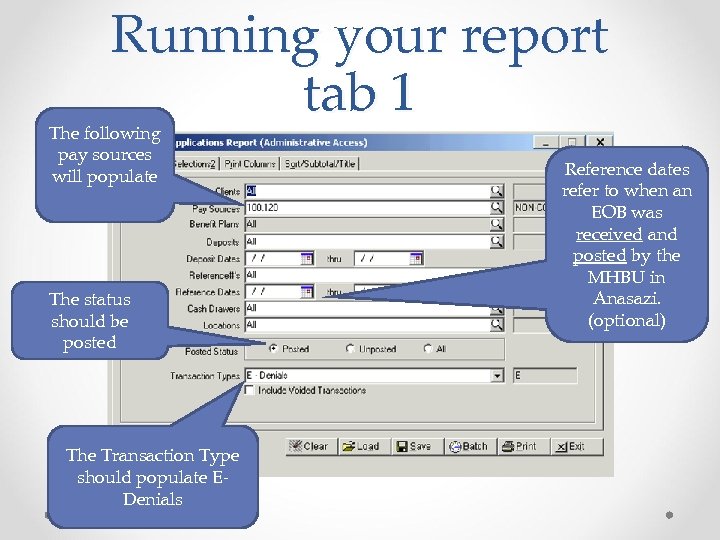 Running your report tab 1 The following pay sources will populate The status should be posted The Transaction Type should populate EDenials Reference dates refer to when an EOB was received and posted by the MHBU in Anasazi. (optional)
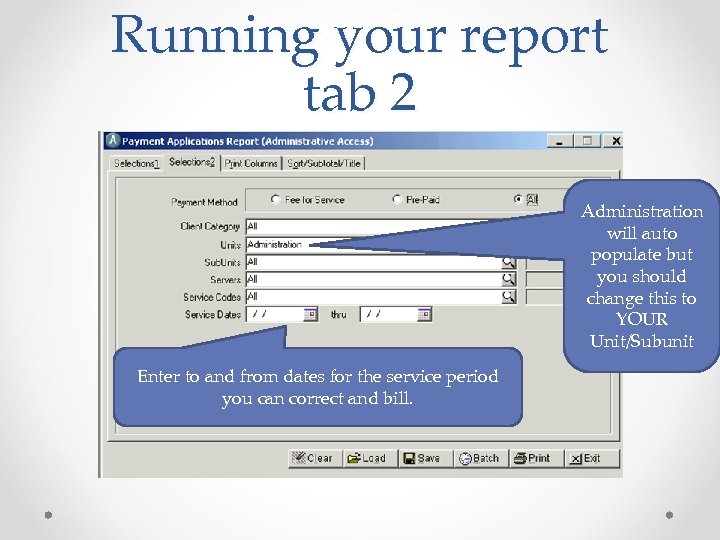 Running your report tab 2 Administration will auto populate but you should change this to YOUR Unit/Subunit Enter to and from dates for the service period you can correct and bill.
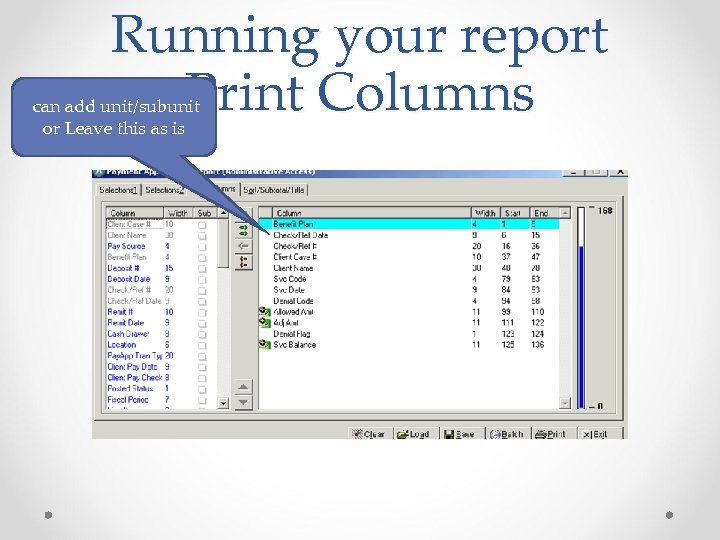 Running your report Print Columns can add unit/subunit or Leave this as is
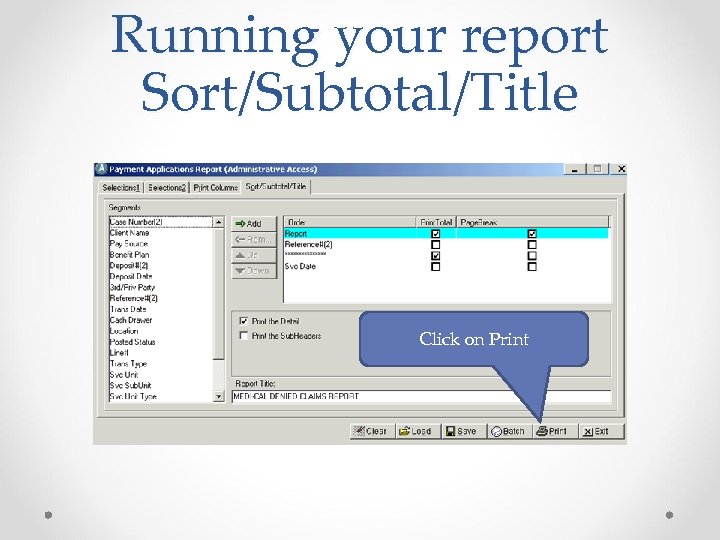 Running your report Sort/Subtotal/Title Click on Print
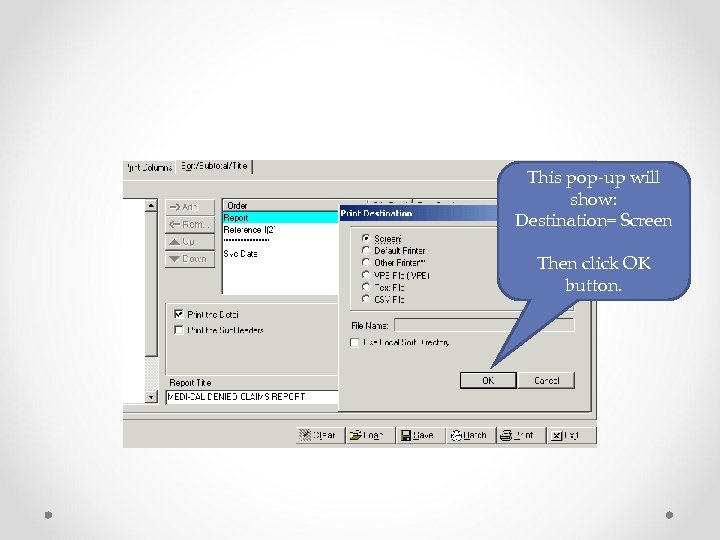 This pop-up will show: Destination= Screen Then click OK button.
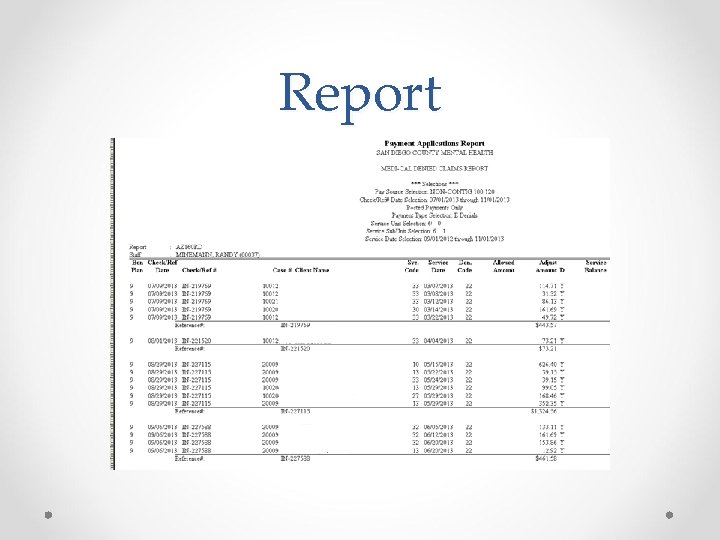 Report
 What now? • Check the denial code definition. • Determine if the service can be; replaced (must be within 15 months from service date), Invalidated if the service is not to count in TUOS. • A denied claim will always require forms to be submitted if something needs to be corrected. (recalculation can not be performed). • Fill out the proper paperwork, attach all pertinent information and submit your request to the MHBU. • Check that your request has been processed in Anasazi