


 Скачать презентацию Measuring and monitoring Microsoft s enterprise network Richard Mortier
ca20369b8c6df47f11db68f8a0e9cf0d.ppt
- Количество слайдов: 18
 Measuring and monitoring Microsoft’s enterprise network Richard Mortier (mort), Rebecca Isaacs, Laurent Massoulié, Peter Key 1
 We monitored our network… …and this is how… …and this is what we saw… • How did we monitor it? • What did we see? 2
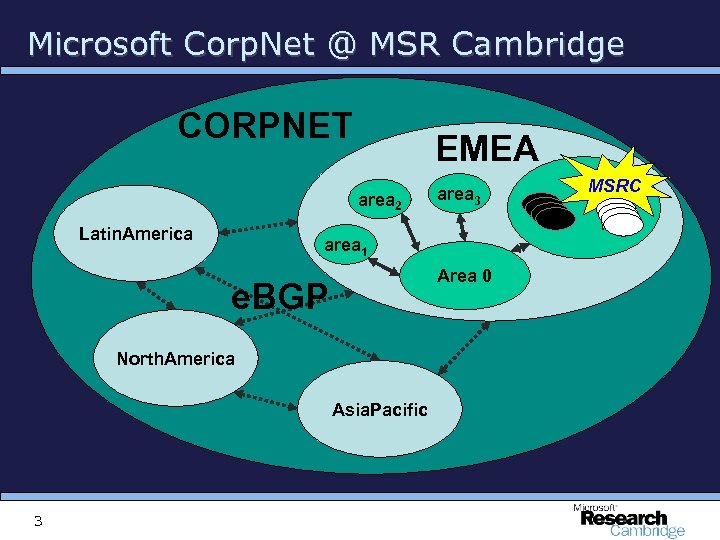 Microsoft Corp. Net @ MSR Cambridge CORPNET EMEA area 2 Latin. America area 1 Area 0 e. BGP North. America Asia. Pacific 3 area 3 MSRC
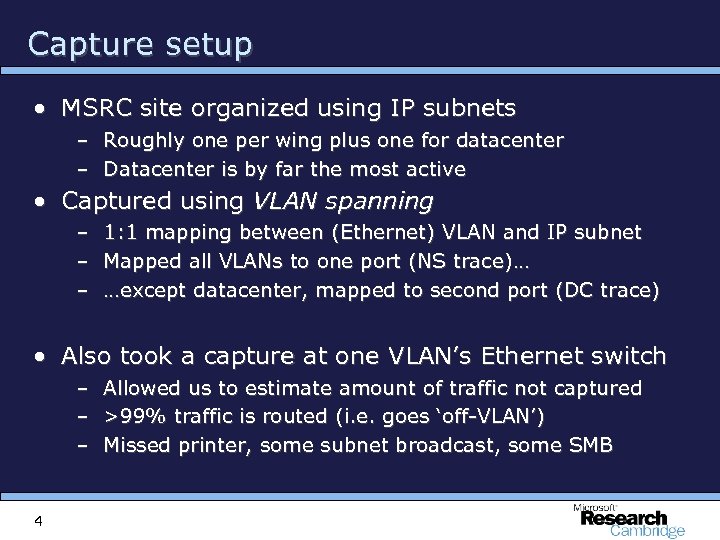 Capture setup • MSRC site organized using IP subnets – Roughly one per wing plus one for datacenter – Datacenter is by far the most active • Captured using VLAN spanning – – – 1: 1 mapping between (Ethernet) VLAN and IP subnet Mapped all VLANs to one port (NS trace)… …except datacenter, mapped to second port (DC trace) • Also took a capture at one VLAN’s Ethernet switch – – – 4 Allowed us to estimate amount of traffic not captured >99% traffic is routed (i. e. goes ‘off-VLAN’) Missed printer, some subnet broadcast, some SMB
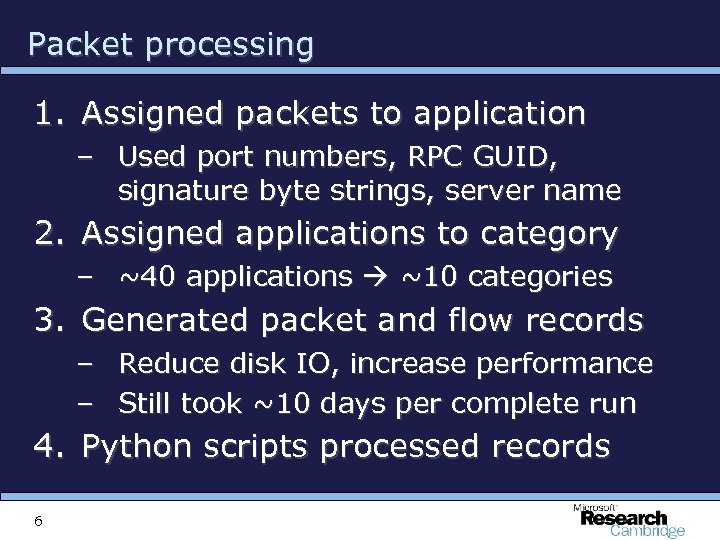 Packet processing 1. Assigned packets to application – Used port numbers, RPC GUID, signature byte strings, server name 2. Assigned applications to category – ~40 applications ~10 categories 3. Generated packet and flow records – Reduce disk IO, increase performance – Still took ~10 days per complete run 4. Python scripts processed records 6
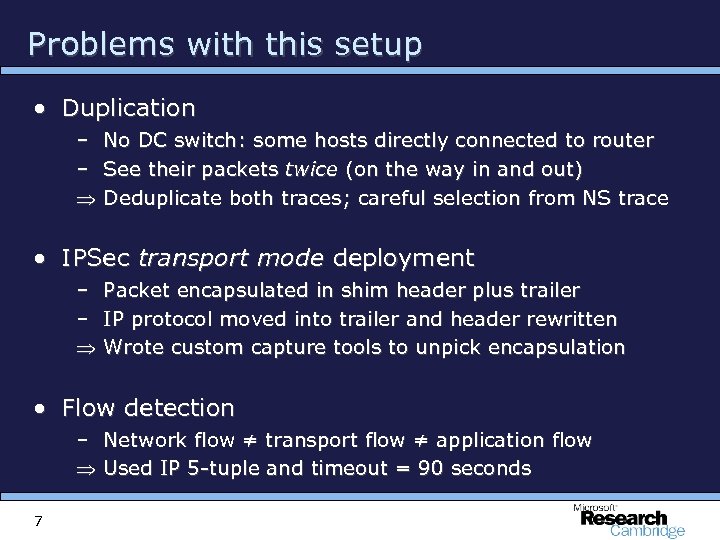 Problems with this setup • Duplication – – Þ No DC switch: some hosts directly connected to router See their packets twice (on the way in and out) Deduplicate both traces; careful selection from NS trace • IPSec transport mode deployment – Packet encapsulated in shim header plus trailer – IP protocol moved into trailer and header rewritten Þ Wrote custom capture tools to unpick encapsulation • Flow detection – Network flow ≠ transport flow ≠ application flow Þ Used IP 5 -tuple and timeout = 90 seconds 7
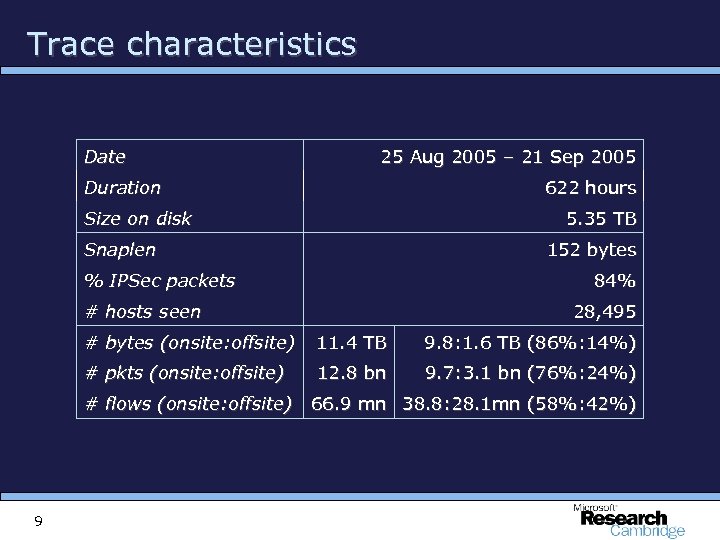 Trace characteristics Date 25 Aug 2005 – 21 Sep 2005 Duration 622 hours Size on disk 5. 35 TB Snaplen 152 bytes % IPSec packets 84% # hosts seen 28, 495 # bytes (onsite: offsite) 11. 4 TB 9. 8: 1. 6 TB (86%: 14%) # pkts (onsite: offsite) 12. 8 bn 9. 7: 3. 1 bn (76%: 24%) # flows (onsite: offsite) 66. 9 mn 38. 8: 28. 1 mn (58%: 42%) 9
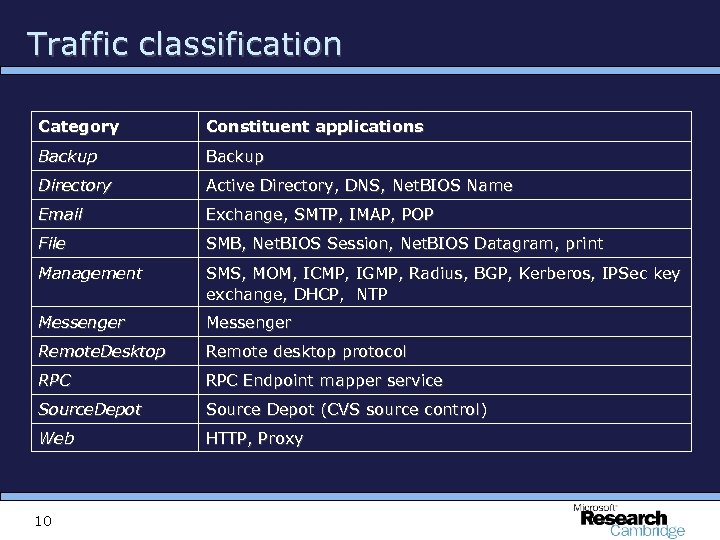 Traffic classification Category Constituent applications Backup Directory Active Directory, DNS, Net. BIOS Name Email Exchange, SMTP, IMAP, POP File SMB, Net. BIOS Session, Net. BIOS Datagram, print Management SMS, MOM, ICMP, IGMP, Radius, BGP, Kerberos, IPSec key exchange, DHCP, NTP Messenger Remote. Desktop Remote desktop protocol RPC Endpoint mapper service Source. Depot Source Depot (CVS source control) Web HTTP, Proxy 10
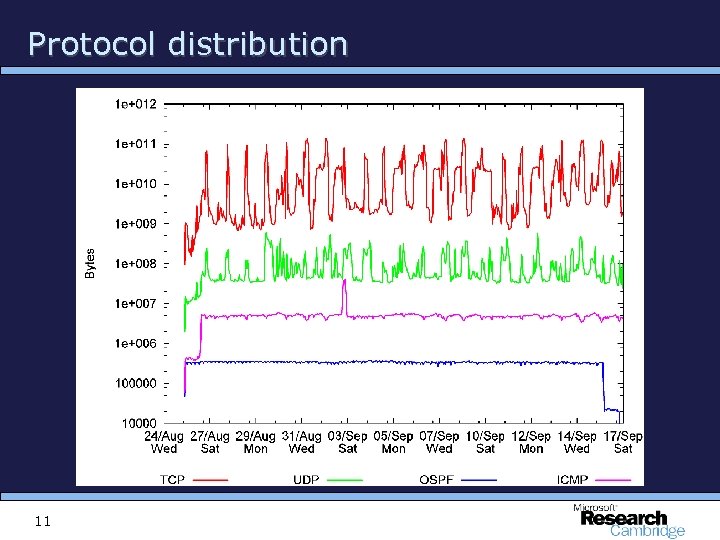 Protocol distribution 11
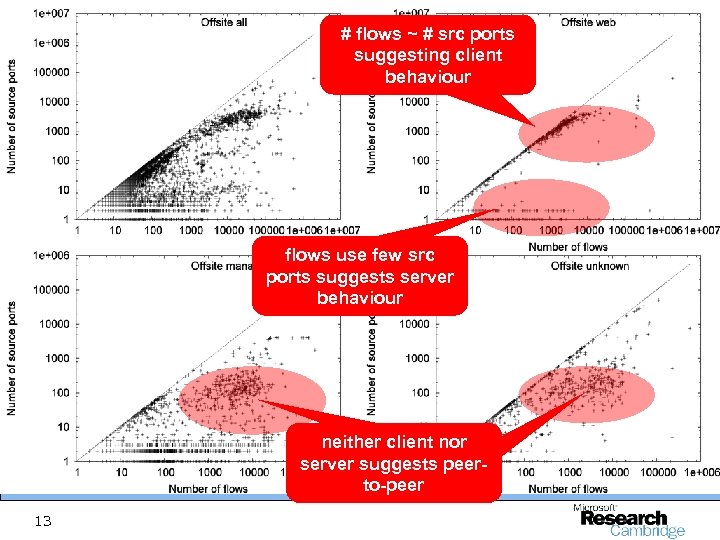 # flows ~ # src ports suggesting client behaviour flows use few src ports suggests server behaviour neither client nor server suggests peerto-peer 13
 Traffic dynamics • Headlines: seasonal, highly volatile • Examine through – Autocorrelations – Variation per-application per-hour – Variation per-application per-host – Variation in heavy-hitter set 15
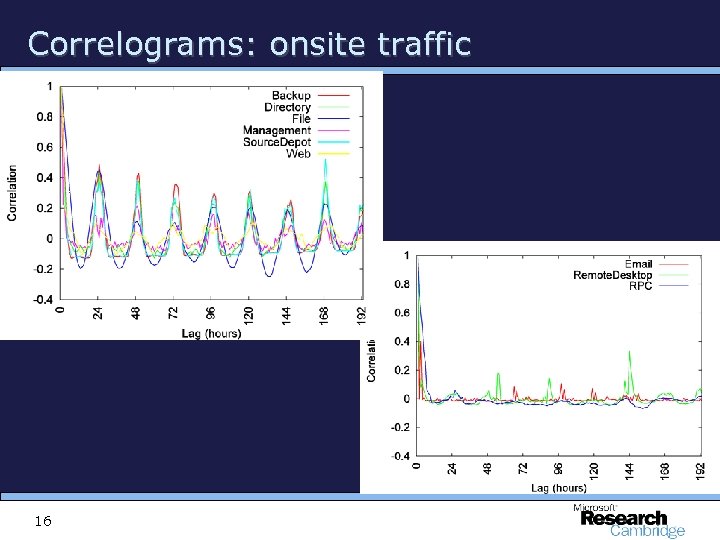 Correlograms: onsite traffic 16
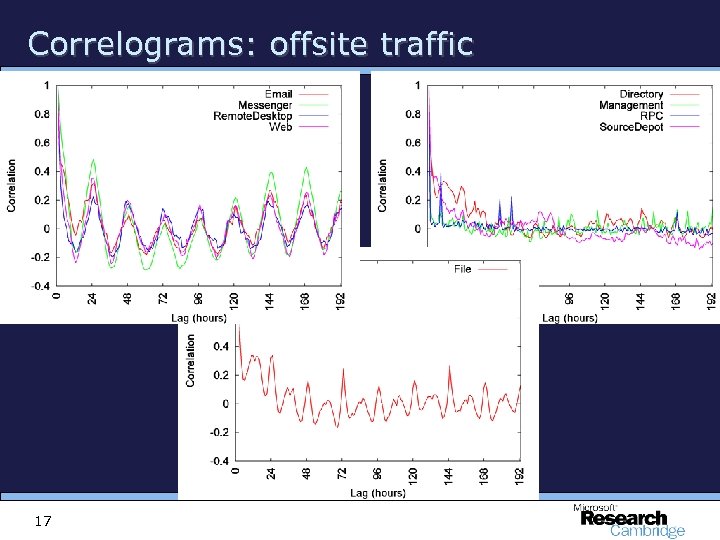 Correlograms: offsite traffic 17
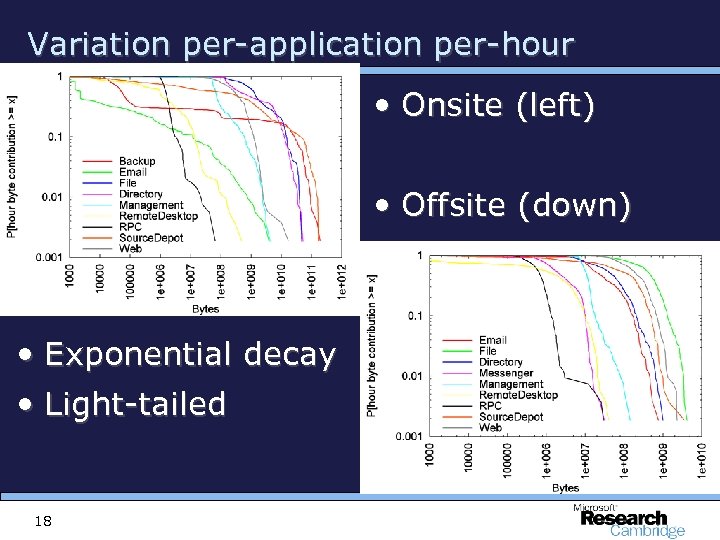 Variation per-application per-hour • Onsite (left) • Offsite (down) • Exponential decay • Light-tailed 18
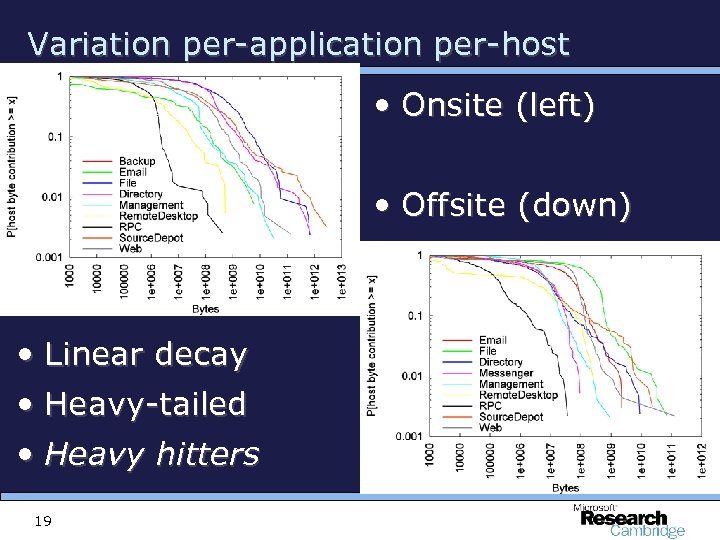 Variation per-application per-host • Onsite (left) • Offsite (down) • Linear decay • Heavy-tailed • Heavy hitters 19
 Implications for modelling • Timeseries modelling is hard – Tried ARMA, ARIMA models but perapplication only – Exponentiation leads to large errors in forecasting • Client/server distinction unclear – Tried PCA, “projection pursuit method” – Neither found anything • PCA discovered singleton clusters in rank order. . . 20
 Implications for endsystem measurement • Heavy hitter tracking a useful approach for network monitoring • Must be dynamic since heavy hitter set varies – between applications and – over time per-application • …but is it possible to define a baseline against which to detect (volume) anomalies? 21
 Questions? 22