 Скачать презентацию Mc Graw-Hill Technology Education Copyright 2006 by
19c15bbf58515851405e9cc2f20f82da.ppt
- Количество слайдов: 50



Mc. Graw-Hill Technology Education Copyright © 2006 by The Mc. Graw-Hill Companies, Inc. All rights reserved.
Chapter 9 A Network Basics Mc. Graw-Hill Technology Education Copyright © 2006 by The Mc. Graw-Hill Companies, Inc. All rights reserved.
Network Definition • Set of technologies that connects computers • Allows communication and collaboration between users 3
The Uses of a Network • Simultaneous access to data – Data files are shared • Access can be limited – Shared files stored on a server – Software can be shared • Site licenses • Network versions • Application servers 4
The Uses of a Network • Shared peripheral device – Printers and faxes are common shares – Reduces the cost per user – Devices can be connected to the network – Print servers control network printing • Manage the print queue 5
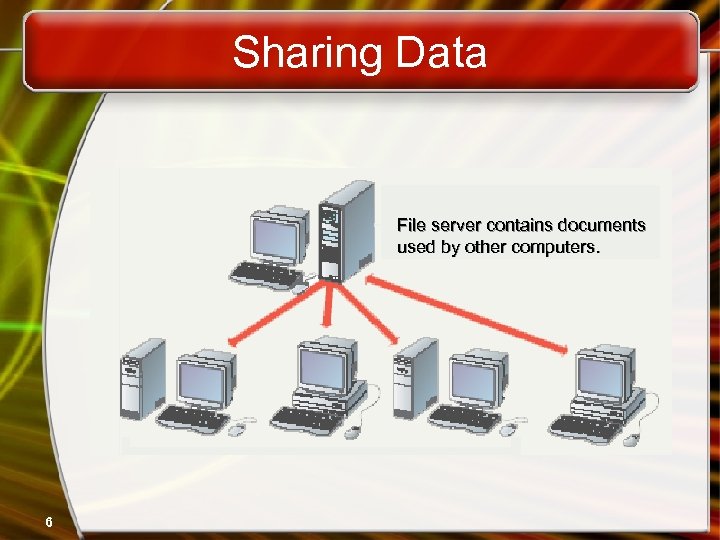
Sharing Data File server contains documents used by other computers. 6
The Uses of a Network • Personal communication – Email • Instantaneous communication – Conferencing • • Tele conferencing Videoconferencing Audio-conferencing Data-conferencing – Voice over IP • Phone communication over network wires 7
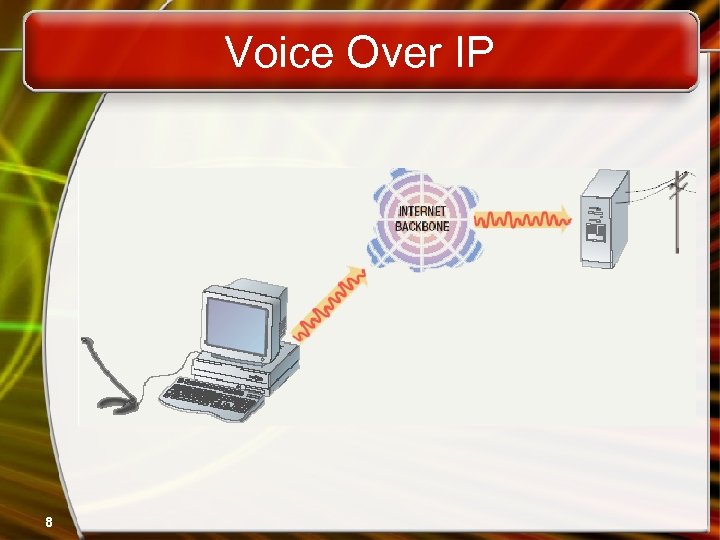
Voice Over IP 8
The Uses of a Network • Easier data backup – Backup copies data to removable media – Server data backed up in one step 9
Common Network Types • Local Area Network (LAN) – Contains printers, servers and computers – Systems are close to each other – Contained in one office or building – Organizations often have several LANS 10
Common Network Types • Wide Area Networks (WAN) – Two or more LANs connected – Over a large geographic area – Typically use public or leased lines • Phone lines • Satellite – The Internet is a WAN 11
Hybrid Network Types • Campus Area Networks (CAN) – A LAN in one large geographic area – Resources related to the same organization – Each department shares the LAN 12
Hybrid Network Types • Metropolitan Area Network (MAN) – Large network that connects different organizations – Shares regional resources – A network provider sells time 13
Hybrid Network Types • Home Area Network (HAN) – Small scale network – Connects computers and entertainment appliances – Found mainly in the home 14
Hybrid Network Types • Personal Area Network (PAN) – Very small scale network – Range is less than 2 meters – Cell phones, PDAs, MP 3 players 15
How Networks Are Structured • Server based network – Node is any network device – Servers control what the node accesses – Users gain access by logging in – Server is the most important computer 16
How Networks Are Structured • Client/Server network – Nodes and servers share data roles – Nodes are called clients – Servers are used to control access – Database software • Access to data controlled by server – Server is the most important computer 17
How Networks Are Structured • Peer to peer networks (P 2 PN) – All nodes are equal – Nodes access resources on other nodes – Each node controls its own resources – Most modern OS allow P 2 PN – Distributing computing is a form – Kazaa 18
Network Topologies • Topology – Logical layout of wires and equipment – Choice affects • Network performance • Network size • Network collision detection – Several different types 19
Network Topologies • Packets – Pieces of data transmitted over a network • Packets are created by sending node • Data is reassembled by receiving node – Packet header • Sending and receiving address – Packet payload • Number and size of data • Actual data – Packet error control 20
Network Topologies • Bus topology – Also called linear bus – One wire connects all nodes – Terminator ends the wires – Advantages • Easy to setup • Small amount of wire – Disadvantages • Slow • Easy to crash 21
Network Topologies • Star topology – All nodes connect to a hub • Packets sent to hub • Hub sends packet to destination – Advantages • Easy to setup • One cable can not crash network – Disadvantages • One hub crashing downs entire network • Uses lots of cable – Most common topology 22
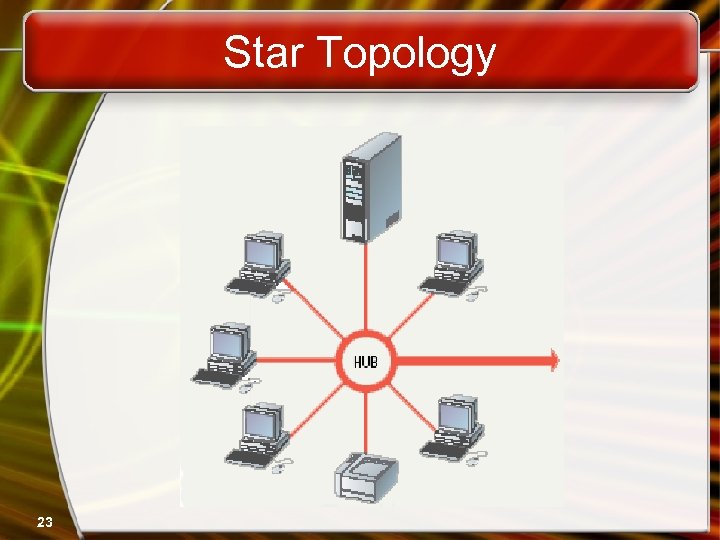
Star Topology 23
Network Topologies • Ring topology – Nodes connected in a circle – Tokens used to transmit data • Nodes must wait for token to send – Advantages • Time to send data is known • No data collisions – Disadvantages • Slow • Lots of cable 24
Network Topologies • Mesh topology – All computers connected together – Internet is a mesh network – Advantage • Data will always be delivered – Disadvantages • Lots of cable • Hard to setup 25
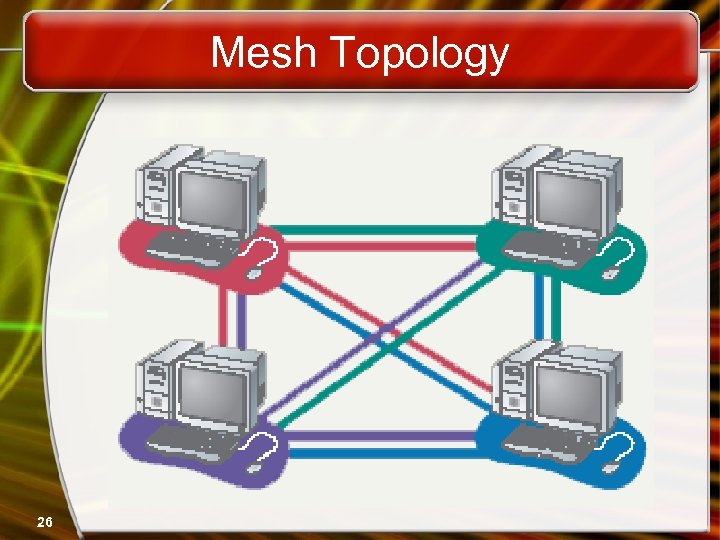
Mesh Topology 26
Network Media • Links that connect nodes • Choice impacts – Speed – Security – Size 27
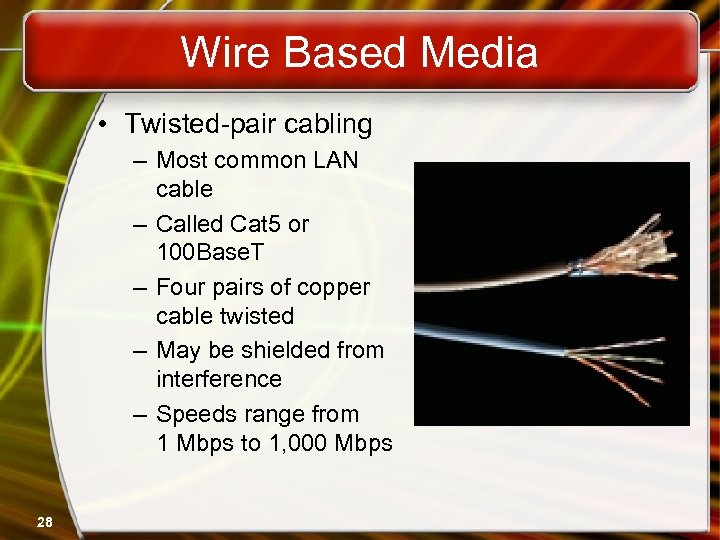
Wire Based Media • Twisted-pair cabling – Most common LAN cable – Called Cat 5 or 100 Base. T – Four pairs of copper cable twisted – May be shielded from interference – Speeds range from 1 Mbps to 1, 000 Mbps 28
Wire Based Media • Coaxial cable – Similar to cable TV wire – One wire runs through cable – Shielded from interference – Speeds up to 10 Mbps – Nearly obsolete 29
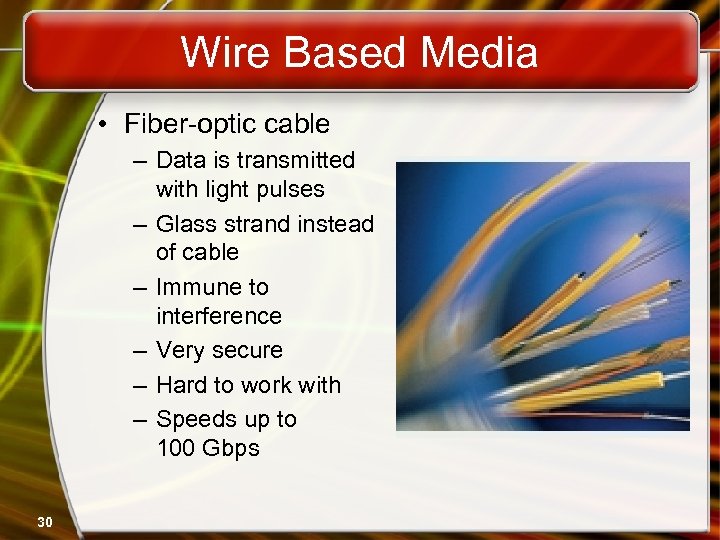
Wire Based Media • Fiber-optic cable – Data is transmitted with light pulses – Glass strand instead of cable – Immune to interference – Very secure – Hard to work with – Speeds up to 100 Gbps 30
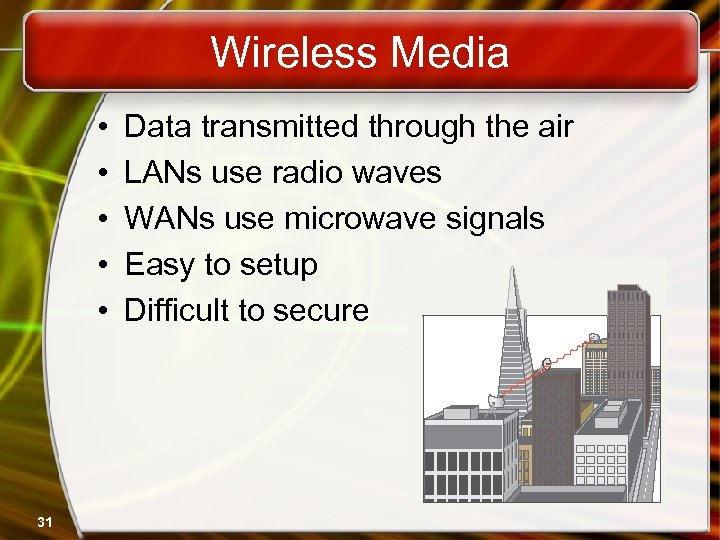
Wireless Media • • • 31 Data transmitted through the air LANs use radio waves WANs use microwave signals Easy to setup Difficult to secure
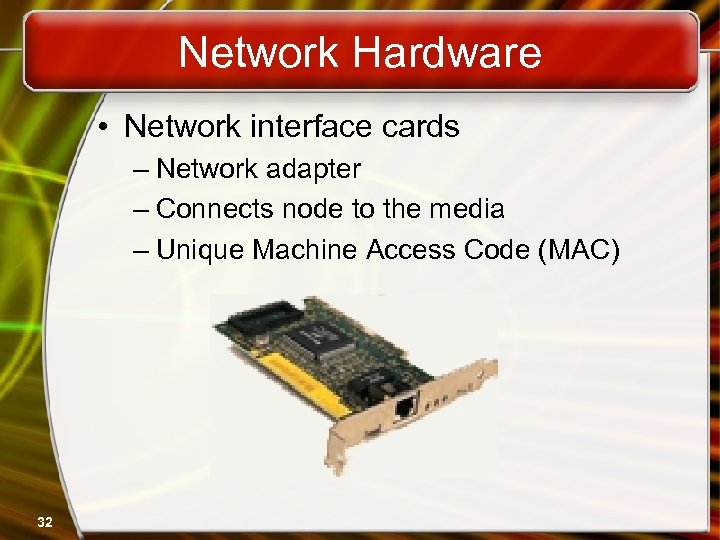
Network Hardware • Network interface cards – Network adapter – Connects node to the media – Unique Machine Access Code (MAC) 32
Network Hardware • Network linking devices – Connect nodes in the network – Cable runs from node to device – Crossover cable connects two computers 33
Network Hardware • Hubs – Center of a star network – All nodes receive transmitted packets – Slow and insecure 34
Network Hardware • Switches – Replacement for hubs – Only intended node receives transmission – Fast and secure 35
Network Hardware • Bridge – Connects two or more LANs together – Packets sent to remote LAN cross • Other packets do not cross – Segments the network on MAC addresses 36
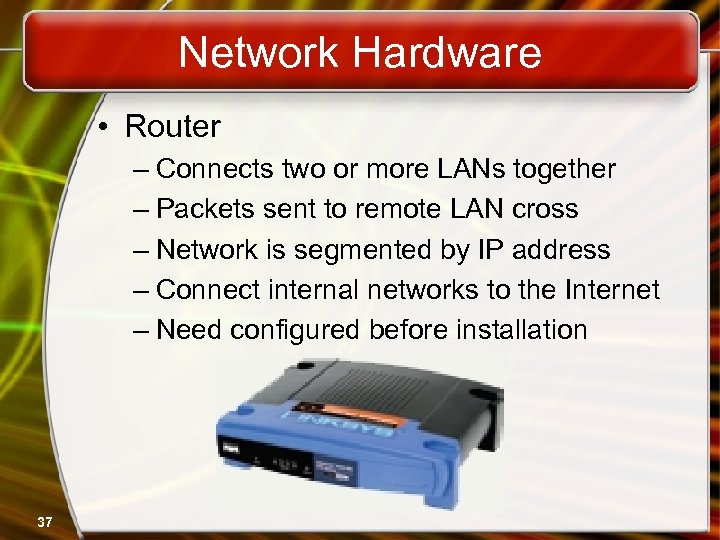
Network Hardware • Router – Connects two or more LANs together – Packets sent to remote LAN cross – Network is segmented by IP address – Connect internal networks to the Internet – Need configured before installation 37
Network Hardware • Gateway – Connects two dissimilar networks – Connects coax to twisted pair – Most gateways contained in other devices 38
Network Cabling • Cabling specifications – Bandwidth measures cable speed • Typically measured in Mbps – Maximum cable length – Connector describes the type of plug 39
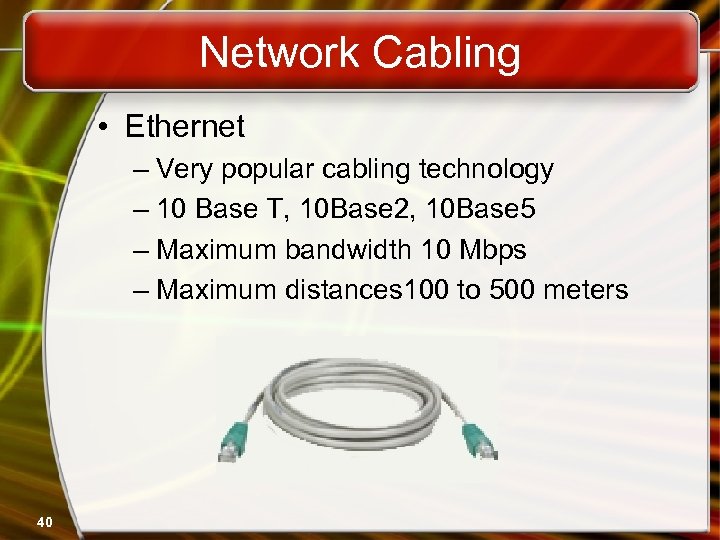
Network Cabling • Ethernet – Very popular cabling technology – 10 Base T, 10 Base 2, 10 Base 5 – Maximum bandwidth 10 Mbps – Maximum distances 100 to 500 meters 40
Network Cabling • Fast Ethernet – Newer version of Ethernet – Bandwidth is 100 Mbps – Uses Cat 5 or greater cable • Sometimes called 100 Base T – Requires a switch 41
Network Cabling • Gigabit Ethernet – High bandwidth version of Ethernet – 1 to 10 Gbps – Cat 5 or fiber optic cable – Video applications 42
Network Cabling • Token ring – Uses shielded twisted pair cabling – Bandwidth between 10 and 25 Mbps – Uses a multiple access unit (MAU) – Popular in manufacturing and finance 43
Network Protocols • Language of the network – Rules of communication – Error resolution – Defines collision and collision recovery – Size of packet – Naming rules for computers 44
Network Protocols • TCP/IP – Transmission Control Protocol/Internet Protocol – Most popular protocol – Machines assigned a name of 4 numbers • IP address • 209. 8. 166. 179 is the White House’s web site – Dynamic Host Configuration Protocol • Simplifies assignment of IP addresses – Required for Internet access 45
Network Protocols • IPX/SPX – Internet Packet Exchange/Sequenced Packet Exchange – Older protocol – Associated with Novell Netware – Replaced by TCP/IP 46
Network Protocols • Net. BEUI – Network BIOS Extended User Interface – Used by Windows to name computers – Transmission details handled by TCP/IP 47
Network Protocols • Token ring – Popular in manufacturing and finance – Nodes communicate when they have the token 48
Chapter 9 A End of Chapter Mc. Graw-Hill Technology Education Copyright © 2006 by The Mc. Graw-Hill Companies, Inc. All rights reserved.
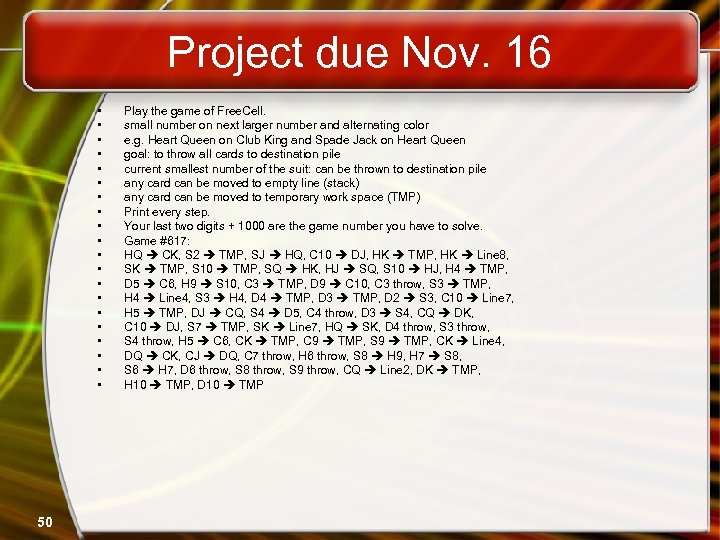
Project due Nov. 16 • • • • • 50 Play the game of Free. Cell. small number on next larger number and alternating color e. g. Heart Queen on Club King and Spade Jack on Heart Queen goal: to throw all cards to destination pile current smallest number of the suit: can be thrown to destination pile any card can be moved to empty line (stack) any card can be moved to temporary work space (TMP) Print every step. Your last two digits + 1000 are the game number you have to solve. Game #617: HQ CK, S 2 TMP, SJ HQ, C 10 DJ, HK TMP, HK Line 8, SK TMP, S 10 TMP, SQ HK, HJ SQ, S 10 HJ, H 4 TMP, D 5 C 6, H 9 S 10, C 3 TMP, D 9 C 10, C 3 throw, S 3 TMP, H 4 Line 4, S 3 H 4, D 4 TMP, D 3 TMP, D 2 S 3, C 10 Line 7, H 5 TMP, DJ CQ, S 4 D 5, C 4 throw, D 3 S 4, CQ DK, C 10 DJ, S 7 TMP, SK Line 7, HQ SK, D 4 throw, S 3 throw, S 4 throw, H 5 C 6, CK TMP, C 9 TMP, S 9 TMP, CK Line 4, DQ CK, CJ DQ, C 7 throw, H 6 throw, S 8 H 9, H 7 S 8, S 6 H 7, D 6 throw, S 8 throw, S 9 throw, CQ Line 2, DK TMP, H 10 TMP, D 10 TMP
Скачать презентацию Mc Graw-Hill Technology Education Copyright 2006 by
19c15bbf58515851405e9cc2f20f82da.ppt