


 Скачать презентацию Maven Repository Management with Nexus Jim Mc Mahon
9c9832a312a3abf86c5b753f6a7a4c2a.ppt
- Количество слайдов: 41
 Maven Repository Management with Nexus Jim Mc. Mahon 8/29/10
 What is a Maven Repository? • A Maven repository provides a standard for storing and serving binary software • Local repository exists in ~/. m 2/repository • Maven Central: http: //repo 1. maven. org/maven 2/
 What is Nexus? • Nexus is a Maven Repository Manager created by Sonatype • Simplifies the maintenance of internal repositories and access to external repositories • Proxies requests for external artifacts and caches the results • Provides a deployment destination for your own generated artifacts
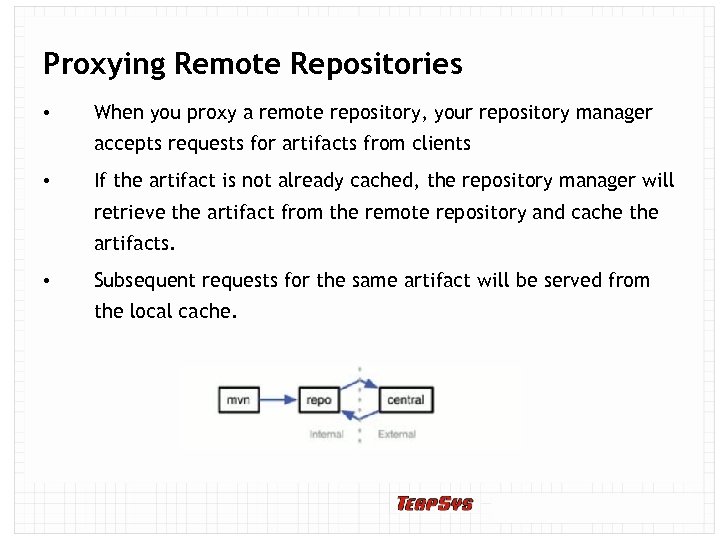 Proxying Remote Repositories • When you proxy a remote repository, your repository manager accepts requests for artifacts from clients • If the artifact is not already cached, the repository manager will retrieve the artifact from the remote repository and cache the artifacts. • Subsequent requests for the same artifact will be served from the local cache.
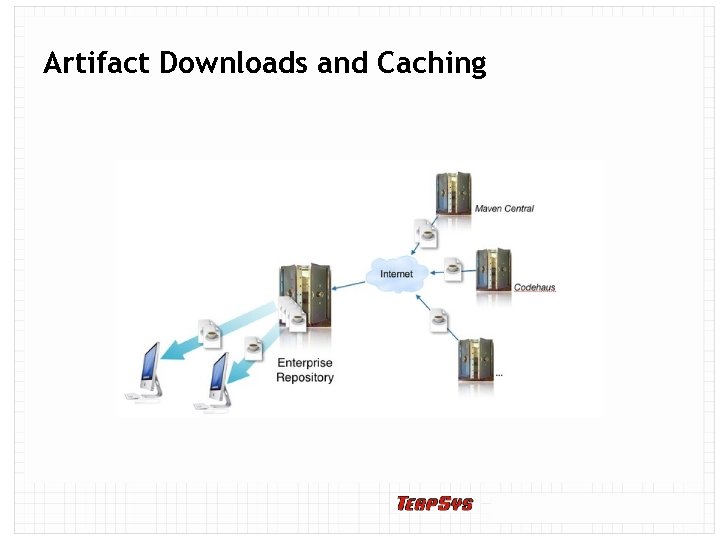 Artifact Downloads and Caching
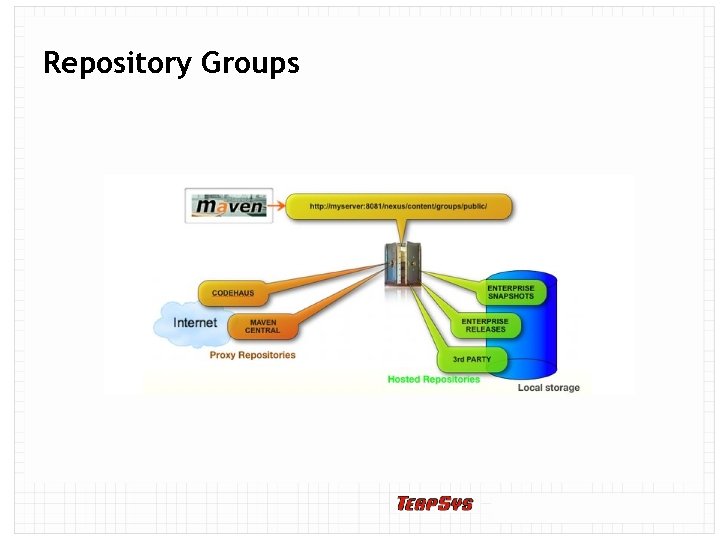 Repository Groups
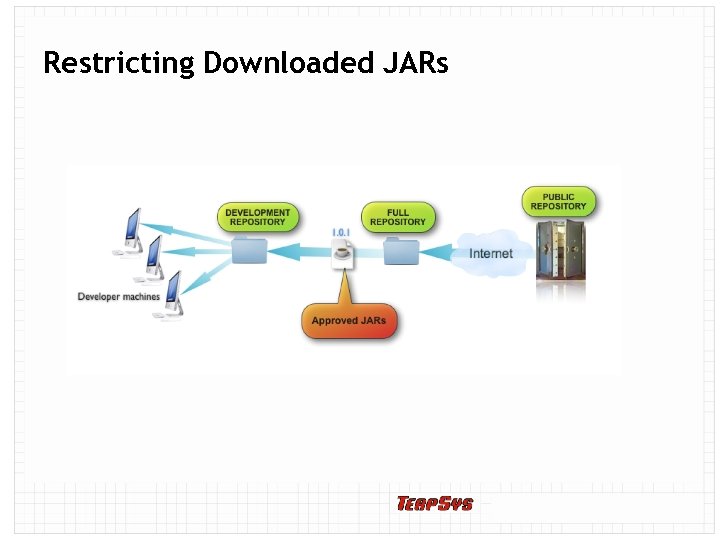 Restricting Downloaded JARs
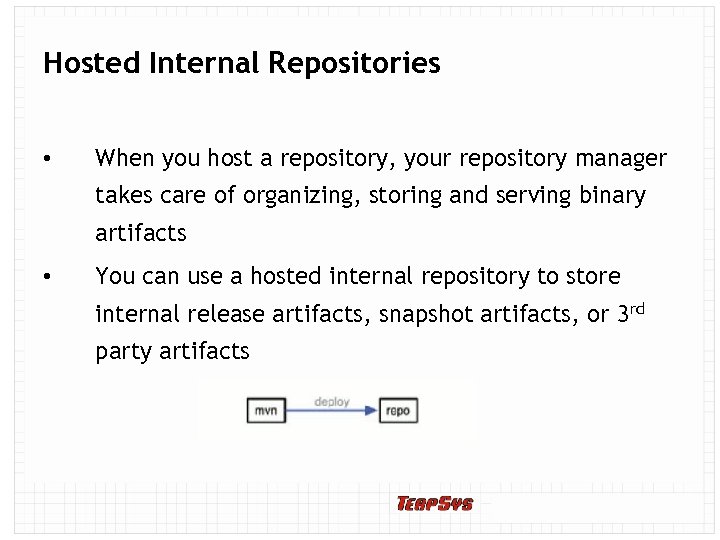 Hosted Internal Repositories • When you host a repository, your repository manager takes care of organizing, storing and serving binary artifacts • You can use a hosted internal repository to store internal release artifacts, snapshot artifacts, or 3 rd party artifacts
 Release Artifacts • These are specific, frozen-in-time artifacts • Considered to be solid, stable, and perpetual in order to guarantee that builds which depend on them are repeatable over time • Released JAR artifacts are associated with PGP signatures and checksums that verify both the integrity and authenticity of the binary software artifact • Maven Central stores release artifacts
 Snapshot Artifacts • Snapshots capture a work in progress and are used using development • A snapshot artifact has both a version number such as “ 1. 3. 0” or “ 1. 3” and a timestamp • e. g. , – commons-lang-1. 3. 0 -20090314. 182342 -1. jar
 Reasons to Use a Repository Manager • Speeds up builds • Builds will be more stable • You can deploy and host 3 rd party artifacts • Easier developer collaboration and sharing of artifacts • Searching and indexing of artifacts • Repository groups makes it easier to retrieve artifacts from a single URL • Procuring External Artifacts: define lists of allowed/blocked repos • Staging and Release Management
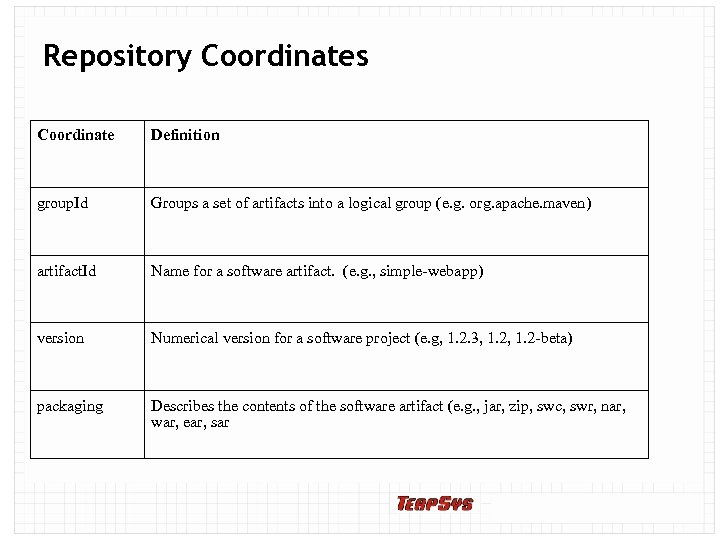 Repository Coordinates Coordinate Definition group. Id Groups a set of artifacts into a logical group (e. g. org. apache. maven) artifact. Id Name for a software artifact. (e. g. , simple-webapp) version Numerical version for a software project (e. g, 1. 2. 3, 1. 2 -beta) packaging Describes the contents of the software artifact (e. g. , jar, zip, swc, swr, nar, war, ear, sar
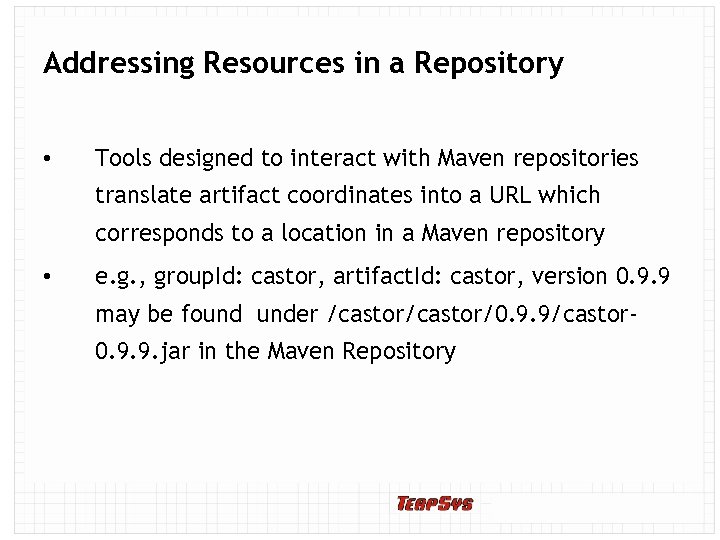 Addressing Resources in a Repository • Tools designed to interact with Maven repositories translate artifact coordinates into a URL which corresponds to a location in a Maven repository • e. g. , group. Id: castor, artifact. Id: castor, version 0. 9. 9 may be found under /castor/0. 9. 9/castor 0. 9. 9. jar in the Maven Repository
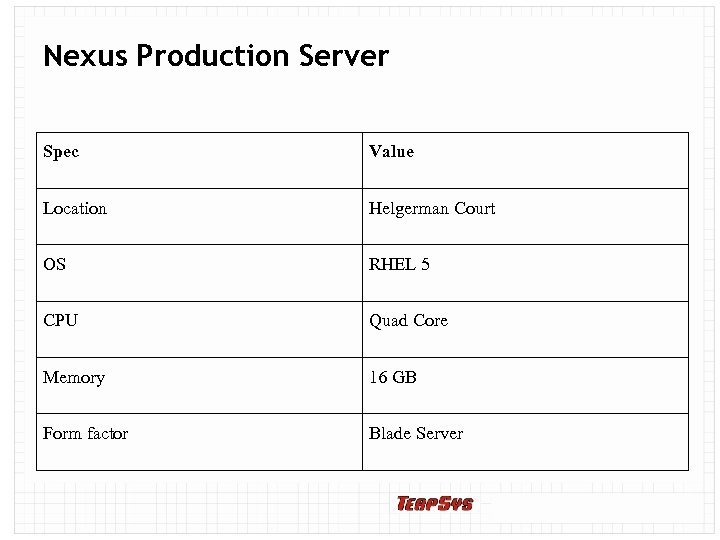 Nexus Production Server Spec Value Location Helgerman Court OS RHEL 5 CPU Quad Core Memory 16 GB Form factor Blade Server
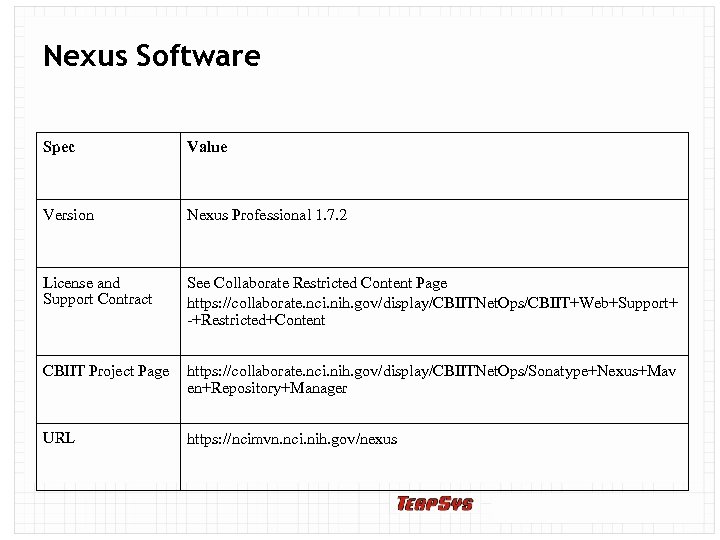 Nexus Software Spec Value Version Nexus Professional 1. 7. 2 License and Support Contract See Collaborate Restricted Content Page https: //collaborate. nci. nih. gov/display/CBIITNet. Ops/CBIIT+Web+Support+ -+Restricted+Content CBIIT Project Page https: //collaborate. nci. nih. gov/display/CBIITNet. Ops/Sonatype+Nexus+Mav en+Repository+Manager URL https: //ncimvn. nci. nih. gov/nexus
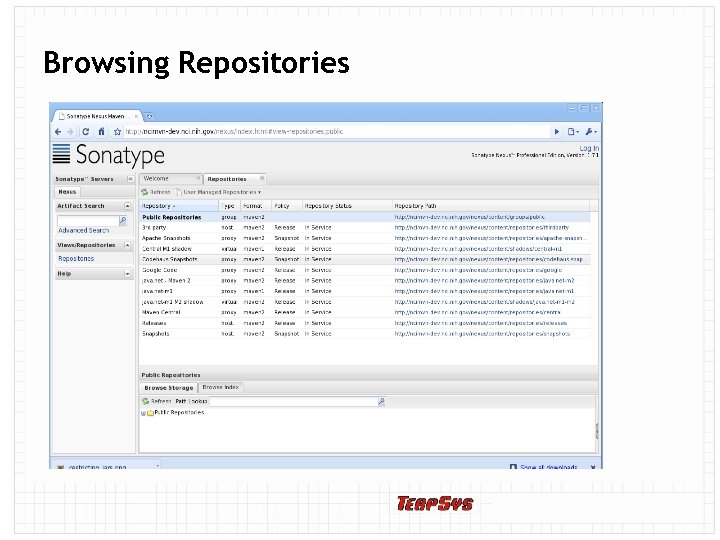 Browsing Repositories
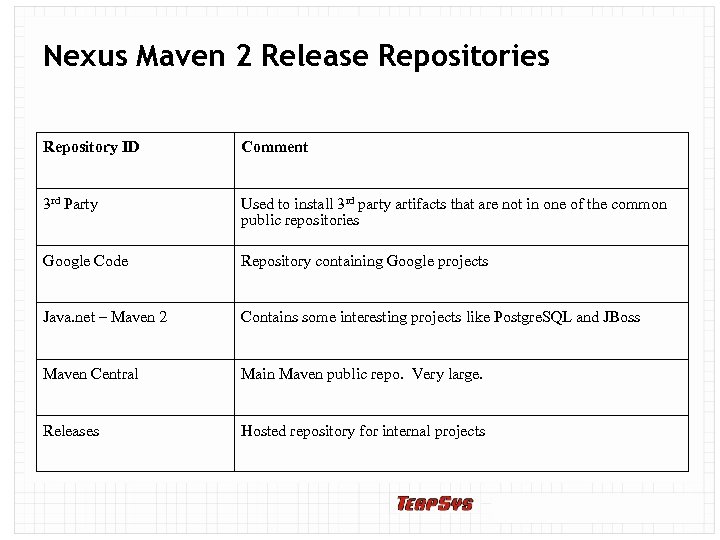 Nexus Maven 2 Release Repositories Repository ID Comment 3 rd Party Used to install 3 rd party artifacts that are not in one of the common public repositories Google Code Repository containing Google projects Java. net – Maven 2 Contains some interesting projects like Postgre. SQL and JBoss Maven Central Main Maven public repo. Very large. Releases Hosted repository for internal projects
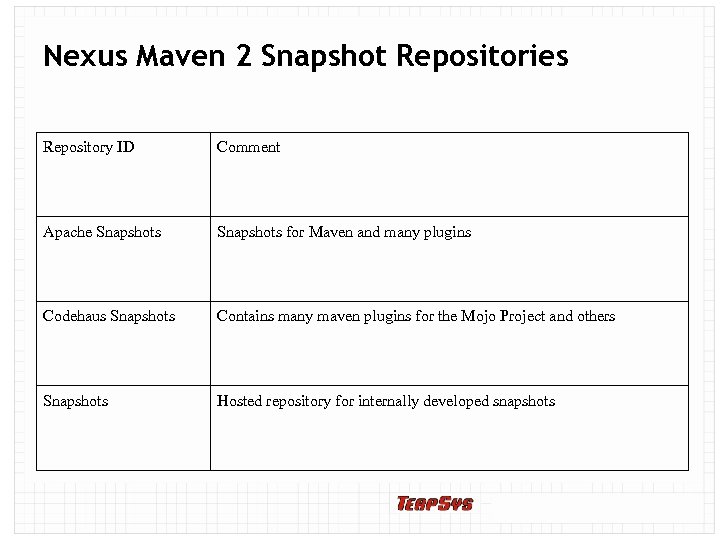 Nexus Maven 2 Snapshot Repositories Repository ID Comment Apache Snapshots for Maven and many plugins Codehaus Snapshots Contains many maven plugins for the Mojo Project and others Snapshots Hosted repository for internally developed snapshots
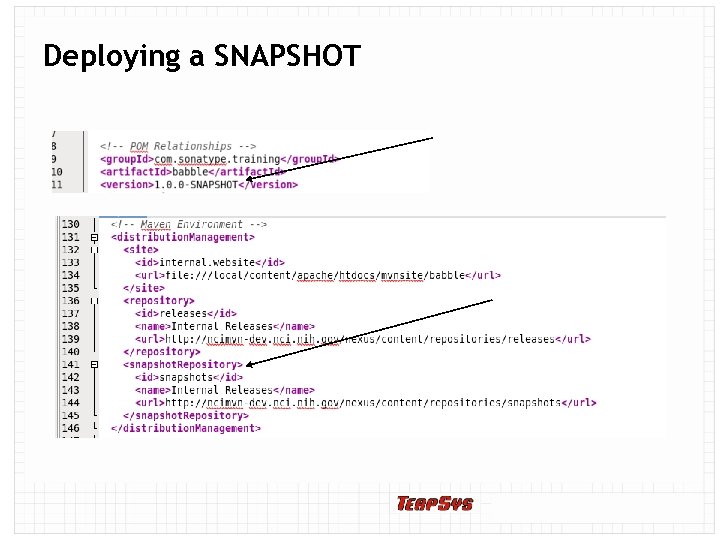 Deploying a SNAPSHOT
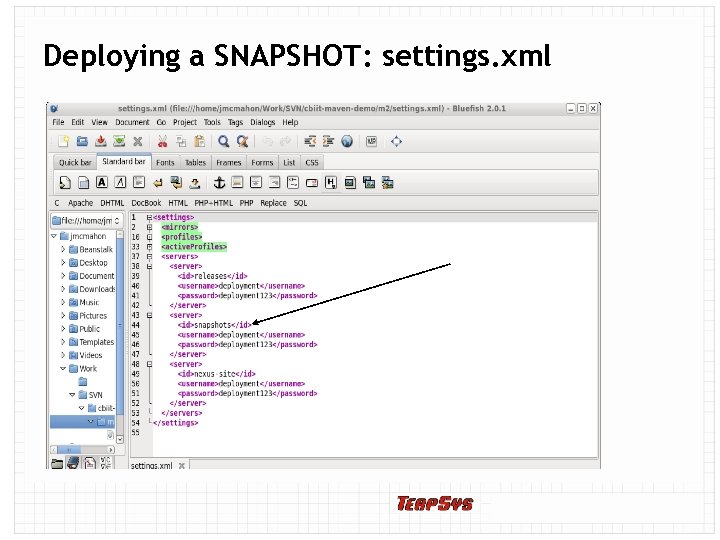 Deploying a SNAPSHOT: settings. xml
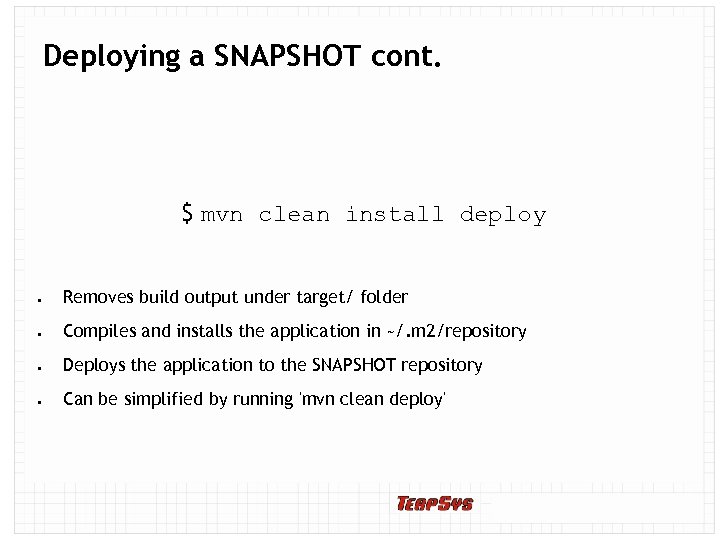 Deploying a SNAPSHOT cont. $ mvn clean install deploy Removes build output under target/ folder Compiles and installs the application in ~/. m 2/repository Deploys the application to the SNAPSHOT repository Can be simplified by running 'mvn clean deploy'
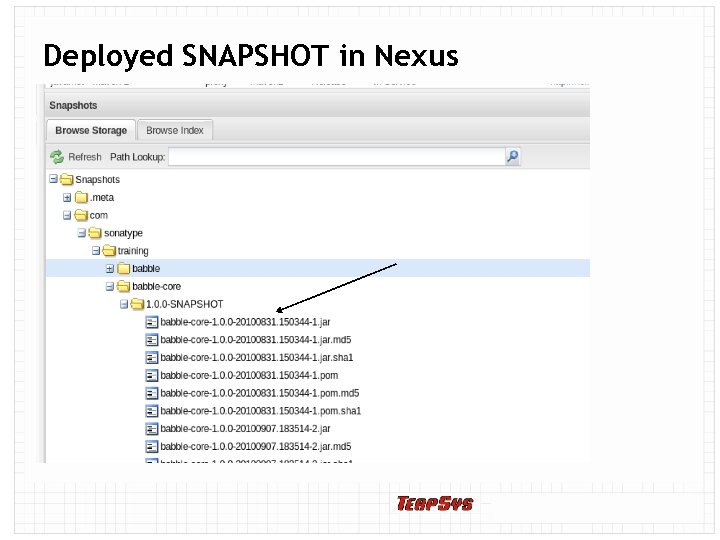 Deployed SNAPSHOT in Nexus Notice that SNAPSHOT is replaced with a timestamp
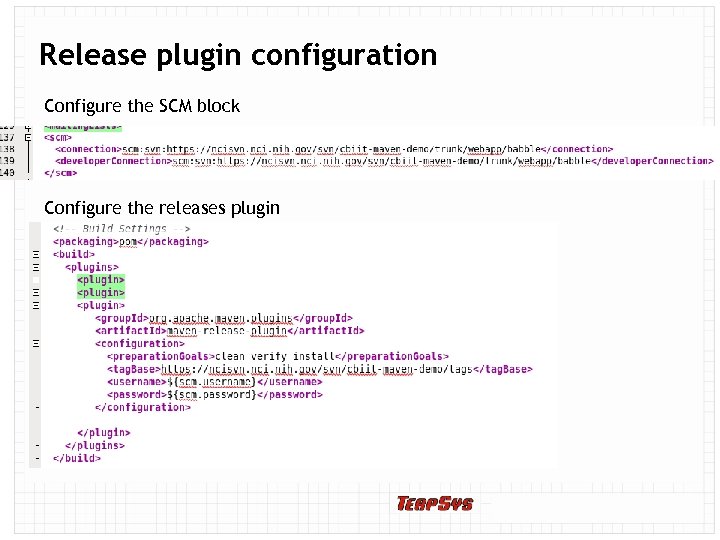 Release plugin configuration Configure the SCM block Configure the releases plugin
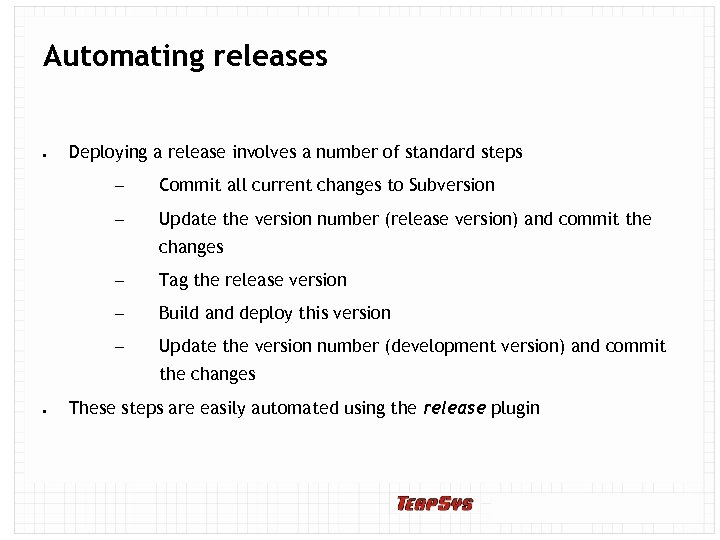 Automating releases Deploying a release involves a number of standard steps – Commit all current changes to Subversion – Update the version number (release version) and commit the changes – Tag the release version – Build and deploy this version – Update the version number (development version) and commit the changes These steps are easily automated using the release plugin
 Preparing a release $ mvn release: prepare Maven will: Check that there is no uncommitted code Check that there are no snapshot dependencies Ask you to confirm the release version, release tag, and new development version Will update the files and check them into Subversion
 Preparing a release cont. $ mvn release: prepare Maven will also: Update the SNAPSHOT version number to a release version number Perform a build to verify everything is ok Commit the modified POMs to the SCM Create a tag in the SCM for the release Update the POM version number to the next SNAPSHOT version Commit the modified POMs to the SCM
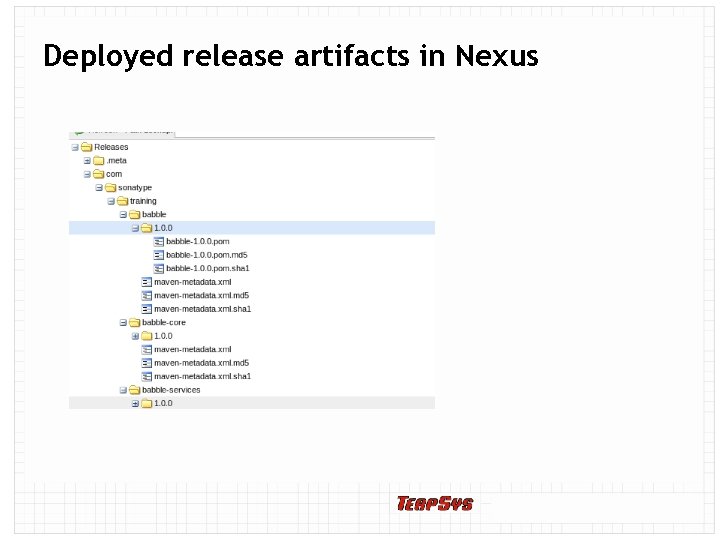 Deployed release artifacts in Nexus
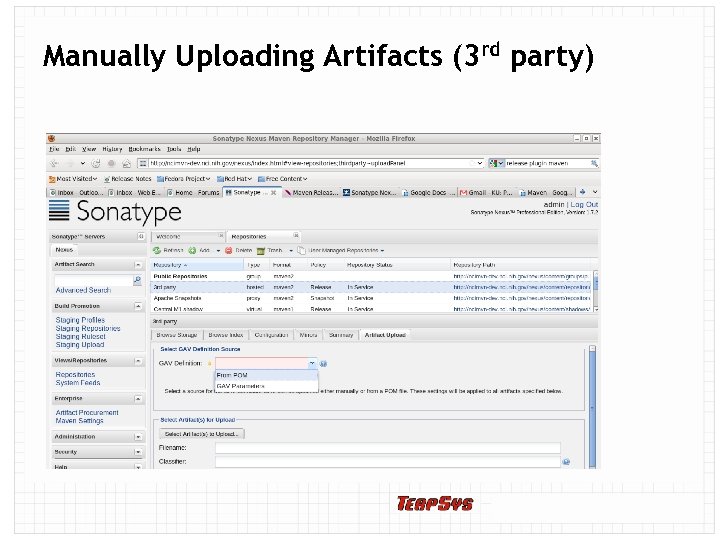 Manually Uploading Artifacts (3 rd party)
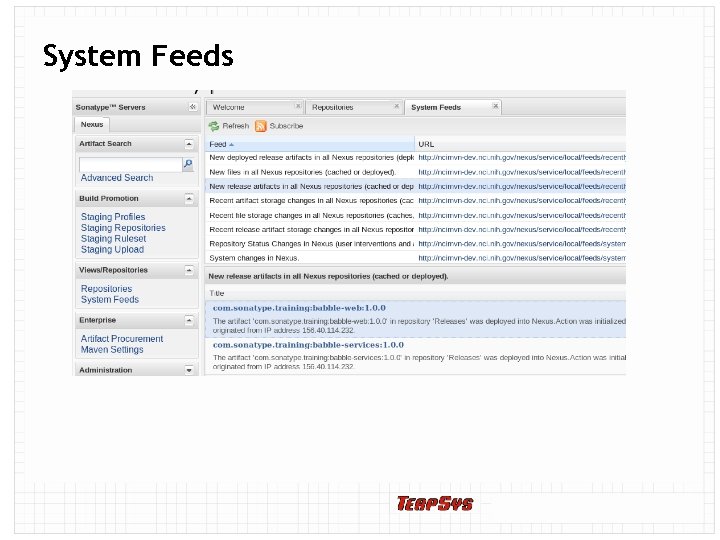 System Feeds
 Deploying Sites to Nexus allows you to create a Maven site repository to hold Maven generated reports Provides a central location for project information similar to what GForge provides Unlike GForge, the management of the project info (e. g. , trackers, project docs, etc. ) is handled by other tools (e. g. , Jira, Confluence, Anthill. Pro, Atlassian Fisheye, etc. ) Maven site pages add links to these tools and provide overall project descriptions
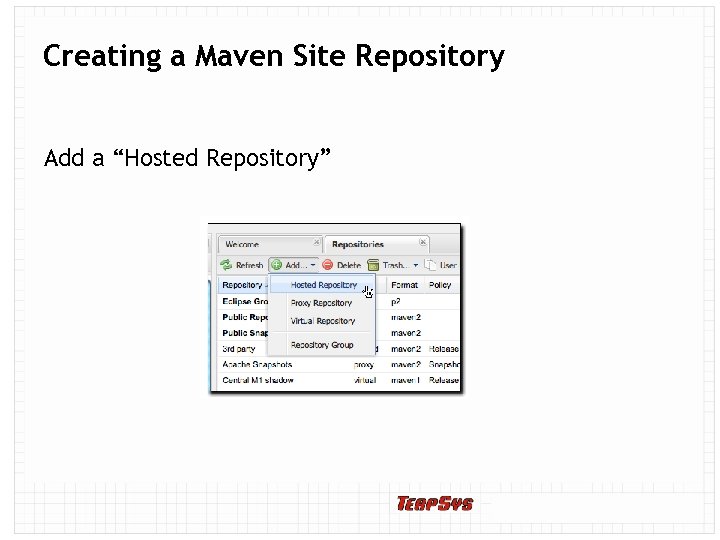 Creating a Maven Site Repository Add a “Hosted Repository”
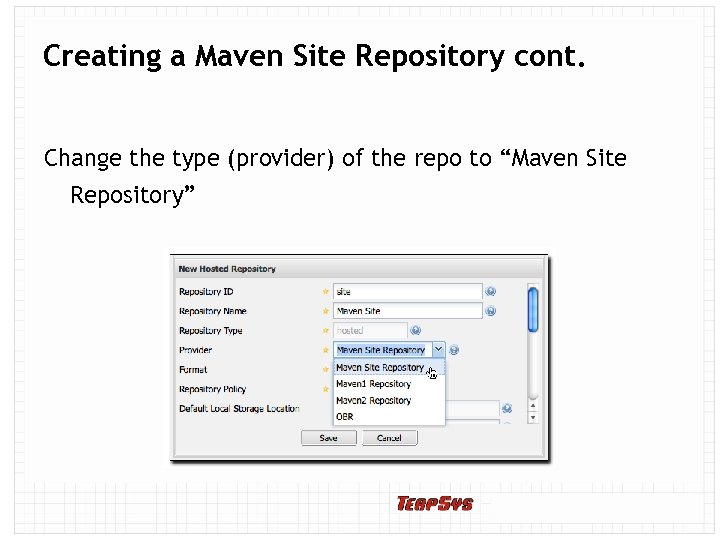 Creating a Maven Site Repository cont. Change the type (provider) of the repo to “Maven Site Repository”
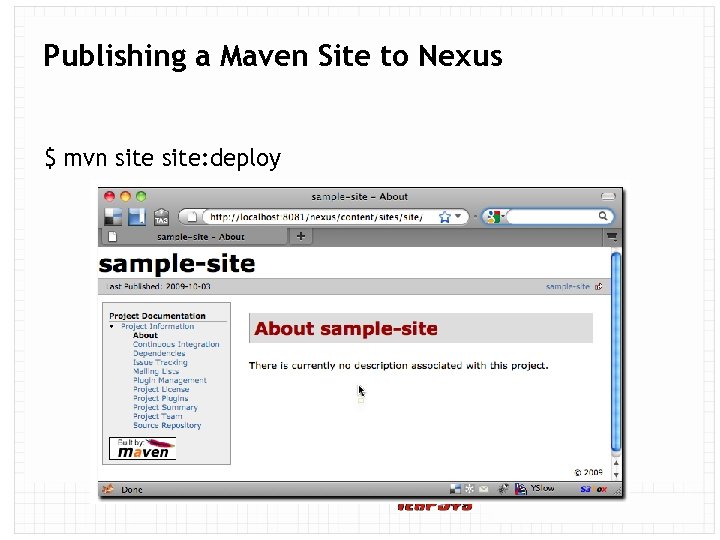 Publishing a Maven Site to Nexus $ mvn site: deploy
 Build Promotion with Nexus Staging Suite Without the Staging Suite, an artifact deployed to a Hosted repository is available immediately, with no oversight, approval or certification Organizations with a QA team may want artifacts deployed to a staging repository for potential release candidates The Nexus Staging Suite creates temporary repositories that can be promoted as a whole or dropped depending on the results of QA testing
 How Staging Suite Works Developer deploys an artifact or set of artifacts to Nexus Staging Suite intercepts this deployment and matches the artifact's path against a set of Staging Profiles If the path of the artifact activates a staging profile, a temporary staging repository is created and the artifacts are deployed to this repository Once deployed, the developer will “Close” the staging repo The Staging Suite will add the temporary staging repo to one or more Target Repository Groups.
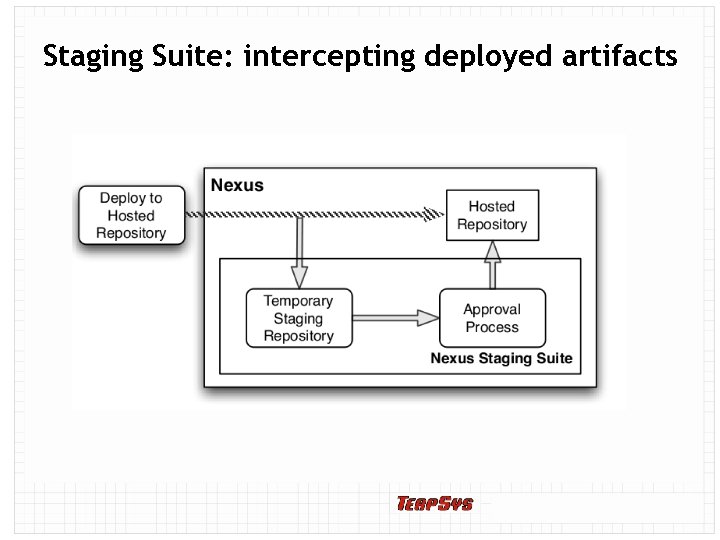 Staging Suite: intercepting deployed artifacts
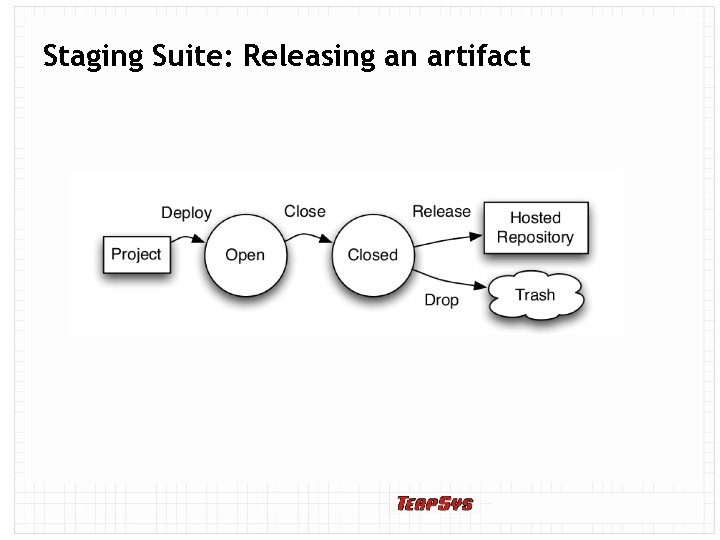 Staging Suite: Releasing an artifact
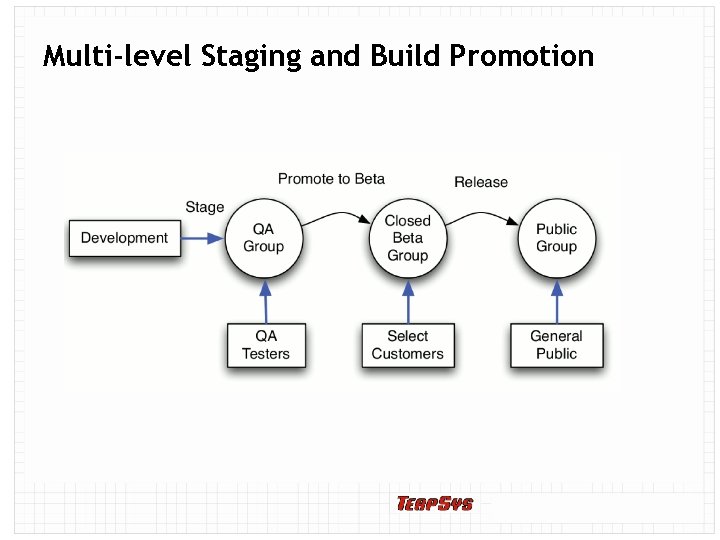 Multi-level Staging and Build Promotion
 Nexus Procurement Suite • Gives Nexus administrators control over what artifacts are allowed into an organization from a remote proxied repository such as Maven Central • Can be used to limit based on version or license
 Q&A PM 101 05/13/10 40
 Thank You for coming! PM 101 05/13/10 41