


 Скачать презентацию Mass Actions 2006 Nova Scotia Government All
2fd9bffd1d5568214b85bb600fbb642c.ppt
- Количество слайдов: 50
 Mass Actions © 2006 Nova Scotia Government All rights reserved. 1
 Agenda u. Welcome u. Introduction of trainers u. Objectives and overview of the course u. Logistics and expectations © 2006 Nova Scotia Government All rights reserved. 2
 Logistics and Expectations u. Training u. Cell u. No facility information (breaks, lunch, etc. ) phones / Blackberrys on silent mode email during training u. Participate u. Respect in group activities time frames © 2006 Nova Scotia Government All rights reserved. 4
 Course Objectives At the end of this course, you will be able to: u Describe new terms and concepts associated with Mass Actions u Explain and execute Mass Action transactions in SAP u Audit transactions to validate results u Describe the integration points with other SAP functional areas © 2006 Nova Scotia Government All rights reserved. 5
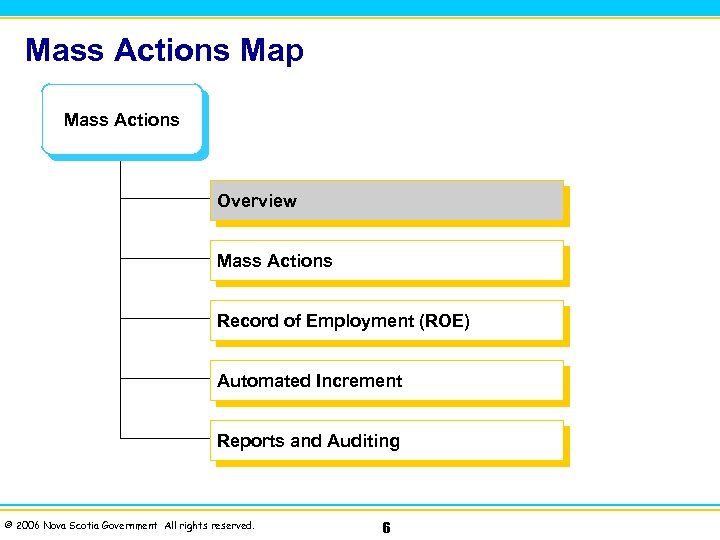 Mass Actions Map Mass Actions Overview Mass Actions Record of Employment (ROE) Automated Increment Reports and Auditing © 2006 Nova Scotia Government All rights reserved. 6
 Overview At the end of this module, you will be able to: u Describe new terms and concepts associated with Mass Actions u Explain Mass Actions © 2006 Nova Scotia Government All rights reserved. 7
 Mass Actions u Allows certain Personnel Actions to be processed in Batch, rather than processing one employee at a time u Updates HR Master Data which can be viewed using transaction code PA 20 © 2006 Nova Scotia Government All rights reserved. 9
 Mass Actions Transaction Code ZIHRPA 007 (Bulk Action Interface) can be used to process: • • • Termination Rehire Layoff Return from Layoff Strike Return from Strike © 2006 Nova Scotia Government All rights reserved. 10
 Other Mass Actions u Delimiting & Creating Recurring Payments/Deductions (IT 0014) on Mass Actions u Mass Record of Employment u Automated Increment Program © 2006 Nova Scotia Government All rights reserved. 11
 Integration Points with Other SAP Functional Areas u Payroll – the employee’s pay u Time Management – quota entitlements u Benefits Administration – eligible benefit plans © 2006 Nova Scotia Government All rights reserved. 12
 Module Review 1. When will a Mass Action be processed? 2. Name 3 examples of a Mass Action. © 2006 Nova Scotia Government All rights reserved. 13
 Answers to Module Review 1. When will a Mass Action be processed? Mass Actions will be processed when certain personnel actions must be processed for a group of employees. 2. Name 3 examples of a Mass Action. Mass Termination, Mass Rehire, Mass Layoff Return, Mass Strike Return © 2006 Nova Scotia Government All rights reserved. 14
 Mass Actions Map Mass Actions Overview Mass Actions Record of Employment (ROE) Automated Increment Reports and Auditing © 2006 Nova Scotia Government All rights reserved. 15
 Mass Actions At the end of this module, you will be able to: u Describe new terms and concepts associated with Mass Actions u Understand execute Mass Actions u Understand explain Mass Action Load Sheets u Understand explain Recurring Payments/Deductions (IT 0014) on Mass Actions © 2006 Nova Scotia Government All rights reserved. 16
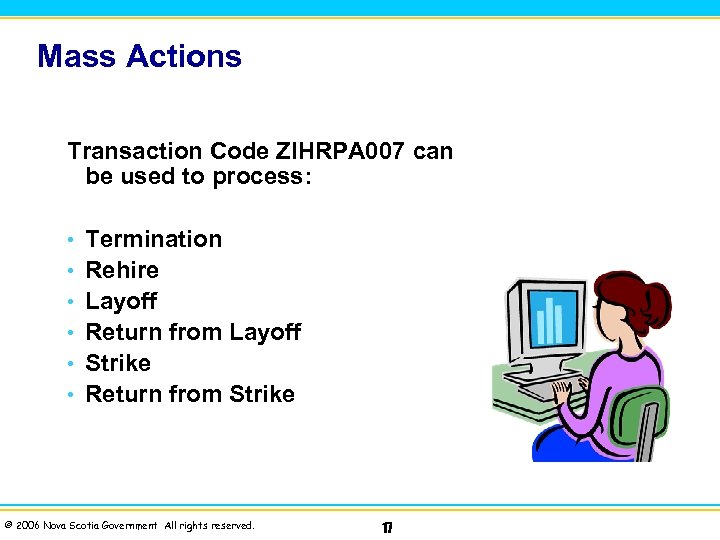 Mass Actions Transaction Code ZIHRPA 007 can be used to process: • • • Termination Rehire Layoff Return from Layoff Strike Return from Strike © 2006 Nova Scotia Government All rights reserved. 17
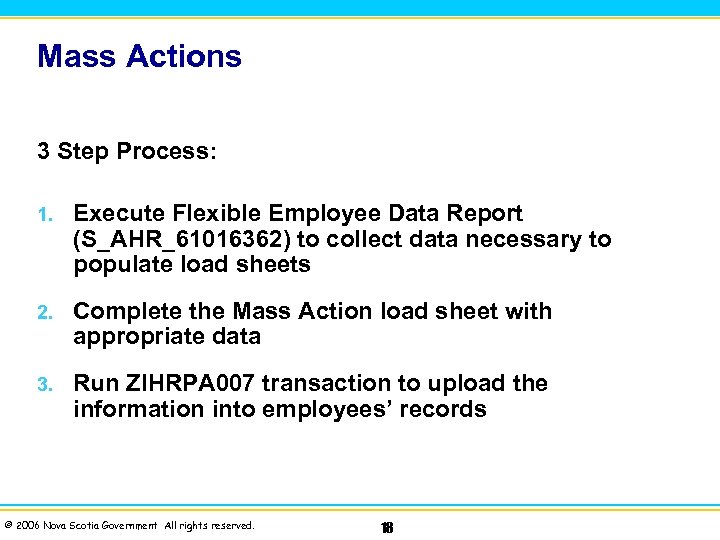 Mass Actions 3 Step Process: 1. Execute Flexible Employee Data Report (S_AHR_61016362) to collect data necessary to populate load sheets 2. Complete the Mass Action load sheet with appropriate data 3. Run ZIHRPA 007 transaction to upload the information into employees’ records © 2006 Nova Scotia Government All rights reserved. 18
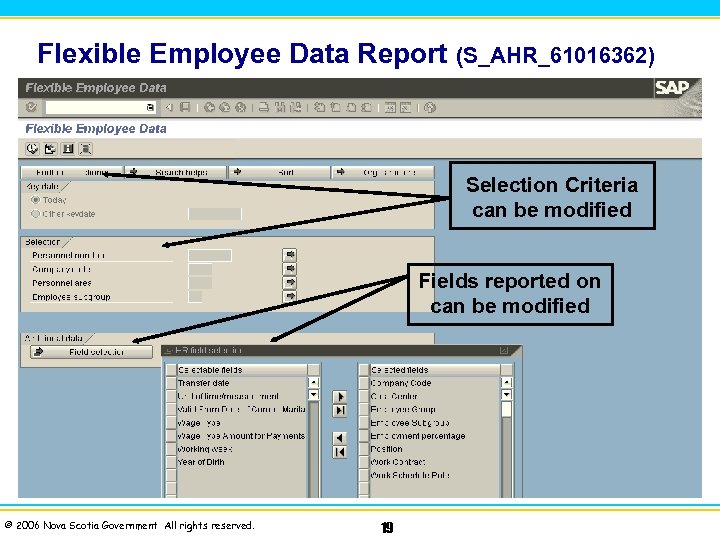 Flexible Employee Data Report (S_AHR_61016362) Selection Criteria can be modified Fields reported on can be modified © 2006 Nova Scotia Government All rights reserved. 19
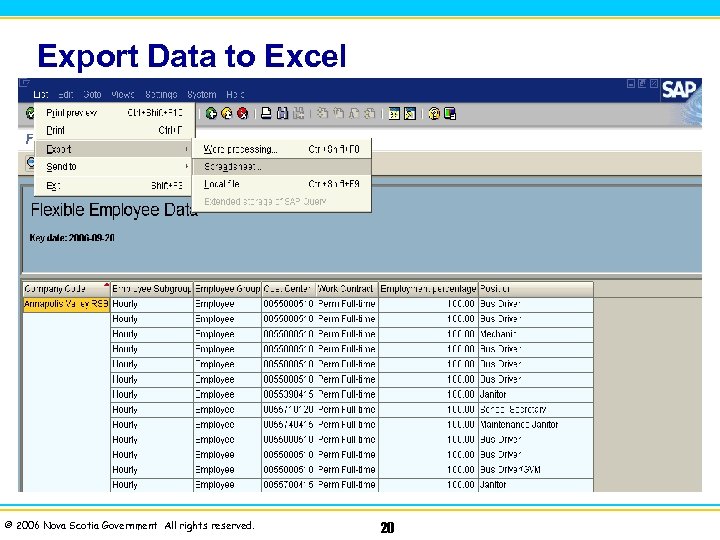 Export Data to Excel © 2006 Nova Scotia Government All rights reserved. 20
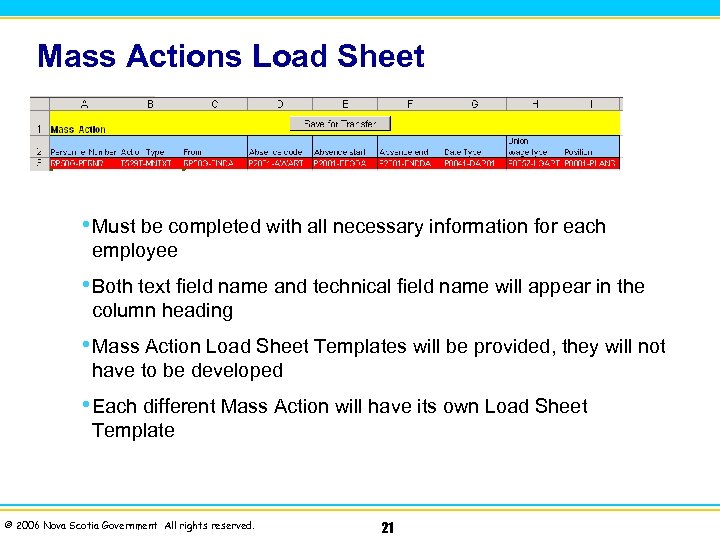 Mass Actions Load Sheet • Must be completed with all necessary information for each employee • Both text field name and technical field name will appear in the column heading • Mass Action Load Sheet Templates will be provided, they will not have to be developed • Each different Mass Action will have its own Load Sheet Template © 2006 Nova Scotia Government All rights reserved. 21
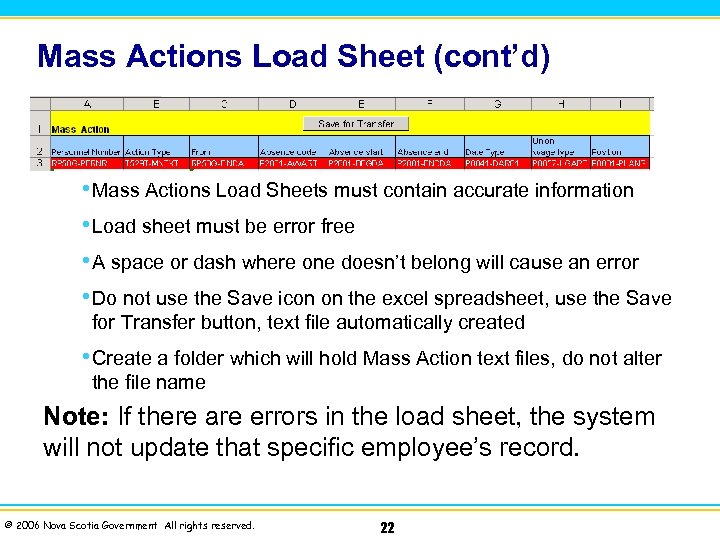 Mass Actions Load Sheet (cont’d) • Mass Actions Load Sheets must contain accurate information • Load sheet must be error free • A space or dash where one doesn’t belong will cause an error • Do not use the Save icon on the excel spreadsheet, use the Save for Transfer button, text file automatically created • Create a folder which will hold Mass Action text files, do not alter the file name Note: If there are errors in the load sheet, the system will not update that specific employee’s record. © 2006 Nova Scotia Government All rights reserved. 22
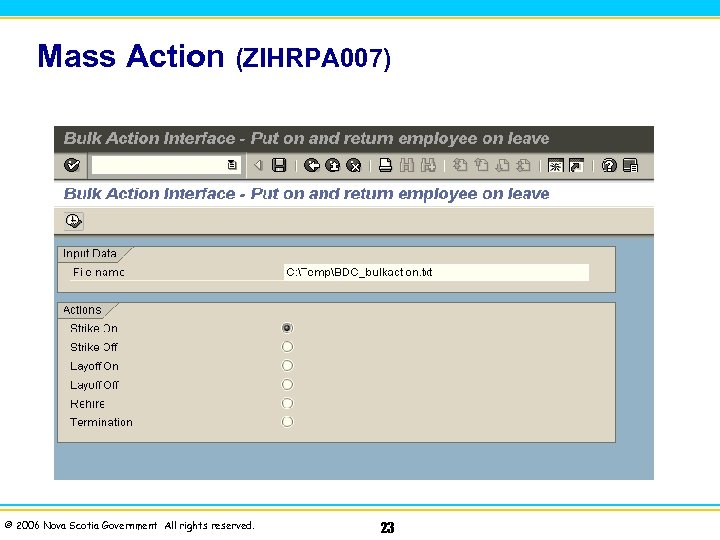 Mass Action (ZIHRPA 007) © 2006 Nova Scotia Government All rights reserved. 23
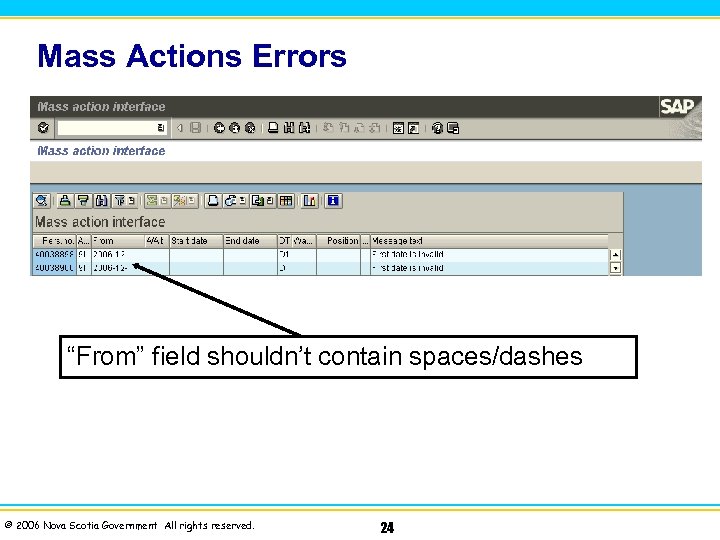 Mass Actions Errors “From” field shouldn’t contain spaces/dashes © 2006 Nova Scotia Government All rights reserved. 24
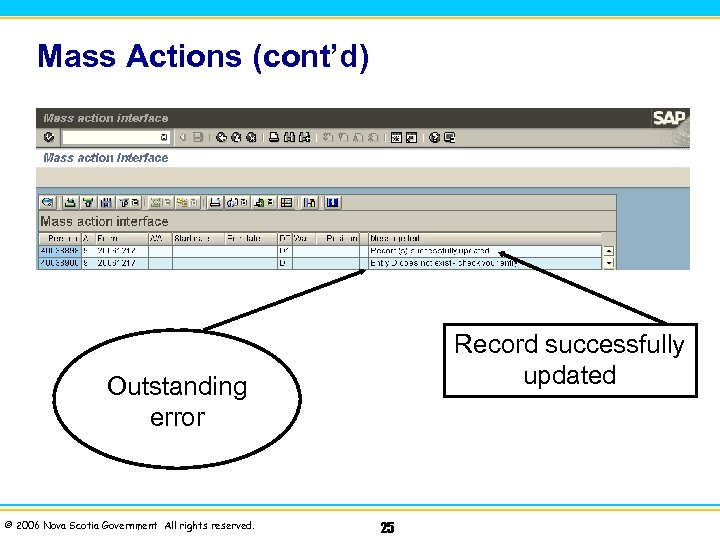 Mass Actions (cont’d) Record successfully updated Outstanding error © 2006 Nova Scotia Government All rights reserved. 25
 Correcting Mass Action Errors u Mass Actions (ZIHRPA 007) can be rerun after the corrections to the original Load Sheet have been made. u If corrections are not being made immediately, it is suggested the output file be printed and a new Load Sheet created for only those employees with errors. © 2006 Nova Scotia Government All rights reserved. 26
 Quotas and Benefits on Mass Actions u Quota entitlements need to be reviewed. u If applicable, participation in any benefit plan(s) should be created/delimited. u Pay special attention to the date used to create/delimit the employee’s benefits. © 2006 Nova Scotia Government All rights reserved. 27
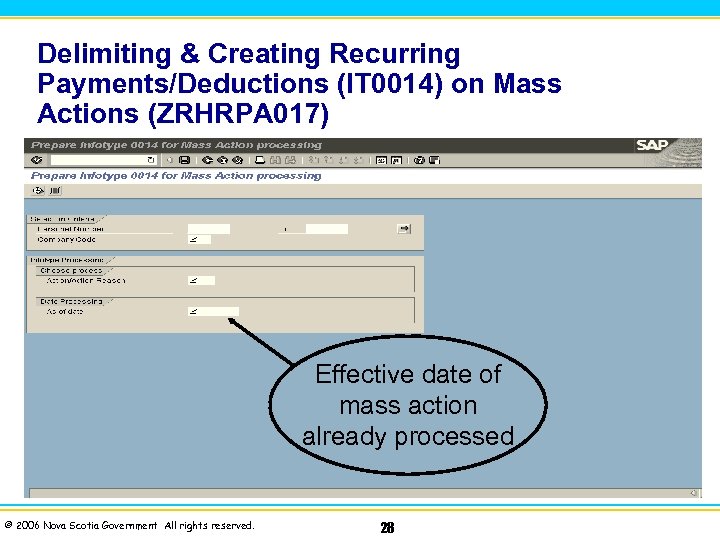 Delimiting & Creating Recurring Payments/Deductions (IT 0014) on Mass Actions (ZRHRPA 017) Effective date of mass action already processed © 2006 Nova Scotia Government All rights reserved. 28
 Practice u Mass Action Exercises 1, 2, and 3 © 2006 Nova Scotia Government All rights reserved. 29
 Module Review 1. Which report will be used to collect the data necessary to populate the load sheets for Mass Action? 2. What is the consequence of an error in the load sheet for Mass Actions? 3. Which infotypes are automatically delimited in the Mass Action? © 2006 Nova Scotia Government All rights reserved. 30
 Answers to Module Review 1. Which report will be used to collect the data necessary to populate the load sheets for Mass Action? Flexible Employee Data Report (S_AHR_61016362). 2. What is the consequence of an error in the load sheet for Mass Actions? The record of the employee containing the error on the load sheet will not be updated, all other records will be updated. 3. Which infotypes are automatically delimited in the Mass Action? Objects on Loan (IT 0040) and Membership Fees (IT 0057). © 2006 Nova Scotia Government All rights reserved. 31
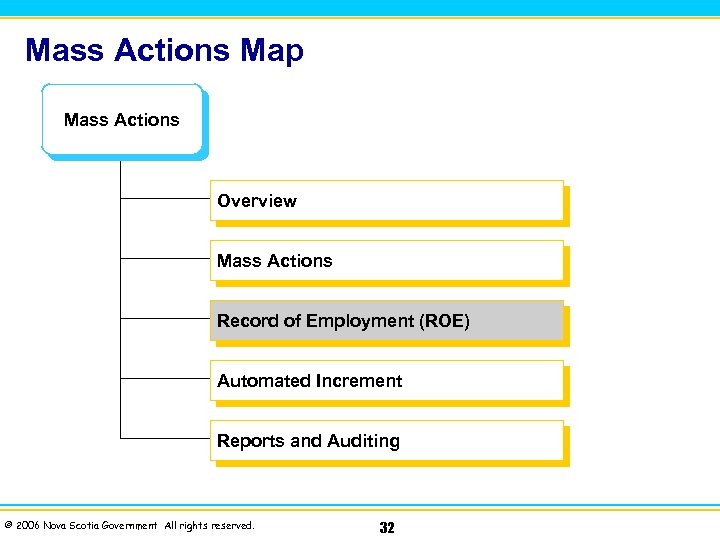 Mass Actions Map Mass Actions Overview Mass Actions Record of Employment (ROE) Automated Increment Reports and Auditing © 2006 Nova Scotia Government All rights reserved. 32
 Mass Record of Employment (ROE) At the end of this module, you will be able to: u Describe new terms and concepts associated with the Record of Employment (Mass ROE) u Understand Mass ROE u Describe the integration points with other SAP functional areas © 2006 Nova Scotia Government All rights reserved. 33
 Record of Employment The SAP Payroll application is used to actually create the ROE document. u The ROE must be issued within five (5) calendar days. u EI eligibility is ultimately determined by Human Resources and Skills Development Canada (HRSDC). u When a significant volume of ROEs are required, i. e. layoffs or workforce terminations, a range of numbers can be loaded from a text file and a batch of ROEs can be processed at the same time. u © 2006 Nova Scotia Government All rights reserved. 34
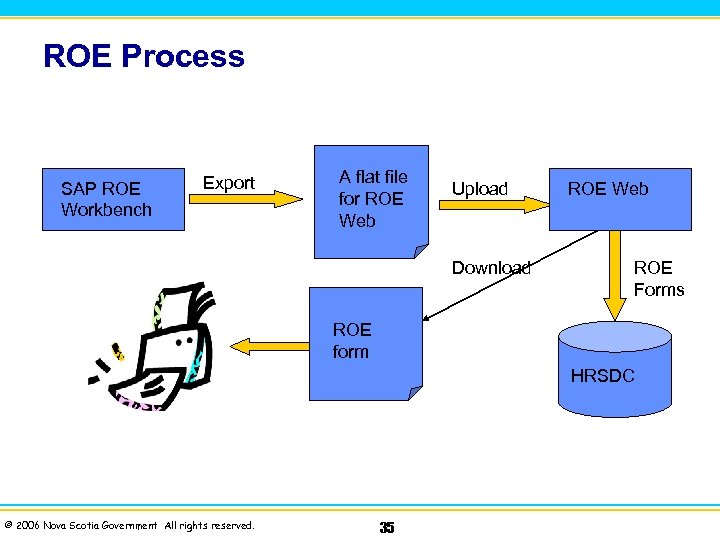 ROE Process SAP ROE Workbench Export A flat file for ROE Web Upload Download ROE Web ROE Forms ROE form HRSDC © 2006 Nova Scotia Government All rights reserved. 35
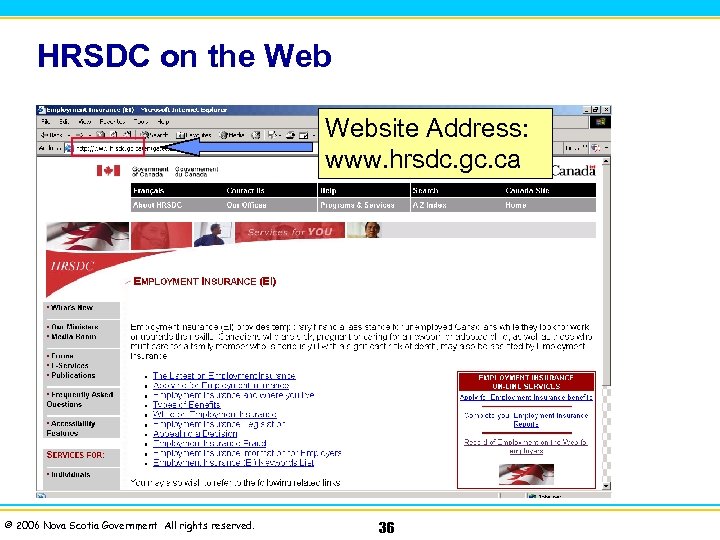 HRSDC on the Website Address: www. hrsdc. gc. ca © 2006 Nova Scotia Government All rights reserved. 36
 Demonstration u HRPAYCA_ROEWB (SAP ROE Workbench) © 2006 Nova Scotia Government All rights reserved. 37
 Module Review 1. When will ROEs be processed in batch? 2. How will multiple Personnel numbers be entered in the Record of Employment (ROE) Workbench? © 2006 Nova Scotia Government All rights reserved. 38
 Answers to Module Review 1. When will ROEs be processed in batch? significant volume of ROEs are workforce terminations). In cases when a required (i. e. layoffs or 2. How will multiple Personnel numbers be entered in the Record of Employment (ROE) Workbench? A range of numbers can be loaded from a text file and processed at the same time. © 2006 Nova Scotia Government All rights reserved. 39 a batch of ROEs can be
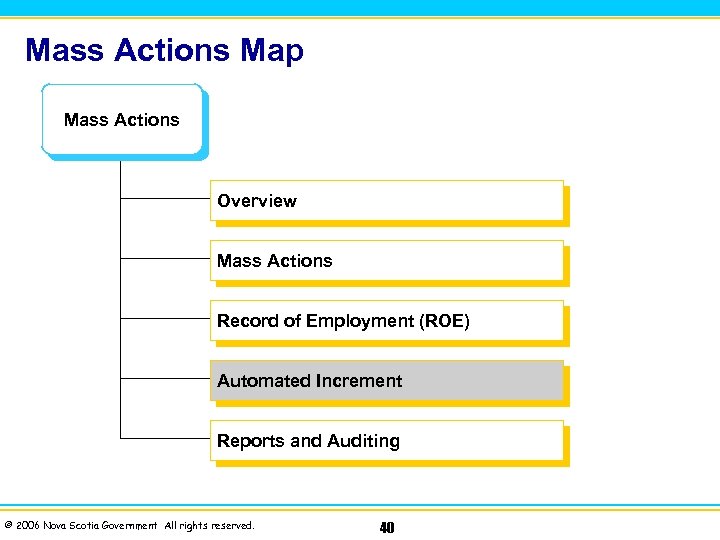 Mass Actions Map Mass Actions Overview Mass Actions Record of Employment (ROE) Automated Increment Reports and Auditing © 2006 Nova Scotia Government All rights reserved. 40
 Automated Increment At the end of this module, you will be able to: u Describe new terms and concepts associated with Mass Actions – Automated Increment u Understand explain Salary Increment Report u Understand Automated Increment Program © 2006 Nova Scotia Government All rights reserved. 41
 Automated Increment Program u The purpose of the Automated Increment program is to move certain employees to their next increment level in Batch. u Batch is a process whereby transactions are stored until processed online. No database updates are performed until the session has been processed. Large amounts of data can be transferred to SAP HR in a short time. u Not all employees are a part of this program. Each School Board identified which Personnel Areas would be included. © 2006 Nova Scotia Government All rights reserved. 42
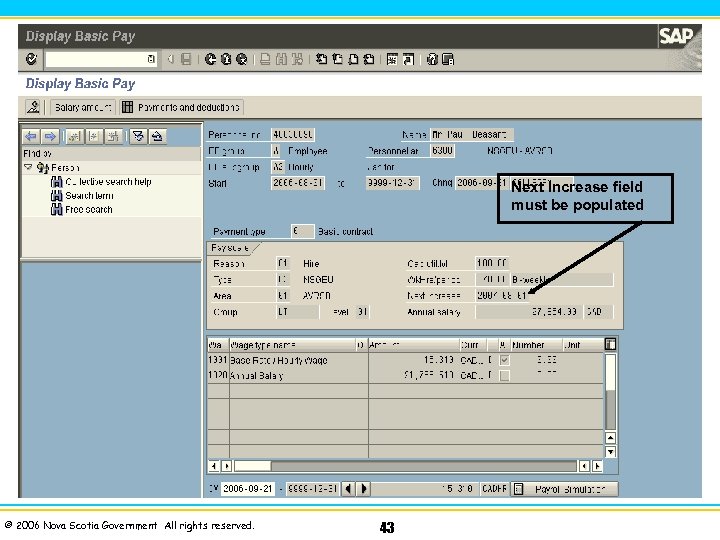 Next Increase field must be populated © 2006 Nova Scotia Government All rights reserved. 43
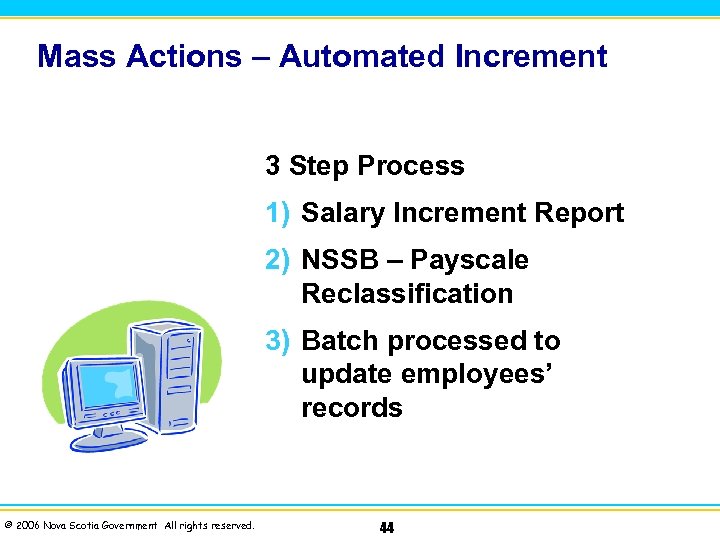 Mass Actions – Automated Increment 3 Step Process 1) Salary Increment Report 2) NSSB – Payscale Reclassification 3) Batch processed to update employees’ records © 2006 Nova Scotia Government All rights reserved. 44
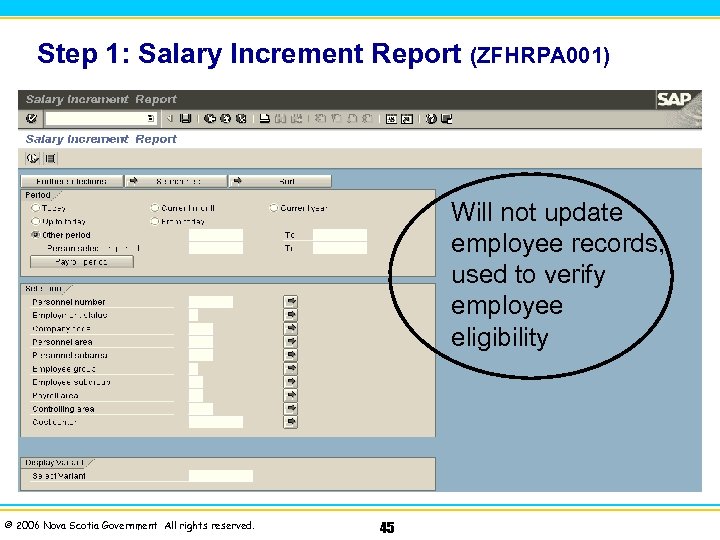 Step 1: Salary Increment Report (ZFHRPA 001) Will not update employee records, used to verify employee eligibility © 2006 Nova Scotia Government All rights reserved. 45
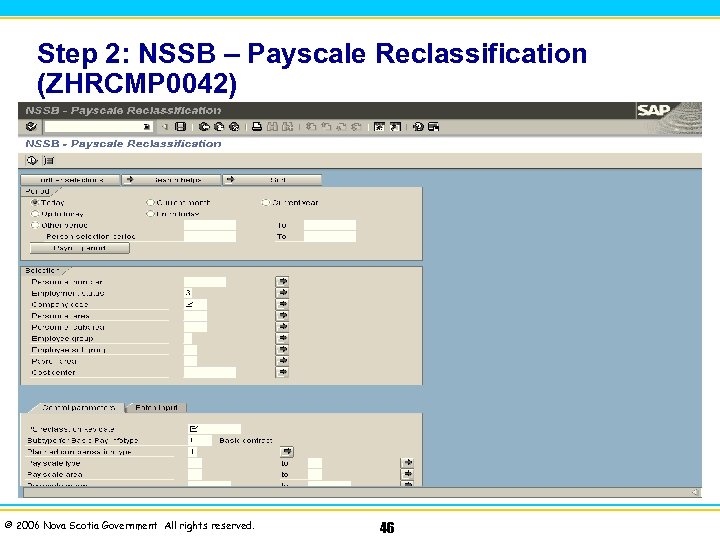 Step 2: NSSB – Payscale Reclassification (ZHRCMP 0042) © 2006 Nova Scotia Government All rights reserved. 46
 Mass Actions – Automated Increment u Step 3: Customer Competency Center (CCC) will process the Batch created by the NSSB – Payscale Reclassification program, updating the employees’ records. u A new Basic Pay (IT 0008) will be created with the new increment amount. u Basic Pay (IT 0008) will reflect a new increment date in the Next Increase field for the following year. u A new Monitoring of Tasks (IT 0019) for Increment/Merit (subtype 8 D) will be created with the new date, for following year. © 2006 Nova Scotia Government All rights reserved. 47
 Module Review 1. What are three steps in the Mass Actions – Automated Increment process? 2. Which field in SAP HR triggers an increment in the Automated Increment process? 3. Who is responsible for processing the Batch created by the NSSB – Payscale Reclassification Program to update employees’ records? © 2006 Nova Scotia Government All rights reserved. 48
 Answers to Module Review 1. What are three steps in the Mass Actions – Automated Increment process? (1)Salary Increment Report (2)Automated Increment Report (3)Batch processed by CCC 2. Which field in SAP HR triggers an increment in the Automated Increment program? Next Increase field on Basic Pay (IT 0008). 3. Who is responsible for processing the Batch created by the NSSB – Payscale Reclassification program to update employees’ records? Customer Competency Center (CCC) will process the Batch, updating employees’ records. © 2006 Nova Scotia Government All rights reserved. 49
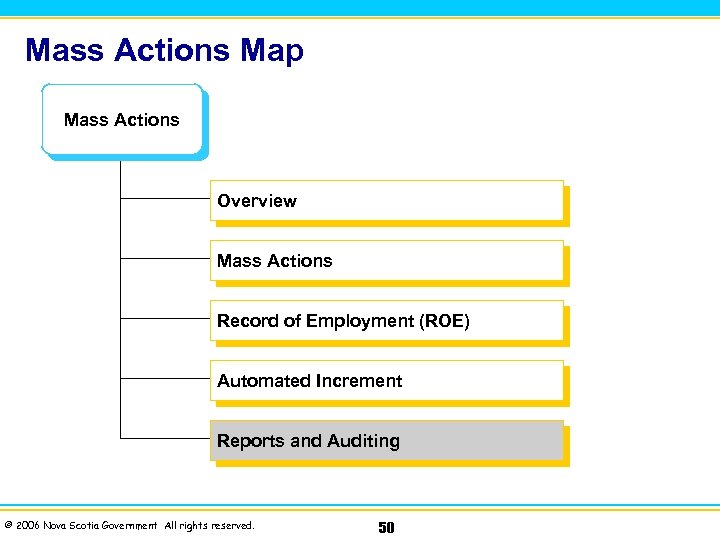 Mass Actions Map Mass Actions Overview Mass Actions Record of Employment (ROE) Automated Increment Reports and Auditing © 2006 Nova Scotia Government All rights reserved. 50
 Reports and Auditing These reports can be used to verify your work: School Board Audit Report (ZRHRPA 003) Payroll Simulation (PC 00_M 07_CALC_SIMU) © 2006 Nova Scotia Government All rights reserved. 51
 Evaluation Please complete the course evaluation sheets. u Your input will help to shape future enhancements in the SAP R/3 Training Program. © 2006 Nova Scotia Government All rights reserved. 52