


 Скачать презентацию March 09 2008 doc IEEE 802 11
2fd49a9e257d1ba5ffeb197335d7f67e.ppt
- Количество слайдов: 58
 March 09, 2008 doc. : IEEE 802. 11 -07/2988 r 3 Wi-Fi Alliance (WFA) VHT Study Group Usage Models Authors: Submission Date: 2008 -03 -09 1 Myles / De Vegt Wi-Fi Alliance
 March 09, 2008 doc. : IEEE 802. 11 -07/2988 r 3 WFA VHT Study Group Consolidation of Usage Models March 9, 2008 Submission for the March 2008 IEEE 802. 11 VHT Study Group Meeting in Orlando Submission 2 Myles / De Vegt Wi-Fi Alliance
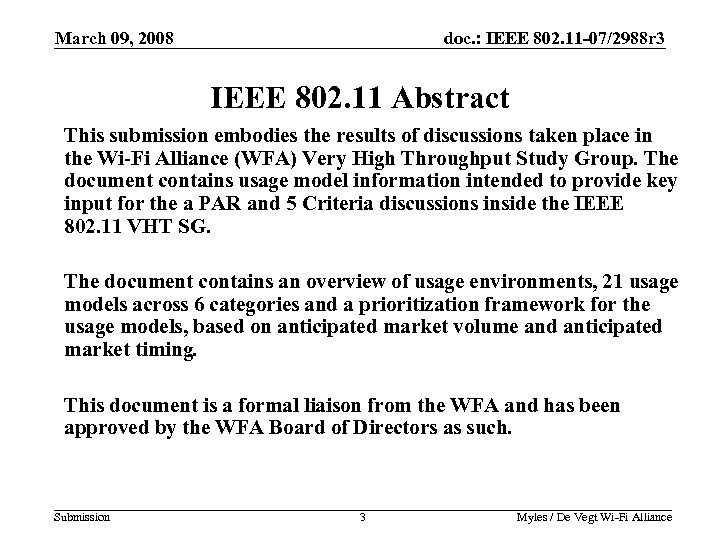 March 09, 2008 doc. : IEEE 802. 11 -07/2988 r 3 IEEE 802. 11 Abstract This submission embodies the results of discussions taken place in the Wi-Fi Alliance (WFA) Very High Throughput Study Group. The document contains usage model information intended to provide key input for the a PAR and 5 Criteria discussions inside the IEEE 802. 11 VHT SG. The document contains an overview of usage environments, 21 usage models across 6 categories and a prioritization framework for the usage models, based on anticipated market volume and anticipated market timing. This document is a formal liaison from the WFA and has been approved by the WFA Board of Directors as such. Submission 3 Myles / De Vegt Wi-Fi Alliance
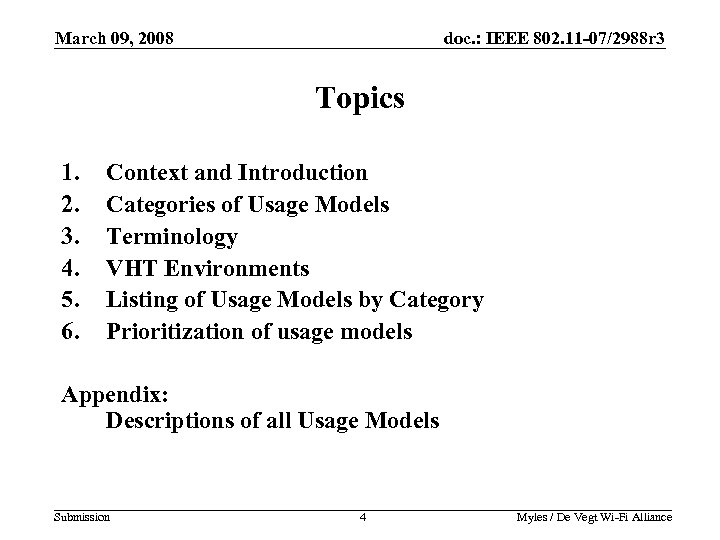 March 09, 2008 doc. : IEEE 802. 11 -07/2988 r 3 Topics 1. 2. 3. 4. 5. 6. Context and Introduction Categories of Usage Models Terminology VHT Environments Listing of Usage Models by Category Prioritization of usage models Appendix: Descriptions of all Usage Models Submission 4 Myles / De Vegt Wi-Fi Alliance
 March 09, 2008 doc. : IEEE 802. 11 -07/2988 r 3 Context and Introduction • As a result of the July, 2007 meeting in San Francisco, the IEEE 802. 11 Working Group Approved a Liaison to WFA requesting Usage Models to drive requirements for the VHT SG • The WFA responded by creating a Study Group chartered with producing Usage Models for VHT • This group has held 14 conference calls and 2 face to face meetings. • This Usage Model document is the final Usage Model deliverable to the IEEE 802. 11 VHT SG from the WFA. Submission 5 Myles / De Vegt Wi-Fi Alliance
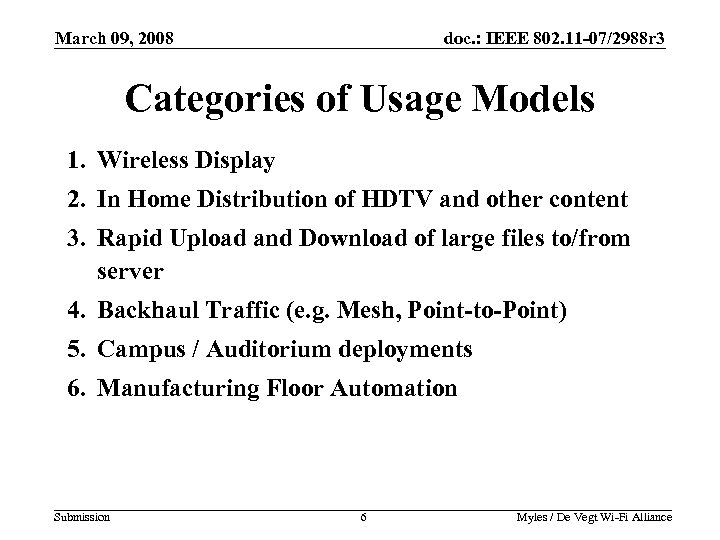 March 09, 2008 doc. : IEEE 802. 11 -07/2988 r 3 Categories of Usage Models 1. Wireless Display 2. In Home Distribution of HDTV and other content 3. Rapid Upload and Download of large files to/from server 4. Backhaul Traffic (e. g. Mesh, Point-to-Point) 5. Campus / Auditorium deployments 6. Manufacturing Floor Automation Submission 6 Myles / De Vegt Wi-Fi Alliance
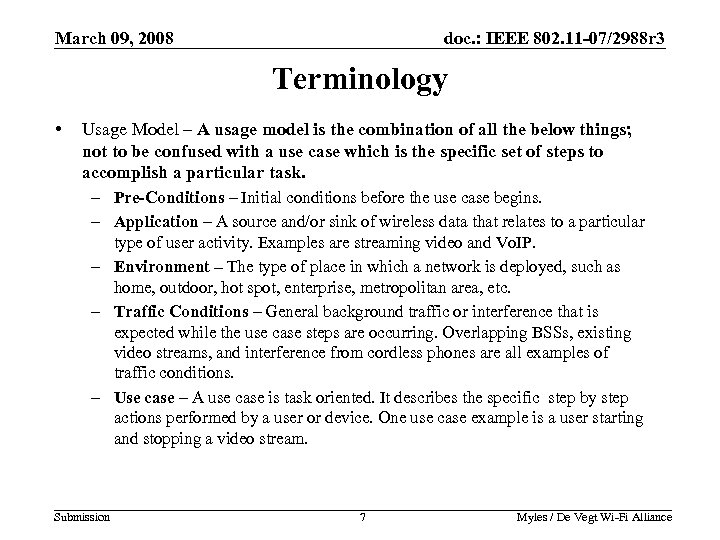 March 09, 2008 doc. : IEEE 802. 11 -07/2988 r 3 Terminology • Usage Model – A usage model is the combination of all the below things; not to be confused with a use case which is the specific set of steps to accomplish a particular task. – Pre-Conditions – Initial conditions before the use case begins. – Application – A source and/or sink of wireless data that relates to a particular type of user activity. Examples are streaming video and Vo. IP. – Environment – The type of place in which a network is deployed, such as home, outdoor, hot spot, enterprise, metropolitan area, etc. – Traffic Conditions – General background traffic or interference that is expected while the use case steps are occurring. Overlapping BSSs, existing video streams, and interference from cordless phones are all examples of traffic conditions. – Use case – A use case is task oriented. It describes the specific step by step actions performed by a user or device. One use case example is a user starting and stopping a video stream. Submission 7 Myles / De Vegt Wi-Fi Alliance
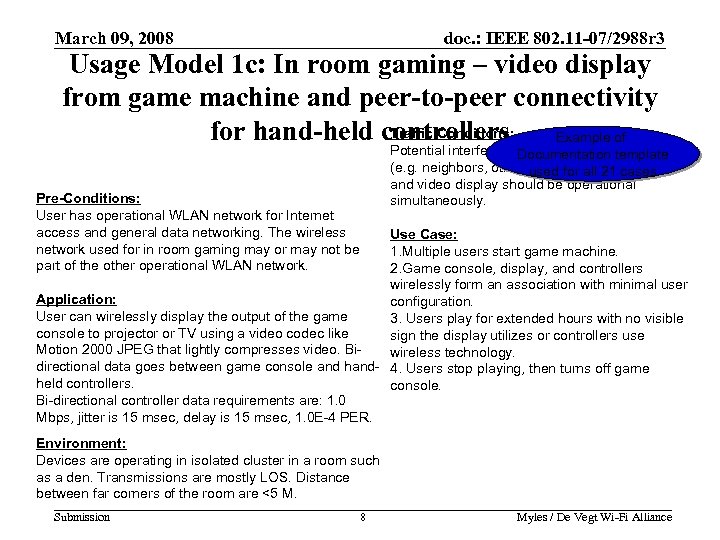 March 09, 2008 doc. : IEEE 802. 11 -07/2988 r 3 Usage Model 1 c: In room gaming – video display from game machine and peer-to-peer connectivity Traffic Conditions: for hand-held controllers Example of Potential interference from overlapping networks Documentation template (e. g. neighbors, other WLANs). all 21 cases used for Data transfers and video display should be operational simultaneously. Pre-Conditions: User has operational WLAN network for Internet access and general data networking. The wireless network used for in room gaming may or may not be part of the other operational WLAN network. Use Case: 1. Multiple users start game machine. 2. Game console, display, and controllers wirelessly form an association with minimal user Application: configuration. User can wirelessly display the output of the game 3. Users play for extended hours with no visible console to projector or TV using a video codec like sign the display utilizes or controllers use Motion 2000 JPEG that lightly compresses video. Biwireless technology. directional data goes between game console and hand- 4. Users stop playing, then turns off game held controllers. console. Bi-directional controller data requirements are: 1. 0 Mbps, jitter is 15 msec, delay is 15 msec, 1. 0 E-4 PER. Environment: Devices are operating in isolated cluster in a room such as a den. Transmissions are mostly LOS. Distance between far corners of the room are <5 M. Submission 8 Myles / De Vegt Wi-Fi Alliance 8
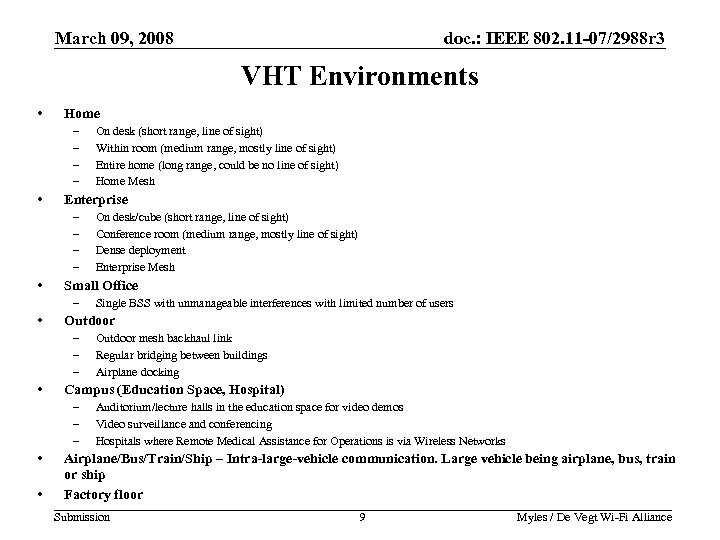 March 09, 2008 doc. : IEEE 802. 11 -07/2988 r 3 VHT Environments • Home – – • Enterprise – – • • Outdoor mesh backhaul link Regular bridging between buildings Airplane docking Campus (Education Space, Hospital) – – – • Single BSS with unmanageable interferences with limited number of users Outdoor – – – • On desk/cube (short range, line of sight) Conference room (medium range, mostly line of sight) Dense deployment Enterprise Mesh Small Office – • On desk (short range, line of sight) Within room (medium range, mostly line of sight) Entire home (long range, could be no line of sight) Home Mesh Auditorium/lecture halls in the education space for video demos Video surveillance and conferencing Hospitals where Remote Medical Assistance for Operations is via Wireless Networks Airplane/Bus/Train/Ship – Intra-large-vehicle communication. Large vehicle being airplane, bus, train or ship Factory floor Submission 9 Myles / De Vegt Wi-Fi Alliance 9
 March 09, 2008 doc. : IEEE 802. 11 -07/2988 r 3 Overview Of Usage Models Submission 10 Myles / De Vegt Wi-Fi Alliance
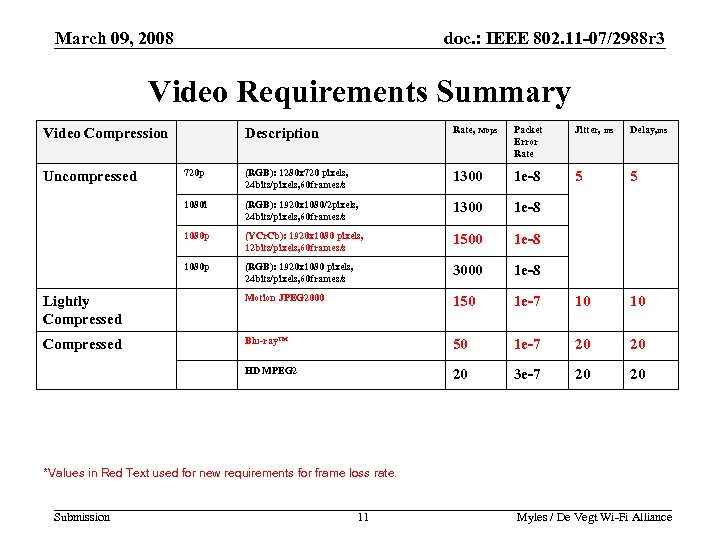 March 09, 2008 doc. : IEEE 802. 11 -07/2988 r 3 Video Requirements Summary Description Rate, Mbps Packet Error Rate Jitter, ms Delay, ms 720 p (RGB): 1280 x 720 pixels, 24 bits/pixels, 60 frames/s 1300 1 e-8 5 5 1080 i (RGB): 1920 x 1080/2 pixels, 24 bits/pixels, 60 frames/s 1300 1 e-8 1080 p (YCr. Cb): 1920 x 1080 pixels, 12 bits/pixels, 60 frames/s 1500 1 e-8 1080 p (RGB): 1920 x 1080 pixels, 24 bits/pixels, 60 frames/s 3000 1 e-8 Lightly Compressed Motion JPEG 2000 150 1 e-7 10 10 Compressed Blu-ray™ 50 1 e-7 20 20 HD MPEG 2 20 3 e-7 20 20 Video Compression Uncompressed *Values in Red Text used for new requirements for frame loss rate. Submission 11 Myles / De Vegt Wi-Fi Alliance 11
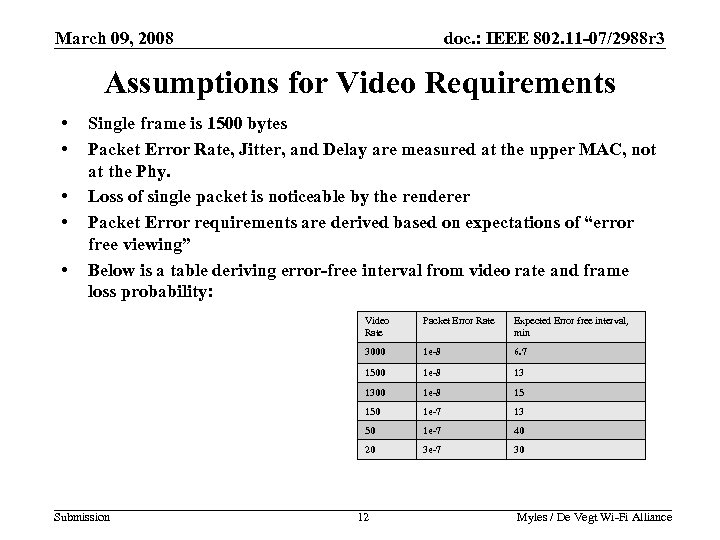 March 09, 2008 doc. : IEEE 802. 11 -07/2988 r 3 Assumptions for Video Requirements • • • Single frame is 1500 bytes Packet Error Rate, Jitter, and Delay are measured at the upper MAC, not at the Phy. Loss of single packet is noticeable by the renderer Packet Error requirements are derived based on expectations of “error free viewing” Below is a table deriving error-free interval from video rate and frame loss probability: Video Rate Expected Error free interval, min 3000 1 e-8 6. 7 1500 1 e-8 13 1300 1 e-8 15 150 1 e-7 13 50 1 e-7 40 20 Submission Packet Error Rate 3 e-7 30 12 Myles / De Vegt Wi-Fi Alliance 12
 March 09, 2008 doc. : IEEE 802. 11 -07/2988 r 3 Context for Usage Model Prioritization • We currently have 21 Usage Models • Feedback from IEEE VHT SG has been that this is too many, and has asked WFA to prioritize • Following slides outline a method for prioritization • Method based on: – Identification of prioritization dimensions – Pair-wise comparison to rank-order the usage models on each of the prioritization dimensions Submission 13 Myles / De Vegt Wi-Fi Alliance
 March 09, 2008 doc. : IEEE 802. 11 -07/2988 r 3 Prioritization Framework • Two dimensions for prioritization: – Expected Market Volume • Operationalized by answering the question for each pair of usage models: Which usage model will have higher unit volumes shipping in 2012? – Anticipated Market Timing • Operationalized by answering the question for each pair of usage models: Which usage model is anticipated to become a marketplace reality sooner? Submission 14 Myles / De Vegt Wi-Fi Alliance
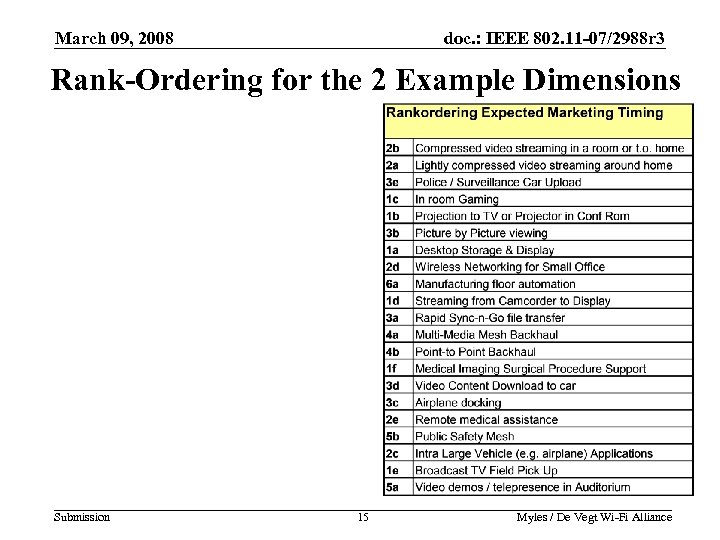 March 09, 2008 doc. : IEEE 802. 11 -07/2988 r 3 Rank-Ordering for the 2 Example Dimensions Submission 15 Myles / De Vegt Wi-Fi Alliance
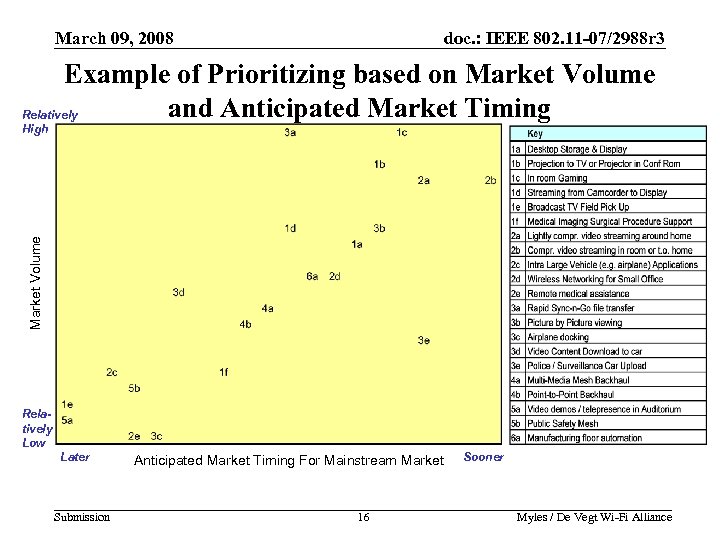 March 09, 2008 doc. : IEEE 802. 11 -07/2988 r 3 Example of Prioritizing based on Market Volume and Anticipated Market Timing Relatively Market Volume High Relatively Low Later Submission Anticipated Market Timing For Mainstream Market 16 Sooner Myles / De Vegt Wi-Fi Alliance
 March 09, 2008 doc. : IEEE 802. 11 -07/2988 r 3 Topics 1. 2. 3. 4. 5. 6. Context and Introduction Categories of Usage Models Terminology VHT Environments Listing of Usage Models by Category Prioritization of usage models Appendix: Descriptions of all Usage Models Submission 17 Myles / De Vegt Wi-Fi Alliance
 March 09, 2008 doc. : IEEE 802. 11 -07/2988 r 3 Overview Of Usage Models Submission 18 Myles / De Vegt Wi-Fi Alliance
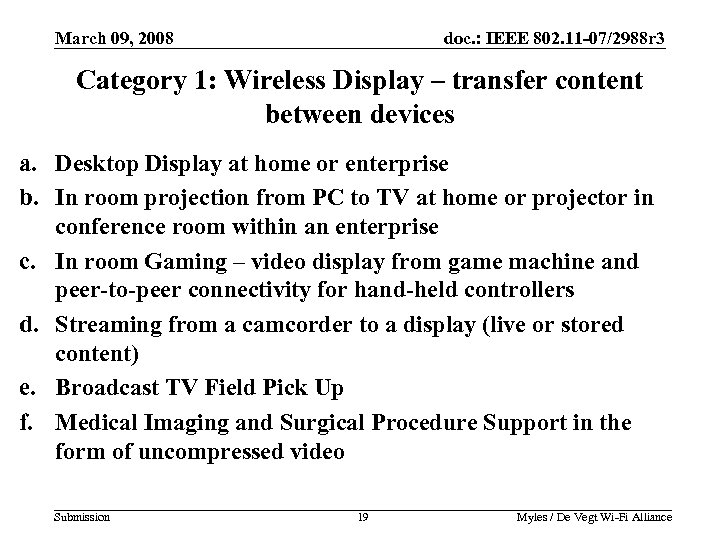 March 09, 2008 doc. : IEEE 802. 11 -07/2988 r 3 Category 1: Wireless Display – transfer content between devices a. Desktop Display at home or enterprise b. In room projection from PC to TV at home or projector in conference room within an enterprise c. In room Gaming – video display from game machine and peer-to-peer connectivity for hand-held controllers d. Streaming from a camcorder to a display (live or stored content) e. Broadcast TV Field Pick Up f. Medical Imaging and Surgical Procedure Support in the form of uncompressed video Submission 19 Myles / De Vegt Wi-Fi Alliance 19
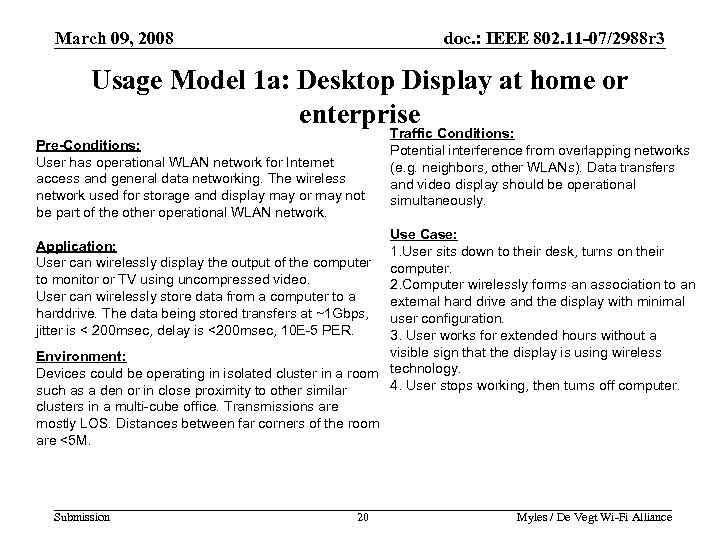 March 09, 2008 doc. : IEEE 802. 11 -07/2988 r 3 Usage Model 1 a: Desktop Display at home or enterprise Pre-Conditions: User has operational WLAN network for Internet access and general data networking. The wireless network used for storage and display may or may not be part of the other operational WLAN network. Traffic Conditions: Potential interference from overlapping networks (e. g. neighbors, other WLANs). Data transfers and video display should be operational simultaneously. Use Case: 1. User sits down to their desk, turns on their computer. 2. Computer wirelessly forms an association to an external hard drive and the display with minimal user configuration. 3. User works for extended hours without a visible sign that the display is using wireless Environment: Devices could be operating in isolated cluster in a room technology. 4. User stops working, then turns off computer. such as a den or in close proximity to other similar clusters in a multi-cube office. Transmissions are mostly LOS. Distances between far corners of the room are <5 M. Application: User can wirelessly display the output of the computer to monitor or TV using uncompressed video. User can wirelessly store data from a computer to a harddrive. The data being stored transfers at ~1 Gbps, jitter is < 200 msec, delay is <200 msec, 10 E-5 PER. Submission 20 Myles / De Vegt Wi-Fi Alliance 20
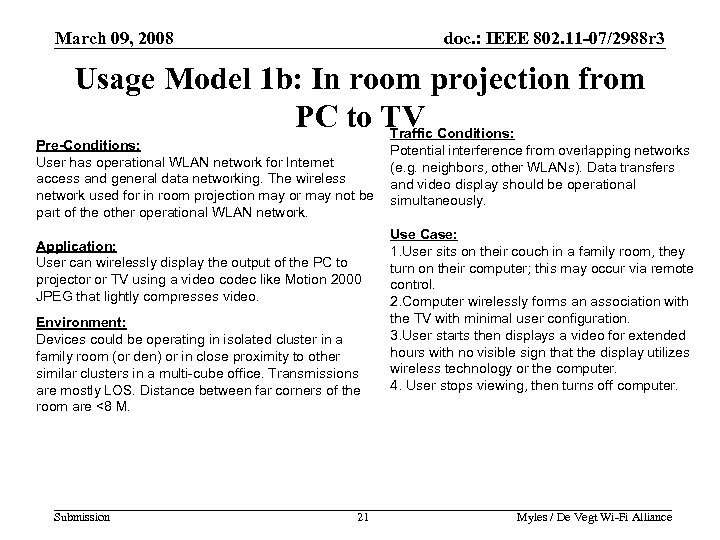 March 09, 2008 doc. : IEEE 802. 11 -07/2988 r 3 Usage Model 1 b: In room projection from PC to TV Conditions: Traffic Pre-Conditions: User has operational WLAN network for Internet access and general data networking. The wireless network used for in room projection may or may not be part of the other operational WLAN network. Application: User can wirelessly display the output of the PC to projector or TV using a video codec like Motion 2000 JPEG that lightly compresses video. Environment: Devices could be operating in isolated cluster in a family room (or den) or in close proximity to other similar clusters in a multi-cube office. Transmissions are mostly LOS. Distance between far corners of the room are <8 M. Submission 21 Potential interference from overlapping networks (e. g. neighbors, other WLANs). Data transfers and video display should be operational simultaneously. Use Case: 1. User sits on their couch in a family room, they turn on their computer; this may occur via remote control. 2. Computer wirelessly forms an association with the TV with minimal user configuration. 3. User starts then displays a video for extended hours with no visible sign that the display utilizes wireless technology or the computer. 4. User stops viewing, then turns off computer. Myles / De Vegt Wi-Fi Alliance 21
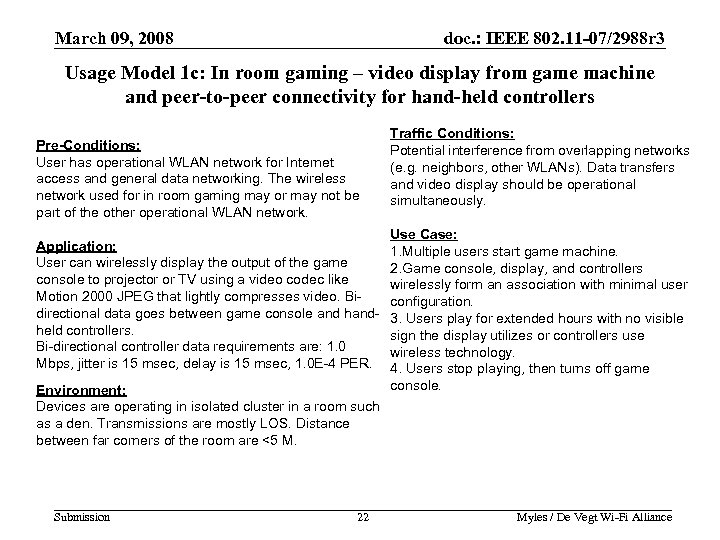 March 09, 2008 doc. : IEEE 802. 11 -07/2988 r 3 Usage Model 1 c: In room gaming – video display from game machine and peer-to-peer connectivity for hand-held controllers Pre-Conditions: User has operational WLAN network for Internet access and general data networking. The wireless network used for in room gaming may or may not be part of the other operational WLAN network. Application: User can wirelessly display the output of the game console to projector or TV using a video codec like Motion 2000 JPEG that lightly compresses video. Bidirectional data goes between game console and handheld controllers. Bi-directional controller data requirements are: 1. 0 Mbps, jitter is 15 msec, delay is 15 msec, 1. 0 E-4 PER. Environment: Devices are operating in isolated cluster in a room such as a den. Transmissions are mostly LOS. Distance between far corners of the room are <5 M. Submission 22 Traffic Conditions: Potential interference from overlapping networks (e. g. neighbors, other WLANs). Data transfers and video display should be operational simultaneously. Use Case: 1. Multiple users start game machine. 2. Game console, display, and controllers wirelessly form an association with minimal user configuration. 3. Users play for extended hours with no visible sign the display utilizes or controllers use wireless technology. 4. Users stop playing, then turns off game console. Myles / De Vegt Wi-Fi Alliance 22
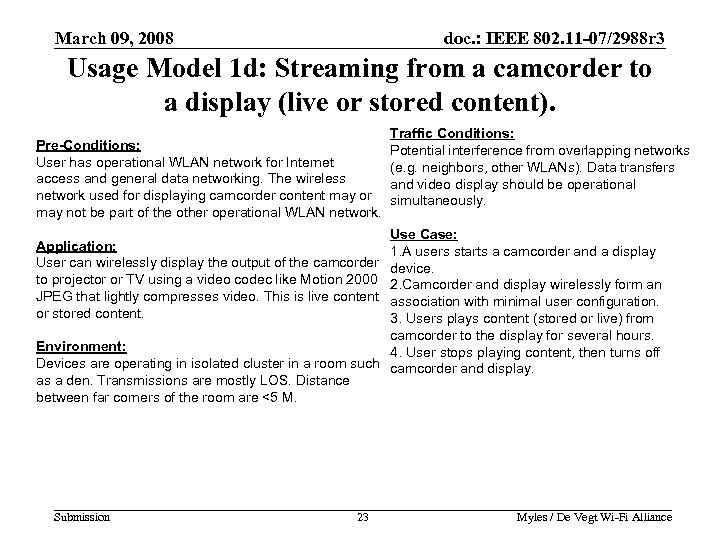 March 09, 2008 doc. : IEEE 802. 11 -07/2988 r 3 Usage Model 1 d: Streaming from a camcorder to a display (live or stored content). Pre-Conditions: User has operational WLAN network for Internet access and general data networking. The wireless network used for displaying camcorder content may or may not be part of the other operational WLAN network. Traffic Conditions: Potential interference from overlapping networks (e. g. neighbors, other WLANs). Data transfers and video display should be operational simultaneously. Use Case: 1. A users starts a camcorder and a display device. 2. Camcorder and display wirelessly form an association with minimal user configuration. 3. Users plays content (stored or live) from camcorder to the display for several hours. Environment: 4. User stops playing content, then turns off Devices are operating in isolated cluster in a room such camcorder and display. as a den. Transmissions are mostly LOS. Distance between far corners of the room are <5 M. Application: User can wirelessly display the output of the camcorder to projector or TV using a video codec like Motion 2000 JPEG that lightly compresses video. This is live content or stored content. Submission 23 Myles / De Vegt Wi-Fi Alliance 23
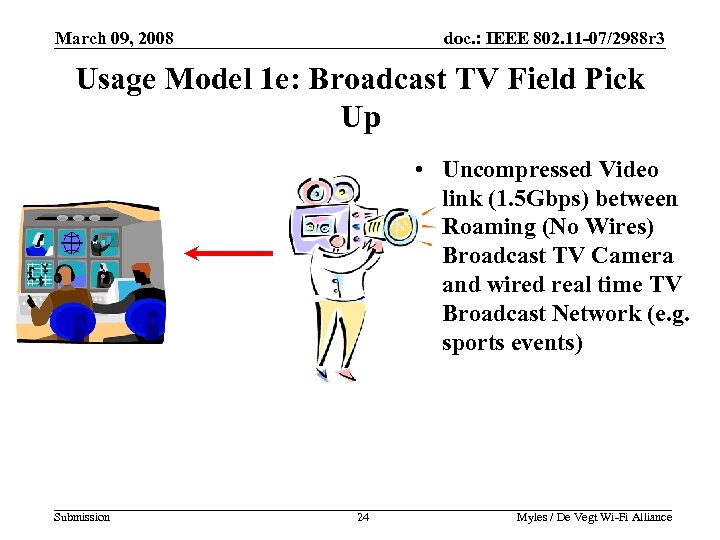 March 09, 2008 doc. : IEEE 802. 11 -07/2988 r 3 Usage Model 1 e: Broadcast TV Field Pick Up • Uncompressed Video link (1. 5 Gbps) between Roaming (No Wires) Broadcast TV Camera and wired real time TV Broadcast Network (e. g. sports events) Submission 24 Myles / De Vegt Wi-Fi Alliance
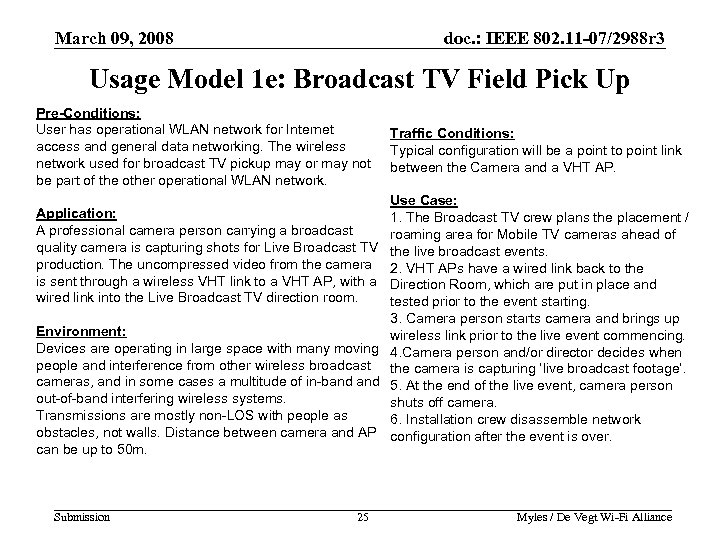 March 09, 2008 doc. : IEEE 802. 11 -07/2988 r 3 Usage Model 1 e: Broadcast TV Field Pick Up Pre-Conditions: User has operational WLAN network for Internet access and general data networking. The wireless network used for broadcast TV pickup may or may not be part of the other operational WLAN network. Traffic Conditions: Typical configuration will be a point to point link between the Camera and a VHT AP. Use Case: 1. The Broadcast TV crew plans the placement / roaming area for Mobile TV cameras ahead of the live broadcast events. 2. VHT APs have a wired link back to the Direction Room, which are put in place and tested prior to the event starting. 3. Camera person starts camera and brings up Environment: wireless link prior to the live event commencing. Devices are operating in large space with many moving 4. Camera person and/or director decides when people and interference from other wireless broadcast the camera is capturing ‘live broadcast footage’. cameras, and in some cases a multitude of in-band 5. At the end of the live event, camera person out-of-band interfering wireless systems. shuts off camera. Transmissions are mostly non-LOS with people as 6. Installation crew disassemble network obstacles, not walls. Distance between camera and AP configuration after the event is over. can be up to 50 m. Application: A professional camera person carrying a broadcast quality camera is capturing shots for Live Broadcast TV production. The uncompressed video from the camera is sent through a wireless VHT link to a VHT AP, with a wired link into the Live Broadcast TV direction room. Submission 25 Myles / De Vegt Wi-Fi Alliance 25
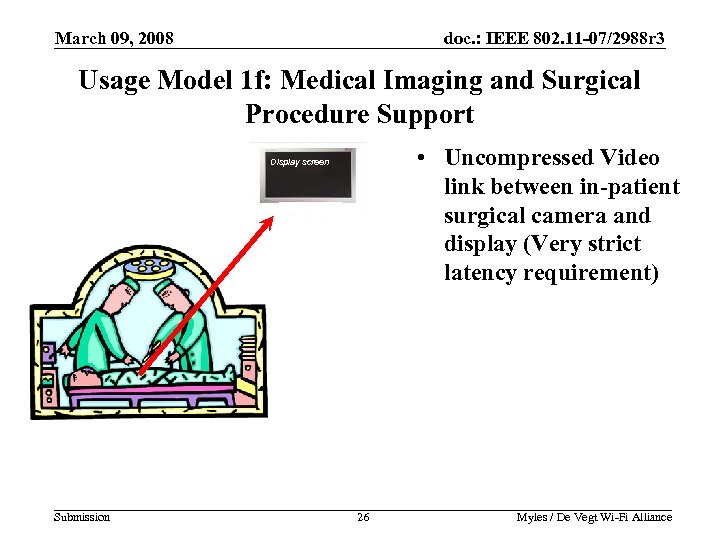 March 09, 2008 doc. : IEEE 802. 11 -07/2988 r 3 Usage Model 1 f: Medical Imaging and Surgical Procedure Support • Uncompressed Video link between in-patient surgical camera and display (Very strict latency requirement) Display screen Submission 26 Myles / De Vegt Wi-Fi Alliance
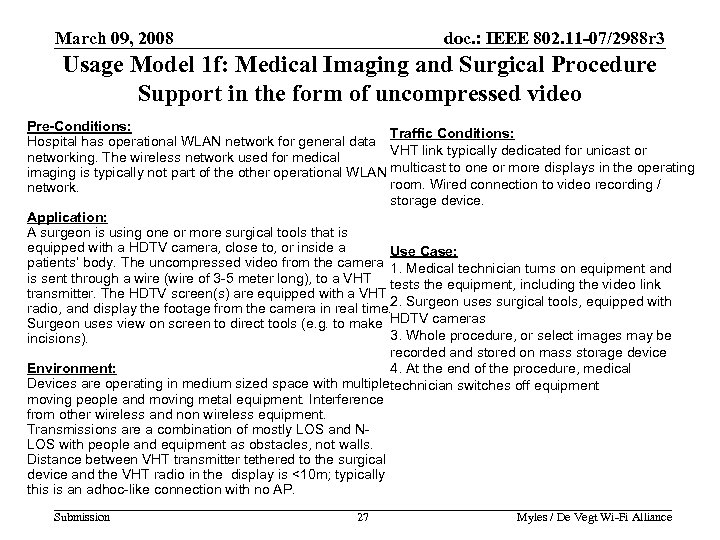 March 09, 2008 doc. : IEEE 802. 11 -07/2988 r 3 Usage Model 1 f: Medical Imaging and Surgical Procedure Support in the form of uncompressed video Pre-Conditions: Traffic Conditions: Hospital has operational WLAN network for general data VHT link typically dedicated for unicast or networking. The wireless network used for medical imaging is typically not part of the other operational WLAN multicast to one or more displays in the operating room. Wired connection to video recording / network. storage device. Application: A surgeon is using one or more surgical tools that is equipped with a HDTV camera, close to, or inside a Use Case: patients’ body. The uncompressed video from the camera 1. Medical technician turns on equipment and is sent through a wire (wire of 3 -5 meter long), to a VHT tests the equipment, including the video link transmitter. The HDTV screen(s) are equipped with a VHT radio, and display the footage from the camera in real time. 2. Surgeon uses surgical tools, equipped with Surgeon uses view on screen to direct tools (e. g. to make HDTV cameras 3. Whole procedure, or select images may be incisions). recorded and stored on mass storage device Environment: 4. At the end of the procedure, medical Devices are operating in medium sized space with multipletechnician switches off equipment moving people and moving metal equipment. Interference from other wireless and non wireless equipment. Transmissions are a combination of mostly LOS and NLOS with people and equipment as obstacles, not walls. Distance between VHT transmitter tethered to the surgical device and the VHT radio in the display is <10 m; typically this is an adhoc-like connection with no AP. Submission 27 Myles / De Vegt Wi-Fi Alliance 27
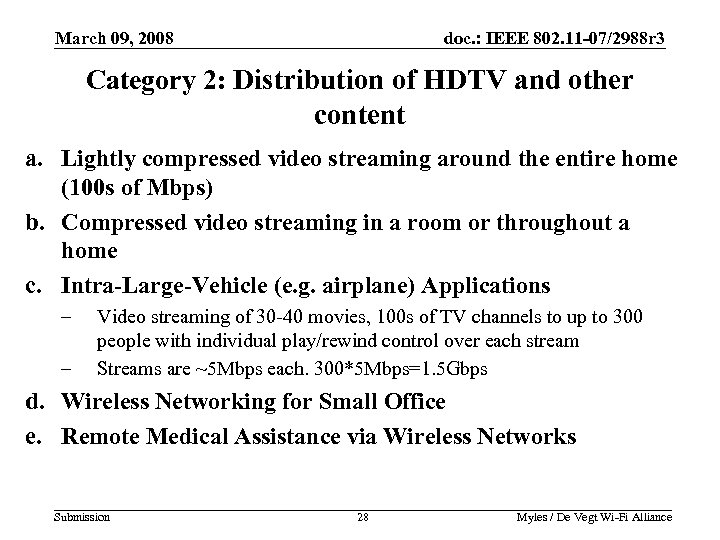 March 09, 2008 doc. : IEEE 802. 11 -07/2988 r 3 Category 2: Distribution of HDTV and other content a. Lightly compressed video streaming around the entire home (100 s of Mbps) b. Compressed video streaming in a room or throughout a home c. Intra-Large-Vehicle (e. g. airplane) Applications – – Video streaming of 30 -40 movies, 100 s of TV channels to up to 300 people with individual play/rewind control over each stream Streams are ~5 Mbps each. 300*5 Mbps=1. 5 Gbps d. Wireless Networking for Small Office e. Remote Medical Assistance via Wireless Networks Submission 28 Myles / De Vegt Wi-Fi Alliance 28
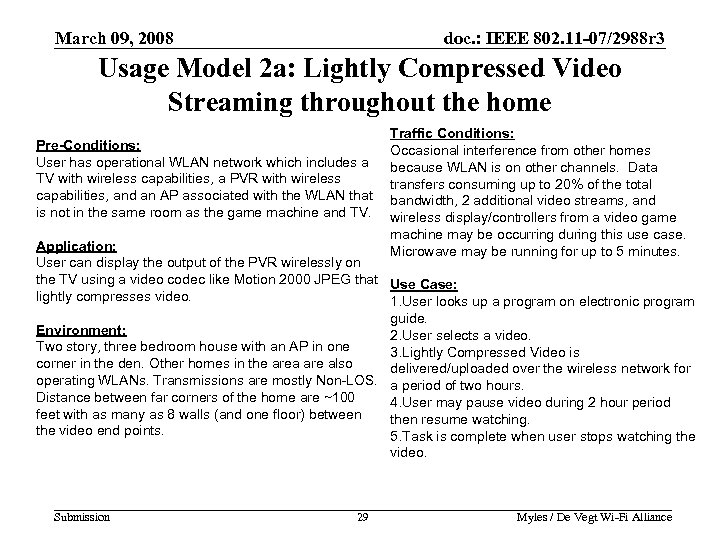 March 09, 2008 doc. : IEEE 802. 11 -07/2988 r 3 Usage Model 2 a: Lightly Compressed Video Streaming throughout the home Pre-Conditions: User has operational WLAN network which includes a TV with wireless capabilities, a PVR with wireless capabilities, and an AP associated with the WLAN that is not in the same room as the game machine and TV. Traffic Conditions: Occasional interference from other homes because WLAN is on other channels. Data transfers consuming up to 20% of the total bandwidth, 2 additional video streams, and wireless display/controllers from a video game machine may be occurring during this use case. Microwave may be running for up to 5 minutes. Application: User can display the output of the PVR wirelessly on the TV using a video codec like Motion 2000 JPEG that Use Case: lightly compresses video. 1. User looks up a program on electronic program guide. Environment: 2. User selects a video. Two story, three bedroom house with an AP in one 3. Lightly Compressed Video is corner in the den. Other homes in the area are also delivered/uploaded over the wireless network for operating WLANs. Transmissions are mostly Non-LOS. a period of two hours. Distance between far corners of the home are ~100 4. User may pause video during 2 hour period feet with as many as 8 walls (and one floor) between then resume watching. the video end points. 5. Task is complete when user stops watching the video. Submission 29 Myles / De Vegt Wi-Fi Alliance 29
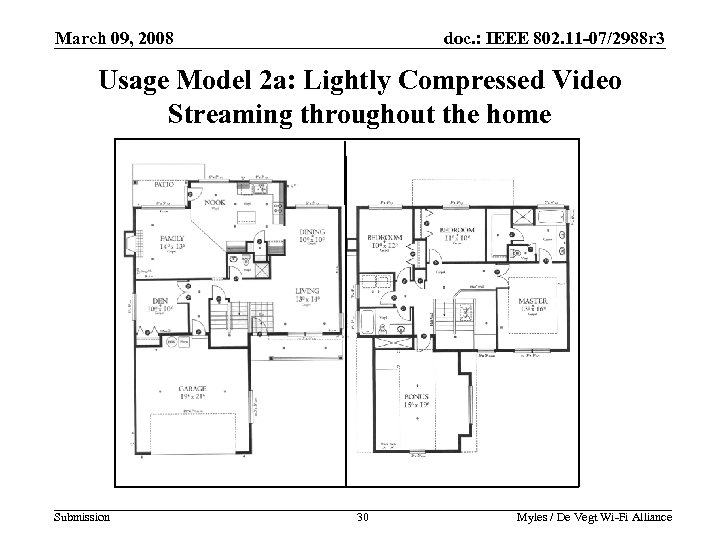 March 09, 2008 doc. : IEEE 802. 11 -07/2988 r 3 Usage Model 2 a: Lightly Compressed Video Streaming throughout the home Submission 30 Myles / De Vegt Wi-Fi Alliance
 March 09, 2008 doc. : IEEE 802. 11 -07/2988 r 3 Usage Model 2 b: Compressed video streaming in a room or throughout a home Pre-Conditions: User has operational WLAN network which includes a TV with wireless capabilities, a PVR with wireless capabilities, and an AP associated with the WLAN that is not in the same room as the game machine and TV. Application: User can display the output of the PVR wirelessly on the TV using high definition compressed video with a codec like Blu. Ray. Expect three or four simultaneous HD streams. Traffic Conditions: Severe interference from multiple streams in the house and other homes because WLAN is on other channels. High speed data transfers consuming up to 20% of the total bandwidth, many additional video streams, and wireless display/controllers from a video game machine may be occurring during this use case. Microwave may be running for up to 5 minutes. Use Case: 1. User looks up a program on electronic program guide. Environment: 2. User selects a video. Two story, three bedroom house with an AP in one 3. Compressed Video is delivered/uploaded over corner in the den. Other homes in the area are also the wireless network for a period of two hours. operating WLANs. Transmissions are mostly Non-LOS. 4. User may pause video during 2 hour period Distance between far corners of the home are ~100 then resume watching. feet with as many as 8 walls (and one floor) between 5. Task is complete when user stops watching the video end points. video. Submission 31 Myles / De Vegt Wi-Fi Alliance 31
 March 09, 2008 doc. : IEEE 802. 11 -07/2988 r 3 Usage Model 2 c: Intra-Large-Vehicle (e. g. airplane) Applications Pre-Conditions: 300 people watching individual video programs simultaneously, each with control of their own video. Application: 30 -40 movies and 100 s of TV channels available for viewing by 300 people. Each user controls their own video. Video being displayed is something like standard definition MPEG 2 compressed. Video requirements are: ~5 Mbps, jitter is <200 msec, delay is < 200 msec, 1. 0 E-4 PER. Aggregate bandwidth requirement is 300*5 Mbps=1. 5 Gbps. Environment: Metal narrow structure such as a bus or plane. Limited number of thin walls need to be penetrated, but many people and seats will cause some level of interference. Submission 32 Traffic Conditions: In addition to the video traffic, Data transfers consuming up to 20% of the total bandwidth, many additional video streams, and wireless display/controllers from a video game machine may be occurring during this use case. Use Case: 1. User looks up a program on electronic program guide. 2. User selects a video. 3. Compressed Video (e. g. ~5 Mbps) is delivered to the individual for a period of two hours. 4. User may pause video during 2 hour period then resume watching. 5. Task is complete when user stops watching the video. Myles / De Vegt Wi-Fi Alliance 32
 March 09, 2008 doc. : IEEE 802. 11 -07/2988 r 3 Usage Model 2 d: Wireless Networking for Small Office Pre-Conditions: Traffic Conditions: Office with up to 5 people engaged in high quality/high revenue services that involved video and voice interaction 2 WLAN video streams with client and transferring large volumes of multimedia data 2 WVo. IP streams Up to 5 best effort data streams A single AP serves the whole office. The best effort data traffic can take up to 20% of Application: the available bandwidth with saturated offered Multiple applications run at the same time. High definition load. compressed video uses something like an Blu-ray codec. Voice is standard definition quality using a codec like G 729. Use Case: Aggregate bandwidth requirement is 5 simultaneous video 1. Users run different applications during the day streams. and may start each application at different time. Voice requirements are: ~50 Kbps, Jitter <30 msec. Delay 2. A typical sequence is staring up a voice call, <30 msec. 1. 0 E-1 PER. adding video sending/receiving multi-media data and discussing this over the voice/video link Environment: 3. The duration of such a use case is typically one Mostly not Line of sight within a single office. hour. People walking around the office. 4. Up to three of these “sessions” may be going There is potentially unmanageable interference from on in parallel. neighboring offices within 100 feet when in 2. 4 / 5 GHz The office is larger than a typical BSS coverage in an enterprise environment, but less than 40 m X 40 m Submission 33 Myles / De Vegt Wi-Fi Alliance 33
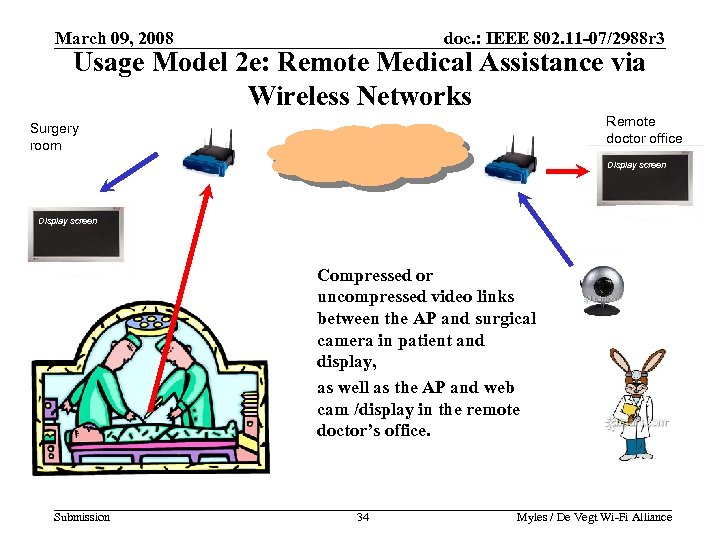 March 09, 2008 doc. : IEEE 802. 11 -07/2988 r 3 Usage Model 2 e: Remote Medical Assistance via Wireless Networks Remote doctor office Surgery room Display screen Compressed or uncompressed video links between the AP and surgical camera in patient and display, as well as the AP and web cam /display in the remote doctor’s office. Submission 34 Myles / De Vegt Wi-Fi Alliance
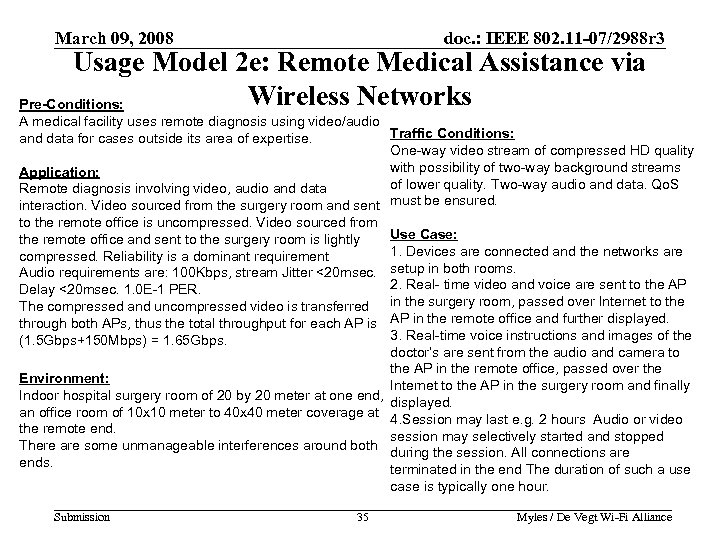 March 09, 2008 doc. : IEEE 802. 11 -07/2988 r 3 Usage Model 2 e: Remote Medical Assistance via Wireless Networks Pre-Conditions: A medical facility uses remote diagnosis using video/audio Traffic Conditions: and data for cases outside its area of expertise. One-way video stream of compressed HD quality with possibility of two-way background streams Application: of lower quality. Two-way audio and data. Qo. S Remote diagnosis involving video, audio and data interaction. Video sourced from the surgery room and sent must be ensured. to the remote office is uncompressed. Video sourced from the remote office and sent to the surgery room is lightly compressed. Reliability is a dominant requirement Audio requirements are: 100 Kbps, stream Jitter <20 msec. Delay <20 msec. 1. 0 E-1 PER. The compressed and uncompressed video is transferred through both APs, thus the total throughput for each AP is (1. 5 Gbps+150 Mbps) = 1. 65 Gbps. Use Case: 1. Devices are connected and the networks are setup in both rooms. 2. Real- time video and voice are sent to the AP in the surgery room, passed over Internet to the AP in the remote office and further displayed. 3. Real-time voice instructions and images of the doctor’s are sent from the audio and camera to the AP in the remote office, passed over the Environment: Internet to the AP in the surgery room and finally Indoor hospital surgery room of 20 by 20 meter at one end, displayed. an office room of 10 x 10 meter to 40 x 40 meter coverage at 4. Session may last e. g. 2 hours Audio or video the remote end. session may selectively started and stopped There are some unmanageable interferences around both during the session. All connections are ends. terminated in the end The duration of such a use case is typically one hour. Submission 35 Myles / De Vegt Wi-Fi Alliance 35
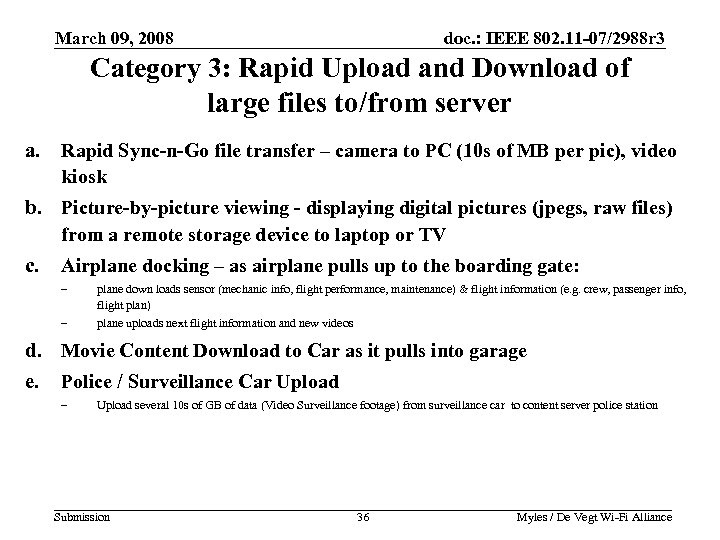 March 09, 2008 doc. : IEEE 802. 11 -07/2988 r 3 Category 3: Rapid Upload and Download of large files to/from server a. Rapid Sync-n-Go file transfer – camera to PC (10 s of MB per pic), video kiosk b. Picture-by-picture viewing - displaying digital pictures (jpegs, raw files) from a remote storage device to laptop or TV c. Airplane docking – as airplane pulls up to the boarding gate: – plane down loads sensor (mechanic info, flight performance, maintenance) & flight information (e. g. crew, passenger info, flight plan) – plane uploads next flight information and new videos d. Movie Content Download to Car as it pulls into garage e. Police / Surveillance Car Upload – Upload several 10 s of GB of data (Video Surveillance footage) from surveillance car to content server police station Submission 36 Myles / De Vegt Wi-Fi Alliance 36
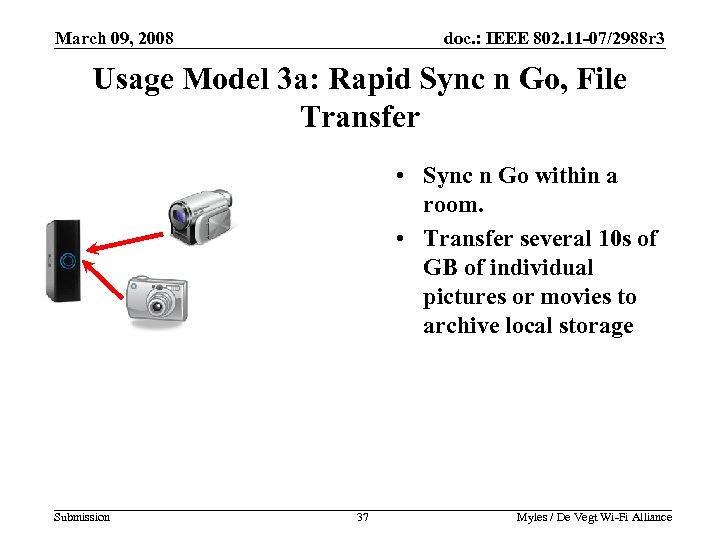 March 09, 2008 doc. : IEEE 802. 11 -07/2988 r 3 Usage Model 3 a: Rapid Sync n Go, File Transfer • Sync n Go within a room. • Transfer several 10 s of GB of individual pictures or movies to archive local storage Submission 37 Myles / De Vegt Wi-Fi Alliance 37
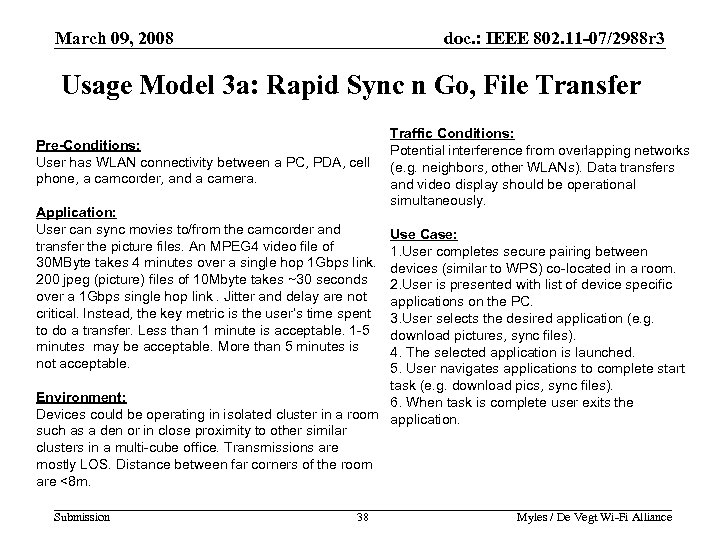 March 09, 2008 doc. : IEEE 802. 11 -07/2988 r 3 Usage Model 3 a: Rapid Sync n Go, File Transfer Pre-Conditions: User has WLAN connectivity between a PC, PDA, cell phone, a camcorder, and a camera. Application: User can sync movies to/from the camcorder and transfer the picture files. An MPEG 4 video file of 30 MByte takes 4 minutes over a single hop 1 Gbps link. 200 jpeg (picture) files of 10 Mbyte takes ~30 seconds over a 1 Gbps single hop link. Jitter and delay are not critical. Instead, the key metric is the user’s time spent to do a transfer. Less than 1 minute is acceptable. 1 -5 minutes may be acceptable. More than 5 minutes is not acceptable. Traffic Conditions: Potential interference from overlapping networks (e. g. neighbors, other WLANs). Data transfers and video display should be operational simultaneously. Use Case: 1. User completes secure pairing between devices (similar to WPS) co-located in a room. 2. User is presented with list of device specific applications on the PC. 3. User selects the desired application (e. g. download pictures, sync files). 4. The selected application is launched. 5. User navigates applications to complete start task (e. g. download pics, sync files). Environment: 6. When task is complete user exits the Devices could be operating in isolated cluster in a room application. such as a den or in close proximity to other similar clusters in a multi-cube office. Transmissions are mostly LOS. Distance between far corners of the room are <8 m. Submission 38 Myles / De Vegt Wi-Fi Alliance 38
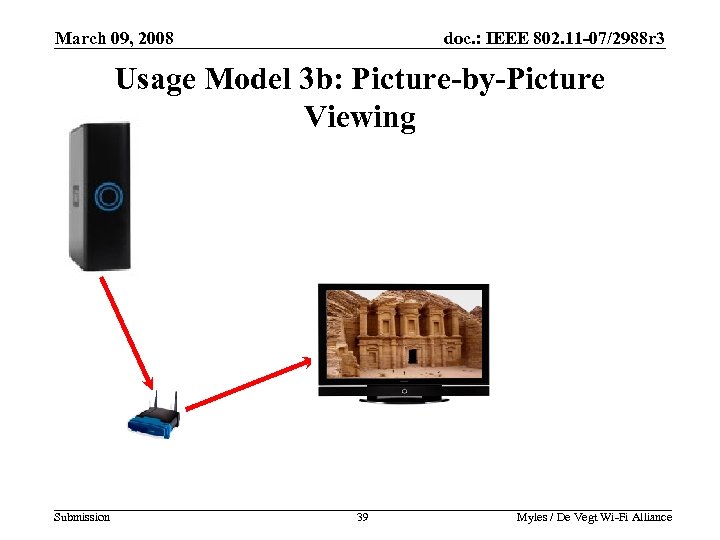 March 09, 2008 doc. : IEEE 802. 11 -07/2988 r 3 Usage Model 3 b: Picture-by-Picture Viewing Submission 39 Myles / De Vegt Wi-Fi Alliance 39
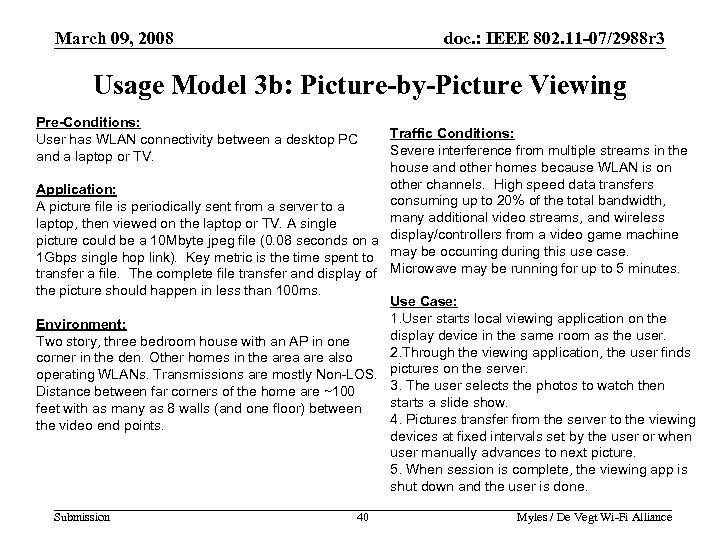 March 09, 2008 doc. : IEEE 802. 11 -07/2988 r 3 Usage Model 3 b: Picture-by-Picture Viewing Pre-Conditions: User has WLAN connectivity between a desktop PC and a laptop or TV. Traffic Conditions: Severe interference from multiple streams in the house and other homes because WLAN is on other channels. High speed data transfers Application: consuming up to 20% of the total bandwidth, A picture file is periodically sent from a server to a many additional video streams, and wireless laptop, then viewed on the laptop or TV. A single picture could be a 10 Mbyte jpeg file (0. 08 seconds on a display/controllers from a video game machine 1 Gbps single hop link). Key metric is the time spent to may be occurring during this use case. transfer a file. The complete file transfer and display of Microwave may be running for up to 5 minutes. the picture should happen in less than 100 ms. Use Case: 1. User starts local viewing application on the Environment: display device in the same room as the user. Two story, three bedroom house with an AP in one 2. Through the viewing application, the user finds corner in the den. Other homes in the area are also operating WLANs. Transmissions are mostly Non-LOS. pictures on the server. 3. The user selects the photos to watch then Distance between far corners of the home are ~100 starts a slide show. feet with as many as 8 walls (and one floor) between 4. Pictures transfer from the server to the viewing the video end points. devices at fixed intervals set by the user or when user manually advances to next picture. 5. When session is complete, the viewing app is shut down and the user is done. Submission 40 Myles / De Vegt Wi-Fi Alliance 40
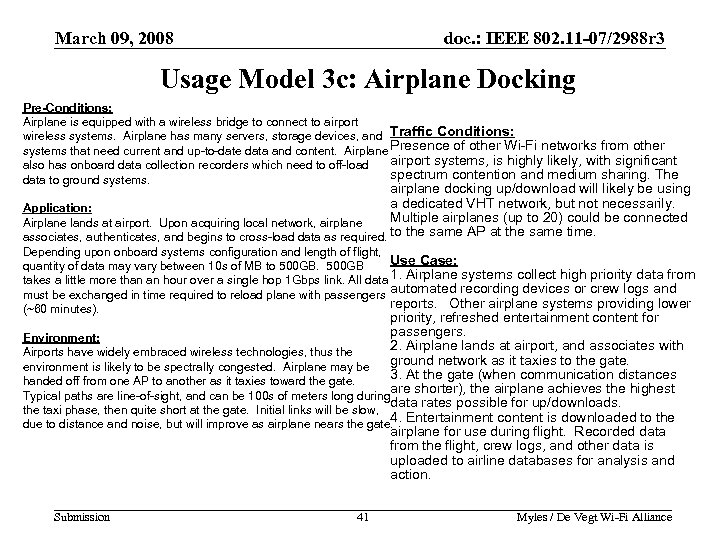 March 09, 2008 doc. : IEEE 802. 11 -07/2988 r 3 Usage Model 3 c: Airplane Docking Pre-Conditions: Airplane is equipped with a wireless bridge to connect to airport wireless systems. Airplane has many servers, storage devices, and Traffic Conditions: systems that need current and up-to-date data and content. Airplane Presence of other Wi-Fi networks from other airport systems, is highly likely, with significant also has onboard data collection recorders which need to off-load spectrum contention and medium sharing. The data to ground systems. airplane docking up/download will likely be using a dedicated VHT network, but not necessarily. Application: Multiple airplanes (up to 20) could be connected Airplane lands at airport. Upon acquiring local network, airplane associates, authenticates, and begins to cross-load data as required. to the same AP at the same time. Depending upon onboard systems configuration and length of flight, Use Case: quantity of data may vary between 10 s of MB to 500 GB takes a little more than an hour over a single hop 1 Gbps link. All data 1. Airplane systems collect high priority data from must be exchanged in time required to reload plane with passengers automated recording devices or crew logs and reports. Other airplane systems providing lower (~60 minutes). priority, refreshed entertainment content for passengers. Environment: 2. Airplane lands at airport, and associates with Airports have widely embraced wireless technologies, thus the ground network as it taxies to the gate. environment is likely to be spectrally congested. Airplane may be 3. At the gate (when communication distances handed off from one AP to another as it taxies toward the gate. are shorter), the airplane achieves the highest Typical paths are line-of-sight, and can be 100 s of meters long during data rates possible for up/downloads. the taxi phase, then quite short at the gate. Initial links will be slow, 4. Entertainment content is downloaded to the due to distance and noise, but will improve as airplane nears the gate. airplane for use during flight. Recorded data from the flight, crew logs, and other data is uploaded to airline databases for analysis and action. Submission 41 Myles / De Vegt Wi-Fi Alliance 41
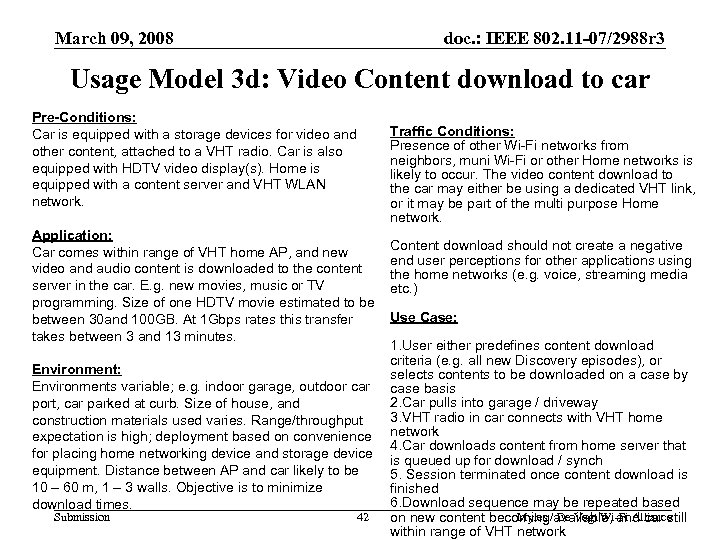 March 09, 2008 doc. : IEEE 802. 11 -07/2988 r 3 Usage Model 3 d: Video Content download to car Pre-Conditions: Car is equipped with a storage devices for video and other content, attached to a VHT radio. Car is also equipped with HDTV video display(s). Home is equipped with a content server and VHT WLAN network. Traffic Conditions: Presence of other Wi-Fi networks from neighbors, muni Wi-Fi or other Home networks is likely to occur. The video content download to the car may either be using a dedicated VHT link, or it may be part of the multi purpose Home network. Application: Car comes within range of VHT home AP, and new video and audio content is downloaded to the content server in the car. E. g. new movies, music or TV programming. Size of one HDTV movie estimated to be between 30 and 100 GB. At 1 Gbps rates this transfer takes between 3 and 13 minutes. Environment: Environments variable; e. g. indoor garage, outdoor car port, car parked at curb. Size of house, and construction materials used varies. Range/throughput expectation is high; deployment based on convenience for placing home networking device and storage device equipment. Distance between AP and car likely to be 10 – 60 m, 1 – 3 walls. Objective is to minimize download times. Submission 42 Content download should not create a negative end user perceptions for other applications using the home networks (e. g. voice, streaming media etc. ) Use Case: 1. User either predefines content download criteria (e. g. all new Discovery episodes), or selects contents to be downloaded on a case by case basis 2. Car pulls into garage / driveway 3. VHT radio in car connects with VHT home network 4. Car downloads content from home server that is queued up for download / synch 5. Session terminated once content download is finished 6. Download sequence may be repeated based Myles De Vegt Wi-Fi Alliance on new content becoming /available, and car still 42 within range of VHT network
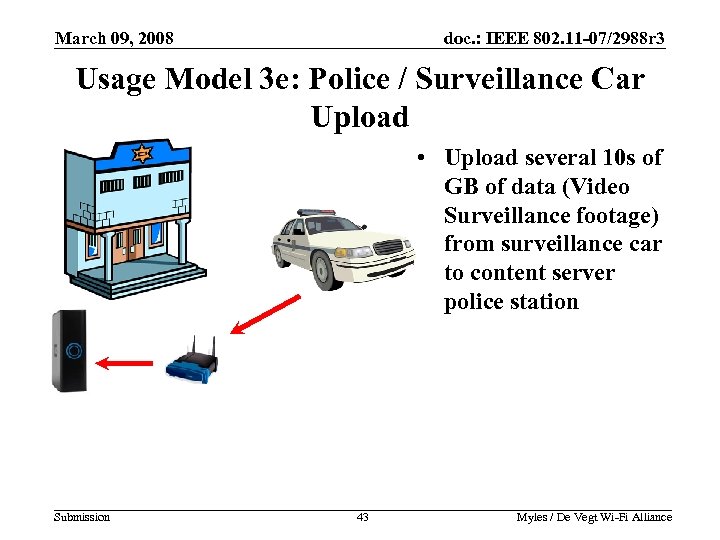 March 09, 2008 doc. : IEEE 802. 11 -07/2988 r 3 Usage Model 3 e: Police / Surveillance Car Upload • Upload several 10 s of GB of data (Video Surveillance footage) from surveillance car to content server police station Submission 43 Myles / De Vegt Wi-Fi Alliance
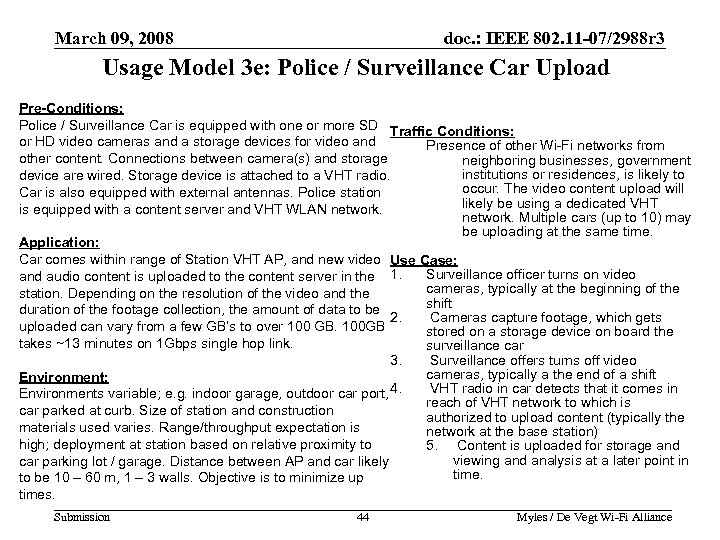 March 09, 2008 doc. : IEEE 802. 11 -07/2988 r 3 Usage Model 3 e: Police / Surveillance Car Upload Pre-Conditions: Police / Surveillance Car is equipped with one or more SD Traffic Conditions: or HD video cameras and a storage devices for video and Presence of other Wi-Fi networks from other content. Connections between camera(s) and storage neighboring businesses, government institutions or residences, is likely to device are wired. Storage device is attached to a VHT radio. occur. The video content upload will Car is also equipped with external antennas. Police station likely be using a dedicated VHT is equipped with a content server and VHT WLAN network. Multiple cars (up to 10) may be uploading at the same time. Application: Car comes within range of Station VHT AP, and new video Use Case: Surveillance officer turns on video and audio content is uploaded to the content server in the 1. cameras, typically at the beginning of the station. Depending on the resolution of the video and the shift duration of the footage collection, the amount of data to be 2. Cameras capture footage, which gets uploaded can vary from a few GB’s to over 100 GB. 100 GB stored on a storage device on board the takes ~13 minutes on 1 Gbps single hop link. surveillance car 3. Surveillance offers turns off video cameras, typically a the end of a shift Environment: VHT radio in car detects that it comes in Environments variable; e. g. indoor garage, outdoor car port, 4. reach of VHT network to which is car parked at curb. Size of station and construction authorized to upload content (typically the materials used varies. Range/throughput expectation is network at the base station) high; deployment at station based on relative proximity to 5. Content is uploaded for storage and viewing and analysis at a later point in car parking lot / garage. Distance between AP and car likely time. to be 10 – 60 m, 1 – 3 walls. Objective is to minimize up times. Submission 44 Myles / De Vegt Wi-Fi Alliance 44
 March 09, 2008 doc. : IEEE 802. 11 -07/2988 r 3 Category 4: Backhaul a. Multi-Media Mesh Backhaul • • • Hotspot Enterprise Small Office or Home Campus-wide deployments Municipal deployments b. Point-to-Point Backhaul Submission 45 Myles / De Vegt Wi-Fi Alliance 45
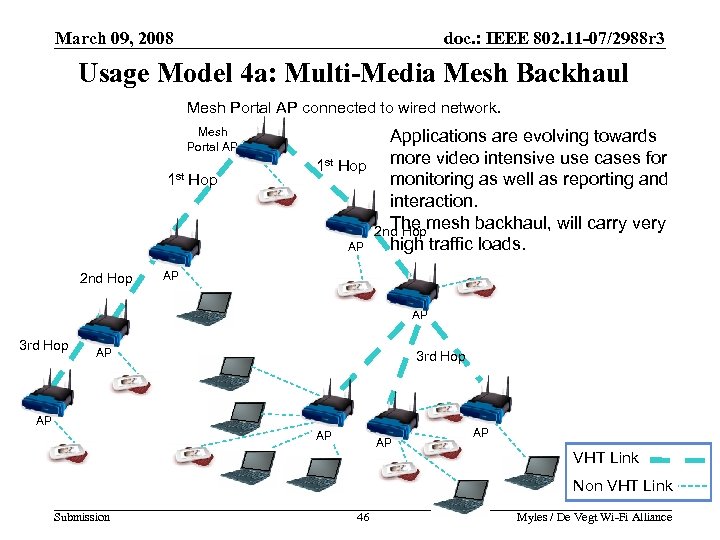 March 09, 2008 doc. : IEEE 802. 11 -07/2988 r 3 Usage Model 4 a: Multi-Media Mesh Backhaul Mesh Portal AP connected to wired network. Mesh Portal AP 1 st Hop 2 nd Hop Applications are evolving towards 1 st Hop more video intensive use cases for monitoring as well as reporting and interaction. The mesh backhaul, will carry very 2 nd Hop high traffic loads. AP AP AP 3 rd Hop AP AP VHT Link Non VHT Link Submission 46 Myles / De Vegt Wi-Fi Alliance 46
 March 09, 2008 doc. : IEEE 802. 11 -07/2988 r 3 Usage Model 4 a: Multi-Media Mesh Backhaul Pre-Conditions: Mesh topology with one Mesh Portal AP with wired link to a network such as the Internet. An example topology could be 3 hops from Mesh Portal AP and 1 -5 clients per AP. APs provide mesh routing with simultaneous access for clients. Mesh Portal AP also provide connectivity for clients. Traffic Conditions: Mesh Portal AP VHT interface reaches capacity limits with an equal amount of inbound and outbound traffic. Packets may be aggregated. Use Case: 1. User on client devices looks up a program on electronic program guide. Application: 2. User selects a video. Traffic is both outbound and inbound for data, video 3. High Quality Compressed Video is and voice. Data may include scheduled hard-drive delivered/uploaded over the wireless network for backups of many PCs. Video is high definition a period of two hours. compressed video using, for example, an Blu-ray 4. User may pause video during 2 hour period codec. High definition voice may be using a codec like then resume watching. GIPS i. PMC-wb. See next slide for specific traffic 5. Upload/downloading a file while watching the requirements. movie is a background task that is not likely to be interrupted. Environment: 6. Task is complete when user stops watching the Mesh backhaul for hot spot, enterprise, small video. office/home office, campus, and municipal deployments. 7. The video from multiple clients is aggregated Line of Sight as well as NLOS. up through the mesh network through the Mesh There is some unmanageable interference in the area. Portal AP. Hops with a 100 to 1500 m separation from each other. Submission 47 Myles / De Vegt Wi-Fi Alliance 47
 March 09, 2008 doc. : IEEE 802. 11 -07/2988 r 3 Usage Model 4 a: Multi-Media Mesh Backhaul traffic requirements • Consider case of up to 50 users requiring multi-media connectivity through any one link. Traffic from all users is aggregated up through the Mesh Portal AP. • A single user requires ~20 Mbps of bandwidth. • Aggregate of 50 users * 20 Mbps = 1 Gbps raw throughput. Submission 48 Myles / De Vegt Wi-Fi Alliance
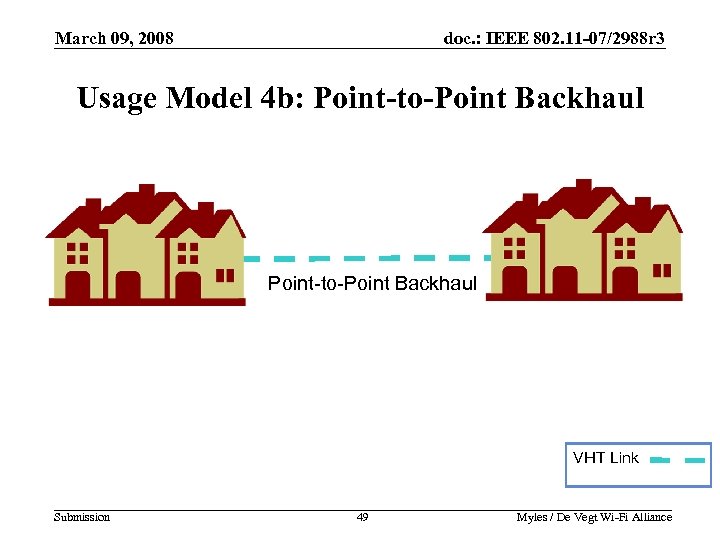 March 09, 2008 doc. : IEEE 802. 11 -07/2988 r 3 Usage Model 4 b: Point-to-Point Backhaul VHT Link Submission 49 Myles / De Vegt Wi-Fi Alliance 49
 March 09, 2008 doc. : IEEE 802. 11 -07/2988 r 3 Usage Model 4 b: Point-to-Point Backhaul Pre-Conditions: Networks (wired or wireless) are be connected via a point-to-point link. The individual networks can support hundreds of users with a wide array of traffic requirements that will only be limited by the VHT link capabilities. Traffic Conditions: Point-to-point link can carry traffic with multiple Qo. S categories. End of each link is heavily loaded with equal amount of traffic in both directions. Use Case: 1. Two builds are on opposite sides of a rail road Application: track. The building owner has no rights to lay a Traffic is bidirectional and is comprised of data, voice, wire in the ground between buildings. video and data. Data may include scheduled hard-drive 2. Owner sets up a wireless VHT link between backups of many PCs. High Definition Video is the buildings. compressed using something like a Blu-ray codec. 3. Users can now take advantage multi-media Voice is high definition using a codec like GIPS i. PCM- applications spanning both buildings. wb. 4. Network is operation 24 x 7. See next slide for specific traffic requirements. Environment: Point-to-point link distance is 100 meters to 1500 meters. Typically locations are Line of Sight. There is some unmanageable interference around the area. Submission 50 Myles / De Vegt Wi-Fi Alliance 50
 March 09, 2008 doc. : IEEE 802. 11 -07/2988 r 3 Usage Model 4 b: Point-to-Point Backhaul Traffic Requirements • Each building may house several hundred end users. Consider the case of up to 50 users requiring multimedia connectivity through the point-to-point link at any given moment in time. • A single user requires ~20 Mbps. • Aggregate of 50 users * 20 Mbps = 1 Gbps raw throughput. Submission 51 Myles / De Vegt Wi-Fi Alliance
 March 09, 2008 doc. : IEEE 802. 11 -07/2988 r 3 Category 5: Outdoor Campus / Auditorium deployments a. Video Demos or Tele-presence in Auditoriums/Lecture Halls b. Public Safety Mesh Submission 52 Myles / De Vegt Wi-Fi Alliance 52
 March 09, 2008 doc. : IEEE 802. 11 -07/2988 r 3 Usage Model 5 a: Tele-presence in Auditoriums/Lecture Halls Pre-Conditions: A operational WLAN network in a auditorium or lecture hall (300’x 300’)Traffic Conditions: High-Def video for a very large stage screen. As is used for mass “tele-presence” or interactive demo events. many as five audio streams to accommodate Auditorium/lecture hall is connected remotely through a high speed link to the actual person/people doing the presentation. Actual person may multiple languages, each stream is high-def be many miles away from lecture hall with telepresence. audio. Qo. S must be ensured within application requirements. Interference or bandwidth Application: contention may come from laptops or cells Tele-presence conferencing event that involves audio and video. Video is uncompressed for display on large screen (WQXGA -2560 x 1600, 24 phones within the auditorium accessing the Internet with as much as 20% available bits per pixel, 60 Hz refresh) that can be seen from all places in the room. High definition voice is transmitted in several languages to bandwidth being allocated to such devices. . accommodate a diverse audience using a codec like GIPS i. PCM-wb. Use Case: Audience may moderately interact with the presenter. 1. Video sessions are set up “off-line”. Video requirements are: ~3 -5 Gbps. Jitter <5 msec. Delay <5 msec. 1. 0 E 2. The event goes live for e. g. 2 hours. -7 PER. Voice requirements are: ~50 Kbps. Jitter <10 msec. Delay <10 msec. 3. Live translation to multiple languages then transmission of the audio. 1. 0 E-2 PER. Audio and video must be synchronized. 4. Possible some audience questions or Environment: Mostly open indoor space of ~300’x 300’. Mostly LOS with a few obstacles such as partitions and people. Max distance between endpoints ~200 yards. Submission 53 interactivity. 5. Sessions are terminated. Myles / De Vegt Wi-Fi Alliance 53
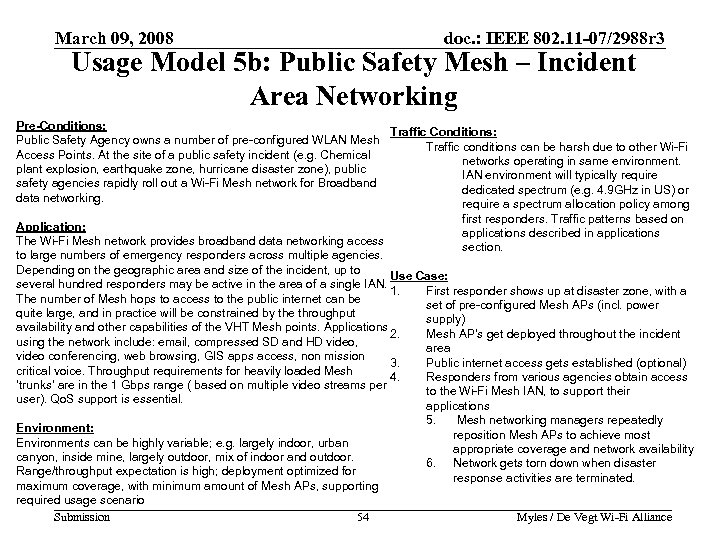 March 09, 2008 doc. : IEEE 802. 11 -07/2988 r 3 Usage Model 5 b: Public Safety Mesh – Incident Area Networking Pre-Conditions: Traffic Conditions: Public Safety Agency owns a number of pre-configured WLAN Mesh Traffic conditions can be harsh due to other Wi-Fi Access Points. At the site of a public safety incident (e. g. Chemical networks operating in same environment. plant explosion, earthquake zone, hurricane disaster zone), public IAN environment will typically require safety agencies rapidly roll out a Wi-Fi Mesh network for Broadband dedicated spectrum (e. g. 4. 9 GHz in US) or data networking. require a spectrum allocation policy among first responders. Traffic patterns based on Application: applications described in applications The Wi-Fi Mesh network provides broadband data networking access section. to large numbers of emergency responders across multiple agencies. Depending on the geographic area and size of the incident, up to Use Case: several hundred responders may be active in the area of a single IAN. 1. First responder shows up at disaster zone, with a The number of Mesh hops to access to the public internet can be set of pre-configured Mesh APs (incl. power quite large, and in practice will be constrained by the throughput supply) availability and other capabilities of the VHT Mesh points. Applications 2. Mesh AP’s get deployed throughout the incident using the network include: email, compressed SD and HD video, area video conferencing, web browsing, GIS apps access, non mission 3. Public internet access gets established (optional) critical voice. Throughput requirements for heavily loaded Mesh 4. Responders from various agencies obtain access ‘trunks’ are in the 1 Gbps range ( based on multiple video streams per to the Wi-Fi Mesh IAN, to support their user). Qo. S support is essential. applications 5. Mesh networking managers repeatedly Environment: reposition Mesh APs to achieve most Environments can be highly variable; e. g. largely indoor, urban appropriate coverage and network availability canyon, inside mine, largely outdoor, mix of indoor and outdoor. 6. Network gets torn down when disaster Range/throughput expectation is high; deployment optimized for response activities are terminated. maximum coverage, with minimum amount of Mesh APs, supporting required usage scenario Submission 54 Myles / De Vegt Wi-Fi Alliance 54
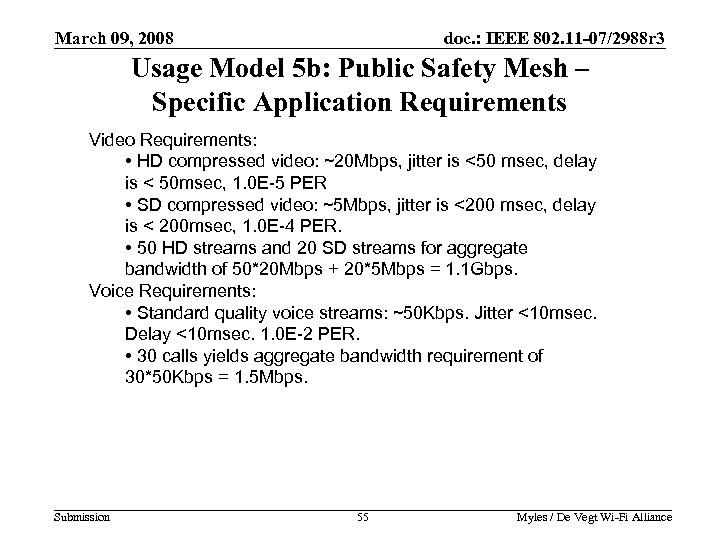 March 09, 2008 doc. : IEEE 802. 11 -07/2988 r 3 Usage Model 5 b: Public Safety Mesh – Specific Application Requirements Video Requirements: • HD compressed video: ~20 Mbps, jitter is <50 msec, delay is < 50 msec, 1. 0 E-5 PER • SD compressed video: ~5 Mbps, jitter is <200 msec, delay is < 200 msec, 1. 0 E-4 PER. • 50 HD streams and 20 SD streams for aggregate bandwidth of 50*20 Mbps + 20*5 Mbps = 1. 1 Gbps. Voice Requirements: • Standard quality voice streams: ~50 Kbps. Jitter <10 msec. Delay <10 msec. 1. 0 E-2 PER. • 30 calls yields aggregate bandwidth requirement of 30*50 Kbps = 1. 5 Mbps. Submission 55 Myles / De Vegt Wi-Fi Alliance 55
 March 09, 2008 doc. : IEEE 802. 11 -07/2988 r 3 Category 6: Manufacturing Floor Automation • Factory floor within large metallic buildings. Applications have a large variance in data transfer size, time sensitivity, and reliability. Submission 56 Myles / De Vegt Wi-Fi Alliance 56
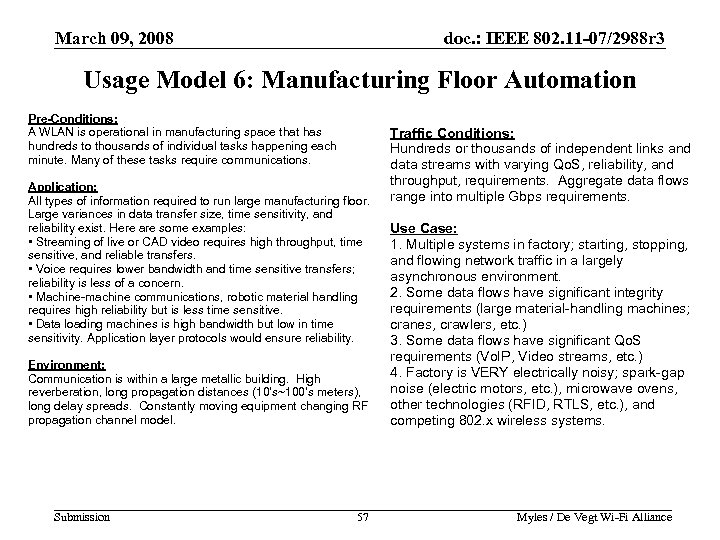 March 09, 2008 doc. : IEEE 802. 11 -07/2988 r 3 Usage Model 6: Manufacturing Floor Automation Pre-Conditions: A WLAN is operational in manufacturing space that has hundreds to thousands of individual tasks happening each minute. Many of these tasks require communications. Application: All types of information required to run large manufacturing floor. Large variances in data transfer size, time sensitivity, and reliability exist. Here are some examples: • Streaming of live or CAD video requires high throughput, time sensitive, and reliable transfers. • Voice requires lower bandwidth and time sensitive transfers; reliability is less of a concern. • Machine-machine communications, robotic material handling requires high reliability but is less time sensitive. • Data loading machines is high bandwidth but low in time sensitivity. Application layer protocols would ensure reliability. Environment: Communication is within a large metallic building. High reverberation, long propagation distances (10’s~100’s meters), long delay spreads. Constantly moving equipment changing RF propagation channel model. Submission 57 Traffic Conditions: Hundreds or thousands of independent links and data streams with varying Qo. S, reliability, and throughput, requirements. Aggregate data flows range into multiple Gbps requirements. Use Case: 1. Multiple systems in factory; starting, stopping, and flowing network traffic in a largely asynchronous environment. 2. Some data flows have significant integrity requirements (large material-handling machines; cranes, crawlers, etc. ) 3. Some data flows have significant Qo. S requirements (Vo. IP, Video streams, etc. ) 4. Factory is VERY electrically noisy; spark-gap noise (electric motors, etc. ), microwave ovens, other technologies (RFID, RTLS, etc. ), and competing 802. x wireless systems. Myles / De Vegt Wi-Fi Alliance 57
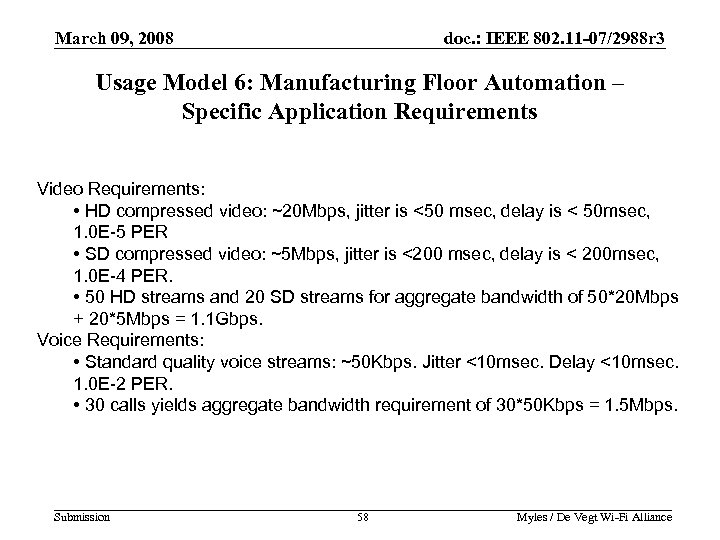 March 09, 2008 doc. : IEEE 802. 11 -07/2988 r 3 Usage Model 6: Manufacturing Floor Automation – Specific Application Requirements Video Requirements: • HD compressed video: ~20 Mbps, jitter is <50 msec, delay is < 50 msec, 1. 0 E-5 PER • SD compressed video: ~5 Mbps, jitter is <200 msec, delay is < 200 msec, 1. 0 E-4 PER. • 50 HD streams and 20 SD streams for aggregate bandwidth of 50*20 Mbps + 20*5 Mbps = 1. 1 Gbps. Voice Requirements: • Standard quality voice streams: ~50 Kbps. Jitter <10 msec. Delay <10 msec. 1. 0 E-2 PER. • 30 calls yields aggregate bandwidth requirement of 30*50 Kbps = 1. 5 Mbps. Submission 58 Myles / De Vegt Wi-Fi Alliance 58