 Скачать презентацию Managing High Availability Systems with IT Monitor
fd9210b24775d5a89cf7e4882a5baab1.ppt
- Количество слайдов: 39



Managing High Availability Systems with IT Monitor
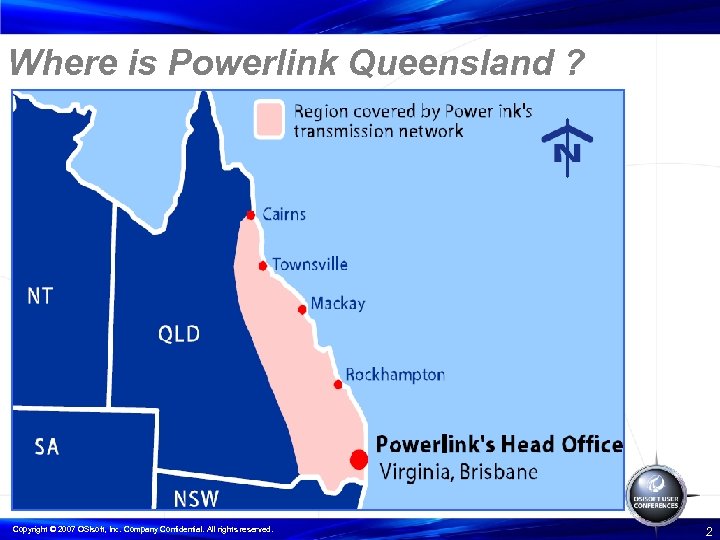
Where is Powerlink Queensland ? Copyright © 2007 OSIsoft, Inc. Company Confidential. All rights reserved. 2
What is Powerlink Queensland ? Transmission Network Service Provider (TNSP) in National Electricity Market (NEM) • ISO is NEMMCO (National) • Powerlink is a State government owned corporation • Plan, Design, Build, Own and Operate assets • More than 700 staff - based at Virginia in Brisbane • AU$3 billion assets - Cairns to Gold Coast • Serving approx 1, 700 km (half) Australia’s eastern seaboard • 8300 MW max demand • 29% load growth in SE Qld last 3 years • 6% pa load growth in Qld next 3 years • 40% share in South Australian TNSP - Electra. Net Copyright © 2007 OSIsoft, Inc. Company Confidential. All rights reserved. 3
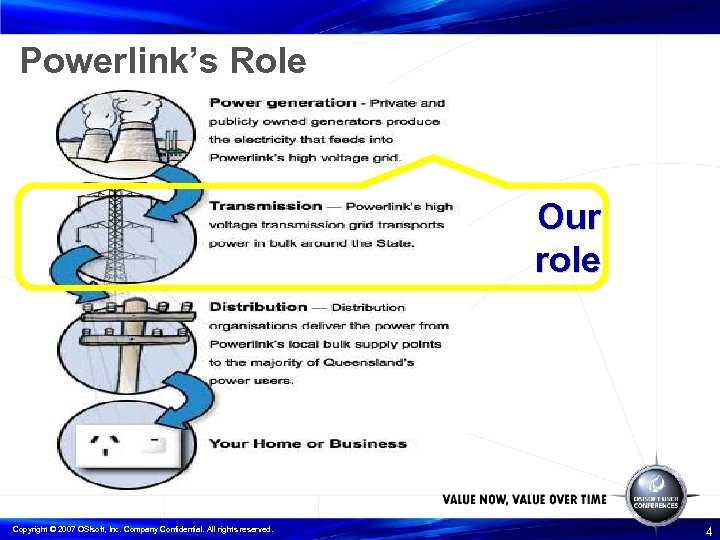
Powerlink’s Role Our role Copyright © 2007 OSIsoft, Inc. Company Confidential. All rights reserved. 4
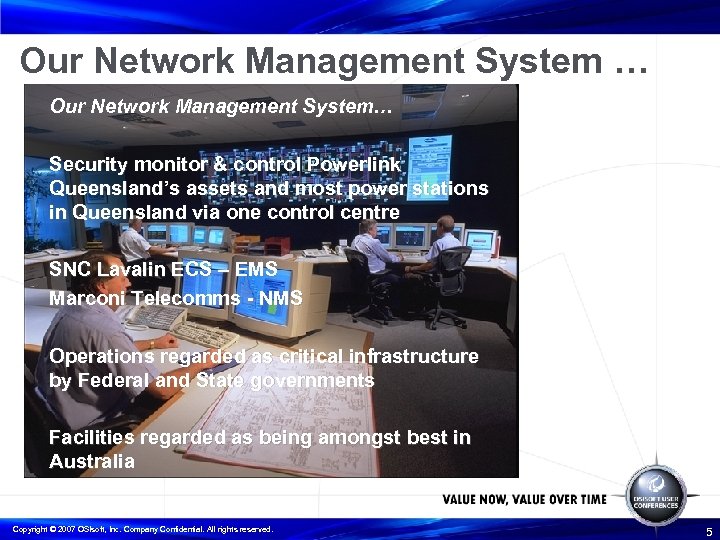
Our Network Management System … Our Network Management System… Security monitor & control Powerlink Queensland’s assets and most power stations in Queensland via one control centre SNC Lavalin ECS – EMS Marconi Telecomms - NMS Operations regarded as critical infrastructure by Federal and State governments Facilities regarded as being amongst best in Australia Copyright © 2007 OSIsoft, Inc. Company Confidential. All rights reserved. 5
Background with OSIsoft A few years ago, we installed a PI System to integrate data from 3 databases… 1. EMS Historical Data Server – SCADA, Weather 2. NEMMCO Market info (ISO) – Dispatch and predispatch 3. Powerlink Outage Management System Called the Power Operations Web – POW – this data was made available to the whole business via a custom set of web applications. Copyright © 2007 OSIsoft, Inc. Company Confidential. All rights reserved. 6
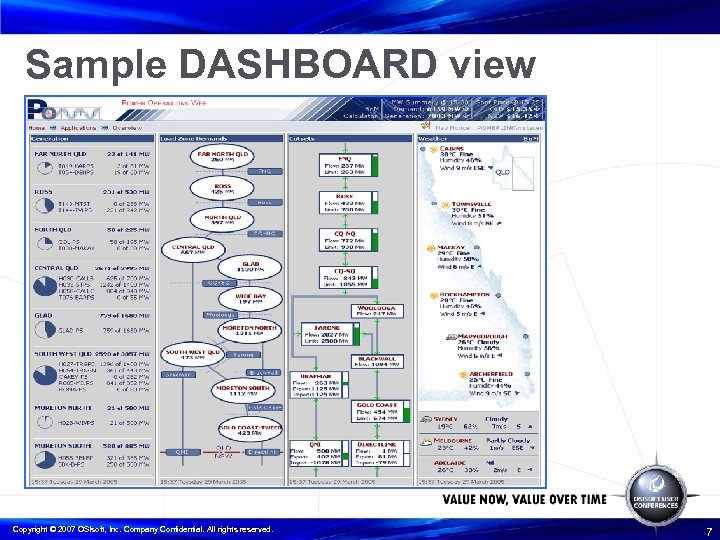
Sample DASHBOARD view Copyright © 2007 OSIsoft, Inc. Company Confidential. All rights reserved. 7
The challenge Better performance and fault management of High Availability Real Time Technology. Our existing systems rely on their own internal infrastructure to alert and report a condition. This has the inherent limitation that if the infrastructure is unavailable, no alerts can be received. Also, no historical information can be captured. This problem is compounded by the rapid expansion of both our network and the number of systems we manage. Copyright © 2007 OSIsoft, Inc. Company Confidential. All rights reserved. 8
The solution - IT Monitor Underpinned by Proven Time Series Database, which allows for rapid retrieval of event data. IT Monitor has interfaces for just about everything: • SNMP Traps • Perfmon • Ping • TCP response • Netflow • Syslog Copyright © 2007 OSIsoft, Inc. Company Confidential. All rights reserved. 9
IT Monitor There is no requirement for additional Agents to be installed. We already had experience configuring and administering our existing PI systems. We could lever off our knowledge of PI and the Web Visualisations we had built for POW. Copyright © 2007 OSIsoft, Inc. Company Confidential. All rights reserved. 10
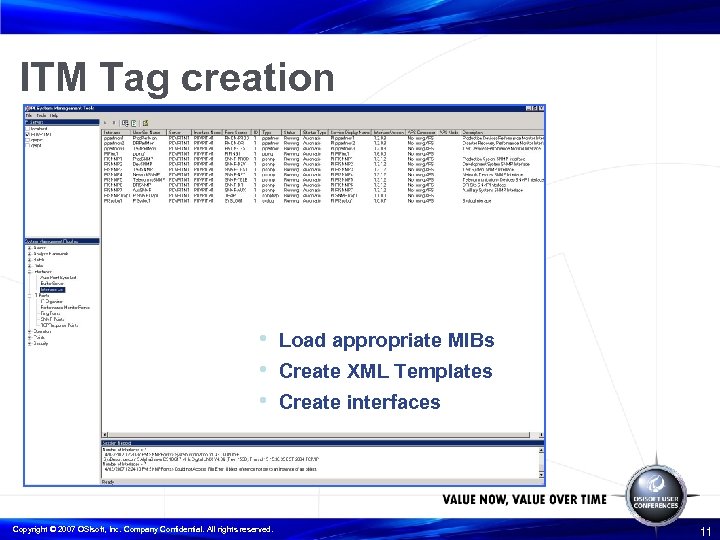
ITM Tag creation • Load appropriate MIBs • Create XML Templates • Create interfaces Copyright © 2007 OSIsoft, Inc. Company Confidential. All rights reserved. 11
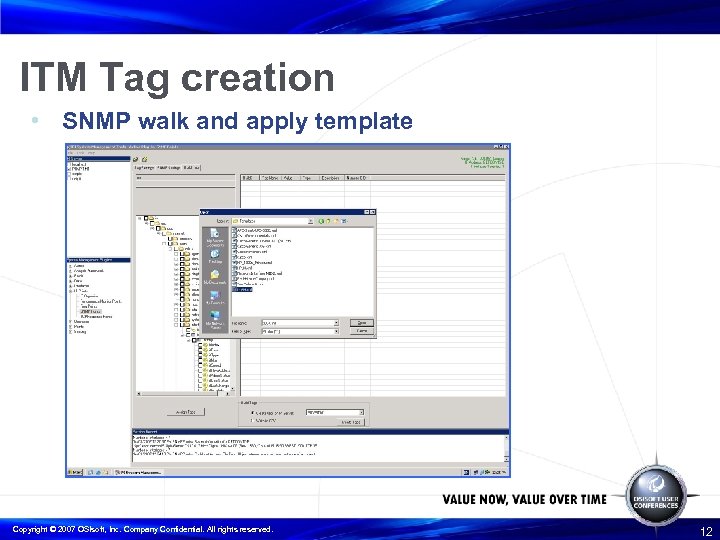
ITM Tag creation • SNMP walk and apply template Copyright © 2007 OSIsoft, Inc. Company Confidential. All rights reserved. 12
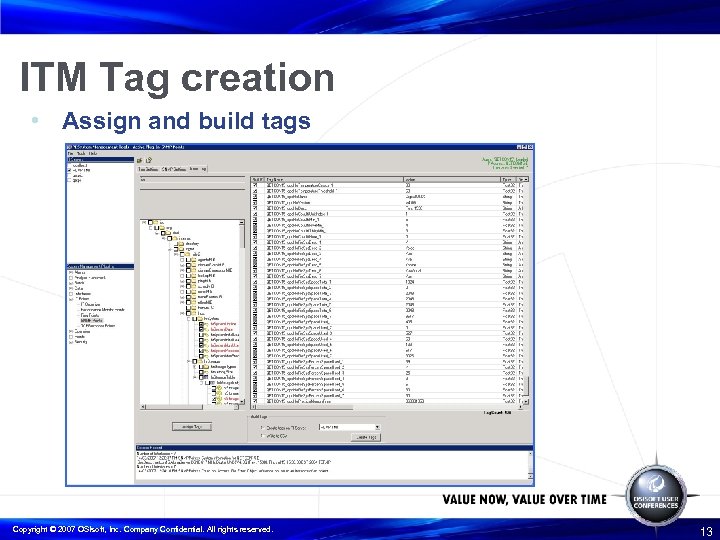
ITM Tag creation • Assign and build tags Copyright © 2007 OSIsoft, Inc. Company Confidential. All rights reserved. 13
Benefits of Tag Templates By spending time on creating templates, we were able to automate our deployment processes and create all PI Tags for 60 Tru 64 UNIX Servers in one day. Copyright © 2007 OSIsoft, Inc. Company Confidential. All rights reserved. 14
Display creation Created custom package files to suit our technology. These packages enabled us to: • assign a role and create MDB structure • automate Processbook display building Copyright © 2007 OSIsoft, Inc. Company Confidential. All rights reserved. 15
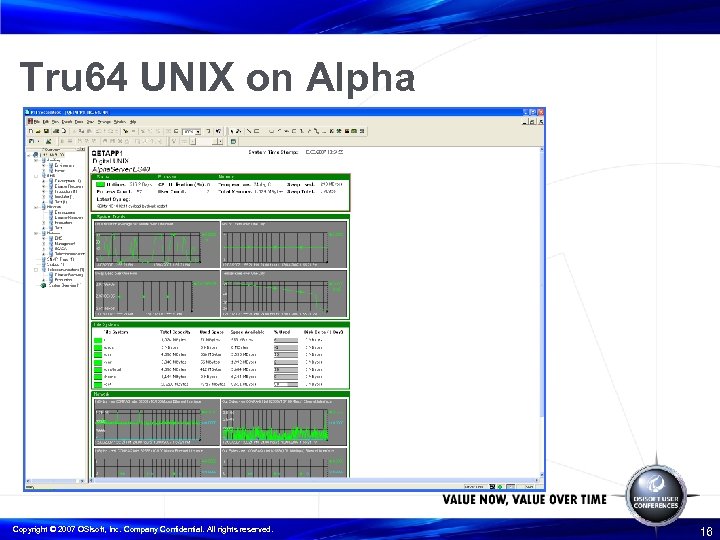
Tru 64 UNIX on Alpha Copyright © 2007 OSIsoft, Inc. Company Confidential. All rights reserved. 16
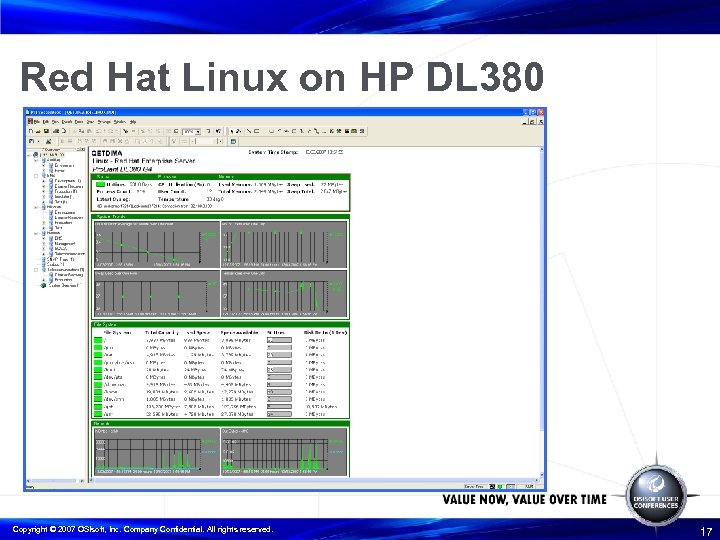
Red Hat Linux on HP DL 380 Copyright © 2007 OSIsoft, Inc. Company Confidential. All rights reserved. 17
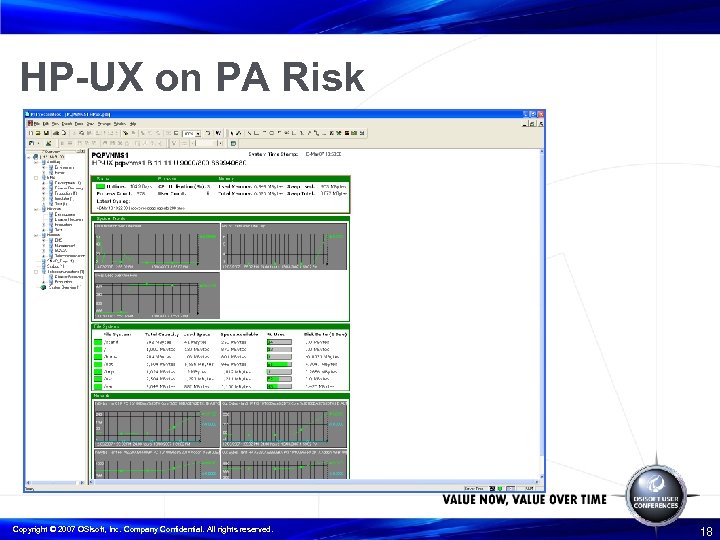
HP-UX on PA Risk Copyright © 2007 OSIsoft, Inc. Company Confidential. All rights reserved. 18
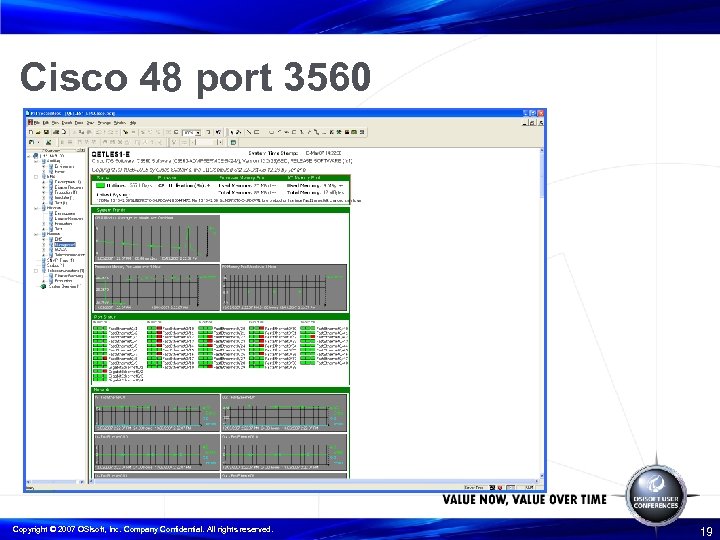
Cisco 48 port 3560 Copyright © 2007 OSIsoft, Inc. Company Confidential. All rights reserved. 19
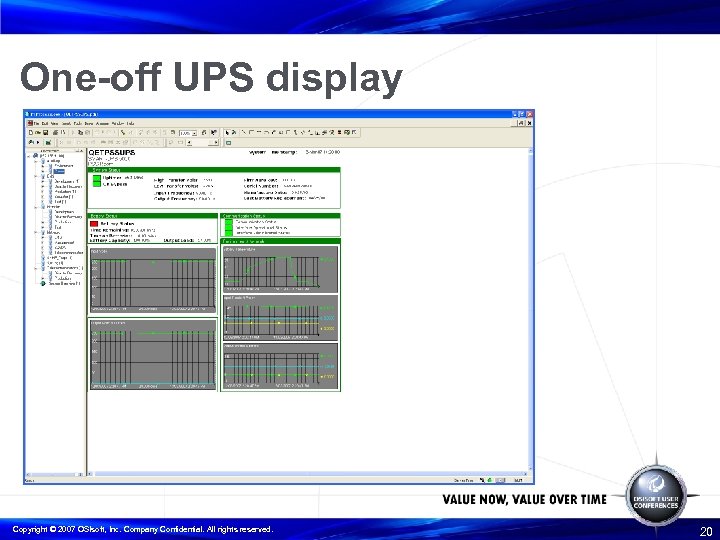
One-off UPS display Copyright © 2007 OSIsoft, Inc. Company Confidential. All rights reserved. 20
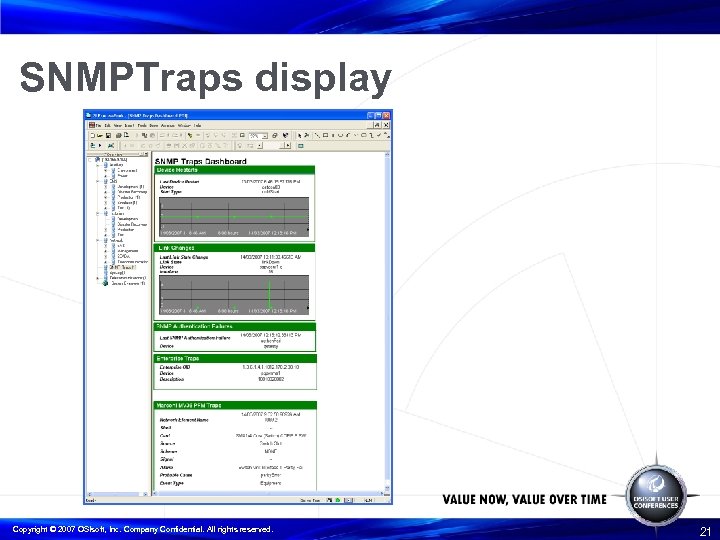
SNMPTraps display Copyright © 2007 OSIsoft, Inc. Company Confidential. All rights reserved. 21
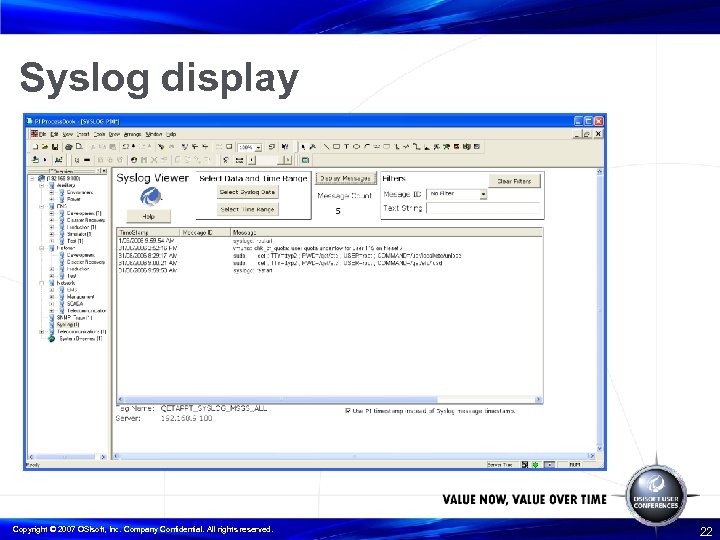
Syslog display Copyright © 2007 OSIsoft, Inc. Company Confidential. All rights reserved. 22
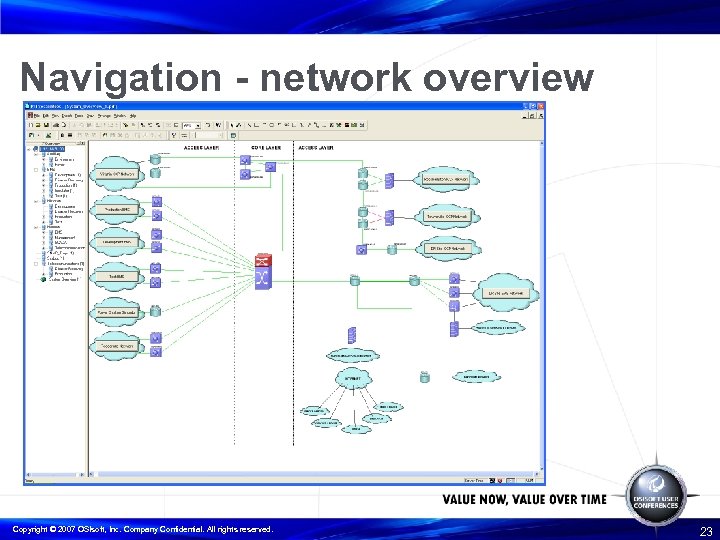
Navigation - network overview Copyright © 2007 OSIsoft, Inc. Company Confidential. All rights reserved. 23
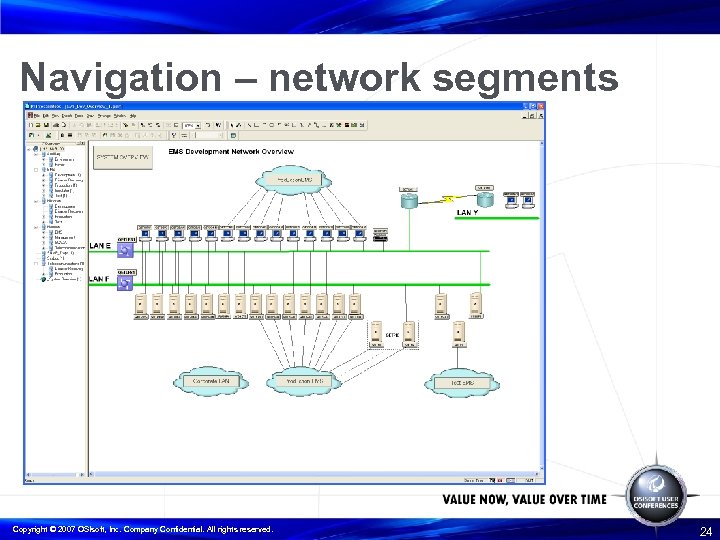
Navigation – network segments Copyright © 2007 OSIsoft, Inc. Company Confidential. All rights reserved. 24
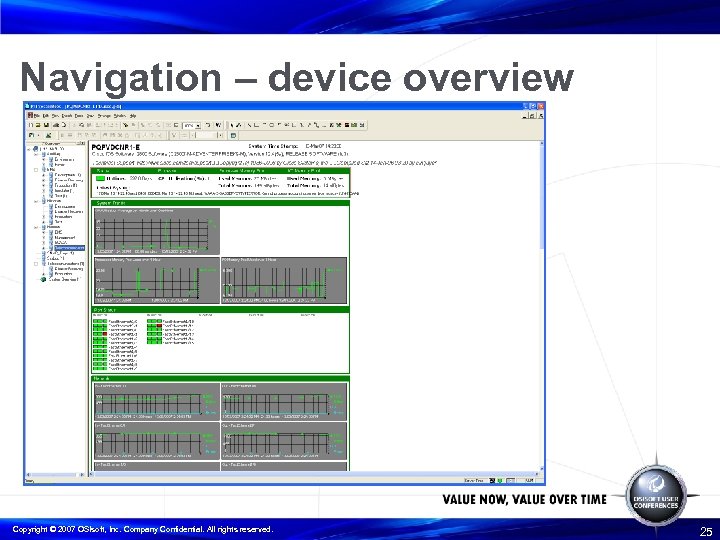
Navigation – device overview Copyright © 2007 OSIsoft, Inc. Company Confidential. All rights reserved. 25
Web visualisation • Allows remote visibility • Levered off existing web development from POW • Derived wrapper libraries to create equipment relationships: ¬ Module database records ¬ Ping tags ¬ Syslog tags ¬ TCP response tags ¬ Web page type templates • Standardised displays based on Processbook Copyright © 2007 OSIsoft, Inc. Company Confidential. All rights reserved. 26
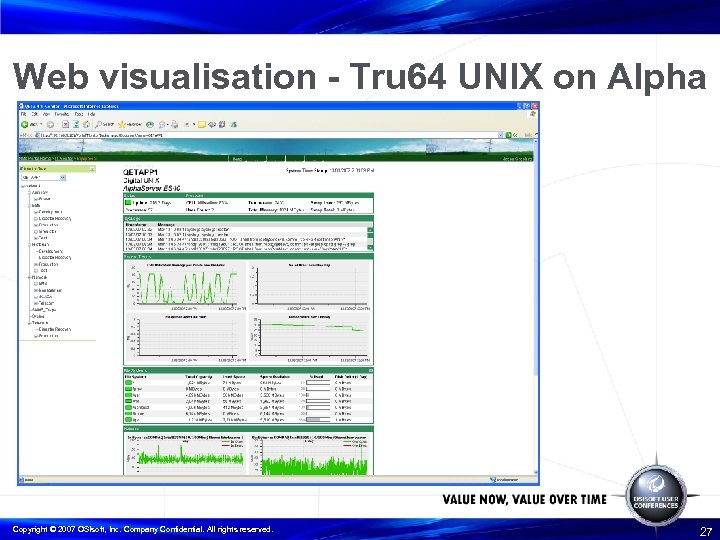
Web visualisation - Tru 64 UNIX on Alpha Copyright © 2007 OSIsoft, Inc. Company Confidential. All rights reserved. 27
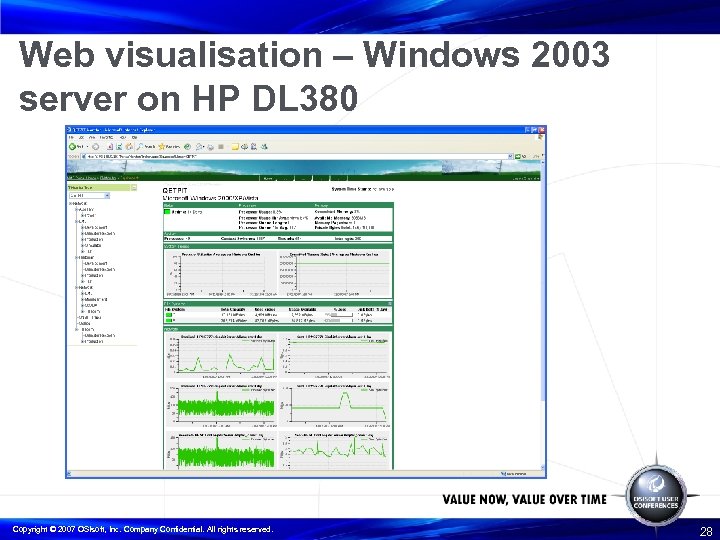
Web visualisation – Windows 2003 server on HP DL 380 Copyright © 2007 OSIsoft, Inc. Company Confidential. All rights reserved. 28
Alerts implementation • Main driver of IT Monitor was to get reliable automated alerting. • Portal combines RT Alerts, IT Monitor web displays, on-call roster, diary and activity logs. Copyright © 2007 OSIsoft, Inc. Company Confidential. All rights reserved. 29
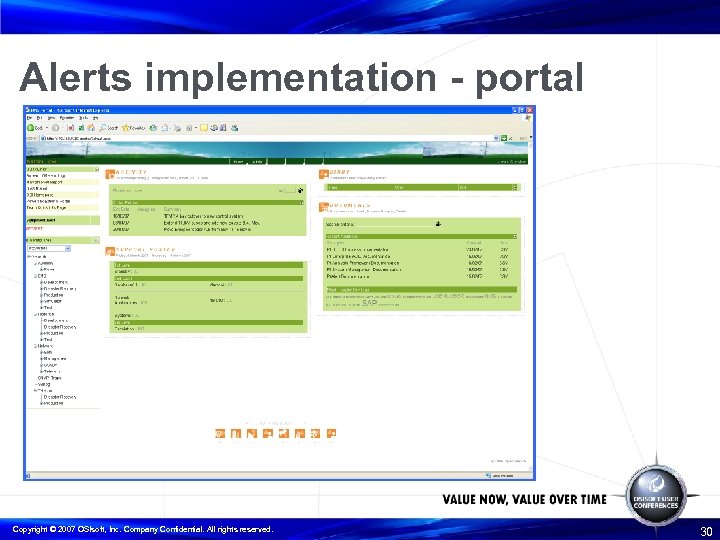
Alerts implementation - portal Copyright © 2007 OSIsoft, Inc. Company Confidential. All rights reserved. 30
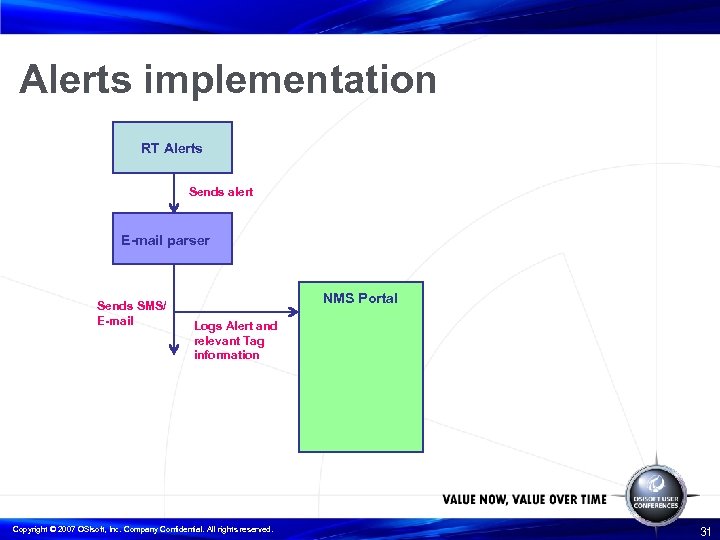
Alerts implementation RT Alerts Sends alert E-mail parser Sends SMS/ E-mail NMS Portal Logs Alert and relevant Tag information Copyright © 2007 OSIsoft, Inc. Company Confidential. All rights reserved. 31
Alerts implementation • Portal only sends to active on call person. • It does this by interfacing to the roster held on the portal • It also logs the alert along with any relevant tag information such as – ¬ Threshold exceeded ¬ Current value ¬ Device name ¬ Time stamp Copyright © 2007 OSIsoft, Inc. Company Confidential. All rights reserved. 32
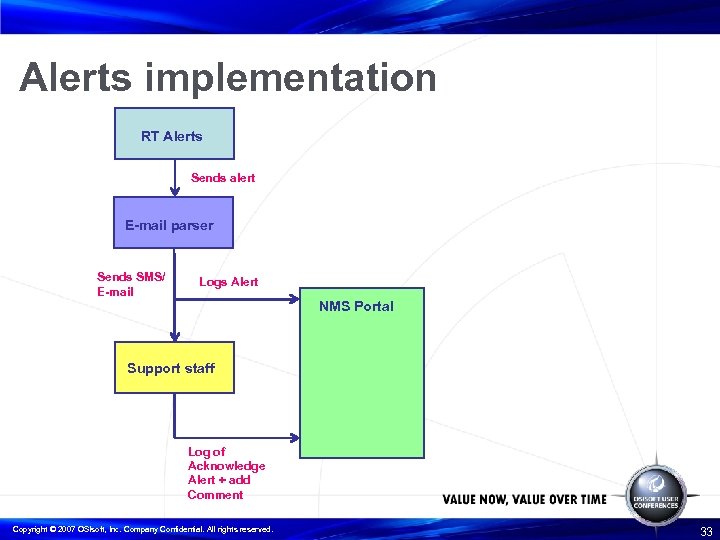
Alerts implementation RT Alerts Sends alert E-mail parser Sends SMS/ E-mail Logs Alert NMS Portal Support staff Log of Acknowledge Alert + add Comment Copyright © 2007 OSIsoft, Inc. Company Confidential. All rights reserved. 33
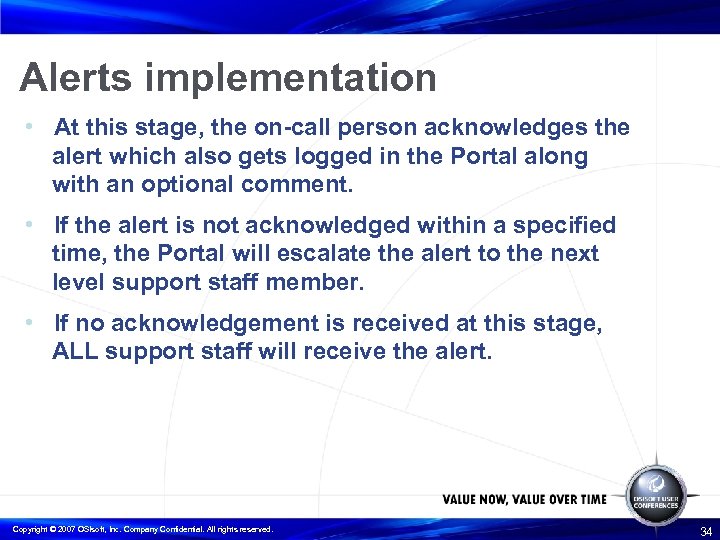
Alerts implementation • At this stage, the on-call person acknowledges the alert which also gets logged in the Portal along with an optional comment. • If the alert is not acknowledged within a specified time, the Portal will escalate the alert to the next level support staff member. • If no acknowledgement is received at this stage, ALL support staff will receive the alert. Copyright © 2007 OSIsoft, Inc. Company Confidential. All rights reserved. 34
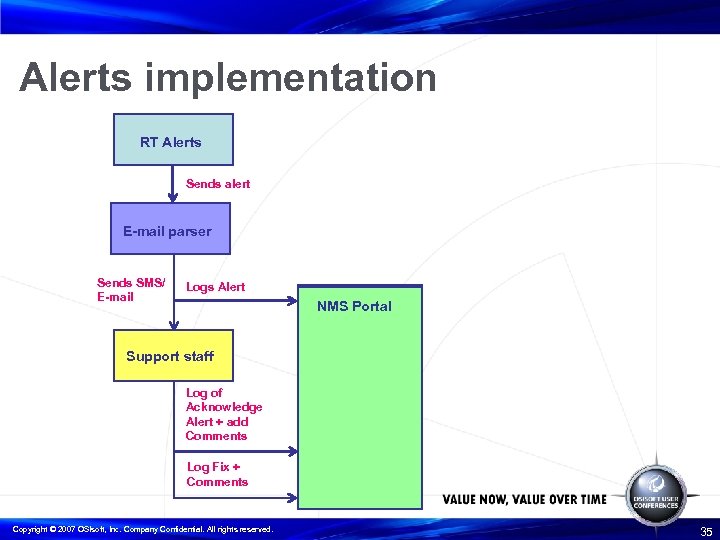
Alerts implementation RT Alerts Sends alert E-mail parser Sends SMS/ E-mail Logs Alert NMS Portal Support staff Log of Acknowledge Alert + add Comments Log Fix + Comments Copyright © 2007 OSIsoft, Inc. Company Confidential. All rights reserved. 35
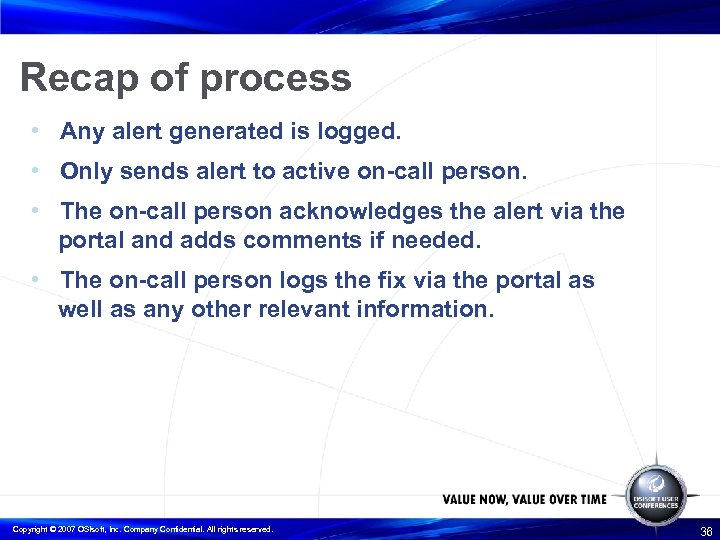
Recap of process • Any alert generated is logged. • Only sends alert to active on-call person. • The on-call person acknowledges the alert via the portal and adds comments if needed. • The on-call person logs the fix via the portal as well as any other relevant information. Copyright © 2007 OSIsoft, Inc. Company Confidential. All rights reserved. 36
Benefits • Automated alerting via IT Monitor and RT alerts • Logging of faults for reporting • Logging of fixes to aid in future fault resolution • Alerting and fault information • Available via mobile devices – eg. Phone/PDA Copyright © 2007 OSIsoft, Inc. Company Confidential. All rights reserved. 37
What next? • Increased automated alerting by RT Alerts to include EMS PI Historian • Re-design and enhancement of Portal • Further expansion of network devices monitored by IT Monitor • All devices out to sub-station local control facility by June 2007 • Integration with IEC 61850 compatible devices. Copyright © 2007 OSIsoft, Inc. Company Confidential. All rights reserved. 38
Any questions? Copyright © 2007 OSIsoft, Inc. Company Confidential. All rights reserved. 39
Скачать презентацию Managing High Availability Systems with IT Monitor
fd9210b24775d5a89cf7e4882a5baab1.ppt