


 Скачать презентацию Managing Emerging Technology As manager you ll face many
54ac6bf27e2703541dc5e8189a98be0d.ppt
- Количество слайдов: 54
 Managing Emerging Technology As manager, you’ll face many decisions about using hardware and software to improve the performance of firm. You will be able to answer the following questions • What computer processing and storage capability does our organization need to handle its information and business transactions? • What arrangement of computers and computer processing would best benefit our organization? • What kind of software and software tools do we need to run our business? • What criteria should we use to select our software technology? • Of what new software technologies should we be aware? How would they benefit our organization? • How should we acquire and manage the firm’s hardware and software assets?
 Alvin Toffler : GLOBAL EVOLUTION Introduction AGRARIAN AGE • BASED : LAND • ACTIVITIES : AGRICULTURE, RANCH. DLL • FOCUSED : PRIMARY REQUIREMENT (FOOD) • USED : MUSCLE INDUSTRIAL AGE • BASED : MANUFACTURE & ASSET • ACTIVITIES : PRODUCT • FOCUSED : SECONDARY REQUIREMENT (GOODS) • USED : MACHINE INFORMATION AGE • BASED : COMPUTER, COMMUNICATION & TECHNOLOGY • ACTIVITIES : SYSTEM DEVELOPMENT • FOCUSED : SERVICES, FACILITIES, SISTEM & METHOD TO IMPROVED PERFORMANCE • USED : MIND
 ROLES, FUNCTION & BENEFIT OF INFORMATION TECHNOLOGY, GIVES : Introduction • FACILITIES • CAPABILITIES & AMENITIES • SISTEM & NEW METHODS • HIGH RESPONS • EFECTIVE, EFFICIENCE & ECONOMIC TO IMPROVE PERFORMANCE IN ACTIVITY EXECUTION OF INDIVIDUAL DUTY, GROUP/faction, ORGANIZATIONAL/company, PRIVATE SECTOR OR GOVERNMENT, CIVIL AND MILITARY. INFLUENTIAL TO CIVILIZATION AND CULTURE OR HUMAN LIFE (E -Life). E-Life, LIFE INFLUENCED AND DEPEND ON EXPLOITING OF ELECTRONIC, SUCH AS HAPPENED IN THIS TIME : • E-COMMERCE • E-GOVERNMENT • E-EDUCATION ETC. HOW ABOUT YOU?
 GROWTH OF IT Targets of the new information technology : Application Systems Processes Information Technology Infrastructure Hardware : Processors, Capacity, Capabilities Computer Size Categories. Systems Software : Type of Software, History of Operating Systems & History of Programming Languages Computer Networking : Categories (PAN, LAN, MAN & WAN, Internet, Intranet & Extranet), Facilities (Intraweb, World Wide Web, Web Browser, Web Portal, Dot Net Framework) Personnel System & Method
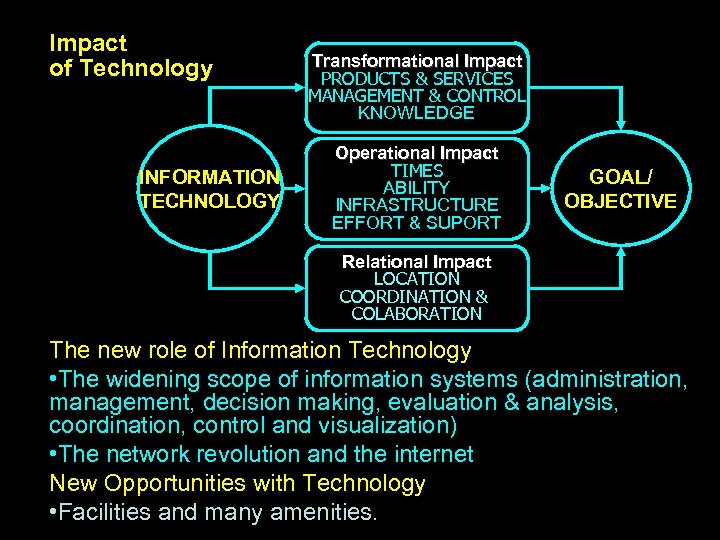 Impact of Technology INFORMATION TECHNOLOGY Transformational Impact PRODUCTS & SERVICES MANAGEMENT & CONTROL KNOWLEDGE Operational Impact TIMES ABILITY INFRASTRUCTURE EFFORT & SUPORT GOAL/ OBJECTIVE Relational Impact LOCATION COORDINATION & COLABORATION The new role of Information Technology • The widening scope of information systems (administration, management, decision making, evaluation & analysis, coordination, control and visualization) • The network revolution and the internet New Opportunities with Technology • Facilities and many amenities.
 Influence of Technology – Computerized system that provides current and accurate data for purposes of control and decision making. – Benefits : • Store and retrieve of large quantities of data. • Combine and reconfigure data to create new information. • Institutionalization of organizational knowledge. • Easier. • Lower Costs. • Increase Productivity. • High Response Times. INFORMATION’S ERA • “DISTANCE IS DEAD”, DISTANCE, GEOGRAPHICAL SHALL NO LONGER BECOME INTERNAL ISSUE COMMUNICATIONS. • WORLD TO BE “GLOBAL VILLAGE”
 Managing Emerging Technology • • Introduction to Managing Emerging Technology. Organizational Aspects of Technology Development. Inovation diffusion (reprise) Identifying Emerging Technology. Inhibitors to embracing emerging technologies. Human resources considerations. Technology scanning. Factors affecting successful Introduction of Emerging Technologies. • The Emerging Technologies (ET) Function • The Technology Assessment Process. • Managing Emerging Technology Checklists
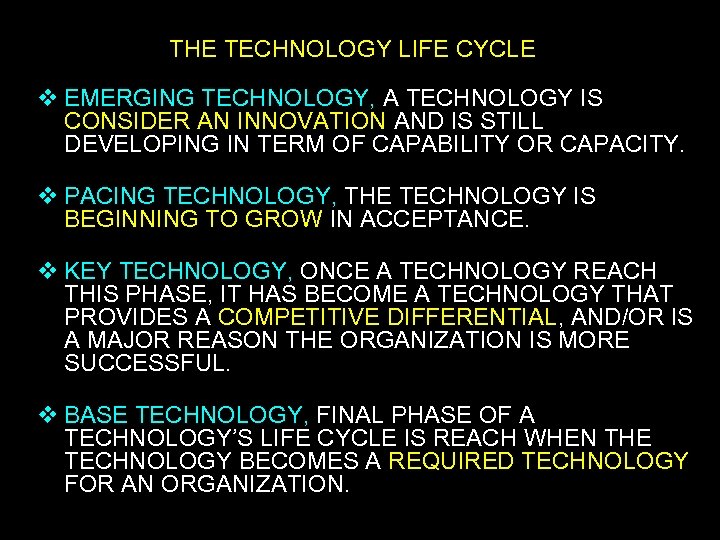 THE TECHNOLOGY LIFE CYCLE EMERGING TECHNOLOGY, A TECHNOLOGY IS CONSIDER AN INNOVATION AND IS STILL DEVELOPING IN TERM OF CAPABILITY OR CAPACITY. PACING TECHNOLOGY, THE TECHNOLOGY IS BEGINNING TO GROW IN ACCEPTANCE. KEY TECHNOLOGY, ONCE A TECHNOLOGY REACH THIS PHASE, IT HAS BECOME A TECHNOLOGY THAT PROVIDES A COMPETITIVE DIFFERENTIAL, AND/OR IS A MAJOR REASON THE ORGANIZATION IS MORE SUCCESSFUL. BASE TECHNOLOGY, FINAL PHASE OF A TECHNOLOGY’S LIFE CYCLE IS REACH WHEN THE TECHNOLOGY BECOMES A REQUIRED TECHNOLOGY FOR AN ORGANIZATION.
 CATEGORIES OF ADOPTER TYPES INNOVATORS : ORGANIZATION THAT ARE WILLING TO TAKE HIGHER RISK OR HAVE EXPERIENCE IN EVALUATING/PILOTING PROJECT BASED ON EMERGING TECHNOLOGIES. WOULD LIKELY IMPLEMENT A TECHNOLOGY DURING THE EMERGING PHASE. EARLY ADOPTERS : ORGANIZATION THAT ARE MORE VISIONARY. THERE IS SOME ASSURANCE OF THE POTENTIAL RETURNS FROM ADOPTING A TECHNOLOGY, BUT ITS VISIBILITY IS NOT YET WIDESPREAD, OR ONLY SEE ITS APPLICATION. WOULD IMPLEMENT EMERGING OR PACING TECHNOLOGIES EARLY MAJORITY : ADOPTERS WHO WAITED UNTIL THERE WAS MORE ASSURANCE FOR THE SUCCESS OF THE TECHNOLOGY. WOULD LIKELY IMPLEMENT TECHNOLOGY ONLY AFTER THEY HAVE BECOME PACING TECHNOLOGIES LATE MAJORITY : ORGANIZATIONS THAT HAVE REALIZED THEY WILL HAVE TO ADOPT THE TECHNOLOGY TO STAY COMPETITIVE. WOULD MOST LIKELY ONLY ADOPT A TECHNOLOGY THAT HAS REACHED KEY STATUS LAGGARDS : THESE ARE TRUE SKEPTICS. THE TECHNOLOGY IS LIKELY TO HAVE BECOME A BASE TECHNOLOGY AND THE MAIN BENEFIT TO ADOPTING IT IS TO STAY IN THE MARKET. THE RISK IN BEING A LAGGARD IS THAT THE COST OF IMPLEMENTATION MAY NOW BE GREATER THAN THE ECONOMIC BENEFIT
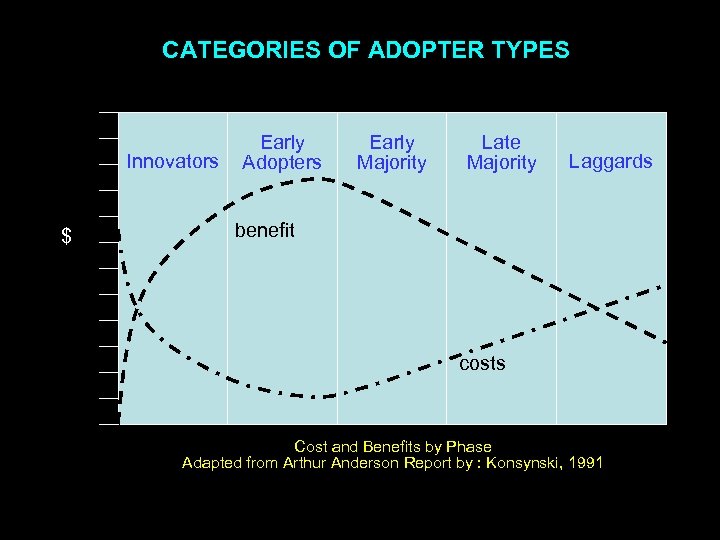 CATEGORIES OF ADOPTER TYPES Innovators $ Early Adopters Early Majority Late Majority Laggards benefit costs Cost and Benefits by Phase Adapted from Arthur Anderson Report by : Konsynski, 1991
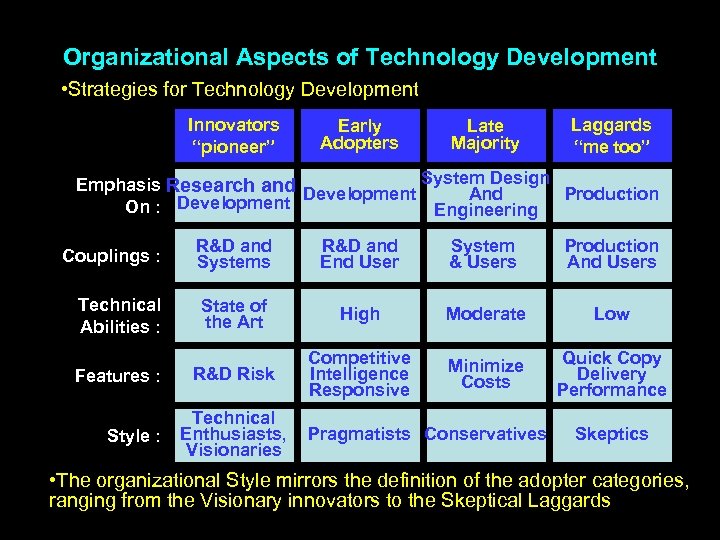 Organizational Aspects of Technology Development • Strategies for Technology Development Innovators “pioneer” Early Adopters Late Majority Laggards “me too” System Design Emphasis Research and Development And Production On : Development Engineering Couplings : R&D and Systems R&D and End User System & Users Production And Users Technical Abilities : State of the Art High Moderate Low R&D Risk Competitive Intelligence Responsive Minimize Costs Quick Copy Delivery Performance Features : Style : Technical Enthusiasts, Visionaries Pragmatists Conservatives Skeptics • The organizational Style mirrors the definition of the adopter categories, ranging from the Visionary innovators to the Skeptical Laggards
 INFORMATION SPEED TURTLE CHICKEN RESPONSE
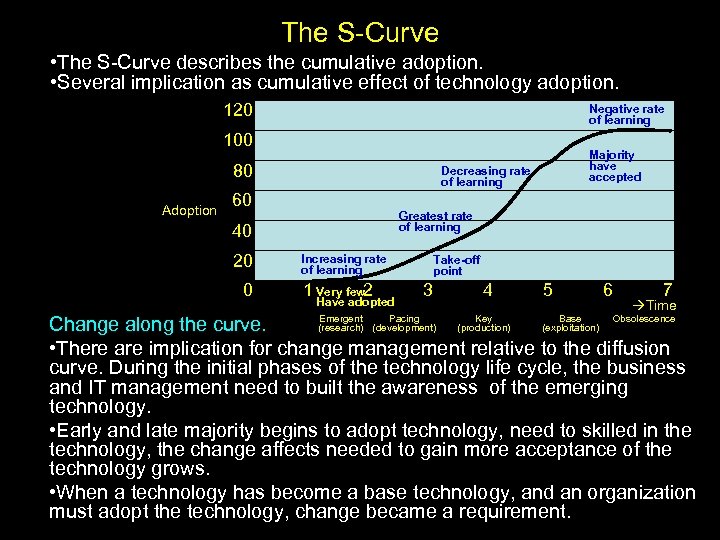 The S-Curve • The S-Curve describes the cumulative adoption. • Several implication as cumulative effect of technology adoption. 120 Negative rate of learning 100 80 Adoption Decreasing rate of learning 60 Greatest rate of learning 40 20 0 Majority have accepted Increasing rate of learning 1 Very few 2 Have adopted Take-off point 3 Emergent Pacing (research) (development) 4 Key (production) 5 Base (exploitation) 6 7 Time Obsolescence Change along the curve. • There are implication for change management relative to the diffusion curve. During the initial phases of the technology life cycle, the business and IT management need to built the awareness of the emerging technology. • Early and late majority begins to adopt technology, need to skilled in the technology, the change affects needed to gain more acceptance of the technology grows. • When a technology has become a base technology, and an organization must adopt the technology, change became a requirement.
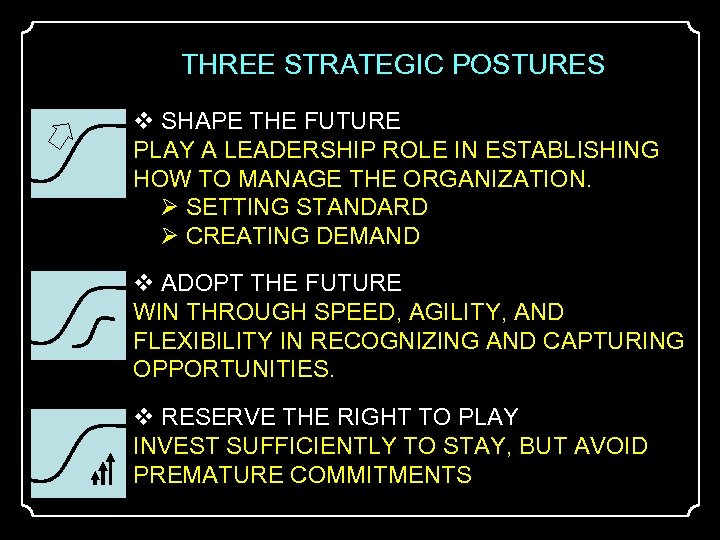 THREE STRATEGIC POSTURES SHAPE THE FUTURE PLAY A LEADERSHIP ROLE IN ESTABLISHING HOW TO MANAGE THE ORGANIZATION. SETTING STANDARD CREATING DEMAND ADOPT THE FUTURE WIN THROUGH SPEED, AGILITY, AND FLEXIBILITY IN RECOGNIZING AND CAPTURING OPPORTUNITIES. RESERVE THE RIGHT TO PLAY INVEST SUFFICIENTLY TO STAY, BUT AVOID PREMATURE COMMITMENTS
 Inovation diffusion (Reprise) • Diffusion is defined as the process by which an innovation is communicated, over time, through certain channels to members of a social system. • Innovation is considered as synonymous with “technology”. 5 th characteristics of innovations that influence the rate of adoption : • Relative Advantage. Considers the degree to which the innovation is perceived to be better (more advantageous) than the technology it replace. • Compatibility. A higher level of compatibility with the values and needs of the potential adopter is considered to improve the chance of adoption. • Complexity. Technology that is difficult to learn, use, or implement will have a slower rate of adoption. • Trial ability. Technology than can more easily be experimental will have a better chance of being adopted. • Observe ability. The degree to which an innovation can be “seen” by other users and adopters will affect the rate of adoption. Several characteristics of organizations that are more likely to become early adopters, are Abilities : • To amortize the cost of learning. • To acquire any given amount of new knowledge with less effort. • A higher level of initial knowledge about a given technology.
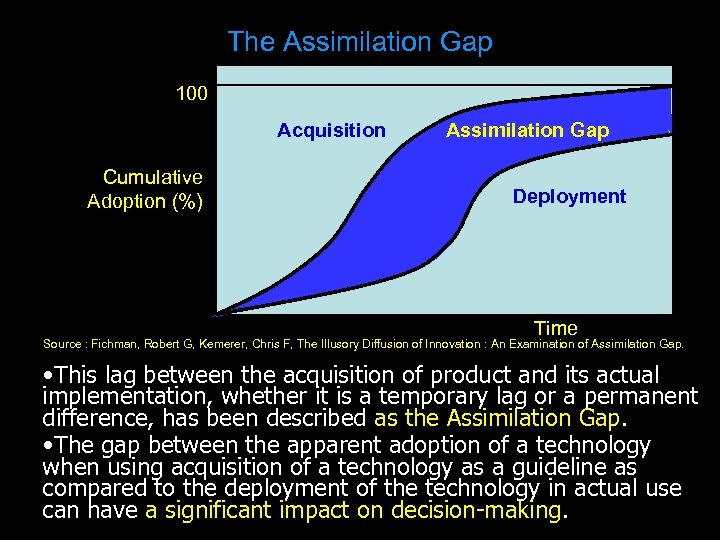 The Assimilation Gap 100 Acquisition Cumulative Adoption (%) Assimilation Gap Deployment Time Source : Fichman, Robert G, Kemerer, Chris F, The Illusory Diffusion of Innovation : An Examination of Assimilation Gap. • This lag between the acquisition of product and its actual implementation, whether it is a temporary lag or a permanent difference, has been described as the Assimilation Gap. • The gap between the apparent adoption of a technology when using acquisition of a technology as a guideline as compared to the deployment of the technology in actual use can have a significant impact on decision-making.
 Identifying Emerging Technologies Consider three basic Question. 1. What Can Happen? • To explain ability had by technology. 2. What Will Happen? • To explain impact able to be generated by using technology 3. What Should Happen? • To explain what is expected from exploiting of technology One Question is the main topic. How Will Happen? • Solution and Decision, made by a organization the basis for the success of evaluating and/or implementing emerging technologies. 28
 Inhibitors to embracing emerging technologies • • Delayed Participation. Sticking with the familiar, (Maintaining Status Quo). Reluctance to Fully Commit. Lack of Persistence. Cause : • Human Resource Quality. • Mistake Plan. • Management. Human Resorce Considerations • Availability of Talent. • Resources Allocation. • Motivation. • Knowledge Management.
 Technology Scanning Technology scanning refers to the process of keeping abreast of development and potential developments in the technology arena, for example : • Books and Periodicals. • Format Studies. >Interviews. >Surveys/Questionnaires. >Scenario Planning. >On-Site Observations. • Personal Contacts/Network. • Professional Organizations/Workshop/Conventions. • Research & Development Organizations. • State and Federal departments. • Universities. • Vendor and Consultants. • Early Adopters.
 Factors affecting successful Introduction of Emerging Technologies • Identify the problem an opportunity that the technology addresses. • Identify and empower a champion. (A project’s success is much more likely if there is a person or group that believes in the value of the project). • Create a cross functional, dedicated, and accountable team. • Build an environment that will support the introduction of the technology. • Identify and address the risk associated with the new technology. • Manage the project. (Set reasonable goals and schedules). The Emerging Technology (ET) Function • Managing emerging technology through the creation of the dedicated function within the organization responsible for technology scanning, evaluation, selection and implementation. • By dedicating resources to focus on emerging technology, organizations can improve their chances of selecting those technologies - at the right time – that will provide the most competitive advantage.
 The Technology Assessment Process • Scoping. Capabilities of the firm and the potential threat or opportunity from the technology are analyzed to establish the scope and domain of the technology search. • Searching. The organization must screen technologies and search for signs of emerging technology and determine if they have commercial viability. • Evaluating. Consists of identifying and prioritizing technologies that are considered are potentially viable and evaluating them based on the organization’s technical abilities, the needs of the organization, and the competitive opportunities of the organization. • Committing. Considers How it should be pursued and implemented.
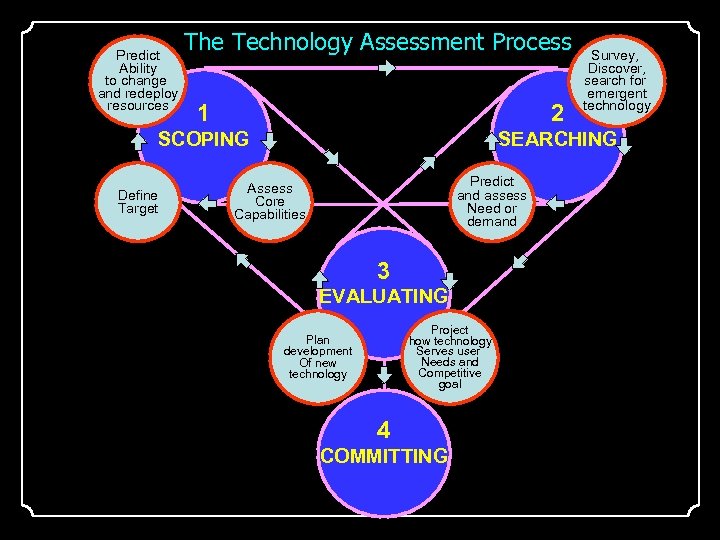 Predict Ability to change and redeploy resources The Technology Assessment Process Survey, Discover, search for emergent technology 1 2 SCOPING SEARCHING Define Target Predict and assess Need or demand Assess Core Capabilities 3 EVALUATING Project how technology Serves user Needs and Competitive goal Plan development Of new technology 4 COMMITTING
 Managing Emerging Technology Checklists Key elements to CIO responsibility that can be addressed using the following suggestions when considering emerging technology • How to Sell New Technology to Senior Executive. • How to Prioritize and Focus on the Right Emerging Technology. • Developing the Business Case for Emerging Technology. • How to Decide When to Deploy Emerging Technologies, Minimizing Risks but Not Getting Left Behind.
 Implementation Managing Emerging Technology • • Information technology infrastructure Categories of computers and computers systems Type of software The new information technology The world wide web Support technology for E-Commerce & E-Business Management issues and decisions
 Information technology infrastructure • Hardware • Software System • Network Data Communication HARDWARE Categories of computers pursuant to size • Mainframe, Largest category of computers, used for major business processing. • Midrange computer, Middle size computers that is capable of supporting the computing needs of smaller organizations or of managing networks of other computers. • Minicomputer, Middle-range computers used in systems for universities, factories or research laboratories. • Personal Computer (PC), Small desktop or portable computers : (Radio Sack, XT, ET, Celeron & Pentium).
 Categories of computers pursuant to Capability HARDWARE • Terminal • Workstation • Server farm • Supercomputer Terminal (Intelligent & Dump) • Part of a network that controlled and integrated by server and connected by communications net. Workstation • Desktop computer with powerful graphics and mathematical capabilities and the ability to perform several complicated task. Server farm • Large group of servers maintained by a commercial vendor and made available to subscribers for electronic commerce and other activities requiring heavy use of servers. Supercomputer • Highly sophisticated and powerful computer that can perform very complex computations extremely rapidly
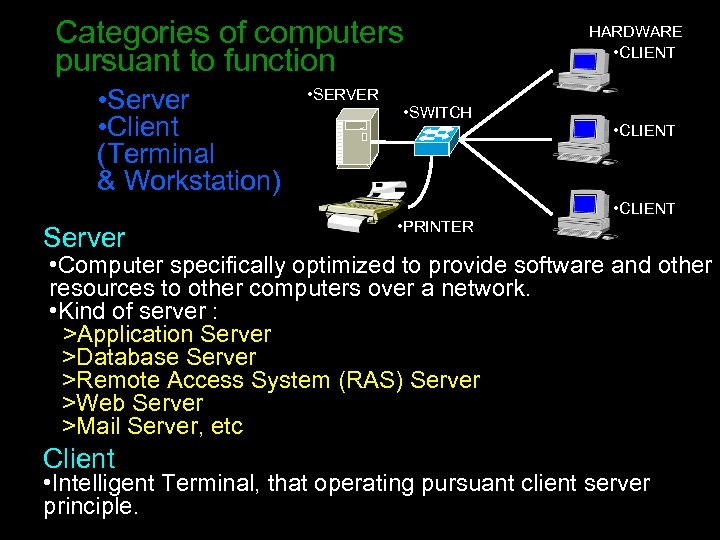 Categories of computers pursuant to function • Server • Client (Terminal & Workstation) Server • SERVER • SWITCH • PRINTER HARDWARE • CLIENT • Computer specifically optimized to provide software and other resources to other computers over a network. • Kind of server : >Application Server >Database Server >Remote Access System (RAS) Server >Web Server >Mail Server, etc Client • Intelligent Terminal, that operating pursuant client server principle.
 COMPUTER NETWORK Network and Data Communication • Kind of Computers Network • LOCAL AREA NETWORK (LAN) • METROPOLITAN AREA NETWORK (MAN) • WIDE AREA NETWORK (WAN) • Network Facilities • Router (Multimedia & Modular) • Switch (Core/Main, Distribution & Access Switch) • Modem (Modulation & Demodulation) • Cable & Connector (Coaxial & BNC, UTP & RJ 45) • Data Communication Facilities • Cable • Fibber Optic • Radio (UHF, VHF, HF) • Telephone (PSTN, ISDN, ADSL) • Satellite (Palapa, Imarsat, Byru, etc)
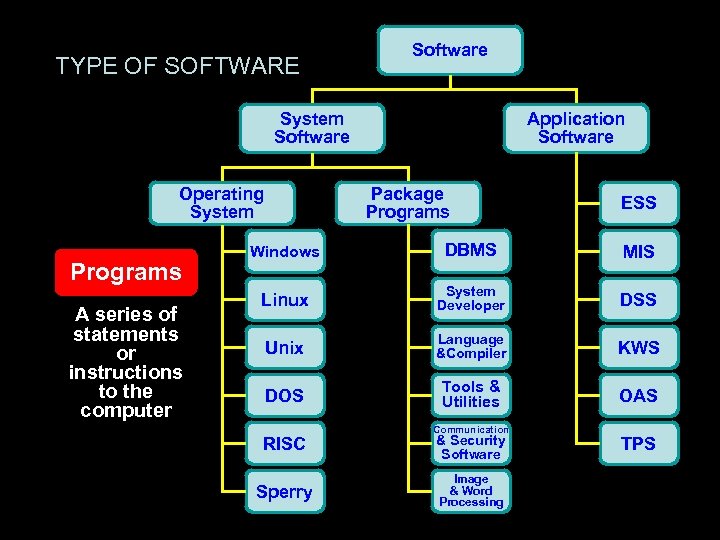 TYPE OF SOFTWARE Software System Software Operating System Programs A series of statements or instructions to the computer SOFTWARE Application Software Package Programs ESS Windows DBMS MIS Linux System Developer DSS Unix Language &Compiler KWS DOS Tools & Utilities OAS RISC Sperry Communication & Security Software Image & Word Processing TPS
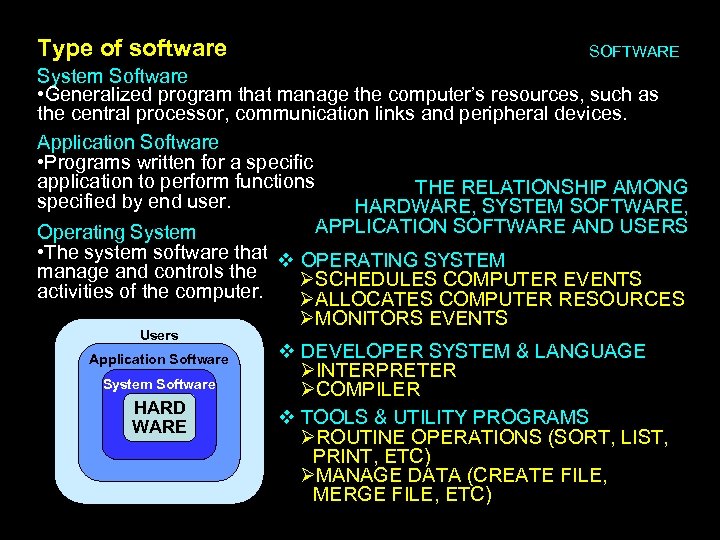 Type of software SOFTWARE System Software • Generalized program that manage the computer’s resources, such as the central processor, communication links and peripheral devices. Application Software • Programs written for a specific application to perform functions THE RELATIONSHIP AMONG specified by end user. HARDWARE, SYSTEM SOFTWARE, APPLICATION SOFTWARE AND USERS Operating System • The system software that OPERATING SYSTEM manage and controls the SCHEDULES COMPUTER EVENTS activities of the computer. ALLOCATES COMPUTER RESOURCES MONITORS EVENTS Users Application Software System Software HARD WARE DEVELOPER SYSTEM & LANGUAGE INTERPRETER COMPILER TOOLS & UTILITY PROGRAMS ROUTINE OPERATIONS (SORT, LIST, PRINT, ETC) MANAGE DATA (CREATE FILE, MERGE FILE, ETC)
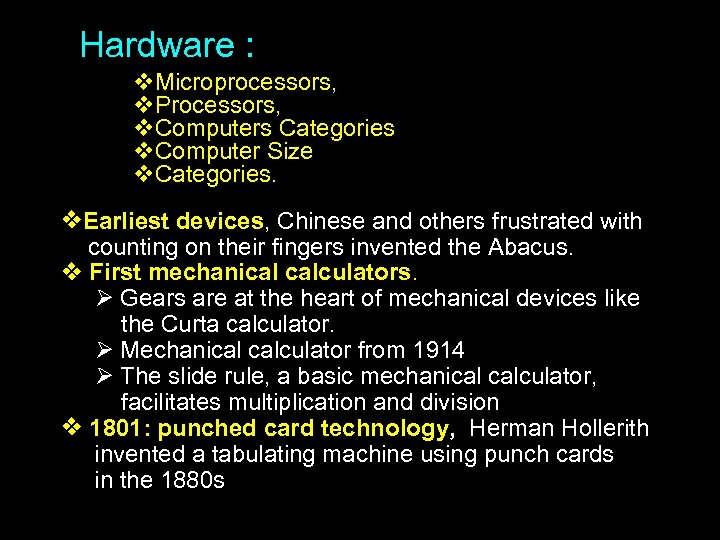 Hardware : Microprocessors, Processors, Computers Categories Computer Size Categories. Earliest devices, Chinese and others frustrated with counting on their fingers invented the Abacus. First mechanical calculators. Gears are at the heart of mechanical devices like the Curta calculator. Mechanical calculator from 1914 The slide rule, a basic mechanical calculator, facilitates multiplication and division 1801: punched card technology, Herman Hollerith invented a tabulating machine using punch cards in the 1880 s
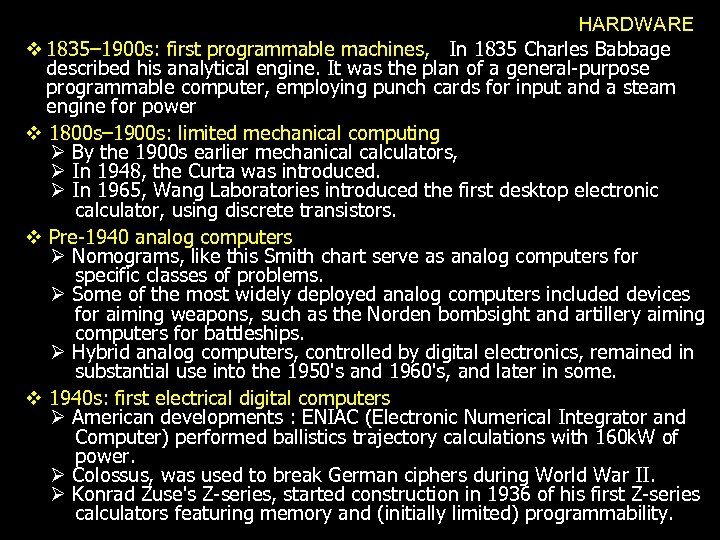 HARDWARE 1835– 1900 s: first programmable machines, In 1835 Charles Babbage described his analytical engine. It was the plan of a general-purpose programmable computer, employing punch cards for input and a steam engine for power 1800 s– 1900 s: limited mechanical computing By the 1900 s earlier mechanical calculators, In 1948, the Curta was introduced. In 1965, Wang Laboratories introduced the first desktop electronic calculator, using discrete transistors. Pre-1940 analog computers Nomograms, like this Smith chart serve as analog computers for specific classes of problems. Some of the most widely deployed analog computers included devices for aiming weapons, such as the Norden bombsight and artillery aiming computers for battleships. Hybrid analog computers, controlled by digital electronics, remained in substantial use into the 1950's and 1960's, and later in some. 1940 s: first electrical digital computers American developments : ENIAC (Electronic Numerical Integrator and Computer) performed ballistics trajectory calculations with 160 k. W of power. Colossus, was used to break German ciphers during World War II. Konrad Zuse's Z-series, started construction in 1936 of his first Z-series calculators featuring memory and (initially limited) programmability.
 GENERASI HARDWARE GENERASI-I VON NEUMANN MACHINES, SIGNED BY VACUUM TUBES GENERASI-II 1950 S AND EARLY 1960 S: SECOND GENERATION, SIGNED BY: TRANSISTORS, ABOVE, REVOLUTIONIZED COMPUTERS AS SMALLER AND MORE EFFICIENT REPLACEMENTS FOR VACUUM TUBES GENERASI-III POST-1960: THIRD GENERATION AND BEYOND, SIGNED BY : THE MICROSCOPIC INTEGRATED CIRCUIT, ABOVE, COMBINED MANY HUNDREDS OF TRANSISTORS INTO ONE UNIT FOR FABRICATION. THE MICROPROCESSOR LED TO THE DEVELOPMENT OF THE MICROCOMPUTER, SMALL, LOW-COST COMPUTERS THAT COULD BE OWNED BY INDIVIDUALS AND SMALL BUSINESSES GENERASI-IV FORTH GENERATION, SIGNED BY : INVENTION OF THE MICROPROCESSOR BASED COMPUTERS WERE ORIGINALLY VERY LIMITED IN THEIR COMPUTATIONAL ABILITY AND SPEED, AND WERE IN NO WAY AN ATTEMPT TO DOWNSIZE THE MINICOMPUTER.
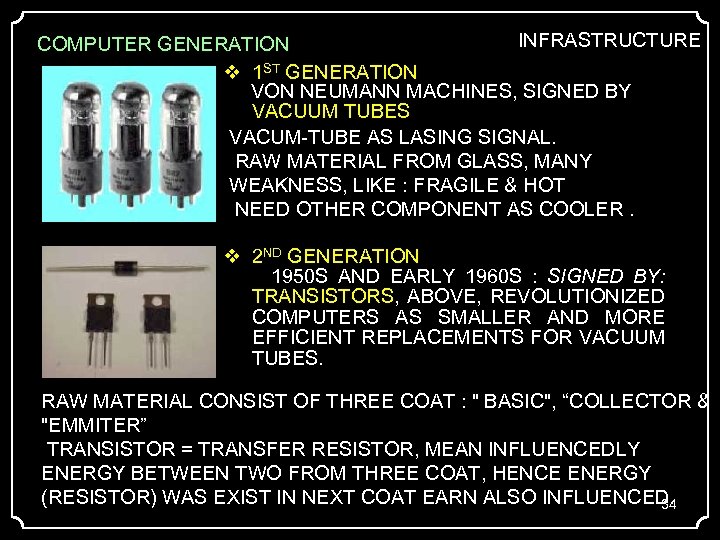 INFRASTRUCTURE COMPUTER GENERATION 1 ST GENERATION VON NEUMANN MACHINES, SIGNED BY VACUUM TUBES VACUM-TUBE AS LASING SIGNAL. RAW MATERIAL FROM GLASS, MANY WEAKNESS, LIKE : FRAGILE & HOT NEED OTHER COMPONENT AS COOLER. 2 ND GENERATION 1950 S AND EARLY 1960 S : SIGNED BY: TRANSISTORS, ABOVE, REVOLUTIONIZED COMPUTERS AS SMALLER AND MORE EFFICIENT REPLACEMENTS FOR VACUUM TUBES. RAW MATERIAL CONSIST OF THREE COAT : " BASIC", “COLLECTOR & "EMMITER” TRANSISTOR = TRANSFER RESISTOR, MEAN INFLUENCEDLY ENERGY BETWEEN TWO FROM THREE COAT, HENCE ENERGY (RESISTOR) WAS EXIST IN NEXT COAT EARN ALSO INFLUENCED. 34
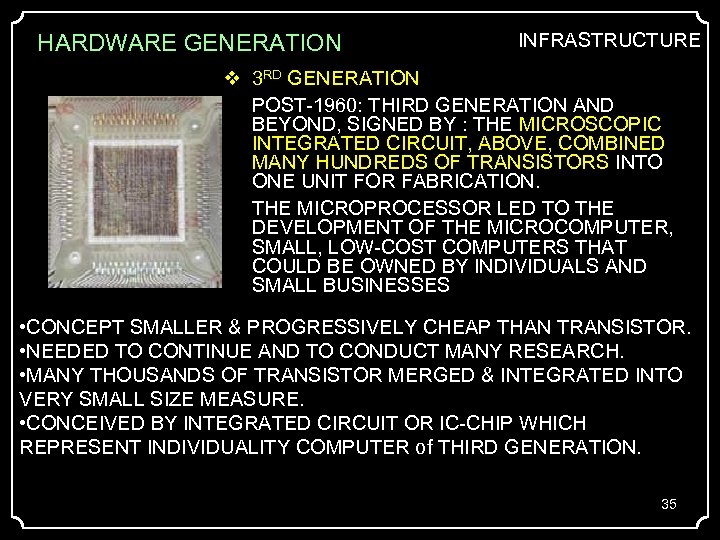 HARDWARE GENERATION INFRASTRUCTURE 3 RD GENERATION POST-1960: THIRD GENERATION AND BEYOND, SIGNED BY : THE MICROSCOPIC INTEGRATED CIRCUIT, ABOVE, COMBINED MANY HUNDREDS OF TRANSISTORS INTO ONE UNIT FOR FABRICATION. THE MICROPROCESSOR LED TO THE DEVELOPMENT OF THE MICROCOMPUTER, SMALL, LOW-COST COMPUTERS THAT COULD BE OWNED BY INDIVIDUALS AND SMALL BUSINESSES • CONCEPT SMALLER & PROGRESSIVELY CHEAP THAN TRANSISTOR. • NEEDED TO CONTINUE AND TO CONDUCT MANY RESEARCH. • MANY THOUSANDS OF TRANSISTOR MERGED & INTEGRATED INTO VERY SMALL SIZE MEASURE. • CONCEIVED BY INTEGRATED CIRCUIT OR IC-CHIP WHICH REPRESENT INDIVIDUALITY COMPUTER of THIRD GENERATION. 35
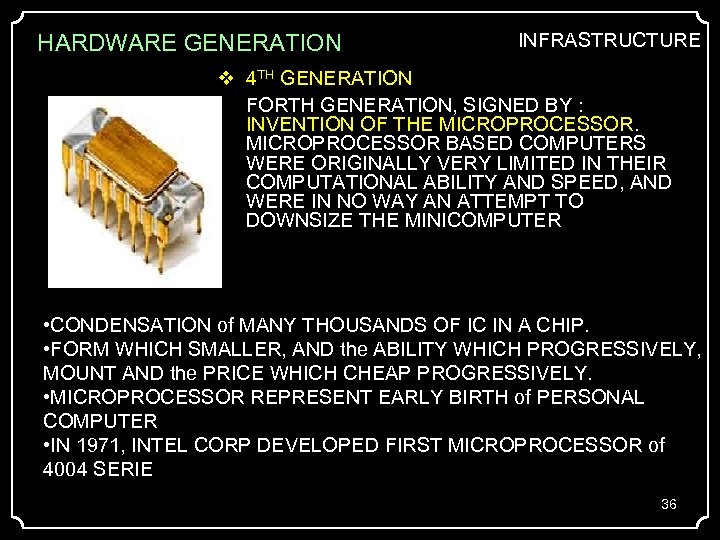 HARDWARE GENERATION INFRASTRUCTURE 4 TH GENERATION FORTH GENERATION, SIGNED BY : INVENTION OF THE MICROPROCESSOR BASED COMPUTERS WERE ORIGINALLY VERY LIMITED IN THEIR COMPUTATIONAL ABILITY AND SPEED, AND WERE IN NO WAY AN ATTEMPT TO DOWNSIZE THE MINICOMPUTER. • CONDENSATION of MANY THOUSANDS OF IC IN A CHIP. • FORM WHICH SMALLER, AND the ABILITY WHICH PROGRESSIVELY, MOUNT AND the PRICE WHICH CHEAP PROGRESSIVELY. • MICROPROCESSOR REPRESENT EARLY BIRTH of PERSONAL COMPUTER • IN 1971, INTEL CORP DEVELOPED FIRST MICROPROCESSOR of 4004 SERIE 36
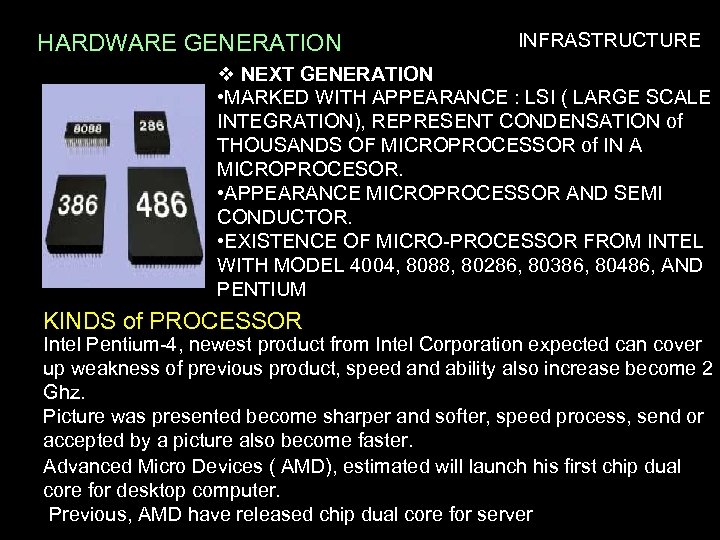 HARDWARE GENERATION INFRASTRUCTURE NEXT GENERATION • MARKED WITH APPEARANCE : LSI ( LARGE SCALE INTEGRATION), REPRESENT CONDENSATION of THOUSANDS OF MICROPROCESSOR of IN A MICROPROCESOR. • APPEARANCE MICROPROCESSOR AND SEMI CONDUCTOR. • EXISTENCE OF MICRO-PROCESSOR FROM INTEL WITH MODEL 4004, 8088, 80286, 80386, 80486, AND PENTIUM KINDS of PROCESSOR Intel Pentium-4, newest product from Intel Corporation expected can cover up weakness of previous product, speed and ability also increase become 2 Ghz. Picture was presented become sharper and softer, speed process, send or accepted by a picture also become faster. Advanced Micro Devices ( AMD), estimated will launch his first chip dual core for desktop computer. 37 Previous, AMD have released chip dual core for server
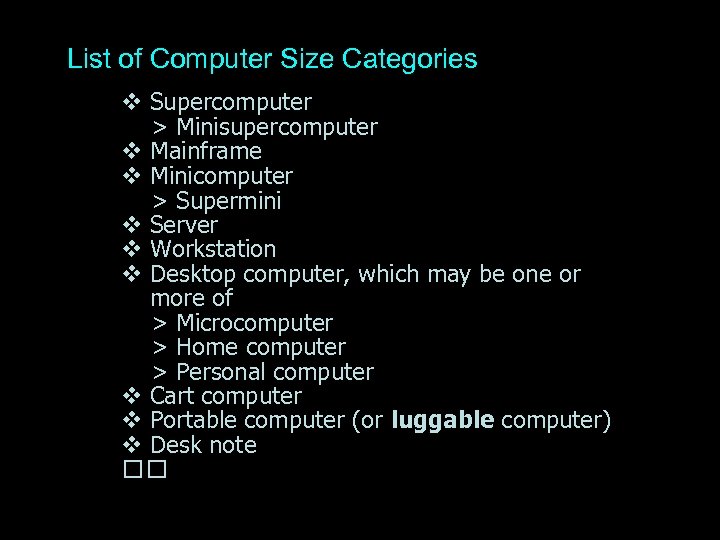 List of Computer Size Categories Supercomputer > Minisupercomputer Mainframe Minicomputer > Supermini Server Workstation Desktop computer, which may be one or more of > Microcomputer > Home computer > Personal computer Cart computer Portable computer (or luggable computer) Desk note
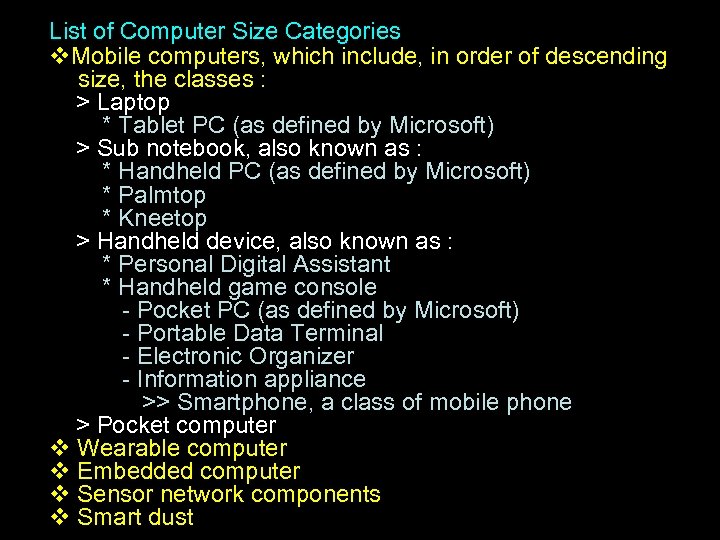 List of Computer Size Categories Mobile computers, which include, in order of descending size, the classes : > Laptop * Tablet PC (as defined by Microsoft) > Sub notebook, also known as : * Handheld PC (as defined by Microsoft) * Palmtop * Kneetop > Handheld device, also known as : * Personal Digital Assistant * Handheld game console - Pocket PC (as defined by Microsoft) - Portable Data Terminal - Electronic Organizer - Information appliance >> Smartphone, a class of mobile phone > Pocket computer Wearable computer Embedded computer Sensor network components Smart dust
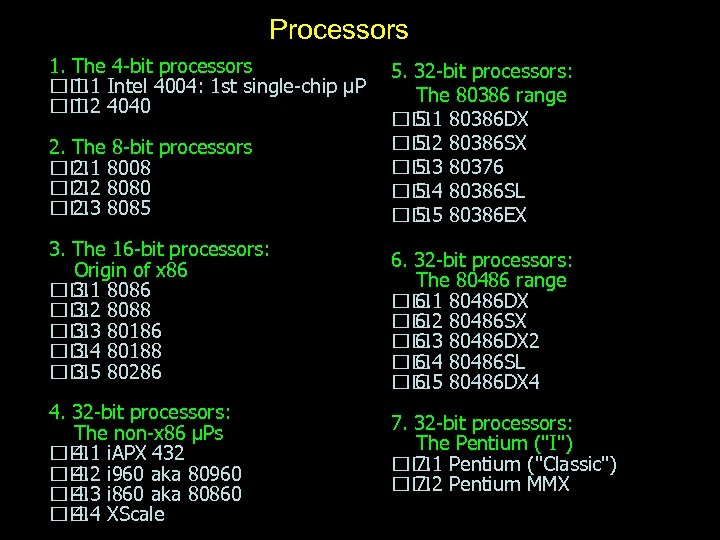 Processors 1. The 4 -bit processors Intel 4004: 1 st single-chip µP 1. 1 4040 1. 2 2. The 8 -bit processors 8008 2. 1 8080 2. 2 8085 2. 3 3. The 16 -bit processors: Origin of x 86 8086 3. 1 8088 3. 2 80186 3. 3 80188 3. 4 80286 3. 5 4. 32 -bit processors: The non-x 86 µPs i. APX 432 4. 1 i 960 aka 80960 4. 2 i 860 aka 80860 4. 3 XScale 4. 4 5. 32 -bit processors: The 80386 range 80386 DX 5. 1 80386 SX 5. 2 80376 5. 3 80386 SL 5. 4 80386 EX 5. 5 6. 32 -bit processors: The 80486 range 80486 DX 6. 1 80486 SX 6. 2 80486 DX 2 6. 3 80486 SL 6. 4 80486 DX 4 6. 5 7. 32 -bit processors: The Pentium ("I") Pentium ("Classic") 7. 1 Pentium MMX 7. 2
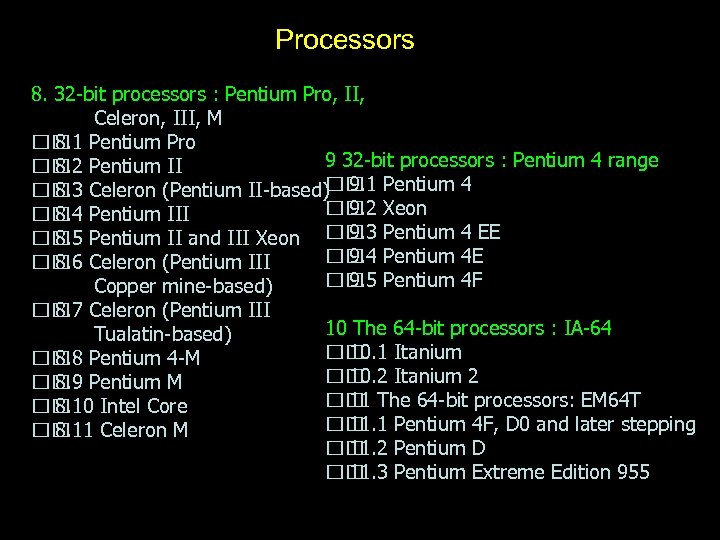 Processors 8. 32 -bit processors : Pentium Pro, II, Celeron, III, M Pentium Pro 8. 1 9 32 -bit processors : Pentium 4 range Pentium II 8. 2 Celeron (Pentium II-based) 9. 1 Pentium 4 8. 3 Xeon 9. 2 Pentium III 8. 4 9. 3 Pentium II and III Xeon Pentium 4 EE 8. 5 Pentium 4 E 9. 4 Celeron (Pentium III 8. 6 Pentium 4 F 9. 5 Copper mine-based) Celeron (Pentium III 8. 7 10 The 64 -bit processors : IA-64 Tualatin-based) Itanium 10. 1 Pentium 4 -M 8. 8 Itanium 2 10. 2 Pentium M 8. 9 The 64 -bit processors: EM 64 T 11 Intel Core 8. 10 Pentium 4 F, D 0 and later stepping 11. 1 Celeron M 8. 11 Pentium D 11. 2 Pentium Extreme Edition 955 11. 3
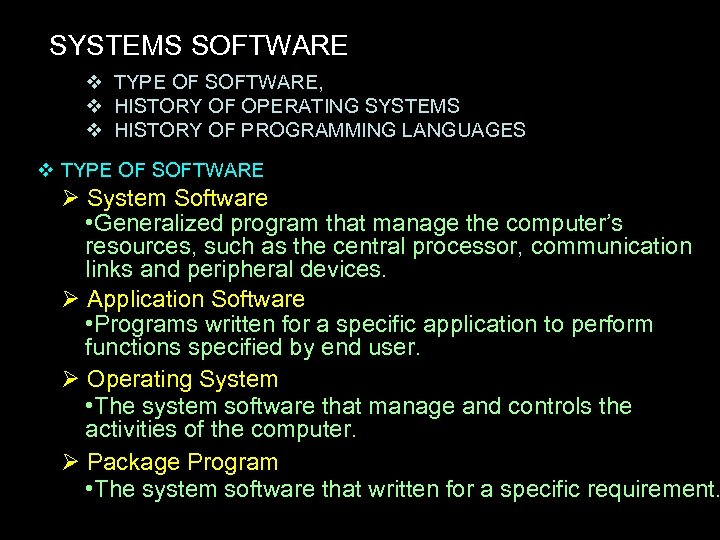 SYSTEMS SOFTWARE TYPE OF SOFTWARE, HISTORY OF OPERATING SYSTEMS HISTORY OF PROGRAMMING LANGUAGES TYPE OF SOFTWARE System Software • Generalized program that manage the computer’s resources, such as the central processor, communication links and peripheral devices. Application Software • Programs written for a specific application to perform functions specified by end user. Operating System • The system software that manage and controls the activities of the computer. Package Program • The system software that written for a specific requirement.
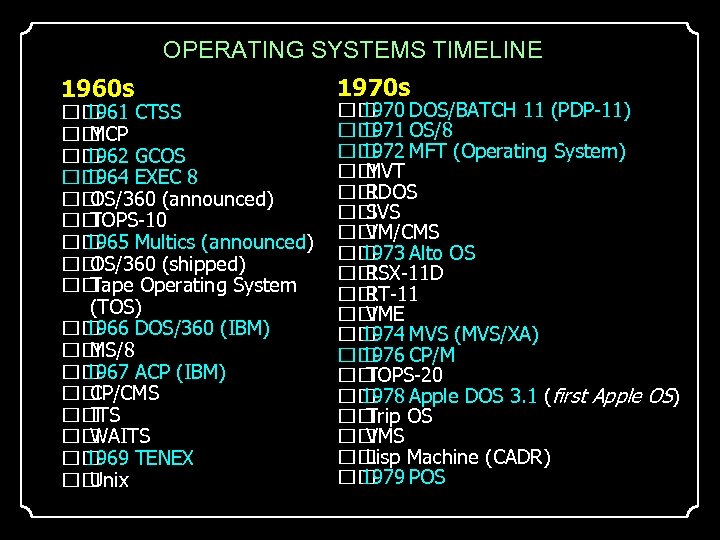 OPERATING SYSTEMS TIMELINE 1960 s 1961 CTSS MCP 1962 GCOS 1964 EXEC 8 OS/360 (announced) TOPS-10 1965 Multics (announced) OS/360 (shipped) Tape Operating System (TOS) 1966 DOS/360 (IBM) MS/8 1967 ACP (IBM) CP/CMS ITS WAITS 1969 TENEX Unix 1970 s 1970 DOS/BATCH 11 (PDP-11) 1971 OS/8 1972 MFT (Operating System) MVT RDOS SVS VM/CMS 1973 Alto OS RSX-11 D RT-11 VME 1974 MVS (MVS/XA) 1976 CP/M TOPS-20 1978 Apple DOS 3. 1 (first Apple OS) OS Trip VMS Machine (CADR) Lisp 1979 POS
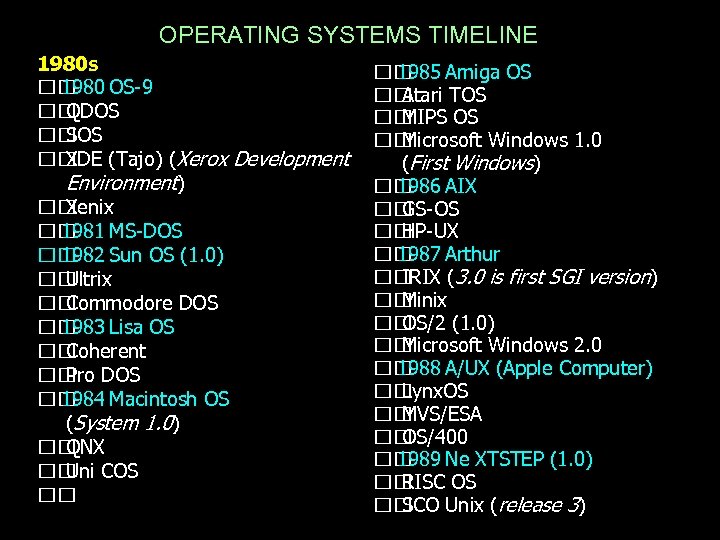 OPERATING SYSTEMS TIMELINE 1980 s 1980 OS-9 QDOS SOS XDE (Tajo) (Xerox Development Environment) Xenix 1981 MS-DOS 1982 Sun OS (1. 0) Ultrix Commodore DOS 1983 Lisa OS Coherent DOS Pro 1984 Macintosh OS (System 1. 0) QNX COS Uni 1985 Amiga OS Atari TOS MIPS OS Microsoft Windows 1. 0 (First Windows) 1986 AIX GS-OS HP-UX 1987 Arthur IRIX (3. 0 is first SGI version) Minix OS/2 (1. 0) Microsoft Windows 2. 0 1988 A/UX (Apple Computer) Lynx. OS MVS/ESA OS/400 1989 Ne XTSTEP (1. 0) RISC OS SCO Unix (release 3)
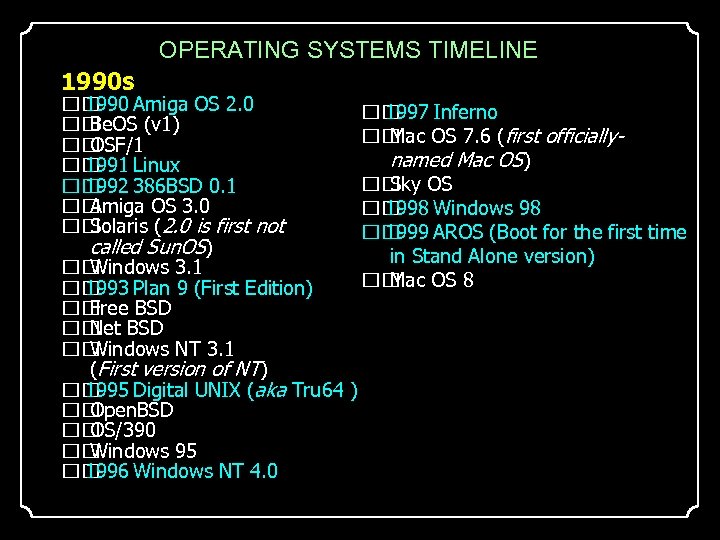 OPERATING SYSTEMS TIMELINE 1990 s 1990 Amiga OS 2. 0 Be. OS (v 1) OSF/1 1991 Linux 1992 386 BSD 0. 1 Amiga OS 3. 0 Solaris (2. 0 is first not called Sun. OS) Windows 3. 1 1993 Plan 9 (First Edition) Free BSD Net Windows NT 3. 1 (First version of NT) 1995 Digital UNIX (aka Tru 64 Open. BSD OS/390 Windows 95 1996 Windows NT 4. 0 1997 Inferno OS 7. 6 (first officially. Mac named Mac OS) OS Sky 1998 Windows 98 1999 AROS (Boot for the first time in Stand Alone version) OS 8 Mac )
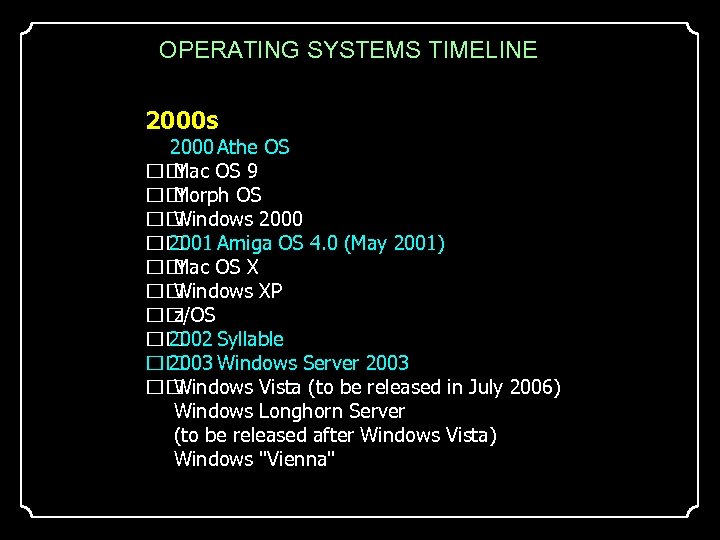 OPERATING SYSTEMS TIMELINE 2000 s 2000 Athe OS 9 Mac Morph OS Windows 2000 2001 Amiga OS 4. 0 (May 2001) OS X Mac Windows XP z/OS 2002 Syllable 2003 Windows Server 2003 Windows Vista (to be released in July 2006) Windows Longhorn Server (to be released after Windows Vista) Windows "Vienna"
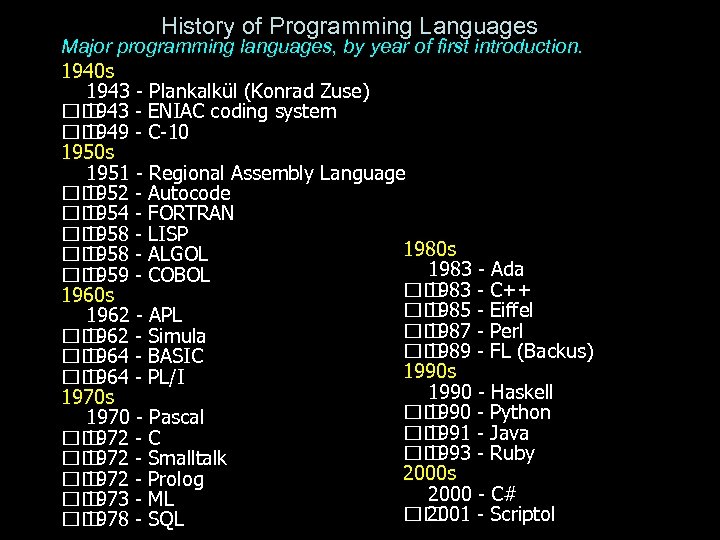 History of Programming Languages Major programming languages, by year of first introduction. 1940 s 1943 - Plankalkül (Konrad Zuse) 1943 - ENIAC coding system 1949 - C-10 1950 s 1951 - Regional Assembly Language 1952 - Autocode 1954 - FORTRAN 1958 - LISP 1980 s 1958 - ALGOL 1983 - Ada 1959 - COBOL 1983 - C++ 1960 s 1985 - Eiffel 1962 - APL 1987 - Perl 1962 - Simula 1989 - FL (Backus) 1964 - BASIC 1990 s 1964 - PL/I 1990 - Haskell 1970 s 1990 - Python 1970 - Pascal 1991 - Java 1972 - C 1993 - Ruby 1972 - Smalltalk 2000 s 1972 - Prolog 2000 - C# 1973 - ML 2001 - Scriptol 1978 - SQL
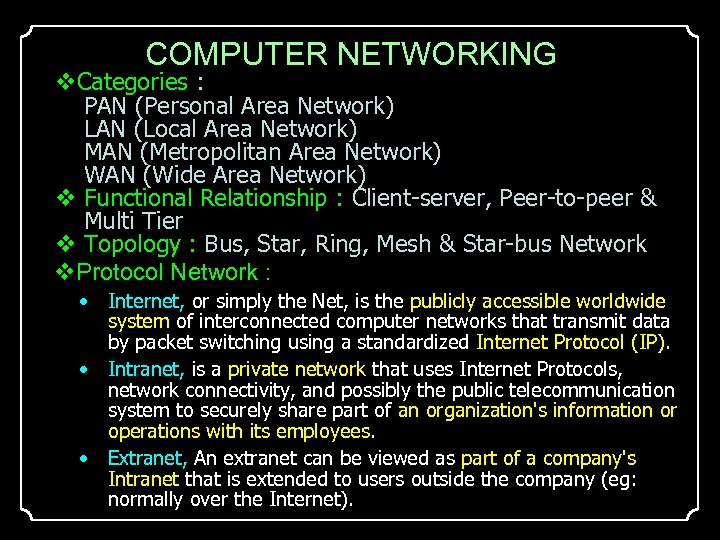 COMPUTER NETWORKING Categories : PAN (Personal Area Network) LAN (Local Area Network) MAN (Metropolitan Area Network) WAN (Wide Area Network) Functional Relationship : Client-server, Peer-to-peer & Multi Tier Topology : Bus, Star, Ring, Mesh & Star-bus Network Protocol Network : • Internet, or simply the Net, is the publicly accessible worldwide system of interconnected computer networks that transmit data by packet switching using a standardized Internet Protocol (IP). • Intranet, is a private network that uses Internet Protocols, network connectivity, and possibly the public telecommunication system to securely share part of an organization's information or operations with its employees. • Extranet, An extranet can be viewed as part of a company's Intranet that is extended to users outside the company (eg: normally over the Internet).
 COMPUTER NETWORKING Facilities : • Intra web, is a web comprising all HTTP (hyper-text transfer protocol) nodes on an intranet; synonyms are corporate web, internal web. • World Wide Web, is a global information space which people can read and write via computers connected to the Internet. • Web Browser, is a software application that enables a user to display and interact with text, images, and other information typically located on a web page at a website on the World Wide Web. • Web Portal, is sites on the World Wide Web that typically provide personalized capabilities to their visitors. • Dot Net Framework, is a software development platform created by Microsoft. Network Facilities Router (Multimedia & Modular) Switch (Core/Main, Distribution & Access Switch) Modem (Modulation and Demodulation) Cable & Connector (Coaxial & BNC, UTP & RJ 45) Wireless
 THE NEW INFORMATION TECHNOLOGY • Wireless, is an old-fashioned term for a radio receiver, referring to its use as a wireless telegraph; now the term is used to describe modern wireless connections such as in cellular networks and wireless broadband Internet • Bluetooth • DECT (Digital Enhanced Cordless Telecommunications) • DSRC (Dedicated Short Range Communications) • HIPERLAN • HIPERMAN • 802. 11 IEEE • Ir. DA • RFID (Radio Frequency Identification) • Wi. Fi • Wi. MAX • x. Max • Zig. Bee
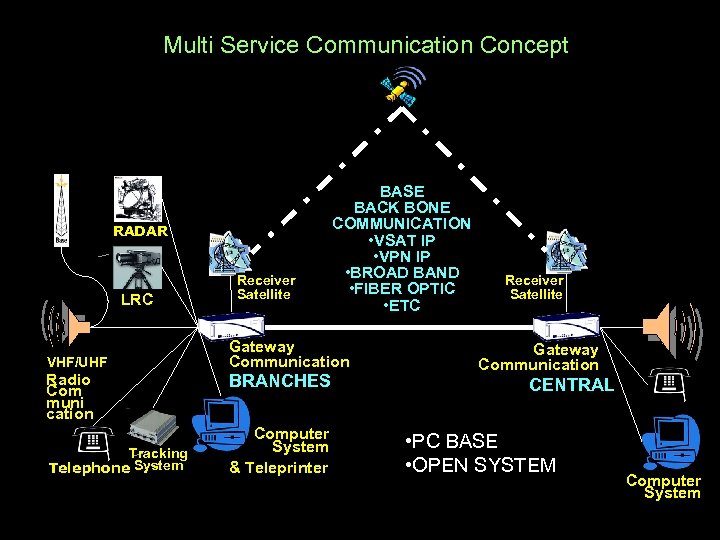 Multi Service Communication Concept RADAR LRC VHF/UHF Radio Com muni cation Tracking Telephone System Receiver Satellite BASE BACK BONE COMMUNICATION • VSAT IP • VPN IP • BROAD BAND • FIBER OPTIC • ETC Gateway Communication BRANCHES Computer System & Teleprinter Receiver Satellite Gateway Communication CENTRAL • PC BASE • OPEN SYSTEM Computer System
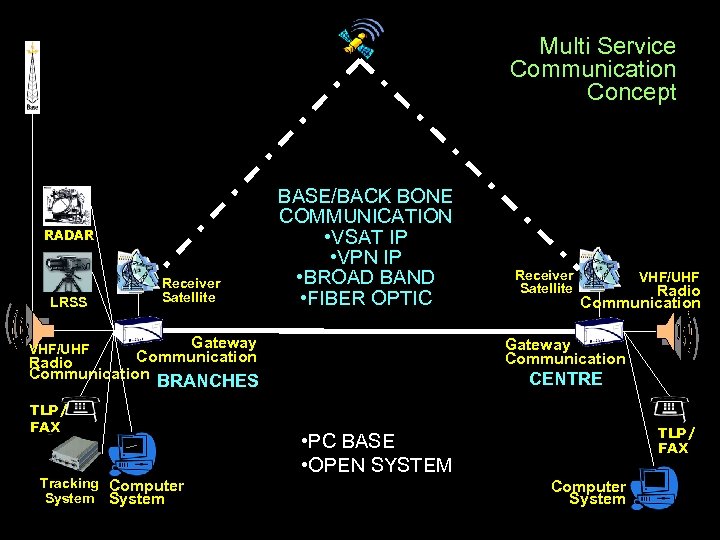 Multi Service Communication Concept RADAR LRSS Receiver Satellite BASE/BACK BONE COMMUNICATION • VSAT IP • VPN IP • BROAD BAND • FIBER OPTIC Gateway Communication Radio Communication BRANCHES Tracking Computer System VHF/UHF Radio Communication Gateway Communication VHF/UHF TLP/ FAX Receiver Satellite CENTRE TLP/ FAX • PC BASE • OPEN SYSTEM Computer System
 The new information technology Streaming Technology, - data communications process of multimedia from a place to other place by real time. • Internet, -International Network Information Technology Infrastructure • Extranet. • Intranet. Internet Service Provider (ISP), - a commercial organization, with a permanent connection to the internet, that sells temporary connections to subscribers. The world wide web, (the web) - is at the heart of the explosion in the business use of the internet.
 consistency and consequences • ABILITY >Knowledge >Skill >Experience • EFFORT >Motivation >Behavior >Culture • SUPORT >Organization >Management >Infrastructure >Communication Facilities >Location >Times of Adoption