 Скачать презентацию Managing digital objects and their metadata challenges and
03de4cb0bd34d3f79efeb242b132a108.ppt
- Количество слайдов: 33



Managing digital objects and their metadata: challenges and responses Douglas Campbell and Adrienne Kebbell National Library of New Zealand Te Puna Mātauranga o Aoteaora DC-2004 Conference, 12 October 2004
Agenda • Our situation • Digital Preservation Frameworks • Metadata – – – Frameworks Descriptive metadata Preservation metadata Structural metadata Automatic extraction Modularity • Digital Objects – Complex objects – Identifiers – File naming • Integration – Business process workflows
National Library of New Zealand Te Puna Mātauranga o Aoteaora • Collect, maintain, and make accessible literature and information resources that relate to New Zealand the Pacific • Alexander Turnbull Library: Preserve New Zealand's documentary heritage for generations to come • Develop and deliver services for schools to support teaching and learning • Apply the partnership responsibilities of the Treaty of Waitangi to all activities
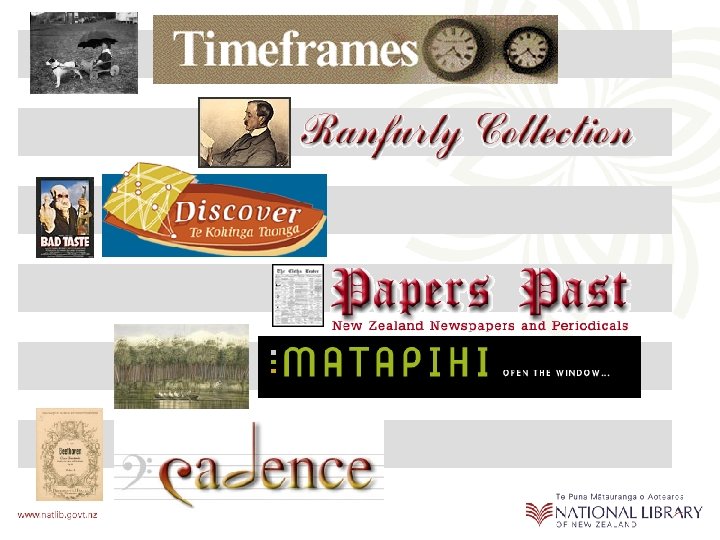
National Digital Heritage Archive • National Library Act 2003 gives legal deposit of electronic materials to the National Library • Archive development funded by Government • Working towards “Trusted Digital Repository” certification
Part 1 Digital Preservation Framework
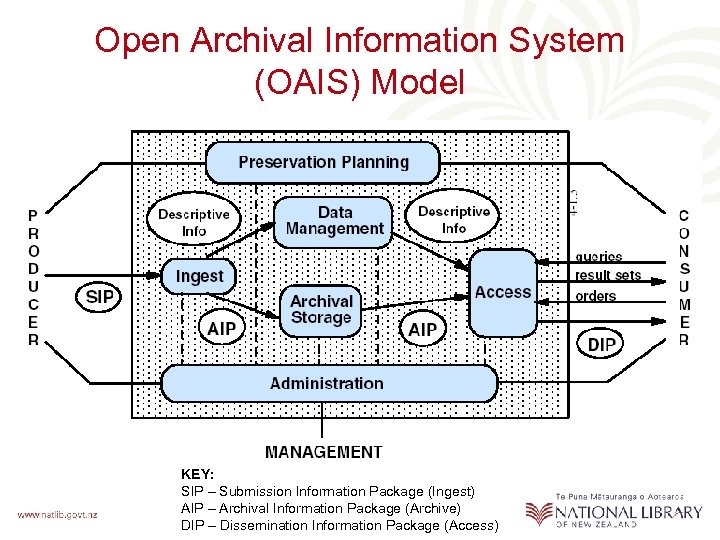
Open Archival Information System (OAIS) Model KEY: SIP – Submission Information Package (Ingest) AIP – Archival Information Package (Archive) DIP – Dissemination Information Package (Access)
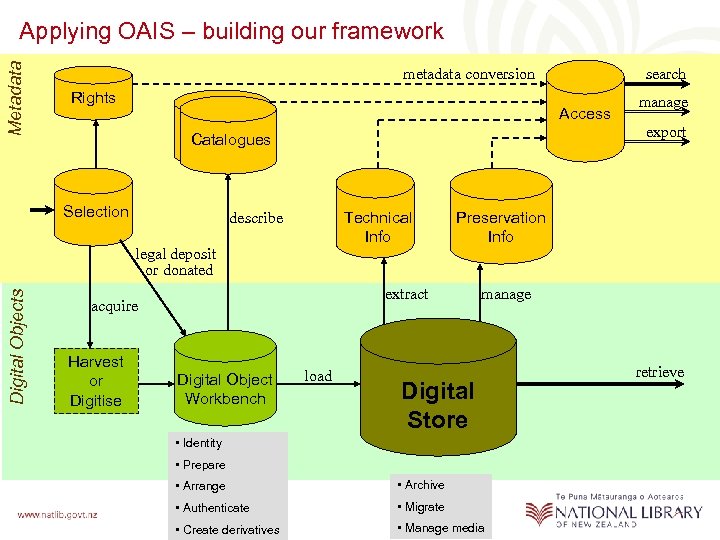
Metadata Applying OAIS – building our framework metadata conversion Rights Access Selection Technical Info describe Digital Objects legal deposit or donated Preservation Info extract acquire Digital Object Workbench manage export Catalogues Harvest or Digitise search load manage Digital Store • Identity • Prepare • Arrange • Archive • Authenticate • Migrate • Create derivatives • Manage media retrieve
Part 2 Digital Objects
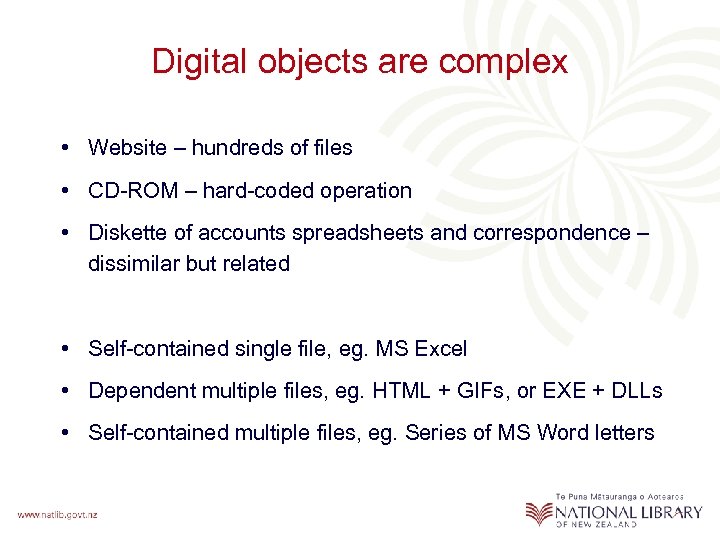
Digital objects are complex • Website – hundreds of files • CD-ROM – hard-coded operation • Diskette of accounts spreadsheets and correspondence – dissimilar but related • Self-contained single file, eg. MS Excel • Dependent multiple files, eg. HTML + GIFs, or EXE + DLLs • Self-contained multiple files, eg. Series of MS Word letters
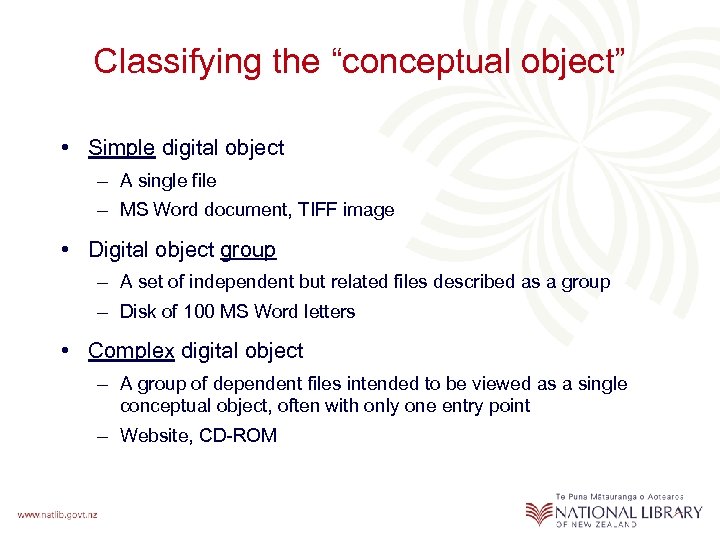
Classifying the “conceptual object” • Simple digital object – A single file – MS Word document, TIFF image • Digital object group – A set of independent but related files described as a group – Disk of 100 MS Word letters • Complex digital object – A group of dependent files intended to be viewed as a single conceptual object, often with only one entry point – Website, CD-ROM
![Simple Digital Object 1 Original file [Word] 1 Simple Object eg. text document 1](https://present5.com/presentation/03de4cb0bd34d3f79efeb242b132a108/image-12.jpg "Simple Digital Object 1 Original file [Word] 1 Simple Object eg. text document 1")
Simple Digital Object 1 Original file [Word] 1 Simple Object eg. text document 1 Preservation Master file [Word] Complexity of components 1 PID for 4 files 1 Descriptive Record 1 Preservation Object Record (for PM Word file) 1 Descriptive Record for 300 files [HTML + gif] • 1 Object Pres Data • 100 File Data • NN Process Data • NN Metadata Modification Data 1 Descriptive Record for 800 files [Word, XML, PDF] • 1 Object Pres Data • 200 File Data • NN Process Data • NN Metadata Modification Data 2 Access files [PDF + XML] Complex Digital Object 100 Original files [HTML + gif] 1 Complex Object eg. Web Site of 80 html files + 20 gifs 100 Preservation Master files [processed for local delivery] 1 PID for 300 files 100 Access files [HTML + gif] Object Group 200 Original files [Word] 1 Object Group eg. 200 letters from a donor 200 Preservation Master files [Word] 400 Access files [PDF + XML] 1 PID for 800 files
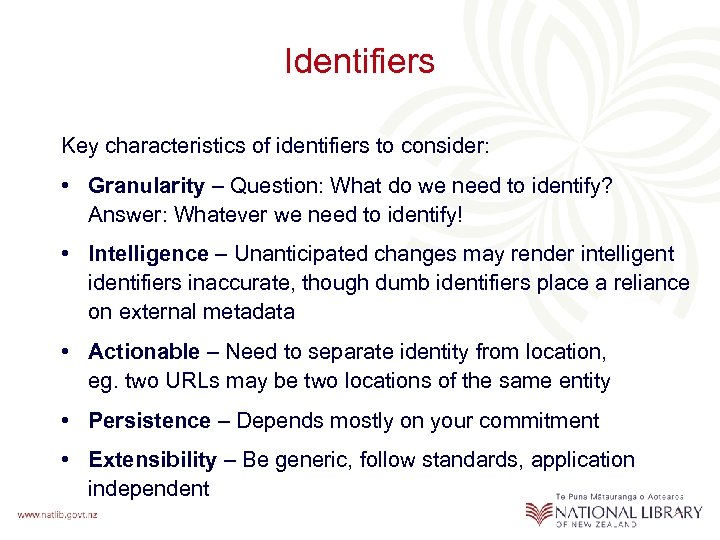
Identifiers Key characteristics of identifiers to consider: • Granularity – Question: What do we need to identify? Answer: Whatever we need to identify! • Intelligence – Unanticipated changes may render intelligent identifiers inaccurate, though dumb identifiers place a reliance on external metadata • Actionable – Need to separate identity from location, eg. two URLs may be two locations of the same entity • Persistence – Depends mostly on your commitment • Extensibility – Be generic, follow standards, application independent
Persistent Identifiers Persistence means different things to different communities, we separate them into: • Persistent Identifier (PID) – assigned at the “conceptual” level of an object, persists in perpetuity • Persistent Locator (PL) – file locator, persists only for the life of the file We guarantee PIDs, but PLs to the “best current format” will become inoperative over the decades as formats become obsolescent
File naming conventions – Plan “A” Plan A: Make filenames unique by including role code, eg: • DO – Digital Original • DD – Digital Derivative • PM – Preservation Master (best attempt to replicate in a currently accessible format) • AF – Access Format • TN – Thumbnail Filename: IID_role_instance. extension, eg. 1234_af_01. doc
File naming conventions – Plan “B” Plan B: “Virtualisation” • Decouple locator and location • Location and disk partitioning managed dynamically internally, delivered externally via persistent locator – /1234 (to access the default format) – /1234? role=TN&size=150 • Locator may be HTTP, SOAP, etc. • Provides additional opportunities such as transparent “on the fly” format conversions or correcting the MIME type reported
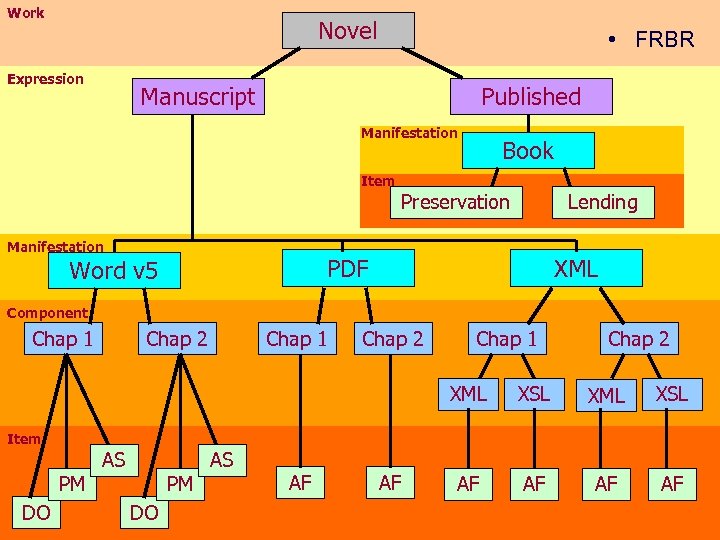
Work Novel Expression • FRBR Manuscript Published Manifestation Book Item Preservation Manifestation Lending PDF Word v 5 XML Component Chap 1 Chap 2 XML XSL AF AF Item PM DO AS AF AF
Part 3 Metadata
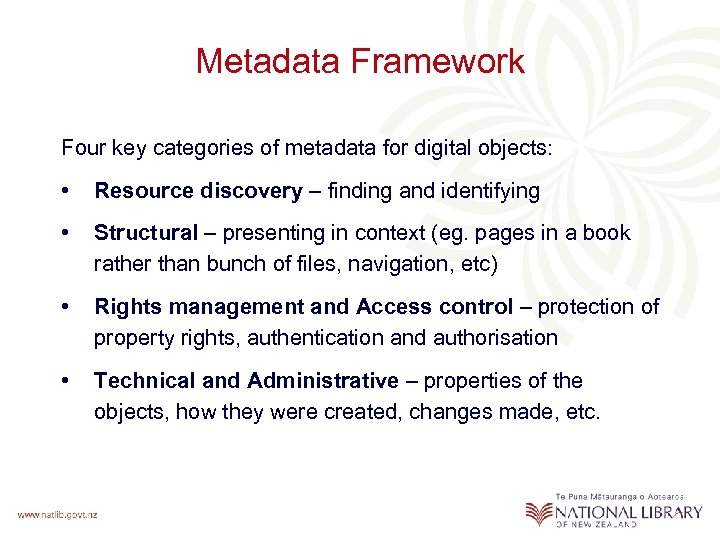
Metadata Framework Four key categories of metadata for digital objects: • Resource discovery – finding and identifying • Structural – presenting in context (eg. pages in a book rather than bunch of files, navigation, etc) • Rights management and Access control – protection of property rights, authentication and authorisation • Technical and Administrative – properties of the objects, how they were created, changes made, etc.
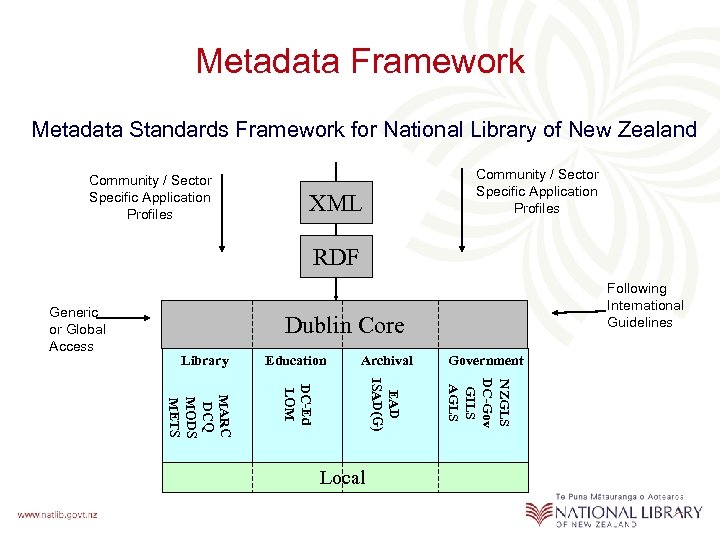
Metadata Framework Metadata Standards Framework for National Library of New Zealand Community / Sector Specific Application Profiles XML RDF Dublin Core Archival Local Government NZGLS DC-Gov GILS AGLS MARC DCQ MODS METS Education EAD ISAD(G) Library DC-Ed LOM Generic or Global Access Following International Guidelines
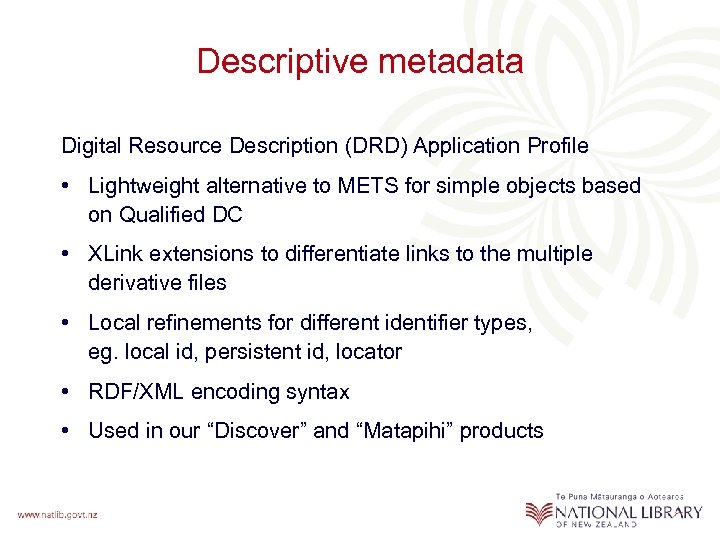
Descriptive metadata Digital Resource Description (DRD) Application Profile • Lightweight alternative to METS for simple objects based on Qualified DC • XLink extensions to differentiate links to the multiple derivative files • Local refinements for different identifier types, eg. local id, persistent id, locator • RDF/XML encoding syntax • Used in our “Discover” and “Matapihi” products
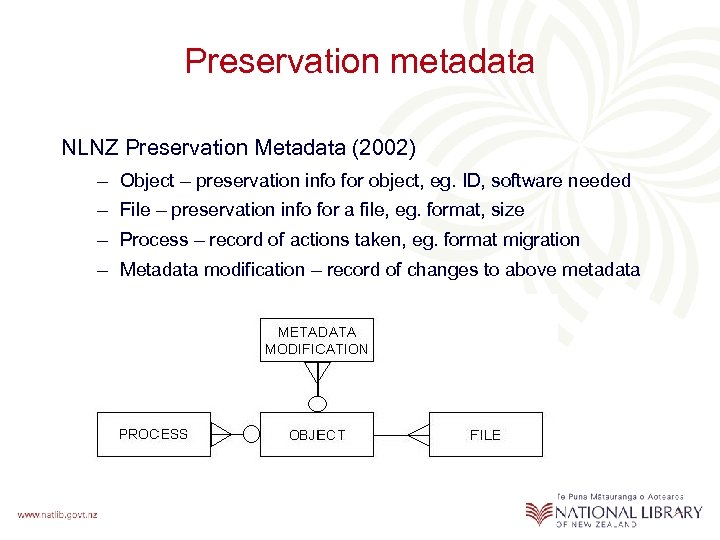
Preservation metadata NLNZ Preservation Metadata (2002) – Object – preservation info for object, eg. ID, software needed – File – preservation info for a file, eg. format, size – Process – record of actions taken, eg. format migration – Metadata modification – record of changes to above metadata
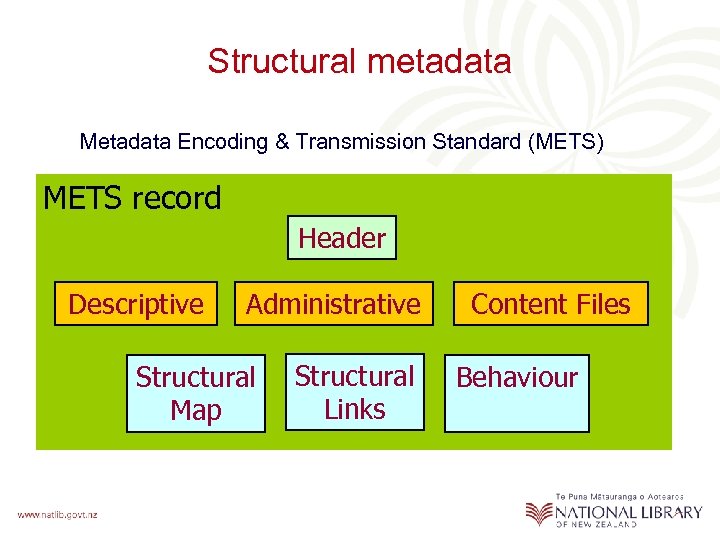
Structural metadata Metadata Encoding & Transmission Standard (METS) METS record Header Descriptive Administrative Structural Map Structural Links Content Files Behaviour
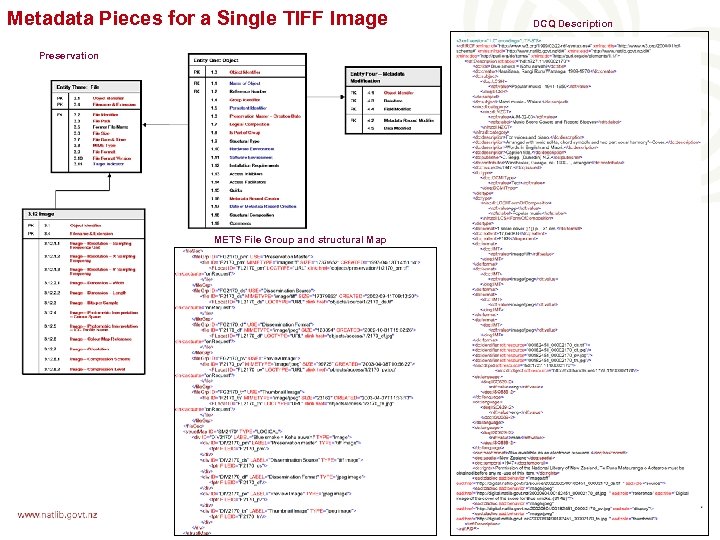
Metadata Pieces for a Single TIFF Image Preservation METS File Group and structural Map DCQ Description
NLNZ Metadata Extraction Tool Automatic metadata extraction is essential • Extracts embedded metadata from 15 common file formats (eg. TIFF, JPEG, MS Word, PDF) and file details for other formats • Built in Java, outputs in XML (customisable using XSLT) • Graphical interface or command line batch • 10, 000 JPEG files per hour • Finalist in UK Pilgrim Trust’s 2004 Preservation Awards
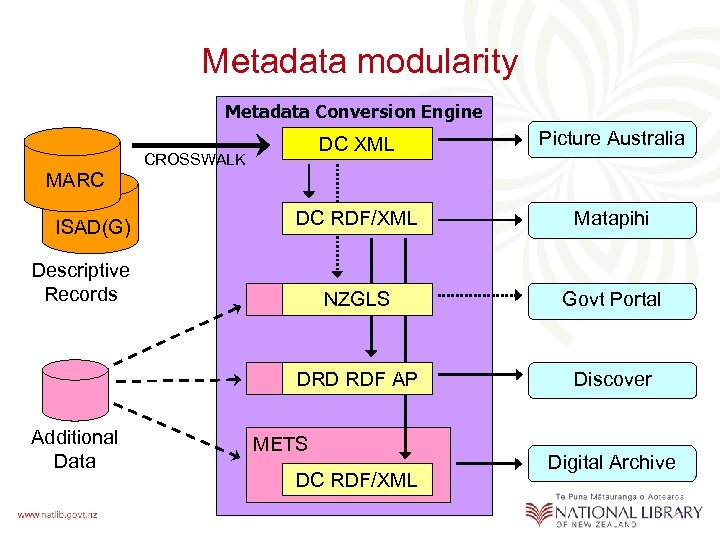
Metadata modularity Metadata Conversion Engine DC XML Picture Australia DC RDF/XML Matapihi NZGLS Govt Portal DRD RDF AP Discover CROSSWALK MARC ISAD(G) Descriptive Records Additional Data METS DC RDF/XML Digital Archive
Part 4 Business Processes
Integration into the business • We’re moving from an era of “pilots” to implementation • Integrating into existing staff workflows rather than establishing a separate unit • Documenting the business process workflows
Part 5 Tying it all together
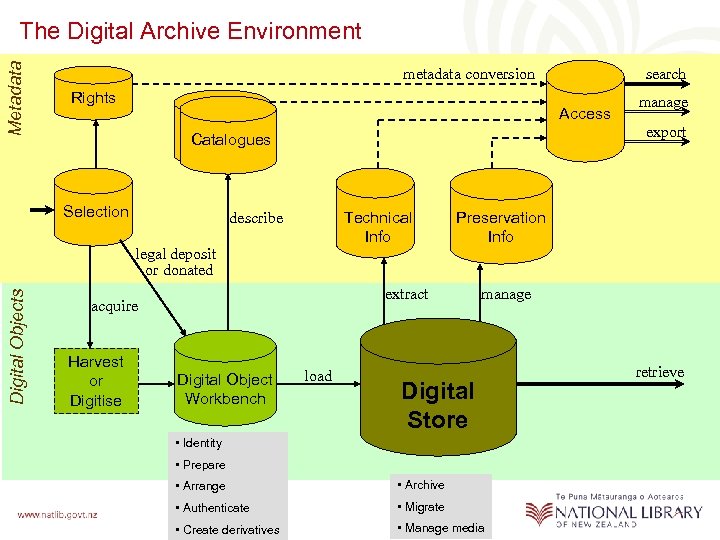
Metadata The Digital Archive Environment metadata conversion Rights Access Selection Technical Info describe Digital Objects legal deposit or donated Preservation Info extract acquire Digital Object Workbench manage export Catalogues Harvest or Digitise search load manage Digital Store • Identity • Prepare • Arrange • Archive • Authenticate • Migrate • Create derivatives • Manage media retrieve
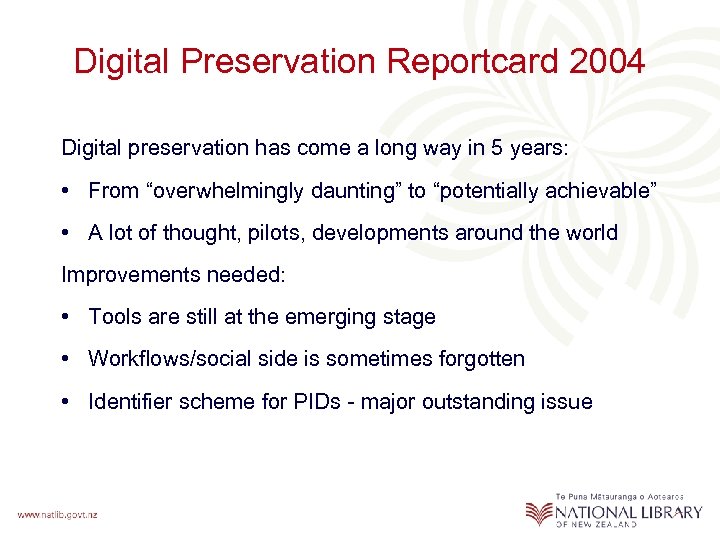
Digital Preservation Reportcard 2004 Digital preservation has come a long way in 5 years: • From “overwhelmingly daunting” to “potentially achievable” • A lot of thought, pilots, developments around the world Improvements needed: • Tools are still at the emerging stage • Workflows/social side is sometimes forgotten • Identifier scheme for PIDs - major outstanding issue
Questions…?

Managing digital objects and their metadata: challenges and responses Douglas Campbell and Adrienne Kebbell National Library of New Zealand Te Puna Mātauranga o Aoteaora DC-2004 Conference, 12 October 2004
Скачать презентацию Managing digital objects and their metadata challenges and
03de4cb0bd34d3f79efeb242b132a108.ppt