


 Скачать презентацию Management Information Solutions MASTERCLASS EWD Fun facts
aca77107ab2802f696c4a70b27ba3546.ppt
- Количество слайдов: 23
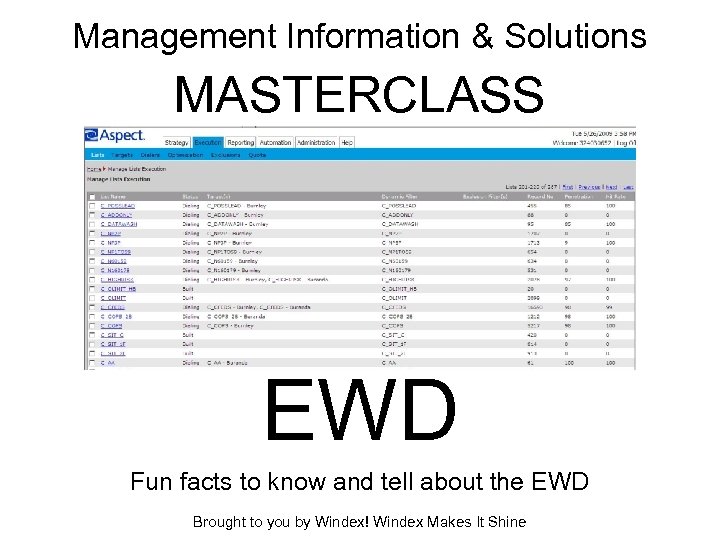 Management Information & Solutions MASTERCLASS EWD Fun facts to know and tell about the EWD Brought to you by Windex! Windex Makes It Shine
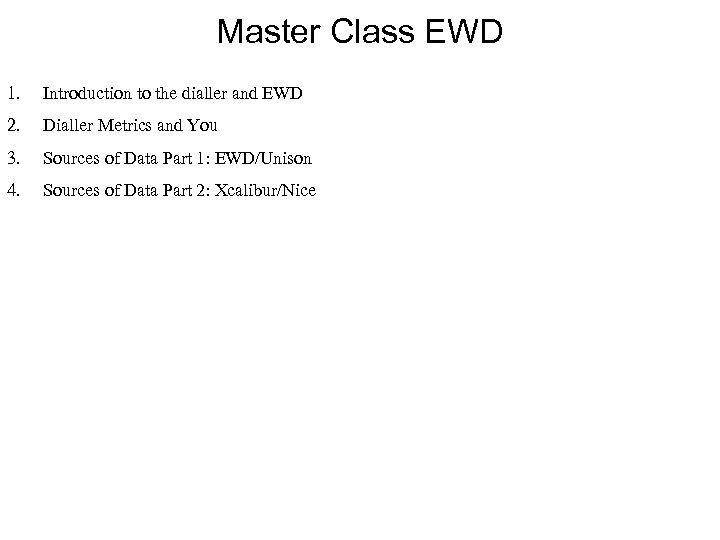 Master Class EWD 1. Introduction to the dialler and EWD 2. Dialler Metrics and You 3. Sources of Data Part 1: EWD/Unison 4. Sources of Data Part 2: Xcalibur/Nice
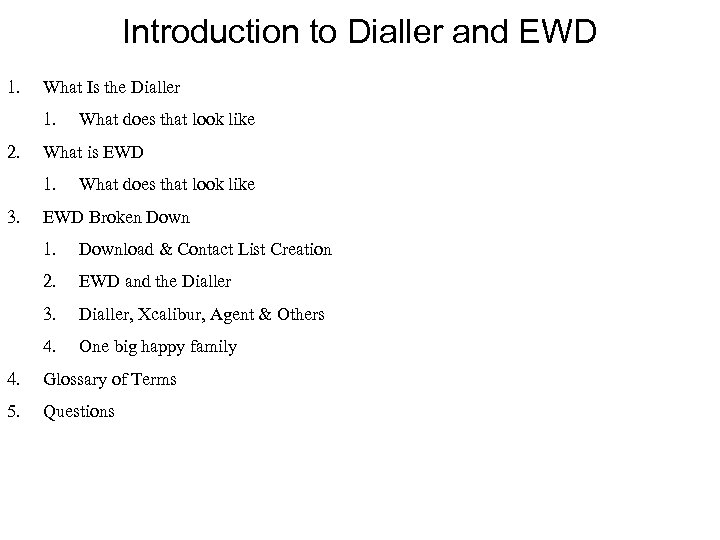 Introduction to Dialler and EWD 1. What Is the Dialler 1. 2. What is EWD 1. 3. What does that look like EWD Broken Down 1. Download & Contact List Creation 2. EWD and the Dialler 3. Dialler, Xcalibur, Agent & Others 4. One big happy family 4. Glossary of Terms 5. Questions
 What Is The Dialler
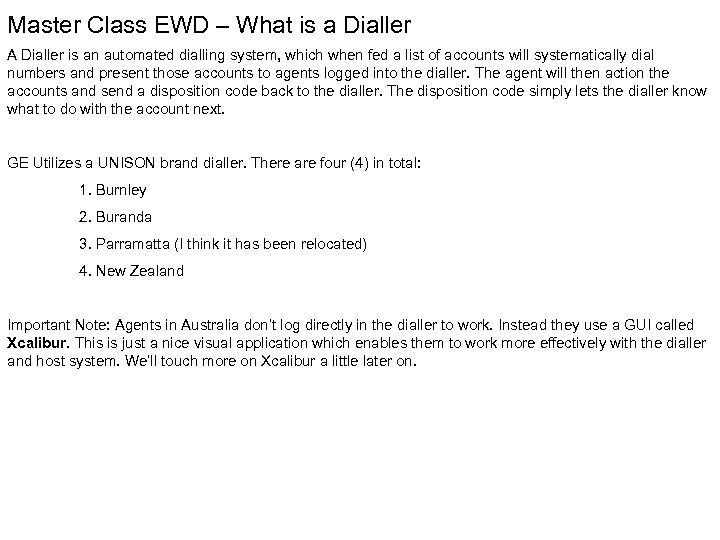 Master Class EWD – What is a Dialler A Dialler is an automated dialling system, which when fed a list of accounts will systematically dial numbers and present those accounts to agents logged into the dialler. The agent will then action the accounts and send a disposition code back to the dialler. The disposition code simply lets the dialler know what to do with the account next. GE Utilizes a UNISON brand dialler. There are four (4) in total: 1. Burnley 2. Buranda 3. Parramatta (I think it has been relocated) 4. New Zealand Important Note: Agents in Australia don’t log directly in the dialler to work. Instead they use a GUI called Xcalibur. This is just a nice visual application which enables them to work more effectively with the dialler and host system. We’ll touch more on Xcalibur a little later on.
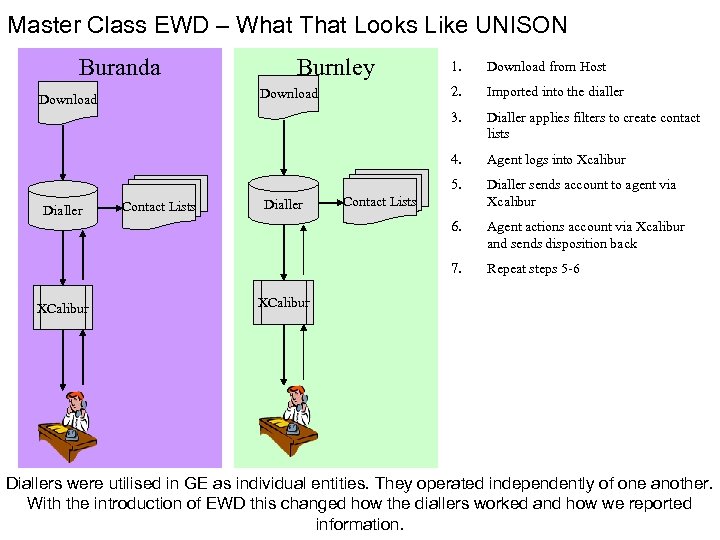 Master Class EWD – What That Looks Like UNISON Buranda Burnley Dialler sends account to agent via Xcalibur 6. Agent actions account via Xcalibur and sends disposition back 7. XCalibur Agent logs into Xcalibur 5. Dialler applies filters to create contact lists 4. Contact Lists Imported into the dialler 3. Dialler Download from Host 2. Download 1. Repeat steps 5 -6 Contact Lists XCalibur Diallers were utilised in GE as individual entities. They operated independently of one another. With the introduction of EWD this changed how the diallers worked and how we reported information.
 What Is EWD
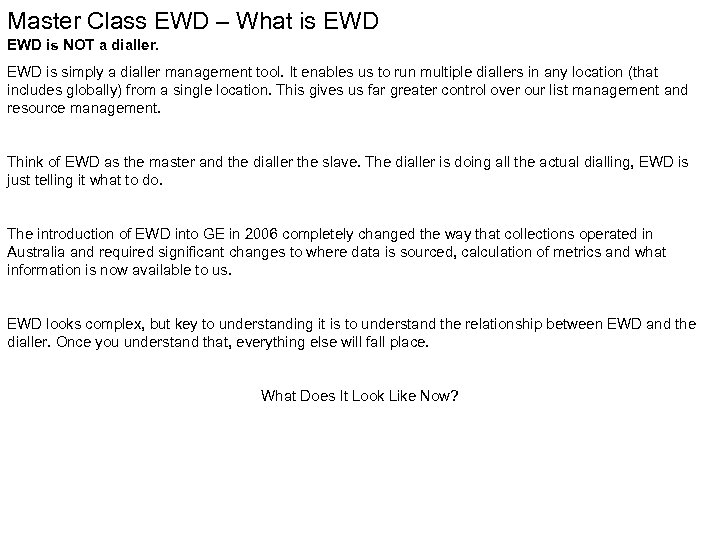 Master Class EWD – What is EWD is NOT a dialler. EWD is simply a dialler management tool. It enables us to run multiple diallers in any location (that includes globally) from a single location. This gives us far greater control over our list management and resource management. Think of EWD as the master and the dialler the slave. The dialler is doing all the actual dialling, EWD is just telling it what to do. The introduction of EWD into GE in 2006 completely changed the way that collections operated in Australia and required significant changes to where data is sourced, calculation of metrics and what information is now available to us. EWD looks complex, but key to understanding it is to understand the relationship between EWD and the dialler. Once you understand that, everything else will fall place. What Does It Look Like Now?
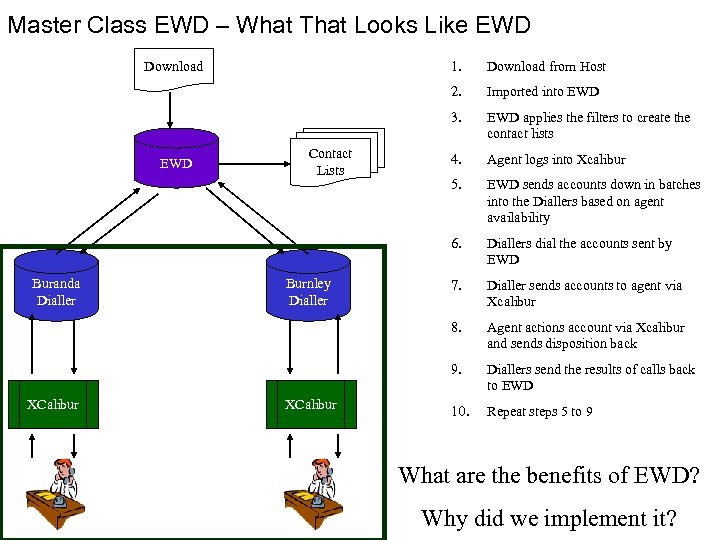 Master Class EWD – What That Looks Like EWD 1. XCalibur Agent logs into Xcalibur 5. EWD sends accounts down in batches into the Diallers based on agent availability Diallers dial the accounts sent by EWD 7. Dialler sends accounts to agent via Xcalibur Agent actions account via Xcalibur and sends disposition back 9. Burnley Dialler 4. 8. Buranda Dialler EWD applies the filters to create the contact lists 6. Contact Lists Imported into EWD 3. EWD Download from Host 2. Download Diallers send the results of calls back to EWD 10. Repeat steps 5 to 9 What are the benefits of EWD? Why did we implement it?
 EWD Broken Down
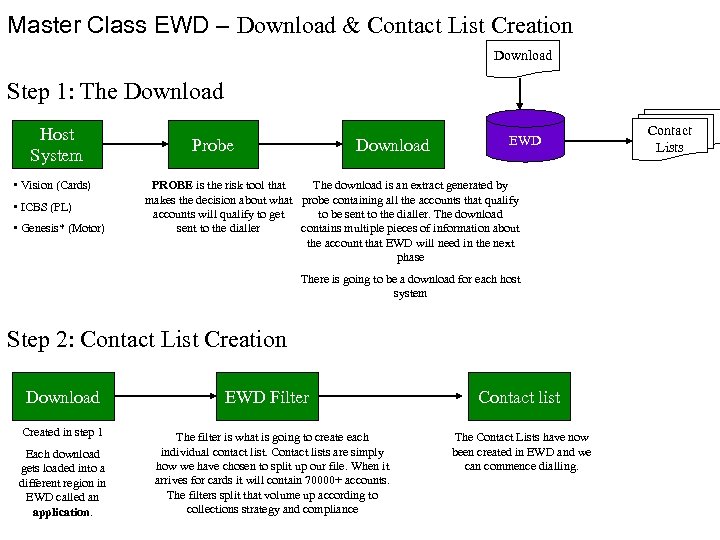 Master Class EWD – Download & Contact List Creation Download Step 1: The Download Host System • Vision (Cards) • ICBS (PL) • Genesis* (Motor) Probe Download EWD PROBE is the risk tool that The download is an extract generated by makes the decision about what probe containing all the accounts that qualify accounts will qualify to get to be sent to the dialler. The download sent to the dialler contains multiple pieces of information about the account that EWD will need in the next phase There is going to be a download for each host system Step 2: Contact List Creation Download Created in step 1 Each download gets loaded into a different region in EWD called an application. EWD Filter The filter is what is going to create each individual contact list. Contact lists are simply how we have chosen to split up our file. When it arrives for cards it will contain 70000+ accounts. The filters split that volume up according to collections strategy and compliance Contact list The Contact Lists have now been created in EWD and we can commence dialling. Contact Lists
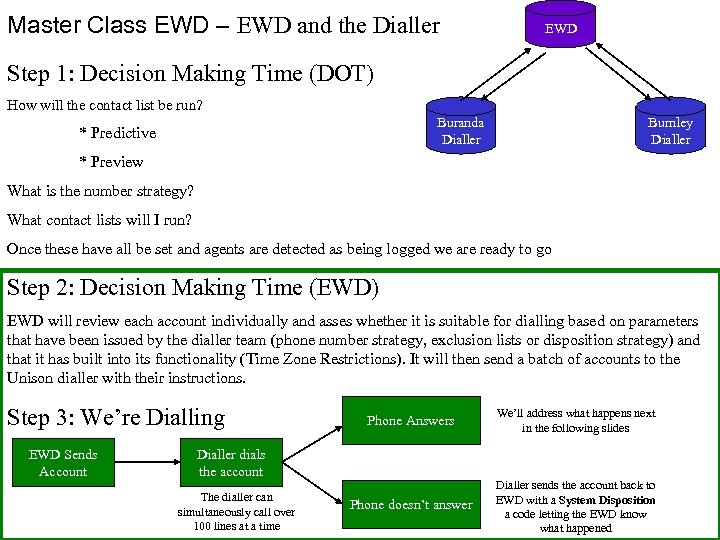 Master Class EWD – EWD and the Dialler EWD Step 1: Decision Making Time (DOT) How will the contact list be run? Buranda Dialler * Predictive Burnley Dialler * Preview What is the number strategy? What contact lists will I run? Once these have all be set and agents are detected as being logged we are ready to go Step 2: Decision Making Time (EWD) EWD will review each account individually and asses whether it is suitable for dialling based on parameters that have been issued by the dialler team (phone number strategy, exclusion lists or disposition strategy) and that it has built into its functionality (Time Zone Restrictions). It will then send a batch of accounts to the Unison dialler with their instructions. Step 3: We’re Dialling EWD Sends Account Phone Answers We’ll address what happens next in the following slides Phone doesn’t answer Dialler sends the account back to EWD with a System Disposition a code letting the EWD know what happened Dialler dials the account The dialler can simultaneously call over 100 lines at a time
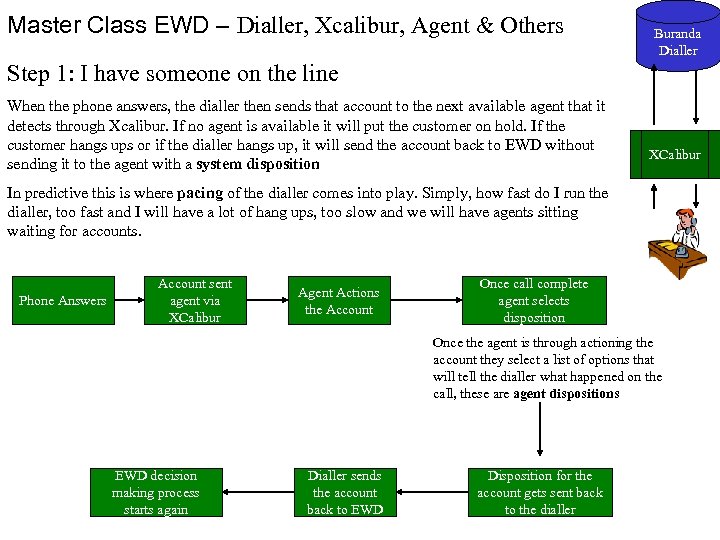 Master Class EWD – Dialler, Xcalibur, Agent & Others Buranda Dialler Step 1: I have someone on the line When the phone answers, the dialler then sends that account to the next available agent that it detects through Xcalibur. If no agent is available it will put the customer on hold. If the customer hangs ups or if the dialler hangs up, it will send the account back to EWD without sending it to the agent with a system disposition XCalibur In predictive this is where pacing of the dialler comes into play. Simply, how fast do I run the dialler, too fast and I will have a lot of hang ups, too slow and we will have agents sitting waiting for accounts. Phone Answers Account sent agent via XCalibur Agent Actions the Account Once call complete agent selects disposition Once the agent is through actioning the account they select a list of options that will tell the dialler what happened on the call, these are agent dispositions EWD decision making process starts again Dialler sends the account back to EWD Disposition for the account gets sent back to the dialler
 Master Class EWD – Dialler, Xcalibur, Agent & Others
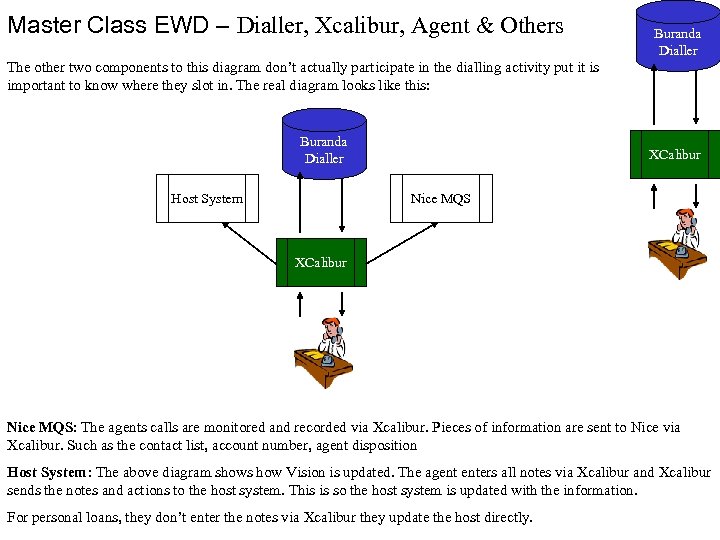 Master Class EWD – Dialler, Xcalibur, Agent & Others Buranda Dialler The other two components to this diagram don’t actually participate in the dialling activity put it is important to know where they slot in. The real diagram looks like this: Buranda Dialler Host System XCalibur Nice MQS: The agents calls are monitored and recorded via Xcalibur. Pieces of information are sent to Nice via Xcalibur. Such as the contact list, account number, agent disposition Host System: The above diagram shows how Vision is updated. The agent enters all notes via Xcalibur and Xcalibur sends the notes and actions to the host system. This is so the host system is updated with the information. For personal loans, they don’t enter the notes via Xcalibur they update the host directly.
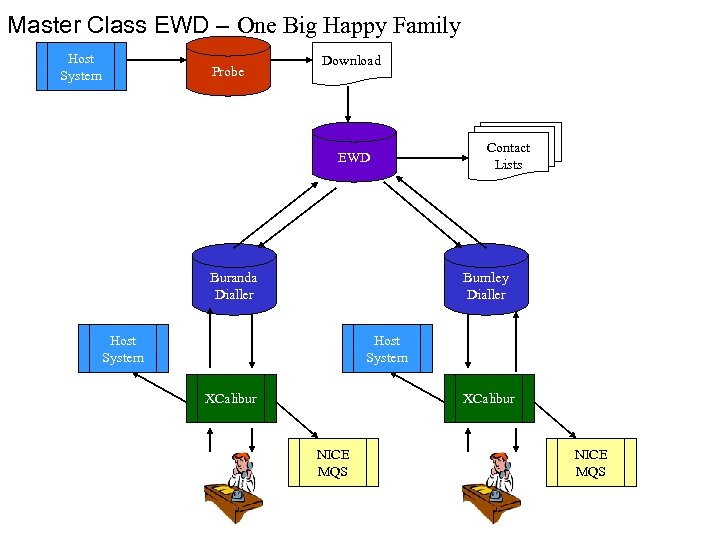 Master Class EWD – One Big Happy Family Host System Probe Download EWD Buranda Dialler Contact Lists Burnley Dialler Host System XCalibur NICE MQS
 Read the book, seen the movie, watched the musical and still have no idea what’s going on? Questions?
 Glossary of Terms
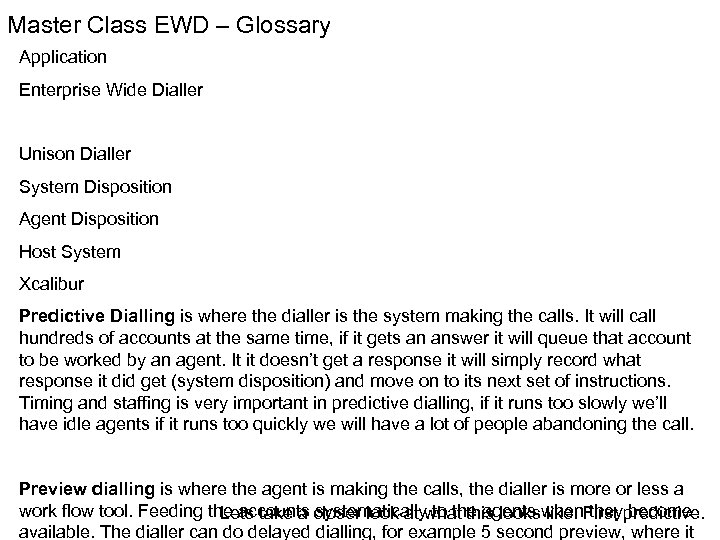 Master Class EWD – Glossary Application Enterprise Wide Dialler Unison Dialler System Disposition Agent Disposition Host System Xcalibur Predictive Dialling is where the dialler is the system making the calls. It will call hundreds of accounts at the same time, if it gets an answer it will queue that account to be worked by an agent. It it doesn’t get a response it will simply record what response it did get (system disposition) and move on to its next set of instructions. Timing and staffing is very important in predictive dialling, if it runs too slowly we’ll have idle agents if it runs too quickly we will have a lot of people abandoning the call. Preview dialling is where the agent is making the calls, the dialler is more or less a work flow tool. Feeding the accounts closer look at what this lookswhen. First predictive. Lets take a systematically to the agents like. they become available. The dialler can do delayed dialling, for example 5 second preview, where it


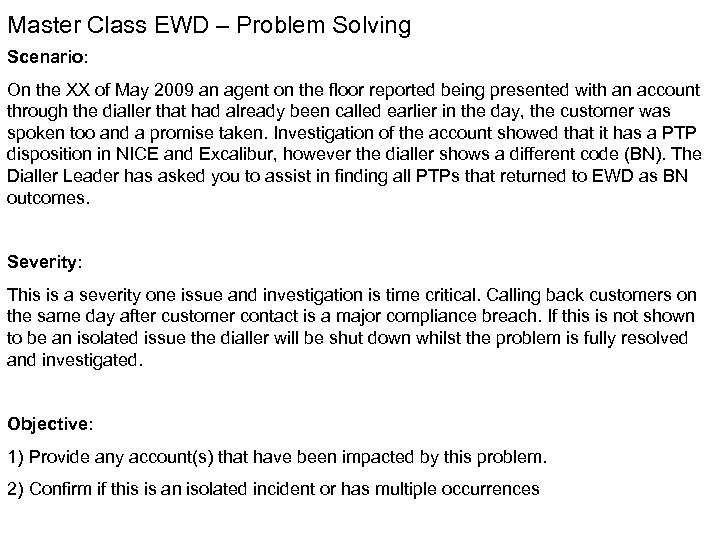 Master Class EWD – Problem Solving Scenario: On the XX of May 2009 an agent on the floor reported being presented with an account through the dialler that had already been called earlier in the day, the customer was spoken too and a promise taken. Investigation of the account showed that it has a PTP disposition in NICE and Excalibur, however the dialler shows a different code (BN). The Dialler Leader has asked you to assist in finding all PTPs that returned to EWD as BN outcomes. Severity: This is a severity one issue and investigation is time critical. Calling back customers on the same day after customer contact is a major compliance breach. If this is not shown to be an isolated issue the dialler will be shut down whilst the problem is fully resolved and investigated. Objective: 1) Provide any account(s) that have been impacted by this problem. 2) Confirm if this is an isolated incident or has multiple occurrences
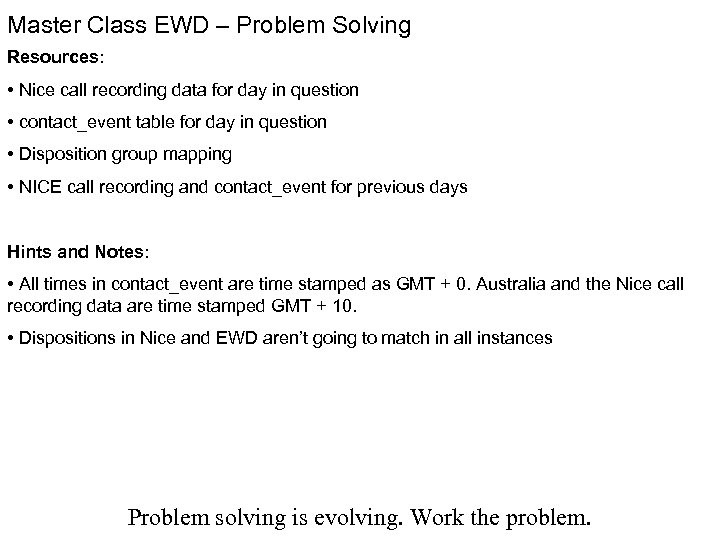 Master Class EWD – Problem Solving Resources: • Nice call recording data for day in question • contact_event table for day in question • Disposition group mapping • NICE call recording and contact_event for previous days Hints and Notes: • All times in contact_event are time stamped as GMT + 0. Australia and the Nice call recording data are time stamped GMT + 10. • Dispositions in Nice and EWD aren’t going to match in all instances Problem solving is evolving. Work the problem.