


 Скачать презентацию Making Digital Curation a Systematic Institutional Function revised
06122b0c8e364a06d42f270fa4815750.ppt
- Количество слайдов: 33
 Making Digital Curation a Systematic Institutional Function (revised for CIRSS Seminar) 6 th International Conference on Digital Curation December 8, 2010 Chicago, IL Christopher J. Prom, Ph. D Assistant University Archivist and Associate Professor University of Illinois at Urbana-Champaign prom@illinois. edu
 1. Why This Project?
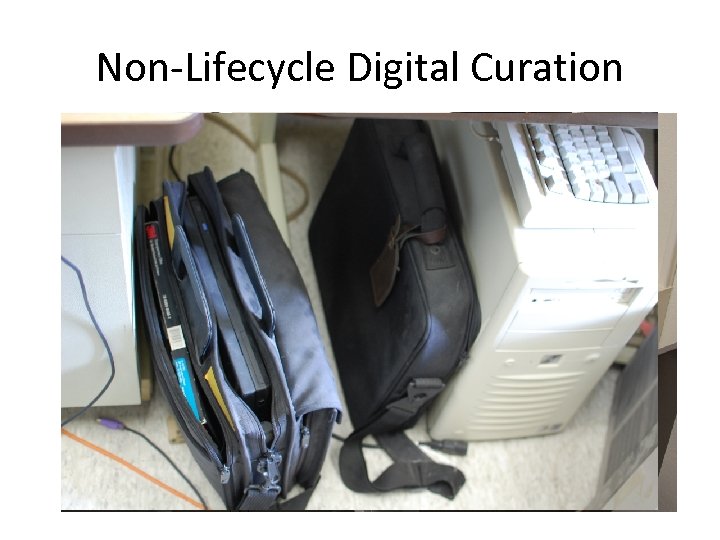 Non-Lifecycle Digital Curation
![Real World Creators Lack Resources “[We] submitted a proposal for developing a plan, with](https://present5.com/presentation/06122b0c8e364a06d42f270fa4815750/image-4.jpg "Real World Creators Lack Resources “[We] submitted a proposal for developing a plan, with") Real World Creators Lack Resources “[We] submitted a proposal for developing a plan, with guidelines, for managing [electronic] materials. The need for this plan is becoming acute, as many member governance materials are created only electronically, distributed electronically and referenced electronically—except that they might be stored as documents on the website, as documents in [an online membership portal], or on various people’s hard drives. We will be losing our history if we don’t act now. ” “The goal of the project is the plan—and we need your help. First, we need your expertise to guide us toward appropriate archival principals and to point us to a process that will mesh with your capabilities; second, we need your input on a possible investigator to survey the need, describe best practice and suggest a plan. ” “The amount is relatively small, so we’re hoping a graduate student or recent graduate might be available. The time frame is from now until the end of August. ”
Real World Creators Lack Resources “[We] submitted a proposal for developing a plan, with guidelines, for managing [electronic] materials. The need for this plan is becoming acute, as many member governance materials are created only electronically, distributed electronically and referenced electronically—except that they might be stored as documents on the website, as documents in [an online membership portal], or on various people’s hard drives. We will be losing our history if we don’t act now. ” “The goal of the project is the plan—and we need your help. First, we need your expertise to guide us toward appropriate archival principals and to point us to a process that will mesh with your capabilities; second, we need your input on a possible investigator to survey the need, describe best practice and suggest a plan. ” “The amount is relatively small, so we’re hoping a graduate student or recent graduate might be available. The time frame is from now until the end of August. ”
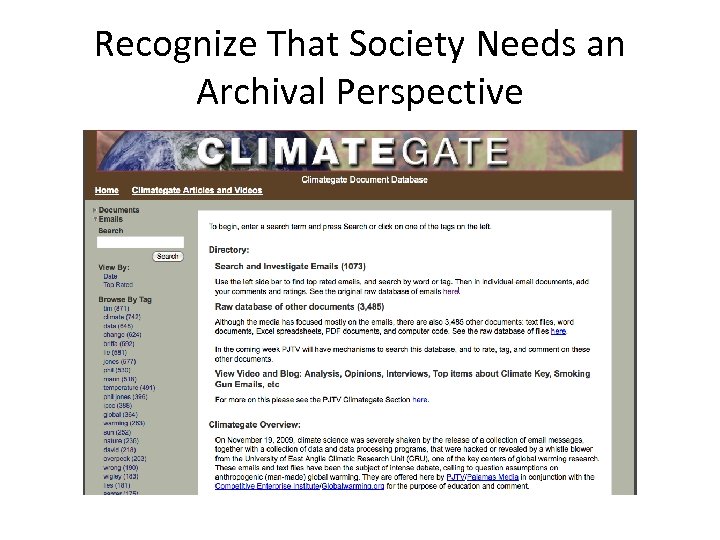 Recognize That Society Needs an Archival Perspective
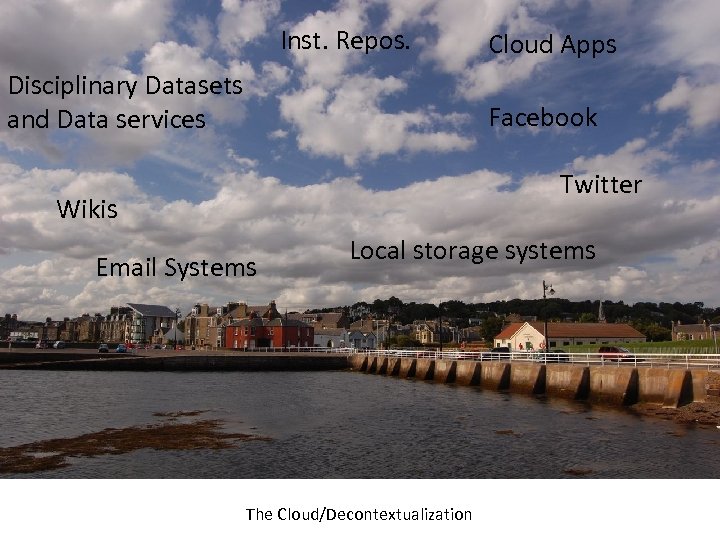 Inst. Repos. Disciplinary Datasets and Data services Cloud Apps Facebook Twitter Wikis Email Systems Local storage systems The Cloud/Decontextualization
 What does systematic mean? • Elements of entire organization collaborate toward common goal: – Identify, preserve, and provide “good enough” access to non-managed records from the past – Manages current records for future identification, preservation and accession in appropriate site • • institutional repository disciplinary repository Library Archives/Special Collections Library
 Archivists Have: • Conceptual Tools – Provenance – Preservation of Context • Practical Method for Paper Records – Active, evolving custodianship for long-term – Records Management and Donor Relationships • Focus on rich documentary sources – Correspondence, minutes, reports
 Archives Role • Archival expertise can enrich current systems of people and computers. With relatively small amount of resources, significant value can be added to any organization, in the form of managed and preserved electronic records. • BUT, Archives must demonstrate competence and earn trust!
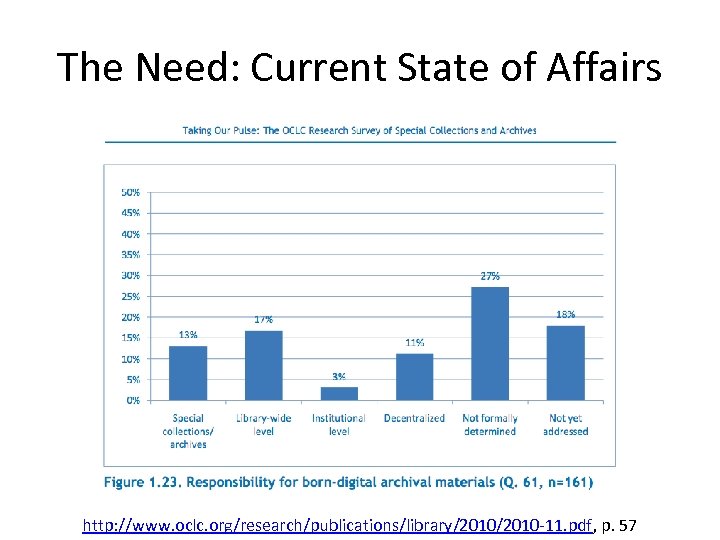 The Need: Current State of Affairs http: //www. oclc. org/research/publications/library/2010 -11. pdf, p. 57
 Projects and Resources (Sample)
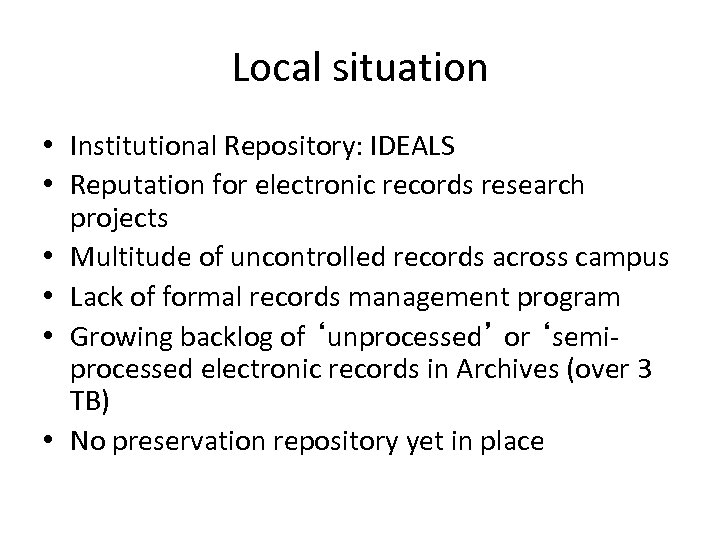 Local situation • Institutional Repository: IDEALS • Reputation for electronic records research projects • Multitude of uncontrolled records across campus • Lack of formal records management program • Growing backlog of ‘unprocessed’ or ‘semiprocessed electronic records in Archives (over 3 TB) • No preservation repository yet in place
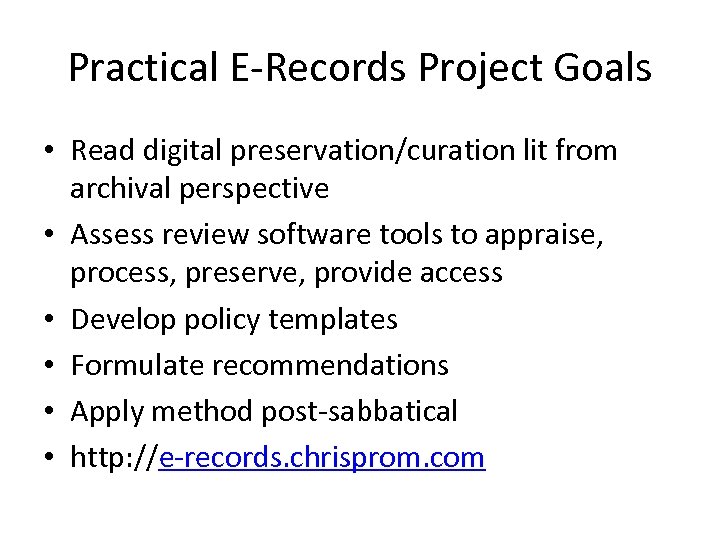 Practical E-Records Project Goals • Read digital preservation/curation lit from archival perspective • Assess review software tools to appraise, process, preserve, provide access • Develop policy templates • Formulate recommendations • Apply method post-sabbatical • http: //e-records. chrisprom. com
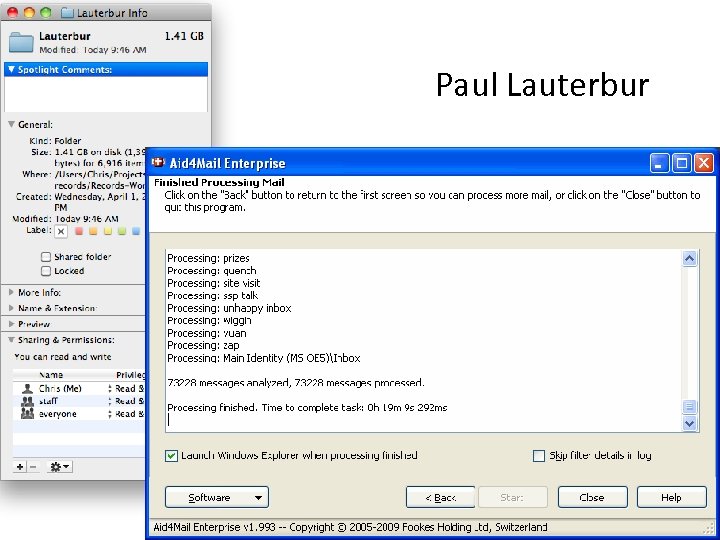 Paul Lauterbur
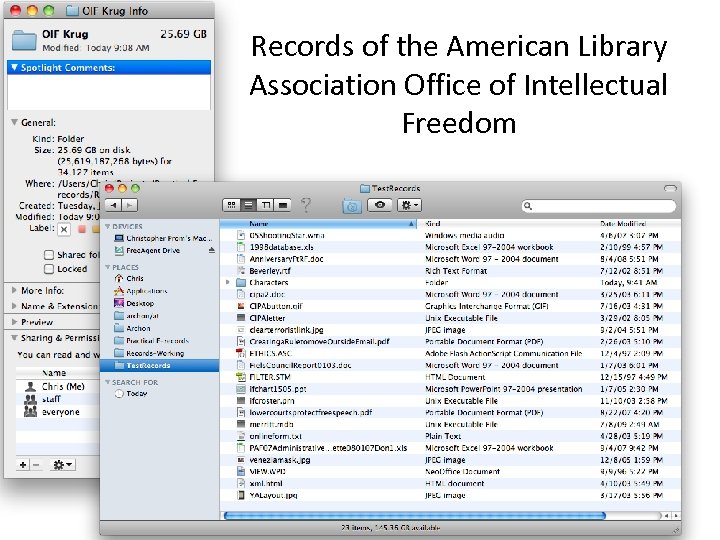 Records of the American Library Association Office of Intellectual Freedom
 Key Messages • Digital preservation can be made as simple or complex as you like • Method for systematically – Building competence and trust – Developing policies and procedures – Implementing trustworthy do-it-yourself repository • People and commitment are the keys to success
 Key: Slowly build confidence and trust • Use a method to gain digital competence using existing technologies and parterships • Template-based system • Systematic set of nine steps • http: //erecords. chrisprom. com/? page_id=508
 Practical E-Records: Key Elements 1. Intended Audience 2. Flexible custodianship model 3. Micro-services—deploy technologies as needed
 Recommendations 1. Assess available resources (e. g. staff, technology, IT support, institutional commitment, and budget). 2. Write an electronic records program statement. 3. Engage carefully selected records producers and IT staff in a pilot digital archives program. 4. Implement policies and procedures concerning submission of content from creators/producers
 2. Develop Electronic Records Program Statement • http: //erecords. chrisprom. com/ ? page_id=540 • Key points: – Customizable – Trust-building – Demonstrate basic competence – Sell your program • • • Preamble Mandate Partners Documentary Scope Guiding Values/Commitmen ts Pre-deposit services Acquisition Processing Management Access
 3. Start Pilot Program • Sell Program to Admin—no cost basis. • Target a small number of individuals – Present them with vision of the program – Listen carefully • Identify IT partners and candidate technologies • Have a safe place to ‘park’ stuff temporarily • http: //e-records. chrisprom. com/? p=1424
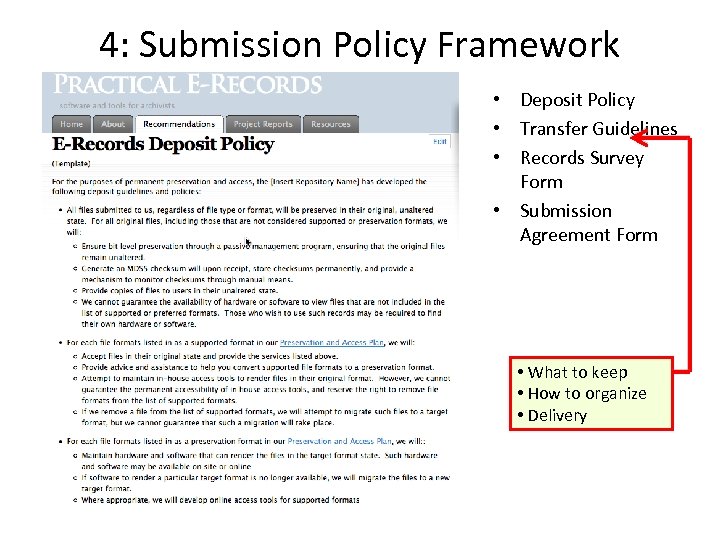 4: Submission Policy Framework • Deposit Policy • Transfer Guidelines • Records Survey Form • Submission Agreement Form • What to keep • How to organize • Delivery
 Recommendation 5 5. Begin implementation of a trustworthy digital repository – ensuring that the records included complement and do not duplicate those preserved by other trusted internal or external agencies. – advocate, fund, and implement trustworthiness-- over time – Begin with do-it-yourself TDR
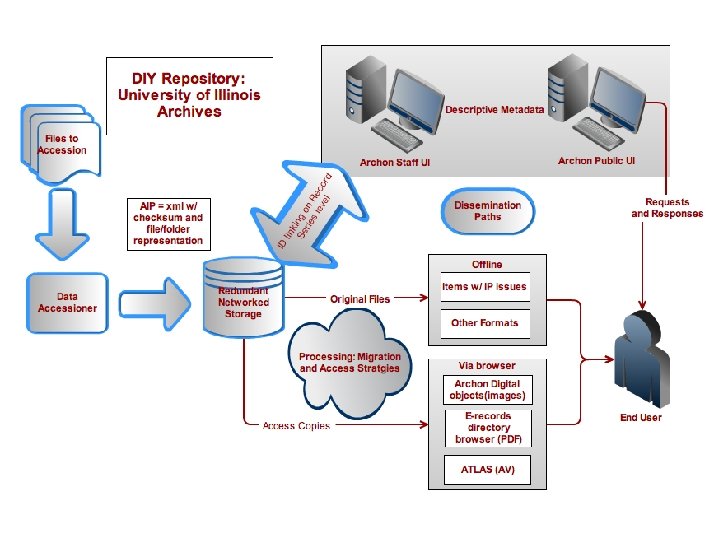
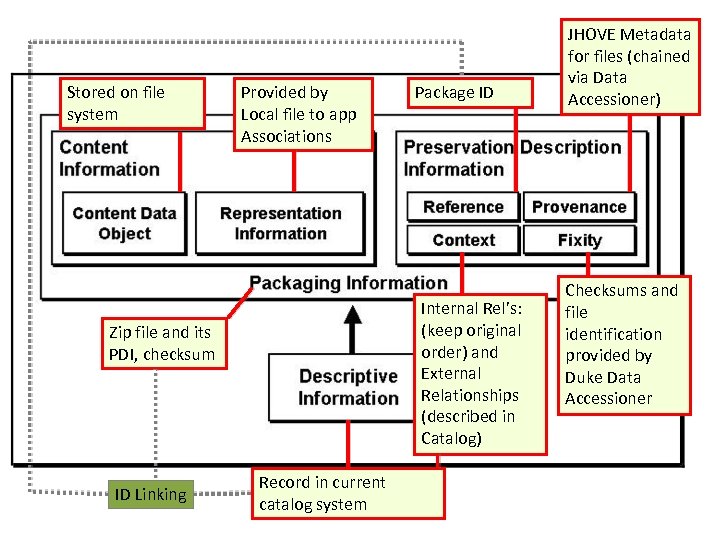 Stored on file system Provided by Local file to app Associations Internal Rel’s: (keep original order) and External Relationships (described in Catalog) Zip file and its PDI, checksum ID Linking Package ID Record in current catalog system JHOVE Metadata for files (chained via Data Accessioner) Checksums and file identification provided by Duke Data Accessioner
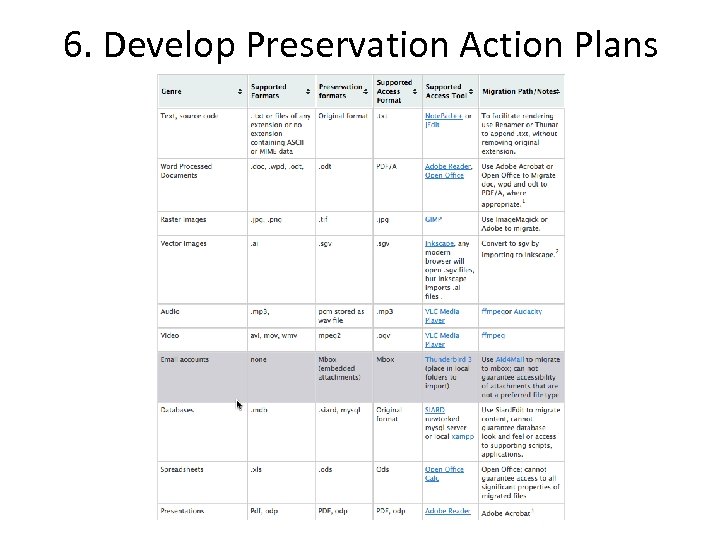 6. Develop Preservation Action Plans
 Recommendations, in progress 7. Develop processing, preservation, and storage workflows for submitted materials 8. Implement the workflows using the “Practical E-Records Workstation”. 9. Develop an access system for resources ingested into your trustworthy storage environment.
 Very Useful Learning Tools • Karen’s Directory Printer • DROID and JHOVE – Duke Data Accessioner • FITS: File Information Toolset • Migration – Imagemagick – Xena – Aid 4 Mail (e. Archivist edition just released)
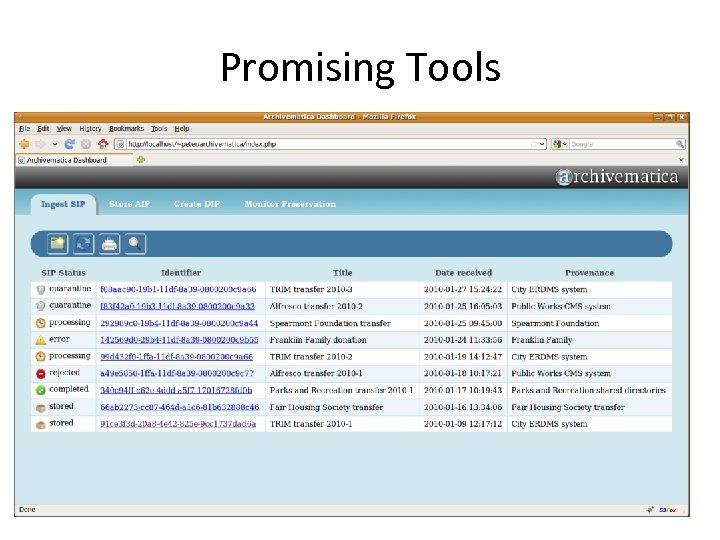 Promising Tools Aid 4 Mail
 Archivematica • Advantages: – Can use alongside existing hardware/software for migration options, storage, etc. – Allows for easy extension (via package manager or apt -get) – Potentially allows for flexibility in decision making – Excellent Development Model/Community involvement on wiki Google groups – Web dashboard coming – Targeted to ‘small’ archives – Range of partners supporting it.
 Gaps/Needs • Education – “Understanding Recordkeeping Technologies” • Tools – Records Appraisal Tool • e. g Danish Royal Archives SABA Kopiering Tool – Submission Agreements? • TAPER (http: //dca. tufts. edu/? pid=49) • Case studies: does the method work? • All in one tools
 Making Digital Curation a Systematic Institutional Function (revised for CRISS Seminar) Christopher J. Prom, Ph. D Assistant University Archivist, University of Illinois at Urbana. Champaign prom@illinois. edu Thanks to those who sponsored the research on which this talk was based: