


 Скачать презентацию Maestro the customer information system CRM and
5a11fbd774560d876ce7e49bacf761e5.ppt
- Количество слайдов: 27
 Maestro – the customer information system, CRM, and profile synch tool Presented to the Big League Users Group by: Paul Covington International Travel
 Issues l Profile synchronization Ø Existing products limited in scope Ø Online booking tool systems only work from that one product to the GDS Ø Add/delete/modify labor intensive
 Issues l Marketing efforts were cumbersome Ø Customer information scattered in several databases Ø Manual updates Ø No way to target market Ø Took too long
 Separate databases Profile information (GDS & MS Access) l Mailing list l Email list l Clientbase (Virtuoso) l Globalware (travel history) l
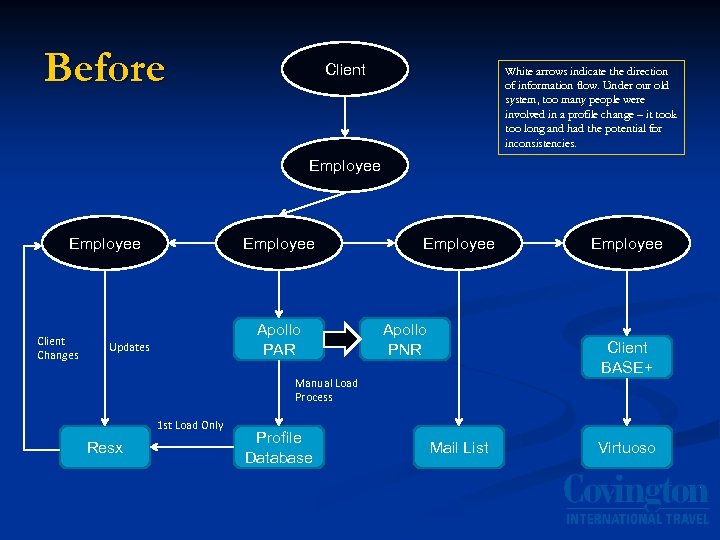 Before Client White arrows indicate the direction of information flow. Under our old system, too many people were involved in a profile change – it took too long and had the potential for inconsistencies. Employee Client Changes Employee Apollo PAR Updates Employee Apollo PNR Client BASE+ Manual Load Process 1 st Load Only Resx Profile Database Employee Mail List Virtuoso
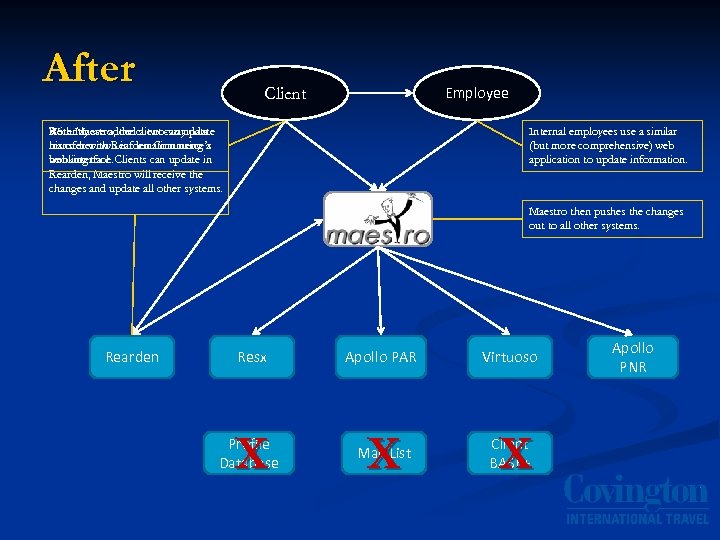 After Employee Client With Maestro, the a two-way data Recently we addedclient can update his or her own information using a transfer with Rearden Commerce’s web interface. booking tool. Clients can update in Rearden, Maestro will receive the changes and update all other systems. Internal employees use a similar (but more comprehensive) web application to update information. Maestro then pushes the changes out to all other systems. Rearden Resx Apollo PAR Virtuoso X Mail List X Client BASE+ Profile Database X Apollo PNR
 A Brief Tour
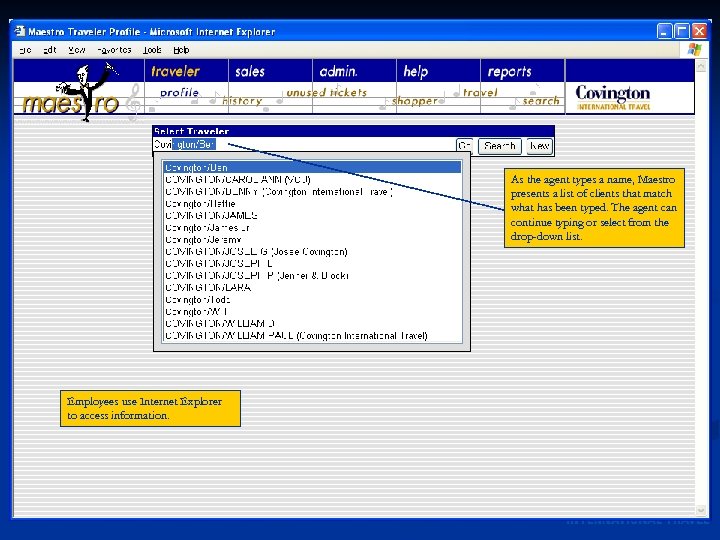 As the agent types a name, Maestro presents a list of clients that match what has been typed. The agent can continue typing or select from the drop-down list. Employees use Internet Explorer to access information.
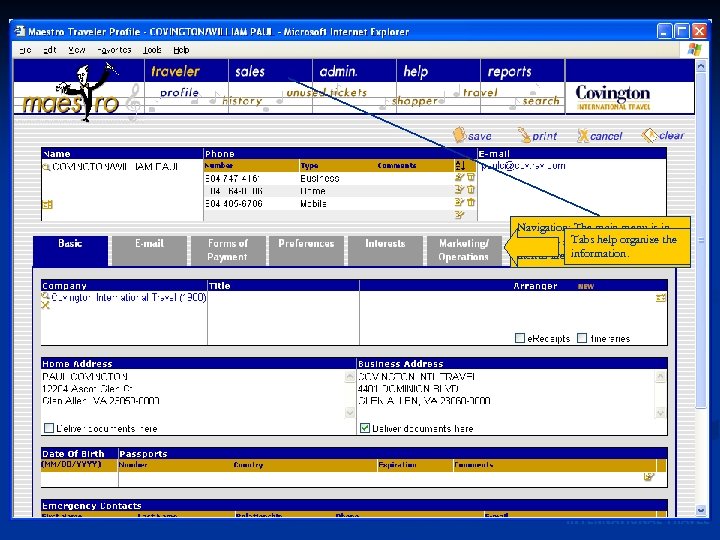 Navigation: The main menu is in dark blue at. Tabstop, and sub- the help organize information. menus are listed below.
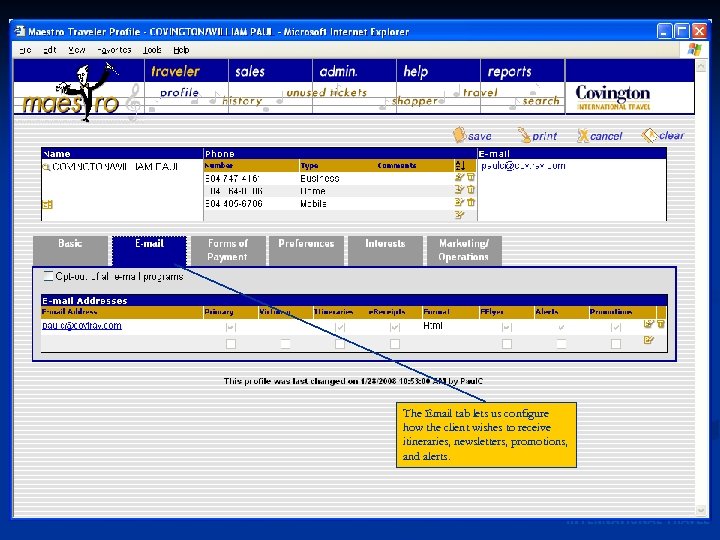 The Email tab lets us configure how the client wishes to receive itineraries, newsletters, promotions, and alerts.
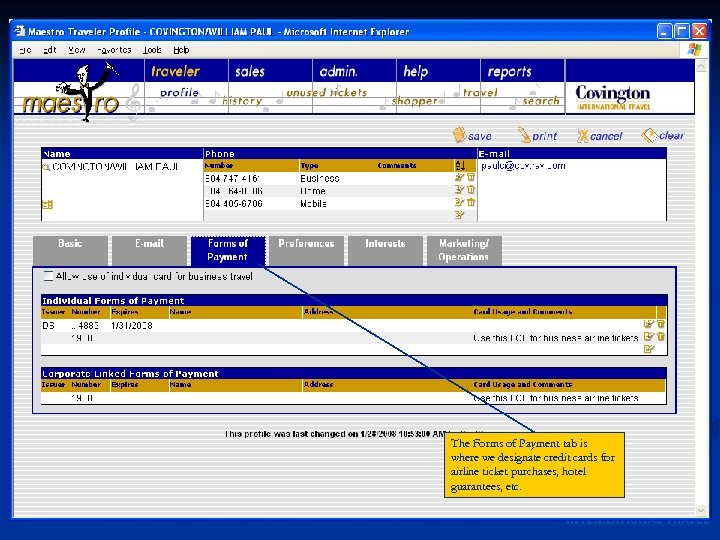 The Forms of Payment tab is where we designate credit cards for airline ticket purchases, hotel guarantees, etc.
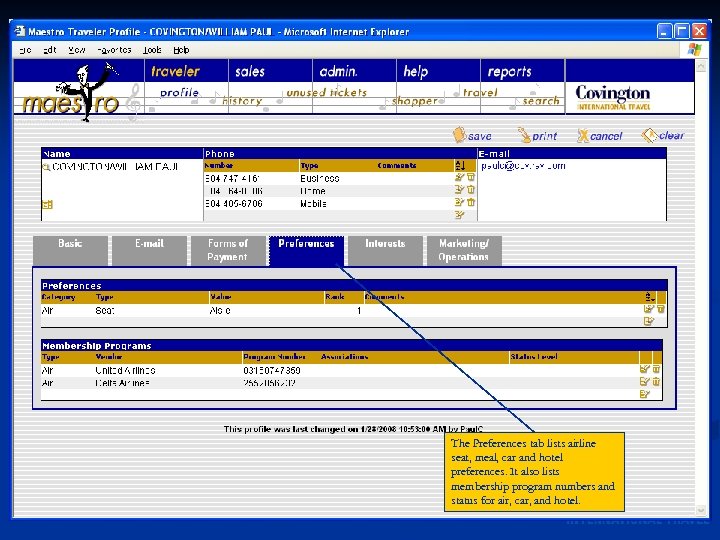 The Preferences tab lists airline seat, meal, car and hotel preferences. It also lists membership program numbers and status for air, car, and hotel.
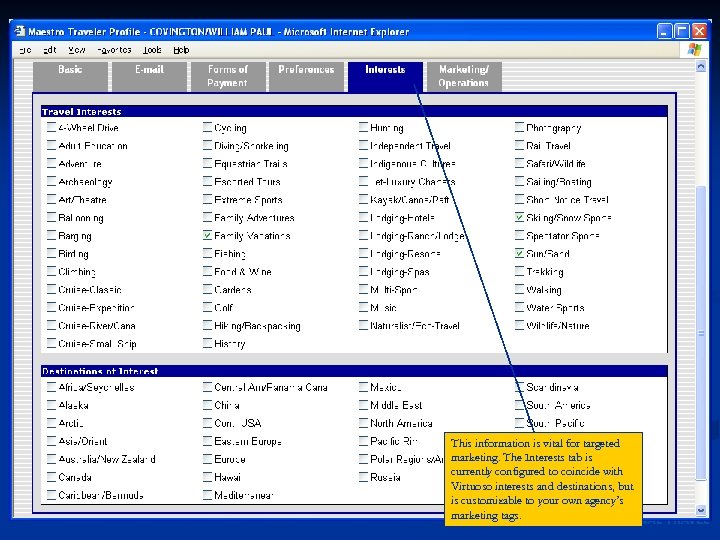 This information is vital for targeted marketing. The Interests tab is currently configured to coincide with Virtuoso interests and destinations, but is customizable to your own agency’s marketing tags.
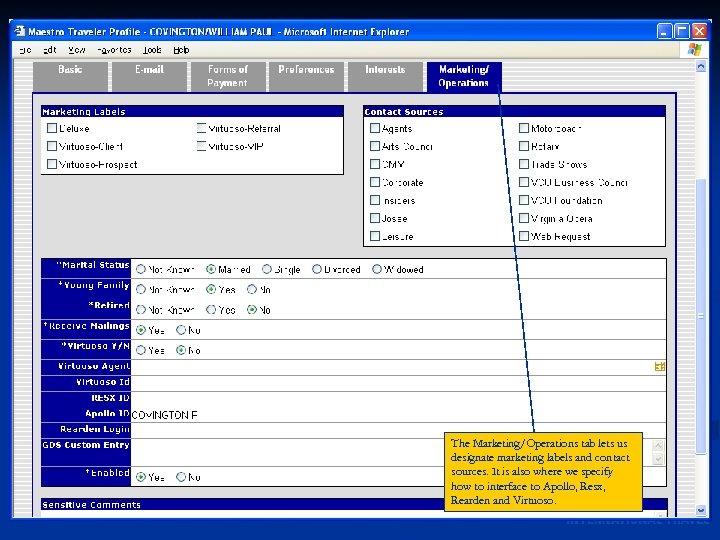 The Marketing/Operations tab lets us designate marketing labels and contact sources. It is also where we specify how to interface to Apollo, Resx, Rearden and Virtuoso.
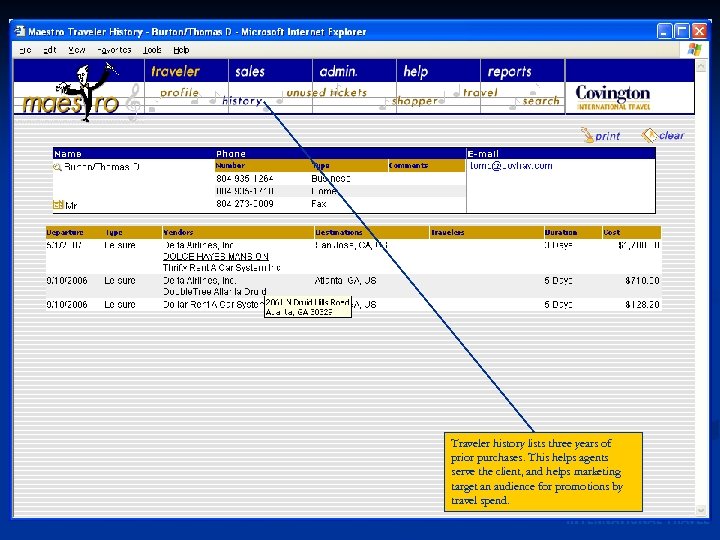 Traveler history lists three years of prior purchases. This helps agents serve the client, and helps marketing target an audience for promotions by travel spend.
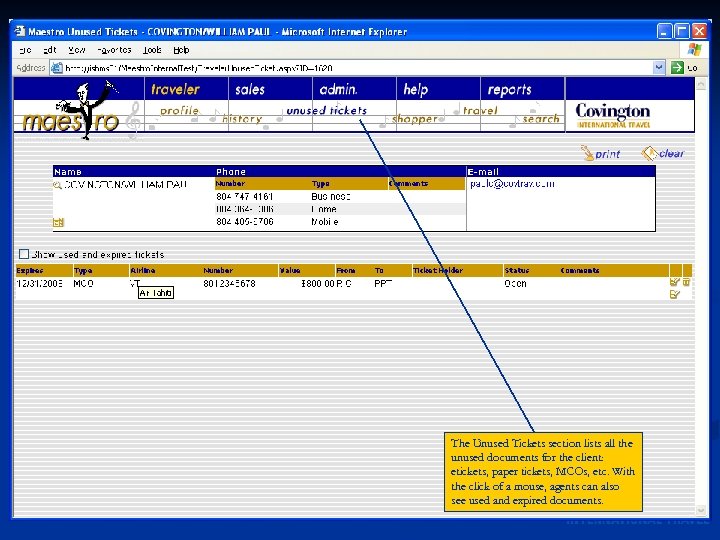 The Unused Tickets section lists all the unused documents for the client: etickets, paper tickets, MCOs, etc. With the click of a mouse, agents can also see used and expired documents.
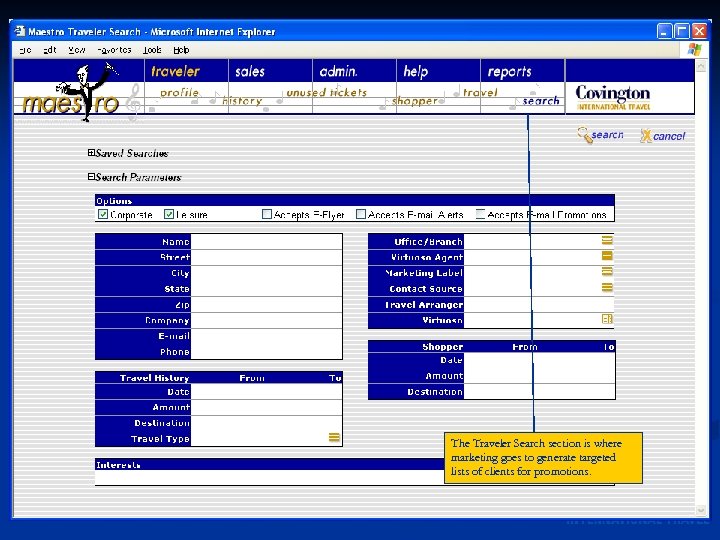 The Traveler Search section is where marketing goes to generate targeted lists of clients for promotions.
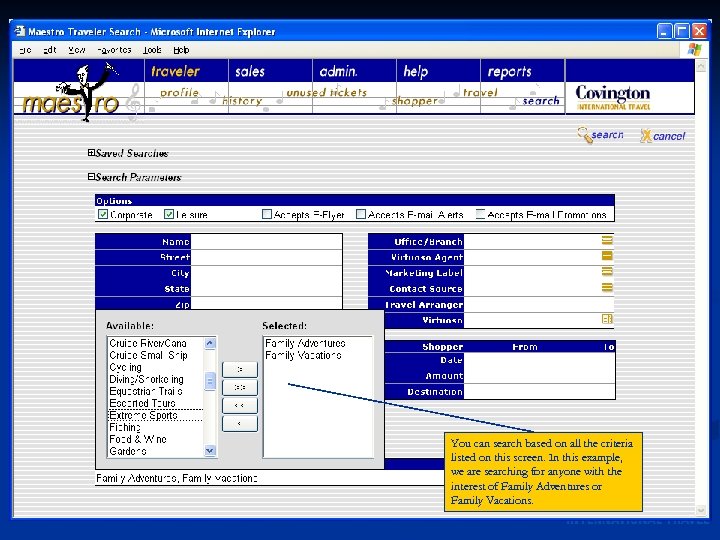 You can search based on all the criteria listed on this screen. In this example, we are searching for anyone with the interest of Family Adventures or Family Vacations.
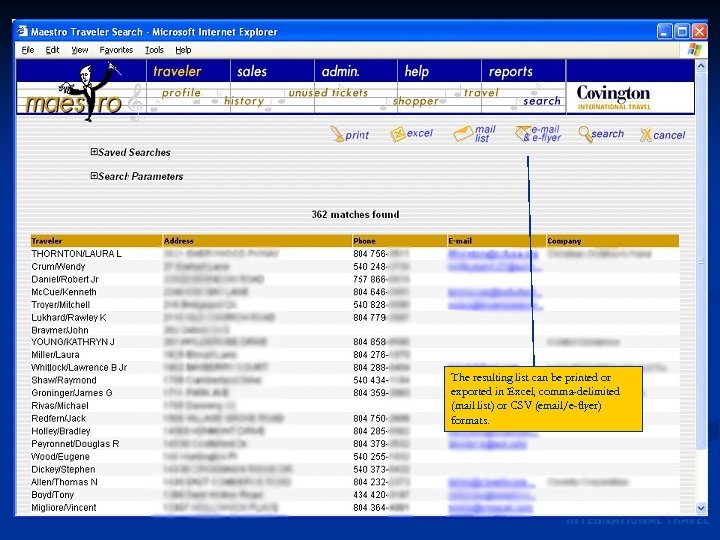 The resulting list can be printed or exported in Excel, comma-delimited (mail list) or CSV (email/e-flyer) formats.
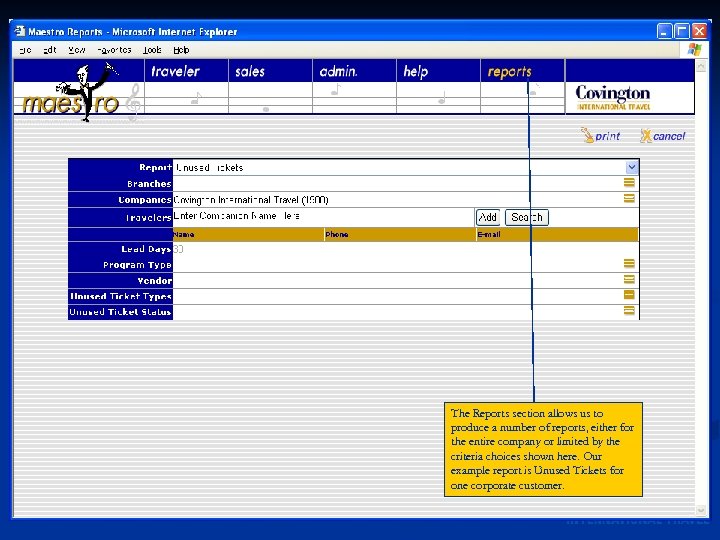 The Reports section allows us to produce a number of reports, either for the entire company or limited by the criteria choices shown here. Our example report is Unused Tickets for one corporate customer.
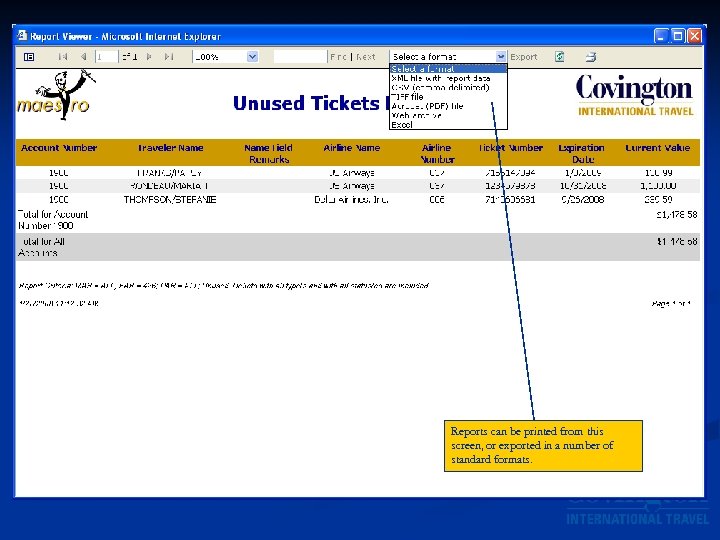 Reports can be printed from this screen, or exported in a number of standard formats.
 Pleasant Surprises l Never realized how many clients we booked travel for who never had a profile built. Ø Used to rely on the traveler or travel arranger to fill out a profile form, which didn’t always happen. Ø Now the agent fills out information as they do the booking. l Phone number lookups let us tie inbound call information to specific corporate accounts and travelers.
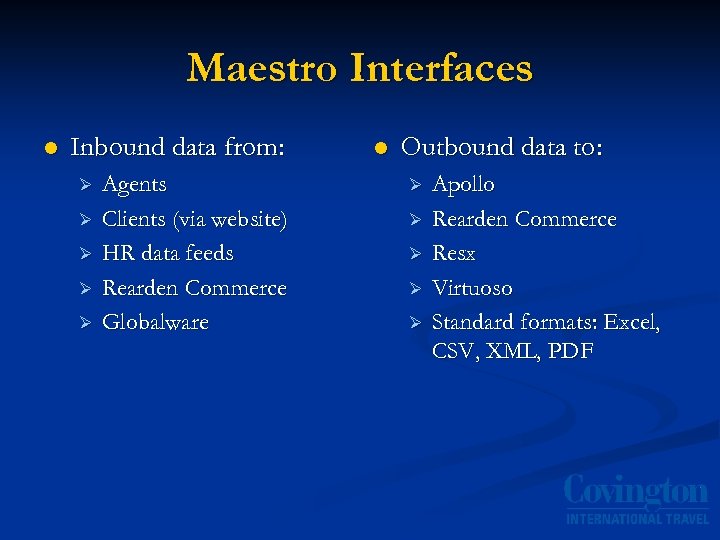 Maestro Interfaces l Inbound data from: Ø Ø Ø Agents Clients (via website) HR data feeds Rearden Commerce Globalware l Outbound data to: Ø Ø Ø Apollo Rearden Commerce Resx Virtuoso Standard formats: Excel, CSV, XML, PDF
 Benefits Central source of client information l Consistent data l Agents can focus on customer service l Ø Easier searches, including across offices Ø “Book me in that hotel I stayed in 3 months ago” l Marketing has unprecedented access to data for target marketing (interests, travel spend, etc. )
 Benefits l Operations can be proactive Ø Email notifications for expiring credit cards, passports, unused travel documents, etc) Labor savings (let the client do the typing) l Speed to market l Ø We can communicate with and market to our customers more quickly and appropriately Ø We can roll out new corporate customers faster
 Like the conductor of an orchestra, Maestro brings all the pieces into harmony, helping you conduct your business better!
 For questions or to set up a demo, contact Paul Covington at Paul. C@covtrav. com