


 Скачать презентацию Macquarie Fields College of TAFE 5 Version 2
5317a145c10b61867ddb7c11367b92d4.ppt
- Количество слайдов: 43
 Macquarie Fields College of TAFE 5 Version 2 – 13 March 2000 5 - HARDWARE
 Macquarie Fields College of TAFE Network Servers When printers, modems, and hard disk drives are connected into a network, additional hardware, called network servers, is required to allow these nodes to be shared by all the microcomputers on the network. There are four basic kinds of servers.
 Macquarie Fields College of TAFE Network Servers • Printer Servers Allow all computers on the network to use the same printer • File Servers Allow all computers on the network to use the same hard disk drive
 Macquarie Fields College of TAFE Network Servers • Routing Servers Connect two or more networks with the same architecture. • Gateway Servers Connect two or more different types of networks. These gateways simplify the network and reduce network expenses.
 Macquarie Fields College of TAFE Network Components • • • Two or more computers Cabling Connectors Terminators Network Operating System (NOS) Network Interface Card (NIC)
 Macquarie Fields College of TAFE Network Components • Servers – File – Mail – Print • Mainframes • Routers – Frame Relays – Gateways
 Macquarie Fields College of TAFE Network Advantages • Share Information (files) • Share Resources (printers, programs) • E-Mail • Security
 Macquarie Fields College of TAFE Network Disadvantages • Initial Cost of Hardware/Software • Implementation Costs • Network Complexity (training, crashes) • Control (access, viruses) • Performance
 Macquarie Fields College of TAFE Network Administrator Systems Administrator Network Manager • Maintaining • Configuring • Installing • Training • Back-ups • Access/Passwords
 Macquarie Fields College of TAFE RAM & ROM • RAM (Random Access Memory) – Volatile Memory • ROM (Read Only Memory) – Non-volatile Memory – Imprinted into chip by manufacturer – Required by the CPU to enable it to handle data – Can be read and used but not altered
 Macquarie Fields College of TAFE Disks • Scandisk • Defrag (Defragmentation) • Partitioning

 Macquarie Fields College of TAFE Care & Maintenance • • • Floppy Disks Fixed Disks VDU System Unit Box Keyboard Mouse
 Macquarie Fields College of TAFE Care & Maintenance • • Speakers Printers Cables & Leads Modems External CD-ROMs Scanner Tape Devices

 Macquarie Fields College of TAFE Trouble Shooting involves correctly identifying, repairing and maintaining computer equipment
 Macquarie Fields College of TAFE Trouble Shooting • Main Problem Areas • Electronic/Electrical Failures • Hardware/Mechanical (printer jam/broken cable) • Software (operator error) • Fault Logs
 Macquarie Fields College of TAFE Trouble Shooting • • Floppy Disks Fixed Disks VDU System Unit Box Keyboard Mouse Speakers
 Macquarie Fields College of TAFE Trouble Shooting • • • Printers Cables & Leads Modems CD-ROMs Scanners Tape Devices
 Macquarie Fields College of TAFE Occupational Health • • Take rest periods every 1 hour Do regular exercises Position Screen away from glare Position chair at the right height
 Macquarie Fields College of TAFE Safety • Ensure power is turned off and pulled out of the Wall Socket when working with the hardware components • Turn computer off ASAP if unusual noises or smells are present • Try to save your work before powering down
 Macquarie Fields College of TAFE Safety • Keep backups • Use – Anti-static straps – Surge Protector – Spike Protector • Read Manuals • Remain calm and logical
 Macquarie Fields College of TAFE Client Requirements • • • Client Needs Alternative Solutions Appropriate Solutions Document Solutions Purchasing Guidelines
 Macquarie Fields College of TAFE Documentation • • • Hardware Logs Software Logs Registered Software Stock take of Installed Software Inventory of Consumables and Parts Accessing and recording stock from the store • Maintain a library of manuals
 Macquarie Fields College of TAFE Network Cabling Three types of wires or cables are used to connect computers in a local area network: • Twisted-pair wires • Coaxial cables • Fiber-optic cables
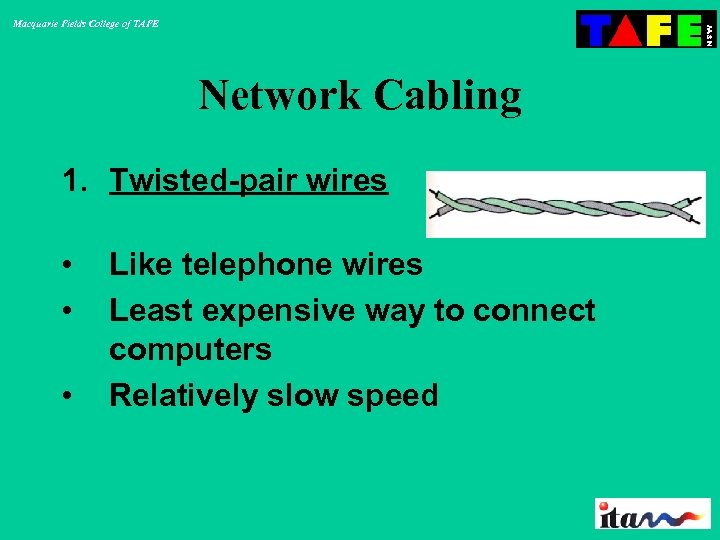 Macquarie Fields College of TAFE Network Cabling 1. Twisted-pair wires • • • Like telephone wires Least expensive way to connect computers Relatively slow speed
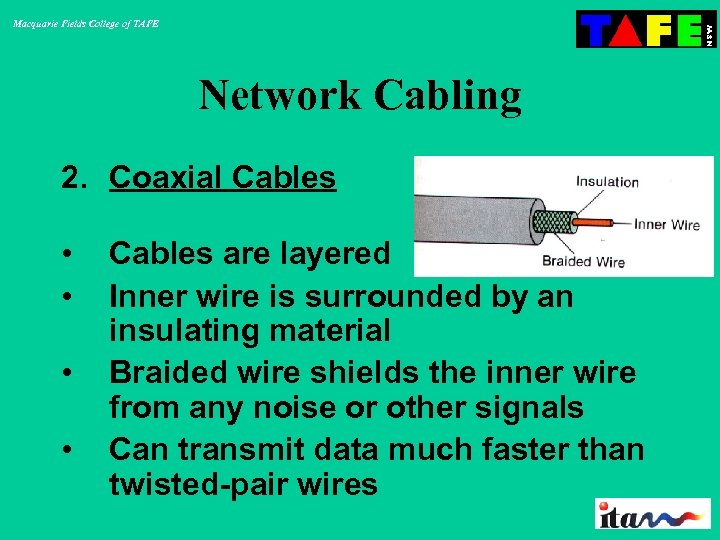 Macquarie Fields College of TAFE Network Cabling 2. Coaxial Cables • • Cables are layered Inner wire is surrounded by an insulating material Braided wire shields the inner wire from any noise or other signals Can transmit data much faster than twisted-pair wires
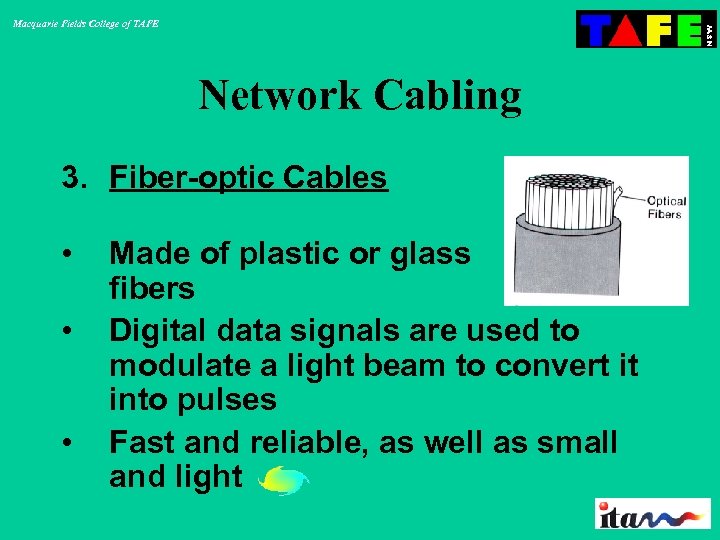 Macquarie Fields College of TAFE Network Cabling 3. Fiber-optic Cables • • • Made of plastic or glass fibers Digital data signals are used to modulate a light beam to convert it into pulses Fast and reliable, as well as small and light
 Macquarie Fields College of TAFE Terminators A device attached to the end-points of a bus network or daisy-chain. The purpose of the terminator is to absorb signals so that they do not reflect back down the line. Ethernet networks require a terminator at both ends of the bus, and SCSI chains require a single terminator at the end of the chain.
 Macquarie Fields College of TAFE Network Operating System (NOS) An operating system that includes special functions for connecting computers and devices into a localarea network (LAN). Some operating systems, such as UNIX and the Mac OS, have networking functions built in.
 Macquarie Fields College of TAFE Network Interface Card (NIC) Often abbreviated as NIC, an expansion board you insert into a computer so the computer can be connected to a network. Most NICs are designed for a particular type of network, protocol, and media, although some can serve multiple networks.
 Macquarie Fields College of TAFE Backups • What is a backup? • Where should backups be stored? • Where should backups not be stored? • How often should a backup be performed?
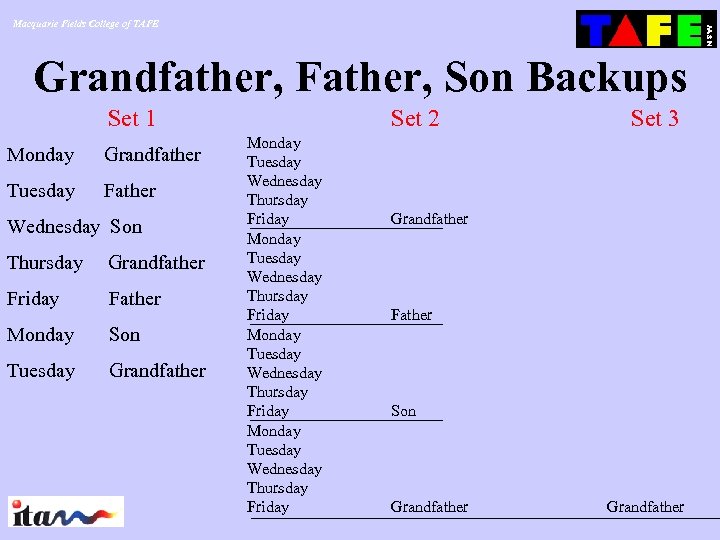 Macquarie Fields College of TAFE Grandfather, Father, Son Backups Set 1 Monday Grandfather Tuesday Father Wednesday Son Thursday Grandfather Friday Father Monday Son Tuesday Grandfather Set 2 Monday Tuesday Wednesday Thursday Friday Set 3 Grandfather Father Son Grandfather
 Macquarie Fields College of TAFE Types of backup media • • • CD-ROM Diskette Tape Drive Tape Reel Zip Drive
 Macquarie Fields College of TAFE Care of Floppy Disks • Do not bend • Do not touch the magnetic disk as the oil on your fingers will leave an imprint and corrupt the disk • Write on labels before placing on disk • Do not leave near heat or in the car • Do not place near a magnetic device such as the telephone
 Macquarie Fields College of TAFE Care of Fixed Disks • Locate in a dust free environment • Do not move computer when running • Scan disk regularly • Virus check disk regularly • Defrag disk regularly • Delete unwanted files regularly
 Macquarie Fields College of TAFE Care of VDU • Use an anti-static cleaning cloth • Keep in a dust free environment • Ensure a screen saver is active on your system so the monitor does not burn
 Macquarie Fields College of TAFE Care of System Unit Box • Keep in a dust free environment • Do not open the unit unnecessarily • Do not move the unit when computer is on • Do not smoke around the computer • Clean dust around disk and CD drives with a cotton bud
 Macquarie Fields College of TAFE Care of Keyboard • Keep keyboard covered when not in use • Do not eat around the computer as food particulars fall between the keys and corrupt contact between key and pressure pads • Wipe keyboard over regularly to keep clean
 Macquarie Fields College of TAFE Care of Mouse • Use mouse on a clean mouse pad • Keep working environment dust free • Clean mouse regularly – inside and outside
 Macquarie Fields College of TAFE Viruses • • • What is a virus? Where do viruses come from? Why are viruses created? How do viruses spread? How can you detect a virus?
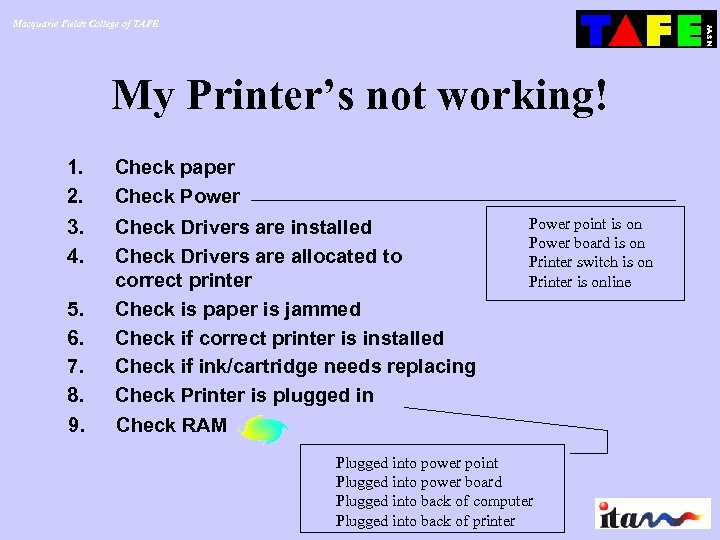 Macquarie Fields College of TAFE My Printer’s not working! 1. 2. Check paper Check Power 3. 4. Check Drivers are installed Check Drivers are allocated to correct printer Check is paper is jammed Check if correct printer is installed Check if ink/cartridge needs replacing Check Printer is plugged in Check RAM 5. 6. 7. 8. 9. Power point is on Power board is on Printer switch is on Printer is online Plugged into power point Plugged into power board Plugged into back of computer Plugged into back of printer
 Macquarie Fields College of TAFE Network Interface Card (NIC) Often abbreviated as NIC, an expansion board you insert into a computer so the computer can be connected to a network. Most NICs are designed for a particular type of network, protocol, and media, although some can serve multiple networks.