


 Скачать презентацию MAC OS X An Overview Dean Mc Kinney
013f2b782af01f6a25a5e2a548b4e445.ppt
- Количество слайдов: 22
 MAC OS X An Overview Dean Mc. Kinney Greater St. Albert Catholic Schools January, 2006
 Topics For Session • • Mac OS X Workstation Applications & Utilities Emerging Technologies Assistive Technologies
 Mac OS X Tiger Main differences from Mac OS Classic include: • Log in identities (local or networked) • Dashboard (widgets: small add-on applicationes) • Spotlight (more extensive search of your files) • Ilife (Imovie, Itunes, IDVD, Garage. Band) • Internet technologies
 Mac OS X Tiger - Log In OSX can provide separate identities for each user of a computer. Users have their own Home Folder located on the computer or on a remote server. This lends itself for the classroom computer becoming a more accessible tool for both the teacher and the students.
 Mac OS X Tiger - Home Each Home Folder includes: – Documents - default save location – Music - Itunes and Garage. Band files – Movies - Imovie files – Pictures - Iphoto files – Public/Shared - share files with other users – Library - user’s preferences
 Mac OS X Tiger - Home Users can customize their log in to meet individual needs and preferences. Some of these include: Desktop picture(s) Itunes library Web browser bookmarks Printer choices Start up items Universal Access (special settings) Size and location of the Dock
 Software - ILife • Imovie - create videos • IPhoto - edit photos, create picture videos, and photo albums. • ITunes - listen to music, podcasts, and create mp 3 s • Garage. Band - create audio and music presentations • IDVD - burn videos and picture presentations
 Software - Internet • Safari - web browsing • • IChat - instant messaging (text, audio, video) Mail - internet email Quick. Time - play video or audio Fire. Fox - web browsing Mozilla or Netscape - html editing Acrobat Reader - pdf files Net. News. Wire Lite - read RSS feeds Skype - Internet phone software
 Software - Other • • MS Word - word processing MS Excel - spreadsheets MS Power. Point - multimedia presentations ICal - create calendars Address Book - organize contact info Appleworks - updated Clarisworks First. Class - Division email
 Software - Utilities/Other • Grab - take pictures of your screen • • • Disk Utility - system maintenance, disk imaging Preview - view various types of files Zip your files - right click or control click Print PDF files Add Widgets to your Dashboard
 Software - Note Worthy • • • Storyboard OSX - storyboard software Sub. Etha. Edit - collaborative document sharing Hand. Brake - movie files from legal dvds Audio Hi. Jack - record computer’s audio GIMP - free graphics program Open. Office - free MS Office alternative Comic Life - create comics with students Stop. Motion - create still motion video Inspiration - mind mapping software Mozilla - html editor and web browser
 Noteworthy Technologies Mac OS X allows users to access some new and exciting technologies that were not fully accessible in older software. • RSS Feeds • Weblogs • Podcasts • IChat Instant Messeging • Handheld technology • Open Source Software
 RSS - Real Simple Syndication • Automatically updated subscriptions to websites, audio, and/or video • Feeds can be accessed using: – Web browser – RSS Reader (eg. Net. News. Wire Lite) – Palm Pilot – Cell phone – Itunes – IPod
 Weblog - Online Journals • Post information and have students respond with comments • Blogging - updating • Blogger - journalist • Can be viewed similarly to RSS feeds http: //www. blogger. com portal. sachs. ab. ca/weblogs
 IChat Instant Messaging • Instant Messaging both inside (Bonjour) and/or outside (Internet) the school • Communicate using video, text, and/or audio Firewall can keep it inside the school.
 Podcasts What is a Podcast? Access to subscriptions that may include audio, video, and/or text. How do I access Podcasts? Check out Itunes-->Music Store under Podcasts What can I access? Radio shows, courses, TV shows, course material… How can Podcasts be accessed? Computers , Ipods, MP 3 Players, handhelds, cell phones….
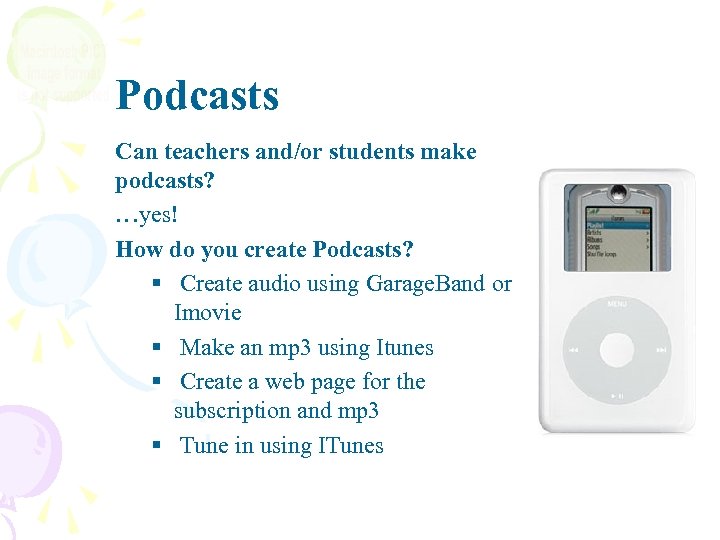 Podcasts Can teachers and/or students make podcasts? …yes! How do you create Podcasts? § Create audio using Garage. Band or Imovie § Make an mp 3 using Itunes § Create a web page for the subscription and mp 3 § Tune in using ITunes
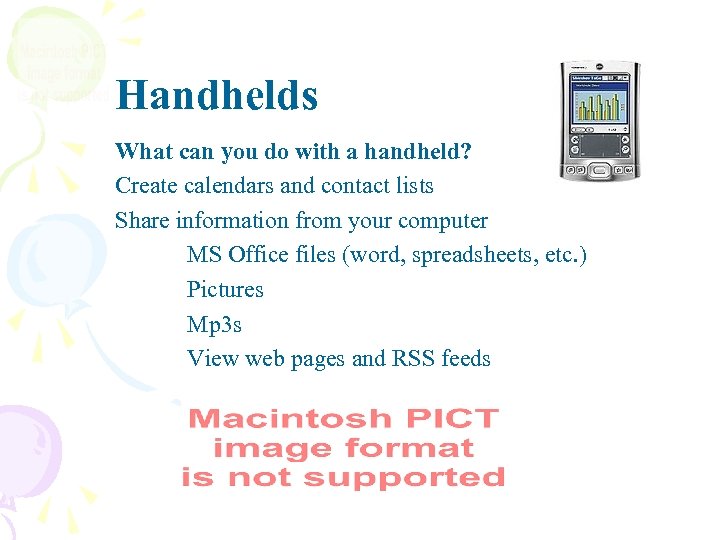 Handhelds What can you do with a handheld? Create calendars and contact lists Share information from your computer MS Office files (word, spreadsheets, etc. ) Pictures Mp 3 s View web pages and RSS feeds
 Open Source Software What is Open Source software? Software that is still is free to users. This software is often still in development but serves as a great alternative to commercial software. Examples Fire. Fox web browser Open. Office Mozilla HTML Editor
 Assistive Technologies What Are Assistive Technologies Software or applications that support the different needs of all students in the classroom.
 Assistive Technologies Mac OS X System Support Voice Over Magnification, keyboard control, and spoken English descriptions of what’s happening on screen. Universal Access Support for vision, hearing, and motor skills disabilities. Text Edit Reads text. Automator Automates some tasks
 Live Long and Prosper!