


 Скачать презентацию M 201 Microplate Reader Advice for this
c3eac3eaf9408024298da8fa8387d9ca.ppt
- Количество слайдов: 16
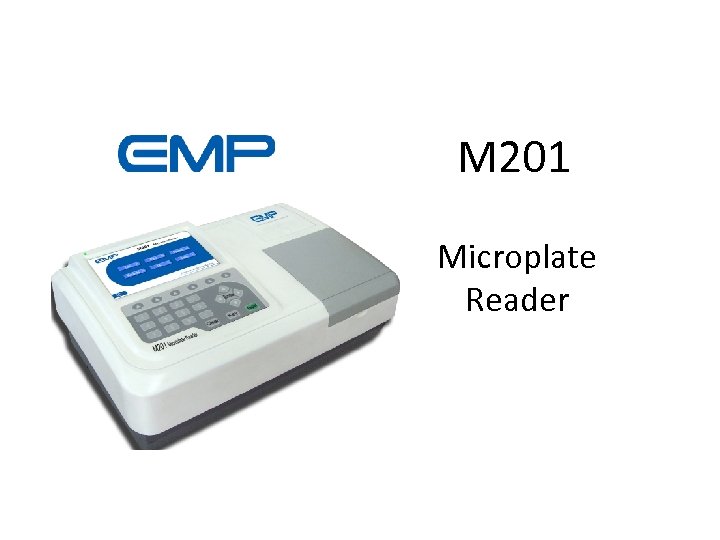 M 201 Microplate Reader
 Advice for this course • You needn’t make a detailed note, especially with the diagrams. – You can copy and keep this file, then review it anytime. – Pay more attention to my explain can help you understand it clearly. – Some diagrams are truly hard to draw by hand ^_^. • There will be a short pause after each section. You can ask some questions about that section then, I would do my best to answer you. Please remember the email of the product specialist: ivdservice@china-emperor. com, if you have some further questions, suggestions, please send an email.
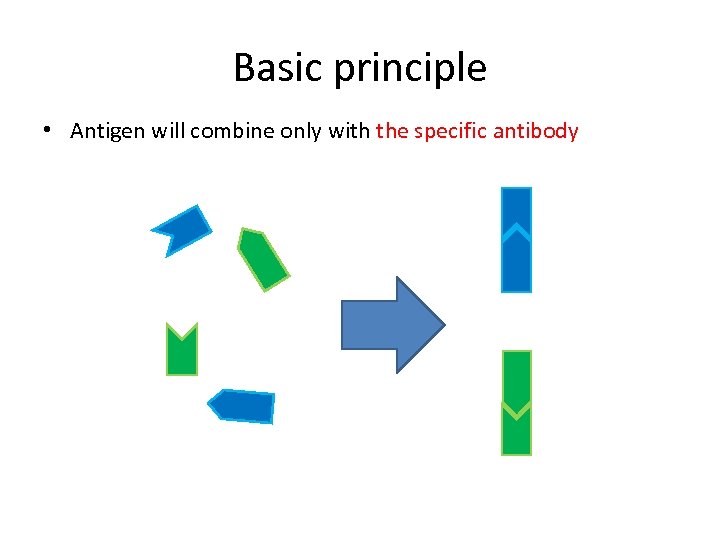 Basic principle • Antigen will combine only with the specific antibody
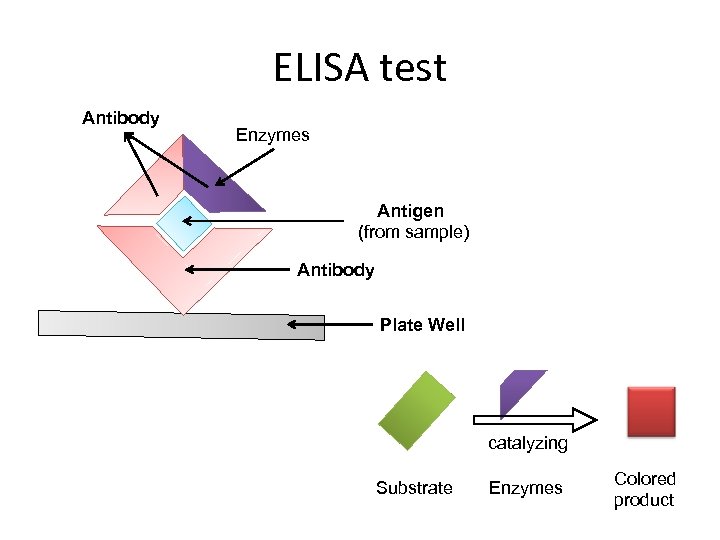 ELISA test Antibody Enzymes Antigen (from sample) Antibody Plate Well catalyzing Substrate Enzymes Colored product
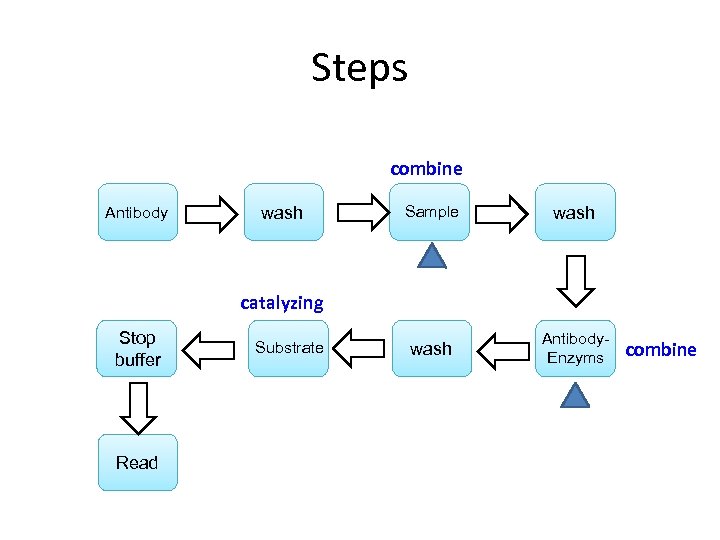 Steps combine Antibody wash Sample wash Antibody. Enzyms catalyzing Stop buffer Read Substrate combine
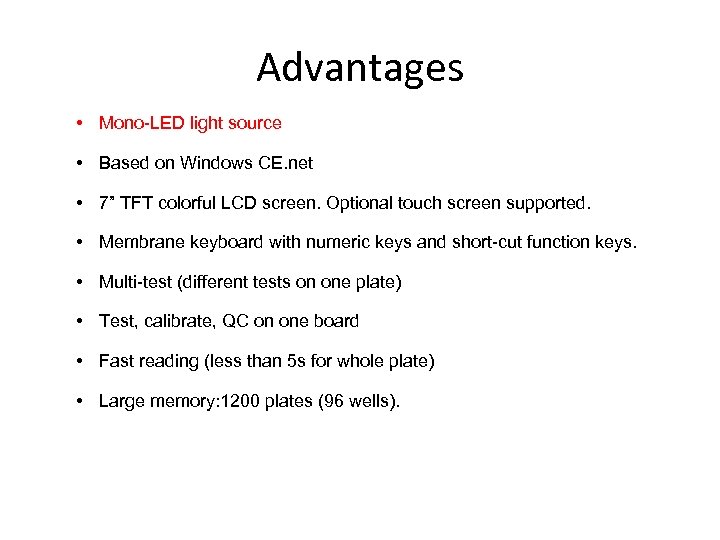 Advantages • Mono-LED light source • Based on Windows CE. net • 7” TFT colorful LCD screen. Optional touch screen supported. • Membrane keyboard with numeric keys and short-cut function keys. • Multi-test (different tests on one plate) • Test, calibrate, QC on one board • Fast reading (less than 5 s for whole plate) • Large memory: 1200 plates (96 wells).
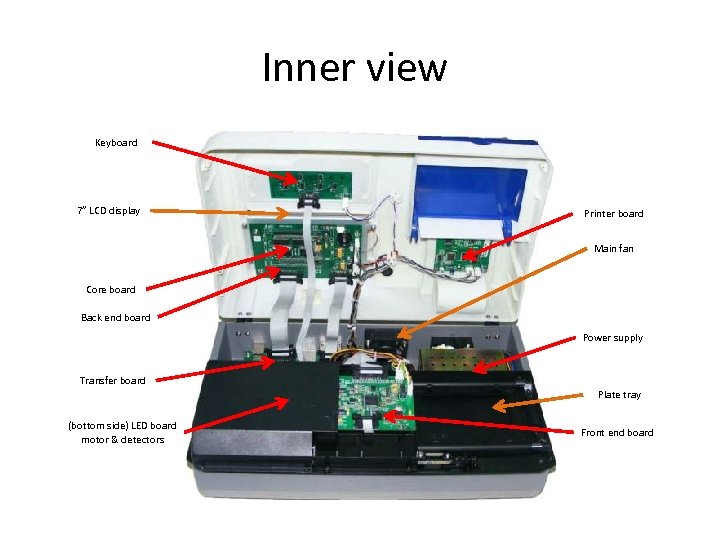 Inner view Keyboard 7” LCD display Printer board Main fan Core board Back end board Power supply Transfer board Plate tray (bottom side) LED board motor & detectors Front end board
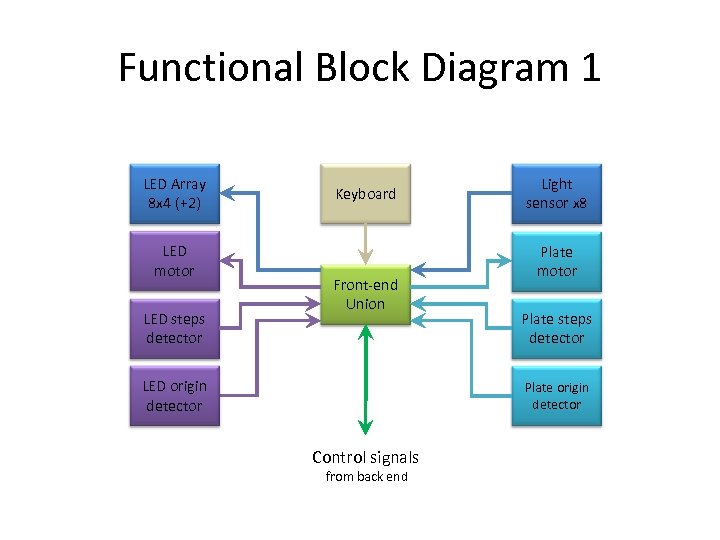 Functional Block Diagram 1 LED Array 8 x 4 (+2) LED motor LED steps detector Keyboard Front-end Union LED origin detector Light sensor x 8 Plate motor Plate steps detector Plate origin detector Control signals from back end
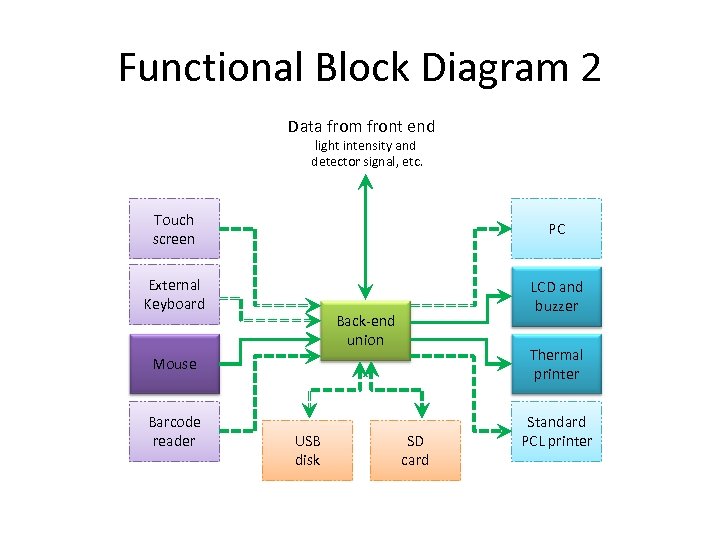 Functional Block Diagram 2 Data from front end light intensity and detector signal, etc. Touch screen PC External Keyboard LCD and buzzer Back-end union Mouse Thermal printer Barcode reader Standard PCL printer USB disk SD card
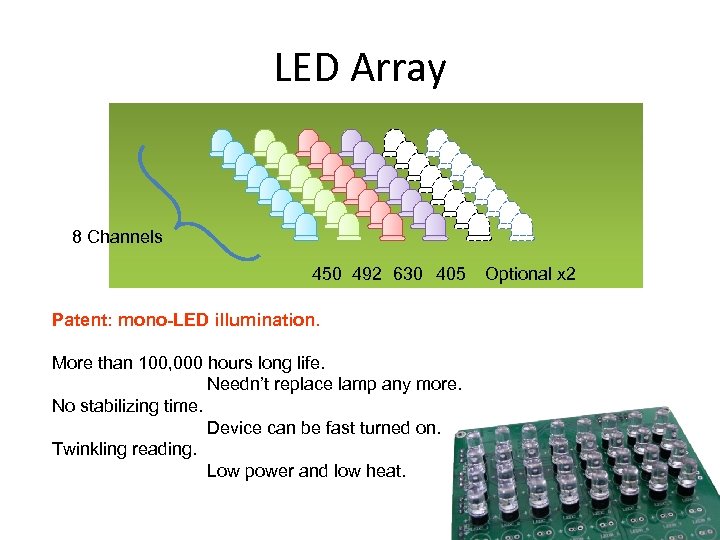 LED Array 8 Channels 450 492 630 405 Patent: mono-LED illumination. More than 100, 000 hours long life. Needn’t replace lamp any more. No stabilizing time. Device can be fast turned on. Twinkling reading. Low power and low heat. Optional x 2
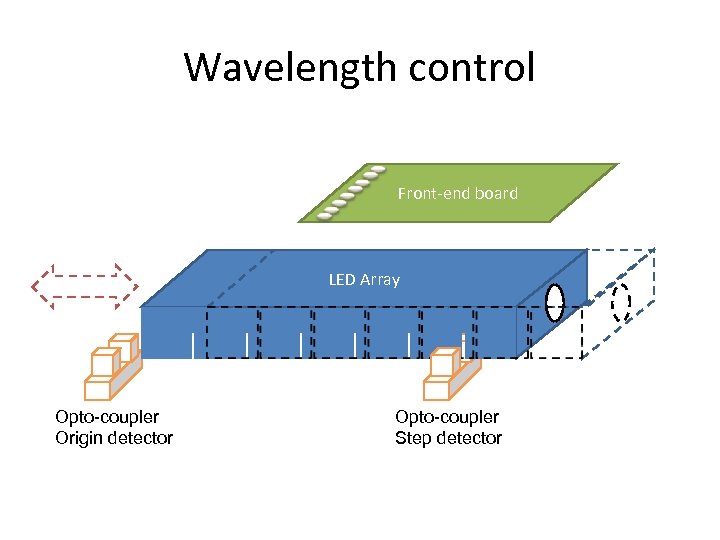 Wavelength control Front-end board LED Array Opto-coupler Origin detector Opto-coupler Step detector
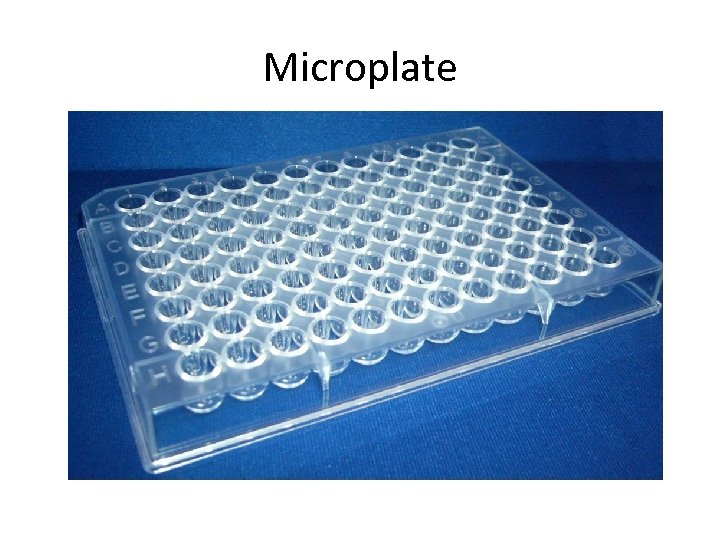 Microplate
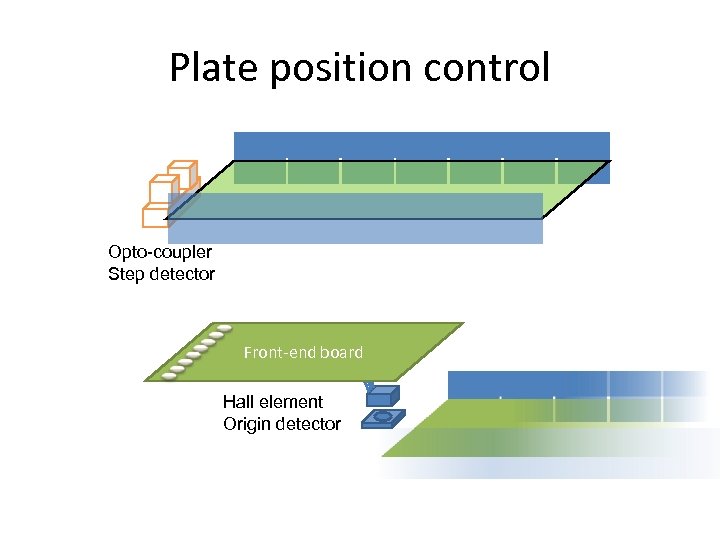 Plate position control Opto-coupler Step detector Front-end board Hall element Origin detector
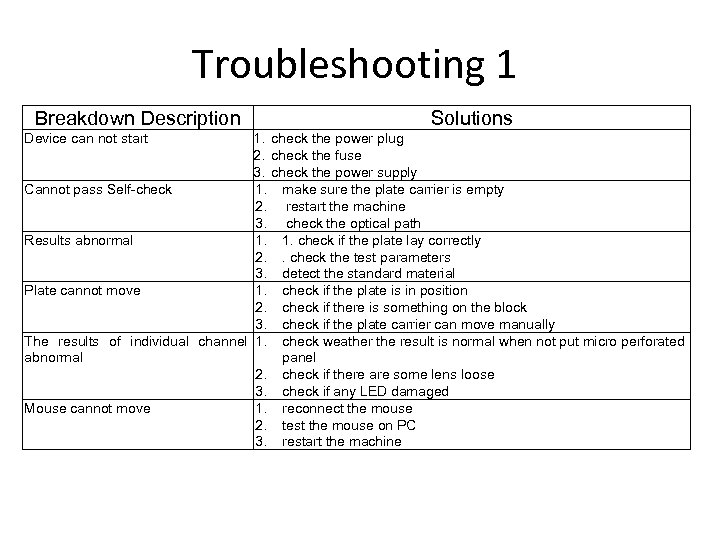 Troubleshooting 1 Breakdown Description Solutions 1. check the power plug 2. check the fuse 3. check the power supply Cannot pass Self-check 1. make sure the plate carrier is empty 2. restart the machine 3. check the optical path Results abnormal 1. 1. check if the plate lay correctly 2. . check the test parameters 3. detect the standard material Plate cannot move 1. check if the plate is in position 2. check if there is something on the block 3. check if the plate carrier can move manually The results of individual channel 1. check weather the result is normal when not put micro perforated abnormal panel 2. check if there are some lens loose 3. check if any LED damaged Mouse cannot move 1. reconnect the mouse 2. test the mouse on PC 3. restart the machine Device can not start
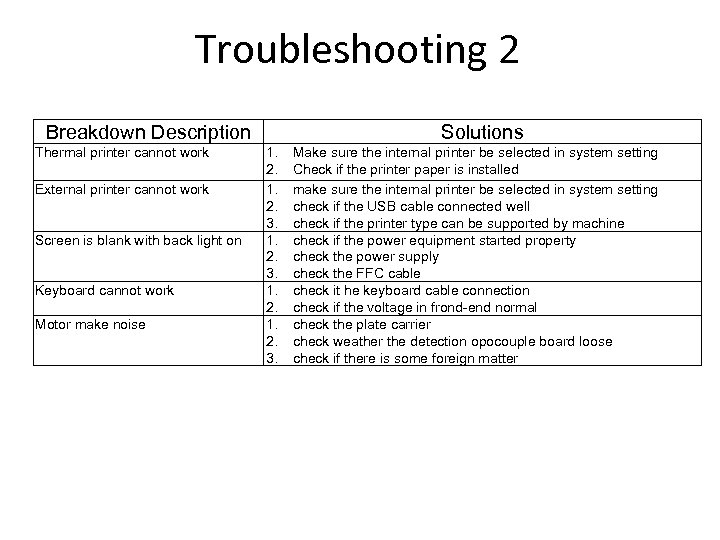 Troubleshooting 2 Breakdown Description Thermal printer cannot work External printer cannot work Screen is blank with back light on Keyboard cannot work Motor make noise Solutions 1. 2. 3. Make sure the internal printer be selected in system setting Check if the printer paper is installed make sure the internal printer be selected in system setting check if the USB cable connected well check if the printer type can be supported by machine check if the power equipment started property check the power supply check the FFC cable check it he keyboard cable connection check if the voltage in frond-end normal check the plate carrier check weather the detection opocouple board loose check if there is some foreign matter
 Please read user’s manual and service manual for more information. Thank you! Copyright © Shenzhen Emperor Electronic Technology Co. , Ltd. 1 st edition, June, 2012