


 Скачать презентацию Local Area Networks Includes some material from Forouzan
58fc0e365521c018b5bed67e6b994bfb.ppt
- Количество слайдов: 49
 Local Area Networks Includes some material from Forouzan ‘Data Communications’
 Defining Features • Scope – building or campus, private • PDUs are called frames • Shared Medium (multi-access) or point to point (e. g. Switched Ethernet ) • High speed – up to 10 Gbps • Low error rates – 1 in 1010 • Wired or wireless • Ring, bus, tree, star and extended star topology
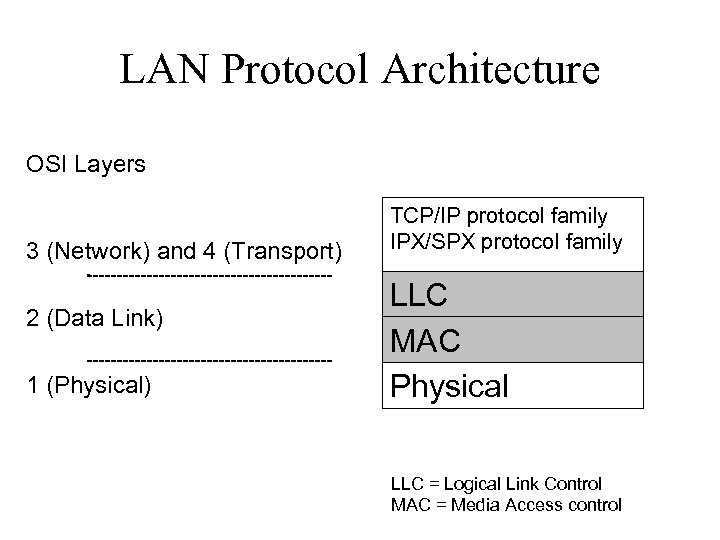 LAN Protocol Architecture OSI Layers 3 (Network) and 4 (Transport) 2 (Data Link) 1 (Physical) TCP/IP protocol family IPX/SPX protocol family LLC MAC Physical LLC = Logical Link Control MAC = Media Access control
 Physical Layer Functions • • Encoding/decoding of signals Preamble generation/removal for synchronisation Bit transmission, reception Transmission medium specification (baud rate, distance limitations)
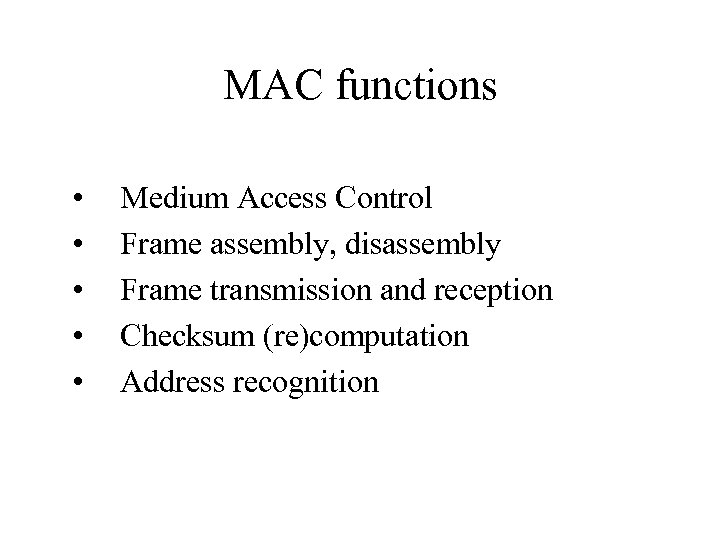 MAC functions • • • Medium Access Control Frame assembly, disassembly Frame transmission and reception Checksum (re)computation Address recognition
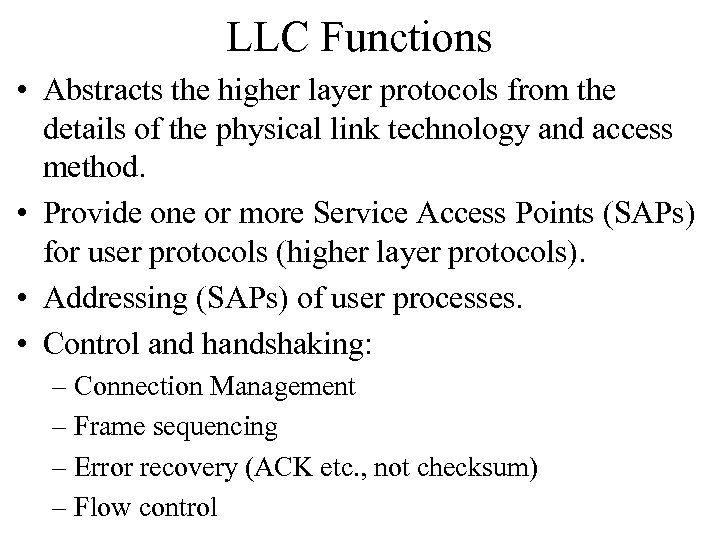 LLC Functions • Abstracts the higher layer protocols from the details of the physical link technology and access method. • Provide one or more Service Access Points (SAPs) for user protocols (higher layer protocols). • Addressing (SAPs) of user processes. • Control and handshaking: – Connection Management – Frame sequencing – Error recovery (ACK etc. , not checksum) – Flow control
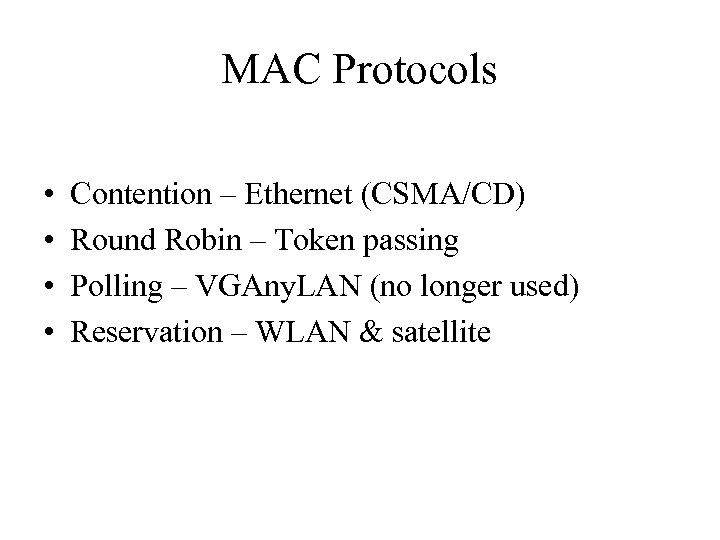 MAC Protocols • • Contention – Ethernet (CSMA/CD) Round Robin – Token passing Polling – VGAny. LAN (no longer used) Reservation – WLAN & satellite
 IEEE and CSMA/CD / Ethernet Overview of operation
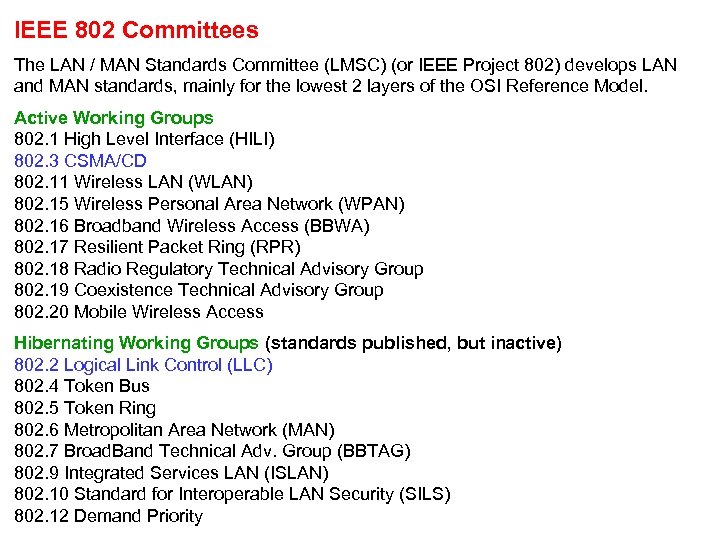 IEEE 802 Committees The LAN / MAN Standards Committee (LMSC) (or IEEE Project 802) develops LAN and MAN standards, mainly for the lowest 2 layers of the OSI Reference Model. Active Working Groups 802. 1 High Level Interface (HILI) 802. 3 CSMA/CD 802. 11 Wireless LAN (WLAN) 802. 15 Wireless Personal Area Network (WPAN) 802. 16 Broadband Wireless Access (BBWA) 802. 17 Resilient Packet Ring (RPR) 802. 18 Radio Regulatory Technical Advisory Group 802. 19 Coexistence Technical Advisory Group 802. 20 Mobile Wireless Access Hibernating Working Groups (standards published, but inactive) 802. 2 Logical Link Control (LLC) 802. 4 Token Bus 802. 5 Token Ring 802. 6 Metropolitan Area Network (MAN) 802. 7 Broad. Band Technical Adv. Group (BBTAG) 802. 9 Integrated Services LAN (ISLAN) 802. 10 Standard for Interoperable LAN Security (SILS) 802. 12 Demand Priority
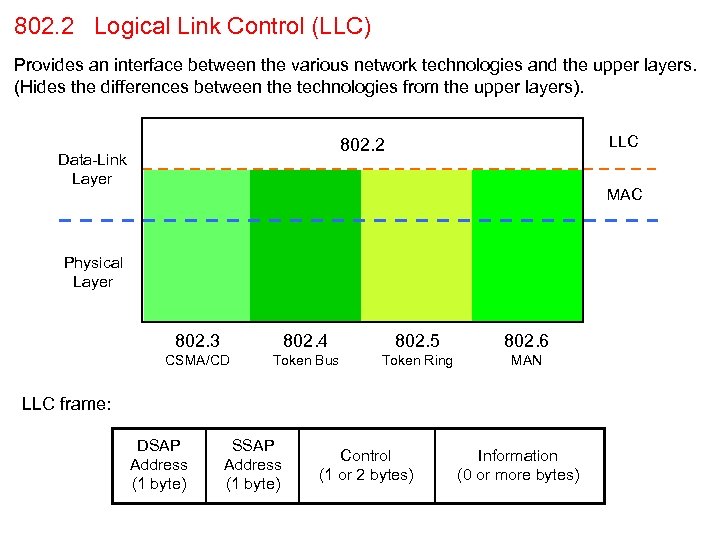 802. 2 Logical Link Control (LLC) Provides an interface between the various network technologies and the upper layers. (Hides the differences between the technologies from the upper layers). LLC 802. 2 Data-Link Layer MAC Physical Layer 802. 3 802. 4 802. 5 802. 6 CSMA/CD Token Bus Token Ring MAN LLC frame: DSAP Address (1 byte) SSAP Address (1 byte) Control (1 or 2 bytes) Information (0 or more bytes)
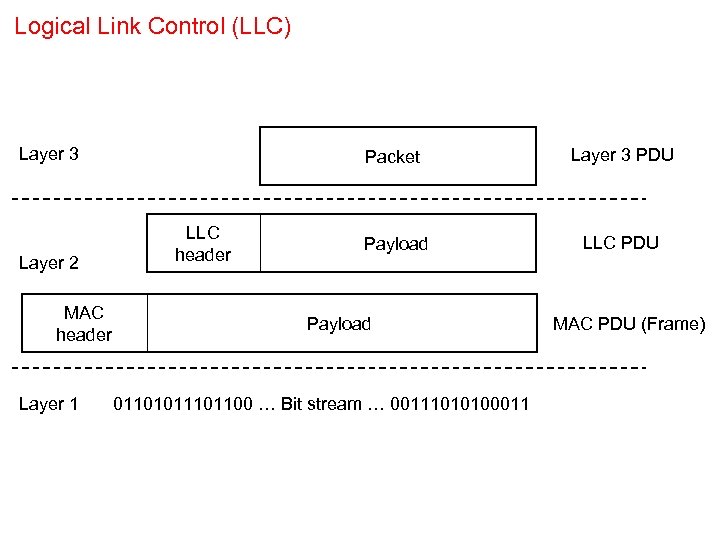 Logical Link Control (LLC) Layer 3 Layer 2 MAC header Layer 1 Packet LLC header Layer 3 PDU Payload LLC PDU Payload 0110101100 … Bit stream … 00111010100011 MAC PDU (Frame)
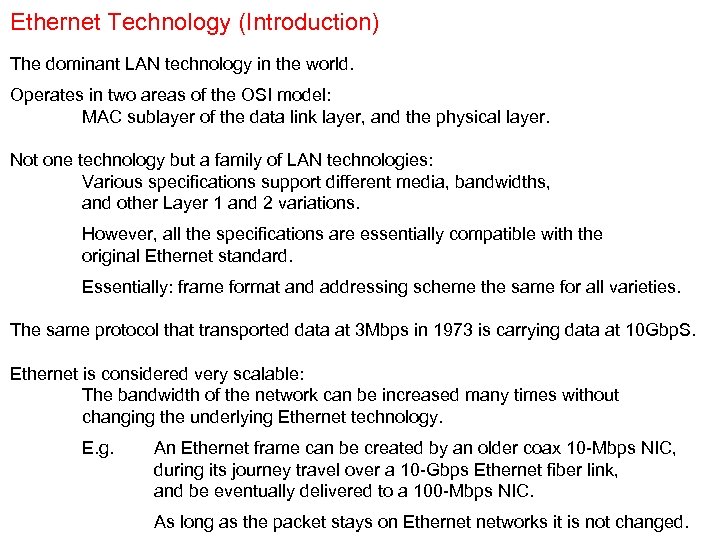 Ethernet Technology (Introduction) The dominant LAN technology in the world. Operates in two areas of the OSI model: MAC sublayer of the data link layer, and the physical layer. Not one technology but a family of LAN technologies: Various specifications support different media, bandwidths, and other Layer 1 and 2 variations. However, all the specifications are essentially compatible with the original Ethernet standard. Essentially: frame format and addressing scheme the same for all varieties. The same protocol that transported data at 3 Mbps in 1973 is carrying data at 10 Gbp. S. Ethernet is considered very scalable: The bandwidth of the network can be increased many times without changing the underlying Ethernet technology. E. g. An Ethernet frame can be created by an older coax 10 -Mbps NIC, during its journey travel over a 10 -Gbps Ethernet fiber link, and be eventually delivered to a 100 -Mbps NIC. As long as the packet stays on Ethernet networks it is not changed.
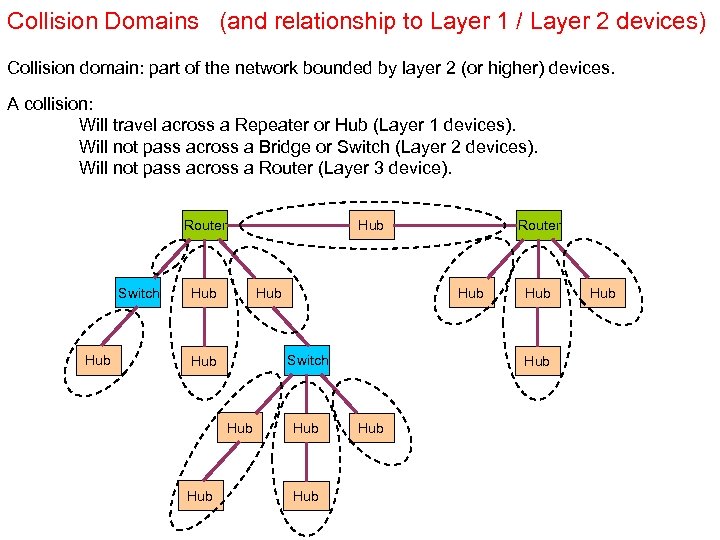 Collision Domains (and relationship to Layer 1 / Layer 2 devices) Collision domain: part of the network bounded by layer 2 (or higher) devices. A collision: Will travel across a Repeater or Hub (Layer 1 devices). Will not pass across a Bridge or Switch (Layer 2 devices). Will not pass across a Router (Layer 3 device). Router Switch Hub Hub Router Hub Hub
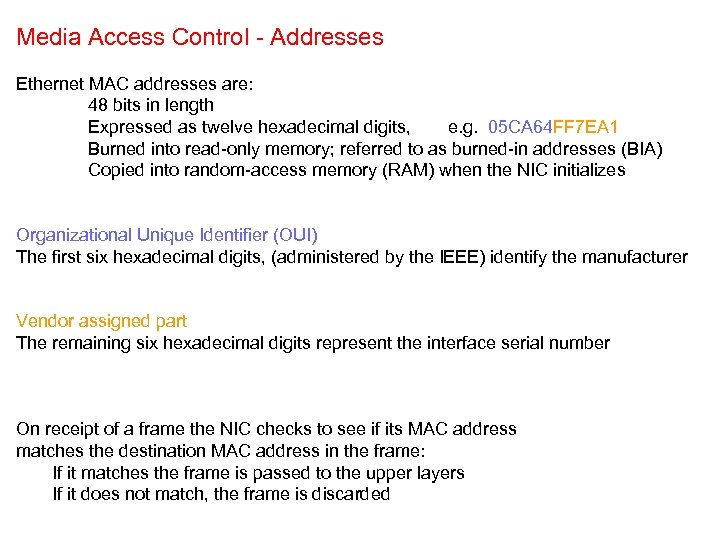 Media Access Control - Addresses Ethernet MAC addresses are: 48 bits in length Expressed as twelve hexadecimal digits, e. g. 05 CA 64 FF 7 EA 1 Burned into read-only memory; referred to as burned-in addresses (BIA) Copied into random-access memory (RAM) when the NIC initializes Organizational Unique Identifier (OUI) The first six hexadecimal digits, (administered by the IEEE) identify the manufacturer Vendor assigned part The remaining six hexadecimal digits represent the interface serial number On receipt of a frame the NIC checks to see if its MAC address matches the destination MAC address in the frame: If it matches the frame is passed to the upper layers If it does not match, the frame is discarded
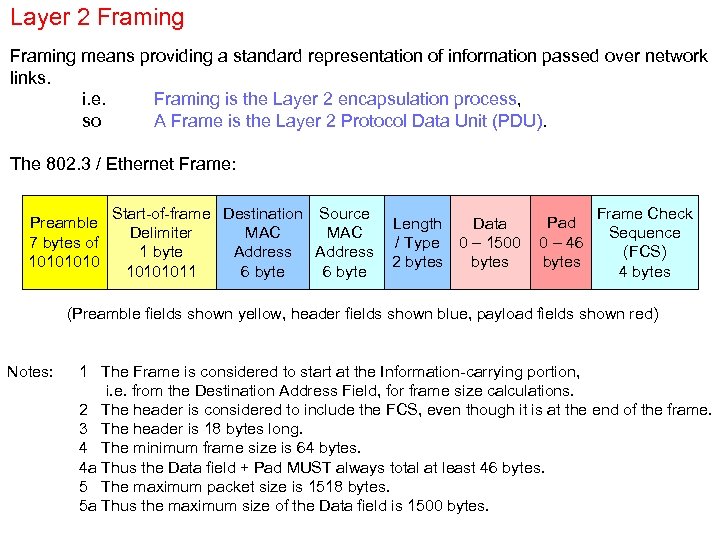 Layer 2 Framing means providing a standard representation of information passed over network links. i. e. Framing is the Layer 2 encapsulation process, so A Frame is the Layer 2 Protocol Data Unit (PDU). The 802. 3 / Ethernet Frame: Preamble 7 bytes of 1010 Start-of-frame Destination Source Delimiter MAC 1 byte Address 10101011 6 byte Pad Length Data / Type 0 – 1500 0 – 46 bytes 2 bytes Frame Check Sequence (FCS) 4 bytes (Preamble fields shown yellow, header fields shown blue, payload fields shown red) Notes: 1 The Frame is considered to start at the Information-carrying portion, i. e. from the Destination Address Field, for frame size calculations. 2 The header is considered to include the FCS, even though it is at the end of the frame. 3 The header is 18 bytes long. 4 The minimum frame size is 64 bytes. 4 a Thus the Data field + Pad MUST always total at least 46 bytes. 5 The maximum packet size is 1518 bytes. 5 a Thus the maximum size of the Data field is 1500 bytes.
 Layer 2 Framing (continued) Fames are susceptible to transmission errors. The Frame Check Sequence (FCS) field contains a number calculated by the source node based on the data in the frame. This FCS is added to the end of the frame before it is sent. When the destination node receives the frame it recalculates the FCS number. If the two numbers are different: an error is assumed, the frame is discarded, a NACK is sent to the source (implying that the frame must be retransmitted).
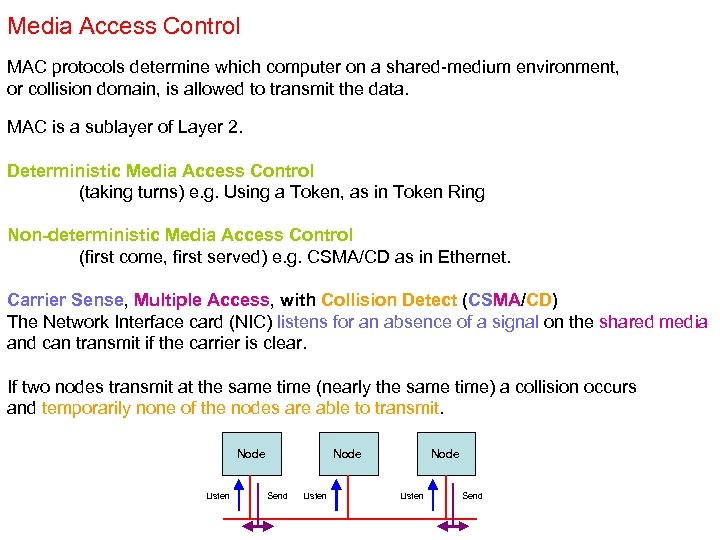 Media Access Control MAC protocols determine which computer on a shared-medium environment, or collision domain, is allowed to transmit the data. MAC is a sublayer of Layer 2. Deterministic Media Access Control (taking turns) e. g. Using a Token, as in Token Ring Non-deterministic Media Access Control (first come, first served) e. g. CSMA/CD as in Ethernet. Carrier Sense, Multiple Access, with Collision Detect (CSMA/CD) The Network Interface card (NIC) listens for an absence of a signal on the shared media and can transmit if the carrier is clear. If two nodes transmit at the same time (nearly the same time) a collision occurs and temporarily none of the nodes are able to transmit. Node Listen Node Send Listen Node Listen Send
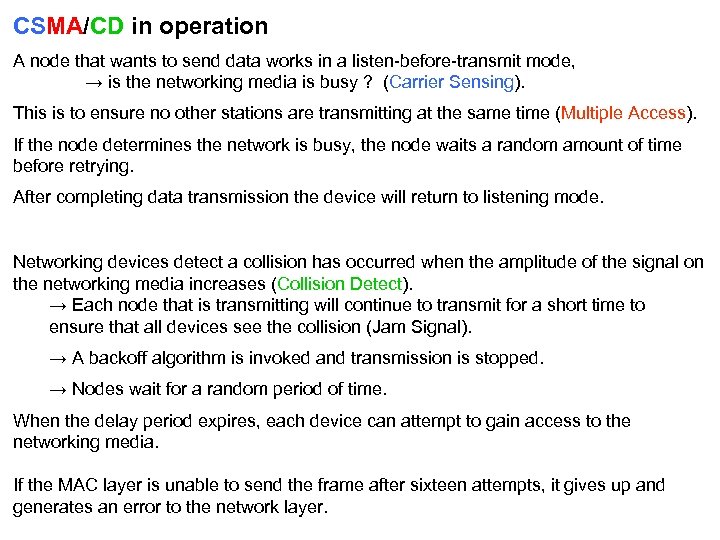 CSMA/CD in operation A node that wants to send data works in a listen-before-transmit mode, → is the networking media is busy ? (Carrier Sensing). This is to ensure no other stations are transmitting at the same time (Multiple Access). If the node determines the network is busy, the node waits a random amount of time before retrying. After completing data transmission the device will return to listening mode. Networking devices detect a collision has occurred when the amplitude of the signal on the networking media increases (Collision Detect). → Each node that is transmitting will continue to transmit for a short time to ensure that all devices see the collision (Jam Signal). → A backoff algorithm is invoked and transmission is stopped. → Nodes wait for a random period of time. When the delay period expires, each device can attempt to gain access to the networking media. If the MAC layer is unable to send the frame after sixteen attempts, it gives up and generates an error to the network layer.
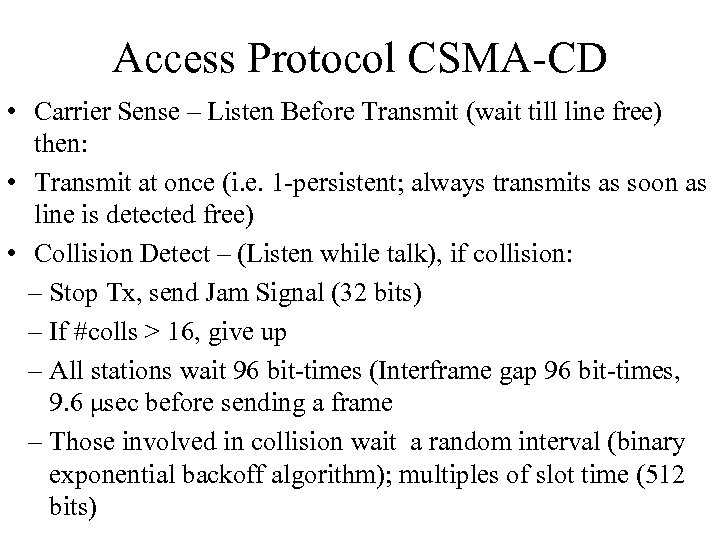 Access Protocol CSMA-CD • Carrier Sense – Listen Before Transmit (wait till line free) then: • Transmit at once (i. e. 1 -persistent; always transmits as soon as line is detected free) • Collision Detect – (Listen while talk), if collision: – Stop Tx, send Jam Signal (32 bits) – If #colls > 16, give up – All stations wait 96 bit-times (Interframe gap 96 bit-times, 9. 6 μsec before sending a frame – Those involved in collision wait a random interval (binary exponential backoff algorithm); multiples of slot time (512 bits)
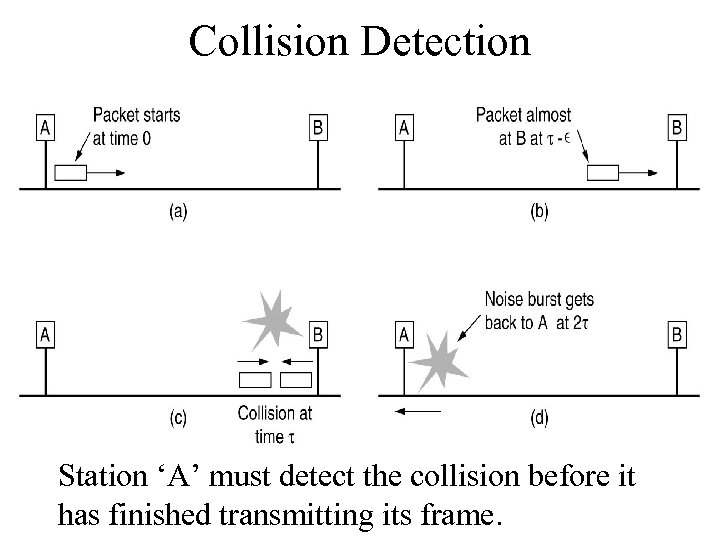 Collision Detection Station ‘A’ must detect the collision before it has finished transmitting its frame.
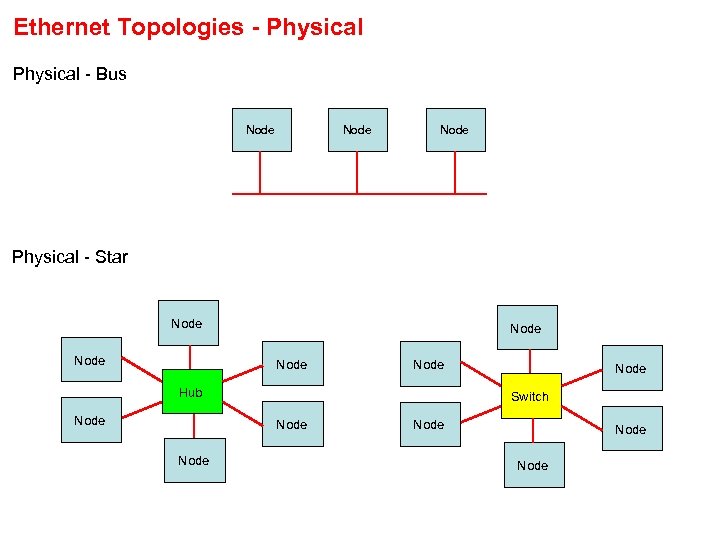 Ethernet Topologies - Physical - Bus Node Physical - Star Node Node Hub Node Switch Node Node
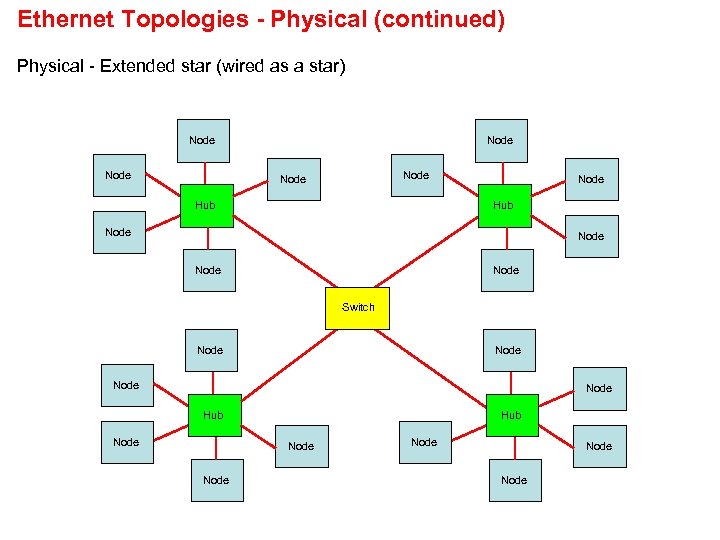 Ethernet Topologies - Physical (continued) Physical - Extended star (wired as a star) Node Node Hub Node Switch Node Hub Node Node
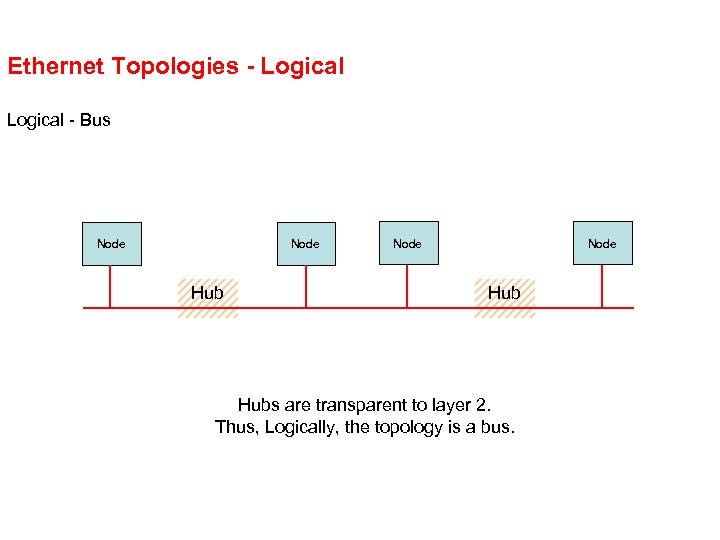 Ethernet Topologies - Logical - Bus Node Hub Hubs are transparent to layer 2. Thus, Logically, the topology is a bus.
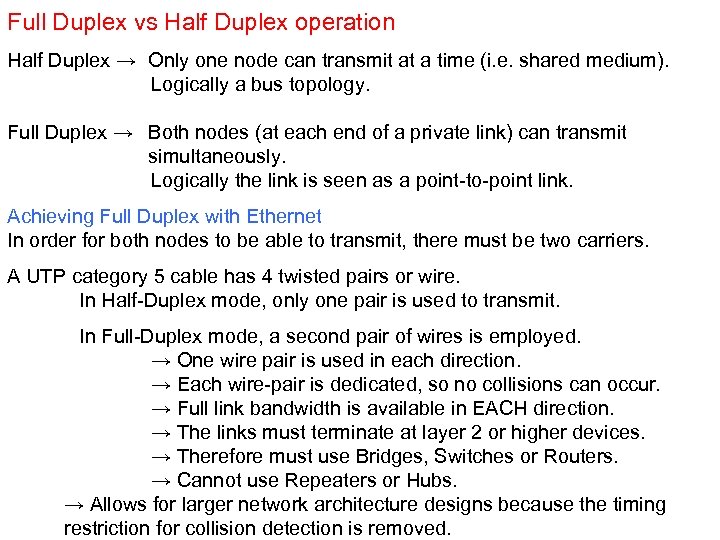 Full Duplex vs Half Duplex operation Half Duplex → Only one node can transmit at a time (i. e. shared medium). Logically a bus topology. Full Duplex → Both nodes (at each end of a private link) can transmit simultaneously. Logically the link is seen as a point-to-point link. Achieving Full Duplex with Ethernet In order for both nodes to be able to transmit, there must be two carriers. A UTP category 5 cable has 4 twisted pairs or wire. In Half-Duplex mode, only one pair is used to transmit. In Full-Duplex mode, a second pair of wires is employed. → One wire pair is used in each direction. → Each wire-pair is dedicated, so no collisions can occur. → Full link bandwidth is available in EACH direction. → The links must terminate at layer 2 or higher devices. → Therefore must use Bridges, Switches or Routers. → Cannot use Repeaters or Hubs. → Allows for larger network architecture designs because the timing restriction for collision detection is removed.
 Ethernet Detailed operation
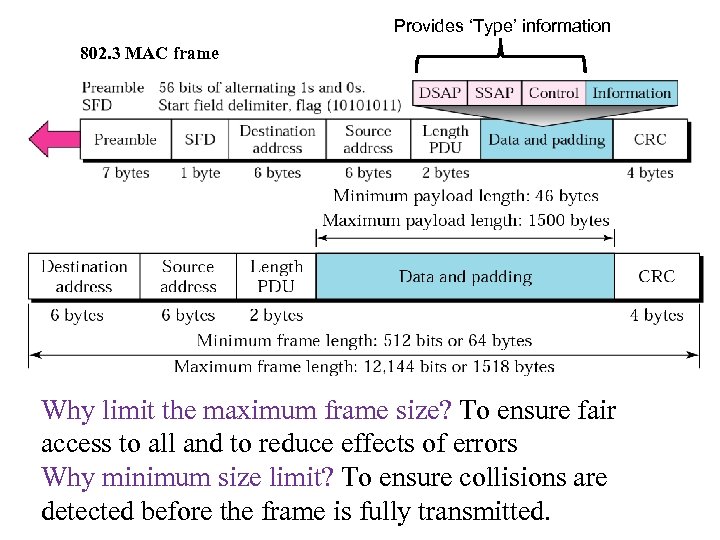 Provides ‘Type’ information 802. 3 MAC frame Why limit the maximum frame size? To ensure fair access to all and to reduce effects of errors Why minimum size limit? To ensure collisions are detected before the frame is fully transmitted.
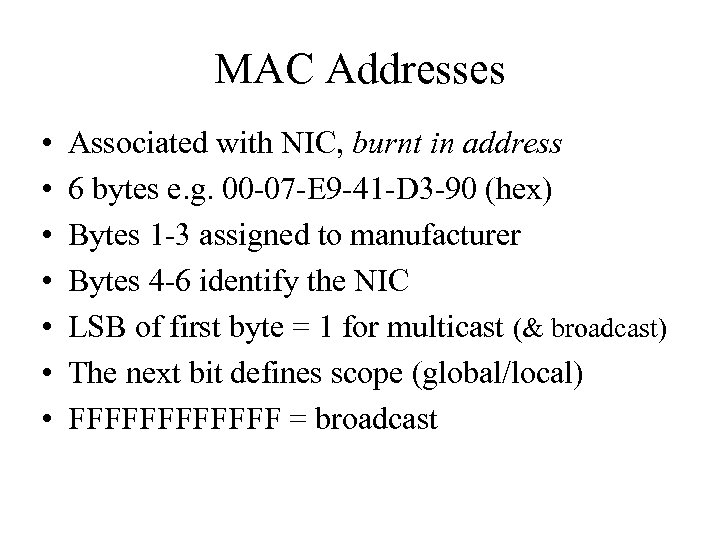 MAC Addresses • • Associated with NIC, burnt in address 6 bytes e. g. 00 -07 -E 9 -41 -D 3 -90 (hex) Bytes 1 -3 assigned to manufacturer Bytes 4 -6 identify the NIC LSB of first byte = 1 for multicast (& broadcast) The next bit defines scope (global/local) FFFFFF = broadcast
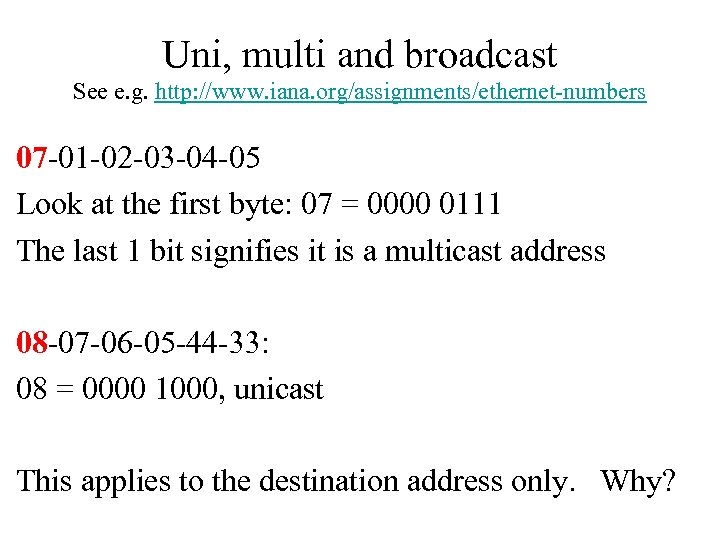 Uni, multi and broadcast See e. g. http: //www. iana. org/assignments/ethernet-numbers 07 -01 -02 -03 -04 -05 Look at the first byte: 07 = 0000 0111 The last 1 bit signifies it is a multicast address 08 -07 -06 -05 -44 -33: 08 = 0000 1000, unicast This applies to the destination address only. Why?
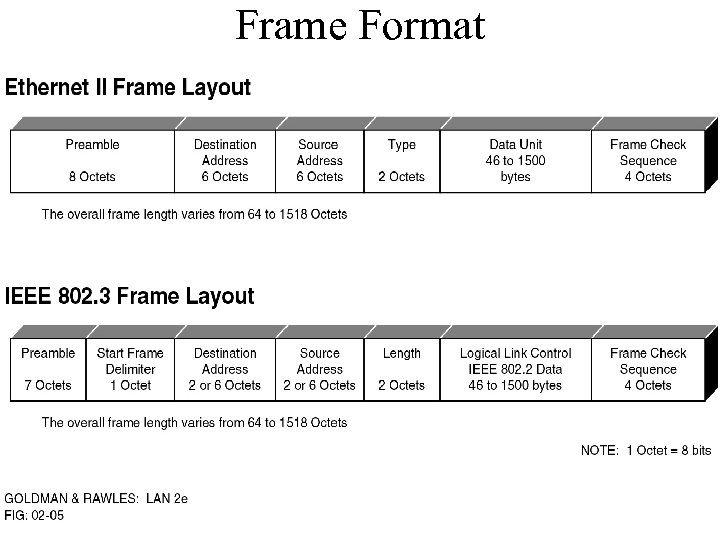 Frame Format
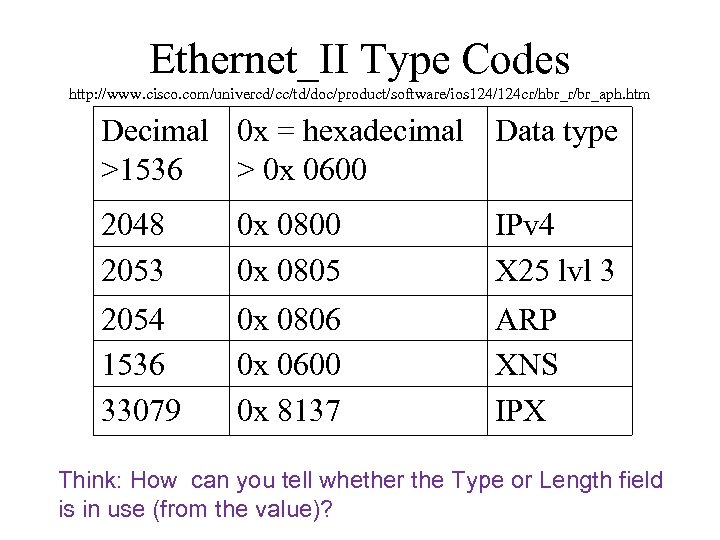 Ethernet_II Type Codes http: //www. cisco. com/univercd/cc/td/doc/product/software/ios 124/124 cr/hbr_r/br_aph. htm Decimal 0 x = hexadecimal Data type >1536 > 0 x 0600 2048 2053 0 x 0800 0 x 0805 IPv 4 X 25 lvl 3 2054 1536 33079 0 x 0806 0 x 0600 0 x 8137 ARP XNS IPX Think: How can you tell whether the Type or Length field is in use (from the value)?
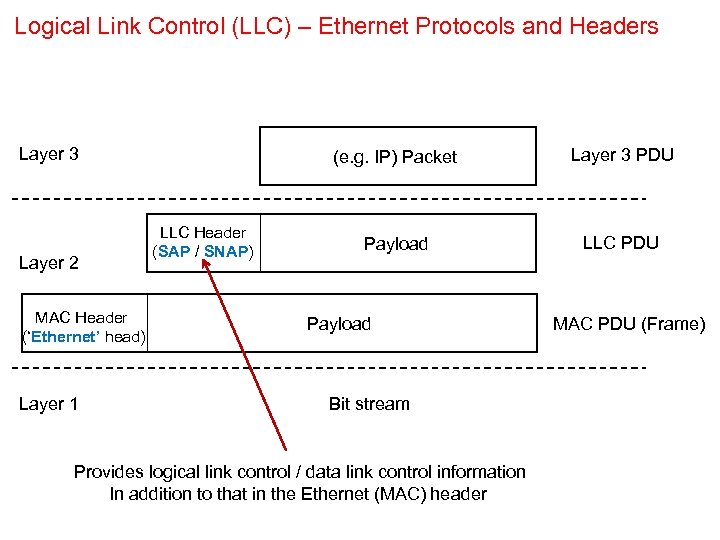 Logical Link Control (LLC) – Ethernet Protocols and Headers Layer 3 Layer 2 MAC Header (‘Ethernet’ head) Layer 1 (e. g. IP) Packet LLC Header (SAP / SNAP) Layer 3 PDU Payload LLC PDU Payload Bit stream Provides logical link control / data link control information In addition to that in the Ethernet (MAC) header MAC PDU (Frame)
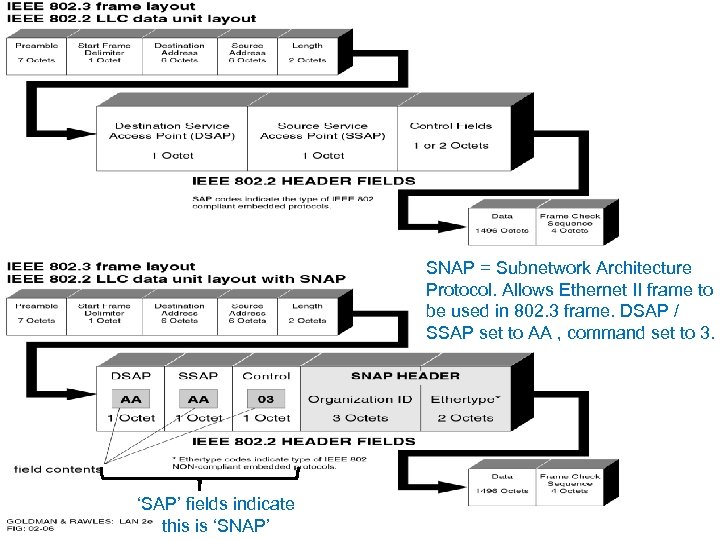 SNAP = Subnetwork Architecture Protocol. Allows Ethernet II frame to be used in 802. 3 frame. DSAP / SSAP set to AA , command set to 3. ‘SAP’ fields indicate this is ‘SNAP’
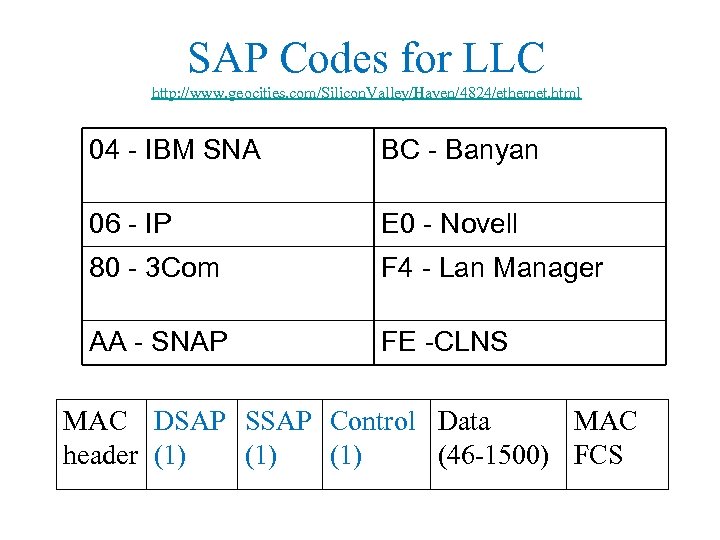 SAP Codes for LLC http: //www. geocities. com/Silicon. Valley/Haven/4824/ethernet. html 04 - IBM SNA BC - Banyan 06 - IP E 0 - Novell 80 - 3 Com F 4 - Lan Manager AA - SNAP FE -CLNS MAC DSAP SSAP Control Data MAC header (1) (1) (46 -1500) FCS
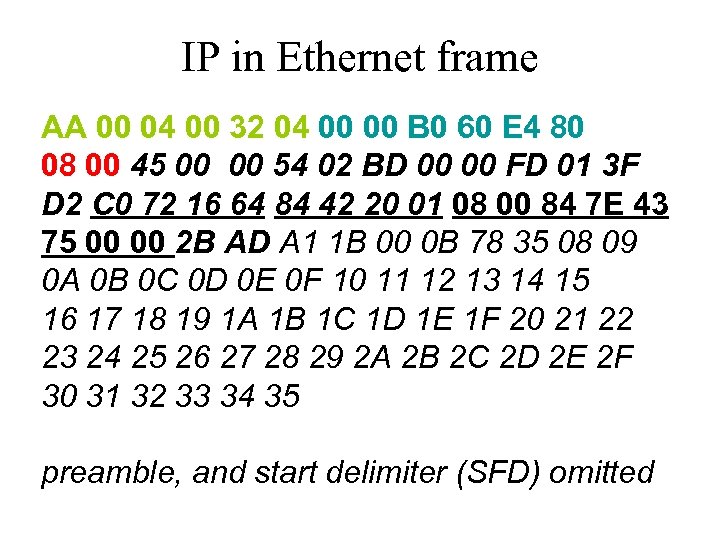 IP in Ethernet frame AA 00 04 00 32 04 00 00 B 0 60 E 4 80 08 00 45 00 00 54 02 BD 00 00 FD 01 3 F D 2 C 0 72 16 64 84 42 20 01 08 00 84 7 E 43 75 00 00 2 B AD A 1 1 B 00 0 B 78 35 08 09 0 A 0 B 0 C 0 D 0 E 0 F 10 11 12 13 14 15 16 17 18 19 1 A 1 B 1 C 1 D 1 E 1 F 20 21 22 23 24 25 26 27 28 29 2 A 2 B 2 C 2 D 2 E 2 F 30 31 32 33 34 35 preamble, and start delimiter (SFD) omitted
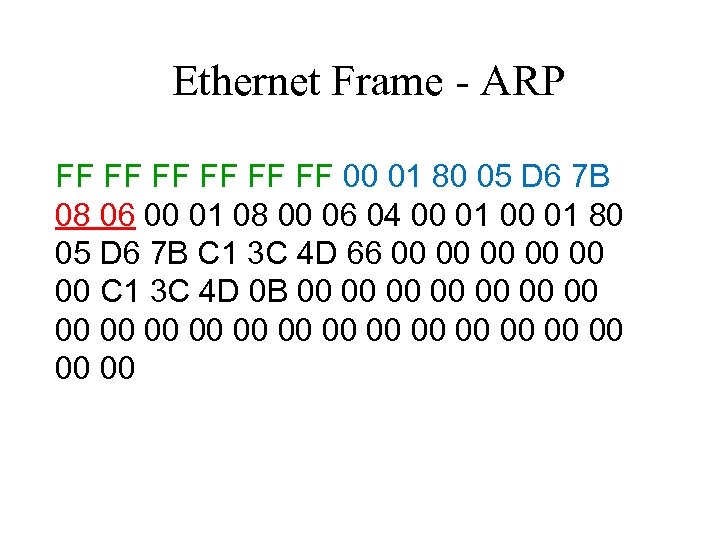 Ethernet Frame - ARP FF FF FF 00 01 80 05 D 6 7 B 08 06 00 01 08 00 06 04 00 01 80 05 D 6 7 B C 1 3 C 4 D 66 00 00 00 C 1 3 C 4 D 0 B 00 00 00 00 00 00
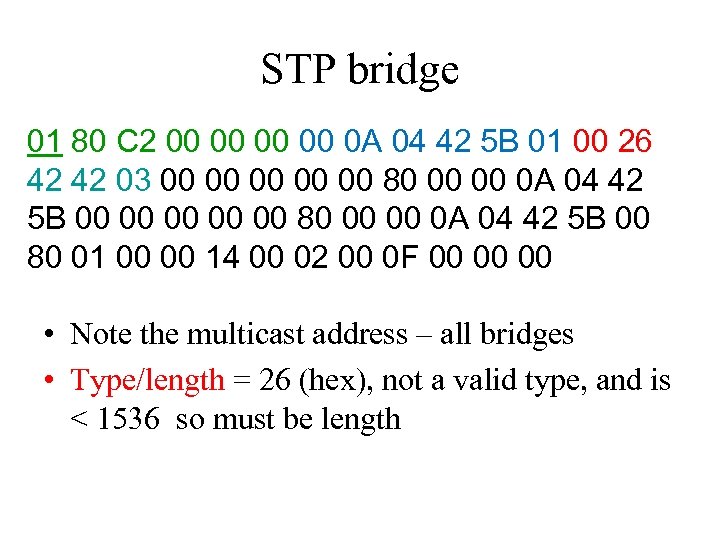 STP bridge 01 80 C 2 00 00 0 A 04 42 5 B 01 00 26 42 42 03 00 00 00 80 00 00 0 A 04 42 5 B 00 80 01 00 00 14 00 02 00 0 F 00 00 00 • Note the multicast address – all bridges • Type/length = 26 (hex), not a valid type, and is < 1536 so must be length
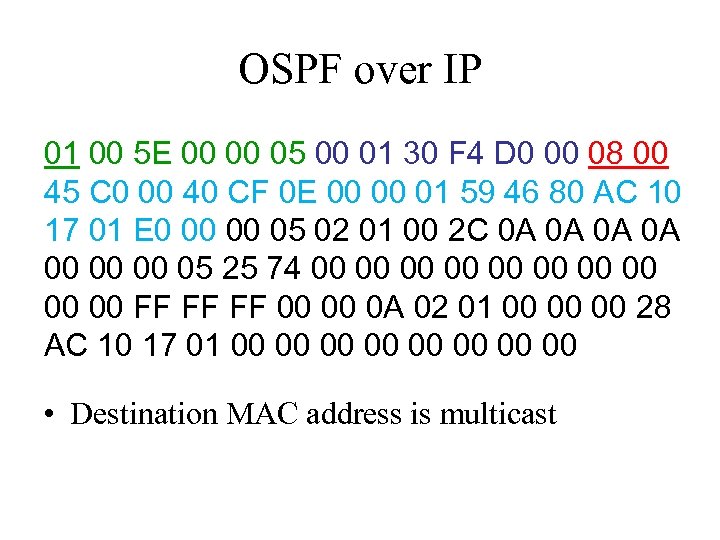 OSPF over IP 01 00 5 E 00 00 05 00 01 30 F 4 D 0 00 08 00 45 C 0 00 40 CF 0 E 00 00 01 59 46 80 AC 10 17 01 E 0 00 00 05 02 01 00 2 C 0 A 0 A 00 00 00 05 25 74 00 00 00 FF FF FF 00 00 0 A 02 01 00 00 00 28 AC 10 17 01 00 00 • Destination MAC address is multicast
 Switched Ethernet Bus Ethernet configurations are half duplex, TX & RX not simultaneous • Only one station can transmit at a time • Band width (10 Mbps) is shared by all stations • A station cannot send and receive at the same time; collision detect must be used. • Switches & bridges do not propagate collisions Switched Ethernet is full duplex, and the CD function is not needed.
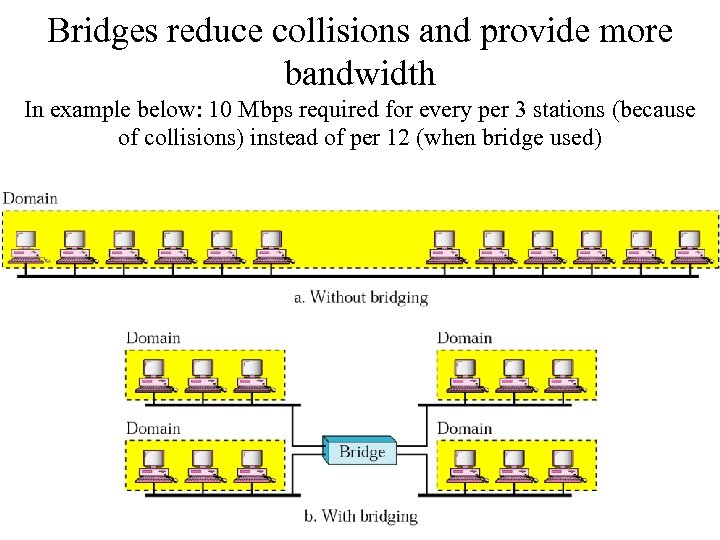 Bridges reduce collisions and provide more bandwidth In example below: 10 Mbps required for every per 3 stations (because of collisions) instead of per 12 (when bridge used)
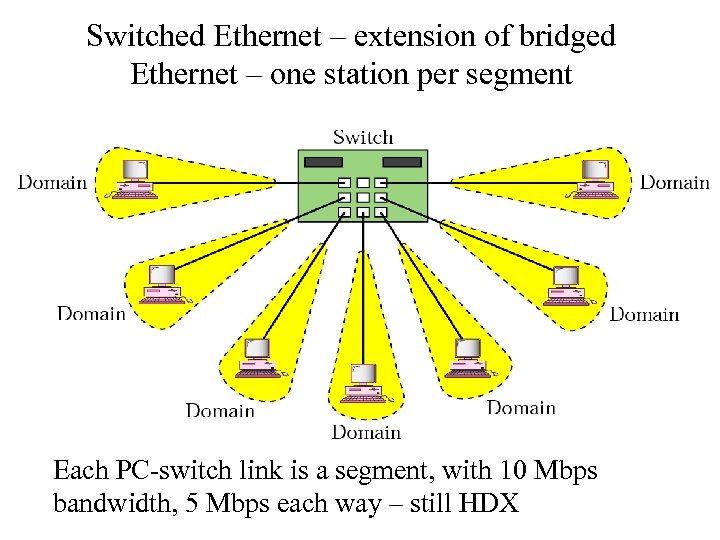 Switched Ethernet – extension of bridged Ethernet – one station per segment Each PC-switch link is a segment, with 10 Mbps bandwidth, 5 Mbps each way – still HDX
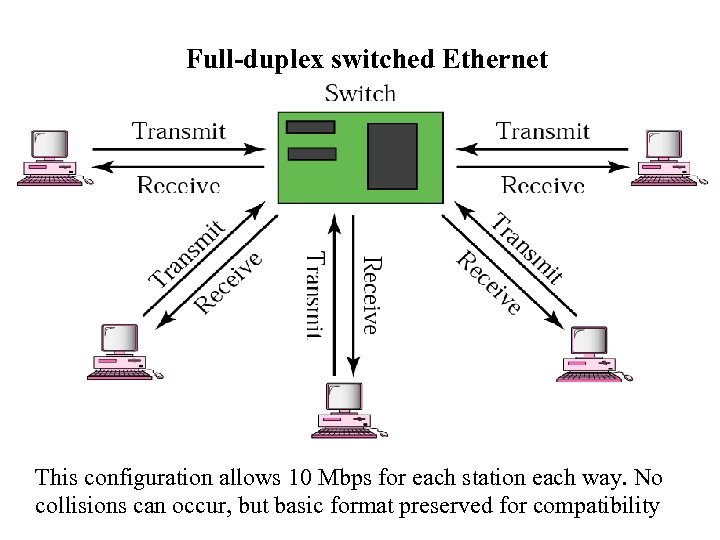 Full-duplex switched Ethernet This configuration allows 10 Mbps for each station each way. No collisions can occur, but basic format preserved for compatibility
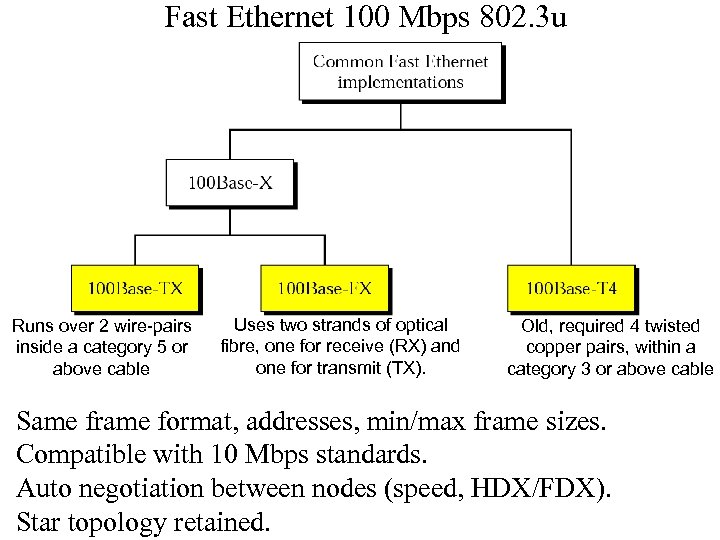 Fast Ethernet 100 Mbps 802. 3 u Runs over 2 wire-pairs inside a category 5 or above cable Uses two strands of optical fibre, one for receive (RX) and one for transmit (TX). Old, required 4 twisted copper pairs, within a category 3 or above cable Same frame format, addresses, min/max frame sizes. Compatible with 10 Mbps standards. Auto negotiation between nodes (speed, HDX/FDX). Star topology retained.
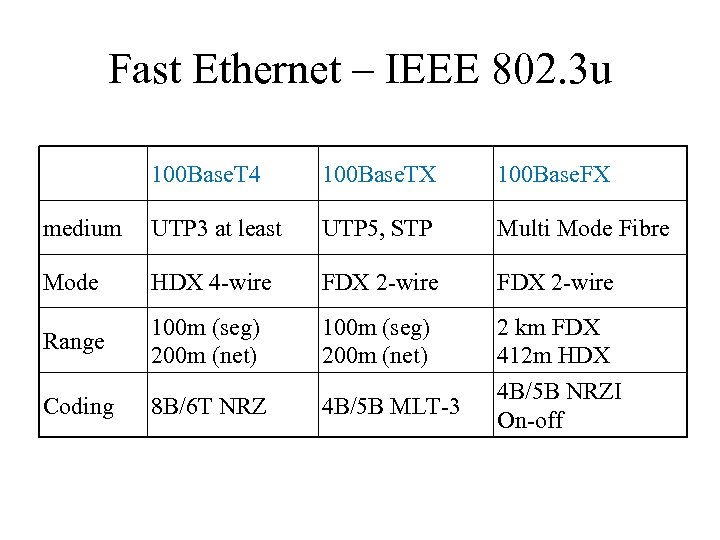 Fast Ethernet – IEEE 802. 3 u 100 Base. T 4 100 Base. TX 100 Base. FX medium UTP 3 at least UTP 5, STP Multi Mode Fibre Mode HDX 4 -wire FDX 2 -wire Range 100 m (seg) 200 m (net) Coding 8 B/6 T NRZ 4 B/5 B MLT-3 2 km FDX 412 m HDX 4 B/5 B NRZI On-off
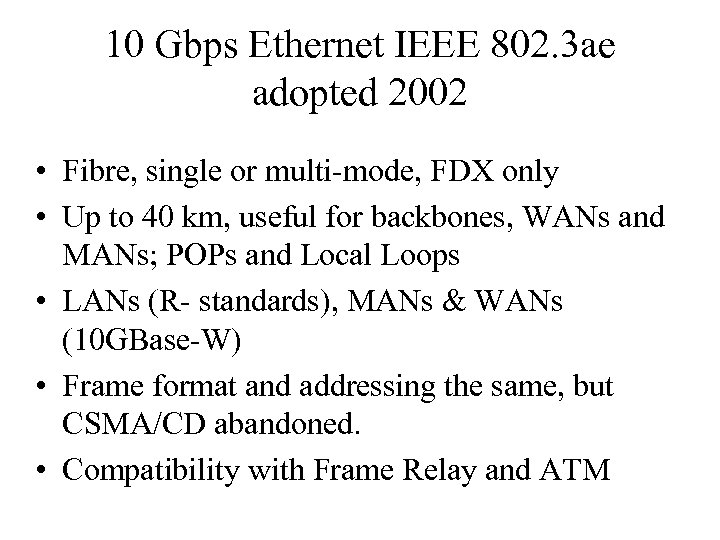 10 Gbps Ethernet IEEE 802. 3 ae adopted 2002 • Fibre, single or multi-mode, FDX only • Up to 40 km, useful for backbones, WANs and MANs; POPs and Local Loops • LANs (R- standards), MANs & WANs (10 GBase-W) • Frame format and addressing the same, but CSMA/CD abandoned. • Compatibility with Frame Relay and ATM
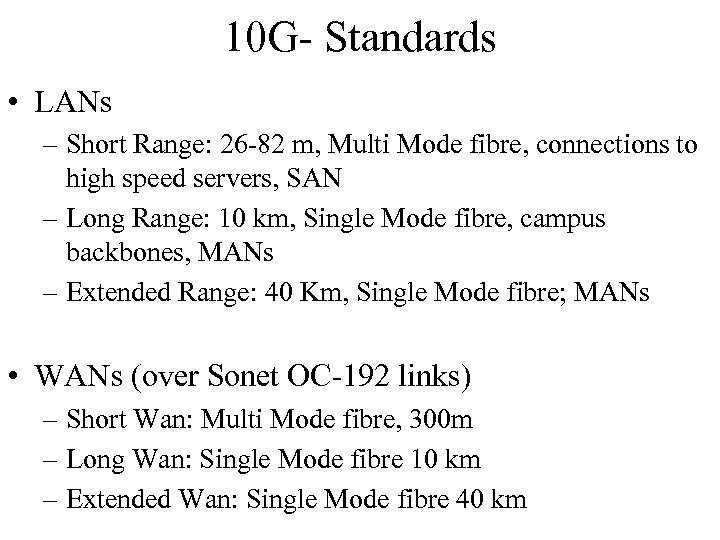 10 G- Standards • LANs – Short Range: 26 -82 m, Multi Mode fibre, connections to high speed servers, SAN – Long Range: 10 km, Single Mode fibre, campus backbones, MANs – Extended Range: 40 Km, Single Mode fibre; MANs • WANs (over Sonet OC-192 links) – Short Wan: Multi Mode fibre, 300 m – Long Wan: Single Mode fibre 10 km – Extended Wan: Single Mode fibre 40 km
 Timing Considerations Bit Time, and Propagation On 10 Mbps Ethernet one bit requires 100 nanoseconds (ns) to transmit. At 100 Mbps that same bit requires 10 ns to transmit and at 1000 Mbps only takes 1 ns. Propagation speed of light in a vacuum is 3 * 108 Meters per Second. Electrical signal in a cable (travels) at 2/3 the speed of light i. e. 2*108 M/S. → For 100 meters of UTP, it takes just under 5 bit-times for a 10 BASE-T signal to travel the length the cable. With CSMA/CD, the sending station must become aware of a collision before it has completed transmission of a minimum-sized frame. At 100 Mbps the system timing is barely able to accommodate 100 Meter cables. At 1000 Mbps special adjustments are needed as nearly an entire minimumsized frame would be transmitted before the first bit had travelled 100 meters of UTP cable. → Half duplex is not used in 10 Gigabit Ethernet – no collisions in full-duplex mode.
 Timing Considerations (continued 2) Slot Time To guarantee that collisions will ALWAYS be detected: Slot time is just longer than time required to travel diameter of the collision domain, collide with another transmission at the last possible instant, and have the collision fragments return to the sending station and be detected. Slot time for 10 and 100 -Mbps Ethernet is 512 bit-times, or 64 octets. Slot time for 1000 -Mbps Ethernet is 4096 bit-times, or 512 octets. Slot time is not relevant to 10 Gigabit Ethernet.
 Timing Considerations (continued 3) Extension field For the system to work the first station must learn about the collision before it finishes sending the smallest legal frame size. To allow 1000 -Mbps Ethernet to operate in half-duplex the extension field was added when sending small frames purely to keep the transmitter busy long enough for a collision fragment to return. This field is present only on 1000 -Mbps, half-duplex links and allows minimum-sized frames to be long enough to meet slot time requirements. Extension bits are discarded by the receiving station. Interframe Spacing The minimum spacing between two non-colliding frames. After a frame has been sent, nodes on a 10 -Mbps Ethernet must wait a minimum of 96 bit-times (9. 6 µS) before any station may legally transmit the next frame. On faster versions of Ethernet the spacing remains the same, 96 bit-times, but the time required for that interval grows correspondingly shorter. The interframe gap is intended to allow stations time to process the previous frame and prepare for the next frame.
 Other Data Link Protocols • SDLC (Synchronous D/L control) – first DL protocol, proposed by IBM • HDLC (High-level D/L control) – ISO version; NRM & ABM operation • LAP/LAPB – CCITT for X. 25 • PPP – on the Internet (user access from home) – Over a single link (connection), no addressing – Byte oriented protocol unlike HDLC – LCP & NCP (link/network control protocol) for link and network parameter negotiation – Link level security – PAP (password authentication protocol) and CHAP (challenge handshake authentication protocol) – Compression, line quality monitoring functions available