


 Скачать презентацию loading T h i s a n o
6bca5499bc3eff33a447e9e231976234.ppt
- Количество слайдов: 68
 loading T h i s a n o n-F l a s h m u l t i m e d i a

 James here, is an experienced teacher. Being the resourceful teacher he is, he jumped in the ICT for education wagon.
 He is good with Power. Point. His colleagues complimented on his creations.
 He caught students’ interest with the technology used. BUT recently…
 …students have lost interest in his presentations. They no longer look forward to his classes.
 We as teachers share the same predicament.
 Why would our students not be attracted to teaching aids like. . .
 These?
 Because. . . WE ARE NOT THEM
 studentswant Flashy visuals similar to what they are exposed to on TV. Internet. Video games Color combinations similar to what they are exposed to with current trends and fads Schemas that they can relate to such as pop culture and icons. Interactive games.
 If we bring these into the classroom, students will pay more attention and be more eager to learn. And to fulfill this goal we have to be
 CREATIVE & INNOVATIVE
 Do we have to be a computer expert to teach using ICT? How to use the Power. Point to its fullest potential
 Introduction Creativity & Innovation Do we have to be a computer expert to teach using ICT? Using Available Resources A Quick Study Guidelines on Using Power. Point The Bane for Teachers Conclusion How to use the Power. Point to its fullest potential Slide Presentation Samples 01 02 03 04 05 06
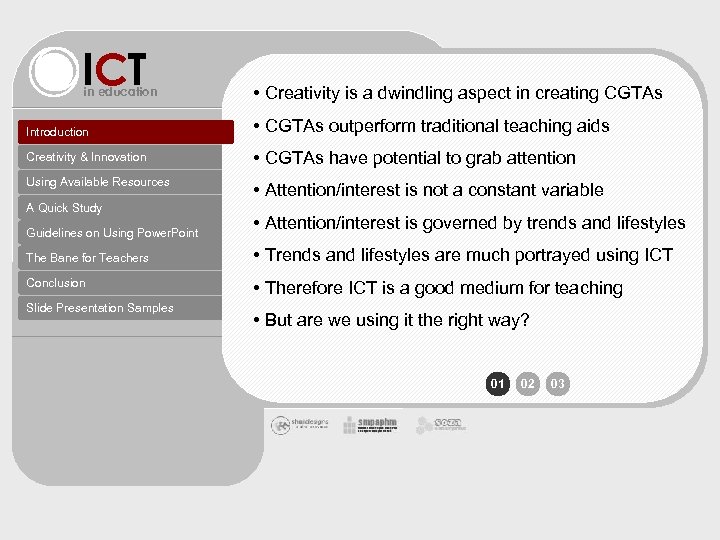 ICT in education • Creativity is a dwindling aspect in creating CGTAs Introduction • CGTAs outperform traditional teaching aids Creativity & Innovation • CGTAs have potential to grab attention Using Available Resources • Attention/interest is not a constant variable A Quick Study Guidelines on Using Power. Point • Attention/interest is governed by trends and lifestyles The Bane for Teachers • Trends and lifestyles are much portrayed using ICT Conclusion • Therefore ICT is a good medium for teaching Slide Presentation Samples • But are we using it the right way? 01 02 03
 ICT in education Introduction Creativity & Innovation • Students are more exposed to ICT elements and the creative ways they are being used • Trendy teen websites Using Available Resources • Interactive games and forum boards A Quick Study • Flashy animation Guidelines on Using Power. Point The Bane for Teachers Conclusion Slide Presentation Samples • Net youth culture (Blogging, netpal, chats) • Themes, colors, layouts, etc. • Students have advanced in ICT further than teachers and educators 01 02 03
 ICT in education • This paper discusses on ways of improving CGTAs Introduction • Finding out ‘attention grabbers’ of students Creativity & Innovation • Debunking the ‘ICT for experts’ myth Using Available Resources • A guide for the average teacher A Quick Study Guidelines on Using Power. Point • Using Power. Point creatively The Bane for Teachers Conclusion Slide Presentation Samples 01 02 03
 ICT in education Introduction Creativity & Innovation Using Available Resources A Quick Study Guidelines on Using Power. Point The Bane for Teachers Conclusion Slide Presentation Samples • Is creativity trained or an inherited trait? • Creativity being discussed here is one that has a purpose • Creativity in ICT to teach students • Creativity to grab students’ attention so that they are able to learn 01 02 03 04 05
 ICT in education Introduction Creativity & Innovation Using Available Resources A Quick Study Guidelines on Using Power. Point The Bane for Teachers Conclusion Slide Presentation Samples • Creativity is in the eye of the beholder • A good first impression is the first step to initiating learning • We must take into consideration students’ ICT schemas • ICT elements that never fail to grab attention are ‘attention grabbers’ Creativity in the eye of the beholder 01 02 03 04 05
 ICT in education Introduction Creativity & Innovation Using Available Resources A Quick Study Guidelines on Using Power. Point The Bane for Teachers Conclusion Slide Presentation Samples • ‘Attention grabbers’ are integral components of CGTAs • This paper proposes a taxonomy of ‘attention grabbers’ collected from surveys, observations and experience • Useful when creating a Power. Point generated teaching aid Attention grabbers 01 02 03 04 05
 ICT in education Introduction Creativity & Innovation Using Available Resources A Quick Study • Layout / Organisation (template) • Themes • Color combinations • Thematic concepts • Text schemes Guidelines on Using Power. Point The Bane for Teachers Conclusion Slide Presentation Samples • Visual graphics and audio • Content • Youth connotations • Fun and games / humor A proposed TAXONOMY 01 02 03 04 05
 ICT in education Introduction • ‘Attention grabbers’ governed by trends and lifestyles Creativity & Innovation Using Available Resources A Quick Study • ‘Attention grabbers’ determined by age and gender Guidelines on Using Power. Point The Bane for Teachers Conclusion Slide Presentation Samples • This paper deals with ‘attention grabbers’ that can be used for all (universal) 01 02 03 04 05
 ICT in education Introduction Creativity & Innovation Using Available Resources A Quick Study Guidelines on Using Power. Point The Bane for Teachers Conclusion Slide Presentation Samples • For youths, the internet is a medium of play and social interactions • Internet is a lifestyle. a trend. a society • Social niches : noob. l 337. hax 0 r • We are pushing our ideals on how youths should use the internet instead of accepting youth’s ideals of it The INTERNET as Guidance 01 02 03 04 05 >
 ICT in education Introduction Creativity & Innovation Using Available Resources A Quick Study Guidelines on Using Power. Point The Bane for Teachers • Do research on what elements of the internet are ‘attention grabbers’ • Use these ‘attention grabbers’ in CGTAs. • Basically we use internet as a guide to understanding the youth ICT culture Conclusion Slide Presentation Samples The INTERNET as Guidance 01 02 03 04 05 >
 ICT in education Introduction Creativity & Innovation Using Available Resources A Quick Study Guidelines on Using Power. Point The Bane for Teachers Conclusion Slide Presentation Samples The INTERNET as a Resource • Knowing the internet youth culture is a prerequisite to creating CGTAs • Googling helps narrow the search for elements • Observe teen websites to see how they are constructed and what they offer • Be involved in youth ICT socio-culture • Download plug-ins to broaden your abilities 01 02 03 04 05 >
 ICT in education Introduction Creativity & Innovation Using Available Resources A Quick Study Guidelines on Using Power. Point The Bane for Teachers Conclusion Slide Presentation Samples POWERPOINT as a teaching medium • Survey : Every teacher knows Power. Point • But most only use it for one-way presentations • We must ACCEPT the fact that it needs constant exploration to unlock versatility • We must BE FAMILIAR with it through trial and errors and the proposed guideline • APPLY creativity with using it in lessons 01 02 03 04 05 >
 ICT in education Introduction Creativity & Innovation Using Available Resources A Quick Study Guidelines on Using Power. Point The Bane for Teachers Conclusion Slide Presentation Samples • Power. Point meant to be one-way presentations • But there is more to it. We must push it to its fullest potential • Its versatility is endless provided we use creativity and innovativeness • Power. Point is losing its attraction. Be creative to return back its value in education POWERPOINT as a teaching medium 06 07 08 09 10 <
 ICT in education Introduction • Flash has outclassed Power. Point and stole its youth audience Creativity & Innovation Using Available Resources A Quick Study • Power. Point can fight back by bringing in elements of Flash into it Guidelines on Using Power. Point The Bane for Teachers Conclusion Slide Presentation Samples POWERPOINT as a teaching medium • A rational choice because many teachers are literate in Power. Point • Power. Point CAN mimic Flash 06 07 08 09 10 <
 ICT in education Introduction • Transform one-sided Power. Point into a two-sided dynamic multimedia Creativity & Innovation Using Available Resources A Quick Study • Hyperlinks – add interaction through pressing buttons Guidelines on Using Power. Point The Bane for Teachers Conclusion Slide Presentation Samples • Makes answering in text a possibility • Creating games, tests and puzzles POWERPOINT as an interactive tool 06 07 08 09 10 <
 ICT in education • Power. Points can be brought home Introduction Creativity & Innovation • Hyperlinks direct students to tasks Using Available Resources A Quick Study • Hyperlinks direct students to responses Guidelines on Using Power. Point The Bane for Teachers Conclusion • As e-books or e-notes Slide Presentation Samples POWERPOINT as a home teacher 06 07 08 09 10 <
 ICT in education Introduction • Objective questions are possible with ‘Hyperlinks’ Creativity & Innovation Using Available Resources • Feedback can be given on the spot A Quick Study Guidelines on Using Power. Point The Bane for Teachers Conclusion • It can portray animated graphics (movies) to test students Slide Presentation Samples POWERPOINT as an assessment tool 06 07 08 09 10 <
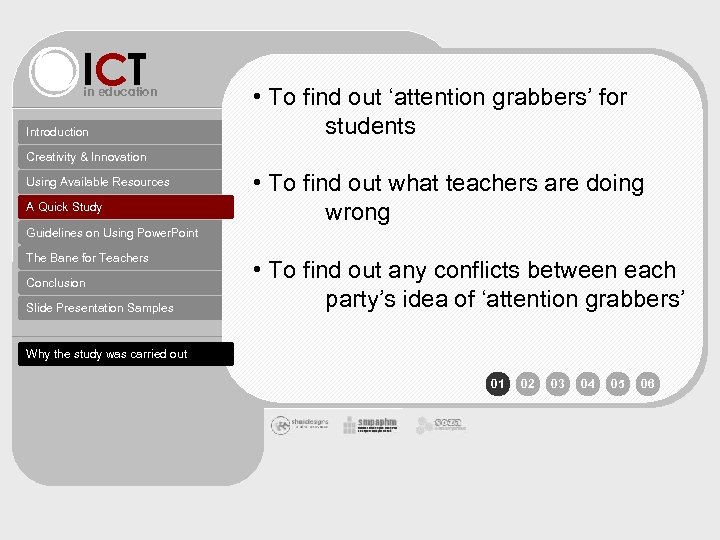 ICT in education Introduction • To find out ‘attention grabbers’ for students Creativity & Innovation Using Available Resources A Quick Study • To find out what teachers are doing wrong Guidelines on Using Power. Point The Bane for Teachers Conclusion Slide Presentation Samples • To find out any conflicts between each party’s idea of ‘attention grabbers’ Why the study was carried out 01 02 03 04 05 06
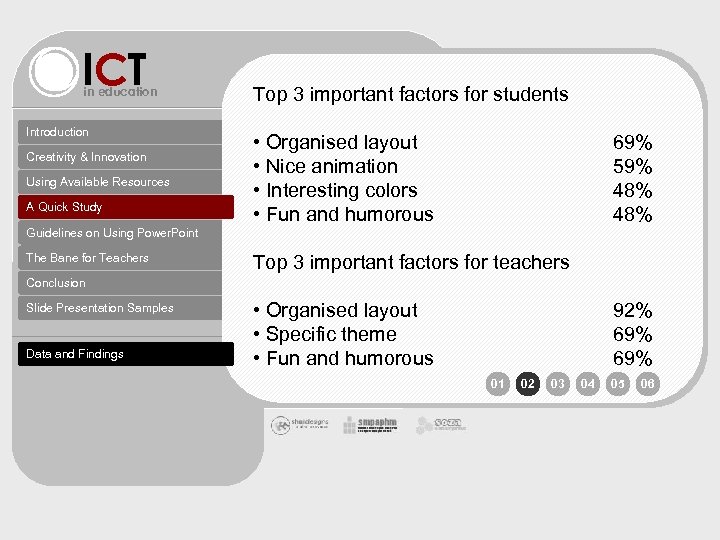 ICT in education Introduction Creativity & Innovation Using Available Resources A Quick Study Top 3 important factors for students • Organised layout • Nice animation • Interesting colors • Fun and humorous 69% 59% 48% Guidelines on Using Power. Point The Bane for Teachers Top 3 important factors for teachers Conclusion Slide Presentation Samples Data and Findings • Organised layout • Specific theme • Fun and humorous 92% 69% 01 02 03 04 05 06
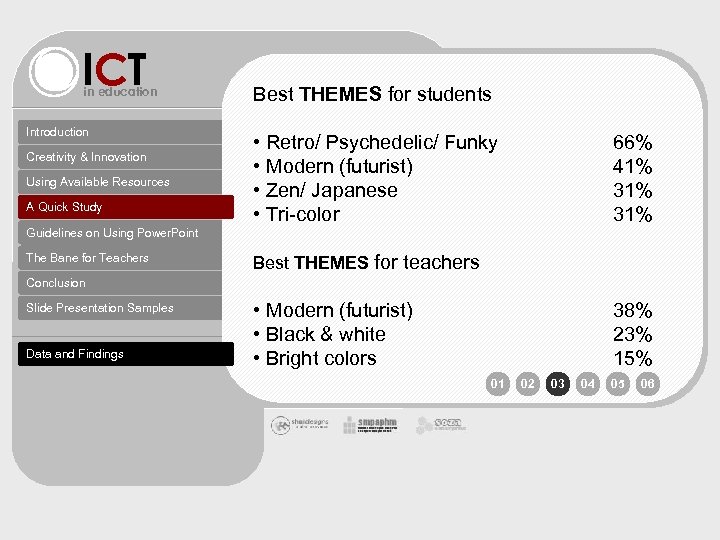 ICT in education Introduction Creativity & Innovation Using Available Resources A Quick Study Best THEMES for students • Retro/ Psychedelic/ Funky • Modern (futurist) • Zen/ Japanese • Tri-color 66% 41% 31% Guidelines on Using Power. Point The Bane for Teachers Best THEMES for teachers Conclusion Slide Presentation Samples Data and Findings • Modern (futurist) • Black & white • Bright colors 38% 23% 15% 01 02 03 04 05 06
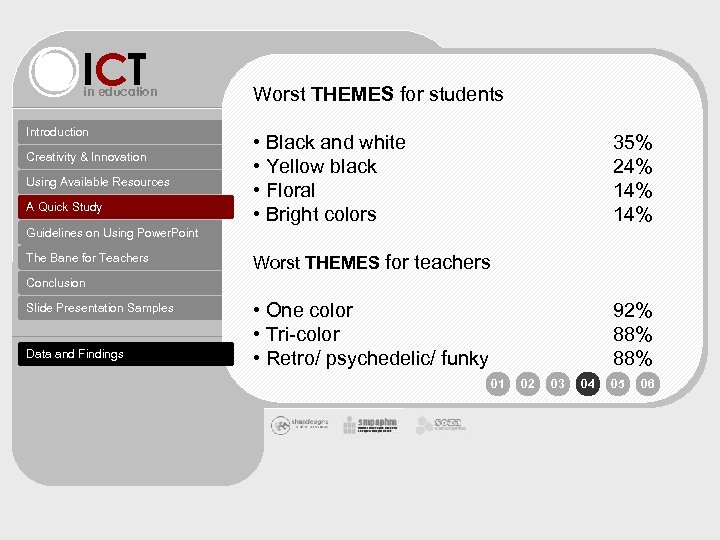 ICT in education Introduction Creativity & Innovation Using Available Resources A Quick Study Worst THEMES for students • Black and white • Yellow black • Floral • Bright colors 35% 24% 14% Guidelines on Using Power. Point The Bane for Teachers Worst THEMES for teachers Conclusion Slide Presentation Samples Data and Findings • One color • Tri-color • Retro/ psychedelic/ funky 92% 88% 01 02 03 04 05 06
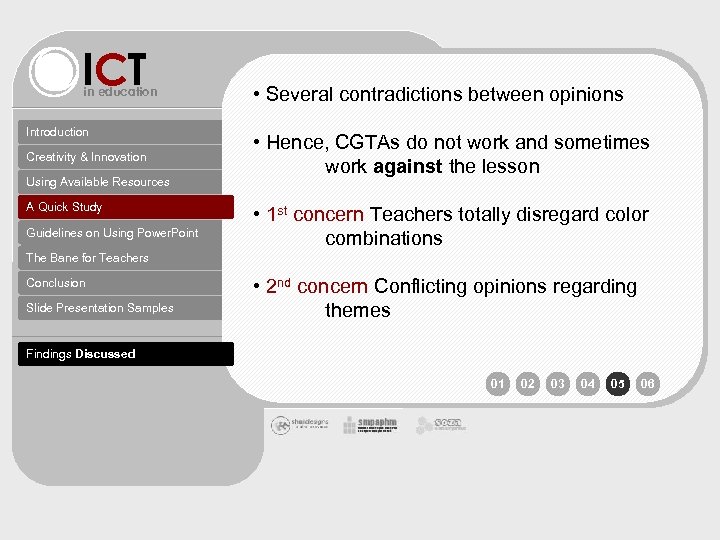 ICT in education Introduction Creativity & Innovation Using Available Resources A Quick Study Guidelines on Using Power. Point • Several contradictions between opinions • Hence, CGTAs do not work and sometimes work against the lesson • 1 st concern Teachers totally disregard color combinations The Bane for Teachers Conclusion Slide Presentation Samples • 2 nd concern Conflicting opinions regarding themes Findings Discussed 01 02 03 04 05 06
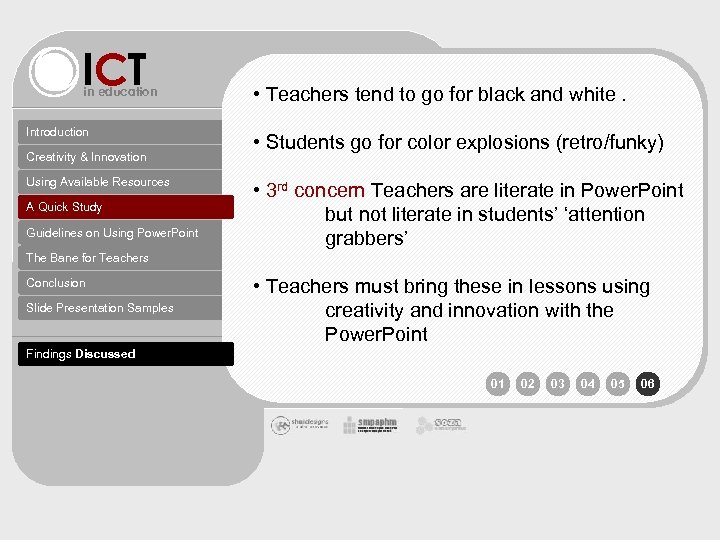 ICT in education Introduction Creativity & Innovation Using Available Resources A Quick Study Guidelines on Using Power. Point • Teachers tend to go for black and white. • Students go for color explosions (retro/funky) • 3 rd concern Teachers are literate in Power. Point but not literate in students’ ‘attention grabbers’ The Bane for Teachers Conclusion Slide Presentation Samples • Teachers must bring these in lessons using creativity and innovation with the Power. Point Findings Discussed 01 02 03 04 05 06
 ICT in education Introduction Creativity & Innovation Using Available Resources A Quick Study Guidelines on Using Power. Point Refer to handout The Bane for Teachers Conclusion Slide Presentation Samples 01 02 03 04 05 06
 ICT in education Introduction Creativity & Innovation Using Available Resources A Quick Study Guidelines on Using Power. Point The Bane for Teachers Conclusion Slide Presentation Samples 01 02 03 04 05 06
 ICT Guidelines on Using Power. Point in education organisation themes colours graphics functions ideas 05
 ICT Guidelines on Using Power. Point in education organisation themes colours graphics functions ideas • Use similar layout concepts for all CGTAs • Have a content table or site-map as a side-page • Use a menu bar interface ( horizontal. vertical. free-form ) • All content should be in one window (content window) • Allocate an area for page information ( title. chapter. page numbers. sidepage links) • Divide a page into 4 areas : Page Info | Menu bar | Content window | Graphic space • Study the layouts of teen websites and software for inspiration • HYPERLINK is a powerful function for organisation 05
 ICT Guidelines on Using Power. Point in education organisation themes colours graphics functions ideas 05 • A theme is first thought of. . . then put into effect • A theme revolves around color , fonts , music , graphic , etc. • Every good website and software employs a theme • Different people have differing views on themes • The favored themes for youth are governed by trends and lifestyles • There a few universal themes that would cater for all students • Currently themes for teens are : Modern | Japanese Anime/ Zen | Retro | Grunge | Tricolor • Themes for young adolescents are : Cartooney | Nickelodeon-ish | Retro | Tricolor | Modern 01 02 03 04 05 06
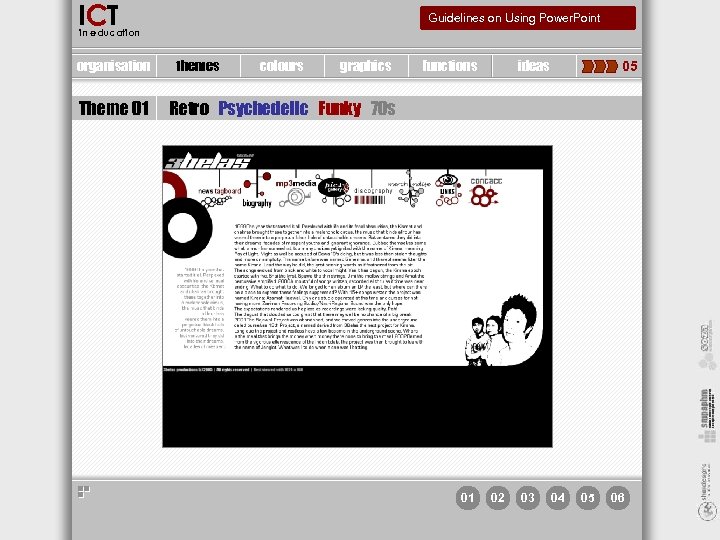
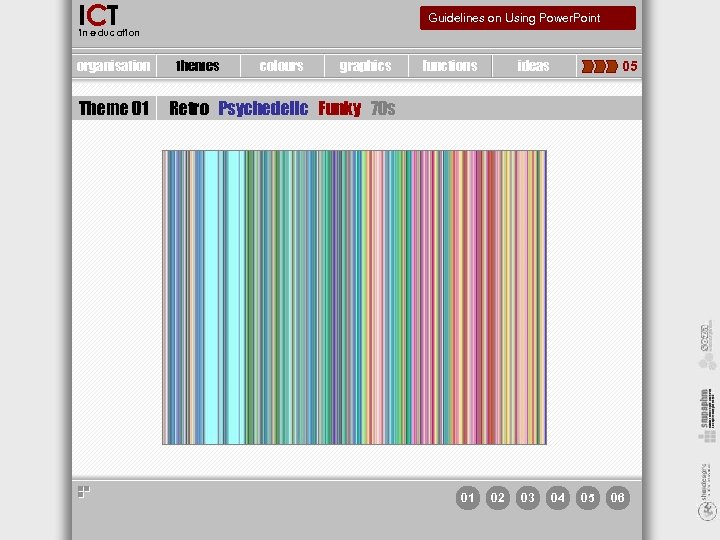
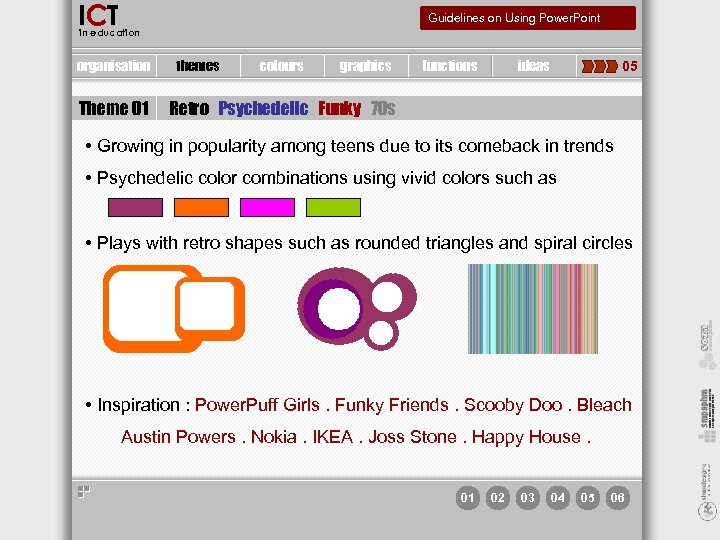 ICT Guidelines on Using Power. Point in education organisation Theme 01 themes colours graphics functions ideas 05 Retro Psychedelic Funky 70 s • Growing in popularity among teens due to its comeback in trends • Psychedelic color combinations using vivid colors such as • Plays with retro shapes such as rounded triangles and spiral circles • Inspiration : Power. Puff Girls. Funky Friends. Scooby Doo. Bleach Austin Powers. Nokia. IKEA. Joss Stone. Happy House. 01 02 03 04 05 06
 ICT Guidelines on Using Power. Point in education organisation Theme 01 themes colours graphics functions ideas 05 Retro Psychedelic Funky 70 s 01 02 03 04 05 06
 ICT Guidelines on Using Power. Point in education organisation Theme 01 themes colours graphics functions ideas 05 Retro Psychedelic Funky 70 s 01 02 03 04 05 06
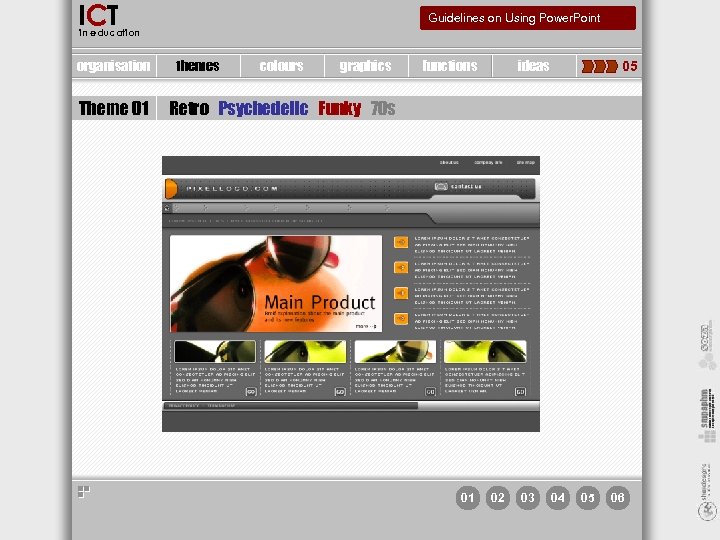
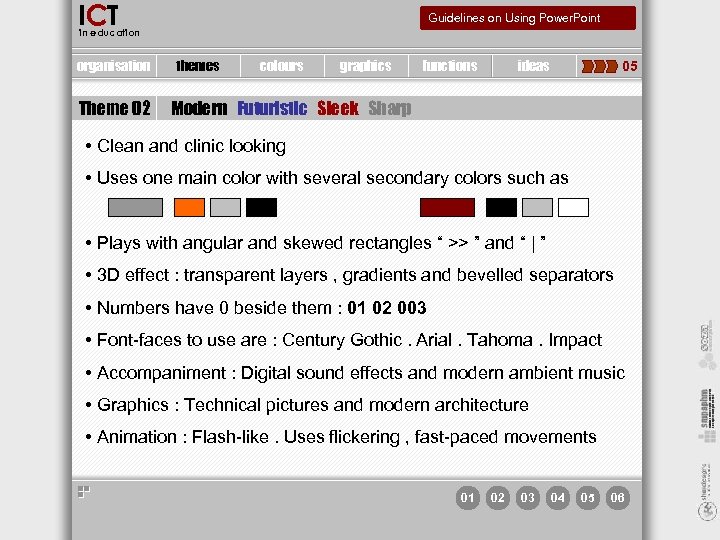 ICT Guidelines on Using Power. Point in education organisation Theme 02 themes colours graphics functions ideas 05 Modern Futuristic Sleek Sharp • Clean and clinic looking • Uses one main color with several secondary colors such as • Plays with angular and skewed rectangles “ >> ” and “ | ” • 3 D effect : transparent layers , gradients and bevelled separators • Numbers have 0 beside them : 01 02 003 • Font-faces to use are : Century Gothic. Arial. Tahoma. Impact • Accompaniment : Digital sound effects and modern ambient music • Graphics : Technical pictures and modern architecture • Animation : Flash-like. Uses flickering , fast-paced movements 01 02 03 04 05 06
 ICT Guidelines on Using Power. Point in education organisation Theme 01 themes colours graphics functions ideas 05 Retro Psychedelic Funky 70 s 01 02 03 04 05 06
 ICT Guidelines on Using Power. Point in education organisation themes colours graphics functions ideas 05 • Colors determine themes = psychedelic RULES FOR COMBINING COLORS • Not all colors can be combined together and contrast well Yellow black White black Yellow red • Color preferences differ between gender but not so across levels • Safest way to combine colors is to use colors which only differ in hue; which only differ in saturation or which only differ in brightness 01 02 03 04 05 06
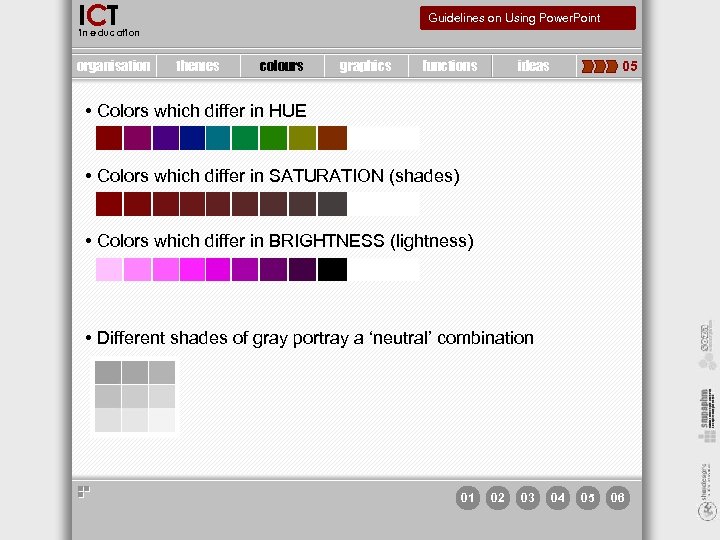 ICT Guidelines on Using Power. Point in education organisation themes colours graphics functions ideas 05 • Colors which differ in HUE • Colors which differ in SATURATION (shades) • Colors which differ in BRIGHTNESS (lightness) • Different shades of gray portray a ‘neutral’ combination 01 02 03 04 05 06
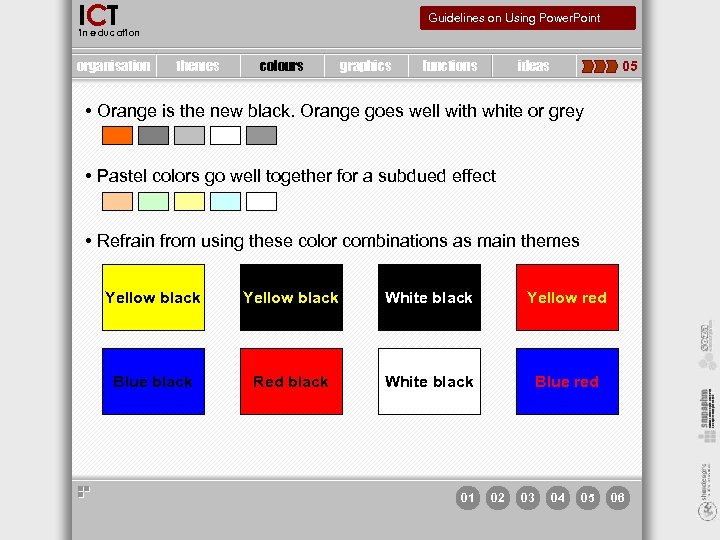 ICT Guidelines on Using Power. Point in education organisation themes colours graphics functions ideas 05 • Orange is the new black. Orange goes well with white or grey • Pastel colors go well together for a subdued effect • Refrain from using these color combinations as main themes Yellow black White black Yellow red Blue black Red black White black Blue red 01 02 03 04 05 06
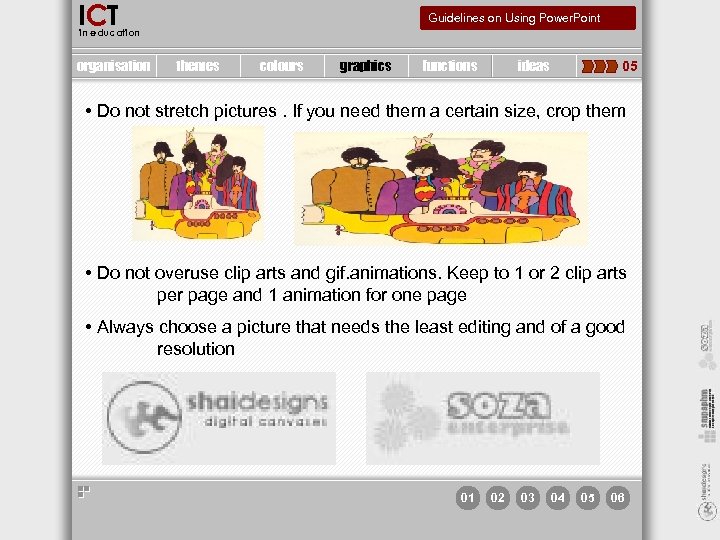 ICT Guidelines on Using Power. Point in education organisation themes colours graphics functions ideas 05 • Do not stretch pictures. If you need them a certain size, crop them • Do not overuse clip arts and gif. animations. Keep to 1 or 2 clip arts per page and 1 animation for one page • Always choose a picture that needs the least editing and of a good resolution 01 02 03 04 05 06
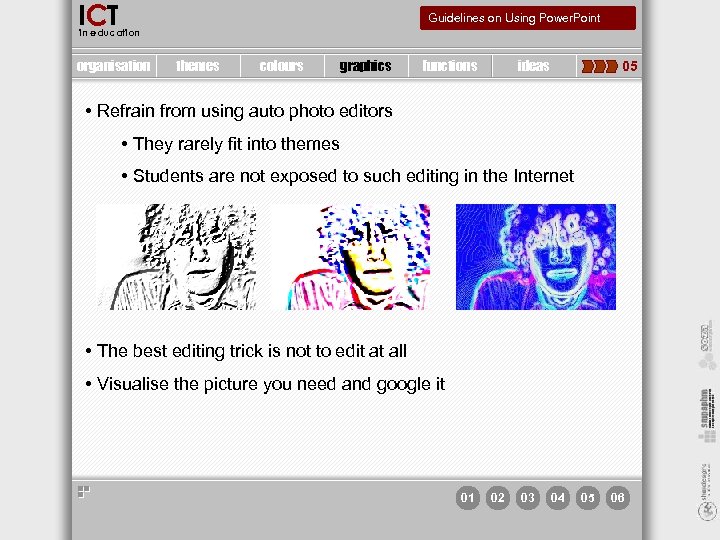 ICT Guidelines on Using Power. Point in education organisation themes colours graphics functions ideas 05 • Refrain from using auto photo editors • They rarely fit into themes • Students are not exposed to such editing in the Internet • The best editing trick is not to edit at all • Visualise the picture you need and google it 01 02 03 04 05 06
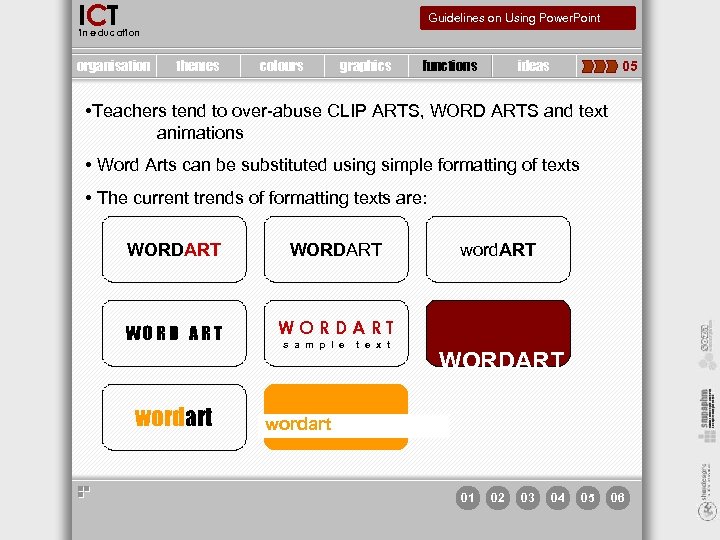 ICT Guidelines on Using Power. Point in education organisation themes colours graphics functions ideas 05 • Teachers tend to over-abuse CLIP ARTS, WORD ARTS and text animations • Word Arts can be substituted using simple formatting of texts • The current trends of formatting texts are: WORDART WORDART wordart s a m p l e t e x t word. ART WORDART wordart 01 02 03 04 05 06
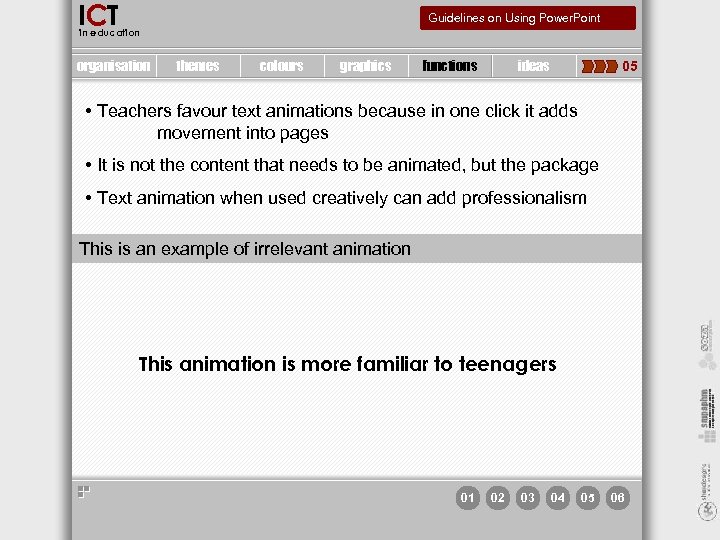 ICT Guidelines on Using Power. Point in education organisation themes colours graphics functions ideas 05 • Teachers favour text animations because in one click it adds movement into pages • It is not the content that needs to be animated, but the package • Text animation when used creatively can add professionalism This is an example of irrelevant animation This animation is more familiar to teenagers 01 02 03 04 05 06
 ICT Guidelines on Using Power. Point in education organisation themes colours graphics functions ideas 05 • Timeline is a concept not usually associated with Power. Point but with Flash and movie editors • The strength in Flash is the ‘timeline’ function • With timeline every slide page can look like an animation Flash movie • Timeline is quite easy to master. It has only 3 variables • On click • With Previous • After Previous • Even with the last 2 variables, the use of timeline is endless if one is familiar with sleek movements of Flash 01 02 03 04 05 06
 ICT Guidelines on Using Power. Point in education organisation themes colours graphics functions ideas 05 • Motion Path is another function that adds movement to a page • The best way to employ motion path is to guide texts and pictures to their final placements/ location in a page • This function resembles closely Flash’s motion path animation • Observe Flash websites and be inspired by their sleek movements • Transparency adds a 3 D feel to a page • Autoshapes can be made semi-transparent to portray layering of pages • 01 02 03 04 05 06
 ICT Guidelines on Using Power. Point in education organisation themes colours graphics functions ideas 05 • Interactive Fun and Games • Involvement in pressing buttons to give answers • Multiple choice questions • Information gap questions (eg. Hangman) • Hands-on activities • Using ACTIVStudio to make a lesson into a boardgame • Highlighting/circling answers • Writing down answers on the board 01 02 03 04 05 06
 ICT Guidelines on Using Power. Point in education organisation themes colours graphics functions ideas 05
 ICT Guidelines on Using Power. Point in education organisation themes colours graphics functions ideas 05

 ICT in education The myths and fallacies of ICT, a local teachers’ perspective Introduction Creativity & Innovation • Teaching with ICT is for ICT expert teachers Using Available Resources A Quick Study Guidelines on Using Power. Point The Bane for Teachers Conclusion Slide Presentation Samples • Students know better than teachers syndrome • Critical Period theory
 ICT in education Teachers do not have to be computer experts to create impressive CGTAs Introduction Creativity & Innovation Using Available Resources A Quick Study Guidelines on Using Power. Point The Bane for Teachers With proper guidance (such as a guideline), the task is narrowed into a path to successful teaching aids Recommendations • Workshops on immersing teachers to ICT-creativity Conclusion Slide Presentation Samples • A change of software interface by software producers to cater for teaching and education
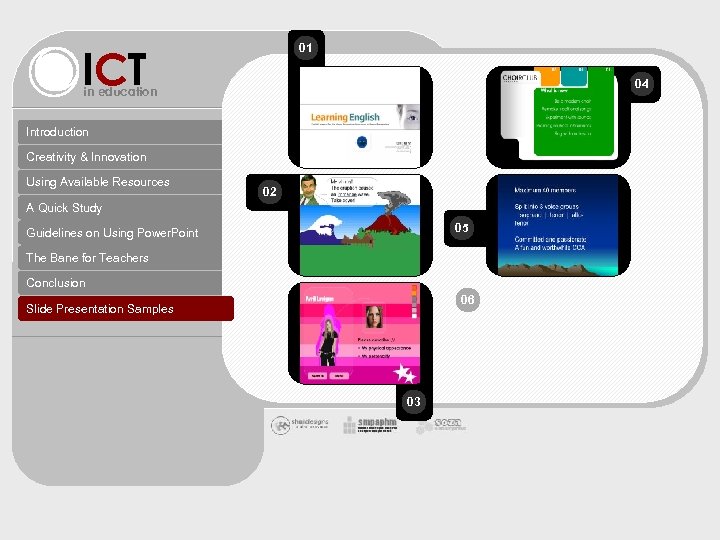 ICT 01 04 in education Introduction Creativity & Innovation Using Available Resources 02 A Quick Study 05 Guidelines on Using Power. Point The Bane for Teachers Conclusion 06 Slide Presentation Samples 03
 ICT in education Introduction Creativity & Innovation Using Available Resources A Quick Study Guidelines on Using Power. Point The Bane for Teachers Conclusion Slide Presentation Samples 01 02 03 04 05 06
 ict in education bronze_chimera@hotmail. com