


 Скачать презентацию Linux References Running Linux Ch 1 etc
5913470c5a38aa054ed439faece4f9d9.ppt
- Количество слайдов: 47
 Linux References Running Linux – Ch 1, etc. Tanenbaum – Ch 10. 1, 10. 2 Linux man pages (man xxx) cs 431 - cotter 1
 Lecture Objectives • To be able to program using C or C++ in a Linux command line environment. • Appreciate the difference between a command line environment and a GUI environment. • Be able to navigate within a Linux system (know where to expect different types of files, programs, etc. ) cs 431 - cotter 2
 The Family Tree • 1960 s – MULTICS • 1969 – “UNICS” -> UNIX – PDP-7 (More like Commodore 64 than PC-AT) – PDP-11 (1970) • 1974 – UNIX Timesharing System (ACM) – Turing Award (1984) • • • 1977 – Berkeley Software Distribution (BSD) 1980’s – Commercial UNIX (AT&T, etc. ) 1988 – POSIX (IEEE 103. 1 -1988) 1987 – MINIX 1994 - Linux cs 431 - cotter 3
 Design Objectives • An Operating System that can be studied and modified cs 431 - cotter 4
 Design Objectives • An Operating System that can be studied and modified • An improvement over Minux (a primitive OS used in OS classes) cs 431 - cotter 5
 Design Goals • Emulate UNIX (same functions and same interface, but different implementation) • Designed by and for skilled programmers • Simple, elegant, and consistent – ls A* rm A* – Copy file 1. txt to file 2. txt cp file 1. txt file 2. txt • POSIX compliant cs 431 - cotter 6
 Design Capabilities • • Multi-tasking Multi-user Multi-processing (multiple processors) Architecture Independence File system Flexibility Paging Memory Protection (protected mode) Networking cs 431 - cotter 7
 Kernel vs Distribution • Kernel provides core OS functionality – managed by Linux. org (Torvalds, et. al. ) cs 431 - cotter 8
 Kernel vs Distribution • Kernel provides core OS functionality – managed by Linux. org (Torvalds, et. al. ) • Distribution provides installation and package management needed to implement a complete OS including applications – – – cs 431 - cotter Ubuntu (Kubuntu) open. Su. Se (now owned by Novell) Red Hat (Fedora) Debian Mandrake (Mandrivia) Cent. OS, etc. 9
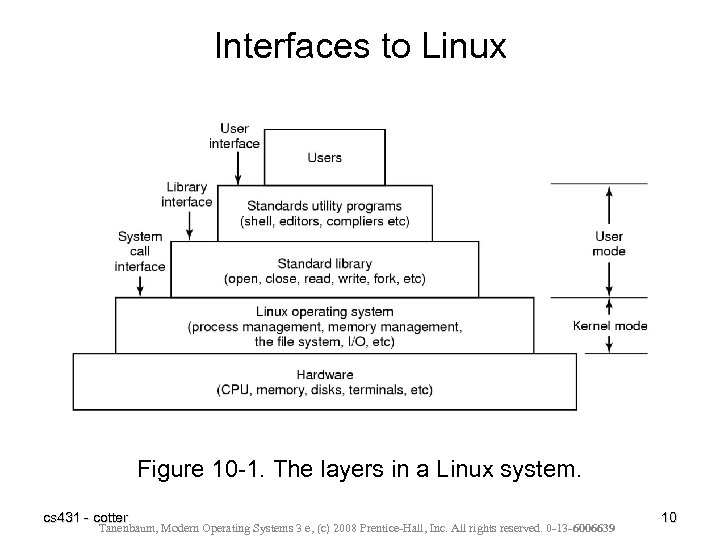 Interfaces to Linux Figure 10 -1. The layers in a Linux system. cs 431 - cotter Tanenbaum, Modern Operating Systems 3 e, (c) 2008 Prentice-Hall, Inc. All rights reserved. 0 -13 -6006639 10
 Kernel Structure • Implemented as a single binary file – core scheduling – memory management – device drivers – file systems – networking • System libraries implement the OS interface available to applications cs 431 - cotter 11
 The Shell • Basic Command-line Interface – Original Interface – Faster, more powerful, easily extensible • Several different shells available in Linux – Bash (Bourne Again SHell) – default – csh, tsh, ksh, etc. – Each has its own command syntax and characteristics. cs 431 - cotter 12
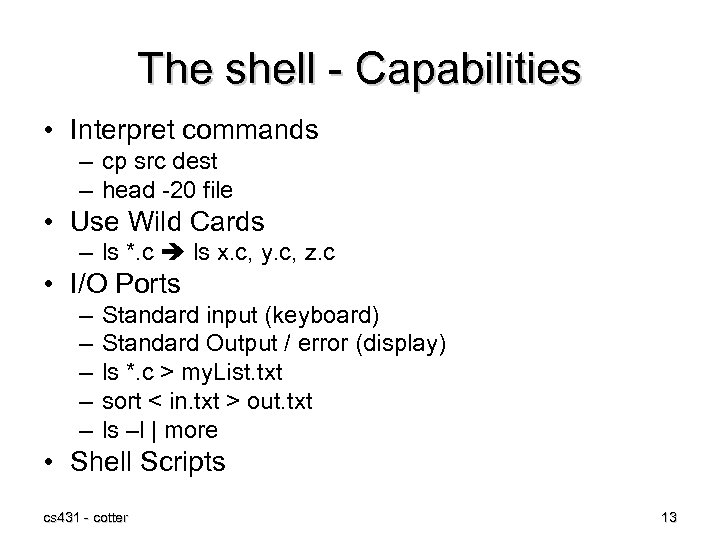 The shell - Capabilities • Interpret commands – cp src dest – head -20 file • Use Wild Cards – ls *. c ls x. c, y. c, z. c • I/O Ports – – – Standard input (keyboard) Standard Output / error (display) ls *. c > my. List. txt sort < in. txt > out. txt ls –l | more • Shell Scripts cs 431 - cotter 13
 Linux Utility Programs Categories of utility programs: • • • File and directory manipulation commands. Filters. Program development tools, such as editors and compilers. Text processing. System administration. • Miscellaneous. cs 431 - cotter Tanenbaum, Modern Operating Systems 3 e, (c) 2008 Prentice-Hall, Inc. All rights reserved. 0 -13 -6006639 14
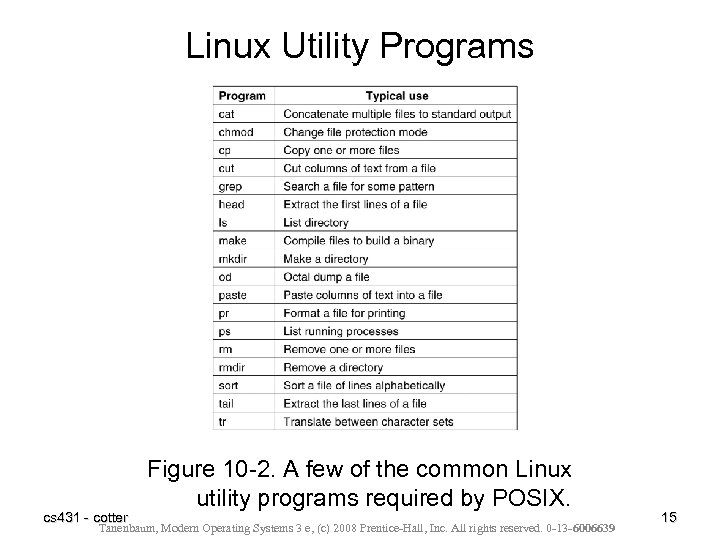 Linux Utility Programs cs 431 - cotter Figure 10 -2. A few of the common Linux utility programs required by POSIX. Tanenbaum, Modern Operating Systems 3 e, (c) 2008 Prentice-Hall, Inc. All rights reserved. 0 -13 -6006639 15
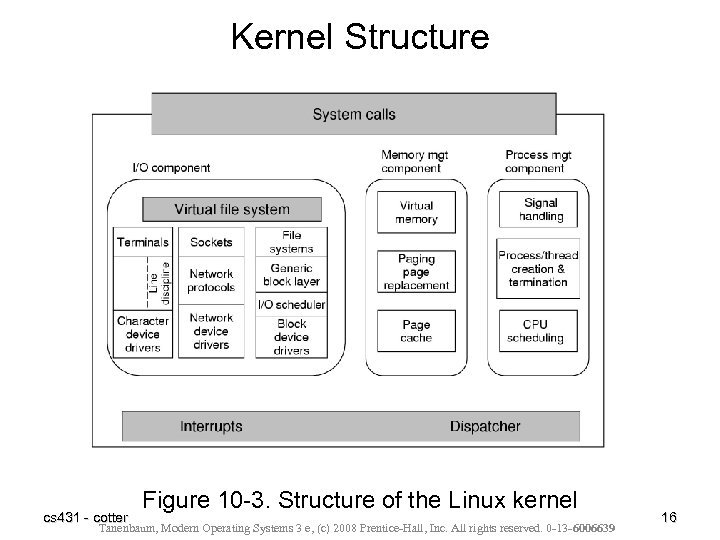 Kernel Structure cs 431 - cotter Figure 10 -3. Structure of the Linux kernel Tanenbaum, Modern Operating Systems 3 e, (c) 2008 Prentice-Hall, Inc. All rights reserved. 0 -13 -6006639 16
 Proc File System • Part of VFS – Support dynamic files that characterize the state of the OS • Designed as an efficient interface to Kernel process debugging, but provides information useful for other purposes as well. • Provide statistics on system operation – – – system version (version) system uptime (uptime) file system mounts (mounts) memory information (meminfo) average load (loadavg) etc. . . cs 431 - cotter 17
 I/O Management • In general, all I/O appears as though it was File I/O • Linux (UNIX) supports several types of devices – Block devices • disk • video – Character devices • keyboard • serial port – Network Devices • Similar to character devices in behavior, but treated differently because of performance and access issues. cs 431 - cotter 18
 Linux Security • File Level Security – Authentication - allow only authorized users into the system (user name, password) – Access control - Ensure that resources (files) are only used by authorized users. (user id, group id, mode bits) cs 431 - cotter 19
 Linux Security • File Level Security – Authentication - allow only authorized users into the system (user name, password) – Access control - Ensure that resources (files) are only used by authorized users. (user id, group id, mode bits) • System Level Security – Many of the same weaknesses as UNIX, since the basic design is the same – Open source: • Makes it easy for hackers to analyze the system • Makes it easy for testers to fix the system when bugs are found. cs 431 - cotter 20
 Linux Programming API • Available as command line or GUI (X windows) – Programming will all be command line, but tools may be either command line or GUI • Information sources – manual pages • man cc (provides information on using cc compiler and linker) – Information pages • info cc (provides linked information. Hypertext) cs 431 - cotter 21
 Linux Programming • Creating a source file (*. c or *. cpp) – Use any text editor (emacs, vi, or any GUI editor (kwrite)) cs 431 - cotter 22
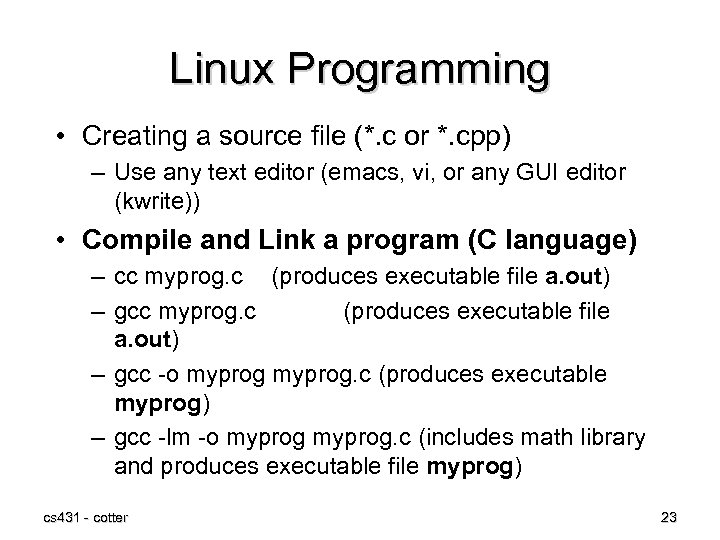 Linux Programming • Creating a source file (*. c or *. cpp) – Use any text editor (emacs, vi, or any GUI editor (kwrite)) • Compile and Link a program (C language) – cc myprog. c (produces executable file a. out) – gcc -o myprog. c (produces executable myprog) – gcc -lm -o myprog. c (includes math library and produces executable file myprog) cs 431 - cotter 23
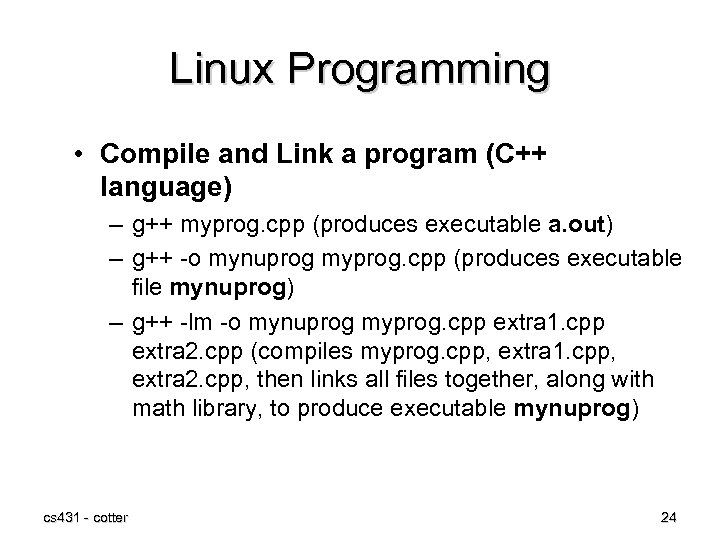 Linux Programming • Compile and Link a program (C++ language) – g++ myprog. cpp (produces executable a. out) – g++ -o mynuprog myprog. cpp (produces executable file mynuprog) – g++ -lm -o mynuprog myprog. cpp extra 1. cpp extra 2. cpp (compiles myprog. cpp, extra 1. cpp, extra 2. cpp, then links all files together, along with math library, to produce executable mynuprog) cs 431 - cotter 24
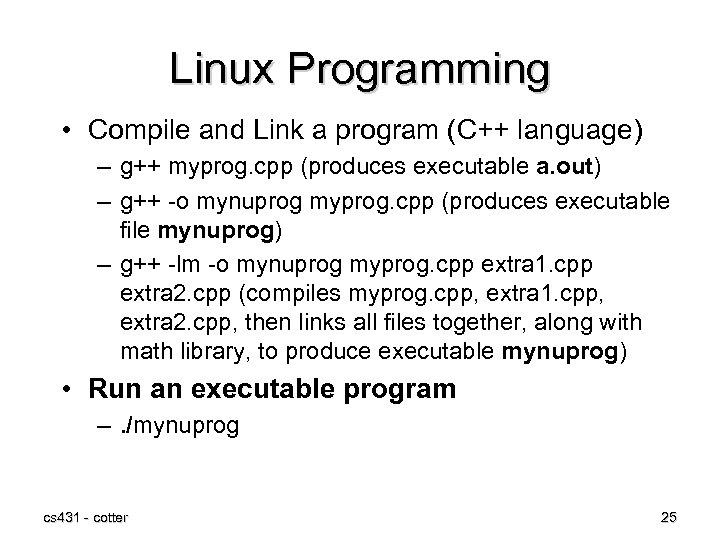 Linux Programming • Compile and Link a program (C++ language) – g++ myprog. cpp (produces executable a. out) – g++ -o mynuprog myprog. cpp (produces executable file mynuprog) – g++ -lm -o mynuprog myprog. cpp extra 1. cpp extra 2. cpp (compiles myprog. cpp, extra 1. cpp, extra 2. cpp, then links all files together, along with math library, to produce executable mynuprog) • Run an executable program –. /mynuprog cs 431 - cotter 25
 Linux Program Debugging • Add debugging information to executable program – g++ -ggdb -lm -o myprog. cpp cs 431 - cotter 26
 Linux Program Debugging • Add debugging information to executable program – g++ -ggdb -lm -o myprog. cpp • Generate a copy of source file with line numbers – cat -n myprog. cpp | lpr (concatenate [list] the program with line numbers and send the result to the line printer program, so that it can be printed on the default printer) cs 431 - cotter 27
 Linux Program Debugging • Add debugging information to executable program – g++ -ggdb -lm -o myprog. cpp • Generate a copy of source file with line numbers – cat -n myprog. cpp | lpr (concatenate [list] the program with line numbers and send the result to the line printer program, so that it can be printed on the default printer) • Start the Gnu debugger – gdb myprog cs 431 - cotter 28
 Debugging Commands • Set a breakpoint just before executing line 34 – break 34 cs 431 - cotter 29
 Debugging Commands • Set a breakpoint just before executing line 34 – break 34 • Start running the program inside the debugger (with any optional command line arguments) – run test. dat – (program will run to the first break point, until it fails, or until it completes) cs 431 - cotter 30
 Debugging Commands • Set a breakpoint just before executing line 34 – break 34 • Start running the program inside the debugger (with any optional command line arguments) – run test. dat – (program will run to the first break point, until it fails, or until it completes) • Show the current value of a program variable – print filename cs 431 - cotter 31
 Debugging Commands • Single step execution to the next line in the source code. – Next cs 431 - cotter 32
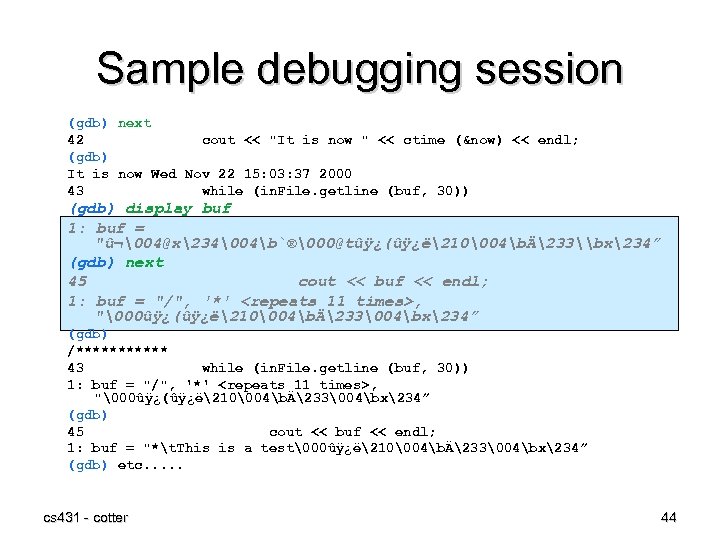
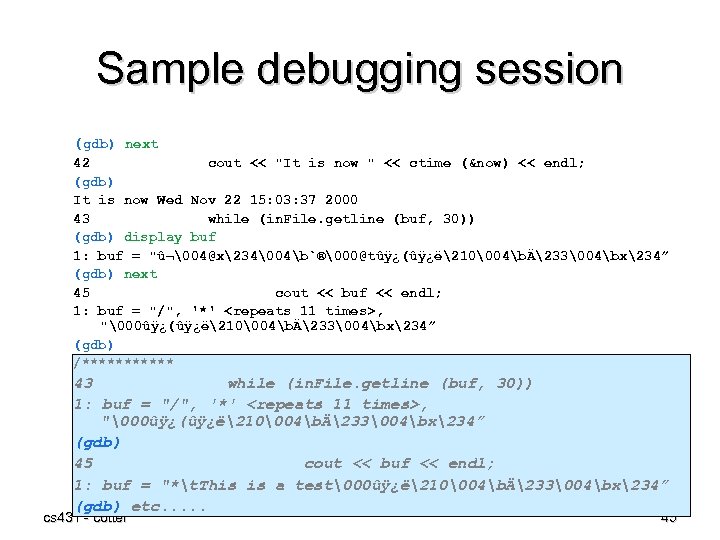
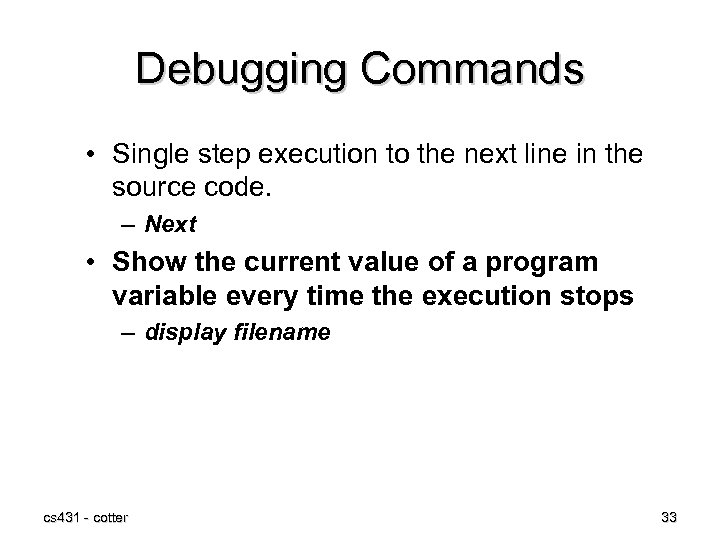 Debugging Commands • Single step execution to the next line in the source code. – Next • Show the current value of a program variable every time the execution stops – display filename cs 431 - cotter 33
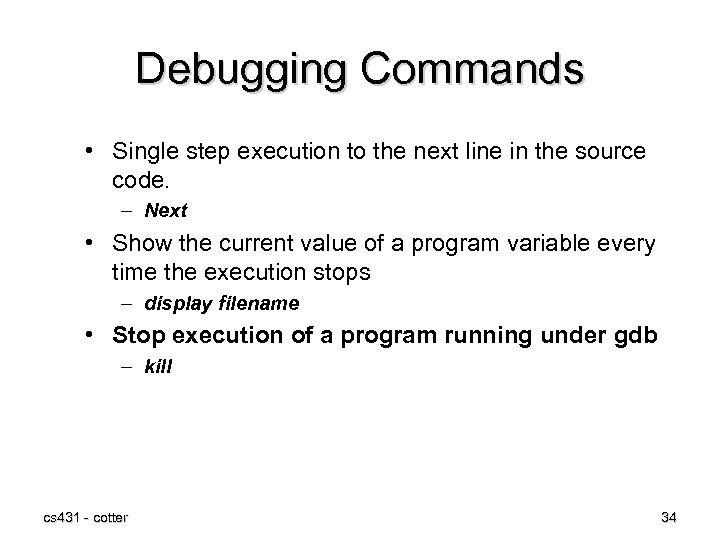 Debugging Commands • Single step execution to the next line in the source code. – Next • Show the current value of a program variable every time the execution stops – display filename • Stop execution of a program running under gdb – kill cs 431 - cotter 34
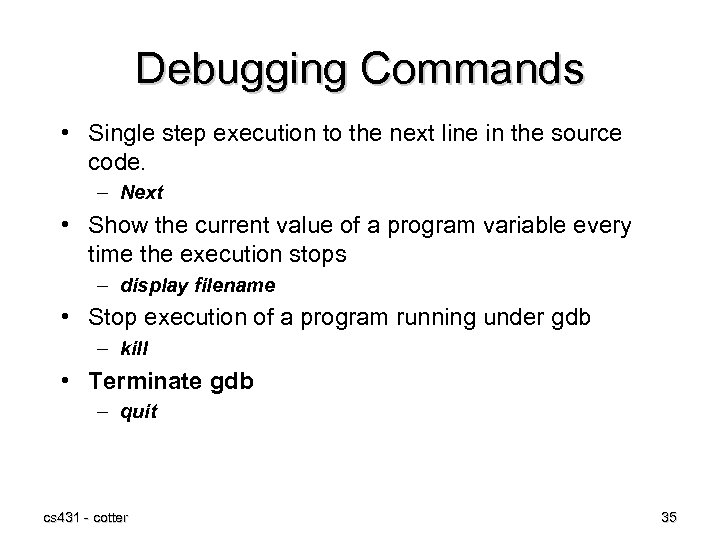 Debugging Commands • Single step execution to the next line in the source code. – Next • Show the current value of a program variable every time the execution stops – display filename • Stop execution of a program running under gdb – kill • Terminate gdb – quit cs 431 - cotter 35
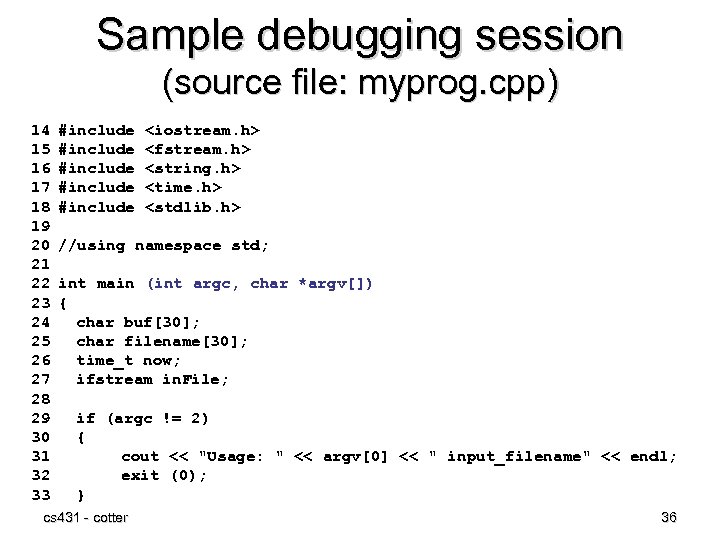 Sample debugging session (source file: myprog. cpp) 14 15 16 17 18 19 20 21 22 23 24 25 26 27 28 29 30 31 32 33 #include #include
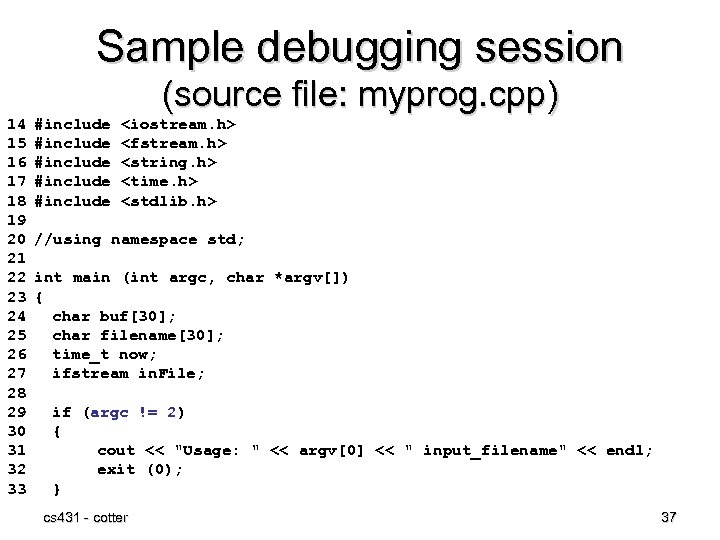 Sample debugging session (source file: myprog. cpp) 14 15 16 17 18 19 20 21 22 23 24 25 26 27 28 29 30 31 32 33 #include #include
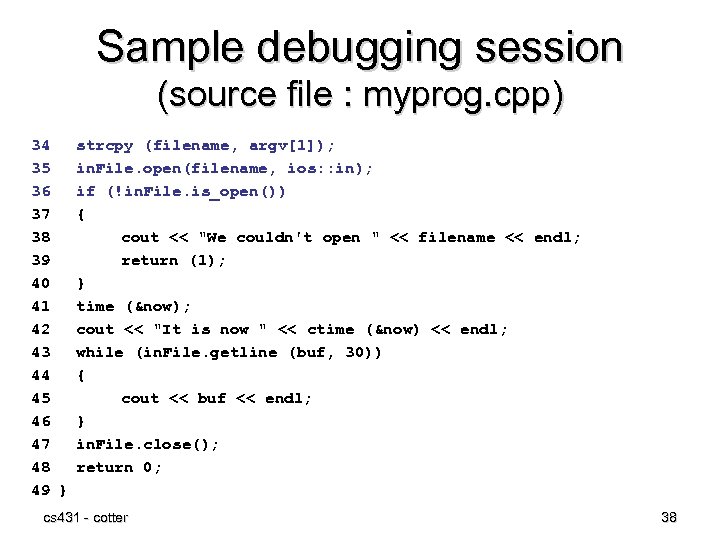 Sample debugging session (source file : myprog. cpp) 34 35 36 37 38 39 40 41 42 43 44 45 46 47 48 49 } strcpy (filename, argv[1]); in. File. open(filename, ios: : in); if (!in. File. is_open()) { cout << "We couldn't open " << filename << endl; return (1); } time (&now); cout << "It is now " << ctime (&now) << endl; while (in. File. getline (buf, 30)) { cout << buf << endl; } in. File. close(); return 0; cs 431 - cotter 38
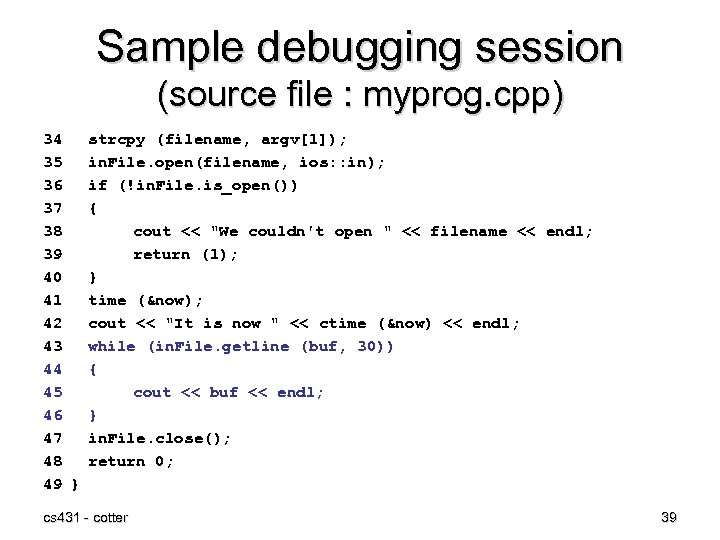 Sample debugging session (source file : myprog. cpp) 34 35 36 37 38 39 40 41 42 43 44 45 46 47 48 49 } strcpy (filename, argv[1]); in. File. open(filename, ios: : in); if (!in. File. is_open()) { cout << "We couldn't open " << filename << endl; return (1); } time (&now); cout << "It is now " << ctime (&now) << endl; while (in. File. getline (buf, 30)) { cout << buf << endl; } in. File. close(); return 0; cs 431 - cotter 39
![Sample debugging session [bob@bobs-RHLINUX cs 431_linux]# g++ -ggdb -o mpcpp_db myprog. cpp [bob@bobs-RHLINUX cs](https://present5.com/presentation/5913470c5a38aa054ed439faece4f9d9/image-40.jpg "Sample debugging session [bob@bobs-RHLINUX cs 431_linux]# g++ -ggdb -o mpcpp_db myprog. cpp [bob@bobs-RHLINUX cs") Sample debugging session [bob@bobs-RHLINUX cs 431_linux]# g++ -ggdb -o mpcpp_db myprog. cpp [bob@bobs-RHLINUX cs 431_linux]# gdb mpcpp_db (gdb) break 34 Breakpoint 1 at 0 x 8048970: file myprog. cpp, line 34. (gdb) run test. dat Starting program: /home/rcotter/cs 431_linux/mpcpp_db test. dat Breakpoint 1, main (argc=2, argv=0 xbffffb 74) at myprog. cpp: 34 34 strcpy (filename, argv[1]); (gdb) print filename $1 = "tûÿ¿Ð>01@°20304bÈ23404b. 20504bð3402@(ûÿ¿p©” (gdb) next 35 in. File. open(filename, ios: : in); (gdb) print filename $2 = "test. dat0020304bÈ23404b. 20504bð3402@(ûÿ¿p©” (gdb) next 36 if (!in. File. is_open()) (gdb) [Just hitting return will repeat the previous command] 41 time (&now); cs 431 - cotter 40
Sample debugging session [bob@bobs-RHLINUX cs 431_linux]# g++ -ggdb -o mpcpp_db myprog. cpp [bob@bobs-RHLINUX cs 431_linux]# gdb mpcpp_db (gdb) break 34 Breakpoint 1 at 0 x 8048970: file myprog. cpp, line 34. (gdb) run test. dat Starting program: /home/rcotter/cs 431_linux/mpcpp_db test. dat Breakpoint 1, main (argc=2, argv=0 xbffffb 74) at myprog. cpp: 34 34 strcpy (filename, argv[1]); (gdb) print filename $1 = "tûÿ¿Ð>01@°20304bÈ23404b. 20504bð3402@(ûÿ¿p©” (gdb) next 35 in. File. open(filename, ios: : in); (gdb) print filename $2 = "test. dat0020304bÈ23404b. 20504bð3402@(ûÿ¿p©” (gdb) next 36 if (!in. File. is_open()) (gdb) [Just hitting return will repeat the previous command] 41 time (&now); cs 431 - cotter 40
![Sample debugging session [bob@bobs-RHLINUX cs 431_linux]# g++ -ggdb -o mpcpp_db myprog. cpp [bob@bobs-RHLINUX cs](https://present5.com/presentation/5913470c5a38aa054ed439faece4f9d9/image-41.jpg "Sample debugging session [bob@bobs-RHLINUX cs 431_linux]# g++ -ggdb -o mpcpp_db myprog. cpp [bob@bobs-RHLINUX cs") Sample debugging session [bob@bobs-RHLINUX cs 431_linux]# g++ -ggdb -o mpcpp_db myprog. cpp [bob@bobs-RHLINUX cs 431_linux]# gdb mpcpp_db (gdb) break 34 Breakpoint 1 at 0 x 8048970: file myprog. cpp, line 34. (gdb) run test. dat Starting program: /home/rcotter/cs 431_linux/mpcpp_db test. dat Breakpoint 1, main (argc=2, argv=0 xbffffb 74) at myprog. cpp: 34 34 strcpy (filename, argv[1]); (gdb) print filename $1 = "tûÿ¿Ð>01@°20304bÈ23404b. 20504bð3402@(ûÿ¿p©” (gdb) next 35 in. File. open(filename, ios: : in); (gdb) print filename $2 = "test. dat0020304bÈ23404b. 20504bð3402@(ûÿ¿p©” (gdb) next 36 if (!in. File. is_open()) (gdb) [Just hitting return will repeat the previous command] 41 time (&now); cs 431 - cotter 41
Sample debugging session [bob@bobs-RHLINUX cs 431_linux]# g++ -ggdb -o mpcpp_db myprog. cpp [bob@bobs-RHLINUX cs 431_linux]# gdb mpcpp_db (gdb) break 34 Breakpoint 1 at 0 x 8048970: file myprog. cpp, line 34. (gdb) run test. dat Starting program: /home/rcotter/cs 431_linux/mpcpp_db test. dat Breakpoint 1, main (argc=2, argv=0 xbffffb 74) at myprog. cpp: 34 34 strcpy (filename, argv[1]); (gdb) print filename $1 = "tûÿ¿Ð>01@°20304bÈ23404b. 20504bð3402@(ûÿ¿p©” (gdb) next 35 in. File. open(filename, ios: : in); (gdb) print filename $2 = "test. dat0020304bÈ23404b. 20504bð3402@(ûÿ¿p©” (gdb) next 36 if (!in. File. is_open()) (gdb) [Just hitting return will repeat the previous command] 41 time (&now); cs 431 - cotter 41
![Sample debugging session [bob@bobs-RHLINUX cs 431_linux]# g++ -ggdb -o mpcpp_db myprog. cpp [bob@bobs-RHLINUX cs](https://present5.com/presentation/5913470c5a38aa054ed439faece4f9d9/image-42.jpg "Sample debugging session [bob@bobs-RHLINUX cs 431_linux]# g++ -ggdb -o mpcpp_db myprog. cpp [bob@bobs-RHLINUX cs") Sample debugging session [bob@bobs-RHLINUX cs 431_linux]# g++ -ggdb -o mpcpp_db myprog. cpp [bob@bobs-RHLINUX cs 431_linux]# gdb mpcpp_db (gdb) break 34 Breakpoint 1 at 0 x 8048970: file myprog. cpp, line 34. (gdb) run test. dat Starting program: /home/rcotter/cs 431_linux/mpcpp_db test. dat Breakpoint 1, main (argc=2, argv=0 xbffffb 74) at myprog. cpp: 34 34 strcpy (filename, argv[1]); (gdb) print filename $1 = "tûÿ¿Ð>01@°20304bÈ23404b. 20504bð3402¿p©” (gdb) next 35 in. File. open(filename, ios: : in); (gdb) print filename $2 = "test. dat0020304bÈ23404b. 20504bð3402¿p©” (gdb) next 36 if (!in. File. is_open()) (gdb) [Just hitting return will repeat the previous command] 41 time (&now); CS 431 -cotter cs 431 - cotter 42 42
Sample debugging session [bob@bobs-RHLINUX cs 431_linux]# g++ -ggdb -o mpcpp_db myprog. cpp [bob@bobs-RHLINUX cs 431_linux]# gdb mpcpp_db (gdb) break 34 Breakpoint 1 at 0 x 8048970: file myprog. cpp, line 34. (gdb) run test. dat Starting program: /home/rcotter/cs 431_linux/mpcpp_db test. dat Breakpoint 1, main (argc=2, argv=0 xbffffb 74) at myprog. cpp: 34 34 strcpy (filename, argv[1]); (gdb) print filename $1 = "tûÿ¿Ð>01@°20304bÈ23404b. 20504bð3402¿p©” (gdb) next 35 in. File. open(filename, ios: : in); (gdb) print filename $2 = "test. dat0020304bÈ23404b. 20504bð3402¿p©” (gdb) next 36 if (!in. File. is_open()) (gdb) [Just hitting return will repeat the previous command] 41 time (&now); CS 431 -cotter cs 431 - cotter 42 42
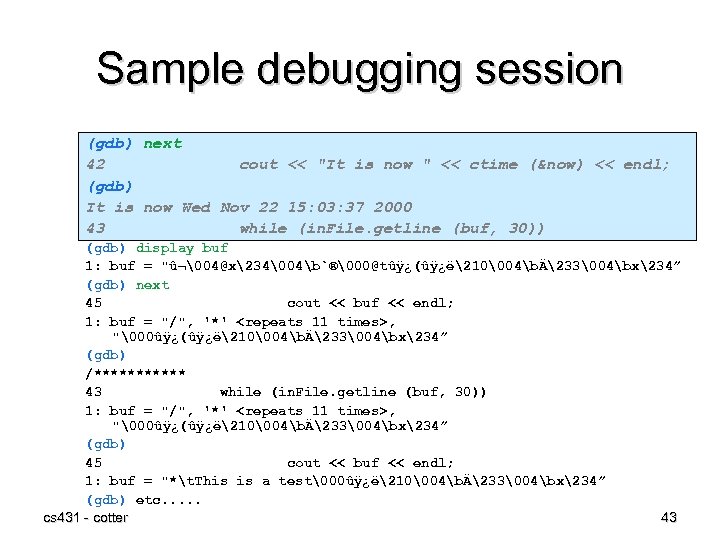 Sample debugging session (gdb) next 42 cout << "It is now " << ctime (&now) << endl; (gdb) It is now Wed Nov 22 15: 03: 37 2000 43 while (in. File. getline (buf, 30)) (gdb) display buf 1: buf = "û¬04@x23404b`®00@tûÿ¿(ûÿ¿ë21004bÄ23304bx234” (gdb) next 45 cout << buf << endl; 1: buf = "/", '*'
 Sample debugging session (gdb) next 42 cout << "It is now " << ctime (&now) << endl; (gdb) It is now Wed Nov 22 15: 03: 37 2000 43 while (in. File. getline (buf, 30)) (gdb) display buf 1: buf = "û¬04@x23404b`®00@tûÿ¿(ûÿ¿ë21004bÄ233\bx234” (gdb) next 45 cout << buf << endl; 1: buf = "/", '*'
 Sample debugging session (gdb) next 42 cout << "It is now " << ctime (&now) << endl; (gdb) It is now Wed Nov 22 15: 03: 37 2000 43 while (in. File. getline (buf, 30)) (gdb) display buf 1: buf = "û¬04@x23404b`®00@tûÿ¿(ûÿ¿ë21004bÄ23304bx234” (gdb) next 45 cout << buf << endl; 1: buf = "/", '*'
 Summary • Linux provides a stable, open version of UNIX • It extends the UNIX system structure with the addition of new file systems and new commands • POSIX compliant cs 431 - cotter 46
 Questions • Why does Linux distinguish between standard output and standard error, when both default to the terminal? • What is the difference between a block I/O device and a character I/O device? • How would you compile and link “my. Prog. cpp”? • How would you run the resulting executable? • How would you add gdb debugging information to the above executable? • From within a debugger, how would you temporarily (one shot) print out the contents of a variable “filename. txt”? cs 431 - cotter 47