 Скачать презентацию Linux Network Basics REVIEW IPv 4
e1267b2de009b31fb4fee8adc5898a70.ppt
- Количество слайдов: 37



Linux Network Basics REVIEW – IPv 4 – LINUX NETWORKING davby@ida. liu. se IDA/ADIT/IISLAB © 2003– 2004 David Byers
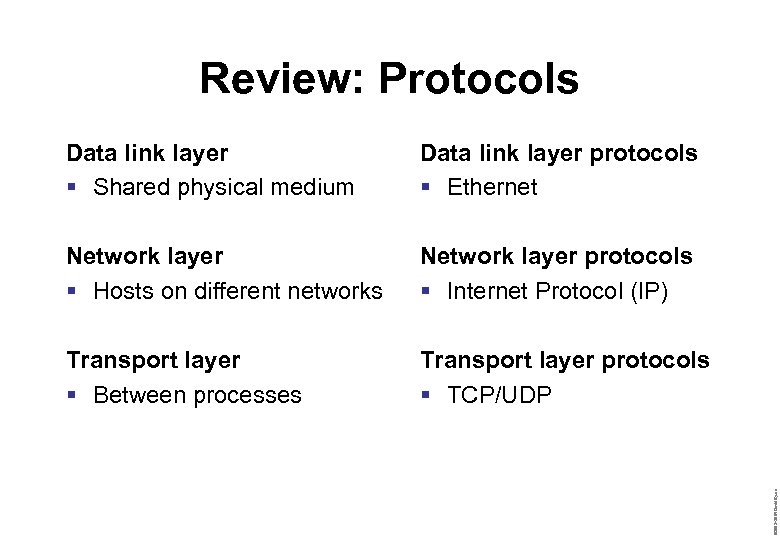
Review: Protocols Data link layer protocols § Ethernet Network layer § Hosts on different networks Network layer protocols § Internet Protocol (IP) Transport layer § Between processes Transport layer protocols § TCP/UDP © 2003– 2004 David Byers Data link layer § Shared physical medium
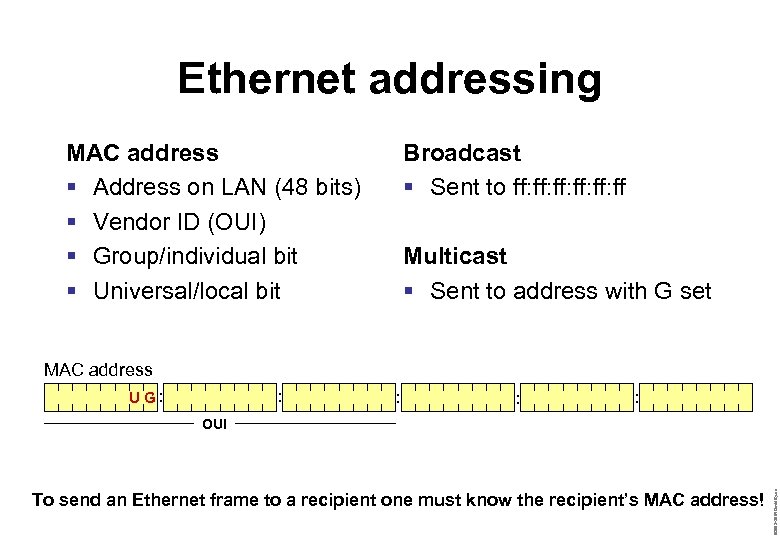
Ethernet addressing MAC address § Address on LAN (48 bits) § Vendor ID (OUI) § Group/individual bit § Universal/local bit Broadcast § Sent to ff: ff: ff: ff Multicast § Sent to address with G set MAC address U G: : : To send an Ethernet frame to a recipient one must know the recipient’s MAC address! © 2003– 2004 David Byers OUI
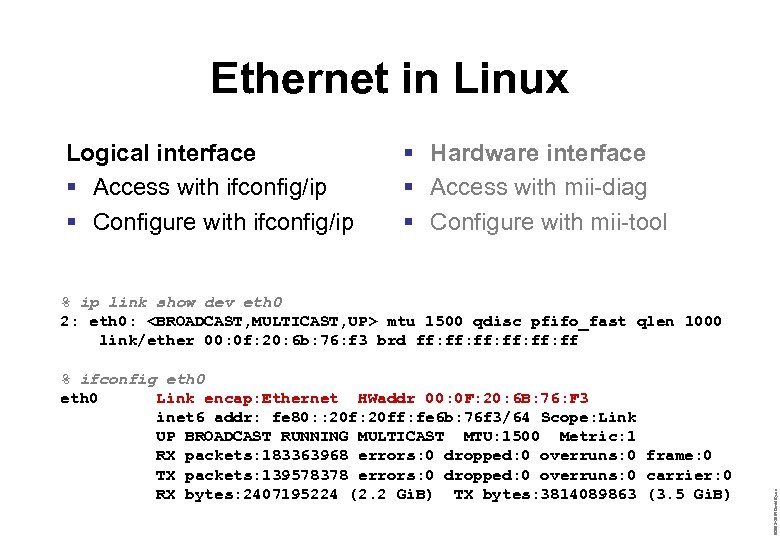
Ethernet in Linux Logical interface § Access with ifconfig/ip § Configure with ifconfig/ip § Hardware interface § Access with mii-diag § Configure with mii-tool % ifconfig eth 0 Link encap: Ethernet HWaddr 00: 0 F: 20: 6 B: 76: F 3 inet 6 addr: fe 80: : 20 ff: fe 6 b: 76 f 3/64 Scope: Link UP BROADCAST RUNNING MULTICAST MTU: 1500 Metric: 1 RX packets: 183363968 errors: 0 dropped: 0 overruns: 0 frame: 0 TX packets: 139578378 errors: 0 dropped: 0 overruns: 0 carrier: 0 RX bytes: 2407195224 (2. 2 Gi. B) TX bytes: 3814089863 (3. 5 Gi. B) © 2003– 2004 David Byers % ip link show dev eth 0 2: eth 0: <BROADCAST, MULTICAST, UP> mtu 1500 qdisc pfifo_fast qlen 1000 link/ether 00: 0 f: 20: 6 b: 76: f 3 brd ff: ff: ff: ff
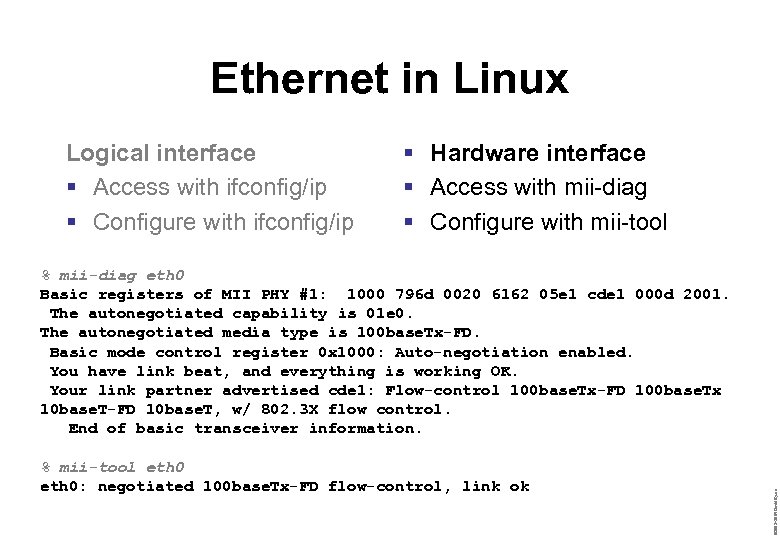
Ethernet in Linux Logical interface § Access with ifconfig/ip § Configure with ifconfig/ip § Hardware interface § Access with mii-diag § Configure with mii-tool % mii-tool eth 0: negotiated 100 base. Tx-FD flow-control, link ok © 2003– 2004 David Byers % mii-diag eth 0 Basic registers of MII PHY #1: 1000 796 d 0020 6162 05 e 1 cde 1 000 d 2001. The autonegotiated capability is 01 e 0. The autonegotiated media type is 100 base. Tx-FD. Basic mode control register 0 x 1000: Auto-negotiation enabled. You have link beat, and everything is working OK. Your link partner advertised cde 1: Flow-control 100 base. Tx-FD 100 base. Tx 10 base. T-FD 10 base. T, w/ 802. 3 X flow control. End of basic transceiver information.
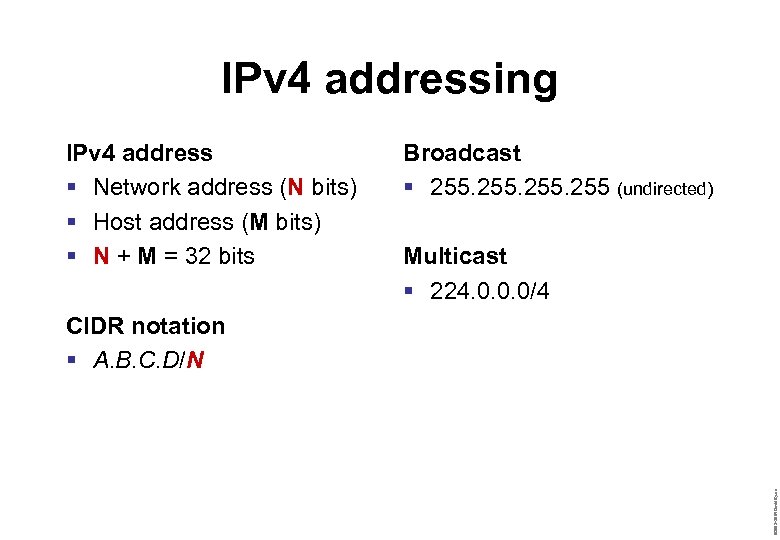
IPv 4 addressing IPv 4 address § Network address (N bits) § Host address (M bits) § N + M = 32 bits Broadcast § 255 (undirected) Multicast § 224. 0. 0. 0/4 © 2003– 2004 David Byers CIDR notation § A. B. C. D/N
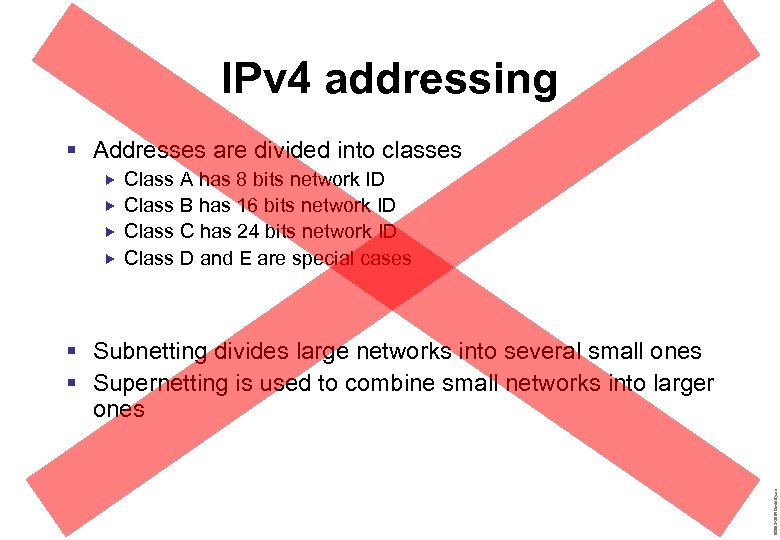
IPv 4 addressing § Addresses are divided into classes Class A has 8 bits network ID Class B has 16 bits network ID Class C has 24 bits network ID Class D and E are special cases © 2003– 2004 David Byers § Subnetting divides large networks into several small ones § Supernetting is used to combine small networks into larger ones
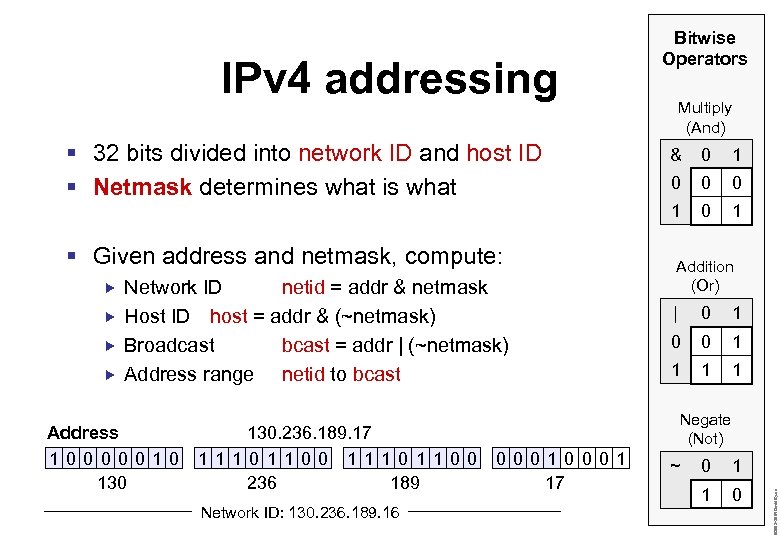
IPv 4 addressing § 32 bits divided into network ID and host ID § Netmask determines what is what Bitwise Operators Multiply (And) Network ID netid = addr & netmask Host ID host = addr & (~netmask) Broadcast bcast = addr | (~netmask) Address range netid to bcast 130. 236. 189. 17 11101100 1110 1100 236 189 Network ID: 130. 236. 189. 16 1 0 0 1 Addition (Or) | 0 1 0 0 1 1 Negate (Not) 0001 17 ~ 0 1 1 0 © 2003– 2004 David Byers Address 10000010 130 0 1 § Given address and netmask, compute: &
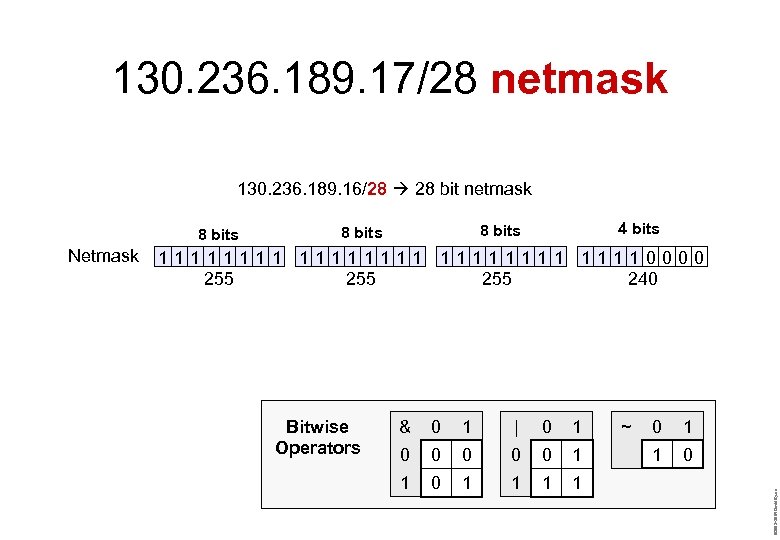
130. 236. 189. 17/28 netmask 130. 236. 189. 16/28 28 bit netmask 8 bits 11111111 11110000 255 255 240 Bitwise Operators & 0 1 | 0 1 0 0 0 1 1 1 1 ~ 0 1 1 0 © 2003– 2004 David Byers Netmask 4 bits 8 bits
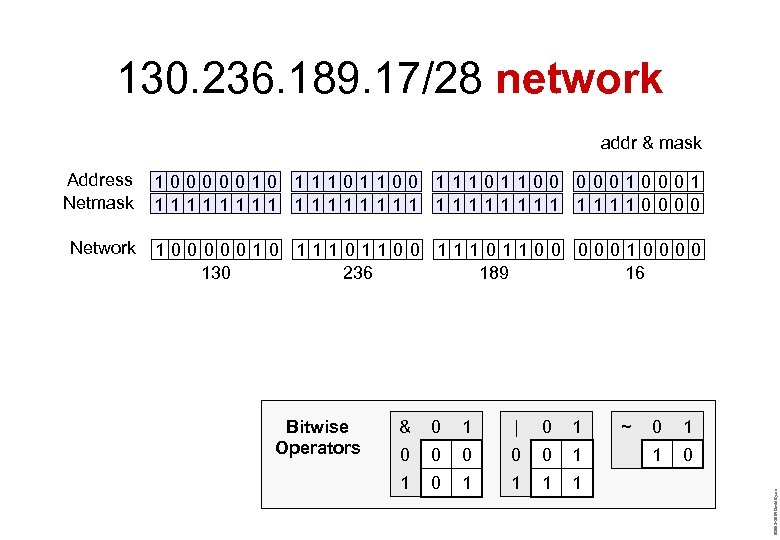
130. 236. 189. 17/28 network addr & mask Address Netmask 10000010 11101100 0001 11111111 11110000 Network 10000010 11101100 00010000 130 236 189 16 & 0 1 | 0 1 0 0 0 1 1 1 1 ~ 0 1 1 0 © 2003– 2004 David Byers Bitwise Operators
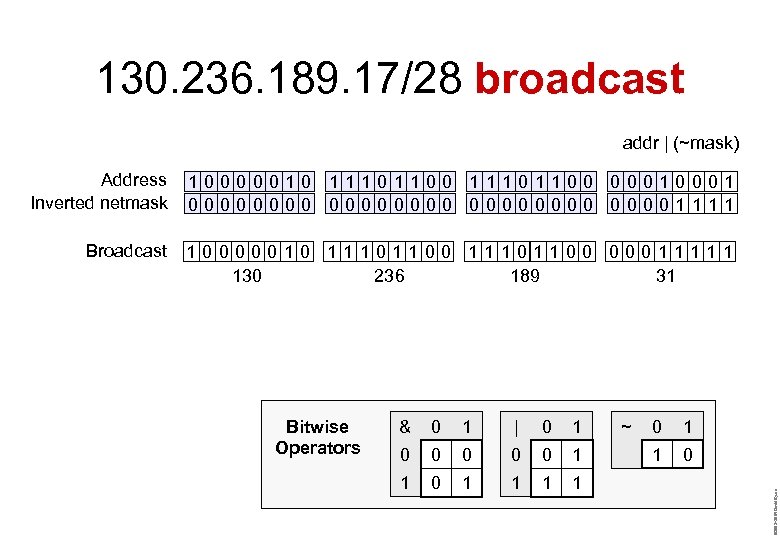
130. 236. 189. 17/28 broadcast addr | (~mask) Address Inverted netmask 10000010 11101100 0001 00000000 00001111 Broadcast 10000010 11101100 00011111 130 236 189 31 & 0 1 | 0 1 0 0 0 1 1 1 1 ~ 0 1 1 0 © 2003– 2004 David Byers Bitwise Operators
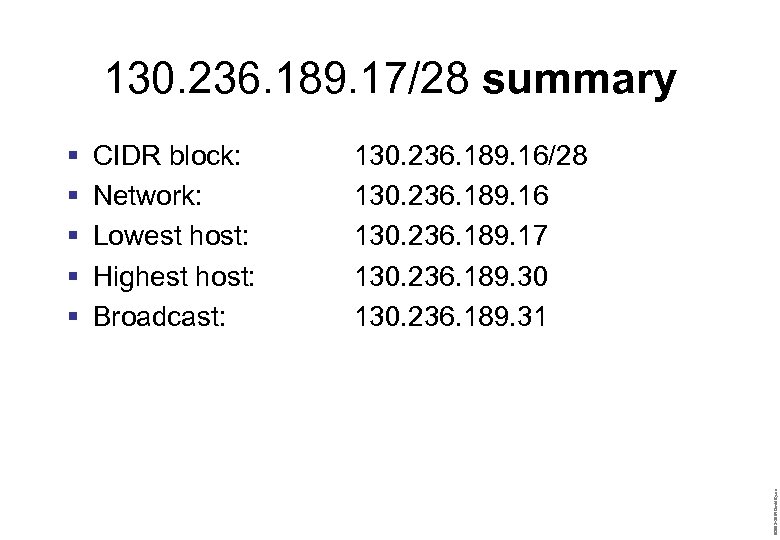
130. 236. 189. 17/28 summary CIDR block: Network: Lowest host: Highest host: Broadcast: 130. 236. 189. 16/28 130. 236. 189. 16 130. 236. 189. 17 130. 236. 189. 30 130. 236. 189. 31 © 2003– 2004 David Byers § § §
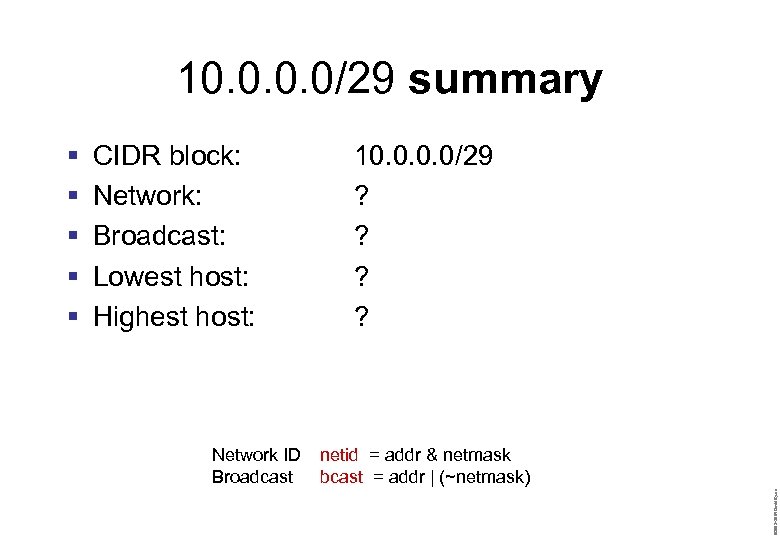
10. 0/29 summary CIDR block: Network: Broadcast: Lowest host: Highest host: Network ID Broadcast 10. 0/29 ? ? netid = addr & netmask bcast = addr | (~netmask) © 2003– 2004 David Byers § § §
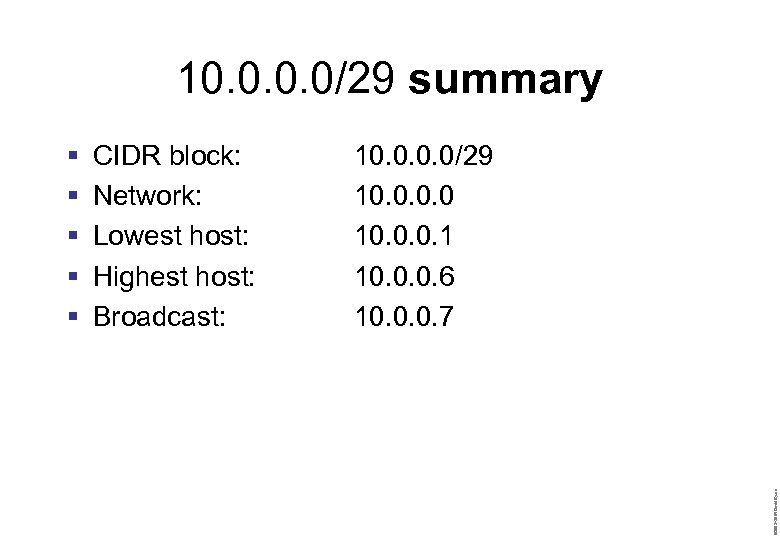
10. 0/29 summary CIDR block: Network: Lowest host: Highest host: Broadcast: 10. 0/29 10. 0. 0. 1 10. 0. 0. 6 10. 0. 0. 7 © 2003– 2004 David Byers § § §
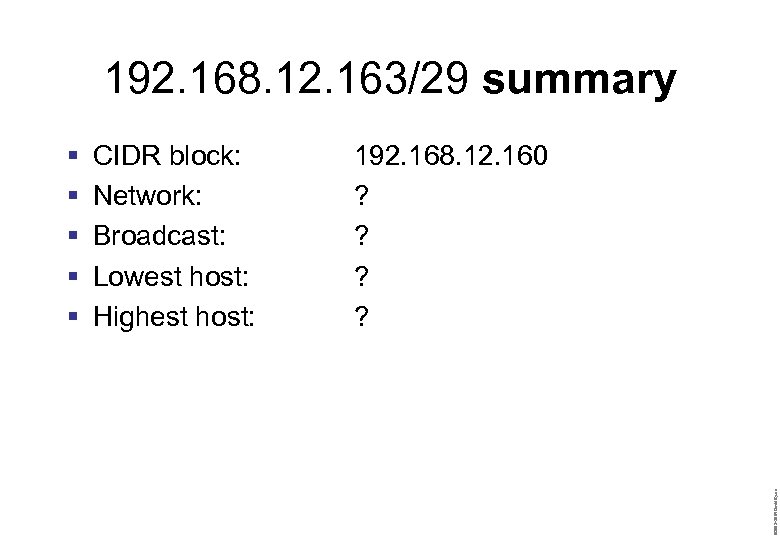
192. 168. 12. 163/29 summary CIDR block: Network: Broadcast: Lowest host: Highest host: 192. 168. 12. 160 ? ? © 2003– 2004 David Byers § § §
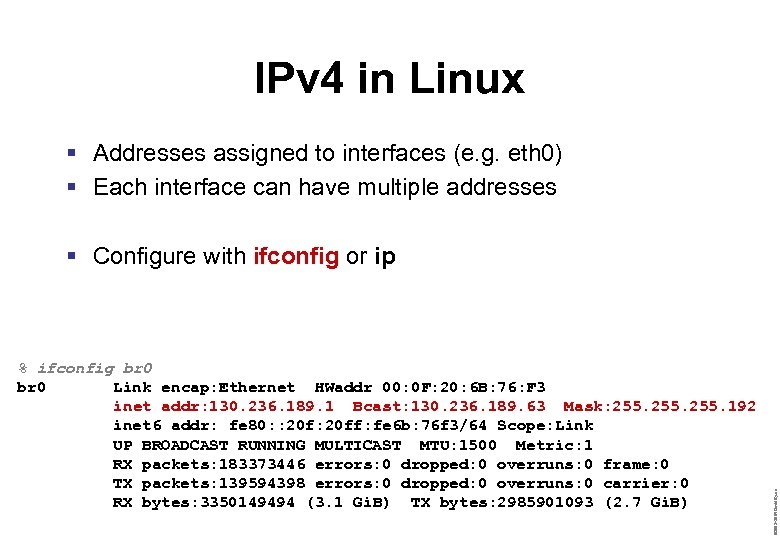
IPv 4 in Linux § Addresses assigned to interfaces (e. g. eth 0) § Each interface can have multiple addresses % ifconfig br 0 Link encap: Ethernet HWaddr 00: 0 F: 20: 6 B: 76: F 3 inet addr: 130. 236. 189. 1 Bcast: 130. 236. 189. 63 Mask: 255. 192 inet 6 addr: fe 80: : 20 ff: fe 6 b: 76 f 3/64 Scope: Link UP BROADCAST RUNNING MULTICAST MTU: 1500 Metric: 1 RX packets: 183373446 errors: 0 dropped: 0 overruns: 0 frame: 0 TX packets: 139594398 errors: 0 dropped: 0 overruns: 0 carrier: 0 RX bytes: 3350149494 (3. 1 Gi. B) TX bytes: 2985901093 (2. 7 Gi. B) © 2003– 2004 David Byers § Configure with ifconfig or ip
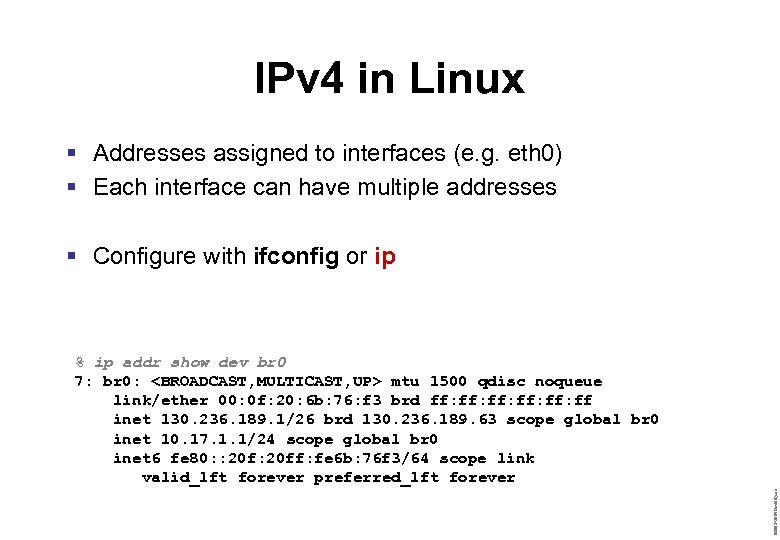
IPv 4 in Linux § Addresses assigned to interfaces (e. g. eth 0) § Each interface can have multiple addresses § Configure with ifconfig or ip © 2003– 2004 David Byers % ip addr show dev br 0 7: br 0: <BROADCAST, MULTICAST, UP> mtu 1500 qdisc noqueue link/ether 00: 0 f: 20: 6 b: 76: f 3 brd ff: ff: ff: ff inet 130. 236. 189. 1/26 brd 130. 236. 189. 63 scope global br 0 inet 10. 17. 1. 1/24 scope global br 0 inet 6 fe 80: : 20 ff: fe 6 b: 76 f 3/64 scope link valid_lft forever preferred_lft forever
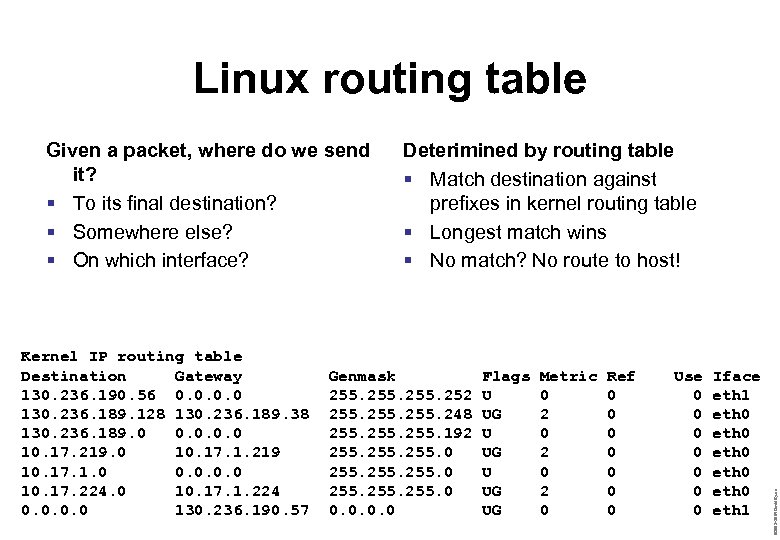
Linux routing table Kernel IP routing table Destination Gateway 130. 236. 190. 56 0. 0 130. 236. 189. 128 130. 236. 189. 38 130. 236. 189. 0 0. 0 10. 17. 219. 0 10. 17. 1. 219 10. 17. 1. 0 0. 0 10. 17. 224. 0 10. 17. 1. 224 0. 0 130. 236. 190. 57 Deterimined by routing table § Match destination against prefixes in kernel routing table § Longest match wins § No match? No route to host! Genmask 255. 252 255. 248 255. 192 255. 0 255. 0 0. 0 Flags U UG UG Metric 0 2 0 2 0 Ref 0 0 0 0 Use 0 0 0 0 Iface eth 1 eth 0 eth 0 eth 1 © 2003– 2004 David Byers Given a packet, where do we send it? § To its final destination? § Somewhere else? § On which interface?
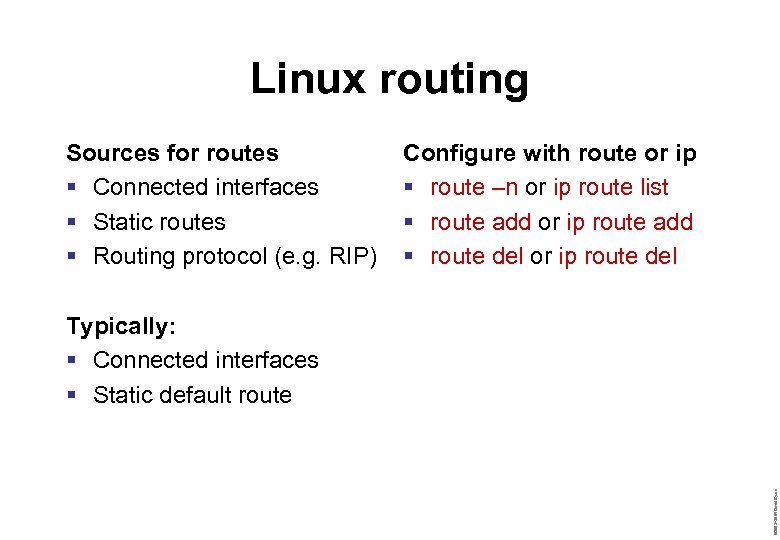
Linux routing Sources for routes § Connected interfaces § Static routes § Routing protocol (e. g. RIP) Configure with route or ip § route –n or ip route list § route add or ip route add § route del or ip route del © 2003– 2004 David Byers Typically: § Connected interfaces § Static default route
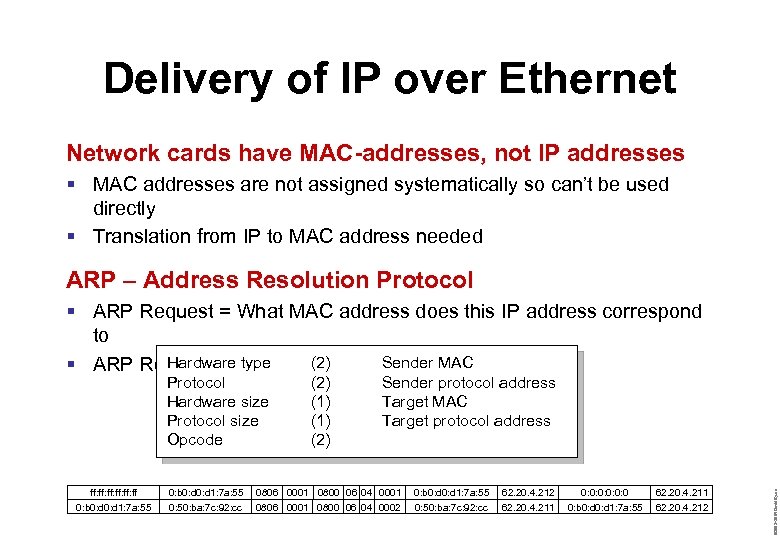
Delivery of IP over Ethernet Network cards have MAC-addresses, not IP addresses § MAC addresses are not assigned systematically so can’t be used directly § Translation from IP to MAC address needed ARP – Address Resolution Protocol § ARP Request = What MAC address does this IP address correspond to Sender MAC Hardware type § ARP Reply = This one (2) ff: ff: ff: ff 0: b 0: d 1: 7 a: 55 0: 50: ba: 7 c: 92: cc (2) (1) (2) Sender protocol address Target MAC Target protocol address 0806 0001 0800 06 04 0001 0806 0001 0800 06 04 0002 0: b 0: d 1: 7 a: 55 0: 50: ba: 7 c: 92: cc 62. 20. 4. 212 62. 20. 4. 211 0: 0: 0: 0 0: b 0: d 1: 7 a: 55 62. 20. 4. 211 62. 20. 4. 212 © 2003– 2004 David Byers Protocol Hardware size Protocol size Opcode
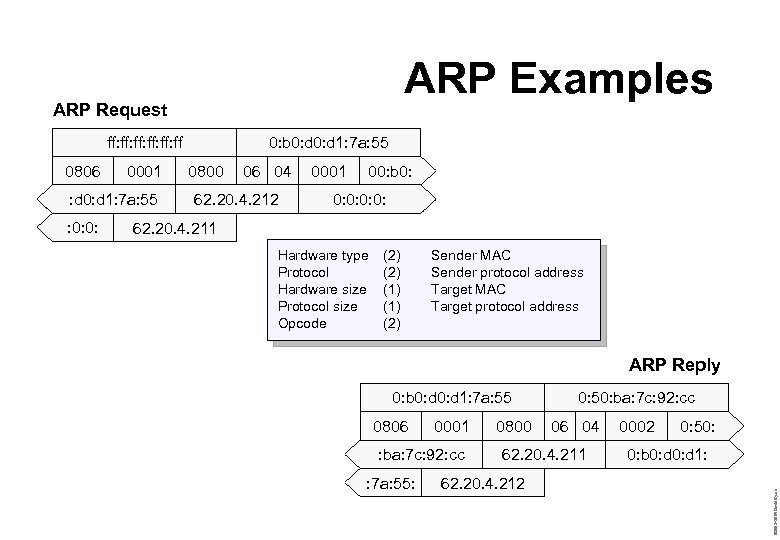
ARP Examples ARP Request ff: ff: ff: ff 0001 : d 0: d 1: 7 a: 55 : 0: 0: 0800 06 04 62. 20. 4. 212 0001 00: b 0: 0: 62. 20. 4. 211 Hardware type Protocol Hardware size Protocol size Opcode (2) (1) (2) Sender MAC Sender protocol address Target MAC Target protocol address ARP Reply 0: b 0: d 1: 7 a: 55 0806 0001 : ba: 7 c: 92: cc : 7 a: 55: 0800 0: 50: ba: 7 c: 92: cc 06 04 62. 20. 4. 211 62. 20. 4. 212 0002 0: 50: 0: b 0: d 1: © 2003– 2004 David Byers 0806 0: b 0: d 1: 7 a: 55
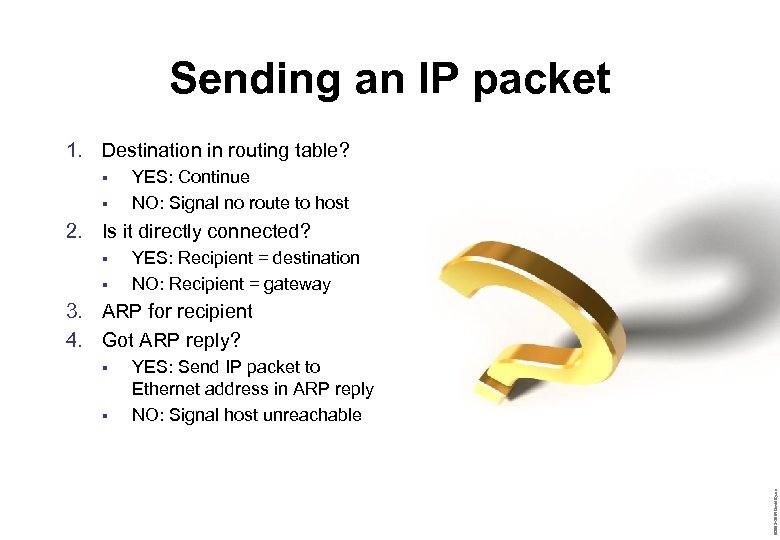
Sending an IP packet 1. Destination in routing table? § § YES: Continue NO: Signal no route to host 2. Is it directly connected? § § YES: Recipient = destination NO: Recipient = gateway 3. ARP for recipient 4. Got ARP reply? § YES: Send IP packet to Ethernet address in ARP reply NO: Signal host unreachable © 2003– 2004 David Byers §
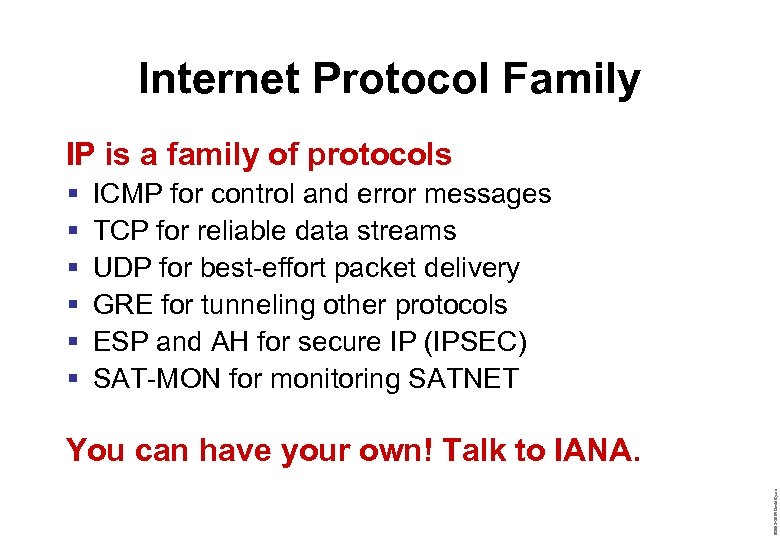
Internet Protocol Family IP is a family of protocols § § § ICMP for control and error messages TCP for reliable data streams UDP for best-effort packet delivery GRE for tunneling other protocols ESP and AH for secure IP (IPSEC) SAT-MON for monitoring SATNET © 2003– 2004 David Byers You can have your own! Talk to IANA.
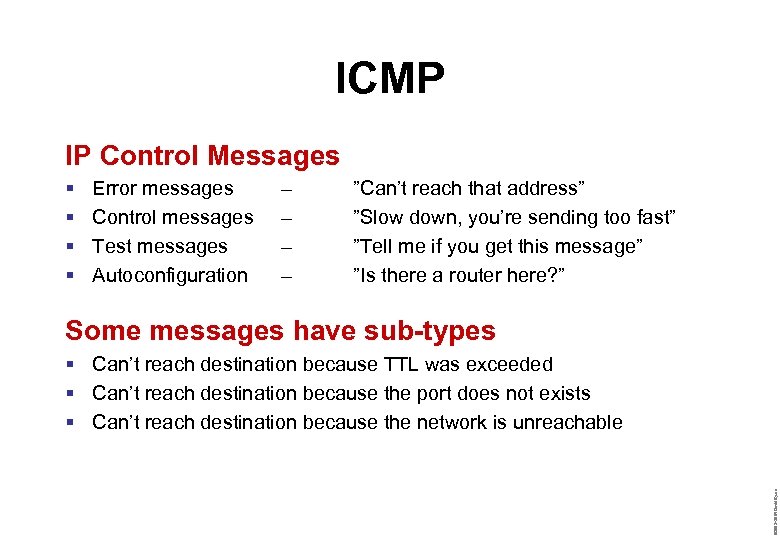
ICMP IP Control Messages § § Error messages Control messages Test messages Autoconfiguration – – ”Can’t reach that address” ”Slow down, you’re sending too fast” ”Tell me if you get this message” ”Is there a router here? ” Some messages have sub-types © 2003– 2004 David Byers § Can’t reach destination because TTL was exceeded § Can’t reach destination because the port does not exists § Can’t reach destination because the network is unreachable
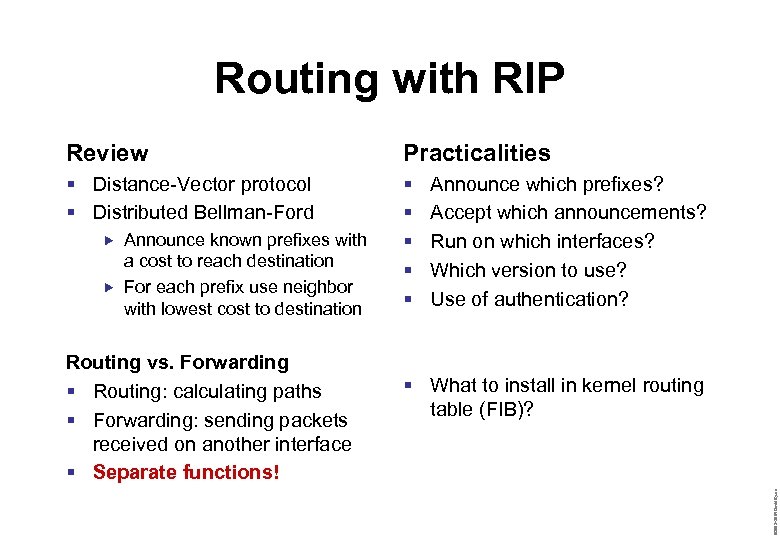
Routing with RIP Review Practicalities § Distance-Vector protocol § Distributed Bellman-Ford § § § Routing vs. Forwarding § Routing: calculating paths § Forwarding: sending packets received on another interface § Separate functions! § What to install in kernel routing table (FIB)? © 2003– 2004 David Byers Announce known prefixes with a cost to reach destination For each prefix use neighbor with lowest cost to destination Announce which prefixes? Accept which announcements? Run on which interfaces? Which version to use? Use of authentication?
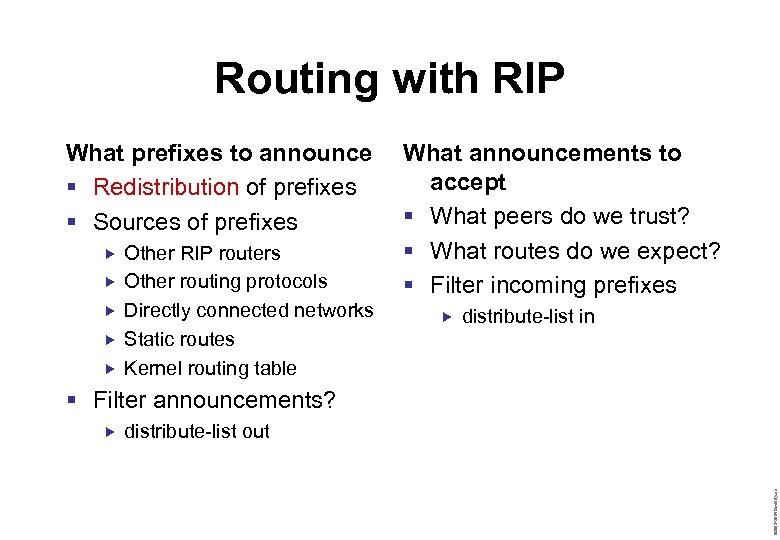
Routing with RIP What prefixes to announce § Redistribution of prefixes § Sources of prefixes Other RIP routers Other routing protocols Directly connected networks Static routes Kernel routing table What announcements to accept § What peers do we trust? § What routes do we expect? § Filter incoming prefixes distribute-list in § Filter announcements? distribute-list out © 2003– 2004 David Byers
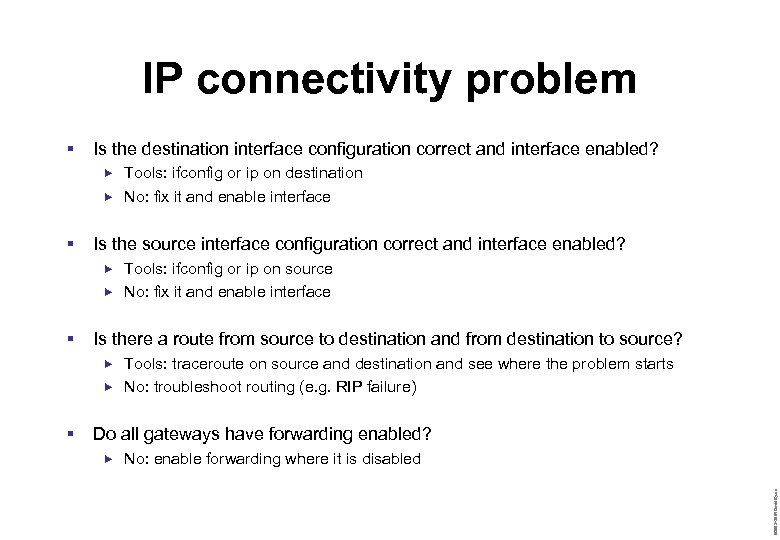
IP connectivity problem § Is the destination interface configuration correct and interface enabled? Tools: ifconfig or ip on destination No: fix it and enable interface § Is the source interface configuration correct and interface enabled? Tools: ifconfig or ip on source No: fix it and enable interface § Is there a route from source to destination and from destination to source? Tools: traceroute on source and destination and see where the problem starts No: troubleshoot routing (e. g. RIP failure) Do all gateways have forwarding enabled? No: enable forwarding where it is disabled © 2003– 2004 David Byers §
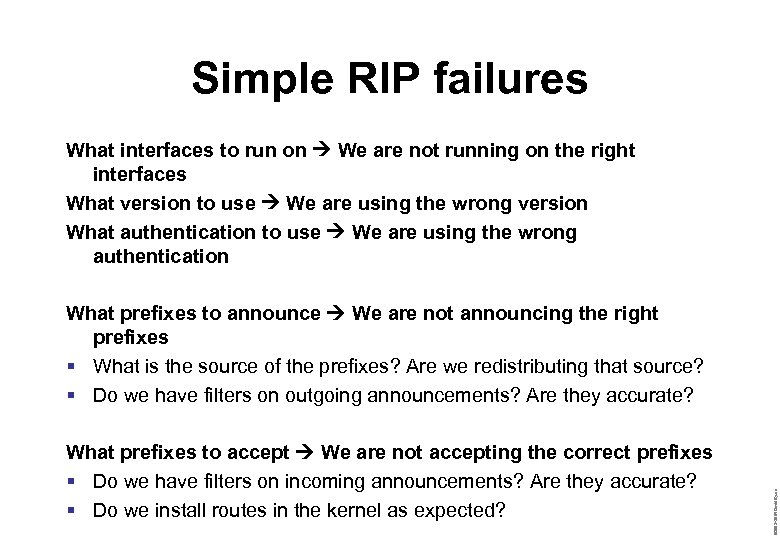
Simple RIP failures What interfaces to run on We are not running on the right interfaces What version to use We are using the wrong version What authentication to use We are using the wrong authentication What prefixes to accept We are not accepting the correct prefixes § Do we have filters on incoming announcements? Are they accurate? § Do we install routes in the kernel as expected? © 2003– 2004 David Byers What prefixes to announce We are not announcing the right prefixes § What is the source of the prefixes? Are we redistributing that source? § Do we have filters on outgoing announcements? Are they accurate?
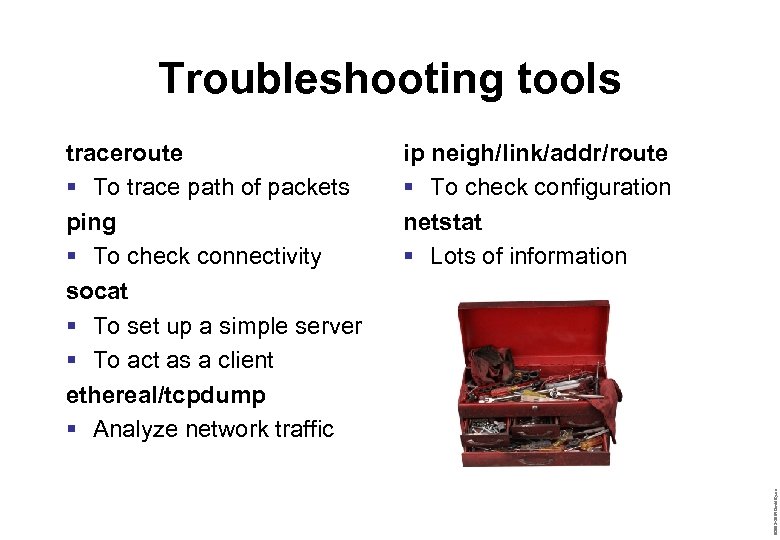
Troubleshooting tools ip neigh/link/addr/route § To check configuration netstat § Lots of information © 2003– 2004 David Byers traceroute § To trace path of packets ping § To check connectivity socat § To set up a simple server § To act as a client ethereal/tcpdump § Analyze network traffic
TCP and UDP in Linux Tools § Tuning parameters /proc/sys/net/… § Examining sockets etc netstat © 2003– 2004 David Byers Review § Port concept § Socket concept § TCP state diagram
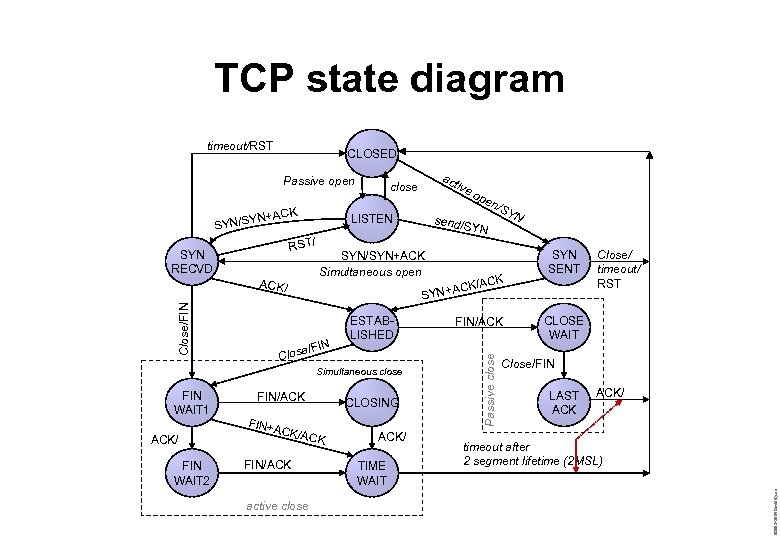
TCP state diagram timeout/RST CLOSED ACK YN+ SYN/S FIN WAIT 2 YN FIN/ACK CK/A CLOSING CK FIN/ACK active close ACK/ TIME WAIT FIN/ACK Passive close Close/FIN ESTABLISHED Simultaneous close ACK/ YN SYN/SYN+ACK Simultaneous open Clos FIN+A send/S op en /S K CK/AC YN+A S ACK/ FIN WAIT 1 ive LISTEN RST/ SYN RECVD act close SYN SENT Close/ timeout/ RST CLOSE WAIT Close/FIN LAST ACK/ timeout after 2 segment lifetime (2 MSL) © 2003– 2004 David Byers Passive open
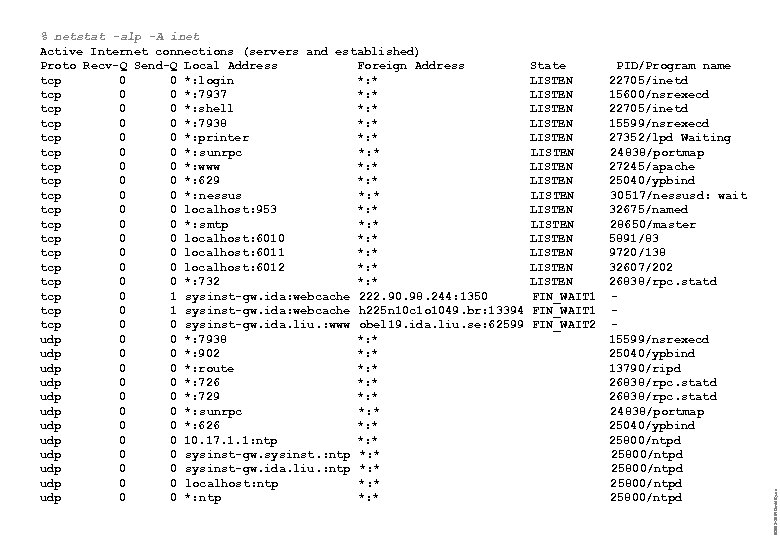
State LISTEN LISTEN LISTEN LISTEN FIN_WAIT 1 FIN_WAIT 2 PID/Program name 22705/inetd 15600/nsrexecd 22705/inetd 15599/nsrexecd 27352/lpd Waiting 24838/portmap 27245/apache 25040/ypbind 30517/nessusd: wait 32675/named 28650/master 5891/83 9720/138 32607/202 26838/rpc. statd 15599/nsrexecd 25040/ypbind 13790/ripd 26838/rpc. statd 24838/portmap 25040/ypbind 25800/ntpd 25800/ntpd © 2003– 2004 David Byers % netstat -alp -A inet Active Internet connections (servers and established) Proto Recv-Q Send-Q Local Address Foreign Address tcp 0 0 *: login *: * tcp 0 0 *: 7937 *: * tcp 0 0 *: shell *: * tcp 0 0 *: 7938 *: * tcp 0 0 *: printer *: * tcp 0 0 *: sunrpc *: * tcp 0 0 *: www *: * tcp 0 0 *: 629 *: * tcp 0 0 *: nessus *: * tcp 0 0 localhost: 953 *: * tcp 0 0 *: smtp *: * tcp 0 0 localhost: 6010 *: * tcp 0 0 localhost: 6011 *: * tcp 0 0 localhost: 6012 *: * tcp 0 0 *: 732 *: * tcp 0 1 sysinst-gw. ida: webcache 222. 90. 98. 244: 1350 tcp 0 1 sysinst-gw. ida: webcache h 225 n 10 c 1 o 1049. br: 13394 tcp 0 0 sysinst-gw. ida. liu. : www obel 19. ida. liu. se: 62599 udp 0 0 *: 7938 *: * udp 0 0 *: 902 *: * udp 0 0 *: route *: * udp 0 0 *: 726 *: * udp 0 0 *: 729 *: * udp 0 0 *: sunrpc *: * udp 0 0 *: 626 *: * udp 0 0 10. 17. 1. 1: ntp *: * udp 0 0 sysinst-gw. sysinst. : ntp *: * udp 0 0 sysinst-gw. ida. liu. : ntp *: * udp 0 0 localhost: ntp *: * udp 0 0 *: ntp *: *
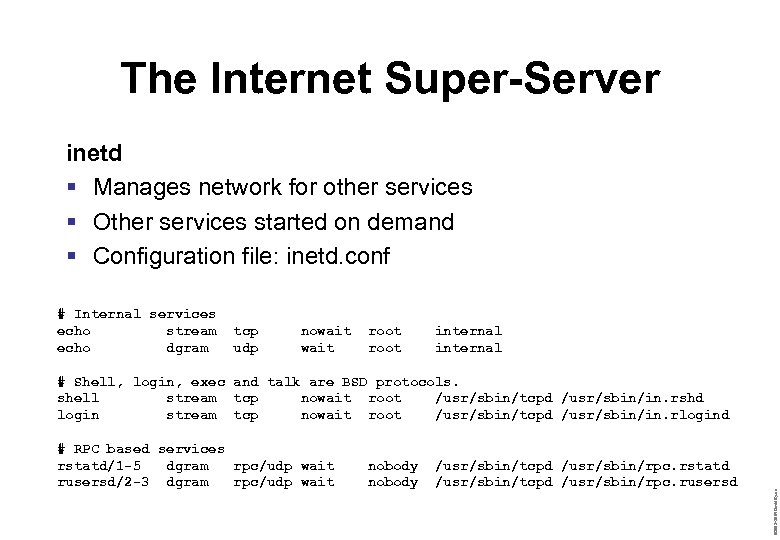
The Internet Super-Server inetd § Manages network for other services § Other services started on demand § Configuration file: inetd. conf # Internal services echo stream echo dgram tcp udp nowait root internal # RPC based services rstatd/1 -5 dgram rpc/udp wait rusersd/2 -3 dgram rpc/udp wait nobody /usr/sbin/tcpd /usr/sbin/rpc. rstatd /usr/sbin/tcpd /usr/sbin/rpc. rusersd © 2003– 2004 David Byers # Shell, login, exec and talk are BSD protocols. shell stream tcp nowait root /usr/sbin/tcpd /usr/sbin/in. rshd login stream tcp nowait root /usr/sbin/tcpd /usr/sbin/in. rlogind
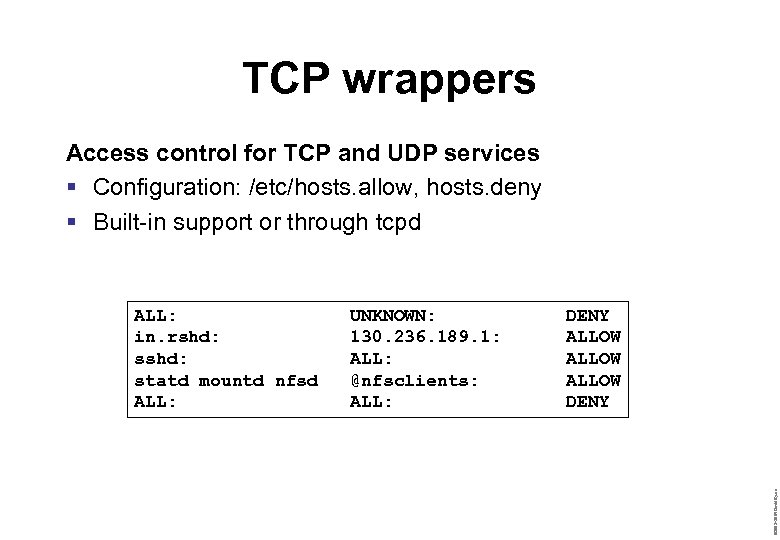
TCP wrappers Access control for TCP and UDP services § Configuration: /etc/hosts. allow, hosts. deny § Built-in support or through tcpd UNKNOWN: 130. 236. 189. 1: ALL: @nfsclients: ALL: DENY ALLOW DENY © 2003– 2004 David Byers ALL: in. rshd: statd mountd nfsd ALL:
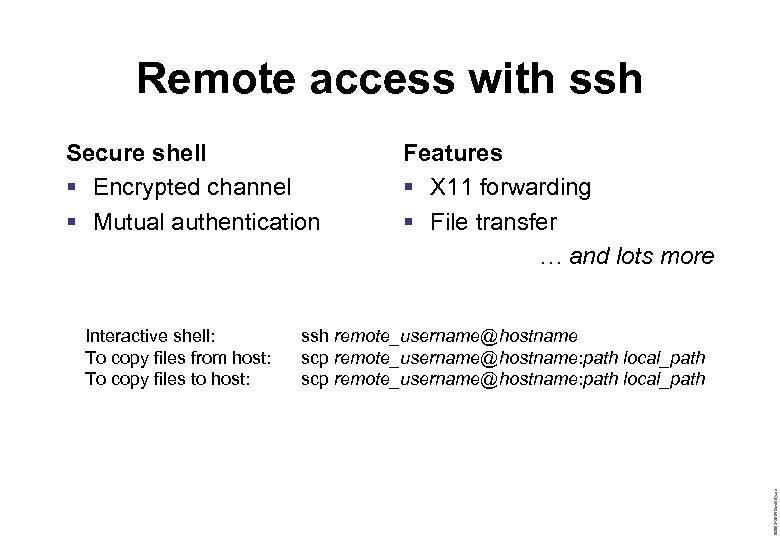
Remote access with ssh Secure shell § Encrypted channel § Mutual authentication ssh remote_username@hostname scp remote_username@hostname: path local_path © 2003– 2004 David Byers Interactive shell: To copy files from host: To copy files to host: Features § X 11 forwarding § File transfer … and lots more
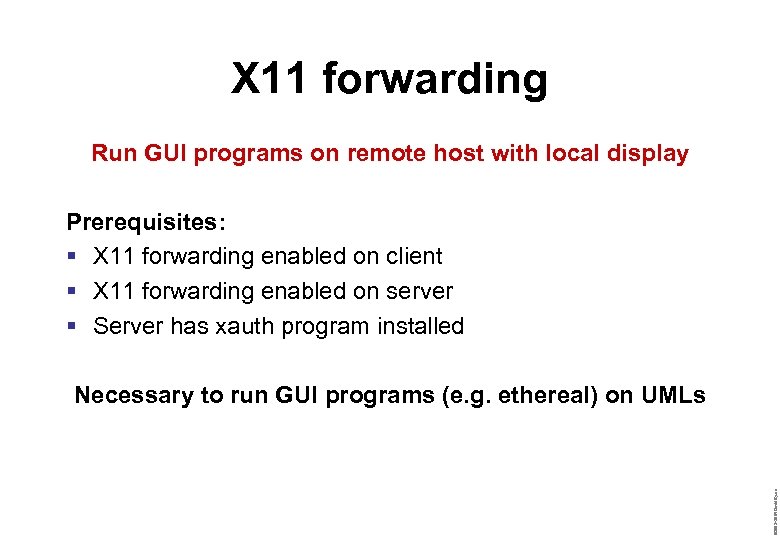
X 11 forwarding Run GUI programs on remote host with local display Prerequisites: § X 11 forwarding enabled on client § X 11 forwarding enabled on server § Server has xauth program installed © 2003– 2004 David Byers Necessary to run GUI programs (e. g. ethereal) on UMLs
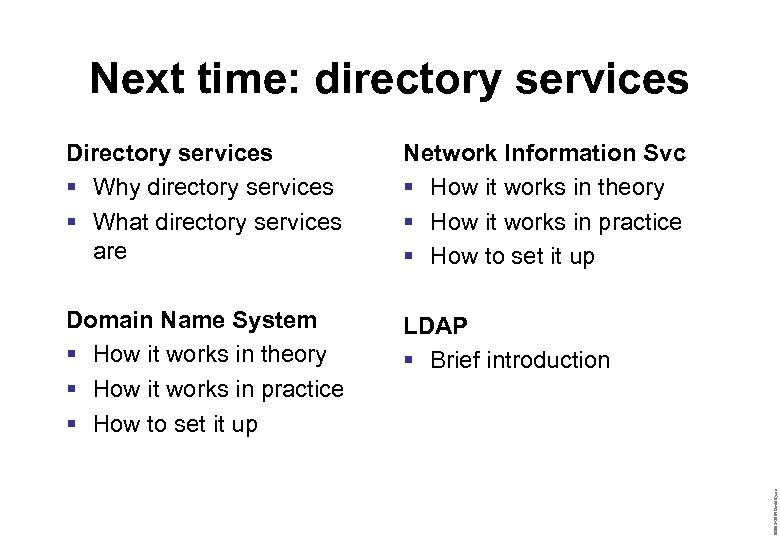
Next time: directory services Network Information Svc § How it works in theory § How it works in practice § How to set it up Domain Name System § How it works in theory § How it works in practice § How to set it up LDAP § Brief introduction © 2003– 2004 David Byers Directory services § Why directory services § What directory services are
Скачать презентацию Linux Network Basics REVIEW IPv 4
e1267b2de009b31fb4fee8adc5898a70.ppt