


 Скачать презентацию Leveraging an Integrated ERP and CRM System —
692c25aa30c6c5ac1fb18fc9aae0b412.ppt
- Количество слайдов: 13
 Leveraging an Integrated ERP and CRM System - Featuring Sage MAS 500 ERP and Sage Sales. Logix CRM
 Agenda § § § § Sage Software Overview Sage MAS 500 ERP Overview Sage Sales. Logix CRM Overview Integration Demonstration Integration Benefits Next Steps
 A Few Facts About Sage § 5. 5 M customers worldwide § $2. 29 B in revenue in FY 07 § 2. 8 M customers in North America § $1. 01 B in revenue in FY 07 § 1, 500 customers purchase a Sage product every business day
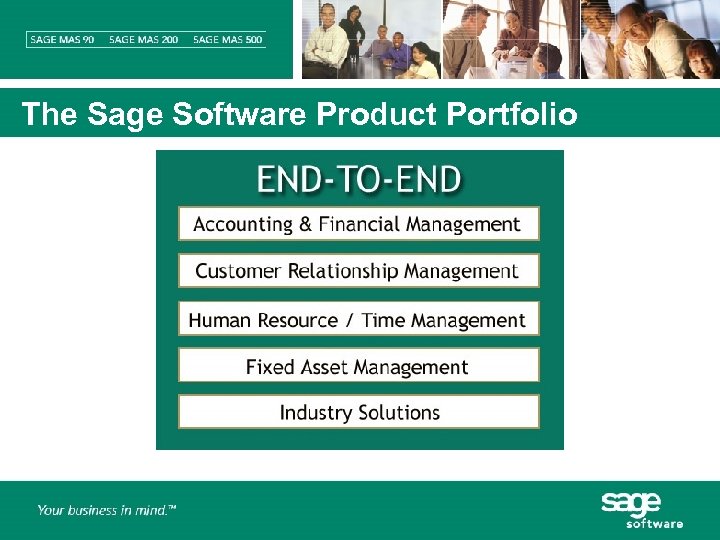 The Sage Software Product Portfolio
 Sage MAS 500 ERP § Business management solutions for larger, growing organizations encompassing financial, service, distribution and manufacturing needs § Ground up development on Microsoft technology platform § Simplified implementation and migration of data § Enterprise-level feature set with an intuitive interface § Powerful, yet easy-to-use inquiry, reporting and graphical analysis tools § Complete integration with Microsoft desktop productivity tools § Robust customization and integration options
 Key Benefits § Deliver consistent information across all areas of the business by providing a tightly integrated ERP solution § Configure the system and personalize each user’s experience to provide an environment that works the way you need it to work § Enable quick and easy access to all critical information for proactive management of business exceptions and improved decision making
 Sage Sales. Logix CRM § Award winning CRM solution § Cross-departmental visibility into prospects and customers § Complete view of customer interactions across the entire organization—from sales and marketing to service and support § Easy-to-use interface that drives organizational efficiencies § Flexible access methods § Extensive customization and integration capabilities
 Key Benefits § Build lasting, profitable relationships by maximizing the effectiveness of every customer interaction § Automate key aspects of the selling process to increase productivity and maximize team selling effectiveness § Target the most profitable prospects, track all aspects of marketing campaigns and analyze campaign ROI § Resolve customer requests quickly and capitalize on new selling opportunities § Access vital customer information anytime, anywhere
 Integration Overview § Sales. Logix Accounts MAS 500 Customers § Promote prospects to customers § Load/link existing customers to existing accounts § View complete customer status and history information § Sales. Logix Products MAS 500 Items § Automatically update Sales. Logix products when new items are added to MAS 500 § View accurate product information including pricing and product availability § View inventory status across warehouses
 Integration Overview § Sales. Logix Opportunities MAS 500 Sales Orders § Promote opportunities to sales orders § Sales. Logix Service Contracts MAS 500 Invoices § Create invoices from service contracts § Collect all related ticket activity and allow editing of data as needed § Maintain link between service contract and invoice § Ad-Hoc Query Data Viewer § Customize ad-hoc queries for powerful drill-down capabilities and custom reporting
 Integration Overview § Configuration and Customization Options § Assign templates to users to define access rights, default values, synchronization and workflow when creating new records in the back office § Configure field mapping across applications § Implement scheduled or real-time synchronization
 Integration Benefits § Consistent, accurate and complete customer information § Eliminate duplicate data entry § Eliminate data inconsistency § View all vital information from a single interface § Complete view of customer information promotes departmental efficiency § Reduce inquiries from sales, marketing and customer service regarding product, availability, orders, invoices, balances and more § Deliver accurate return on investment for marketing programs § Improve customer service
 Integration Benefits § Improved workflow across applications increases employee productivity § Convert opportunities to orders with accurate pricing, discounts, sales tax calculations and inventory availability § Convert service contracts to invoices accumulating and tracking all ticket activity associated with a contract § Deliver a comprehensive view of the transaction detail in both the front and back office § Improved customer experience and customer service