


 Скачать презентацию Lectures 12 Files Streams Dr Eng
0f1007d4881726c6370d22d1ae75eb5c.ppt
- Количество слайдов: 45
 Lectures 12 Files & Streams Dr. Eng. Ibrahim El-Nahry
 Introduction n n Computer programs are associated to work with files as it helps in storing data & information permanently. File - itself a bunch of bytes stored on some storage devices. Variables and arrays are only temporary n Lost during garbage collection or when a program terminates Files used for long term storage n Called persistent data n Stored on secondary storage devices n Can store large amounts of data n Much more than in variables or arrays in program memory n Can “carry” data between program executions 2
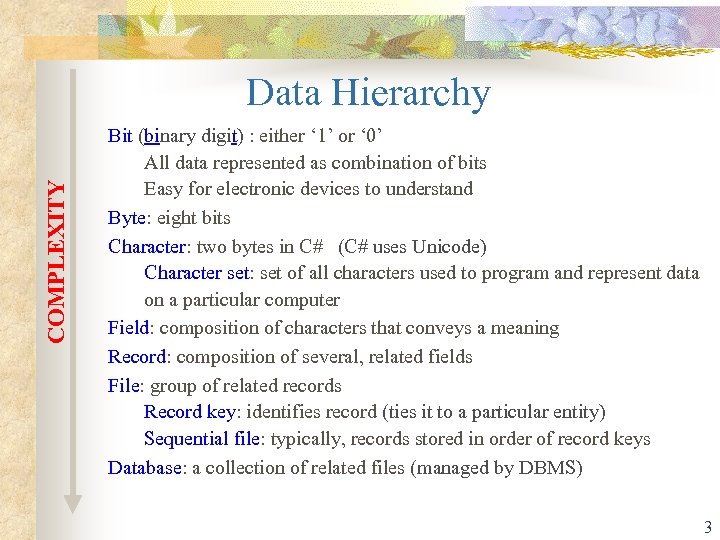 COMPLEXITY Data Hierarchy Bit (binary digit) : either ‘ 1’ or ‘ 0’ All data represented as combination of bits Easy for electronic devices to understand Byte: eight bits Character: two bytes in C# (C# uses Unicode) Character set: set of all characters used to program and represent data on a particular computer Field: composition of characters that conveys a meaning Record: composition of several, related fields File: group of related records Record key: identifies record (ties it to a particular entity) Sequential file: typically, records stored in order of record keys Database: a collection of related files (managed by DBMS) 3
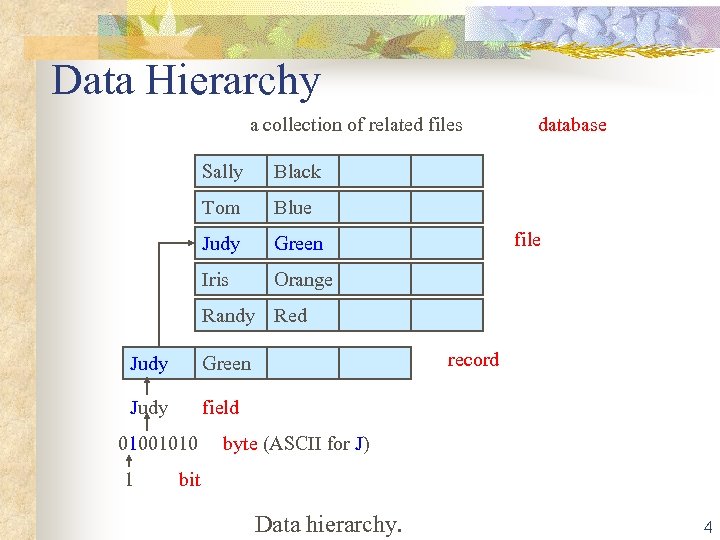 Data Hierarchy a collection of related files database Sally Black Tom Blue Judy Green Iris Orange file Randy Red Judy record Green field 01001010 byte (ASCII for J) 1 bit Data hierarchy. 4
 5
5
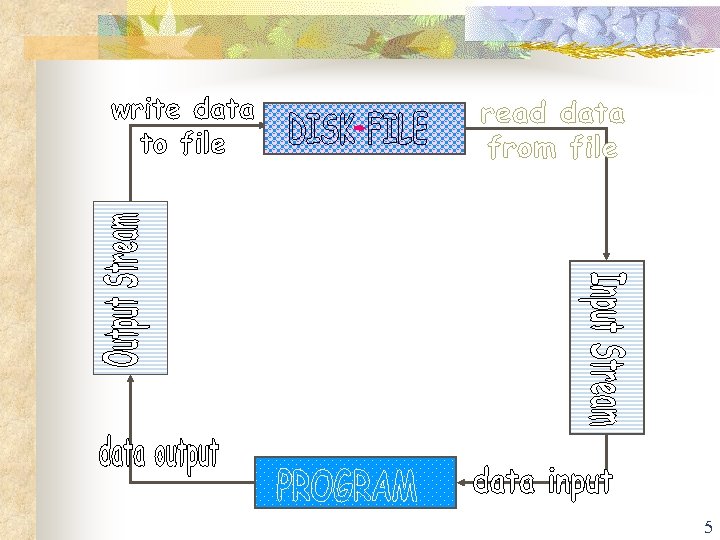
 Files and Streams n n n Files are sequential streams of bytes n Ends with either an end-of-file marker or a specific byte When file opened C#: n Creates an object n Associates a stream with that object n Three stream objects: n Console. In: returns standard input stream object n Console. Out: returns standard output stream object n Console. Error: returns standard error stream object Namespace System. IO needed for file processing 6
 Files and Streams n n Binary. Formatter: used to serialize and deserialize objects n Serialize: converting an object into a format that can be written to a file without losing data n Deserialize: Reading formatted text from a file and reconstructing the original object from it System. IO. Stream: allows representation of stream as bits n File. Stream: read to and write from sequential-access and random-access files n Memory. Stream: transfer of data directly to and from memory n Buffered. Stream: uses buffer to transfer to memory 7
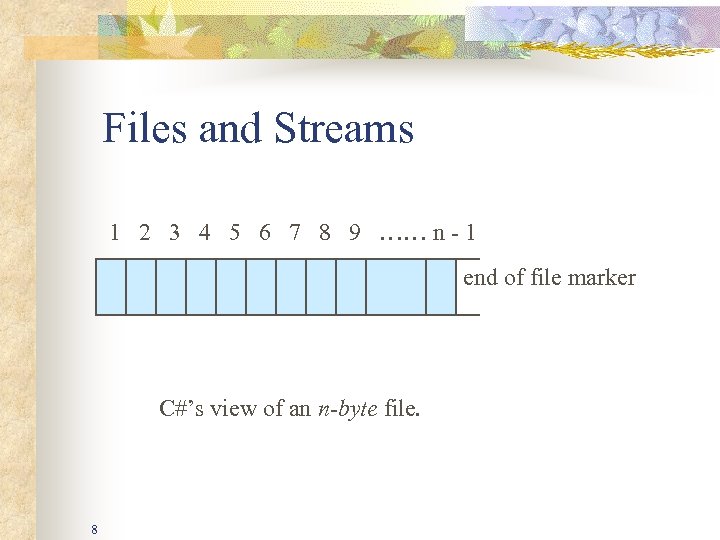 Files and Streams 1 2 3 4 5 6 7 8 9 …… n - 1 end of file marker C#’s view of an n-byte file. 8
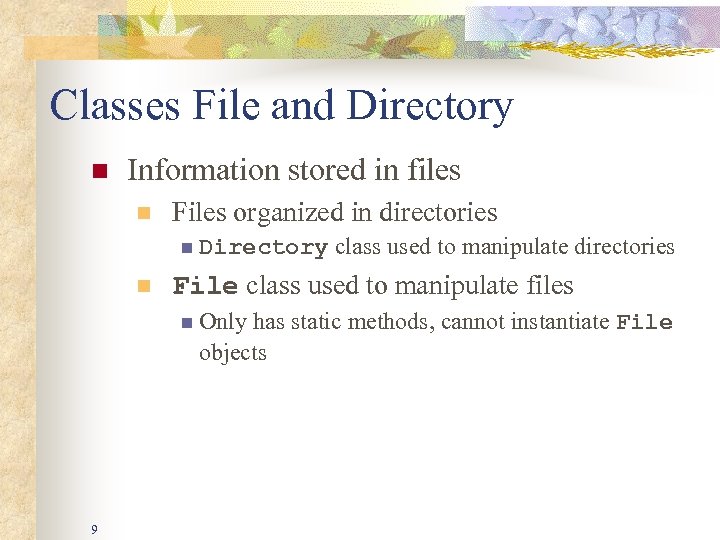 Classes File and Directory n Information stored in files n Files organized in directories n Directory class used to manipulate directories n File class used to manipulate files n Only has static methods, cannot instantiate File objects 9
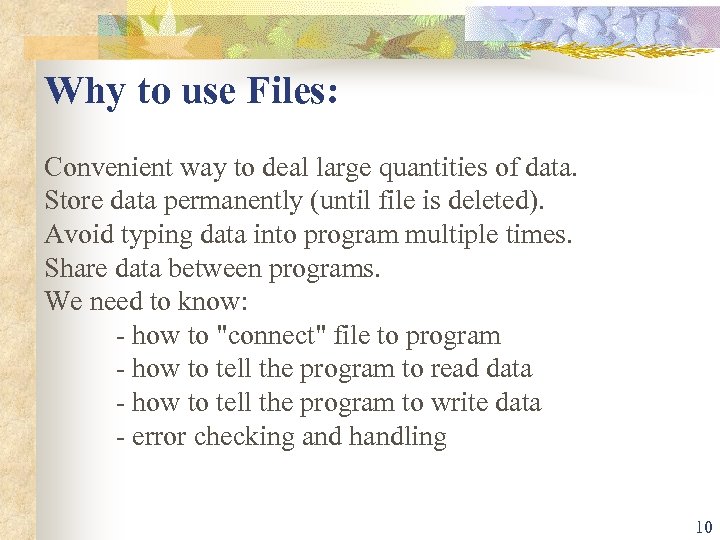 Why to use Files: Convenient way to deal large quantities of data. Store data permanently (until file is deleted). Avoid typing data into program multiple times. Share data between programs. We need to know: - how to "connect" file to program - how to tell the program to read data - how to tell the program to write data - error checking and handling 10
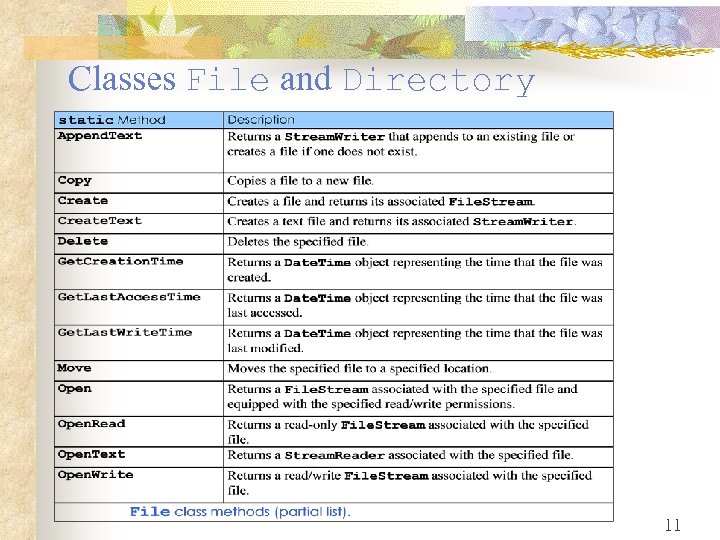 Classes File and Directory 11
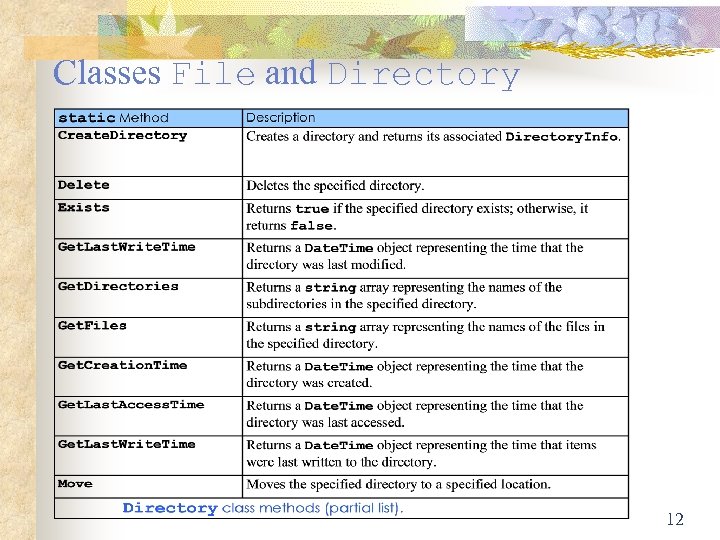 Classes File and Directory 12
 Fundamental File Streaming File streaming consists of performing one of the routine operations on a file, such as creating it or opening it. This basic operation can be performed using a class called File. Stream. You can use a File. Stream object to get a stream ready for processing. As one of the most complete classes of file processing of the. NET Framework, File. Stream is equipped with all necessary properties and methods. To use it, you must first declare a variable of it. The class is equipped with nine constructors. One of the constructors (the second) of the File. Stream class has the following syntax: public File. Stream(string path, File. Mode mode); 13
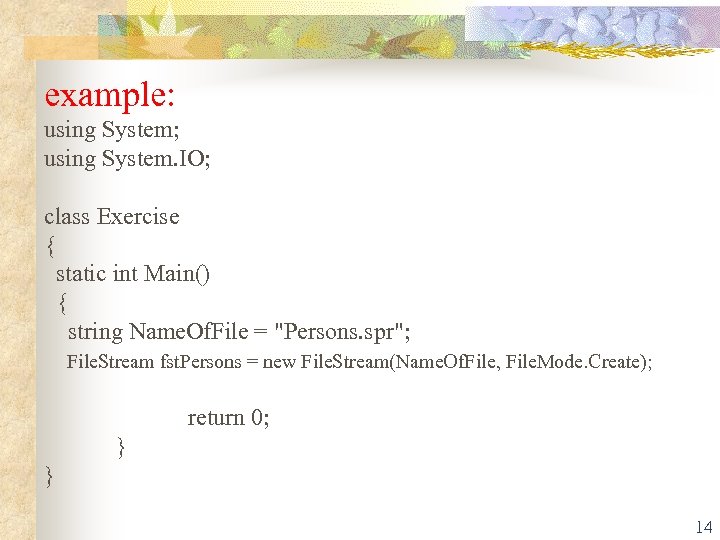 example: using System; using System. IO; class Exercise { static int Main() { string Name. Of. File = "Persons. spr"; File. Stream fst. Persons = new File. Stream(Name. Of. File, File. Mode. Create); return 0; } } 14
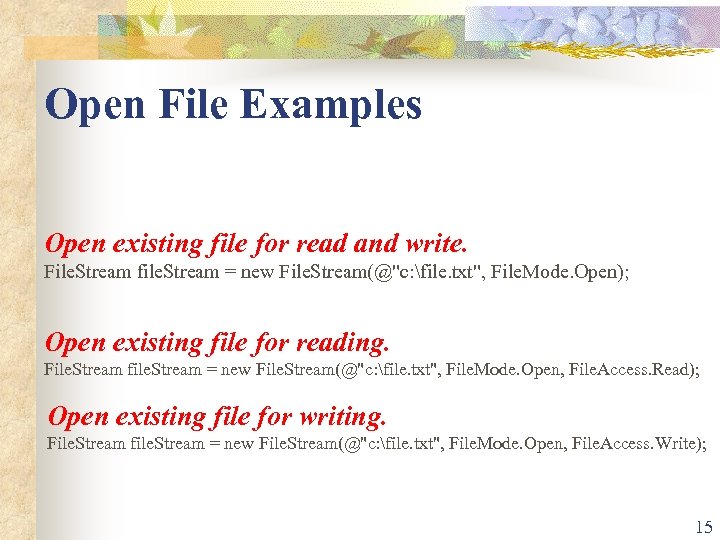 Open File Examples Open existing file for read and write. File. Stream file. Stream = new File. Stream(@"c: file. txt", File. Mode. Open); Open existing file for reading. File. Stream file. Stream = new File. Stream(@"c: file. txt", File. Mode. Open, File. Access. Read); Open existing file for writing. File. Stream file. Stream = new File. Stream(@"c: file. txt", File. Mode. Open, File. Access. Write); 15
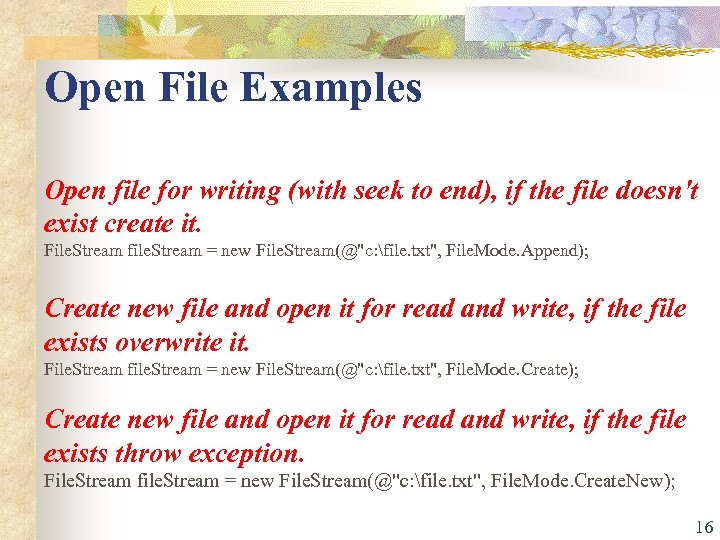 Open File Examples Open file for writing (with seek to end), if the file doesn't exist create it. File. Stream file. Stream = new File. Stream(@"c: file. txt", File. Mode. Append); Create new file and open it for read and write, if the file exists overwrite it. File. Stream file. Stream = new File. Stream(@"c: file. txt", File. Mode. Create); Create new file and open it for read and write, if the file exists throw exception. File. Stream file. Stream = new File. Stream(@"c: file. txt", File. Mode. Create. New); 16
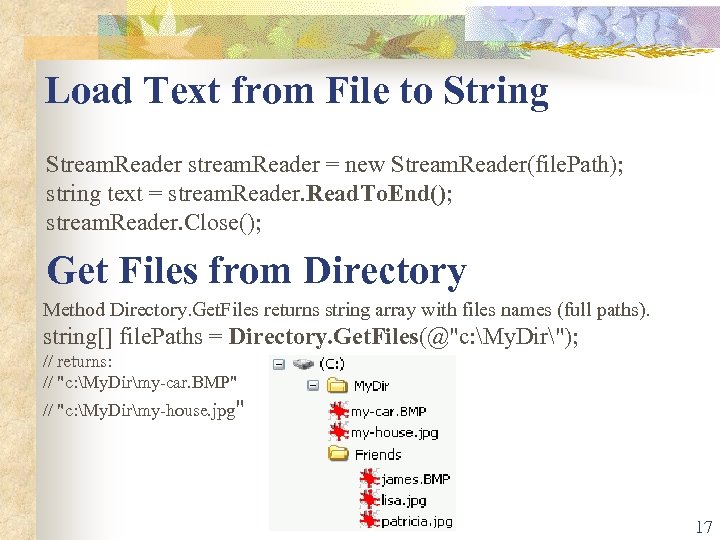 Load Text from File to String Stream. Reader stream. Reader = new Stream. Reader(file. Path); string text = stream. Reader. Read. To. End(); stream. Reader. Close(); Get Files from Directory Method Directory. Get. Files returns string array with files names (full paths). string[] file. Paths = Directory. Get. Files(@"c: My. Dir"); // returns: // "c: My. Dirmy-car. BMP" // "c: My. Dirmy-house. jpg" 17
 Stream Closing When you use a stream, it requests resources from the operating system and uses them while the stream is available. When you are not using the stream anymore, you should free the resources and make them available again to the operating system so that other services can use them. This is done by closing the stream. To close a stream, you can call the Close() method of the classes 18
![Get files from directory (with specified extension) string[] file. Paths = Directory. Get. Files(@](https://present5.com/presentation/0f1007d4881726c6370d22d1ae75eb5c/image-19.jpg "Get files from directory (with specified extension) string[] file. Paths = Directory. Get. Files(@") Get files from directory (with specified extension) string[] file. Paths = Directory. Get. Files(@"c: My. Dir", "*. bmp"); // returns: // "c: My. Dirmy-car. BMP" Get files from directory (including all subdirectories) string[] file. Paths = Directory. Get. Files(@"c: My. Dir", "*. bmp", Search. Option. All. Directories); // returns: // "c: My. Dirmy-car. BMP" // "c: My. DirFriendsjames. BMP" 19
Get files from directory (with specified extension) string[] file. Paths = Directory. Get. Files(@"c: My. Dir", "*. bmp"); // returns: // "c: My. Dirmy-car. BMP" Get files from directory (including all subdirectories) string[] file. Paths = Directory. Get. Files(@"c: My. Dir", "*. bmp", Search. Option. All. Directories); // returns: // "c: My. Dirmy-car. BMP" // "c: My. DirFriendsjames. BMP" 19
![Delete All Files (*. *) string[] file. Paths = Directory. Get. Files(@](https://present5.com/presentation/0f1007d4881726c6370d22d1ae75eb5c/image-20.jpg "Delete All Files (*. *) string[] file. Paths = Directory. Get. Files(@") Delete All Files (*. *) string[] file. Paths = Directory. Get. Files(@"c: My. Dir"); foreach (string file. Path in file. Paths) File. Delete(file. Path); 20
Delete All Files (*. *) string[] file. Paths = Directory. Get. Files(@"c: My. Dir"); foreach (string file. Path in file. Paths) File. Delete(file. Path); 20
 File Position • • • A File. Stream object can reposition its file-position pointer to any position in the file. When a File. Stream object is opened, its file-position pointer is set to byte position 0. You can use Stream. Reader property Base. Stream to invoke the Seek method of the underlying File. Stream to reset the file-position pointer back to the beginning of the file. 21
 Serialization n Often, you want to store and object on disk and retrieve it later This is a sufficiently common operation that support has been provided for it in the. NET framework Serialization can n n Create a self-describing data stream from an object Reconstitute this stream back into the object 22
 Serialization n You can serialize n n Any primitive Any object marked with the Serializable attribute that contains only serializable methods 23
 Uses of Serialization n Serialization is used for n n n Saving objects to disk Transmitting objects across a network Transmitting objects as parameters of remote procedure calls 24
 Serialization Formats n Serialized data can be in several formats n Binary n Compact binary representation of the data n XML representation of data n SOAP n Format suitable for use with web services 25
![Serializable Classes A serializable class is marked so and contains only serializable members [Serializable]](https://present5.com/presentation/0f1007d4881726c6370d22d1ae75eb5c/image-26.jpg "Serializable Classes A serializable class is marked so and contains only serializable members [Serializable]") Serializable Classes A serializable class is marked so and contains only serializable members [Serializable] public class Person { string name; int age; Address address; … } n 26
Serializable Classes A serializable class is marked so and contains only serializable members [Serializable] public class Person { string name; int age; Address address; … } n 26
![Serializable Classes The Address class must also be Serializable [Serializable] public class Address {](https://present5.com/presentation/0f1007d4881726c6370d22d1ae75eb5c/image-27.jpg "Serializable Classes The Address class must also be Serializable [Serializable] public class Address {") Serializable Classes The Address class must also be Serializable [Serializable] public class Address { string street; string city; string post. Code; … } n 27
Serializable Classes The Address class must also be Serializable [Serializable] public class Address { string street; string city; string post. Code; … } n 27
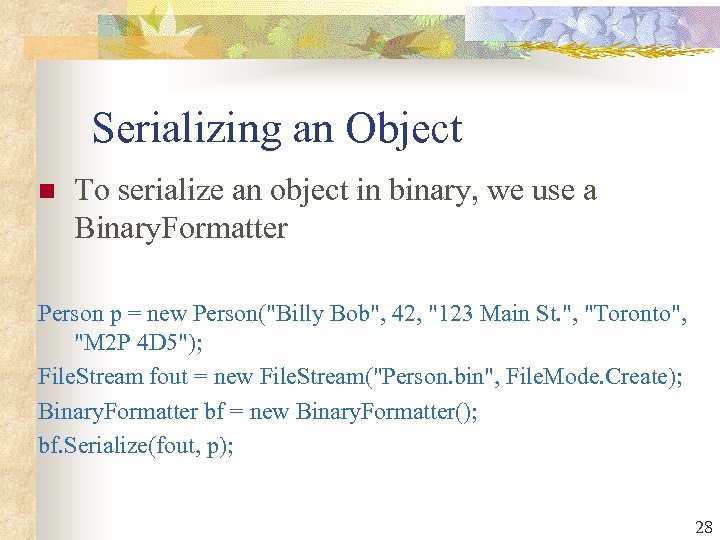 Serializing an Object n To serialize an object in binary, we use a Binary. Formatter Person p = new Person("Billy Bob", 42, "123 Main St. ", "Toronto", "M 2 P 4 D 5"); File. Stream fout = new File. Stream("Person. bin", File. Mode. Create); Binary. Formatter bf = new Binary. Formatter(); bf. Serialize(fout, p); 28
 Deserializing an Object n A Binary. Formatter is also used to deserialize an object File. Stream fin = new File. Stream("Person. bin", File. Mode. Open); Person p 1 = (Person)bf. Deserialize(fin); 29
 Transient Data n Transient data is data which should not be serialized n n n Data which can be calculated when the object is deserialized Static data Data which is not useful to save n File objects n Current date or time 30
 Transient Data n n n Data which is transient can be marked Non. Serializable I have extended the person class to store the gender and added a field for an honorific, Mr. or Ms. The honorific can be calculated from the gender so does not need to be serialized 31
 Transient Data n To deal with transient data n n n Mark transient fields [Non. Serializable] The class must implement IDeserializable The class must provide the method public virtual void On. Deserialization( Object sender) n This method will recreate missing data 32
 Random-Access Files n n n Allows instant access to information n Individual records can be accessed directly without searching through large numbers of other records Must be implemented through the application Easiest when all records are a fixed length Data can be inserted without destroying other data in file Records can be updated without rewriting the entire file Cannot serialize n Won’t guarantee a fixed-length record size 33
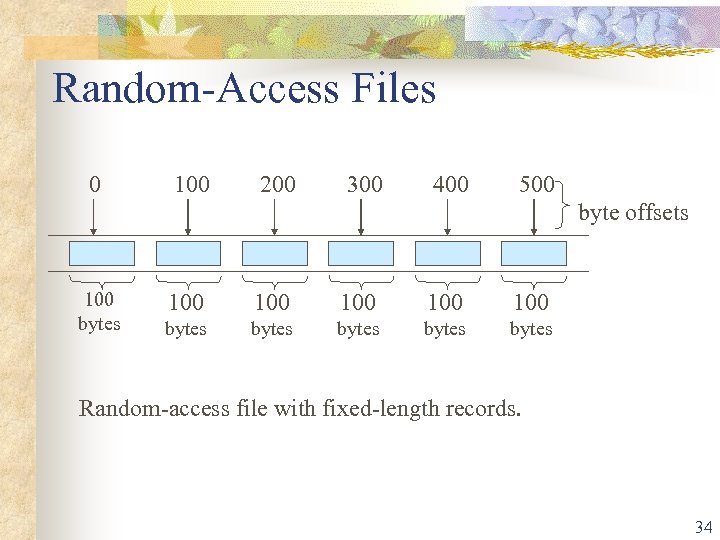 Random-Access Files 0 100 200 300 400 500 byte offsets 100 bytes 100 100 bytes bytes Random-access file with fixed-length records. 34
 Creating a Random-Access File n Use class Binary. Writer instead of serialization n By attaching a File. Stream to it, bytes can be written directly to a file 35
 Stream Writing A streaming operation is typically used to create a stream. Once the stream is ready, you can write data to it. The writing operation is perform through various classes. One of these classes is Binary. Writer. The Binary. Writer class can be used to write values of primitive data types (char, int, float, double, etc). To use a Binary. Writer value, you can first declare its variable. To do this, you would use one of the class' three constructors. One of its constructors (the second) has the following syntax: public Binary. Writer(Stream output); This constructor takes as argument a Stream value, which could be a File. Stream variable. 36
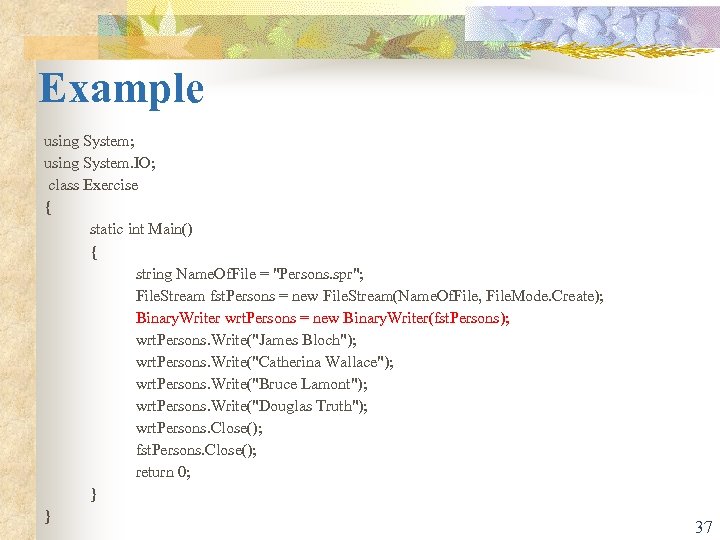 Example using System; using System. IO; class Exercise { static int Main() { string Name. Of. File = "Persons. spr"; File. Stream fst. Persons = new File. Stream(Name. Of. File, File. Mode. Create); Binary. Writer wrt. Persons = new Binary. Writer(fst. Persons); wrt. Persons. Write("James Bloch"); wrt. Persons. Write("Catherina Wallace"); wrt. Persons. Write("Bruce Lamont"); wrt. Persons. Write("Douglas Truth"); wrt. Persons. Close(); fst. Persons. Close(); return 0; } } 37
 Reading Data Sequentially from a Random-Access File n Use class Binary. Reader instead of deserialization n By attaching a File. Stream to it, bytes can be read directly from a file 38
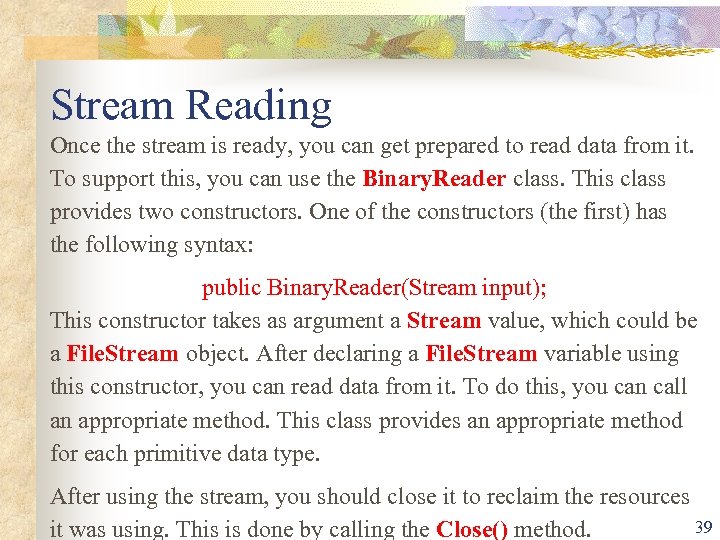 Stream Reading Once the stream is ready, you can get prepared to read data from it. To support this, you can use the Binary. Reader class. This class provides two constructors. One of the constructors (the first) has the following syntax: public Binary. Reader(Stream input); This constructor takes as argument a Stream value, which could be a File. Stream object. After declaring a File. Stream variable using this constructor, you can read data from it. To do this, you can call an appropriate method. This class provides an appropriate method for each primitive data type. After using the stream, you should close it to reclaim the resources 39 it was using. This is done by calling the Close() method.
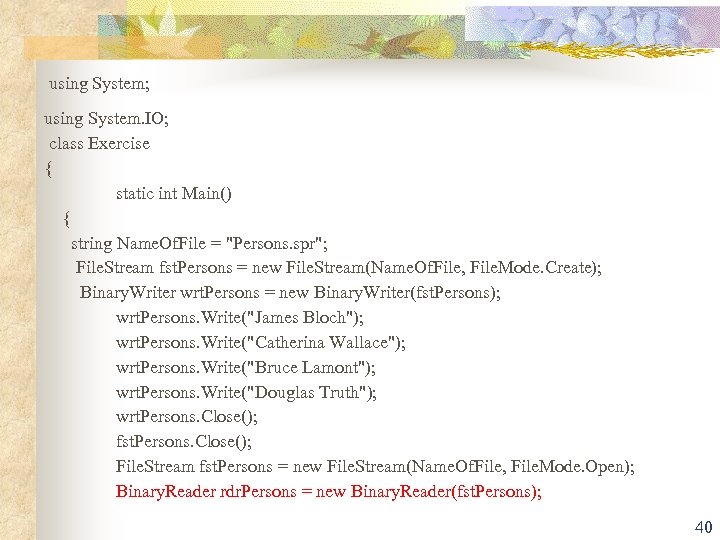 using System; using System. IO; class Exercise { static int Main() { string Name. Of. File = "Persons. spr"; File. Stream fst. Persons = new File. Stream(Name. Of. File, File. Mode. Create); Binary. Writer wrt. Persons = new Binary. Writer(fst. Persons); wrt. Persons. Write("James Bloch"); wrt. Persons. Write("Catherina Wallace"); wrt. Persons. Write("Bruce Lamont"); wrt. Persons. Write("Douglas Truth"); wrt. Persons. Close(); fst. Persons. Close(); File. Stream fst. Persons = new File. Stream(Name. Of. File, File. Mode. Open); Binary. Reader rdr. Persons = new Binary. Reader(fst. Persons); 40
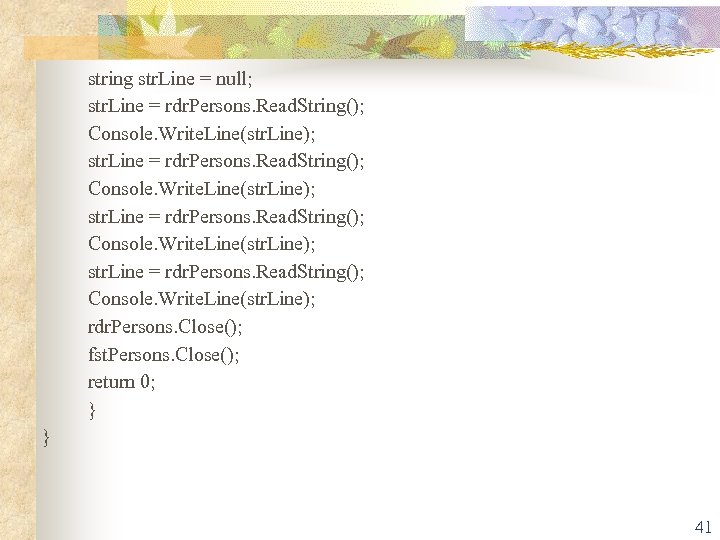 string str. Line = null; str. Line = rdr. Persons. Read. String(); Console. Write. Line(str. Line); rdr. Persons. Close(); fst. Persons. Close(); return 0; } } 41
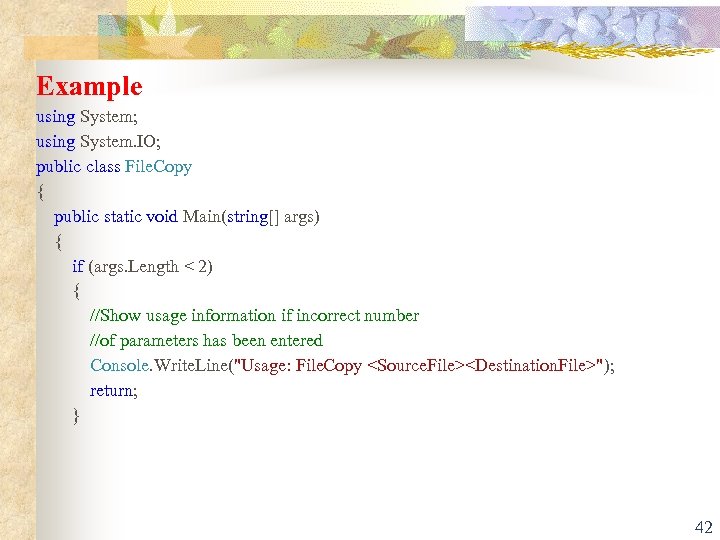 Example using System; using System. IO; public class File. Copy { public static void Main(string[] args) { if (args. Length < 2) { //Show usage information if incorrect number //of parameters has been entered Console. Write. Line("Usage: File. Copy
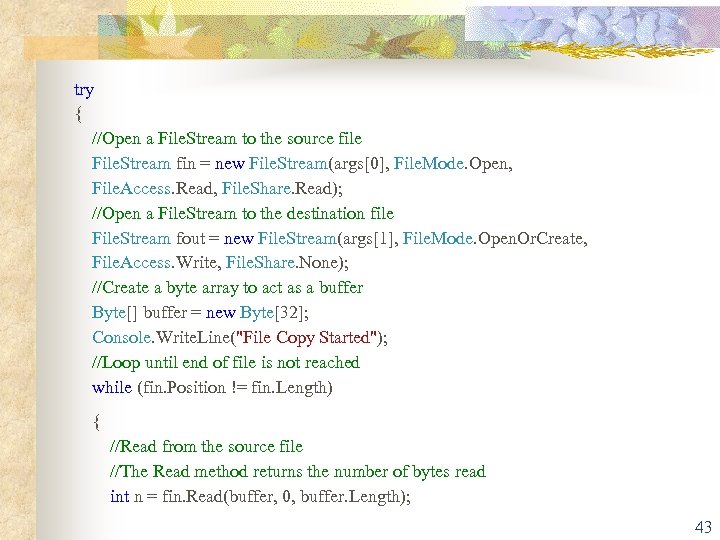 try { //Open a File. Stream to the source file File. Stream fin = new File. Stream(args[0], File. Mode. Open, File. Access. Read, File. Share. Read); //Open a File. Stream to the destination file File. Stream fout = new File. Stream(args[1], File. Mode. Open. Or. Create, File. Access. Write, File. Share. None); //Create a byte array to act as a buffer Byte[] buffer = new Byte[32]; Console. Write. Line("File Copy Started"); //Loop until end of file is not reached while (fin. Position != fin. Length) { //Read from the source file //The Read method returns the number of bytes read int n = fin. Read(buffer, 0, buffer. Length); 43
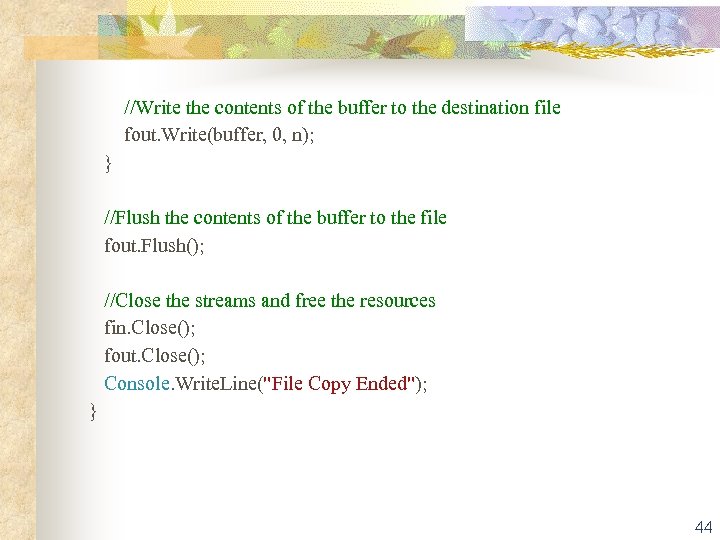 //Write the contents of the buffer to the destination file fout. Write(buffer, 0, n); } //Flush the contents of the buffer to the file fout. Flush(); //Close the streams and free the resources fin. Close(); fout. Close(); Console. Write. Line("File Copy Ended"); } 44
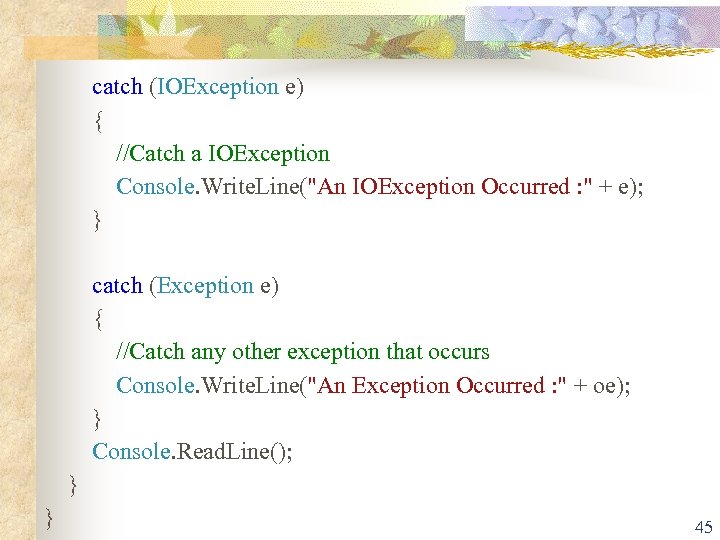 catch (IOException e) { //Catch a IOException Console. Write. Line("An IOException Occurred : " + e); } catch (Exception e) { //Catch any other exception that occurs Console. Write. Line("An Exception Occurred : " + oe); } Console. Read. Line(); } } 45