multiply is an executable under: /var/www/cgi-bin/ with x permissions" src="https://present5.com/presentation/c76805774c868c07a56bb71e507f3d79/image-13.jpg" alt="Multiply example Action="http: //it 026945/cgi-bin/testingcgi/multiply"> multiply is an executable under: /var/www/cgi-bin/ with x permissions" />
Multiply example Action="http: //it 026945/cgi-bin/testingcgi/multiply"> multiply is an executable under: /var/www/cgi-bin/ with x permissions for all! Variables in URL: After submission, URL becomes: http: //it 026945/cgi-bin/testingcgi/multiply? m=1&n=2
multiply is an executable under: /var/www/cgi-bin/ with x permissions" src="https://present5.com/presentation/c76805774c868c07a56bb71e507f3d79/image-13.jpg" alt="Multiply example Action="http: //it 026945/cgi-bin/testingcgi/multiply"> multiply is an executable under: /var/www/cgi-bin/ with x permissions" />
Multiply example Action="http: //it 026945/cgi-bin/testingcgi/multiply"> multiply is an executable under: /var/www/cgi-bin/ with x permissions for all! Variables in URL: After submission, URL becomes: http: //it 026945/cgi-bin/testingcgi/multiply? m=1&n=2
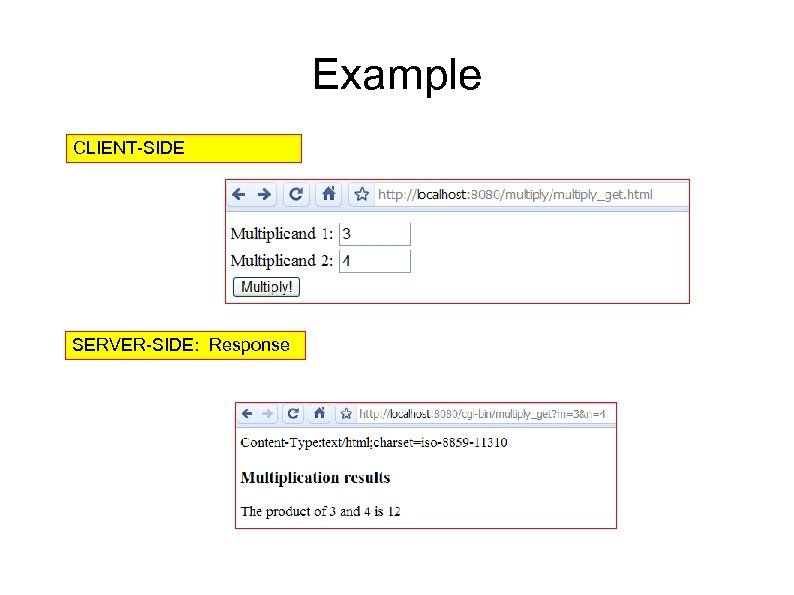 Example CLIENT-SIDE SERVER-SIDE: Response
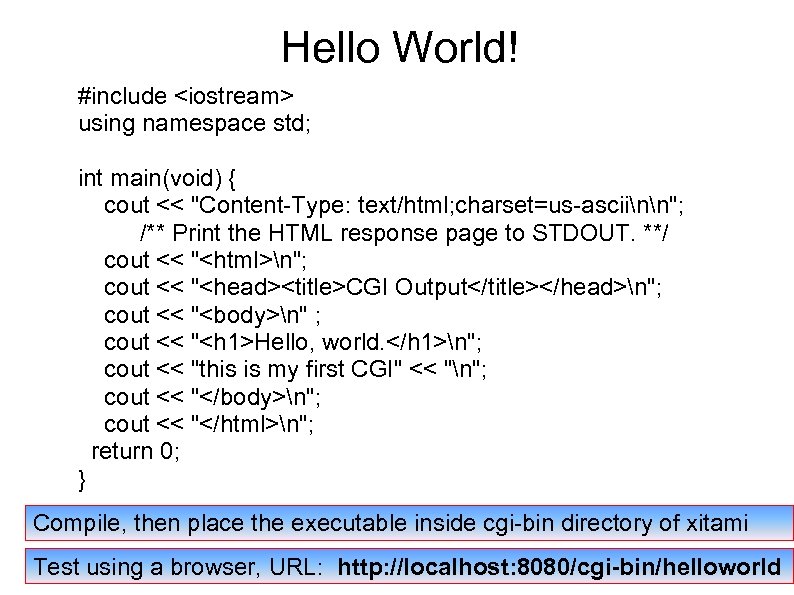
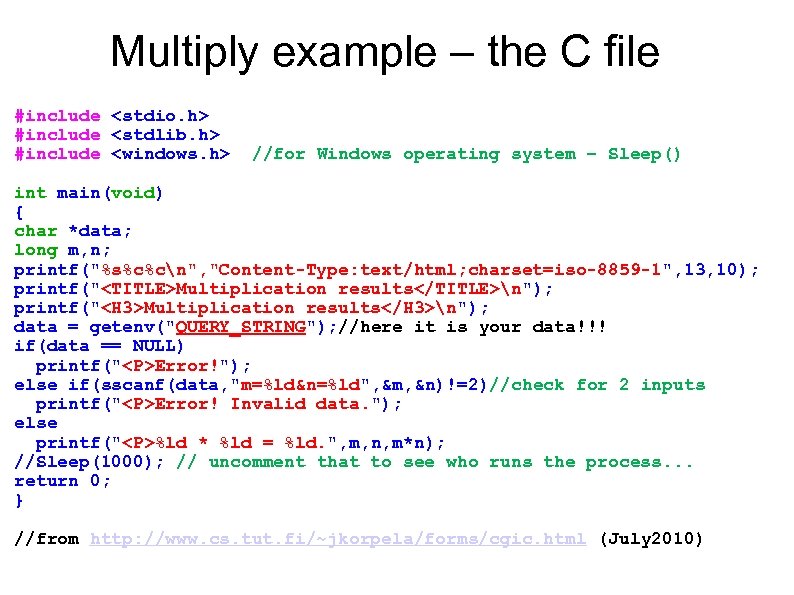 Multiply example – the C file #include #include #include //for Windows operating system – Sleep() int main(void) { char *data; long m, n; printf("%s%c%cn", "Content-Type: text/html; charset=iso-8859 -1", 13, 10); printf("Multiplication resultsn"); printf("Multiplication resultsn"); data = getenv("QUERY_STRING"); //here it is your data!!! if(data == NULL) printf("
Error!"); else if(sscanf(data, "m=%ld&n=%ld", &m, &n)!=2)//check for 2 inputs printf("
Error! Invalid data. "); else printf("
%ld * %ld = %ld. ", m, n, m*n); //Sleep(1000); // uncomment that to see who runs the process. . . return 0; } //from http: //www. cs. tut. fi/~jkorpela/forms/cgic. html (July 2010)
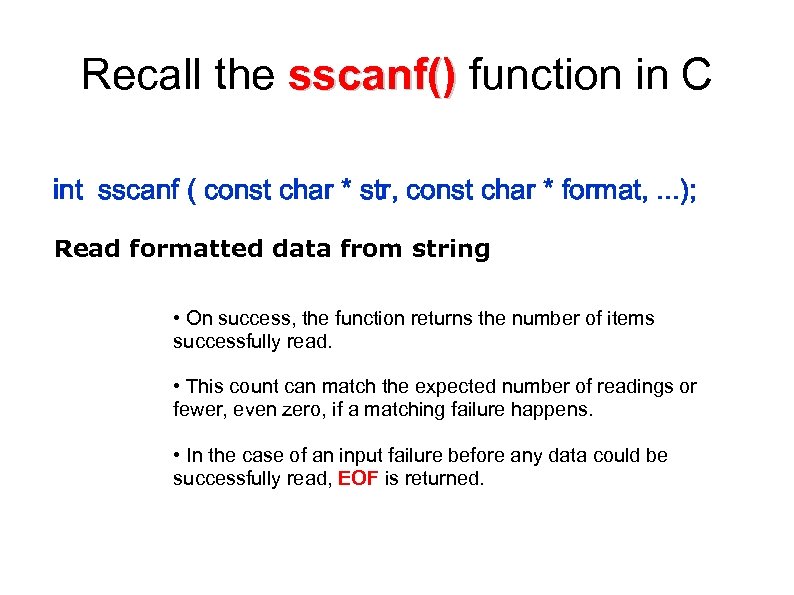 Recall the sscanf() function in C sscanf() int sscanf ( const char * str, const char * format, . . . ); Read formatted data from string • On success, the function returns the number of items successfully read. • This count can match the expected number of readings or fewer, even zero, if a matching failure happens. • In the case of an input failure before any data could be successfully read, EOF is returned.
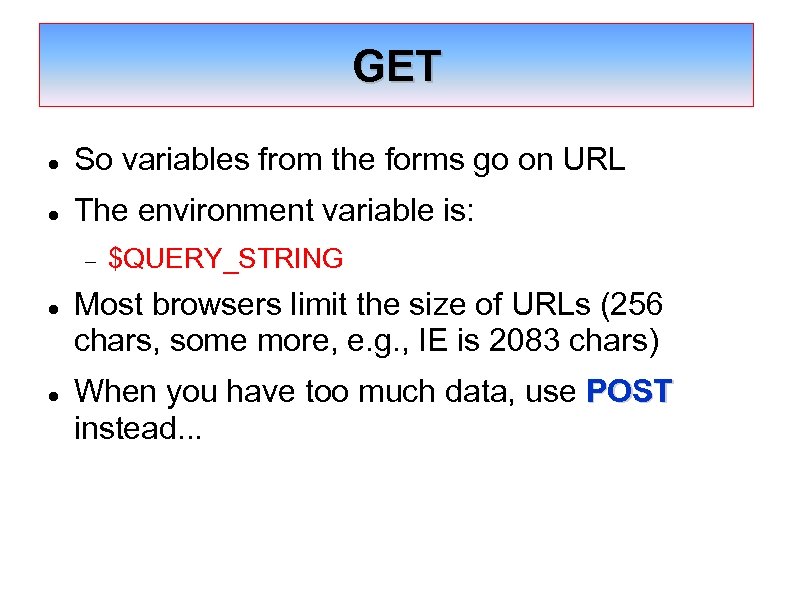
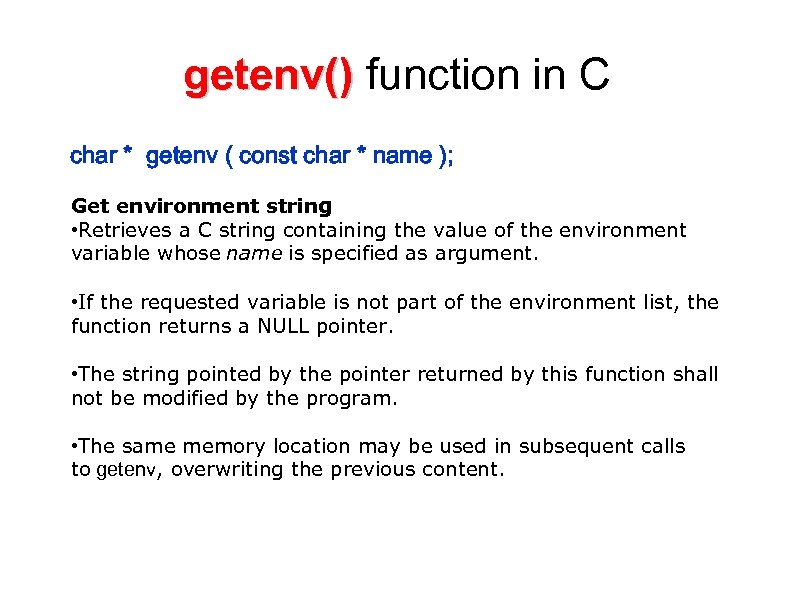 getenv() function in C getenv() char * getenv ( const char * name ); Get environment string • Retrieves a C string containing the value of the environment variable whose name is specified as argument. • If the requested variable is not part of the environment list, the function returns a NULL pointer. • The string pointed by the pointer returned by this function shall not be modified by the program. • The same memory location may be used in subsequent calls to getenv, overwriting the previous content.
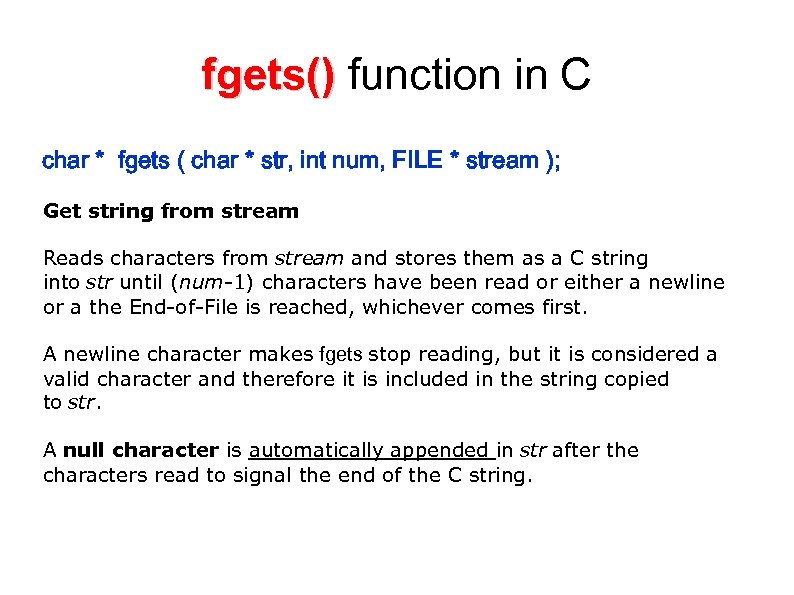 fgets() function in C fgets() char * fgets ( char * str, int num, FILE * stream ); Get string from stream Reads characters from stream and stores them as a C string into str until (num-1) characters have been read or either a newline or a the End-of-File is reached, whichever comes first. A newline character makes fgets stop reading, but it is considered a valid character and therefore it is included in the string copied to str. A null character is automatically appended in str after the characters read to signal the end of the C string.
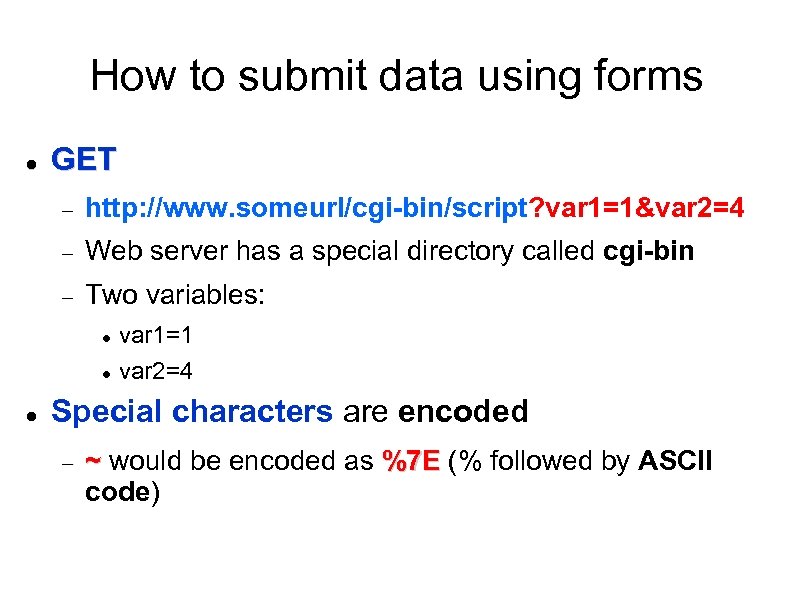
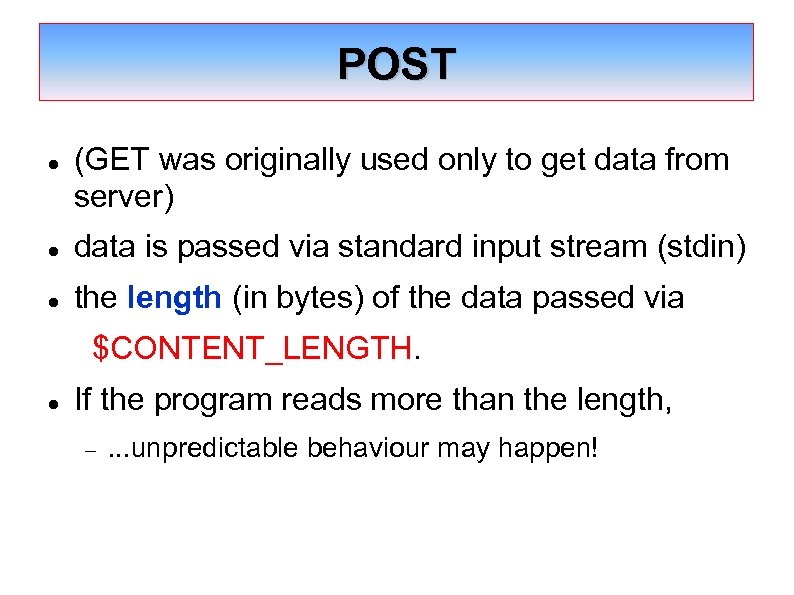 POST (GET was originally used only to get data from server) data is passed via standard input stream (stdin) the length (in bytes) of the data passed via $CONTENT_LENGTH. If the program reads more than the length, . . . unpredictable behaviour may happen!

"); printf("
Multiplication results"); data = getenv("QUERY_STRING"); if(data == NULL) printf("
Error! Error in passing data from form to script. "); else if(sscanf(data, "m=%ld&n=%ld", &m, &n)!=2) printf("
Error! Invalid data. Data must be numeric. "); else printf("
The product of %ld and %ld is %ld. ", m, n, m*n); return 0; }
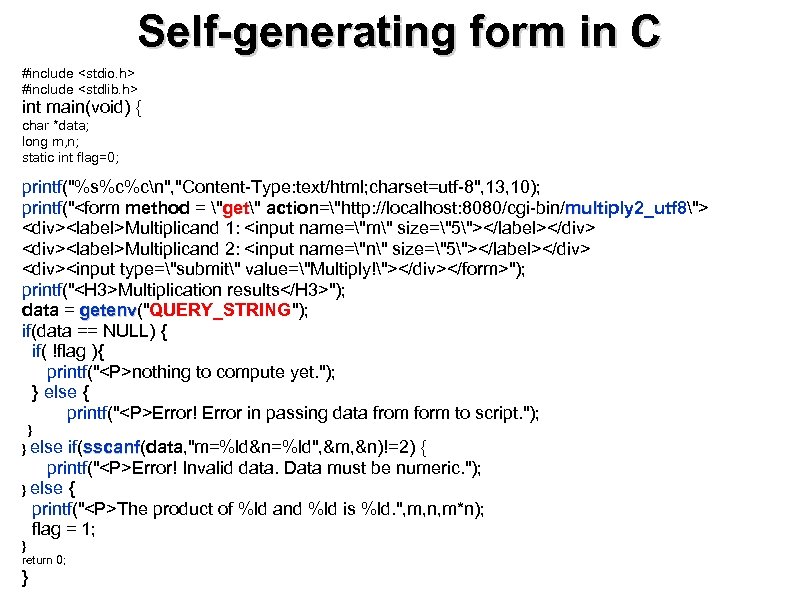 Self-generating form in C #include #include int main(void) { char *data; long m, n; static int flag=0; printf("%s%c%cn", "Content-Type: text/html; charset=utf-8", 13, 10); printf(""); printf("Multiplication results"); data = getenv("QUERY_STRING"); getenv if(data == NULL) { if( !flag ){ printf("
nothing to compute yet. "); } else { printf("
Error! Error in passing data from form to script. "); } } else if(sscanf(data, "m=%ld&n=%ld", &m, &n)!=2) { sscanf printf("
Error! Invalid data. Data must be numeric. "); } else { printf("
The product of %ld and %ld is %ld. ", m, n, m*n); flag = 1; } return 0; }
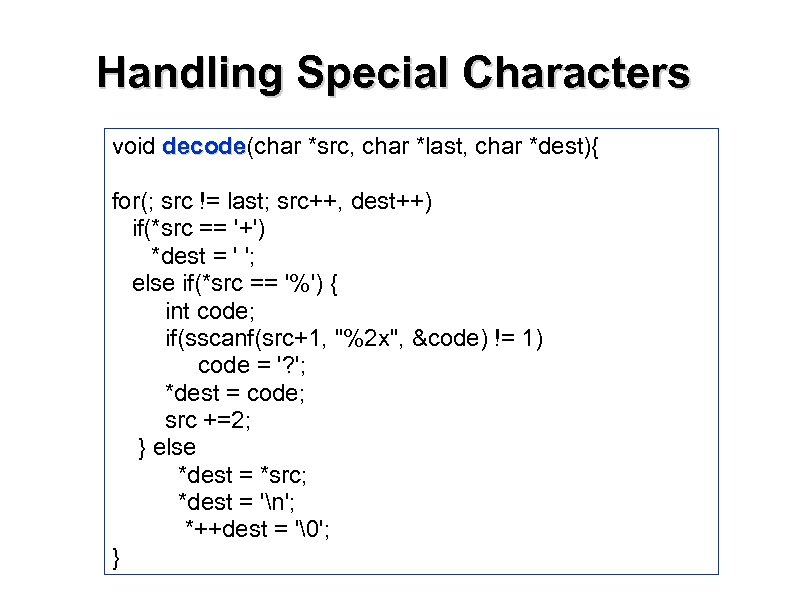 Handling Special Characters void decode(char *src, char *last, char *dest){ decode for(; src != last; src++, dest++) if(*src == '+') *dest = ' '; else if(*src == '%') { int code; if(sscanf(src+1, "%2 x", &code) != 1) code = '? '; *dest = code; src +=2; } else *dest = *src; *dest = 'n'; *++dest = ''; }
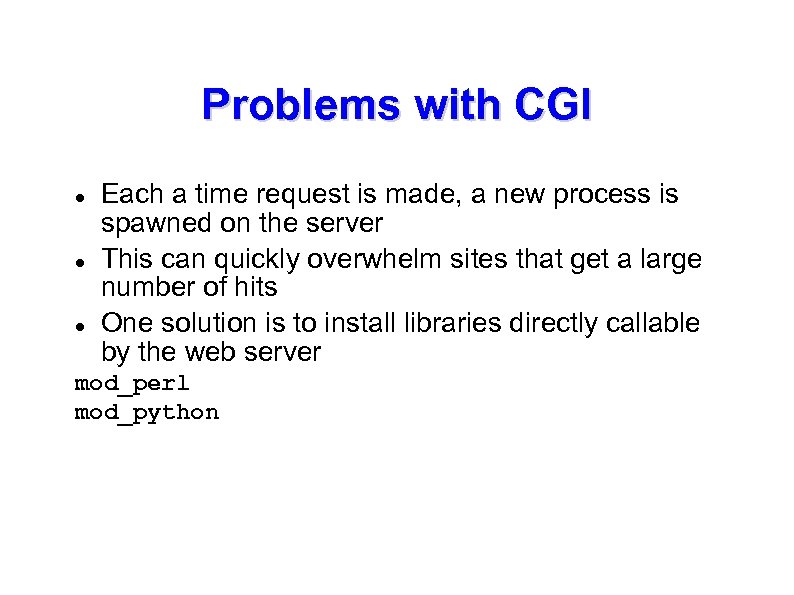 Problems with CGI Each a time request is made, a new process is spawned on the server This can quickly overwhelm sites that get a large number of hits One solution is to install libraries directly callable by the web server mod_perl mod_python
 CGI can be inefficient. . . The executable is loaded in the server's memory every time it is called Multiple copies API would be more efficient. . . Bad idea to do that using C/C++ Unstable environment (crash the entire server) Apache offers modules with Perl and Python APIs Scripting languages such as ASP and PHP
 Security problems with CGI In Linux Program is running in your server. . . Suppose you want the user to run: But what if the user actually sends: system "whois $username" ; "john; rm -rf " system "whois john; rm -rf " ; The administrator: “Oh dear!Where all my files? ” For Windows, http: //technet. microsoft. com/en-us/sysinternals/bb 897435. aspx
 Server-side programming Better to use a language specially designed for server-side programming See PHP programming next. . .
 References http: //www. cs. tut. fi/~jkorpela/forms/cgic. html