


 Скачать презентацию Lecture on Computer Network For 08 Spring 2010
d0915e1afd89eb2708bf660ffb3ef91e.ppt
- Количество слайдов: 129
 Lecture on Computer Network For 08 Spring 2010 Chapter 5 Link layer and LANs Weifeng Sun Wfsun. dlut@gmail. com School of Software Dalian University of Technology
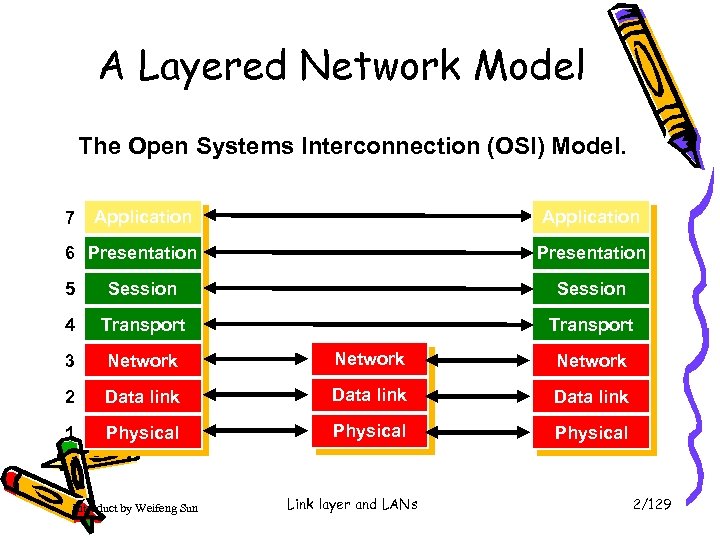 A Layered Network Model The Open Systems Interconnection (OSI) Model. 7 Application 6 Presentation 5 Session 4 Transport 3 Network 2 Data link 1 Physical Introduct by Weifeng Sun Link layer and LANs 2/129
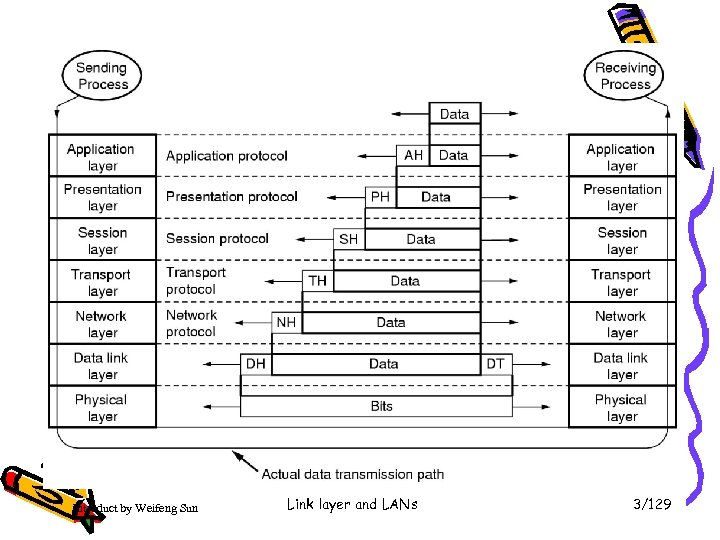 Introduct by Weifeng Sun Link layer and LANs 3/129
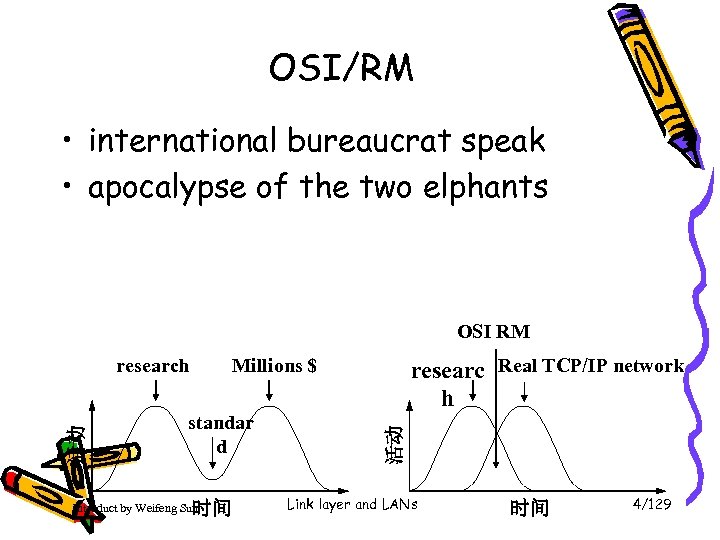 OSI/RM • international bureaucrat speak • apocalypse of the two elphants OSI RM Millions $ standar d 时间 Introduct by Weifeng Sun researc Real TCP/IP network h 活动 活动 research Link layer and LANs 时间 4/129
 Our goals: • understand principles behind data link layer services: – – – error detection, correction sharing a broadcast channel: multiple access link layer addressing reliable data transfer(rdt), flow control instantiation and implementation of various link layer technologies Introduct by Weifeng Sun Link layer and LANs 5/129
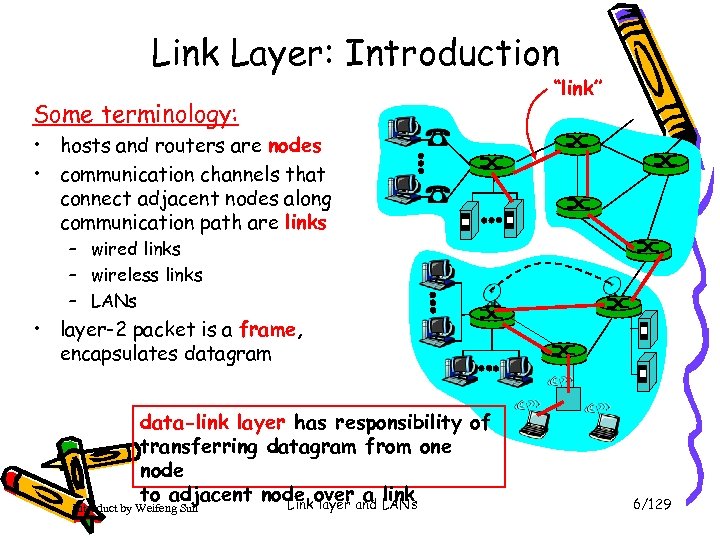 Link Layer: Introduction Some terminology: “link” • hosts and routers are nodes • communication channels that connect adjacent nodes along communication path are links – wired links – wireless links – LANs • layer-2 packet is a frame, encapsulates datagram data-link layer has responsibility of transferring datagram from one node to adjacent node overand LANs a link Link layer Introduct by Weifeng Sun 6/129
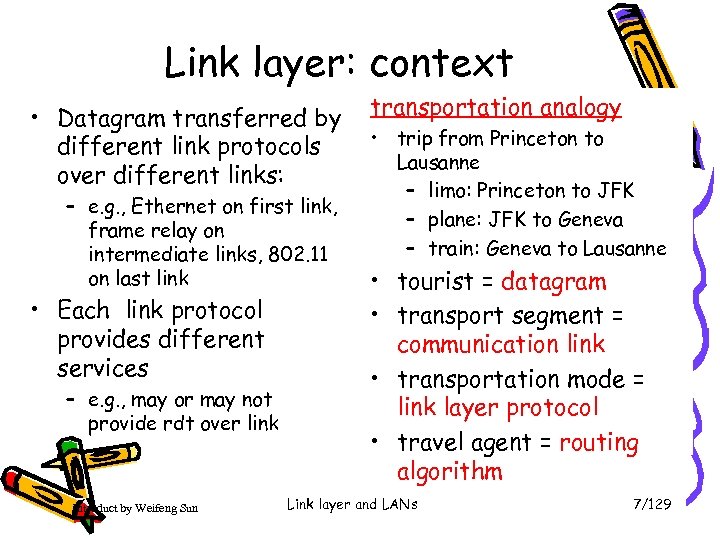 Link layer: context • Datagram transferred by different link protocols over different links: – e. g. , Ethernet on first link, frame relay on intermediate links, 802. 11 on last link • Each link protocol provides different services – e. g. , may or may not provide rdt over link Introduct by Weifeng Sun transportation analogy • trip from Princeton to Lausanne – limo: Princeton to JFK – plane: JFK to Geneva – train: Geneva to Lausanne • tourist = datagram • transport segment = communication link • transportation mode = link layer protocol • travel agent = routing algorithm Link layer and LANs 7/129
 Link Layer Services • Framing, link access: – encapsulate datagram into frame, adding header, trailer – channel access if shared medium – “MAC” addresses used in frame headers to identify source, dest • different from IP address! • Reliable delivery between adjacent nodes – we learned how to do this already ! – seldom used on low bit error link (fiber, some twisted pair) – wireless links: high error rates • Q: why both link-level and end-end reliability? Introduct by Weifeng Sun Link layer and LANs 8/129
 Link Layer Services (more) • Flow Control: – pacing between adjacent sending and receiving nodes • Error Detection: – errors caused by signal attenuation, noise. – receiver detects presence of errors: • signals sender for retransmission or drops frame • Error Correction: – receiver identifies and corrects bit error(s) without resorting to retransmission • Half-duplex and full-duplex – with half duplex, nodes at both ends of link can transmit, but not at same time Introduct by Weifeng Sun Link layer and LANs 9/129
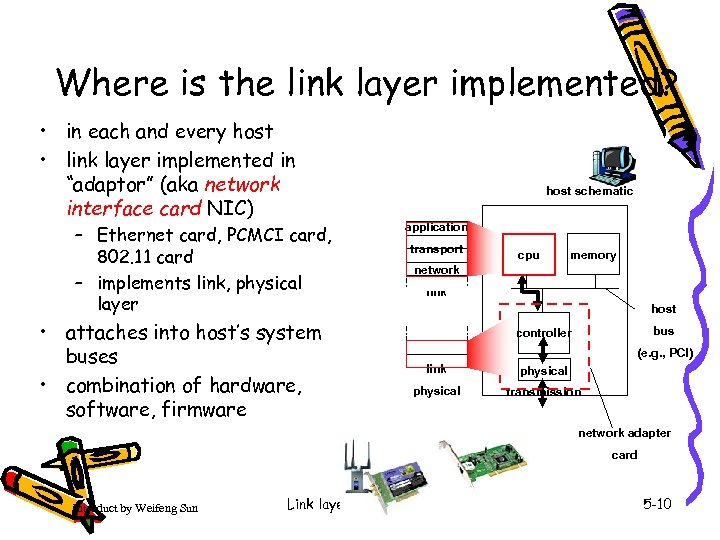 Where is the link layer implemented? • in each and every host • link layer implemented in “adaptor” (aka network interface card NIC) – Ethernet card, PCMCI card, 802. 11 card – implements link, physical layer • attaches into host’s system buses • combination of hardware, software, firmware host schematic application transport cpu memory network link host bus controller (e. g. , PCI) link physical transmission network adapter card Introduct by Weifeng Sun Link layer and LANs 5 -10
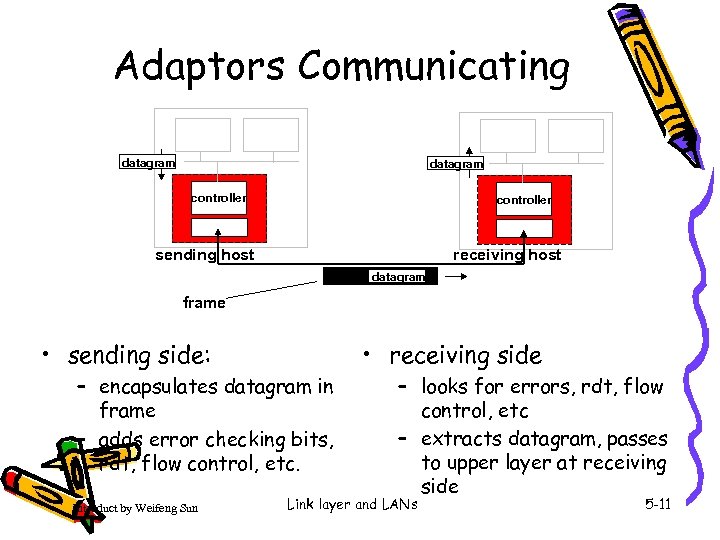 Adaptors Communicating datagram controller receiving host sending host datagram frame • receiving side • sending side: – encapsulates datagram in frame – adds error checking bits, rdt, flow control, etc. Introduct by Weifeng Sun – looks for errors, rdt, flow control, etc – extracts datagram, passes to upper layer at receiving side Link layer and LANs 5 -11
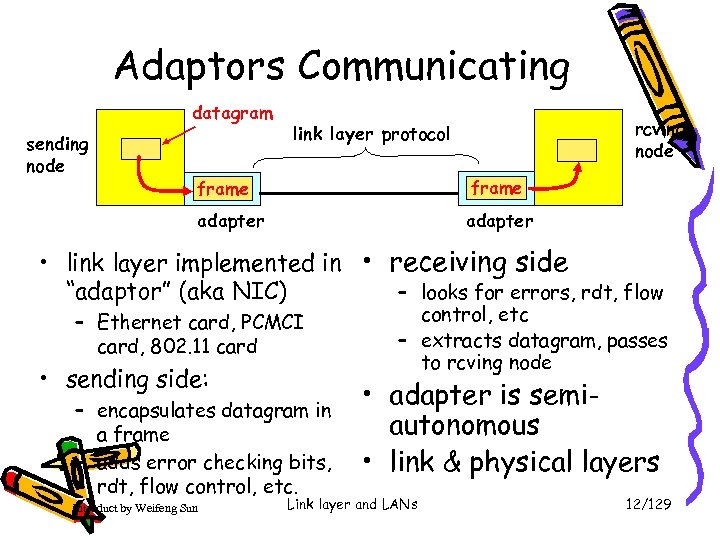 Adaptors Communicating datagram sending node rcving node link layer protocol frame adapter • link layer implemented in • receiving side – looks for errors, rdt, flow “adaptor” (aka NIC) – Ethernet card, PCMCI card, 802. 11 card • sending side: – encapsulates datagram in a frame – adds error checking bits, rdt, flow control, etc. Introduct by Weifeng Sun control, etc – extracts datagram, passes to rcving node • adapter is semiautonomous • link & physical layers Link layer and LANs 12/129
 Link Layer • 5. 1 Introduction and services • 5. 2 Error detection and correction • 5. 3 Multiple access protocols • 5. 4 Link-layer Addressing • 5. 5 Ethernet Introduct by Weifeng Sun • 5. 6 Link-layer switches • 5. 7 PPP • 5. 8 Link Virtualization: ATM. MPLS Link layer and LANs 5 -13
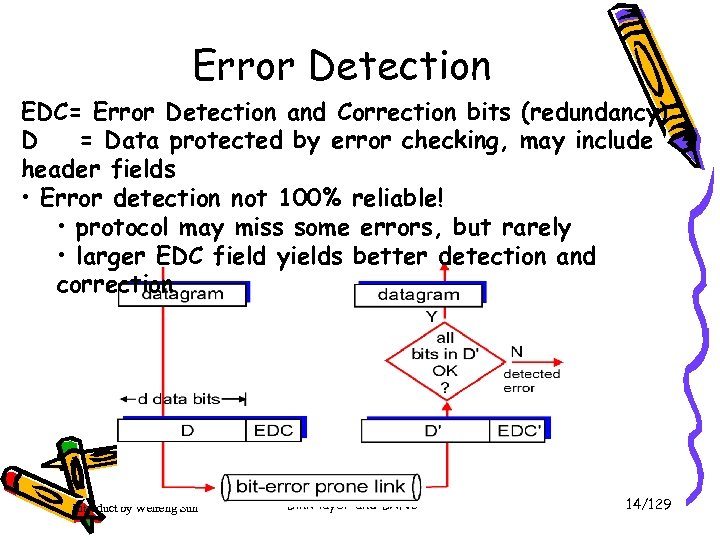 Error Detection EDC= Error Detection and Correction bits (redundancy) D = Data protected by error checking, may include header fields • Error detection not 100% reliable! • protocol may miss some errors, but rarely • larger EDC field yields better detection and correction Introduct by Weifeng Sun Link layer and LANs 14/129
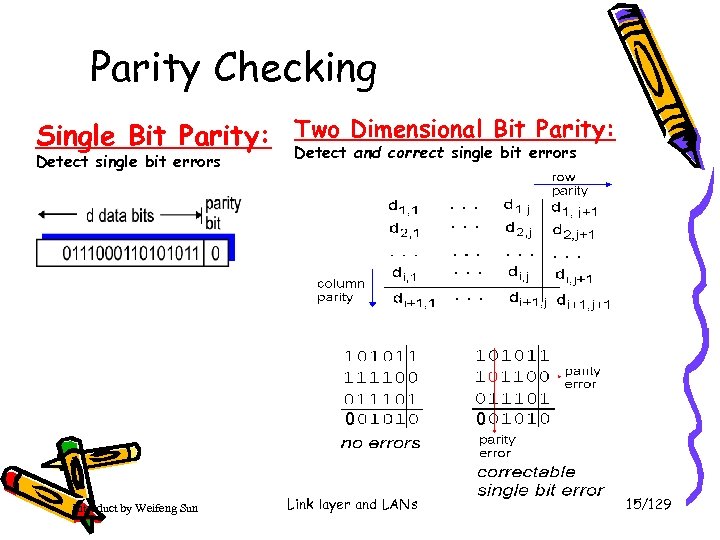 Parity Checking Parity: Single Bit Parity: Two Dimensional Bit errors Detect and correct single bit Detect single bit errors 0 Introduct by Weifeng Sun Link layer and LANs 0 15/129
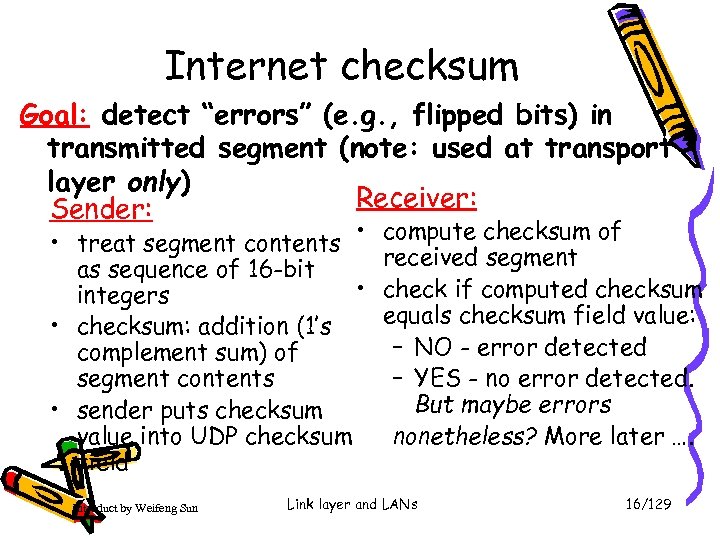 Internet checksum Goal: detect “errors” (e. g. , flipped bits) in transmitted segment (note: used at transport layer only) Receiver: Sender: • treat segment contents • as sequence of 16 -bit • integers • checksum: addition (1’s complement sum) of segment contents • sender puts checksum value into UDP checksum field Introduct by Weifeng Sun compute checksum of received segment check if computed checksum equals checksum field value: – NO - error detected – YES - no error detected. But maybe errors nonetheless? More later …. Link layer and LANs 16/129
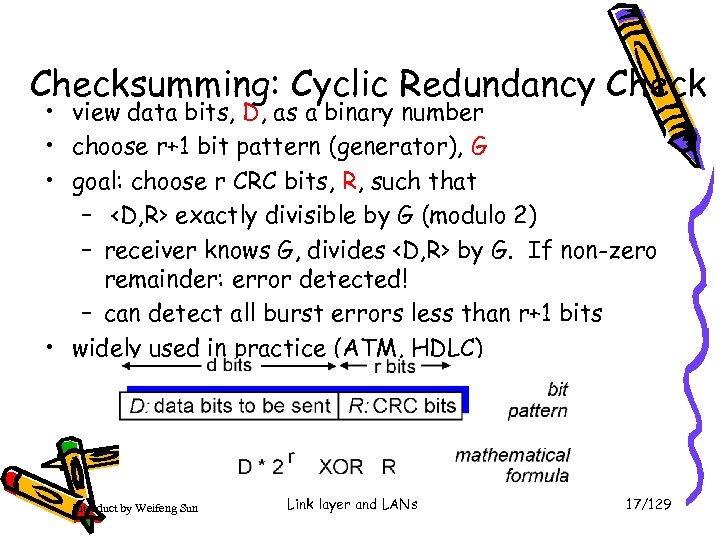 Checksumming: Cyclic Redundancy Check • view data bits, D, as a binary number • choose r+1 bit pattern (generator), G • goal: choose r CRC bits, R, such that –
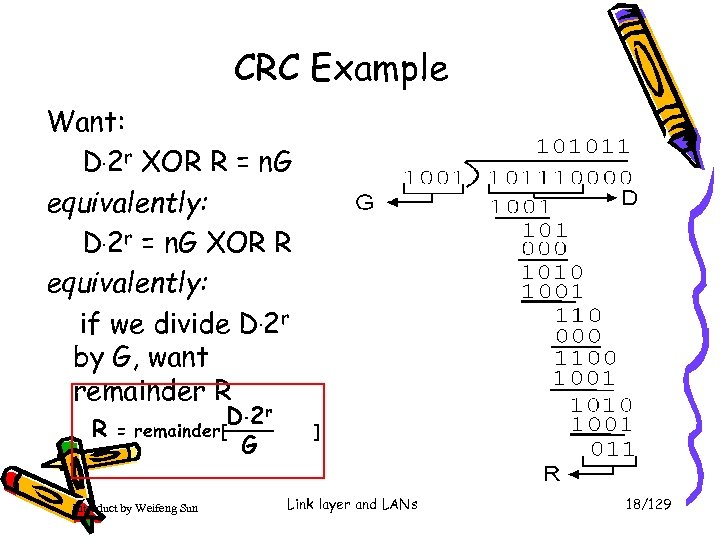 CRC Example Want: D. 2 r XOR R = n. G equivalently: D. 2 r = n. G XOR R equivalently: if we divide D. 2 r by G, want remainder R R = D. 2 r remainder[ G Introduct by Weifeng Sun ] Link layer and LANs 18/129
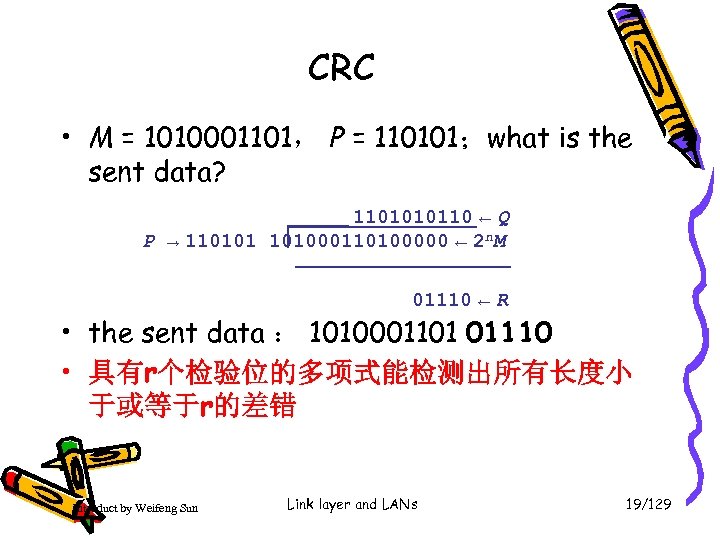 CRC • M = 1010001101, P = 110101;what is the sent data? 1101010110 ← Q P → 110101 101000110100000 ← 2 n. M 01110 ← R • the sent data : 1010001101 01110 • 具有r个检验位的多项式能检测出所有长度小 于或等于r的差错 Introduct by Weifeng Sun Link layer and LANs 19/129
 Link Layer • 5. 1 Introduction and services • 5. 2 Error detection and correction • 5. 3 Multiple access protocols • 5. 4 Link-layer Addressing • 5. 5 Ethernet Introduct by Weifeng Sun • 5. 6 Link-layer switches • 5. 7 PPP • 5. 8 Link Virtualization: ATM, MPLS Link layer and LANs 5 -20
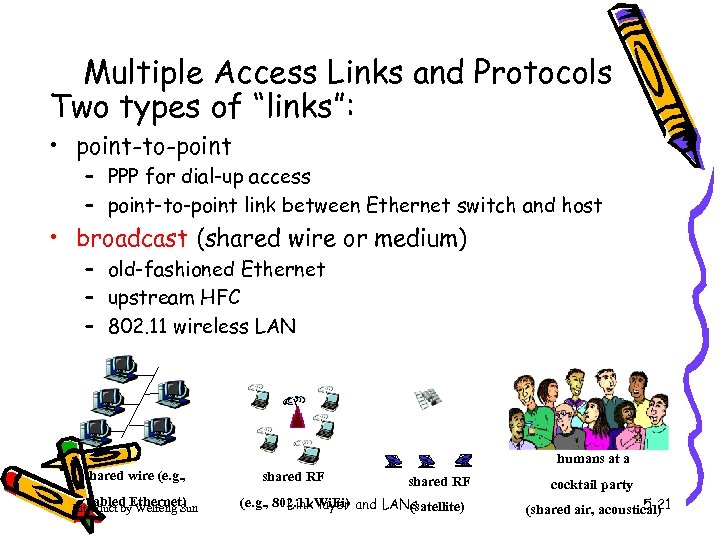 Multiple Access Links and Protocols Two types of “links”: • point-to-point – PPP for dial-up access – point-to-point link between Ethernet switch and host • broadcast (shared wire or medium) – old-fashioned Ethernet – upstream HFC – 802. 11 wireless LAN humans at a shared wire (e. g. , cabled Ethernet) Introduct by Weifeng Sun shared RF (e. g. , 802. 11 Wi. Fi) and LANs Link layer (satellite) cocktail party 5 -21 (shared air, acoustical)
 Multiple Access protocols • single shared broadcast channel • two or more simultaneous transmissions by nodes: interference – collision if node receives two or more signals at the same time multiple access protocol • distributed algorithm that determines how nodes share channel, i. e. , determine when node can transmit • communication about channel sharing must use channel itself! – no out-of-band channel for coordination Introduct by Weifeng Sun Link layer and LANs 22/129
 Ideal Multiple Access Protocol Broadcast channel of rate R bps 1. When one node wants to transmit, it can send at rate R. 2. When M nodes want to transmit, each can send at average rate R/M 3. Fully decentralized: – no special node to coordinate transmissions – no synchronization of clocks, slots 4. Simple Introduct by Weifeng Sun Link layer and LANs 23/129
 MAC Protocols: a taxonomy • Three broad classes: • Channel Partitioning – divide channel into smaller “pieces” (time slots, frequency, code) – allocate piece to node for exclusive use • Random Access – channel not divided, allow collisions – “recover” from collisions • “Taking turns” – Nodes take turns, but nodes with more to send can take longer turns Introduct by Weifeng Sun Link layer and LANs 24/129
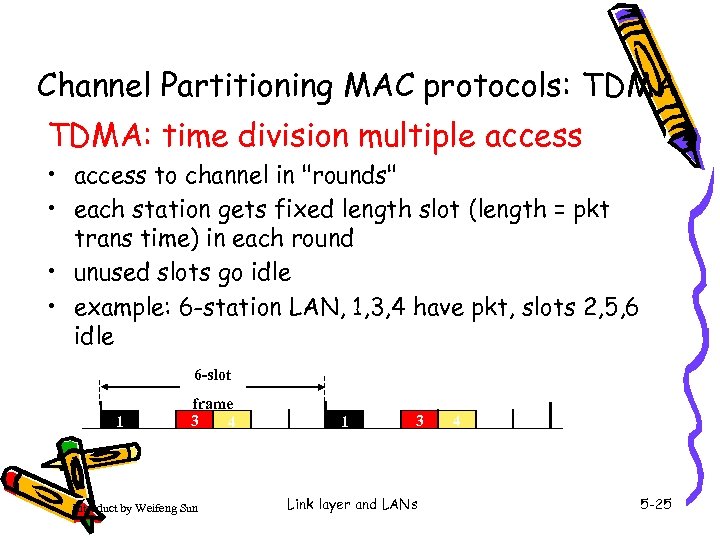 Channel Partitioning MAC protocols: TDMA: time division multiple access • access to channel in "rounds" • each station gets fixed length slot (length = pkt trans time) in each round • unused slots go idle • example: 6 -station LAN, 1, 3, 4 have pkt, slots 2, 5, 6 idle 6 -slot 1 frame 3 4 Introduct by Weifeng Sun 1 3 Link layer and LANs 4 5 -25
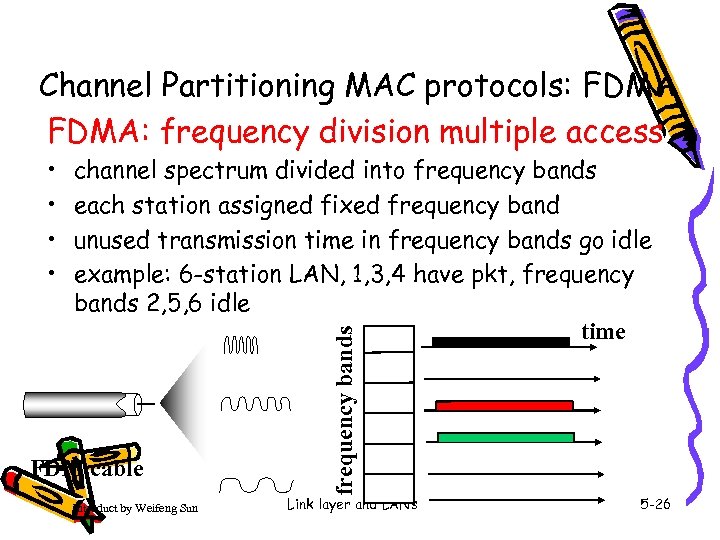 Channel Partitioning MAC protocols: FDMA: frequency division multiple access channel spectrum divided into frequency bands each station assigned fixed frequency band unused transmission time in frequency bands go idle example: 6 -station LAN, 1, 3, 4 have pkt, frequency bands 2, 5, 6 idle time FDM cable Introduct by Weifeng Sun frequency bands • • Link layer and LANs 5 -26
 Random Access Protocols • When node has packet to send – transmit at full channel data rate R. – no a priori coordination among nodes • two or more transmitting nodes ➜ “collision”, • random access MAC protocol specifies: – how to detect collisions – how to recover from collisions (e. g. , via delayed retransmissions) • Examples of random access MAC protocols: – slotted ALOHA – CSMA, CSMA/CD, CSMA/CA Introduct by Weifeng Sun Link layer and LANs 27/129
 Slotted ALOHA Assumptions • all frames same size • time is divided into equal size slots, time to transmit 1 frame • nodes start to transmit frames only at beginning of slots • nodes are synchronized • if 2 or more nodes transmit in slot, all nodes detect collision Introduct by Weifeng Sun Operation • when node obtains fresh frame, it transmits in next slot • no collision, node can send new frame in next slot • if collision, node retransmits frame in each subsequent slot with prob. p until success Link layer and LANs 28/129
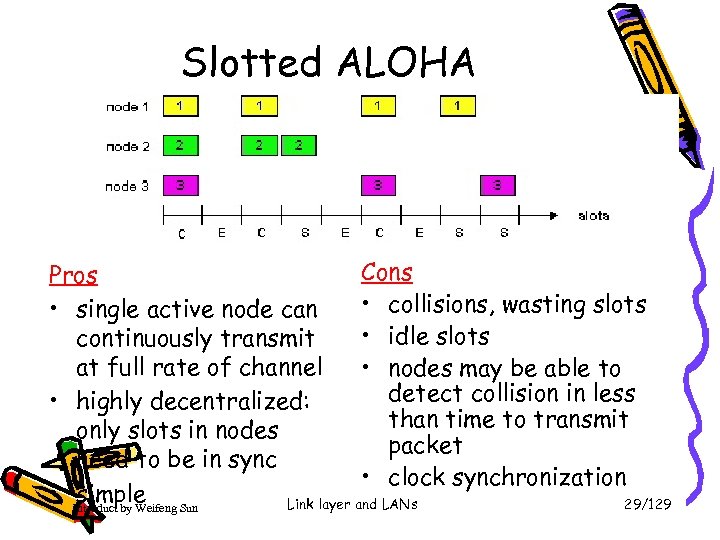 Slotted ALOHA Cons Pros • collisions, wasting slots • single active node can • idle slots continuously transmit at full rate of channel • nodes may be able to detect collision in less • highly decentralized: than time to transmit only slots in nodes packet need to be in sync • clock synchronization • Introduct by Weifeng Sun simple Link layer and LANs 29/129
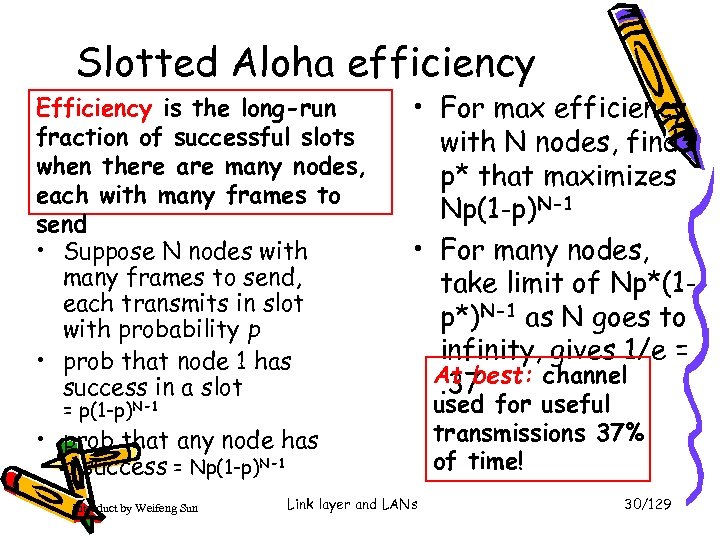 Slotted Aloha efficiency Efficiency is the long-run fraction of successful slots when there are many nodes, each with many frames to send • Suppose N nodes with many frames to send, each transmits in slot with probability p • prob that node 1 has success in a slot = p(1 -p)N-1 • For max efficiency with N nodes, find p* that maximizes Np(1 -p)N-1 • For many nodes, take limit of Np*(1 p*)N-1 as N goes to infinity, gives 1/e = At best: channel. 37 • prob that any node has a success = Np(1 -p)N-1 Introduct by Weifeng Sun Link layer and LANs used for useful transmissions 37% of time! 30/129
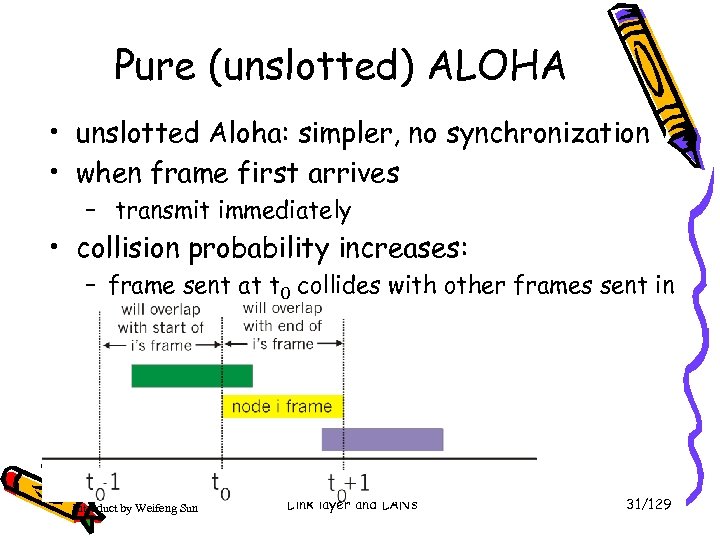 Pure (unslotted) ALOHA • unslotted Aloha: simpler, no synchronization • when frame first arrives – transmit immediately • collision probability increases: – frame sent at t 0 collides with other frames sent in [t 0 -1, t 0+1] Introduct by Weifeng Sun Link layer and LANs 31/129
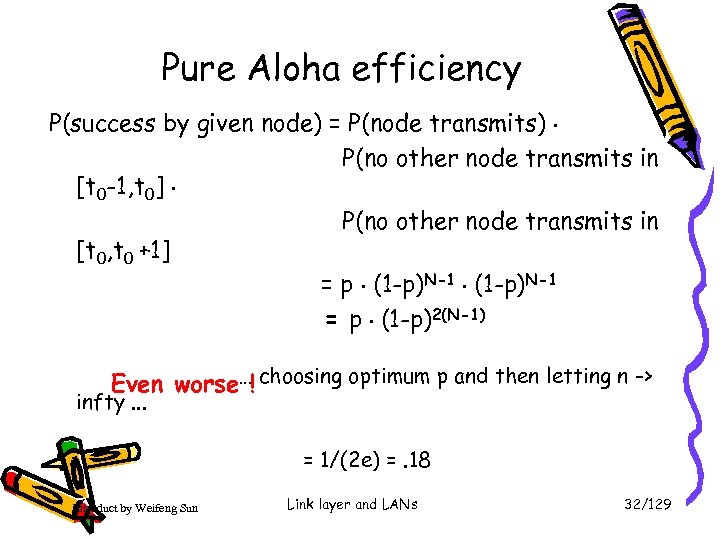 Pure Aloha efficiency P(success by given node) = P(node transmits). P(no other node transmits in [t 0 -1, t 0]. P(no other node transmits in [t 0, t 0 +1] = p. (1 -p)N-1 = p. (1 -p)2(N-1) Even worse…! choosing optimum p and then letting n -> infty. . . = 1/(2 e) =. 18 Introduct by Weifeng Sun Link layer and LANs 32/129
 CSMA (Carrier Sense Multiple Access) CSMA: listen before transmit: If channel sensed idle: transmit entire frame • If channel sensed busy, defer transmission • Human analogy: don’t interrupt others! Introduct by Weifeng Sun Link layer and LANs 33/129
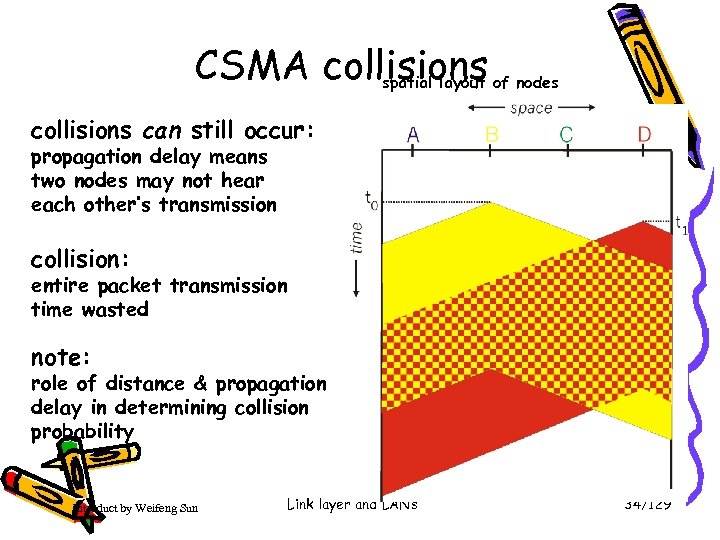 CSMA collisions spatial layout of nodes collisions can still occur: propagation delay means two nodes may not hear each other’s transmission collision: entire packet transmission time wasted note: role of distance & propagation delay in determining collision probability Introduct by Weifeng Sun Link layer and LANs 34/129
 CSMA/CD (Collision Detection) CSMA/CD: carrier sensing, deferral as in CSMA – collisions detected within short time – colliding transmissions aborted, reducing channel wastage • collision detection: – easy in wired LANs: measure signal strengths, compare transmitted, received signals – difficult in wireless LANs: receiver shut off while transmitting • human analogy: the polite conversationalist Introduct by Weifeng Sun Link layer and LANs 35/129
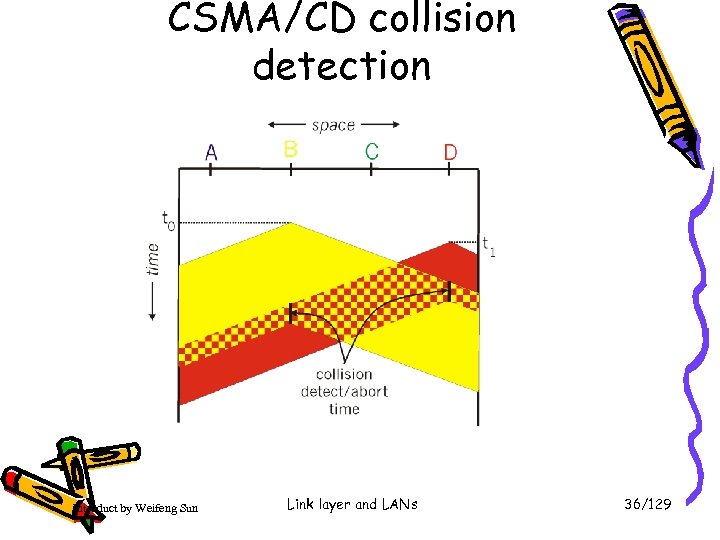 CSMA/CD collision detection Introduct by Weifeng Sun Link layer and LANs 36/129
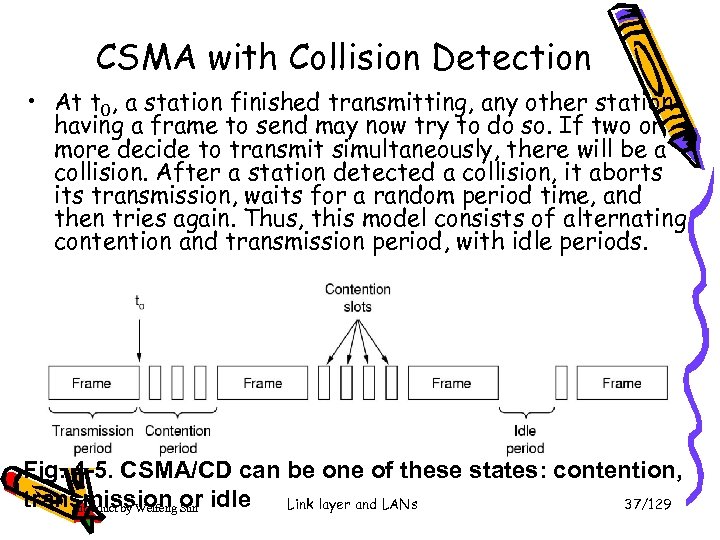 CSMA with Collision Detection • At t 0, a station finished transmitting, any other station having a frame to send may now try to do so. If two or more decide to transmit simultaneously, there will be a collision. After a station detected a collision, it aborts its transmission, waits for a random period time, and then tries again. Thus, this model consists of alternating contention and transmission period, with idle periods. Fig. 4 -5. CSMA/CD can be one of these states: contention, transmission or idle Link layer and LANs 37/129 Introduct by Weifeng Sun
 Contention Period • Problem: How big should the contention period be? How long will it take two stations to realize that there has been a collision? How long will it to take for a station to seize the cable, i. e. , all other stations know it is transmitting and will not interfere. • Contention slot must be 2 . ﺡ ﺡ is maximum propagation delay on a channel. If 1 -km cable, ﺡ is 5µs, contention slot time is 2 , ﺡ that is 10 µs. • Note: Process delay must be taken account into whole contention slot. Introduct by Weifeng Sun Link layer and LANs 38/129
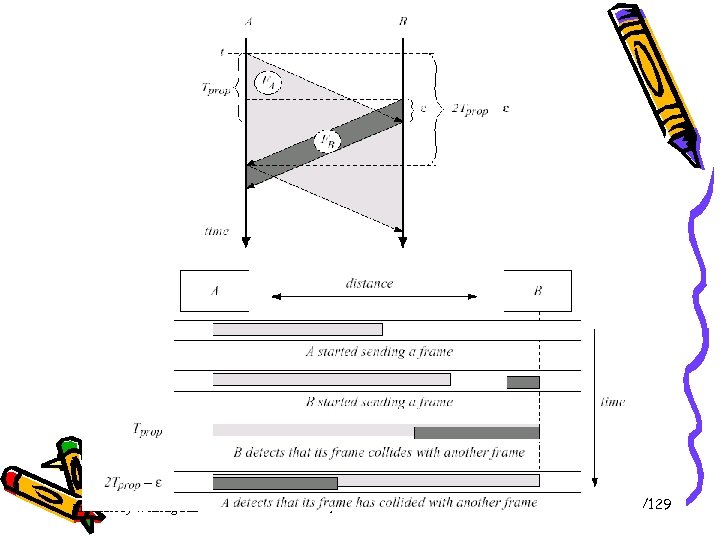 Introduct by Weifeng Sun Link layer and LANs 39/129
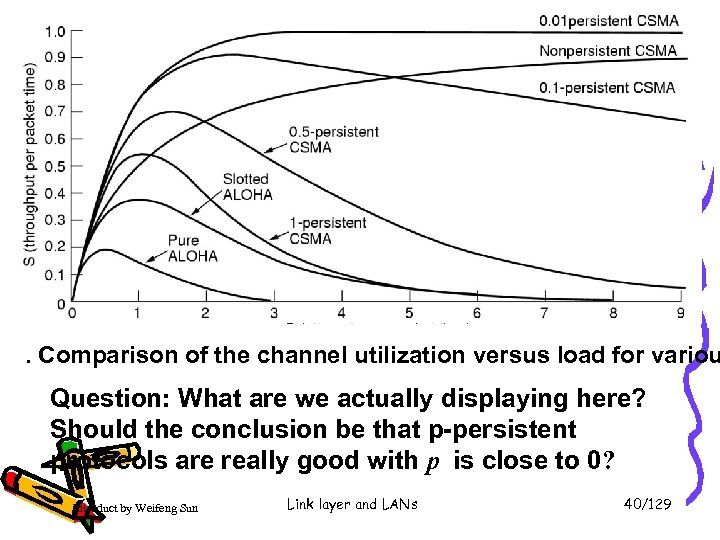 . Comparison of the channel utilization versus load for variou Question: What are we actually displaying here? Should the conclusion be that p-persistent protocols are really good with p is close to 0? Introduct by Weifeng Sun Link layer and LANs 40/129
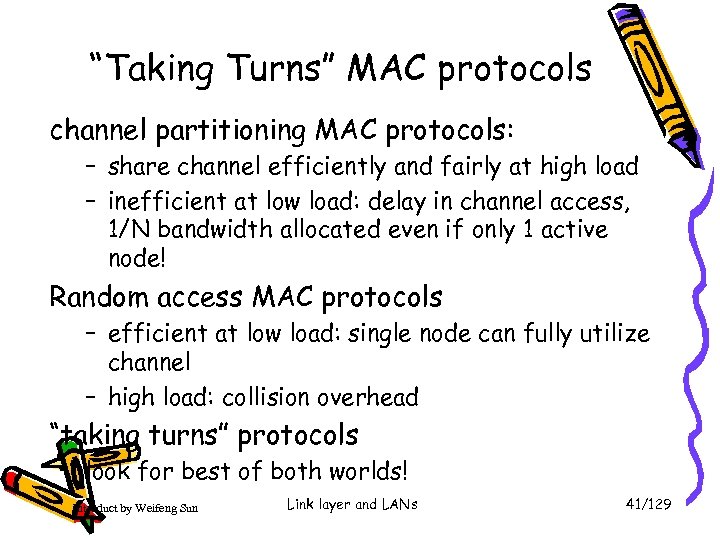 “Taking Turns” MAC protocols channel partitioning MAC protocols: – share channel efficiently and fairly at high load – inefficient at low load: delay in channel access, 1/N bandwidth allocated even if only 1 active node! Random access MAC protocols – efficient at low load: single node can fully utilize channel – high load: collision overhead “taking turns” protocols look for best of both worlds! Introduct by Weifeng Sun Link layer and LANs 41/129
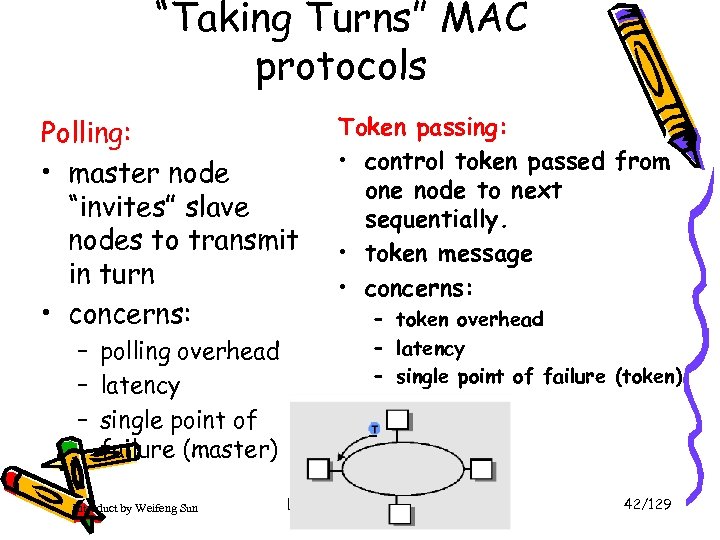 “Taking Turns” MAC protocols Polling: • master node “invites” slave nodes to transmit in turn • concerns: – polling overhead – latency – single point of failure (master) Introduct by Weifeng Sun Token passing: • control token passed from one node to next sequentially. • token message • concerns: – token overhead – latency – single point of failure (token) Link layer and LANs 42/129
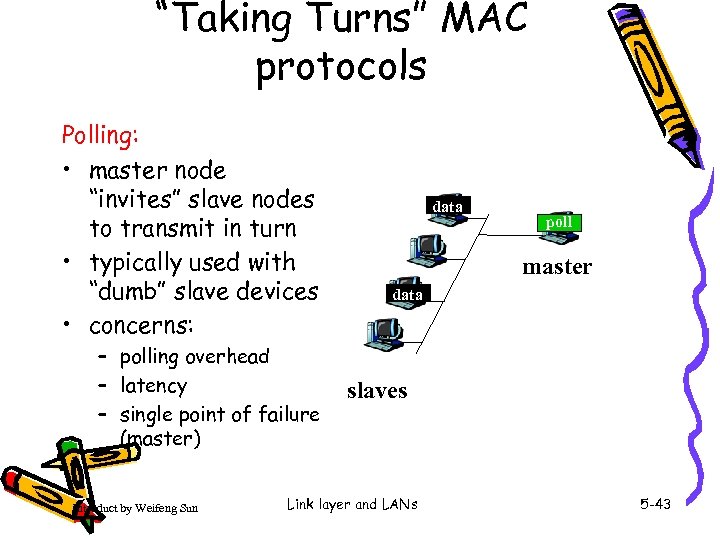 “Taking Turns” MAC protocols Polling: • master node “invites” slave nodes to transmit in turn • typically used with “dumb” slave devices • concerns: – polling overhead – latency – single point of failure (master) Introduct by Weifeng Sun data poll master data slaves Link layer and LANs 5 -43
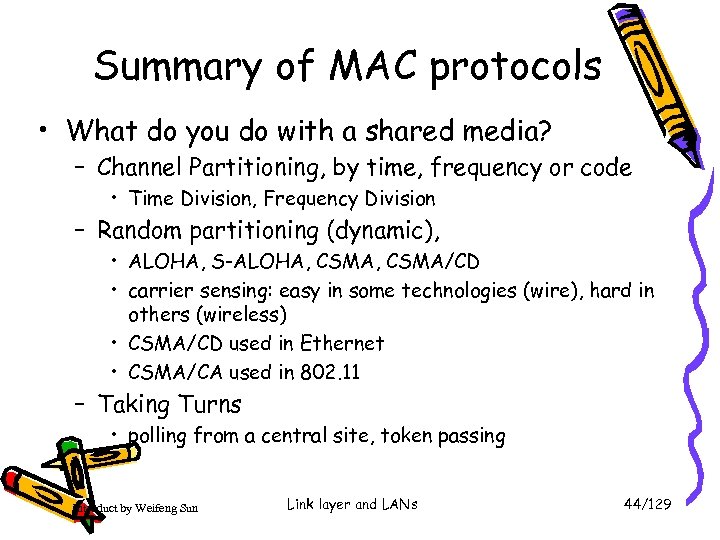 Summary of MAC protocols • What do you do with a shared media? – Channel Partitioning, by time, frequency or code • Time Division, Frequency Division – Random partitioning (dynamic), • ALOHA, S-ALOHA, CSMA/CD • carrier sensing: easy in some technologies (wire), hard in others (wireless) • CSMA/CD used in Ethernet • CSMA/CA used in 802. 11 – Taking Turns • polling from a central site, token passing Introduct by Weifeng Sun Link layer and LANs 44/129
 LAN technologies Data link layer so far: – services, error detection/correction, multiple access Next: LAN technologies – – addressing Ethernet hubs, switches PPP Introduct by Weifeng Sun Link layer and LANs 45/129
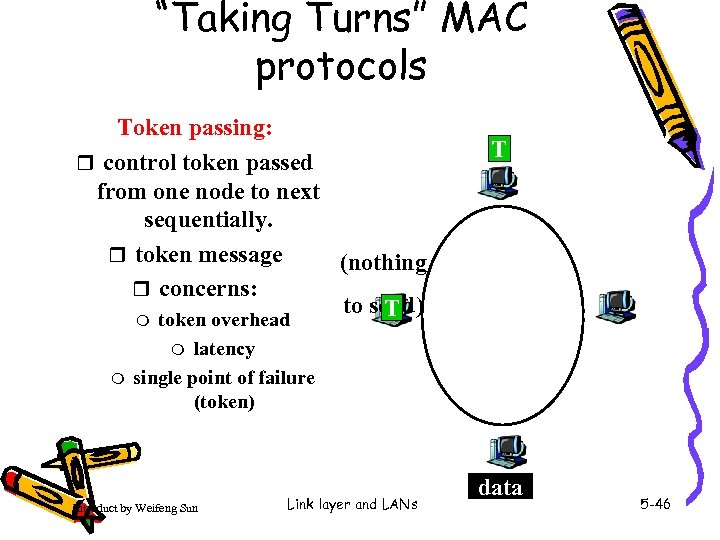 “Taking Turns” MAC protocols Token passing: r control token passed from one node to next sequentially. r token message (nothing r concerns: to send) T m token overhead T latency single point of failure (token) m m Introduct by Weifeng Sun Link layer and LANs data 5 -46
 Summary of MAC protocols • channel partitioning, by time, frequency or code – Time Division, Frequency Division • random access (dynamic), – ALOHA, S-ALOHA, CSMA/CD – carrier sensing: easy in some technologies (wire), hard in others (wireless) – CSMA/CD used in Ethernet – CSMA/CA used in 802. 11 • taking turns – polling from central site, token passing – Bluetooth, FDDI, IBM Token Ring Introduct by Weifeng Sun Link layer and LANs 5 -47
 Link Layer • 5. 1 Introduction and services • 5. 2 Error detection and correction • 5. 3 Multiple access protocols • 5. 4 Link-Layer Addressing • 5. 5 Ethernet Introduct by Weifeng Sun • 5. 6 Link-layer switches • 5. 7 PPP • 5. 8 Link Virtualization: ATM, MPLS Link layer and LANs 5 -48
 MAC Addresses and ARP • 32 -bit IP address: – network-layer address – used to get datagram to destination IP subnet • MAC (or LAN or physical or Ethernet) address: – used to get frame from one interface to another physically-connected interface (same network) – 48 bit MAC address (for most LANs) burned in the adapter ROM Introduct by Weifeng Sun Link layer and LANs 49/129
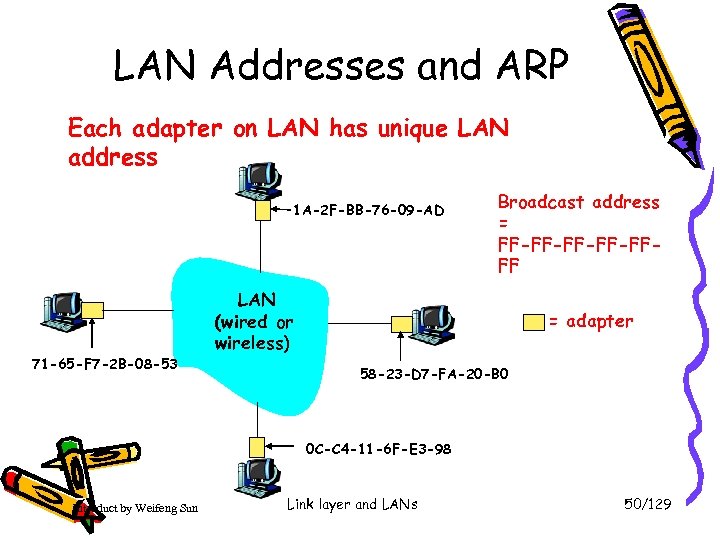 LAN Addresses and ARP Each adapter on LAN has unique LAN address 1 A-2 F-BB-76 -09 -AD 71 -65 -F 7 -2 B-08 -53 Broadcast address = FF-FF-FFFF LAN (wired or wireless) = adapter 58 -23 -D 7 -FA-20 -B 0 0 C-C 4 -11 -6 F-E 3 -98 Introduct by Weifeng Sun Link layer and LANs 50/129
 LAN Address (more) • MAC address allocation administered by IEEE • manufacturer buys portion of MAC address space (to assure uniqueness) • Analogy: (a) MAC address: like Social Security Number (b) IP address: like postal address • MAC flat address ➜ portability – can move LAN card from one LAN to another • IP hierarchical address NOT portable – depends on IP subnet to which node is attached Introduct by Weifeng Sun Link layer and LANs 51/129
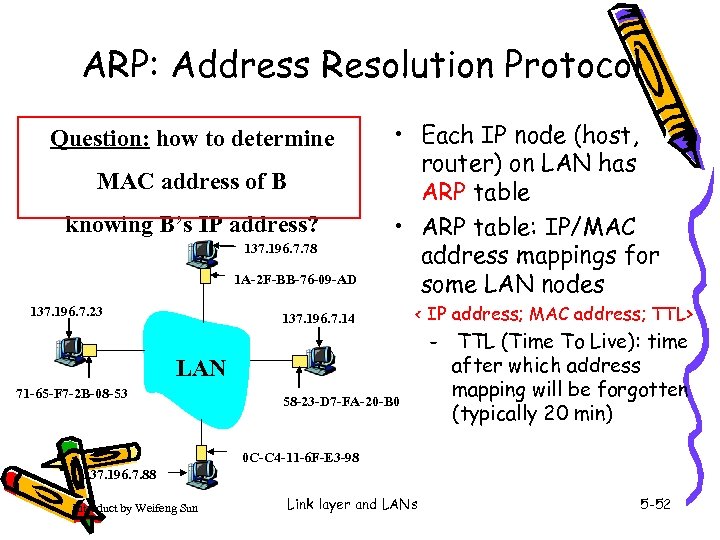 ARP: Address Resolution Protocol Question: how to determine MAC address of B knowing B’s IP address? 137. 196. 7. 78 1 A-2 F-BB-76 -09 -AD 137. 196. 7. 23 • Each IP node (host, router) on LAN has ARP table • ARP table: IP/MAC address mappings for some LAN nodes 137. 196. 7. 14 < IP address; MAC address; TTL> – LAN 71 -65 -F 7 -2 B-08 -53 58 -23 -D 7 -FA-20 -B 0 TTL (Time To Live): time after which address mapping will be forgotten (typically 20 min) 0 C-C 4 -11 -6 F-E 3 -98 137. 196. 7. 88 Introduct by Weifeng Sun Link layer and LANs 5 -52
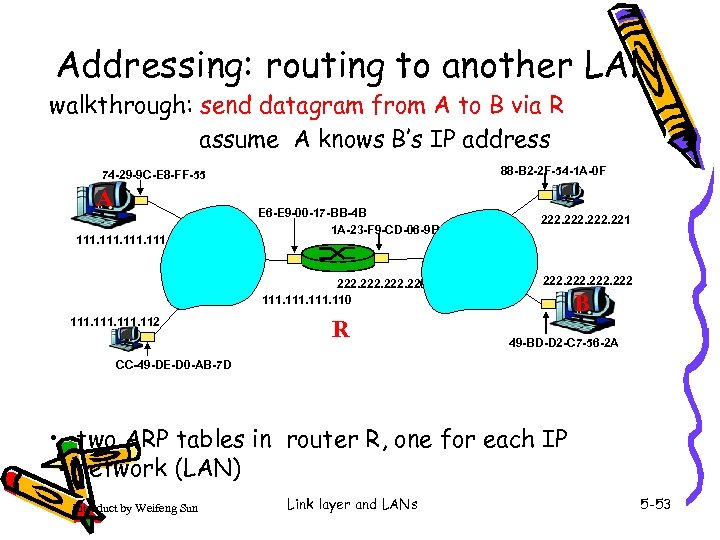 Addressing: routing to another LAN walkthrough: send datagram from A to B via R assume A knows B’s IP address 88 -B 2 -2 F-54 -1 A-0 F 74 -29 -9 C-E 8 -FF-55 A 111 E 6 -E 9 -00 -17 -BB-4 B 1 A-23 -F 9 -CD-06 -9 B 222. 220 111. 112 R 222. 221 222 B 49 -BD-D 2 -C 7 -56 -2 A CC-49 -DE-D 0 -AB-7 D • two ARP tables in router R, one for each IP network (LAN) Introduct by Weifeng Sun Link layer and LANs 5 -53
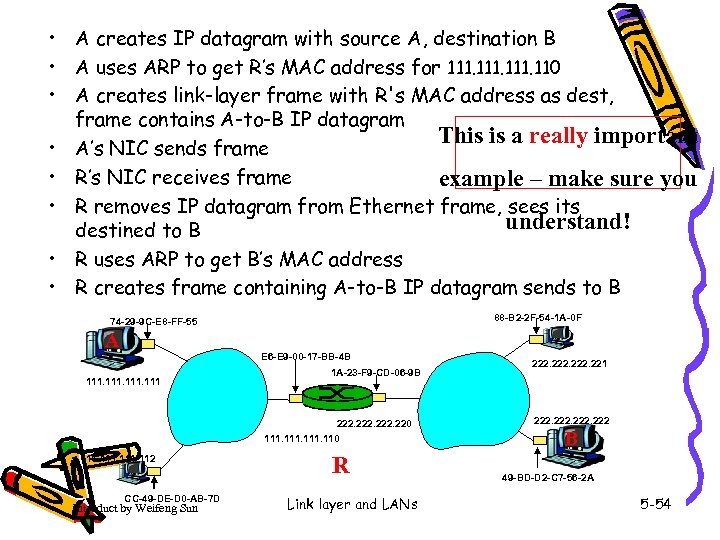 • A creates IP datagram with source A, destination B • A uses ARP to get R’s MAC address for 111. 110 • A creates link-layer frame with R's MAC address as dest, frame contains A-to-B IP datagram This is a really important • A’s NIC sends frame • R’s NIC receives frame example – make sure you • R removes IP datagram from Ethernet frame, sees its understand! destined to B • R uses ARP to get B’s MAC address • R creates frame containing A-to-B IP datagram sends to B 88 -B 2 -2 F-54 -1 A-0 F 74 -29 -9 C-E 8 -FF-55 A E 6 -E 9 -00 -17 -BB-4 B 111 1 A-23 -F 9 -CD-06 -9 B 222. 220 111. 112 CC-49 -DE-D 0 -AB-7 D Introduct by Weifeng Sun R Link layer and LANs 222. 221 222 B 49 -BD-D 2 -C 7 -56 -2 A 5 -54
 Link Layer • 5. 1 Introduction and services • 5. 2 Error detection and correction • 5. 3 Multiple access protocols • 5. 4 Link-Layer Addressing • 5. 5 Ethernet Introduct by Weifeng Sun • 5. 6 Link-layer switches • 5. 7 PPP* • 5. 8 Link Virtualization: ATM and MPLS Link layer and LANs 5 -55
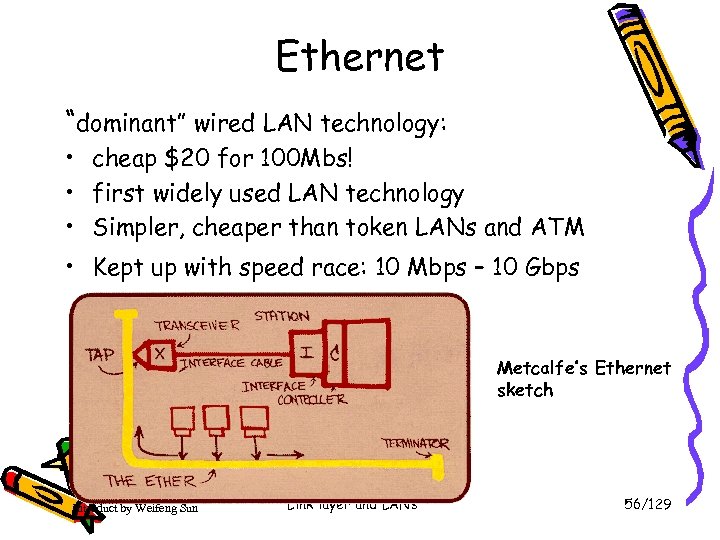 Ethernet “dominant” wired LAN technology: • cheap $20 for 100 Mbs! • first widely used LAN technology • Simpler, cheaper than token LANs and ATM • Kept up with speed race: 10 Mbps – 10 Gbps Metcalfe’s Ethernet sketch Introduct by Weifeng Sun Link layer and LANs 56/129
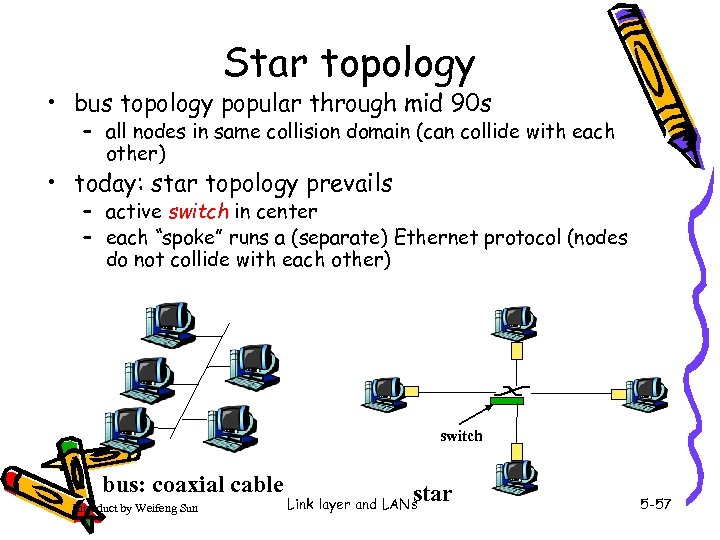 Star topology • bus topology popular through mid 90 s – all nodes in same collision domain (can collide with each other) • today: star topology prevails – active switch in center – each “spoke” runs a (separate) Ethernet protocol (nodes do not collide with each other) switch bus: coaxial cable Introduct by Weifeng Sun star Link layer and LANs 5 -57
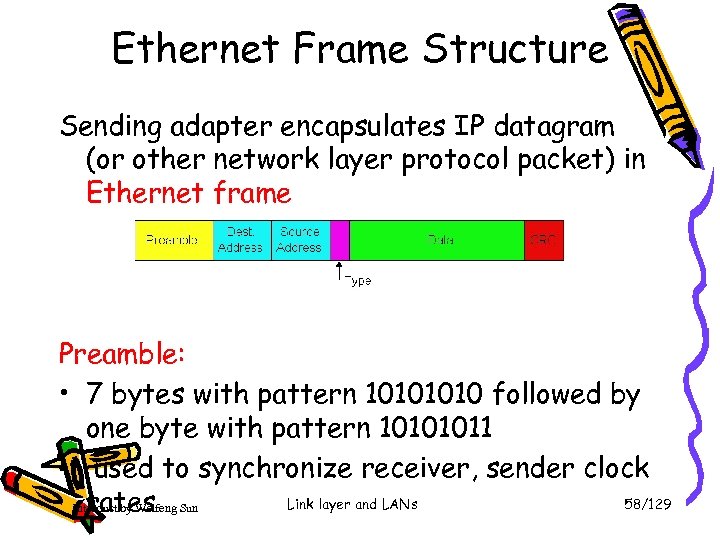 Ethernet Frame Structure Sending adapter encapsulates IP datagram (or other network layer protocol packet) in Ethernet frame Preamble: • 7 bytes with pattern 1010 followed by one byte with pattern 10101011 • used to synchronize receiver, sender clock Link layer and LANs 58/129 rates Introduct by Weifeng Sun
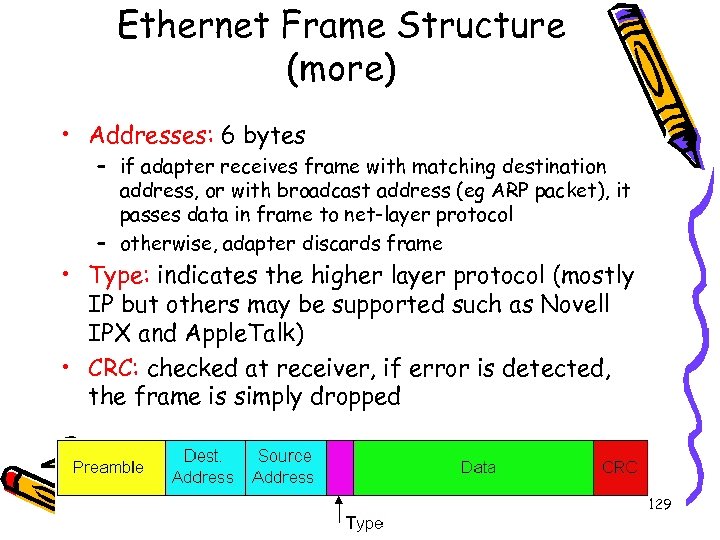 Ethernet Frame Structure (more) • Addresses: 6 bytes – if adapter receives frame with matching destination address, or with broadcast address (eg ARP packet), it passes data in frame to net-layer protocol – otherwise, adapter discards frame • Type: indicates the higher layer protocol (mostly IP but others may be supported such as Novell IPX and Apple. Talk) • CRC: checked at receiver, if error is detected, the frame is simply dropped Introduct by Weifeng Sun Link layer and LANs 59/129
 Unreliable, connectionless service • Connectionless: No handshaking between sending and receiving adapter. • Unreliable: receiving adapter doesn’t send ACKs or NAKs to sending adapter Introduct by Weifeng Sun Link layer and LANs 60/129
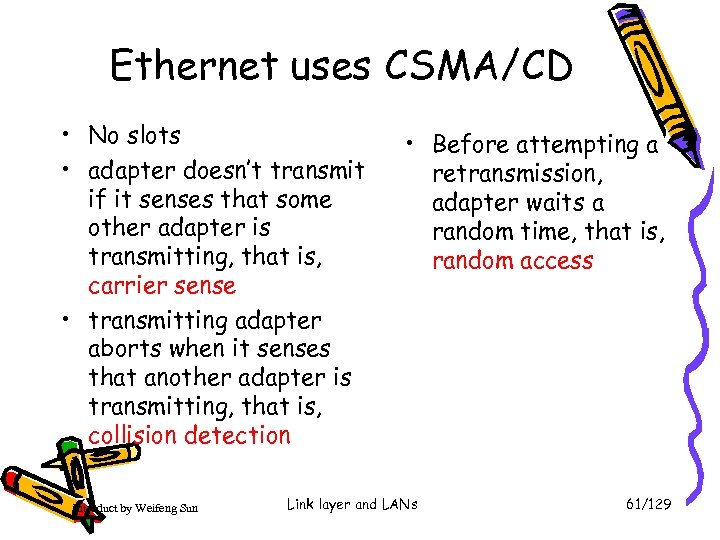 Ethernet uses CSMA/CD • No slots • adapter doesn’t transmit if it senses that some other adapter is transmitting, that is, carrier sense • transmitting adapter aborts when it senses that another adapter is transmitting, that is, collision detection Introduct by Weifeng Sun • Before attempting a retransmission, adapter waits a random time, that is, random access Link layer and LANs 61/129
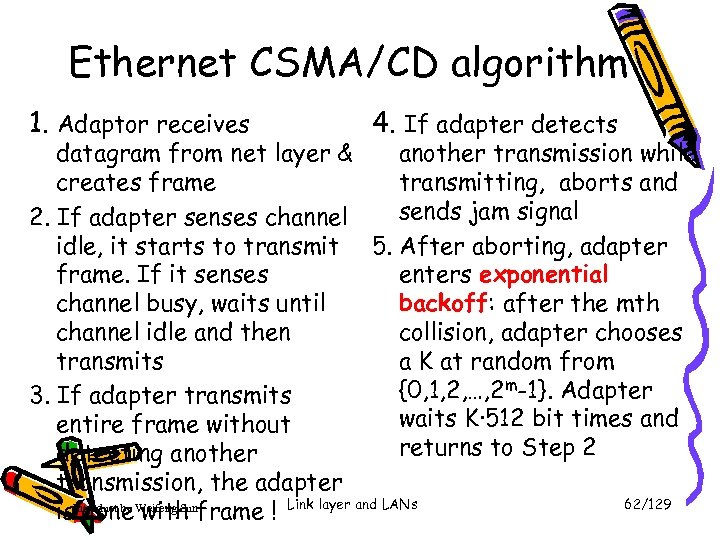 Ethernet CSMA/CD algorithm 1. Adaptor receives 4. If adapter detects datagram from net layer & another transmission while creates frame transmitting, aborts and sends jam signal 2. If adapter senses channel idle, it starts to transmit 5. After aborting, adapter frame. If it senses enters exponential channel busy, waits until backoff: after the mth channel idle and then collision, adapter chooses transmits a K at random from {0, 1, 2, …, 2 m-1}. Adapter 3. If adapter transmits waits K·512 bit times and entire frame without returns to Step 2 detecting another transmission, the adapter 62/129 is. Introduct by Weifeng Sunframe ! Link layer and LANs done with
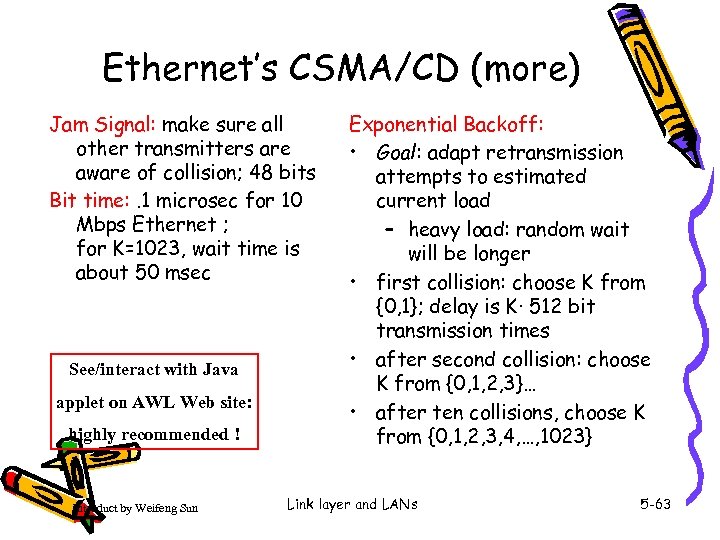 Ethernet’s CSMA/CD (more) Jam Signal: make sure all other transmitters are aware of collision; 48 bits Bit time: . 1 microsec for 10 Mbps Ethernet ; for K=1023, wait time is about 50 msec See/interact with Java applet on AWL Web site: highly recommended ! Introduct by Weifeng Sun Exponential Backoff: • Goal: adapt retransmission attempts to estimated current load – heavy load: random wait will be longer • first collision: choose K from {0, 1}; delay is K· 512 bit transmission times • after second collision: choose K from {0, 1, 2, 3}… • after ten collisions, choose K from {0, 1, 2, 3, 4, …, 1023} Link layer and LANs 5 -63
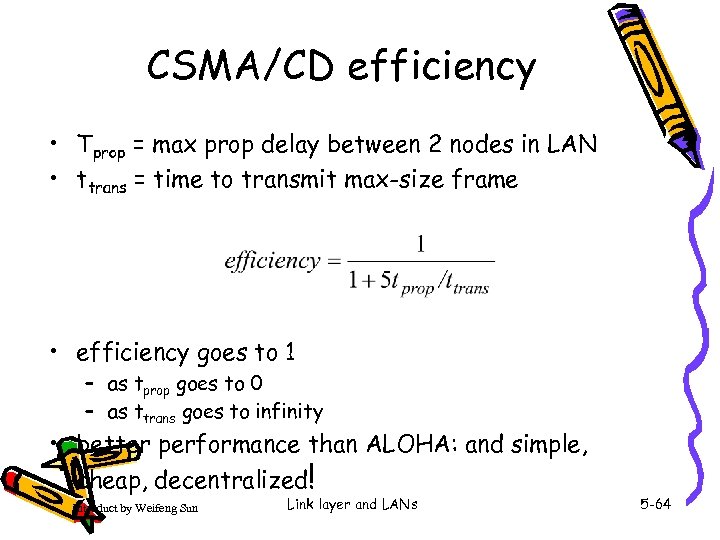 CSMA/CD efficiency • Tprop = max prop delay between 2 nodes in LAN • ttrans = time to transmit max-size frame • efficiency goes to 1 – as tprop goes to 0 – as ttrans goes to infinity • better performance than ALOHA: and simple, cheap, decentralized! Introduct by Weifeng Sun Link layer and LANs 5 -64
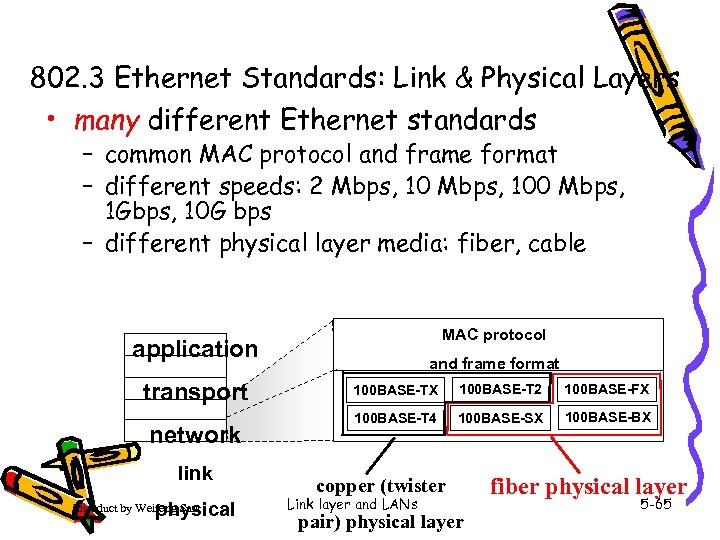 802. 3 Ethernet Standards: Link & Physical Layers • many different Ethernet standards – common MAC protocol and frame format – different speeds: 2 Mbps, 100 Mbps, 1 Gbps, 10 G bps – different physical layer media: fiber, cable MAC protocol application transport network link physical Introduct by Weifeng Sun and frame format 100 BASE-TX 100 BASE-T 2 100 BASE-FX 100 BASE-T 4 100 BASE-SX 100 BASE-BX copper (twister Link layer and LANs pair) physical layer fiber physical layer 5 -65
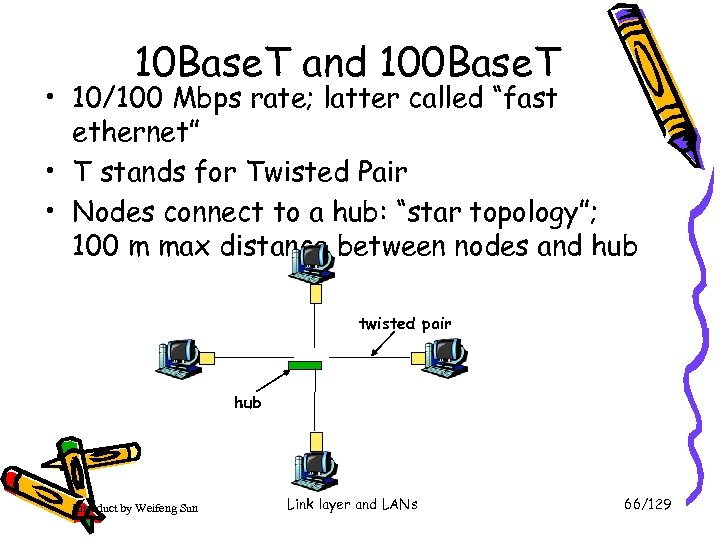 10 Base. T and 100 Base. T • 10/100 Mbps rate; latter called “fast ethernet” • T stands for Twisted Pair • Nodes connect to a hub: “star topology”; 100 m max distance between nodes and hub twisted pair hub Introduct by Weifeng Sun Link layer and LANs 66/129
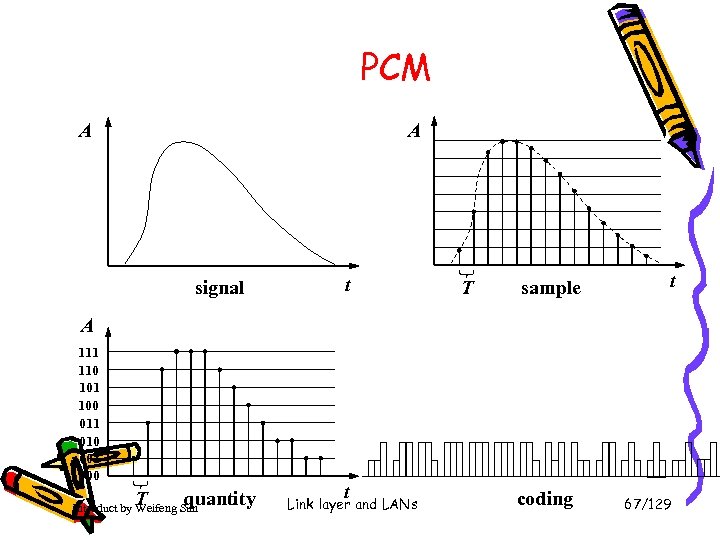 PCM A A signal t T sample t A 111 110 101 100 011 010 001 000 T quantity Introduct by Weifeng Sun t Link layer and LANs coding 67/129
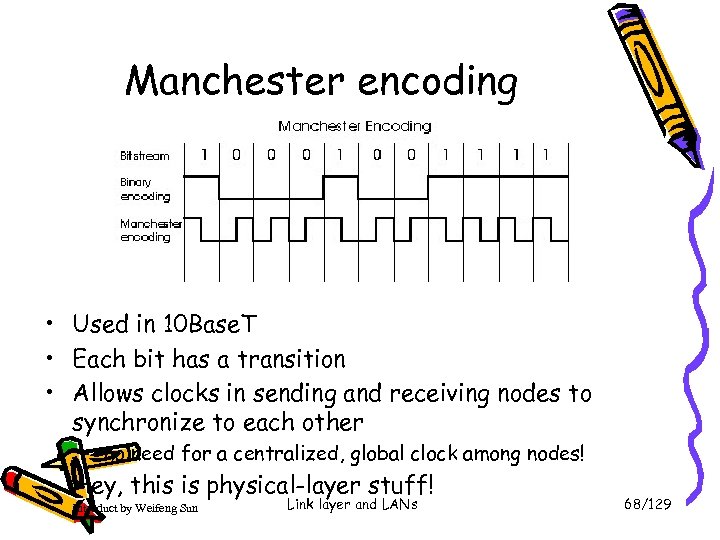 Manchester encoding • Used in 10 Base. T • Each bit has a transition • Allows clocks in sending and receiving nodes to synchronize to each other – no need for a centralized, global clock among nodes! • Hey, this is physical-layer stuff! Introduct by Weifeng Sun Link layer and LANs 68/129
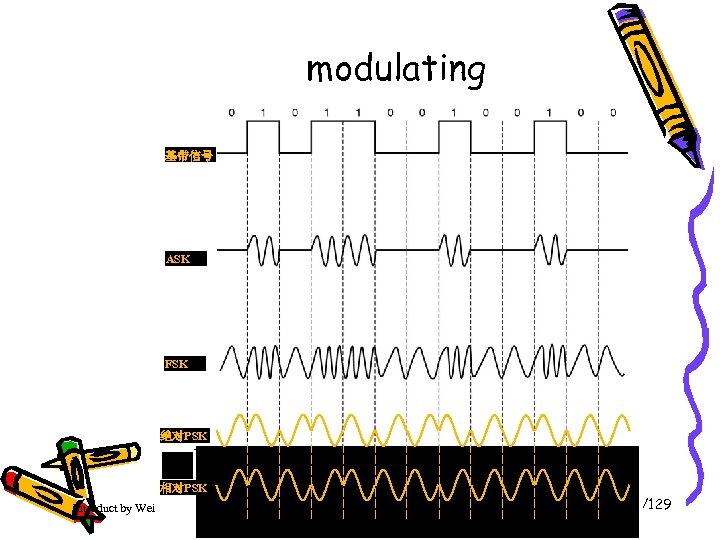 modulating 基带信号 ASK FSK 绝对PSK 相对PSK Introduct by Weifeng Sun Link layer and LANs 69/129
 Gbit Ethernet • uses standard Ethernet frame format • allows for point-to-point links and shared broadcast channels • in shared mode, CSMA/CD is used; short distances between nodes required for efficiency • uses hubs, called here “Buffered Distributors” • Full-Duplex at 1 Gbps for point-to-point links 70/129 • Introduct by Weifeng Sunnow ! Link layer and LANs 10 Gbps
 Link Layer • 5. 1 Introduction and services • 5. 2 Error detection and correction • 5. 3 Multiple access protocols • 5. 4 Link-layer Addressing • 5. 5 Ethernet Introduct by Weifeng Sun • 5. 6 Link-layer switches • 5. 7 PPP • 5. 8 Link Virtualization: ATM, MPLS Link layer and LANs 5 -71
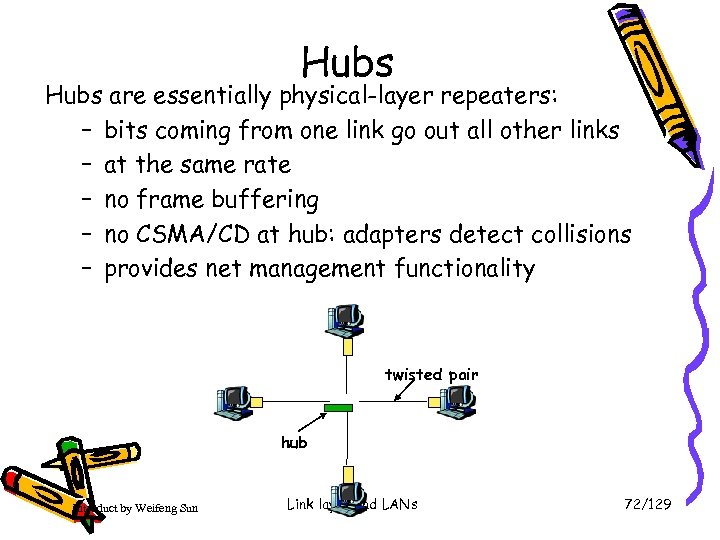 Hubs are essentially physical-layer repeaters: – bits coming from one link go out all other links – at the same rate – no frame buffering – no CSMA/CD at hub: adapters detect collisions – provides net management functionality twisted pair hub Introduct by Weifeng Sun Link layer and LANs 72/129
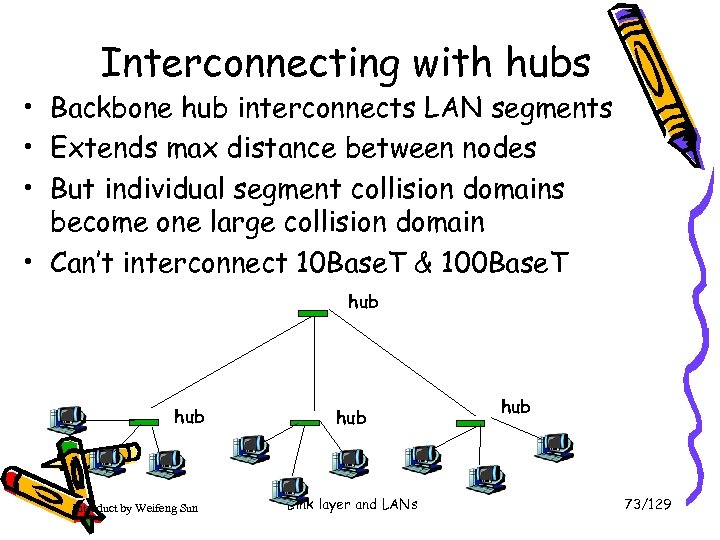 Interconnecting with hubs • Backbone hub interconnects LAN segments • Extends max distance between nodes • But individual segment collision domains become one large collision domain • Can’t interconnect 10 Base. T & 100 Base. T hub Introduct by Weifeng Sun hub Link layer and LANs hub 73/129
 Switch • link-layer device: smarter than hubs, take active role – store, forward Ethernet frames – examine incoming frame’s MAC address, selectively forward frame to one-or-more outgoing links when frame is to be forwarded on segment, uses CSMA/CD to access segment • transparent – hosts are unaware of presence of switches • plug-and-play, self-learning – switches do not need to be configured Introduct by Weifeng Sun Link layer and LANs 5 -74
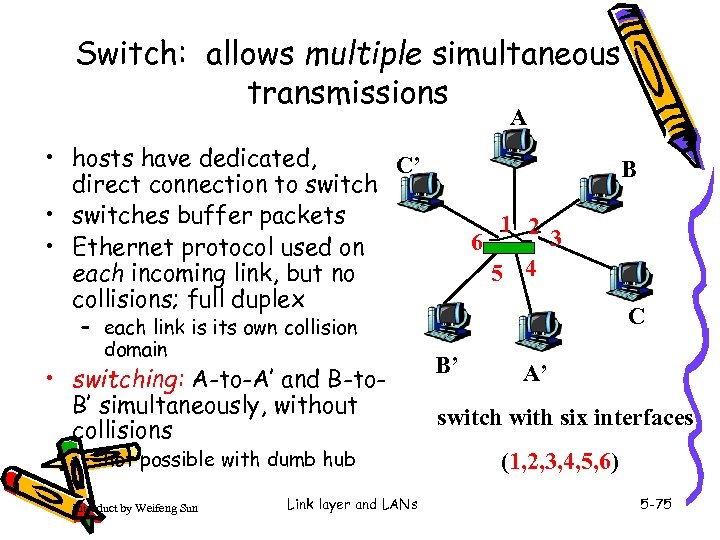 Switch: allows multiple simultaneous transmissions A • hosts have dedicated, C’ direct connection to switch • switches buffer packets • Ethernet protocol used on each incoming link, but no collisions; full duplex – each link is its own collision domain • switching: A-to-A’ and B-to. B’ simultaneously, without collisions – not possible with dumb hub Introduct by Weifeng Sun Link layer and LANs B 1 2 3 6 5 4 C B’ A’ switch with six interfaces (1, 2, 3, 4, 5, 6) 5 -75
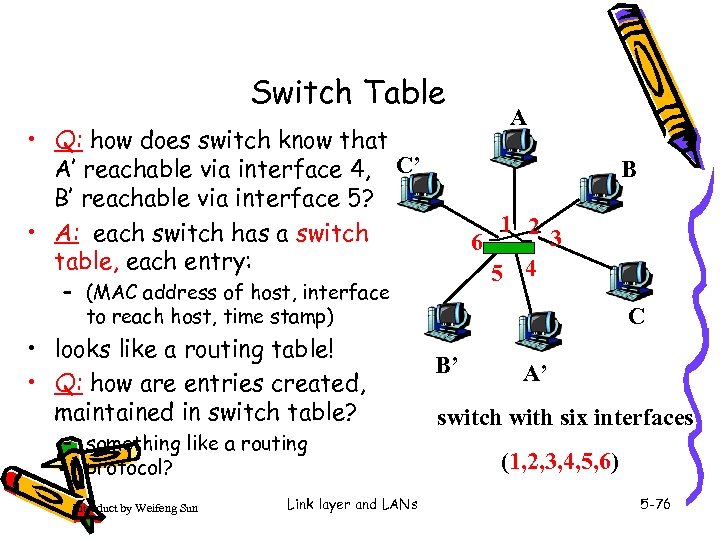 Switch Table • Q: how does switch know that A’ reachable via interface 4, C’ B’ reachable via interface 5? • A: each switch has a switch table, each entry: B 1 2 3 6 5 4 – (MAC address of host, interface to reach host, time stamp) • looks like a routing table! • Q: how are entries created, maintained in switch table? – something like a routing protocol? Introduct by Weifeng Sun Link layer and LANs A C B’ A’ switch with six interfaces (1, 2, 3, 4, 5, 6) 5 -76
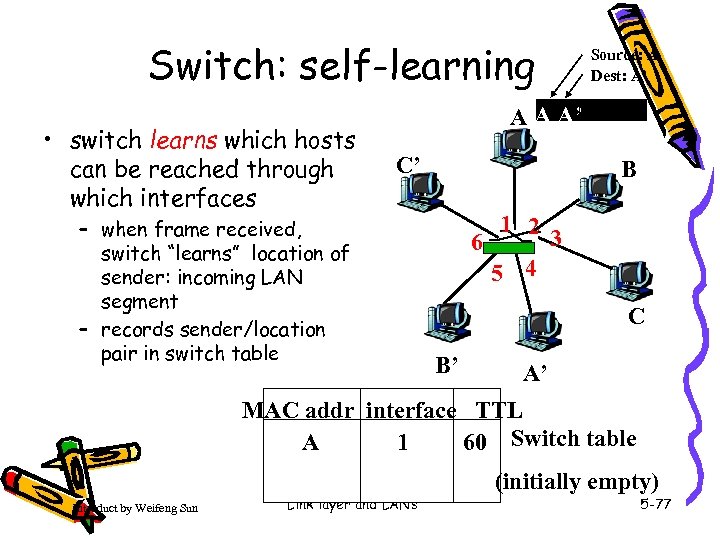 Switch: self-learning • switch learns which hosts can be reached through which interfaces Source: A Dest: A’ A A A’ C’ – when frame received, switch “learns” location of sender: incoming LAN segment – records sender/location pair in switch table B 1 2 3 6 5 4 C B’ A’ MAC addr interface TTL 60 Switch table 1 A Introduct by Weifeng Sun Link layer and LANs (initially empty) 5 -77
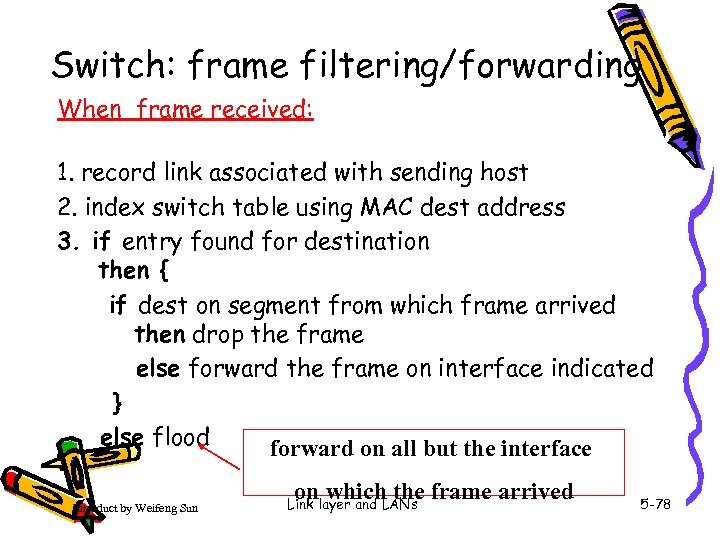 Switch: frame filtering/forwarding When frame received: 1. record link associated with sending host 2. index switch table using MAC dest address 3. if entry found for destination then { if dest on segment from which frame arrived then drop the frame else forward the frame on interface indicated } else flood forward on all but the interface Introduct by Weifeng Sun on which the frame arrived Link layer and LANs 5 -78
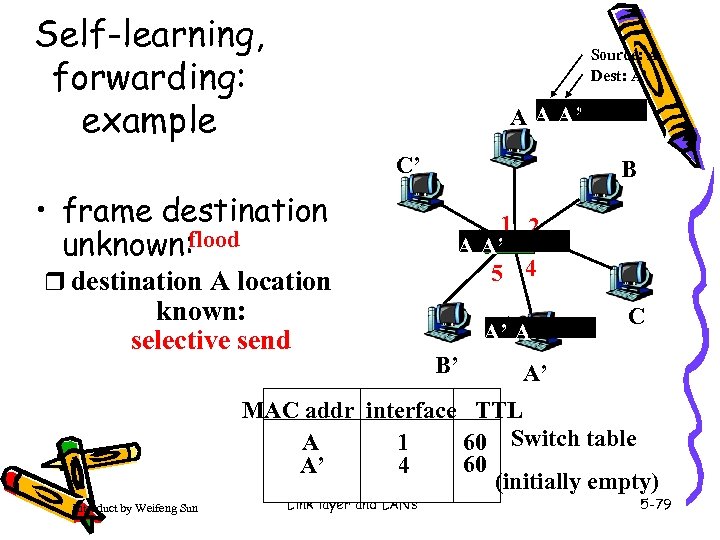 Self-learning, forwarding: example Source: A Dest: A’ A A A’ C’ • frame destination unknown: flood r destination A location known: selective send B 1 2 3 A 6 A’ 5 4 A’ A B’ C A’ MAC addr interface TTL 60 Switch table 1 A 60 4 A’ (initially empty) Introduct by Weifeng Sun Link layer and LANs 5 -79
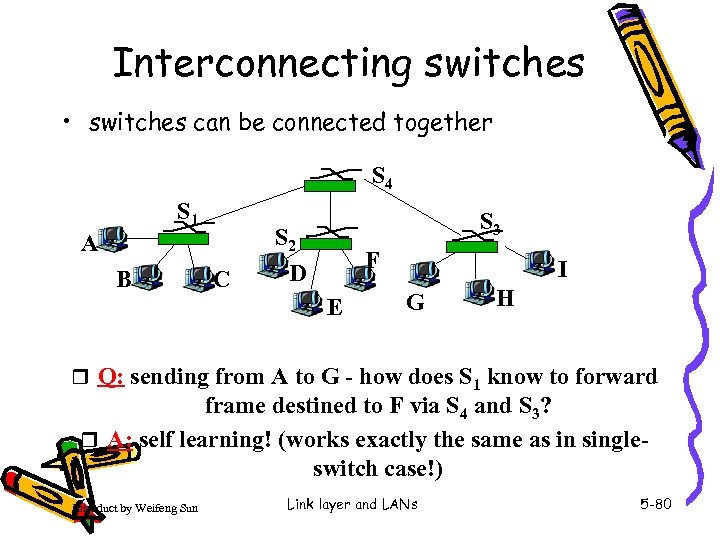 Interconnecting switches • switches can be connected together S 4 S 1 A B C S 3 S 2 D F E I G H r Q: sending from A to G - how does S 1 know to forward frame destined to F via S 4 and S 3? r A: self learning! (works exactly the same as in singleswitch case!) Introduct by Weifeng Sun Link layer and LANs 5 -80
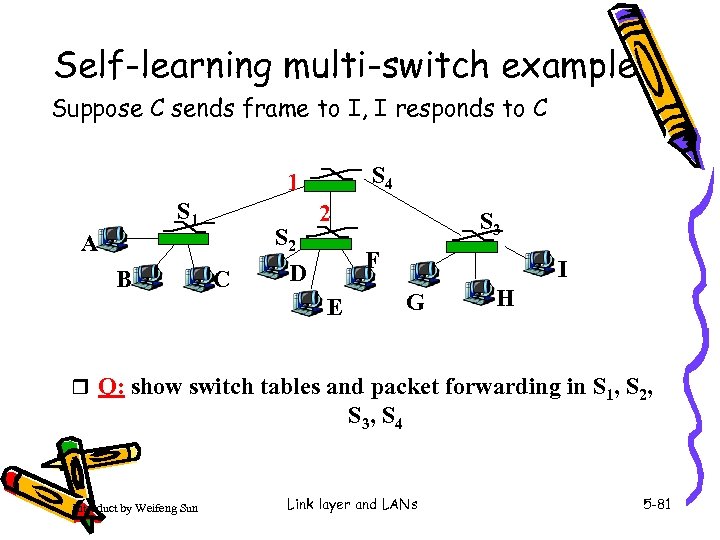 Self-learning multi-switch example Suppose C sends frame to I, I responds to C S 4 1 S 1 A B C S 2 D 2 S 3 F I G E H r Q: show switch tables and packet forwarding in S 1, S 2, S 3, S 4 Introduct by Weifeng Sun Link layer and LANs 5 -81
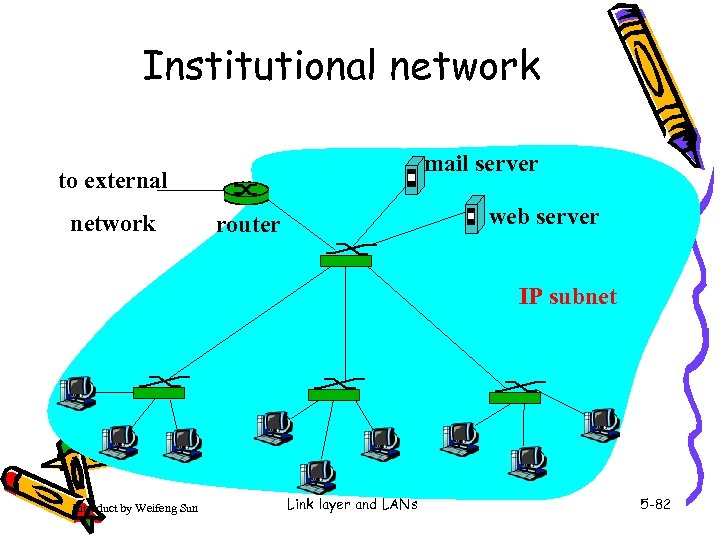 Institutional network mail server to external network web server router IP subnet Introduct by Weifeng Sun Link layer and LANs 5 -82
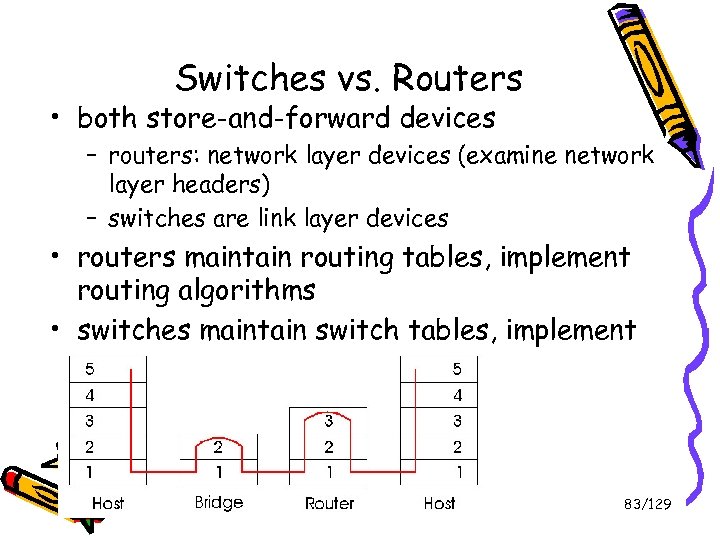 Switches vs. Routers • both store-and-forward devices – routers: network layer devices (examine network layer headers) – switches are link layer devices • routers maintain routing tables, implement routing algorithms • switches maintain switch tables, implement filtering, learning algorithms Introduct by Weifeng Sun Link layer and LANs 83/129
 Summary comparison Introduct by Weifeng Sun Link layer and LANs 84/129
 Link Layer • 5. 1 Introduction and services • 5. 2 Error detection and correction • 5. 3 Multiple access protocols • 5. 4 Link-Layer Addressing • 5. 5 Ethernet Introduct by Weifeng Sun • 5. 6 Hubs and switches • 5. 7 PPP* • 5. 8 Link Virtualization: ATM Link layer and LANs 5 -85
 Point to Point Data Link Control • one sender, one receiver, one link: easier than broadcast link: – no Media Access Control – no need for explicit MAC addressing – e. g. , dialup link, ISDN line • popular point-to-point DLC protocols: – PPP (point-to-point protocol) – HDLC: High level data link control (Data link used to be considered “high layer” in protocol stack! Introduct by Weifeng Sun Link layer and LANs 5 -86
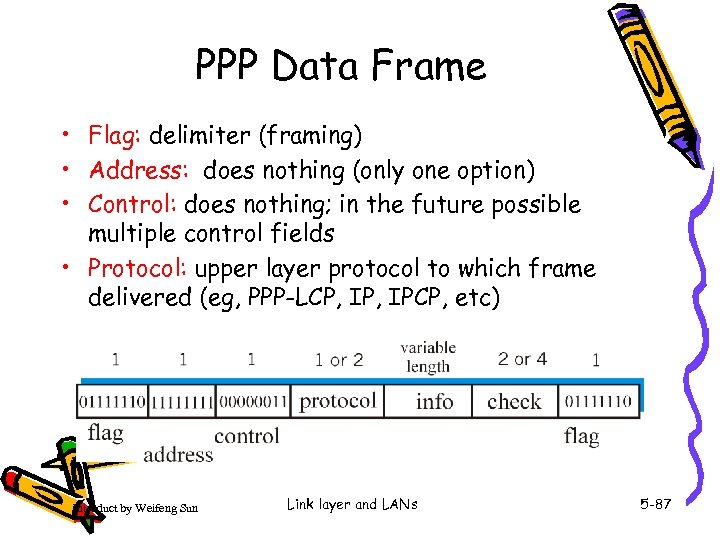 PPP Data Frame • Flag: delimiter (framing) • Address: does nothing (only one option) • Control: does nothing; in the future possible multiple control fields • Protocol: upper layer protocol to which frame delivered (eg, PPP-LCP, IPCP, etc) Introduct by Weifeng Sun Link layer and LANs 5 -87
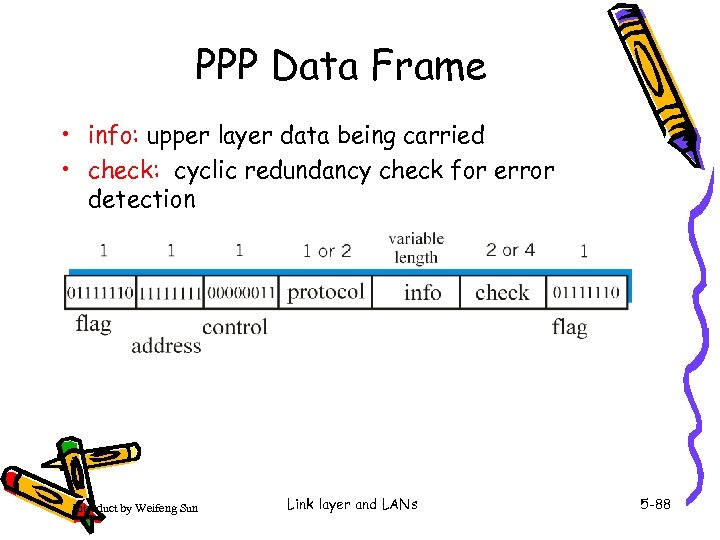 PPP Data Frame • info: upper layer data being carried • check: cyclic redundancy check for error detection Introduct by Weifeng Sun Link layer and LANs 5 -88
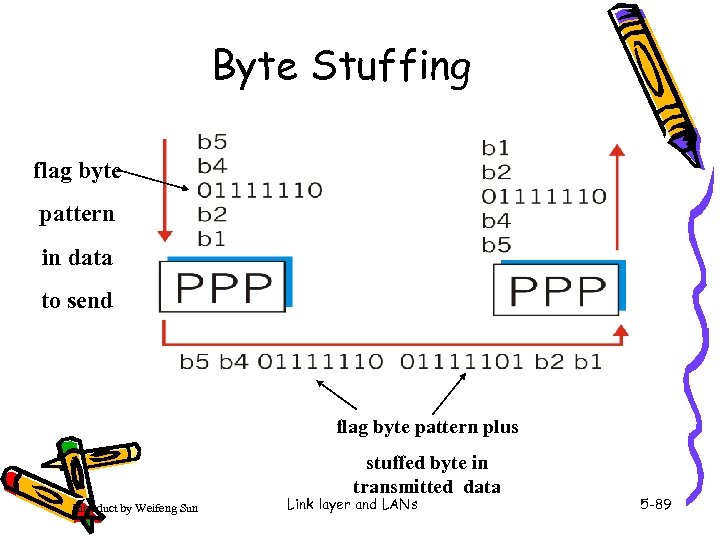 Byte Stuffing flag byte pattern in data to send flag byte pattern plus stuffed byte in transmitted data Introduct by Weifeng Sun Link layer and LANs 5 -89
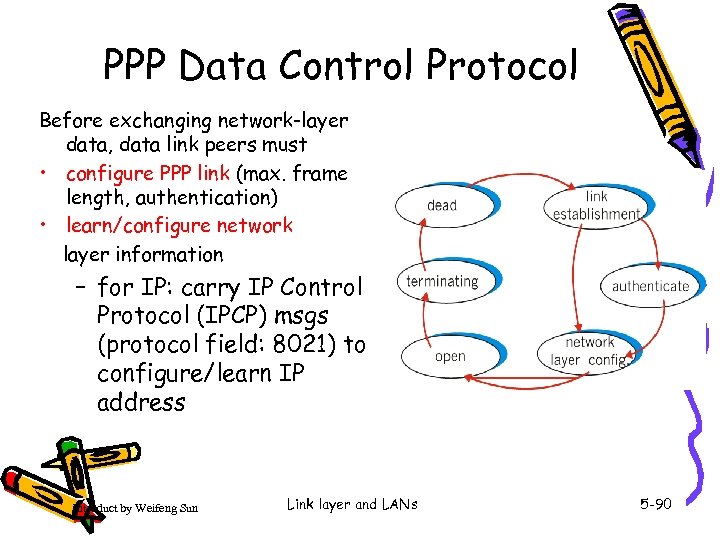 PPP Data Control Protocol Before exchanging network-layer data, data link peers must • configure PPP link (max. frame length, authentication) • learn/configure network layer information – for IP: carry IP Control Protocol (IPCP) msgs (protocol field: 8021) to configure/learn IP address Introduct by Weifeng Sun Link layer and LANs 5 -90
 Link Layer • 5. 1 Introduction and services • 5. 2 Error detection and correction • 5. 3 Multiple access protocols • 5. 4 Link-Layer Addressing • 5. 5 Ethernet Introduct by Weifeng Sun • 5. 6 Hubs and switches • 5. 7 PPP • 5. 8 Link Virtualization: ATM and MPLS* Link layer and LANs 5 -91
 Virtualization of networks Virtualization of resources: powerful abstraction in systems engineering: • computing examples: virtual memory, virtual devices – Virtual machines: e. g. , java – IBM VM os from 1960’s/70’s • layering of abstractions: don’t sweat the details of the lower layer, only deal with lower layers abstractly Introduct by Weifeng Sun Link layer and LANs 5 -92
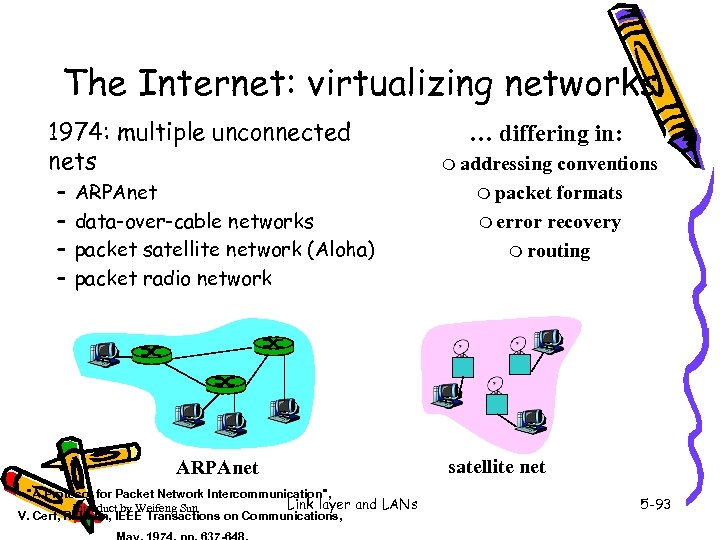 The Internet: virtualizing networks 1974: multiple unconnected nets – – ARPAnet data-over-cable networks packet satellite network (Aloha) packet radio network ARPAnet "A Protocol for Packet Network Intercommunication", Link layer and LANs Introduct by Weifeng Sun V. Cerf, R. Kahn, IEEE Transactions on Communications, … differing in: m addressing conventions m packet formats m error recovery m routing satellite net 5 -93
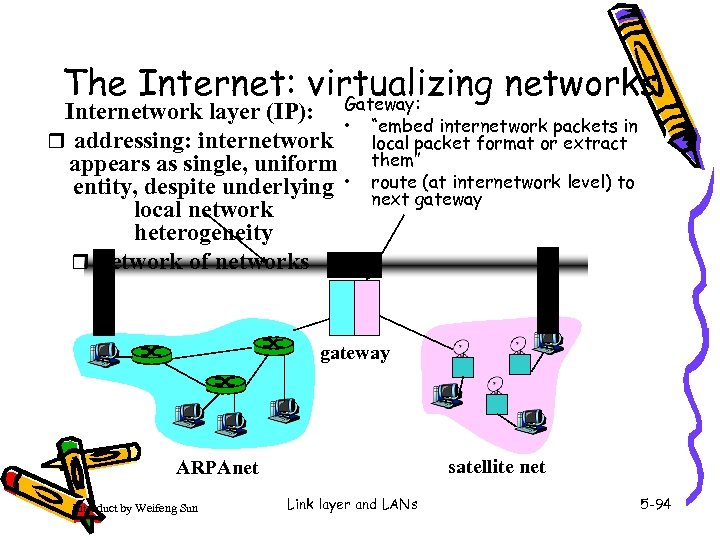 The Internet: virtualizing networks Gateway: Internetwork layer (IP): • r addressing: internetwork appears as single, uniform entity, despite underlying • local network heterogeneity r network of networks “embed internetwork packets in local packet format or extract them” route (at internetwork level) to next gateway satellite net ARPAnet Introduct by Weifeng Sun Link layer and LANs 5 -94
 Cerf & Kahn’s Internetwork Architecture What is virtualized? • two layers of addressing: internetwork and local network • new layer (IP) makes everything homogeneous at internetwork layer • underlying local network technology – – cable satellite 56 K telephone modem today: ATM, MPLS … “invisible” at internetwork layer. Looks like a link layer technology to IP! Introduct by Weifeng Sun Link layer and LANs 5 -95
 ATM and MPLS • ATM, MPLS separate networks in their own right – different service models, addressing, routing from Internet • viewed by Internet as logical link connecting IP routers – just like dialup link is really part of separate network (telephone network) • ATM, MPLS: of technical interest in their own right Introduct by Weifeng Sun Link layer and LANs 5 -96
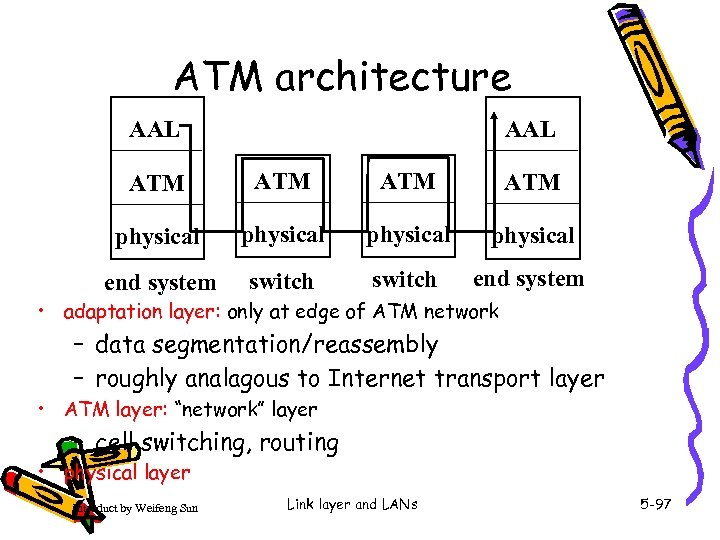 ATM architecture AAL ATM ATM physical end system switch end system • adaptation layer: only at edge of ATM network – data segmentation/reassembly – roughly analagous to Internet transport layer • ATM layer: “network” layer – cell switching, routing • physical layer Introduct by Weifeng Sun Link layer and LANs 5 -97
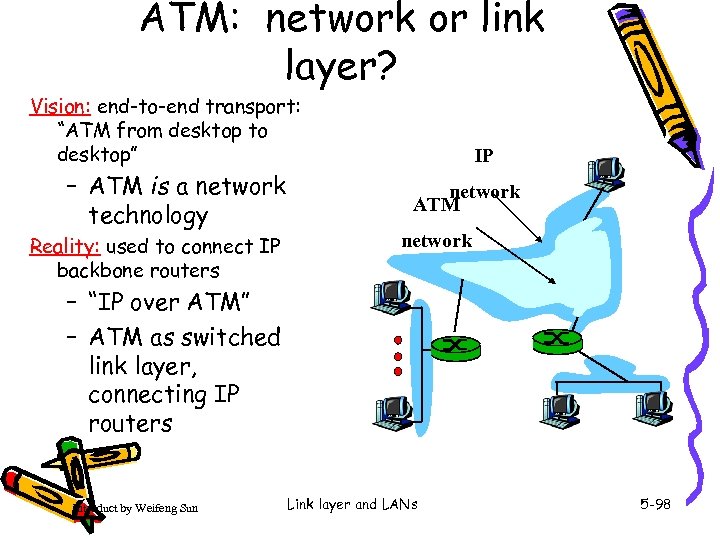 ATM: network or link layer? Vision: end-to-end transport: “ATM from desktop to desktop” – ATM is a network technology Reality: used to connect IP backbone routers IP network ATM network – “IP over ATM” – ATM as switched link layer, connecting IP routers Introduct by Weifeng Sun Link layer and LANs 5 -98
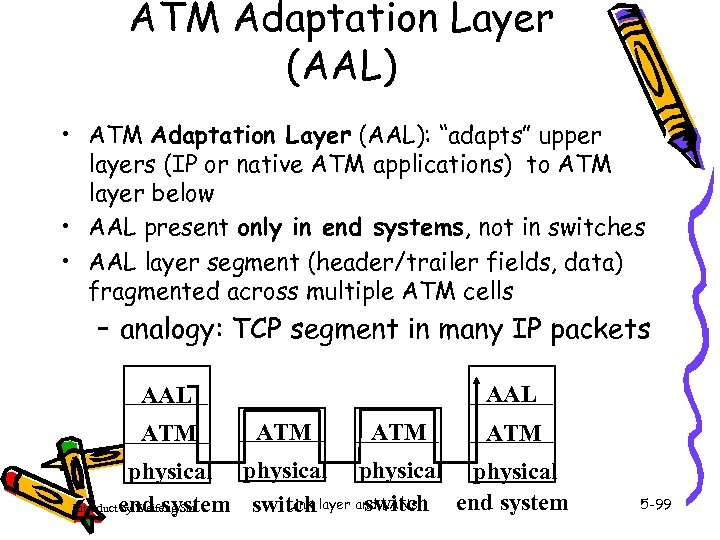 ATM Adaptation Layer (AAL) • ATM Adaptation Layer (AAL): “adapts” upper layers (IP or native ATM applications) to ATM layer below • AAL present only in end systems, not in switches • AAL layer segment (header/trailer fields, data) fragmented across multiple ATM cells – analogy: TCP segment in many IP packets AAL ATM ATM physical Link switch end system switch layer and LANs Introduct end system by Weifeng Sun 5 -99
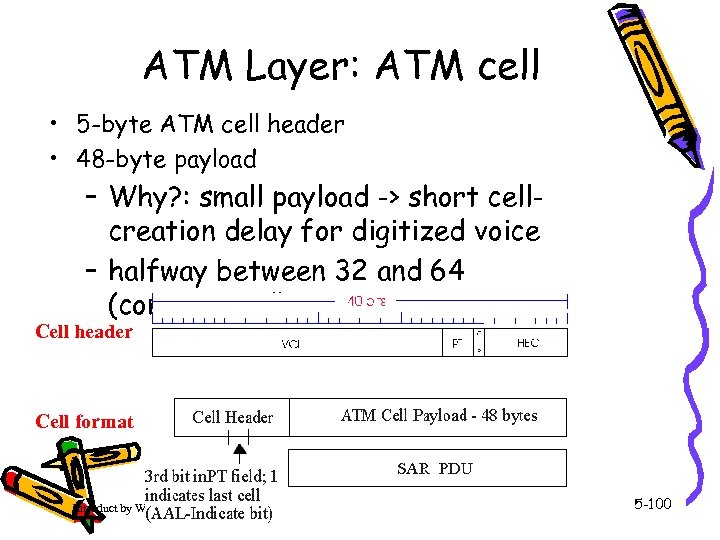 ATM Layer: ATM cell • 5 -byte ATM cell header • 48 -byte payload – Why? : small payload -> short cellcreation delay for digitized voice – halfway between 32 and 64 (compromise!) Cell header Cell format Introduct by Weifeng Sun Link layer and LANs 5 -100
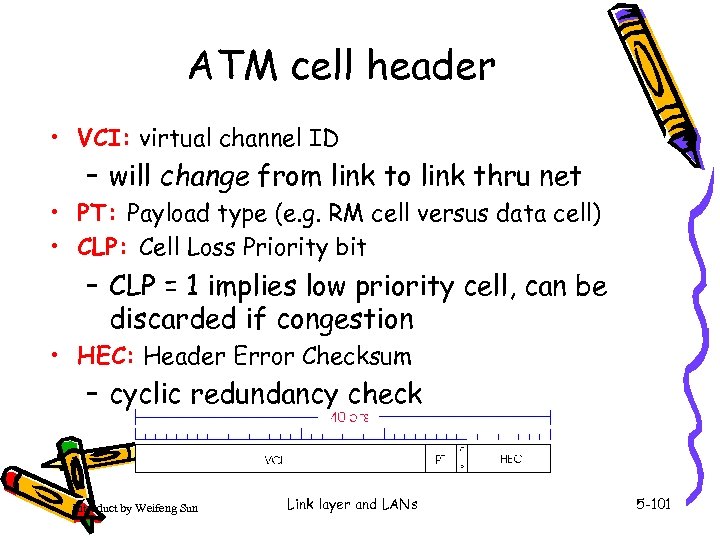 ATM cell header • VCI: virtual channel ID – will change from link to link thru net • PT: Payload type (e. g. RM cell versus data cell) • CLP: Cell Loss Priority bit – CLP = 1 implies low priority cell, can be discarded if congestion • HEC: Header Error Checksum – cyclic redundancy check Introduct by Weifeng Sun Link layer and LANs 5 -101
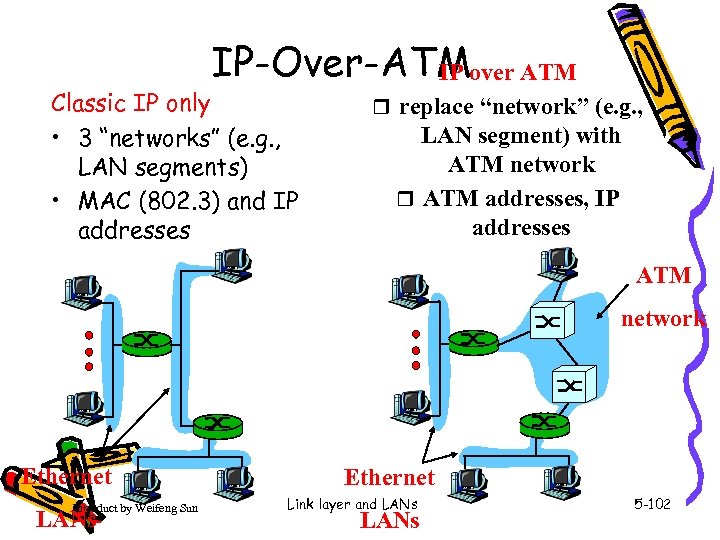 IP-Over-ATMover ATM IP Classic IP only • 3 “networks” (e. g. , LAN segments) • MAC (802. 3) and IP addresses r replace “network” (e. g. , LAN segment) with ATM network r ATM addresses, IP addresses ATM network Ethernet Introduct by Weifeng Sun LANs Ethernet Link layer and LANs 5 -102
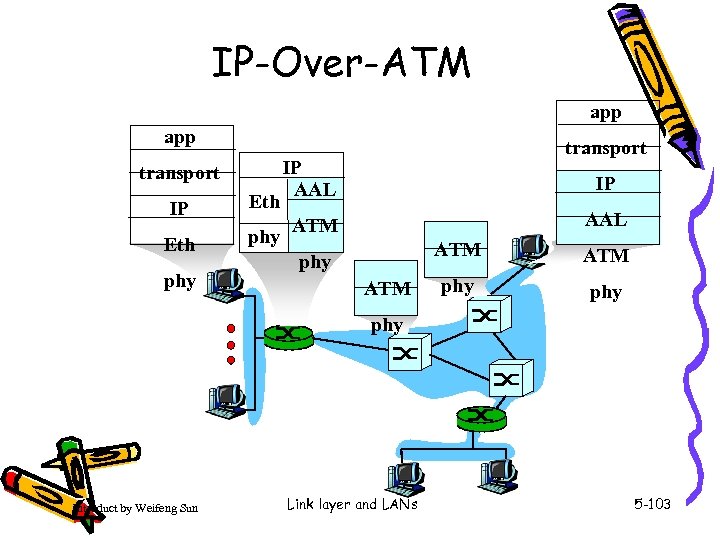 IP-Over-ATM app transport IP Eth phy transport IP AAL ATM ATM phy phy Introduct by Weifeng Sun Link layer and LANs 5 -103
 Datagram Journey in IP-over-ATM Network • at Source Host: – IP layer maps between IP, ATM dest address (using ARP) – passes datagram to AAL 5 – AAL 5 encapsulates data, segments cells, passes to ATM layer • ATM network: moves cell along VC to destination • at Destination Host: – AAL 5 reassembles cells into original datagram – if CRC OK, datagram is passed to IP Introduct by Weifeng Sun Link layer and LANs 5 -104
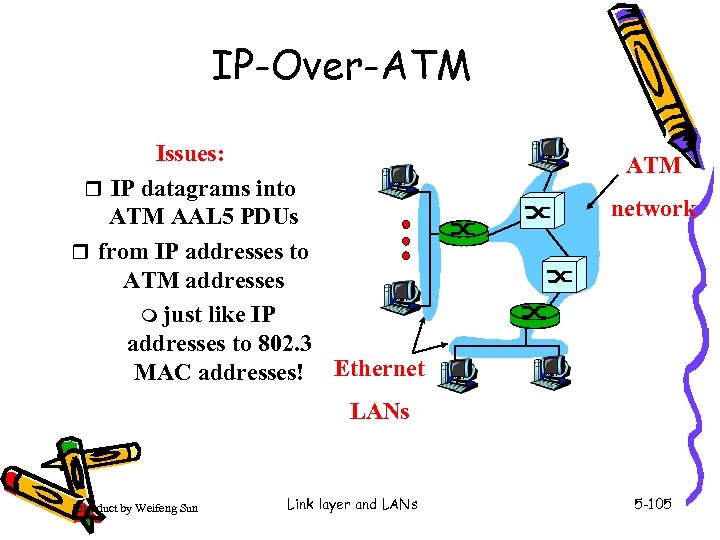 IP-Over-ATM Issues: r IP datagrams into ATM AAL 5 PDUs r from IP addresses to ATM addresses m just like IP addresses to 802. 3 MAC addresses! Ethernet ATM network LANs Introduct by Weifeng Sun Link layer and LANs 5 -105
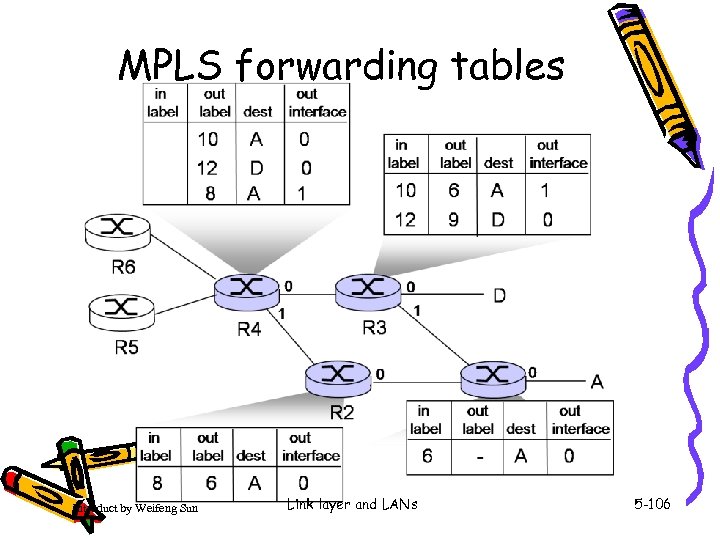 MPLS forwarding tables Introduct by Weifeng Sun Link layer and LANs 5 -106
 Chapter 5: Summary • principles behind data link layer services: – error detection, correction – sharing a broadcast channel: multiple access – link layer addressing • instantiation and implementation of various link layer technologies – Ethernet – switched LANS – PPP – virtualized networks as a link layer: ATM, MPLS Introduct by Weifeng Sun Link layer and LANs 5 -107
 Chapter 5: let’s take a breath • journey down protocol stack complete (except PHY) • solid understanding of networking principles, practice • …. . could stop here …. but lots of interesting topics! – – wireless multimedia security network management Introduct by Weifeng Sun Link layer and LANs 5 -108
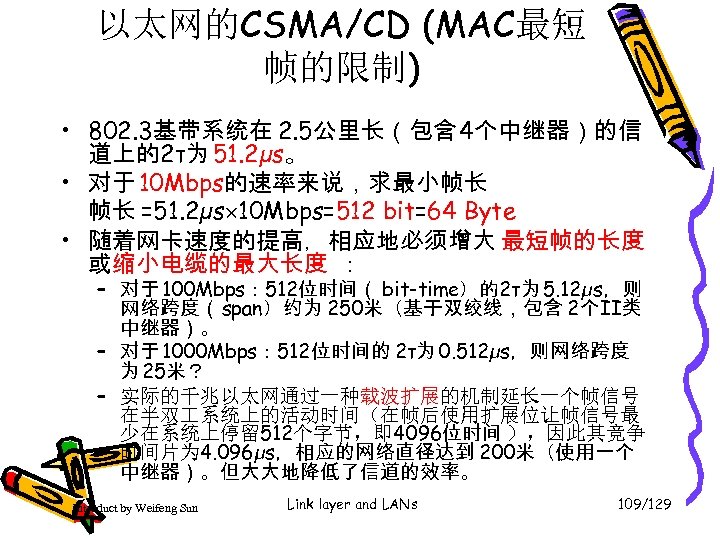 以太网的CSMA/CD (MAC最短 帧的限制) • 802. 3基带系统在 2. 5公里长(包含 4个中继器)的信 道上的2τ为 51. 2µs。 • 对于 10 Mbps的速率来说,求最小帧长 帧长 =51. 2µs 10 Mbps=512 bit=64 Byte • 随着网卡速度的提高,相应地必须增大 最短帧的长度 或缩小电缆的最大长度 : – 对于 100 Mbps: 512位时间( bit-time)的2τ为 5. 12µs,则 网络跨度( span)约为 250米(基于双绞线,包含 2个II类 中继器)。 – 对于 1000 Mbps: 512位时间的 2τ为 0. 512µs,则网络跨度 为 25米? – 实际的千兆以太网通过一种载波扩展的机制延长一个帧信号 在半双 系统上的活动时间(在帧后使用扩展位让帧信号最 少在系统上停留 512个字节,即 4096位时间 ),因此其竞争 时间片为 4. 096µs,相应的网络直径达到 200米(使用一个 中继器)。但大大地降低了信道的效率。 Introduct by Weifeng Sun Link layer and LANs 109/129
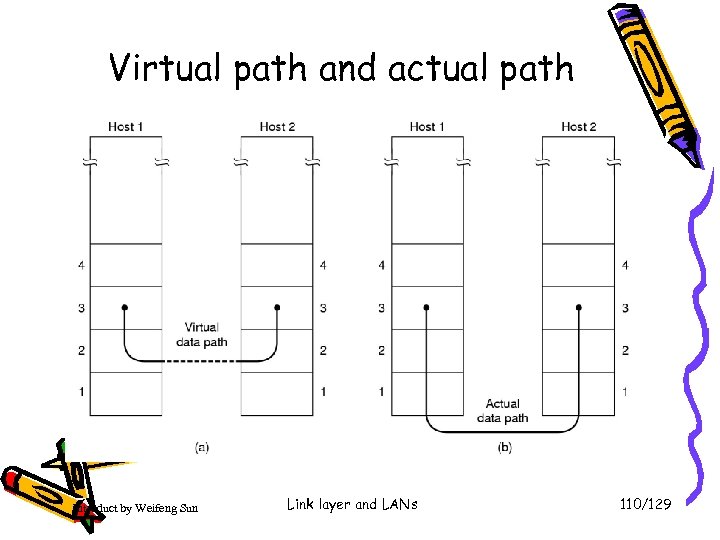 Virtual path and actual path Introduct by Weifeng Sun Link layer and LANs 110/129
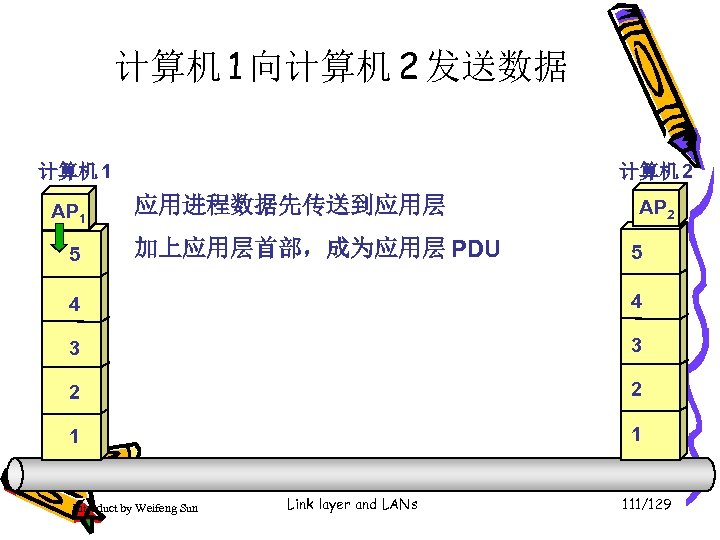 计算机 1 向计算机 2 发送数据 计算机 1 AP 1 5 计算机 2 应用进程数据先传送到应用层 加上应用层首部,成为应用层 PDU AP 2 5 4 4 3 3 2 2 1 1 Introduct by Weifeng Sun Link layer and LANs 111/129
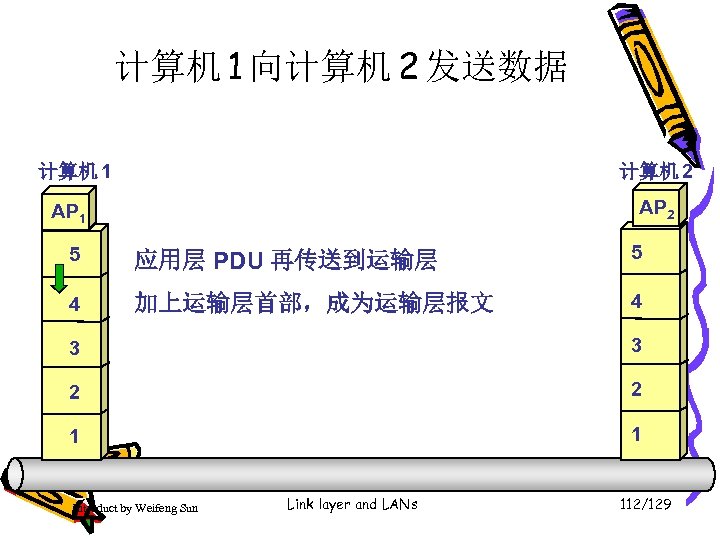 计算机 1 向计算机 2 发送数据 计算机 1 计算机 2 AP 1 5 应用层 PDU 再传送到运输层 5 4 加上运输层首部,成为运输层报文 4 3 3 2 2 1 1 Introduct by Weifeng Sun Link layer and LANs 112/129
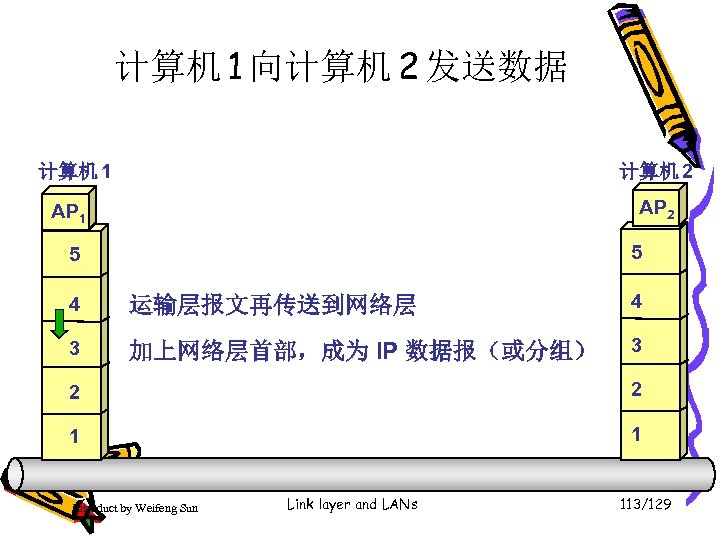 计算机 1 向计算机 2 发送数据 计算机 1 计算机 2 AP 1 5 5 4 运输层报文再传送到网络层 4 3 加上网络层首部,成为 IP 数据报(或分组) 3 2 2 1 1 Introduct by Weifeng Sun Link layer and LANs 113/129
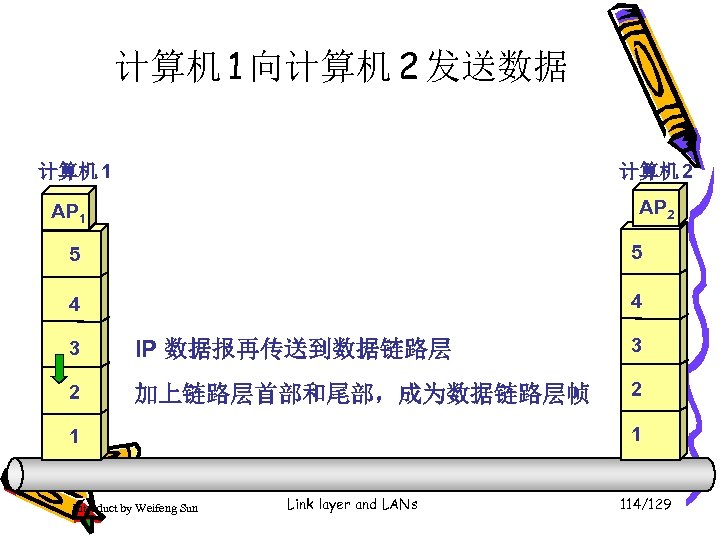 计算机 1 向计算机 2 发送数据 计算机 1 计算机 2 AP 1 5 5 4 4 3 IP 数据报再传送到数据链路层 3 2 加上链路层首部和尾部,成为数据链路层帧 2 1 1 Introduct by Weifeng Sun Link layer and LANs 114/129
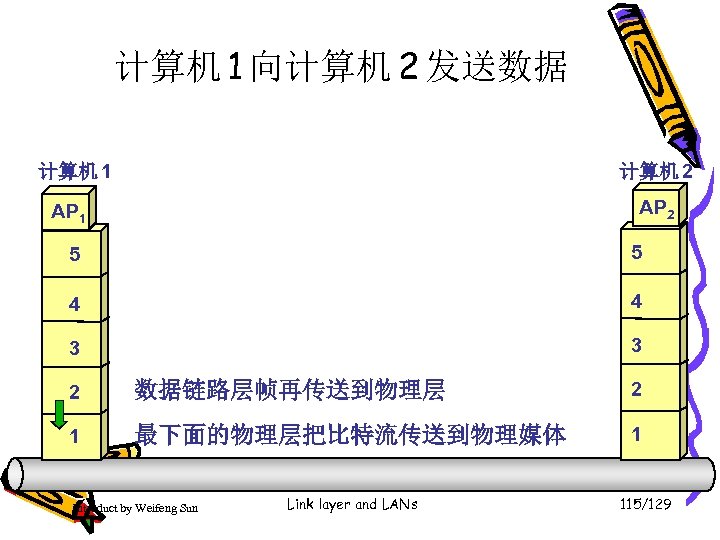 计算机 1 向计算机 2 发送数据 计算机 1 计算机 2 AP 1 5 5 4 4 3 3 2 数据链路层帧再传送到物理层 2 1 最下面的物理层把比特流传送到物理媒体 1 Introduct by Weifeng Sun Link layer and LANs 115/129
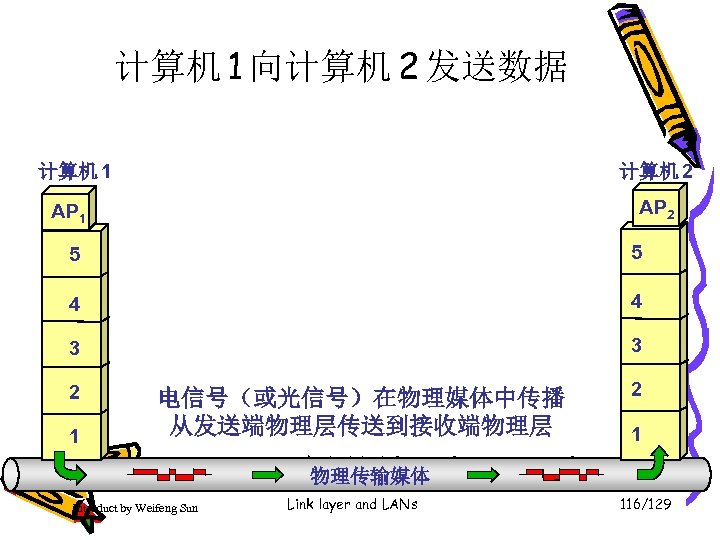 计算机 1 向计算机 2 发送数据 计算机 1 计算机 2 AP 1 5 5 4 4 3 3 2 1 电信号(或光信号)在物理媒体中传播 从发送端物理层传送到接收端物理层 Introduct by Weifeng Sun 2 1 • 应用层(application layer) 物理传输媒体 Link layer and LANs 116/129
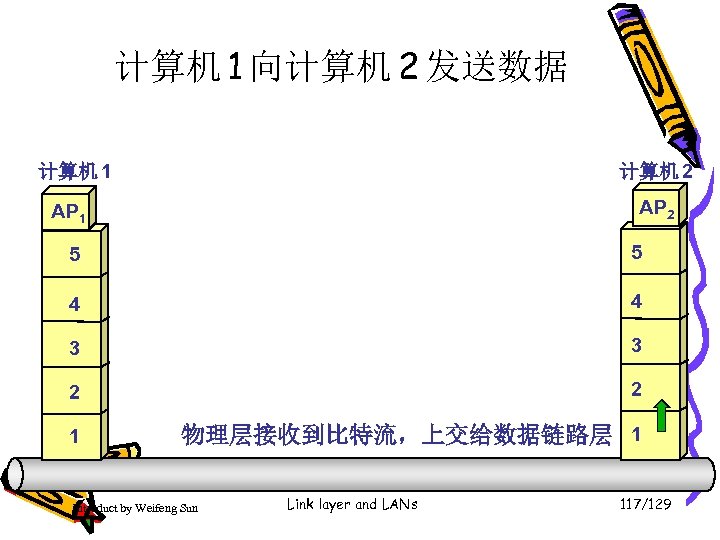 计算机 1 向计算机 2 发送数据 计算机 1 计算机 2 AP 1 5 5 4 4 3 3 2 2 1 物理层接收到比特流,上交给数据链路层 1 Introduct by Weifeng Sun Link layer and LANs 117/129
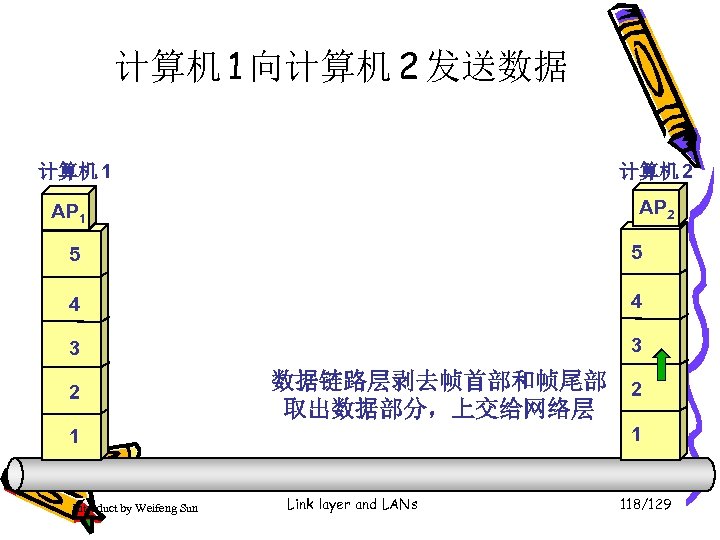 计算机 1 向计算机 2 发送数据 计算机 1 计算机 2 AP 1 5 5 4 4 3 3 2 数据链路层剥去帧首部和帧尾部 2 取出数据部分,上交给网络层 1 1 Introduct by Weifeng Sun Link layer and LANs 118/129
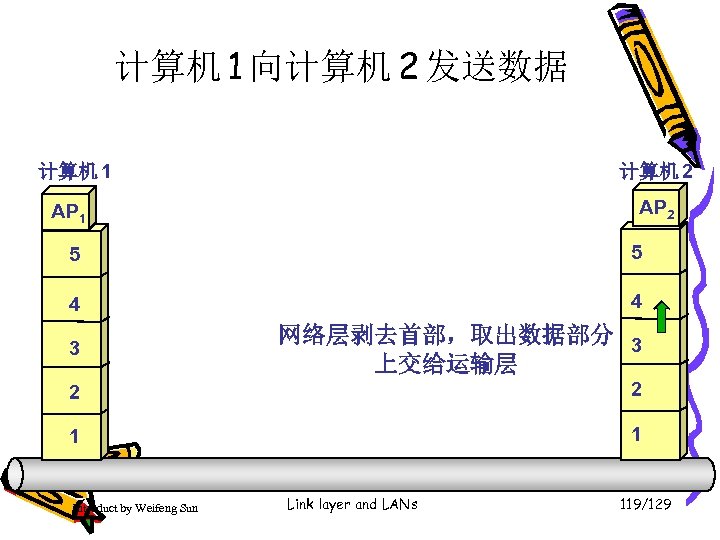 计算机 1 向计算机 2 发送数据 计算机 1 计算机 2 AP 1 5 5 4 4 3 网络层剥去首部,取出数据部分 3 上交给运输层 2 2 1 1 Introduct by Weifeng Sun Link layer and LANs 119/129
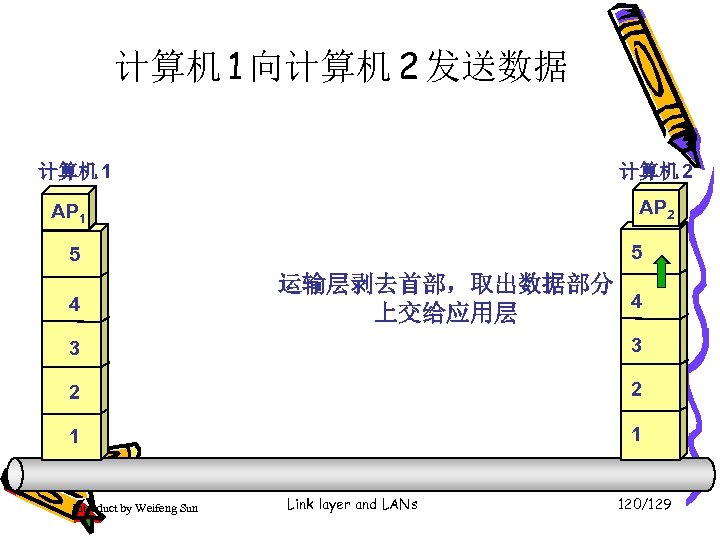 计算机 1 向计算机 2 发送数据 计算机 1 计算机 2 AP 1 5 5 4 运输层剥去首部,取出数据部分 4 上交给应用层 3 3 2 2 1 1 Introduct by Weifeng Sun Link layer and LANs 120/129
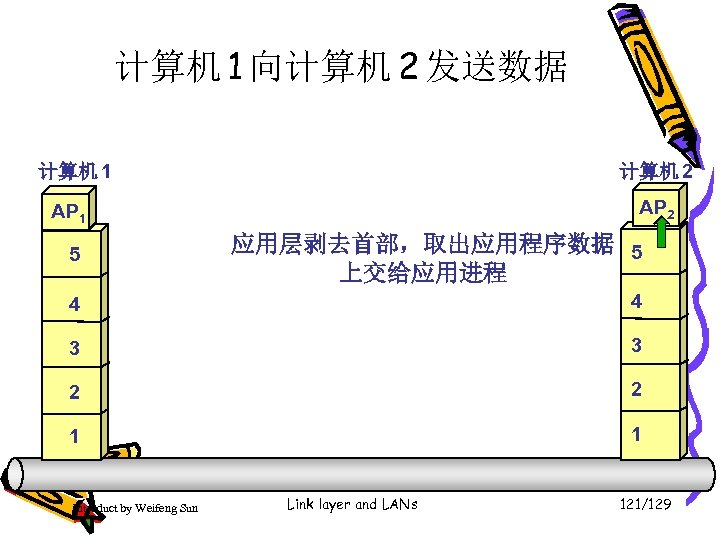 计算机 1 向计算机 2 发送数据 计算机 1 计算机 2 AP 1 5 应用层剥去首部,取出应用程序数据 5 上交给应用进程 4 4 3 3 2 2 1 1 Introduct by Weifeng Sun Link layer and LANs 121/129
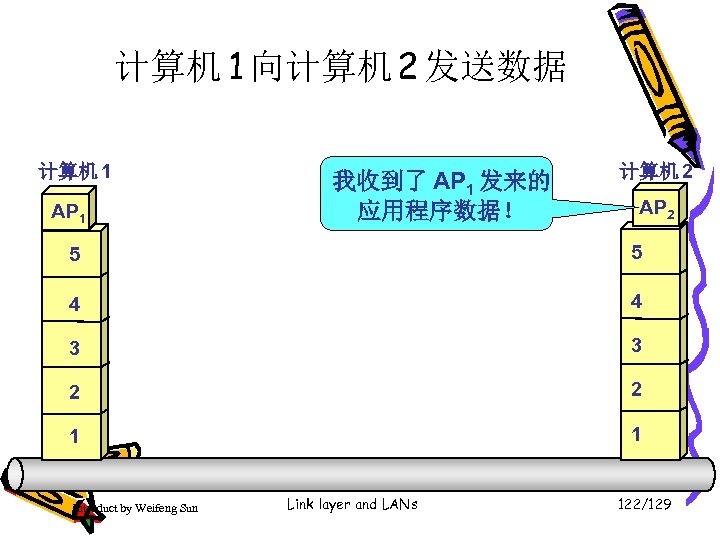 计算机 1 向计算机 2 发送数据 计算机 1 AP 1 我收到了 AP 1 发来的 应用程序数据! 计算机 2 AP 2 5 5 4 4 3 3 2 2 1 1 Introduct by Weifeng Sun Link layer and LANs 122/129
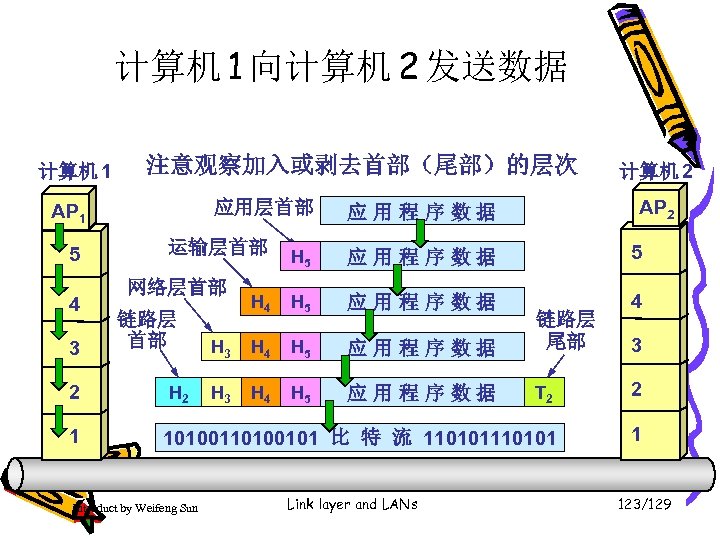 计算机 1 向计算机 2 发送数据 计算机 1 注意观察加入或剥去首部(尾部)的层次 应用层首部 AP 1 5 4 3 2 1 运输层首部 计算机 2 AP 2 应用程序数据 H 5 应用程序数据 5 H 4 H 5 应用程序数据 H 3 H 4 H 5 应用程序数据 链路层 尾部 4 H 3 H 4 H 5 应用程序数据 T 2 2 10100101 比 特 流 110101 1 网络层首部 链路层 首部 H 2 Introduct by Weifeng Sun Link layer and LANs 3 123/129
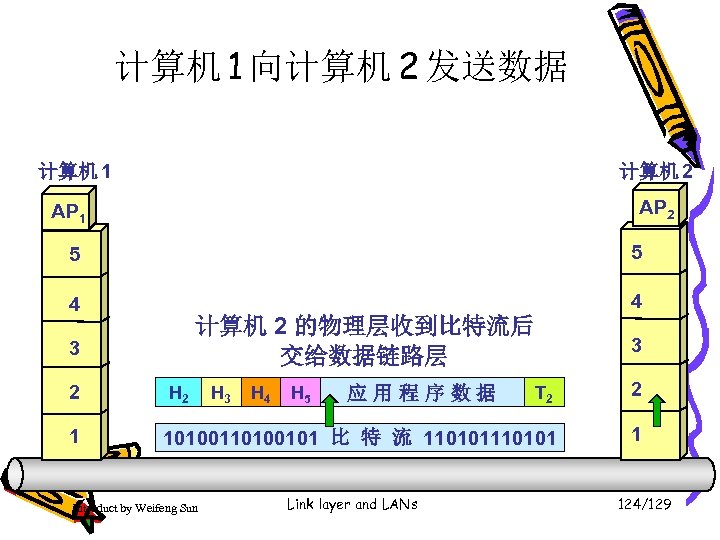 计算机 1 向计算机 2 发送数据 计算机 1 计算机 2 AP 1 5 5 4 4 计算机 2 的物理层收到比特流后 交给数据链路层 3 2 1 3 T 2 2 10100101 比 特 流 110101 1 H 2 Introduct by Weifeng Sun H 3 H 4 H 5 应用程序数据 Link layer and LANs 124/129
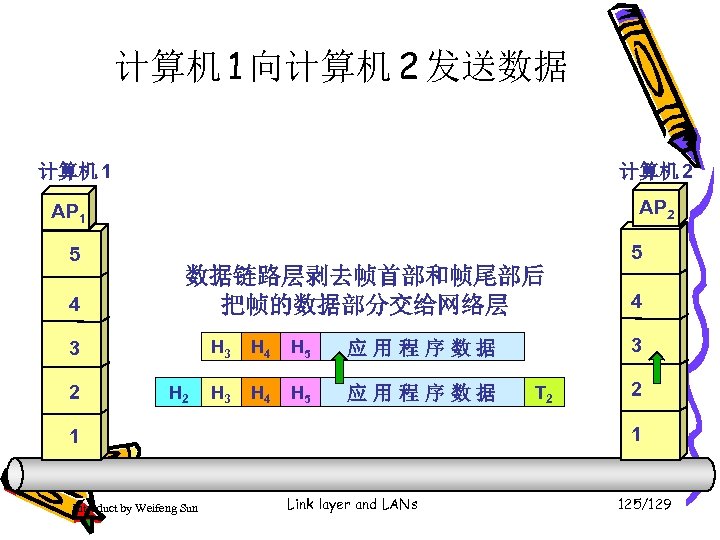 计算机 1 向计算机 2 发送数据 计算机 1 计算机 2 AP 1 5 4 5 数据链路层剥去帧首部和帧尾部后 把帧的数据部分交给网络层 3 2 H 3 H 2 H 4 H 5 应用程序数据 T 2 2 1 1 Introduct by Weifeng Sun 3 应用程序数据 H 3 4 Link layer and LANs 125/129
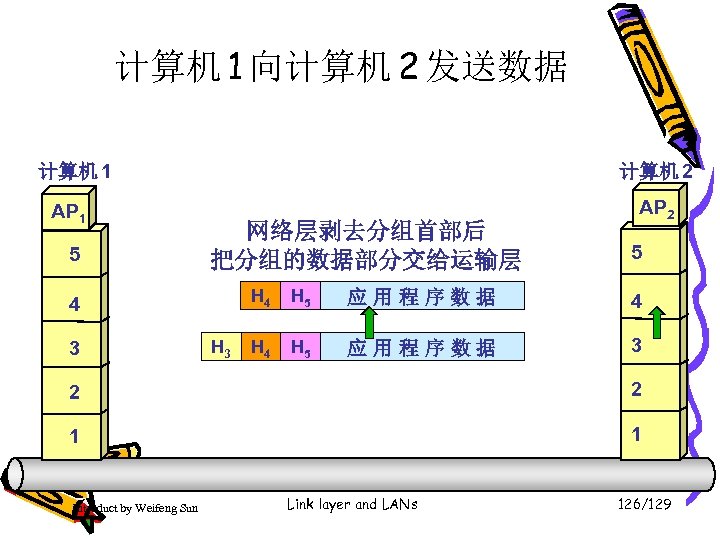 计算机 1 向计算机 2 发送数据 计算机 1 AP 1 5 计算机 2 网络层剥去分组首部后 把分组的数据部分交给运输层 5 H 4 4 3 AP 2 H 3 H 5 应用程序数据 4 H 5 应用程序数据 3 2 2 1 1 Introduct by Weifeng Sun Link layer and LANs 126/129
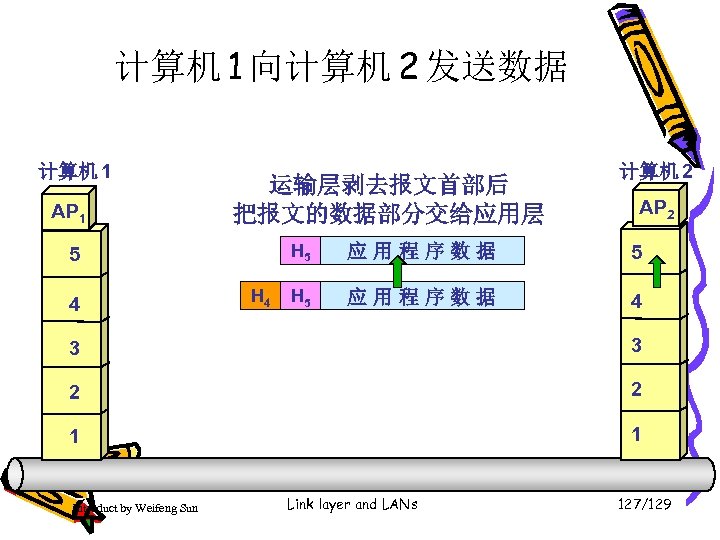 计算机 1 向计算机 2 发送数据 计算机 1 AP 1 运输层剥去报文首部后 把报文的数据部分交给应用层 AP 2 H 5 5 4 计算机 2 H 4 应用程序数据 5 H 5 应用程序数据 4 3 3 2 2 1 1 Introduct by Weifeng Sun Link layer and LANs 127/129
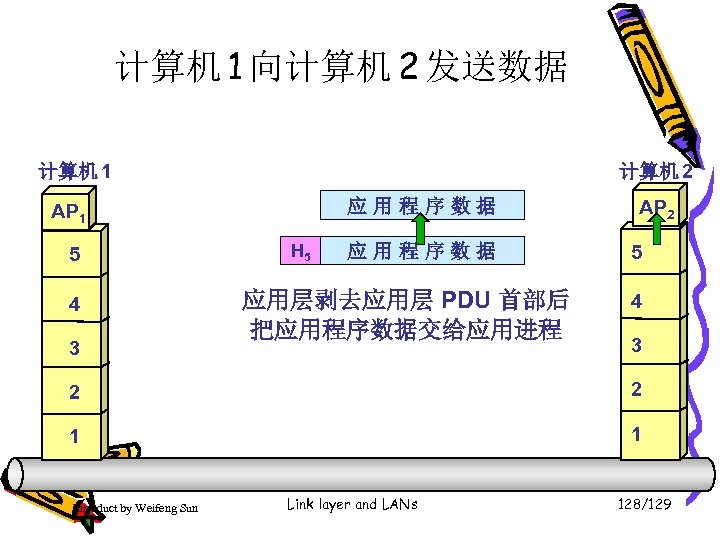 计算机 1 向计算机 2 发送数据 计算机 1 计算机 2 应用程序数据 AP 1 5 4 3 H 5 应用程序数据 应用层剥去应用层 PDU 首部后 把应用程序数据交给应用进程 AP 2 5 4 3 2 2 1 1 Introduct by Weifeng Sun Link layer and LANs 128/129
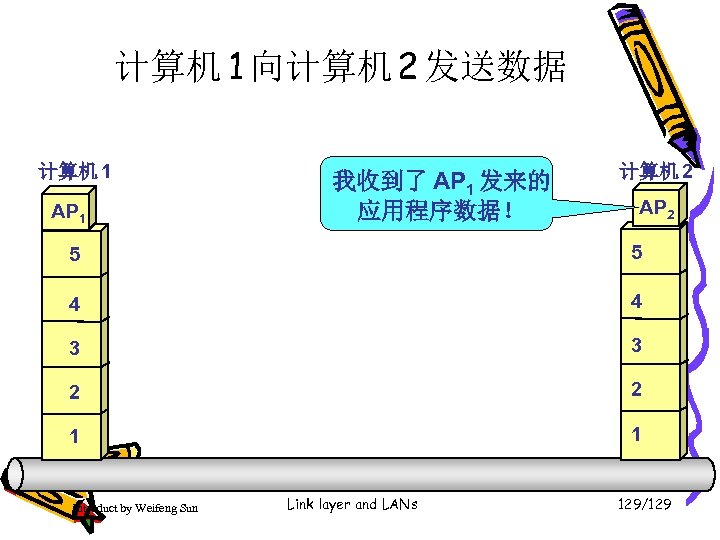 计算机 1 向计算机 2 发送数据 计算机 1 AP 1 我收到了 AP 1 发来的 应用程序数据! 计算机 2 AP 2 5 5 4 4 3 3 2 2 1 1 Introduct by Weifeng Sun Link layer and LANs 129/129