 Скачать презентацию LECTURE APPROACH Based on Comm Networks textbook by
94b25f49907521a5b5ac35c3552c9aef.ppt
- Количество слайдов: 48



LECTURE APPROACH (Based on Comm. Networks textbook by Garcia and Widjaja) PART I: Chapter 1 and 2 – Big picture of networks PART II: Chapter 5, 6, 7 – Fundamental concepts in network architecture PART III: Chapter 8 – Key architectures and next generation networks
RECAP / SUMMARY CHAPTER 1 and CHAPTER 2 (BIG PICTURE) - Evolution of network concepts in telegraph, telephone, and computer networks. - How services and applications drive network architecture evolution - How layers work together to deliver services - Application layer, transport layer, and sockets - Lab: Network Protocol Analyzer (wireshark) and Socket Programming
CHAPTER 1: COMM. NETWORKS AND SERVICES 1. 1 Network Architecture Evolution 1. 1. 1 Telegraph Networks and Message Switching 1. 1. 2 Telephone Networks and Circuit Switching 1. 1. 3 The Internet, Computer Networks, and Packet Switching
1. 2 Future Network Architectures and Services 1. 3 Key Factors in Communication Network Evolution
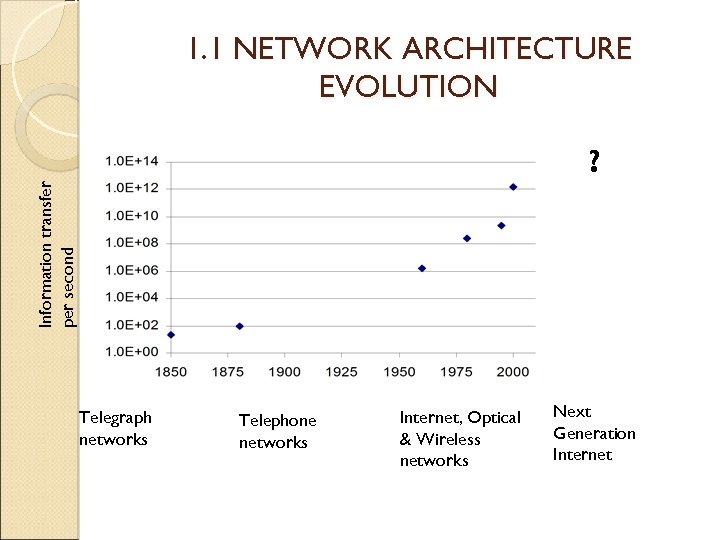
1. 1 NETWORK ARCHITECTURE EVOLUTION Information transfer per second ? Telegraph networks Telephone networks Internet, Optical & Wireless networks Next Generation Internet
1. 1. 1 Telegraph Networks and Message Switching MORSE CODE => BAUDOT MULTIPLEXING SYSTEM => ASCII In 1837 Samuel B. Morse demonstrated a practical telegraph that provided the basis for telegram service (transmission of text messages over long distance). Text was encoded into sequences of dots and dashes. Each dot or dash was communicated by transmitting short and long pulses of electrical current over a copper wire. Speed : 20 bps (25 – 30 words/minute, 5 chars/word, 8 bits/char)
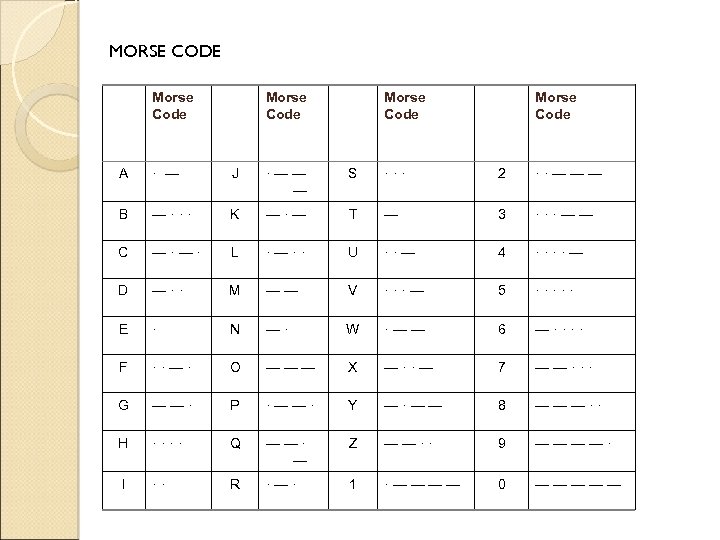
MORSE CODE Morse Code A · — J ·—— — S ··· 2 ··——— B —··· K —·— T — 3 ···—— C —·—· L ·—·· U ··— 4 ····— D —·· M —— V ···— 5 ····· E · N —· W ·—— 6 —···· F ··—· O ——— X —··— 7 ——··· G ——· P ·——· Y —·—— 8 ———·· H ···· Q ——· — Z ——·· 9 ————· I ·· R ·—· 1 ·———— 0 —————
In 1874, Baudot system was invented. Combining groups of 5 binary symbols to represent each letter in alphabet (multiplexing). Eventually led to ASCII (American Standard Code for Information Interchange) code. Speed : 120 bps
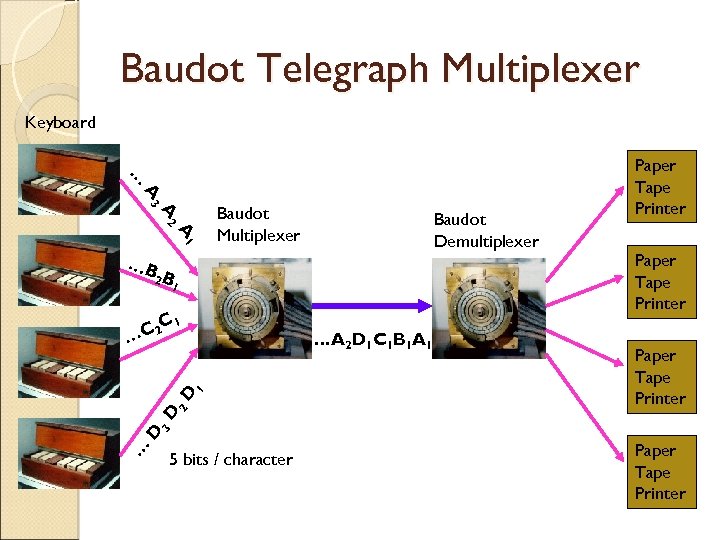
Baudot Telegraph Multiplexer Keyboard … A 3 A 2 A 1 Baudot Multiplexer Baudot Demultiplexer …B 2 B 1 1 C 2 C … Paper Tape Printer … D 3 D 2 D 1 …A 2 D 1 C 1 B 1 A 1 Paper Tape Printer 5 bits / character Paper Tape Printer
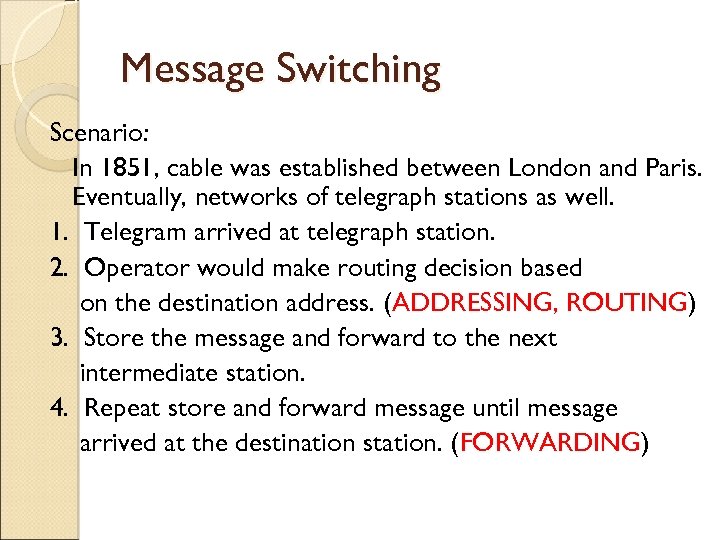
Message Switching Scenario: In 1851, cable was established between London and Paris. Eventually, networks of telegraph stations as well. 1. Telegram arrived at telegraph station. 2. Operator would make routing decision based on the destination address. (ADDRESSING, ROUTING) 3. Store the message and forward to the next intermediate station. 4. Repeat store and forward message until message arrived at the destination station. (FORWARDING)
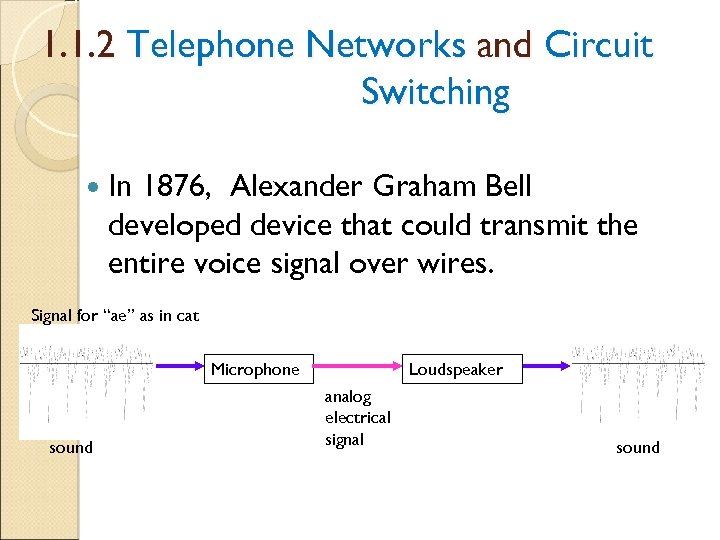
1. 1. 2 Telephone Networks and Circuit Switching In 1876, Alexander Graham Bell developed device that could transmit the entire voice signal over wires. Signal for “ae” as in cat Microphone sound Loudspeaker analog electrical signal sound
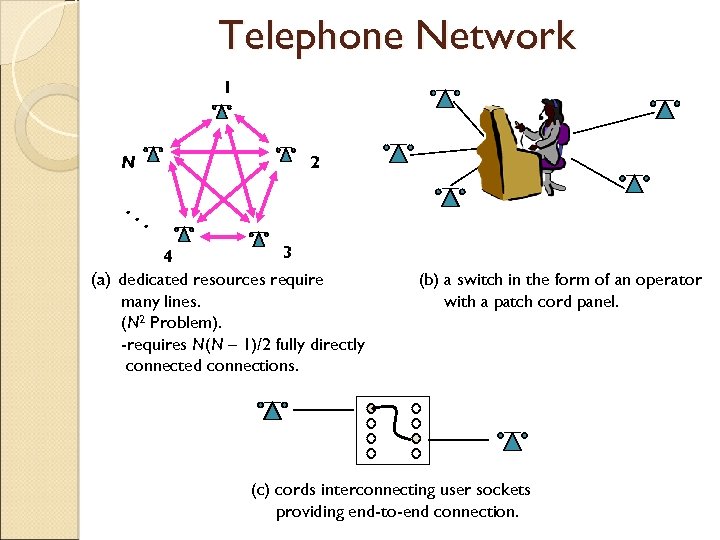
Telephone Network 1 2 N . . . 3 4 (a) dedicated resources require many lines. (N 2 Problem). -requires N(N – 1)/2 fully directly connected connections. (b) a switch in the form of an operator with a patch cord panel. (c) cords interconnecting user sockets providing end-to-end connection.
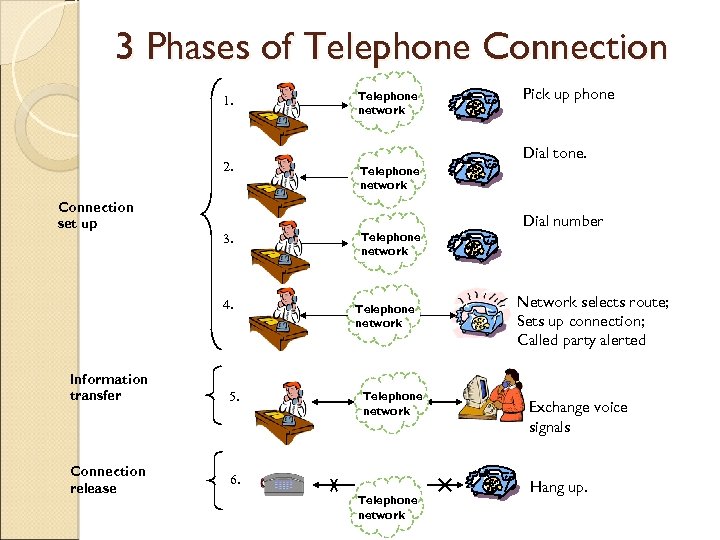
3 Phases of Telephone Connection 1. 2. Connection set up 3. 4. Information transfer Connection release 5. Telephone network Pick up phone Dial tone. Telephone network 6. Telephone network Dial number Network selects route; Sets up connection; Called party alerted Exchange voice signals Hang up.
Circuit Switching Telephone networks are connectionoriented since they require the setting up of a connection before the info transfer takes place. Transfer mode of a network that involves setting up a dedicated end-to-end connection is called circuit switching. Routing decision is made when the path is set up, info flows continuously across each switch and transmission line. No additional address info is required after the call is set up.
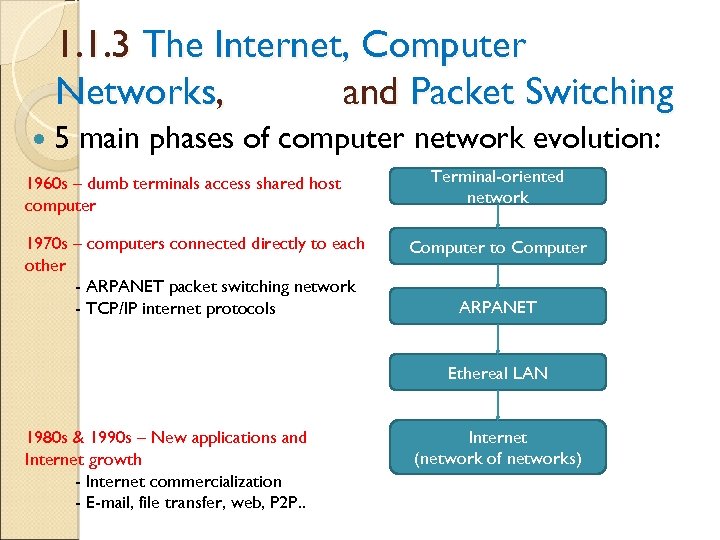
1. 1. 3 The Internet, Computer Networks, and Packet Switching 5 main phases of computer network evolution: 1960 s – dumb terminals access shared host computer 1970 s – computers connected directly to each other - ARPANET packet switching network - TCP/IP internet protocols Terminal-oriented network Computer to Computer ARPANET Ethereal LAN 1980 s & 1990 s – New applications and Internet growth - Internet commercialization - E-mail, file transfer, web, P 2 P. . Internet (network of networks)
Packet Switching Network should support multiple applications ◦ Transfer arbitrary message size ◦ Low delay for interactive applications ◦ But in store-and-forward operation, long messages induce high delay on interactive messages Packet switching introduced ◦ Network transfers packets using store-and-forward ◦ Packets have maximum length ◦ Break long messages into multiple packets ARPANET testbed led to many innovations
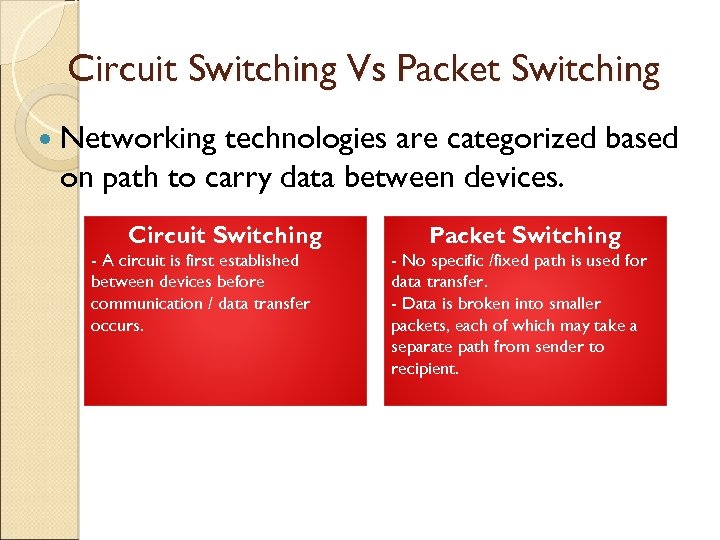
Circuit Switching Vs Packet Switching Networking technologies are categorized based on path to carry data between devices. Circuit Switching - A circuit is first established between devices before communication / data transfer occurs. Packet Switching - No specific /fixed path is used for data transfer. - Data is broken into smaller packets, each of which may take a separate path from sender to recipient.
Protocol. . what is a protocol? Communications between computers requires very specific unambiguous rules A protocol is a set of rules that governs how two or more communicating parties are to interact A protocol – a way of ensuring that devices are able to talk to each other effectively. ◦ Internet Protocol (IP), Transmission Control Protocol (TCP), Hypertext Transfer Protocol (HTTP), Simple Mail Transfer Protocol (SMTP)
1. 2 FUTURE NETWORK ARCHITECTURES AND SERVICES It’s all about services Current trends ◦ Building networks involves huge expenditures ◦ Services that generate revenues drive the network architecture ◦ ◦ ◦ Packet switching vs. circuit switching Multimedia applications More versatile signaling End of trust Many service providers and overlay networks Networking is a business
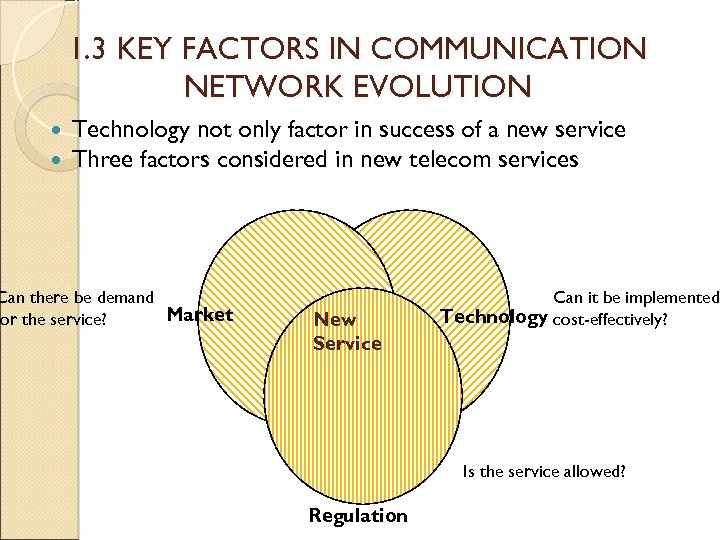
1. 3 KEY FACTORS IN COMMUNICATION NETWORK EVOLUTION Technology not only factor in success of a new service Three factors considered in new telecom services Can there be demand Market or the service? New Service Can it be implemented Technology cost-effectively? Is the service allowed? Regulation
CHAPTER 2: APPLICATIONS AND LAYERED ARCHITECTURES *Architecture – any design or orderly arrangement perceived by man. The overall comm process between two or more machines connected across one or more networks is very complex. In Chapter 1, comm functions can be grouped according to the following tasks: - the transport across a network of data from a process in one machine to the process at another machine - the routing and forwarding of packets across multiple hops in a network - the transfer of a frame of data from one physical interface to another Thus, creating layers of functions build on top of each other to enable communications.
Protocols A protocol is a set of rules that governs how two or more communicating entities in a layer are to interact Messages that can be sent and received Actions that are to be taken when a certain event occurs, e. g. sending or receiving messages, expiry of timers The purpose of a protocol is to provide a service to the layer above
Layers A set of related communication functions that can be managed and grouped together Application Layer: communications functions that are used by application programs ◦ HTTP, DNS, SMTP (email) Transport Layer: end-to-end communications between two processes in two machines ◦ TCP, User Datagram Protocol (UDP) Network Layer: node-to-node communications between two machines ◦ Internet Protocol (IP)
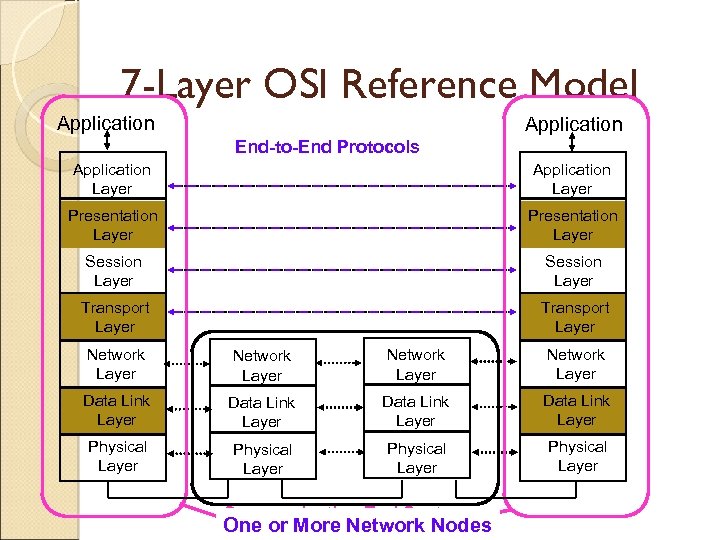
7 -Layer OSI Reference Model Application End-to-End Protocols Application Layer Presentation Layer Session Layer Transport Layer Network Layer Data Link Layer Physical Layer Communicating End Systems One or More Network Nodes
OSI Reference Model Describes a seven-layer abstract reference model for a network architecture Purpose of the reference model was to provide a framework for the development of protocols OSI also provided a unified view of layers, protocols, and services which is still in use in the development of new protocols Detailed standards were developed for each layer, but most of these are not in use TCP/IP protocols preempted deployment of OSI protocols
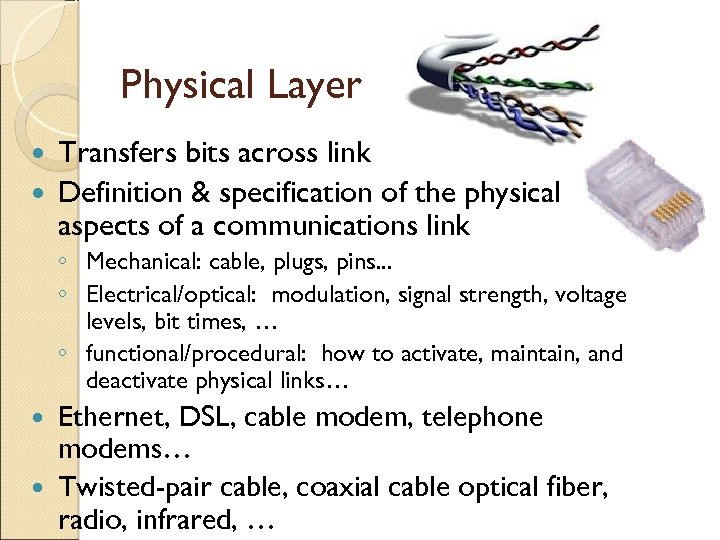
Physical Layer Transfers bits across link Definition & specification of the physical aspects of a communications link ◦ Mechanical: cable, plugs, pins. . . ◦ Electrical/optical: modulation, signal strength, voltage levels, bit times, … ◦ functional/procedural: how to activate, maintain, and deactivate physical links… Ethernet, DSL, cable modem, telephone modems… Twisted-pair cable, coaxial cable optical fiber, radio, infrared, …
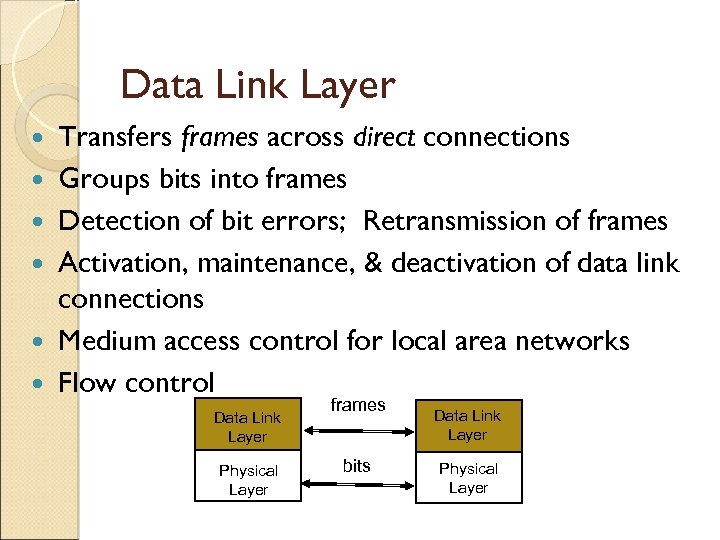
Data Link Layer Transfers frames across direct connections Groups bits into frames Detection of bit errors; Retransmission of frames Activation, maintenance, & deactivation of data link connections Medium access control for local area networks Flow control Data Link Layer Physical Layer frames bits Data Link Layer Physical Layer
Network Layer Transfers packets across multiple links and/or multiple networks Addressing must scale to large networks Nodes jointly execute routing algorithm to determine paths across the network Forwarding transfers packet across a node Congestion control to deal with traffic surges Connection setup, maintenance, and terminating connection
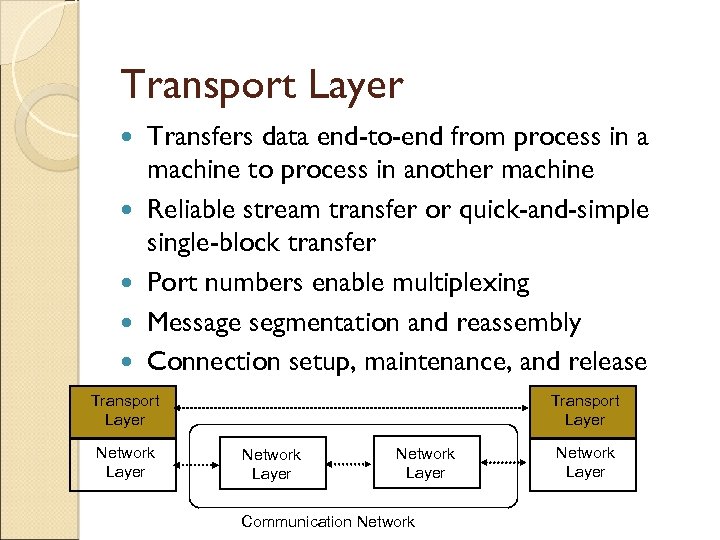
Transport Layer Transfers data end-to-end from process in a machine to process in another machine Reliable stream transfer or quick-and-simple single-block transfer Port numbers enable multiplexing Message segmentation and reassembly Connection setup, maintenance, and release Transport Layer Network Layer Communication Network Layer
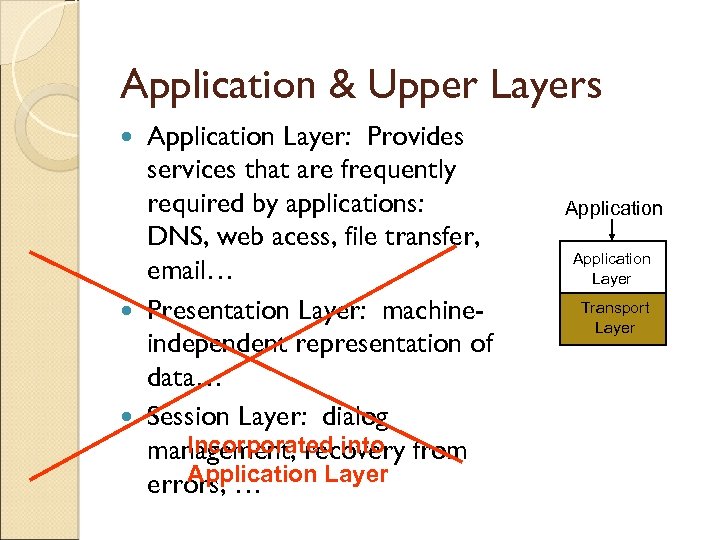
Application & Upper Layers Application Layer: Provides services that are frequently required by applications: DNS, web acess, file transfer, email… Presentation Layer: machineindependent representation of data… Session Layer: dialog Incorporated into management, recovery from Application Layer errors, … Application Layer Presentation Transport Layer Session Layer Transport Layer
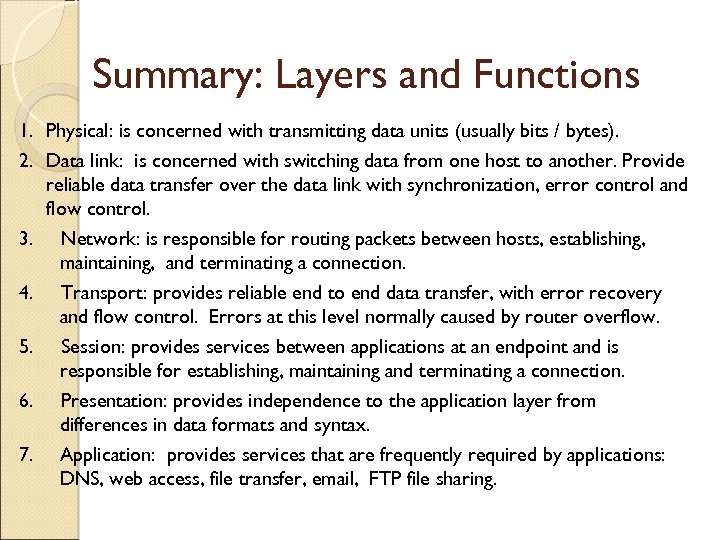
Summary: Layers and Functions 1. Physical: is concerned with transmitting data units (usually bits / bytes). 2. Data link: is concerned with switching data from one host to another. Provide reliable data transfer over the data link with synchronization, error control and flow control. 3. Network: is responsible for routing packets between hosts, establishing, maintaining, and terminating a connection. 4. Transport: provides reliable end to end data transfer, with error recovery and flow control. Errors at this level normally caused by router overflow. 5. Session: provides services between applications at an endpoint and is responsible for establishing, maintaining and terminating a connection. 6. Presentation: provides independence to the application layer from differences in data formats and syntax. 7. Application: provides services that are frequently required by applications: DNS, web access, file transfer, email, FTP file sharing.
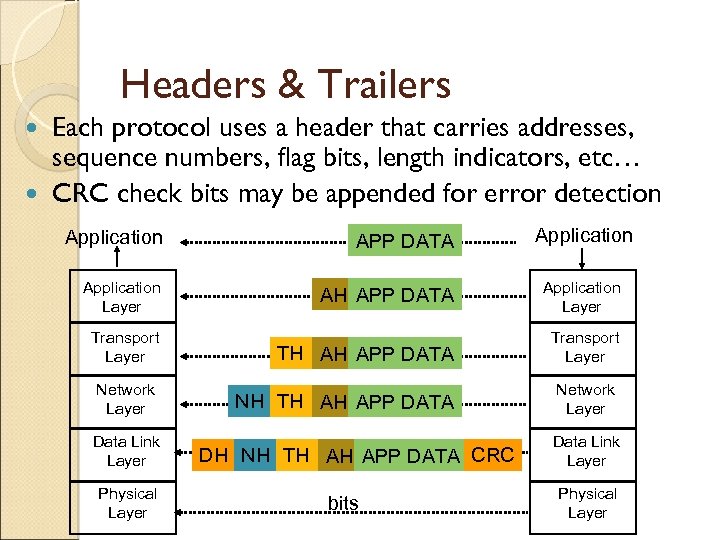
Headers & Trailers Each protocol uses a header that carries addresses, sequence numbers, flag bits, length indicators, etc… CRC check bits may be appended for error detection Application APP DATA Application Layer AH APP DATA Application Layer TH AH APP DATA Transport Layer NH TH AH APP DATA Network Layer Transport Layer Network Layer Data Link Layer Physical Layer DH NH TH AH APP DATA CRC bits Data Link Layer Physical Layer
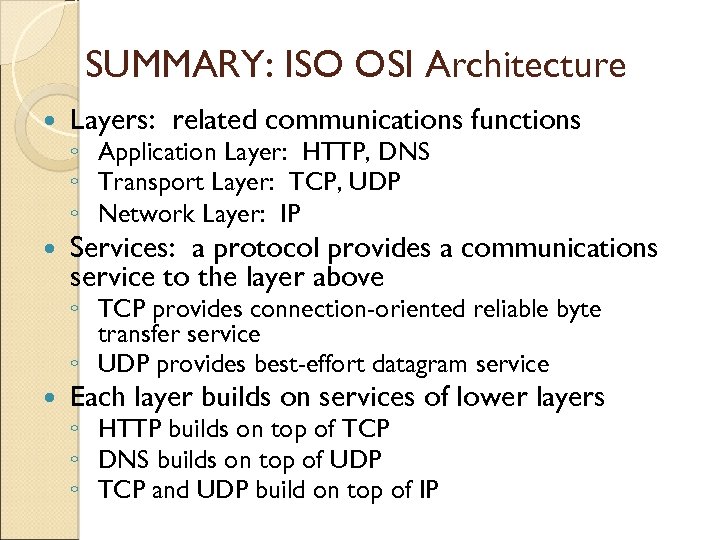
SUMMARY: ISO OSI Architecture Layers: related communications functions Services: a protocol provides a communications service to the layer above ◦ Application Layer: HTTP, DNS ◦ Transport Layer: TCP, UDP ◦ Network Layer: IP ◦ TCP provides connection-oriented reliable byte transfer service ◦ UDP provides best-effort datagram service Each layer builds on services of lower layers ◦ HTTP builds on top of TCP ◦ DNS builds on top of UDP ◦ TCP and UDP build on top of IP
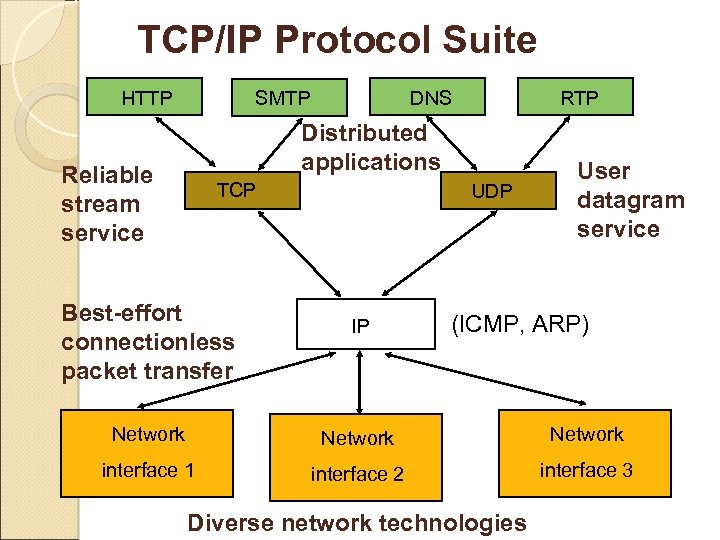
TCP/IP Protocol Suite HTTP DNS SMTP RTP Distributed applications Reliable stream service TCP Best-effort connectionless packet transfer UDP IP User datagram service (ICMP, ARP) Network interface 1 interface 2 interface 3 Diverse network technologies
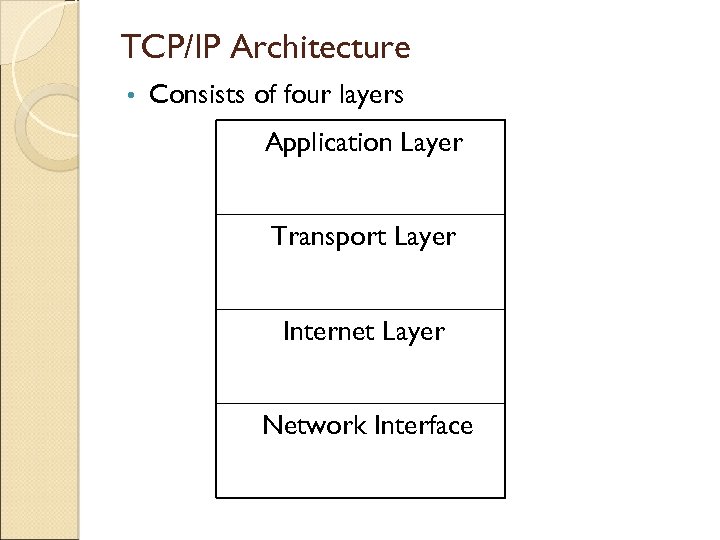
TCP/IP Architecture • Consists of four layers Application Layer Transport Layer Internet Layer Network Interface
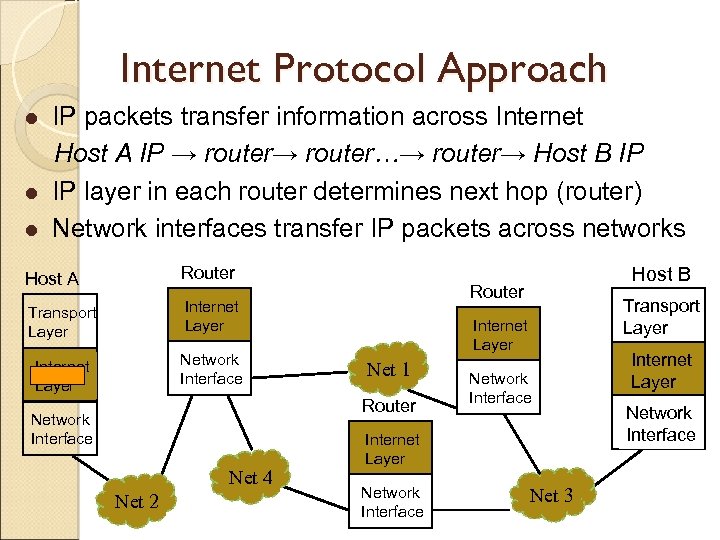
Internet Protocol Approach l l l IP packets transfer information across Internet Host A IP → router…→ router→ Host B IP IP layer in each router determines next hop (router) Network interfaces transfer IP packets across networks Host A Router Transport Layer Internet Layer Network Interface Router Internet Layer Net 51 Router Network Interface Net 52 Net 54 Network Interface Internet Layer Network Interface Net 53 Host B Transport Layer Internet Layer Network Interface
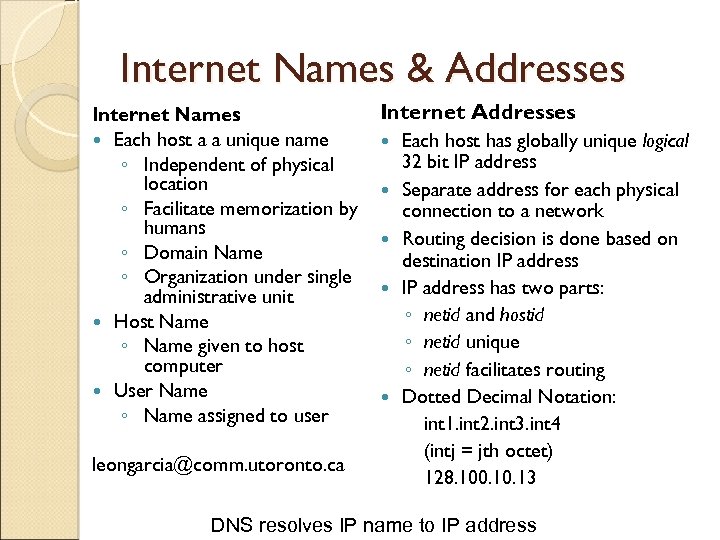
Internet Names & Addresses Internet Names Each host a a unique name ◦ Independent of physical location ◦ Facilitate memorization by humans ◦ Domain Name ◦ Organization under single administrative unit Host Name ◦ Name given to host computer User Name ◦ Name assigned to user leongarcia@comm. utoronto. ca Internet Addresses Each host has globally unique logical 32 bit IP address Separate address for each physical connection to a network Routing decision is done based on destination IP address has two parts: ◦ netid and hostid ◦ netid unique ◦ netid facilitates routing Dotted Decimal Notation: int 1. int 2. int 3. int 4 (intj = jth octet) 128. 100. 13 DNS resolves IP name to IP address
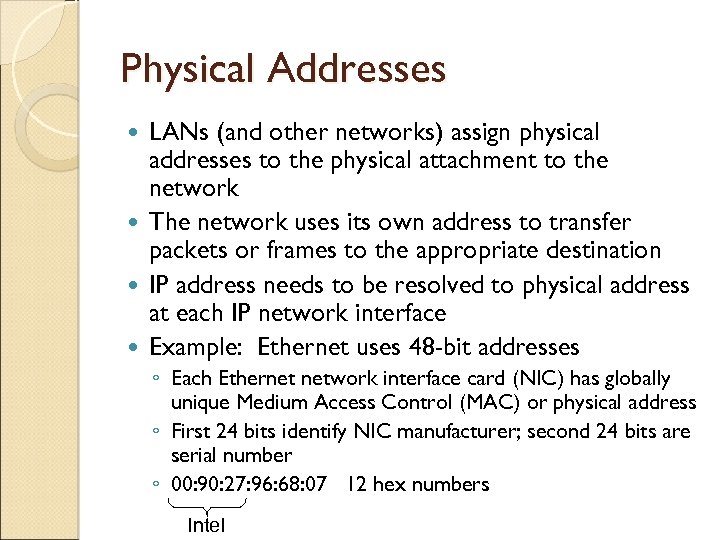
Physical Addresses LANs (and other networks) assign physical addresses to the physical attachment to the network The network uses its own address to transfer packets or frames to the appropriate destination IP address needs to be resolved to physical address at each IP network interface Example: Ethernet uses 48 -bit addresses ◦ Each Ethernet network interface card (NIC) has globally unique Medium Access Control (MAC) or physical address ◦ First 24 bits identify NIC manufacturer; second 24 bits are serial number ◦ 00: 90: 27: 96: 68: 07 12 hex numbers Intel
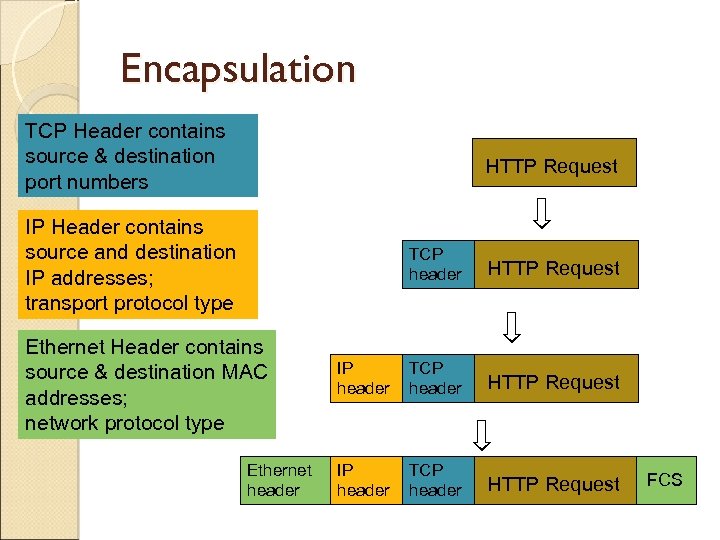
Encapsulation TCP Header contains source & destination port numbers HTTP Request IP Header contains source and destination IP addresses; transport protocol type TCP header Ethernet Header contains source & destination MAC addresses; network protocol type Ethernet header HTTP Request IP header TCP header HTTP Request FCS
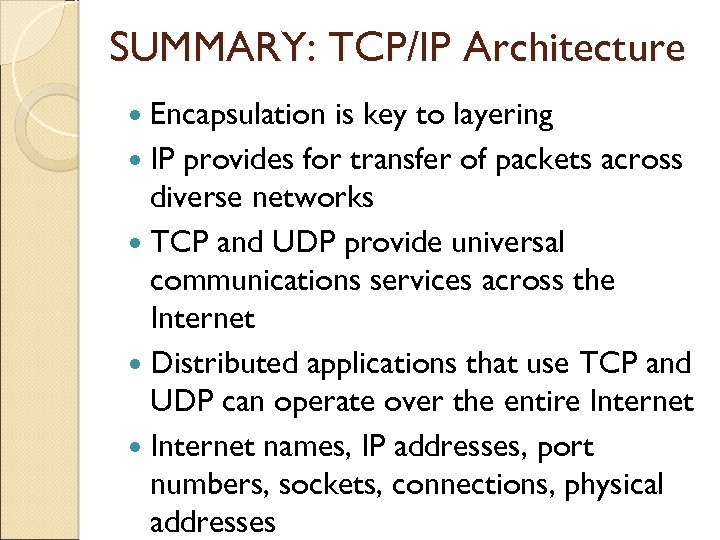
SUMMARY: TCP/IP Architecture Encapsulation is key to layering IP provides for transfer of packets across diverse networks TCP and UDP provide universal communications services across the Internet Distributed applications that use TCP and UDP can operate over the entire Internet names, IP addresses, port numbers, sockets, connections, physical addresses
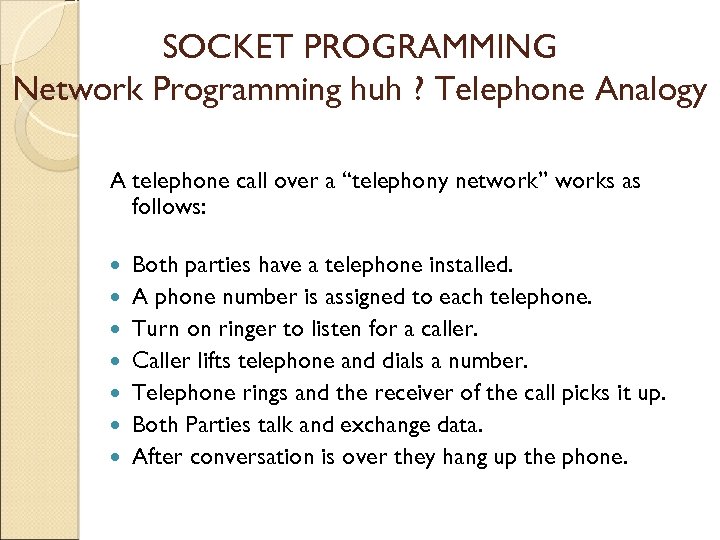
SOCKET PROGRAMMING Network Programming huh ? Telephone Analogy A telephone call over a “telephony network” works as follows: Both parties have a telephone installed. A phone number is assigned to each telephone. Turn on ringer to listen for a caller. Caller lifts telephone and dials a number. Telephone rings and the receiver of the call picks it up. Both Parties talk and exchange data. After conversation is over they hang up the phone.
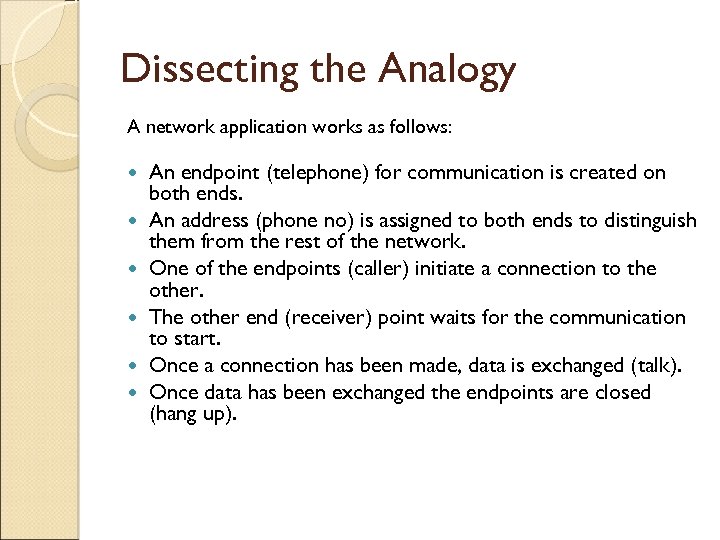
Dissecting the Analogy A network application works as follows: An endpoint (telephone) for communication is created on both ends. An address (phone no) is assigned to both ends to distinguish them from the rest of the network. One of the endpoints (caller) initiate a connection to the other. The other end (receiver) point waits for the communication to start. Once a connection has been made, data is exchanged (talk). Once data has been exchanged the endpoints are closed (hang up).
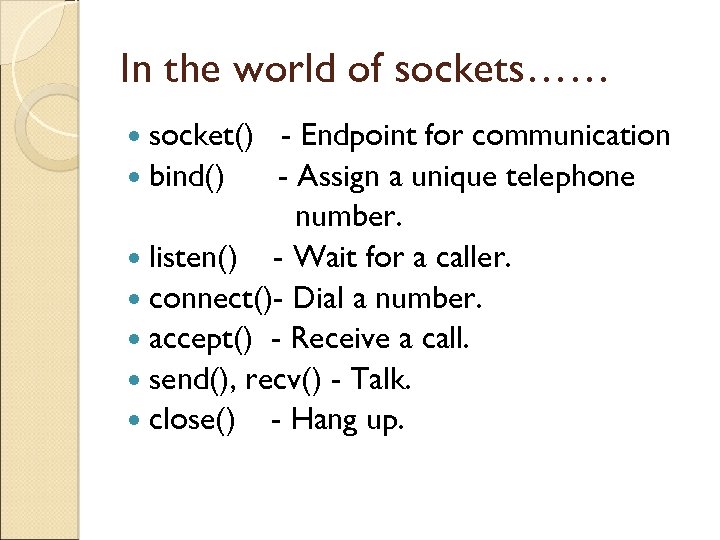
In the world of sockets…… socket() - Endpoint for communication bind() - Assign a unique telephone number. listen() - Wait for a caller. connect()- Dial a number. accept() - Receive a call. send(), recv() - Talk. close() - Hang up.
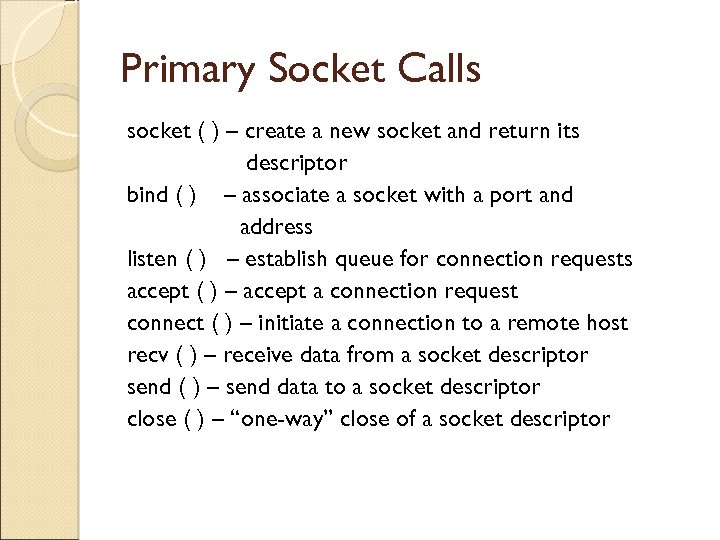
Primary Socket Calls socket ( ) – create a new socket and return its descriptor bind ( ) – associate a socket with a port and address listen ( ) – establish queue for connection requests accept ( ) – accept a connection request connect ( ) – initiate a connection to a remote host recv ( ) – receive data from a socket descriptor send ( ) – send data to a socket descriptor close ( ) – “one-way” close of a socket descriptor
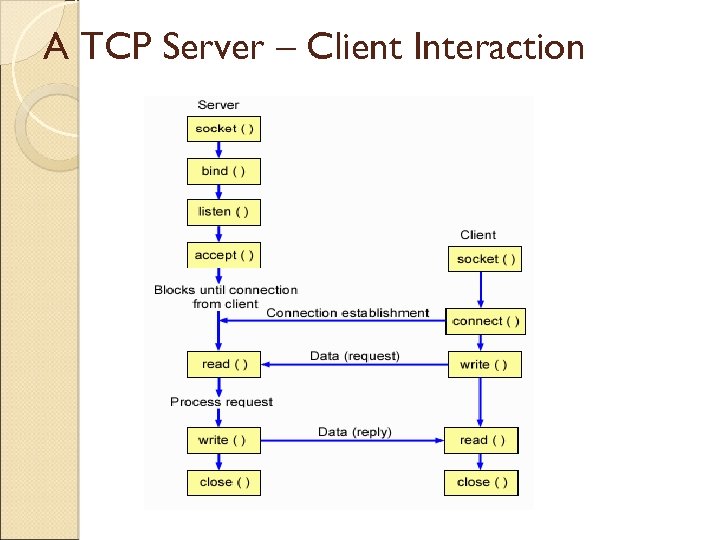
A TCP Server – Client Interaction
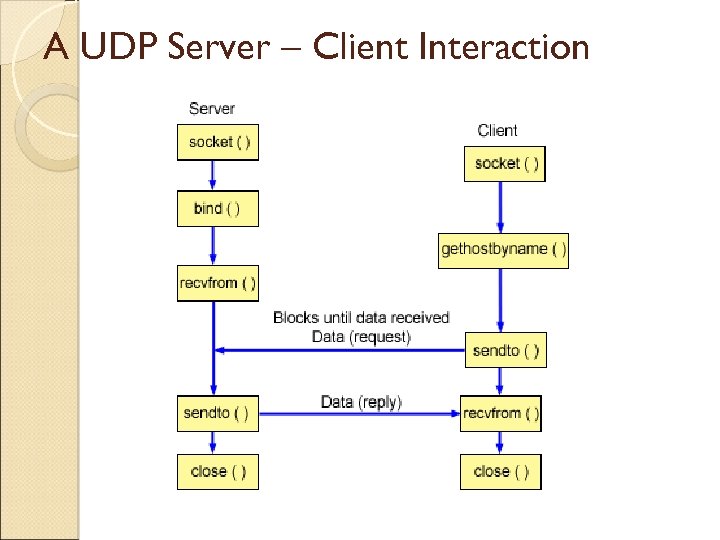
A UDP Server – Client Interaction
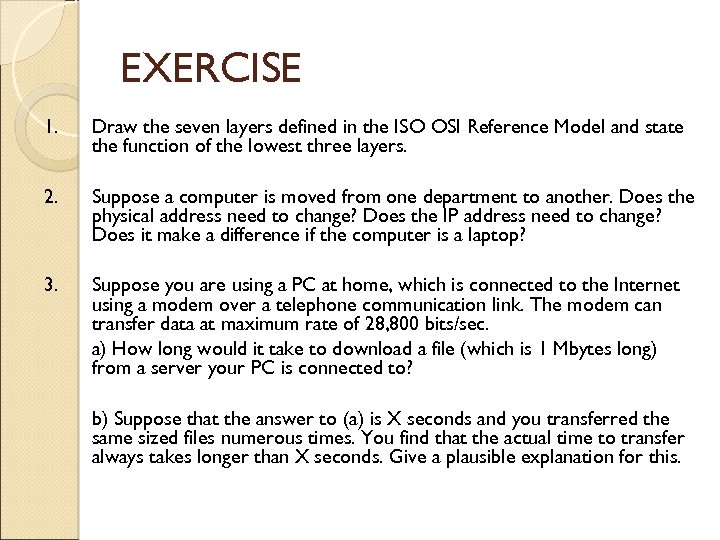
EXERCISE 1. Draw the seven layers defined in the ISO OSI Reference Model and state the function of the lowest three layers. 2. Suppose a computer is moved from one department to another. Does the physical address need to change? Does the IP address need to change? Does it make a difference if the computer is a laptop? 3. Suppose you are using a PC at home, which is connected to the Internet using a modem over a telephone communication link. The modem can transfer data at maximum rate of 28, 800 bits/sec. a) How long would it take to download a file (which is 1 Mbytes long) from a server your PC is connected to? b) Suppose that the answer to (a) is X seconds and you transferred the same sized files numerous times. You find that the actual time to transfer always takes longer than X seconds. Give a plausible explanation for this.
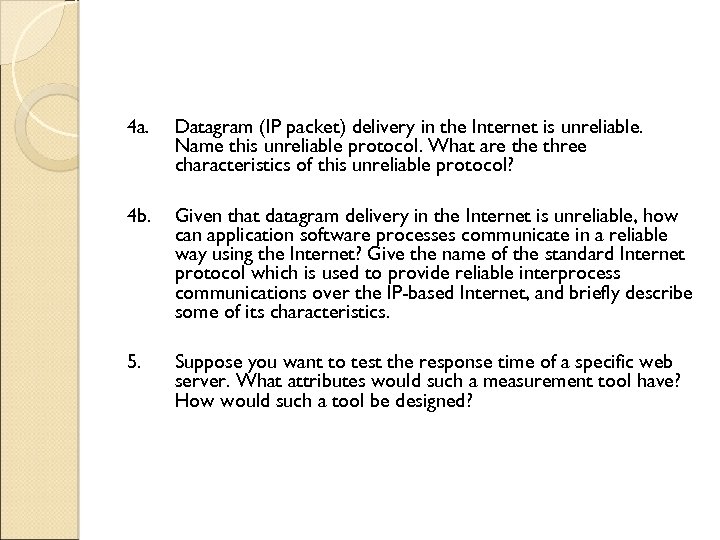
4 a. Datagram (IP packet) delivery in the Internet is unreliable. Name this unreliable protocol. What are three characteristics of this unreliable protocol? 4 b. Given that datagram delivery in the Internet is unreliable, how can application software processes communicate in a reliable way using the Internet? Give the name of the standard Internet protocol which is used to provide reliable interprocess communications over the IP-based Internet, and briefly describe some of its characteristics. 5. Suppose you want to test the response time of a specific web server. What attributes would such a measurement tool have? How would such a tool be designed?
Скачать презентацию LECTURE APPROACH Based on Comm Networks textbook by
94b25f49907521a5b5ac35c3552c9aef.ppt