


 Скачать презентацию Lecture 9 JQuery Senior-lecturer Sarsenova Zh N
SDP1_Lecture 9.pptx
- Количество слайдов: 36
 Lecture 9 JQuery Senior-lecturer: Sarsenova Zh. N.
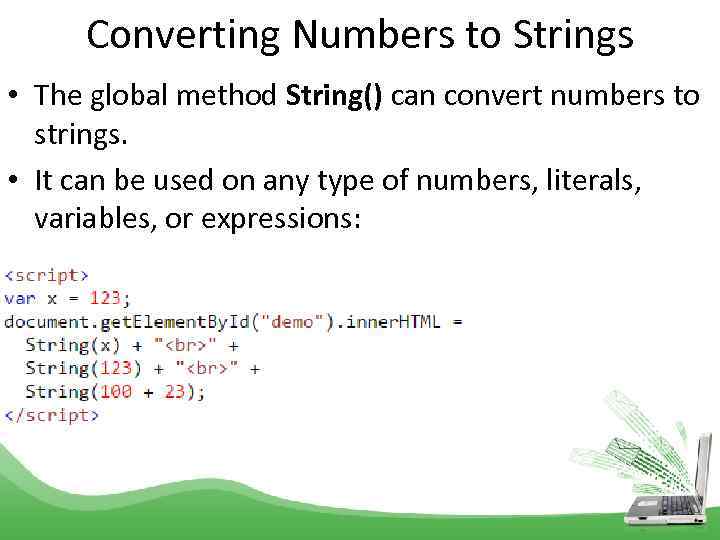 Converting Numbers to Strings • The global method String() can convert numbers to strings. • It can be used on any type of numbers, literals, variables, or expressions:
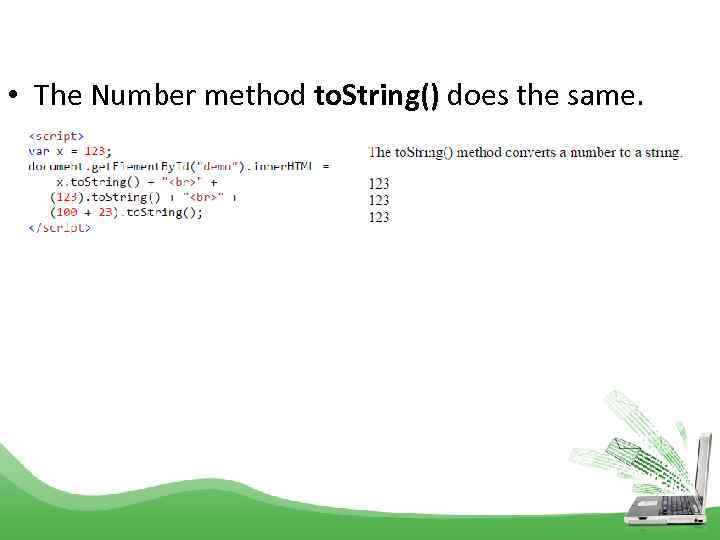 • The Number method to. String() does the same.
 j. Query • j. Query is a Java. Script Library. • j. Query greatly simplifies Java. Script programming • The purpose of j. Query is to make it much easier to use Java. Script on your website.
 JQuery • • • The j. Query library contains the following features: HTML/DOM manipulation CSS manipulation HTML event methods Effects and animations AJAX Utilities Many of the biggest companies on the Web use j. Query, such as: Google Microsoft IBM Netflix
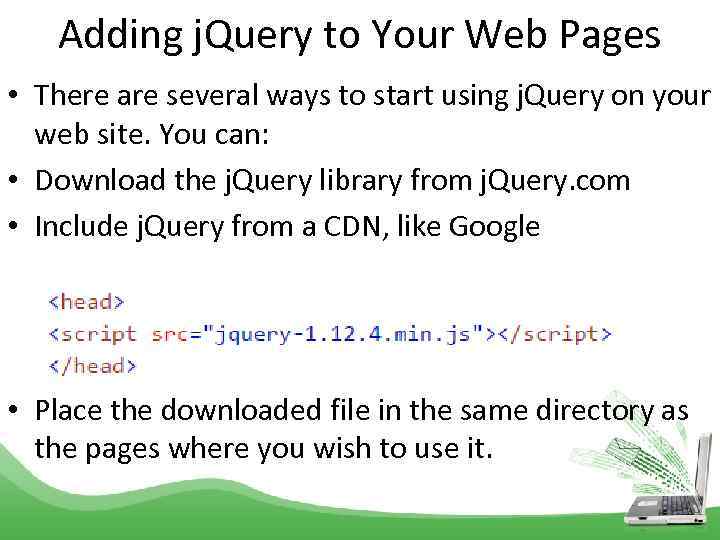 Adding j. Query to Your Web Pages • There are several ways to start using j. Query on your web site. You can: • Download the j. Query library from j. Query. com • Include j. Query from a CDN, like Google • Place the downloaded file in the same directory as the pages where you wish to use it.
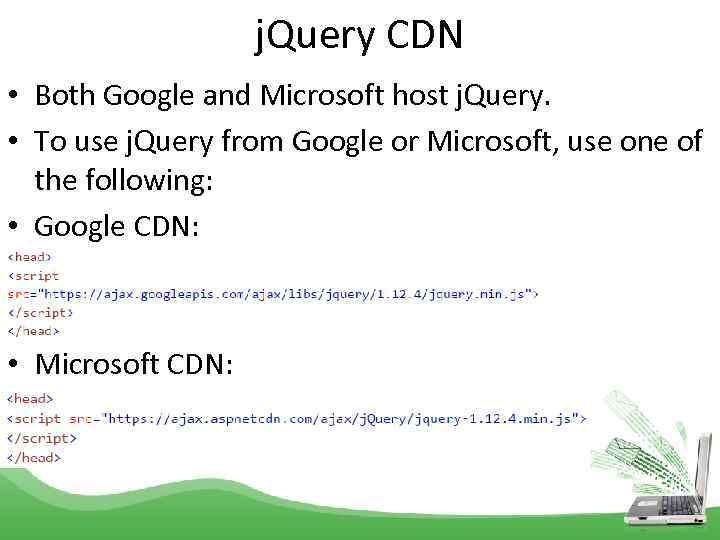 j. Query CDN • Both Google and Microsoft host j. Query. • To use j. Query from Google or Microsoft, use one of the following: • Google CDN: • Microsoft CDN:
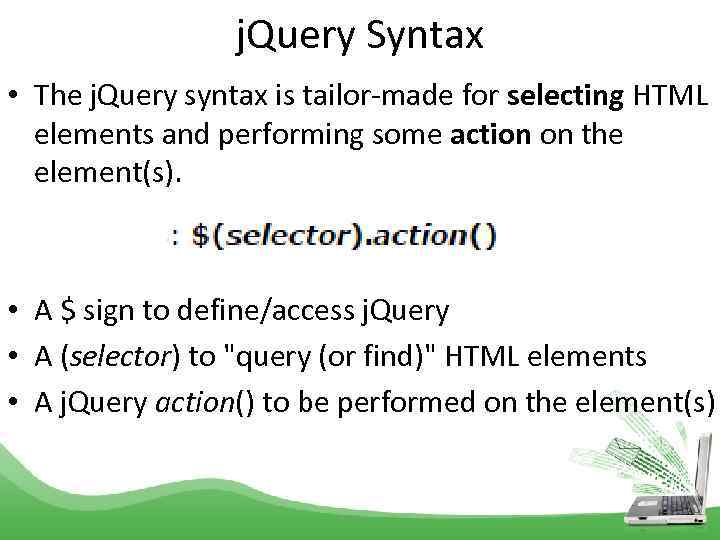 j. Query Syntax • The j. Query syntax is tailor-made for selecting HTML elements and performing some action on the element(s). • A $ sign to define/access j. Query • A (selector) to "query (or find)" HTML elements • A j. Query action() to be performed on the element(s)
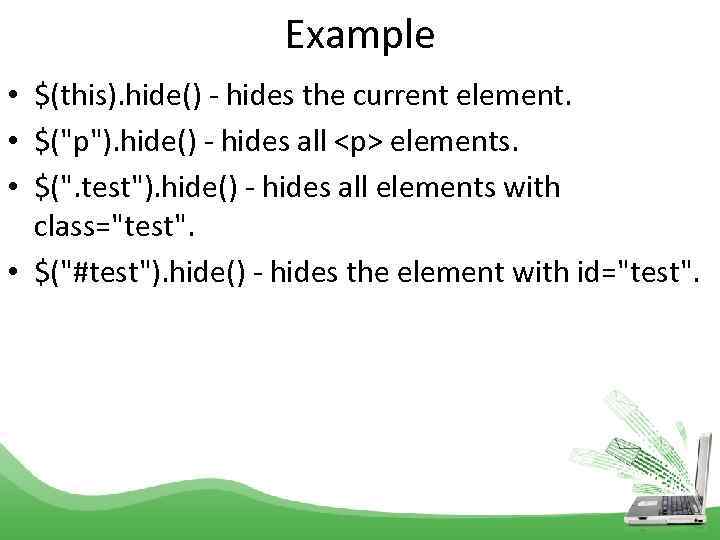 Example • $(this). hide() - hides the current element. • $("p"). hide() - hides all
elements. • $(". test"). hide() - hides all elements with class="test". • $("#test"). hide() - hides the element with id="test".
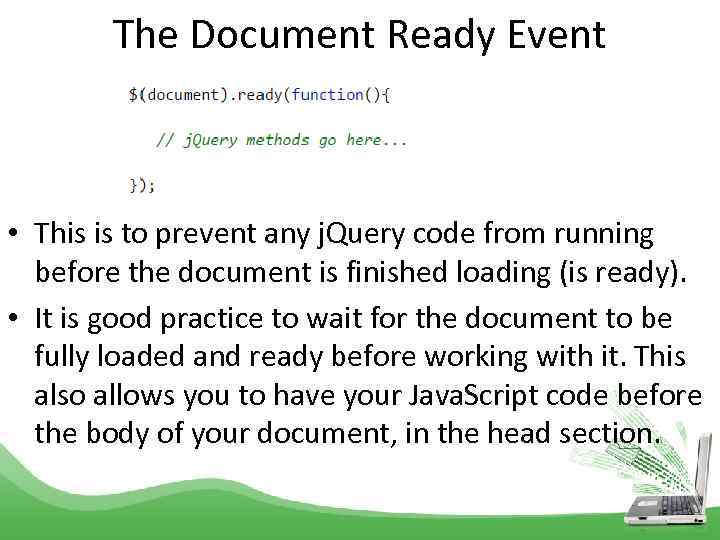 The Document Ready Event • This is to prevent any j. Query code from running before the document is finished loading (is ready). • It is good practice to wait for the document to be fully loaded and ready before working with it. This also allows you to have your Java. Script code before the body of your document, in the head section.
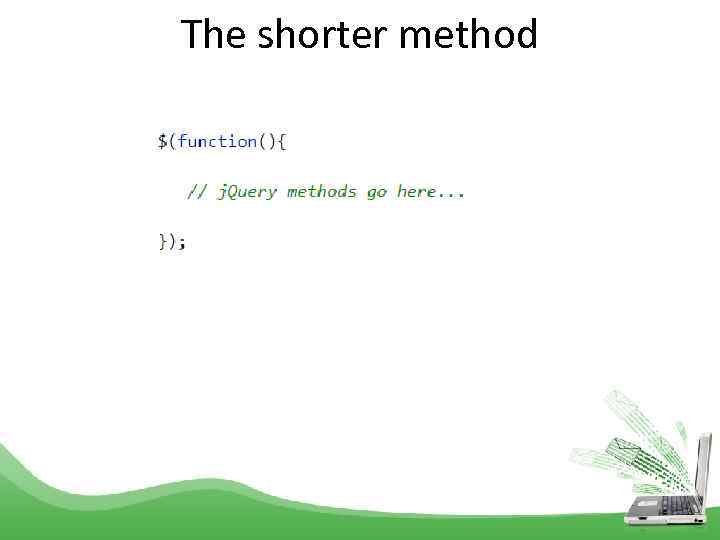 The shorter method
 j. Query Selectors • j. Query selectors are used to "find" (or select) HTML elements based on their name, id, classes, types, attributes, values of attributes and much more.
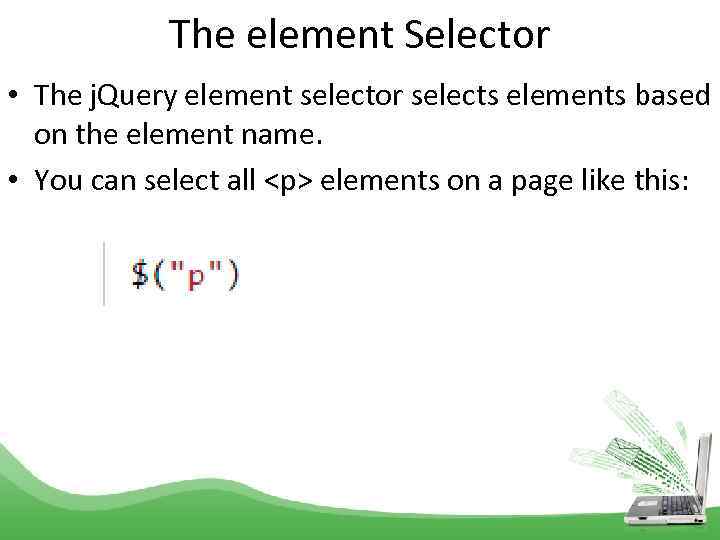 The element Selector • The j. Query element selector selects elements based on the element name. • You can select all
elements on a page like this:
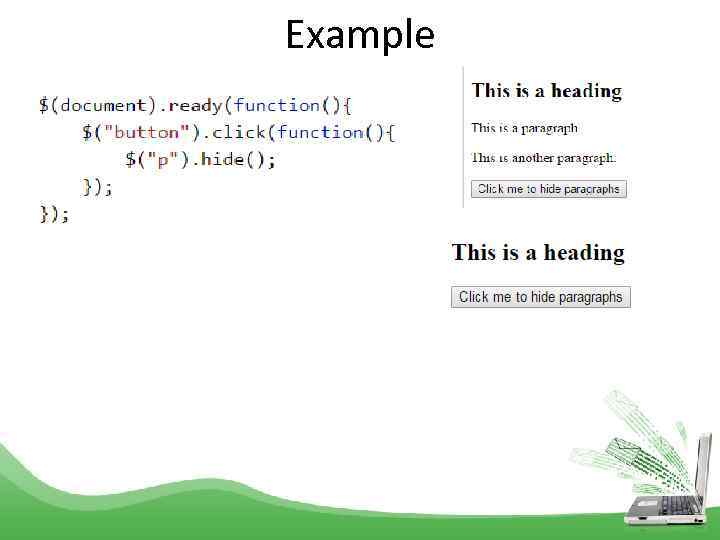 Example
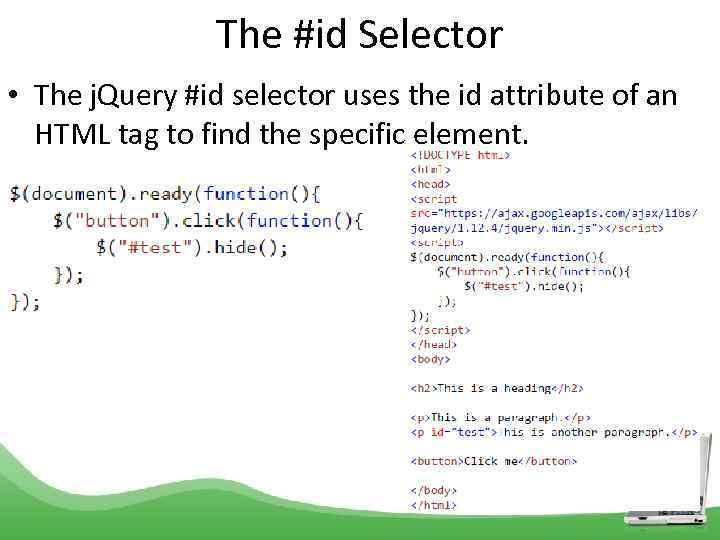 The #id Selector • The j. Query #id selector uses the id attribute of an HTML tag to find the specific element.
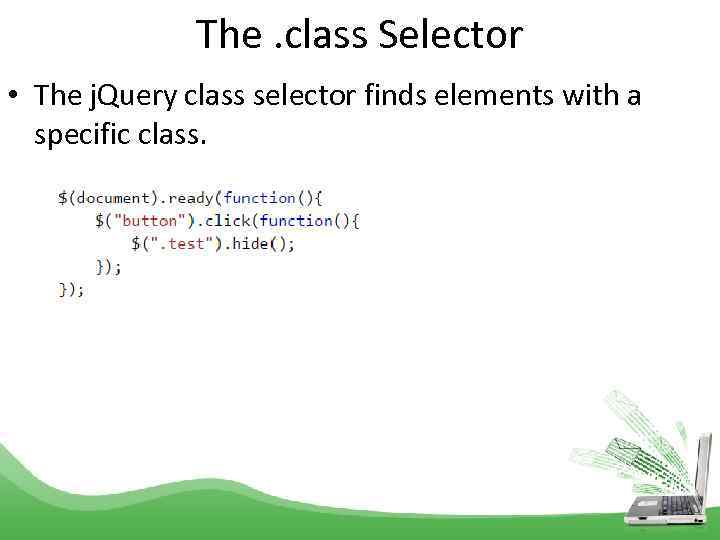 The. class Selector • The j. Query class selector finds elements with a specific class.
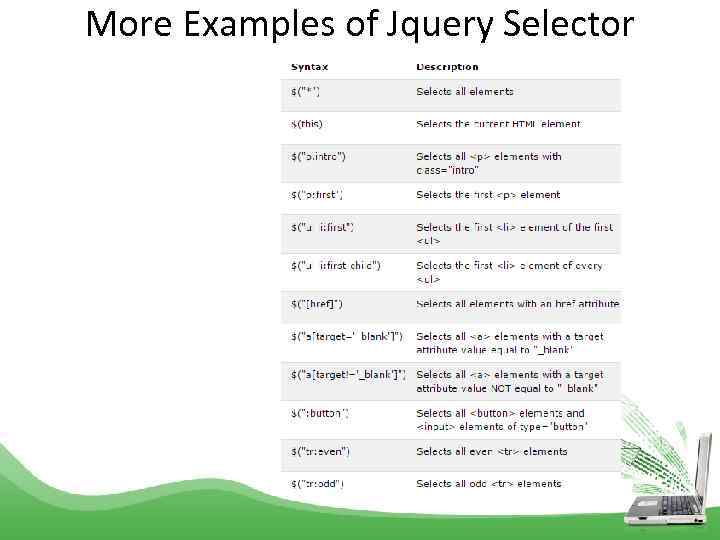 More Examples of Jquery Selector
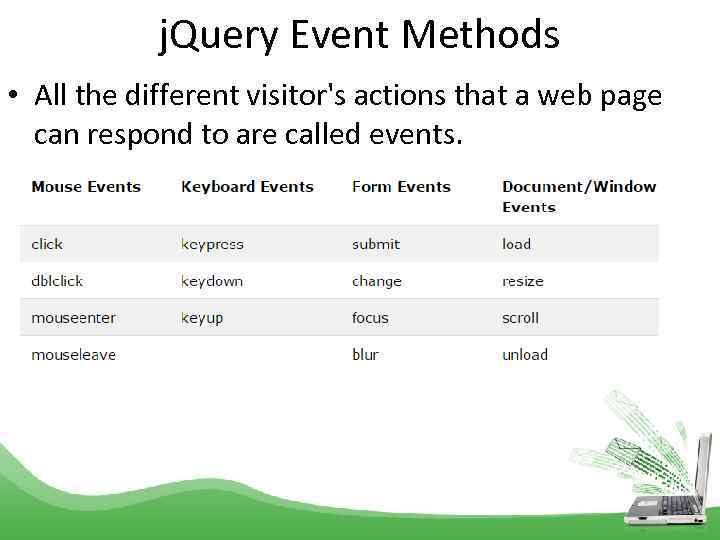 j. Query Event Methods • All the different visitor's actions that a web page can respond to are called events.
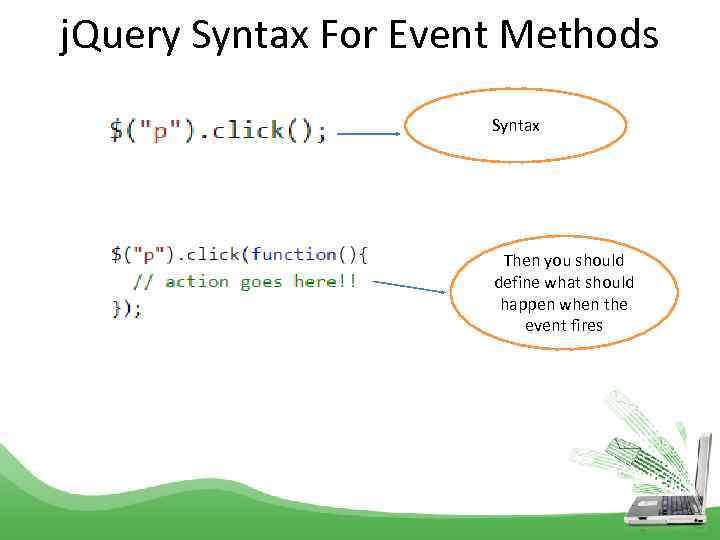 j. Query Syntax For Event Methods Syntax Then you should define what should happen when the event fires
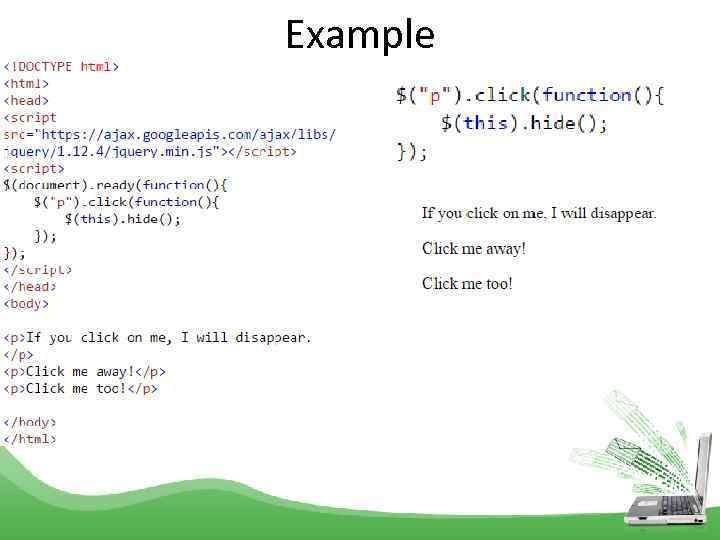 Example
 Events • mouseenter()- The function is executed when the mouse pointer enters the HTML element: • mouseleave() - The function is executed when the mouse pointer leaves the HTML element: • mousedown()- The function is executed, when the left, middle or right mouse button is pressed down, while the mouse is over the HTML element: • mouseup()- The function is executed, when the left, middle or right mouse button is released, while the mouse is over the HTML element: • hover() - The hover() method takes two functions and is a combination of the mouseenter() and mouseleave() methods. • focus()- The function is executed when the form field gets focus: • blur() - The blur() method attaches an event handler function to an HTML form field. • The function is executed when the form field loses focus:
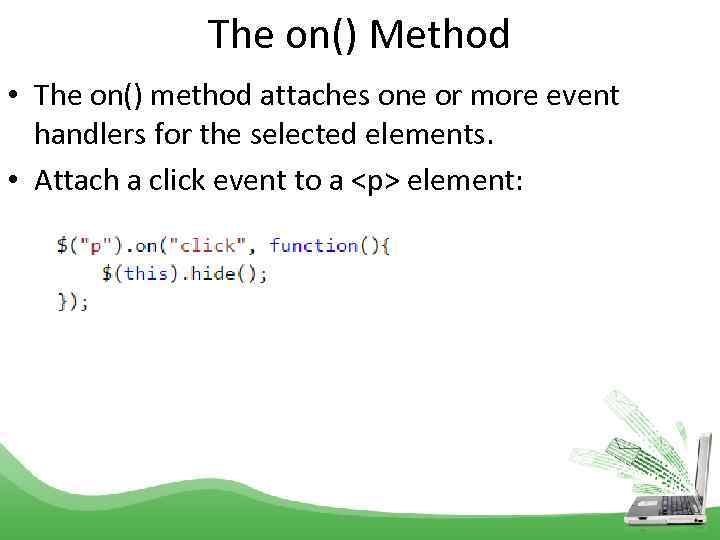 The on() Method • The on() method attaches one or more event handlers for the selected elements. • Attach a click event to a
element:
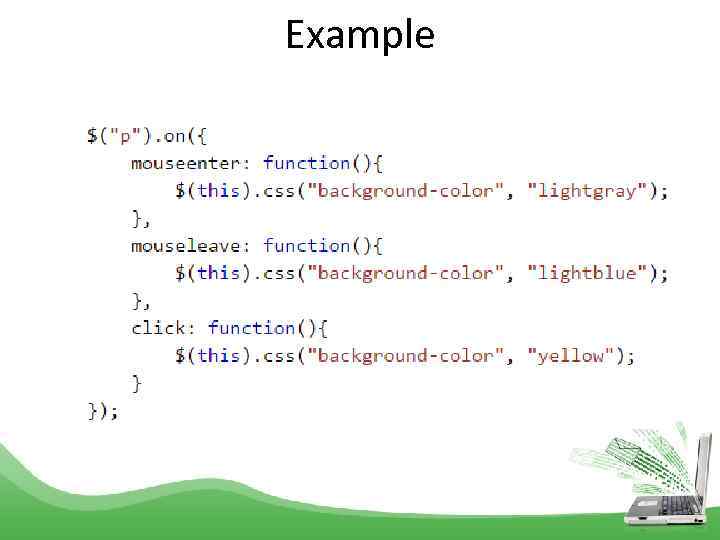 Example
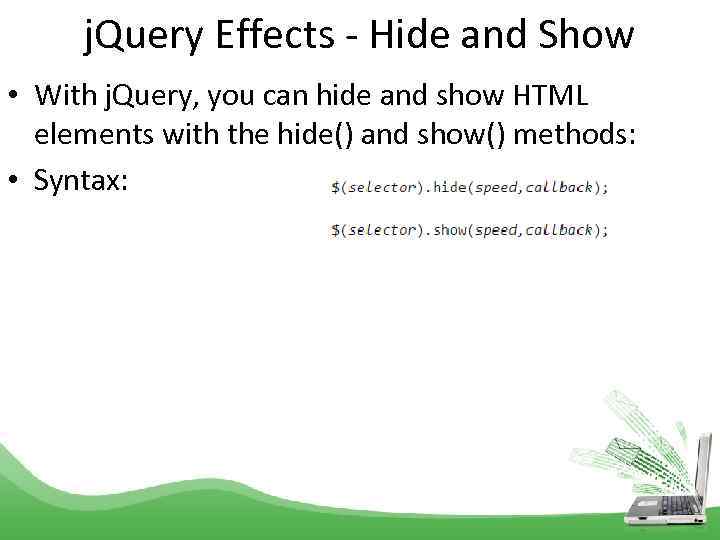 j. Query Effects - Hide and Show • With j. Query, you can hide and show HTML elements with the hide() and show() methods: • Syntax:
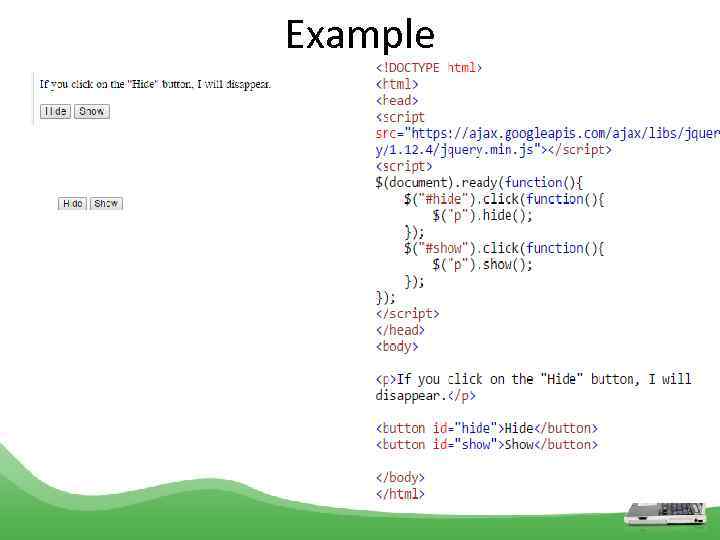 Example
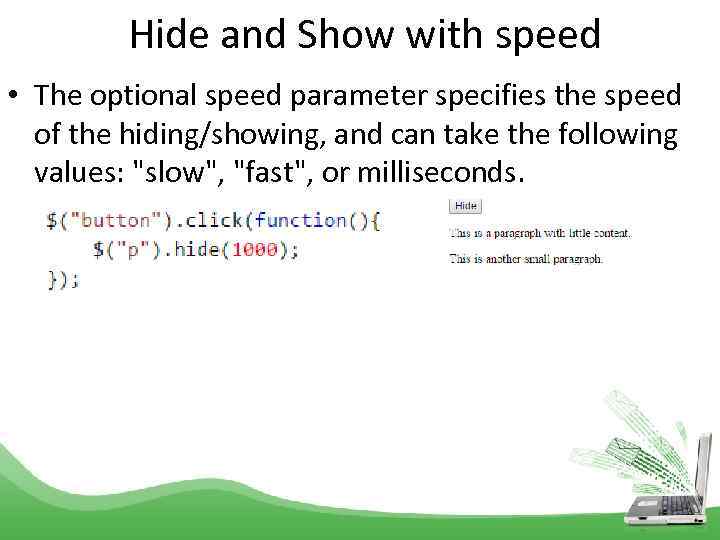 Hide and Show with speed • The optional speed parameter specifies the speed of the hiding/showing, and can take the following values: "slow", "fast", or milliseconds.
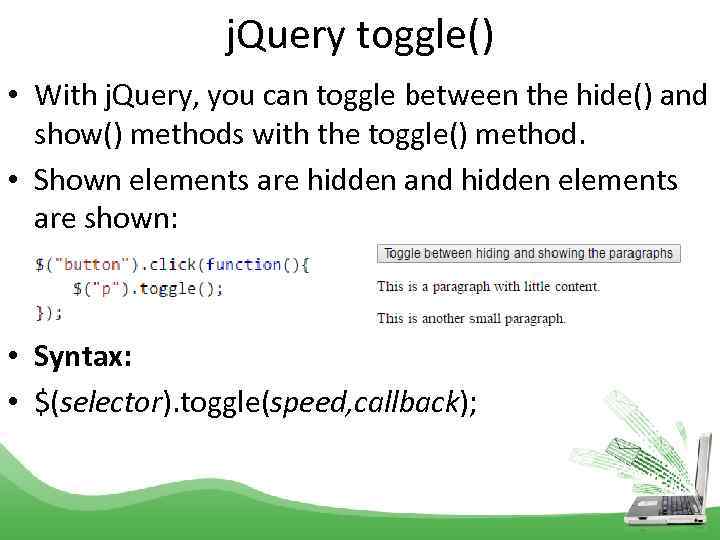 j. Query toggle() • With j. Query, you can toggle between the hide() and show() methods with the toggle() method. • Shown elements are hidden and hidden elements are shown: • Syntax: • $(selector). toggle(speed, callback);
 j. Query Effects - Fading • With j. Query you can fade an element in and out of visibility. • j. Query has the following fade methods: • fade. In() - is used to fade in a hidden element. • fade. Out() - is used to fade out a visible element. • fade. Toggle() - toggles between the fade. In() and fade. Out() methods. • fade. To() - allows fading to a given opacity (value between 0 and 1).
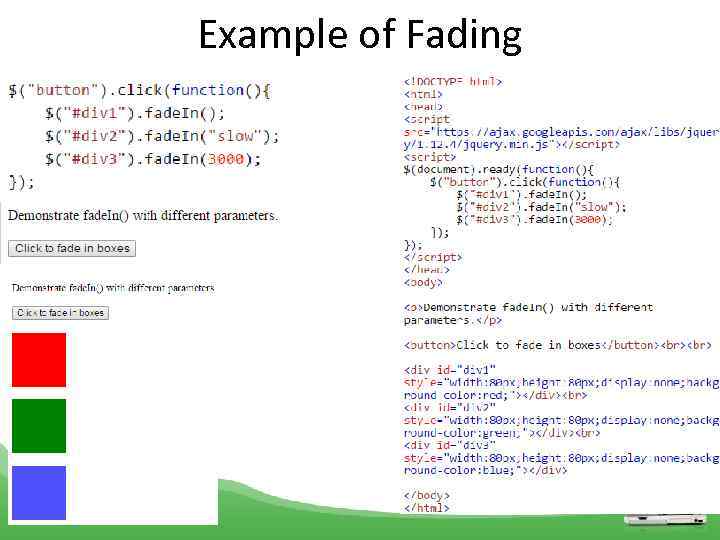 Example of Fading
 j. Query Effects - Sliding • The j. Query slide methods slide elements up and down. • With j. Query you can create a sliding effect on elements. • j. Query has the following slide methods: • slide. Down() • slide. Up() • slide. Toggle() • Syntax: • $(selector). slide. Down(speed, callback);
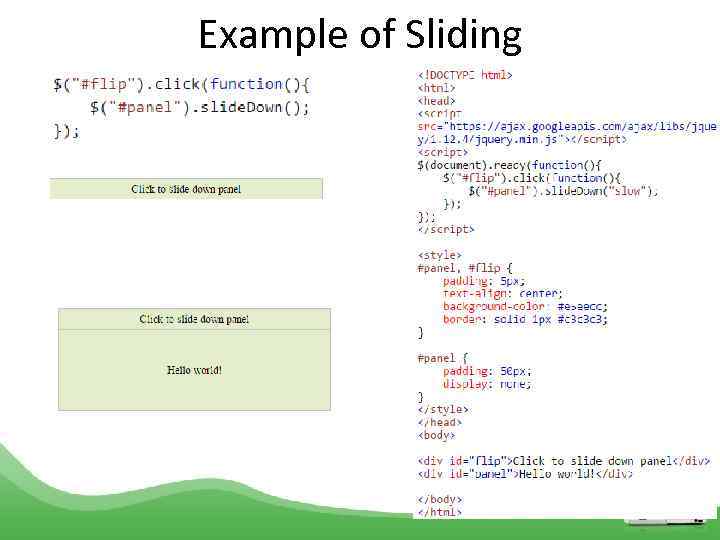 Example of Sliding
 j. Query Animations - The animate() Method • The j. Query animate() method is used to create custom animations. • Syntax: $(selector). animate({params}, speed, callback);
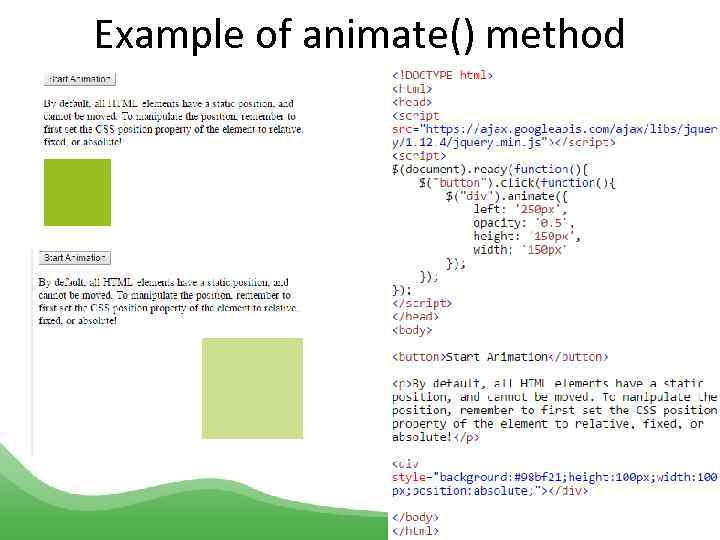 Example of animate() method
 scroll. Top() • Description: sets or returns the vertical scrollbar position for the selected elements. • When the scrollbar is on the top, the position is 0. • When used to return the position: This method returns the vertical position of the scrollbar for the FIRST matched element. • $(selector). scroll. Top() - Return vertical scrollbar position: • $(selector). scroll. Top(position) - Set vertical scrollbar position:
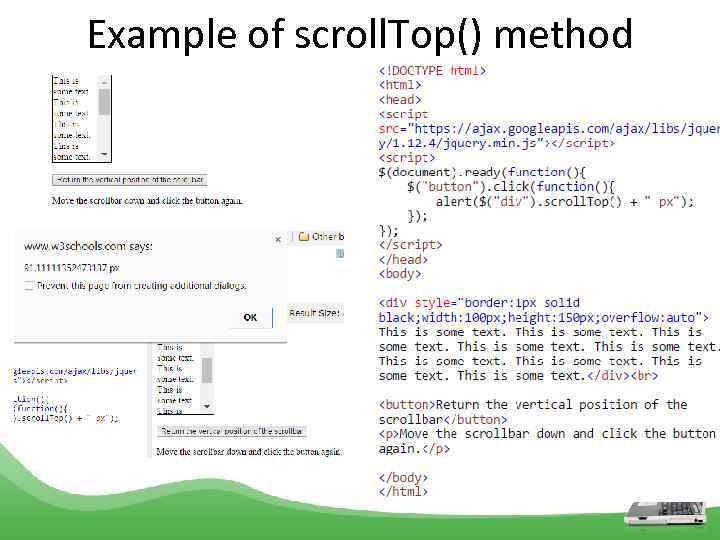 Example of scroll. Top() method
 From w 3 schools. com read about JQuery