 Скачать презентацию Lecture 9 Debugging Testing Objectives Unfortunately
540d7cf5fb6a10b76534351bc0ec26bd.ppt
- Количество слайдов: 26



Lecture 9: Debugging & Testing
Objectives “Unfortunately, errors are a part of life. Some are detected by the compiler, some are detected through testing, and the remainder go uncaught. Modern languages and tools like J#, Visual Studio. NET, and NUnit provide many techniques for quickly identifying, dealing with, and eliminating errors. But you have to apply them…” • Debugging options • Testing with NUnit J# in Visual Introducing CS using. NET Microsoft Studio. NET 9 -2
Part 1 • Debugging options… J# in Visual Introducing CS using. NET Microsoft Studio. NET 9 -3
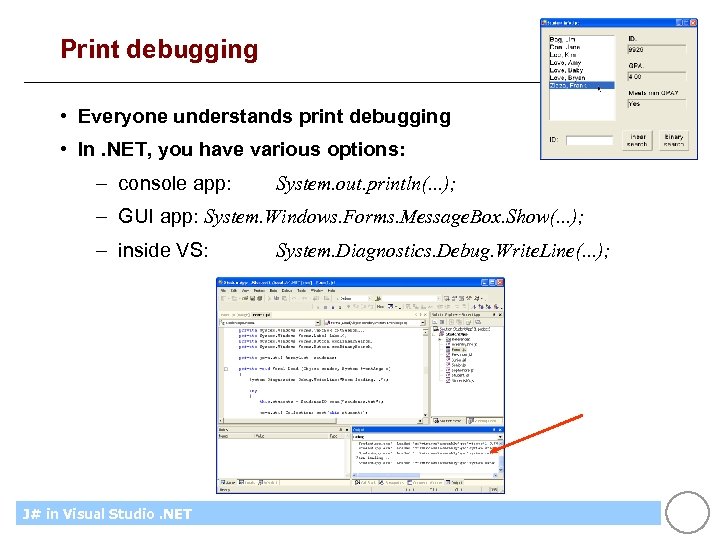
Print debugging • Everyone understands print debugging • In. NET, you have various options: – console app: System. out. println(. . . ); – GUI app: System. Windows. Forms. Message. Box. Show(. . . ); – inside VS: J# in Visual Introducing CS using. NET Microsoft Studio. NET System. Diagnostics. Debug. Write. Line(. . . ); 9 -4
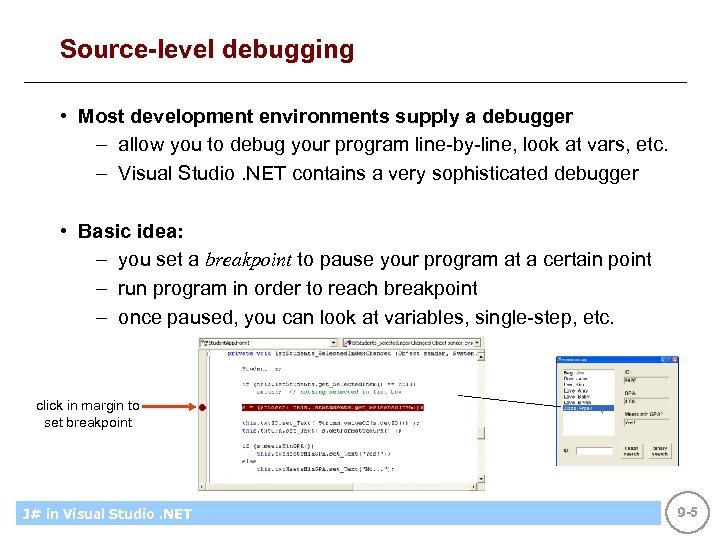
Source-level debugging • Most development environments supply a debugger – allow you to debug your program line-by-line, look at vars, etc. – Visual Studio. NET contains a very sophisticated debugger • Basic idea: – you set a breakpoint to pause your program at a certain point – run program in order to reach breakpoint – once paused, you can look at variables, single-step, etc. click in margin to set breakpoint J# in Visual Introducing CS using. NET Microsoft Studio. NET 9 -5
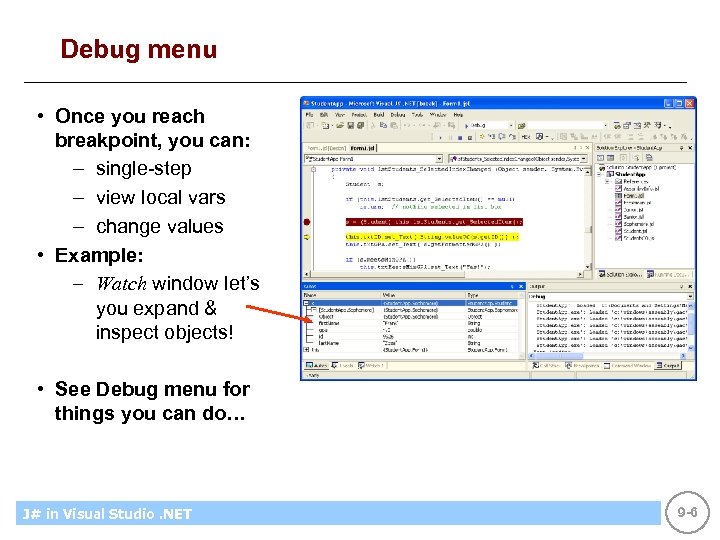
Debug menu • Once you reach breakpoint, you can: – single-step – view local vars – change values • Example: – Watch window let’s you expand & inspect objects! • See Debug menu for things you can do… J# in Visual Introducing CS using. NET Microsoft Studio. NET 9 -6
Examples • When using constructors, set a breakpoint where you do “new Class 1(…)”, run to hit breakpoint, and then single-step, showing how constructor is automatically called… • When using dynamic binding, single-step through calls to see how different method implementations are called dynamically… J# in Visual Introducing CS using. NET Microsoft Studio. NET 9 -7
Part 2 • Testing… J# in Visual Introducing CS using. NET Microsoft Studio. NET 9 -8
Testing • Good testing is a skill that students must develop: – algorithm boundary cases – single calls & sequences of calls – parameter validation – exception handling – etc. • Good testing is automated – so there’s no reason not to do it • Good testing is repeatable (regression testing) – so you can retest after any change to the code J# in Visual Introducing CS using. NET Microsoft Studio. NET 9 -9
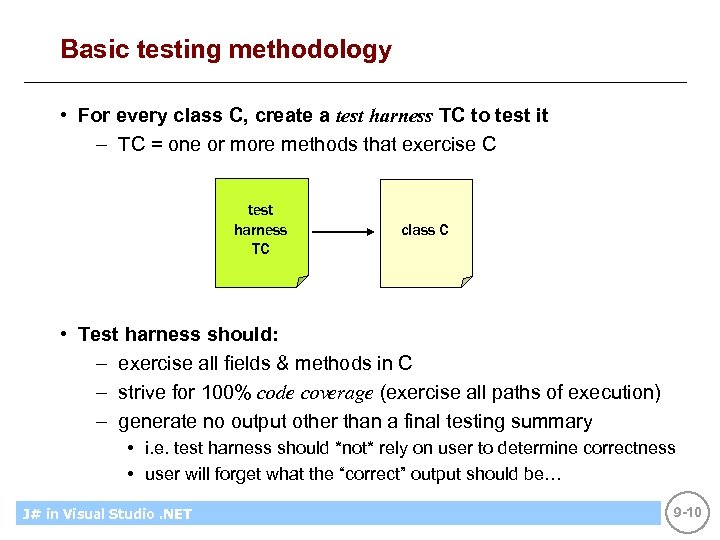
Basic testing methodology • For every class C, create a test harness TC to test it – TC = one or more methods that exercise C test harness TC class C • Test harness should: – exercise all fields & methods in C – strive for 100% code coverage (exercise all paths of execution) – generate no output other than a final testing summary • i. e. test harness should *not* rely on user to determine correctness • user will forget what the “correct” output should be… J# in Visual Introducing CS using. NET Microsoft Studio. NET 9 -10
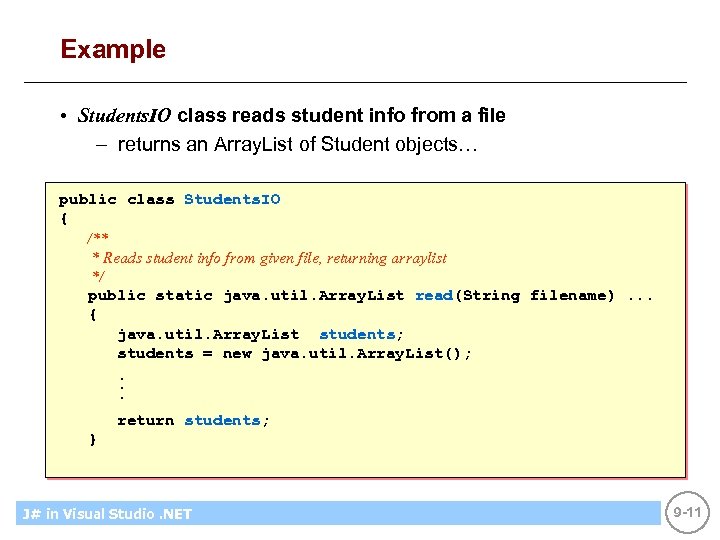
Example • Students. IO class reads student info from a file – returns an Array. List of Student objects… public class Students. IO { /** * Reads student info from given file, returning arraylist */ public static java. util. Array. List read(String filename). . . { java. util. Array. List students; students = new java. util. Array. List(); . . . return students; } J# in Visual Introducing CS using. NET Microsoft Studio. NET 9 -11
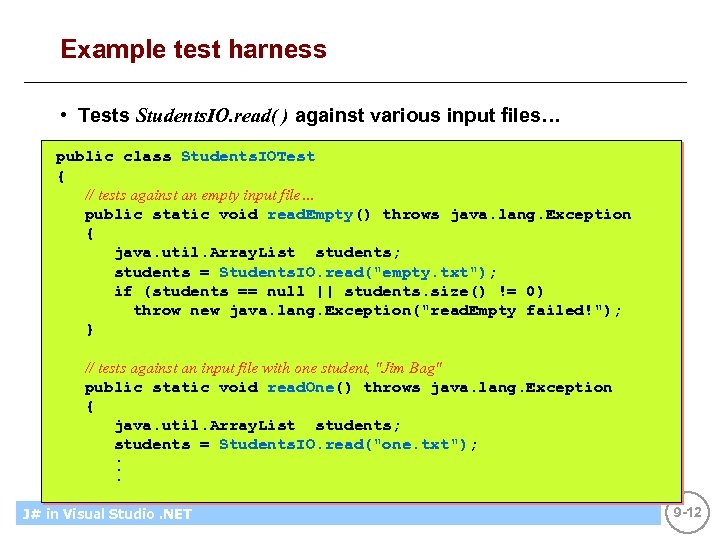
Example test harness • Tests Students. IO. read( ) against various input files… public class Students. IOTest { // tests against an empty input file… public static void read. Empty() throws java. lang. Exception { java. util. Array. List students; students = Students. IO. read("empty. txt"); if (students == null || students. size() != 0) throw new java. lang. Exception("read. Empty failed!"); } // tests against an input file with one student, "Jim Bag" public static void read. One() throws java. lang. Exception { java. util. Array. List students; students = Students. IO. read("one. txt"); . . . J# in Visual Introducing CS using. NET Microsoft Studio. NET 9 -12
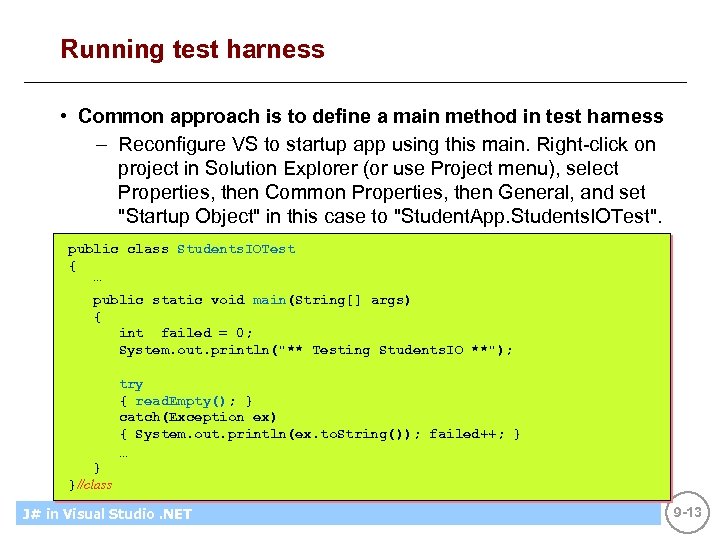
Running test harness • Common approach is to define a main method in test harness – Reconfigure VS to startup app using this main. Right-click on project in Solution Explorer (or use Project menu), select Properties, then Common Properties, then General, and set "Startup Object" in this case to "Student. App. Students. IOTest". public class Students. IOTest { … public static void main(String[] args) { int failed = 0; System. out. println("** Testing Students. IO **"); } }//class try { read. Empty(); } catch(Exception ex) { System. out. println(ex. to. String()); failed++; } … J# in Visual Introducing CS using. NET Microsoft Studio. NET 9 -13
Part 3 • Testing with NUnit… J# in Visual Introducing CS using. NET Microsoft Studio. NET 9 -14
NUnit • NUnit is based on the highly-successful Java tool JUnit – NUnit is for. NET code – NUnit is for testing "units", i. e. classes – available for free from http: //nunit. org/ J# in Visual Introducing CS using. NET Microsoft Studio. NET 9 -15
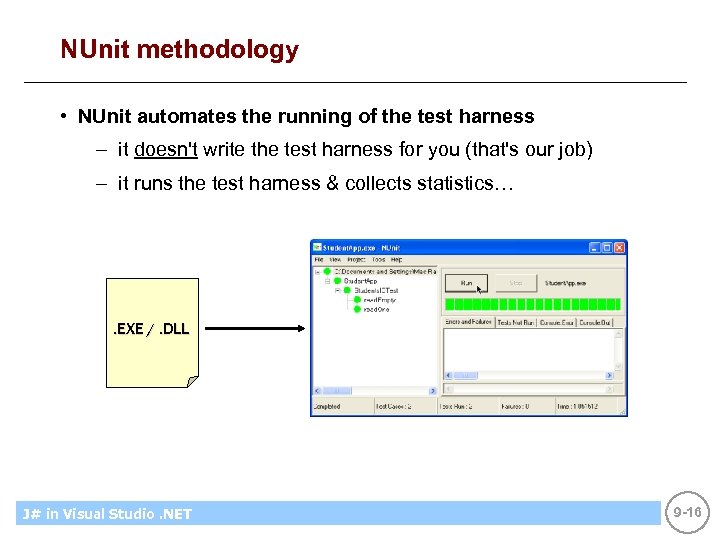
NUnit methodology • NUnit automates the running of the test harness – it doesn't write the test harness for you (that's our job) – it runs the test harness & collects statistics… . EXE /. DLL J# in Visual Introducing CS using. NET Microsoft Studio. NET 9 -16
How does NUnit help? • NUnit helps in many ways: – you don't have to write the code to collect & output statistics – tells you exactly which tests failed / skipped – catches exceptions that testing methods may throw – provides a framework for regression testing, i. e. re-testing after source code has been modified J# in Visual Introducing CS using. NET Microsoft Studio. NET 9 -17
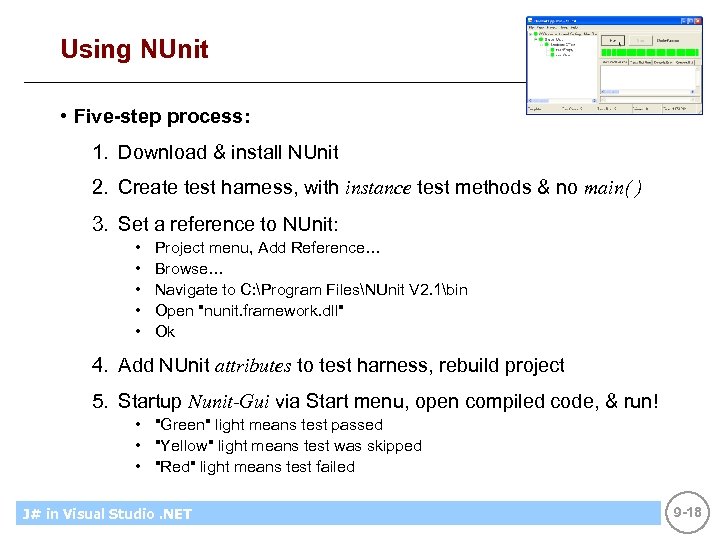
Using NUnit • Five-step process: 1. Download & install NUnit 2. Create test harness, with instance test methods & no main( ) 3. Set a reference to NUnit: • • • Project menu, Add Reference… Browse… Navigate to C: Program FilesNUnit V 2. 1bin Open "nunit. framework. dll" Ok 4. Add NUnit attributes to test harness, rebuild project 5. Startup Nunit-Gui via Start menu, open compiled code, & run! • "Green" light means test passed • "Yellow" light means test was skipped • "Red" light means test failed J# in Visual Introducing CS using. NET Microsoft Studio. NET 9 -18
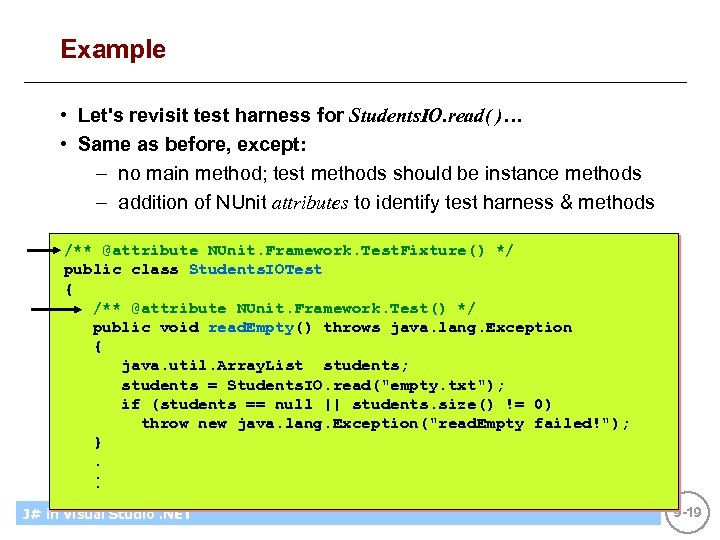
Example • Let's revisit test harness for Students. IO. read( )… • Same as before, except: – no main method; test methods should be instance methods – addition of NUnit attributes to identify test harness & methods /** @attribute NUnit. Framework. Test. Fixture() */ public class Students. IOTest { /** @attribute NUnit. Framework. Test() */ public void read. Empty() throws java. lang. Exception { java. util. Array. List students; students = Students. IO. read("empty. txt"); if (students == null || students. size() != 0) throw new java. lang. Exception("read. Empty failed!"); }. . . J# in Visual Introducing CS using. NET Microsoft Studio. NET 9 -19
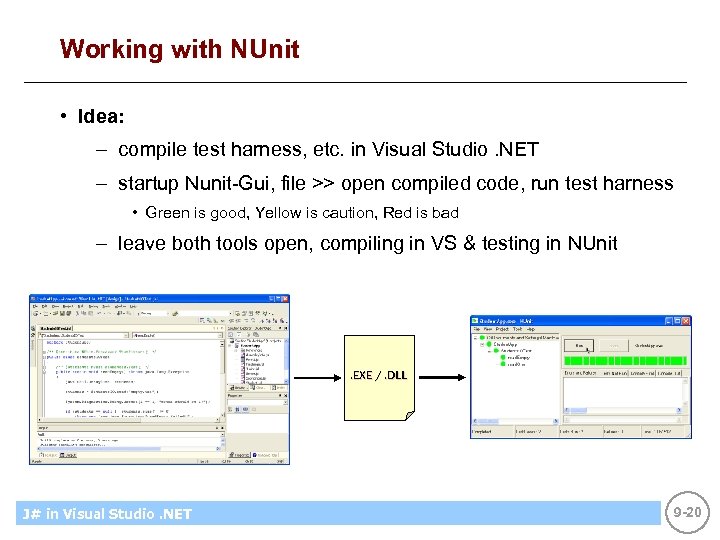
Working with NUnit • Idea: – compile test harness, etc. in Visual Studio. NET – startup Nunit-Gui, file >> open compiled code, run test harness • Green is good, Yellow is caution, Red is bad – leave both tools open, compiling in VS & testing in NUnit . EXE /. DLL J# in Visual Introducing CS using. NET Microsoft Studio. NET 9 -20
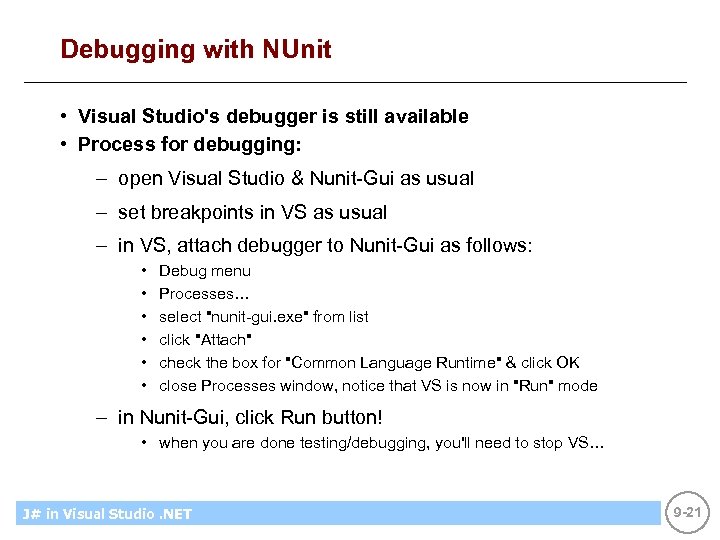
Debugging with NUnit • Visual Studio's debugger is still available • Process for debugging: – open Visual Studio & Nunit-Gui as usual – set breakpoints in VS as usual – in VS, attach debugger to Nunit-Gui as follows: • • • Debug menu Processes… select "nunit-gui. exe" from list click "Attach" check the box for "Common Language Runtime" & click OK close Processes window, notice that VS is now in "Run" mode – in Nunit-Gui, click Run button! • when you are done testing/debugging, you'll need to stop VS… J# in Visual Introducing CS using. NET Microsoft Studio. NET 9 -21
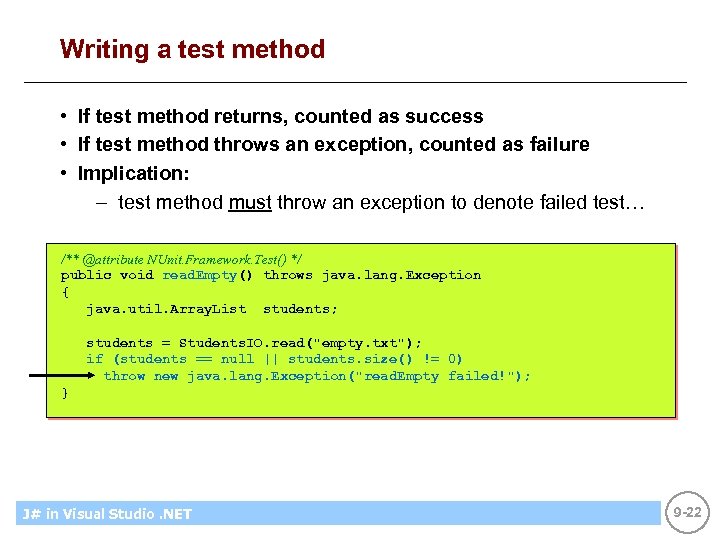
Writing a test method • If test method returns, counted as success • If test method throws an exception, counted as failure • Implication: – test method must throw an exception to denote failed test… /** @attribute NUnit. Framework. Test() */ public void read. Empty() throws java. lang. Exception { java. util. Array. List students; students = Students. IO. read("empty. txt"); if (students == null || students. size() != 0) throw new java. lang. Exception("read. Empty failed!"); } J# in Visual Introducing CS using. NET Microsoft Studio. NET 9 -22
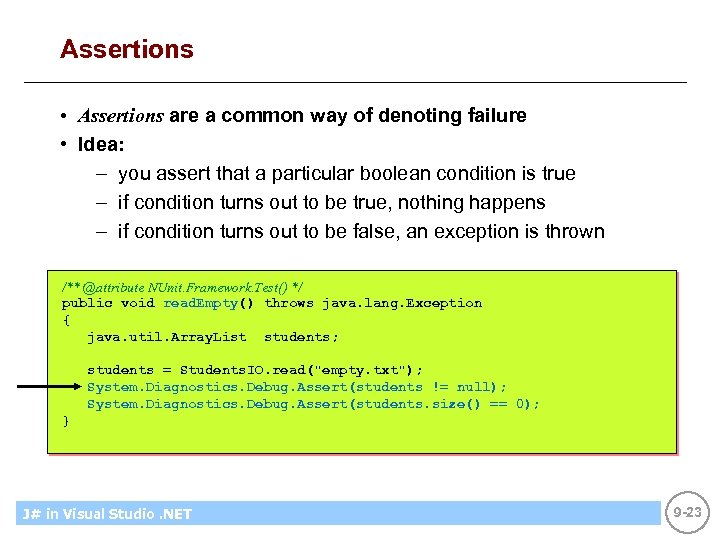
Assertions • Assertions are a common way of denoting failure • Idea: – you assert that a particular boolean condition is true – if condition turns out to be true, nothing happens – if condition turns out to be false, an exception is thrown /** @attribute NUnit. Framework. Test() */ public void read. Empty() throws java. lang. Exception { java. util. Array. List students; students = Students. IO. read("empty. txt"); System. Diagnostics. Debug. Assert(students != null); System. Diagnostics. Debug. Assert(students. size() == 0); } J# in Visual Introducing CS using. NET Microsoft Studio. NET 9 -23
Part 4 • Other tools & ideas… J# in Visual Introducing CS using. NET Microsoft Studio. NET 9 -24
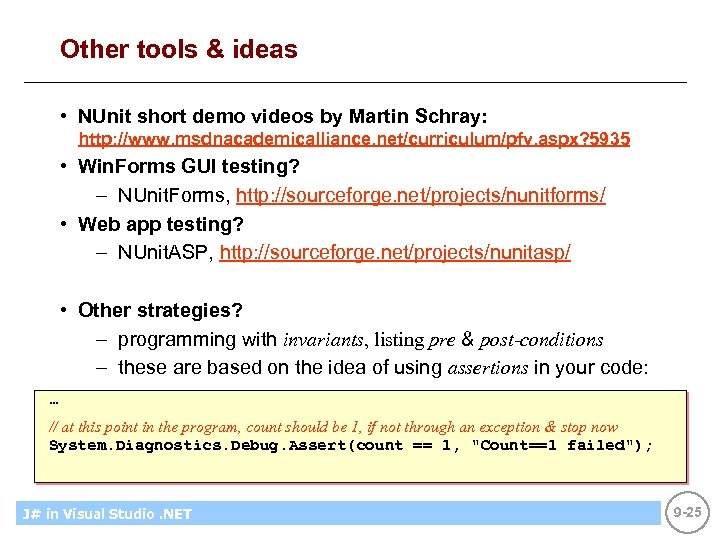
Other tools & ideas • NUnit short demo videos by Martin Schray: http: //www. msdnacademicalliance. net/curriculum/pfv. aspx? 5935 • Win. Forms GUI testing? – NUnit. Forms, http: //sourceforge. net/projects/nunitforms/ • Web app testing? – NUnit. ASP, http: //sourceforge. net/projects/nunitasp/ • Other strategies? – programming with invariants, listing pre & post-conditions – these are based on the idea of using assertions in your code: … // at this point in the program, count should be 1, if not through an exception & stop now System. Diagnostics. Debug. Assert(count == 1, "Count==1 failed"); J# in Visual Introducing CS using. NET Microsoft Studio. NET 9 -25
Summary • Unfortunately, errors are a part of being human • Errors can be eliminated, but it takes a great deal of effort: – good logic – good design – good programming – good testing • You have the tools: – J#, Visual Studio. NET, NUnit, etc. J# in Visual Introducing CS using. NET Microsoft Studio. NET 9 -26
Скачать презентацию Lecture 9 Debugging Testing Objectives Unfortunately
540d7cf5fb6a10b76534351bc0ec26bd.ppt